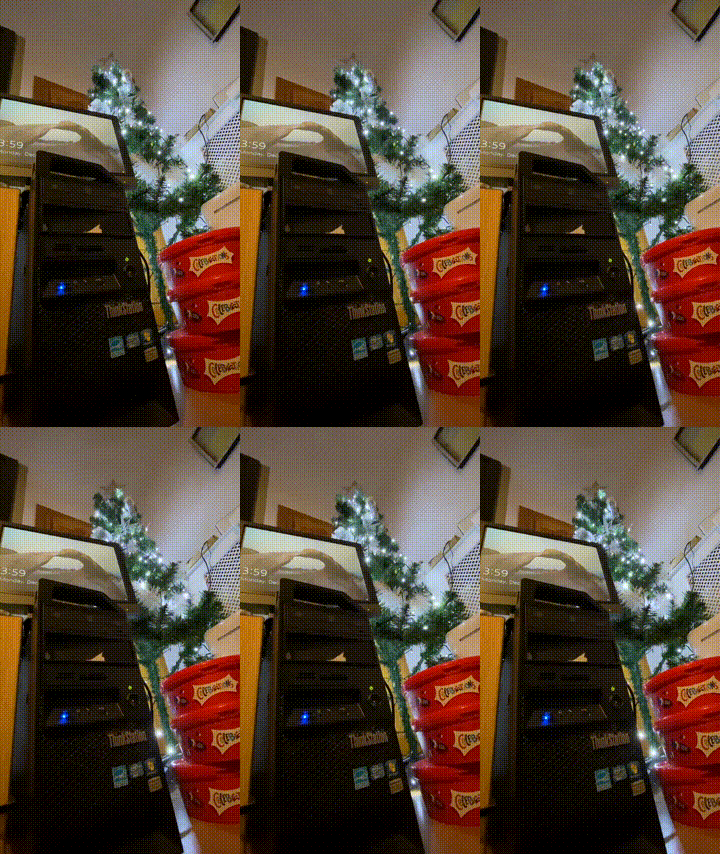
It’s been… a trying year, and unfortunately the nonsensical stuff I had planned to do this year fell through. Sadly all I have is this half baked idea, so I’m sorry but I guess it’s better than nothing?
OS X 10.4.1 / Maklar, a lump of coal
While talking about Mach/XNU and of course how obvious with how ‘easy’ it was to build Darwin 0.3 for i386, I had noticed that the original Marklar 10.4.1 deadmoo image had all up and disappeared from the internet. Obviously, that had to be fixed, and I was able to locate a copy, and upload it to archive.org! (merry christmas?!)
Digging around further lead me to this post on macrumors.com, detailing the hardware that Apple used for the Apple Development Transition Kit, and how it was an Intel D915 Pentium 4 board. Neat! So digging around some more and I find this:
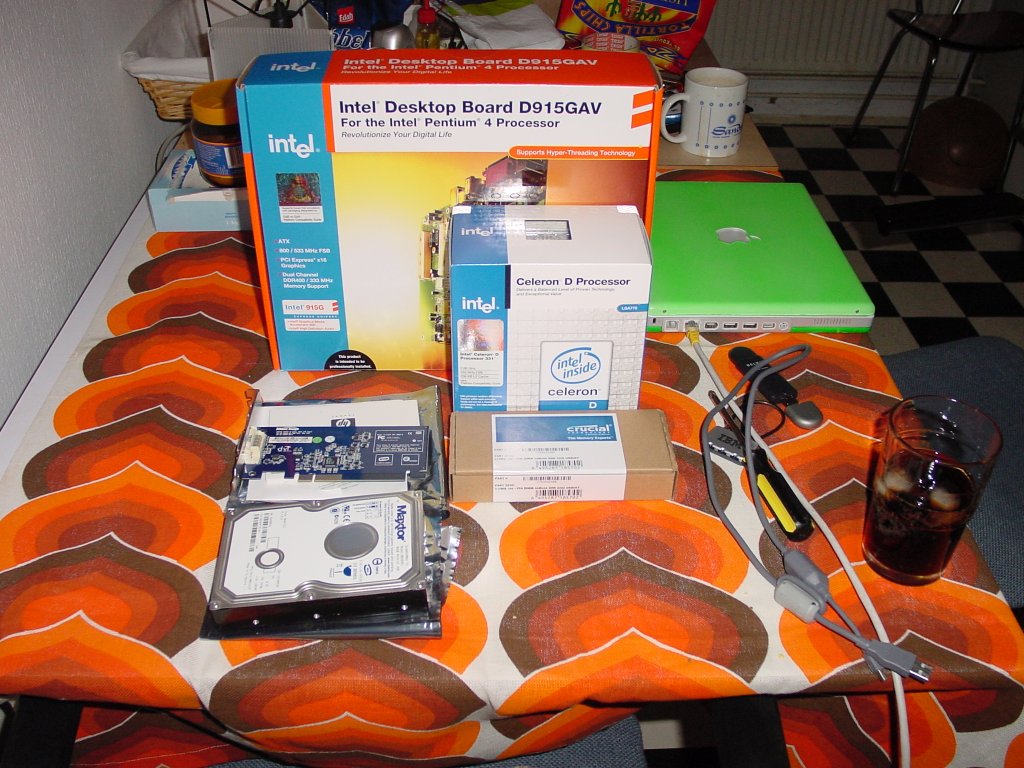
Mark Hoekstra’s setup
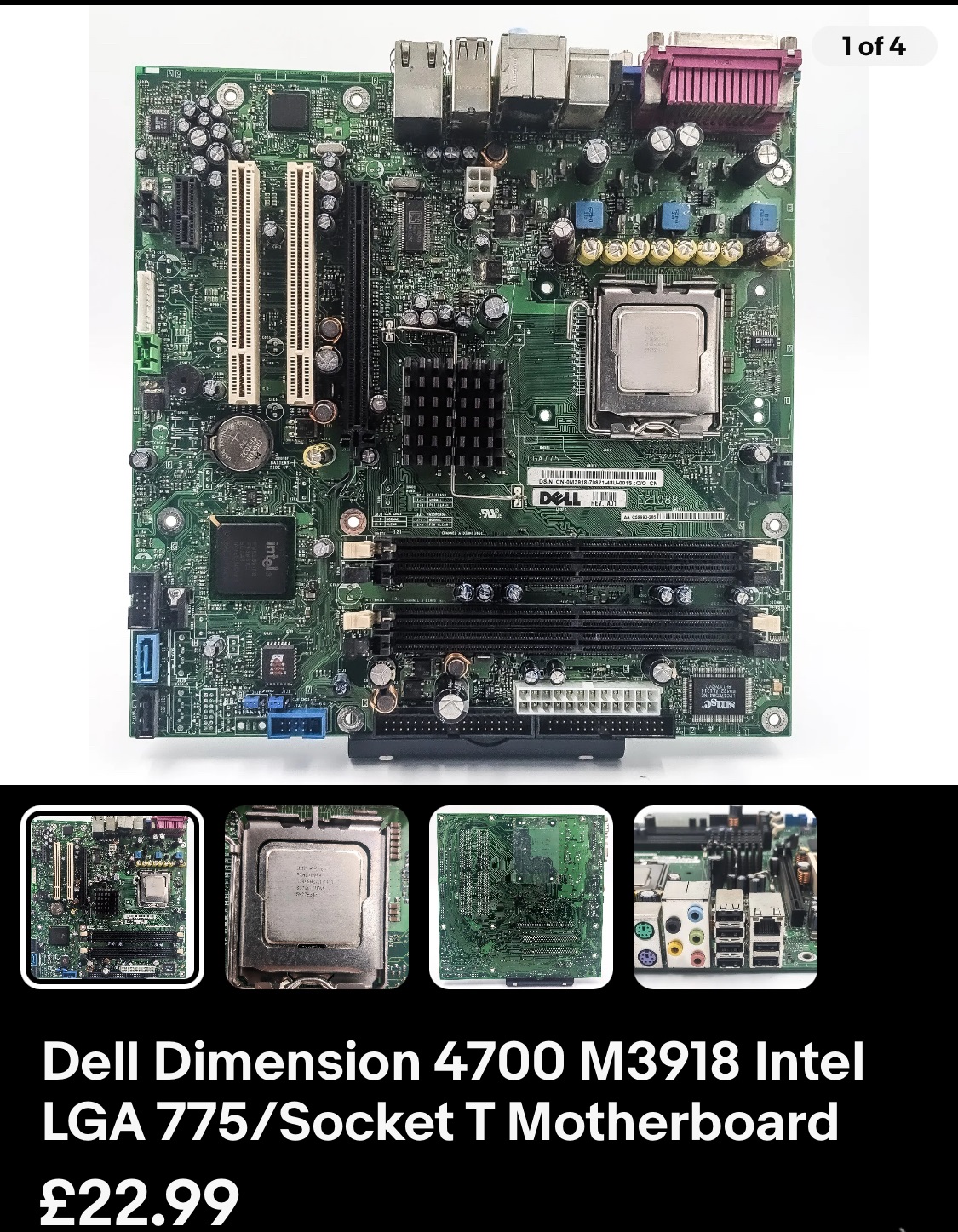
An entire setup guide by Mark Hoekstra! (RIP). The big takaway here is that if you want the accelerated graphics for the best Marklar experience you need an Intel board with the 915 chipset. Combing through theretroweb.com, you can find quite a few boards that used this chipset. I didn’t want to spend a lot of pateron money on this, so I thought I could do it on the cheap. I picked up a Dell 4700 motherboard, and some ‘as is’ 915 boards for their CPU’s and RAM.
I really need to get some SATA cables, I had to pull one out of my AMD64 machine to get this thing going. Which leads to the other issue how to boot this thing?!
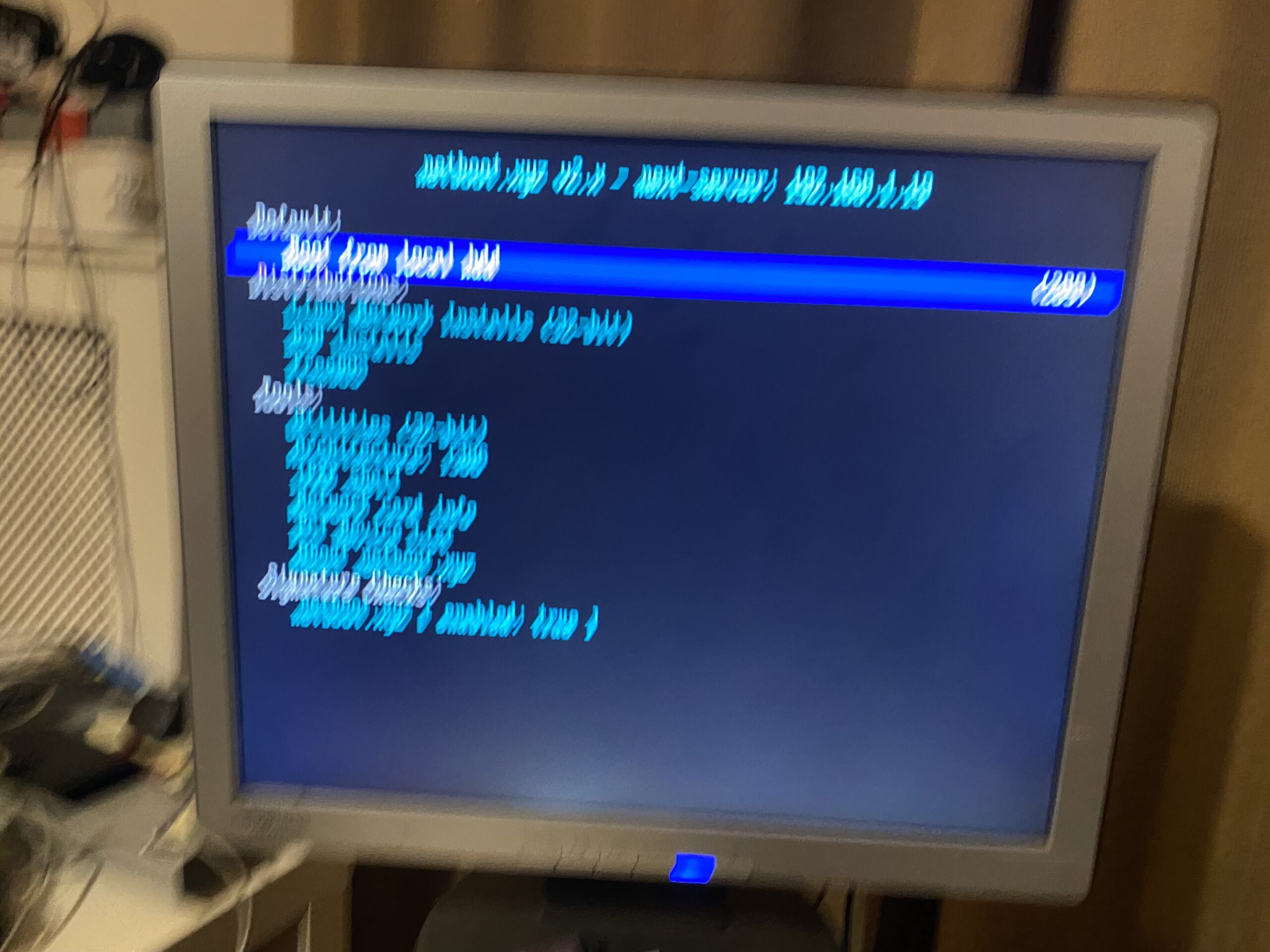
blurry netboot.xyz
I won’t touch much onto it as I couldn’t get any custom menus working at all so the usefulness is super limited, but I setup netboot.xyz at home, was able to netboot the board, and dd a deadmoo onto the SATA disk I pulled from the G5 iMac.
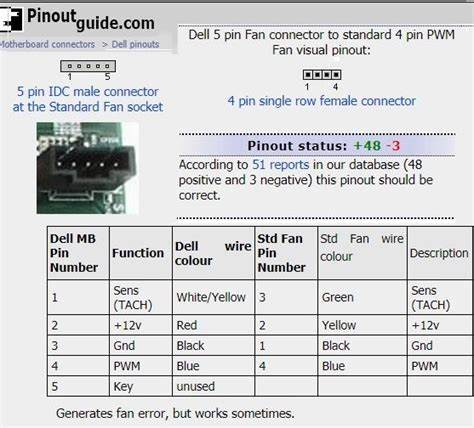
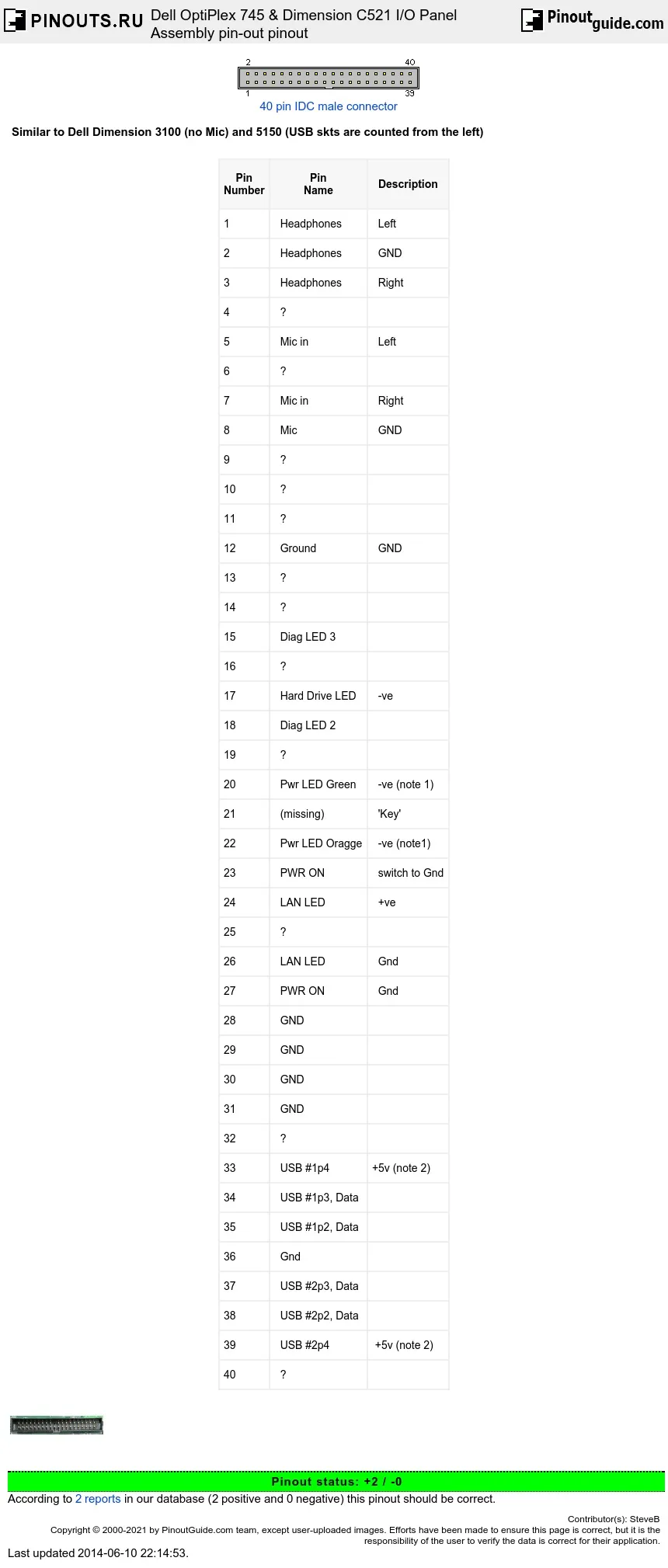
Fan pinout for some DellsDell 40pin power/IO pinout
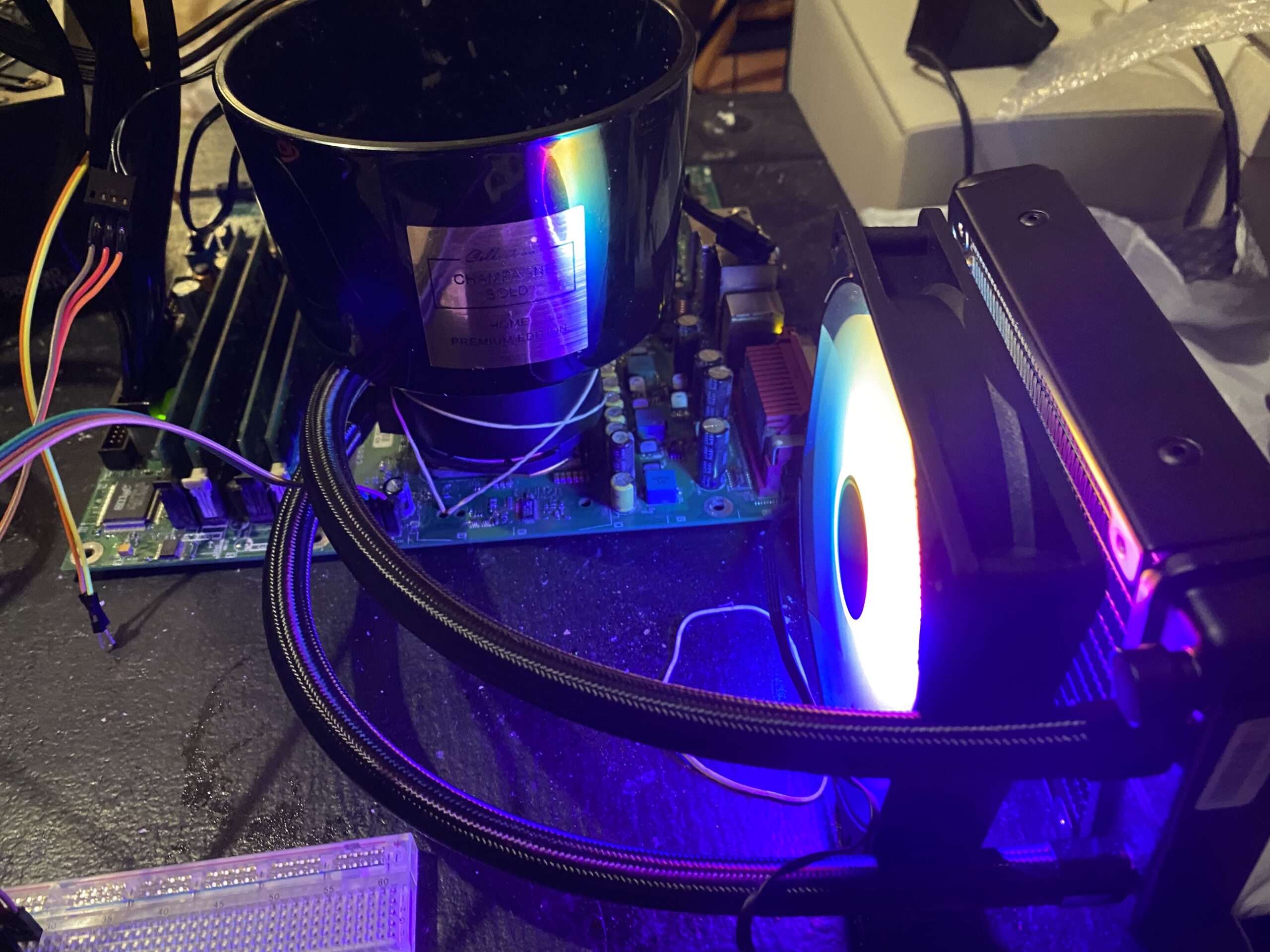
On many of these Dell boards there is only one fan jack, so I just made a simple breakout so I could drive some fans & a AIO liquid cooler. Although the dell boards suck when it comes to easy heatsink mounting.
Dell board with fan breakout & something heavy to hold the water block in place
It wasn’t pretty but it did work.
booting up
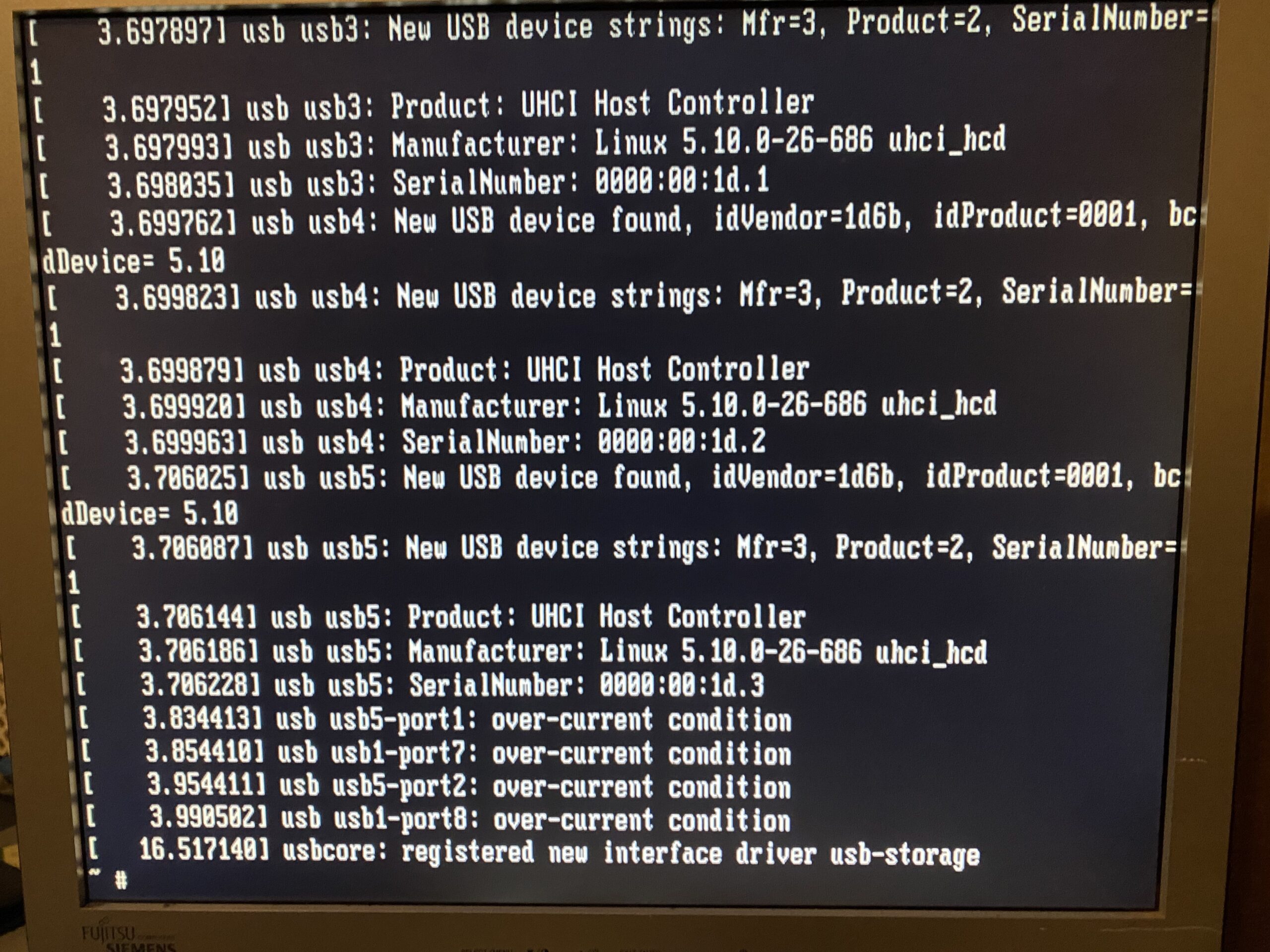
So yeah it booted up into OS X! It’s super fast. One thing that was always interesting is that running 10.4.1 under VMware or Qemu is that there is a lot of blitting ‘bugs’ that artifacts like crazy. And it does it on real hardware. It was pretty neat to see. Unfortunately there was a long term issus with the board that I didn’t really pay attention to the USB ports.
over-current condition
Even OS X noticed the USB problem
USB in an overcurrent condition.
Since I was using PS/2 peripherals I thought I could just ignore it.
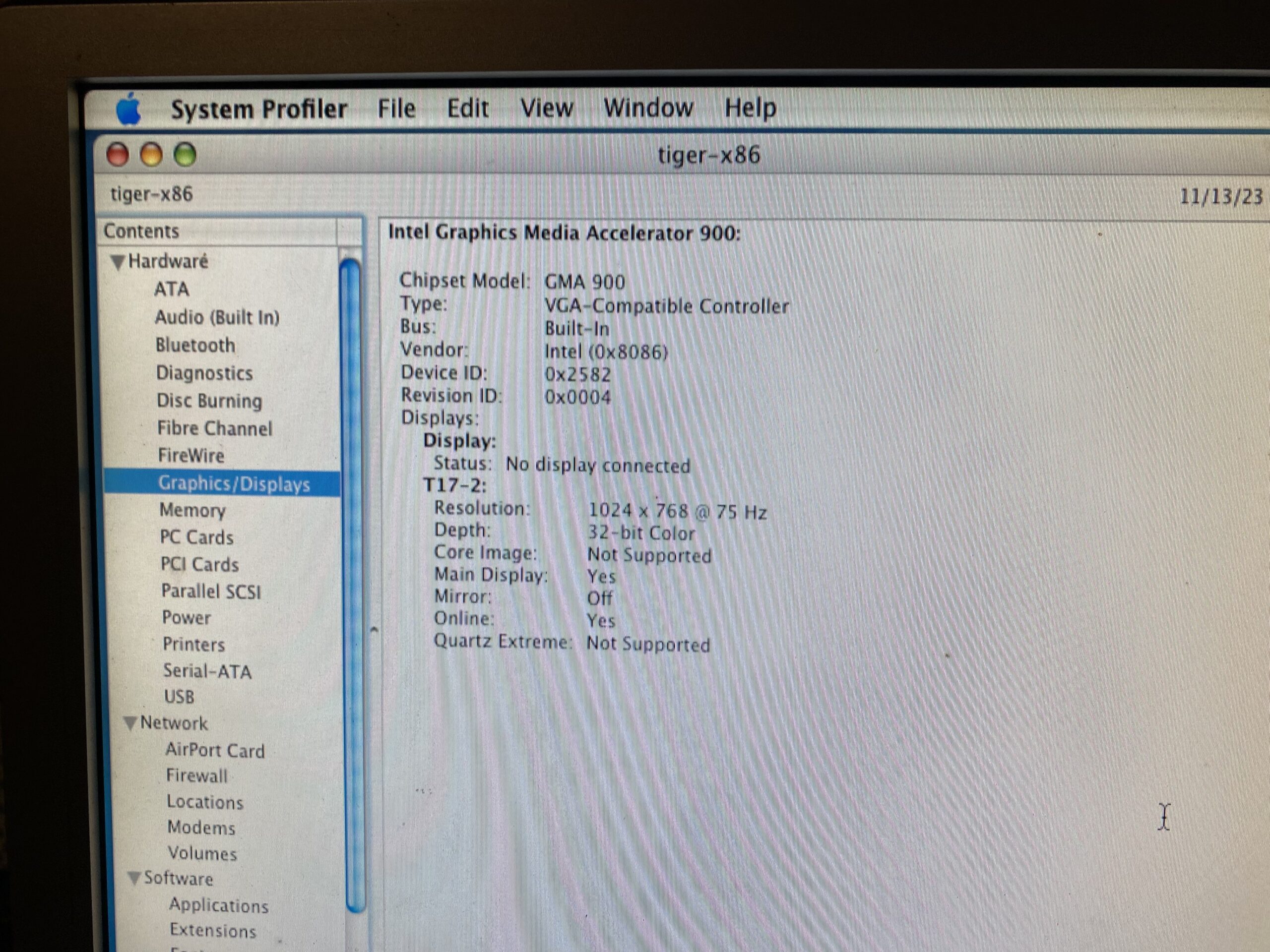
GMA-900
In order for the accelerated video to work you need the Intel 915 chipset with GMA-900 support.
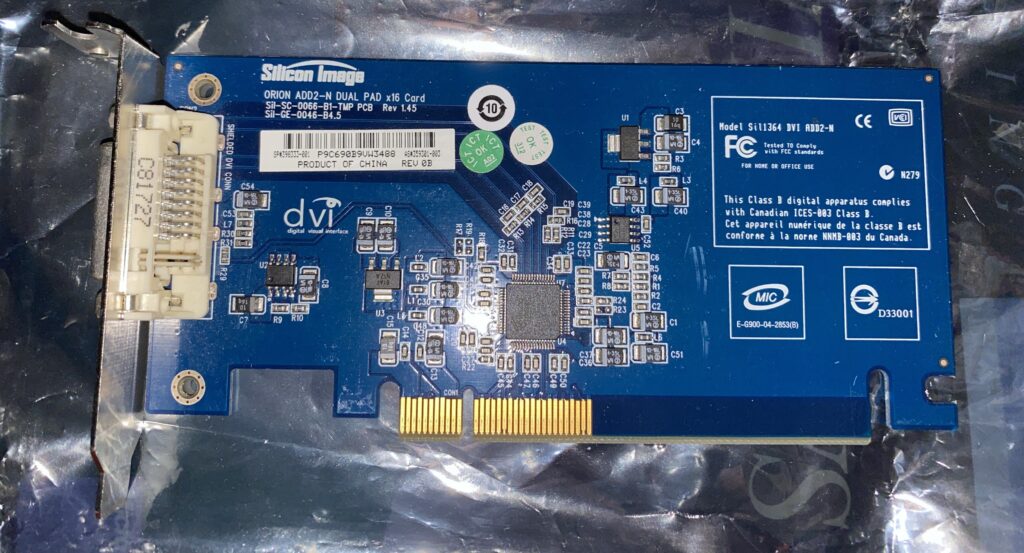
Silicon Image ADD2 card
I do have the PCI-E adapter, the ADD2 card that is apparently needed, but I was copying over some video files and the board suddenly powered off, never to power up again.
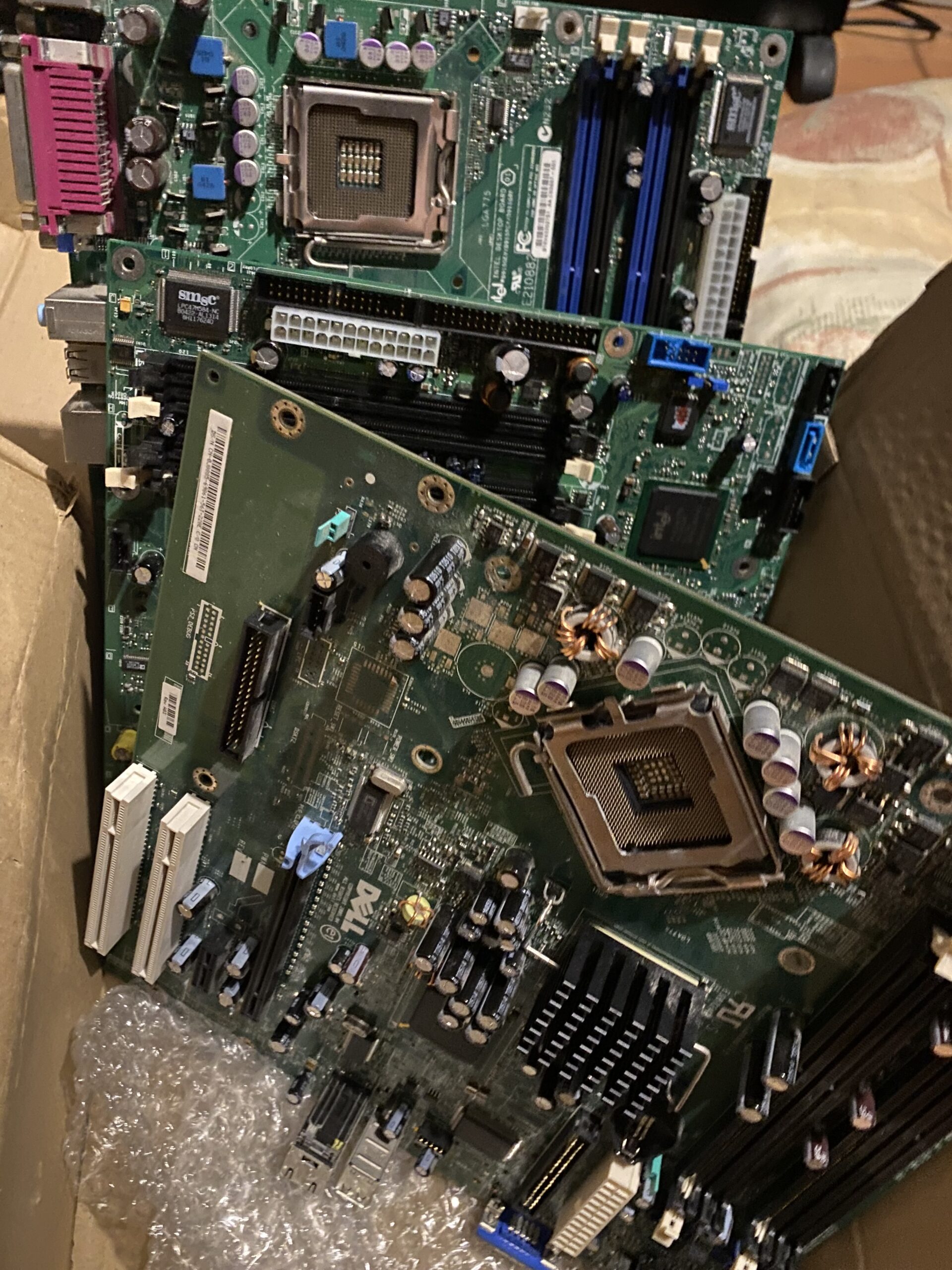
Dead boards
So in the end, I just had an hour or so running 10.4.1, and now I have 3 processors, about 4GB of RAM, and a box of dead boards. I did get lucky that the 22 GoodBoyPoints (GBP) did refund me the price of the board. So maybe I’ll tackle it again next year.
BOW the gift that keeps on giving
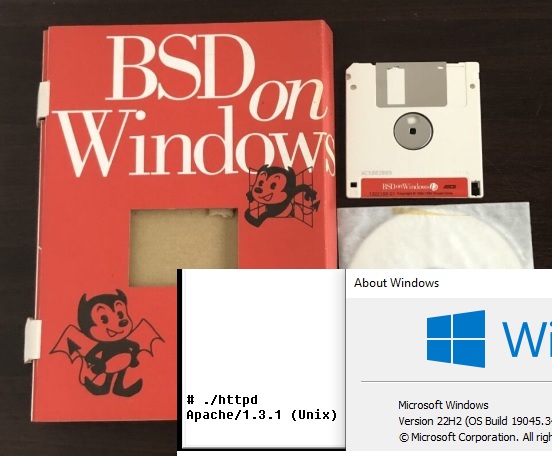
In BOW news, the excellent Win16 emulator WineVDM had enough updates where BOW starts to run. And yes my hammering of Apache does in fact run! I can’t imagine what to really put on a page to make it interesting, but behold bow.superglobalmegacorp.com.
Not sure what to say, BOW on WineVDM on Windows 10
I was going to try to do some DOSBox using Trumpet PPP to a Linux VM to give it internet access this way, but WineVDM is far easier to get working. YAY.
That about wraps it up
Sorry if you were expecting anything cohesive or making sense, but sadly it hasn’t. I’m not sure if pursuing the Marklar thing is worth it, although it was cool.
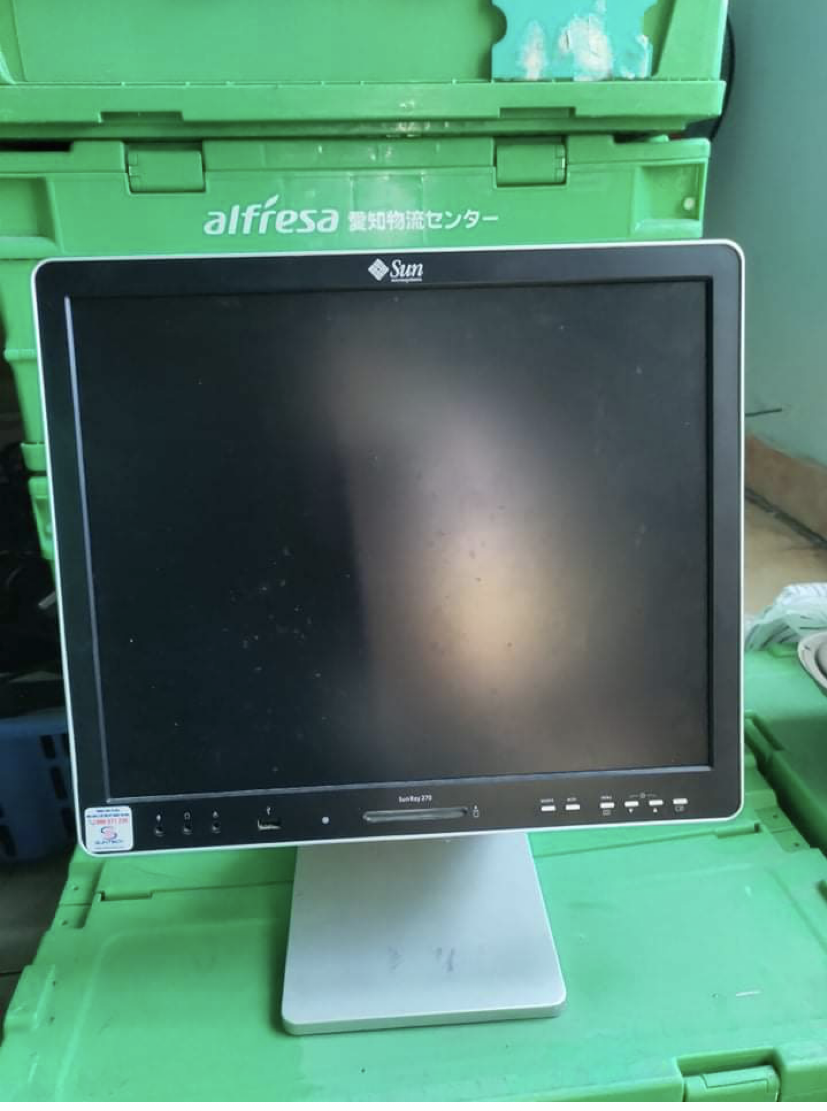
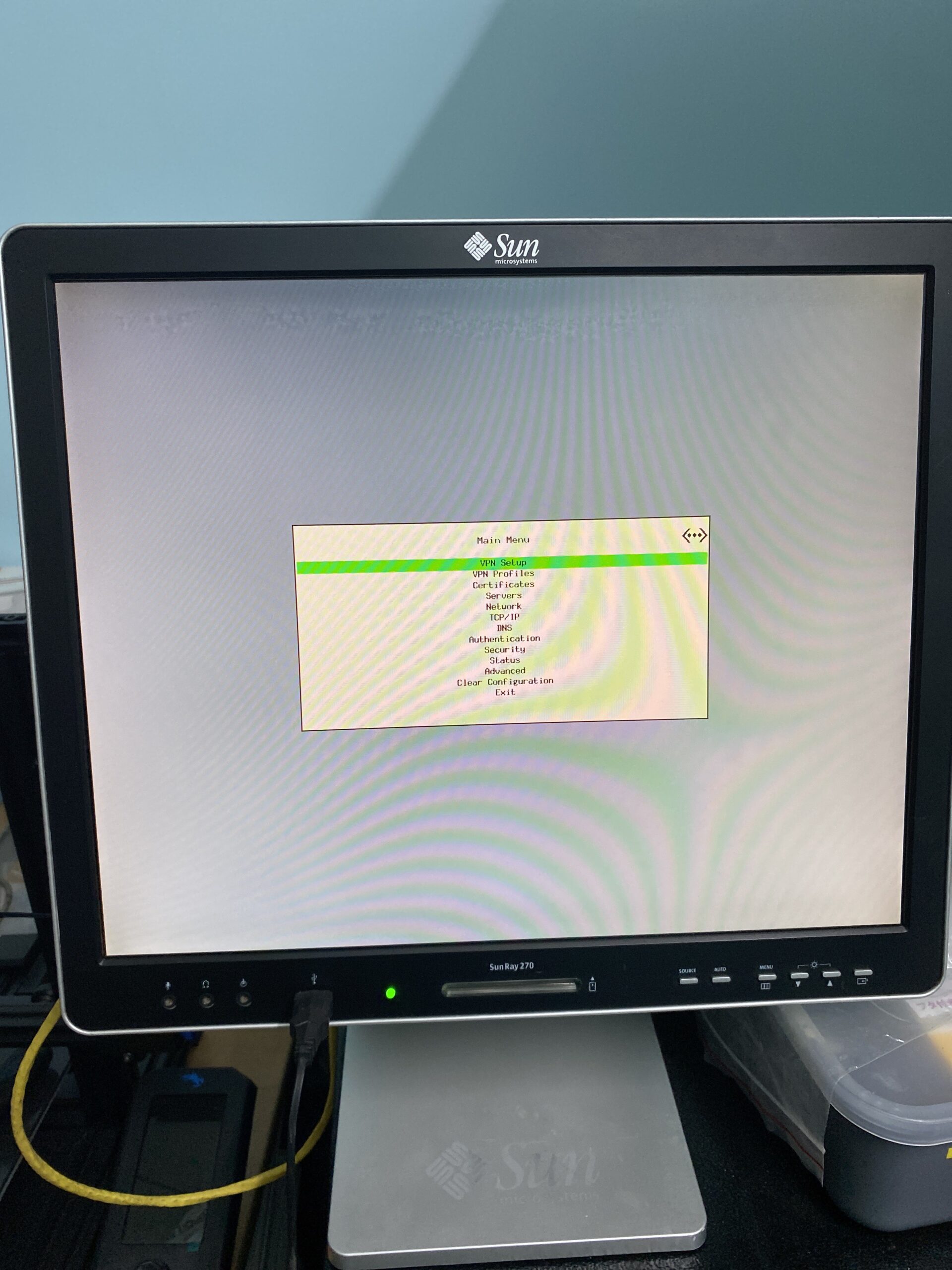
A while back I was looking for a 19in 5:4 screen so I messaged a guy I know that would normally have something like it. When I asked him about it, he said he didn’t have any 19in screens, however, he has this “14in Sun LCD”. I was intrigued so I asked him to send pics of it. Lo and behold, this is what he sent me the next day:
Unfortunately, bad news came. He powered it on and told me it was flickering. Ok fine. These are hard to come by in my country (Vietnam) so I decided to get it anyways. He also cut the price by half, so it was reasonable-ish.
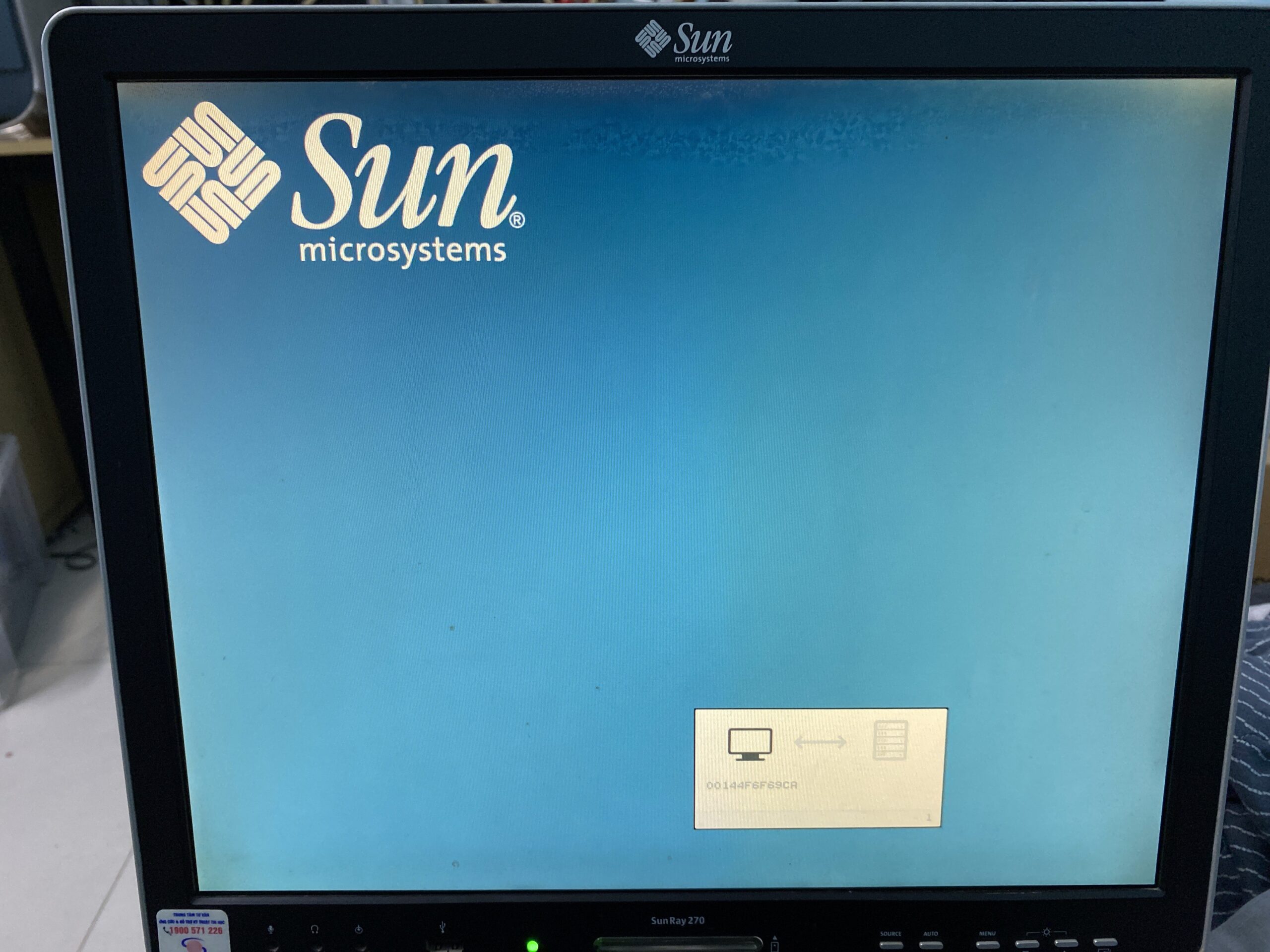
When I got home and powered it on…. yeah. It was flickering. I opened up the menu of the LCD and I quickly noticed something peculiar: the image was flickering but the LCD menu was not. When I opened it up, I made yet another interesting discovery: the whole thing is practically a sun ray duct taped to a normal LCD. The sun ray board is not driving the lcd directly, there’s a separate controller board (similar to what you would find in a normal standalone display without a sun ray shaped tumor on the back).
As it turns out the flickering was caused by a single cap that went bad. I replaced it and the image looks good.
There is a GUI thing I’ve read that allows you to configure various parameters of the sun ray so I tried to bring it up. No matter what key combo I pressed it didn’t show up. Once again, bad news came. My sun ray has the non-GUI firmware. The only way to enable it is to flash a GUI firmware or a firmware with GUI enabled (the firmware shipped with SRSS 5.1 and below has separate firmware files for GUI and non-GUI while SRSS 5.2 and later both GUI and non-GUI are a single file, GUI on/off is specified with a flag during flashing).
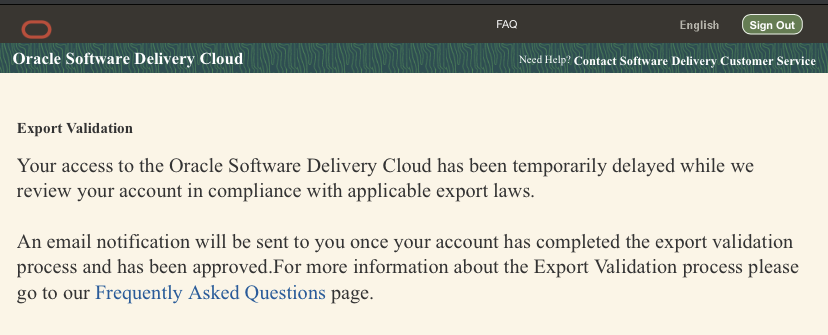
Okay then. No big deal, all I have to do is just flash the firmware, right? Well yes but no. I would very quickly find out that I don’t have the firmware. I had SRSS 5.4 installed and turns out, 5.3 and later stopped including the firmware and that was something you needed MOS for. Great job Larry!
Okay then. No big deal, all I have to do is just download SRSS 5.2, right? Once again, for the second time, yes but no.
*cough*
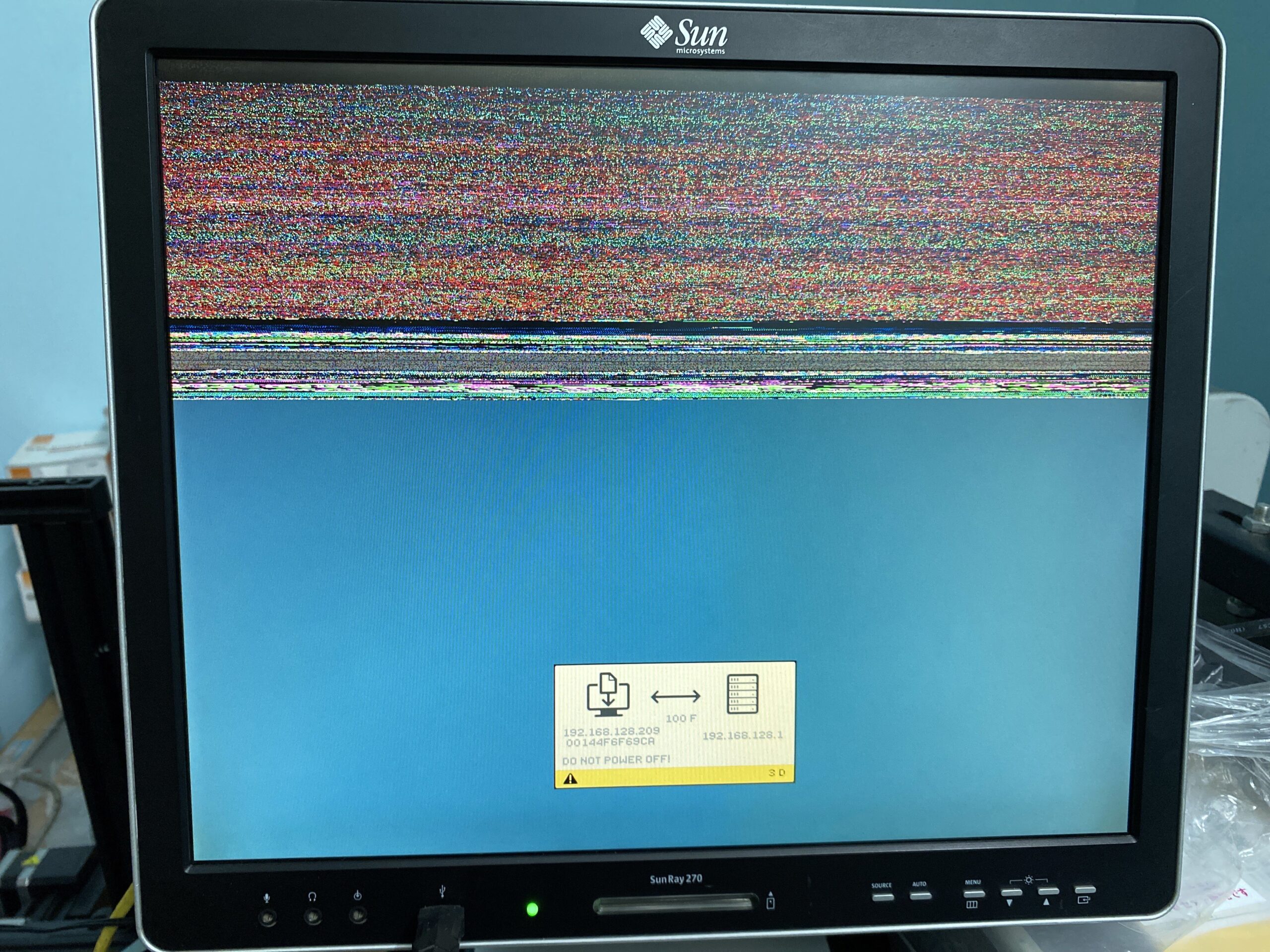
2 days later I got access to edelivery again. I downloaded SRSS 5.2. I uninstalled SRSS 5.4 and installed 5.2, all I have to do now is just flash the firmware right? riiiight??? Once again, for the THIRD time, yes but no. For some reason I was able to flash the firmware with “utload“ (which has GUI disabled) but I couldn’t flash it with “utadm“ despite it being able to connect to my T5220 and start a session just fine. As I would find out after one whole day wasted, I was supposed to use a separate network served by the T5220, and this is what I did: Setup NET1 port as a dedicated interface for Sun Ray
-bash-3.2$ sudo utadm -a e1000g1
### Warning: DHCP Service is in the maintenance mode
             There could be a problem with the DHCP configuration

### It is strongly recommended to fix the problem and then use:
### "/usr/sbin/svcadm clear svc:/network/dhcp-server:default"
### to get DHCP service out of the maintenance mode before running utadm

Do you want to Continue?  (Y/[N]): y
### Configuring /etc/nsswitch.conf
### Configuring Service information for Sun Ray
### configuring e1000g1 interface at subnet 192.168.128.0
  Selected values for interface "e1000g1"
    host address:       192.168.128.1
    net mask:           255.255.255.0
    net address:        192.168.128.0
    host name:          t5220-e1000g1
    net name:           SunRay-e1000g1
    first unit address: 192.168.128.16
    last unit address:  192.168.128.240
    auth server list:   192.168.128.1
    firmware server:    192.168.128.1
    router:             192.168.128.1
  Accept as is? ([Y]/N):
### successfully setup "/etc/hostname.e1000g1" file
### successfully setup "/etc/inet/hosts" file
### successfully setup "/etc/inet/netmasks" file
### successfully setup "/etc/inet/networks" file
### Disabling Route Advertisement
### finished install of "e1000g1" interface

### Configuring firmware version for Sun Ray
        All the units served by "t5220" on the 192.168.128.0
        network interface, running firmware other than version
        "4.3_146928-01_2011.06.03.14.41" will be upgraded at their next power-on.

### Configuring Sun Ray Logging Functions


DHCP is not currently running, should I start it? ([Y]/N): ### Error: unable to start dhcp services.
    Please restart dhcp manually after utadm has completed.
well… oops. Shouldn’t’ve ignored that. One “svcadm clear dhcp-server“ and one “svcadm restart dhcp-server“ later… Let’s try to flash the firmware.
-bash-3.2$ sudo utfwadm -A -e 00144F6F69CA -n e1000g1 -G force -n interface option ignored. It is no longer required with -e option. Unit "00144F6F69CA" will be upgraded at its next power-on if it is served by host "t5220" and is connected to the network and is not already running firmware version "4.3_146928-01_2011.06.03.14.41".
Options:
        -A            # add the specified unit(s) to the upgrade list
        -D            # delete the specified unit(s) from the upgrade list
        -P            # print version information
        -R            # remove firmware modules from boot directory
        -a            # apply to all units connected to the specific interface
                      #  or subnet
        -e enetAddr   # apply to the unit given by the six hex bytes
                      #  of its ethernet address
        -n intf       # name of a dedicated network interface to enable upgrades                                                                                                                                                              on
                      #  (e.g., hme0, vge1, etc. "all" = all interfaces)
        -G option     # control enabling of configuration GUI on Sun Rays
        -g option     # control disabling of configuration GUI on Sun Rays
        -i filename   # append contents of filename to config files
        -N subnetwork # shared subnetwork address to enable upgrades on
        -d            # actively disable firmware download (useful with "-e")
        -V            # only generate version files, do not configure DHCP
        -F            # force firmware load even if downgrading
        -u            # use frame buffer to do download and decompression
        -f firmware   # use the firmware described by the path "firmware"
                      #  for upgrades on the given network interface(s)
Power cycle with CTRL+Pause+A and…
…success!
Fun fact: the firmware is stored temporarily in the framebuffer (iirc at least) The GUI can now be accessed:
Note that this is NOT the Apollo guidance, rather this is the IBM provided ballistic launch programs. As told, it’d be a terrible ICBM program as it’s geared towards getting payloads into orbit, such as Skylab & Apollo.
And I really cannot add anything as I’m not an american citizen:
We’re currently treating LVDC code as if it is restricted for export from the U.S. by the International Traffic in Arms Regulations (ITAR). If you legally qualify as a “U.S. person” and can provide evidence of that status, contact us directly to arrange to receive a copy of the code.
From the ibibilo page
Well at least it’s not completely lost as the last time I checked on this, all the LVDC’s were at the bottom of the ocean, and no printouts survived. At least some printouts have been found.
On the heels of discovering BOW, I thought I’d try to make a cross compiler. Attempts at running binaries on *BSD systems had mixed results, although I thought it was interesting that my old Linux a.out cross compiler can generate object files BOW can happily link, although anything more complicated resulted in disaster. As part of that project I had build a 386BSD 0.1 cross so I figured that’d be worth a shot.
And it worked!
Sor for the two or three people who care here we go!
I’ve broken this up into each of GCC’s phases (programs) so that I can inspect the output of each as I go. This also lets me control exactly what gets passed where. And in this case forces the use of the 80387 where/when needed. It’s also nice to see where and what gets pulled in by the C pre-processor what magical numbers are set, and of course to see how the calling conventions work in the resulting assembler file. While I had built this around the idea of cross compiling the 386BSD 0.1 kernel, it’s still fascinating to me that it can be hammered into making BOW compatible executables. Although I didn’t update the CPP flags, no doubt I probably should as the headers probably expect something more FreeBSD.
Running make yields:
C:\bow\src\hello>make
cpp -I../../include -v -undef -D__GNUC__ -Dunix -Di386 -D__unix__ -D__i386__ -D__386BSD__ hi.c hi.i
GNU CPP version 1.39
cc1 hi.i -quiet -O -m80387 -version -o hi.S
GNU C version 1.39 (80386, BSD syntax) compiled by GNU C version 7.1.0.
default target switches: -m80387
a386 hi.S -o hi.obj
ld -o hi ../../lib/crt0.o hi.obj -L..\..\lib -lc -lgnulib -lm

C:\bow\src\hello>size hi
text    data    bss     dec     hex
24576   4096    0       28672   7000

C:\bow\src\hello>wsl file hi
hi: a.out little-endian 32-bit demand paged pure executable not stripped

C:\bow\src\hello>
It should also probably be worth mentioning that the linage of BOW has to be in the dark days of the AT&T v CSRG/BSDi lawsuit as this toolchain does produce binaries that run, unlike the 1.0 phase of both NetBSD/FreeBSD where they dumped all the prior code and forked harder from the common 386BSD 0.1 that we all loved.
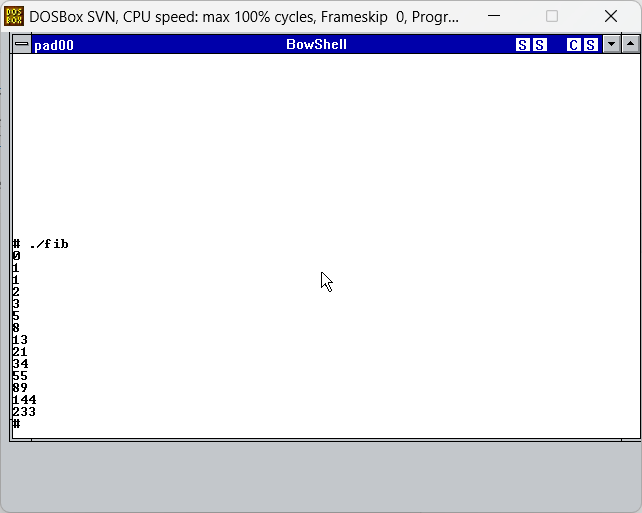
fib
Simple Fibonacci sequence
Inform ’87 interpreter
My favorite ZIP interpreter
NS32016 emulator
Now this one is interesting it’s a NS32016 emulator! I left the ns32016 cross in the data directory if you want to generate the data file. I was surprised it worked, but wow!
phoon
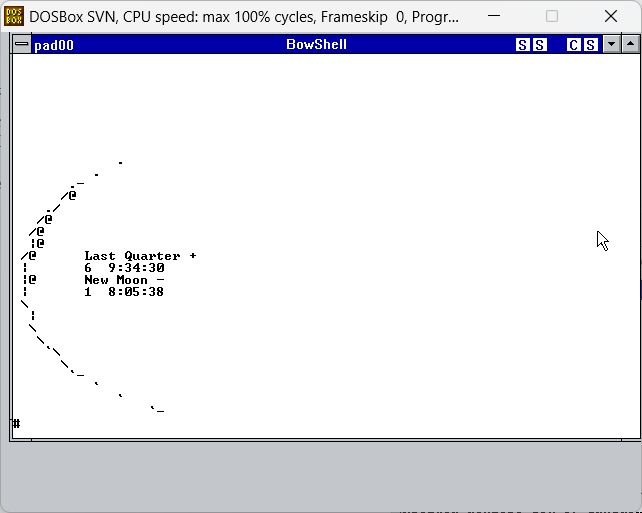
Phases of the moon may not seem all that exciting at first, but the big thing is the handling of the math coprocessor, and of course to be sure to link against the BOW libm. Otherwise it just hangs the system.
trek
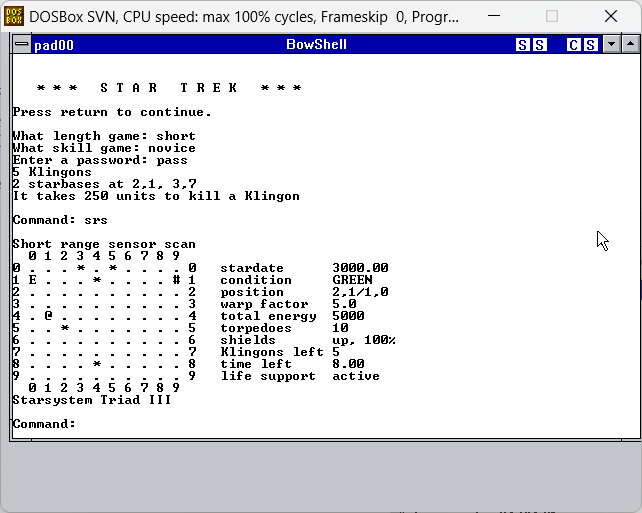
And of course the old TREK game from Unix lore.
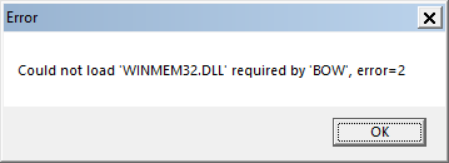
I would imagine that a newer version of GCC or at least CC1 should be easy enough to build, and of course cross compiling gives you an out of the 16MB RAM limit that WINMEM32 imposes.
The biggest WTF I had was for Hack 1.03. I’m not sure why it didn’t want to link, but rest assured, the cross compiled objects just linked fine. I don’t know.
In other BOW news I have been in contact with the author, I don’t want to bother him too much but I’ll try to glean a lot more info from him.
I haven’t had a chance to watch it yet, but wow it’s been 30 years. I can remember having a really good GPA to basically being forced to drop out. I guess it’s just as well, DooM was great, even to the point of having to get good at building LANs, and building them for fun & profit.
It’s 1995 and I’ve been nearly two years in the professional workspace. OS/2 is the dominant workstation product, Netware servers rule the world, and the year of the Linux desktop is going to happen any moment now. If you weren’t running OS/2, you were probably running Windows 3.1, only very few people were using that Linux thing. What would have been the prefect OS at the time would have been NT with a competent POSIX subsystem, but since we were denied that, enter Hiroshi Oota with BSD on Windows.
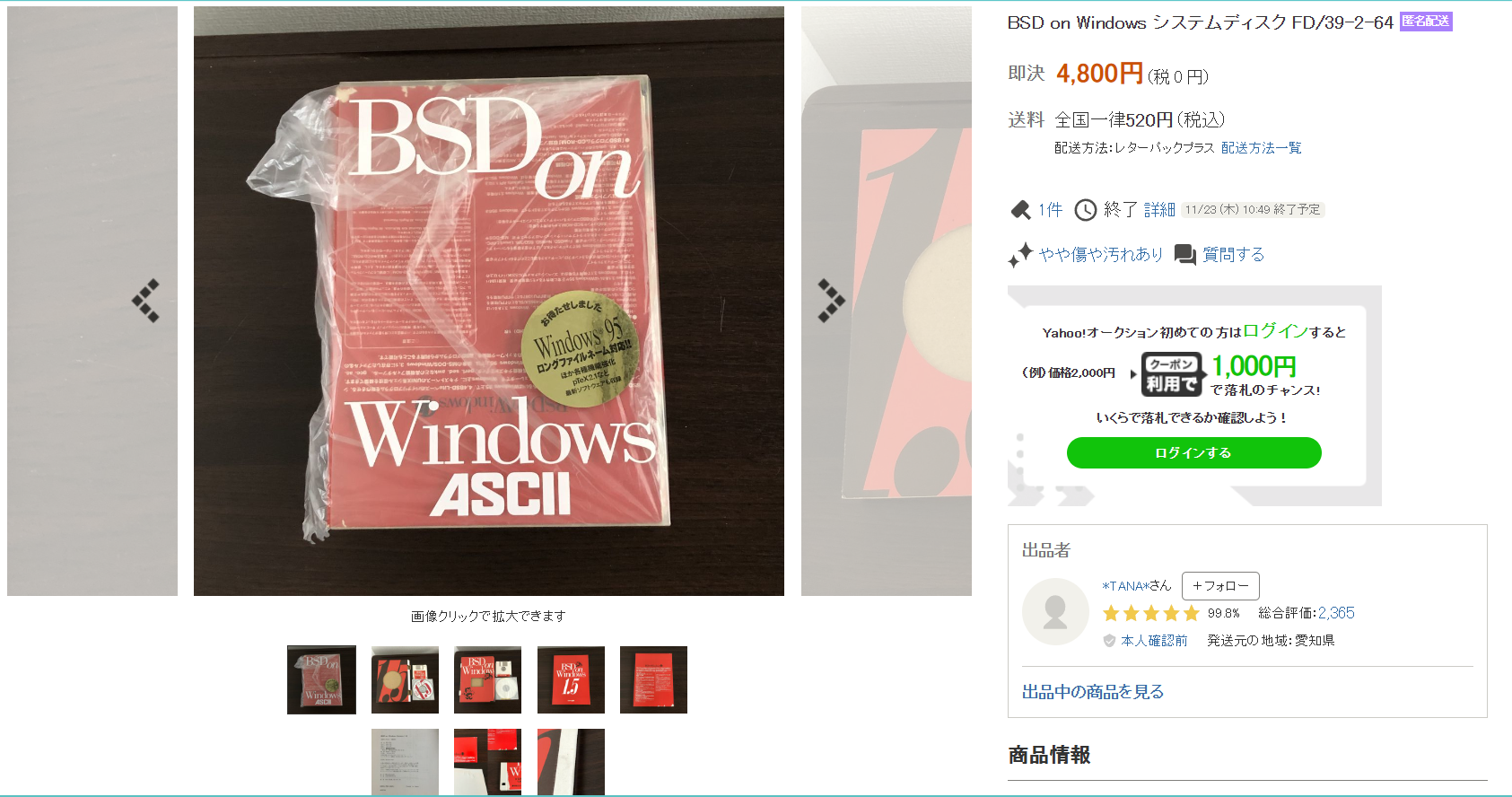
It was a late night browsing yahoo auctions Japan as one does, laughing at the absurd Famicom/Super Famicom games, and I went ahead and looked for BSD CD-ROMS, where I first came across BSD on Windows. And then I’d forgotten about it and went to work on some Darwin projects.
Fast forward 3 weeks, and vic485 had bought it, had it shipped, and uploaded on archive.org. So a big super thanks to vic485 for making this all possible!
So what is it? It’s not quite BSD, its a bunch of 16bit DLL’s that broke the kernel down into subsystems, that each rely on winmem32.dll to give access to flat/32bit address space. BSD on Windows (BOW) being a hybrid 16/32bit app is originally for Windows 3.1, with the later 1.5 update for Windows 95, which includes support for long filenames. I’m not sure if it’ll run on Windows NT or OS/2, as I don’t think
So what do you get?
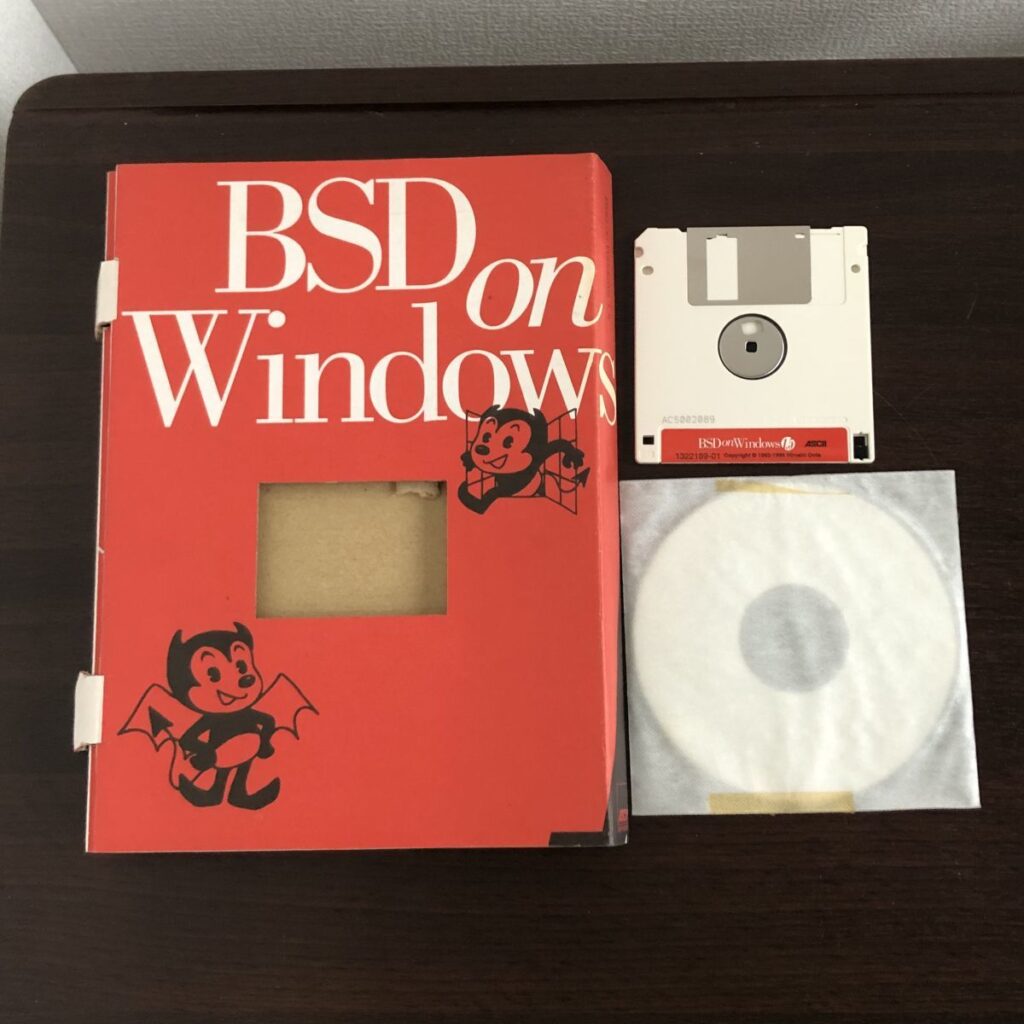
The key media contents are the install floppy and the CD-ROM. Yes the setup program IS only on the floppy. Hope you get that disk image. I’m unsure what the manual is like, other than of course it is in Japanese.
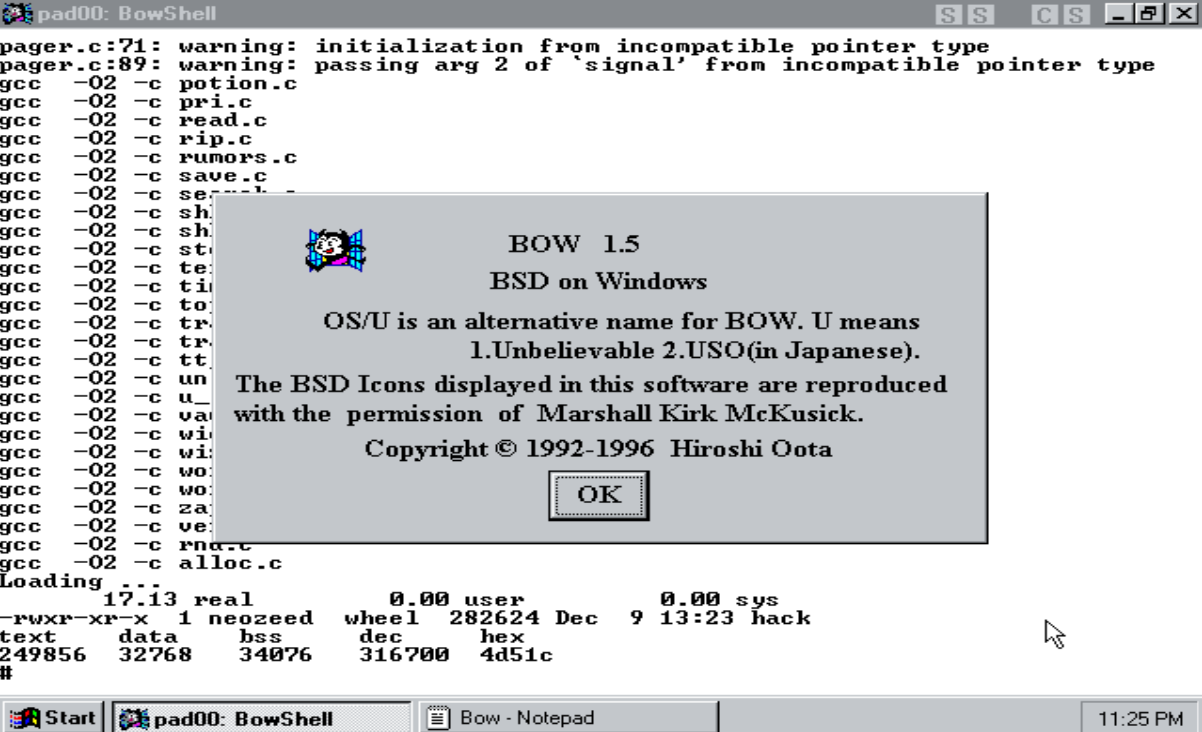
compiling
It’s very much a single user mode BSD like environment complete with vi/gcc/csh/perl just to name a few. I’ve been able to test job control, and building some simple programs like Hack 1.03. I found a few issues however.
I haven’t tested enough with FreeBSD 1/2 but I can verify that from my ‘Ancient Linux on Windows‘ packages, the object format is the same, which is that early era when everything was a.out, although all different the reliance on GNU GAS & LD did make the object format the same. And it was nice to compile a hello world from my Linux cross compiler, link it on BOW, and get a running executable.
The memory is weird, in that you can add hundreds of megabytes to Windows and BOW will always run exhausted. In the bow.ini file you can set the heap for each program, and I found out from some silly trial and error that the maximum heap you can effectively give is 13 megabytes. It seems that winmem32 has a single chunk of memory where all processes run out of, hence the sub 16mb ram zone. Maybe there is a way to allocate it, but I’m unsure, maybe it’s in the book. CC1 was frequently having issues, so setting it’s heap to 13M sure helped, the linker ‘ld’ of course was running out of memory as well so setting it to 8M got me linking.
Filenames, especially on Windows 3.1 are a huge problem. All the LFN TSR’s I tried to load just resulted in a full crash. I had to point the linker to the CD-ROM live filesystem, which maybe would be tedious on a real machine, but under emulation it’s fine.
BOW does NOT like Qemu. At all. It won’t under otvdm either. I suspect NT is a no go but I haven’t tried. Oddly enough it’s not a timing issue, as it does run under VMware. There is an advantage to running it under Windows 95, is that it supports long filenames. 86Box works as well, I even was using the Pentium II Xeon at 400Mhz and that ran fine.
Probably the most annoying and silly thing is that the GCC C compiler doesn’t have C++ style comments turned on. Not being able to use ‘//’ is quite annoying.
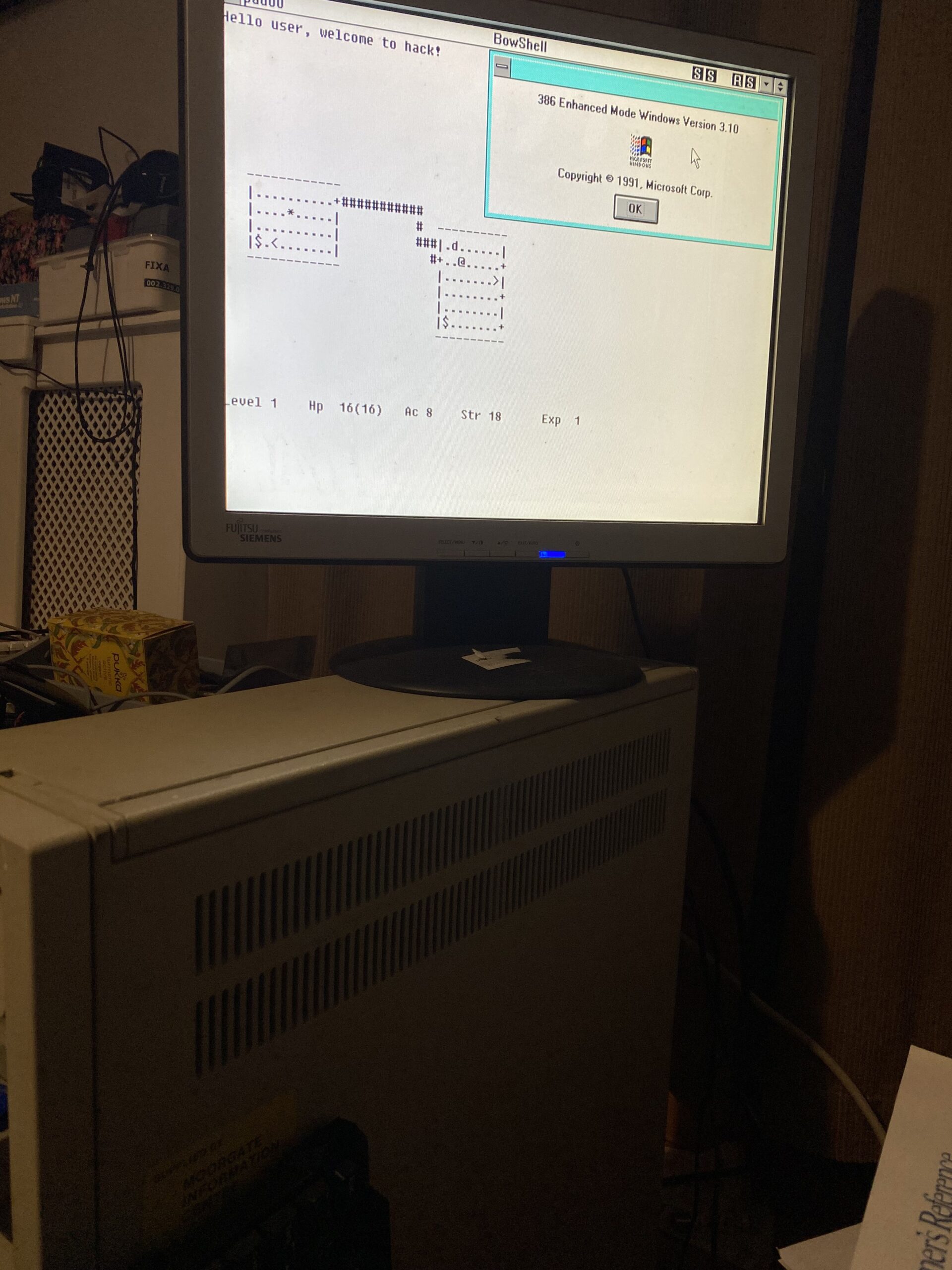
Hack 1.03 running on my PS/2 model 80
Hack ran fine on my 386, which was a pleasant surprise!. It was really cool to have Word+Excel and Hack running at the same time.
Had I known about this, it would have been an incredible bridge product. Not to mention cross compiling to even Win32, or Linux. Not to mention at the time being able to run BSD with no real pain, just install and go
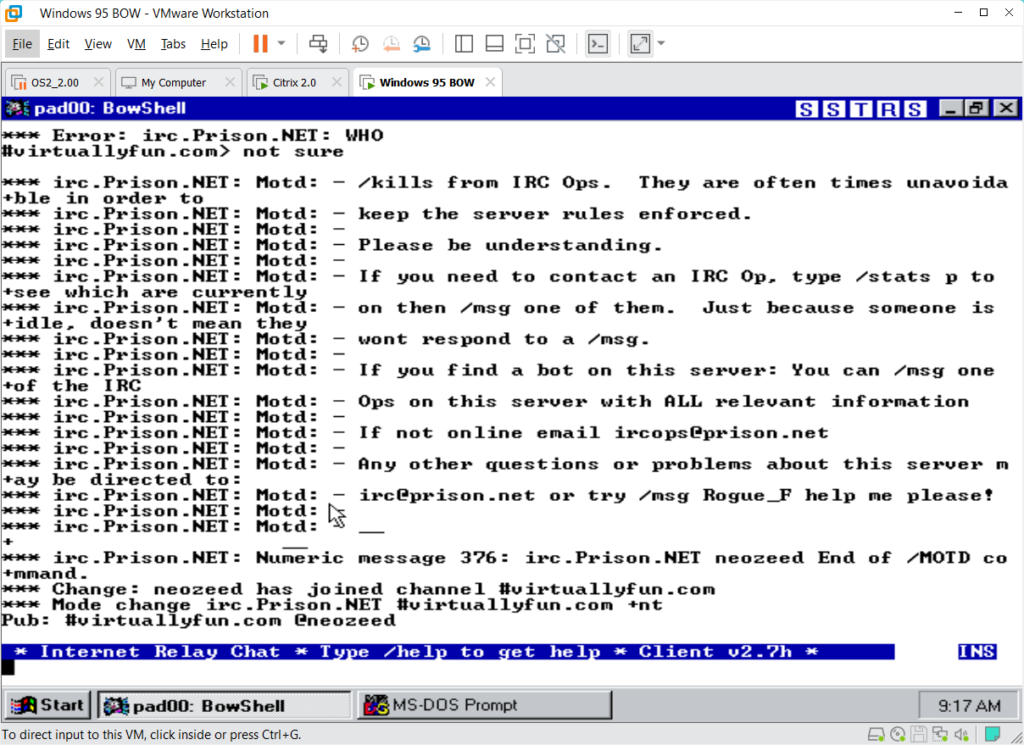
simple IRC test
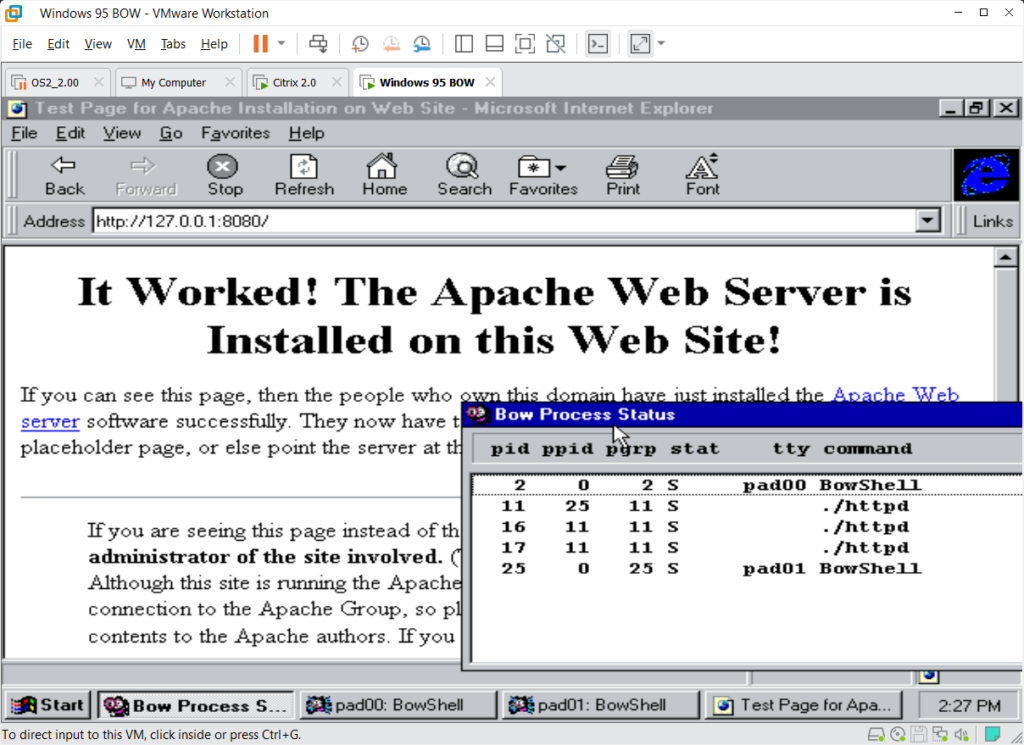
There is generic TCP/IP Winsock support in BOW 1.5 as it simply calls winsock. This also includes the ability to run daemons, however limitations in BOW are quickly exposed, such as missing setuid/setgid sno there is no ability to impersonate lower privileged users. MMAP stuff also doesn’t seem to work, although I was able to build a super simple port of Apache 1.3.1 to BSD on Windows (BOW).
While BOW may appear to be very BSD like, there is a lack of a the mmap Apache needs, along with user mapping & impersonation. I ended up using the EMX – OS/2 system code, since it’s very POSIX like without relying on the Unix like OS actually working.
I’ve been able to serve pages to myself, however BOW crashing out many emulators and hypervisors kind of stops me from putting it on the internet. BOW enthusiasts can download it from archive.org
Today, there is really no point to BOW, it’s an interesting oddity, but back in the day, for a jr network administrator being able to run the Unix version of the snmp tools, even if it’s only client side would have been great. If tftpd could be built to run this would have been beyond amazing, as you not only get BSD, but full Windows apps at the same time, much like MachTen.
It’s a shame I never knew this was a thing, I certainly would have been evangelizing BOW! Who knows what other treasures are in the parallel societies of Japan/Asia/Europe?
For those who don’t know Graylog is a neat little event logging aggregate & search utility. Of course when I say ‘little’ its kinda on the massive size. It’s one of them new age web two-point-oh things, that of course has a few interesting dependencies.
MongoDB
OpenSearch
While I was looking at doing a deployment elsewhere, I went to get the latest versions directly from the vendors instead of relying on apt/yum/whatever. And much to my surprise, both Mongo & OpenSearch both have native Win64 versions! What a great time! Of course these will change, but for now
I’ve stashed a copy over on archive.org if anyone is insane enough to try this. One thing as of Graylog 5.xx is that it does say to stick with a MongoDB v6. So that’s what I did.
MongoDB
One thing to keep in mind is that the MongoDB is used for the configuration of the cluster, as Graylog is usually configured in a HA cluster, but there doesn’t need to be such an emphasis on the MongoDB as the size of the database isn’t so massive.
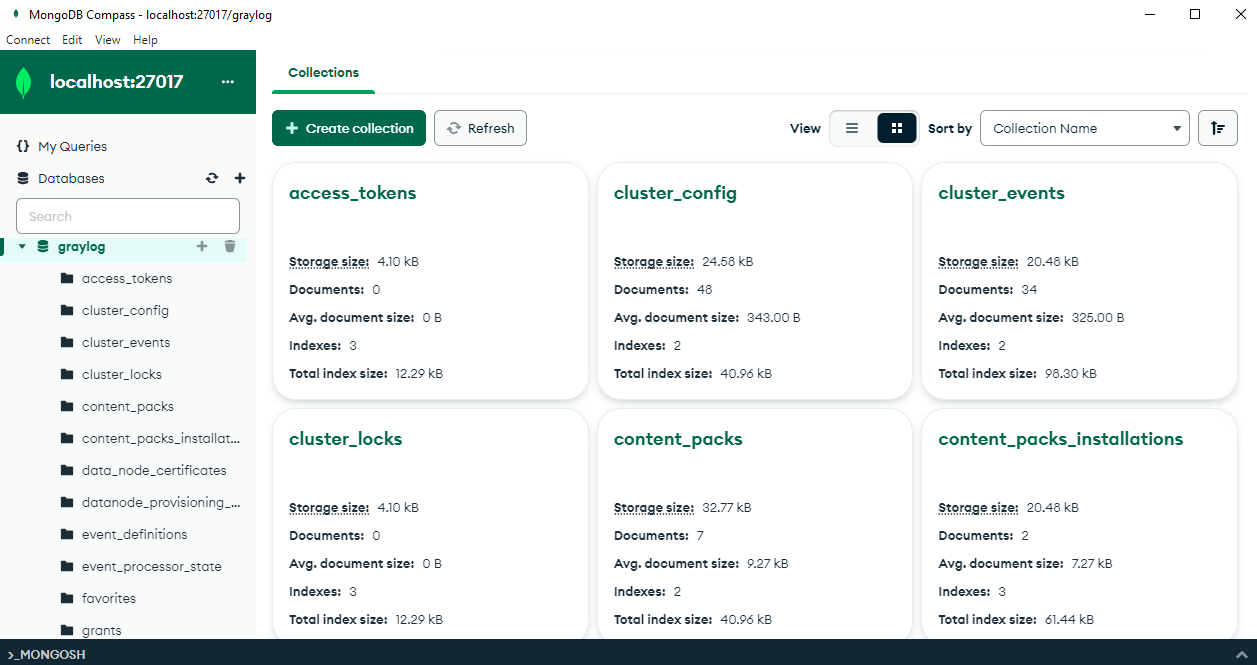
MongoDB Compass
MongDB has a nice UI Compass, for exploring stuff. Although browsing around you’ll see it really is just system config stuff. So you won’t be needing some 100GB array for this stuff, more so VM’s for clustering it out if you want to go all high availability.
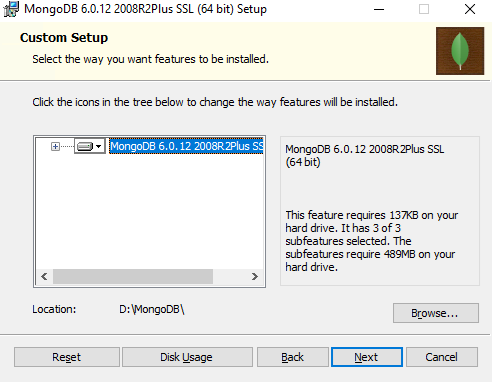
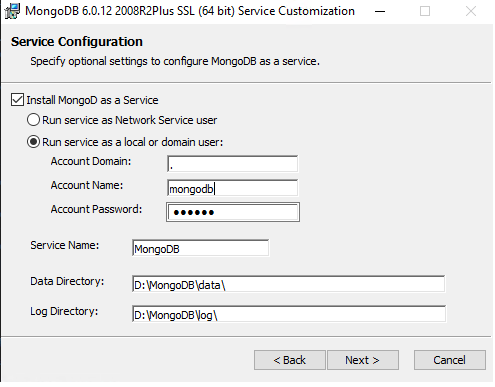
There isn’t much to say about the MongoDB install, just set it to a drive that you want.
Of course set it up as a service, make the user if needed/desired (I did!). I went one step further and compressed the data directory since it’s on NTFS. I don’t think it mattered too much, its been a few days and it’s only 300MB give or take. The graylog dataset is very tiny as mentioned it’s just the configuration, so it wont be that much.
After the install is done, start the service, and you can then launch Compass, and you should be able to connect to your local database. And that’s it!
OpenSearch
OpenSearch is where all the ‘magic’ happens, where the data gets written, along with where your searches through the logs run. If you want to emphasis something, this is it.
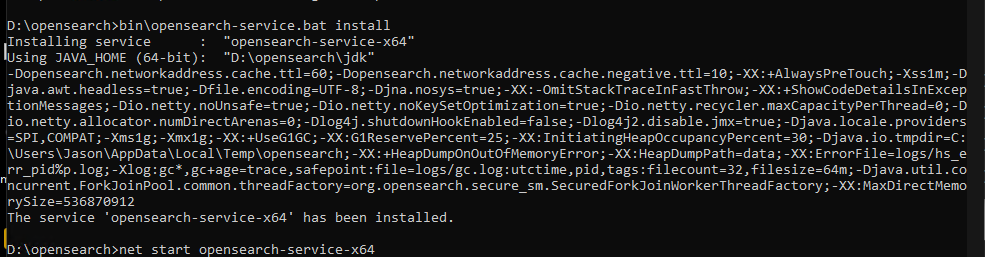
OpenSearch didn’t have an install program, rather just a batch file to run and start it. There is a opensearch-service.bat file to install the service.
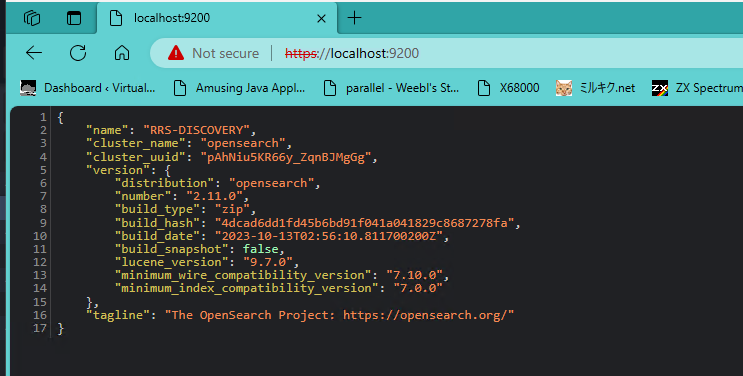
After those changes to config\opensearch.yml you can install and run the service. You can then hit the service via http as http://127.0.0.1:9200 and you should get something similar to this.
OpenSearch up and running
Graylog
As you may have seen from the downloads there is no Windows version of Graylog available for download. HOWEVER it’s a JAVA app. So other than one weird Unixisim of where to keep the config file, it’s just a java thing.
I did need a Linux install to set the required passwords. Although for this sake I used the admin/admin for maximum security, so you can always just work this diff into the server.conf file.
--- graylog.conf.example        2023-11-15 09:05:28.000000000 +0000
+++ server.conf 2023-11-30 21:53:13.580405300 +0000
@@ -54,10 +54,10 @@
 # Generate one by using for example: pwgen -N 1 -s 96
 # ATTENTION: This value must be the same on all Graylog nodes in the cluster.
 # Changing this value after installation will render all user sessions and encrypted values in the database invalid. (e.g. encrypted access tokens)
-password_secret =
+password_secret = ihEUzuJNJOOIVYaNB29ZHZimi438NxKKzSys5UH6O9CoE7jfsrygCbuzzLzkK6hk0xdDb6e8wyAmTNhD7g9JMNZHXr1q40Ps

 # The default root user is named 'admin'
-#root_username = admin
+root_username = admin

 # You MUST specify a hash password for the root user (which you only need to initially set up the
 # system and in case you lose connectivity to your authentication backend)
@@ -65,7 +65,7 @@
 # modify it in this file.
 # Create one by using for example: echo -n yourpassword | shasum -a 256
 # and put the resulting hash value into the following line
-root_password_sha2 =
+root_password_sha2 = 8c6976e5b5410415bde908bd4dee15dfb167a9c873fc4bb8a81f6f2ab448a918

 # The email address of the root user.
 # Default is empty
@@ -102,7 +102,7 @@
 # If the port is omitted, Graylog will use port 9000 by default.
 #
 # Default: 127.0.0.1:9000
-#http_bind_address = 127.0.0.1:9000
+http_bind_address = 192.168.1.5:9000
 #http_bind_address = [2001:db8::1]:9000

 #### HTTP publish URI
@@ -192,6 +192,7 @@
 #
 # Default: http://127.0.0.1:9200
 #elasticsearch_hosts = http://node1:9200,http://user:password@node2:19200
+elasticsearch_hosts = http://127.0.0.1:9200

 # Maximum number of attempts to connect to elasticsearch on boot for the version probe.
 #
@@ -489,7 +490,9 @@
 #auto_restart_inputs = true

 # Enable the message journal.
-message_journal_enabled = true
+# message_journal_enabled = true
+# https://github.com/Graylog2/graylog2-server/issues/12949#issuecomment-1219146839
+message_journal_enabled = false

 # The directory which will be used to store the message journal. The directory must be exclusively used by Graylog and
 # must not contain any other files than the ones created by Graylog itself.
There is a few weird things in this config, The first one being the bind address to the external NIC, the elasticsearch_hosts being set to http as we ended up removing the SSL as Graylog didn’t like the self signed certs. However, since it’s all loopback traffic on the same machine, it does seem a bit silly to be encrypting to yourself. The other weird gotcha was message_journal_enabled, which fails after a few hours on both WSLv1 & a Win64 native. I don’t know why but it’s a common problem on non EXT2FS based filesystems, and sadly the solution everywhere is just turn it off.
Starting Graylog is kind of easy once you work out the CLI from the Linux script, using the JVM from OpenSearch. Take note of the log4j2, the one from that big deal vulnerability in all the fancy web apps.
I run this manually. With any luck you’ll see it connect to the databases and go live!
2023-12-02 15:37:37,749 INFO : org.mongodb.driver.cluster - Monitor thread successfully connected to server with description ServerDescription{address=localhost:27017, type=STANDALONE, state=CONNECTED, ok=true, minWireVersion=0, maxWireVersion=17, maxDocumentSize=16777216, logicalSessionTimeoutMinutes=30, roundTripTimeNanos=29209200}
2023-12-02 15:37:45,518 INFO : org.graylog2.storage.providers.ElasticsearchVersionProvider - Elasticsearch cluster is running OpenSearch:2.11.0
2023-12-02 15:37:48,593 INFO : org.graylog2.bootstrap.ServerBootstrap - Graylog server 5.2.1+4337e8c starting up
2023-12-02 15:37:48,594 INFO : org.graylog2.bootstrap.ServerBootstrap - JRE: Eclipse Adoptium 17.0.8 on Windows 10 10.0
2023-12-02 15:37:48,594 INFO : org.graylog2.bootstrap.ServerBootstrap - Deployment: unknown
2023-12-02 15:37:48,595 INFO : org.graylog2.bootstrap.ServerBootstrap - OS: Windows 10
2023-12-02 15:37:48,595 INFO : org.graylog2.bootstrap.ServerBootstrap - Arch: amd64
2023-12-02 15:37:48,694 INFO : org.graylog2.bootstrap.ServerBootstrap - Running 67 migrations...
And from there you ought to be ready to run!?
I don’t want to re-install but it should offer a chance to setup the self signed certificate maintenance, and then you are dumped into the system. One nice thing on Windows is you can create UDP 514 Syslog captures with no silly port reflection. Although you could run them in WSLv1 or VM’s entirely by having all of this as native Win64 makes the memory and performance overhead much lower.
Apache
I use graylog to capture my blog’s Apache stats.
In my apache site config under the logging I added this:
Of course, keeping in mind that I do front with Cloudflare, so the source_ip will probably be different for you. Netcat does the job nicely, and since it’s WSLv1 all the TCP/IP is unified so it can intermix just fine.
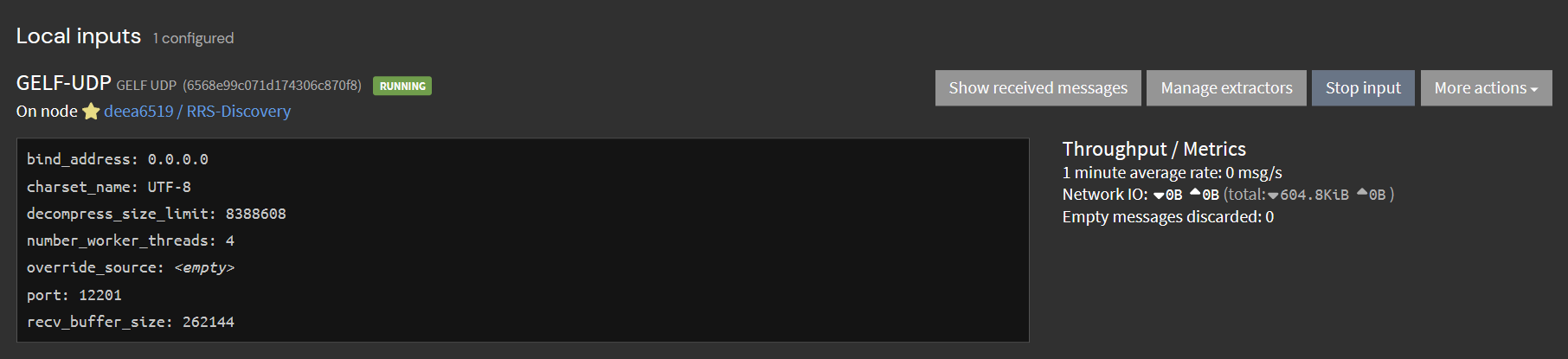
GELF UDP
Setting up the input as the stock boring GELF-UDP was a snap, and in no time apache is now sending the access log to Graylog in GELF, and all is well. It’s great!
I know that my setup is.. far from normal, and I do have quite a few VM’s but this old machine is more than capable of hosting this site, a few others, along with the overhead of Graylog.
IBM Xeon workstation
Would I recommend this in production? I have to think that since so much of this is now available on native Win64 that at least 2/3rd of it is capable. I’m not to worried about the potential of Graylog dropping data if the host is interrupted as everything else is here. I can understand if other people have very different thoughts on that. Not everyone wants to run a 90’s datacentre on some old machine tucked under the Christmas Tree, but I guess I’m weird enough to do so.
I suppose the where to go from here, is to get everything else logging to graylog so I can build dashboards, and reports. But that sounds like a lot of work, and at the moment I think this is a good enough place to stop. I should add that it’s been running for nearly 2 days now, so that’s good enough for prime time right? RIGHT?!
I know this is a weird one, but I’ve always wanted to run Infocom games from ever since I found out it was a thing.
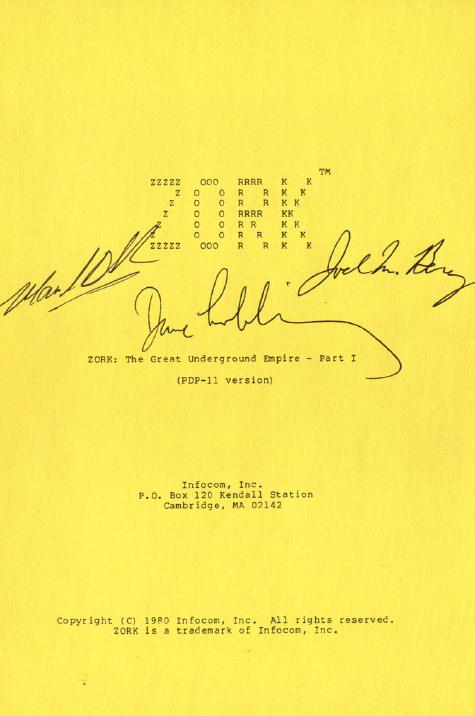
The cover of the RT-11 Zork that sold on ebay for $2,348.31
I know you maybe thinking of the FORTRAN port of the full Zork game, which does run on the same system. But this is NOT the FORTRAN reverse engineered game, rather it’s a port of the Z-Machine to the RT-11 / PDP-11.
Also this is NOT a 3rd party reverse engineering effort, it is the official Infocom Z-Machine source.
;       Proprietary documentation of:
;
;               Infocom, Inc.
;               55 Wheeler St.
;               Cambridge, MA 02138
;
;       Copyright (C) 1982, 1983 Infocom, Inc.  All rights reserved.
Yes it’s the real deal!
Ok so what or where to do this?! First you need SIMH or any other good PDP-11 emulator, a copy of RT-11, and of course the source to the interpreter oddly enough named PDP11.ZIP. Just keep in mind that this is NOT a pk-zip file, it’s a text file. It’s Macro-11 assembler source.
First you need a very simple config/type in to the SIMH PDP-11 emulator:
Now we copy the source into the machine through the paper tape reader. Just type in ‘COPY PC: ZIP.MAC’
.COPY PC: ZIP.MAC
 Files copied:
PC:            to DK:ZIP.MAC

.
This will create a .mac or macro assembler source file. The extension matters as it will tell the compiler what file it is and what to do. But luckily this is a single file, and assembles quite easily. As a tip to Unix folk, I found that making the assembly source in MS-DOS CR/LF made life easier.
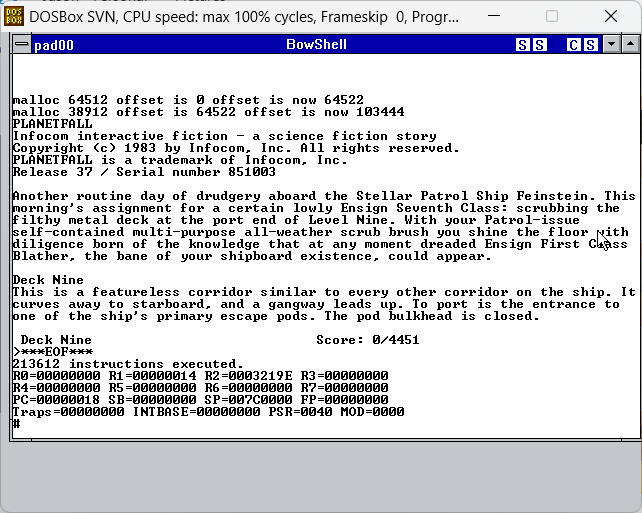
Now we need to import a game file. I usually test with Planetfall, so I grabbed the data file, and placed it into the working directory and then attached it to the emulator
Simulation stopped, PC: 152644 (BR 152622)
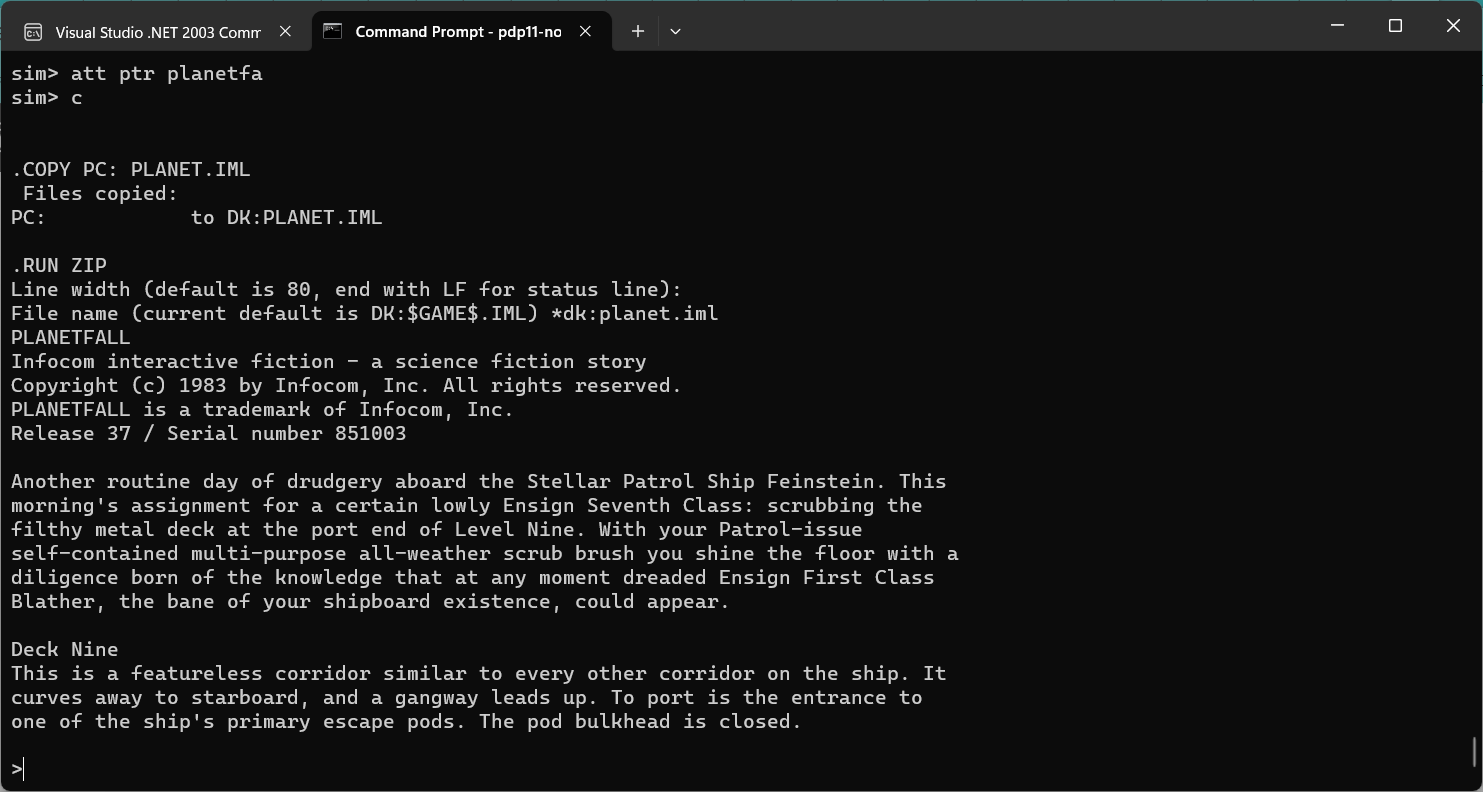
sim> att ptr planetfa
sim> c


.COPY PC: PLANET.IML
 Files copied:
PC:            to DK:PLANET.IML

.
Notice the filenames are short, very 8.3 for some strange coincidence! Also I named it planet.iml, as that is what the interpreter is expecting. Now we can just run the zip and point it to the game data file!
.RUN ZIP
Line width (default is 80, end with LF for status line):
File name (current default is DK:$GAME$.IML) *dk:planet.iml
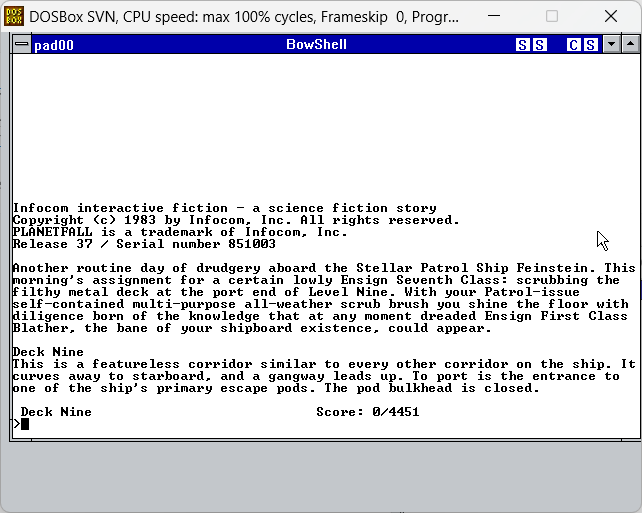
PLANETFALL
Infocom interactive fiction - a science fiction story
Copyright (c) 1983 by Infocom, Inc. All rights reserved.
PLANETFALL is a trademark of Infocom, Inc.
Release 37 / Serial number 851003
And there we go! We are now running Planetfall on our simulated PDP-11!
There is quite a few great 80’s systems in the github repository, I have no doubt the rest can be built, but I thought I’d tackle a system that was another bigfoot, a thing of pure legend!
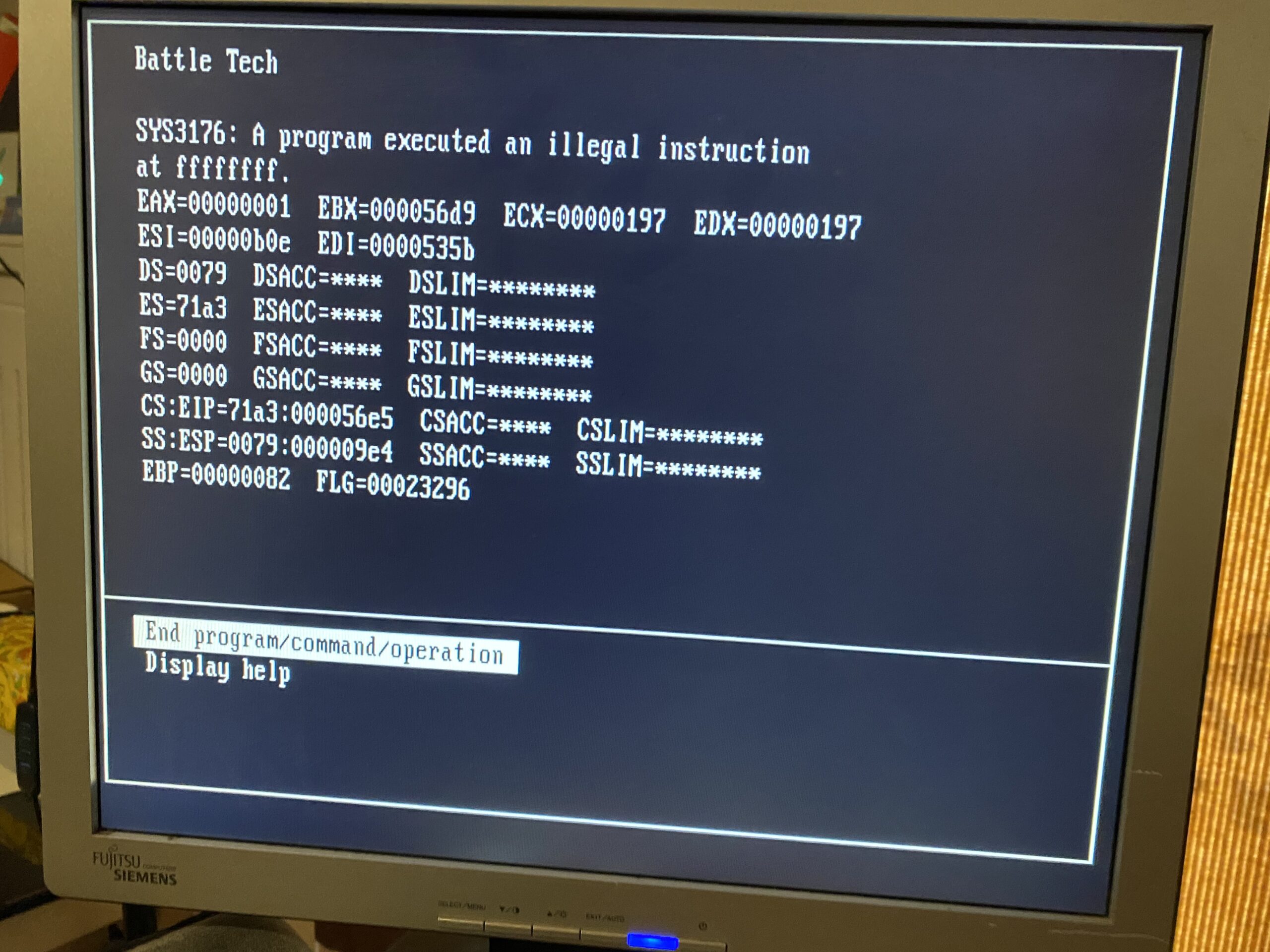
Well it’s been no secret, but OS/2 6.123 on my PS/2 model 80, is insanely unstable running simple MS-DOS based games (large EXE’s)
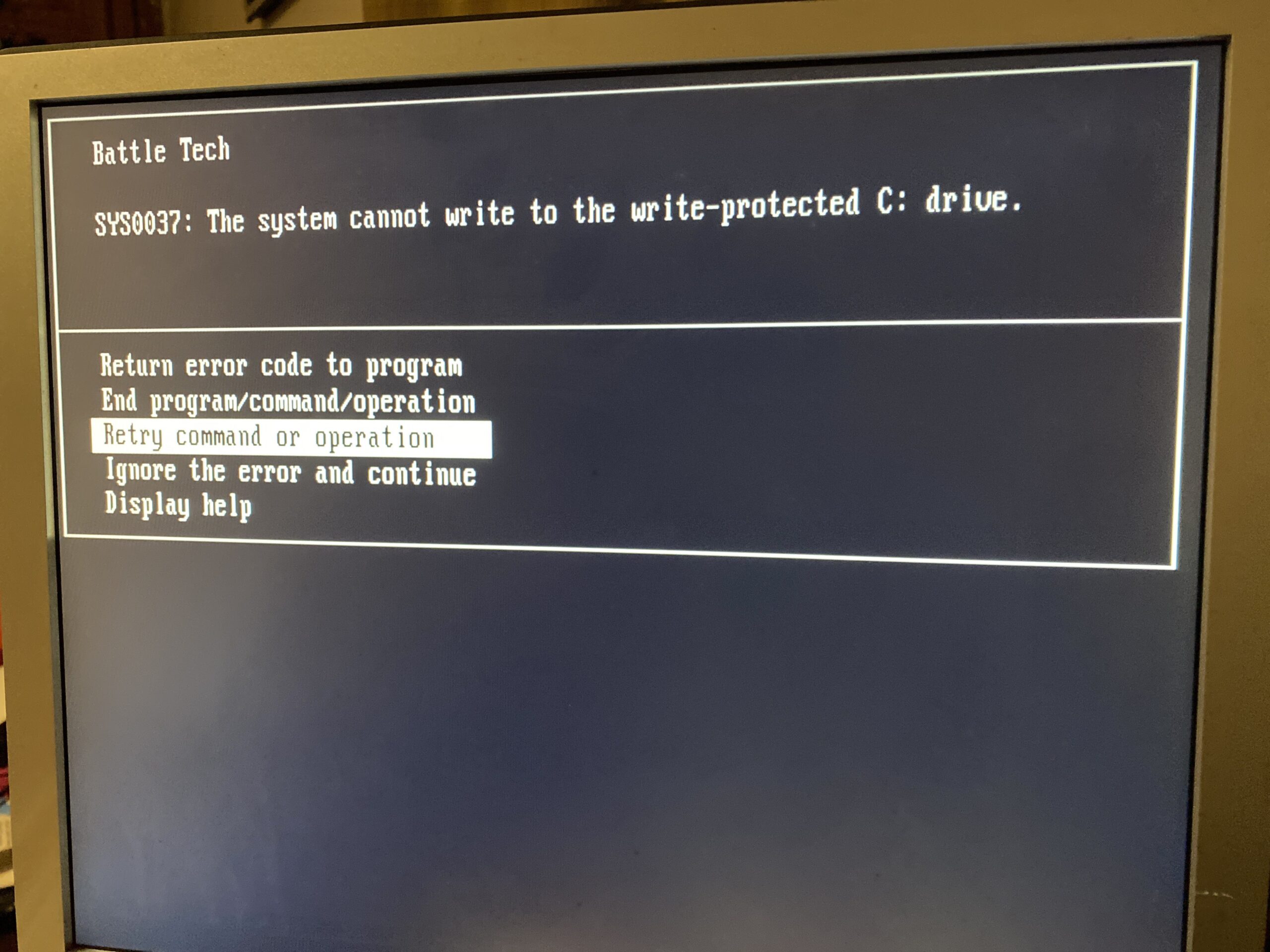
And almost always I’d get this fun error:
SYS0037: The system cannot write to the write-protected c: drive.
Followed by a crash trying to execute code at the top of the memory MAP (ABIOS?)
Illegal instruction at 0xffffffff
Then ending the program will just crash OS/2. Very annoying!
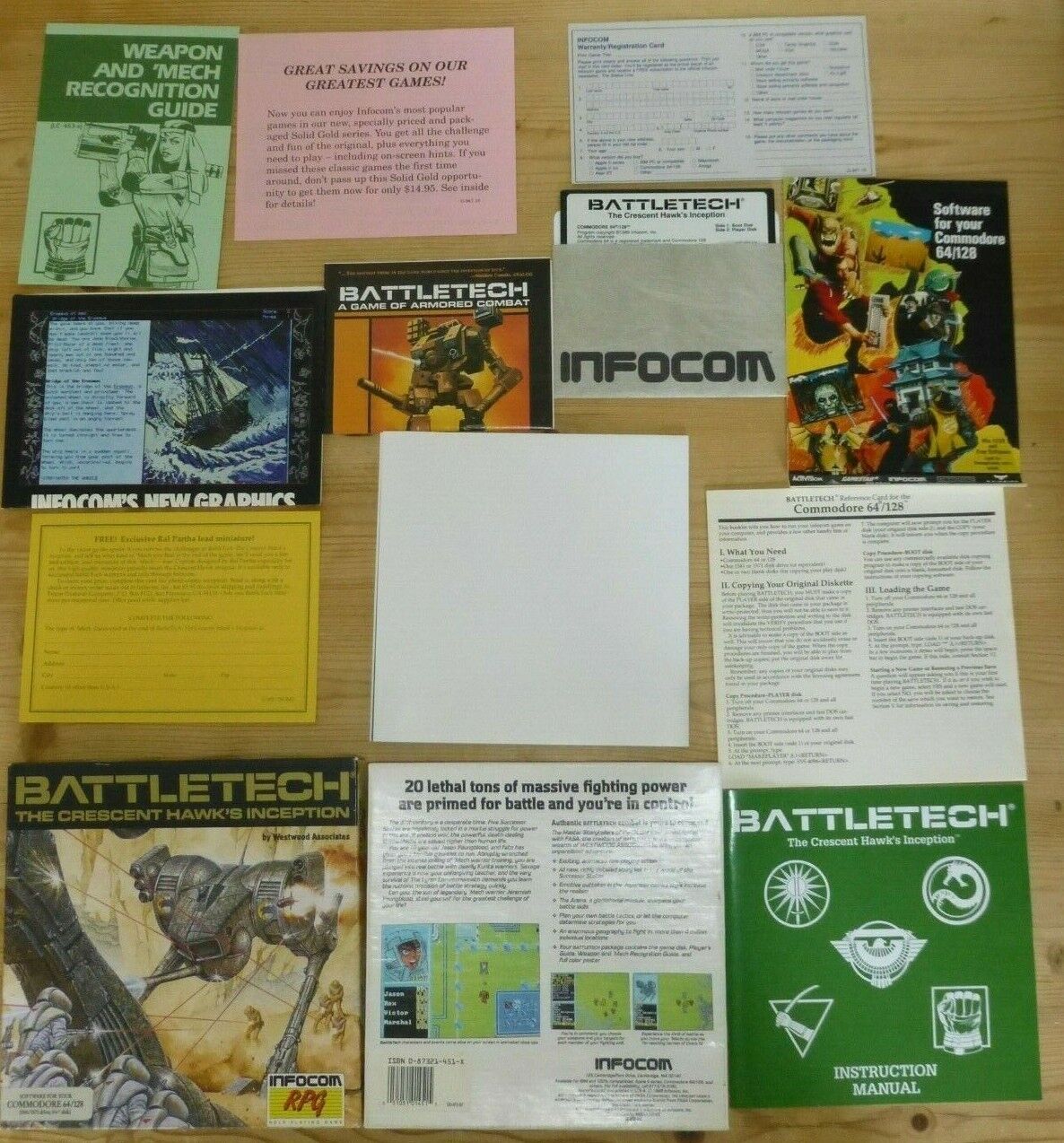
My goto test of v86 mode environments is an old game that I enjoyed as a kid, 1988’s BattleTech the Crescent Hawks inception.
Infocom’s Battle Tech
It’s a great game, that runs on many 8-bit/16-bit systems of the era, and is surprisingly a very well behaved MS-DOS game. I mean if Windows/386 VGA machines can run it in a window using the CGA version, surely a super early OS/2 2.0 beta (6.123) can run it, right? However I found 6.123 to be incredibly unstable, and sadly not up to the task.
I tried to launch BattleTech over and over and had zero success. I couldn’t figure out why it was struggling on my model 80 board, where it runs just great on 86Box. What is going on?
One thing I had stumbled upon was that if I launched an ancient Infocom game in a DOS box, and then launched BattleTech it had a much higher chance of running. But this did not always equate to it working. How is launching an old COM file from the early 80’s excise the ‘devil’ of some 1988 EXE from running?
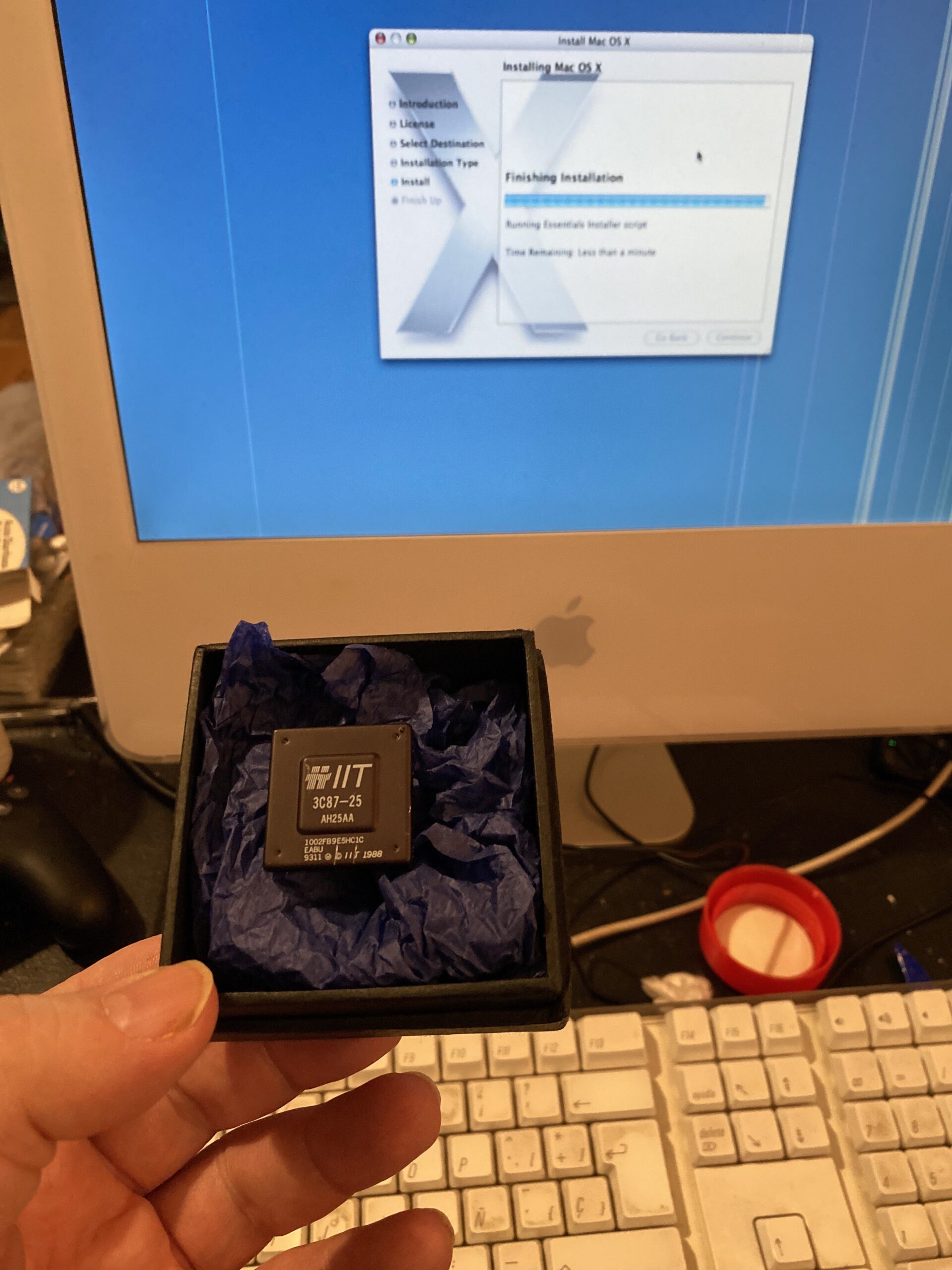
IIT 3C87-25
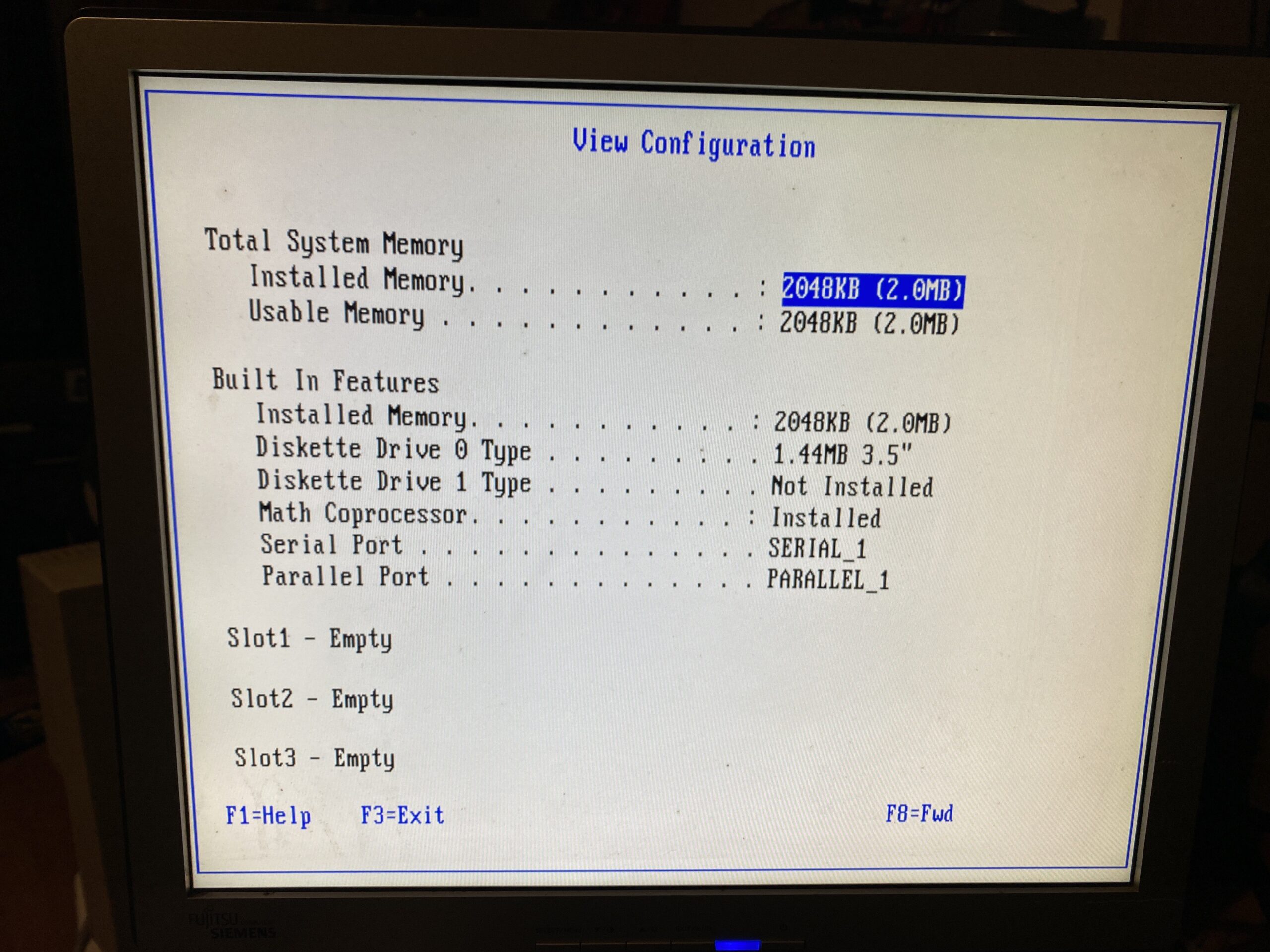
I wasn’t sure but I had this weird suspicion that it was that my system was lacking a math coprocessor. When I had the model 60 286 board in the PS/2 case I did spring for an 80287, and one thing I found is that OS/2 1.0 & 1.21 ran great. As a matter of fact I think it ran better than when I used to have a 386sx-16 and then later a 486SX-20. Now it’s been closer to 30 years, so I could have an absolutely false memory of all this, but I wasn’t sure I was onto something. So while shopping around a subscriber offered me a math coprocessor as they seem to be insanely expensive in the UK. I have no idea why the 80287 was so cheap, and no idea how to make any kind of adapter, but pJok was able to score one for super cheap in his homeland and send it to the barren wastelands of Scotland. As I was wrapping up the SSD G5 fun, the coprocessor arrived, and it was time to install it!
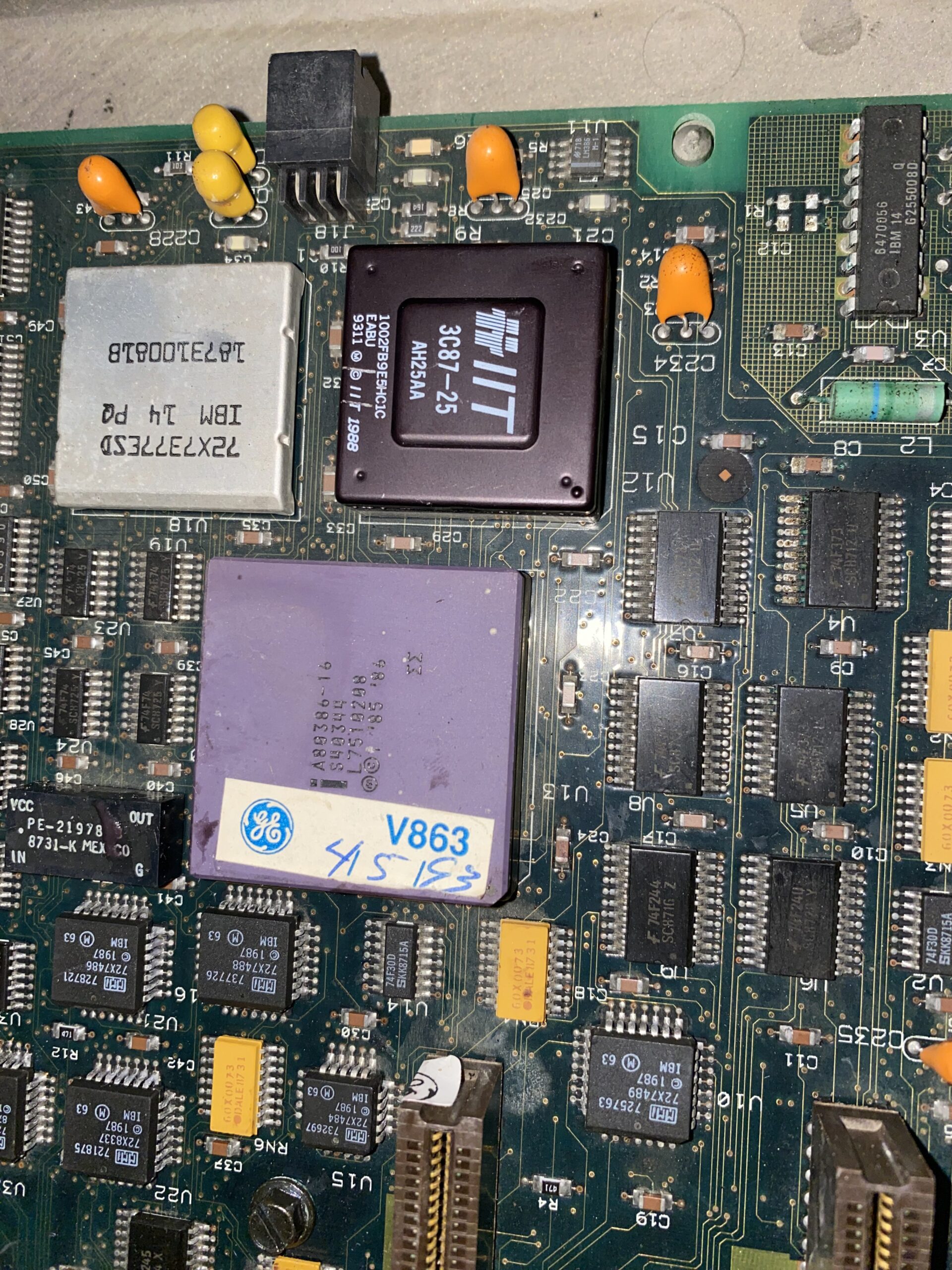
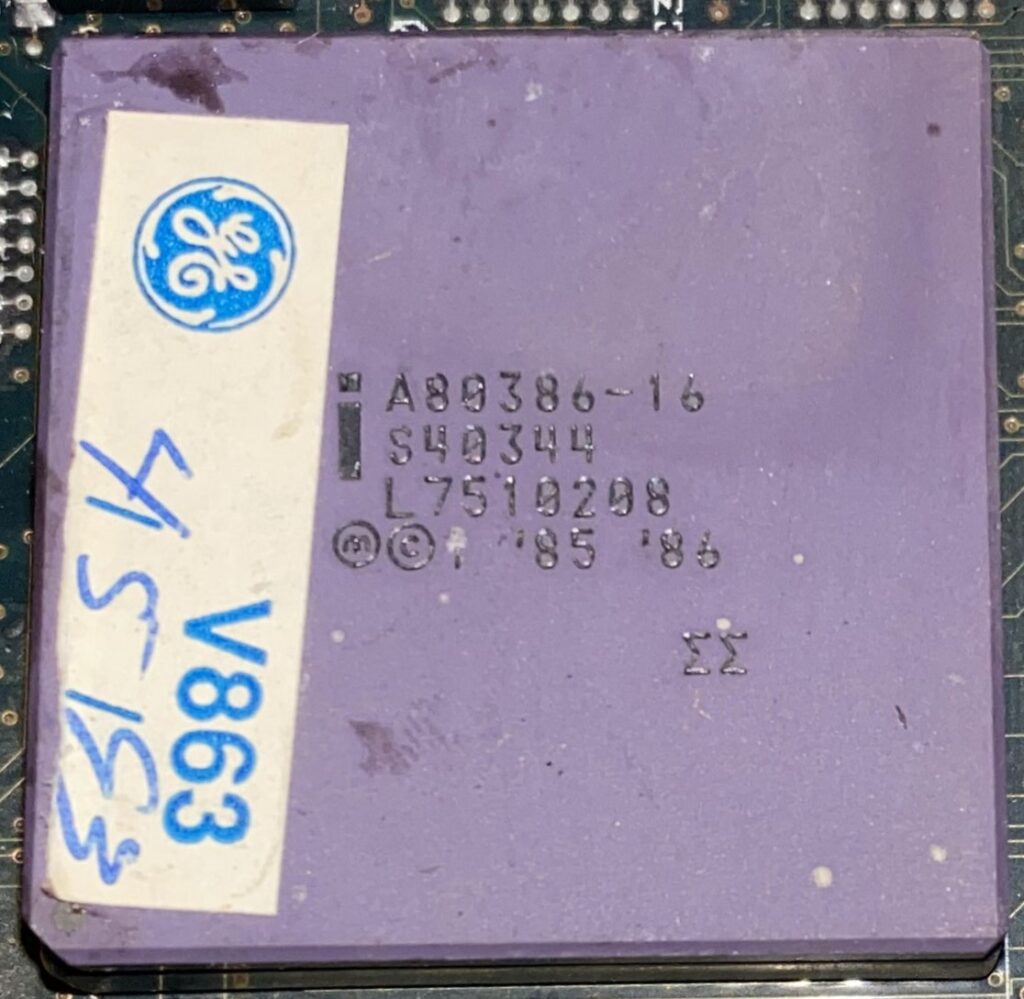
Note the purple 80386! It’s what we might call foreshadowing
The PS/2 8580 motherboard is really oddly designed with chip orientation going in every which other direction, and the 80387 socket isn’t keyed by pin, so it’s vital to see the notches on the silkscreen. Otherwise I just used compressed air to blow out the socket, and run the reference disk to add the processor.
Installed!
The processor was instantly picked up, although I had the crashing issue with the BocaRAM/2 memory card again, which meant I had to remove the RAM card, re-configure with the math coprocessor, then add the RAM card, reconfigure, then run the util to patch the CMOS so it’d boot up. I really dislike this RAM card, but 32bit cards cost far more than this entire endeavor cost so I’m pretty much stuck with it.
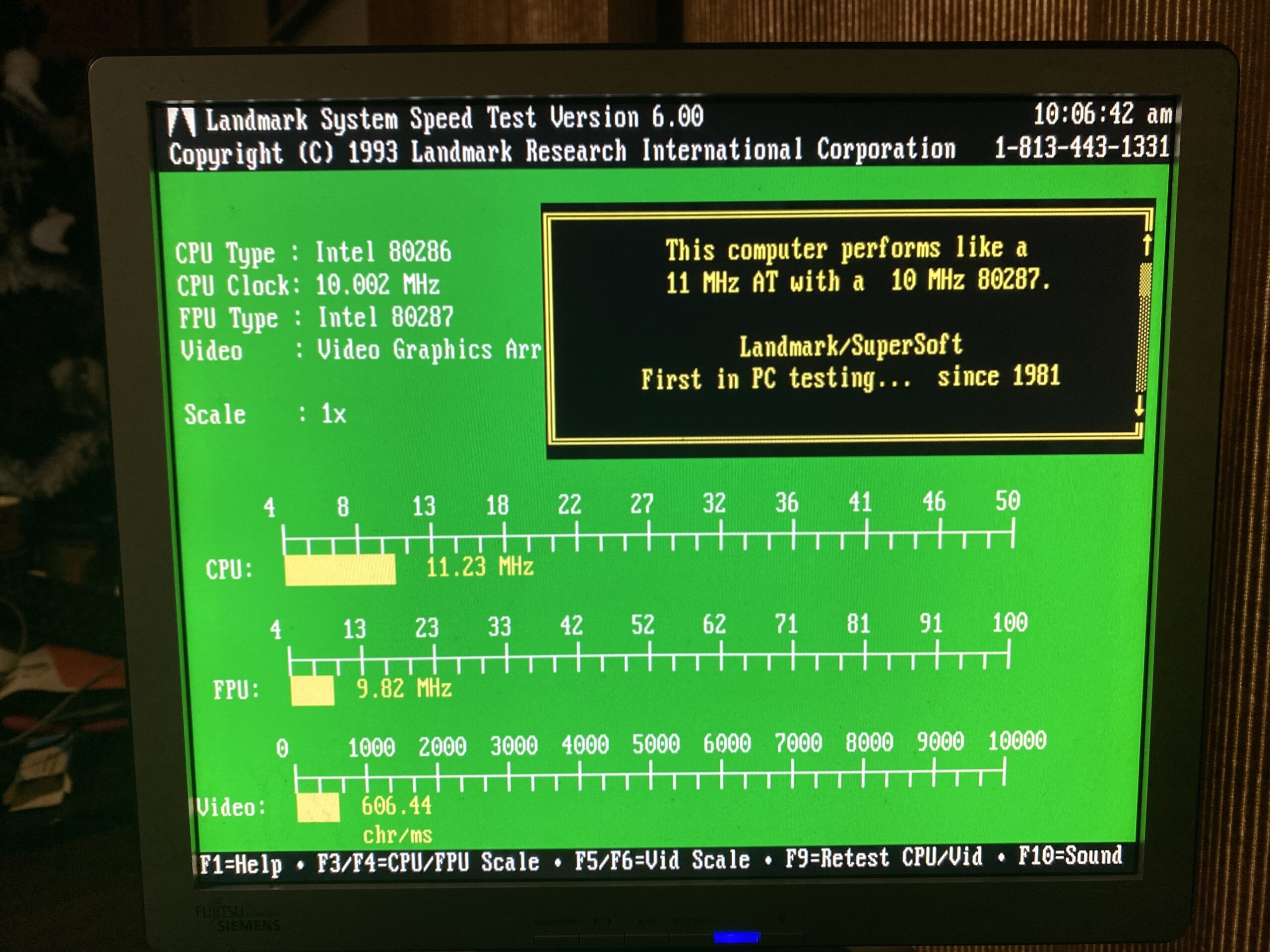
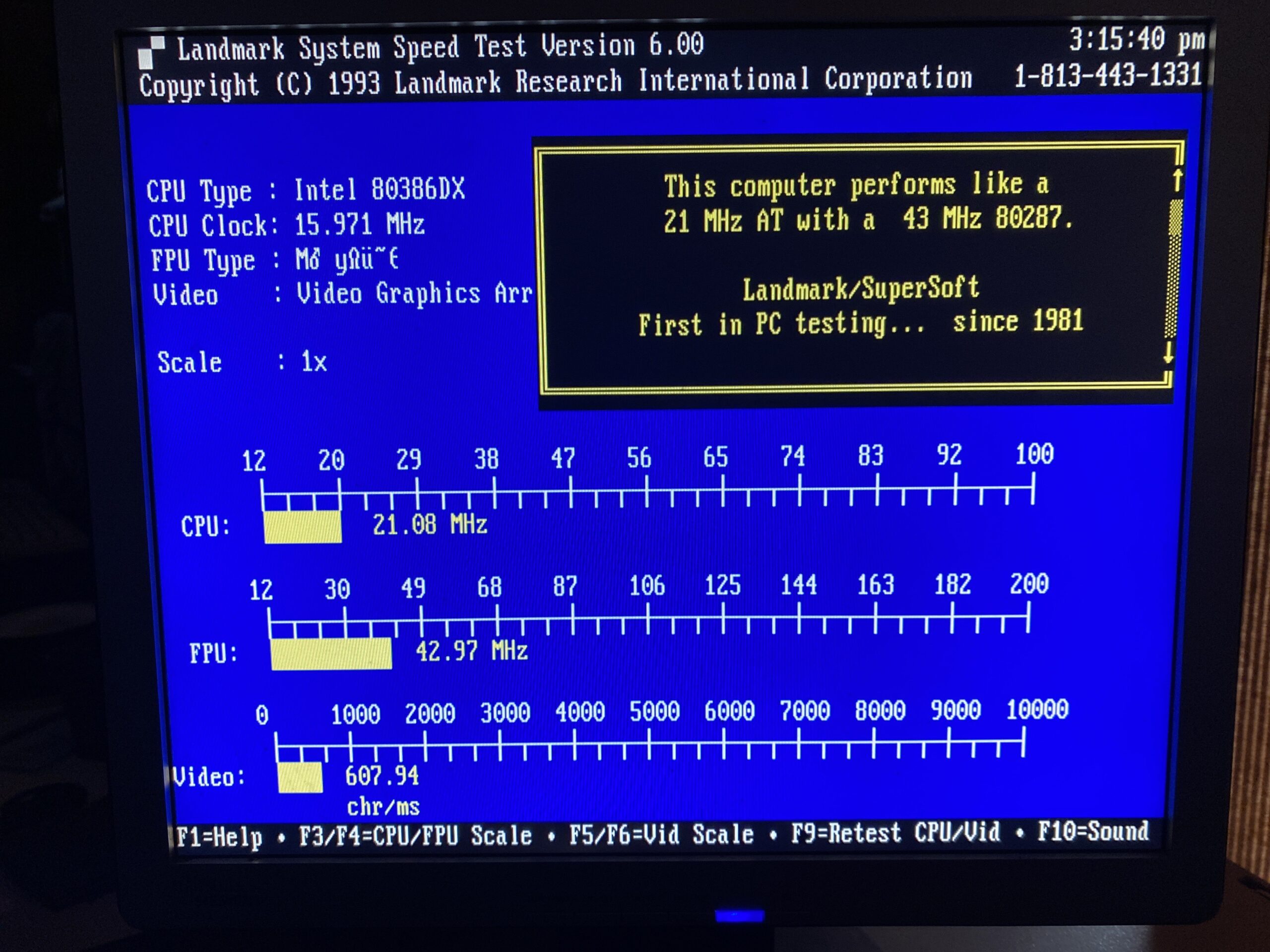
Now let’s compare the Landmark scores between the 286/287 and the 386/ITT387
Landmark System Speed Test with the PS/2 model 60 80286/80287
And now the 386:
Landmark System Speed Test with the PS/2 model 80 80386/ITT 80387
The ITT processor is significantly faster than the old 80287, which is pretty amazing. The system bus is running at 16Mhz, although being 32bit vs 16bit yielding a nearly 2x in performance, although the ITT co-processor is so much more efficient.
Booting back into OS/2 6.123, and yeah now it just works! No fussing around, everything is just great.
I’m kind of lost too, as none of this should require the maths coprocessor, but the results speak for themselves. I used to wonder once I got some disk images for this ancient version of OS/2, why didn’t they ship it? Sure that insane fight with Microsoft on refusing something like Windows on OS/2, or even WLO like Windows IN OS/2 from being part of the product killed any hope of running apps, but this version of OS/2 is already caught in the trap that it can run MS-DOS so well, despite DPMI not being a thing right now.
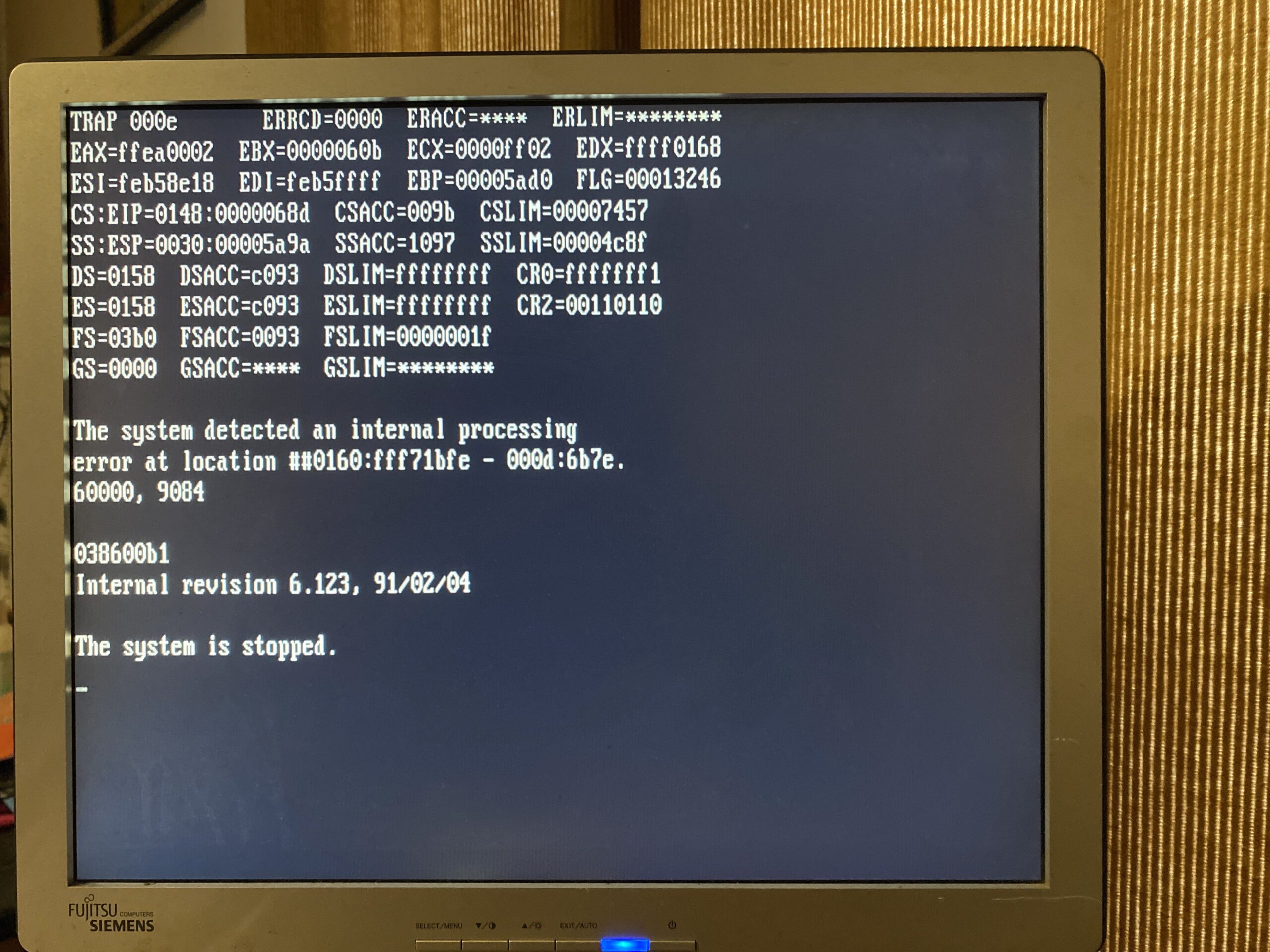
As I’d mentioned it does run just fine in 86Box, so what is the deal? Well that lead me to look back at when it did crash I noticed an odd string 038600b1
OS/2 6.123 crash screen. TRAP 000e
So what does this mean? Well looking back at the CPU let’s try to decode some of it
16Mhz 80386
First, it’s an A80386-16, which really isn’t that hard to figure out it’s a 16Mhz rated 80386. Next is the revision level, S40344. Searching around we can find this table:
S40276 - A1 (but probably 12 MHz as S40277 is 12 MHz)
S40334 - A2
S40336 - B0
S40337 is B0 stepping
S40343 - B1
S40344 is B1 stepping
S40362 - B1 (20 MHz)
So this places it at at the tail end of the introductory line of 386 processors. Checking over at pcjs, we find that there were quite a few more revisions to the 386.
And further that the B1 Errata is actually quite substantial. Maybe this is why the 386 had such a poor reputation for Unix ports in the day, and why it was shunned by CSRG?
As mentioned in the infamous 32bit multiply bug, this processor had been tested and was given the ΣΣ mark of approval. There are numerous issues listed with the presence of a math coprocessor, I have to wonder if beyond issues for using the full 32bit datapath, if there were some electrical issues with utilizing the full datapath as well? Much like an improperly terminated SCSI bus, did the simple presence of the ITT 387 help with signaling and improve system stability? Or am I hitting some weird bug in 32bit math that is simulated due to the lack of a coprocessor, that once one is in the system, the operation is performed on hardware, sidestepping the entire issue? I’m neither an EE or any good at reversing code, so I really don’t know.
The date code 751 does mean that this processor was manufactured in the 51st week of 1987.
Looking at how ancient this CPU is, I have opted to order one that was made in 1990, an SX218 or D1 stepping.
Although it hasn’t arrived yet, I have to wonder if it would make a really big difference in 32bit system stability? I have to wonder if there was such a massive delay in OS/2 2.0 because of the early 386 processors having so many defects that it just added an undue burden to the development, along with the fighting between IBM & Microsoft. While it would be interesting to see the difference between any of the Microsoft versions of OS/2 2.0, none have surfaced as of yet. Which is a shame.
Although it is nice to have this ‘mid’ IBM beta of OS/2, it does suffer from the ever so common issue of not being able to run any shipping 32bit executable, so unless you have source/object files to link, you are pretty much out of luck. The Microsoft Beta 2 tools are 16bit, so thankfully they run on pretty much any version of OS/2, and they ought to be able to run under Phar Lap 286 as well.
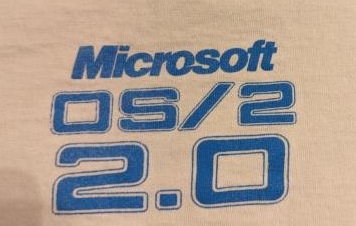
Microsoft OS/2 2.0 tee shirt
One thing that did recently surface on eBay, is a Microsoft tee shirt from their OS/2 2.0 group. With a minor bit of sleuthing, the Enterprise is from the 1989 ‘hit’ Star Trek V. Maybe I’m too much of a nerd to have recognized the GIF.
Back some 20+ years ago when I lived in Miami, I did have a loaded out PS/2 model 80 back then, and I ran AIX on it, as I thought it was really cool. But it was also incredibly unstable. I have to wonder now if it was a fault of the processor, or the system? Then again back then I had 6 registered IP’s and of course my PS/2 was on the internet! Although it was also the right height to double as a standing mouse pad.
So I guess this potentially leaves us with some painful lesson that you ought to get the math coprocessor for older systems if you plan on running anything other than DOS/Windows with a DOS extender. While I do have a PS/2 version of Xenix, I haven’t been able to dump them yet as my Power Mac doesn’t like NON FAT disks. One thing is for sure, it made a massive difference in OS/2. I don’t think 16Mhz/6MB of RAM is anywhere near enough to run OS/2 2.00 at any decent speed so I’ll stick with the much lighter 6.123.
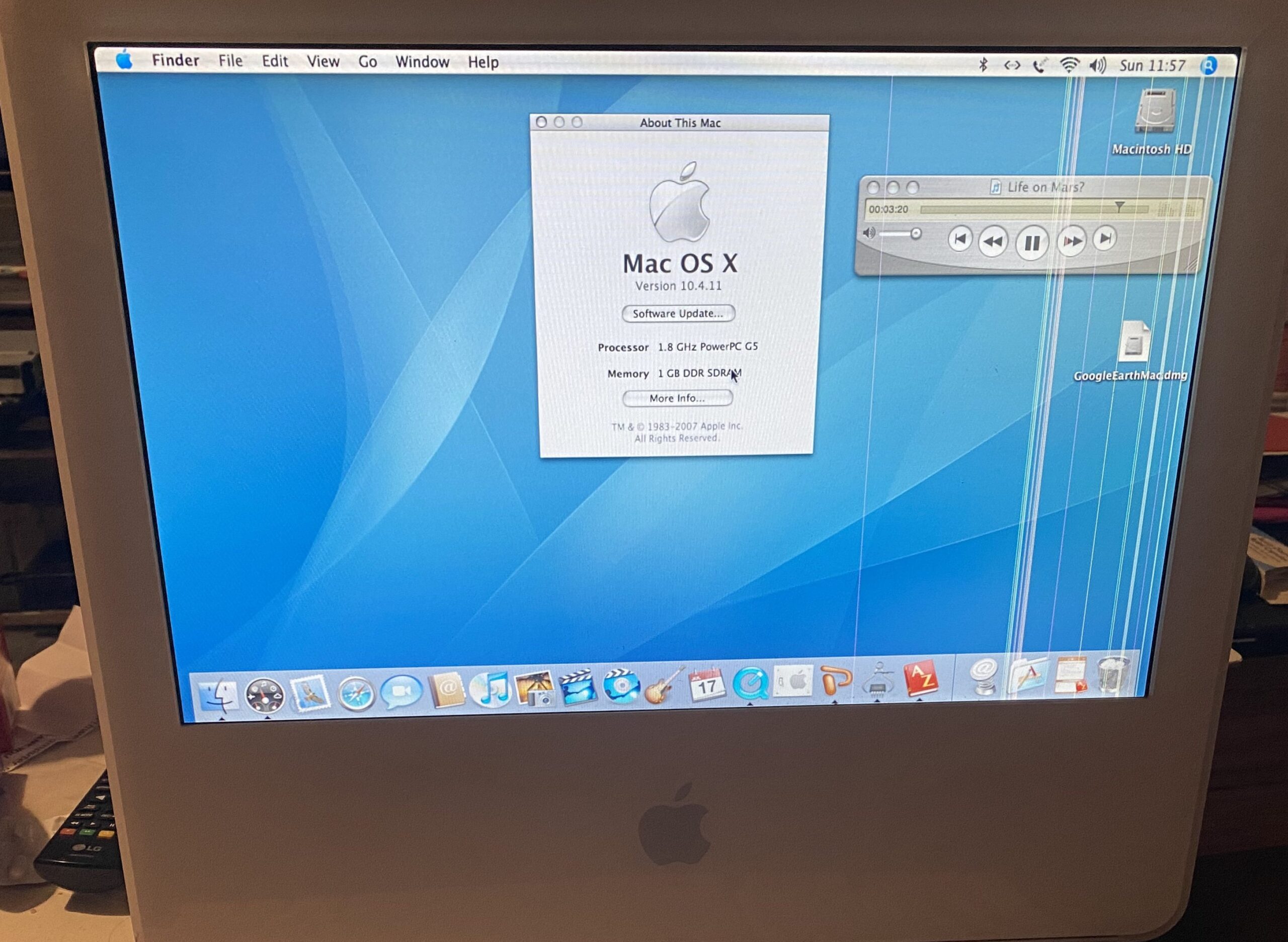
So I got this iMac G5 with a defective display super cheap. Turns out that all these displays fail, so if you find one with a good display it’s either been RMA’d or its going to fail. and quickly.
cheap iMac G5
On the back of the unit there is a video out port, so you can hook up an external monitor, and now you have a chunky G5.. minmaxie.
Sadly the OS was a bit messed up, and had a bunch of user files, and I just wanted to do a fresh install. And the hard disk was LOUD and slow. Naturally I thought I’d install a SSD. I had forgotten what amazing luck I had with the Grandpa G5 back in the day, and did I just get lucky with that?
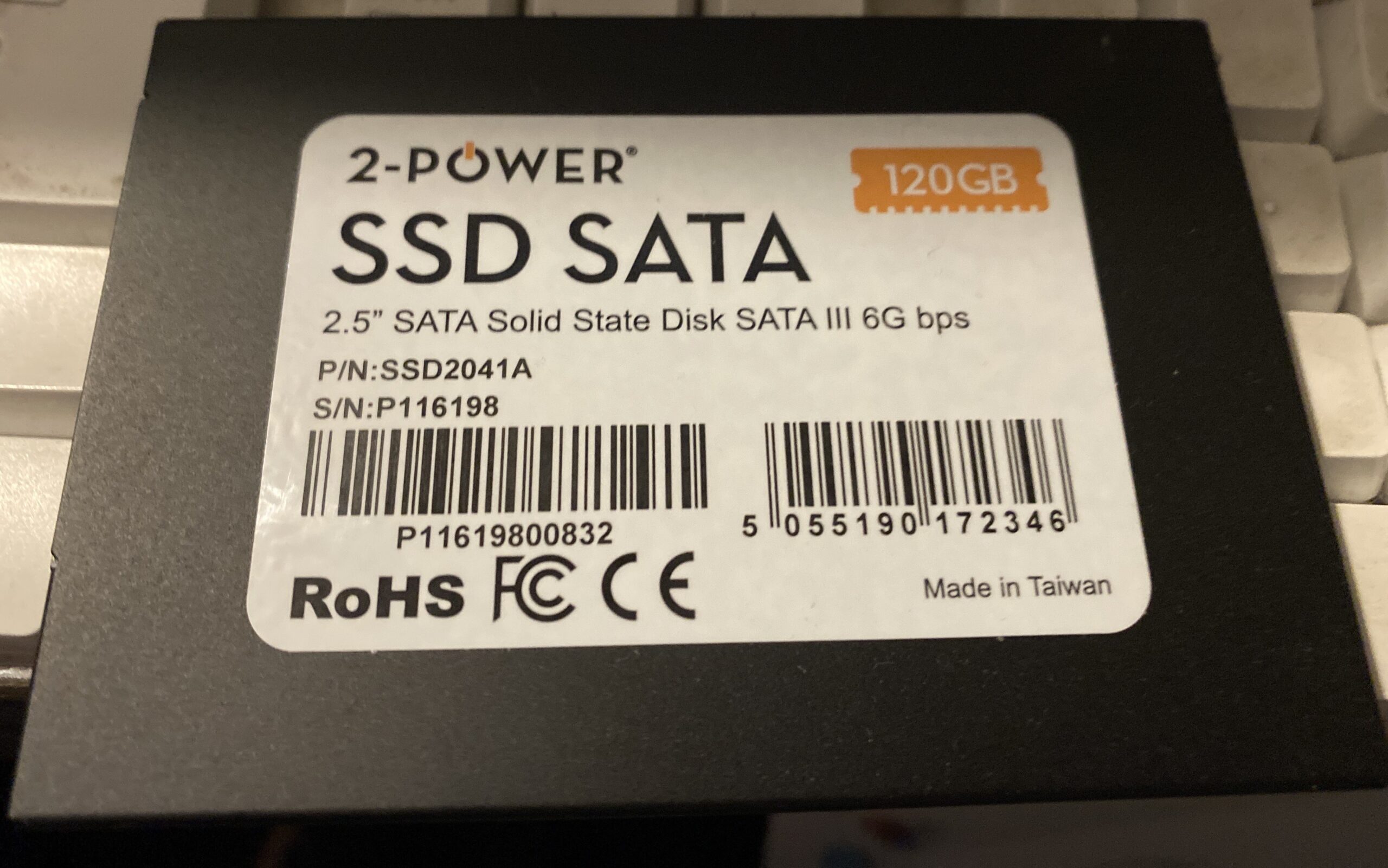
First I got this super cheap 2-Power SSD.
2-POWER SSD SATA SSD2041A
Of course it didn’t work, nothing shows up at all.
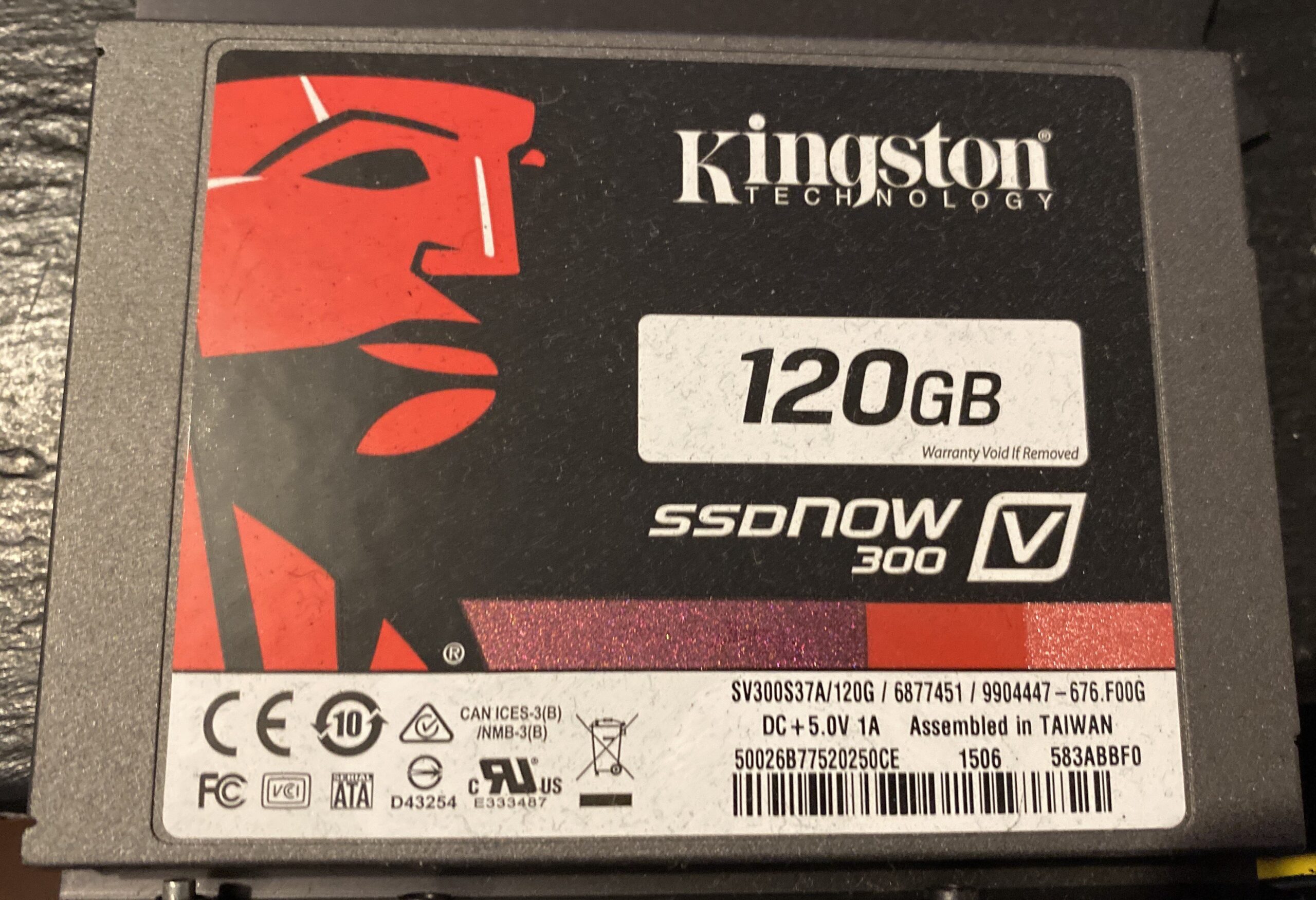
I had this fancy Kingston SSD, surely it’ll work?
Kingston SSDNOW 300 SV300S7A
NOPE, nothing from that either.
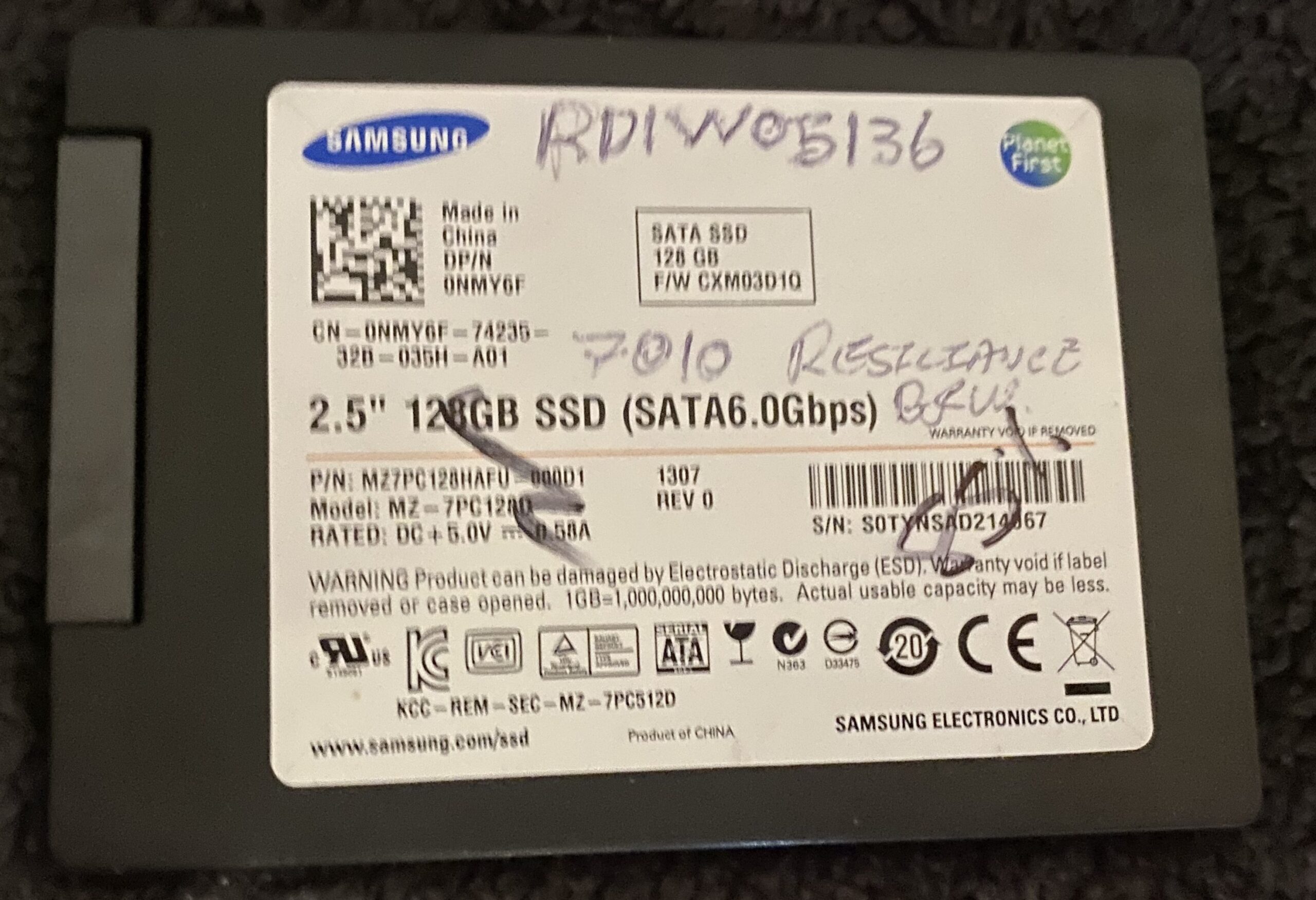
So I went ahead and ordered the cheapest Samsung I could find.
Samsung M27PC120HAFU
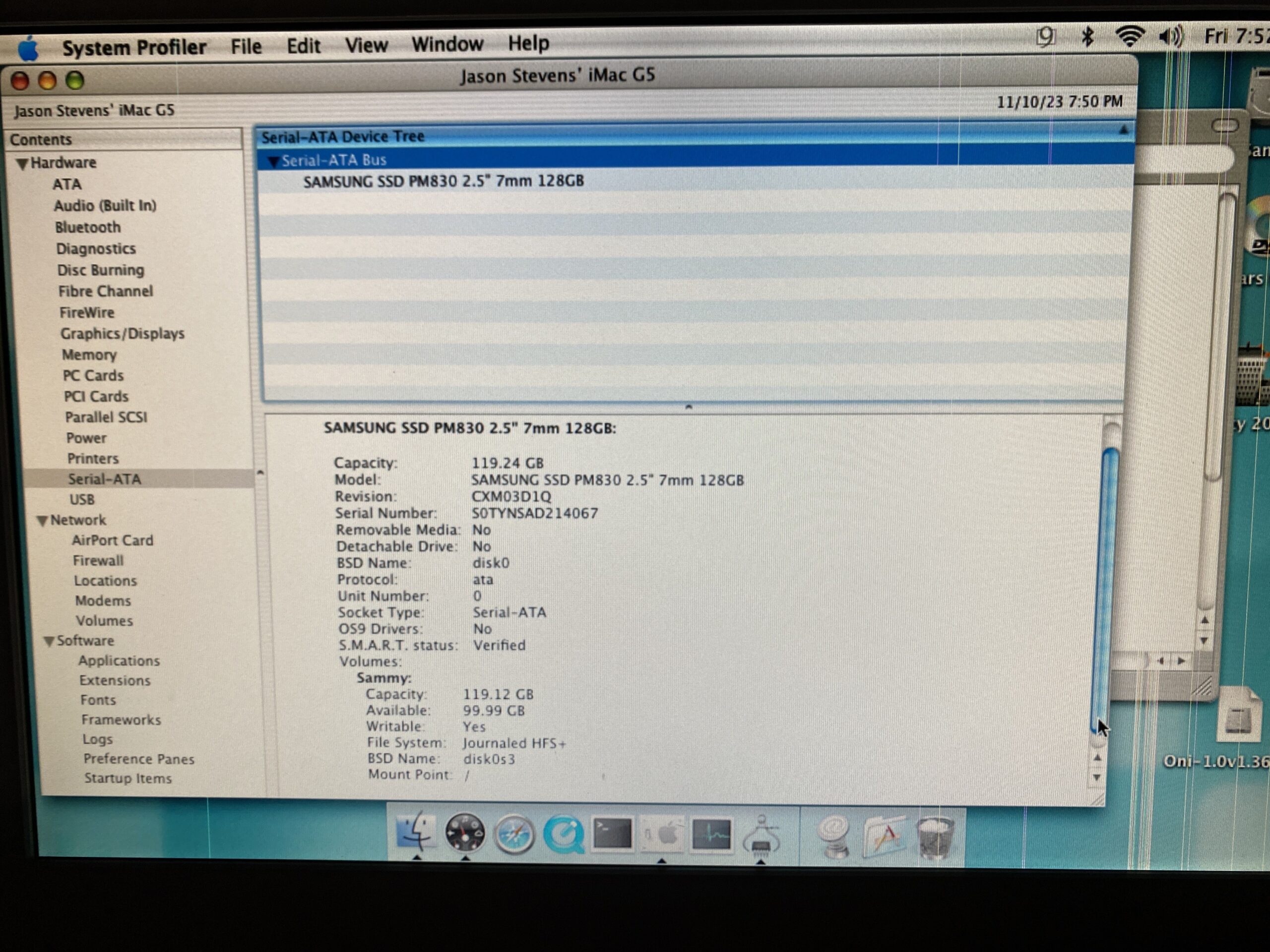
And yeah, whatever it is the Apple SATA controller does, that annoys all the other brands, the Samsung pulled through.
Sucess with the Samsung PM830 SSD
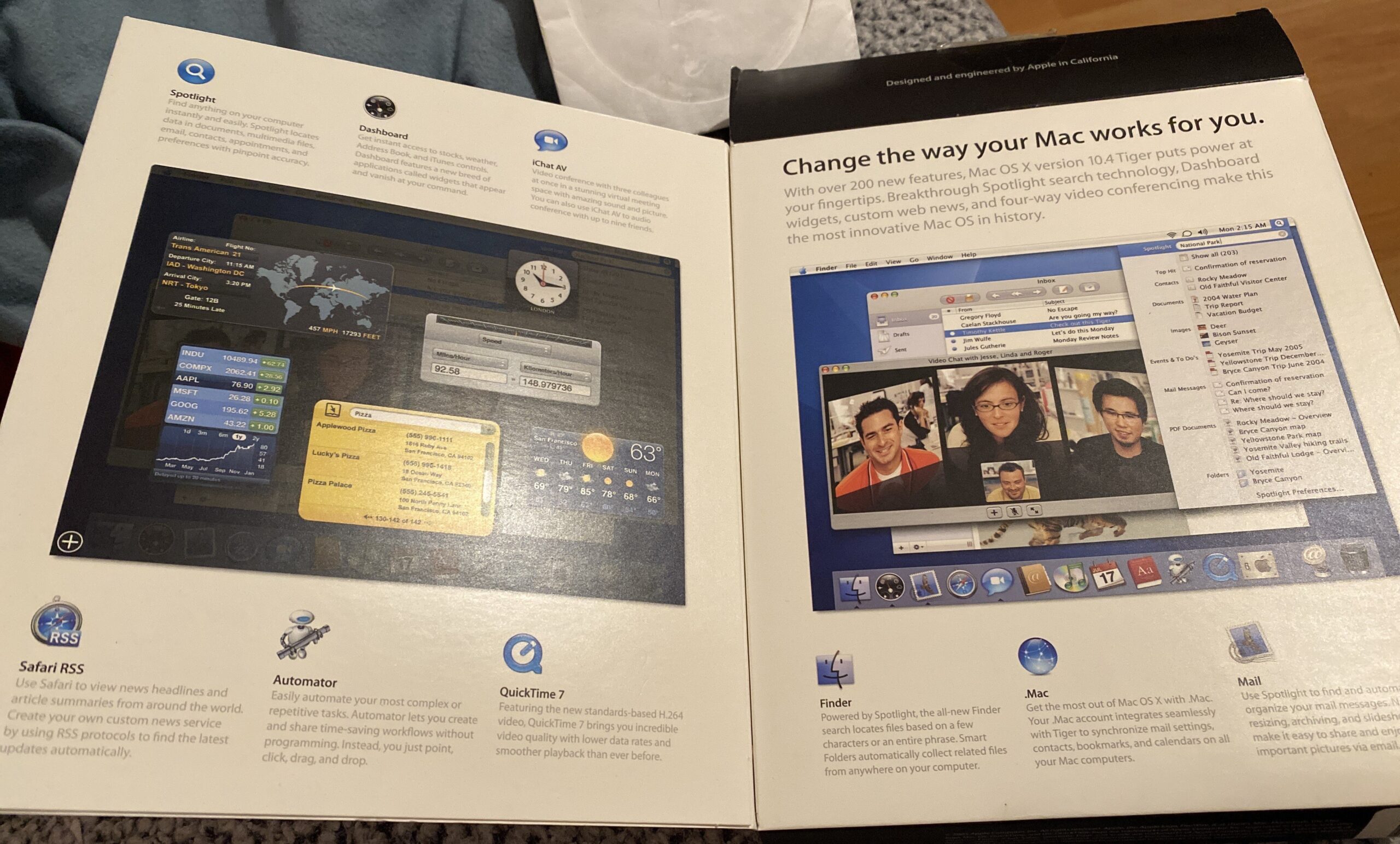
I did get an iMac G5 10.3 restore CD set, but sadly it didn’t want to work with this iMac. However I did get a deal on a boxed copy of OS X Tiger.
Change the way your Mac works for you
And yeah I was able to do a clean install, and patch it up. I’m still impressed that Apple keeps stuff up like the update servers & all the combined patches. I guess one thing worth mentioning is that the WiFi wouldn’t join the home LAN at all, but the 10.4.11 patch fixed that right up.
I should try some much newer Samsung SSD’s to see if it’s just this one generation, or are they just that much better? Also what about NVMe/SSD bridge?