It worked quite good but I did not particularly like some of the Firefox/Mozilla foundation controversies and policies. Started looking for alternatives, but the situation was quite grim. Ladybird Browser is still in active development. Chrome exterminated Ad Blockers. Brave was over bloated with crapware.
TIL Brave has released “Origin” version which is minimal and void of all the garbage features, but still has a fully functional Ad Block! Normally Origin asks for a one time license purchase, however Linux version is free. Since Docker is Linux… a perfect fit for the use case! VNCBRAVE was born.
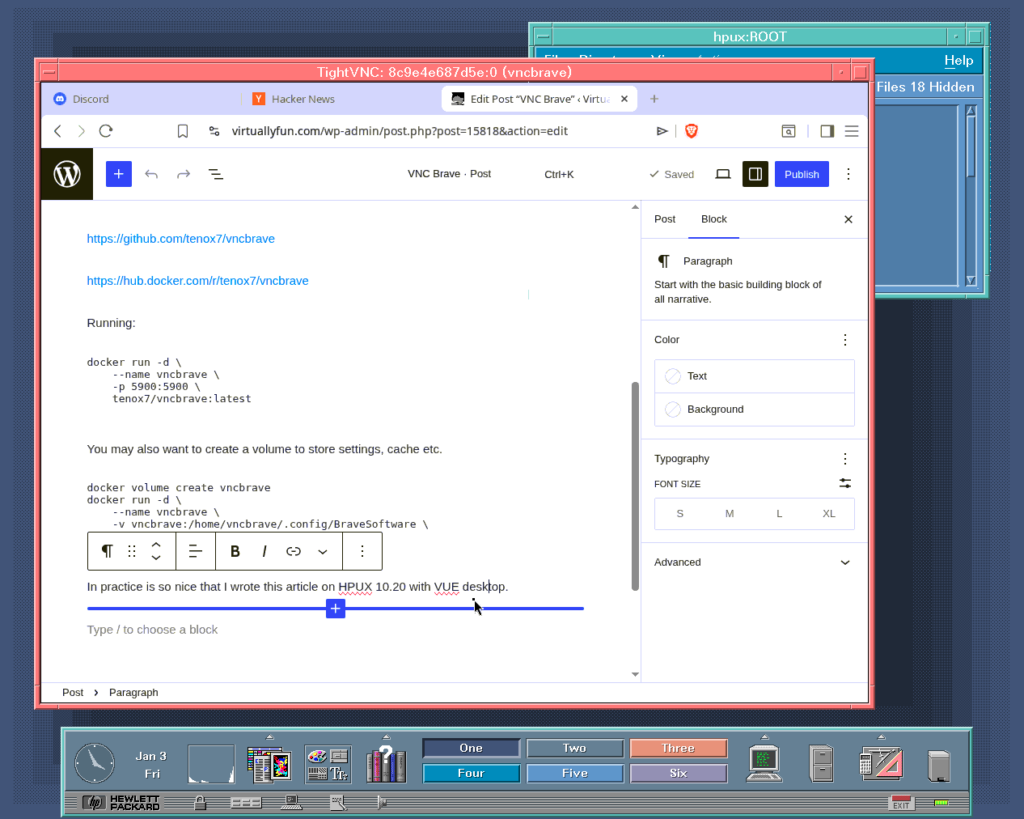
In practice is so nice that I wrote this article on HPUX 10.20 with VUE desktop:
VNCBRAVE – Brave Origin with VNC Server as Docker Container
I also added routing of Brave active tab title in to VNC “Desktop Name” so it shows in the client window if supported.
I also typically switch to compact mode to save some real estate and make some other settings like solid background color, tab suspension and aggressive ad blocking.
A collection of TightVNC ports for old OS is available here.
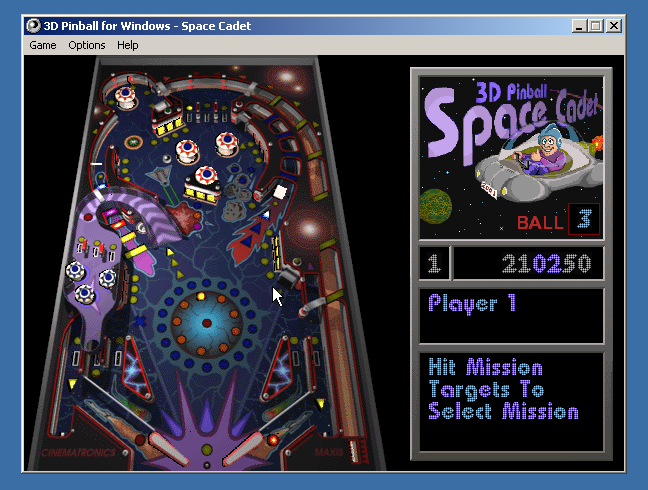
One of the most popular OS built-in games is no doubt Pinball, known by its full name 3D Pinball for Windows – Space Cadet. It started out as Full Tilt! Pinball, developed by Cinematronics and published by Maxis. It offered 3 tables, and one of them, Space Cadet, was licensed to Microsoft to be included in Microsoft Plus! 95 and, later, built into the Windows operating system.
Windows XP was the last version of Windows to include Pinball, and Raymond Chen explained why it didn’t make it to Windows Vista on his blog. The reason was it had a collision detector bug when it was compiled for 64-bit Windows, which caused the ball to pass through various objects – falling off the screen through the plunger instead of being launched, for instance. The bug rendered the game unplayable, and Raymond and his colleague were unable to find a fix in a reasonable amount of time, so he removed it. At least that’s the story we were told, for about a decade.
In 2021, NCommander launched a series of investigations to challenge that, testing Pinball on various 64-bit (IA-64 and AMD64) builds of Windows XP and pre-release Vista. He found that the 64-bit versions of Pinball were all highly playable, with only very minor glitches, and speculated that the reason for its removal was that the UI did not fit into the Windows Vista design.
Not long after NCommander published his video, Raymond followed up with a post that filled in some gaps in the story and shed more light on the bug. He said it was the 64-bit Alpha AXP version of Pinball that had the extremely bad collision detection bug. This claim had been unverifiable for the past 5 years, for the following reasons:
No 64-bit Windows was ever released for the Alpha AXP – Compaq killed Windows NT support before NT was ported to 64-bit
One 64-bit Alpha AXP NT build was leaked in 2023, but the included Pinball does not work, as it segfaults immediately upon running
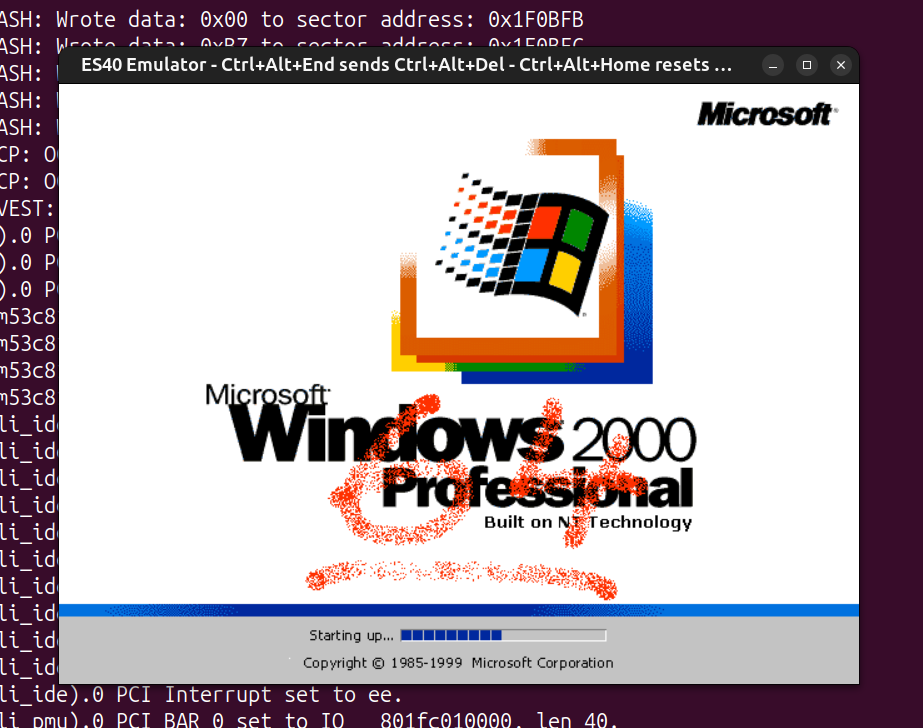
I’ve had an interest in the DEC Alpha for quite some time now, mainly out of my love for DEC architectures and my love for UNIX. VAX is the direct successor of PDP-11, and Alpha is the direct successor of VAX. Earlier, some Alpha emulation breakthroughs dropped, and I was pinged by a few friends that NT 4.0 could now run on a fork of the ES40 emulator, as well as on QEMU. I never thought Alpha NT would ever run under emulation, because unlike the familiar Tru64, Linux and the BSDs, NT uses its own custom PALcode and depends on ARC (Advanced RISC Computing) instead of SRM. Of course, people noted that the emulators couldn’t run the holy grail of Alpha NT – Windows (XP?) build 2210, because its kernel would panic with a memory management error in QEMU, or wouldn’t detect the keyboard and bug out in ES40. A few trips to hell in the symbol-less NT kernel and a few MMU emulation fixes later, I was able to patch up both QEMU and ES40 to boot that only surviving 64-bit build of Alpha NT.
After torturing my brain debugging a symbol-less NT kernel without a kernel debugger, I thought I’d give fixing Pinball a go, to make things worthwhile. One of the benefits of debugging a userland process is that, while there’s still no debugger, there is Dr. Watson, which takes core dumps and performs simple post-mortems. Something is better than nothing, as people would say.
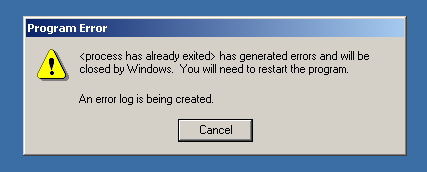
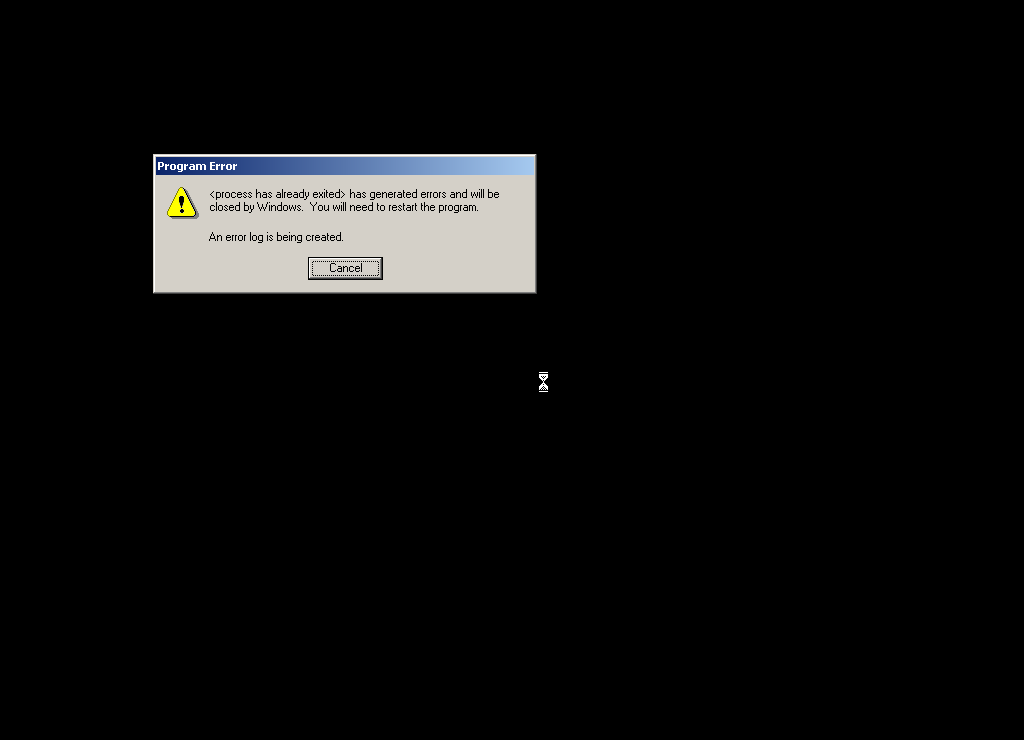
Running Pinball gives the classic crash symptom immediately, with no graphics drawn:
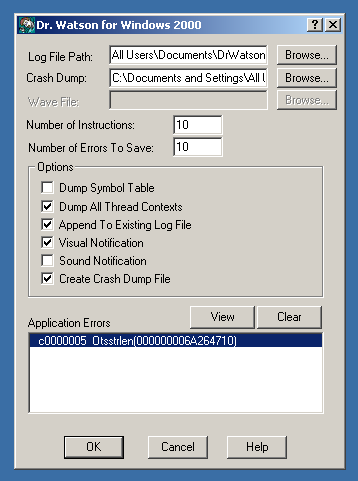
Dr. Watson concludes that it died of a segfault:
It gave a nice dump of registers at the time of the fault:
Ok, so it died inside RegisterClassA, a critical Win32 API function. That API function couldn’t have been the culprit, because if it were bugged, no GUI Win32 program would run at all. This means the only possible source of the error is its sole argument – a pointer to a WNDCLASSA struct. Needless to say, the pointer itself was valid, otherwise the API would’ve detected the invalid argument, or the segfault would’ve happened a lot sooner.
From the stack trace, the return address of RegisterClassA was 0x100F914, inside the function splash_screen. A quick disassembly of the instructions preceding that address shows a WNDCLASSA structure being built with the following layout:
Right off the bat, I noticed something wrong – the field alignment. It is a general requirement that fields be aligned to their size, as in 8-bit fields should be byte-aligned, 16-bit fields should be 16-bit (2-byte) aligned, 32-bit fields should be 32-bit (4-byte) aligned, and 64-bit fields should be 64-bit (8-byte) aligned. If you look at the offsets of the fields above, the 32-bit ones are indeed 4-byte aligned, but the 64-bit ones are not. At the start, we have a 32-bit style field followed by a 64-bit lpfnWndProc, and to satisfy the alignment requirements, a 4-byte padding should be inserted between style and lpfnWndProc to ensure that lpfnWndProc starts on an 8-byte boundary. RegisterClassA was expecting this padding, but Pinball lacked it, so it read data from the wrong offset and crashed.
To fix this, I simply bumped the offset of each field after style up by 4 bytes.
But that was not sufficient – Pinball calls RegisterClassA in 4 different places – Sound_Init, splash_screen, WinMain and WaveMixStartup. I’d already patched the one in splash_screen, so I started going through the rest one by one.
The ones in Sound_Init and WinMain were identical to the one in splash_screen, but for some strange reason the one in WaveMixStartup already had the correct alignment:
I can’t think of why the same struct would be aligned differently within the same binary, unless they came from different objects compiled with different flags or something.
Anyway, with the WNDCLASSA struct alignment fixed in 3 of the 4 places, I ran Pinball again. This time it created the fullscreen window and attempted to draw the splash screen before dying of another segfault:
Crash log shows that the segfault happened deep in the Win32 audio system, while calling auxSetVolume:
Indeed, it was an invalid pointer! As you can see, it’s identical to the pointer in a2, but with the entire top 32 bits zeroed. It must’ve been truncated by a bug somewhere, either in the audio subsystem or in Pinball itself.
I spent some time and pinned down the DLL responsible for the fault – mciseq.dll, and did some tracing. The truncation of a0 happened when a2 was moved into a0:
50306150 ZAPNOT a2,#15,a0
ZAPNOT is an interesting instruction – it takes a source register, a bitmask and a destination register, and it “zaps” (zeros) the bytes whose corresponding bit in the bitmask is 0. In this case, the bitmask is 15, which is 00001111 in binary. From this we can work out that the ZAPNOT instruction at 0x50306150 zeros the upper 4 bytes of a2, when it is copied into a0. This perfectly explains why, at the time of the fault, a0 contained a truncated version of the pointer in a2.
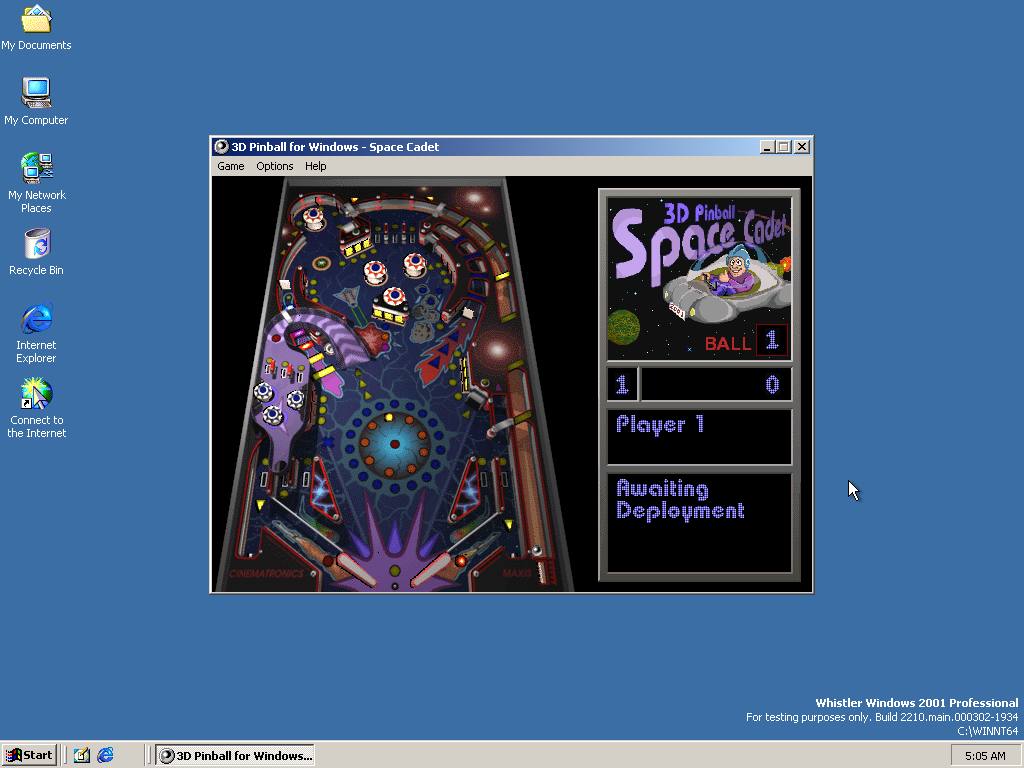
Of course, 0x50306150 was not the only place where it truncated 64-bit pointers, I found 6 truncations of the exact same type in mciseq.dll. I have not the slightest clue why it decided to truncate pointers. If I had to guess, maybe they had pointer → integer → pointer casts for whatever reason, and that integer type was 32-bit. With all 6 truncations patched out, we have some Pinball for ourselves:
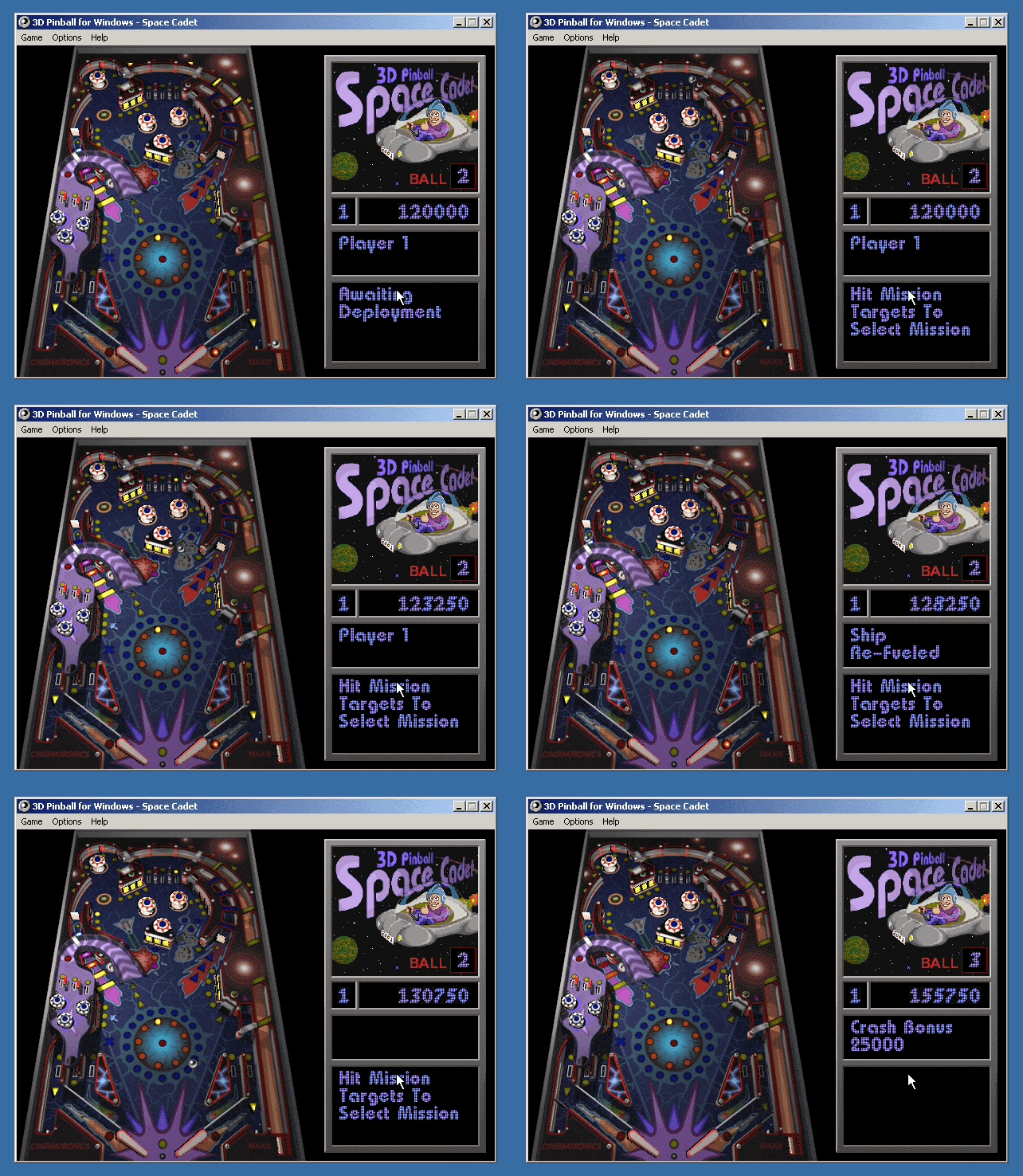
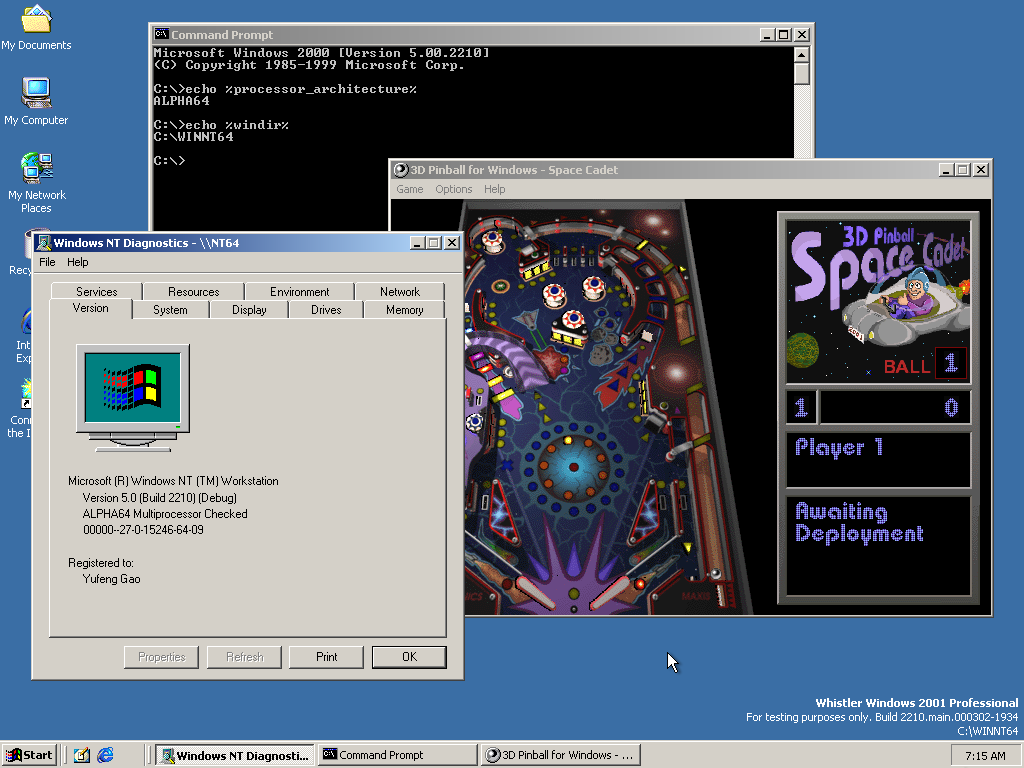
Here’s proof that Pinball is indeed running on a 64-bit build of Alpha NT:
To make Pinball work on your NT build 2210 install, replace %ProgramFiles%\Windows NT\Pinball\pinball.exe and %windir%\system32\mciseq.dll with the following:
You could also patch the installation files and burn them to a new CD if you want Pinball to work out of the box on fresh installs – simply copy these files to the AXP64 directory of the install disc:
Now I’m going to disappoint you with the fact that I did not find the collision detector bug Raymond talked about. With the struct alignment and pointer truncation issues patched, the game now works flawlessly. Ok, I’m not sure if it’s actually flawless, but I never saw any glitches in the few games I played. At the very least, the ball does not fall through the plunger, can be launched and bounces around the table just fine.
Below are the 2 reasons I could think of for not seeing the collision detector bug:
The bug was introduced after build 2210. Build 2210 has Pinball installed by default and predates Windows XP by almost a year and a half, so it almost certainly predates Raymond removing it. In this build, Pinball doesn’t even run by default, so there’s no way they could’ve tested it and seen the bug. They probably only started testing Pinball later, after they fixed the struct alignment and pointer truncation issues.
The bug only manifests in free/release builds, not in checked/debug builds. Maybe it only shows up when the code is compiled with the more aggressive optimisation used by release builds – something that happens quite often when code has undefined behaviour or the compiler has bugs. This is less plausible, however, as I’m sure Raymond would’ve used debug builds when he attempted to debug it, and discovered any differences between debug and retail builds.
Of course, only Raymond himself could shed more light on this topic. It was fun (read: painful) debugging Pinball, as well as the NT kernel to fix the emulators – too much fun (read: pain) that I will never do it again.
Some trivia about me and pinball:
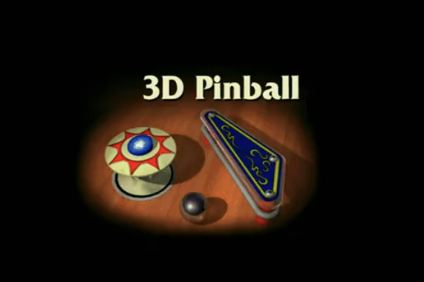
I spent a fair chunk of my kindergarten and pre-school days playing the various games my dad installed on our Windows XP home computer, however, there was one game that I never quite figured out how to play – Pinball. It came bundled with the OS, and the splash screen scared me every time I tried to open it up.
The flipper looked like a pistol to my 3-year-old self, and the overall darkness of the splash screen just injected fear into me. I would open the game, close my eyes, count to 20, then open my eyes again, to skip past the splash screen.
The first time I actually played a full game of pinball was on the first day of this year, when a friend of mine took me to an arcade. After playing pinball in real life, the Pinball game finally started to make sense.