Installing Windows NT 4.0 on Proxmox/VE

Proxmox/VE

Proxmox/VE

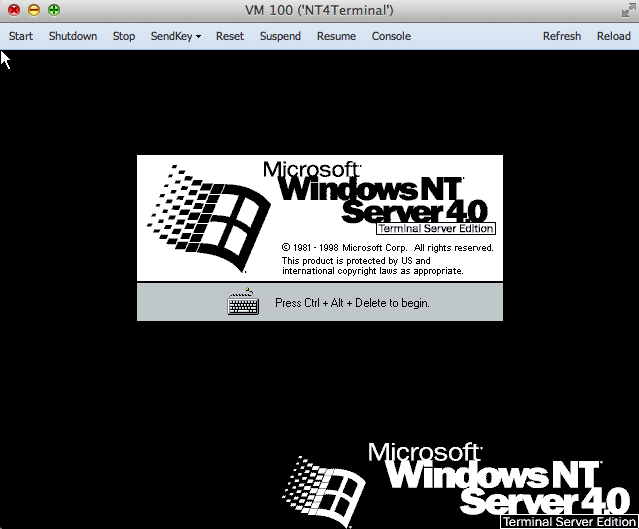
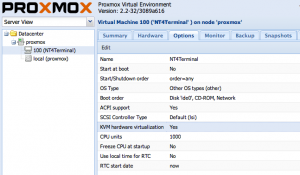
Ok, Ok I know 99% of the world won’t care, but here we go.  I just setup a Proxmox/VE server on a friends PC, and felt like installing a NT 4.0 Terminal server.. So after getting the ISO onto the server, I went through the setup to get a quick blue screen.  Much like Qemu, KVM won’t work out of the box, you have to first nudge the CPU level down to ‘pentium’ or 486, and for the install you have to disable the KVM (accelerated) version, and use the generic Qemu installer.

Also I would alter the config file, along with a global config to turn on the AMD PCNet network adapter.

In the  /usr/share/pve-manager/ext4/pvemanagerlib.js file, just go ahead and add in your NIC’s entries:

[‘rtl8139’, ‘Realtec RTL8139’],
[‘e1000’, ‘Intel E1000’],
[‘pcnet’, ‘AMD PcNet’],
[‘ne2k_pci’, ‘NE2k PCI’],
[‘virtio’, ‘VirtIO (paravirtualized)’]

And in the /etc/pve/nodes/proxmox/qemu-server directory, you will see stuff like 100.conf, and look for a line like this:

net0: rtl8139=56:65:DB:52:7F:F2,bridge=vmbr0

And change it to the AMD PCNet ..

net0: pcnet=56:65:DB:52:7F:F2,bridge=vmbr0

See, easy right?  Then you can mount up your ISO, and install!

Once you’ve installed, and applied service pack 6, you can then turn on KVM acceleration, although I’d leave the CPU level knocked down to a Pentium.


NT 4.0 Terminal Server on Proxmox/VE

NT 4.0 Terminal Server on Proxmox/VE

So far, so good, yay!

Virtual Floppy Drive – Part II – Testing Gotek

(this is a guest post from Tenox)

This is a continuation of my another post where I do a high level overview of different Floppy Disk Emulators. Gotek is one of them but from various research I have done before buying it I antcipated it will be the worst. Unfortunately the claims turned to be true.

The emulator arrived by FedEx earlier on today. It only took two days since the order, which is excellent, but unfortunately this was the only good thing about Gotek.

The FedEx bag looked like it has been used by at least 5 previous shipments and has already circled the globe few times. The inner package was even worse, a bit of old bubble wrap taped together with the unit and unpacked cdrom. Disgusting!

The unit itself looks rather good, they have made a better looking self adhesive front panel label.
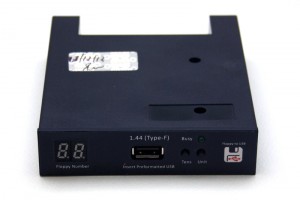
gotek-f

I went to replace my original 1.44MB floppy drive with Gotek. First roadblock that I encountered was the fact that the emulator is about an inch shorter and the original floppy cable did not reach so I had to improvise. The unit powered on so I went on to the documentation and software.
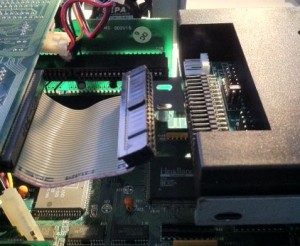
gotek-ribbon

Documentation is absolutely horrible. Written in Engrish is rather hard to understand, however invaluable because without it you will not be able to figure out how to use the software. Looks like they are aware of the software limitations because the documentation is full of workarounds and troubleshooting.

The software is even worse. It only works on Windows XP / 2000, so I had to run it inside VMware Workstation with USB pass-through  It actually did work but usability is similar to RiscOS or Plan 9. Here is a photo from one of the manual pages that illustrates both the documentation and the application itself.
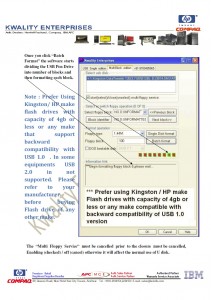
gotek-sw

So how does it actually work? Here is a small excerpt from the user manual: “We will divide a pen drive into 100 partitions of 1.44 mb capacity each.” – err what? That’s right, this is what they are doing. Dividing a pen drive to small partitions and multiplexing them so that you see one at a time. You select the partition using the buttons on the front panel or from the software. When you switch the floppy drive will be mapped to another partition. On the host computer you can see it as a removable drive in Windows Explorer.

gotek-drv

Gotek has promised me that the Type-F will support non-FAT and bootable floppy disks. So I started testing with writing QNX2 aclock demo floppy disk using ntrawrite.
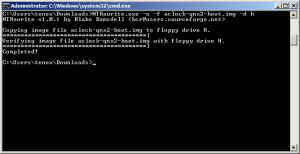
gotek-rawrite

The system has completely freaked out and went to an error mode. Fortunately described in the troubleshooting guide, however requires full reformatting. Now imagine rewriting 100 floppy disks stored on the unit… I spent hours trying to figure what is going in. What I think is that the non-FAT bootable disk can only be used in “singular mode” where you store just a single floppy disk image on the pen drive. What a waste, but it did work and in the end I did boot QNX2 on my 286 from a pen drive.
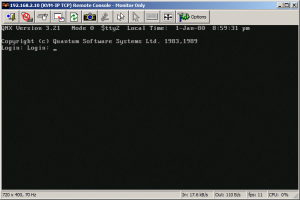
gotek-qnx2

The next test was trying to boot Xenix from emulated 1.2MB 5.25″ drive. I have re formatted the singular drive to 1.2MB and switched it in the bios. However the system never actually loaded.

When it comes to FAT compatible operating systems like MS-DOS or OS/2, you can actually boot and use multiplexed floppies. You can install MS-DOS 6.22 by flipping the selector to change disks. Pretty cool. I was also able to run BIOS built in floppy disk diagnostics.
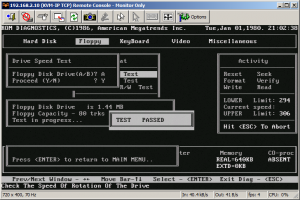
gotek-diag

So the device sort of works. I was able to boot a non-DOS operating system and for DOS based floppies I was able to hold more than one disk per USB key. However the whole experience was rather horrible. The verdict:

  • Packaging: garbage
  • Usability: garbage
  • Software: garbage
  • User manual: garbage
  • Compatibility: garbage
  • Total: garbage

So in short do not waste your time with this. Do not buy Gotek unless you absolutely have to.

I’m still awaiting for arrival of HxC, however it appears to be stuck in Polish Post Office, probably due to the holiday season.

Update: EMUFDD has provided me with a link to their page that lists all Gotek-like cheap Chinese and Indian made devices – with a warning how bad they are. They are claiming that German Ipcas also sells Gotek like devices, so I will be updating my previous post.

More fun with Janus!

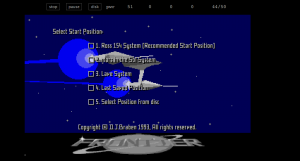
Frontier Elite, on Janus

Frontier Elite, on Janus

So, I came across this great page, Frontierverse, which has download links for all the versions of Frontier Elite which were released out as shareware.  So what is cool, is that using the AROS Kickstart replacement ROM, it’ll boot up and work!

Just be sure to increase the default amount of chip memory, as it seems the AROS Kickstart ROM consumes more RAM than the Commodore ROM.  But heck the AROS ROM is opensource, and free!

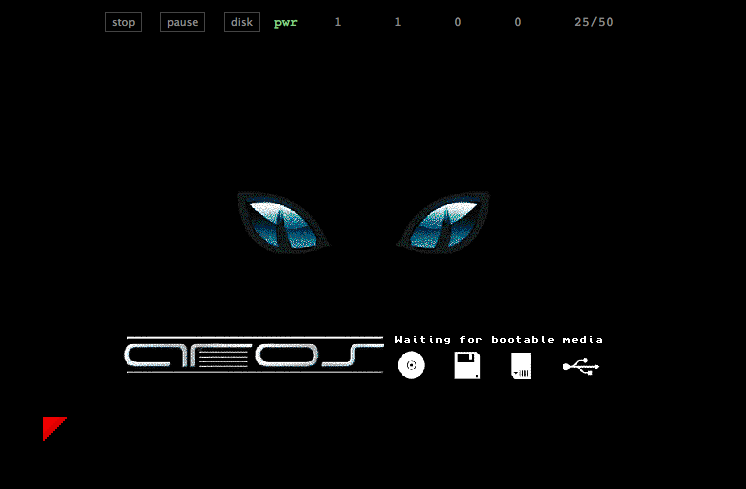
Pretty cool, and more interesting than say the normal, yippie a view of the AROS cat..


AROS Kickstart ROM

AROS Kickstart ROM

Again very cool stuff!

And lastly, I slapped together a disk that’ll boot up aclock, although it works only with a Kickstart 2 or higher ROM.. 1.3 kinda freaks out, and I didn’t feel the need to go all over the top on this one.  Booting the aclock disk with the Aros ROM though loads up, but the clock doesn’t tick..

On OS X, I’ve been using the FS-UAE emulator to some degree of success, I’ve found it a tad cumbersome for swapping floppy disks, and I’ve had a major issue where making updates on an ADF that while they all look like the changes are reflected, going to the filesystem proved otherwise.  So I wound up having to make DMS disk images, and running some ancient MS-DOS program to convert DMS to ADF‘s.  Naturally the compression programs were in turn.. compressed.  So with enough fooling around with various archivers I found here, I was finally able to get where I needed to be.

At the same time, looking at how the AROS kickstart replacement ROM is quite capable, it may be time to revisit AROS, and I would imagine it has become far more capable than that last time I had looked at it.

Janus Amiga Emulator

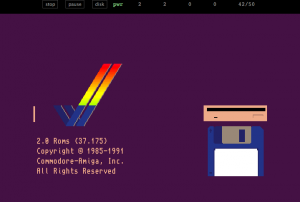
Janus + Kickstart 2 ROM

Janus + Kickstart 2 ROM

I’ve been looking for a good Amiga emulator as of late, something that I can mount a physical device (say a CF card), format it and install AmigaDOS, AmiTCP and a few other things, and get it to work on a physical Amiga.

Anyways I did a cursory google search to see what the state of Amiga emulation is, and I came across this very cool emulator, Janus that is written in java script.

You read that right, derived from UAE, Janus is a javascript Commodore Amiga Emulator.

So I loaded it up using Chrome, selected a dumped ROM, and lo I got the boot animation!  Shuffling around I got a disk image for an old game, and it worked!

Although I’ve seen some glitches in the graphics, and the audio is experimental but hey it is in java script!

Really amazing stuff for sure.

Be sure to check it out in a HTML5 compliant browser here.

Booting from USB in VMware Workstation

(note this is a guest post from Tenox)

Jason’s note on hybrid bootable ISO reminded me of a recent discovery. I have a bootable USB pen drive that I wanted to boot in VMware Workstation. Normally impossible, but there always is a work around! Turns out the problem is with the VMware built-in BIOS and more specifically lack of USB boot support. All you have to do is get a bootable media, floppy or CDROM with a boot loader that can redirect you to the USB device. I’m using Plop. Important thing to remember is to connect the USB pen drive to the virtual machine in a pass through mode. Also it’s very very slow.

copying hybrid bootable ISO images to USB disks on OS X

It really is simple, once you know what to do, of course!

sh-3.2# diskutil unmountDisk /dev/disk1
Unmount of all volumes on disk1 was successful
sh-3.2# dd of=/dev/disk1 bs=1m if=debian-6.0.6-amd64-netinst.iso
168+0 records in
168+0 records out
176160768 bytes transferred in 84.783919 secs (2077762 bytes/sec)
sh-3.2# diskutil eject /dev/disk1
Disk /dev/disk1 ejected


Good times!

Qemu 1.2.2 released!

I’ve just noticed over on the Qemu site, that the 1.2 train has just released a new version, 1.2.2.

I think they backported the PCI bus pass through available on Linux?

The changelog still points back to the 1.2 changelog.

I may have to see about getting access to a Windows machine I can trash trying to get a good MinGW build going…

So .. That means in the meantime, no builds from me.

So a few things …

So after this comment, I decided to put a SIMH VAX running 4.3 BSD.  Back in the day, I used to keep a bunch of legacy systems online for the heck of it.  Although I don’t think it ever really took off.. But yeah I figured I should get something back online.

So this time I thought I’d make it somewhat.. different.. So anyways if you feel so inclined go ahead and telnet to

mud.superglobalmegacorp.com

And from there you can create a user account on the mud, and then it’ll create a user in the operating system.


I’ve loaded up a bunch of 3rd party stuff.. And since we are living in the past I managed to get the old news reader ‘rn’ to talk to olduse.net  The first time it runs it’ll complain a bunch but there isn’t much you can do except enjoy the ride.

Lynx is present but.. downloading stuff kind of stalls.

All I ask is you play nice.

I’ve added in the flash telnet app.

Everyone mentioned this yesterday…

275,000 transistors of awesomeness!

275,000 transistors of awesomeness!

Kind of interesting is that Linux has finally dropped support for the 80386 microprocessor.

The 386 is perhaps one of the top ten things that has changed our world, along with 4.3BSD .

No, really!

The 386 microprocessor was the first CPU by Intel that was single sourced.  This means that Intel, and only Intel would fabricate the 386 processor.  Before this time, Intel had licensed their processors to other companies (Siemens, AMD, Harris, IBM etc) So that if there was some kind of production issue at Intel other companies could manufacture 8086,80186s and 80286s.  However this all changed with the 386, as Intel stopped renewing these agreements with other companies (IBM had a license that included the 386, although they were slow in making their own), so now Intel was in charge of its destiny.

The 386 brought three major changes onto the then champion processor the 286.  The first being a 32bit processor where it could handle larger data sizes than the 16bit 286 & 8086.  The 386 also included a larger memory model, the so called “flat mode” where it could directly address 4GB of combined code+data, while the 286 could address 1GB it was limited to 64kb segments.  Lastly the 386 introduced hardware virtualization, the “v86” mode where the 386 could emulate multiple 8086 processors, allowing people to have multiple ‘virtual machines’ on the desktop.

At the time the only consumer grade 32bit processor was the hybrid 32/16 68000 from Motorola.  The 68000 could work with 32bit data, but it was restricted to a 16bit data bus, and only could address 24bits of RAM (16 megabytes).  The 68000 however did not include any kind of memory management unit (MMU) making things like porting UNIX improbable (The SUN-1 workstation included a custom MMU).  Because of the open nature of the IBM PC, clone manufacturers were able to leapfrog IBM, and release 386 based machines before IBM got around to releasing the PS/2 model 80.  It was this that effectively brought 32bit computing to the masses with the Compaq Deskpro.

Compaq's 386 Deskpro

Compaq’s 386 Deskpro

The 8086 processor could address 1MB of RAM, with its 20bit address bus.  However to preserve some compatibility with the 8080 processor it was decided that the 8086 (and 8088) CPUs would work with 64kb segments.  This became a massive headache for years as you could not easily contain more than 64kb of data at a time as you would exceed a segment.  Compiler vendors made some workarounds via the large & huge memory models, but porting a program from a 32bit minicomputer (VAX) would prove difficult if it addressed large amounts of memory, and would require a rewrite.  The 286 increased the addressable memory to 16MB, and included a limited MMU, which enabled an address space of 1GB.  However the 286 was flawed in that again the 286 could only work in 64kb segments, and in order to work with large amounts of memory, the processor had to be shifted to protected mode.  However in protected mode, you couldn’t (easily) switch back to real mode.  This needlessly delayed the adoption of protected mode environments, as you would then lose access to the sizable, and growing, library of MS-DOS programs.  Although workarounds were in place for things like OS/2 and DOS Extenders, they were hacks and couldn’t fix the fundamental 64kb issue.  The 386 built upon the 286’s foundation and included a flat memory model where it could address all 4GB of addressable memory in a single segment.  This meant that you could now use massive amounts of data on a consumer grade machine.

For a while the only 32bit environments were Xenix and MS-DOS via DOS Extenders this proved to be a huge liability and effectively stagnated the industry for a long while.  The 286 was a massive determent.  Making things worse was IBMs insistence that the new OS/2 be able to run on the 286, while Microsoft wanted to create OS/2 to run on the 386, and ignore the IBM AT all together. Basically the 286 was created with the assumption that the 8086 wouldn’t be anywhere near as popular as it was.

With the ability to address large amounts of RAM programs only seen on minicomputers and mainframes were finding their way to the microcomputer such as AutoCAD, Oracle, Links 386 Pro, and of course many in house programs where departments now wouldn’t have to pay to run on then ‘big’ minicomputers.  Combined with the 386’s MMU it was also possible to use more memory than was available in the computer, also known as virtual memory.  The 386 made this transparent to the program, only the 32bit environment needed to handle the swapping.

Finally the last big feature of the 386 was v86 mode.  V86 mode in short is a hardware virtualization platform where the 386 can emulate multiple 8086 processors in hardware.  Each virtual machine can get its own isolated memory space, virtual hardware.  Effectively 8086 programs (such as MS-DOS) can run unaltered inside of v86 mode, with the added benefit of being able to run more than one at a time. Windows/386 lead the charge into this new world of virtual machines for the end user.  Before this point, the only wide scale virtual machine environment was the IBM 370 mainframe which could also create virtual mainframes within itself allowing groups to share a single mainframe, but run incompatible software platforms all at the same time.

Thanks to its capabilities the 386 also brought UNIX to the end user.  First with Xenix, then Microport SYSV, and with the removal of AT&T code BSD was able to be released on the 386 via 386 BSD (and later BSDi’s BSD/OS).  During this timeframe the research OS, Minix was extended by Bruce Evans to be able to use some of the 386’s features which then gave rise to Linux.

Thanks to cheap commodity based 32bit computers, and the GNU projects development tools (binutils, gcc, bash) people could then finally realize GNU’s dream of bringing a free and open UNIX like operating system to the masses.

Needless to say, a lot has changed since 1991, and Linux now moving beyond the 386 processor is no surprise.  The rapid adoption of 64bit computing via AMDs extensions, and the new forthcoming 64bit ARM processors do signal the eventuality that one day Linux will even drop support for 32bit processors… Although I wouldn’t expect that for another 20 years.  Even Intel has ceased manufacturing the 386 processor in 2007.

So it is now time to say good bye to the 386 processor.  At the same time thanks to full software emulation, you will never truly be dead. And as always you can check out Linux’s early versions.

Good Old Games has feee duke nukem 3d!!

Screen Shot 2012-12-13 at 10.26.56 AM

Hail to the king, baby!

There isn’t any excuse not to own one of the greatest games of all time!  But get it while you can!!!!!!  I’m not sure how long this special will last, but what can I say, it’s Duke when Duke was well.. the Duke of Duke Nukem!

The best part about gog, is that their games are DRM free, meaning you don’t really have to run it under DOSBox, you could say run it on Qemu, or even a real PC for the daring!