Hosting Minecraft as an experiment

In the latest gamer news, everyone is freaking out about Valve allowing mod developers charge.  It’s amazing how quickly it’s fragmented the community in what was at 2 days before a Valve/GabeN worshiping reddit. (here/here/here/here and a rebuttal)

In the middle of all of this I saw this comment in passing:

Remember how that made me leave Mojang?

Remember how that made me leave Mojang?

So yeah, I never followed the whole Minecraft community thing, but apparently people were hosting servers, then asking users to pay for using mods, and even for using basic items.  And since most people who love Minecraft out there are kids, they were paying with their parents credit cards all over the place for server time, and server mods and whatnot, the parents would find out, and them blame Mojang over the entire thing.  So they banned paying servers (at least from what I understood).

So out of curiosity, since I’ve only really played single player, I thought I’d see how hard it is to run a Minecraft server.

First, I’m going to create a Debian 7 VM on my ESXi server.  Nothing too fancy, I have an 8 core box with 8GB of ram, so I was thinking 2 vCPU’s and 384MB of ram, and a 4GB disk.  I mean it’s a simple game, how much can it need, right?

Turns out, it wants a LOT more.

So the install of the OS went pretty smooth, then I have to install Java, which is pretty simple:

apt-get install default-jdk

With that done, the next thing to do is download the server jar file from the download site, or for the purpose of my test, I’m using version 1.8.4.

When I went to run it however, I saw the recommended flags:

java -Xmx1024M -Xms1024M -jar minecraft_server.jar nogui

Ouch.  Yes this thing does expect 1GB of ram.  Ok, so I have to RAM and CPU to spare, so I went ahead and gave it 2GB (since I installed the x86 version of Debian..) and 4 vCPUs.

The next thing for me to do was to set it up on the internet, since I’m not in the office.  I have a VM out on the internet, with an OpenVPN back to my ESXi box for my email.  So without trashing my nat I could get xinetd do the dirty work with this simple entry:

root@VPS:/etc/xinetd.d# cat minecraft 
service minecraft
{
    disable         = no
    type            = UNLISTED
    socket_type     = stream
    protocol        = tcp
    user            = nobody
    wait            = no
    redirect        = 192.168.1.139 25565
    port            = 25565
}

Then restart xinetd like this:

 /etc/init.d/xinetd restart

Now with Minecraft running on my ESXi server, and my VPS now configured to forward traffic to the ESXi box over the OpenVPN connection I was all set to go!

And I was able to connect, and all was ‘good’.  But then checking the server…
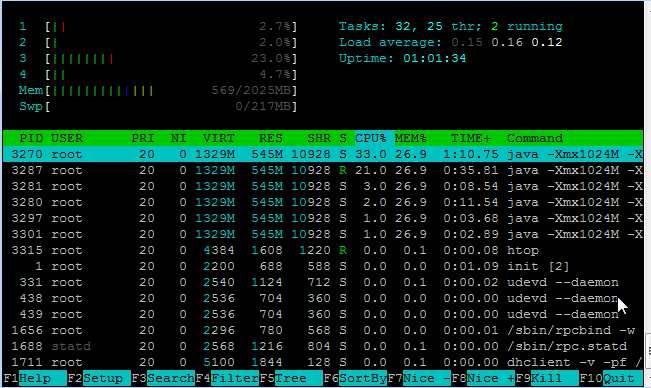
htop on my Minecraft server

htop on my Minecraft server

545Mb of RAM!  And this is with one user!  And look @ the CPU.  Wow no kidding!

And then I noticed something else, the email performance went from OK to horrible.  I spent a lot of time playing with MTU’s receive and send buffers, and other ‘magic’ trying to get something working.  Since my ESXi server doesn’t have a direct internet connection (yuck) I’m in a shared office so it’s not only behind NAT, but I have a DLINK that I use behind their NAT.  And while the UDP protocol ‘works’, changing it to TCP gave me a 5x speed increase.

Very unexpected.
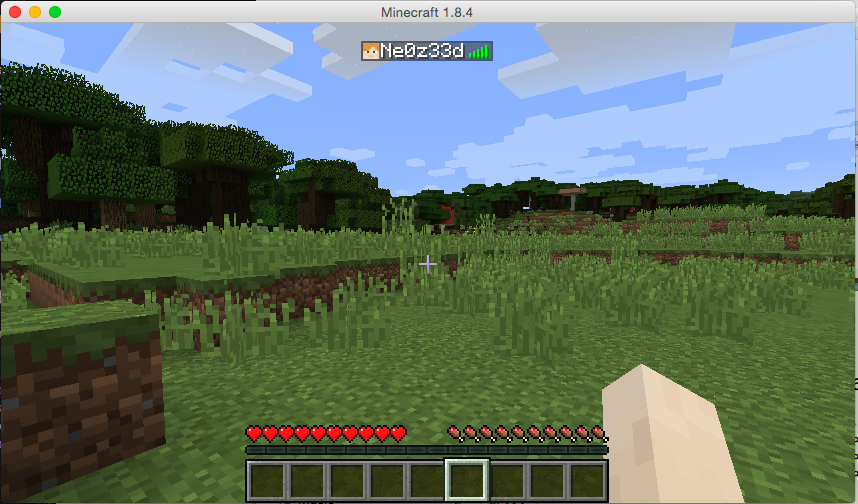
My own world..

My own world..

And not to forget, some helpful stuff for the server:

How do you shut down safely, from the console?

stop

What is the best way to run the server?

Probably behind screen. I started it from /etc/rc.local like this:

/usr/bin/screen -dmS minecraft /usr/local/minecraft/start.sh

start.sh is simply:

#!/bin/sh
cd /usr/local/minecraft/
java -Xmx1024M -Xms1024M -jar minecraft_server.jar nogui

How do I connect to the console?

screen -r minecraft

Remember in this case we gave the screen session a name so it’s easy to find.

How do I disconnect from the console

CONTROL+A+D

Why am I doing this?

I have no idea why. Honestly, I find crafting in a game kind of tedious, but setting up a VPN, server and whatnot is more fun to me.

How about network performance?  Since it’s just me, I thought I should look inside the tunnel for a minute and see how big the capture file is:

# tcpdump -s 1520 -w 1.cap -n -i tun0 port 25565 & sleep 60;kill %1

This will run tcpdump for a minute on the default minecraft port, then after 60 seconds end the capture.

# ls -alh *.cap
-rw-r--r-- 1 root root 1.6M Apr 26 16:00 1.cap

Wow that was bigger than I thought. No wonder Minecraft people are always crying about latency! That translates to 213,33 Kbps or 0.21 Mbps.

Can it be compressed?

# gzip 1.cap
# ls -alh *.cap.gz
-rw-r--r-- 1 root root 680K Apr 26 16:00 1.cap.gz

Which then translates into 91,11 Kbps or 0.09 Mbps. Why people don’t compress their network stuff is beyond me, but then again what do I know?

I guess the next step would be to combine this with stunnel, which not only can encrypt the traffic, but compress it as well.
It’s late but I think I’m back up

some things are still broken, and yeah… it’s been fun.

So, the disk in my colo el-cheapo box died. No problem, I have a backup right? After the last great disaster.  Well that disk DIED TOO.

Un-real.

So here we are running on some half baked incremental backup.  At least I did have this much here we are.

it’s late, I have updates, but I’m tired.

Previous 0.52 (trunk 391) + slirp

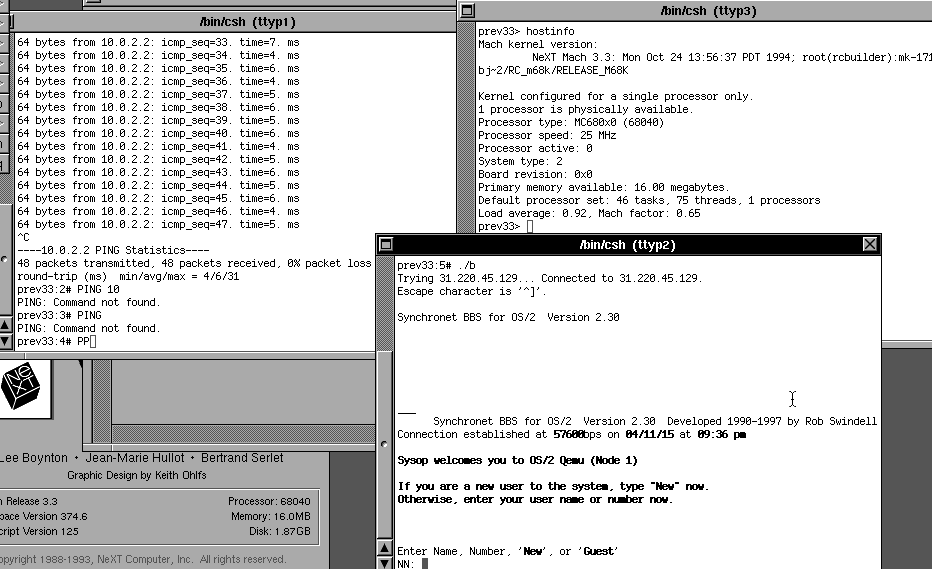
I got this request to add in some SLiRP to Previous, the NeXT computer emulator.  Sadly work got in the way, and I trashed my windows dev machine.  To make it worse I also trashed my MacBook Air, but with a bit of screwing around I got X-code removed, and re-installed.

So here is my wonderful work, some 50 lines of code + the SLiRP from Cockatrice all hacked up.

ICMP to 10.0.2.2 seems to work fine, UDP seems to not work, so no DNS.  I don’t know why either.  I can telnet to my BBS just fine, which is about all the testing I’ve done.

Previous to the BBS

Previous to the BBS

Inbound TCP seems to be broken too, but I could be initializing slirp_redirect incorrectly too.

In case you want to follow up on this the NeXT computer forums is the place to be.  Networking with NeXTSTEP is involved.

And for anyone who want’s my files, the source is here, and an OS X 10.10.3 binary is here.  Be sure to install the SDL2 framework ahead of time!

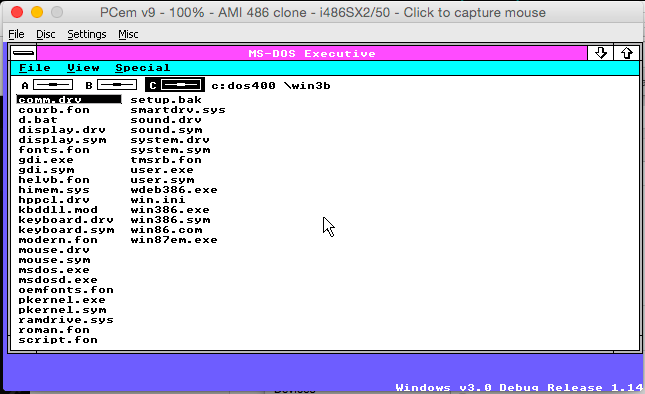
Windows 3.0 Debug Release 1.14

Well from popular request I finally got around to loading this up.  I went ahead with my favourite retro emulator, PCem for this, as it can nicely emulate an EGA display, unlike most emulators which do VGA, however when it comes to older versions of Microsoft products they really can detect the difference between EGA and VGA.

So, to start off, I downloaded from the project page, this version of PCem, compiled it, and installed MS-DOS 4.01 , from April of 1989.  The Windows 3.0 Debug Release 1.14 itself is dated from February 22nd, 1989.  Which I figured is close enough to the time period.  I’m using the 486SX2/50 because I’m too impatient for the 386 speeds, but it does work fine on 386 or higher emulators.  It does NOT work with any 286 emulation. I’m also using the HIMEM.SYS from MS-DOS 4.01 vs the one with the Windows 3.0 (Alpha? Beta? Technical Preview?) since it is slightly newer.

There is no setup program per say, rather it just xcopies all the files to a directory, and from there you run ‘d.bat’ and away you go.  This version is hard coded to an EGA display, which again is the reason I went with PCem.  Once you start it up, you are greeted with:

Win

Windows v3.0 Debug Release 1.14

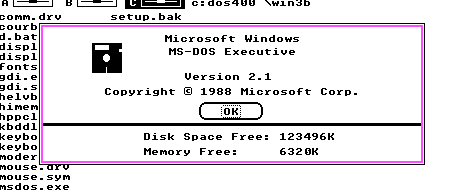
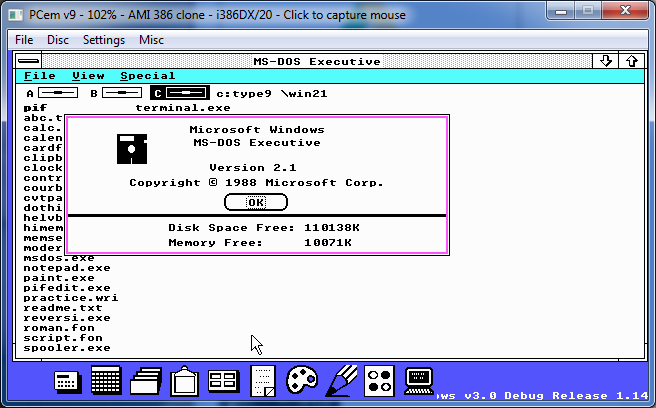
And it identifies itself as Windows Version 2.1

w

Look at all the memory!

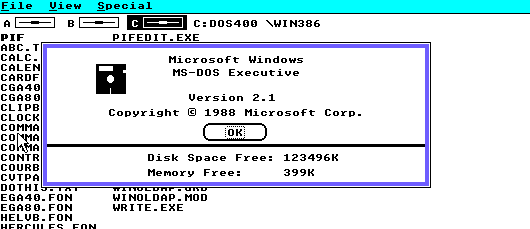
And first thing to notice is that on my setup with 8MB of ram, I have over 6MB of RAM free.  Compare this to regular Windows 2.1 which gives me 399Kb of ram in my current setup.

Windows 2.1 running in real mode

Windows 2.1 running in real mode

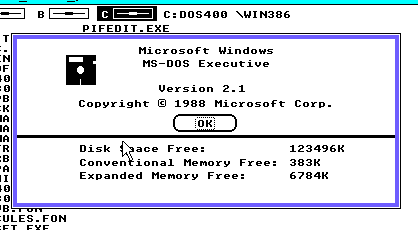
And with Windows/386 Version 2.1 it provides 383Kb of real memory, along with 6.7MB of EMS memory, as the Windows/386 Hypervisor includes EMS emulation.

Windows/386 memory

Windows/386 memory

Of course the major limitation of Windows 2 is that it runs in real mode, or in the case of Windows/386 an 8086VM.  As I mentioned a while back in a post about Windows 3.0, This was game changing.

As now with Windows running in protected mode, all the memory in my PC is available to Windows, and I am using MS-DOS, with nothing special.

Besides the limitation of being EGA only, the Debug version of 3.0 is that there is no support for MS-DOS applications, as WINOLDAP.MOD is missing.

NO MS-DOS for you!

NO MS-DOS for you!

This is clearly an interim build of Windows 3.0 as mentioned in Murray Sargent’s MSDN blog Saving Windows from the OS/2 Bulldozer.  As mentioned from the article they began their work in the summer of 1988, so considering this is early 1989 it shows just how much progress they had made in getting Windows 2 to run in protected mode.  Along with Larry Osterman’s MSDN blog post Farewell to one of the great ones, which details how the Windows 3.0 skunkworks project was writing the new improved 386 hypervisor, and how Windows 3.0 got the green light, and changed the direction of not only Microsoft but the entire software industry.

I’ve been able to run most of the Windows 2.1 applets, however I’ve not been able to run Excel 2, or Word 1.  I suspect at this point that  only small memory model stuff from Windows 1 or 2 is capable of running.  Although at the same time, when 3.0 did ship, you really needed updated versions of Word 2 and Excel 3 to operate correctly.

Windows 3.0 Debug Release 1.14

Windows 3.0 Debug Release 1.14 on a 12MB system

The applets from Windows 2.1 seem to work a LOT better than the one from Windows/386 2.1 if that helps any.

This is an interesting peek at an exceptionally early build of Microsoft Windows.

SEGA exits the console market

And if that isn’t crazy enough, they rebranded themselves as SEGA Games.

No, really.

SEGA used to stand for SErvice, GAmes, so now they’ve just re-named themselves Service Games Games.  I guess it hails back to Windows 2000 being built on Windows New Technology, Technology.

But consoles are in decline, mobile phones and PC is where the market is, so it’s no surprise.  The only other question is how many more times am I going to end up paying for Altered Beast, Phantasy Star II, and various genesis games.

Leonard Nimoy passed away.

st5-016

Leonard

To say that Star Trek influenced many nerds of today is a massive understatement.  From the over estimating engineer, the surly physician, the cocky captain to the logical science officer the show had everything that children of all ages could not only appreciate, but aspire to be.

It was sad news to wake up to find that Leonard had passed from complications with his pulmonary disease.  Even though he quit smoking some 30 years ago it simply wasn’t enough.

We are fortunate in this digital age where we can celebrate his life’s works, and remember him for the role that made him a world recognized icon.

st5-004

The final frontier

Indeed a role model to many has departed to that final frontier.

Leonard Nimoy was 83.