So I was crazy, and updated from Windows 7 to 10

Yes. I know.

Ok first off Windows 10 was not activating.  In the control panel it’d mention the error:

Error code: 0x8007232B Cannot activate Windows 10

Good thing we’re back to crap error codes. But google to the rescue, and I found this article.

Run “SLUI 3” as administrator, and use the following product key: PBHCJ-Q2NYD-2PX34-T2TD6-233PK

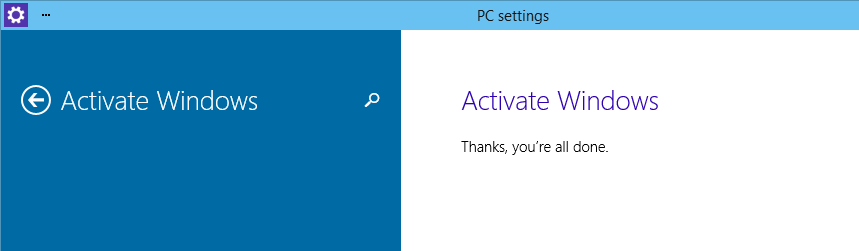
windows 10 activated

Then re-run the activation and all is well.

Also the upgrade tries to leave things like device drivers in place.  Sounds good but nothing I had game or AV wise would work properly.  And worse anything OpenGL/D3D based would actually crash the system out.  So I went and removed all of the old NVidia, drivers I could find, along with everything else driver related, re-ran windows update and rebooted and it’s working again!

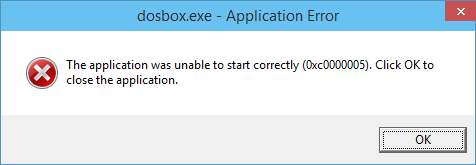
Sadly old games on Steam that use DOSBox seem to be failing…

dosbox crashNo idea why just yet.  But of course I can just go and get a newer version of DOSBox.

VMware’s networking won’t work at all, no matter what you do.  I had to uninstall & re-install to get my networking back.  That even includes the builtin NAT (non VMnet8). However bridging physical NIC’s doesn’t work.

I’ll probably add more stuff as I find it.

Now why the interest in Windows 10?  It’s those $100 USD Windows 8.1 tablets.  Surface was just too expensive, but a $100 tablets, such as the Toshiba Encore Mini WT7-C16MS, HP Stream 7 and Pipo W4 really could change the game as it were by lowering the cost of ownership of a computer.  Make no mistake these are quad core x86 processors, running real Windows.

Looking back years ago and spending far more for a 286 I had to assemble in parts, back in 1991 an AT clone keyboard cost me more than $100.  Amazing times indeed!


VMWare Player 7 is out!

First the pro version is still on sale, ending on December 5th

VMware Player 7 pro

VMware Player 7 pro

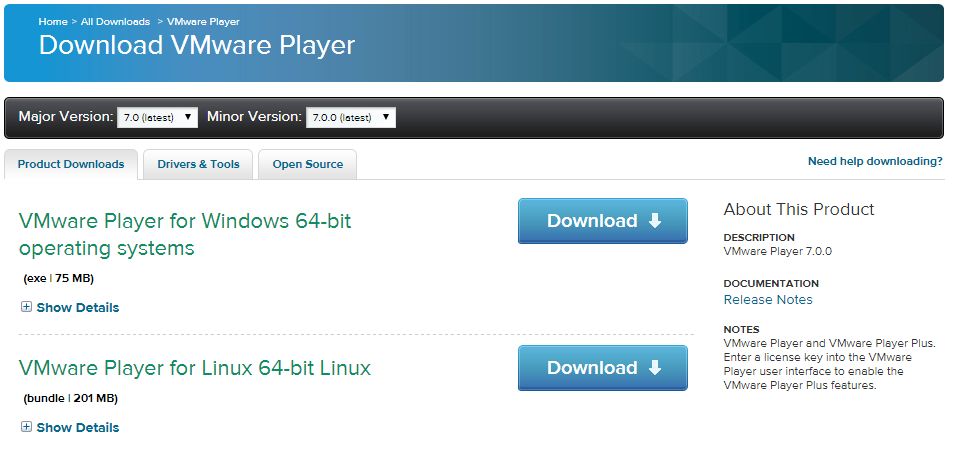
And for those wondering, where is the regular VMware Player 7? Buried down in the downloads section.. Right HERE!

VMware Player 7

VMware Player 7

Or if you prefer:

First of all support for 32bit hosts is gone.  This build should have better support for Windows 10.  For those who are worried, 7 still supports Windows 9x, NT 4.0. My nested ESXi still works fine, as does my Novel Netware 3.12!

And for Mac users, VMware Fusion 7 is on sale, which is great for OS X users who’ve upgraded to OS X 10.10

What is the difference between Pro and Free? From the FAQ:

  • VMware Player Pro is designed to be used commercially. It is licensed for use by employees, training organizations, contractors and can be transferred to partners or potential customers.
  • VMware Player Pro is enabled to run restricted virtual machines created by VMware Fusion Pro or VMware Workstation

For me, Player 6 removed the ability to easily create VMnet adapters easily, allowing elaborate network configurations with GNS3.  Minus a few UI issues I’m kind of liking Windows 10.  I may switch out my main OS, although I’ll certainly need the newer player.

Anyways, no I don’t get paid for this kind of thing, but I know people who use this stuff won’t want to miss out on a sale.  ESX starter is on sale as well, but only 15% off.

Windows 10 technical preview

Telnet & echo, daytime?!

Telnet & echo, daytime?!

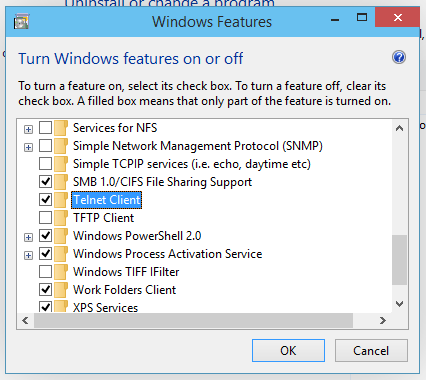
So, I went ahead and downloaded the Microsoft Windows 10 technical preview, and while I was enabling .net 2.0 (how is that optional??) I went to see what else was in there.  Telnet is the same since Windows 2000, but daytime/echo and friends go back to what? NT 3.1?

How is it we lost the OS/2 and POSIX subsystems, but we still have echo and daytime?

Even worse, they bought Interix, and have completely destroyed it.  I know it’s missing from 2012r2 but I was hoping that now we got back the desktop, and something like a start menu, why can’t we have SFU/SUA?

If only the whole subsystem thing was ‘open’ maybe someone could step in and provide a real *NIX layer on Windows.  MinGW/Cygwin on top of Win32 is all we have left, and it’s so slow compared to a subsystem, but way to go Microsoft!

Microsoft Solitaire Collection

Microsoft Solitaire Collection

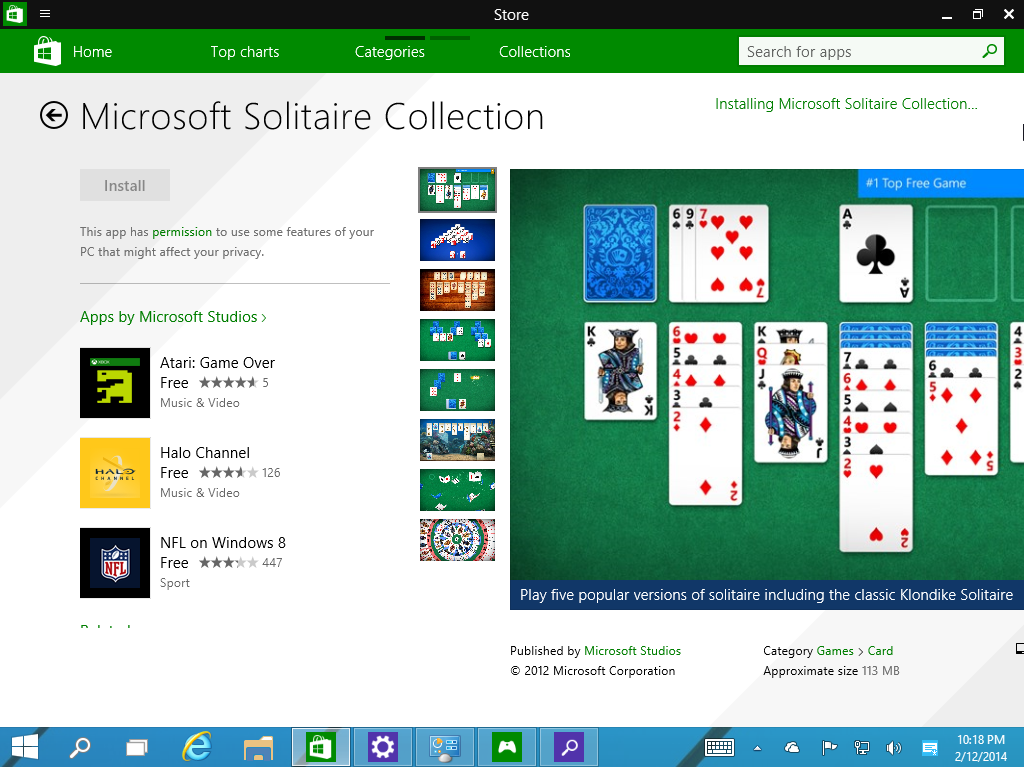
Even more crazy, the game that established Windows dominance, partially due to its buggy shuffling, Solitaire is an optional download.  I’d still think they’d install that on everything.

Zork CPU implemented in FPGA

Really, how cool is that?

From the youtube page:

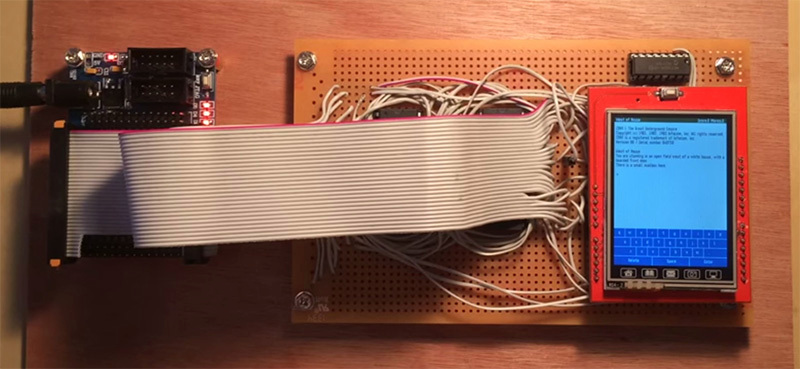
Using an FPGA I created a hardware implementation of the Infocom Z-Machine virtual machine (presumably a world’s first as I can’t imagine anyone else being crazy enough to do it). The instruction set is Z-Machine version 3 which means all the “standard” Infocom games should run. Only change was a few extra opcodes for implementing the BIOS (which provides the terminal).

The Verilog code for the Z-machine CPU is available at https://github.com/charcole/Z3 along with the code for the BIOS and a hacked version of Inform 6 which allows the use of the extra opcodes.

FPGA + display board

FPGA + display board

The complete archive for DOOM for the 3DO is on GitHub!

Link to the archive is here.

It’s a sizable download, 287MB, the majority being the ‘movies’ and ‘music’ directory.


The complete archive for DOOM for the 3DO
Yes, this is the infamous port of DOOM for the 3DO. Firstly, this was the product of ten intense weeks of work due to the fact that I was misled about the state of the port when I was offered the project. I was told that there was a version in existance with new levels, weapons and features and it only needed “polishing” and optimization to hit the market. After numerous requests for this version, I found out that there was no such thing and that Art Data Interactive was under the false impression that all anyone needed to do to port a game from one platform to another was just to compile the code and adding weapons was as simple as dropping in the art.

Uh… No…

My friends at 3DO were begging for DOOM to be on their platform and with christmas 1995 coming soon (I took this job in August of 1995, with a mid October golden master date), I literally lived in my office, only taking breaks to take a nap and got this port completed.

Shortcuts made…
I had no time to port the music driver, so I had a band that Art Data hired to redo the music so all I needed to do is call a streaming audio function to play the music. This turned out to be an excellent call because while the graphics were lackluster, the music got rave reviews.

3DO’s operating system was designed around running an app and purging, there was numerous bugs caused by memory leaks. So when I wanted to load the Logicware and id software logos on startup, the 3DO leaked the memory so to solve that, I created two apps, one to draw the 3do logo and the other to show the logicware logo. After they executed, they were purged from memory and the main game could run without loss of memory.

There was a Electronic Arts logo movie in the data, because there was a time that EA was going to be distributing the game, however the deal fell through.

The verticle walls were drawn with strips using the cell engine. However, the cell engine can’t handle 3D perspective so the floors and ceilings were drawn with software rendering. I simply ran out of time to translate the code to use the cell engine because the implementation I had caused texture tearing.

I had to write my own string.h ANSI C library because the one 3DO supplied with their compiler had bugs! string.h??? How can you screw that up!?!?! They did! I spent a day writing all of the functions I needed in ARM 6 assembly.

This game used Burgerlib 2. My first “C” version of Burgerlib because Burgerlib was originally written in 65816 for the SNES and the Apple IIgs. If you check out Burgerlib 5 (The current version, also on github), you’d notice that some code is still in use.

I hope that everyone who looks at this code, learns something from it, and I’d be happy to answer questions about the hell I went through to make this game. I only wished I had more time to actually polish this back in 1995 so instead of being the worst port of DOOM, it would have been the best one.

And one more thing…
The intellectual property of DOOM is the exclusive property of ZeniMax. No transfer of the intellectual property of DOOM or any transfer of the ownership of the sounds, art or other game assets are given nor implied. If anyone wishes to release a version of DOOM 3DO commercially, contact ZeniMax for a license.

The source code… Go for it.

Rebecca Ann Heineman

Olde Skuul

Seattle, WA

Run68 Human-68k emulator

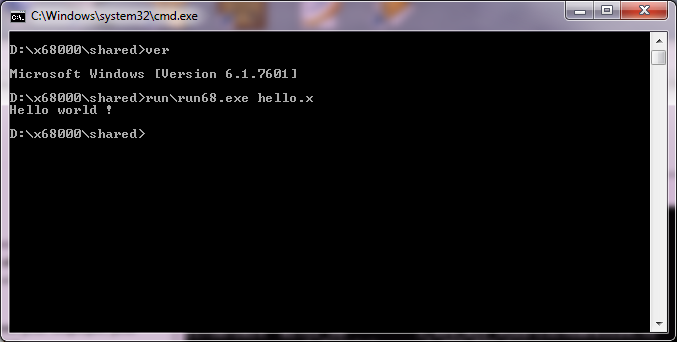
I found this one by accident, but it’s more like DOSBox in that it runs 68000 executables with an emulated processor and emulated OS.  No SHARP ROMs or HumanOS diskettes needed.  It’s strictly text mode, but it’s enough to run executables produced by GCC.

Hello!

Hello!

The project is over on sourceforge, and unlike any other x68000 project this one is GPL’d.  The source code is remarkably tiny so I’d say for anyone looking for a way to sneak some C into something this may be an interesting ‘door’..

PCem is getting a dynamic recompiler!

It’s in the current source, right now, but I figured I’d build it and give it a shot.

The dynamic core consumes MUCH less CPU power.  The only current downside seems to be a 56kb/sec memory leak (I guess some dynamic code block isn’t being discarded).  But I have to say it’s REALLY cool to be running DOOM v1.1 on MS-DOS 5.0 and it’s running at 0% CPU utilization on my Xeon.

And as always the ‘normal’ non dynamic version is just fantastic.

I’ve only tested it with DOOM, and it’s worked great.  Give it a try?

New build of Shoebill available.

The big change is the new 68881 maths FPU emulation.  It’s completely new code in this version.  As the author, Pruten mentions:

it should be the “most accurate” 68881 emulator (with regard to chip behavior) ever written, as far as I can tell. I can’t find another open source emulator that even attempts to emulate FPU exceptions, probably because Motorora’s documentation is terrible. Rife with typos and errors, and lacking descriptions for lots of edge cases. It’s also a superset of IEEE 754, so it’s tricky to get softfloat, a strict IEEE 754 implementation, to implement all the weird extra behaviors in the 68881.

On the flipside however:

It will also be much slower than the old version, since the new FPU uses integer-based softfloat. The transcendental instructions will be emulated by running whatever the best natively available function is, and then blindly copying the result to the dest FPU register. Since the FPU is the last big piece of shoebill that requires x86, this should allow it to compile on other architectures, like maybe PPC

I’ve only recently rebuilt the emulator with only the addition of the SLiRP code that I’ve been able to debug from Cockatrice III (who said that I was wasting my time?  At a minimum I ‘fixed’ up SLiRP to make it more stable), and kicked out a Win32 build (source/binary).

I’ve just had it running doing a simple shell script after disabling the UI.  So far it’s 15 hours of uptime…

  8:43am up 15:02, 3 users, load average: 0.00 0.01 0.01

Which is nice.
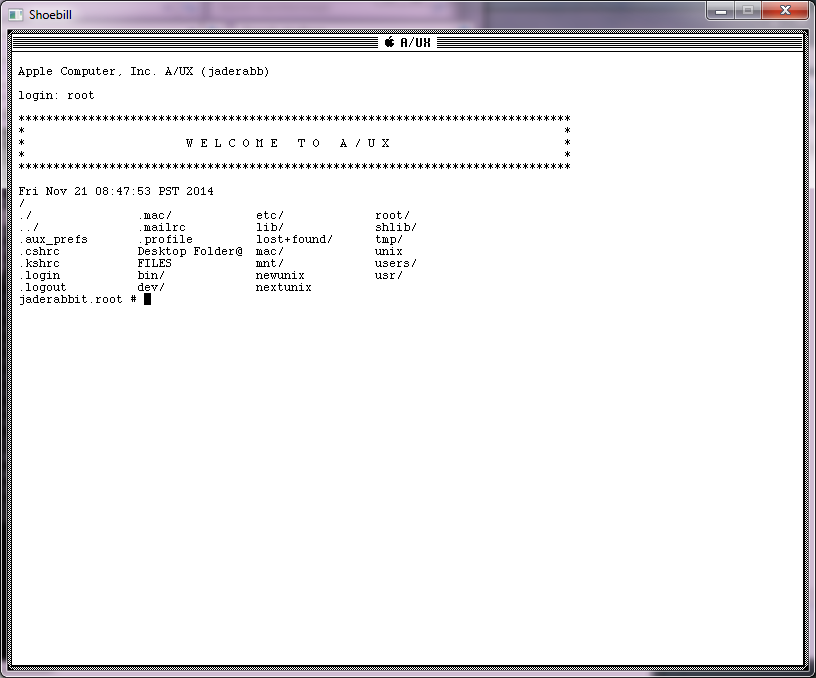
I should add, to disable the UI in A/UX it’s best to edit the inittab and change

co::respawn:/etc/loginrc

to

co::respawn:/etc/getty console co_9600

And now you’ll get a “text” login.

Text mode login for A/UX

Text mode login for A/UX

I guess the real test will be to see if it makes it through the night.

(edit)

And yes it did!

5:40pm up 1 day, 2 users, load average: 0.00 0.00 0.00

I’ll let it run a little longer but this is like a new record.  Although at the same time, I’m not hammering the poor thing.

# netstat -ni
Name Mtu Network Address Ipkts Ierrs Opkts Oerrs Coll
ae0 1500 10.0.2 10.0.2.15 4232 0 3551 0 0
lo0 1536 127 127.0.0.1 157 0 157 0 0

Cross compiling to the Sharp x68000

While looking for some stuff on the x68000, I came across this package Lydux, which features GCC setup as a cross compiler from either Windows or Linux to Human68k.

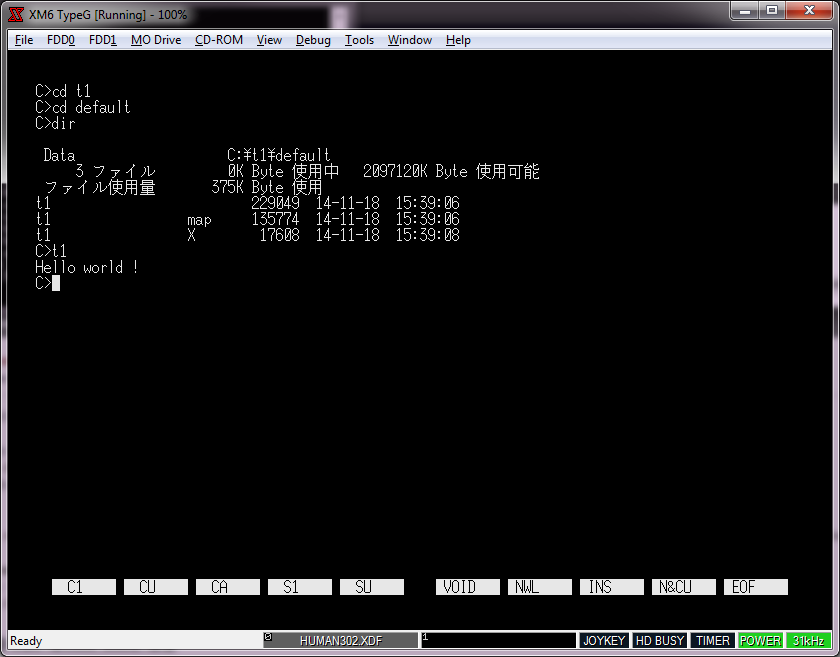
So I downloaded the Windows version, set it up according to this guide, and set on trying to build a simple EXE.  I did install CodeBlocks, but I ran into a problem while trying to build a running executable.  For some reason objcopy doesn’t work correctly unless it is in verbose mode.  I found that by accident, but much to my surprise it does work!

Hello World cross compiled from Windows to the x68000

Hello World cross compiled from Windows to the x68000

In the script for CodeBlocks, changing

oc_x = _T(“human68k-objcopy -O xfile $(TARGET_OUTPUT_FILE) $(TARGET_OUTPUT_FILE).X”);

to

oc_x = _T(“human68k-objcopy -v -O xfile $(TARGET_OUTPUT_FILE) $(TARGET_OUTPUT_FILE).X”);

did the trick, and now it’ll generate working executables.

I’ve found the emulator XM6 TypeG version 3.13 L21 the easiest to deal with as it has English translated menu’s and lets you mount a folder on your PC as a virtual drive.  This makes loading cross compiled stuff much easier.

Since finding this stuff is getting harder and harder, and that most of the xm6 forked emulators are closed source, I thought I’d at least upload what I’ve been able to find.  It’s a shame the 68030 stuff is closed off, but there isn’t anything I can do about that.  Apparently there was some feud between some dev groups.  I’m not really sure as it seems.

All my work on this is here.

WindrvXM settings

WindrvXM settings

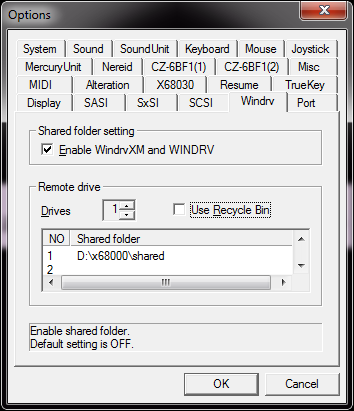
Be sure to set the shared directory under Tools -> Options to be able to map a shared directory.  In the disks sub directory there is a HUMAN302 disk image which contains the needed device driver to map into the directory.  You can run either the 68000 or 68030 model depending on what you like more.  If you have no emulated SCSI or SASI disk, the shared directory will appear as your ‘c’ drive.  And as always the keyboard will be mapped to a Japanese keyboard, so that is why the : * = keys seem in the wrong place.

On the OS X front I went ahead and built a cross compiler.  I ran into this fun error building GCC on OS X:

Makefile:142: ../.././gcc/libgcc.mvars: No such file or directory

So yeah it turns out you really should configure/compile gcc in a separate directory from the source. Bad old habits die hard. Anyways my tool chain is here. I’m running 10.10 so I’m not sure about older versions of OS X.

Visual Studio Community 2013 with Update 4

Visual Studio Community 2013 update 4

Free stuff!

If you are like me buying a compiler is something I don’t do terribly often.  Or I end up doing it for projects or even worse, I end up using old versions I bought over 10 years ago, because Visual C++ 5.0 should be good enough for anyone, right? (I also own Visual Studio 2003, so it’s not THAT bad….)

So it was interesting that Microsoft released Visual Studio Community & Express as part of their Connect (); event.  It’s a whopper of a download though, a 6GB iso file.

I haven’t installed it yet, I’m actually still downloading it.  But it certainly implies that it is far more capable than the older Express Editions.

And of course, for the upcoming 2015 release:

“Built from the ground up with support for iOS, Android and Windows, Visual Studio 2015 Preview makes it easier for developers to build applications and services for any device, on any platform.”

Not to mention they are also apparently going to open up the source to .NET .  The press release also claims:

expanding .NET to run on the Linux and Mac OS platforms.

I guess that’ll only be a matter of time to tell.

If anything it’ll be a good excuse to crank out some Quake benchmarks.