I’ve been on the road for a few months, basically in exile. I’ve downsized my once large online presence to a desktop in an office I’m still obligated to for rent and internet. So my i7 workstation had been up to the task, although it seems I didn’t have the right power settings to turn back on from a power failure.
So now I’m faced with a stale backup as i can’t find my currents. so yeah content has been lost. So i also don’t want to race back to a single point of failure, so once more again I’m going to try a cloud. Microsoft keeps sending me these $200 trial things so i thought I would try it. There is a large learning curve about their networks , and deployments. although there is a bunch of â€shake and bake†deployments to speed things along. As always the key is reading the documents.
I still have a lot of stuff to upload, so for the moment the database is restored but there is a lot of messing around needed for the the old layout.
So appologies for the mess.
Special thanks for Tenox for helping me with all kinds of issues, and support from my muse.
Its always darker before its bright, and its already getting dark in northern Europe.
(This is a guest post by Antoni Sawicki aka Tenox)
Project Monterey was an attempt to unify the fragmented Unix market of the 90s in to a single, cross vendor Unix OS that would run on the upcoming Intel Itanium (and others) CPU. The main collaborators were: IBM, who brought its AIX, SCO brought UnixWare, HP was supposed to bring parts of HP-UX and SequentDYNIX/ptx. Ironically the project shared fate of the Itanium processor – it totally failed. In the end Linux took spot of the “single Unix OS”. IBM donated pieces of AIX to Linux instead and the main legacy of Project Monterey was the famous SCO vs IBM lawsuit.
A little known fact, IBM did however produce AIX version for the Itanium architecture! According to Wikipedia, some 30+ licenses were sold in 2001-2002. For years a dedicated group of individuals were trying to locate a copy of the legendary OS. As time passed it seemed that the OS was lost forever.
…until some 21 years later friends of NCommander checked in with a set of AIX5L IA64 CDROMS! The CDs have now been dumped and you can download them here. Unfortunately downloading will not get you any closer to actually running this. As of today no publicly available virtualization or emulation platform can boot this. Yes we tried Simics, looked at QEMU IA64 and XEN/KVM for IA64, etc. The OS will not boot on modern Itanium 2 (McKinley) CPUs, only the early “pre-release” Itanium 1 aka Merced. The only emulator allegedly capable of doing so was the super elusive unobtanium called Intel SoftSDV.
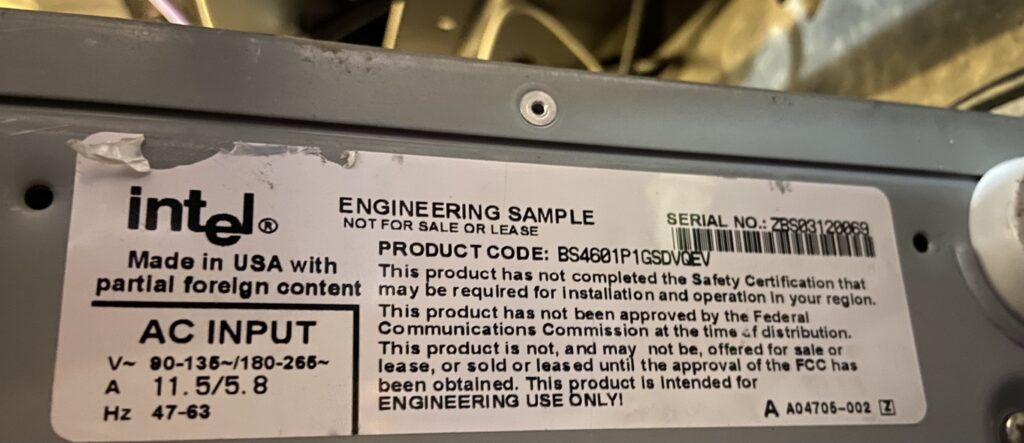
It’s currently speculated that AIX5L IA64 will work on and only on so called Intel Software Development Vehicle (SDV) sometimes referred to as Intel Engineering Sample. You can see the original system overview here.
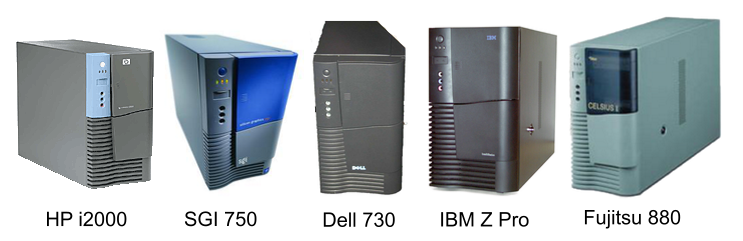
Later SDV was sold under several OEM branded versions: IBM IntelliStation Z Pro 6894, HP i2000 Workstation, SGI 750, Dell Precision Workstation 730 and Fujitsu-Siemens Celsius 880. They all look alike because all of them were in fact produced by Intel.
Intel Itanium Software Development Vehicle Lineup
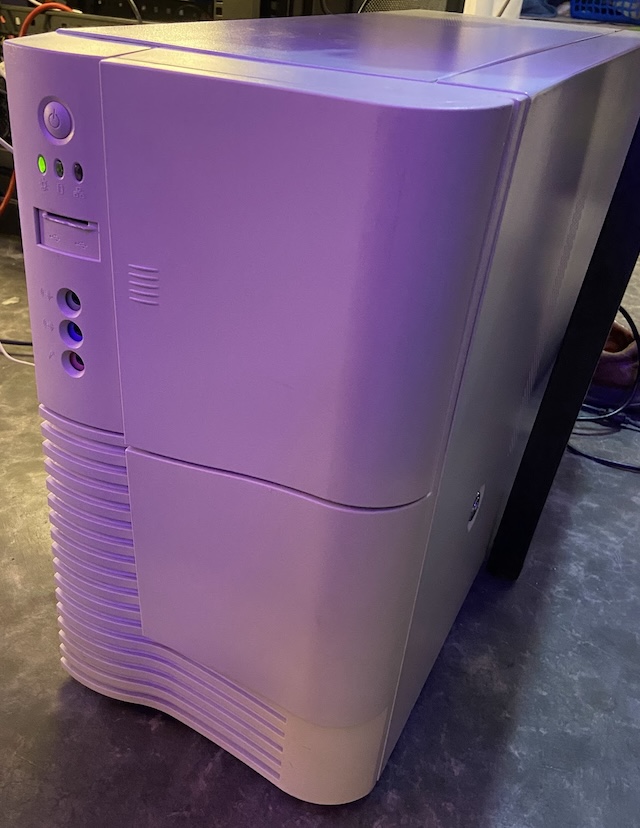
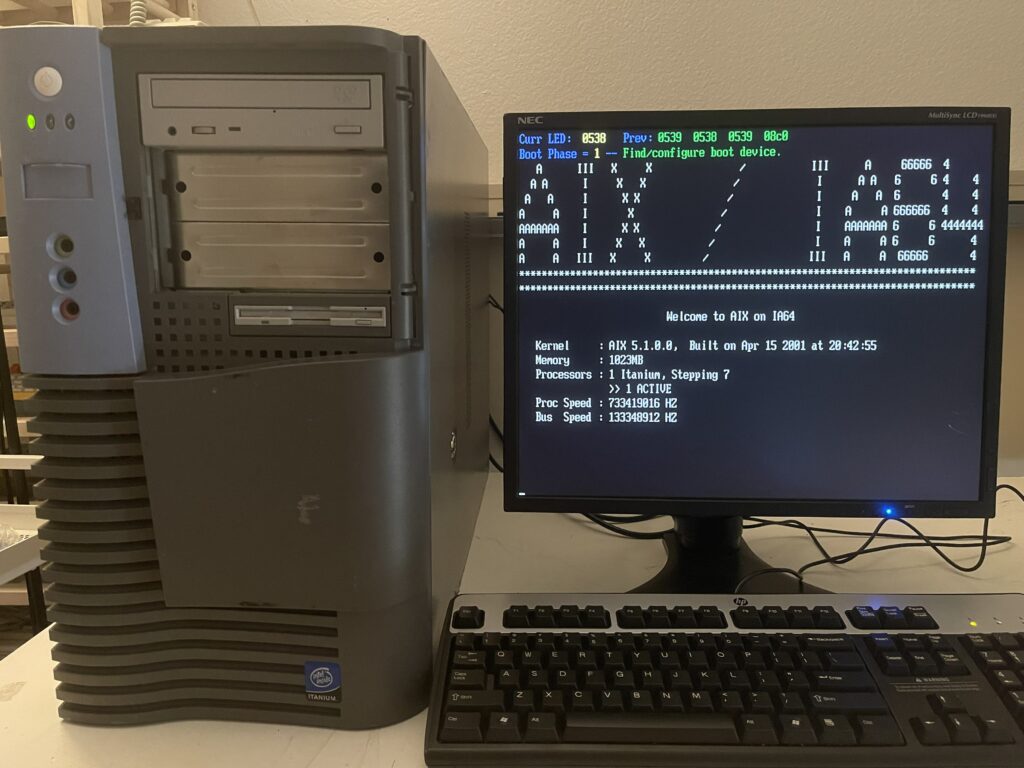
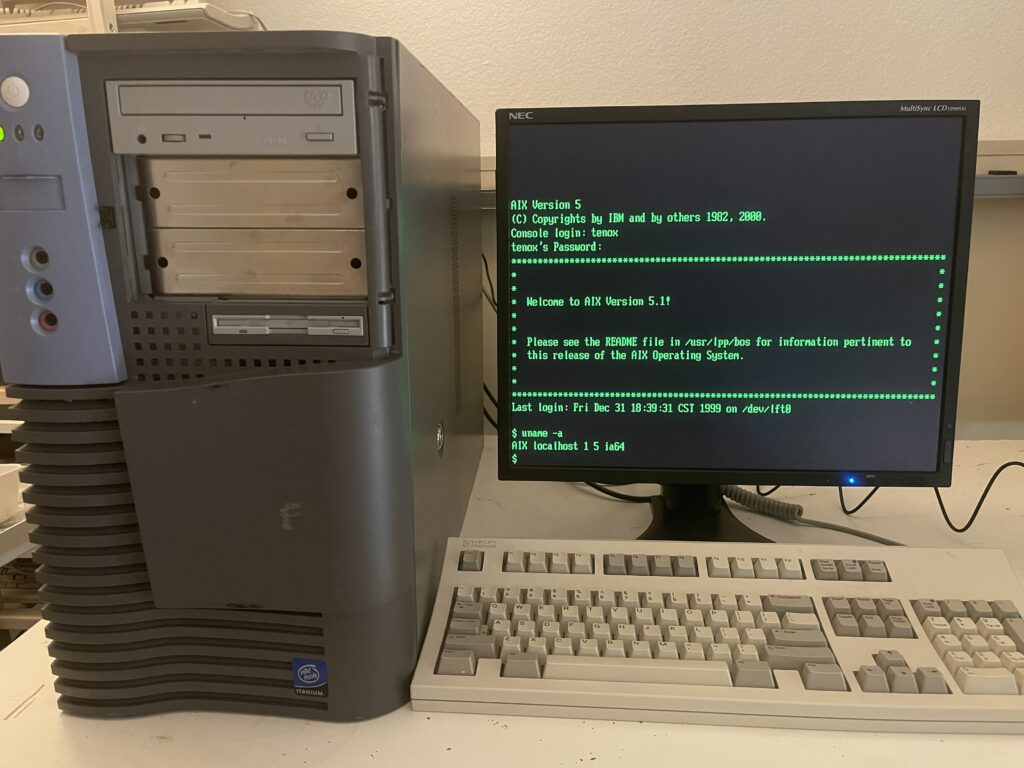
The IBM Z pro is probably most suitable for running AIX. Finding one of these is no easy task. Luckily I was able to score a working HP i2000. Surprisingly AIX IA64 booted on a first try. The install went smoothly and I was able to log in!
AIX 5L IA64 on HP i2000 Workstation – boot loaderAIX 5L IA64 on HP i2000 Workstation – logged in
The OS feels like a standard AIX 5L. Nothing particularly special about it, except that it runs on Itanium. This RedBook outlines differences between the Power and IA64 versions. A few most interesting facts are that: Itanium AIX uses ELF object files. There is a new device driver model called UDI (Uniform Device Interface) with it’s own DDK. It came from SCO UnixWare. Also according early adopters guide, AIX5L IA64 introduces JFS2 file system.
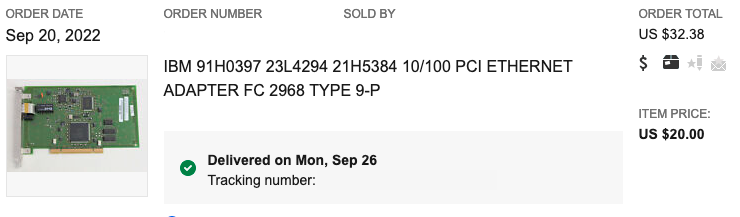
Initially I was not able to get the onboard NIC working. AIX5L IA64 supports only two network cards:
The AIX Itanium Early Adopters Release Notes mentions a few other cards but I do not see drivers for these in the OS. The doc mentions Extended Hardware Drivers CD which we don’t have.
Luckily again I was able to find a working NIC on eBay!
The system comes with X11 and CDE but so far I was not able to get any GPU working beyond basic text mode. I tried many different video cards from that era but there simply doesn’t appear to be any driver in the OS except for basic VGA / LFT. I think the key to getting video working is the previously mentioned extended hardware drivers cd.
Finally, if you want to read more I have found some interesting pieces on ibmfiles and various mirrors here and here.
Update: Thanks to efforts of TRN we now have a working GCC and ports of lots of apps!
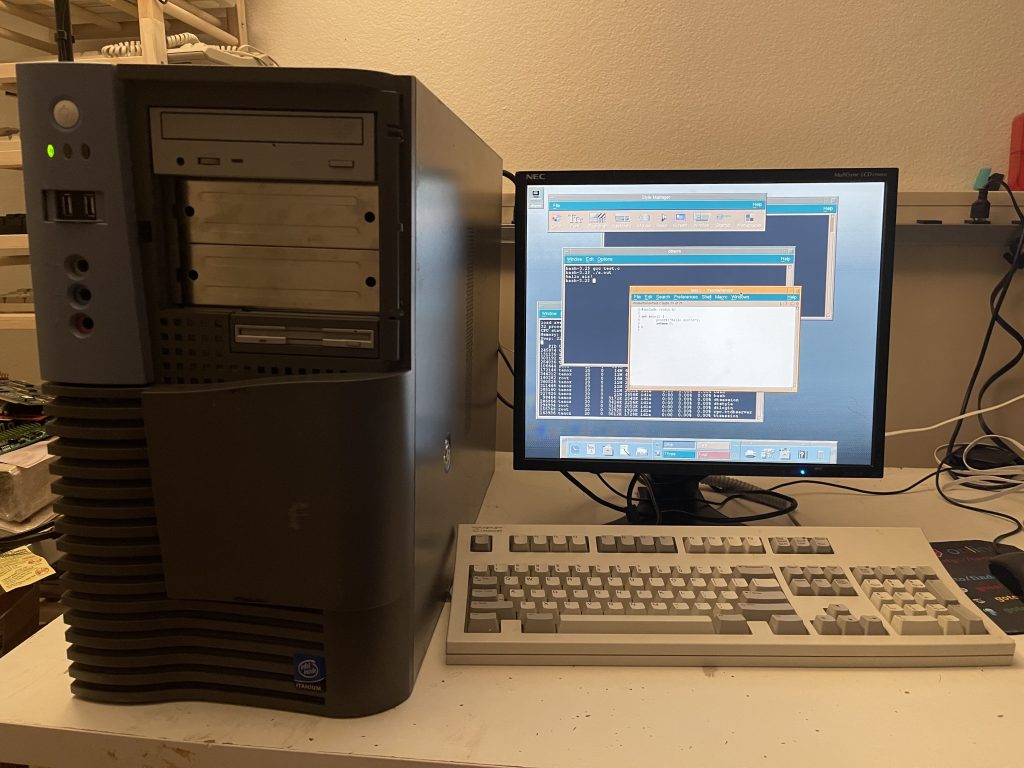
Update 2: After going through a pile of video cards I now have local X11 and CDE!
AIX IA64 local X11 with CDE
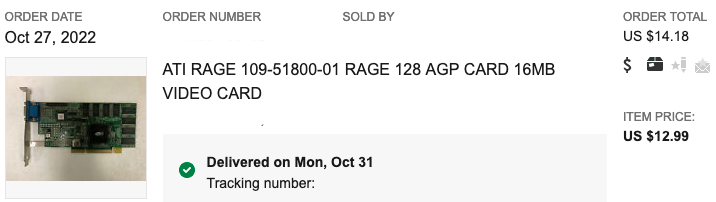
This was the lucky winner:
Update 3: SimCity is now available for AIX IA64! You will also need other stuff mentioned here.
Dont fly here if you can avoid it. expect lots of lines, lots of waiting and finding out it was the wrong line, or you didn’t need to wait heree. its super disorganised . dont come here.
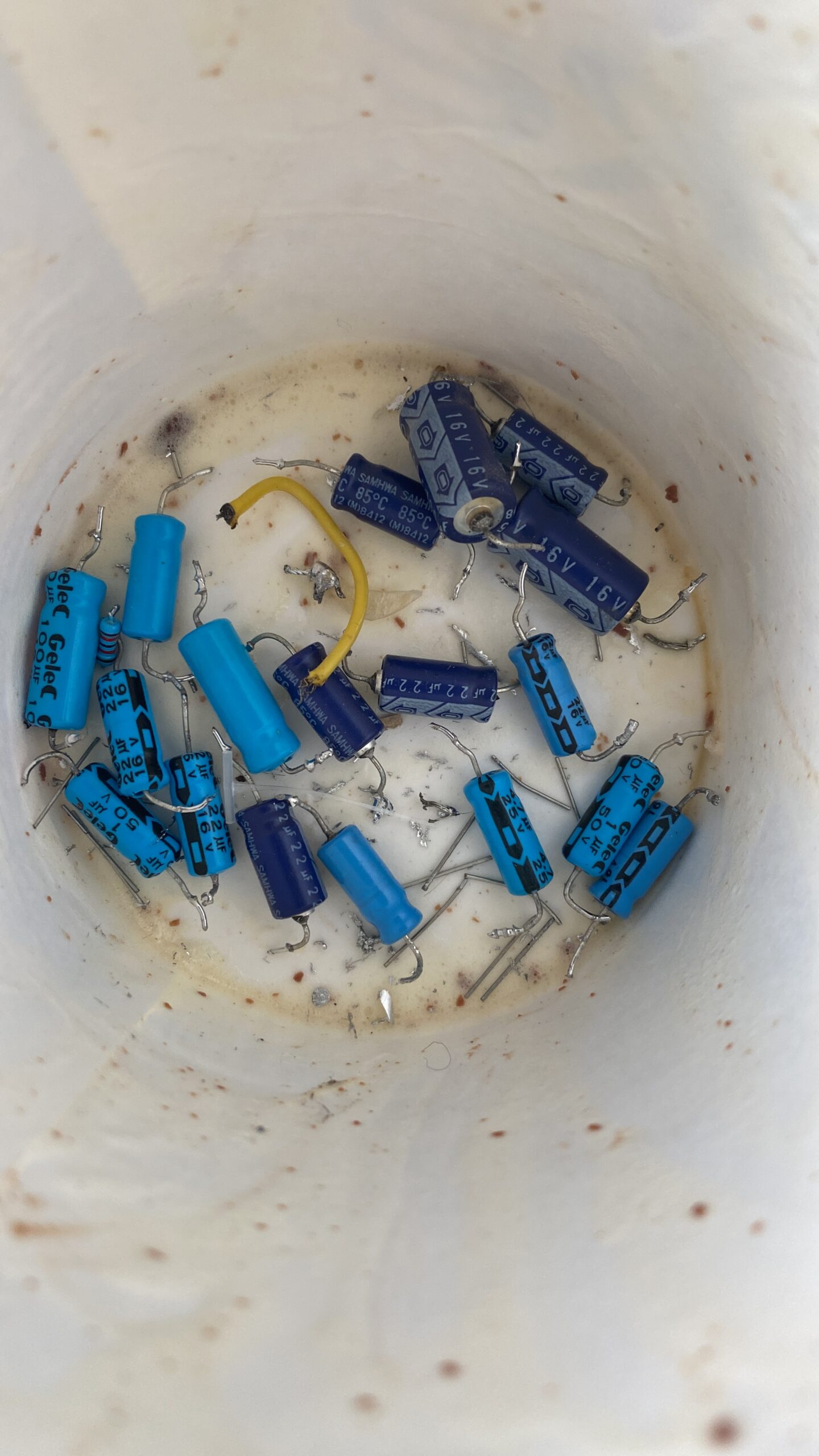
Shockingly no explosions, I was recapping stuff to notice that the PSU I’m using is sliced. Of course a 35 year old PSU runs better. I need some transistors, and maybe some diodes, but I don’t have good access to any at the moment. So weird how 80’s DRAM could need +12/+5/-5v to operate. Oh well.
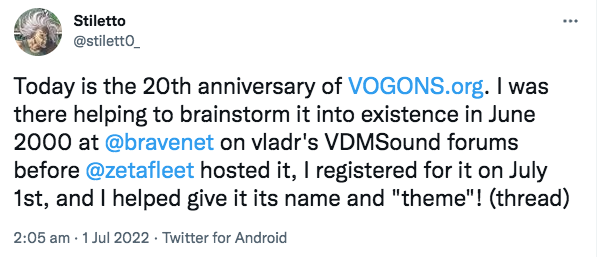
Stiletto had dropped on by to share this amazing milestone!
Today is the 20th anniversary of http://VOGONS.org. I was there helping to brainstorm it into existence in June 2000 at @bravenet on vladr’s VDMSound forums before @zetafleet hosted it, I registered for it on July 1st, and I helped give it its name and “theme”!
For the longest time VOGONS was the place to get information about VDMsound the sound blaster emulator for NTVDM, allowing a far more rich gaming experience on NT, DOSBox, the ubiquitous PC/MS-DOS emulator that is simply everywhere, and of course where I was ‘discovered’ via ‘Quake1 with WATTCP built with DJGPP on DOSBox‘ some 10+ years ago!
Jean-Christophe Collet made mention of it over on linked in of all places. Link to the article is here. Since I do not have a linked-in account (I was forced to open one at a prior employer, they were an early investor, back when absolutely *nobody* used the thing, before Microsoft had bought them), so I was unable to read the article. But before I had created a smurf account, I found that just switching to incognito mode got me the article in question.
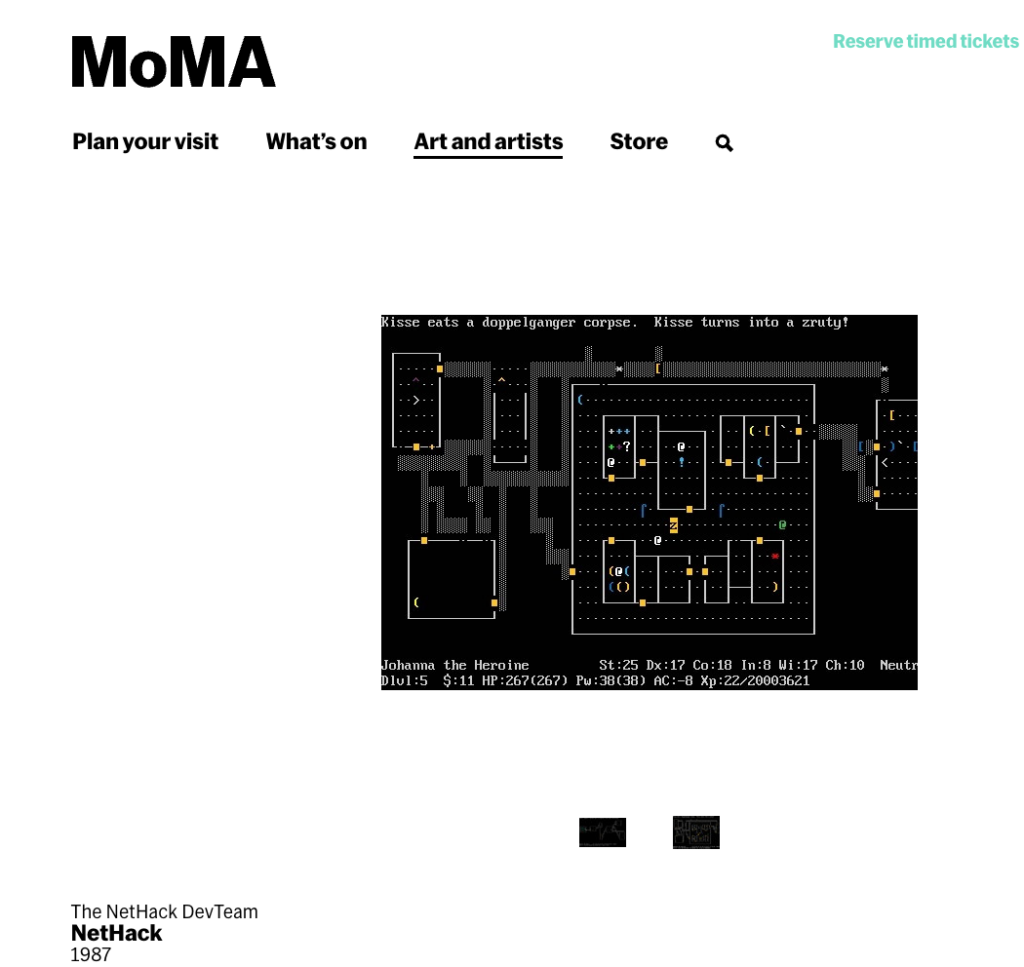
It’s almost crazy to put it in perspective after all these years, but when NetHack became a thing in 1987, the GPL didn’t exist yet, instead opting for the BISON license. There was no NetBSD, nor was there a Net/1 release of BSD, meaning there was no wide-scale free Unix to the Masses.
I’ve tried numerous times to get into it, even playing it a fair bit when I got it running for the x68000. But I never got far, as I’m clearly out of my league. Which is a shame I’m clearly missing out on quite a bit.
Since it’s all news to me, there indeed is a software category over at MOMA. When I did live in New York, I was a member. I did all that artsy stuff, although I’m clearly not the artiste.
I’ve set prices in Hong Kong dollars, but it claims it’ll re-adjust to your local currency, so it shouldn’t look too crazy as $40 HKD is about $5 USD. After they take all their fees and stuff I get like half. Which I’m not complaining, a week ago it was a big goose egg!
As always everything will eventually wind up here. I’ll do some additional collaboration over on Patreon to give it ‘value’ even if it’s just me hitting my head against the wall.
I hate shilling for this kind of thing, ring the bell and click the thing. I’m really embarrassed that it’s come to that here, but like the ads I really don’t have much of a choice at the moment. And of course your direct support by either enabling ads on this page, or signing up just makes it all the easier to keep on through these times, as I’m aware that we are all going through some real fun challenges at the moment.
So a very big preemptive thank you very much, I’m always amazed that whenever I write anything that people read it, and I’m always shocked and amazed to get not only any kind of engagement, but an actual following. Just as I’ve been amazed to have already met so many of you in my travels around the world, through the years!
I would like very much to build on this into bigger things, create more diverse and engaging content, and have some fun doing so!
It’s come to that point where I’m basically forced to either step up and do a patreon and beg for money, or go the other way and passively shill for ads.
I’ve gone for plan b.
It’s annoying and yeah I know. It sucks.
This trip has… been a challenge, and I have a stack of unfinished crap I need to push out, but frankly i’ve been too lazy to do it.
Maybe I’ll call it depression as it’s more dressed up and sexy.
Anyways I now have far too much kit where I wanted 3 max, and now I have like far too many. Time to get busy with my Chinese soldering iron, patch up some stuff, and get some of this out of the door.
Anyways yeah, people not using blockers will see the ads.
Also today was frought with additional money stress so yeah.. let’s hope this meets in the middle passively.
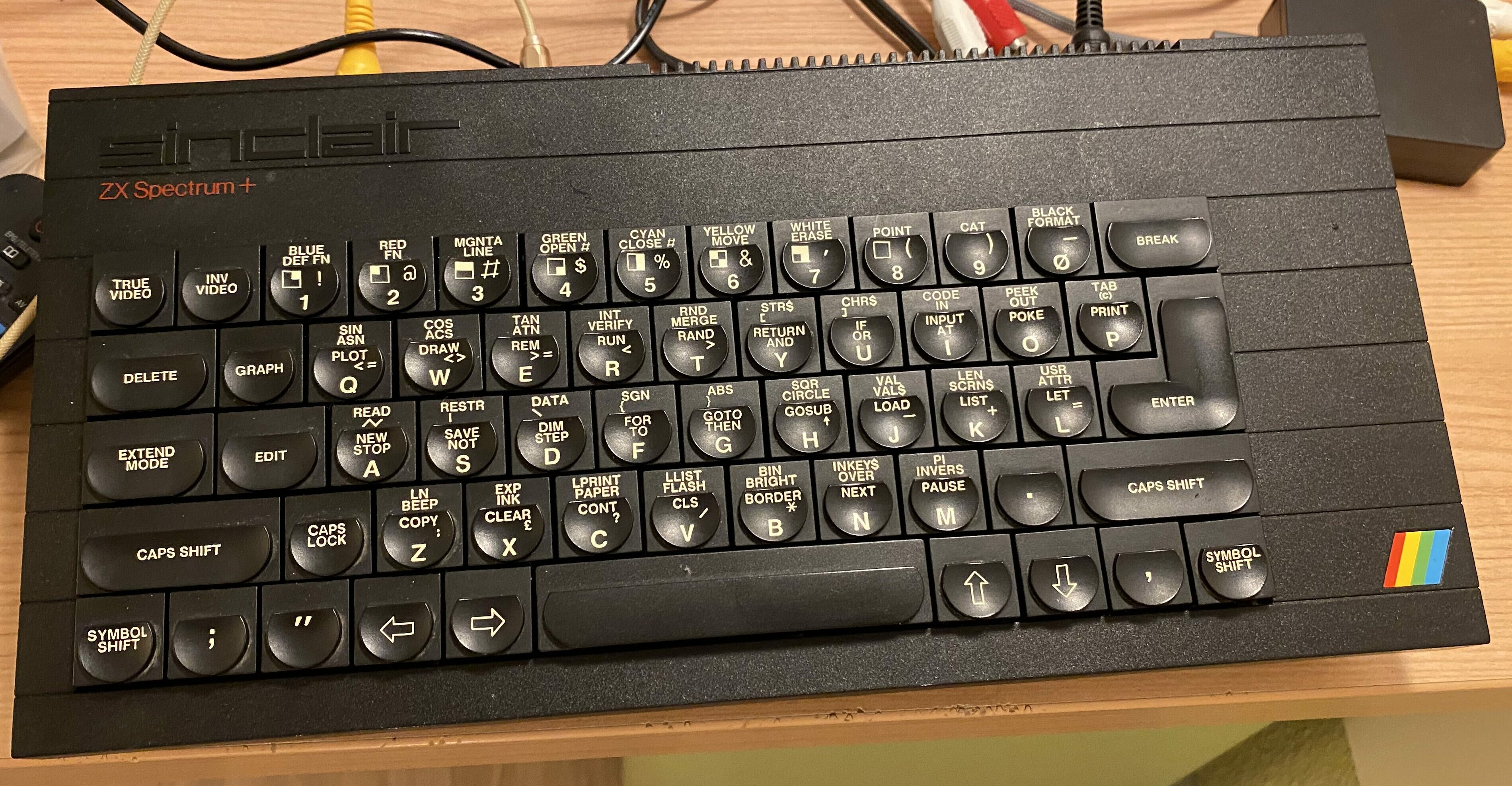
So, I’ve tried for years now to get a Spectrum +, or a ‘toast rack’ Spectrum 128k, and met no success at all. I have bid unsuccessfully on over 24 systems, with no luck at all. However, on a business trip to the UK, I bid on 8 systems and won 4.
One of many
So now I have too many, which I’ll have to flip a few as I don’t need so many, but for me it’s been super interesting as the whole UK 80’s scene was an isolated parallel software society, that a few software publishers ‘broke out’ once there was common hardware platforms in the 16bit (ST/Amiga), and especially in the Play Station 1 era.
A seeming 100% catastrophic failure of these machines is the keyboard.
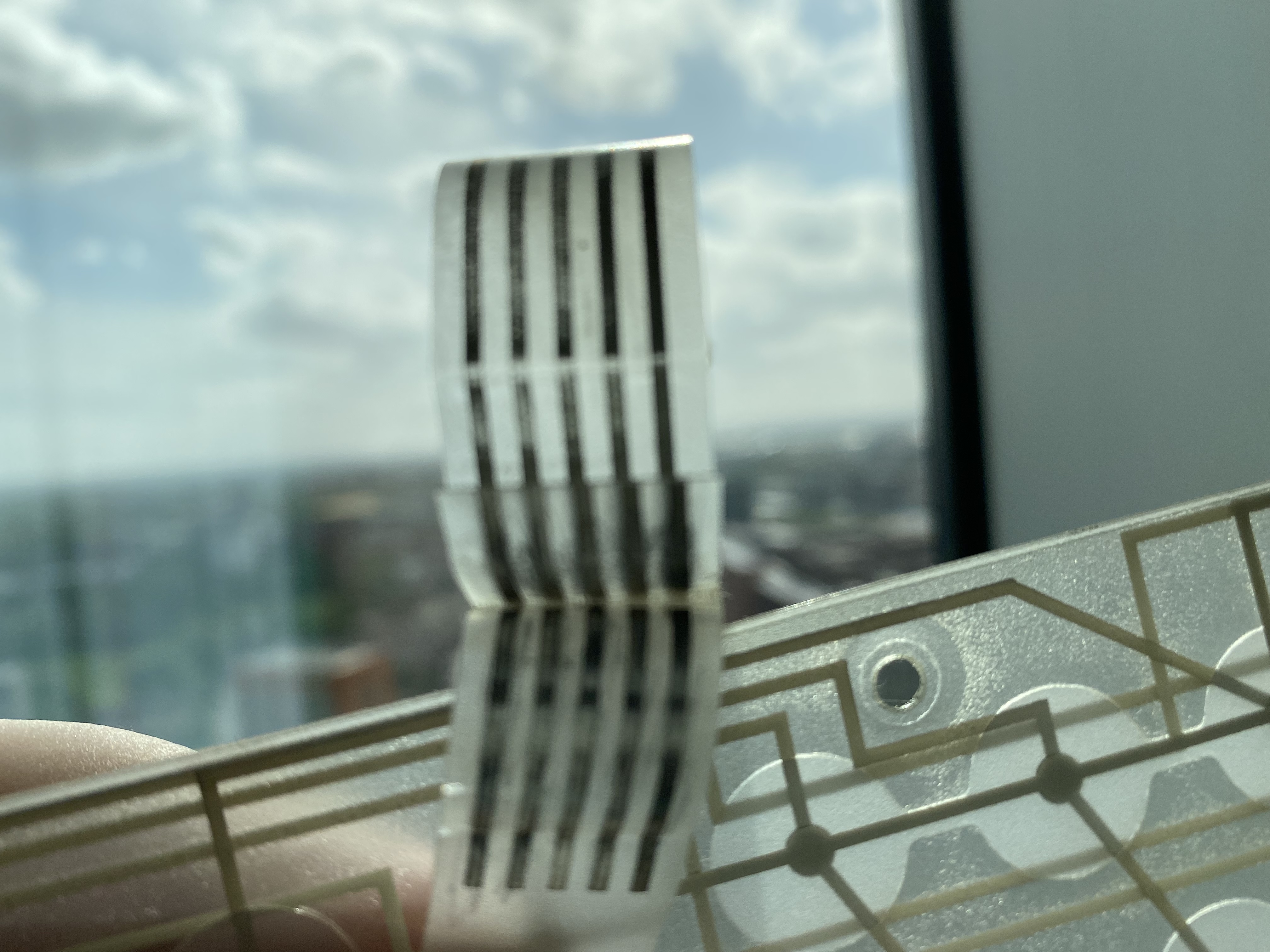
dried out contacts
The plastics tend to dry up and disintegrate over the decades, leaving a dead keyboard. However since it’s such a common problem people do make modern replacements.
closeup of the damage
Here is a closeup of the damage, and you can see the clear breakage.
view of the domes
While the keyboard is disassembled it’s a good time to clean the domes, to make sure there is no debris inside, and give it a light wash.
Reassembly
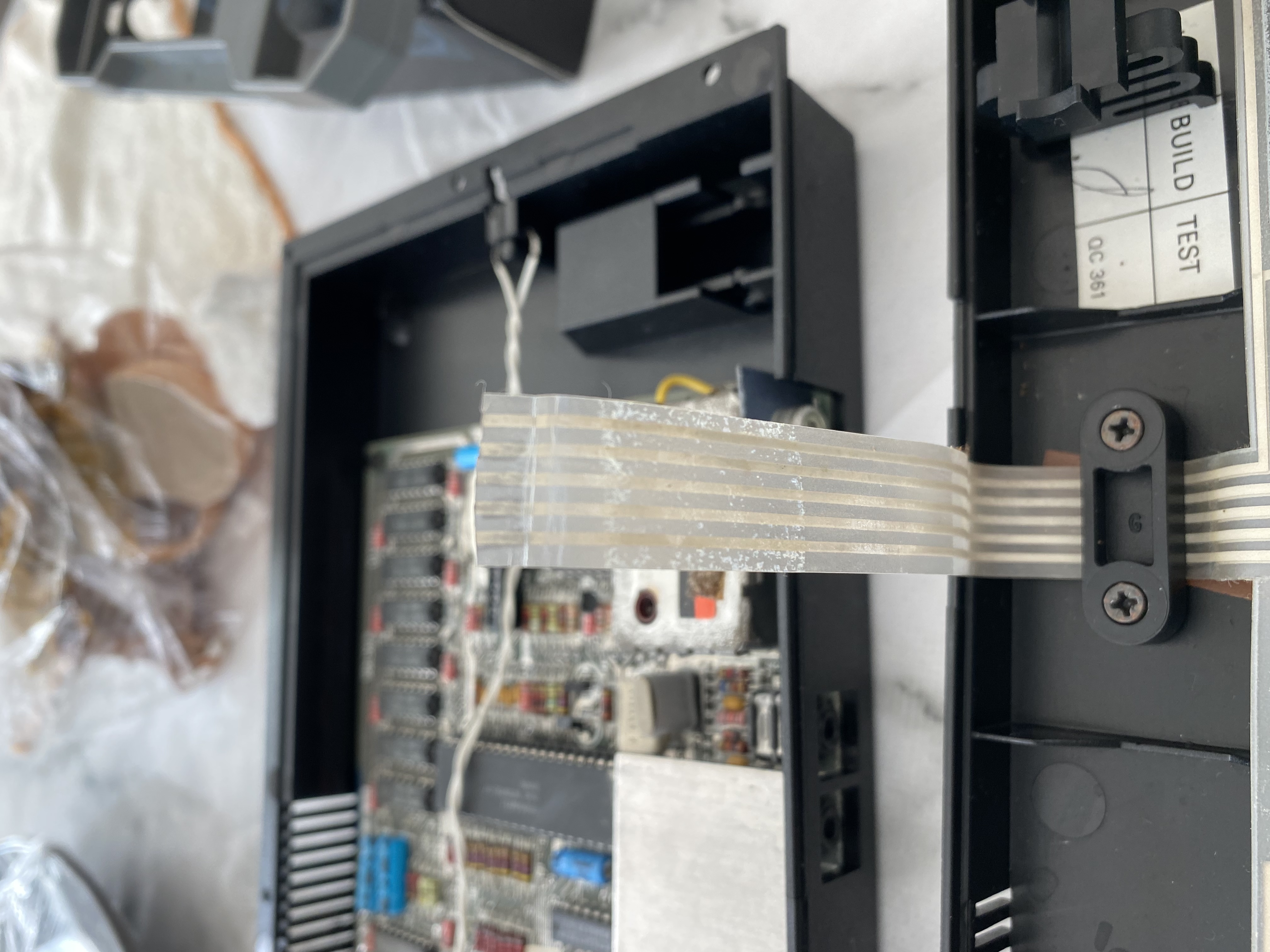
One thing that caught me off guard is that the membrane is really made up of 3 layers, and that they need to be pressed together to make it fully work. So the cable that goes under the collar needs to be tight. Many videos recommend pushing the cable slightly towards the keyboard assembly to give it that extra bit of tension as you screw it down to give it that little extra push to press the layers together.
After all that fun, the keyboard is working and now I can continue onto the next part!
Software
As always one of the big challenges with old machines is getting software loaded. Media deteriorates, becomes scarce, and of course some titles become more expensive than the machines. So what’s a pirate to do?
Luckily a discount ‘toy’ computer from the 80’s also used ‘toy’ storage, in this case the humble audio Philips compact audio cassette. And many of these tapes have been ripped, and converted to a ‘tap’ format, for emulation.
So first you’d think that it’s a simple matter of converting the tap file to a sound file, and playing the resulting file to the computer, and bingo you are up and running! Except it’s not quite that simple.
Digital to analog
This is the easiest part, is the tap conversion, I’m using Igor Maznitsa’szxtap-to-wav, which is pretty simple to go to a 44100khz
zxtap2wav-windows-386.exe -a -f 44100 -s -i IM2.TAP -o impossibleMissionII.wav

  TAP2WAV converter of .TAP files (a format for ZX-Spectrum emulators) into its .WAV image (PCM, mono).
  Project page : https://github.com/raydac/zxtap-to-wav
        Author : Igor Maznitsa (http://www.igormaznitsa.com)
       Version : 1.0.1

Detected data blocks : .P.D.C.D.D.D.D.D.D
The Result WAV file size is 11043 Kb
But we are living in a stereo world, but the ZX Spectrum is a monaural girl
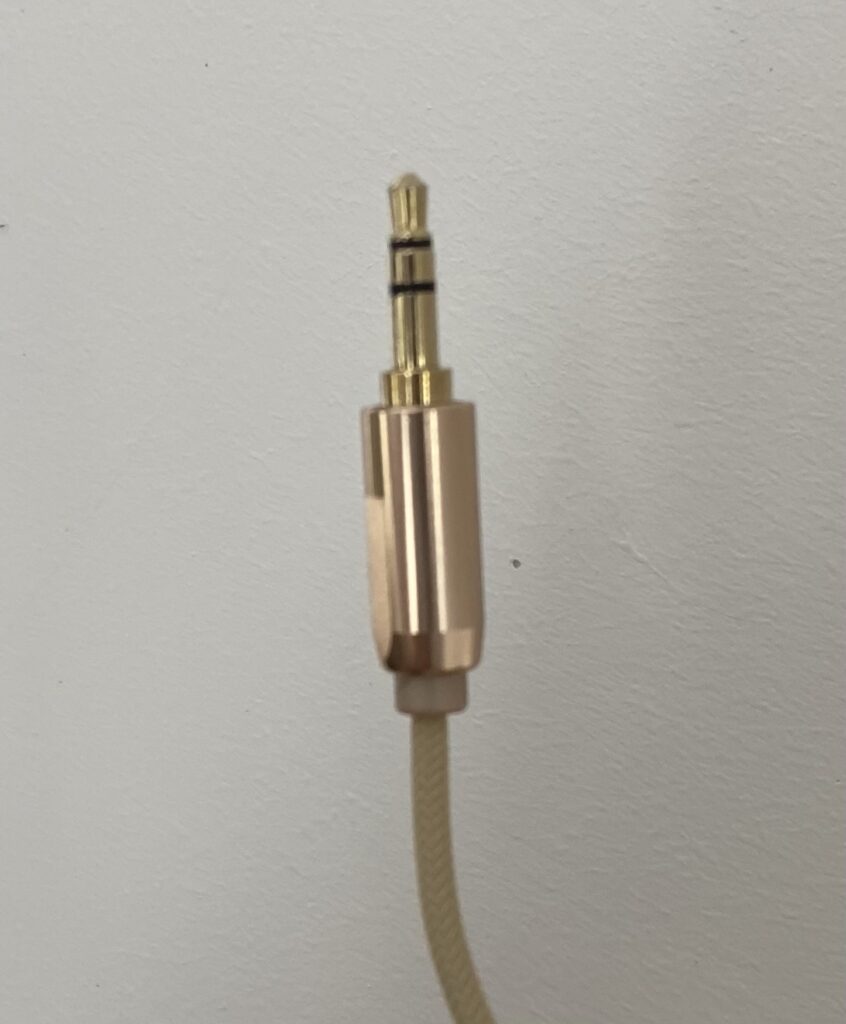
Now you’d think we are good to go, however there is one more problem, and that is the mono plug in the Spectrum. As answered on stackexchange, by mcleod_ideafix, the fundamental problem is that odds are your sound card is stereo, your ‘headphone cable’ is also stereo. So instead of one nice big happy waveform, you’ll actually end up sending 2 waveforms down the stereo plug to the mono jack, that will introduce so much crosstalk that it’d be amazing that anything loads.
Inside the thread is a good explanation of how to fix the waveform to appear over both sides of the pin, but also this nice script to use sox to split for you:
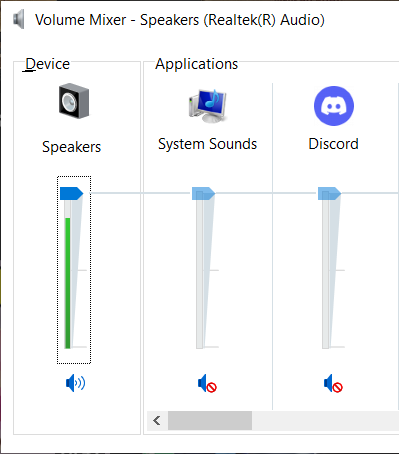
With the wav file in place, the next thing to do is to play it back to the spectrum. On the PC however in the age of multitasking you probably have a LOT of things going beep, and that’ll mess up the entire load process. Bring up the Volume Mixer, and mute everything that isn’t what you are using to play the wav file.
Mute them all!
The first few mistakes I made was thinking that I didn’t want to send too loud of a signal to the Spectrum, as it is voltage, and it probably doesn’t need that much. However the DAC is very hard of hearing, even by 80’s standards so that means you need to crank the volume to 100%
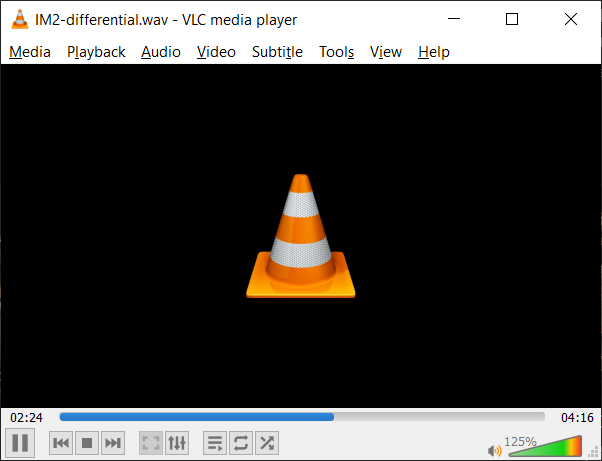
Overboost to 125%
As a matter of fact, go all the way to 125% if you are using VLC. Tapes load slow, expect anywhere for a minute for a 10kb program, and 5+ minutes for a 40kb program. Times vary depending on how the packed the waveform, fast loaders and other fun things.
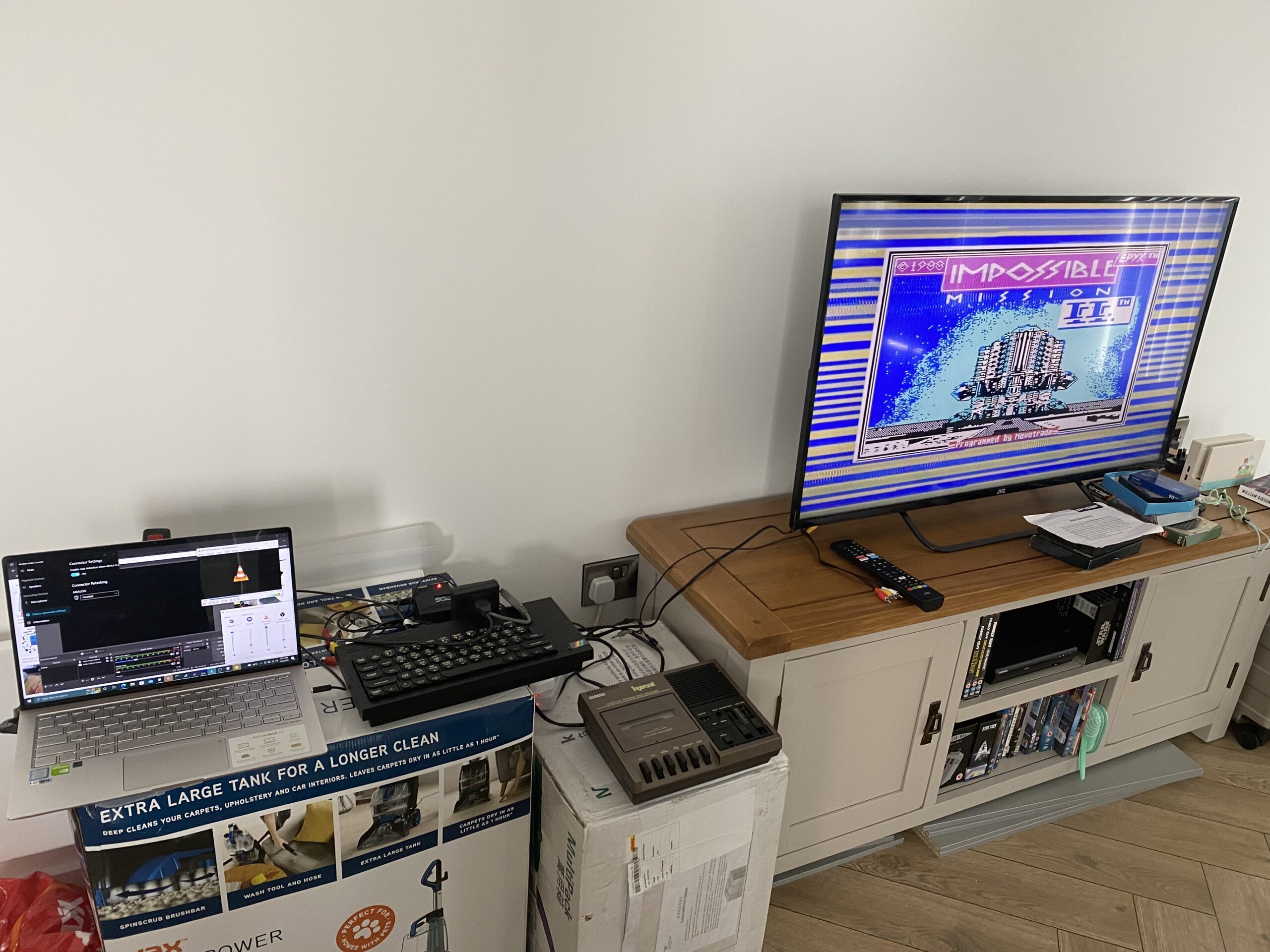
Spectrum loading from Laptop
And yeah there we go, loading Impossible Mission II, converted from a .tap to wav, then split and combined waveform to load from a stereo plug.
Going overboard!
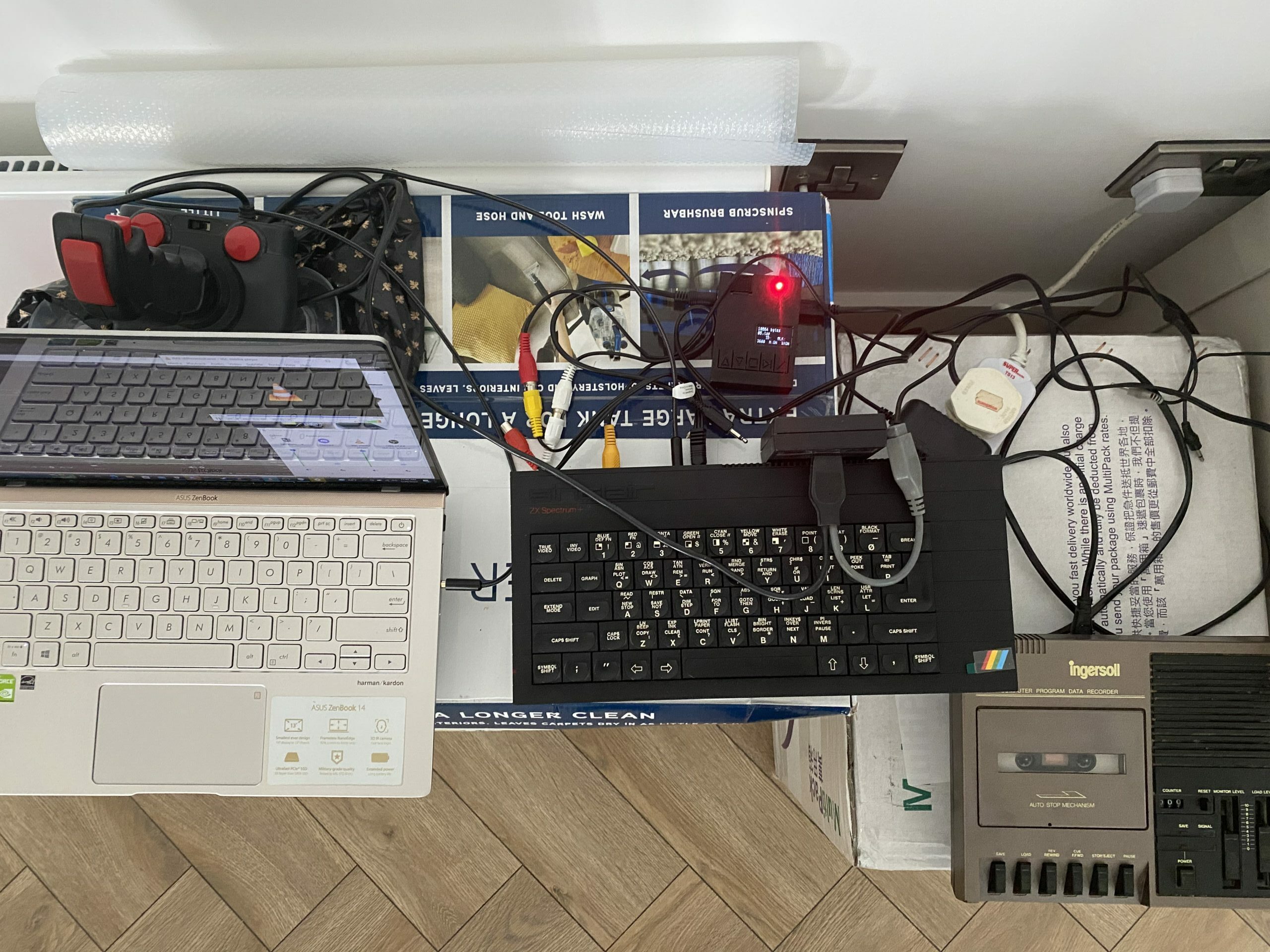
Now I have 3 ways!
In the last auction I inadvertly won, it included a joystick interface (that hangs OVER the keyboard, WTF?!), and a legit 1980’s Tape deck, the Ingersoll XK696. Shockingly it actually works! It did have it’s fair share of dust bunnies inside which needed promptly cleaning out, I tested with a ‘legit’ tape, a copy of startrike, and yeah, it loaded up fine! I do like how it’s got it’s own ‘monitor’ volume and speaker, along with nice big chunky buttons, and tactile feedback. Got to say I do like it, although yeah loading from tape is slow. But since I never did back in the day, there is something oddly weird about having to pace oneself because of the insanely slow peripherals. I wonder how slot in bps the 1541 was.
I also ordered a retro.care “MaxDuino TZXduino CASduino” loader which can read the tap files directly, and included a stereo to monaural RCA 3.5 cable in the bundle. Pitty it didn’t include a SD card, and I ended up buying some 4GB card for £5. Such is the price of wanting it immediately. It does let you set the baud rate from 1200/2400/3600 and a blistering overdrive of 3668? Short of an eye watering £90+ for a DivIDE/DivMMC board it does seem to be the budget way to go for someone who doesn’t want to waste all that time converting tap images to wav, then inverse wav to load from PC. But then again if you have 5+ minutes to load a program, you have time to convert files.
There does seem to be something oddly zen about loading from tape, and it makes one all the more hesitant to reboot as loading up something else is such a long process, and that is of course assuming that it even loads in the first place.
Also the other odd thing is that some programs/games want you to load tapes as if they are semi-random access needing you to stop and go on demand (maybe rewind too!). Granted other computers (MSX?) did include a control cable allowing rewind giving a more randomish access out of tape. It’s a limitation of the time, sadly and microdrives and floppies arrived too late, and failed to have any significant adoption to matter, sadly.
I don’t know if this will reach any audience, although there is some ‘retro wave’ going on since the unmentionable event of CNY 2019, and shut ins are getting retro. Although for me, it’s very interesting exploring this parallel and yet foreign experience of a retro past I never knew existed. Although I guess thanks to US Gold, many in the UK were well aware of American software from the likes of EA/Activision et al.
I forget where I heard the term “Métal Hurlant” although it does seem appropriate having a younger machine scream the programs of tape drive past to it’s earphone jack. But it’s most likely the French magazine, and my imagination of something cross between Jarre/Ulrich.