A sneak peak at Microsoft OS/2 2.0

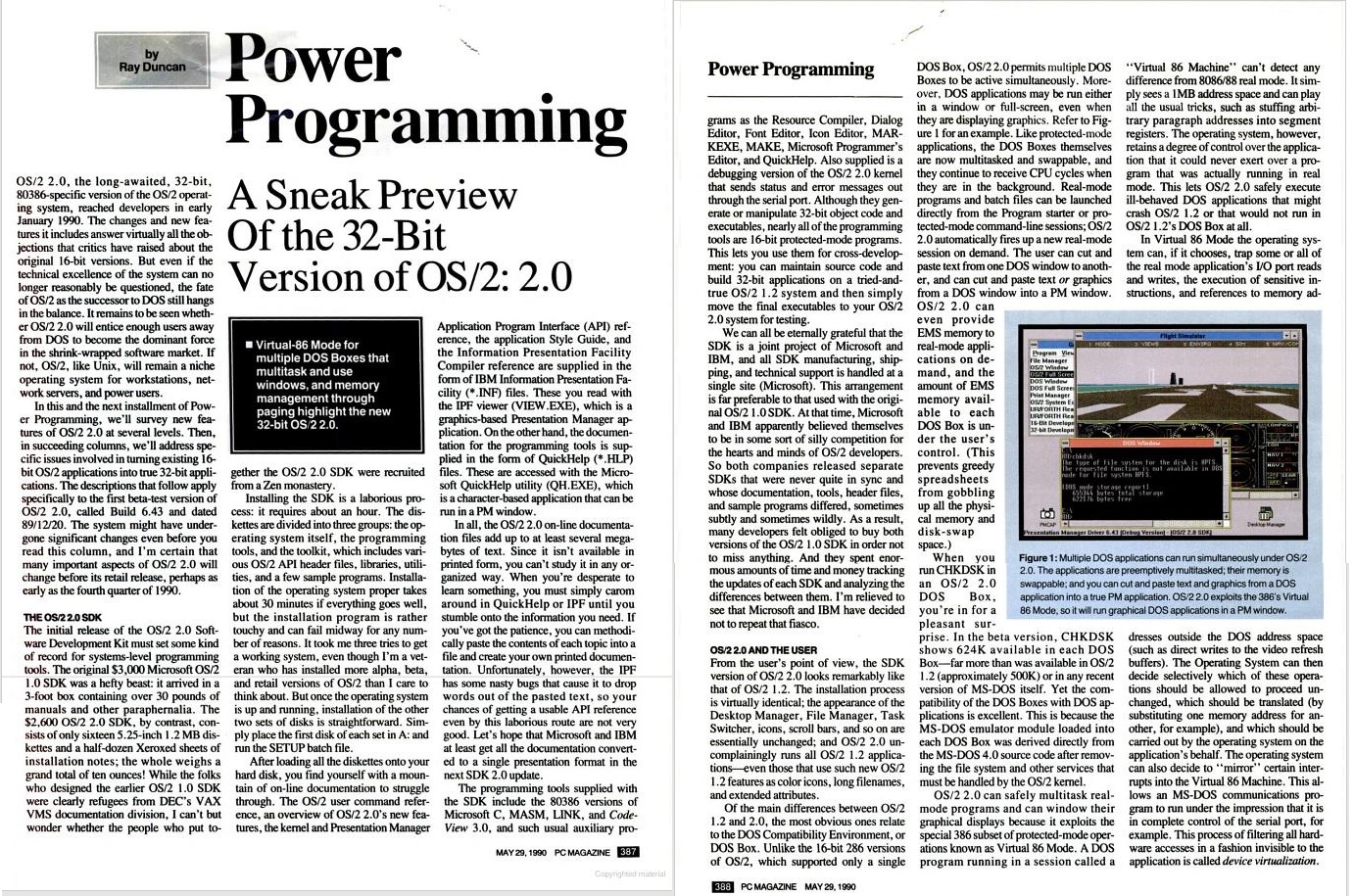
No really!  It’s an article from PC Magazine, 29th of May, 1990. And it’s authored by Ray Duncan, before the infamous split.

NOTE FROM THE FUTURE It’s now possible to look at the version that Microsoft published after this version “An actual look at Microsoft OS/2 2.0“!

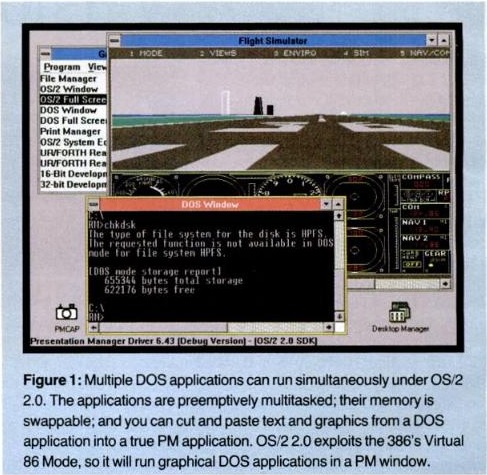
Of course, the thing that stands out from the screen shot is that OS/2 2.0 looks more like OS/2 1.2.  And there is it’s ability to run two MS-DOS VDM’s in a window at the same time!

Flight Simulator, in a Window!

Flight Simulator, in a Window!

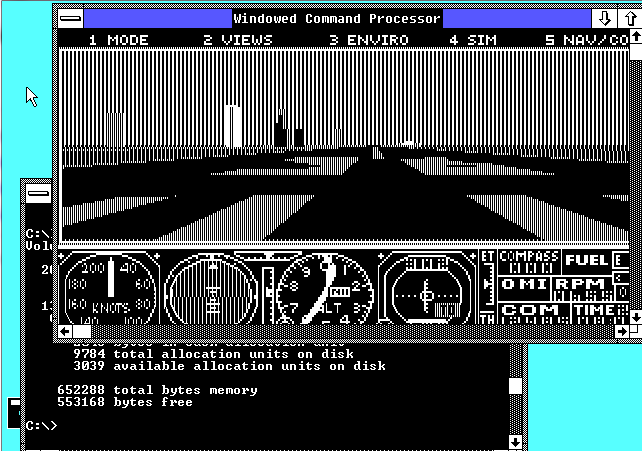
Although this was a feat that Windows/386 was capable of doing, going far back as far as 1987.

Windows 2.1/386 running Flight simulator 3.0 in a window

Windows 2.1/386 running Flight simulator 3.0 in a window

But as you can see, OS/2 did it better.  Windows/386 was unable to run EGA graphics in a window, instead I was forced to run Flight simulator 3 in CGA mode.  While the OS/2 2.0 beta could give over 620kb to a MS-DOS session, Windows/386 could only give me 550kb.

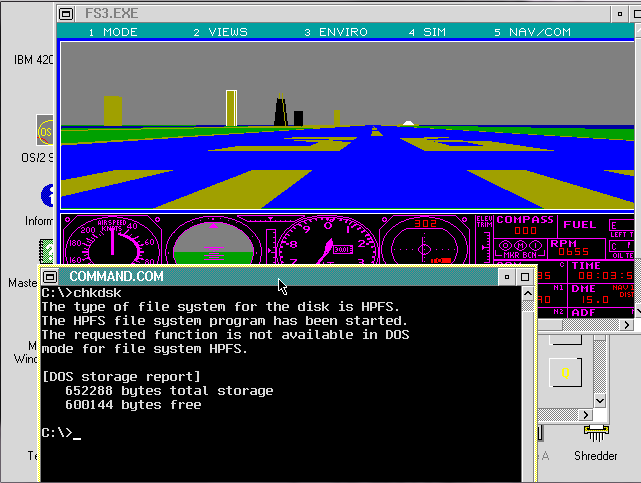
And when it came time to ship, well here is IBM OS/2 2.00 0xr6100 running Flight simulator 3.0 in a window and showing a MS-DOS box with about 600kb free.

IBM OS/2 running Flight Simulator 3.0

IBM OS/2 running Flight Simulator 3.0

The real shame is that MS OS/2 2.0 was looking really promising in 1990, but thanks to the split the world didn’t get to try it out until 1992.

The article is a good read to get an idea of the state of development back in 1990.  And of course all of PC Magazine’s 1990’s magazines are up on google books.  I’ve managed to find 2/3rd of the Beta since I started looking (from 1990… been looking a long long time), and I have reviewed the SDK/toolkit earlier, and here.

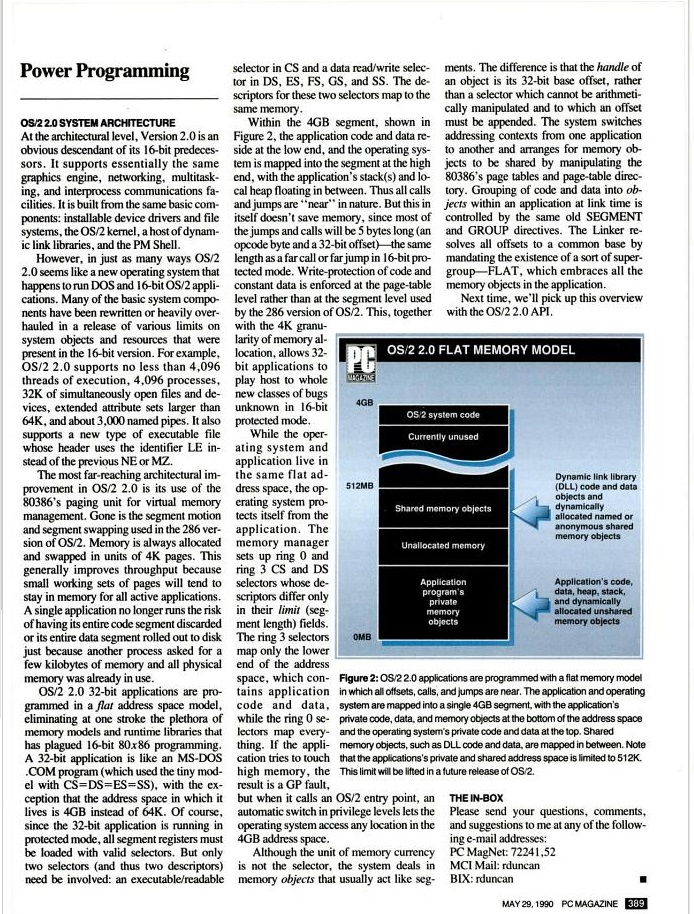
PC Magazine, May 29th 1990

PC Magazine, May 29th 1990 Pages 387-388

PC Magazine, May 29th 1990

PC Magazine, May 29th 1990 Pages 389

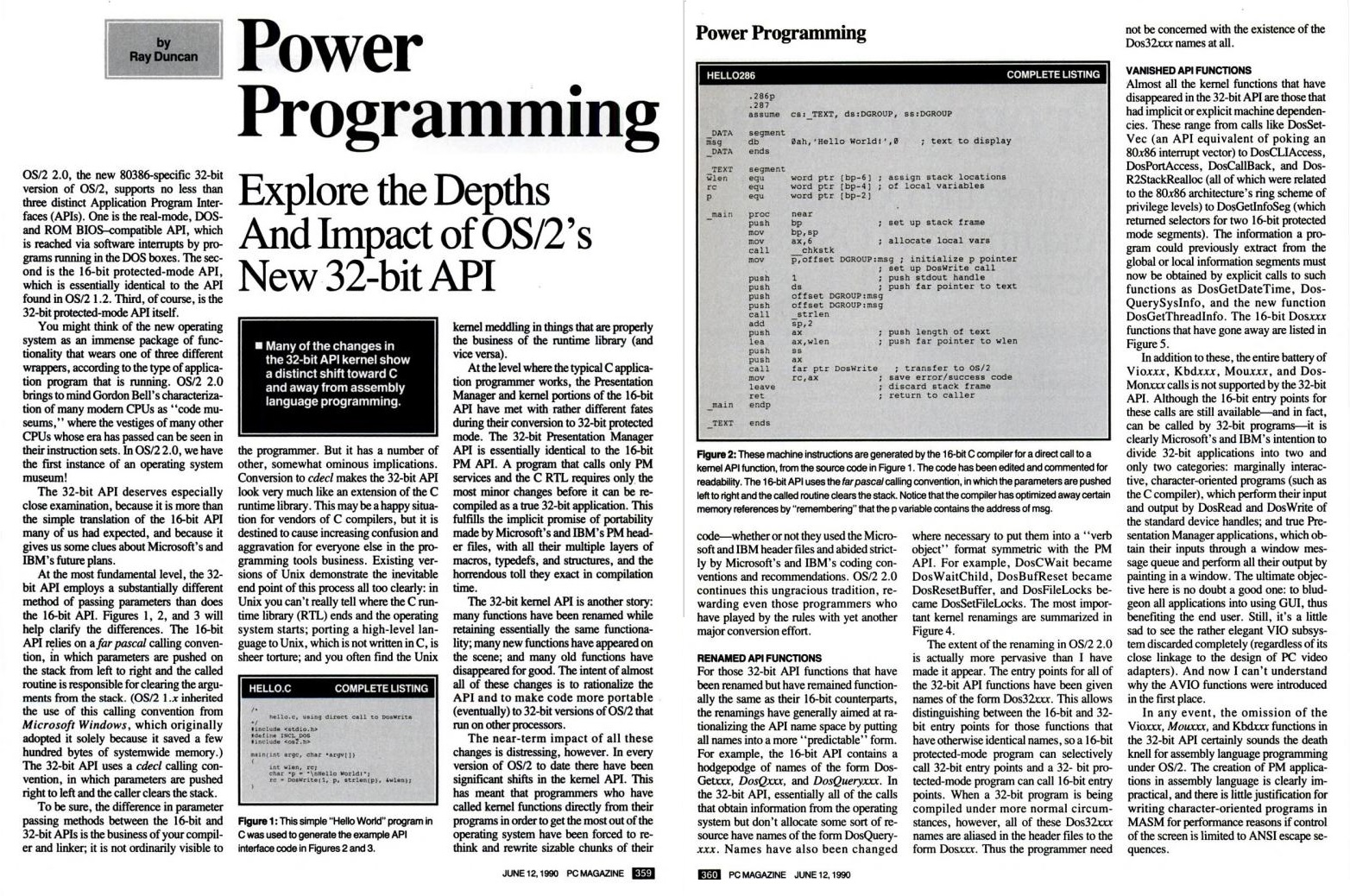
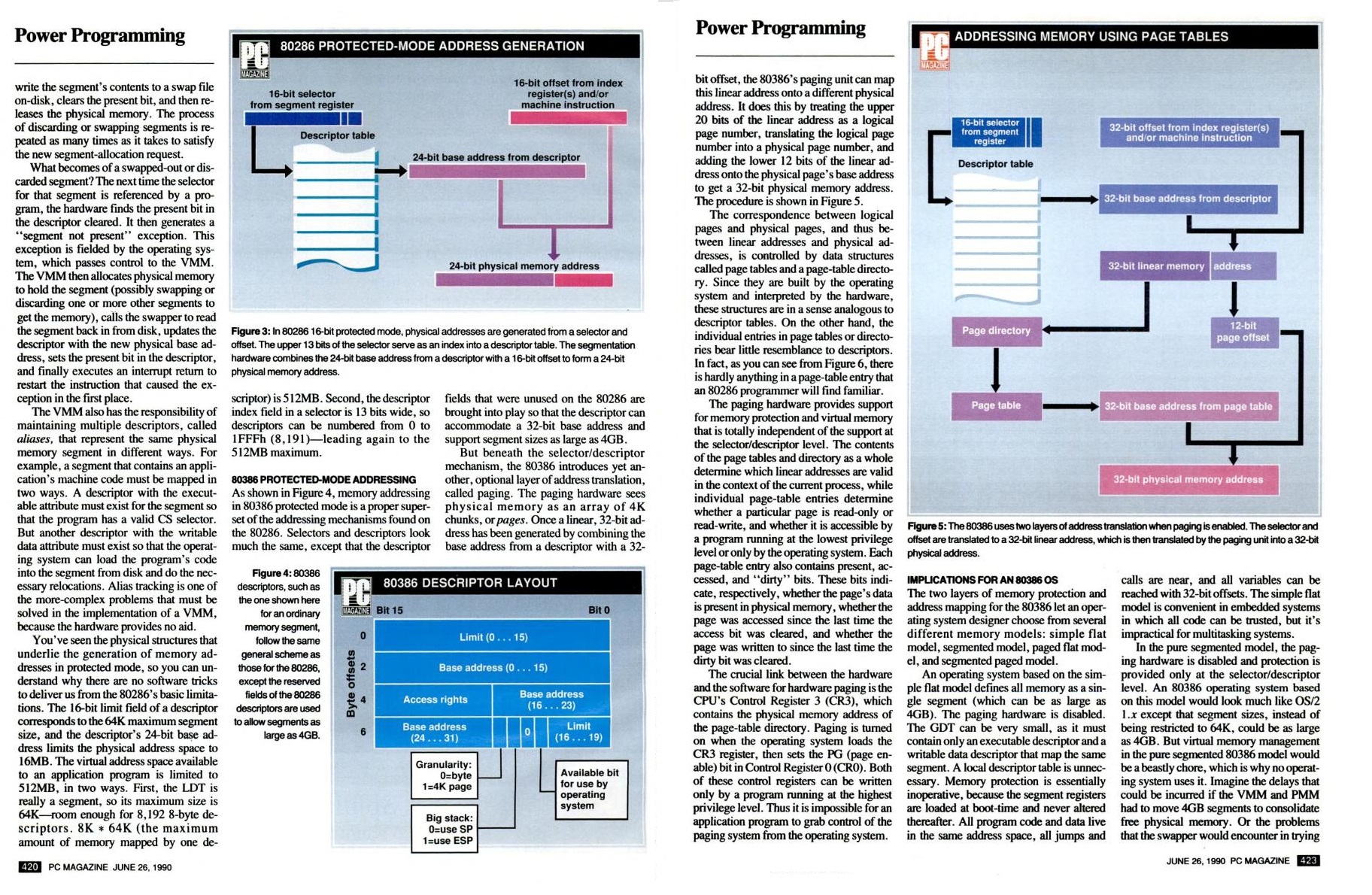
Power Programming part 2

Power Programming part 2

Power Programming Part II, contd.

Power Programming Part 2, contd.

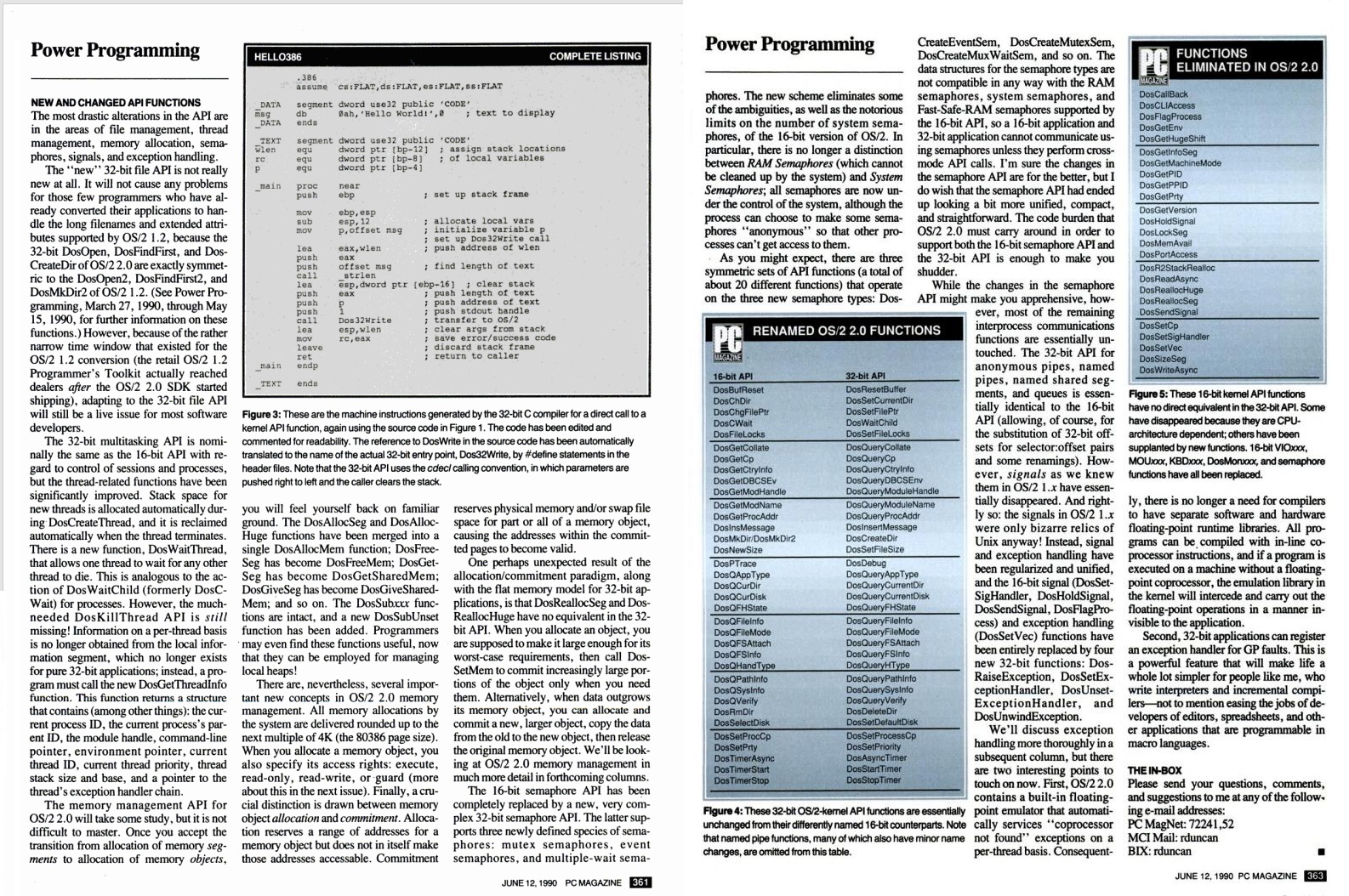
Power Programming pt3 1-2

Power Programming pt3 1-2

Power Programming pt3 3-4

Power Programming pt3 3-4

Power Programming pt3 5

Power Programming pt3 5

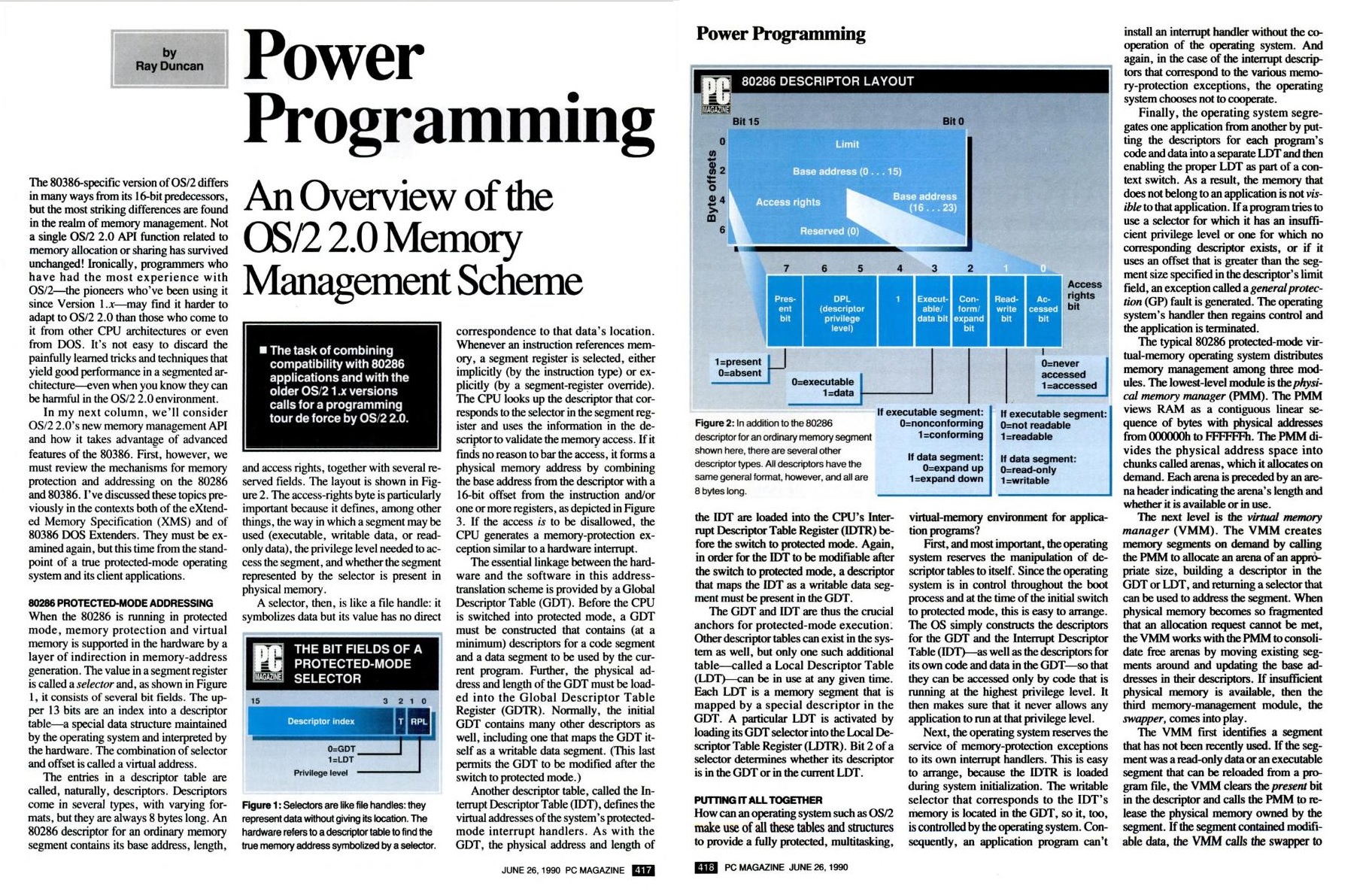
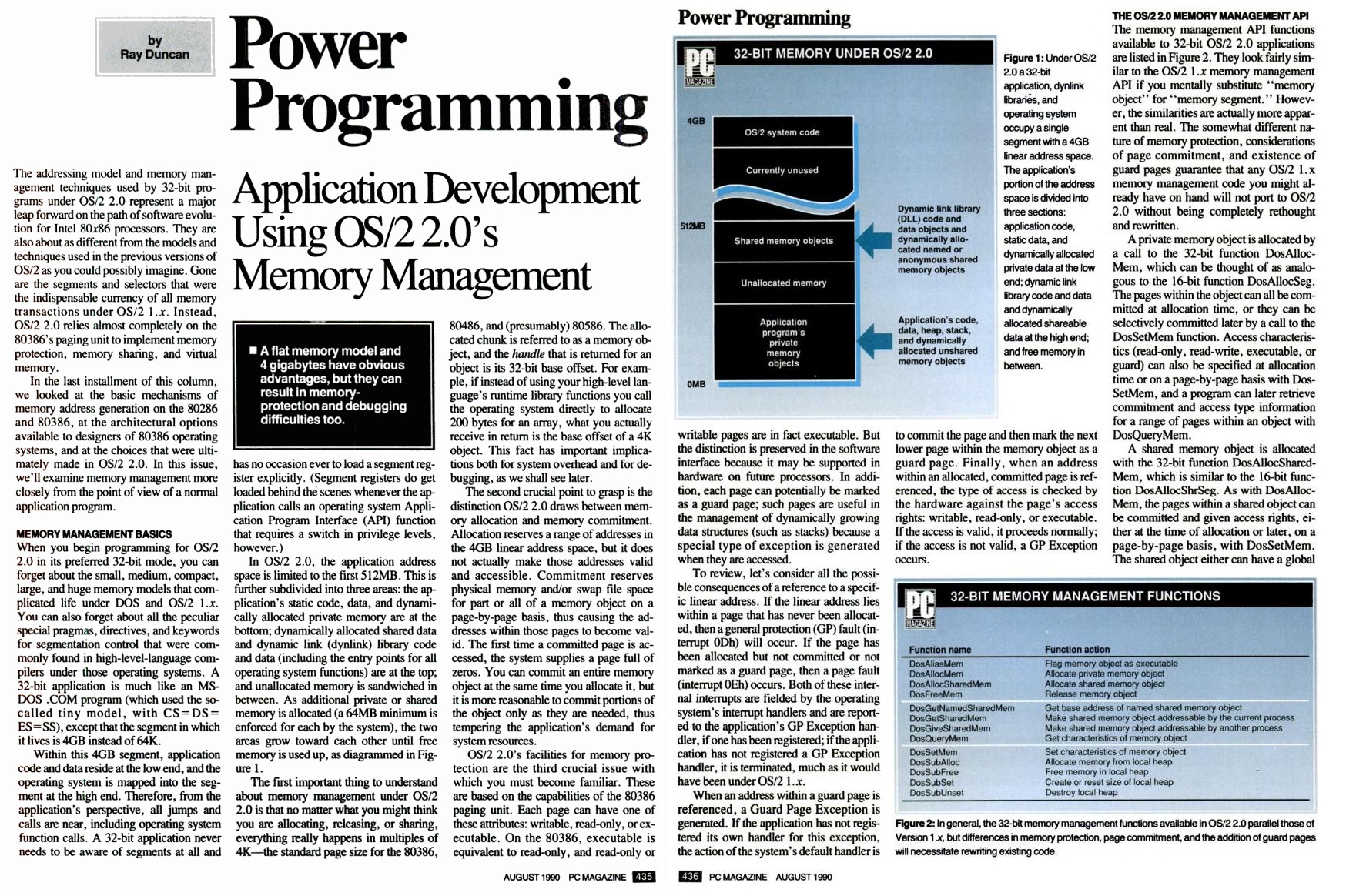
Power Programming pt4 1-2

Power Programming pt4 1-2

Power Programming pt4 3-4

Power Programming pt4 3-4

Freebie VMWare ESXi 5.5

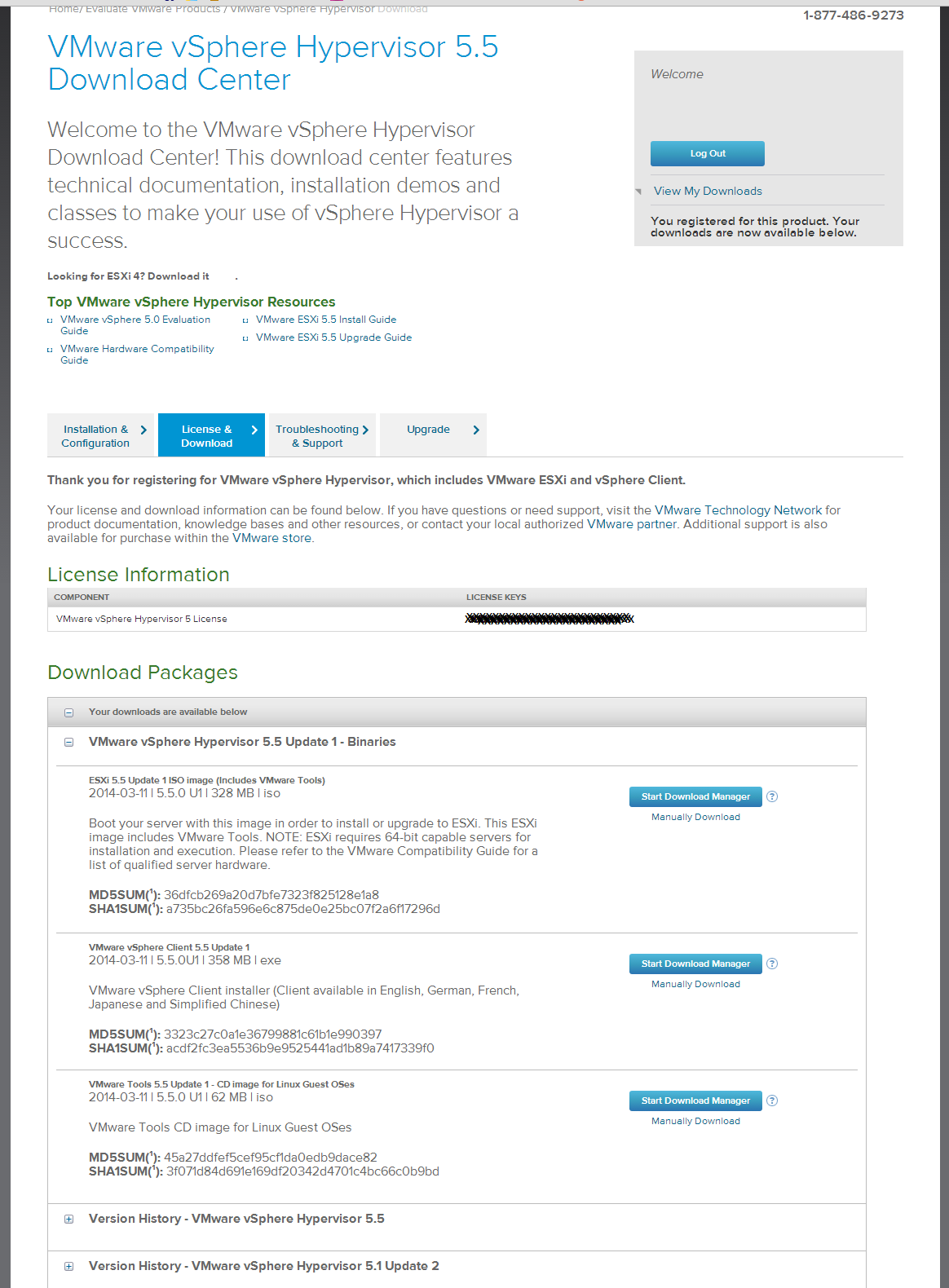
So on reddit, I came across this link to download a free version of VMWare ESXi with Vcenter.

Naturally I had to give it a shot.  And run it on my desktop for the heck of it.

VMWare download page

VMWare download page

And with the 3 files downloaded, I simply fired up VMWare Player, created a new VM, and pointed the setup program to the ESXi ISO ( VMware-VMvisor-Installer-5[1].5.0.update01-1623387.x86_64.iso), and it figured out we were going to do a nested VMWare install on it’s own.  The only thing I had to change was the network card from NAT to bridged.

Because I’m just going to use this install for testing (I haven’t put it on hardware just yet), the default DHCP is just fine, but enabling SSH on the console will be important.  Remember to record the root password for the ESXi box as you’ll use that to point the client to it.

ESXi 5 on VMWare Player

ESXi 5 on VMWare Player

The installation was pretty simple.

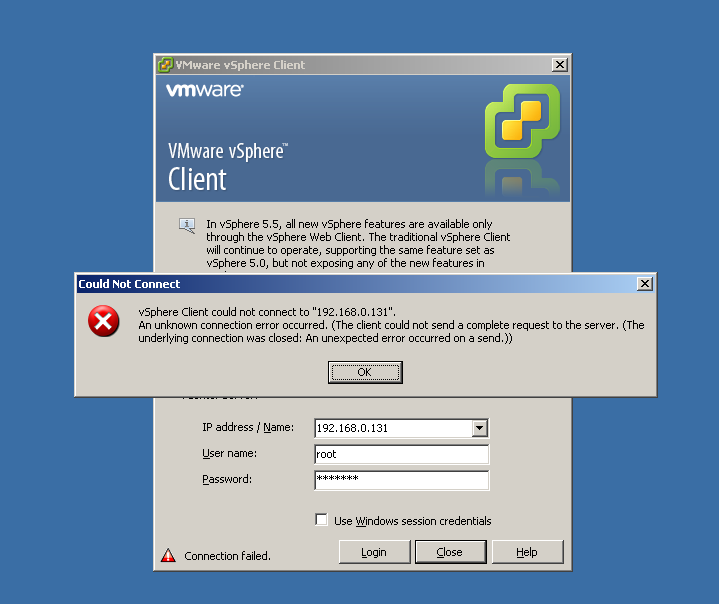
Now because I wind up using various versions of VMWare for work, I don’t want to try to keep 4.x and various 5.x clients balanced on a PC, I just run them on various VMs.  However, 5.5 has an issue with Windows XP.  The SSL implementation is out of date.  Naturally there is a hotfix, KB948963, but it will only install on Windows Server 2003.

VMWare SSL failure on XP

Network failure KB948963

I suppose booting into safe mode and overwriting the DLL’s by hand may be an option, but because it is only me talking to my ESXi server I don’t need it to be on the internet, so the easier option is to tell ESXi to allow all SSL types.

After some searching, the best fix I’ve seen is from the VMWare forums, by RichardVM:

ssh into the ESXi host and modify the following file:

/etc/vmware/rhttpproxy/config.xml

Insert the following xml line into the appropriate section:

<vmacore>

<ssl>

<cipherList>ALL</cipherList>

</ssl>

</vmacore>


After saving your changes restart the service:

/etc/init.d/rhttpproxy restart

And you’ll be good to go.

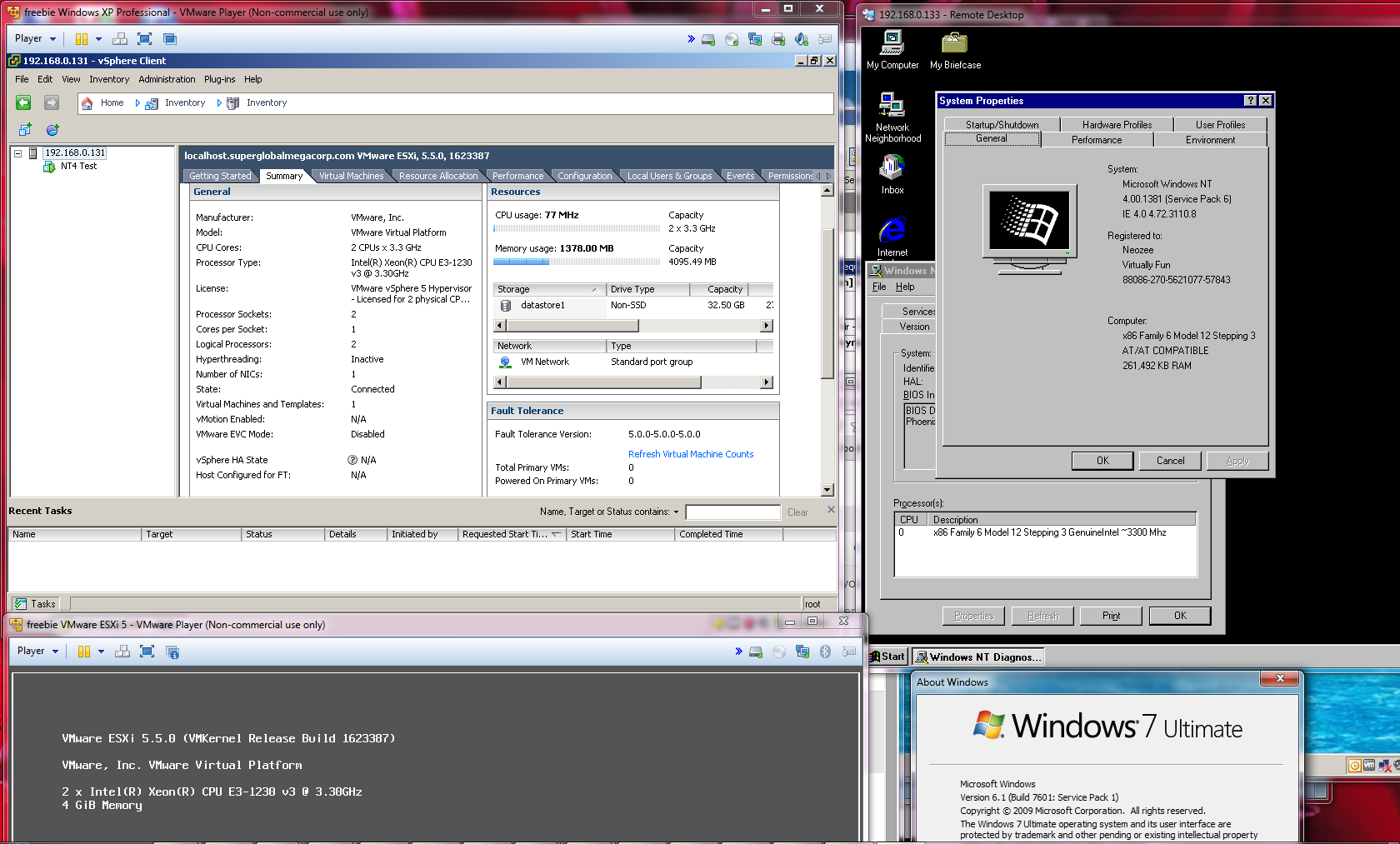
VMWare ESX on Player

VMWare ESXi 5.5 + Vcenter running on VMWare Player on Windows 7

For a simple test I installed an old copy of Windows NT 4.0 Terminal Server, which works fine (remember NT 4.0 on ESX5 needs SP6 installed for the networking to work).

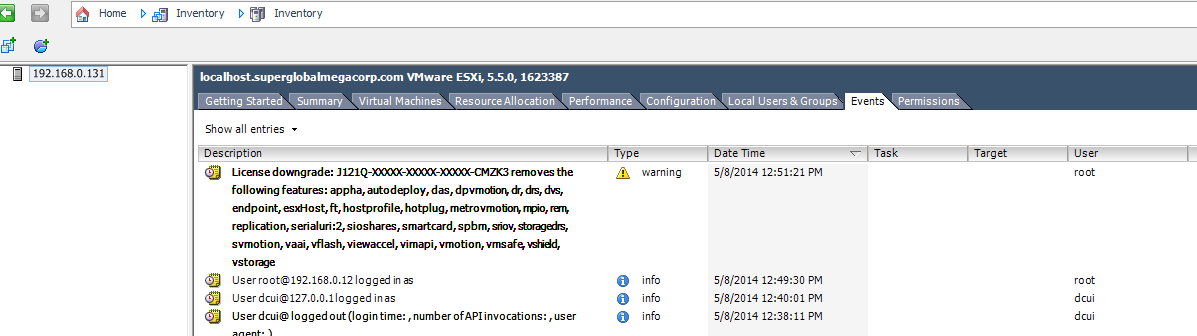
VMware license

Applying the VMware license

As you can see once you apply the license you get from VMWare certain features are disabled.

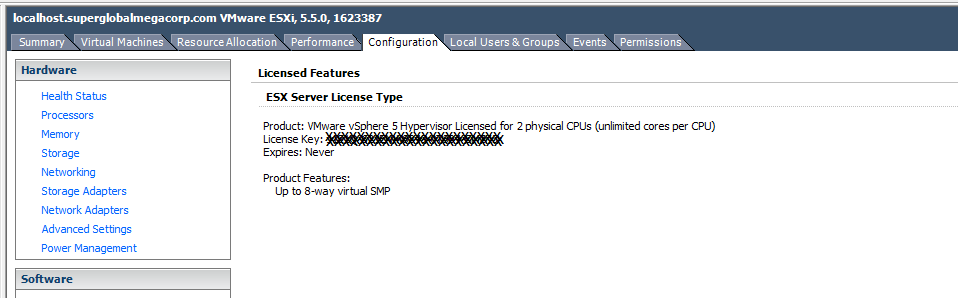
vmware license

2 sockets, unlimited logical processors, no ram limit, never expires!

As you can see this may be more ‘limited’ from the Vcenter’s perspective, but this license doesn’t expire and is good enough for ‘at home’.

For those needing and wanting more, the next step is the VMware vSphere Essentials Kit package, which is $560 USD.  But this is good enough to get your feet wet in the world of VMWare.

Running Microsoft Exchange from home.

Well thanks to my latest outage, I’ve gone back from having an Exchange server in the “cloud” (well really a server I rented), to a Virtual Server at home.

First my ‘plan’ is to get a VPS that I can run OpenVPN on.  From there I’m going to build a VM at home that will also run OpenVPN, and it will connect to the VPS.  I will then setup routing, so that the Exchange server can then communicate with the VPS’s internal interface, and the VPS can communicate directly with the exchange server.  I’ll then configure postfix to store & forward email to the Exchange server.  This way if the link drops, the VPS will just spool the mail.  Finally I’ll setup SpamAssasin to filter out the SPAM.

First you will need to have a tun0 interface in your VPS.  Almost everyone supports this these days so it shouldn’t be too hard… If you cannot get a tun0 interface, perhaps ppp0 with pptp..?

I followed these instructions on setting up OpenVPN on Debian 6.  Now granted, I’m using Debian 7, but the instructions are pretty much the same.  Basically you have to setup a CA (Certificate Authority), and then you generate a Server certificate, and a client certificate.  For my needs, I’m going to issue single certificates for everything(one) that connects into my VPN.  I also have a network at home that I want routed to the VPS, so this is included (192.168.0.0/24).

A simple server.conf looks like this:

port 1194
proto udp
dev tun
ca ca.crt
cert server.crt
dh dh1024.pem
server 10.8.0.0 255.255.255.0
ifconfig-pool-persist ipp.txt
client-config-dir ccd
route 192.168.0.0 255.255.255.0
keepalive 10 120
comp-lzo
persist-key
persist-tun
status openvpn-status.log
verb 3

And a the client configuration I’m using is this:

client
dev tun
proto udp
remote MYHOST MYPORT
resolv-retry infinite
nobind
persist-key
persist-tun
ca ca.crt
cert hong-kong-home.crt
key hong-kong-home.key
ns-cert-type server
comp-lzo
verb 3

In the directory /etc/openvpn/ccd on the server, I have to ensure that I have a file called ‘homefw’ which is the common name of the client certificate.  It has to contain the following line to ensure that my home network is routed to the VPS.

iroute 192.168.0.0 255.255.255.0

Don’t forget to turn on ip forwarding on both the VPS, and the local ‘tunnel router’.  For Linux based stuff you need to make sure that “/proc/sys/net/ipv4/ip_forward ” is a 1.  You can just do a simple “echo 1 > /proc/sys/net/ipv4/ip_forward ” in “/etc/rc.local” or go through your distributions networking documentation to make sure you set it up ‘correctly’.

In OpenBSD I just simply uncomment the following line from /etc/sysctl.conf

net.inet.ip.forwarding=1 # 1=Permit forwarding (routing) of IPv4 packets

If you don’t have routing in place you’ll notice that you can only ping the tunnel interfaces, but not the IP’s on the LAN.  While this may be fine for a p2p or client setup it isn’t good enough if you want to route traffic.

I’m running VMWare ESXi 5 at home, and thankfully it does support Windows NT 4.0 Server out of the box.  I setup a Domain Controller running DNS & WINS.  The VMWare tools won’t work properly with some service pack (4 I think?) but I went all the way to 6, along with the rollup.  Until you load the service pack, the network adapter will *NOT* work.

I’m going with Exchange 5.5, so again I installed another NT 4.0 server, service packed it, and joined it with the domain controller.  Remember to install IIS, and the ASP update, as 5.5 OWA needs asp. Be sure to apply the latest service pack for Exchange, SP4 – in the case of Exchange 5.5 .

Now for routing I could go with dynamic routing, or static routing.  I chose static as I didn’t want to get too involved for this project, as I needed to get email flowing as quickly as possible.

route add 10.8.0.1 mask 255.255.255.255 192.168.0.49 -p

From Windows NT.

It is imperative no matter what version of Exchange you run, that you turn off the open relay “feature”.  A great step by step guide is available here on msexchange.org .

With the basic routing in place you should be able to talk to the Exchange servers’ SMTP engine.  You may want to setup either a local DNS and populate the VPS’s source address or put in some host entries for it.

# telnet 192.168.0.55 25
Trying 192.168.0.55…
Connected to 192.168.0.55.
Escape character is ‘^]’.
220 exchange.superglobalmegacorp.com ESMTP Server (Microsoft Exchange Internet Mail Service 5.5.2653.13) ready
HELO
250 OK

Now it would be insane to place an Exchange server directly onto the internet.  Plus when the VPN link is down, it’d be nice to have the VPS store email and forward it when it can.  So for this task I installed postfix.

For me the big changes in main.cf were:

mydestination = nodedeploy.superglobalmegacorp.com, localhost.superglobalmegacorp.com, , localhost
relayhost =
mynetworks = 127.0.0.0/8 [::ffff:127.0.0.0]/104 [::1]/128 10.8.0.0/24 192.168.0.0/24
mailbox_size_limit = 0
recipient_delimiter = +
inet_interfaces = all
relay_domains = superglobalmegacorp.com work.com
transport_maps = hash:/etc/postfix/transport
virtual_alias_domains = virtuallyfun.com
virtual_alias_maps = hash:/etc/postfix/virtual

This will permit my exchange server to relay out my VPS, and tell postfix that it’s OK to accept email for the various domains I have.

My transport database is very simple.  For the email accounts I’m using two domains, so I simply instruct postfix to forward emails destined to these domains to the exchange server

superglobalmegacorp.com smtp:192.168.0.55
work.com smtp:192.168.0.55

And for domains I couldn’t be bothered to create mailboxes for, instead I have their email setup to forward to an existing box using a virtual domain in the ‘virtual’ file.

[email protected] [email protected]
[email protected] [email protected]

Now due to the nature of postfix you need to generate database hashes for it to work, so my script to kick this off is:

postmap hash:/etc/postfix/transport
postmap /etc/postfix/virtual
newaliases
postfix reload

Which isn’t too involved once you get the bits in the right place.

Assuming you’ve got your MX records setup on the outside, with any luck you should start seeing some mail flow through.  If not telnet to port 25 and start talking to your mail server.

One problem I have is that superglobalmegacorp.com is an old domain, and it’s lapsed a few times to different idiots who not only added to the ridiculous spam lists I’m on, but also spammed from it as well.  So to deal with SPAM, I went ahead and installed spamassassin, as described in this page.

As mentioned adding the two lines to master.cf got it going

smtp inet n – – – – smtpd -o content_filter=spamassassin -o syslog_name=postfix/submission
spamassassin unix – n n – – pipe
user=spamd argv=/usr/bin/spamc -f -e /usr/sbin/sendmail -oi -f ${sender} ${recipient}

And I did change the spamassasin local.cf

use_razor2 1
use_dcc 1
use_pyzor 1

As I do get a lot of spam.

I don’t think most people will care, but this is more so for me keeping my notes straight.  So yeah I run Exchange 5.5 at home (which I got on ebay for $25!) with Outlook 2003 on Windows XP x64.  It works well enough for me.
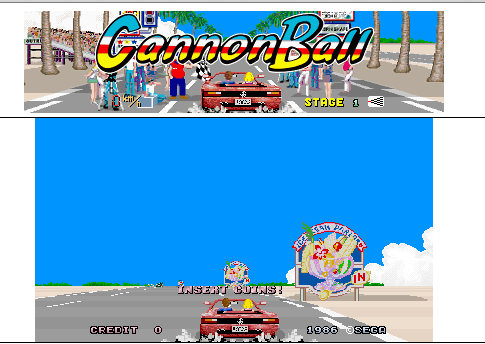
CannonBall!

CannonBall!

CannonBall!

So while indulging my SEGA kick, I came across something super cool, a blog dedicated to reverse engineering and porting outrun to C++, Reassembler!

Now this is pretty awesome in that not only does it work (and boy does it!), his Outrun! project, CannonBall runs on OS X, Windows, Linux, and can you believe it, javascript. (you need an OutrunB ROM for this, as it loads all it’s sound, music, graphics and map resources from an Outrun rom set).   You can read about his javascript porting adventure here, the TL;DR version is that he used emscripten to  convert clang’s LLVM bytecode into javascript.  Boy does this seem to open up quite a few possibilities as javascript compilers seem to get better and better on the browser side.  I happily get 60fps on my MacBook Air with Chrome.

Even better he’s got another project, LayOut, which lets you build your own maps for CannonBall!

For fun, be sure to check out his Easter Eggs section, there is quite a bit of stuff hiding in these old ROMs.  Not to mention there is enough other gamestuff in them, that SEGA didn’t build each game for their boards in a vacuum.

All and all, I’d say it’s a good read!

OpenBSD 5.5 released!

McFishy

McFishy

OpenBSD 5.5 was just released! And in case you don’t get the DeLorean reference, this release focuses on fixing the 2038 issue!

From the change list:

  • time_t is now 64 bits on all platforms.
    • From OpenBSD 5.5 onwards, OpenBSD is year 2038 ready and will run well beyond Tue Jan 19 03:14:07 2038 UTC.
    • The entire source tree (kernel, libraries, and userland programs) has been carefully and comprehensively audited to support 64-bit time_t.
    • Userland programs that were changed include arp(8), bgpd(8), calendar(8), cron(8), find(1), fsck_ffs(8), ifconfig(8), ksh(1), ld(1), ld.so(1), netstat(1), pfctl(8), ping(8), rtadvd(8), ssh(1), tar(1),tmux(1), top(1), and many others, including games!
    • Removed time_t from network, on-disk, and database formats.
    • Removed as many (time_t) casts as possible.
    • Format strings were converted to use %lld and (long long) casts.
    • Uses of timeval were converted to timespec where possible.
    • Parts of the system that could not use 64-bit time_t were converted to use unsigned 32-bit instead, so they are good till the year 2106.
    • Numerous ports throughout the ports tree received time_t fixes.

Wow, that’s pretty cool!

And of course for VMware users:

  • New vmx(4) driver for VMware VMXNET3 Virtual Interface Controller devices.
  • New vmwpvs(4) driver for VMware Paravirtual SCSI.
  • New vioscsi(4) driver for VirtIO SCSI adapters.
  • New viornd(4) driver for VirtIO random number devices.

In addition the new vxlan driver looks pretty interesting too!

As always get your copy from one of the many HTTP mirrors, and why not support the project with the purchase of a CD or poster?

free. functional and secure...

free. functional and secure…

PCem 8.1

I somehow forgot to write about this in the shuffle.  But the fantastic emulator PCem,  has a new website, a new release, new forums, and public software versioning!

So what is new in 8.1?

  • New machines – SiS496/497, 430VX
  • WinChip emulation (including MMX emulation)
  • New graphics cards – S3 Trio64, Trident TGUI9440AGi, ATI VGA Edge-16, ATI VGA Charger, OAK OTI-067, ATI Mach64
  • New sound cards – Adlib Gold, Windows Sound System, SB AWE32
  • Improved GUS emulation
  • MPU-401 emulation (UART mode only) on SB16 and AWE32
  • Fixed DMA bug, floppy drives work properly in Windows 3.x
  • Fixed bug in FXAM – fixes Wolf 3D, Dogz, some other stuff as well
  • Other FPU fixes
  • Fixed serial bugs, mouse no longer disappears in Windows 9x hardware detection
  • Major reorganisation of CPU emulation
  • Direct3D output mode
  • Fullscreen mode

And even better the latest versions allow NTVDM to run on Windows NT (for those who need it..) and a slew of other OS/2 & NT related fixes.

I really like PCem as I can run things like EMM386, and of course running the real BIOS makes it feel all the more real.  The soundcard & video card choices in 8.1 are simply AMAZING.  Just be aware some combinations of video cards & CPUs are incompatible.    So if something isn’t working, it’s probably a CPU/video card combo.  Also I really enjoy Return to Zork on this setup, it feels pretty good!  And the AWE-32 setup for Doom rocks!  I haven’t tried it’s Gravis Ultrasound support yet, but I would imagine it should be comparable to DOSBox at a minimum.  All I find PCem lacking is networking.

You can download my latest binary snapshot here(megaco.nz).  I’ll eventually figure out something better about this later.

Running Virtual PC 2007 on VMWare Player

I’ve always liked Virtual PC, and it was a shame IMHO when Microsoft twisted this fantastic utility in some glorified IE6 box, A’la “Windows XP Mode” for Windows 7.

So I downloaded and installed VMWare Player, as I’ve heard you can use it to run ESX among other things requiring hardware acceleration, and  player fits the bill for being cheap.

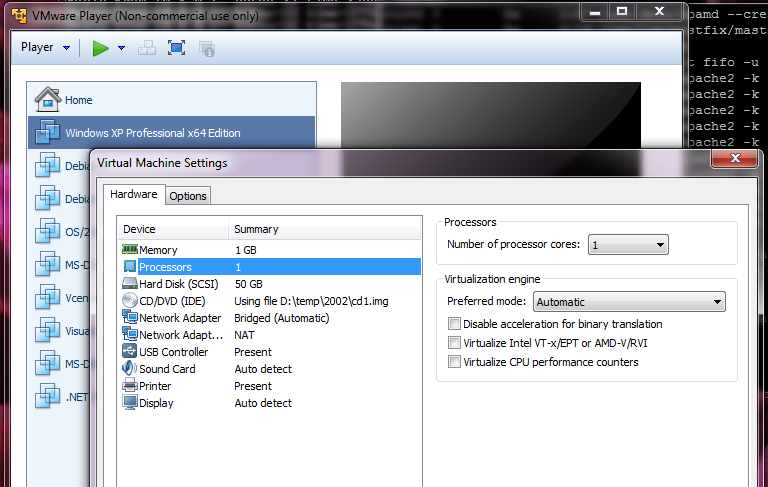
Passing the hardware acceleration to a child VM is a matter of checking a single box in the settings.  Namely the ‘Virtualize Intel VT-x/EPT or AMD-V/RVI” box.  Although you don’t have to click it if you want, it just offers greater performance.

Windows XP x64 setup

VMWare Player

Now I installed my old copy of XP x64, as I felt like something different, then I went ahead and installed Microsoft Virtual PC 2007 sp1.  The installation was pretty uneventful.

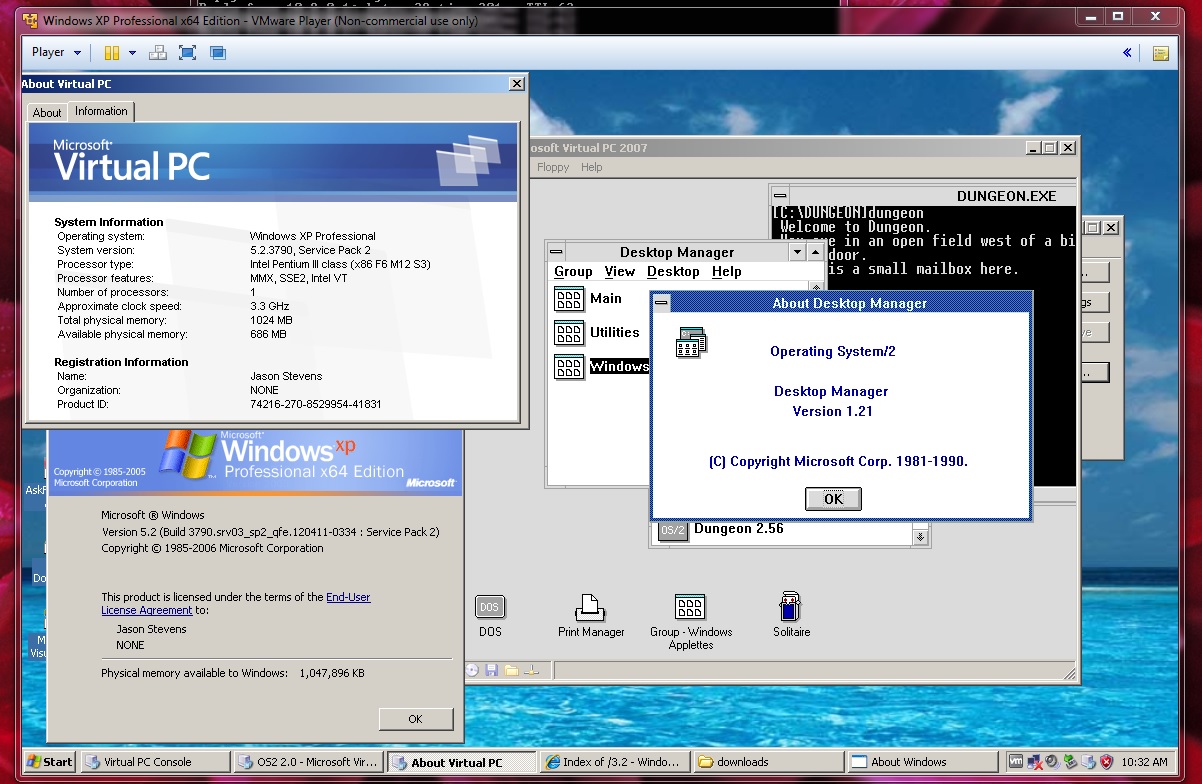
Now with that out of the way, I could setup a VM,and I decided to install OS/2 1.21 for the heck of it.

OS2 1.21 on virtual pc on VMWare player

Virtual PC running OS/2 1.21 without hardware acceleration

And it booted up no problems, like it did back in the XP days.  I even ran it with and without CPU acceleration and it works on both, but is noticeably faster with acceleration.

With Intel-VT acceleration

With Intel-VT acceleration

So I thought this was interesting, although Virtual PC has been essentially dead ended, it can go on with an older OS in a VM, to let you run VMs.

I would imagine that if VMWare Player could run Virtual PC 2007, that 2004 should work as well.

50 years of BASIC!

Wow time flies!

So if you are interested, TIME magazine has a fantastic article on the history of basic!

To celebrate, there is the GE simulator ‘true basic‘ on Dartmouth , and another more obscure (and seemingly deleted) simulator for MS-DOS.  Which is interesting at least for more demo programs.

There is even a ‘web‘ based simulator, but I haven’t tried it.

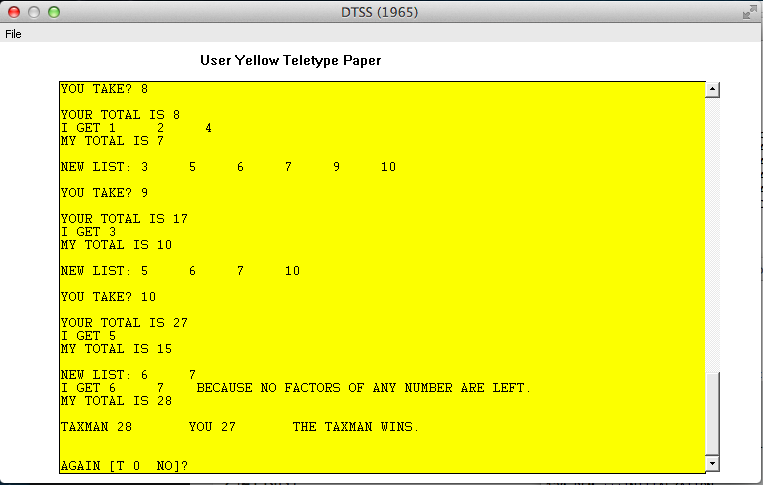
For the heck of it, I took an old ‘game’ taxman.bas (Downloaded from here, and which I extracted with SIMH) and with a couple of line changes, got it to run.

10 DIM T(10)
20 DIM L(50)
101 PRINT
104 PRINT”HI, I’M THE TAXMAN”
106 PRINT”DO YOU WANT THE REGULATIONS”
108 LET R = 1
110 IF R<>0 THEN 900
120 REM ***INITIALZATION
122 GOSUB 800
124 REM ***THE HUMAN TAKES A NUMBER
126 GOSUB 500
128 REM *** COMPUTE THE HUMAN’S AND TAXMANS TOTLES
130 GOSUB 570
132 REM *** PRINT THE NEW LIST
134 GOSUB 600
136 REM *** CHECK IF ANY NUMBERS STILL HAVE FACTORS
138 GOSUB 650
140 IF M=1 THEN 126
142 REM *** FIND THE WINNER
144 GOSUB 700
146 REM *** AGAIN?
148 GOTO 750
496 REM
497 REM *** THE HUMAN MOVES
498 REM
500 PRINT
502 PRINT
504 PRINT”YOU TAKE”;
506 INPUT K
508 LET K=INT(K)
510 IF K <= 0 THEN 750
512 IF K <=N THEN 518
514 PRINT K;”IS NOT IN THE LIST — TRY AGAIN.”
516 GOTO 502
518 IF L(K)=0 THEN 514
520 REM FIND ALL THE FACTORS
522 IF K>1 THEN 530
524 PRINT”THERE ARE NO FACTORS OF”;K;”FOR ME.”
526 PRINT”ARE YOU TRYING TO SHORT-CHANGE THE TAXMAN?”
528 GOTO 502
530 LET M=0
532 FOR I=1 TO K/2
534 IF L(I)=0 THEN 544
536 IF K <> I*INT(K/I) THEN 544
538 LET M=M+1
540 LET T(M)=I
542 LET L(I)=0
544 NEXT I
546 REM CHECK WETHER THERE WERE ANY FACTORS
548 IF M=0 THEN 524
550 LET L(K)=0
552 RETURN
566 REM
567 REM *** COMPUTE THE HUMAN’S AND TAXMAN’S TOTALS
568 REM
570 LET Y=Y+K
572 PRINT”YOUR TOTAL IS”;Y
574 PRINT”I GET”;
576 FOR I=1 TO M
578 PRINT T(I);
580 LET Z=Z+T(I)
582 NEXT I
584 PRINT
586 PRINT”MY TOTAL IS”;Z
588 RETURN
596 REM
597 REM *** PRINT THE NEW LIST
598 REM
600 PRINT
602 PRINT”NEW LIST:”;
604 LET M=0
606 FOR I=1 TO N
608 IF L(I)=0 THEN 614
610 PRINT I;
612 LET M=1
614 NEXT I
616 RETURN
646 REM
647 REM *** CHECK IF ANY NUMBERS STILL HAVE FACTORS
648 REM
649 REM CHECK IF THE LIST IS EMPTY
650 IF M=0 THEN 690
652 FOR I=N TO 4 STEP -1
654 FOR J=2 TO I/2
656 IF L(J)=0 THEN 664
658 IF I<> J*INT(I/J) THEN 664
660 LET M=1
662 RETURN
664 NEXT J
666 NEXT I
668 REM THE TAXMAN GETS THE REST OF THE NUMBERS
670 PRINT
672 PRINT”I GET”;
674 FOR I=1 TO N
676 IF L(I)=0 THEN 682
678 PRINT I;
680 LET Z=Z+I
682 NEXT I
684 PRINT”BECAUSE NO FACTORS OF ANY NUMBER ARE LEFT.”
686 PRINT”MY TOTAL IS”;Z
688 LET M=0
690 RETURN
696 REM
697 REM *** FIND THE WINNER
698 REM
700 PRINT
702 IF Z>Y THEN 708
704 PRINT”YOU”;Y;” TAXMAN”;Z;” YOU WIN!!!”
706 RETURN
708 PRINT”TAXMAN”;Z;” YOU”;Y;” THE TAXMAN WINS.”
710 RETURN
746 REM
747 REM *** AGAIN?
748 REM
750 PRINT
752 PRINT
754 PRINT”AGAIN (Type 0 for NO)”;
756 INPUT R
759 IF R=0 THEN 999
760 GOTO 122
796 REM
797 REM *** INITIALATION
798 REM
800 PRINT
802 PRINT”HOW MANY NUMBERS DO YOU WANT IN THE LIST”;
804 INPUT N
806 LET N=INT(N)
808 IF N <= 0 THEN 999
810 IF N=50 THEN 818
811 IF N<50 THEN 818
812 PRINT”AT THIS TIME, REGULATIONS ALLOW A MAXIMUM OF 50 NUMBERS.”
814 GOTO 800
818 LET Y=0
820 LET Z=0
822 PRINT
824 PRINT”THE LIST IS:”;
826 FOR I=1 TO N
828 PRINT I;
830 LET L(I)=1
832 NEXT I
834 IF N>1 THEN 844
836 PRINT
838 PRINT”HOW VERY GENEROUS OF YOU TO FORFEIT ALL TO THE TAXMAN.”
840 PRINT”TAXMAN 1 YOU 0 THE TAXMAN WINS.”
842 GOTO 750
844 RETURN
896 REM
897 REM *** INSTRUCTIONS
898 REM
900 PRINT
901 PRINT”YOU TRY TO BEAT THE TAXMAN.”
902 PRINT
904 PRINT”WE START WITH A LIST OF WHOLE NUMBERS IN NUMERICAL”
906 PRINT”ORDER (YOU DECIDE HOW MANY).”
908 PRINT
910 PRINT”YOU TAKE A NUMBER FROM THE LIST — THE TAXMAN GETS”
912 PRINT”ALL THE FACTORS OF YOUR NUMBER THAT ARE STILL LEFT”
914 PRINT”YOUR NUMBER AND ALL OF ITS FACTORS ARE THEN DELETED”
916 PRINT”FROM THE LIST.”
918 PRINT
920 PRINT”FOR EXAMPLE, SUPPOSE YOU WANT TEN NUMBERS TO BE IN THE LIST.”
922 PRINT”THEN THE LIST WOULD BE: 1 2 3 4 5 6 7 8 9 10″
924 PRINT
926 PRINT”IF YOU TOOK 8, THE TAXMAN WOULD GET: 1, 2, AND 4″
928 PRINT”AND THE NEW LIST WOULD BE: 3 5 6 7 9 10″
929 PRINT”TYPE <RETURN> TO GO ON”
932 PRINT”THE TAXMAN MUST GET SOMTHING EVERY TIME SO YOU CAN”
934 PRINT”ONLY PICK A NUMBER THAT HAS FACTORS LEFT,”
936 PRINT
938 PRINT”WHEN NONE OF THE REMAINING FACTORS,”
940 PRINT”THE TAXMAN GETS THEM!!!”
942 PRINT
944 PRINT”YOUR SCORE IS THE SUM OF NUMBERS YOU TAKE.”
946 PRINT”IF YOU WANT TO GIVE UP, TAKE 0.”
948 PRINT”GOOD LUCK !!!”
950 GOTO 122
999 END

Taxman!

Taxman!

It’s not much to look at, but it is kinda neat to see it run.

But really, read the Time article!