My ‘vpsland’ thing is back online

I’m not to happy with my solution, but it’ll suffice for now.

So every day, I have cron fetch me a new password from makeagoodpassword.com,  update some httpassword entry, and use PHP for a simple redirect.

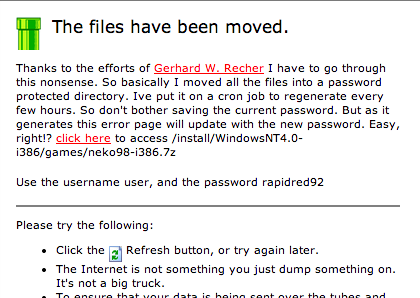
So let’s say I wan to get neko for the i386, the link was http://vpsland.superglobalmegacorp.com/install/WindowsNT4.0-i386/games/neko98-i386.7z  Now when you click on the link you get a 404 looking page that has a link to the new directory structure, and includes the username & password (I’m not currently evil enough to generate a random user, but I may have to do that in the future…).

New password procedure

Click the click here link!

So the new path lives in the /old directory making the new location of neko98 http://vpsland.superglobalmegacorp.com/old/install/WindowsNT4.0-i386/games/neko98-i386.7z

So use the username/password combo on the page, and you’ll be good to go.

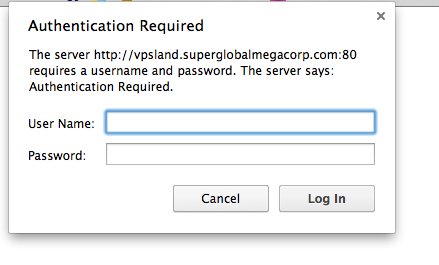
Enter the username / password

For example user/rapidred92

Sorry about all this.

CP/M-68K Simulator

I found this last night and thought it was worth sharing.

This simple CP/M-68K simulator, is built around the famous Musashi MC68000 simulator core.  So it’s a little more well debugged than the SIMH CP/M-68k. Namely that COM works!

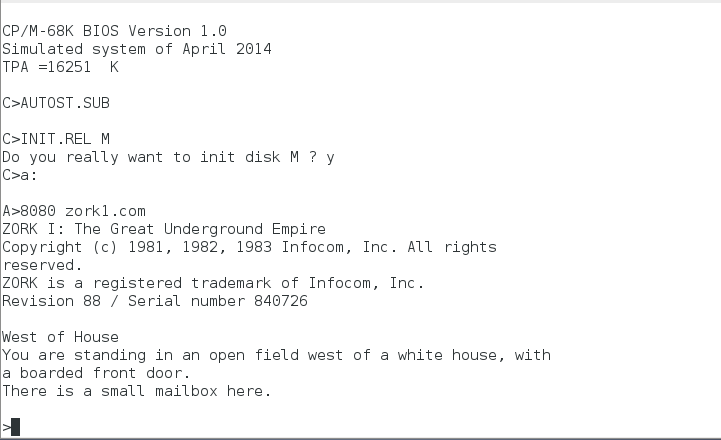
COM running Zork1 on CP/M-68K

COM running Zork1 on CP/M-68K

I managed to build this under Window with MinGW, the only caveats were that it opens the disk files without explicitly in binary so on Windows it opens everything in ASCII and nothing works.  Also MinGW doesn’t emulate a vt100 or provide termios so all of that had to be commented out.  But for the full experience you’d want to run it on *NIX.

I suppose you could write an ANSI intercept, and manipulate the NT Console, but that is a lot of work.

On the plus side, this solution is more stable, faster and feels more robust with a 16MB hard disk, and a standard IBM 3740 floppy disk in the ‘a’ position.

One thing that was a snag to me, was the windows version of cpmtools is built to default to the apple-do type, aka Apple II CP/M skew for DOS 3.3 … So I was trying to setup a floppy image with too much work.  Also the default size of the 3740 disk is 256,256 bytes.

For example: 

C:\temp\cpm\cpmtools>cpmls -f ibm-3740 zork1.cpm

0:
bye.com
zork1.com
zork1.dat

But if you find z80/8080 CP/M too mainstream, give the 68k a shot!

Now this reminds me of “turning the engine off and then back on again at 55 mph.”

the v86-64 patch, Allows you to enter v86 mode from long mode on a 64bit linux kernel.

Basically it works just like an old school DOS Extender, where it’ll switch from long mode, to 32bit compatible mode, then enter v86 mode run some code, then re-enter 32bit mode, to jump back into 64bit long mode.

From an old mailing list:

PERFORMANCE
This 64-bit DOSEMU compile runs substantially slower than the 32-bit compile
that I used previously on this computer.  I have several rather large
PowerBASIC/DOS programs that are, in fact, the main reason why I use DOSEMU.

Up until a couple of days ago, I had Fedora 7/i386 on this computer.  I just
happen to still have the numbers when compiling one of those programs with
PowerBASIC/DOS under DOSEMU:

With F7/i386:  1686600 lines per minute -- total time to compile the program:
0.2 seconds

With F8/x86_64:  230400 lines per minute -- total time to compile the program:
1.6 seconds.

The F8/x86_64 DOSEMU is running approximately 13 times slower.

Which I bet runs a bit faster than an old 386.

George R R Martin Writes with WordStar 4!

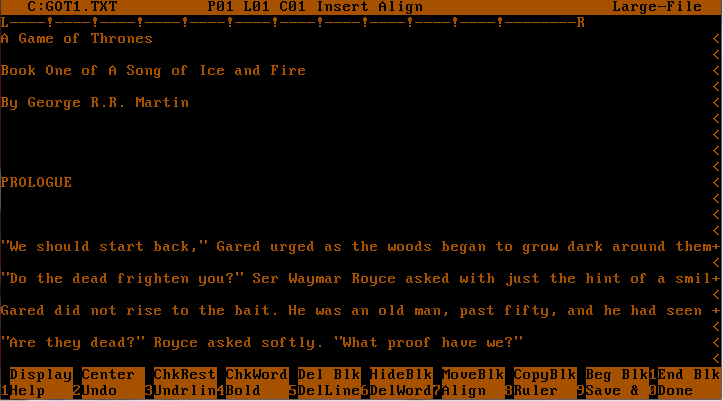
So apparently it’s all the news, The best selling series, Game of Thrones was written using Wordstar 4.  On a dedicated MS-DOS computer of all things.

Game of thrones..

What George probably sees..

Well isn’t that kinda cool.

As he says, he likes Wordstar because it doesn’t try to think for him, and he likes MS-DOS because there is no distractions.

“I actually like it, it does everything I want a word processing program to do and it doesn’t do anything else,” Martin told Conan O’Brien. “I don’t want any help. I hate some of these modern systems where you type a lower case letter and it becomes a capital letter. I don’t want a capital. If I wanted a capital, I would have typed a capital. I know how to work the shift key.”

He best says it back in 2007:

I do my writing on a completely different computer than the one I use for email and the internet, in part to guard against viruses, worms, and nightmares like this. My work machine does not even use Windows (which I loathe). I write with WordStar 4.0 on a pure DOS-based machine. Mock if you must… but WordStar and DOS are both stable as rocks, and never give me the sort of headaches I get from Windows. (I won’t even talk about Microsoft Word, about which I have nothing printable to say).

For anyone chasing Wordstar nostalgia, you can leaf through the manual.

Wyse Telnet & Serial emulator

While messing around with SIMH & CP/M, I had some weird terminal issue, and wanted to try something that wasn’t ANSI.  So I thought I’d try to find a free Wyse 50/60 emulator, and as I kind of expected this type of emulation isn’t cheap.

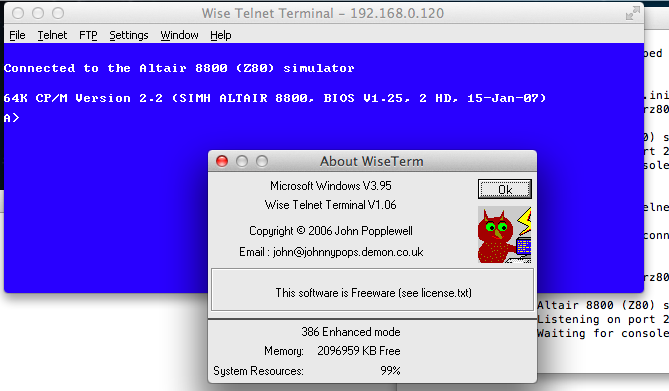
But then I found wyseterm.co.uk, and they made their Win16 stuff free as in beer ware.  Well that sounds pretty good.  Even better is that WINE can still run Win16 applications!

WyseTerm on SIMH

WyseTerm on SIMH

The only real catch I’ve found is that it ONLY will telnet to port 23.

But yeah, a free Wyse terminal emulator.  So far as a CP/M console it seems to be running pretty well.

Updating a Toshiba T-01D Android phone to

First you’ll need to download the last version of Android, 4.03 right here.  This will step you up to build V11R42A.

I think you need the ‘version upgrade package‘, although I wound up kicking it via the bootloader.  Also you have to unzip the 600+MB download, and place it on a SD card on the phone.  Even though the image will fit into RAM on a zapped set, it’s really picky about reading it from flash.

Now because I’m not in Japan, I had to kick the installer off by shutting down the phone, then turning it back on while holding down the menu & back buttons on the phone.

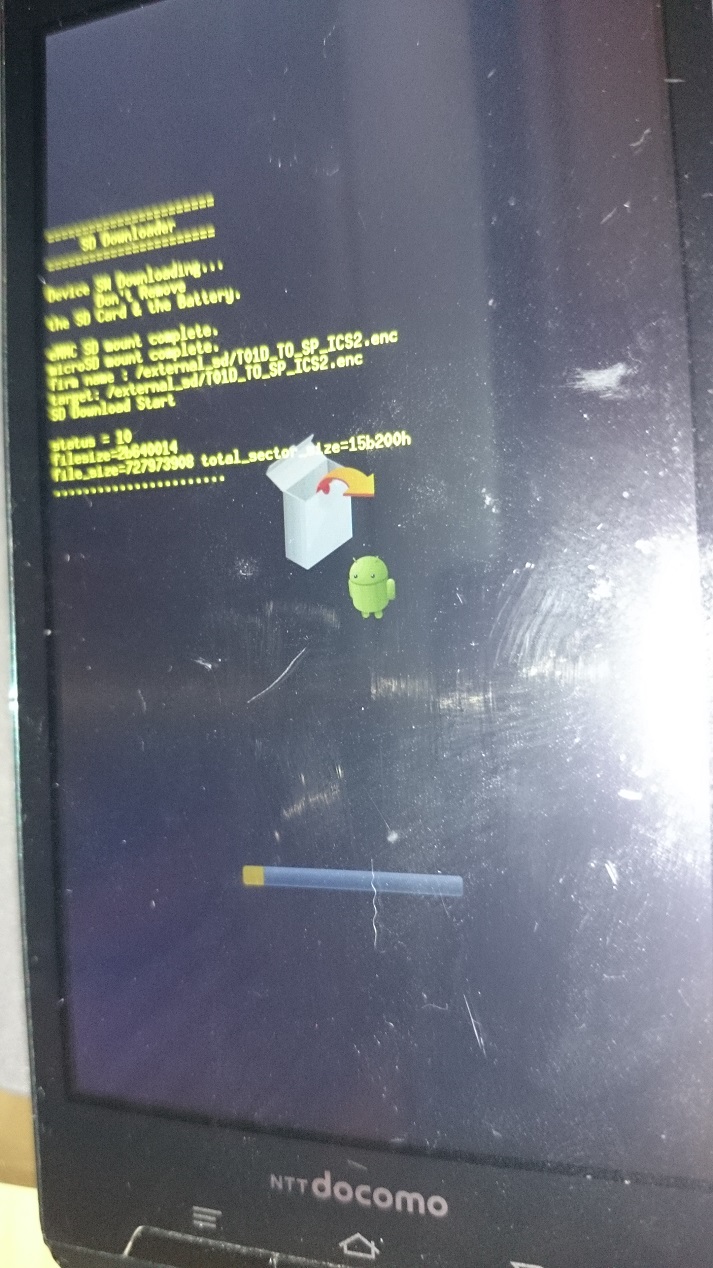
T-01D upgrading itself.

T-01D upgrading itself.

Granted Android 4.0.3 isn’t exactly modern, but it’s a lot better than 2.3!  And for what it’s worth, it sure feels a lot more solid after the upgrade.

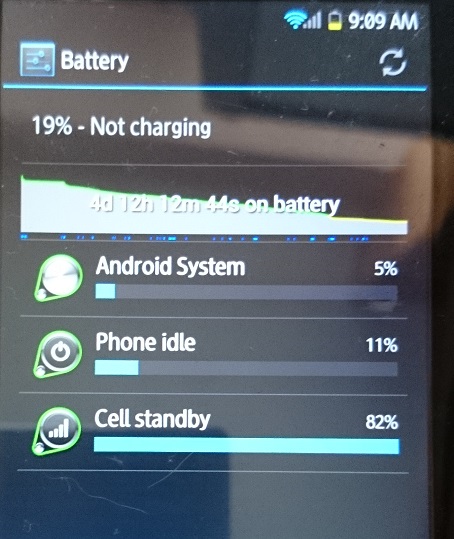
Look at all the runtime!

Look at all the runtime!

Having used the phone after the upgrade, it’s faster and the battery life is VASTLY improved.  If you are unfortunate to have owned one of these phones (or feel unfortunate at it’s 12 hour max lifespan) do yourself a favor and upgrade!

PCem now adds Innovation SSI-2001 emulation

While checking out the PCem source repository, I noticed this little addition:

Innovation SSI-2001 emulation. Using ReSID-FP.

Well, now that is pretty interesting!

from VOGONS

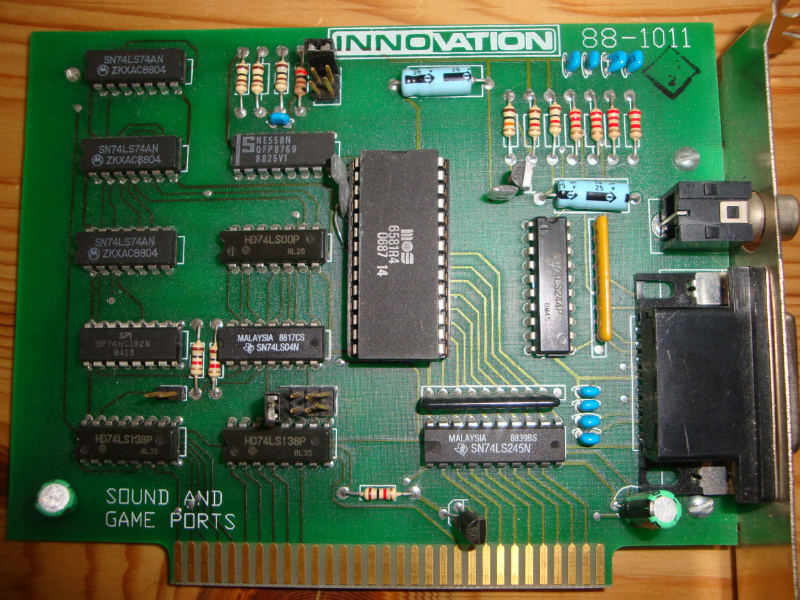
Innovation SSI-2001 board

The SSI-2001 card dates back from when people were starting to try to make the PC into a gaming platform.  While some people were adding chips not used in other platforms, Innovation went the direction of adding a Commodore SID onto an ISA card, giving the PC the sound capabilities of a Commodore 64.  Sadly the card failed to catch on (The Commodore curse?) and it only saw a hand full of games that supported it.

  • Airball
  • Bad Blood
  • Battle Chess II
  • BattleTech: The Crescent Hawks’ Revenge
  • F-19 Stealth Fighter
  • Falcon A.T.
  • Harpoon
  • Joe Montana Football
  • Lord of the Rings Volume 1
  • Red Storm Rising
  • Super Jeopardy
  • Ultima VI
  • Windwalker

From googling around this is the only games I’m aware of.

I recompiled PCem, and enabled the SS1-2001, and loaded up Ultima VI.  It works perfectly well.  And to be honest I like it more than the Adlib! emulation.

Using expect with the F5

Now this one is a little weird.  While it is a *NIX box you can ssh into, the ‘command shell’ tmsh adds some bells and whistles to make it more ‘fun’ for interactive users.  Things like colour, and a pager.  Even worse is that it embeds a bunch of ANSI control sequences in there.

So instead of fighting with a lot of post scrubbing, I googled around, and found you can can invoke tmsh with the -e flag to remove a bunch of the ‘nice features’.  However the pager still embeds itself in the stream.  Apparently a bunch of people re-config the devices to the page length is insanely huge.  I don’t like the idea of making changes just to pull a config, or poke around in an automated fashion.

So luckily there is also the -c flag which let’s us submit a command and get back the results in a nice batch fashion.  And we don’t have to bang the space bar like a crazed lunatic.

#!/usr/local/bin/expect —
set MYUSER “root”
set MYPASS “g00Dp455w0rd#”

set HOST [lindex $argv 0];
set timeout 90
if {$argc!=1} {
puts “Usage is scritpname <ip address>\r”
exit 1
}

#
#
puts “Connecting to $HOST\r”
# turn off stdout
#log_user 0

spawn ssh $HOST -l $MYUSER
# Deal with hosts we’ve never talked to before
# or just logon
#
expect {
“*yes/no*” {send “yes\r” ; exp_continue }
“*assword:” {send “${MYPASS}\r” }
}
expect “*# “

send “tmsh -e -c \”show running-config\”\r”
expect “*(y/n)*”
send “y\r”

#Let’s get out of here
#send “quit\r”
expect “*~ #”
send “exit\r”
expect eof
exit 0

And that’s it!  This one is really simple, compared to the others.

Using expect with Cisco IOS

Following up my JunOS post, here is a handy script I cooked up to pull the configuration from a Cisco IOS device.  The one trip up for this stuff is sometimes you can logon to a cisco device, and you can be at the enabled state, you may have to enable,  and depending on how it’s configured you may have to use an enable password, which may be your password (again) or you may have to use a different password.

So yeah with a bunch of testing around this seems to work well enough for me.

#!/usr/local/bin/expect —
set MYUSER “my_user_name”
set MYPASS “my_password”
set ENPASS “my_enable_password”

set HOST [lindex $argv 0];
set timeout 90
if {$argc!=1} {
puts “Usage is scritpname <ip address>\r”
exit 1
}

#
#
puts “Connecting to $HOST\r”

spawn ssh $HOST -l $MYUSER

# Deal with hosts we’ve never talked to before
# or just logon
#
expect {
“*yes/no*” {send “yes\r” ; exp_continue }
“*assword:” {send “${MYPASS}\r” }
}
set ALREADY 0
expect {
“\r*>” {}
“\r*#” { set ALREADY 1}
“*enied” {exit 1}
“*assword” {exit 1}
}

if { $ALREADY < 1 } {

send “enable\r”
expect “*assword:” {
send “${MYPASS}\r”
expect {
“*enied” {
send “enable\r”
expect “*assword:”
send “${ENPASS}\r”
expect {
“*enied” {
exit 1}
“\r*#” {}
}
}
“\r*#” {}
}
}
}

send “show run\r”

expect {
“ore” {send ” “; exp_continue}
“\r*#” {}
}

#Let’s get out of here
send “q\r”
expect eof
exit 0


This is a little more cleaner than the prior JunOS one, as I’ll keep on improving it.

It works with ASA’s (tested 8.2)and IOS (tested 12.2)

Using expect with a JunOS device.

I’ll add more as I go along, but the first annoying thing was that there was no ‘central’ repository of configs.  Now call me old fashioned, but I liked the old days when telnet was scriptable and I could go and talk to my Cisco stuff.. but here we are in 2014, and I suppose I should break down and use that ‘expect’ package I’ve heard so much about.

So I have this Linux host that I want to talk to all these hosts.  The first problem is that it being a new host it hasn’t talked to anything so it doesn’t know the private keys.  Annoying.  The other thing is that some commands like to initiate a pager, which takes time to slap the space bar.  It’s much better to have the computer do it.

#!/usr/local/bin/expect —
set MYUSER “my_user_id”
set MYPASS “my_password”
set HOST [lindex $argv 0];
if {$argc!=1} {
puts “Usage is scritpname  <ip address>\r”
exit 1
}

puts “Connecting to $HOST\r”

spawn ssh $HOST -l $MYUSER
# Deal with hosts we’ve never talked to before
# or just login
#
expect {
“continue connecting (yes/no)?”
{send “yes\r”
expect “password:”
send “$MYPASS\r”
}
# We’ve been here before
“password:”
{send “$MYPASS\r”}
}
# Some commands run from configure, some don’t.
# It may be easier to just enter configure mode
expect “> ”
send “configure\r”
expect “# ”
#
# Pick a command to run
send “run show arp no-resolve\r”
#send “save terminal\r”
#send “run show lldp neighbors\r”
#
# Deal with paging. I don’t want to make any
# changes at *ALL* to the device, so instead
# I deal with the pager
#
expect {
“more” {send ” “; exp_continue}
“# ” {send “exit\r”}
}
# We are done, get out of here!
#
expect “>”
send “exit\r”

So in this shell example I’ve set it up to recognize that it’s never established before.  I know it’s messy that it has the password 2x I guess I could do variable substitution if I was more scripty but right now I just want to get some basic things in/out of the routers all the time, such as port status, MAC’s and I want it like yesterday.

The important part of the ‘more’ bypass is the exp_continue keyword.  Which took a lot of googling around because everyone “expects more”.  It’s kind of annoying when your keywords are common English words.

And as you can see, this is a good enough base for doing some more complicated things.  Of course I wouldn’t roll changes out automatically, but for the adventurous there you go.  It wouldn’t take much to adapt this for Cisco stuff, as the CLI operates more or less the same.

The real fun begins with parsing all this stuff.