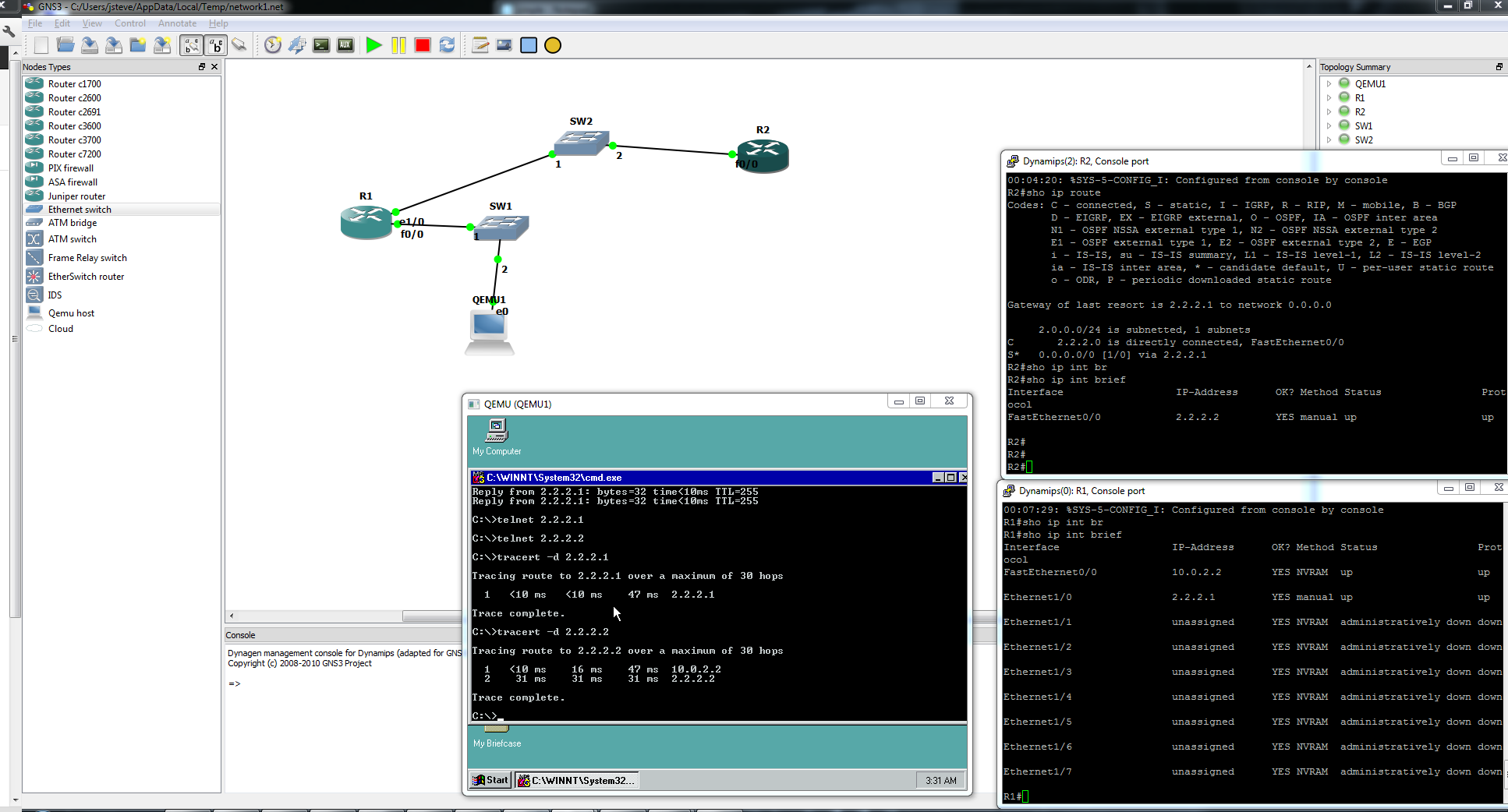
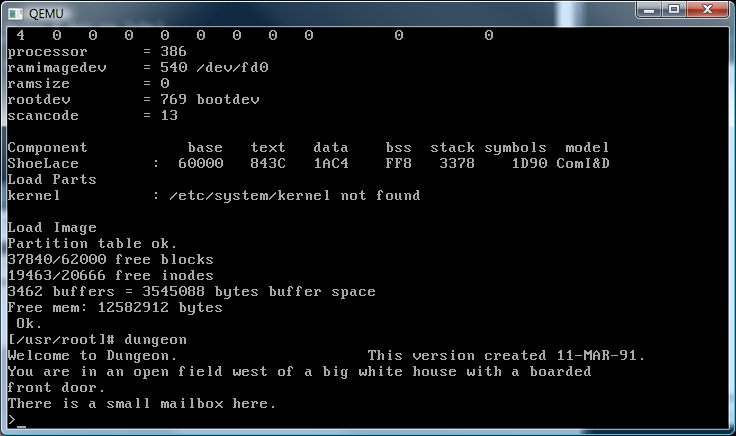
Qemu 0.15.1 just released!

From the site:

0.15.1

  • (commit) Version 0.15.1
  • (commit) qed: fix use-after-free during l2 cache commit
  • (commit) sdl: Fix termination in -no-shutdown mode
  • (commit) Fix termination by signal with -no-shutdown
  • (commit) Add support for finding libpng via pkg-config.
  • (commit) Check for presence of compiler -pthread flag.
  • (commit) Allow overriding the location of Samba’s smbd.
  • (commit) Fix linker scripts
  • (commit) Fix install(1) usage to be compatible with OpenBSD’s install(1).
  • (commit) Fix qjson test of solidus encoding
  • (commit) configure: Copy test data to build directory
  • (commit) monitor: fix build breakage for !CONFIG_VNC
  • (commit) monitor: fix build breakage with –disable-vnc
  • (commit) Fix forcing multicast msgs to loopback on OpenBSD.
  • (commit) user: Restore debug usage message for ‘-d ?’ in user mode emulation
I haven’t even tried to build it just yet…  One day I’m hoping someone does the hard work for a win64 version… 🙂

Yet another update for Novell Netware 3.12

I managed to come across this link, which details some installation experience with Netware 3.12 on VMWare.

What is more interesting is that someone mentions that it’ll run on VirtualBOX!

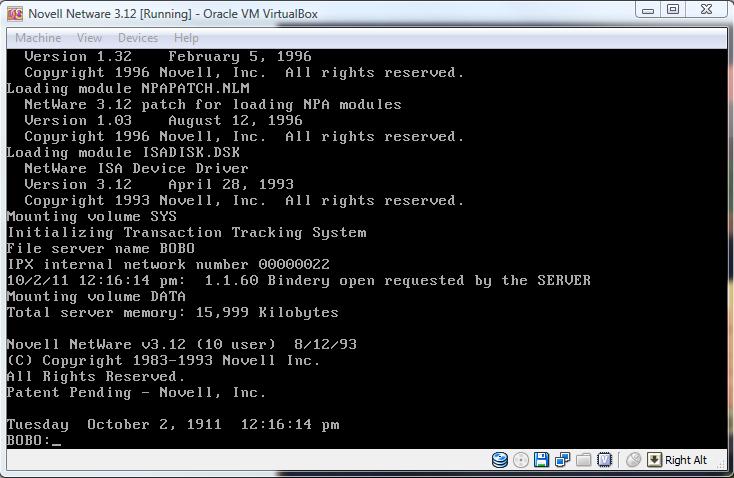
So downloading their toolset and whatnot I proceed to install on VirtualBOX, and get a booting Netware 3.12 system using the ISADISK driver… I couldn’t find the IDEHAM thing but you get the idea, it actually WORKS!

Novell Netware 3.12 on VirtualBOX!

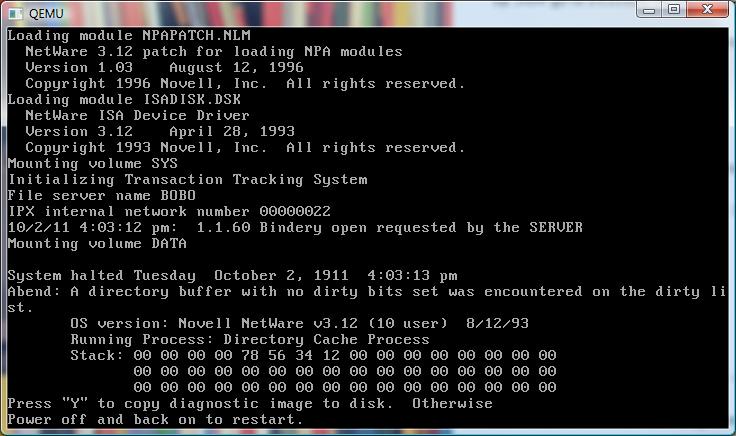
I’ve got to admit I’m really surprised!  So for the heck of it I try the same disk image on Qemu and get…

CRASH...

The usual panic/crash after mounting a disk volume.  Its a damned shame, but hell at least there is something out there that can run Novell Netware!!!

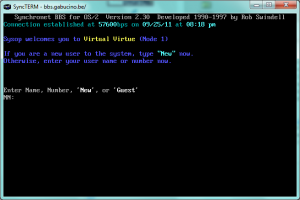
Another OS/2 Synchronet BBS

It’s always cool to see them pop up in the wild.  So here is the quick writeup on gabucino.be going over some of the trials of setting up bbs.gabucino.be ..

And apparently he’s had far better luck getting the modems to operate well more like modems.  So no cheating as I did by using passive mode FTP to transfer QWK packets in & out of the system.  Its all very cool, and of course powered by OS/2 on Qemu so that makes me happy!

There isn’t a flash/java based page, so I’d recommend using syncterm.

cloning an IDE Linux machine with netcat

I’ve ran into some weird instance of this old RedHat Linux machine that is starting to die.. The old 30GB disk is clicking rather loudly…!

To make matters worse, the computer is not only in another country but on another continent.  And no the users won’t let me take it down, ship it or let local techs work on it, they want it virtualized, and they want it to be done without taking it down…

All I have to work with is an old Windows 2003 server with a big external USB disk, and I don’t even have administrator privileges on the 2003 server so I can’t install anything ‘fun’ like VMWare, VirtualPC, VirtualBOX or anything else.

So I thought I’d go old school with this and use netcat.

Thankfully there is a win32 version of netcat, and the Linux PC already had it installed.  So it really was trivial I must say knowing what to do once all the bits are in place.  From the Windows machine I just ran:

nc -p 2222 -l |gzip -dc > disk0.raw

And on the Linux PC I ran:

cat /dev/hda | gzip -c | netcat 10.0.1.10 2222

So on the Windows side, netcat will listen on TCP port 2222 and then decompress the stream with gzip and save that into the file disk0.raw.  On the Linux side, it’ll read the harddisk, compress the data with gzip and then using netcat redirect the stream to the Windows host.

It took about 30 minutes, I suppose if the disk wasn’t in a questionable state I’d have cleared out the empty space to speed it along, however I felt that doing a large amount of writing to a questionable disk is just asking for trouble.

Once the transfer was complete I was able to then fire up Qemu 0.15.0, and have it mount the raw disk image, and it worked perfectly!  I added the modules for the AMDPCNet card (pcnet32) and I was able to use the user mode NAT via Qemu, and redirect a local TCP port into the VM’s sshd …. Something like this:

qemu -L pc-bios -m 256 -net nic,model=pcnet -net user -hda disk0.raw -no-reboot -redir tcp:3333::22

And that was that.  Now we have a perfect copy of the machine!

Linux turns 20 today….

Wow 1991 was so long ago.  I didn’t get pulled into Linux until the summer of 1992 (0.12 I think?), but wow I’ve sure had my ups & downs with Linux but it certainly had a major impact on everything we do.  Even if it is ‘kind of fringe’ it is in all kinds of things all around us all over the place.  No doubt the whole 20 year thing has been covered pretty much everywhere.

You would be kidding yourself if you have used anything on the internet and not had any interaction with a Linux machine in some manner.  Heck even this blog runs on a Linux VM.

While Linux 0.10 may have been the first ‘usable’ version to many, 0.11 is the first version that has been preserved.  I had even did a Qemu bundle of 0.11 that oldlinux.org had put together as I find Qemu runs Linux better, and of course faster than Bochs.

So here we are and I thought I’d update the Qemu and add in a personal favorite this time…

Download it from sourceforge.

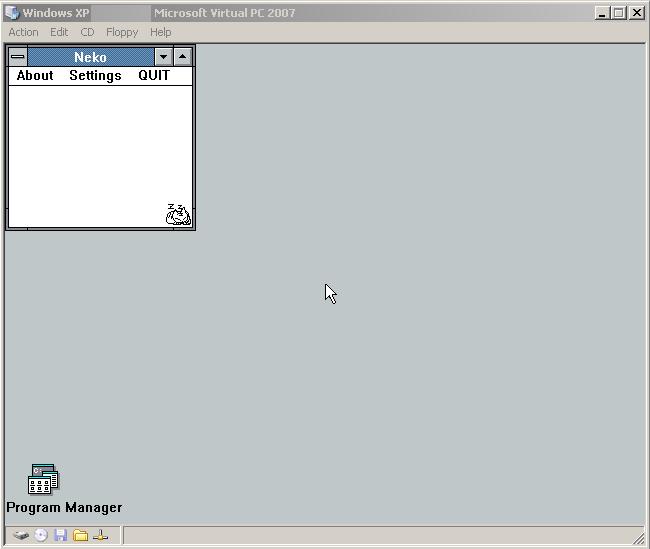
Neko screen saver via QEMU

A while back I found this post on IBM of all places on making a Windows screen saver out of Qemu.

I’ve always wanted to play with this but never really got around to it.  So I figured I’d give it a shot today, and whoa what a LOT of work.  First of all back then they were using Qemu 0.72 which… sucks compared to 0.14.1!

Next things have changed a *LOT* so it did take a bit of work to get this thing to go.  I’m not terribly happy with this but the upshot is that I did manage to create a CD-ROM ISO image that can:

Boot up, load the windows 3.0 demo which then kicks off Neko!

After exiting the demo, it’ll do an APM shutdown of the VM killing Qemu and returning you back to Windows.

So yes, in effect it is a neko screensaver using Windows 3.0 & Neko from 1991.  The installation is manual, the ISO has to live in C:\ .  There is no install program, and I don’t think it works on x86_64 machines.  Also, the neat Windows preview thing doesn’t work (in the small window OR full screen preview.. And full screen textmode in Qemu is broken so while it’s doing the MS-DOS shuffle you’ll get garbage until it comes up in its VGA glory.

I’m kind of hesitant to release this but it it’s been driving me mad.  Also the changes to vl.c are in the ISO for the 2 or 3 people that care about how to remove the madding CLI options from Qemu and perhaps either read a config file or hardcode it what to do.

So, for those of you who think you can handle it, it’s right here.

 Oh and the patch is like this in vl.c

    /* second pass of option parsing */
    optind = 1;
for(;;) {
        if (optind >= argc)
            break;
        if (argv[optind][0] != '-') {
                if(1==1){
              /* Going to run as a Windows screen saver */
              full_screen = 1 ;
                data_dir = ".";
              ram_size=16*1024*1024 ;
                no_reboot = 1;
                drive_add(IF_DEFAULT, 2, "c:\\neko.iso", CDROM_OPTS);

		argc--;
		optind--;       //turn off the 2nd uneeded flag...?
              rtc_utc = 0;
              optind += 1 ;
            }
                else {
            hda_opts = drive_add(IF_DEFAULT, 0, argv[optind++], HD_OPTS);

Running Qemu as a Windows service …

Long story short I’m doing some work with a network that suffers a lot of ‘you can’t get there from here’.  They’ve given me VPN access and yet even the VPN cannot get to a lot of stuff.

The solution for them is to use this old server and ssh out from there to the rest of everything.  Which for the most part works fine, but if more than 2 people need to leapfrog suddenly you are waiting in line, or constantly knocking people off.

So, I figured I’d do something different, install a QEMU virtual machine on the server during my allotted hour, and then launch it as a service so that I could leap in/out through the VM leaving the console free.

While I am going to add Qemu as a service, it is still somewhat stealthy as I don’t need device drivers, and I can run it nested as I know this machine is slated to be migrated to VMWare ESX.  And the best part of that is that it’ll continue to run.

So how do we set this kind of thing up?

The first thing you’ll need is srvany.exe instsrv.exe which both can be found in the Windows 2003 resource kit. (what it used to look like)

Installation is very straightforward, just remember to use complete paths for your Qemu, BIOS, and disk files.  Installation goes like this from the command line:

InstSrv qemu c:\qemu-0.15.0\srvany.exe

This will create a service entry named Qemu, which will in turn kick off the srvany executable from the resource kit.  Now I know what you are thinking, what about Qemu?  Well we have to specify that using regedit.  Also remember that because you are going to run this as a service you don’t want the SDL display popping up and scaring some poor hapless user.  So the first thing I’d recommend is to work out the flags that you want to start with.  Something like this:

c:\qemu-0.15.0\qemu -L c:\qemu-0.15.0\qemu\pc-bios -hda mydisk -net nic -net user -redir tcp:2222::22 -vnc w.x.y.z:2223

This will redirect tcp port 2222 into the VM for ssh, and sits the VNC display on port 2223 …

So we fire up regedit and navagate to HKEY_LOCAL_MACHINE\SYSTEM\CurrentControlSet\Services\Qemu

There we add a new key “Parameters”.  Then add an ASCII key of “Application” then just paste in all of the qemu flags as mentioned above (or changed as needed by you).

Then you can simply start/stop the thing using the net start/net stop.

I suppose this is a little subversive (lol) but sometimes you’ve got work to do and the best way through it to piggyback on someone else’s computer.  Also I really fail to see the ‘wisdom’ in creating ACLs that only permit you to access your routers/switches from your desktop when you could easily *NOT* be in the office.  Or this guy just likes the excuse of not being able to work from home.

Anyways not to ramble but that’s how I ‘fixed’ the issue without ruffling too many feathers.