Windows 8 x64 and Qemu

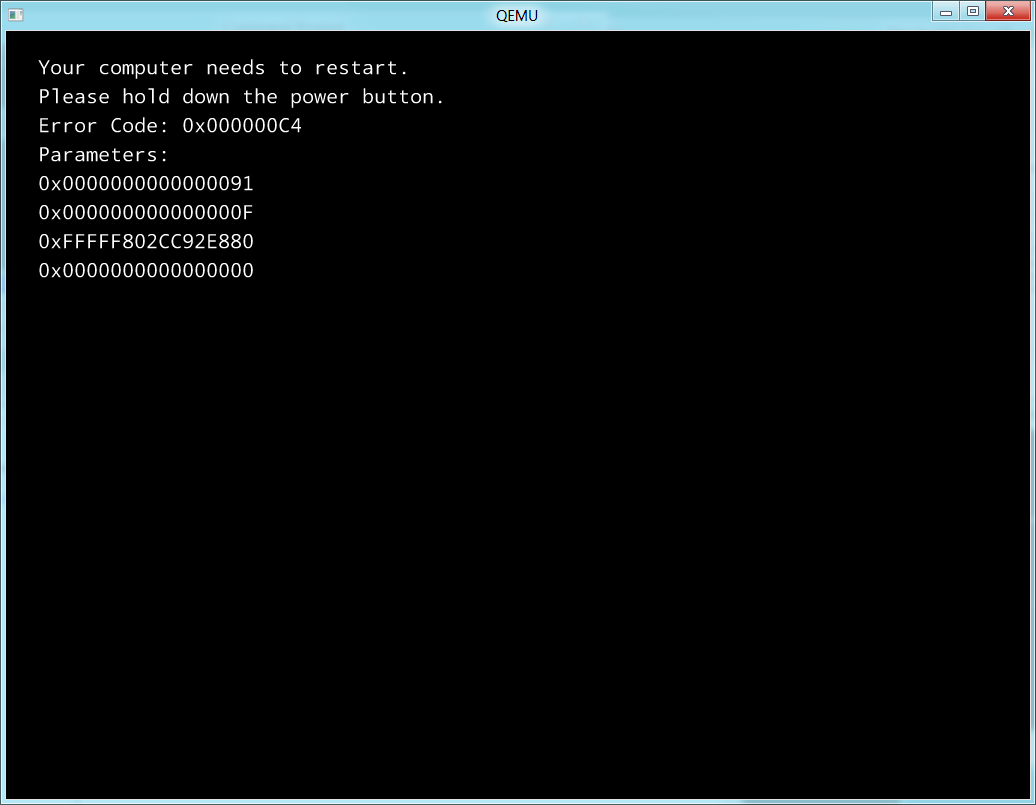
Since people have been asking, does it work with Qemu 1.0.1?  And the answer, sadly is ….


sadly…

no.

As you can see the primary error code is 0x000000c4

0x0000000000000091

0x000000000000000f

0xfffff802cc92e880

0x0000000000000000

And that is about it…..  And of course keeping in mind that Qemu hasn’t been able to boot a 64bit version of Windows since 0.9.0 and Windows XP x64/Windows 2003.

Qemu 1.0.1 released

nothing much to see here…. but here it is.

Also the changelog:

  • (commit) Version 1.0.1
  • (commit) Merge branch ‘s390-1.0’ of git://repo.or.cz/qemu/agraf
  • (commit) Merge branch ‘ppc-1.0’ of git://repo.or.cz/qemu/agraf
  • (commit) e1000: bounds packet size against buffer size
  • (commit) s390: fix cpu hotplug / cpu activity on interrupts
  • (commit) s390x: add TR function for EXECUTE
  • (commit) pseries: Don’t try to munmap() a malloc()ed TCE table
  • (commit) pseries: Populate “/chosen/linux,stdout-path” in the FDT
  • (commit) pseries: Add a routine to find a stable “default” vty and use it
  • (commit) pseries: Emit device tree nodes in reg order
  • (commit) kvm-ppc: halt secondary cpus when guest reset
  • (commit) pseries: Fix array overrun bug in PCI code
  • (commit) console: Fix segfault on screendump without VGA adapter
  • (commit) Merge branch ‘master’ of ssh://git.qemu.org/pub/git/qemu-stable-1.0
  • (commit) rbd: always set out parameter in qemu_rbd_snap_list
  • (commit) Documentation: Add qemu-img -t parameter in man page
  • (commit) qemu-img rebase: Fix for undersized backing files
  • (commit) coroutine: switch per-thread free pool to a global pool
  • (commit) qiov: prevent double free or use-after-free
  • (commit) PPC: Fix linker scripts on ppc hosts
  • (commit) target-sh4: ignore ocbp and ocbwb instructions
  • (commit) usb-ohci: td.cbp incorrectly updated near page end
  • (commit) usb-host: properly release port on unplug & exit
  • (commit) usb-storage: cancel I/O on reset
  • (commit) Fix parse of usb device description with multiple configurations
  • (commit) pc: fix event_idx compatibility for virtio devices
  • (commit) pc: add pc-0.15
  • (commit) cris: Handle conditional stores on CRISv10
  • (commit) configure: Enable build by default PIE / read-only relocation sections on OpenBSD amd64/i386.
  • (commit) target-i386: fix cmpxchg instruction emulation
  • (commit) hw/9pfs: Use the correct signed type for different variables
  • (commit) hw/9pfs: replace iovec manipulation with QEMUIOVector
  • (commit) hw/9pfs: Use the correct file descriptor in Fsdriver Callback
  • (commit) hw/9pfs: Add qdev.reset callback for virtio-9p-pci device
  • (commit) hw/9pfs: Reset server state during TVERSION
  • (commit) hw/9pfs: use migration blockers to prevent live migration when virtfs export path is mounted
  • (commit) hw/9pfs: Improve portability to older systems
  • (commit) exec.c: Fix subpage memory access to RAM MemoryRegion
  • (commit) malta: Fix regression (i8259 interrupts did not work)

Qemu 1.0 binaries for Windows (Win32)

EDIT: Nobody should use these binaries, there was a critical error (well there still is) in how a core procedure is compiled, and it results in major instability, instead use Qemu 1.0.1).

Well after lots of fights, it finally built!  I booted MS-DOS and ran Quake (with sound!)…  I’ve added in my control+alt+d for a CAD, and control+alt+r for reset, and configured the sound for adlib, sound blaster & GUS.

The i386/x86_64 binaries are here.

All other systems are here.

For the most part this is completely untested, but it did boot MS-DOS….  All the DLL’s that you need should be in the archives.  7zip is what I used to keep them small.

Disk access seems to be still slower than hell, so instead of the typical

-hda bla.disk

You will want to do change it to:

 -drive file=bla.disk,if=ide,index=0,media=disk,cache=writeback

Although if it is a qcow2

 -drive file=bla.disk,if=ide,index=0,media=disk,cache=writethrough

Qemu 1.0 dependencies….

So because of some circular dependancies, and me trashing my toolchain I have just re-installed MinGW.  I thought I’d share this little adventure to get Qemu 1.0 to actually configure… Naturally as time goes by these links will get stale and die. sorry about that.

First get

http://ftp.gnome.org/pub/gnome/binaries/win32/glib/2.28/glib-dev_2.28.8-1_win32.zip

http://ftp.gnome.org/pub/gnome/binaries/win32/glib/2.28/glib_2.28.8-1_win32.zip

http://ftp.gnome.org/pub/gnome/binaries/win32/dependencies/pkg-config_0.26-1_win32.zip

This will almost get you a working glib/pkg-config environment.  The catch is when you go to run it, you’ll get some error about not having intl.dll … Well, where the heck does that come from?

$ mingw-get install mingw-utils

After installing this package do *exactly* like this:

cd /mingw/lib
a2dll libintl.a -o intl.dll -liconv
mv -iv intl.dll /mingw/bin/

Special thanks to Fragrant Memories, I don’t think I’d have ever figured that out. Also don’t forget to build zlib/SDL with –prefix=/mingw …

I’ll just update this as the build continues….

Good news, it’s compiling!  I’ve even added in the easy reboot.

Qemu enters the 1.0 RC phase

One of the new and exciting features of 1.0 is TCG, which will allow Qemu to run on *any* host!

TCG (Tiny Code Generator) is a code generator which translates code fragments (basic blocks) from target code (any of the targets supported by QEMU) to a code representation which can be run on a host. TCI allows running QEMU on any 32 or 64 bit host, whereas QEMU without TCI supports only the most important host architectures (including x86, arm, mips, ppc, s390 and sparc).

I need to break down and start some builds…

Qemu 0.13 for GNS3

So I’ve been playing with GNS3 here and there and the #1 thing that is annoying is of course how difficult it is to deal with the CAD problem (Control Alt Delete) esp when dealing with anything Windows NT based.  So I’ve taken my SDL keyboard patches, “fixed” the NE2000 (although enabling that is another story) and made my build available here.

Of course the real work, adding in the UDP networking was done on the GNS user forums, but it sure is nice to be able to quickly login to a test Windows 2000 AD setup…  I don’t know if it’ll interest the rest of you but I thought it was pretty neat.

Now what would be really cool would be to take the ‘Ethernet hub’ of GNS3, and make it into a service, alter Qemu to generate a random MAC and make a real distributed network…. Another thing would be a way to take SLIRP and merge it with the NetUDP to make some kind of real world ‘NAT’ type thing.  Although I guess I could always add some extra flags to the Qemu process to include a second NIC and set it up for ‘user’ networking … something like “ -net nic,model=pcnet,vlan=1 -net user,vlan=1” to add an AMD PCNet card that talks to the ‘user’ or NAT networking component…

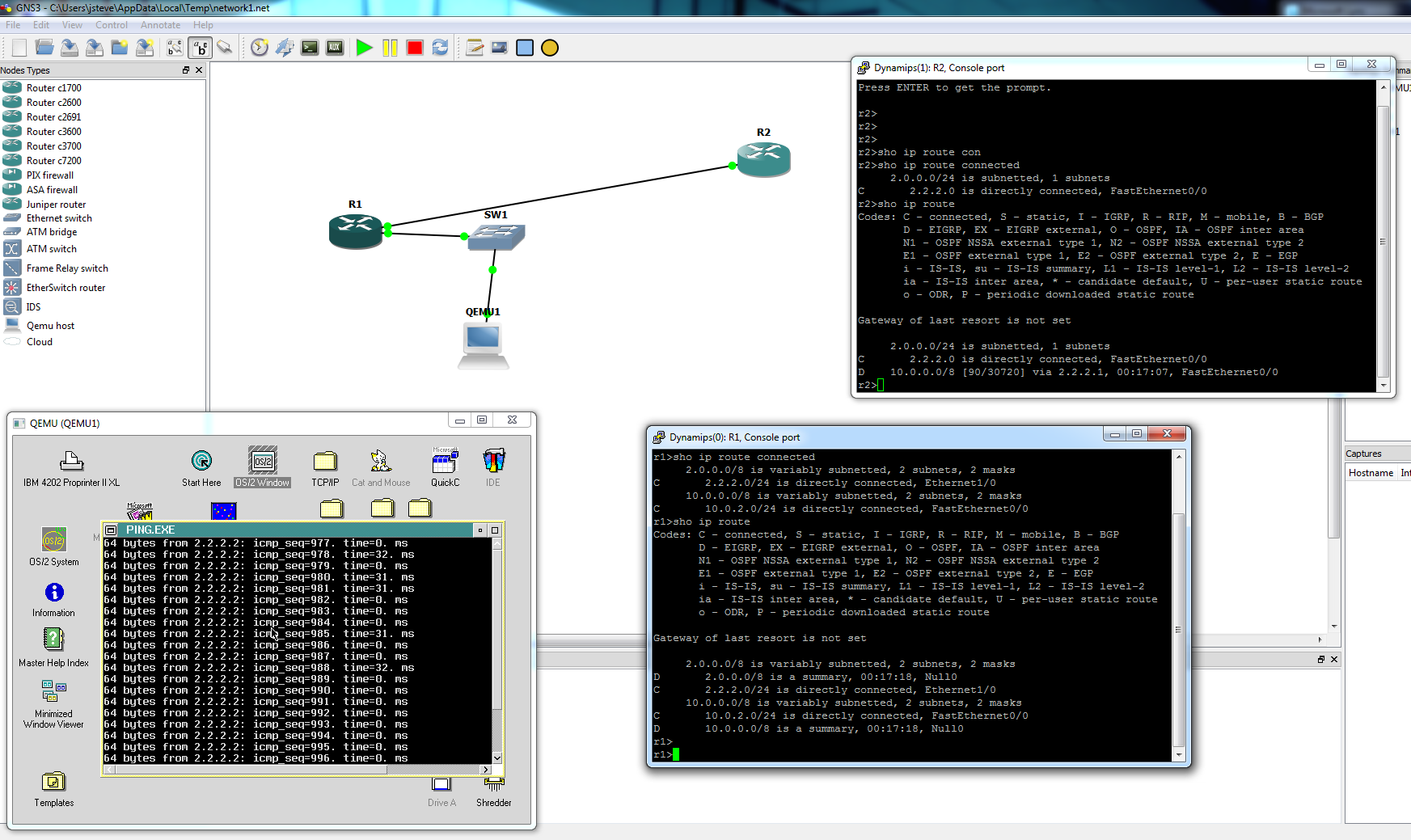
A super simple network with OS/2 Qemu!

Quake & QuakeWorld for MS-DOS update

So after a year+ of inactivity I’ve spent some time with Quake (netquake) and QuakeWorld for MS-DOS.  I had modified it to support the WatTCP stack for MS-DOS, allowing you to play over the internet with any MS-DOS PC with a packet driver.

After a good bit of prodding and playing with DJGPP I’ve updated everything to include some new tweaks for a malloc ‘bug’ (Quake assumes the memory is clean, which under DJGPP it isn’t) some limit increases (zone to 1MB, and increases in max edicts, models & sounds), and forcing the sound to 22050Hz.  The source code is now here.  As much as it pained me, I built it with this DJGPP under MS-DOS (On Qemu) and I’m keeping it here, as gcc 3 & 4 are incapable of building a working WatTCP or Quake.

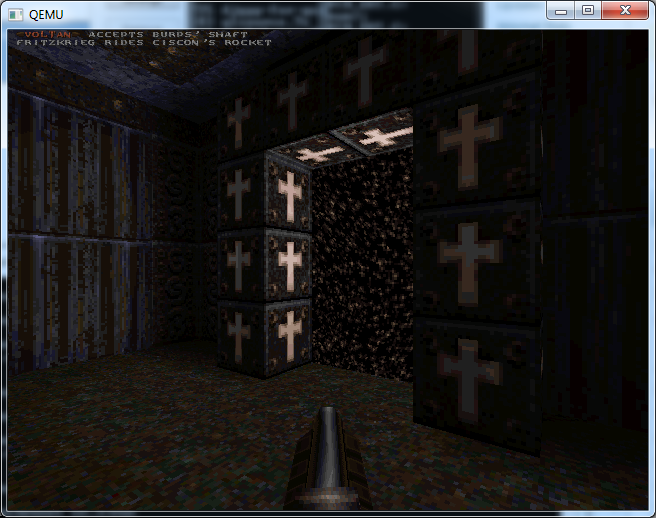
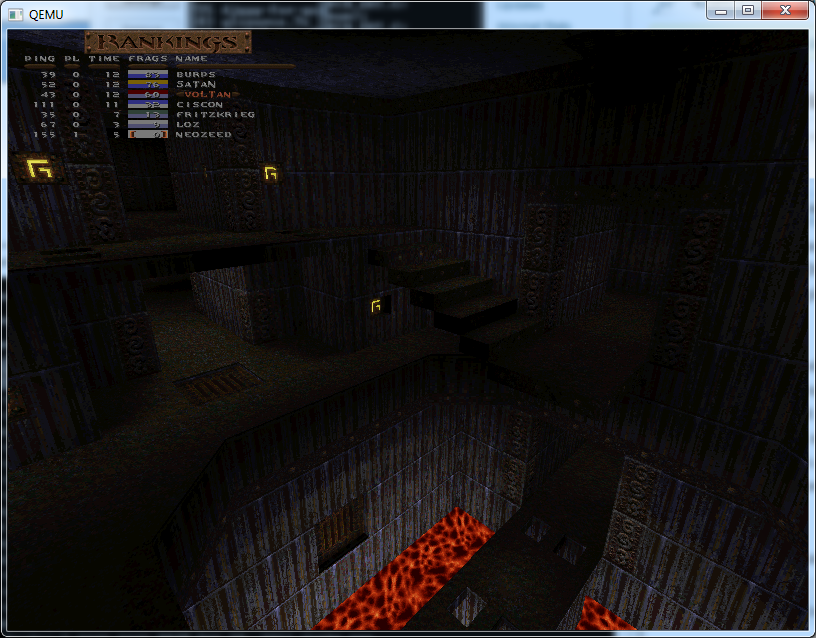
Another big fix for QuakeWorld is that it now can run in 640×480, 800×600, and even 1024×768 if your video card is VESA 2.0 compatible!!!

Basically you can just replace the default exe’s in a Quake1 install and go from there.  If you do not have quake at all, you can always look for the shareware version.  QuakeWorld will require the commercial version for what it is worth. I’ve found it runs best with 32MB of ram.  I don’t know if that is even an issue in this day & age.  Quake1 will run in 16, but I have a feeling QuakeWorld runs in VM (thanks to CWSDPMI) and it does say it is using 32MB … Because I clear the ‘zone’ before Quake runs there may be a 30 second to 1 minute pause.  This is to be expected, just hold tight.

QuakeWorld at 640x480

QuakeWorld at 800x600

QuakeWorld at 1024x768

You can download either Quake.exe or Qw.exe.

Thanks to [hci]maraakate, for the hints on what to update where, and of course the testing on a ‘real pc’!`

SoundBlaster 16 settings for VirtualPC & Qemu

Granted for Qemu I manually add in the Adlib card (why isn’t it there??) but for MS-DOS you almost always have to set the BLASTER environment variable… And I always forget what it is…

SET BLASTER=A220 I5 D1 H5 P330 T5

Which translates to an IO base of 0x220, IRQ 5, DMA 1 and High DMA 5.  Because it has a high DMA channel, it is a Sound Blaster 16, and specified by T5.  If you want to play MS-DOS games in Qemu, be sure to compile in the adlib..

Or at least this works for running Quake & Doom … 🙂

GNS3

Inspired from this video, I have to admit I’m really impressed how GNS3 can now network between dynamips router instances, and Qemu … So I grabbed an old IOS version from a 7200, and fired up Qemu with NT 4.0 and built a super simple network.  Because it won’t let you hotplug cables between hosts, I figured I’d just go ahead and add switches everywhere.  So bottom line is that I setup a super simple network, and I can ping/telnet to the routers from NT.  This could even be used to build more complicated networks, but as always people seem to get more excited about doing ‘pings’ through the network, and overlook actual USER traffic…

GNS3 uses a custom build of Qemu 0.11.0, which I may have to feel the need to modify it for some control-alt-delete fun, along with making sure the ISA NE2000 is on an agreeable port/IRQ.