Happy 25th birthday, Linux! Here’s your f-ing cake, go ahead and compile it yourself.
So it’s always a fun time for me to push my old project Ancient Linux on Windows.  And what makes this so special?  Well it’s a cross compiler for the ancient Linux kernels, along with source to the kernels so you can easily edit, compile and run early Linux from Windows!
As always the kernels I have built and done super basic testing on are:
linux-0.10
linux-0.11
linux-0.12
linux-0.95c+
linux-0.96c
linux-0.97.6
linux-0.98.6
All of these are a.out kernels, like things were back in the old days. Â You can edit stuff in notepad if you so wish, or any other editor. Â A MSYS environment is included, so you can just type in ‘make’ and a kernel can be built, and it also can be tested in the included Qemu. Â I’ve updated a few things, first with better environment variables, and only tested on Windows 10. Â Although building a standalone linux EXE still requires a bit of work, it isn’t my goal here as this whole thing is instead geared around building kernels from source. Â I included bison in this build, so more of GCC is generated on the host. Â Not that I think it matters too much, although it ended up being an issue doing DooM on GCC 1.39.
So for people who want to relive the good old bad days of Linux, and want to do so from the comfort of Windows, this is your chance!
As you can see it clearly can see the USB device, but when it opens the device it fails. And yes I’ve tried Administrator. Â And for the hell of it, I fire up Windows XP on VMWare, connect the USB dongal, and amazingly:
MIDI:Opened device:win32
MIDI:win32 selected USB Audio Device
MIDI:Opened device:win32
MIDI:win32 selected USB Audio Device [2]
MIDI:Opened device:win32
MIDI:win32 selected Microsoft GS Wavetable SW Synth
MIDI:Opened device:win32
Yes, I can open the out port just fine. Â So now I run a virtualizer to run my emulator to drive a physical peripheral… Ugh. Â Has MIDI been this messed up all along and I never noticed?
Oh yeah, the GS Wavetable Synth works fine, as did MUNT before I uninstalled it, thinking it was somehow interfering with anything.
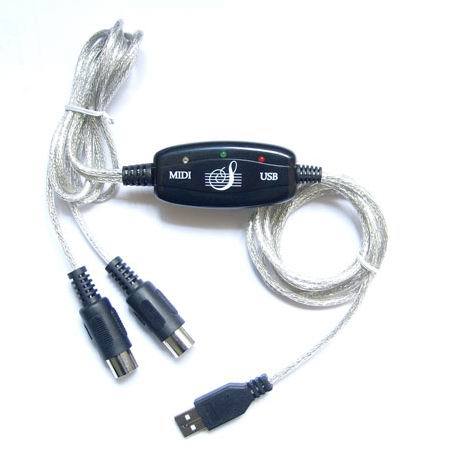
I know I’m using this fine device, the QinHeng USB MIDI adapter, which apparently is notorious crap, but my recently acquired Yamaha MU 80, works fine with it on Windows XP.
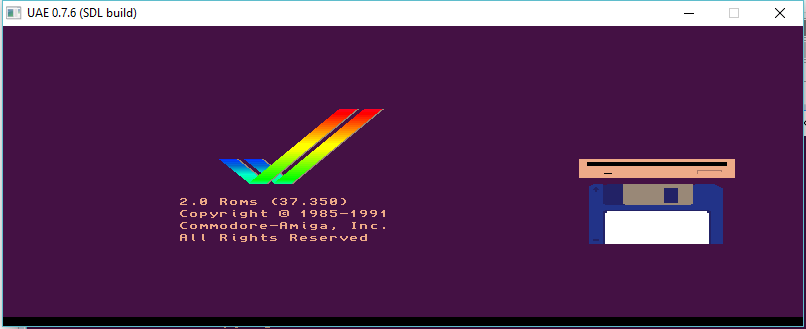
I can’t find any source of the 0.5 versions, and I had issues with 0.6.x  but with enough mashing of stuff around I did manage to get 0.7.6 to compile, then leaning more on the xwin.c source file I was able to get the SDL output working for 32bit depth (does anyone even have 8bit displays anymore?).  I suppose with this version working I can go back and take a stab at resurrecting 0.6.x
What is cool is that 0.7.6 (perhaps earlier versions of 0.7?) switched from a non commercial license to the GPL 2.0 license.
I managed to ‘fix’ the keyboard in this version so that not only does it not type too fast, but it’ll remember “sticky” keys like shift, control & meta. Â So now you can actually use the CLI, and change disks. Â Double clicking is an impossibility as it simply runs far too fast. Â I compiled in audio support but didn’t bother with the SDL end, as it would sound like noise with it running so fast.
I also updated UAE 0.4, with the fixed keyboard code, and it’s usable now as well, with the same caveat that it simply is just too fast. Â UAE is from an era where a 100Mhz computer was a luxury item. Â Now some $5 computer, you could pack in breakfast cereal has a 1Ghz processor.
For the 2/3 people who care, I put the binary & source tree on sourceforge here. UAE 0.4 & UAE 0.1 are also available for download, plus all the source code I’ve been able to find.
I know with all the talk of GCC 6.1.0 for MS-DOS, and other platforms, you must be thinking that all this talk of progress, and high versions numbers just isn’t right! I’ve just started to migrate code to GCC 5.1, and now you are telling me there is a GCC 6!
Where can I turn away from all this so-called progress! I don’t like my C compilers to be C++ programs that require massive HOURS to compile. Can’t we just go back to the good old days?
And the answer is YES, you can!
While looking for some libraries on another project, I came across this old defunct project called RSXNT. And it’s a port of EMX to Win32 platforms! Well isn’t that fantastic!
So, considering I was able to build GCC 1.40 and cross compile to Linux 0.11 from Windows, can we do something with this?
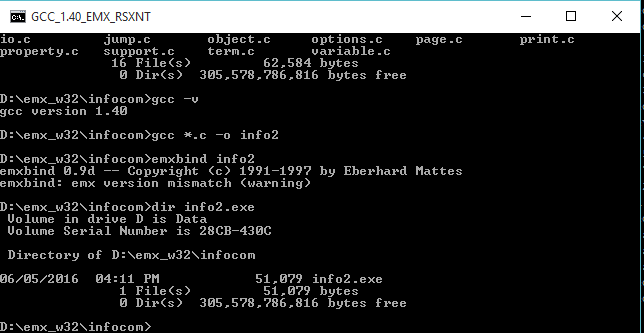
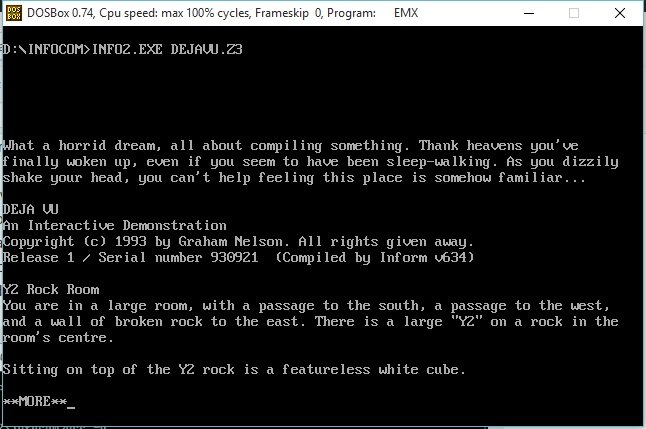
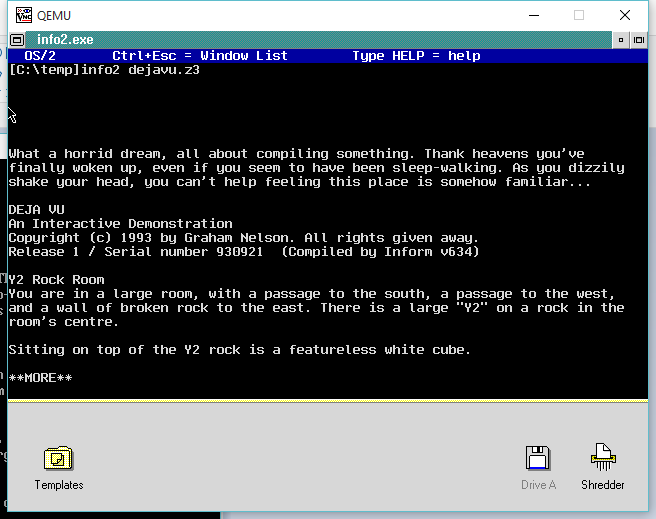
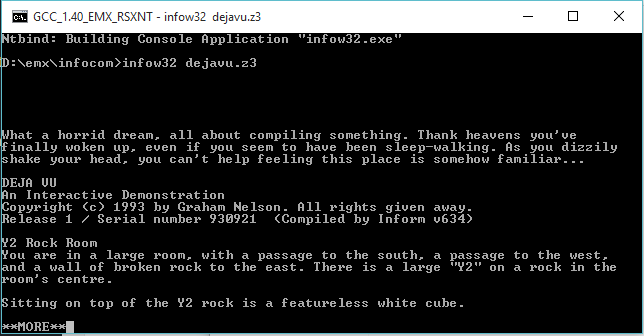
Well ancient versions of EMX are very difficult to track down. Somehow, I did manage to find this hybrid of 0.8B & 0.8C. The EMX runtime & binaries are from 0.8C, but the source code is from 0.8B. And the best thing is that the 0.8B is based around GCC 1.40! So with a little bit of tweaking the files, and messing around I got the assembler, linker, and C compiler to build with MinGW! Sadly the source code to EMXBIND, wasn’t included in the zips that I have, but the aformentioned RSXNT packages included a version of EMXBIND that will run on Windows! So I managed to mash them together, and for the fun of it, I’m using the old InfoTaskForce interpreter from 1987 to complete the vintage feel.
Compiling & Binding
Now with my executable, I can run it on MS-DOS & OS/2!
MS-DOS via DOSBox
and OS/2 2.0!
OS/2 (on Qemu)
Well isn’t that fantastic!
However when running RSXNT’s bind, NTBIND I got this error:
D:\emx_w32\infocom>..\bin\ntbind info2
No relocations in file:
you have not linked the NT library
Great. Some more digging around, and if you want to make Windows programs, you need to use the RSXNT includes & libraries. So I shifted the libraries around, and patched gcc to call the linker the same way RSXNT’s gcc driver calls it, and first go this error:
io.o: Undefined symbol __streams referenced from text segment
And looking at the stdio.h there is this:
extern struct _stdio _streams[];
No doubt, the headers & libraries are tied together. So now making both of the RSXNT versions, I can link the executable. (YES I did try declaring the structure anyways, and I get stdout, but stdin doesn’t work).
Running on Windows 10
Just like EMX before it, RSXNT, requires you to have the RSXNT.DLL file in your path, or in the same directory. I suppose it’s a fair trade off. Not that I expect there to be a surge of people cross compiling from Windows to OS/2, or even MS-DOS these days. GCC 1.40 is ancient, 1991 vintage, but even Linus Torvalds loved it!
For comparison, GCC 5.10 produces a 55,906 byte interpreter, while GCC 1.40 produces a 88,576 byte interpreter.
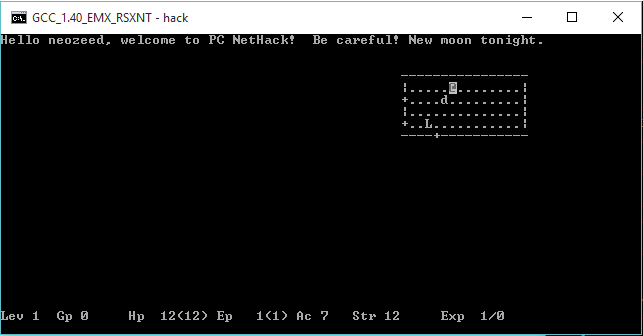
For an attempt at porting some code, I choose Nethack 1.3d, and used the MS-DOS based makefiles. It didn’t work so well, but I was able to patch in enough of the unix based termios logic, and thanks to EMX/RSXNT’s built in termios capabilities I was able to get a working version!
Nethack 1.3d on Windows 10 x64
I don’t know if there really was any advantage to compiling with GCC 1.40, but it was great to see that this 1991 compiler could handily compile the 1987 based code.
How about some speed comparisons? I dug out the ancient dhrystone.c, and gave it a shot. I had to define 500,000,000 passes, as my computer is fast. GCC 1.40 only offers -O for optimization, while GCC 5.1 offers many more levels, but for this quick experiment they really aren’t needed.
D:\emx\demo\dhry>gcc140.exe
Dhrystone(1.1) time for 500000000 passes = 57
This machine benchmarks at 8771929 dhrystones/second
D:\emx\demo\dhry>gcc140_O.exe
Dhrystone(1.1) time for 500000000 passes = 40
This machine benchmarks at 12500000 dhrystones/second
D:\emx\demo\dhry>gcc510.exe
Dhrystone(1.1) time for 500000000 passes = 43
This machine benchmarks at 11627906 dhrystones/second
D:\emx\demo\dhry>gcc510_O.exe
Dhrystone(1.1) time for 500000000 passes = 16
This machine benchmarks at 31250000 dhrystones/second
D:\emx\demo\dhry>gcc510_O2.exe
Dhrystone(1.1) time for 500000000 passes = 14
This machine benchmarks at 35714285 dhrystones/second
D:\emx\demo\dhry>gcc510_Ofast.exe
Dhrystone(1.1) time for 500000000 passes = 11
This machine benchmarks at 45454545 dhrystones/second
As you can see, GCC 1.40 produces the slowest code. While it’s optimized code did beat out GCC 5.10 with no optimizations, turning on optimizations did blow it away. And again GCC 5.1 beat out the older 1.40 for executable sizes.
And this time by over a 2x lead! It is fair to say that the new versions of GCC, despite being significantly larger do indeed produce smaller and faster code.
For anyone who’s read this far, I guess you want to take it out for a test drive? Remember it is still EMX based, which means is wants to live on the ROOT of your hard disk. I’m using the ‘D’ drive for myself, so if you are using C or whatever you’ll need to alter the environment vars.
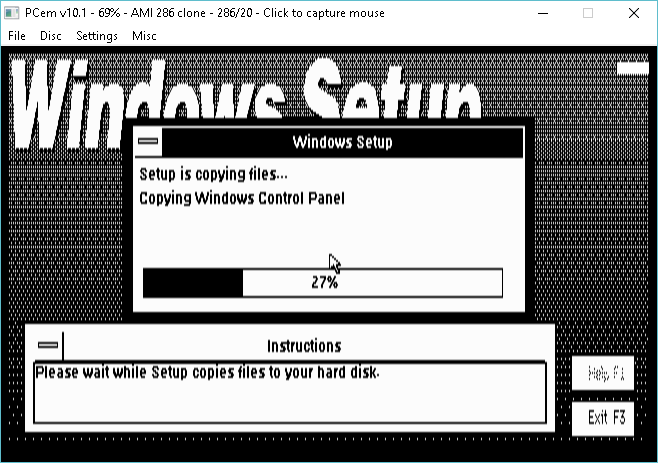
So I’ve always heard about the incompatibility, and I thought I’d give it a try in PCem. Â I know I used to run DR-DOS 5.00 and Windows 3.0 (because of the CGA driver) and it worked fine.
So just to prove it works, here I am installing Windows 3.0 on DR-DOS 5
Installing Windows 3.0
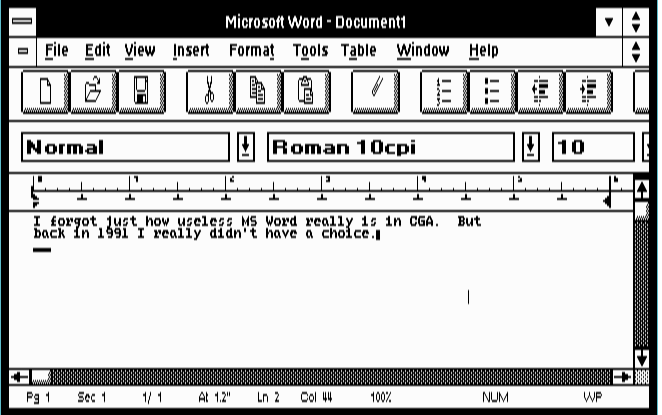
And even better, running Word 2.0! Although I did install a whopping 4MB of ram on this virtual 286.
MS Word 2.0
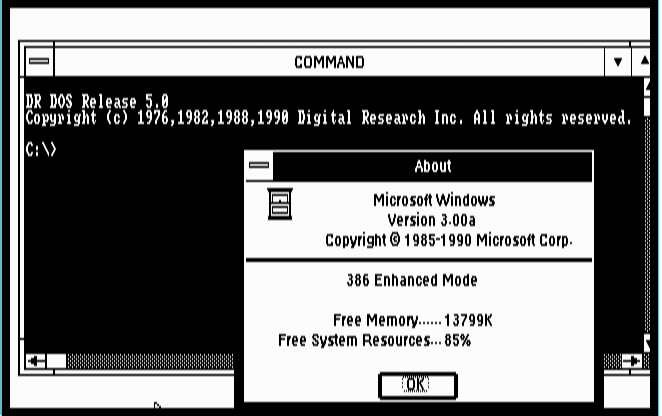
And to make it all the better, I changed to a 386, and re-installed Windows 3.0 and yes it runs in enhanced mode. Â And I can run DR-DOS in a windows.
386 enhanced mode
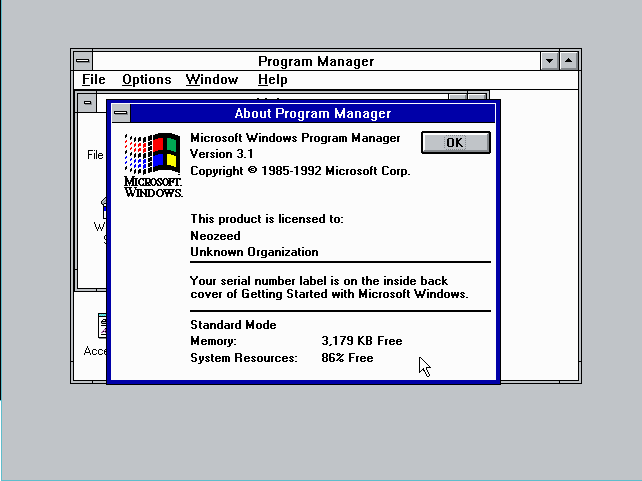
Of course there was the AARD code, in the Windows 3.1 betas, but as far as I know that didn’t make it to release. Â I was able to upgrade to a virtual VGA adapter, and update to Windows 3.1 in standard mode on a 286, just fine
Windows 3.1 standard mode on a 286
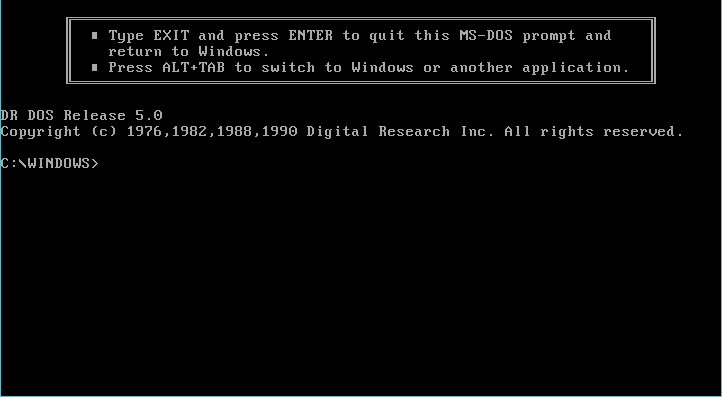
And DR-DOS worked through the standard mode task swapper
DR-DOS in standard mode
But Windows 3.1 in enhanced mode always locked up during setup. Â Maybe a PCem bug? Â I’m not sure. Â But Windows 3.0 works great.
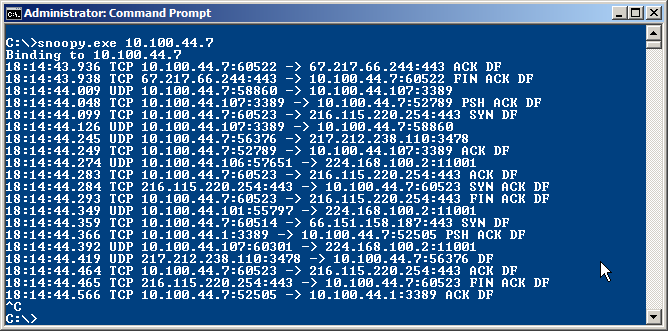
A few days ago I wrote a basic packet sniffer / analyzer for Windows for fun. I was working with raw sockets for another application and out of curiosity winged a small packet sniffer in just 200 lines of code. I actually used it already several times to resolve some firewall port blocking issues, instead of spinning up Wireshark, so I decided to release it to public.
The good:
Portable, a single, tiny exe
Easy to use
Doesn’t install any driver like libpcap
Extensible, just 200 lines of simple code
The bad:
It’s very basic and doesn’t allow anything outside of simple unicast TCP, UDP and ICMP, most importantly layer 2, broadcasts, multicasts, etc are out of question
Currently it doesn’t directly support filtering, however you can just pipe it to findstr to filter for anything you want
Raw socket limitations are possibly the biggest issue, but if you just want to find out simple stuff like traffic going to a given port or ip address it’s a perfect little handy dandy tool to carry around.
To use snoopy you specific IP address of the interface on which you want to listen:
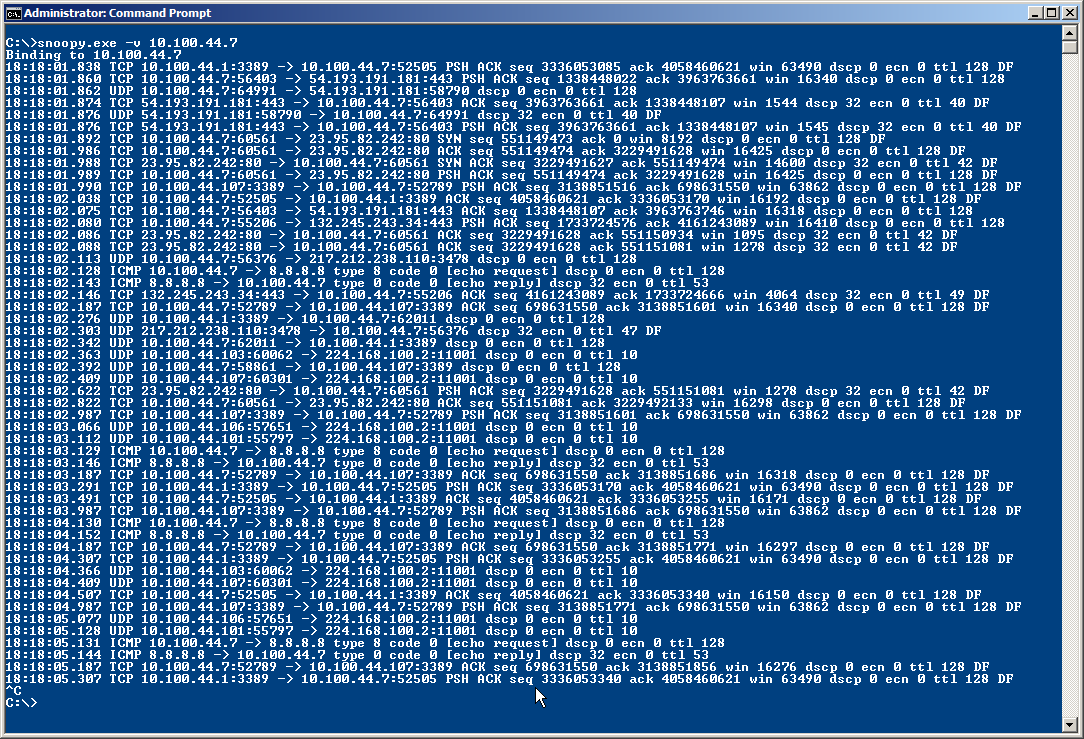
There also is a verbose mode which shows some more detailed protocol information:
Today I decode ICMP message types, TCP flags, sequence, ack and window numbers and DSCP, ECN, TTL and Dont Fragment flags for IP. I’m thinking of embedding /etc/protocols and /etc/services in a .h file to resolve them on the fly.
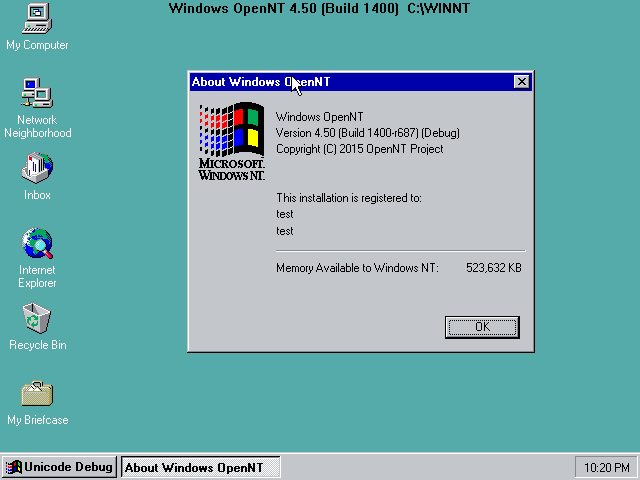
Just stumbled across this: someone has forked Windows NT 4.0 and created an open source version of it. But wait, forked what? Windows source code doesn’t live on Github. Is it ReactOS? No! Upon some digging, it was apparently born from the leaked source code of NT4.0, some W2K bits and 2003 WRK…
Looking at activity the project seems to be alive and well. There is some background information and discussion going on BetaArchive for those interested.
I wonder what Microsoft has to say about this 🙂
EDIT* for those from the future, you may be interested in this followup – OpenNT 4.5 revisited, where it’s compiled and run!
So while debugging Dynamips I got this fun message under GDB. Â Of course it doesn’t tell you WHAT function did it, or HOW it was trying to do it. Â Fantastic.
Thankfully Dennis Yurichev’s blog gave me the hint to put a breakpoint on ‘OutputDebugStringA’ and sure enough I could see Dynamips trying to treat a socket like a stdio file handle.  Something you can’t do in Win32 world.
On the plus side, I just had to do a small re-write of some functions and I can talk to the Dynamips hypervisor! Â Idle and JIT are working too! Â Along with WinPcap and UDP transports.
It’s been a bad hardware day for me, my MacBook Air that I bought in 2012 stopped working. Â And it’ll cost at least half the price of a new one to fix it. Â So instead of that I don’t want to spend that much right now so I picked up a cheap used Fujitsu laptop. Â It had Windows 7 on it, which qualifies for Windows 10, so I figured I’d just use that free upgrade!
Wow that was a whole day shot by. Â Although now that I’m posting this from Windows 10, it is much more faster and responsive than Windows 7.
The first big problem I had was that this laptop didn’t have *ANY* updates installed.  Service pack 1 for Windows 7 is required for the upgrade, and that is a 1GB download on it’s own!  Then after that, it demanded KB2952664 which wanted forever to install, so I said screw it and run the Windows update, which was 199 updates to go. So after all those hours, I’m finally ready to install Windows 10!
I wanted an upgrade!
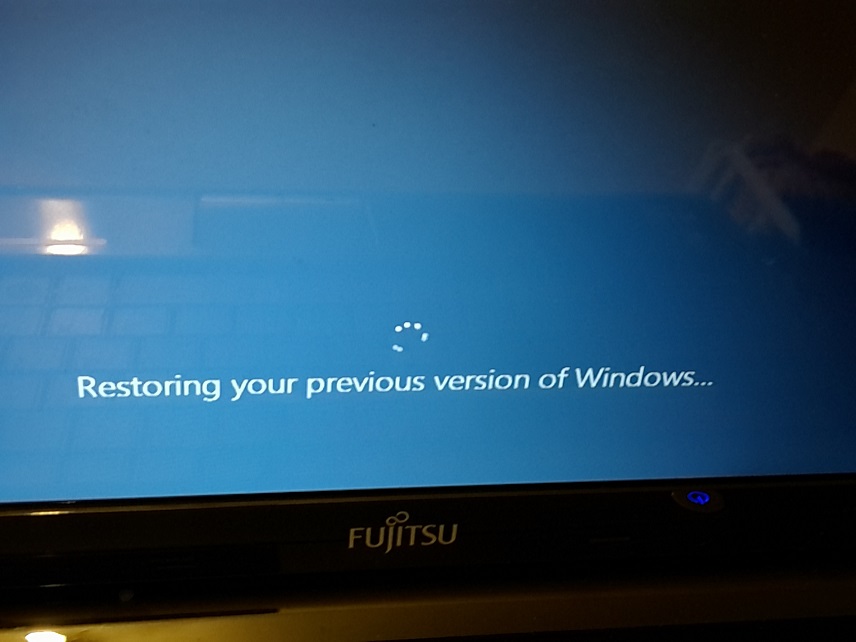
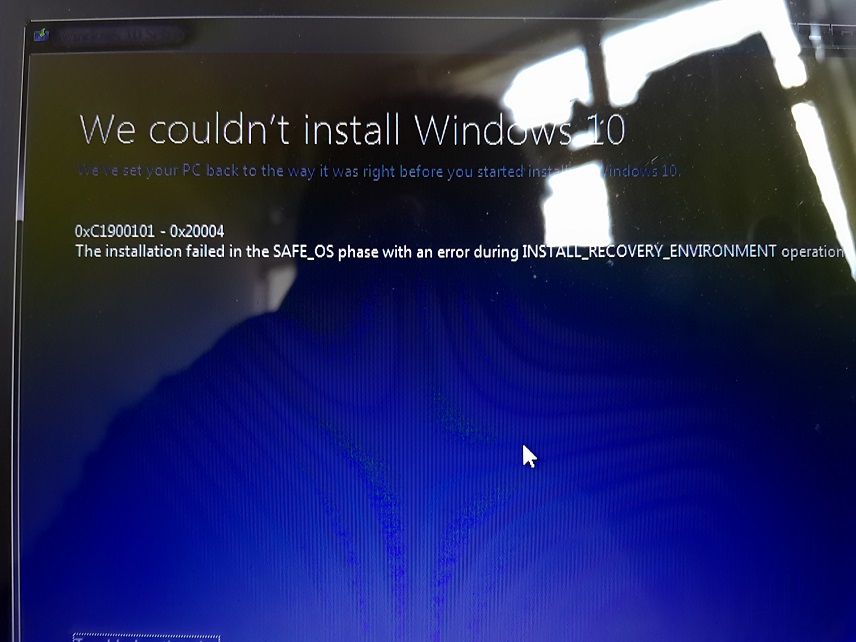
So during the install, about 25% of the way in, 83% copying files it suddenly reboots, and then starts to restore my prior copy of Windows. Â Great, something failed. Â Once back in Windows 7 I get this wonderful message:
I love these cryptic errors!
0xc1900101 – 0x20004 The installation failed in the SAFE_OS phase with an error during the INSTALL_RECOVERY_ENVIRONMENT operation.
After trying more updates, defraging, it failed to upgrade another two times. Â So I googled some more, and it turns out that a lot of people had laptops like this Fujitsu that were partitioned 50/50 and people would convert their disk from a basic MBR to a dynamic disk, so they could destroy the un-needed and wasteful D drive, and merge it into a nice C drive. Â So what is the fix? UGH you have to convert the disk back to a basic disk with a normal MBR. Â Except You can’t easily revert as you can convert. Â So a bunch of more time wasted with a Windows Vista DVD that can read the disk, and an external drive let me copy windows off, redo the disk as MBR and restore Windows.
After all that drama the Windows 10 upgrade went without a hitch!
Bottom line, is that it’s probably easier to just buy a copy of Windows 10. Â There is a utility to convert a dynamic disk to a basic disk, Partition Wizard Pro which costs $39. Â Which is better towards a copy of 10.