Trumpet Winsock 2.0b

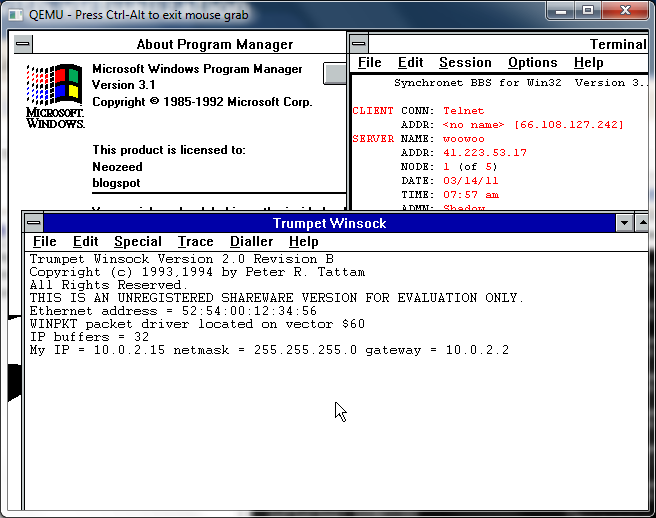
So while browsing around k7tty, I came across this file, internet.zip, that pretty much has everything you need for a windows 3.1 machine to get into the internet using Trumpet Winsock.

I used a packet driver, along with Qemu’s built in ne2000 and it works pretty well!

While I never used Trumpet back in the day, setting it up for LAN access was pretty easy, and while Trumpet 1.0 loads on Windows 3.0 I never could find any applications that actually work with it. Trumpet 2.0 seems more along the line of the finalized Winsock 1.1 stacks, with applications abound to run with it and Windows 3.1

A little more fun with the Windows 3.0 working model

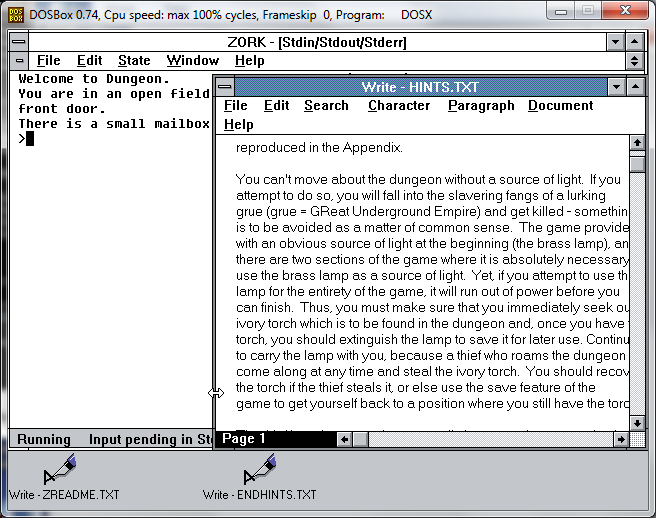
FORTRAN Dungeon on Windows 3.0 Demo

So with a little pushing around I managed to create a stand alone version of dungeon (zork) for Windows 3.0 . Naturally this version doesn’t require windows, just some kind of MS-DOS system with a 80286 processor, and either EGA or VGA graphics card. I guess I could have tried some CGA/MDA love but I didn’t.

So for anyone wanting to have some fun with an ancient box, I’ve provided both floppy disk images, and an install directory source to install this. It’s kind of funny how 7zip can get another 50% on the Windows 3.0 compress utility.

Otherwise it’s like the other Windows Demo/Working model software..

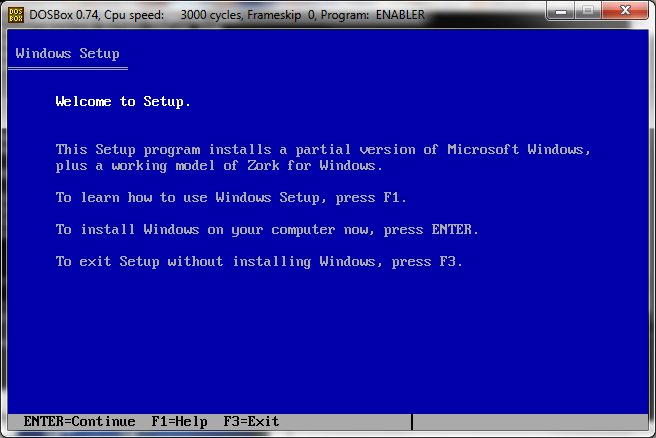
Text based installer…

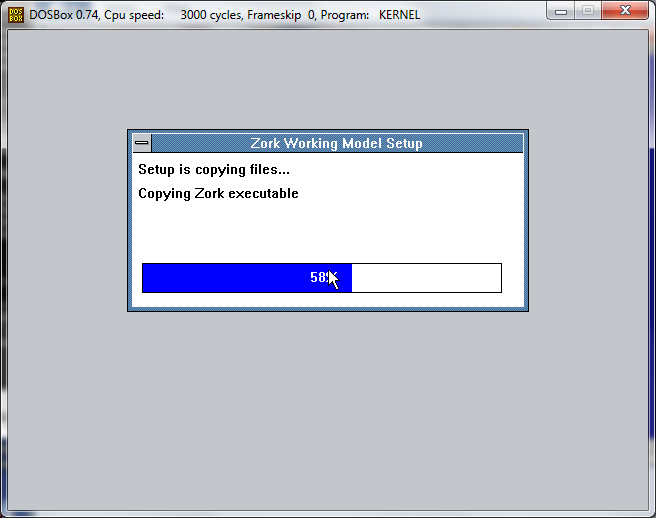
GUI Installer

And the desktop.

This is the old f2c version of dungeon/zork I ported ages ago. Oh and thanks to the magic that is jdosbox, you can testdrive it from a Java enabled pc just by simply clicking here.

Twinsock and early windows internet usage

A friend of mine let me know that there is a current drive by former users of trumpet winsock to actually send the author the $25 ($35 in adjusted money) that he had asked for the shareware program. While I’ve seen Trumpet, it required a SLIP or PPP connection which I just didn’t have back in 1993/1994 timeline. Sure there was SLiRP, but it was far more involved to compile on the Ultrix machine university gave us access to, or the pay internet connection (sefl.satelnet.org!) that ran IRIX. So I ran Troy Rollo’s Twinsock.

Besides being GPL’d twinsock proxied the socket access from your Windows 3.1 computer, and ran the requests on the Unix host you connected to. The best part is that they didn’t have to know that you even ran it. Twinsock transformed the internet from being a Unix shell account that kept many people away, into a graphical experience with windows applications executing on our desktop. Since it wasn’t a real TCP/IP stack, it effectively firewalled us, and seeing we were running Windows 3.1 that was a good thing.

So to make this experence more… realistic, I took the 386BSD 0.1 image from sourceforge, and made one tweak into how it runs. I added the following to the Qemu execution:

-serial tcp:127.0.0.1:4445,server,nowait

Then I installed MS-DOS, Windows 3.1, a terminal program, and some tcp/ip programs to test into another Qemu virtual machine. I then connected the two Qemu instances like a null modem like this:

-serial tcp:127.0.0.1:4445

This way COM1 on both machines now talk together. The only major downside I’ve seen is that if the client VM is killed re-starting it doesn’t get the serial connection working, both VM’s have to be restarted from the command line.

The cool thing was I was able to use a dos terminal program and zmodem to transfer the source to 386BSD to build. Surprisingly this part went pretty smooth on all the versions of Twinsock that I tested, but version 1.3 and higher was the version that actually worked.

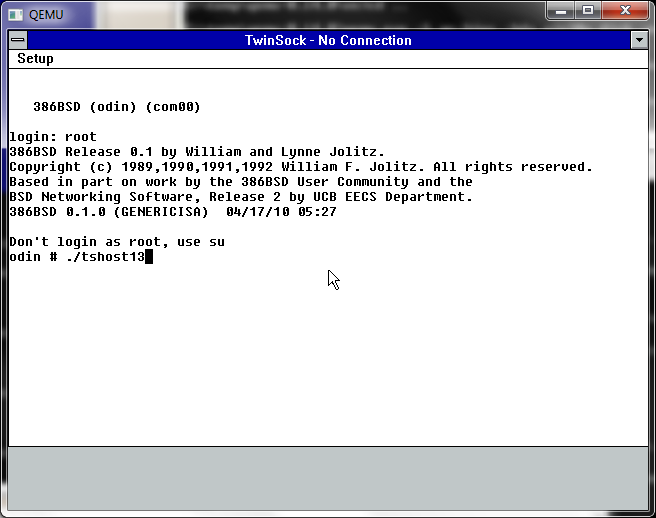
So with the executable built on the Unix machine, you launch the windows program, which included a minimal terminal program. And from there you can dial up, login to your Unix account, then launch the twinsock Unix component and the window minimizes and now you are ‘connected’.

Launching Twinsock

WinVN

One of the most popular programs & protocols of the “early” internet was NNTP or Net News. Net News transitioned the world from BBS’s and Forum Software. The topics were incredibly diverse, and the system was distributed by nature. And news traversed the internet in a semiquick fashion. Especially the nodes that had T1 or faster access at the time. Unlike down stream UUCP BBS’s that may only take a small feed once a day, now with Twinsock you could get whatever groups and feeds you wanted, and as fast as your little modem could download it.

So for this fun experiment, I downloaded a suitably old version of WinVN, 0.92.1. The first thing I went looking around for was a public NNTP server. A great resource for locating various news servers that have certain groups is newzbot.

So with a suitable server in hand, I was able to connect up and check a news group. It was slow and clunky like it was in the old days, but it was neat in that client server feel to know that it was running on my desktop.

MS Telnet

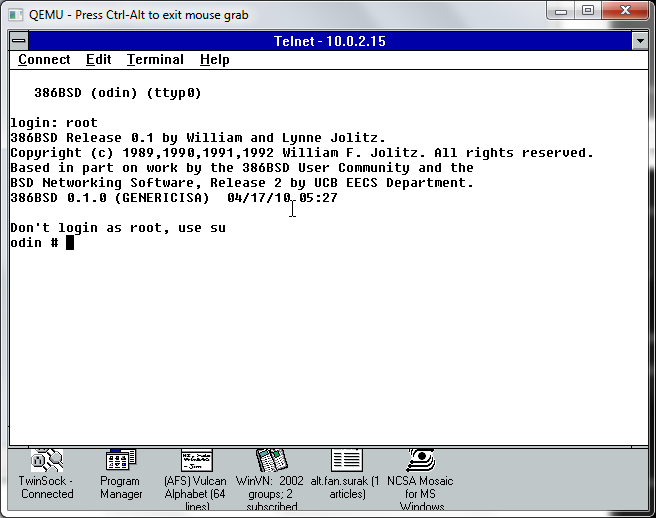
Naturally it wouldn’t be the internet if you still telneted all over the world for MUD’s, and even access to compilers, different systems, and school work. I had a chore of a time finding a ‘good’ telnet client, so I ended up settling with the one that Microsoft had released their own stack, ‘Wolverine’ as part of a TCP/IP protocol update for Windows for Workgroups. This stack was also significant in that this was the first time a ‘full’ and ‘real’ TCP/IP stack had been released for free. As mentioned above with Trumpet winsock, and the rest, you had to buy the network stack. This free stack was only meant for LAN access, though I’ve heard of people trying to hack PPP/SLIP stuff at the dos level, but again it wouldn’t help me, since I couldn’t SLiRP. But this was the forshadowing of how the internet was going to finally take off, and the short thriving window of 3rd party TCP/IP stacks for Windows was about to slam shut in the next release of Windows.

Mosaic 0.7

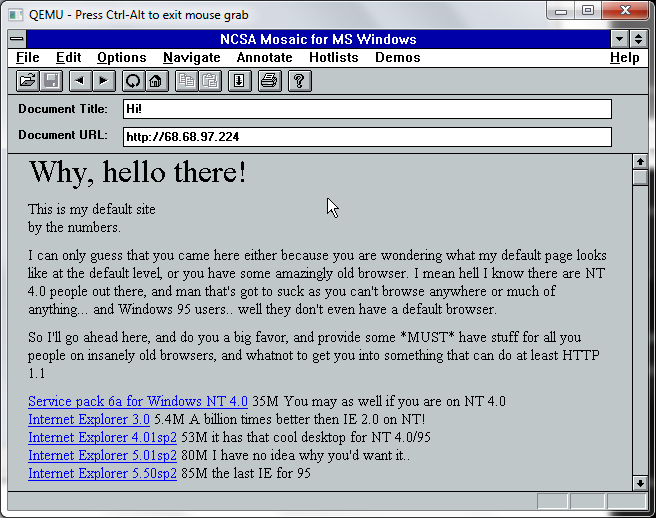
And finally we come the program that basically changed the way we do everything – Mosaic. The first web browser only worked on the NeXTSTEP, and I don’t think that Mosaic was the first PC browser, but at the time it certainly was the best. I loaded up an old version to see if it could at least hit a site by IP address, and it worked. Sadly downloading files causes the browser to crash. Mosaic was rather touchy back in the day too. Because Mosaic came from the Unix world of browsers it was a 32bit program, and needed large amounts of memory. It also was a large exe too, around 2MB! Which is far larger then doom & the dos extender! So Mosaic was the first program I can recall that needed the magical Win32s add on. I’ve mentioned Win32s before so I won’t go on and on, but like the TCP/IP from Microsoft, this also basically killed the DOS Extender market.

The first time I saw Mosaic, I was blown away, we left the world of terminals and archie/gopher/veronica to something you could use a mouse with, and enter in your own URL! It was amazing, but at the same time I thought the internet was doomed to failure as you had to READ. Oh how wrong I was to be shown later. But in the time between Windows NT 3.1 and Windows 95, there was a lot of reading expected to be done. Much like everyone at the time would reply with RTFM in the news groups for stupid questions, why there even was the “Big Dummies Guide to the Internet“, thankfully made available online, put on various shovelware CD’s and saved thanks to cd.textfiles.com.

I couldn’t get MiRC to work.. I forget what other IRC programs would actually work with Twinsock. But I didn’t spend that much time on IRC.

Oh well, that is how the internet stood in that pre Windows 95, pre wide scale PPP world. It really was amazing how fast things changed.

Migrating Windows 2003 servers to Proxmox/VE

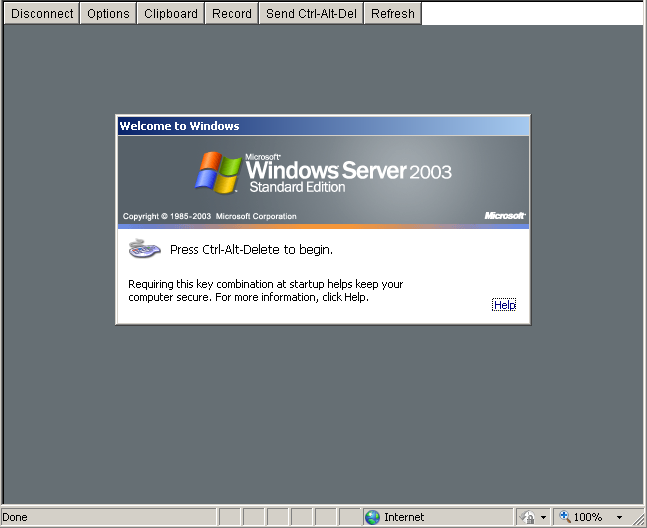
So I’ve had this Microsoft Virtual Server 2005 install that has been chugging along since.. Well 2005. On hardware we scrounged around at work from 2000. So as you can gather, it’s getting OLD. Real old.

So now after a panic, we are finally at the crossroads of what to do from here.

Now most people would expect us to just “migrate” the server to Hyper-V but there is some major shortfalls I’ve had with Hyper-V. First you can’t remotely manage it very easily. God help you if you are on the road, on a notebook, or even… On your parents computer. The idea that you must be on a domain, and install some 300MB+++ file is totally insane, and completely unacceptable.

The other catastrophic issue we’ve had is that running the x64 version of OpenBSD has been met with failure so that enterprise is virtually over.

So, let’s revisit Proxmox VE.

Now to start small, I’m going to migrate the 2003 domain controller. Luckily it’s configured for IDE disks (phew!) and basically doesn’t do anything else other then act as a DC. The steps to do this in a quick and easy manner is something like this:

1 Remove those blasted MS extensions! You can ONLY do this while you are under MS Virtual Server. Really. I expect this also holds true for Hyper-V.

2 Next run the mergeide.reg, file which will tell 2003 (probably 2000 and above…) to enable all the IDE controller types on boot, so you don’t get locked out…

3 Next download and install this GREAT program, selfimage (sorry for the lame download thing), and go ahead and run it.

Make sure you set the source to being a WHOLE DISK, not a partition… Start with the C drive. (I always try to get the OS going before going after data drives & whatnot….).

Next you can set the target to NBD and point it to your proxmox server, and set the port to 1024.

I didn’t know this, but NBD is a network block device! So instead of playing with intermediate disks, formats, and all this other painful crap, we can instead basically dd from one disk to another over the network, with little effort. I would imagine for the WindowsPE crowd this would be a massive win, to say image disks out of other servers, or even LIVE servers.. Although if it were SQL I sure would shut down the database server at this time.

On the proxmox server go ahead and create a ‘destination’ VM, that you will copy the VM into. It’s recommended you make the destination disk larger then the source disk, so there isn’t any nasty rounding errors.

Now putty into the proxmox machine, and then you have to launch the nbd server. The syntax is something like this:

qemu-nbd -t /var/lib/vz/images/xxx/vm-xxx-disk.qcow2

The filename may be slightly different, so don’t sweat it too much, but basically you are telling qemu-nbd to ‘serve’ this virtual disk.

With all of this in place, you can now hit the start button on the SelfImage application and it’ll start to block copy!

I have a slow network where I’m doing this so it took me about an hour to do 32GB.

Once it is done, you can terminate qemu-nbd with a Control+C, then try to start up the VM on Proxmox.

Two things I ran into:

Some error about processor.sys, and a 0x000000CE error code. For me the easy way out of this is to shut down the VM, and re-configure it to disable KVM. In this mode it will be SLOW. But once booted up, you can issue the following from a command prompt:

sc config processor start= disabled

Shut down the VM, turn on KVM, and start it up again. Also the start= isn’t a typo, it really is entered that way.

The other error I had was a INTERNAL_POWER_ERROR blue screen. I tried playing with the ACPI, and some other stuff to no avail. The only way to seemingly ‘fix’ it was booting up again with KVM disabled, and when I tried to login, windows immediately started to shutdown.. Re-enabling the KVM option then let me boot normally. I’m still a little lost as to what this was all about.

So with all the little stops here & there, my VM is now running on Proxmox VE.
MinGW-w64

Well after yesterdays x86_64 excitement, I figured I’d take a look in the windows area to see about the 32bit vs 64bit performance on Windows…

I know this isn’t the ‘best’ test as I’m using VMWare Fusion on OS X and running Windows XP x64 sp2 (the 2007 edition, not the 2003 one).

If anyone wants to know how to get a 64bit gcc on windows, this is the best formula I’ve come up with so far.

First download a build of mingw-w64-bin_x86_64 from sourceforge… Right now I’m using a ‘Personal Build’ from sezero_20101003, because… it’s recent, and I would imagine a personal build has some hope of actually working.

I downloaded that, and extracted to the root of the C drive. Then I renamed the mingw64 to mingw.

Next up, I downloaded and installed MSYS 1.0.11, and installed that. I selected the default options, and of course specified my mingw is installed in

C:/mingw

After that, I install the MSYS DTK 1.0, again with default options.

The final part is some kind of editor, I like VIM but it’s… involved to download as the default package ‘vim-7.2-1-msys-1.0.11-bin.tar.lzma’ is in a 7zip compatible archive that needs a bit of tweaking to get a tar file out of. I can provide it here in gzip format, that you can simply extract within the msys command prompt in the /usr directory.

Now with all that done, you should be in business!

$ gcc -v
Using built-in specs.
Target: x86_64-w64-mingw32
Configured with: ../gcc44-svn/configure –host=x86_64-w64-mingw32 –target=x86_6
4-w64-mingw32 –disable-multilib –enable-checking=release –prefix=/mingw64 –w
ith-sysroot=/mingw64 –enable-languages=c,c++,fortran,objc,obj-c++ –enable-libg
omp –with-gmp=/mingw64 –with-mpfr=/mingw64 –disable-nls –disable-win32-regis
try
Thread model: win32
gcc version 4.4.5 20101001 (release) [svn/rev.164871 – mingw-w64/oz] (GCC)


But will it run Dungeon?

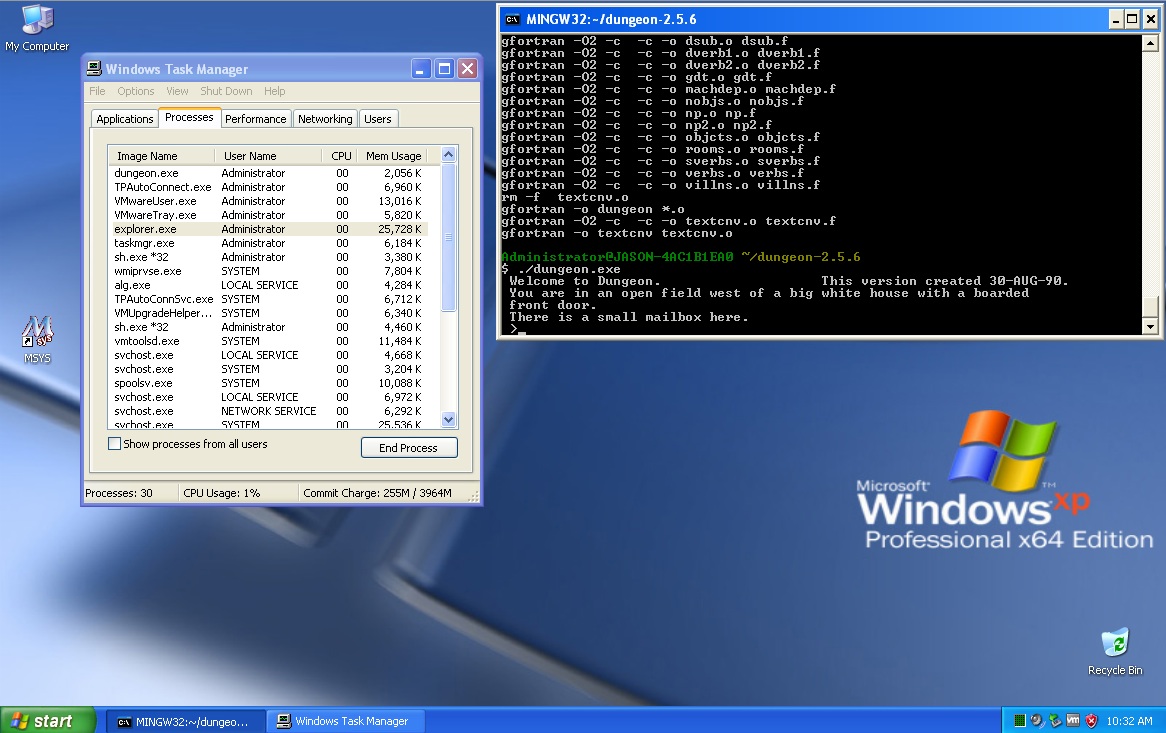
What is also cool, is that this build of mingw includes gfortran, which is a Fortran 95 compiler with various 2003 & 2008 enhancements. So for the heck of it, I’ve rebuilt the makefile from dungeon-2.5.6 and tweaked the machdep.f to at least call the ITIME function to get the current time. The resulting archive runs pretty well!

Windows XP x64 - dungeon

Yes, it runs! And without a *32 meaning this is a 64bit binary!


Onward with SIMH

So going back to SIMH as my benchmark, here is the vax780 with -O0/-O0

Dhrystone(1.1) time for 500000 passes = 18
This machine benchmarks at 27777 dhrystones/second
Dhrystone(1.1) time for 500000 passes = 20
This machine benchmarks at 25000 dhrystones/second
Dhrystone(1.1) time for 500000 passes = 19
This machine benchmarks at 26315 dhrystones/second

Which comparing it to the native x86_64 build is pretty good considering I’m running this in a VM (VMware Fusion!). Now the same test with -O1/-O1

Dhrystone(1.1) time for 500000 passes = 12
This machine benchmarks at 41666 dhrystones/second
Dhrystone(1.1) time for 500000 passes = 12
This machine benchmarks at 41666 dhrystones/second
Dhrystone(1.1) time for 500000 passes = 12
This machine benchmarks at 41666 dhrystones/second

Which is pretty good! Now for the finally with -O2/-O1

Dhrystone(1.1) time for 500000 passes = 12
This machine benchmarks at 41666 dhrystones/second
Dhrystone(1.1) time for 500000 passes = 12
This machine benchmarks at 41666 dhrystones/second
Dhrystone(1.1) time for 500000 passes = 12
This machine benchmarks at 41666 dhrystones/second

Which is interesting in that there is no appreciable difference in the -O2/-O1 vs the -O1/-O1 build. Although I kind of expect different results on a native machine. If anyone else cares to test, I’m going to make available the whole project here. This includes the source and the pre-built binaries.

Unzip it on a win64/win32 machine and it should be somewhat straightforward to build / run. You can alter the makefile and change the primary CC flags from O0 to O1 or O2 if you so wish… just run make and it’ll generate a vax780.exe . Then in the test directory you can bench your exe like this:

$ make
gcc -O0 -c -o VAX/vax_cpu.o VAX/vax_cpu.c -I. -DVM_VAX -DVAX_780 -DUSE_INT64 -DU
SE_ADDR64 -I VAX -I PDP11
gcc -O0 -c -o VAX/vax_cpu1.o VAX/vax_cpu1.c -I. -DVM_VAX -DVAX_780 -DUSE_INT64 –
DUSE_ADDR64 -I VAX -I PDP11
gcc -O0 -c -o VAX/vax_fpa.o VAX/vax_fpa.c -I. -DVM_VAX -DVAX_780 -DUSE_INT64 -DU
SE_ADDR64 -I VAX -I PDP11
VAX/vax_fpa.c: In function ‘op_cmpfd’:
VAX/vax_fpa.c:210: warning: integer constant is too large for ‘long’ type
VAX/vax_fpa.c:211: warning: integer constant is too large for ‘long’ type
VAX/vax_fpa.c: In function ‘op_cmpg’:
VAX/vax_fpa.c:233: warning: integer constant is too large for ‘long’ type
VAX/vax_fpa.c:234: warning: integer constant is too large for ‘long’ type
VAX/vax_fpa.c: In function ‘vax_fadd’:
VAX/vax_fpa.c:371: warning: integer constant is too large for ‘long’ type
VAX/vax_fpa.c:373: warning: integer constant is too large for ‘long’ type
VAX/vax_fpa.c:386: warning: integer constant is too large for ‘long’ type
VAX/vax_fpa.c: In function ‘unpackd’:
VAX/vax_fpa.c:525: warning: integer constant is too large for ‘long’ type
VAX/vax_fpa.c: In function ‘unpackg’:
VAX/vax_fpa.c:540: warning: integer constant is too large for ‘long’ type
VAX/vax_fpa.c: In function ‘norm’:
VAX/vax_fpa.c:548: warning: integer constant is too large for ‘long’ type
VAX/vax_fpa.c:549: warning: integer constant is too large for ‘long’ type
VAX/vax_fpa.c:557: warning: integer constant is too large for ‘long’ type
VAX/vax_fpa.c: In function ‘rpackfd’:
VAX/vax_fpa.c:574: warning: integer constant is too large for ‘long’ type
VAX/vax_fpa.c:575: warning: integer constant is too large for ‘long’ type
VAX/vax_fpa.c: In function ‘rpackg’:
VAX/vax_fpa.c:597: warning: integer constant is too large for ‘long’ type
gcc -O0 -c -o VAX/vax_cis.o VAX/vax_cis.c -I. -DVM_VAX -DVAX_780 -DUSE_INT64 -DU
SE_ADDR64 -I VAX -I PDP11
gcc -O0 -c -o VAX/vax_octa.o VAX/vax_octa.c -I. -DVM_VAX -DVAX_780 -DUSE_INT64 –
DUSE_ADDR64 -I VAX -I PDP11
gcc -O0 -c -o VAX/vax_cmode.o VAX/vax_cmode.c -I. -DVM_VAX -DVAX_780 -DUSE_INT64
-DUSE_ADDR64 -I VAX -I PDP11
gcc -O0 -c -o VAX/vax_mmu.o VAX/vax_mmu.c -I. -DVM_VAX -DVAX_780 -DUSE_INT64 -DU
SE_ADDR64 -I VAX -I PDP11
gcc -O0 -c -o VAX/vax_sys.o VAX/vax_sys.c -I. -DVM_VAX -DVAX_780 -DUSE_INT64 -DU
SE_ADDR64 -I VAX -I PDP11
gcc -O0 -c -o VAX/vax_syscm.o VAX/vax_syscm.c -I. -DVM_VAX -DVAX_780 -DUSE_INT64
-DUSE_ADDR64 -I VAX -I PDP11
gcc -O0 -c -o VAX/vax780_stddev.o VAX/vax780_stddev.c -I. -DVM_VAX -DVAX_780 -DU
SE_INT64 -DUSE_ADDR64 -I VAX -I PDP11
gcc -O0 -c -o VAX/vax780_sbi.o VAX/vax780_sbi.c -I. -DVM_VAX -DVAX_780 -DUSE_INT
64 -DUSE_ADDR64 -I VAX -I PDP11
gcc -O0 -c -o VAX/vax780_mem.o VAX/vax780_mem.c -I. -DVM_VAX -DVAX_780 -DUSE_INT
64 -DUSE_ADDR64 -I VAX -I PDP11
gcc -O0 -c -o VAX/vax780_uba.o VAX/vax780_uba.c -I. -DVM_VAX -DVAX_780 -DUSE_INT
64 -DUSE_ADDR64 -I VAX -I PDP11
gcc -O0 -c -o VAX/vax780_mba.o VAX/vax780_mba.c -I. -DVM_VAX -DVAX_780 -DUSE_INT
64 -DUSE_ADDR64 -I VAX -I PDP11
gcc -O0 -c -o VAX/vax780_fload.o VAX/vax780_fload.c -I. -DVM_VAX -DVAX_780 -DUSE
_INT64 -DUSE_ADDR64 -I VAX -I PDP11
gcc -O0 -c -o VAX/vax780_syslist.o VAX/vax780_syslist.c -I. -DVM_VAX -DVAX_780 –
DUSE_INT64 -DUSE_ADDR64 -I VAX -I PDP11
gcc -O0 -c -o PDP11/pdp11_rl.o PDP11/pdp11_rl.c -I. -DVM_VAX -DVAX_780 -DUSE_INT
64 -DUSE_ADDR64 -I VAX -I PDP11
gcc -O0 -c -o PDP11/pdp11_rq.o PDP11/pdp11_rq.c -I. -DVM_VAX -DVAX_780 -DUSE_INT
64 -DUSE_ADDR64 -I VAX -I PDP11
gcc -O0 -c -o PDP11/pdp11_ts.o PDP11/pdp11_ts.c -I. -DVM_VAX -DVAX_780 -DUSE_INT
64 -DUSE_ADDR64 -I VAX -I PDP11
gcc -O0 -c -o PDP11/pdp11_dz.o PDP11/pdp11_dz.c -I. -DVM_VAX -DVAX_780 -DUSE_INT
64 -DUSE_ADDR64 -I VAX -I PDP11
gcc -O0 -c -o PDP11/pdp11_lp.o PDP11/pdp11_lp.c -I. -DVM_VAX -DVAX_780 -DUSE_INT
64 -DUSE_ADDR64 -I VAX -I PDP11
gcc -O0 -c -o PDP11/pdp11_tq.o PDP11/pdp11_tq.c -I. -DVM_VAX -DVAX_780 -DUSE_INT
64 -DUSE_ADDR64 -I VAX -I PDP11
gcc -O0 -c -o PDP11/pdp11_xu.o PDP11/pdp11_xu.c -I. -DVM_VAX -DVAX_780 -DUSE_INT
64 -DUSE_ADDR64 -I VAX -I PDP11
gcc -O0 -c -o PDP11/pdp11_ry.o PDP11/pdp11_ry.c -I. -DVM_VAX -DVAX_780 -DUSE_INT
64 -DUSE_ADDR64 -I VAX -I PDP11
gcc -O0 -c -o PDP11/pdp11_cr.o PDP11/pdp11_cr.c -I. -DVM_VAX -DVAX_780 -DUSE_INT
64 -DUSE_ADDR64 -I VAX -I PDP11
gcc -O0 -c -o PDP11/pdp11_rp.o PDP11/pdp11_rp.c -I. -DVM_VAX -DVAX_780 -DUSE_INT
64 -DUSE_ADDR64 -I VAX -I PDP11
gcc -O0 -c -o PDP11/pdp11_tu.o PDP11/pdp11_tu.c -I. -DVM_VAX -DVAX_780 -DUSE_INT
64 -DUSE_ADDR64 -I VAX -I PDP11
gcc -O0 -c -o PDP11/pdp11_hk.o PDP11/pdp11_hk.c -I. -DVM_VAX -DVAX_780 -DUSE_INT
64 -DUSE_ADDR64 -I VAX -I PDP11
gcc -O0 -c -o PDP11/pdp11_io_lib.o PDP11/pdp11_io_lib.c -I. -DVM_VAX -DVAX_780 –
DUSE_INT64 -DUSE_ADDR64 -I VAX -I PDP11
gcc -O0 -c -o scp.o scp.c -I. -DVM_VAX -DVAX_780 -DUSE_INT64 -DUSE_ADDR64 -I VAX
-I PDP11
scp.c:470: warning: integer constant is too large for ‘long’ type
scp.c:471: warning: integer constant is too large for ‘long’ type
scp.c:472: warning: integer constant is too large for ‘long’ type
scp.c:473: warning: integer constant is too large for ‘long’ type
scp.c:474: warning: integer constant is too large for ‘long’ type
scp.c:475: warning: integer constant is too large for ‘long’ type
scp.c:476: warning: integer constant is too large for ‘long’ type
scp.c:477: warning: integer constant is too large for ‘long’ type
scp.c:478: warning: integer constant is too large for ‘long’ type
scp.c:479: warning: integer constant is too large for ‘long’ type
gcc -O0 -c -o sim_console.o sim_console.c -I. -DVM_VAX -DVAX_780 -DUSE_INT64 -DU
SE_ADDR64 -I VAX -I PDP11
gcc -O0 -c -o sim_fio.o sim_fio.c -I. -DVM_VAX -DVAX_780 -DUSE_INT64 -DUSE_ADDR6
4 -I VAX -I PDP11
gcc -O0 -c -o sim_timer.o sim_timer.c -I. -DVM_VAX -DVAX_780 -DUSE_INT64 -DUSE_A
DDR64 -I VAX -I PDP11
gcc -O0 -c -o sim_sock.o sim_sock.c -I. -DVM_VAX -DVAX_780 -DUSE_INT64 -DUSE_ADD
R64 -I VAX -I PDP11
gcc -O0 -c -o sim_tmxr.o sim_tmxr.c -I. -DVM_VAX -DVAX_780 -DUSE_INT64 -DUSE_ADD
R64 -I VAX -I PDP11
gcc -O0 -c -o sim_ether.o sim_ether.c -I. -DVM_VAX -DVAX_780 -DUSE_INT64 -DUSE_A
DDR64 -I VAX -I PDP11
gcc -O0 -c -o sim_tape.o sim_tape.c -I. -DVM_VAX -DVAX_780 -DUSE_INT64 -DUSE_ADD
R64 -I VAX -I PDP11
gcc -O0 -c -o VAX/vax_cpu2.o VAX/vax_cpu2.c -I. -DVM_VAX -DVAX_780 -DUSE_INT64 –
DUSE_ADDR64 -I VAX -I PDP11
gcc -O1 -c -o VAX/vax_cpu2.o VAX/vax_cpu2.c -I. -DVM_VAX -DVAX_780 -DUSE_INT64
-DUSE_ADDR64 -I VAX -I PDP11
gcc -o vax780 VAX/vax_cpu.o VAX/vax_cpu1.o VAX/vax_fpa.o VAX/vax_cis.o VAX/vax_
octa.o VAX/vax_cmode.o VAX/vax_mmu.o VAX/vax_sys.o VAX/vax_syscm.o VAX/vax780_st
ddev.o VAX/vax780_sbi.o VAX/vax780_mem.o VAX/vax780_uba.o VAX/vax780_mba.o VAX/v
ax780_fload.o VAX/vax780_syslist.o PDP11/pdp11_rl.o PDP11/pdp11_rq.o PDP11/pdp11
_ts.o PDP11/pdp11_dz.o PDP11/pdp11_lp.o PDP11/pdp11_tq.o PDP11/pdp11_xu.o PDP11/
pdp11_ry.o PDP11/pdp11_cr.o PDP11/pdp11_rp.o PDP11/pdp11_tu.o PDP11/pdp11_hk.o P
DP11/pdp11_io_lib.o scp.o sim_console.o sim_fio.o sim_timer.o sim_sock.o sim_tmx
r.o sim_ether.o sim_tape.o VAX/vax_cpu2.o -I. -DVM_VAX -DVAX_780 -DUSE_INT64 -DU
SE_ADDR64 -I VAX -I PDP11 -lwinmm -lwsock32

Administrator@JASON-4AC1B1EA0 /usr/src/simh
$ cd test/

Administrator@JASON-4AC1B1EA0 /usr/src/simh/test
$ ../vax780.exe bsd42.ini

VAX780 simulator V3.8-1
loading ra(0,0)boot
Boot
: ra(0,0)vmunix
199488+56036+51360 start 0x11a0
4.2 BSD UNIX #9: Wed Nov 2 16:00:29 PST 1983
real mem = 8384512
avail mem = 7073792
using 102 buffers containing 835584 bytes of memory
mcr0 at tr1
mcr1 at tr2
uba0 at tr3
hk0 at uba0 csr 177440 vec 210, ipl 15
rk0 at hk0 slave 0
rk1 at hk0 slave 1
uda0 at uba0 csr 172150 vec 774, ipl 15
ra0 at uda0 slave 0
ra1 at uda0 slave 1
zs0 at uba0 csr 172520 vec 224, ipl 15
ts0 at zs0 slave 0
dz0 at uba0 csr 160100 vec 300, ipl 15
dz1 at uba0 csr 160110 vec 310, ipl 15
dz2 at uba0 csr 160120 vec 320, ipl 15
dz3 at uba0 csr 160130 vec 330, ipl 15
root on ra0
WARNING: should run interleaved swap with >= 2Mb
Automatic reboot in progress…
Tue Nov 8 03:44:30 PST 1983
Can’t open checklist file: /etc/fstab
Automatic reboot failed… help!
erase ^?, kill ^U, intr ^C
# ./d2;./d2;./d2
Dhrystone(1.1) time for 500000 passes = 19
This machine benchmarks at 26315 dhrystones/second
Dhrystone(1.1) time for 500000 passes = 19
This machine benchmarks at 26315 dhrystones/second
Dhrystone(1.1) time for 500000 passes = 18
This machine benchmarks at 27777 dhrystones/second
# sync
# sync
# sync
#
Simulation stopped, PC: 80001629 (BNEQ 80001630)
sim> q
Goodbye

Administrator@JASON-4AC1B1EA0 /usr/src/simh/test
$

The d0,d1,d2 are the dhyrstone benchmark compiled with -O0, -O1, and -O2 respectively. This gives you a chance to observe various optimizations in the GCC 2.7.2.2 for the VAX.

Qemu 0.13.0 for Win32

Another thing to ‘fix’ in addition to the 0.13.0rc1 is this..

qemu-char.c:2092: undefined reference to `qemu_chr_open_fd’

I just commented out line 2092. I’m not sure what the deal is, as the sparc boots up solaris 2.6 just as it always has (with the same syslog/vold issues… )

Anyways, as always the i386/x64 ONLY binaries are here:

And the whole package is here, which includes the i386/x64 support.

Let me stress for those of you clicking like wild that if you are just emulating a typical pc you only need the much smaller download… As for the rest, well you know the deal.

I’ve also built this out on my mac, but it’s x86_64, so you 32bit people would be out of luck.. I’m not sure if I could do a multiple arch build in one shot, or use lipo to just glue them together???

I donno.

Qemu-0.13.0 MIPS - NT 4

Anyways, I’ve tested Solaris 2.6 (SPARC) and NT 4.0 (MIPS) so I imagine everything else is ok….

Acer ONE (ZG5/AOA150)

So a few years back, my laptop died, and I was on the road. I swung into a Wal*Mart, and picked up an Acer One for under $300 USD… Nice machine, but it’s loaded up with Windows XP home.

Which is ok, for being in a panic and on the road, but wasn’t all that hot for a full time laptop. So fastforward, and I’m looking for a machine to run some low level ASP.NET stuff on, and while looking through my old machines, I’m thinking if only this Acer One could run 2003, or even XP Pro. But I don’t have a USB CD-ROM on me, and I’d like to format the drive, obliterating all the bs I had on there before. That’s when I came across this great program, Win Setup from USB.

What a lifesaver, a minute downloading 2003 from MSDN, and a spare 2GB flash drive, and I’m installing 2003 on my Acer One.

Not to mention I can load Virtual Server 2005 (not the r2 version or the service packed one, that’ll load nextstep!).

Oh well that’s my random thing for the day.

Win32 to be dropped from Qemu?

From an anonymous posting on here, I heard about this:

http://lists.gnu.org/archive/html/qemu-devel/2010-08/msg00537.html

since several months, QEMU for Windows (and mingw32 cross builds)
no longer builds without error.

I suspect that the same is true for QEMU on Darwin (lots of errors like
darwin-user/qemu.h:149: error: cast to pointer from integer of different size),
but I’m not sure here because I have no valid Darwin test environment.
Maybe someone can test this.

What about these environments? They have no maintainers.
Should they be marked as unsupported? Are they still used?
Or should they be removed?

Man, I sure hope it’s not the end of the road for Windows hosts running Qemu….

Microsoft Interface Manager

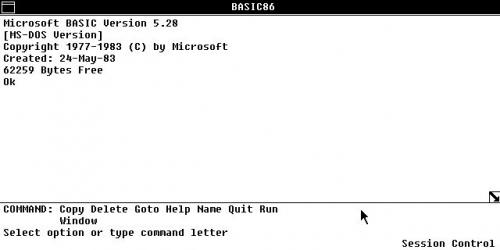
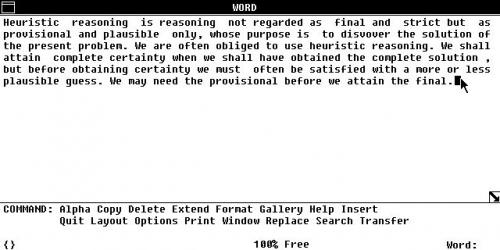
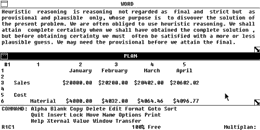
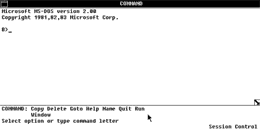
A friend pointed me to this site, as it has pictures of the 1983 Comdex version of Microsoft Interface Manager… This was the start of all things Windows.

Now “oscollect.ru” is Russian, and I figured I’d provide a mechanical translation (google) of the page for anyone that wants to at least experience a little of the magic that was MIM.

Microsoft Interface Manager
Internal Release 3

Develop graphics engine, known as Interface Manager, started in 1983. Microsoft was first shown at the exhibition Comdex’83, where and preserved its screenshots. According to foreign colleagues, given shots – a restored image from photographs. In 1984, Interface Manager has been renamed in Windows.

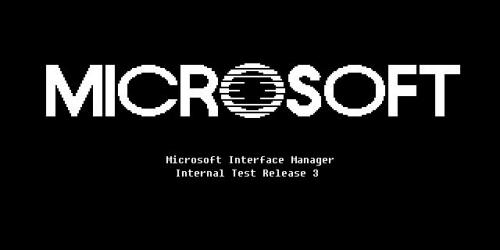
Boot Screen

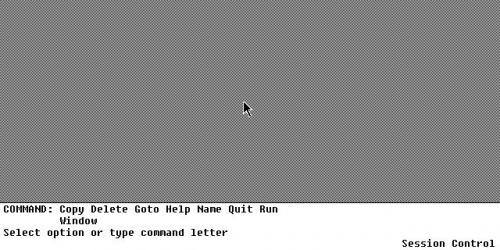
First Start
As can be seen in the photograph, design and concept of Interface Manager is very different from that seen in the first versions of Windows. The screen is divided into two parts: the panel available at this time teams, and the “working area” where windows are placed open applications.

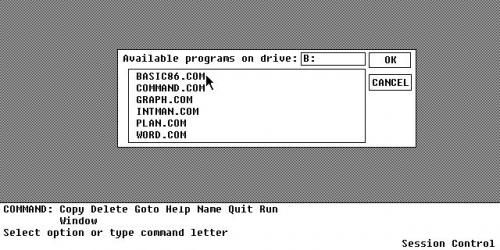
Programs

Basic

Word Processor (Microsoft Word)

When you start a text editor set of commands on the toolbar at the bottom has changed, ie Apparently, there appear general commands, or commands for the currently active window.


Just can not help noticing that quite diverse controls window. In the upper right corner there’s a icon in a folder, for what he says I do not know exactly, but perhaps this is the system menu.

Command Line
 

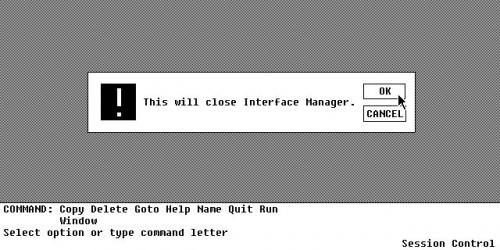
Shutdown
And that’s about it. Again, I just found these images on oscollect.ru, I did not install this, I don’t have any disks, I don’t know if this release even worked, or if these are even forged screenshots……

But I do think it’s very interesting that even back in 1983, The whole menu and ‘run’ commands at the bottom of the screen were there….

SHOWSTOPPER!

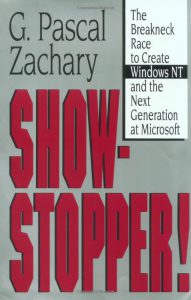
show-stopper-coverI was browsing around at a book store, and I came across the book “SHOWSTOPPER” the breakneck race to create Windows NT and the next generation at Microsoft.

If you have ever lived through the Windows NT 3.x days you’ll find this a very interesting read. It goes into the big personalities, and of course covers the working habits of Dave Cutler… Although it does paint him in some really odd colors, mostly as an antisocial kind of dictator pushing people to produce the largest program Microsoft had ever produced at the time.

But there is no doubt, Cutler could not have written Windows NT at Digital, as DEC was too fond of hardware lockins (look at VMS & Ultrix/True64). And it does cover the major animosity of Cutler towards DEC with the cancellation of the Prisim/Mica projects, and then the later “I told you so” moment when DEC licensed Windows NT from Microsoft (although other reports claim that DEC threatened MS with a lawsuit, and MS gave them access to NT, along with some money…). Apparently the mantra was “Dec could have had NT for free”..

There is also coverage of the culture clash of what happened when Microsoft had absorbed the Prisim & Mica engineering teams from DEC, and how they did not get along with Microsoft staff, and even did their best to poke holes in the current offerings of MS-DOS & OS/2 as either a toy, or a joke.

One thing I found interesting, is that the book mentions the WLO project, as the foundation for what would be the ‘Win32’ system. WLO if you remember was a port of the Windows Libraries to OS/2. It was very interesting in that Windows, OS/2 and even MS-DOS & Win16 via WOW were all not part of the main Windows NT group, but rather ‘tacked on’.

However it is quite interesting that the design decisions made for a very portable and modular operating system, that survived it’s original CPU & platform being changed 1/4th the way through development, and then the removal of the primary API.

Another thing that was interesting was some of the ‘fixes’ for the too slow, too big that would plague the early versions of NT, was the idea of demand paging portions of the kernel.. I for one would go insane with the blue screens about paging non page-able areas or some other VM error… But the truth was NT was written by people who came from a minicomputer world, and as the book made evident from time to time, they did NOT use PC’s.

Needless to say, the book was somewhat spot on, in that it’d take 10+ years for computers to catch up to what Windows NT was written for. I for one can remember trying to run this on a 386sx-16 and it was horrible… But if you install it on a Pentium II the 3.x series simply FLIES… And in emulation on modern machines it has incredible performance.

While Windows NT 3.1 was no doubt a 1.0 release, 3.5 was a 2.0. The x86 optimizations really payed off, and kicking out the Spider TCP/IP stack, and bringing in the new MS stack helped a LOT. There is no doubt back in 1994 as SLIP & PPP accounts were becoming more common place, Windows NT 3.5’s networking was the easiest to configure and use. Linux back then really was in it’s infancy, and the dialup scripts for pap/chap/pppd were… a nightmare.

“Dogfooding” was another interesting, and necessary thing as once NT was able to start running programs it was important to make people start using it as quickly as possible to shake out bugs in the system. Its also interesting to note the reluctance of the kernel team to deal with the graphical part of NT, and how the first versions were text only. Another weird part was how the security in Windows NT was an after effect, of the internal networking group cooking up what eventually became the domain & trust model. Not to mention how NTFS almost didn’t make it because the filesystem people (all two of them!) were so busy making sure HPFS worked correctly.

There is no doubt that such a ‘ground up’ OS of this magnitude hasn’t been attempted since 1988. It took Microsoft 5 years to get Windows NT out the door, but there is no doubt looking around in the year 2010, Windows NT has a long life ahead of it.

For those interested, you can find it on amazon.