16bit Fortran …

Ok, so I was looking at this ancient machine the other day, and I was wondering if I could at least build the f2c to run on either Win16 or OS/2 1.x. There was mention of it running on MS-DOS ages ago but I thought it’d be more interesting to try something else…

Well one thing is for sure, QuickC for Windows, wins HANDS DOWN for a ‘nice’ environment for building stuff… Once it was all said & done, on Windows 2000, I had f2c running, and converted the dungeon source, and building dungeon along with the libf2c. I couldn’t find a ‘nice’ way to build libraries with QuickC, and building a windows dll for libf2c would mean re-writing the IO for Win16.. If it were 15 years ago I may have done so, but nobody will use it now, so I just took the short cut of compiling the dungeon program & the library together… Surprisingly on a ‘fast’ machine with Virtual PC, 100,000+ lines of code compiles in under 10 seconds!

So the first result I got for my effort was this:
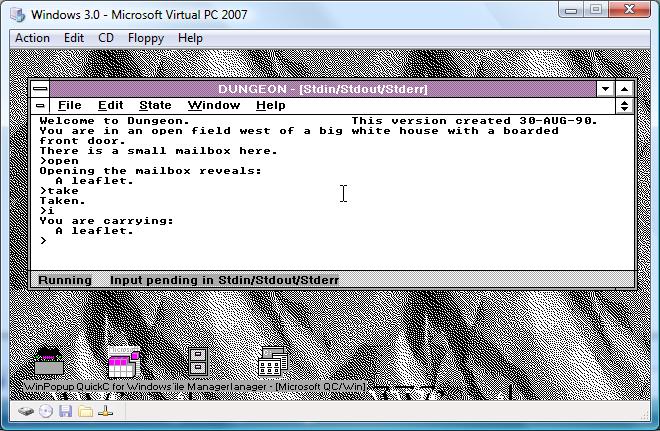
Dungeon in QuickWin on Windows 3.0 via F2C


Which wasn’t that bad, and I’m just amazed it works… You can download it from here. And thanks to the power of jDOSBox, you can run it live here.

The next thing I did was break out some ancient Microsoft C, and start to build f2c. That is when I found out that the resulting exe with C 5.1 doesn’t work, and 6.0a crashes when compiling part of the translator… However using 6.0a for *MOST* of f2c, and building the one faulting module with 5.1 results in a working f2c. The library built without issues, although I had a *HELL* of a time trying to remember how to build a static library for OS/2. I ended up just using lib & gluing it together one object file at a time… Not the ‘best’ but it works.

The next hardest thing was figuring out the linker definitions & response files to build a ‘windowed’ text client for OS/2. Luckily I was able to go through enough things to do it, and it was a LOT of work…. I almost wonder if it’s worth posting about it… But all my build steps are in the zip file located here.
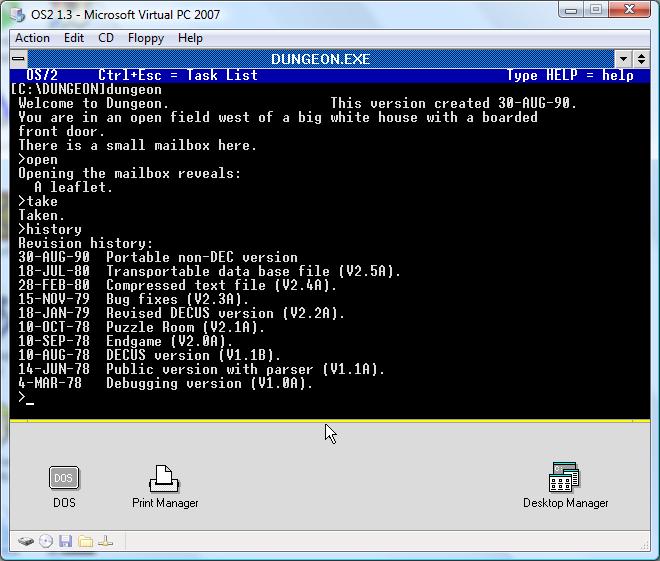
Dungeon on OS/2 in a window via special linking..


It was a *LOT* of nonsense work to get this thing in a window for a good screencap… lol but in the end I guess it was worth it. I suppose I could try building it for MS-DOS, but really, where is the fun in that?

One thing is for sure, having this back when I actually used OS/2 1.3 or Windows 3.0 (I had CGA!!!) would have been cool… But now I guess it’s totally pointless, but whatever.
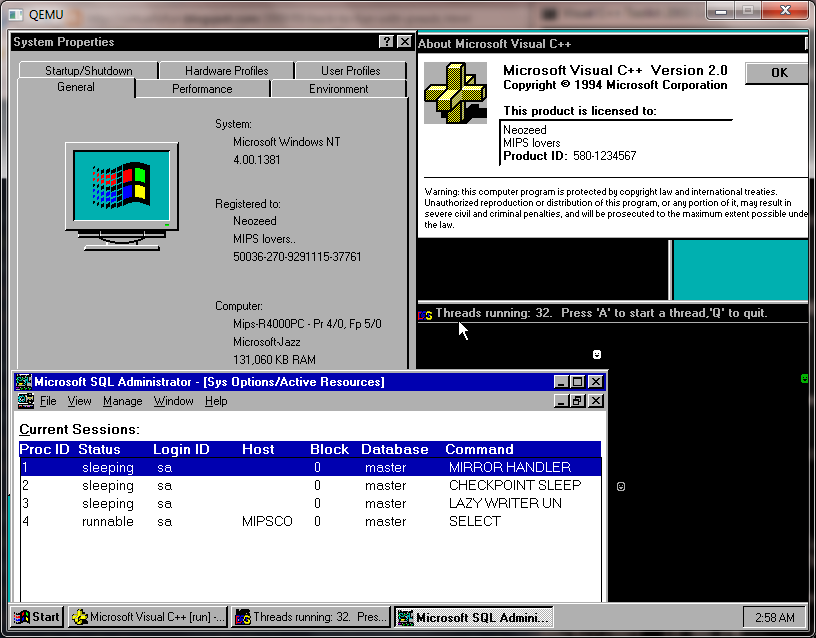
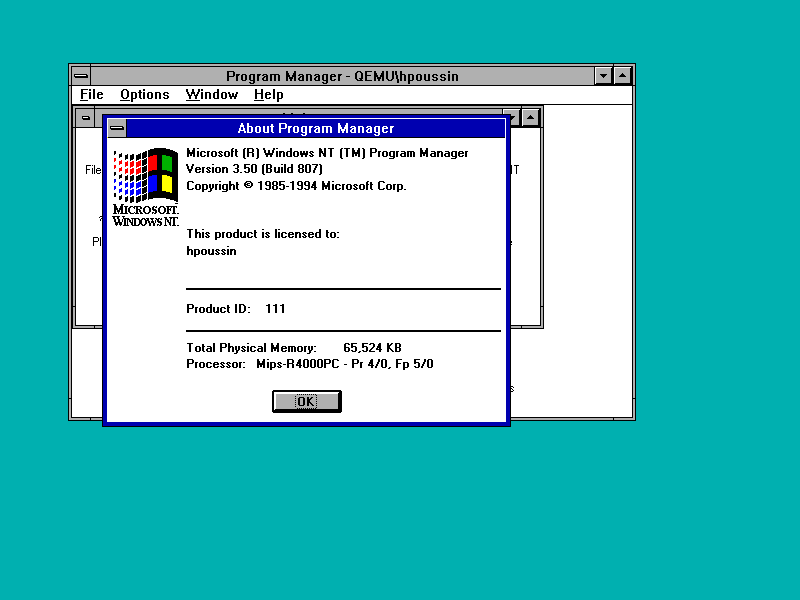
MIPS blast from the past..

WindowsNT 4.0 MIPS

WindowsNT 4.0 MIPS

Personally, I’ve never used any MIPS workstations with Windows NT, I’ve been lucky to have used the PowerPC build for IIS (it was cool in that intel hacks wouldn’t work.. It’s too bad it didn’t live long from Microsoft’s end) and of course SQL server on the Dec Alpha.  I also used a Dec Alpha as a workstation (the Multia!) at the time I recall it was cool as it could decode MP3’s in real-time!  Sadly, my Multia died the day Microsoft killed the port.

Anyways while I was searching around hoping the Qemu forum had come alive (it is!) I came across this post:

Hello,
I wanted to let you know that I succeeded to run MS Windows NT/MIPS in the Qemu emulator.
As far as I know, Qemu is the first emulator to be able to run Windows NT non i386/x64.
Some screenshots:
http://hpoussineau.free.fr/qemu/arc20081202-nt350-4.png
http://hpoussineau.free.fr/qemu/arc20090315_nt4.png
Code needs to be cleaned up and will be contributed upstream.
Herve

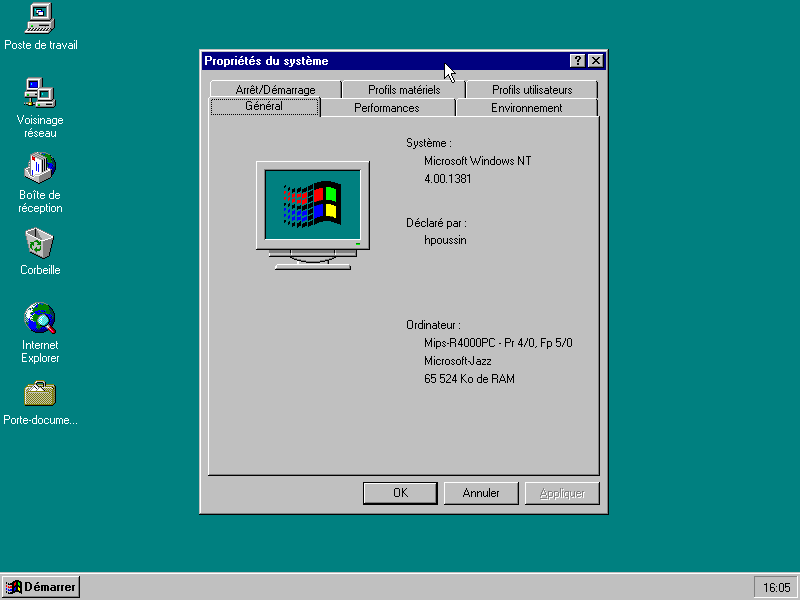
What is this?  Well click the links!  It is what it sounds like, Herve got Windows NT running on the MIPS emulation for Qemu!!

I’ve tested a 3.51 workstation CD to no avail – It hangs checking the hard disk.  I also have a 3.1 CD with the win32 SDK & it doesn’t work either.  However, 4.0 works fine!  I should also add, this gave me a chance to install Microsoft Visual C++ 2.0 for the MIPS, and to try SQL 4.21 for the MIPS out.

One of the first thing you’ll find out, is that the Dec Alpha was popular non intel machine to run because of FX!32.  This program from Dec, allowed for dynamic translation of 32bit binaries on the Alpha.  So that you could run Office 97 for the i386 on the Alpha.  And on the 2nd run it was effectively a native copy as it had been translated at that point. Nothing like this existed for the MIPS.  Thus, native applications are RARE if any.  Another thing contributing to the lack of MIPS stuff, is that right after sp1 for Windows NT 4.0 came out, a week later all support for the MIPS ended.  Shockingly, there is a bare port of Internet explorer 3, but nothing else from any of those resulting projects:  Which is really sad. I *think* there may still be some copies floating out there for the PowerPC, but it was killed around the time of the service pack 3 release.

Anyways if you want to run this, I did find thru a little digging around the win32 exe is available on Herve’s site.

Download both of these files:

qemu-system-mips64el

setup.zip

And go ahead and unzip them.  In the setup.zip you will have found a file called NTPROM.RAW, rename it mipsel_bios.bin  .

Now we are ready to go!

Create a 2GB disk like this:

qemu-img create -f qcow2 nt4.disk 2G

Then run the emulator

qemu-system-mips64el.exe -hda nt4.disk  -M magnum -L .  -net nic -net user-cdrom winnt40wks_sp1_en.iso

Your system will initialize and just run thru the quick setup – Keep the display at 800×600 as the mouse will actually work at that resolution!  Also set the date to the correct date and ensure the MAC address for your Ethernet is not all zeros.  You can make up any address you want.

Then to install NT you have to run 2 programs:

cd:\mips\arcinst

This will install a system partition, and setup the ARC bootloader.  A 5MB partition is all you need, it’ll format it, and just exit arcinst.

cd:\mips\setupldr

This will kick off the install.  It will look & act like every other copy of Windows NT 4.0 that you have installed.  Keep in mind that you will create a 2nd partition, and install in there.  I’d recommend you skip the exhaustive disk scan as that seems to always screw up for me.  The install is pretty straight forward, I’d recommend you select an easy password, and you will probably want to setup an automatic logon.

From there you are on your own.  I’ve seen Exchange 4.0 available for the MIPS, and some old versions of SQL Server, SNA Server out there. I’ve never seen Microsoft Word for NT & Microsoft Excel for NT.  They were 32bit versions released prior to Office 95, and I *THINK* they had i386/MIPS/PowerPC/Alpha versions.. But I’m really not that sure.  I think internet explorer 2.0 is the ONLY web browser for the MIPS and no, Windows CE MIPS stuff will NOT run on the MIPS NT.  So don’t be all that disappointed as this isn’t too useful, but it may be interesting to see what all those MIPS directories were all about!