Fun with Kerbal Space Program

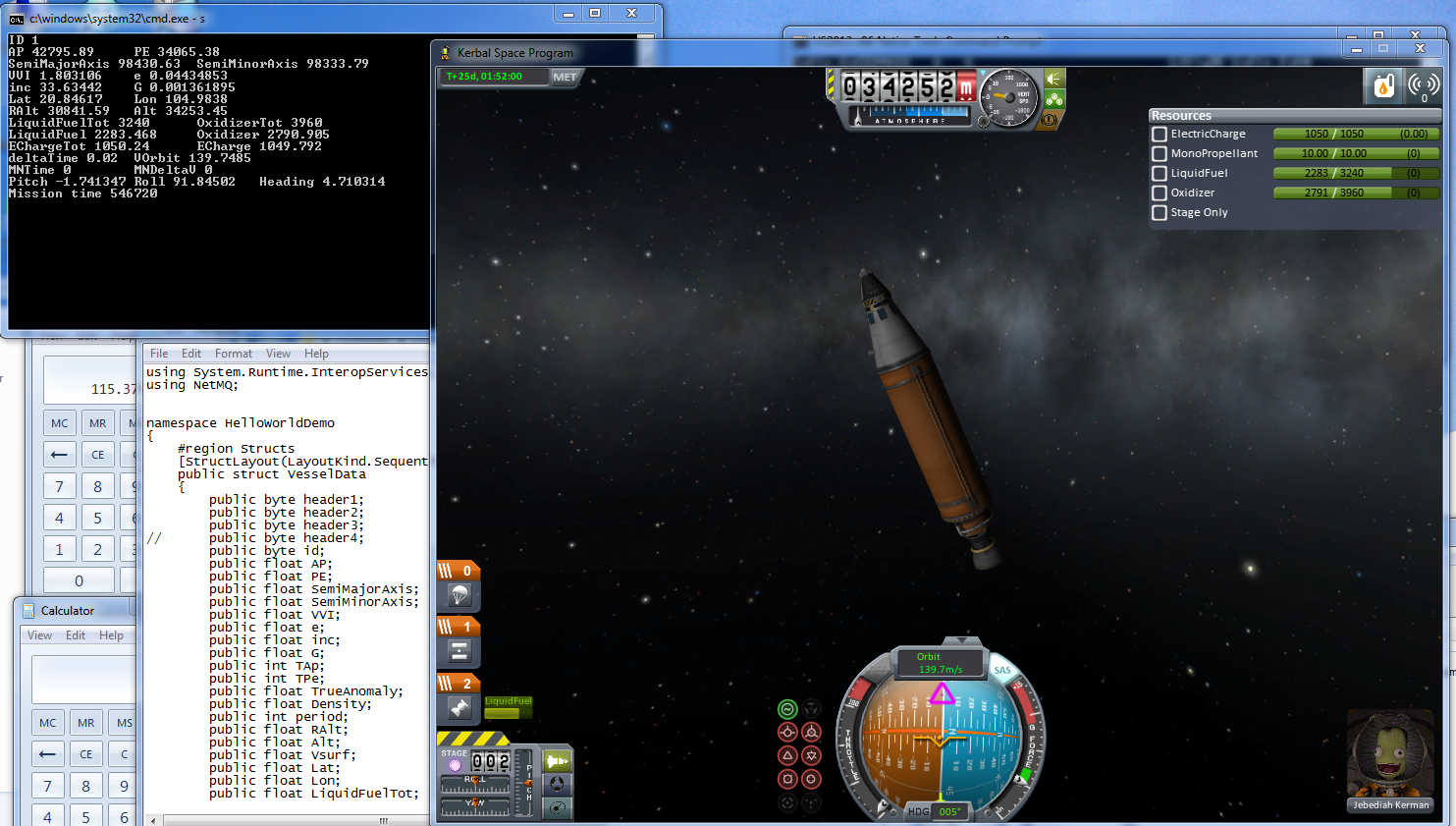
So right before Christmas there was a new drop of KSP (Kerbal Space Program), and I’ve been playing it on/off again.  One thing that I’ve been amazed about is all of the pluggins.  One that caught my eye was KSPSerialIO, and it’s project page.  It’s mainly focused on using an Arduino based display/control system connected via a serial port.

So I thought I’d make some minor modification so I could talk to it locally.
KSPSerialIO data collection

KSPSerialIO data collection

KSP is a Unity3D program, which is very modular, and using C# you can write pluggin DLLs.  However Unity doesn’t use the native .NET framework on Windows, instead it uses Mono.  So things like named pipes, and message queues are out of the question.  However I was able to find netmq, a zeromq port in C#. Using a special branch (until it’s been mainlined) It will even work with Unity 3D/Mono as they are dependent on being .NET 3.5 compatible (not 2.0 or 4.0!)

So what do I have now?  A server program that the KSP pluggin can communicate with.  Right now it’s just telemetry data being sent to a console.  The next step is to send some commands back (blink the lights or something useful), and then see if I can get it tied into some named pipe so that any program that can open a file can control the craft.

Of course this uses floating point, so I’m going to have to see about how to deal with a binary representation of a float in C# to anything else.

A few minor tips.  First is that KSP takes a long time to load, and when you are crashing out, or constantly having to re-load to insert new versions of your DLL, it’s a real pain to be waiting the 2-3 minutes for it to load.  I found this plugin, ActiveTextureManagement, which compresses the textures.  Now it took me a good 20 minutes for my machine to do this, but once it was done it cut load time to around a minute and a half!

Another great thing to have is a RAM disk (well that, fast CPU/GPU, and plenty of RAM), so I used Softperfect’s RAM Disk. Steam doesn’t mind you copying a game off of disk, and running it off another disk.  I found this combination of a RAM disk + compressing the textures got me to loading in under a minute!

Although once KSP is loaded it’s in memory so most people probably won’t benefit much from it, but if you are constantly loading/unloading it greatly helps! (it feels a bit like experimenting with config.sys/autoexec.bat of the old days, and the difference even smartdrv could make).
CS1685:

So I’ve been playing with some C# in trying to mess with other stuff in some insane fun.  Anyways I was getting this weird compiler error trying to build my c# components:

warning CS1685: The predefined type ‘System.Func’ is defined in multiple
assemblies in the global alias; using definition from
‘c:\Windows\Microsoft.NET\Framework\v4.0.30319\mscorlib.dll’

Well that is strange.  Everything still worked, but I was getting screens full of this crap, so I was missing anything that didn’t build correctly from the CLI, so I had to find the source.  I found this nice tip, by adding the following into the source, and compile again.

System.Runtime.CompilerServices.ExtensionAttribute x = null;

And running the compiler (yet again), I got this:

c.cs(17,33): error CS0433: The type
‘System.Runtime.CompilerServices.ExtensionAttribute’ exists in both
‘d:\proj\zmq.net\b\System.Core.dll’ and
‘c:\Windows\Microsoft.NET\Framework\v4.0.30319\mscorlib.dll’
System.Core.dll: (Location of symbol related to previous error)
c:\Windows\Microsoft.NET\Framework\v4.0.30319\mscorlib.dll: (Location of symbol
related to previous error)

What is this? There is a System.Core.dll in my work area?

11/05/2010  09:53 AM           667,648 System.Core.dll

Sure enough, there it is.  I don’t know why it’s there, I don’t remember putting it there.  Even though I wasn’t directly referencing it, for some reason it was getting pulled in.

D:\proj\zmq.net\b>c:\Windows\Microsoft.NET\Framework\v4.0.30319\csc c.cs /r:netm
q.dll
Microsoft (R) Visual C# Compiler version 4.0.30319.18408
for Microsoft (R) .NET Framework 4.5
Copyright (C) Microsoft Corporation. All rights reserved.

c.cs(17,52): warning CS0219: The variable ‘x’ is assigned but its value is never
used

Now I can delete the added line, and I’ll get a silent compile.

Yay.

Coherent sources released under a 3-clause BSD license

coherent

Print ad for Coherent

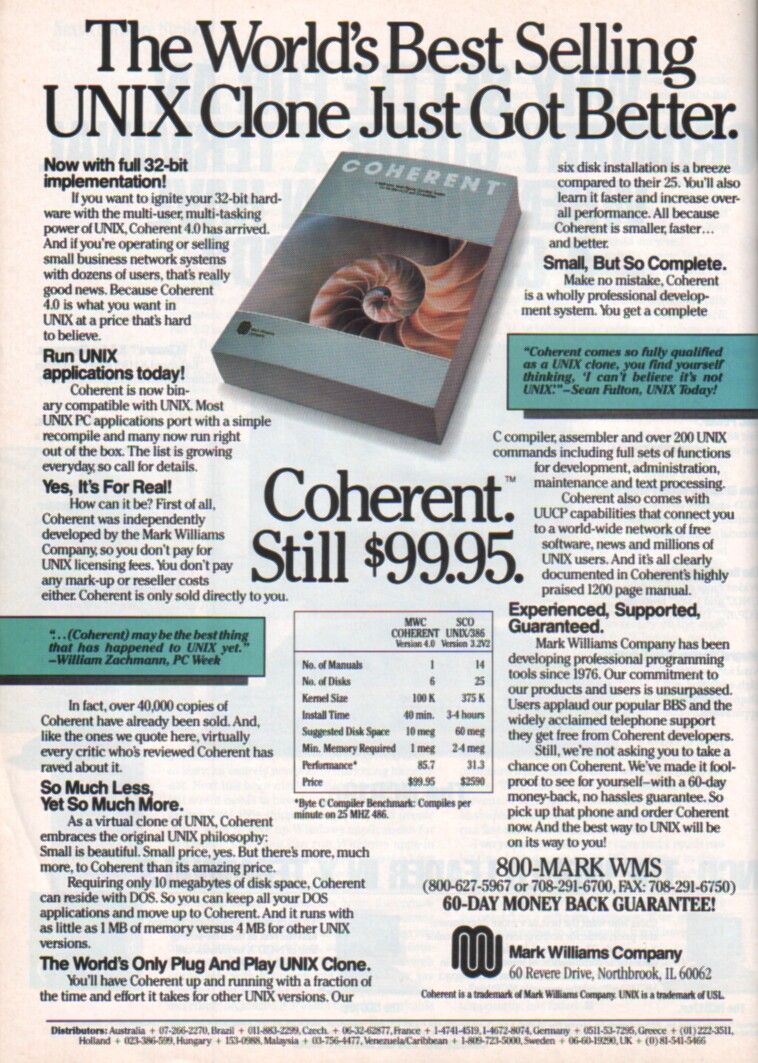
For those of you who’ve been living under a rock, or just not that familiar with what Coherent is, it’s a clean room re-implementation of version 7 Unix. What is unique about Coherent is that AT&T sent a team, which included Dennis Ritchie to evaluate the source to make sure that they hadn’t stolen Unix, and they concluded:

“that looking at various corners I couldn’t find anything that was copied.”

So Coherent was free to continue to sell their discount Unix like OS for the bargain price of $99 USD. I had plans on buying a copy as the older versions even supported the 8086, and 80286 however by the time I finally got enough RAM and disk space to make the purchase worth while, Linux was freely available. I believe that Coherent was the first OS to be killed by the Linux juggernaut, followed by SCO Xenix.

So it’s a little late to the party, open sourcing may have helped back in the early 1990’s although it’d seem like an utterly crazy move at the time.
Better late than never, this includes source dumps, and some RCS data, along with random tgz’s and a binary distribution of version 4. Without any doubt this will either help emulators better emulate the machine state Coherent expects, or perhaps fixing Coherent to run on more modern machines.

Coherent was also famous for it’s large, and well documented manual. Luckily the sources to the manual are also available.

So without further ado, here is the pages with the sources to coherent.

On final note of interest is that the Mark Williams Company was founded by Robert Swartz, who’s son Aaron was quite influential until the time of his death.

Stupid error building binutils

So I’m starting a new VM, and after installing Debian, and the important packages, build-essential and the Linux headers…

#  apt-get install build-essential linux-headers-$(uname -r)

I got this fine error trying to build binutils:

gcc -g -O2 -o sysinfo sysinfo.o syslex.o
syslex.o: In function `main’:
/usr/src/binutils-build/syslex.c:1: multiple definition of `main’
sysinfo.o:/usr/src/binutils-2.22-human68k/sysinfo.c:1: first defined here
collect2: ld returned 1 exit status

Turns out I didn’t have bison/flex installed.  Oops!

Oh well easy enough to solve.

#apt-get install bison flex

Otherwise, remember to build binutils/gcc in it’s own directory or that’ll cause other fun down the line.

Don’t forget you need GMP 4.2+, MPFR 2.3.1+ and MPC 0.8.0+ to build GCC…

#  apt-get install libgmp-dev libmpfr-dev libmpc-dev

JS-DOS

Well ever since Oracle managed to screw up Java into a mass of uselessness, it looks like javascript is going to save the day.

Yes that javascript.

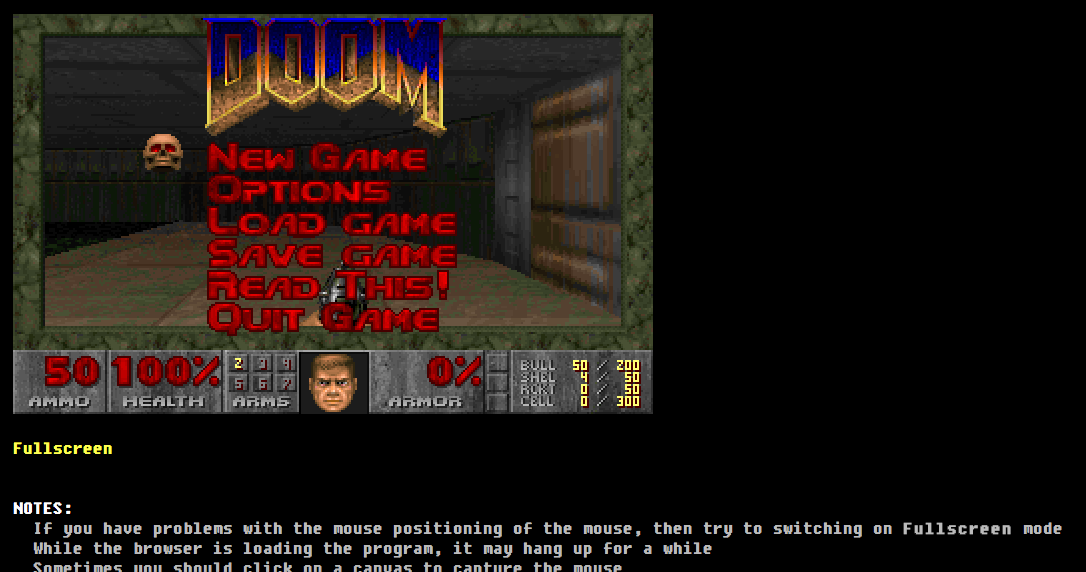
That emscripten compiler now can build DOSBox.  Thats right, you can run DOSBox in your browser.  For more infomation check out EMDOSBox.

It works great with Chrome.

DOOM!

DOOM!

Check out this site, which has many games all configured.

I’ll have to convert out all my old stuff, which is just as well since java is effectively dead.

Belated Merry Christmas!

Sorry things have been busy @ Home & Work.

I had been thinking about doing something special for the holidays but looking around it’s a little too late.

So instead here is something nerdy from my youth, the Commodore Christmas demo diskette..   When I was lucky enough to get a C64 along with a 1541 in 1983, this was one of the bundled diskettes.

At the time I never realized how lucky I was to have the floppy drive, so many poor Europeans with their tape drives.

I hope it’s been a good holiday for everyone!

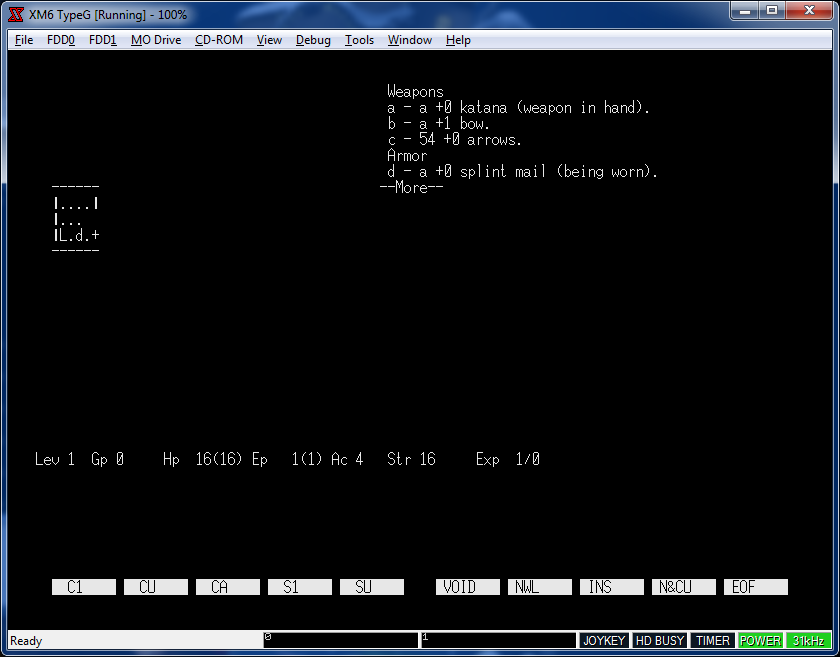
NetHack 1.3d on the x68000

Ok, I know… why? But it’s more of a why not!

NetHack

NetHack

So I figured since I’ve had major issues trying to get DOOM to run, I’d try something bigger, like NetHack.  I figured its a good fit, it’s all ASCII based anyways, so how complicated can it be?

Actually it turned out to not be that complicated.  Thankfully having both run68’s source and NetHack source I was able to adapt enough of the system stuff to get it running. I decided to use this build of NetHack 1.3d that has been updated to compile with modern compilers, since the cross tools use GCC 4.6.2.  NetHack 1.3d synchronized PC hack, and UNIX based NetHack enough that I could start to build under MS-DOS, and then re-target it, as Human68k and MS-DOS share a lot of features (although Human68k has support for tasks, and shared memory.  It’s more like OS/2 although no memory protection… ).

I’ve gotten it to the point where you can save, load and quit.  Oddly enough the ANSI support in Human68k isn’t as good as ansicon so it actually runs better on run68.

So my next step will be to figure out more of the console controls on Human68k, and remove the ANSI support.

Ideally I’d love to figure out how to talk to the sound drivers on the x68000.  Add some music. Maybe sound effects, and graphics?

So for anyone who cares, my source directory, binaries and a xm6 disk image is all here. I’ve seen in the cvs tree on sourceforge that run68 has some support for BSD.  That’d be another interesting thing to add, common exe’s between windows/linux.  But console access first!

WinUAE 3.0.0 released!

The biggest feature of course is…

  • PPC CPU emulation. CyberStorm PPC and Blizzard PPC boards emulated using QEMU PPC core, on-board SCSI supported.

I’ve never used the PowerPC stuff before, I had a 68030 accelerator in my Amiga 2000 going back some 15 years ago, and I never could justify the cost for the board vs a new PC as the Amiga was so super fringe back then.

But for those who want to give it a shot, the installer is here, along with the PowerPC pluggin

All of the additional features are with the announcement here..

Nothing worse than a firewall crash

So, for my email setup I use an OpenBSD firewall behind a hardware firewall (provided by the telecom), and from there I use OpenVPN to connect up to the VPS that in turn forwards email to my Exchange server.

It works great.

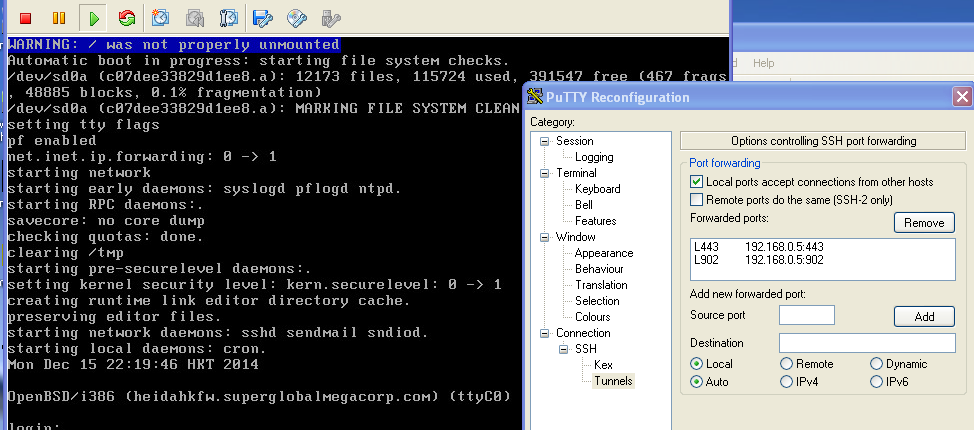
Except that the OpenBSD VM just crashed.  And to top it off I had no other way of accessing inwards except for some test machine that luckily was still on, and I had SSH enabled, along with port redirection.

So, a few seconds with putty and you can redirect a local port on your computer to connect to a port on the remote network.  Dangerous as hell but, it certainly can save the day! (Yes you can even SSH to a machine, and then OpenVPN to it….)

Checking VMware KB 1012382 details a list of what ports are needed by which versions of their products to do what.

[table]
Product,Port,Protocol,Source,Target,Purpose
ESXi 5.x,443,TCP,VI / vSphere Client, ESXi/ESX Host, VI / vSphere Client to ESXi/ESX Host management connection
ESXi 5.x,902,TCP,vSphere Client, ESXi 5.x vSphere, Client access to virtual machine consoles (MKS)
[/table]

Putty port redirection

Putty port redirection

These are the two ports needed for basic checking in on the status of a standalone ESXi machine. So, in this case I can point the VMware fat client to attach to 127.0.0.1 and add in redirects for TCP ports 443 & 902, which let me login, and start a remote console to see how the VMs are doing.

In later versions, you need to use a proper host name.  To set this up edit your %windir%\system32\drivers\etc\hosts file, and make sure you have something like this:

127.0.0.1       localhost esxiloop

And then point the client to esxiloop, and it ought to connect.