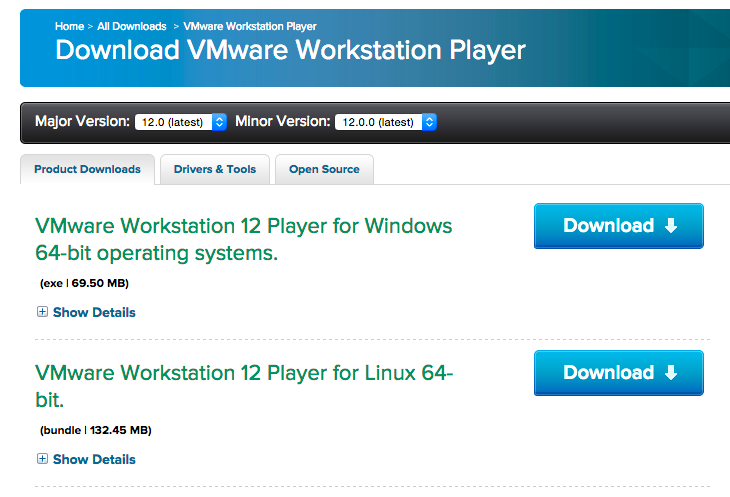
You read it right, VMWare Player has made the jump from version 7 to version 12.
Big changes are better support for Windows 10, both as a host and as a guest, along with DirectX 10 and OpenGL 3.3 support. vCPU support has been bumped up to 16 processors, and the memory cap is now 64GB per VM and 2GB for video.
It’s hard to believe that it has been 20 years since the release of Windows 95. But here we are.
Windows 95 started its life as a 32bit upgrade from Windows 3.1 code named ‘Chicago’ to compete with the 32bit version of OS/2 for the desktop. Chicago is more famous for it’s incredible delays as the project suffered from feature creep, along with a complete UI redesign. It’s also worth noting that even back as far as October of 1992, just after the release of Windows 3.1 Microsoft was already hard at work on Win32s, the Win32 subset and compatibility layer for Windows 3.1 to run Windows NT Win32 applications.
In my opinion, Windows 3.0 was the most significant piece of software that Microsoft has ever shipped. This was the point where they broke away from IBM and went their own way. And it showed that they were capable of launching a major environment without the support of their biggest partner. Although sadly, OS/2 paid the price.
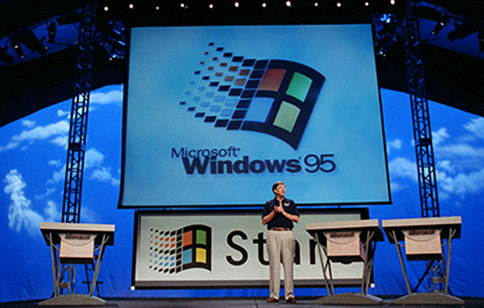
95 launch
Windows 95 would be a close second as to what would be Microsoft’s most significant software, as it brought 32bit computing to the masses, along with a completely different user interface, one that remains popular to this day with the start button. Even the marketing used to Rolling Stones song ‘Start me up’. Windows 95 is also the first time (and last) that I can ever recall there being a Microsoft release party where actual users showed up, but were enthused. Back when OS X shipped on physical media, you would see Apple fans camping out for the latest release, but for Microsoft this was the one time where the next release was going to be so significant with a whole new generation of applications like Office 95, and a much more easier to use interface people really were excited about it. As much as Windows 10 is a great improvement on Windows 8, I don’t see anywhere near this kind of enthusiasm compared to Windows 95.
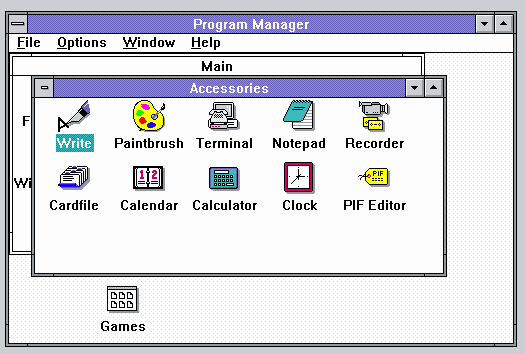
Program Manager
Before Windows 95 people had to fight the Program Manager, which was a MDI application which means it has windows inside of windows. And it’s easy to obscure and lose place of programs. I’ve seen users re-install applications because ‘they lost them’ not realizing the program group was hiding behind another window. To many average users Program Manager was a nightmare to work with on a daily basis.
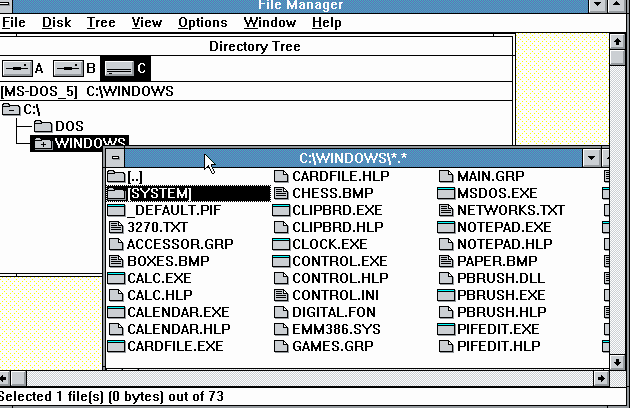
File Manager
And to say that its complimentary program, File manager was also a MDI nightmare to work with was an understatement. Again windows get hidden behind windows, it is all inside of another window so it can be confusing moving things around, and trying to get a good view. To an average user, it’s tedious to work with and to get two full screen views of files, requires two copies of the application to run, which in the days of 4MB of ram or less was a luxury when you figure they were running an application as well. Not to mention since there is no task bar, it was also common for people to launch multiple copies of an application since it would be hiding behind a window they didn’t know about.
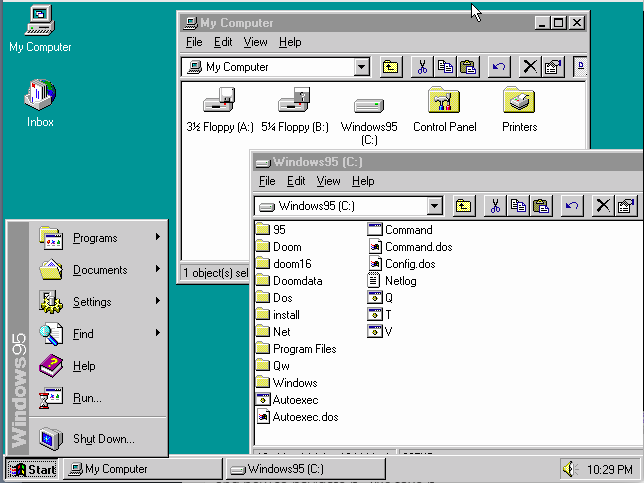
Windows 95 Desktop
The Windows 95 UI solved all of these problems by showing us what is running, and by unifying Program Manager, and File Manager into one. Now we can see what is running, we have a desktop to move things around, and we can open up multiple file windows and move them around at will. Even in this simple screen shot with multiple applications running, it’s trivial to see what is going on, and how to navigate it. We take it for granted today, but compared to the old Program Manager, File Manager paradigm this was simply an upgrade to get enthusiastic about!
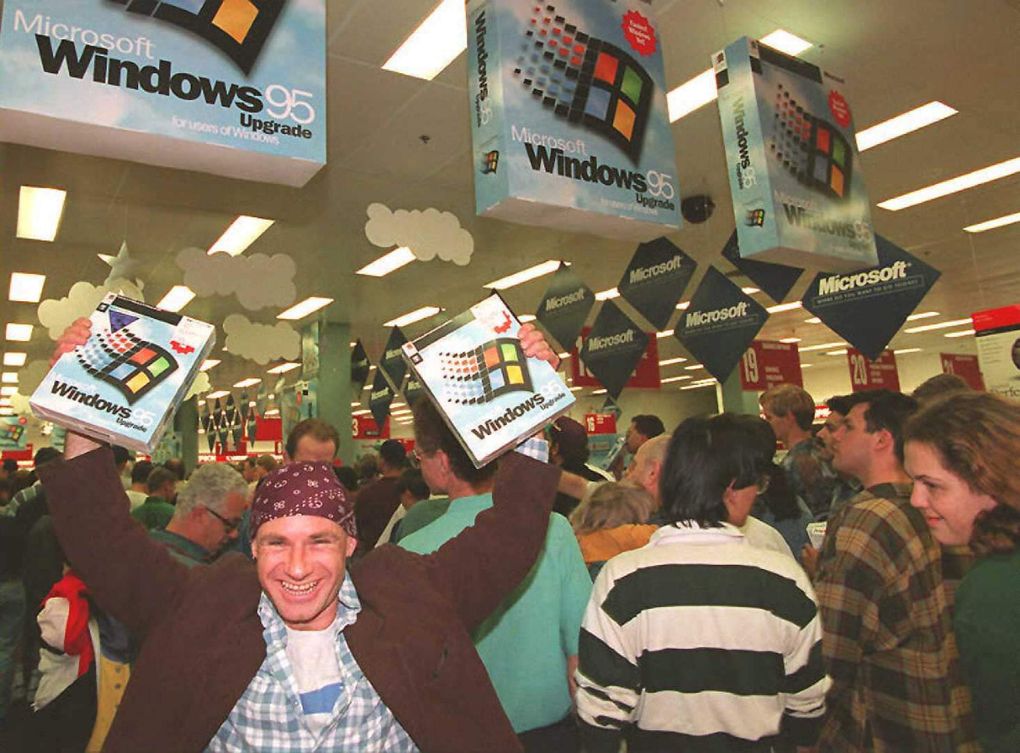
Mikol Furneaux proudly shows off his Windows 95
And just look at this picture, isn’t this the look of excitement? Over a piece of software? From Microsoft? The transition from 16bit to 32bit was so great, I really wonder if they ever again will have this kind of appeal. Going from 32bit to 64bit has been so seamless I suspect many 64bit users don’t even know they are.
32bit applications promised (and delivered) on greater stability, and of course being able to actually use RAM that people had bought. It was the end of segmented 64kb segments, and the use of 32bit flat memory models, that even in the game industry everyone had been flocking to 32bit MS-DOS extenders. Now 32bit was going mainstream on the desktop. Even though Borland had captured so much of the developer mindshare on MS-DOS, they just couldn’t achieve the same success level on Windows, and especially with Windows 95, it started the rise of Visual C++ and Visual Basic everywhere.
Networking was another strong point of Windows 95, as it included not only LAN support for TCP/IP, IPX and NetBEUI out of the box, but it also included dialup PPP support for all three protocols. This is basically where other consumer OS really blew it, and why Microsoft not only ended up owning the desktop, but also the server space in corporations. It was a common practise to sell the networking stack, and applications separately making a networked machine quite expensive. SCO Xenix charged for the OS, Streams, and TCP/IP. IBM charged separately for their TCP/IP as well. By 1994 IBM started to see this as a mistake and included DIALUP ONLY networking for Warp. This stop gap measure was barely acceptable for 1994, but as the PC world got more and more connected this meant LAN connections along with wide area which IBM dropped the ball by charging yet even more for Warp Connect. Where Windows for workgroups, Windows 95, and Windows NT included all of this, and multi-protocol support.
Microsoft also was busy creating their own online service, MSN, a competitor to AOL, CompuServe, Prodigy et al. There is a better writeup on winsupersite than I could do, since I never did use it. But the upshoot is that Microsoft was late to the internet party, and did not include any browser with the first retail version of Windows 95. Later versions of course did include Internet Explorer.
The most significant early version of Internet Explorer has to be version 3, which is when Microsoft finally started to take it seriously, and included things like SMTP/POP3 and USENET clients. Back then, USENET was actually big. This is before the rise of every website being a forum, instead we had a global distributed database that everyone could post onto. It wasn’t instant though, so it could take days for a reply. The kind of thing we take for granted now with many AJAX enabled websites able to alert you right away, or you can check the status with a simple refresh.
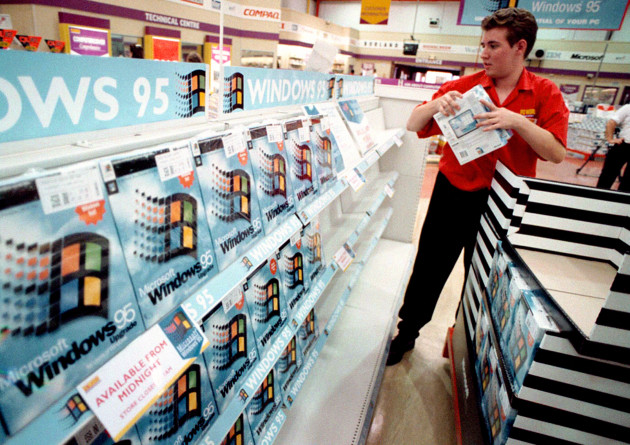
A worker packs the shelves of PC World, Croydon, with copies of the Microsoft Windows 95 upgrade computer package. The package will go on sale at midnight across the country.
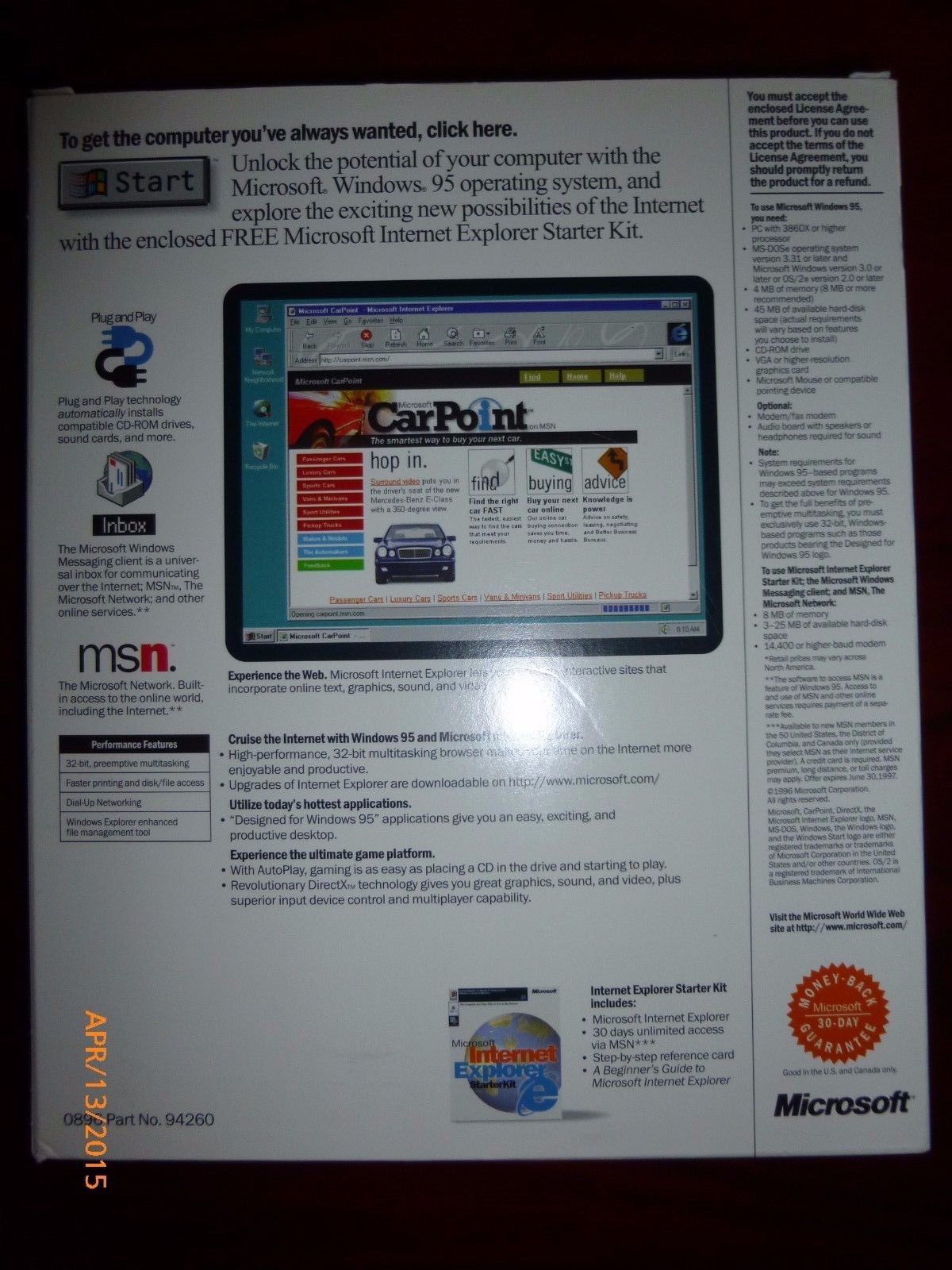
I may have to touch on the rise and fall of Internet explorer at a later date, but check out the exciting back of the Windows 95 box that included Internet Explorer:
Windows 95 box SE, back
For those who want to remember, the Windows 95 start sound!
And speaking of which next year will be 20 years of Windows NT 4.0, and how it utterly changed the server market forever.
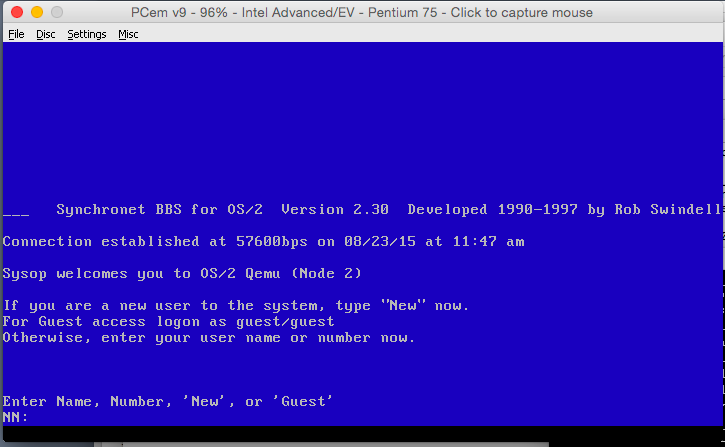
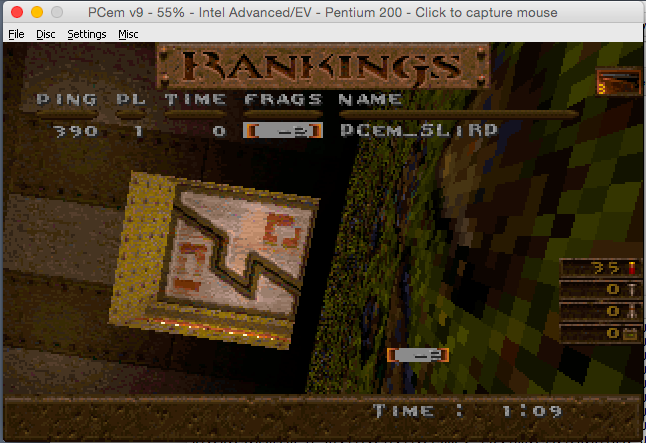
So PCem is an incredible emulator for the IBM PC platform.  One thing that has been missing, and really missed has been networking.  So a while ago, SA1988 came up with a patch that incorporated the BOCHS ne2k.cc into PCem.
So as requested, I took the copy of SLiRP I’ve used in SIMH, Cockatrice and Previous, and got it working in PCem.
Telnet from MS-DOS
This has to be one of the easier ports since PCem doesn’t use threads. Â But yes, it appears to work, although I haven’t done any major testing.
For those who want to experiment, here is a binary/source blob of the project. Â Right now we are just past the OMG it compiled phase to OMG it SENT and RECEIVED data phase.
If anyone wants to play, the NE2000 is set to 0x300 IRQ 10.
And you need to manually add the following to your pcem.cfg file:
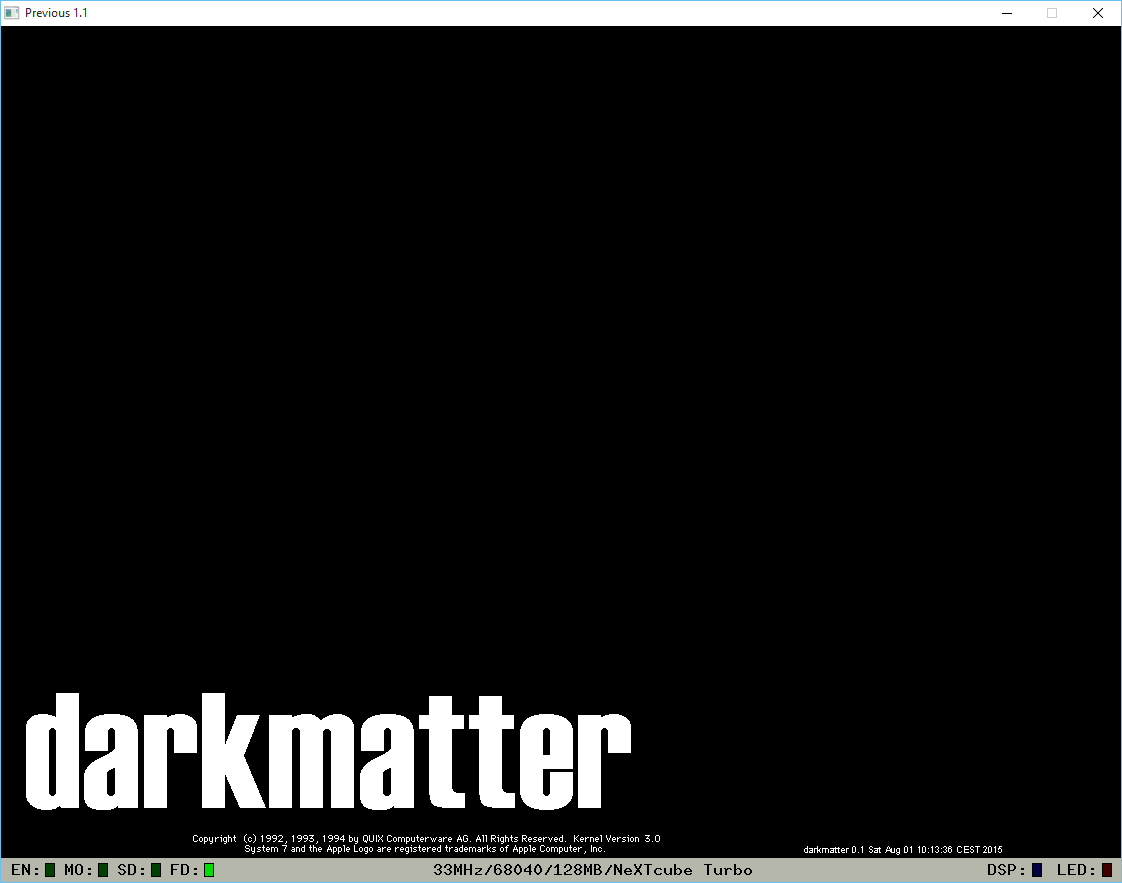
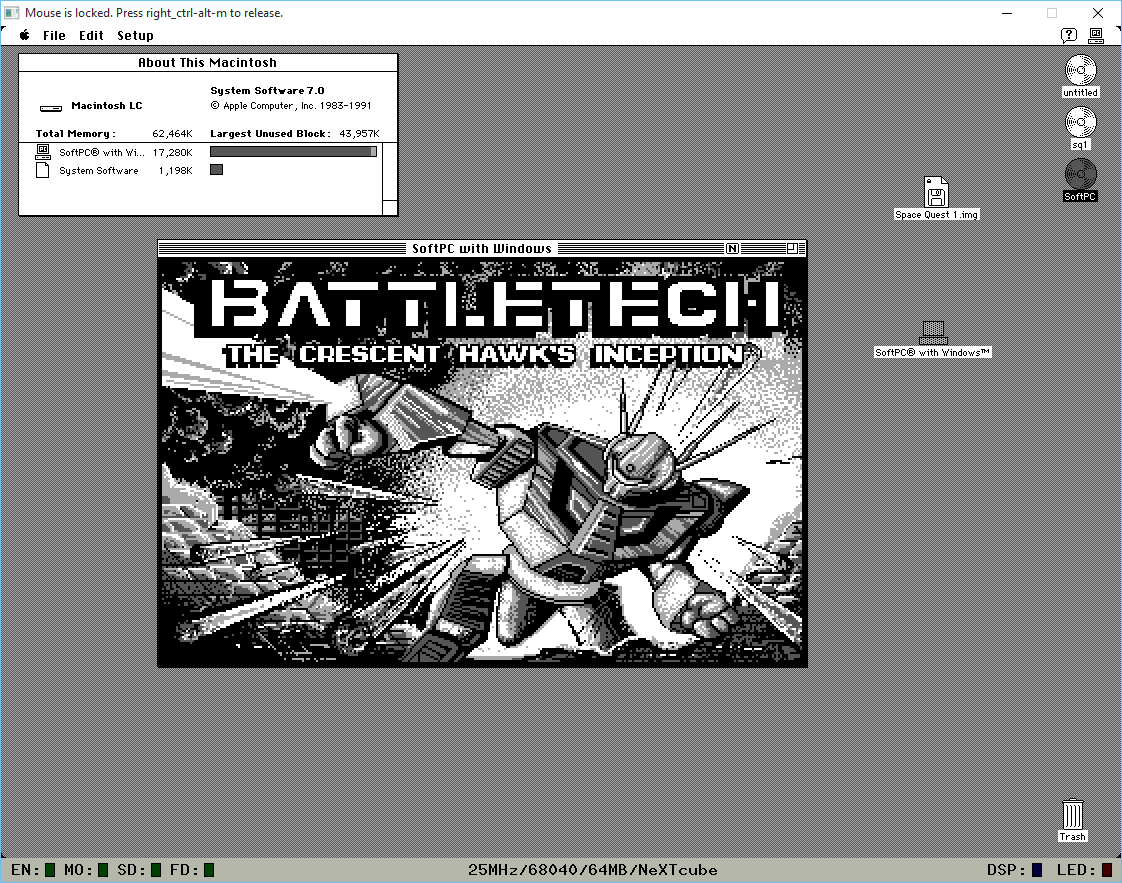
The NeXT community has been about this old Mac emulator, daydream making a comeback onto NeXT hardware. Â Branded as darkmatter it runs on the bare metal of the NeXT cube/stations and can run MacOS in much the same way that Basilisk II does.
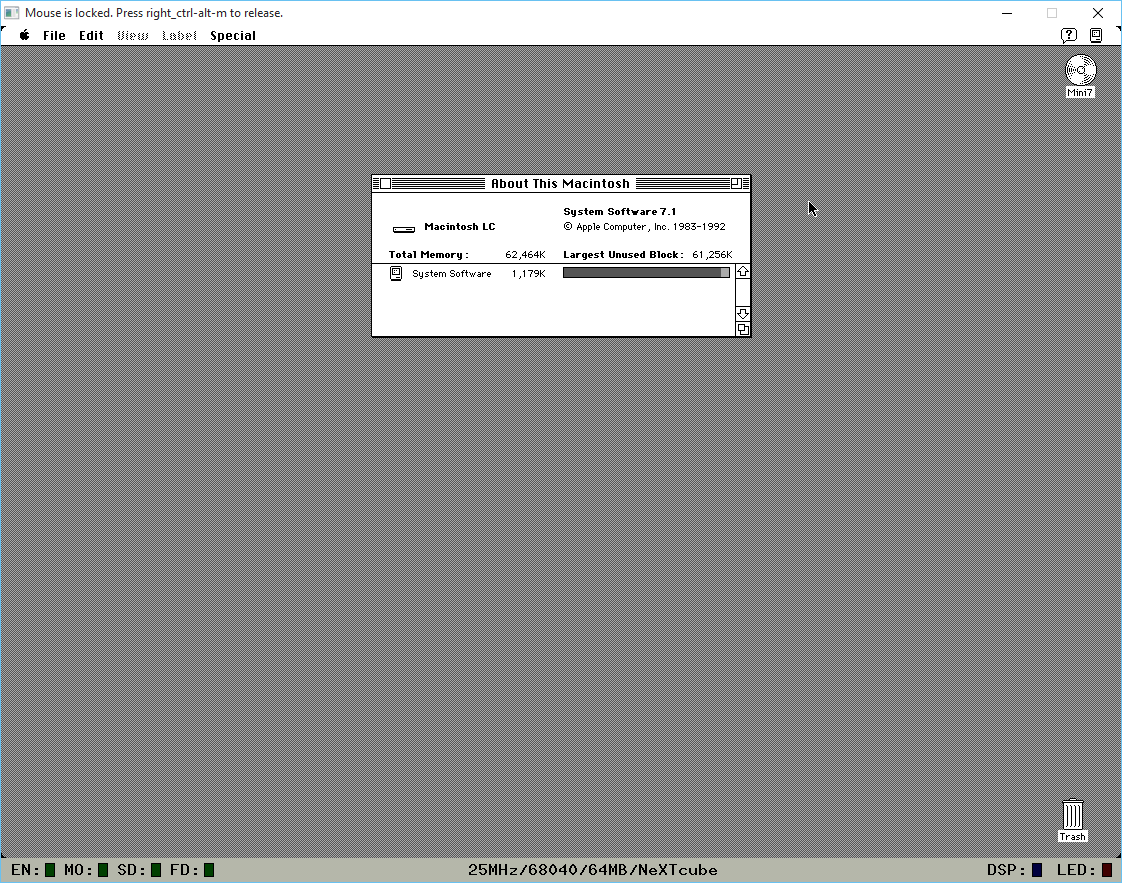
System 7.1 running on a NeXT cube!
What makes this interesting is that the 68040 is cycle set, and uses a much more mature CPU emulation core than Basilisk II, so it should give more accurate emulation. However it will run at 68040 25Mhz speeds, so it won’t win any speed records.
Naturally programs (Space Quest I) that blit directly to the display probably expect Mac/Plus/Se dimensions so the NeXT display won’t be ideal. Â But good old SoftPC for MacOS runs great!
SoftPC 3.1 for MacOS
And again, being set to 68040 speeds, it’s nowhere near as turbo as Basilisk II/SheepShaver.
For anyone interested, you’ll want Previous, the latest build and a test disk. Â Set the emulation for either a NeXT Computer (68030), or NeXTcube (68040), add the test disk as SCSI disk 0, and either type in ‘bsd’ at the firmware prompt, or have it automatically boot in the options.
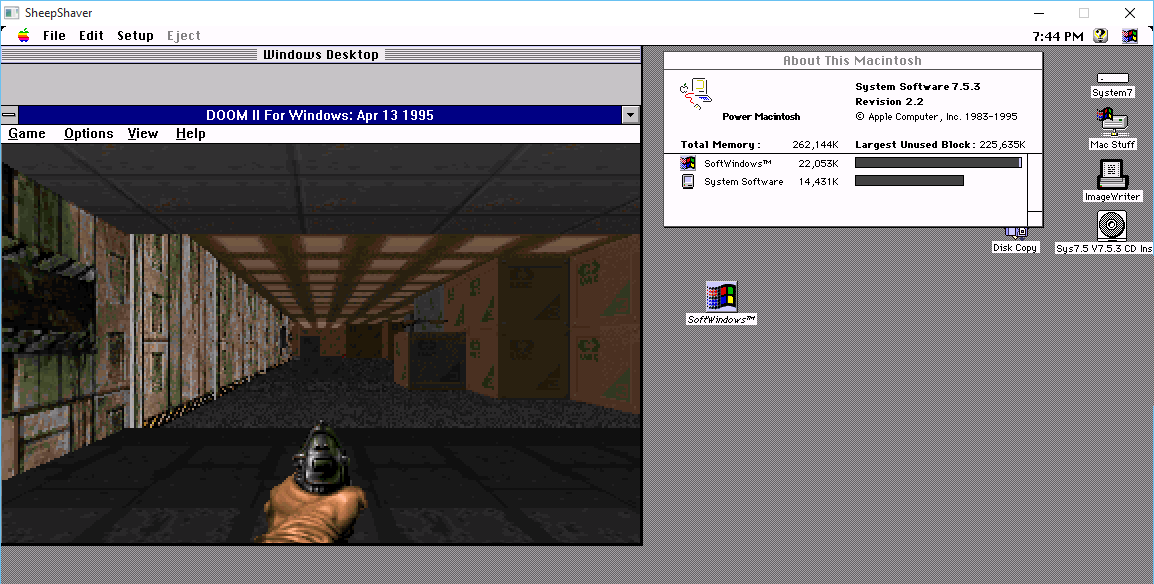
So I was hammering out something with SheepShaver (more on that later!) and I thought a quick test of just how fast SheepShaver is vs a real PowerMAC would be interesting. Â So I was playing with my old copy of SoftPC, which is 68000 based, but There were PowerPC versions, years ago when I bought a G4 to run OS X to only find out that it wasn’t supported (the dark days of OS X Server 1.0, before the 10.0 public beta) I used to run Windows NT 4.0 on SoftPC on MacOS 8.6. Â Ugh, dark times indeed!
So with some luck, I got SoftPC 3.0 up and running on MacOS 7.5.3 using SheepShaver for Windows. Then I noticed that unlike SoftPC for the 68000, SoftPC for the PowerPC emulates a 486! Â So how does DooM run? Â A little slow, it’s kind of dream like.
And much to my amazement it runs! Â And I was further impressed that there is a shim sound driver, and it works!
So I made a quick video to compare DooM for Windows vs DooM for MS-DOS on this setup.
Yes it’s pointless, but I kinda think it’s really cool.
As a bonus, here is E1M1 under MacOS 8.0. Â The MIDI support in 8.0 is MUCH more stronger than 7.5.3! Â And I should add, it actually feels faster on 8.0 than 7.5.3
I know I’m crazy, but for some reason the update didn’t kick off automagically on my 7 box, so I fished around and found the direct download here.
From what I’ve read VMware Player 7 updates should work with 10.
Time to see what breaks, and what works!
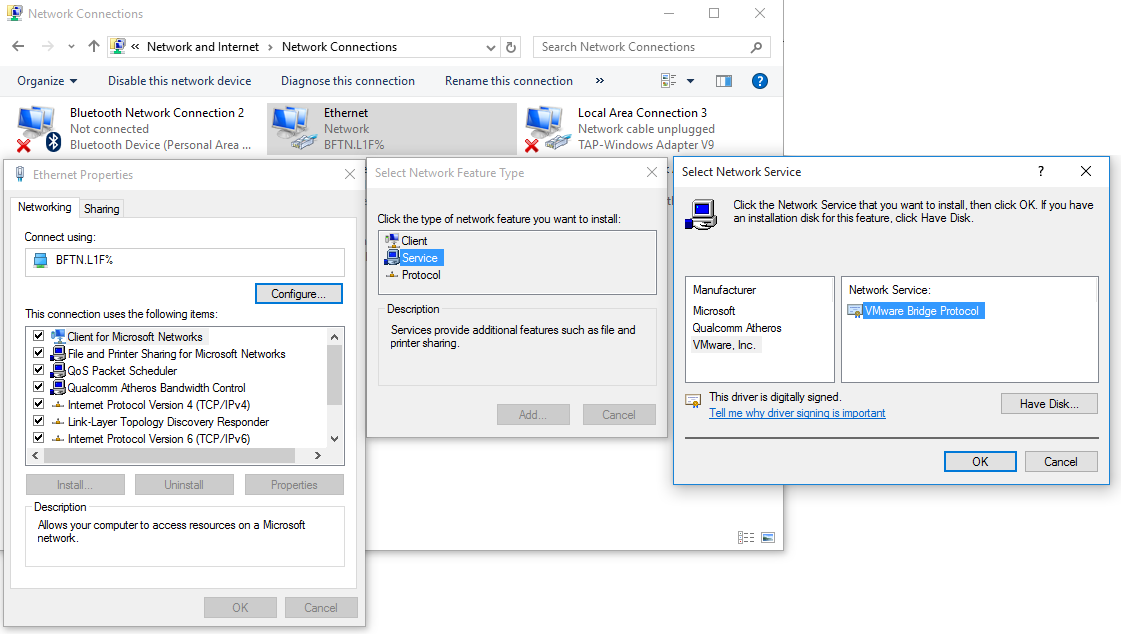
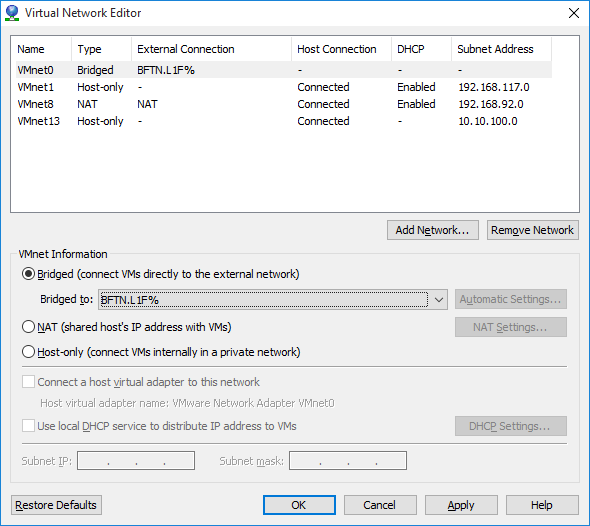
The first issue I had is that after the upgrade, VMware Player couldn’t connect to the bridge adapters. Luckily the fix is really easy.
Bring up your network connections, go to your physical Ethernet adapter, bring up it’s properties, and add in a ‘service’.
Restoring the VMware Bridge service
Then select the VMware Inc, vendor and the VMware Bridge Protocol. Now with that done, all I had to do is then bind the bridge to the Ethernet adapter.
Configuring the Bridged virtual interface
And now my VM’s can talk to my network without any of that NAT nonsense. And I didn’t have to re-install VMware Player to fix this either!
Some real fun came from upgrading my wife to 2015. She uses Outlook 2013 to talk to an IMAP server. No big deal right? Well after upgrading when she tried to send an email she would get the ever so helpful error 0x800CCC13 . So her server is setup to use SSL to talk to the outbound SMTP server. It even has a valid certificate! The best part is that verifying her account and IT WILL SEND THE TEST EMAIL. Yes, that is right, Outlook 2013 cannot send to SMTP servers, but the test and diagnostics work. And in the age of multigigabyte installations all the user is left with is a hexadecimal error code of 0x800CCC13. Frankly this is totally inexcusable in 2015, let alone in the 1990s. Hell even OS/2 had a system to look up cryptic error messages. I guess that was an IBM thing.
So anyways, the best part is the ‘fix’. Apparently according to here, the upgrade to Windows 10 corrupts some DLL’s that are a part of Outlook 2013, and they need to be repaired. Simply run the following command as administrator:
sfc /scannow
It can take upwards of 10 minutes to complete. After we ran this, we re-ran Outlook 2013, and all of our dozens of attempted test messages sent.
Another possible problem is that the Exchange server plugin is interfering with the IMAP/SMTP plugins, and it needs to be disabled/deleted. I haven’t had to go there since she can send emails now.
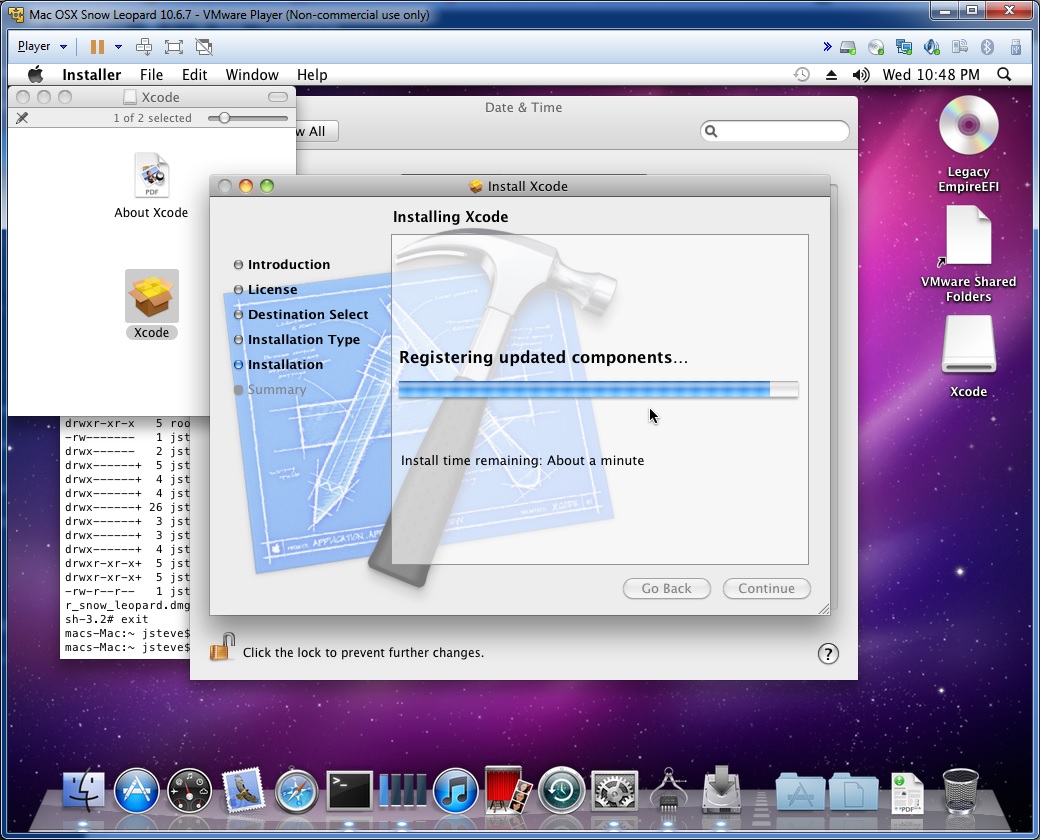
I found this out trying to install XCode 4.2 on OS X 10.6
Failed install preflight: Error Domain=PKInstallErrorDomain Code=102 UserInfo=0x1d9a30 “The package “iPhoneSDKTools.pkg†is untrusted.” Underlying Error=(Error Domain=NSOSStatusErrorDomain Code=-21 47409654 UserInfo=0x1dbe90 “The operation couldn’t be completed. CSSMERR_TP_CERT_EXPIRED”)
CSSMERR_TP_CERT_EXPIRED??
Yep turns out XCode 4.2 (and probably many others) will actually expire. Â So turn off the automatic clock sync, and set your time back to before the package was issued (Xcode 4.3, released on February 16, 2012..) and you’ll be good to go.
fe00::0 ip6-localnet
ff00::0 ip6-mcastprefix
ff02::1 ip6-allnodes
ff02::2 ip6-allrouters
127.0.0.1 localhost.localdomain localhost
# Auto-generated hostname. Please do not remove this comment.
::1 localhost ip6-localhost ip6-loopback
Needless to say, having localhost point to ::1 made it dependant on all local daemons supporting IPv6, and spamd sadly is IPv4 only. Â Luckily it’s a quick fix to remove localhost from ::1, which then let’s it work again with 127.0.0.1, and now it can connect over IPv4.
Well today (August 4th, 2015) there was a critical update to Apache. Â And after updating I got this fine error:
# /etc/init.d/apache2 restart
[….] Restarting apache2 (via systemctl): apache2.serviceJob for apache2.service failed. See ‘systemctl status apache2.service’ and ‘journalctl -xn’ for details.
failed!
Great. Â So what does the error actually say?
# systemctl status apache2.service
* apache2.service – LSB: Apache2 web server
Loaded: loaded (/etc/init.d/apache2)
Active: failed (Result: exit-code) since Tue 2015-08-04 13:52:13 HKT; 7s ago
Process: 6063 ExecStop=/etc/init.d/apache2 stop (code=exited, status=0/SUCCESS)
Process: 6427 ExecStart=/etc/init.d/apache2 start (code=exited, status=1/FAILURE)
systemd[1]: Starting LSB: Apache2 web server…
apache2[6427]: Starting web server: apache2 failed!
apache2[6427]: The apache2 configtest failed. …….
apache2[6427]: Output of config test was:
apache2[6427]: apache2: Syntax error on line 250 …y
apache2[6427]: Action ‘configtest’ failed.
apache2[6427]: The Apache error log may have more….
systemd[1]: apache2.service: control process exi…=1
systemd[1]: Failed to start LSB: Apache2 web server.
systemd[1]: Unit apache2.service entered failed …e.
Hint: Some lines were ellipsized, use -l to show in full.
Fantastic.
# apachectl configtest
apache2: Syntax error on line 250 of /etc/apache2/apache2.conf: Could not open configuration file /etc/apache2/mods-enabled/alias.load: No such file or directory
Action ‘configtest’ failed.
The Apache error log may have more information.
So, normally you’d check under modules-enabled, and link in the missing bits, right? Yeah except there is no MPM modules. Not anymore. Â And yes I removed and re-installed the apache2-mpm-prefork module, to no avail. Â So after much digging around it looks like the transition to 2.4 finally broke everything irrecoverably. Â So I backed up the /etc/apache2 directory than ran the follwing:
apt-get purge apache2
Which then removes all the apache2 stuff from the system. Â Then to finish it off, run a quick
rm -rf /etc/apache2
You did back it up, right?
now put it back in..
apt-get install apache2 libapache2-mod-php5
Now to re-enable the virtual sites.  For some reason they need to be enabled with a2ensite.  Except they don’t tell you that your sites now need to end in .conf in the /etc/apache2/sites-available (you did back it up right?)
Also if you run perl (src2html) be sure to run:
a2enmod cgi
service apache2 restart
Not to mention the joys of updating perl, and the cvsweb breaking, and I’m sure far more to break. Â Oh well, at least it’ll be up to date. Â That’s what I get for mixing ‘stable’ with ‘old stable’, when the local mirror out in the UK I was using moved up to 8.