Confusion & MDL Zork

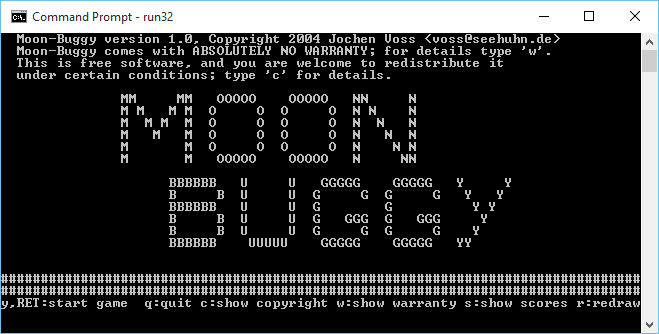
I don’t know how I missed this, but there is a MDL interpreter that can run MDL Zork!

This Zork created December 2, 2015.
West of House
This is an open field west of a white house, with a boarded front door.
There is a small mailbox here.
A rubber mat saying ‘Welcome to Zork!’ lies by the door.
“DONE”
> open mailbox
Opening the mailbox reveals a leaflet.
> take leaflet
Taken.
> read leaflet
WELCOME TO ZORK
ZORK is a game of adventure, danger, and low cunning. In it you
will explore some of the most amazing territory ever seen by mortal
man. Hardened adventurers have run screaming from the terrors
contained within!

In ZORK the intrepid explorer delves into the forgotten secrets
of a lost labyrinth deep in the bowels of the earth, searching for
vast treasures long hidden from prying eyes, treasures guarded by
fearsome monsters and diabolical traps!

No PDP-10 should be without one!

ZORK was created at the MIT Laboratory for Computer Science, by
Tim Anderson, Marc Blank, Bruce Daniels, and Dave Lebling. It was
inspired by the ADVENTURE game of Crowther and Woods, and the long
tradition of fantasy and science fiction adventure. ZORK is written
in MDL (alias MUDDLE).

On-line information may be available using the HELP and INFO
commands (most systems).

Direct inquiries, comments, etc. by Net mail to ZORK@MIT-DMS.

(c) Copyright 1978,1979 Massachusetts Institute of Technology.
All rights reserved.

>

How is that for cool?  The MDL interpreter is called Confusion by Matthew T. Russotto, and can be found here.  There is even a port to Windows, by  David Kinder back in 2009!

I don’t know how I missed it, but this is as close as you can get to the original 1979 experience.

Speaking of which, gunkies should be on faster hardware, and the DNS records should be updated by the time you read this.

Quake on HPPA (Gecko) NeXTSTEP

So forever ago I had done a super bare port of Quake to NeXTSTEP.  It was based on a copy of UAE 0.6.0 source code that included hooks for NeXTSTEP.  So seizing on this I built a shaky framework and amazingly got it to work.  Well work enough I had trouble with the mouse part, and never did get around to fixing it, but I kicked it out into the world.  And amazingly the HPPA cross compiled version that I compiled but never tested runs!

My whole misadventure is on nextcomputers.org, and blakespot has a blog about finding the gecko and it’s 32bit video modes here.

The Infocom Cabinet

You haven't played Planetfall??

What? You haven’t played Planetfall??


Over on archive.org:

A collection of digitized scans from a large cache of documents related to the game publisher Infocom, Inc. of Cambridge, MA. Assembled by Steven Meretzky of Infocom.

During his time at Infocom, Steve Meretzky meticulously gathered thousands of pages of notes, journals, maps, memos, forms and other printable materials related to all aspects of Infocom, and kept them in his basement for decades. During the GET LAMP production, Jason Scott scanned in roughly 9,000 pages of these documents across a number of months, borrowing the materials from Steve and scanning them as quickly as possible, at around 600dpi. From these scans, a portion was used in the GET LAMP movie to illustrate various scenes and descriptions by interviewees.

Pretty cool!

Includes detailed information on the Hitchhikers Guide To The Galaxy, Planetfall parts 1 & part 2, Stationfall, Zork Zero, Leather Gods of Phobos, production schedules and ZIL the interpretive language.   And other goodies!

Great thanks to Steven Meretzky for being a hoarder (aka archiver) and Jason Scott for being a bigger hoarder, and digitizer sharing everything for all!

Blue Lion

While I was sleeping this happened:

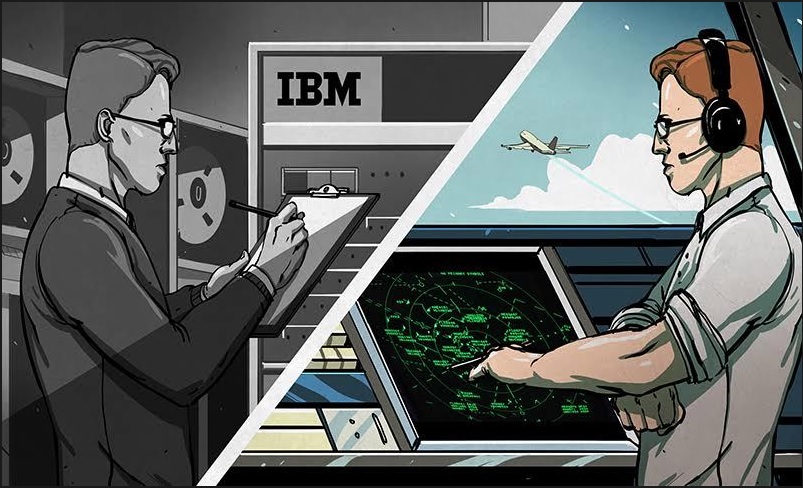
That is right, a new re-release of OS/2.  But don’t go all too crazy the targeted release date is Q3 2016.

That being said, they don’t apparently have source code, so yeah.  Me?  I still run OS/2 2.0, and I really don’t see much need in upgrading.  It runs MS-DOS just fine.  At the same time, I really wonder how much IBM charges to brand out your own version of OS/2?  Not that I really need one.

PHP 5.4 is now obsolete on Debian

While doing an update, I got this fun message:


php5 (5.4.45-0+deb7u2) wheezy-security; urgency=medium

* PHP 5.4 has reached end-of-life on 14 Sep 2015 and as a result there
will be no more new upstream releases. The security support of PHP
5.4 in Debian will be best effort only and you are strongly advised
to upgrade to latest stable Debian release that includes PHP 5.6 that
will reach end of security support on 28 Aug 2017.

-- OndÃ…ej Surý <[email protected]> Sun, 04 Oct 2015 17:05:37 +0200

Time to upgrade!

After a bit of digging around here is how I did it.  I’m moving from PHP 5.4 to PHP 5.6


# php --version
PHP 5.4.45-0+deb7u2 (cli) (built: Oct 17 2015 09:01:48)
Copyright (c) 1997-2014 The PHP Group
Zend Engine v2.4.0, Copyright (c) 1998-2014 Zend Technologies

Ok, so here is the version I’m starting with on Debian 7.9 (Wheezy). During this process, I’m using unsigned packages so get used to this fine message, and packages being held back, unless I manually install them:


Reading package lists... Done
W: GPG error: http://packages.dotdeb.org wheezy Release: The following signatures couldn't be verified because the public key is not available: NO_PUBKEY E9C74FEEA2098A6E
W: GPG error: http://packages.dotdeb.org wheezy-php56-zts Release: The following signatures couldn't be verified because the public key is not available: NO_PUBKEY E9C74FEEA2098A6E
Reading package lists... Done
Building dependency tree
Reading state information... Done
0 upgraded, 0 newly installed, 0 to remove and 0 not upgraded.

But if you can read this, then it worked!

First add these to the /etc/apt/sources.lst file:

deb http://packages.dotdeb.org wheezy all
deb-src http://packages.dotdeb.org wheezy all
deb http://packages.dotdeb.org wheezy-php56-zts all
deb-src http://packages.dotdeb.org wheezy-php56-zts all

Then we can run the usual apt-get update / apt-get upgrade shuffle.

On my first run I got this fun output:


The following packages have been kept back:
libapache2-mod-php5 libmysqlclient18 mysql-server php-pear php5 php5-cli
php5-common php5-gd php5-mysql
The following packages will be upgraded:
mysql-common
1 upgraded, 0 newly installed, 0 to remove and 9 not upgraded

So I went ahead and updated mysql-common.  And during that upgrade I got the new message:


WARNING: The following packages cannot be authenticated!
mysql-common
Install these packages without verification [y/N]? y

So yes these packages are all unsigned. 🙁

After this, I ran:


# apt-get install php5

And got the following scary looking output


The following extra packages will be installed:
libapache2-mod-php5 libt1-5 libvpx1 php5-cli php5-common php5-gd php5-mysql
Suggested packages:
php5-user-cache
Recommended packages:
php5-readline
The following NEW packages will be installed:
libt1-5 libvpx1
The following packages will be upgraded:
libapache2-mod-php5 php5 php5-cli php5-common php5-gd php5-mysql
6 upgraded, 2 newly installed, 0 to remove and 3 not upgraded.
Need to get 7,659 kB of archives.
After this operation, 5,220 kB of additional disk space will be used.
Do you want to continue [Y/n]? y
WARNING: The following packages cannot be authenticated!
php5-mysql php5-cli php5-gd libapache2-mod-php5 php5-common php5
Install these packages without verification [y/N]? y

And then finally, after another apt-get update / apt-get upgrade I finally get this output:


The following packages have been kept back:
libmysqlclient18 mysql-server
0 upgraded, 0 newly installed, 0 to remove and 2 not upgraded.

So just update the held back packages and get it over with.


apt-get install libmysqlclient18 mysql-server

Ugh, it isn’t pretty.  But now we are on the newer train of PHP!


# php --version
PHP 5.6.14-1~dotdeb+zts+7.1 (cli) (built: Oct 2 2015 03:39:20)
Copyright (c) 1997-2015 The PHP Group
Zend Engine v2.6.0, Copyright (c) 1998-2015 Zend Technologies
with Zend OPcache v7.0.6-dev, Copyright (c) 1999-2015, by Zend Technologies

Hopefully things continue to work.

DooM shovelware CD archive!

DooM!

DooM!

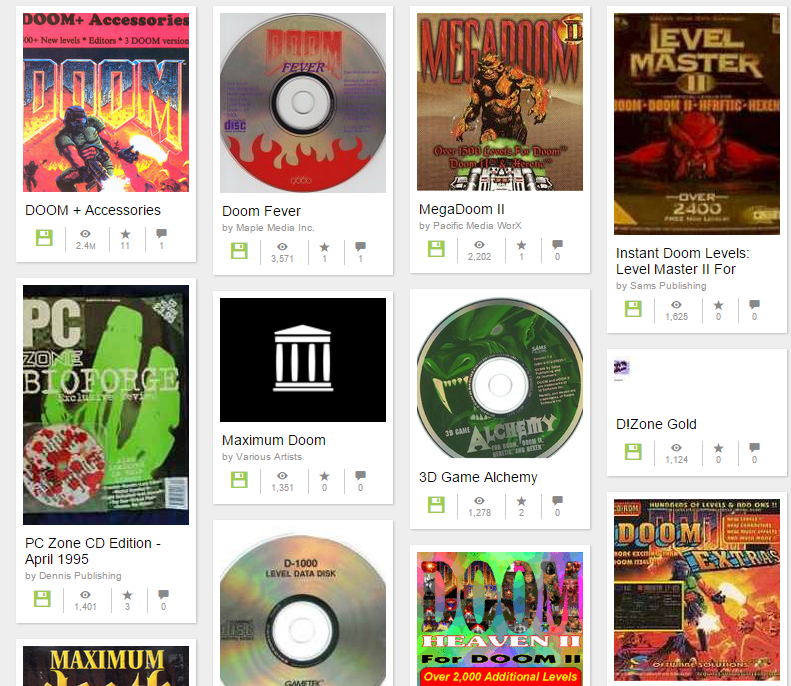
In the mid 90’s the CD-ROM format was becoming insanely popular, and seen as a ‘get rich quick’ scheme for a brief time.  And of course one of the greatest, customizable games ever, DooM is from that era!  Combine the two, and you have an awesome collection of shovelware CD’s featuring DooM utilities, mods, and levels!

Perhaps one of the more popular CD-ROM distributors was Walnut Creek, which had a good relationship with FreeBSD.  Oddly enough it would eventually merge with BSDi, and split, merge, acquire, become acquired by others.

Archive.org has their massive CD-ROM collection online!  And, it of course includes the DooM 1994 CD.

PCem version 10 is officially released!


  • New machines – AMI XT clone, DTK XT clone, VTech Laser Turbo XT, VTech Laser XT3, Phoenix XT clone, Juko XT clone, IBM PS/1 model 2011, Compaq Deskpro 386, DTK 386SX clone, Phoenix 386 clone, Intel Premiere/PCI, Intel Advanced/EV
  • New graphics cards – IBM VGA, 3DFX Voodoo Graphics
  • Experimental dynamic recompiler – up to 3x speedup
  • Pentium and Pentium MMX emulation
  • CPU fixes – fixed issues in Unreal, Half-Life, Final Fantasy VII, Little Big Adventure 2, Windows 9x setup, Coherent, BeOS and others
  • Improved FDC emulation – more accurate, supports FDI images, supports 1.2MB 5.25″ floppy drive emulation, supports write protect correctly
  • Internal timer improvements, fixes sound in some games (eg Lion King)
  • Added support for up to 4 IDE hard drives
  • MIDI OUT code now handles sysex commands correctly
  • CD-ROM code now no longer crashes Windows 9x when CD-ROM drive empty
  • Fixes to ViRGE, S3 Vision series, ATI Mach64 and OAK OTI-067 cards
  • Various other fixes/changes

Official download links:

PCem v10 for Windows
PCem v10 for Linux


I personally prefer PCem over DOSBox at the moment, as PCem runs the actual BIOS code, so it feels more like an actual vintage PC.  PCem does need a significantly more powerful machine to push it thought.


The client needs to access the internet!

But let’s not give them access to everything.

This is a common scenario I see, where someone needs to get updates to some magical software package on the internet.  Great.  And people just give them access to ANY site, which ends up being not only the internet (the intended destination) but the rest of their internal network.  Granted a good defense in the SDN world is inbound rules as well for each VM, but everything is never 100%.

RFC1918 defines our friends, the private address ranges:

     10.0.0.0        -   10.255.255.255  (10/8 prefix)
     172.16.0.0      -   172.31.255.255  (172.16/12 prefix)
     192.168.0.0     -   192.168.255.255 (192.168/16 prefix)

However the solution to this fun filled problem is to grant them HTTP/HTTPS access to the inverse of this.  Enter the netmask command.  You can give it a range, and it’ll lay out what networks to you need to add like this:

     netmask -c 0.0.0.0:9.255.255.255
     0.0.0.0/5
     8.0.0.0/7

Now I can exclude everything right up until 10.0.0.0/8 !

It’s quite the handy tool, but I didn’t see any Windows version.  So a few minutes with MinGW, and dealing with it’s weird Makefile’s way of linking things, and here you go!

This way you can permit internet access, not give them inside, access and still have a global DENY actually work.

YAY.

And if anyone is interested here are the networks:

     0.0.0.0/5
     8.0.0.0/7
    11.0.0.0/8
    12.0.0.0/6
    16.0.0.0/4
    32.0.0.0/3
    64.0.0.0/2
   128.0.0.0/3
   160.0.0.0/5
   168.0.0.0/6
  172.0.0.0/12 
 172.32.0.0/11
 172.64.0.0/10
 172.128.0.0/9
   173.0.0.0/8
   174.0.0.0/7
   176.0.0.0/4
   192.0.0.0/9
192.128.0.0/11
192.160.0.0/13
192.169.0.0/16
192.170.0.0/15
192.172.0.0/14
192.176.0.0/12
192.192.0.0/10
   193.0.0.0/8
   194.0.0.0/7
   196.0.0.0/6
   200.0.0.0/5
   208.0.0.0/4

Yes, I know it’s a LOT of typing.