Installing Microsoft Java on Windows 2000 SP4

So yeah, I’m using some old crap software, and it wants MS Java. Great. Ive installed Windows 2000 + SP4, IE6, and then to install MS Java and I get this error:

protected system component?

protected system component?

The Microsoft VM you are attempting to install is a protected system component and can only be updated with a later release of the operating system or service pack.

Well as far as I know, msjavx86-5.0.3810.0 is the last release of MS Java, so what to do?

Apparently all you have to do is rename it to ‘msjavwu.exe’ and it’ll install.

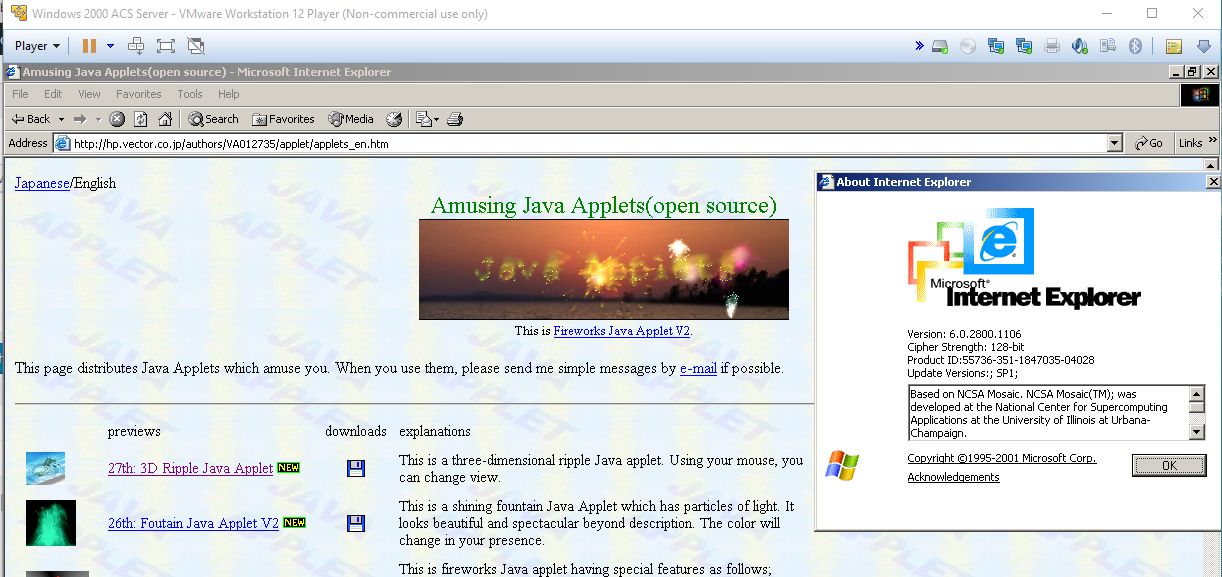
MS Java on IE6

MS Java in action

And there we go, Microsoft Java is working.

Thanks to the java test site that I’ve used over the years:

http://hp.vector.co.jp/authors/VA012735/applet/applets_en.htm

John Romero releases new DooM level

DooM!

DooM!

From his twitter post:

It’s been 21 years since I made a DOOM level. Here’s my version of E1M8 using DOOM1.WAD.

The download link on dropbox:

https://www.dropbox.com/s/2x2ee3r51986dkt/e1m8b.zip?dl=0

From the readme:

===========================================================================
Advanced engine needed : Limit-removing source ports
Primary purpose : Single Player, Co-op, Deathmatch
===========================================================================
Title : Tech Gone Bad
Filename : e1m8b.wad
Release date : Jan 15, 2016
Authors : John Romero
Email Address : [email protected]
Others Files By Author : doom1.wad, doom2.wad
Misc. Author Info : My previous Doom levels were made in 1995 for The
Ultimate Doom (e4m2, e4m6), so this is a warm-up.

Additional Credits to : John C., Adrian C., Tom H., Kevin C., Sandy P., Dave T.
Pascal “CodeImp” vd Heiden for Doom Builder
The Doomworld Community
Linguica and J.P. LeBreton for Testing expertise

General Description : My Boss level replacement for e1m8…22 years later

After exiting the Computer Station you knew the worst was up ahead. You still hadn’t
reached the place where the demons were coming from. The steel door shuts
behind you as you realize you’re there; you’re at the Phobos Anomaly. Cracks from
hell are all over the place as seepage from the portal invades the entire installation.
Now it’s time to find the portal and stop the demons from coming through. You know
UAC had hundreds of scientists working at a high-tech lab somewhere in this area, and
the portal must be connected to it somehow. Time to lock and load.

===========================================================================
* What is included *

New levels : 1
Sounds : No
Music : No
Graphics : No
Dehacked/BEX Patch : No
Demos : No
Other : No
Other files required : Doom1.wad or Doom.wad

* Play Information *

Game : Doom 1
Map # : E1M8
Single Player : Designed for
Cooperative 2-4 Player : Designed for
Deathmatch 2-4 Player : Designed for
Other game styles : No
Difficulty Settings : Yes

* Construction *

Base : New from scratch
Build Time : 2 weeks, in spare time
Editor(s) used : DooM Builder 2
May Not Run With : Doom2.exe
Tested With : ZDoom 2.7.1, Crispy Doom
Known bugs : No

* Copyright / Permissions *

Authors may NOT use the contents of this file as a base for
modification or reuse. Permissions have been obtained from original
authors for any of their resources modified or included in this file.

You MAY distribute this file, provided you include this text file, with
no modifications. You may distribute this file in any electronic
format (BBS, Diskette, CD, etc) as long as you include this file
intact. I have received permission from the original authors of any
modified or included content in this file to allow further distribution.

Cool, right!

I tried it with DooM v1.1 and v1.9 and they both load up the level but at certain points may bomb out with a R_FindPlane: no more visplanes.  So, you’ll want to use ZDoom or Crispy Doom as indicated in the readme.

But for those who want vanilla, remember to load up the WAD like this:

DOOM -file e1m8.wad -warp 1 8

Or alternatively you can jump to the level by typing in idclev18

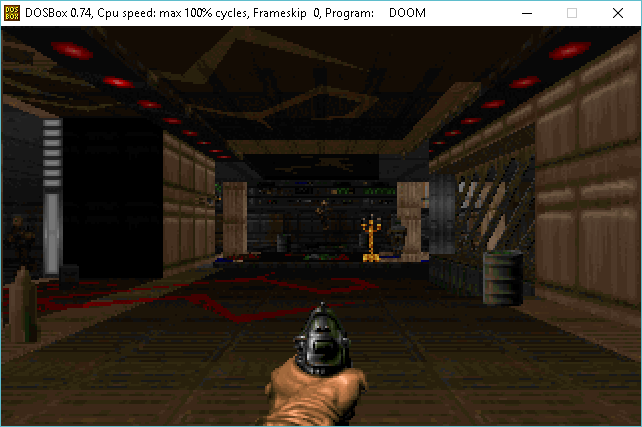
E1M8 28 years later

E1M8 28 years later

OpenSSH: client bugs CVE-2016-0777 and CVE-2016-0778

Update from undeadly.org:

This is the most serious bug you’ll hear about this week: the issues identified and fixed in OpenSSH are dubbed CVE-2016-0777 and CVE-2016-0778.

An early heads up came from Theo de Raadt in this mailing list posting.

Until you are able to patch affected systems, the recommended workaround is to use

# echo -e 'Host *\nUseRoaming no' >> /etc/ssh/ssh_config

That is, add the option UseRoaming no to your /etc/ssh/ssh_config (or your user’s ~/.ssh/config) file, or start your ssh client with -oUseRoaming=no included on the commandline.

We will be updating this article with more information as it becomes available.

UPDATE: This affects OpenSSH versions 5.4 through 7.1.

UPDATE: The following commit from deraadt@ has just gone in:

CVSROOT:        /cvs
Module name:    src
Changes by:     [email protected] 2016/01/14 07:34:34

Modified files:
        usr.bin/ssh    : readconf.c ssh.c

Log message:
Disable experimental client-side roaming support.  Server side was
disabled/gutted for years already, but this aspect was surprisingly
forgotten. Thanks for report from Qualys

UPDATE: Errata patches for 5.8 and 5.7 have been published.

UPDATE: Portable OpenSSH 7.1p2 has been released:

 * SECURITY: ssh(1): The OpenSSH client code between 5.4 and 7.1
   contains experimential support for resuming SSH-connections (roaming).

   The matching server code has never been shipped, but the client
   code was enabled by default and could be tricked by a malicious
   server into leaking client memory to the server, including private
   client user keys.

   The authentication of the server host key prevents exploitation
   by a man-in-the-middle, so this information leak is restricted
   to connections to malicious or compromised servers.

   MITIGATION: For OpenSSH >= 5.4 the vulnerable code in the client
   can be completely disabled by adding 'UseRoaming no' to the global
   ssh_config(5) file, or to user configuration in ~/.ssh/config,
   or by passing -oUseRoaming=no on the command line.

UPDATE: Fixed versions are available for OpenBSD snapshots dated 2016-01-12 and later. M:Tier has binpatches for OpenBSD 5.7-stable and 5.8-stable. Debian, Ubuntu, RHEL, and many other Linux distros have it now or will soon.

UPDATE: The roaming code has been stripped out of OpenBSD -current:

CVSROOT:   /cvs
Module name:    src
Changes by: [email protected]  2016/01/14 09:17:40

Modified files:
    usr.bin/ssh    : clientloop.c kex.c kex.h monitor.c 
                     monitor_wrap.c opacket.c opacket.h packet.c 
                     packet.h readconf.c readconf.h serverloop.c 
                     ssh.c ssh2.h sshconnect.c sshconnect2.c sshd.c 
    usr.bin/ssh/lib: Makefile 
    usr.bin/ssh/ssh: Makefile 
    usr.bin/ssh/ssh-keyscan: Makefile 
    usr.bin/ssh/ssh-keysign: Makefile 
    usr.bin/ssh/sshd: Makefile 
Removed files:
    usr.bin/ssh    : roaming.h roaming_client.c roaming_common.c 
                     roaming_dummy.c roaming_serv.c 

Log message:
remove roaming support; ok djm@

UPDATE: The FreeBSD port has been updated, but the version in their base system remains vulnerable.

UPDATE: Qualys Security has posted their full report on the issues.

UPDATE: While the information leak is much more difficult to exploit on systems with ASLR, like OpenBSD, some users may want to consider rotating their key pairs. If you use ssh-agent(1), however, the man page offers some good news:

The agent will never send a private key over its request channel. Instead, operations
that require a private key will be performed by the agent, and the result will be
returned to the requester. This way, private keys are not exposed to clients using the
agent.

UPDATE: For Mac OS X, the version of OpenSSH in MacPorts has been updated. Since Apple typically delays security fixes, you’re advised to apply the workaround if using the bundled OpenSSH instead.

So yeah, time to patch and update.

Thanks Apple!

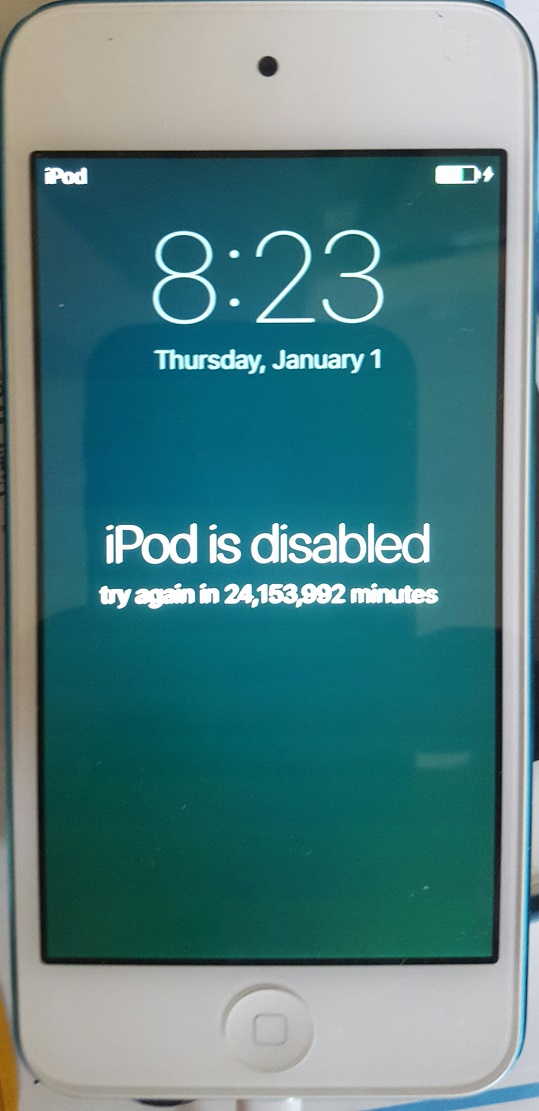
iPod is disabled

iPod is disabled

I only have to wait 24,153,992 minutes to unlock my iPod!  That is just under 46 years.

So I haven’t used this in a few months, and the battery went flat, but with iOS 9 or whatever this is running it reset to 1970, and now won’t let me even try to unlock it.  Good thing the MacBook Air I sync’d it with is dead too.  I guess that’s 2012 for me.

I just don’t want to hard reset it, so I guess I’ll have to see if there is a root kit/hack to set the clock.

Capstone source archive

I came across this fun page, which has the source code for a variety of games from the now defunct Capstone Software company.

For a while they licensed the build engine to pump out a few games, namely:

Pretty cool!

Corridor 8 was never finished so this is more so in the Alpha stage using many DooM assets.

I haven’t had time to try them out, but I thought I’d share the links as it were.

The Ultimate Amiga 500 Talk

Amiga Hardware Design And Programming

The Amiga was one of the most powerful and wide srpead computers in the late 80’s. This talk explains its hardware design and programming.

The Amiga 1000 appeared in 1985 and was followed by the Amiga 500 a few years later, which had the same design concept but was a little bit more powerful. The hardware design was highly sophisticated and powerful and was years ahead to other computers at the time then.
Equipped with the Motorola 68000 Microprocessor as the CPU which was internally a full 32 bit processor and several additional co-processors for various complex DMA tasks it was perfect for graphics-intensive software.

This talk explains the hardware in detail, how all those processors interacted and how it was programmed.

──────────
➤Speaker: rahra
➤EventID: 7468
➤Event: 32th Chaos Communication Congress [32c3] of the Chaos Computer Club [CCC]
➤Location: Congress Centrum Hamburg (CCH); Am Dammtor; Marseiller Straße; 20355 Hamburg; Germany
➤Language: english
➤Begin: Sun, 12/27/2015 18:30:00 +01:00
➤License: CC-by

Retro Freak, first thoughts

So I apparently have more time to spare, so lets get this one out of the way, the Retro Freak!
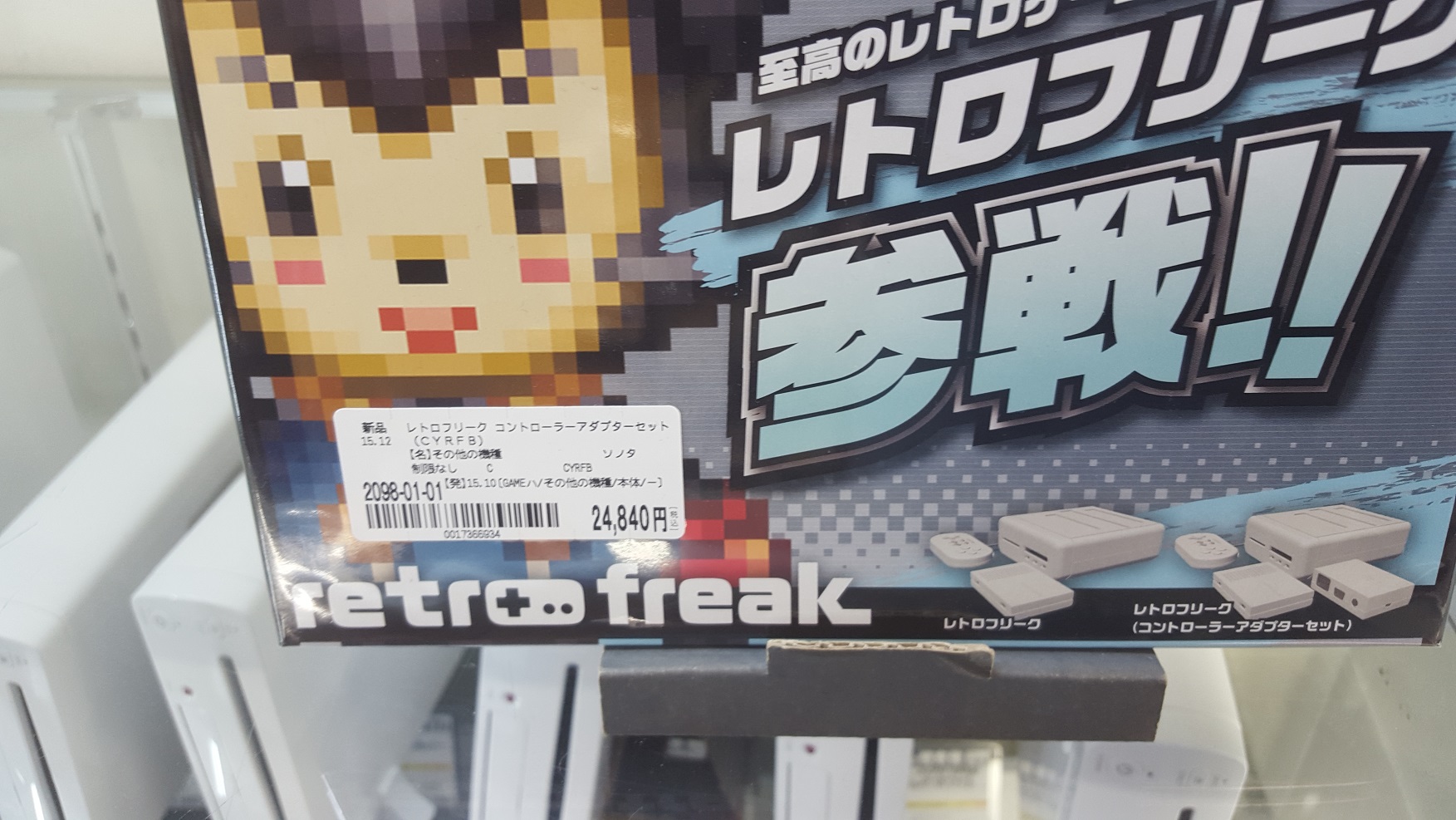
The Retro Freak in the wild!

The Retro Freak in the wild!

I saw these originally for demo during an Electronic and game show in Hong Kong.  A vendor in Taiwan who claimed to be the manufacturer was willing to sell the units to me (in bulk mind you!) these units for $160 USD in qty 15-100.  So it was a LOT more than I was willing to spend as this is no doubt an expensive retro console to device.  And much to my surprise I’ve seen them out in retail world for sale with prices ranging from Â¥18,000 to Â¥24,480.  And that was a major surprise.

So I bought one retail for the price I had been quoted back in the autumn.
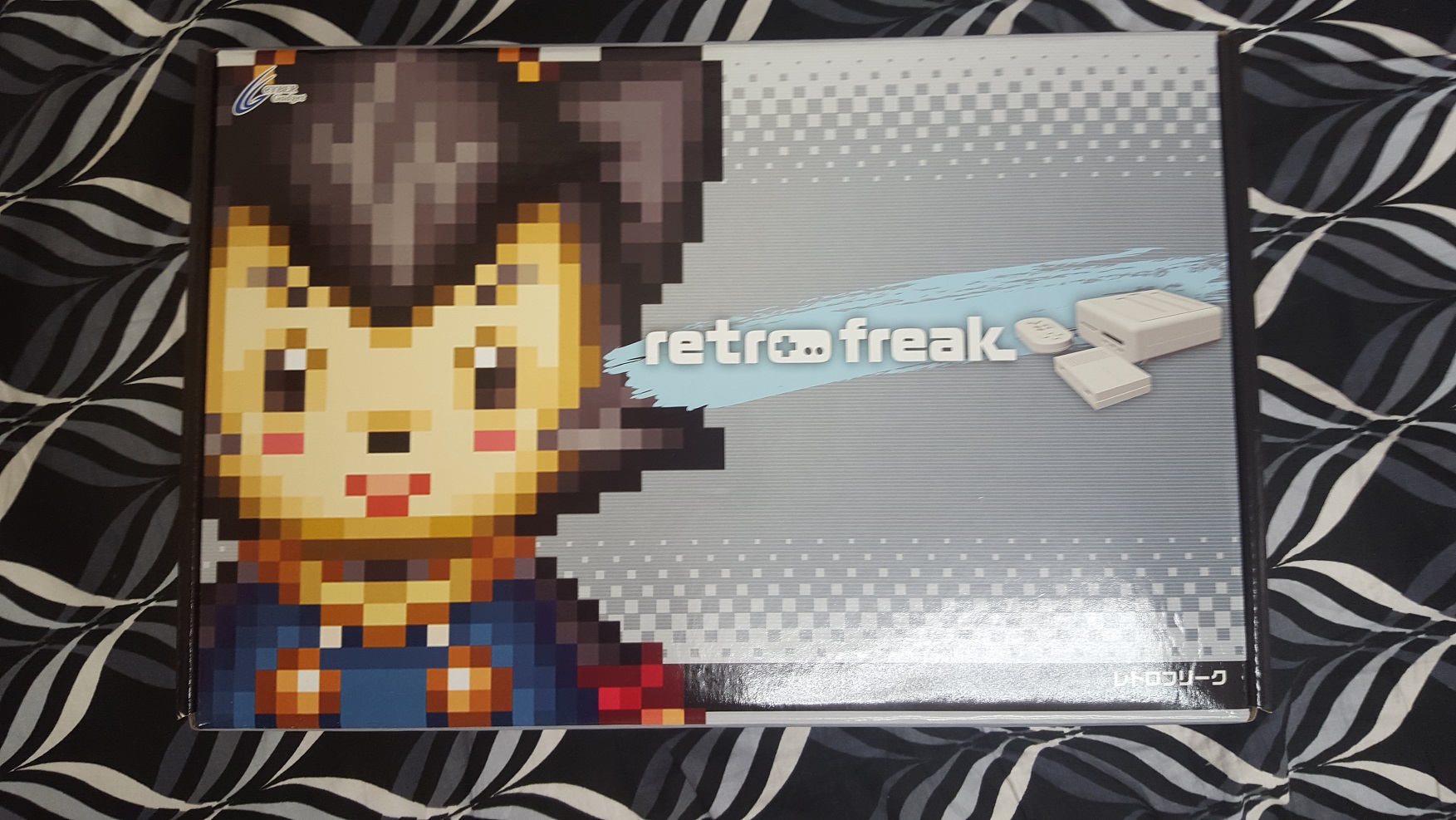
The exciting box!

The exciting box!

As you can see this is the box.  And yes that is the bed in the house I’m currently renting.  Such a festive background.

And for those who love this kind of thing, here is the back of the box:
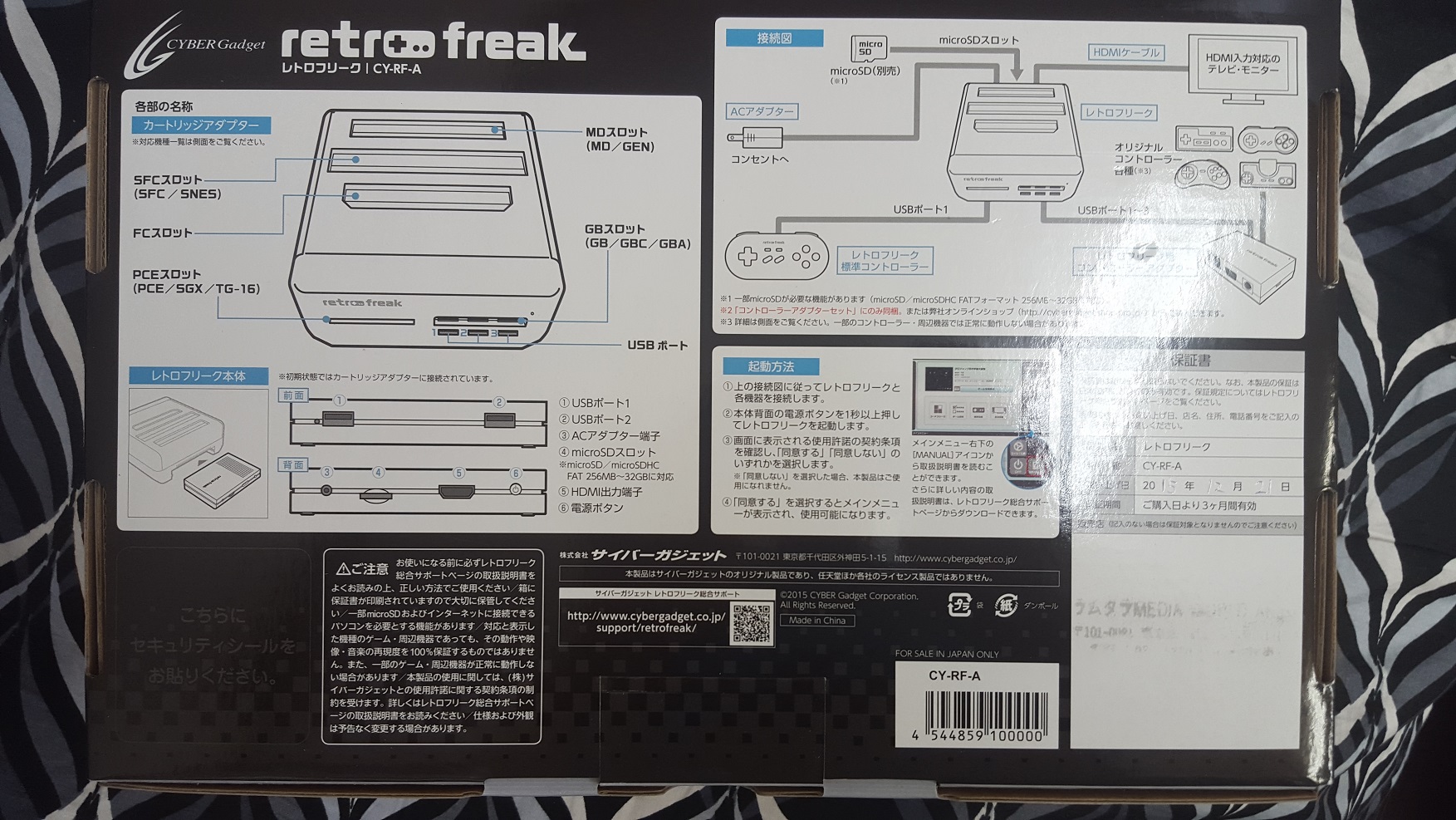
Back

Back

Once I purchased it, and they counted the cash it was opened up, and they put their store chop on it.  Unfortuantly they used crap ink, and I have to dig out the receipt.  But it was the cheapest price, which put it at $150 USD (before the 8% tax).
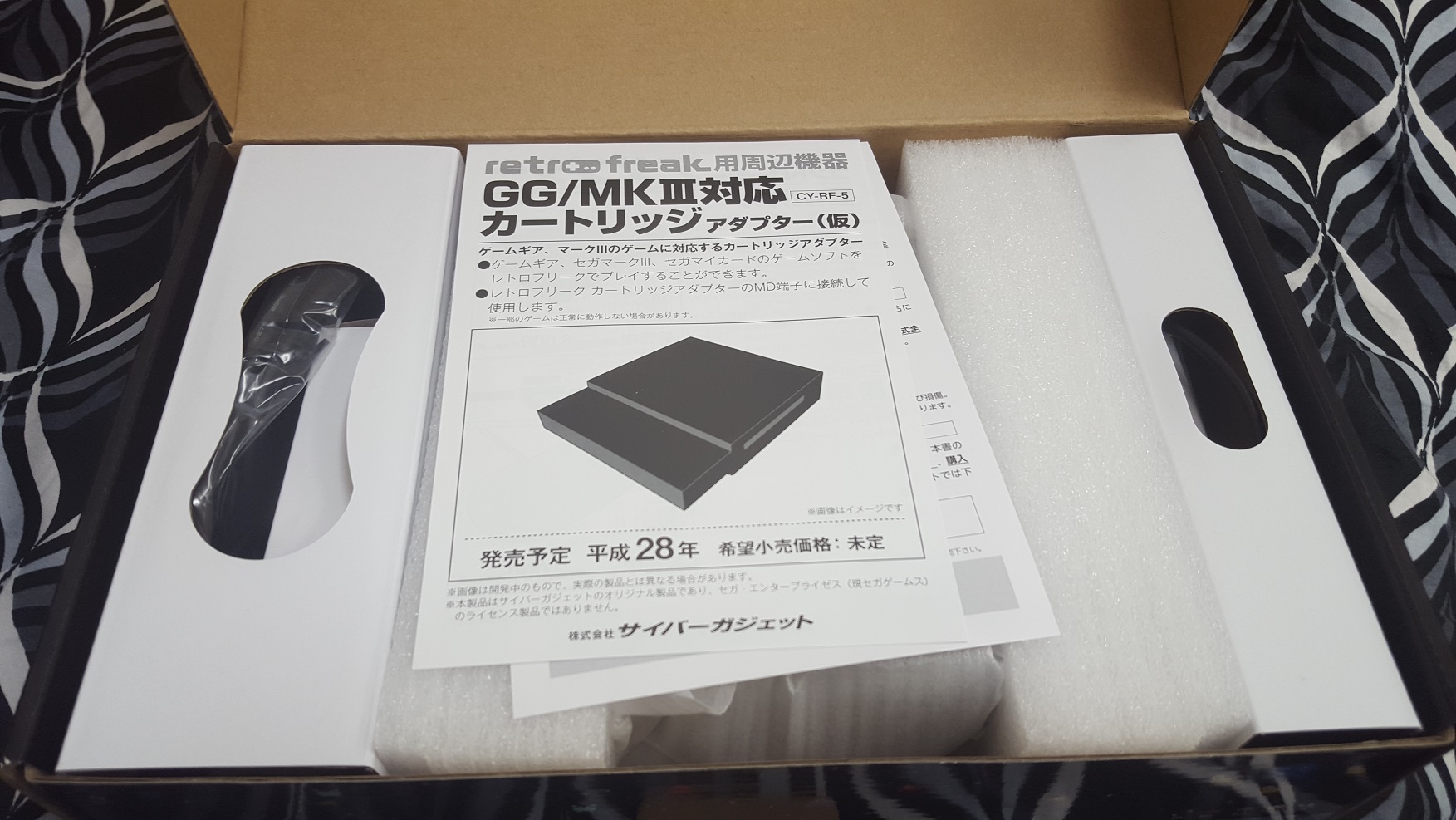
Opening the box

Opening the box

Opening the box, and we get that made in China feel.  The box is cheap, but hell I didn’t pay for a box, I paid for…
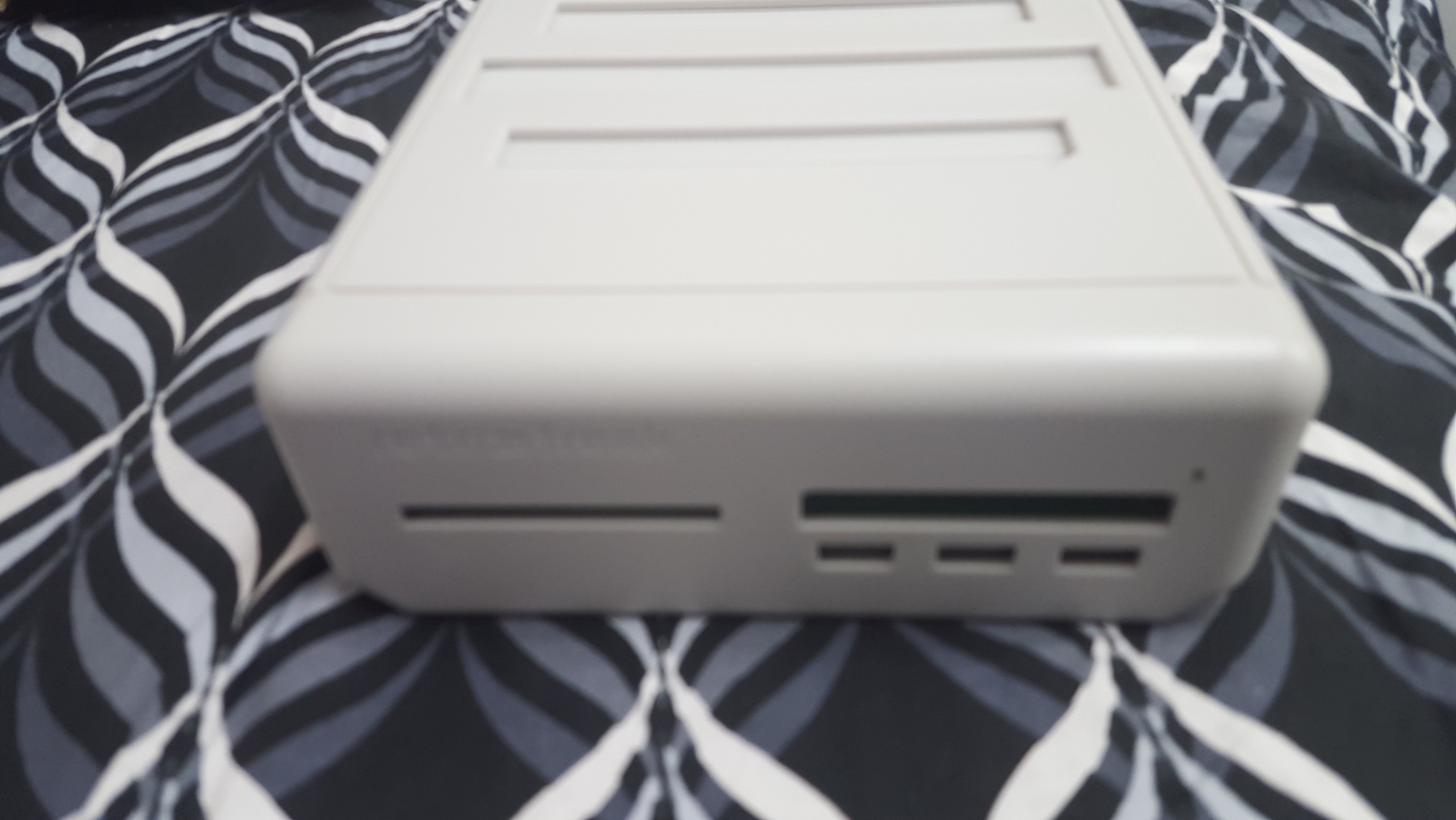
the dull console

the dull console

The most utterly dull and uninspiring console ever.  The plastic feels VERY cheap too.  Holding something like a Mega Drive (Genesis), or a Super Famicom feels so solid.  And the SONY gear is top notch.  This is just featureless dull soft gray plastic.  And not even a logo, or any real surface features save a power LED.  It just feels cheap.

Now one interesting thing, is that the majority of the body is actually the cartridge reader.  You have the ability to flip it over, and slide out the actual console, which is much smaller, and cast in the same dull and cheap plastic.
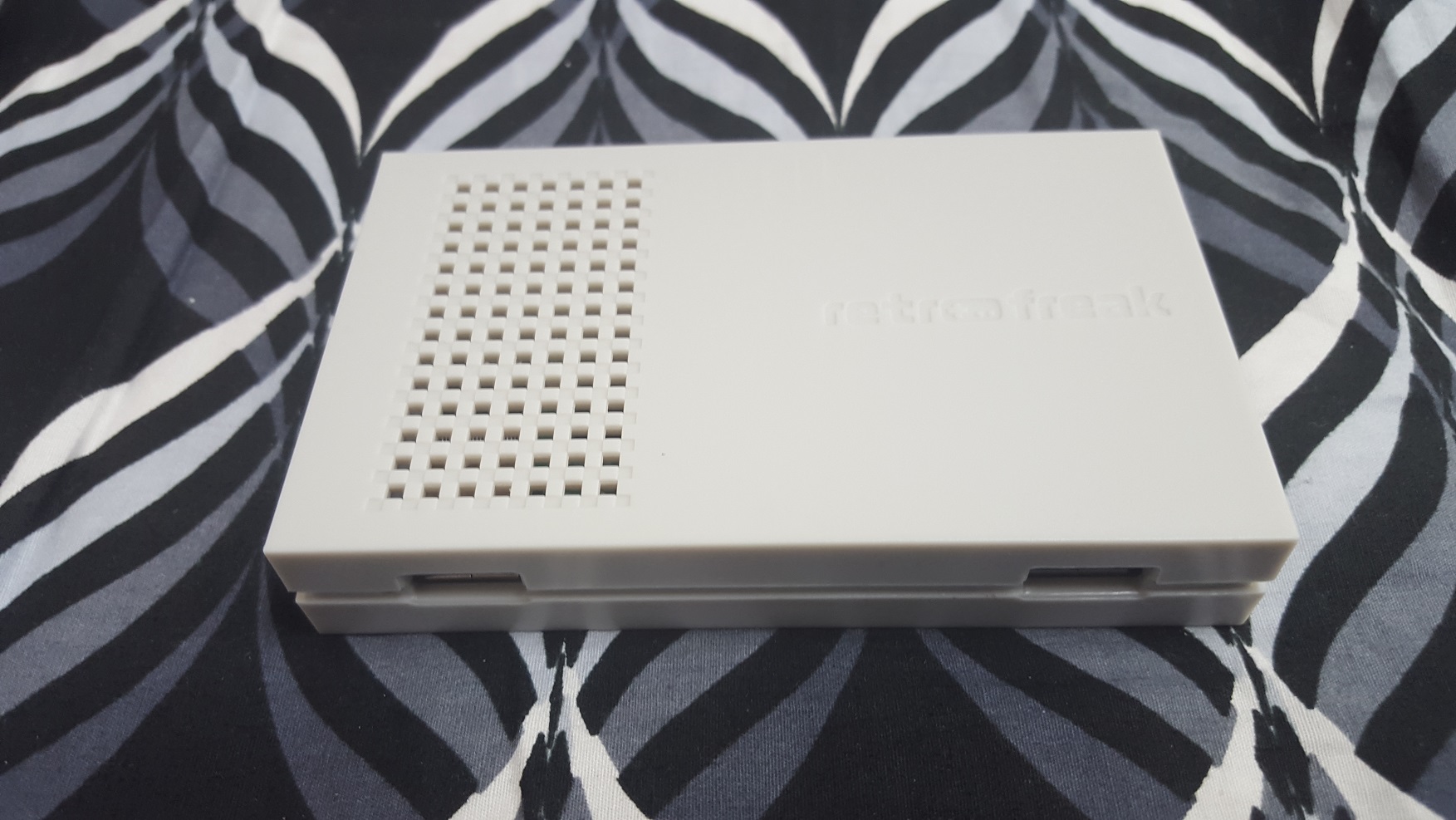
The actual console

The actual console

The console has 2 USB ports for 2 controllers.  I haven’t seen any USB SEGA controllers (what the hell are they doing?  Is there that much money in Gundam VR, and Pinchino?)  But there is lots of knock off Nintendo USB controllers.  I have some to test later that I scored for 700 YEN.
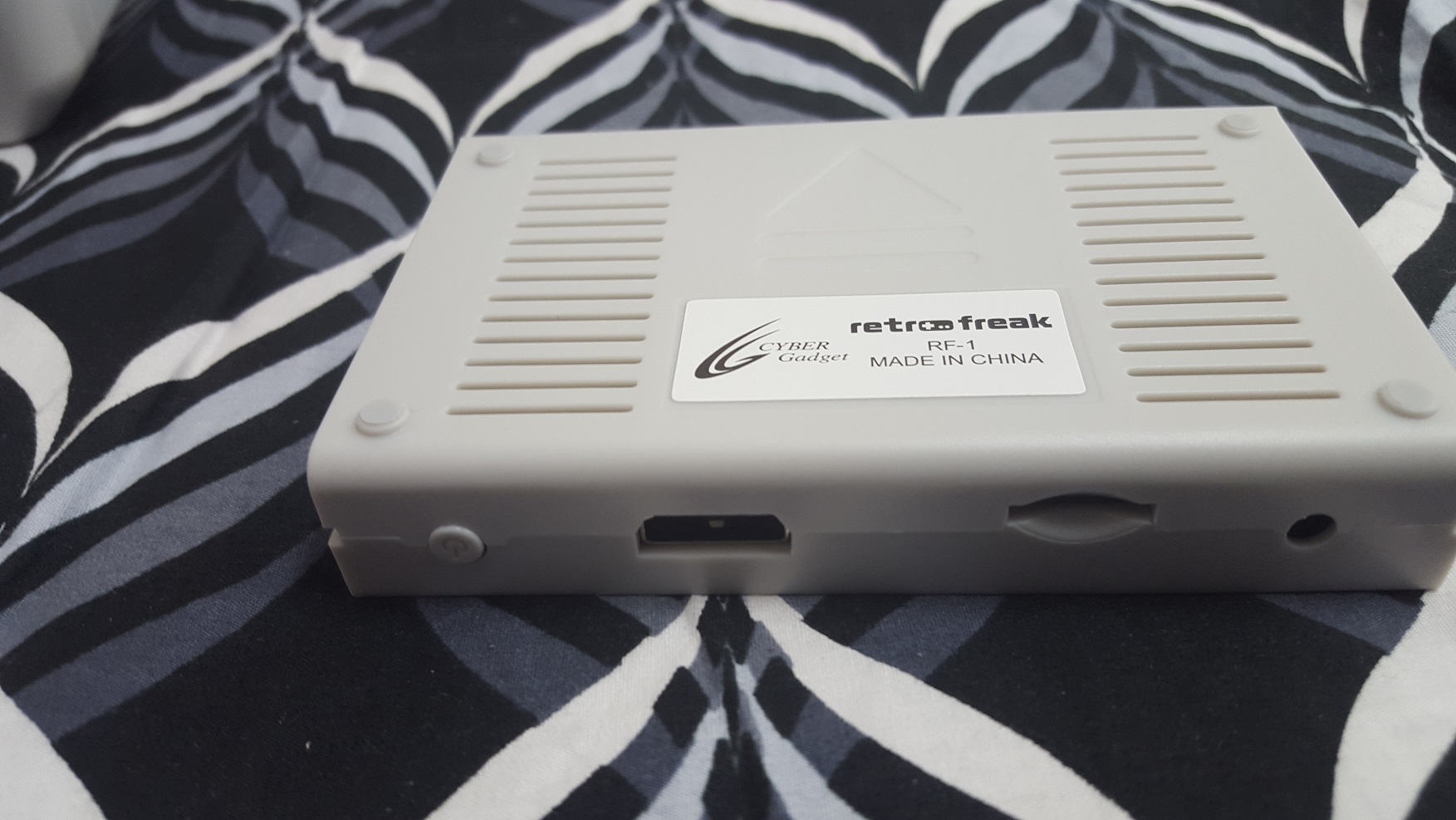
Console underside

Console underside

Flipping it over, reveals that it is made in China, and it is made by Cyber Gadget, out of Japan.

Turning the unit on, doesn’t reveal any fancy startup screen or logo, just a language selection.  There is online help, but of course its in Japanese.
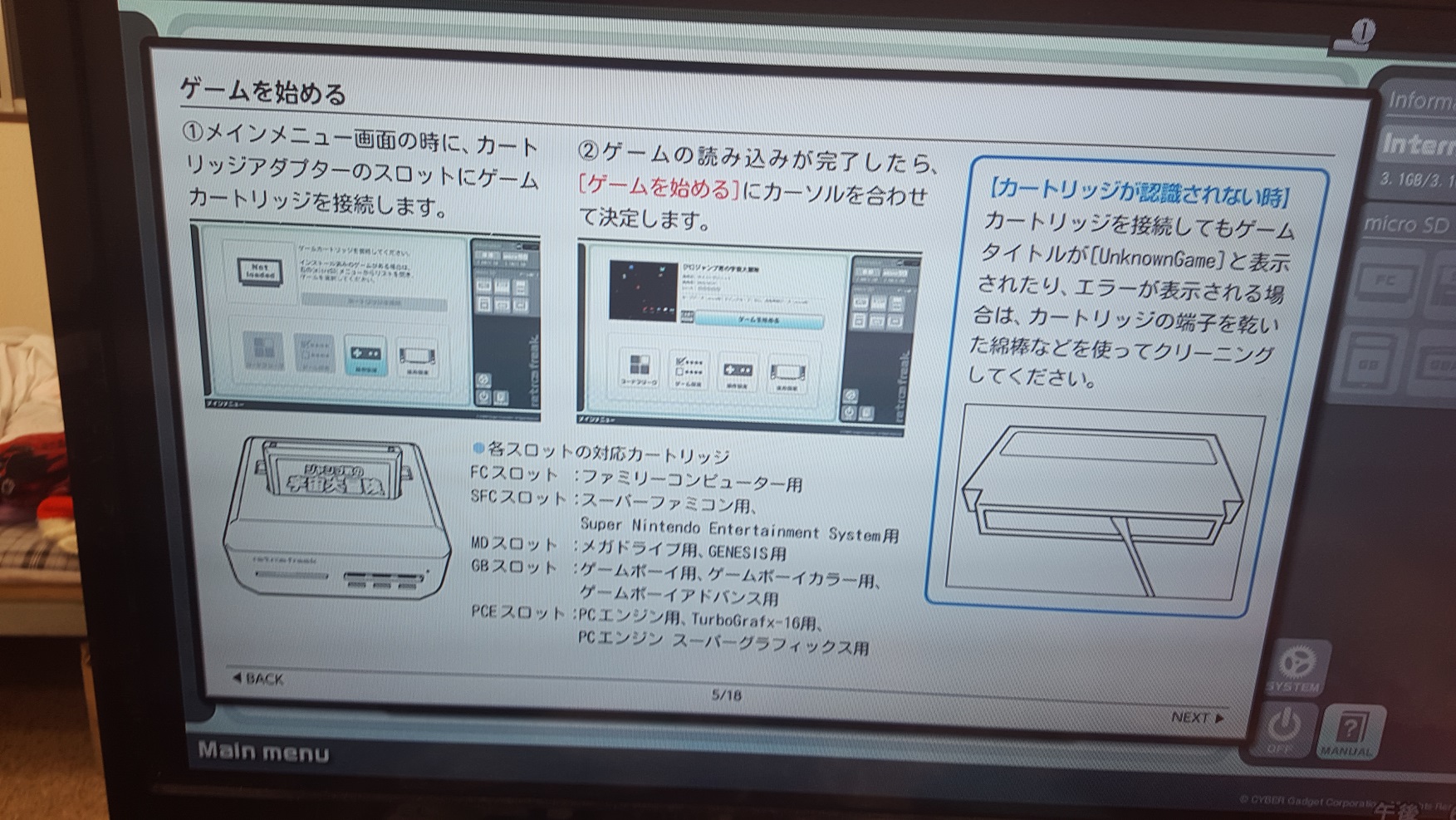
HELP!

HELP!

I am still not sure if you can just plug and play cartridges at will.  It also doesn’t like it if you just power it off abruptly.

Because it was getting late, I slapped in the only Mega Drive game I bought so far on this trip, Air Diver
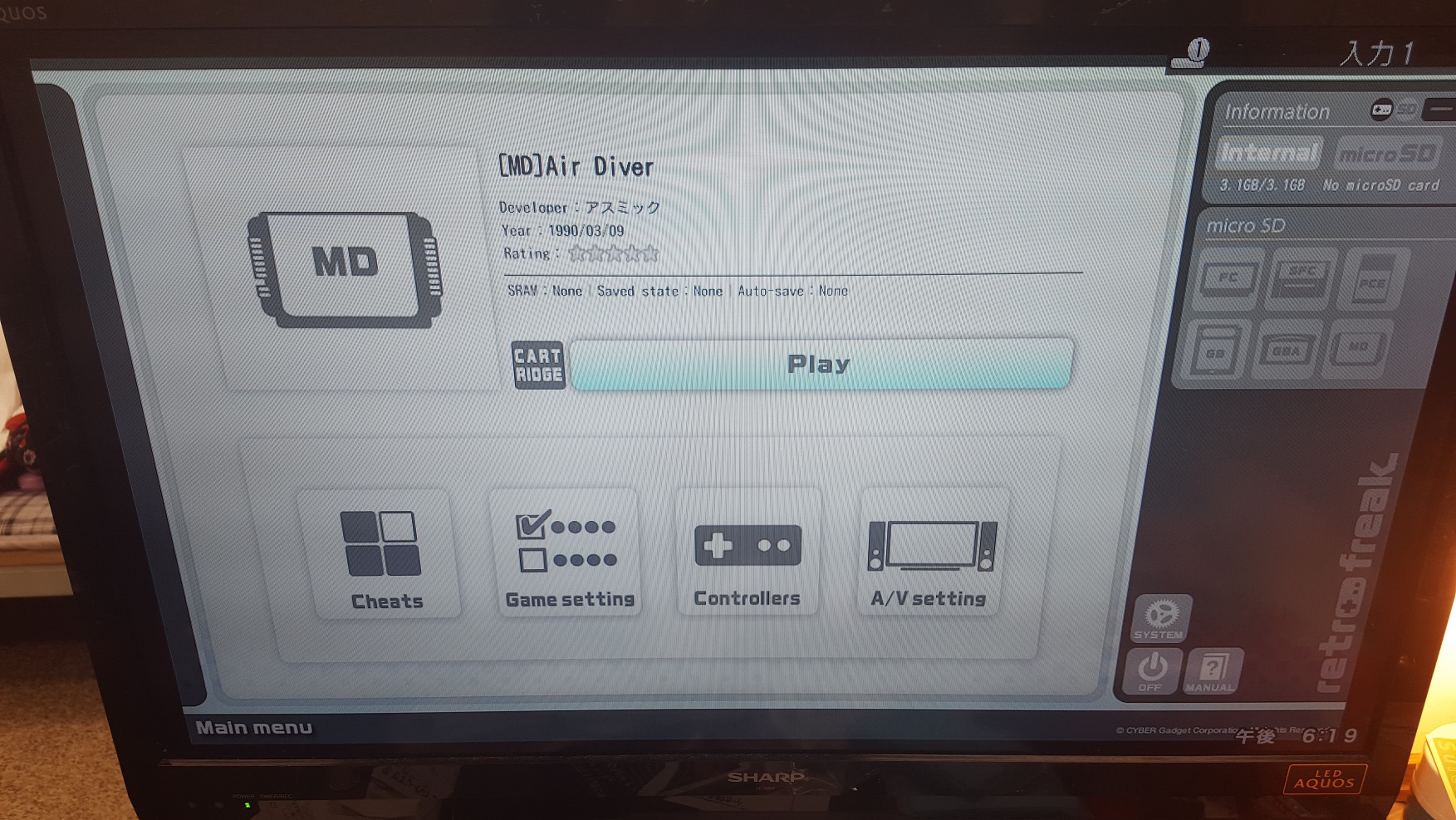
Air Diver

Air Diver

It detected just fine, and I was able to play without issues.

Playing the game was much like the real thing, and you can add all kinds of screen filters, and other things to make your LCD TV behave like a CRT including overscan, and some saturation if you go further into the video settings.

The bundled controller is more SNES+WiiU feel to it.  Again I am just bummed out there is no SEGA knockoff stuff.

The good part is that it supports a crazy amount of formats!

  • Mega Drive
  • Famicom
  • Super Famicom
  • Game Boy
  • Game Boy Colour
  • Game Boy Advanced
  • PC-Engine

Which is pretty cool.  I always wonder why nobody has approached SEGA on licensing the BIOS for the MEGA-CD, or the 32x.  Naturally SONY wasn’t too thrilled about emulation of the Play Station 1 from a long time ago.

So the plus is that this does a LOT of emulation for the buck, if you want to read your own cartridges.  The practical side says that they have all been downloaded and converted ages ago and are trivial to find online.  It isn’t as cool as the actual hardware, but considering it is new it is much cheaper than buying and recapping a bunch of machines.

And honestly, you would probably prefer the retrode 2, which is a USB peripheral to read Mega Drive, and Super Famicom (Gensis and Super Nintendo).

While the Retro Freak does read many more formats it is better suited to someone who “just wants the damned thing to work!”  And it succeeds in being a magical box you can slap the cartridge into, and start playing.

And regarding what is under the hood, regarding the software license:

RetroFreak uses source code from the following open source projects:

  • VBA-M (both primary SVN and VBA-Next fork)
  • Genesis Plus GX
  • FCEU (FCEU-Next fork)
  • SNES9x (SNES9x-Next fork)
  • Mednafen

And of course a fork of the Linux kernel.

Merry Christmas from Japan!

So yeah, I’ve been crazy busy this holiday season, between work and vacation so updates have . well not been forth coming.

I wanted to touch on old StarWars games for the new movie, and even got to play Star Wars on a x68000!  If it were the 80’s I would super recommend one.  But in this day/age it’s plagued by poor draw distances, poor wire frame 3d, and just poor game play.  It is probably more of a fault with the arcade version that was revolutionary for it’s time, then it rotted and was ported out.  Something like Frontier puts Star Wars to shame on low grade 68000 based hardware.

But the sound, sure was awesome!

I also want to do some passable review of the retro freak!  I picked up one for about $150 USD. It is expensive, there is no doubt about that, and it is emulation.  I also picked up a NES on a chip console clone for about $13 USD.  At the same time I can score a MegaDrive for about 30-40 USD, and 25-30 for a SNES.  Which brings me to an interesting observation:

There is next to NO Mega Drive stuff.  There is far more Saturn, and very few Dreamcast, but I’s seen maybe 15 Mega Drive carts.  Meanwhile I’ve found Famicom/Super Famicom stuff almost everywhere I look.  My favorite is the local chain “Book Off” that almost always has a nice retro section, along with used PS1, PS2, PS3 and PS4 stuff.

Otherwise, I have horrible to non existent internet in the house I rented (it is like the yacht in Hong Kong from a few years back), so I’ve been forced to spend my time in internet cafes for 12+ hours a day.

Oh yeah, Tokyo is just like London.  After 6pm, everyone goes home, the stores close, and there is nothing open.  After 10 the trains stop and that is that.

While I’m on the subject of living in the future, and working physically wherever, the Microsoft Surface is a HORRIBLE HORRIBLE thing.  Granted I didn’t pay for this one, but it’s wifi chip is utter crap, it is prone to locking hard, and the kickstand and detachable keyboard is a JOKE.  I know Balmer wanted in on the iPad action, and then the Surface RT, eventually became just another PC, but damn a laptop this is not.  The only nice thing I can say is that it boots fast.  Which is something you’ll be doing lots of.  The fan is noisy and distracting, the display is OK, but nothing fancy in this modern age.

I currently had to go out and buy 2 USB Ethernet adapters and bridge the cafe’s internet so I could connect this POS.  I give the Microsoft Surface Pro v3 a 1/5*.  AVOID DO NOT BUY.

Merry Christmas!

Merry Christmas!

In the “neato” section, I did find an eval copy of Citrix.  And a NIB quality box of Postal 2!  I didn’t know there was any updates so that was a surprise.  But now I see it is on sale over on Steam, for $7.50 Hong Kong Dollars.  I would do some give away but I also found out that my account got converted. YAY.

steam is now in HKD

Steam is now priced in Hong Kong Dollars!

Which means I cannot give anything away as apparently I now live in a poorer area and get subsidized games. I guess that is to make up for censored and restricted catalogs.

So yeah, I am alive.

And MERRY CHRISTMAS!!!!!!

Crazy to think that 2016 is literally around the corner!

Mainframe (s390 Linux) Moon Buggy

Linux/s390

Linux/s390

For all you mainframe/Qemu fan’s I came across the ‘QEMU Advent Calendar‘, which includes Moon Buggy on s390!

Moon-buggy is an ascii art game styled after moon-patrol.

Since I do get people always requesting something to run on the Qemu s390 emulation, here you go!  And for Windows users, I packed it up somewhat to make it somewhat easy to run with the image files, emulator and ansicon as moon.7z .

Just unpack and run “run32.cmd” for the 32bit ansicon, or “run64.cmd” for the 64bit ansicon.