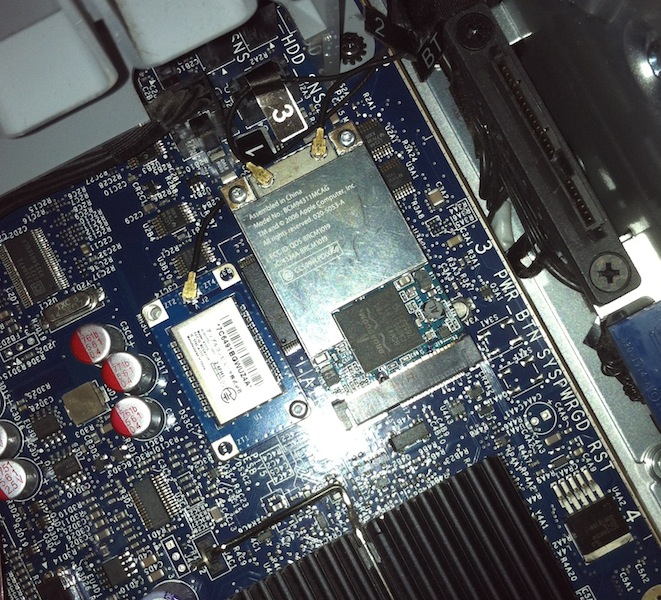
Upgraded my Mac Pro to include Wifi & Bluetooth!

There! Done!

Trust me if you’ve ever attempted this, then you know not only just how difficult this whole process is, but to not only get it working was a major accomplishment!

And I only lost ONE of the screws.. Sigh they are just too small, I finally broke down and got an eye glass repair kit after losing one of them (no idea where it went to, I shook the case like crazy then it stopped rattling, so its either wedged somewhere good, or I’ve thrown it somewhere around here….).  The trick was to use a small plastic sleeve to jam the screw almost all the way in, with enough of the stem showing so I could carefully get a few twists of the tread into the hole…

But of course I didn’t start it out that way, instead I thought it’d be easier to clip on the antennas to the wifi card (BCM94311MCAG) first, then slip it into its slot, then screw it down, but since it goes in at an angle, it forces itself up & out so you end up fighting it.  This is where I lost the one screw during installation.  The ‘trick’ was to use my iphone’s camera light so I could see what I was doing, then try to press down on the wifi card while trying to screw in the board using one of the plastic sleeve things from the repair kit.  Surprisingly after enough false starts I got it to thread and was able to finish screwing it in with the driver.

The Bluetooth module (A1115) was much easier, as it is just a simple daughter card, that you just push onto the board, then screw in.  Because its not actively resisting you, it was much easier to get into place, and screw in…. I just hope mine lasts ok as its only got the one screw.

As always have a clean work area, and take your time.  Working with stuff this insanely small is going to take longer than you expect..

Hack 1.0.3 for Xenix (i386)

Hack

I figured that since I could build hack for some ancient 4BSD flavors that I should be able to build hack for good old fashioned Xenix.

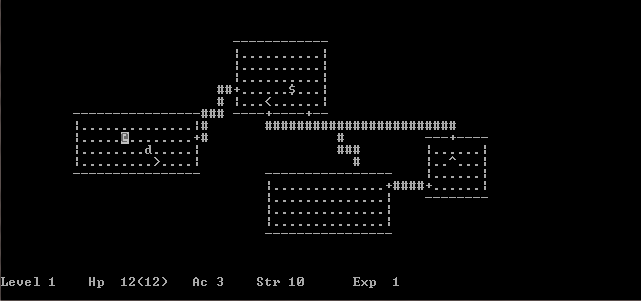
And it all seems to work as it should!

I used the source from here, and only had to do a few small modifications to get it to compile and run on Xenix via GCC 1.37.1 .

You can download my binary, and source mods.

I’ve managed to keep this instance of Xenix up for 19 hours, I was thinking about doing some kind of public access to this system, but I don’t know if people would even be vaguely interested..

But if you want access, I can set you up.

Although all that is of interest is ‘dungeon’, fortune, hack, robots, and ircII …


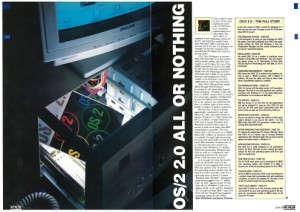
PC Plus magazine reviews OS/2 2.0

June 1992

I thought this was cool, PC Plus magazine is doing a best of, 25 year retrospective, and up there is of course, the release of OS/2 2.0!

It really is an in depth look, and a great job for a magazine!  I’ve always like the UK based stuff, nice glossy photos, etc..

But even at the end it was the same old same old, installation issues, and speed..

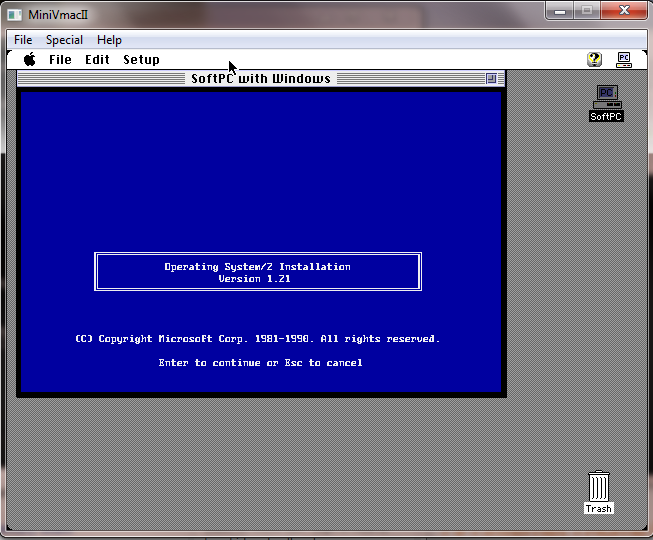
I remember OS/2 2.0 on a 386sx 16 with 4MB of ram was unusable, while OS/2 1.3 was great… But like everything else that was involved at the time, keep in mind they had not reviewed NT yet… Although the pre-releases were floating around.. Naturally they have both Windows 3.1 & Windows 95 launches..

Quick update on Qemu 1.1.0-1

It seems that I’m not the only person getting this error with existing qcow2 images:

Header extension too large

The good news, is that if you have any way to build your own Qemu its a trivial thing to uh “fix”.  Now I haven’t done that much in the way of testing, maybe there is something fundamentally wrong with Qcows created from older versions of Qemu but the error comes from HERE.

You could just comment out the “return -EINVAL;” and Qemu will continue on its merry little way.

Now I’ve tried converting my qcow2’s to other formats with 0.14 but they all have slight errors that wind up preventing OS/2 from booting (I know that 99% of the would wouldn’t care..).

I’m not sure what to make of it, but it looks like to me, that if you really really want this version its best to remove that check so you can keep your old disk images.. try converting them, but.. they may not work `exactly` right.. TEST…!!!

Good news on the QEMU fronts!

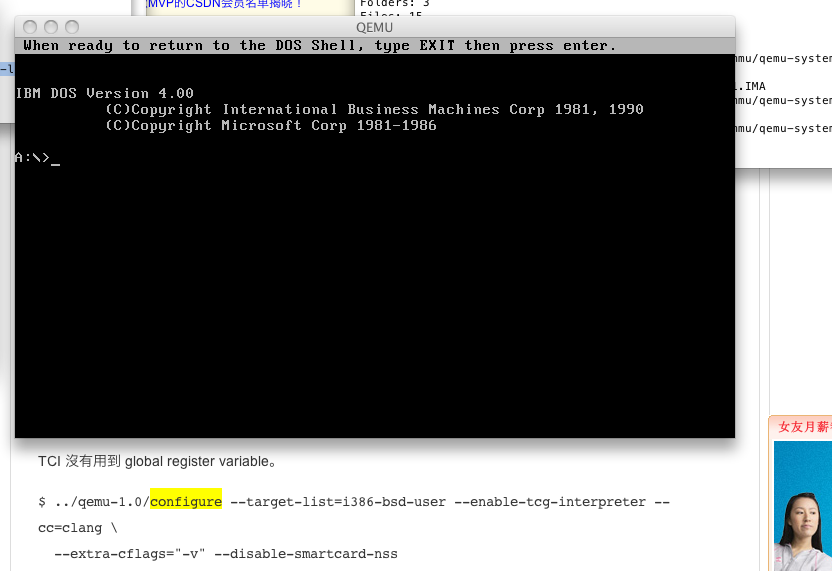
First I found this blog post about building Qemu with CLANG instead of GCC, and I didn’t  even run it through google translate, but I had a feeling that it must work because there is simply too much text there for something that doesn’t work… Although it is with the TCG interpreter…

Qemu 1.1.0-1 on OS X 10.6.8 via clang!

And sure enough it works! (well so far I’ve only booted the IBM PS/1 MS-DOS 4.00 image I had handy. But that is good news for me as I’m planning on shifting away from running Windows all the time, and it was annoying having this powerful mac pro, but not being able to run / play with Qemu.

The move the clang would make sense as I under stand it Apple is moving away from GCC at any rate.

Also on the road to a non TGC build of Qemu I did find out the compiler included on the 10.6.3 DVD works while the later IOS update one does not…

Using built-in specs.
Target: i686-apple-darwin10
Configured with: /private/var/tmp/llvmgcc42/llvmgcc42-2336.1~3/src/configure –disable-checking –enable-werror –prefix=/Developer/usr/llvm-gcc-4.2 –mandir=/share/man –enable-languages=c,objc,c++,obj-c++ –program-prefix=llvm- –program-transform-name=/^[cg][^.-]*$/s/$/-4.2/ –with-slibdir=/usr/lib –build=i686-apple-darwin10 –enable-llvm=/private/var/tmp/llvmgcc42/llvmgcc42-2336.1~3/dst-llvmCore/Developer/usr/local –program-prefix=i686-apple-darwin10- –host=x86_64-apple-darwin10 –target=i686-apple-darwin10 –with-gxx-include-dir=/usr/include/c++/4.2.1
Thread model: posix
gcc version 4.2.1 (Based on Apple Inc. build 5658) (LLVM build 2336.1.00)

GCC for update for IOS 5 … which doesn’t build a working Qemu exe

Using built-in specs.
Target: i686-apple-darwin10
Configured with: /var/tmp/gcc/gcc-5646~6/src/configure –disable-checking –enable-werror –prefix=/usr –mandir=/share/man –enable-languages=c,objc,c++,obj-c++ –program-transform-name=/^[cg][^.-]*$/s/$/-4.2/ –with-slibdir=/usr/lib –build=i686-apple-darwin10 –with-gxx-include-dir=/include/c++/4.2.1 –program-prefix=i686-apple-darwin10- –host=x86_64-apple-darwin10 –target=i686-apple-darwin10
Thread model: posix
gcc version 4.2.1 (Apple Inc. build 5646)

While the one that does come on the 10.6.3 DVD works fine.

Next up for all those of you on Windows or Win32 i386 platforms, rainbow has kindly provided a Win32 build of Qemu, which you can download from his site!  Ive booted MS-DOS on it from within VirtualBOX and it seems to work fine!

One thing I’ve noticed about 1.1.0 is that it cannot read low density 3 1/2″ disks!!!!

Mouse issues with VirtualBOX on OS X

So I’ve been using this old intel mac pro, to run VirtualBOX with a really weird issue.. The moue pointer just doesn’t work in the VM no matter what I’ve done.

Ok, I’ll admit that instead of running in 32bit mode on this mac, I’ve set it up to boot like a PC into the chameleon bootloader to then let me boot OS X in 64bit mode.. Which makes this a great ‘hackintosh’ as its all Apple hardware.  But to get me through the booting and whatnot I’ve been using a USB keyboard/mouse, then once booted up I’ve been using bluetooth Apple keyboard/mouse (yes my desk is a disaster).

Anyways with the USB mouse plugged in, I can only move the mouse by right dragging in the VM.  It doesn’t matter if its relative mouse pointer or not.

But as soon as I unplugged the USB mouse, it works fine… Maybe its because I have two mice??

Also you’d think Apple could have done some softload 64bit firmware for the 2006 Mac Pro 1,1 but… I guess some times you have to take matters into your own hands….

Oh and that reminds me of another tip, when installing Windows XP you’ll be expected to hit F8, which on my keyboard just pauses the currently playing song.. Instead hold down the `fn` key, then press F8.  Which makes me all the more glad I got a real apple keyboard, as finding all these special keys on a windows keyboard… involved.

ircII-4.4 on Xenix

Building this was.. . Involved, but I finally got it to link! Oh happy days! But then disaster struck!

USER Not enough parameters

Not enough parameters? And the worst thing is that I got this error EVERYWHERE… Googling this has become useless as everyone just says google it, so google made all that turn into a negative feedback loop! Or even useful advice like ‘upgrade your client, LOL’, but after going through an hour of `fun` getting this to run on Xenix I wasn’t going to try a new version of the source just yet.

Going through the source, looking for the USER command and where its used and found this:

send_to_server(“USER %s %s %s :%s”, username,
(send_umode && *send_umode) ? send_umode : hostname,
server_list[server].name, realname);

Which looks nice, but according to this as a reference, it doesn’t have enough parameters! So I figured I’d change it to something more like this!

send_to_server(“USER %s 8 * : %s”, username,realname);

this is a bug free client. honest

And as you can see, it works!  Even the version string reports Xenix!

If anyone cares, you can download the binary here.