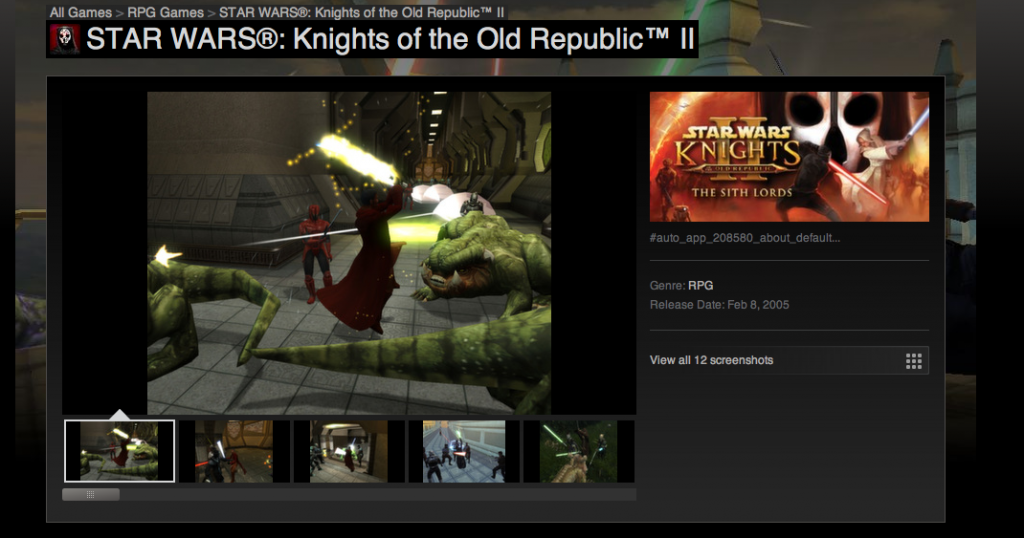
I have no idea how it will react to mods that try to correct this rush job of a game, but it is nice that it finally got pushed out..
Anyways its $10 USD, and sadly Windows only. Â I will have to try it under emulation sometime.

I have no idea how it will react to mods that try to correct this rush job of a game, but it is nice that it finally got pushed out..
Anyways its $10 USD, and sadly Windows only. Â I will have to try it under emulation sometime.
I just got word that Qemu is now aggressivly entering the 1.2 release phase. Â Of interest to people who like old OS’s, namely Windows NT 3.1 this is going to be in the release:
That’s right! Â With the Tekram DC-390 you will be able to install Windows NT 3.1 with only a install floppy & CD-ROM. Â I also hope this includes stability fixes for Novell Netware..
I’ve naturally added in my sdl update for a quick control-alt-delete & reset
case 0x13: /*r on US keyboard */

qemu_system_reset_request();

break;

case 0x20: /* 'd' key on US keyboard */

kbd_put_keycode(0x1d); /* left ctrl key */

kbd_put_keycode(0x38); /* left alt key */

kbd_put_keycode(0xd3); /* delete key */

kbd_put_keycode(56);

kbd_put_keycode(29);

kbd_put_keycode(157);

kbd_put_keycode(184);

kbd_put_keycode(29);

kbd_put_keycode(56);

kbd_put_keycode(224);

kbd_put_keycode(83);

kbd_put_keycode(224);

kbd_put_keycode(211);

break;
And to configure it with the parameters…
$ ./configure --audio-drv-list=dsound,sdl,fmod --audio-card-list=ac97,es1370,sb16,adlib,hda,gus --disable-curl --fmod-lib=/mingw/fmod/libfmod.a --fmod-inc=/mingw/fmod
I’m not too thrilled on the audio aspect, while I’ve managed to compile in Direct Sound & Fmod, fmod doesn’t produce any sound, and Direct Sound is very laggy.  Another thing I don’t “get” is that inside of mingw SDL displays Qemu with a normal aspect ratio and runs fine, but copying the same binaries  & DLLs out of Mingw gives me that weird and slow display.. So I’ve removed the full screen capability (did anyone use it? it never worked right anyways…) as I had done before, and it seems ok.
I haven’t gotten around to looking at the new SCSI adapters or how to configure them, but I hope to do that real soon! It will be cool for sure!
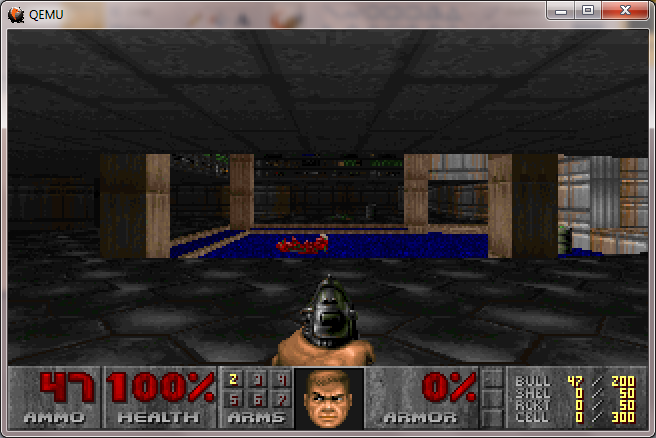
Doom on Qemu 1.2.0 rc1
That said it is a *LOT* faster than 1.1.1 or 1.1.0 !
As always, my binary is here.
Wow mainframe stuff is ‘getting up there’.. VM was released August 2nd 1972.
There is no doubt about the importance of this OS, as it brought virtualization and paravirtualization to the world 40 years ago. Â And a lot of these concepts found their way to “minor” things like the 80386, OS/2, and even Windows/386 .
Ages ago I managed to get a copy of Dungeon/Zork running on CMS, but other than that I don’t have any other exciting mainframe software…

Not to shill too hard for it, but it is for sale for 10 euros, or 8 pounds sterling.. Â I should hope that this 1997 classic should work on modern PCs.. Which has been a pain for anyone whos owned this when it originally came out for the PC. Â Although as far as I can tell this doesn’t add anything from the original version … Other than some click to cheat thing but.. There you go.
I’ve got to find a way to build Qemu for Win64, it looks like the only way for it to produce anything other than trivial hello world applications is to cross compile on linux.. which no doubt will need a billion dependencies…
But in the interim the MIPS emulator in Qemu 1.1.1 has made a bunch of progress and can install & run NT 4.0 without any issues!
There are a few things to look out for, the first is that you have to specify a NVRAM image file to keep it persistant across instances. And you need to ‘expand’ it beyond the definition size to get things like the MAC address to be stored.
./qemu-system-mips64el -L . -M magnum -hda MIPS.disk -net nic -net user -global ds1225y.filename=nvram -global ds1225y.size=8200
And by default the Qemu MAC address to configure within the Magnum BIOS is 525400123456 ..
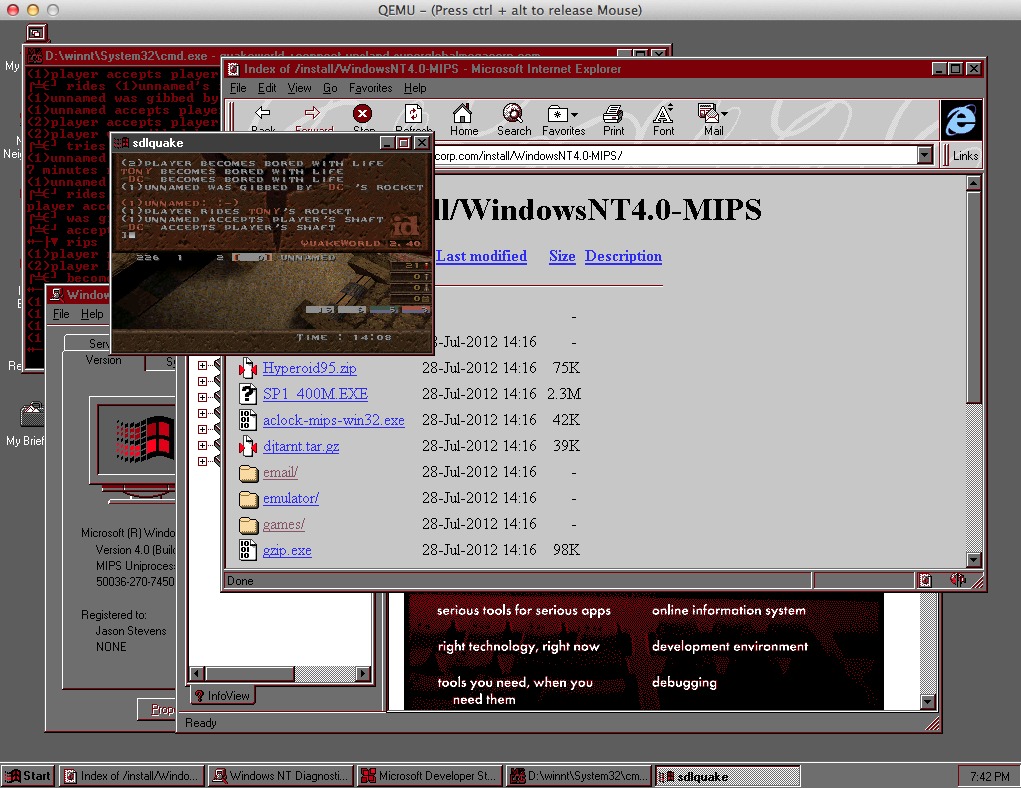
Windows NT 4.0 MIPS on Qemu 1.1.1 on OS X
I’ve been able to download & install Internet Explorer 3, and Quake World.. And even connect up to quake.xs4all.nl and it worked!
One thing I’d advise is to copy the directory OS\WINNT40 on the system partition to OS\NT to make it that much easier to re-add the boot statement, if you have to go down that road.

ARC boot statement
As always, special thanks to Herve Poussineau for making all of this possible.
And now it is *MUCH* faster…
Next I’ll have to investigate better audio libraries, as winwave seems to leave a lot to be desired.
Basically the changes in ui/sdl.c were:
case 0x21: /* 'f' key on US keyboard */

// toggle_full_screen(ds);

// gui_keysym = 1;

break;

case 0x16: /* 'u' key on US keyboard */

// if (scaling_active) {

// scaling_active = 0;

// sdl_resize(ds);

vga_hw_invalidate();

vga_hw_update();

// }

// gui_keysym = 1;

break;
And
case SDL_VIDEORESIZE:

// sdl_scale(ds, ev->resize.w, ev->resize.h);

vga_hw_invalidate();

vga_hw_update();

break;
So now it keeps the correct video display size, so it isn’t going like crazy trying to scale the screen 30 times a second..
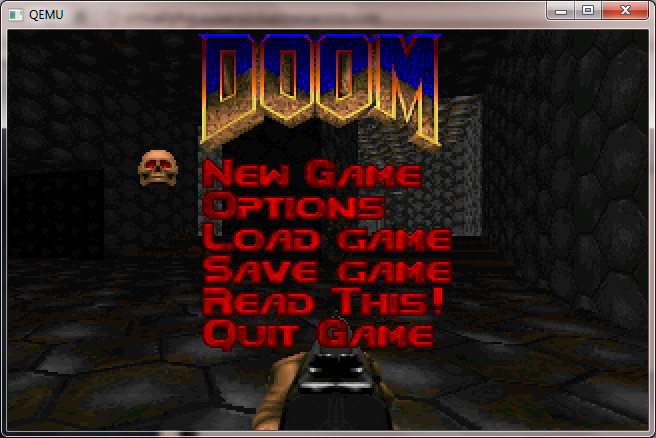
Doom now looks normal!
As you can see stuff like Doom now looks normal.  As mode changes are initiated by the video card, it keeps the scale to where it was in prior versions.  At least its not going 1:1 native as looking at a 320×200 window on a 1280×768 desk would be a tad hard..
And yes, even things like Windows 3.0 look correct when the screen changes resolution:

Windows 3.0 in 386 enhanced mode
Also I should add that if you are going to try to use disk images that are *NOT* 1.44 MB they will not work. Â You’ll have add this flag to Qemu:
-global isa-fdc.check_media_rate=off
I’ve been told the new handling of disks is better in this version so I’ve left this setting where it was..
I have just updated the download link, but for those who missed it, you can download the i386 Â win32 version here.
I still can’t see how to build this for win64 … 🙁
The first major stumbling block on Win32 is glib, and again going back to the MinGW wiki there is a good laundry list of how to bootstrap Glib on MinGW.
Things you’ll need:
Be sure to run ming-get install for the following:
Install Python.. Nothing to fancy from what I gather Qemu still requires you have a level 2 Python, not 3 …
Build libffi
This should be the usual dance of configure & make / make install… Â But sure to at least run configure like this:
./configure –prefix=/mingw
Build Glib without pkg-config
Be sure to add Python to your path..
PATH=/c/Python27:/c/Python27/DLLs:$PATH
export PATH
Glib is packed with something called ‘xz’ so hopefully you have xzcat .. Otherwise add it!
export LIBFFI_CFLAGS=’-I /mingw/lib/libffi-3.0.9/include’
export LIBFFI_LIBS=-lffi
export lt_cv_deplibs_check_method=”pass_all”
export CFLAGS=â€-O0 -g -pipe -Wall -march=i486 -mms-bitfields -mthreadsâ€
export CPPFLAGS=â€-DG_ATOMIC_OP_USE_GCC_BUILTINS=1â€
export LDFLAGS=â€-Wl,–enable-auto-image-baseâ€
configure –prefix=/mingw –with-pcre=internal –disable-static –disable-gtk-doc –enable-silent-rules
*Â You may have some weird issue where when running configure it tells you it cannot create executables, or you get a bunch of weird errors trying to paste in the CFLAGS line.. For me the MinGW prompt was stripping the quotes and the leading – to the -O0 (disable optimization) bit. Â I don’t know what on earth its issue was, but I had to type that line in manually.
Then do the make/make install dance. This will take a WHILE. At least with -pipe it’ll run each stage of GCC on multiple processors… But yeah.. This is intense to build. Â Good thing we get to do it twice.
I also ran into some weird error in the GIO directory where it couldn’t find my Python, and was looking for python2.5 .. So I copied python.exe to python2.5.exe …
PYTHON = /usr/bin/env python2.5
pkg-config
Naturally pkg-config depends on Glib2, and pkg-config to build… Which of course is a circular problem, much like Glib2 requires pkg-config to build. Â So to configure it, it goes something like this now that we’ve built a Glib2 ..
export GLIB_CFLAGS=”-I/mingw/include/glib-2.0 -I/mingw/lib/glib-2.0/include”
export GLIB_LIBS=”-lglib-2.0″
configure –prefix=/mingw
At the same time I can’t help but wonder if this version of pkg-config can use it’s own Glib with the following config:
configure –prefix=/mingw –with-internal-glib
Anyways with any luck we can now build & install pkg-config. Â This only takes a few seconds..
Glib2 (again)
From this point you should open a new MinGW prompt window, as you don’t want the old CFLAGS screwing things up. Â Re-eport the Python path/dll vars and now we can get on to building glib2 (again!) …
configure –prefix=/mingw;make;make install
SDL
This should be somewhat straightforward …
configure –prefix=/mingw;make;make install
In the old days we built zlib, but now we can just quickly add in the package (as we did way above) so we should.. now be ready for the main event!
And now we can finally build Qemu 1.1.1-1!!!
Now there is a few things I like to tweak, the first is in the configure script, I like to add in AdLib support. Â Look for the line
audio_card_list=”ac97 es1370 sb16 hda”
and add adlib into the list
audio_card_list=”ac97 es1370 sb16 hda adlib”
Next I like to modify hw/pc.c and alter the ISA NE2000, as Qemu doesn’t like to share IRQ 9 with the card, so it is just easier to remove the 0x300/IRQ 9 definition.
static const int ne2000_io[NE2000_NB_MAX] = { 0x300, 0x320, 0x340, 0x360,
0x280, 0x380 };
static const int ne2000_irq[NE2000_NB_MAX] = { 9, 10, 11, 3, 4, 5 };
to this:
static const int ne2000_io[NE2000_NB_MAX] = { 0x320, 0x340, 0x360,
0x280, 0x380 };
static const int ne2000_irq[NE2000_NB_MAX] = { 10, 11, 3, 4, 5 };
The next tweak deals with the ability to use older qcow2 disk images… I guess converting them to RAW with an older version of Qemu, then using the new version of Qemu to convert them back into qcow2’s may be a “good ideaâ„¢” but for now modifying the source is a quicker fix.
Comment out the “return -EINVAL;” in block/qcow2.c
if (ext.len > end_offset – offset) {
error_report(“Header extension too large”);
//return -EINVAL;
}
Now one fun thing I’ve noticed is that building with the default O2 flags Qemu will crash out the moment you access a hard disk image.  It appears that coroutine-win32 is at issue (again?).  So the “easy” way I address it is to first build qemu as normal, and verify that if you attach a hard disk image (any kind) and try to access it, partition it etc, it should crash.  Next remove the file coroutine-win32.o , and edit the file config-host.mak and change the CFLAGS that specify
CFLAGS=-O2 -g
to
CFLAGS=-O1 -g
Now run make again, and it *should* just rebuild coroutine-win32.o with the lesser optimization flags, and relink all the exe’s.  If I’ve done this right, you should now have a working Qemu.
You can go ahead and strip the binaries if you so please, but that should be it.
PHEW. Â For anyone who wants my build, but doesn’t want to go through this ‘exciting’ process, you can find the Win32 i386 build here.
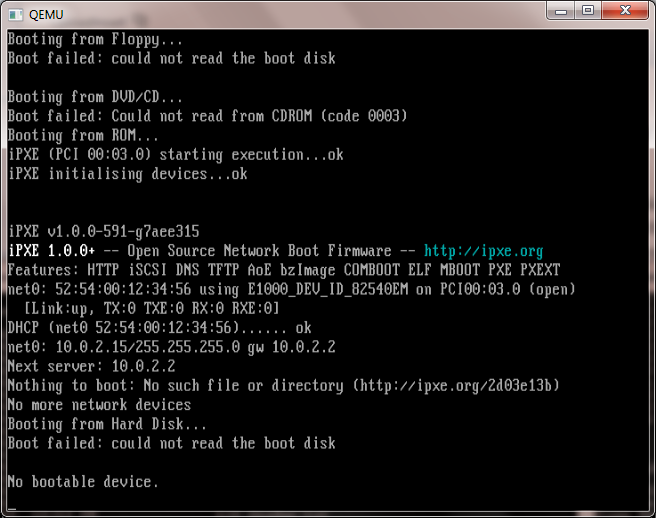
Weird scaling in action .. Control+ALT+u kind of undoes it, but it just doesn’t look right and it is far too slow.
In preliminary testing I’ve found this version to be MUCH slower than 0.15.1 .. I think it has something to do with it wanting to scale the SDL window.  Also I’ve had issues with various network cards not initializing with the BIOS that ships with this version of Qemu so I’ve included the bios directory from 0.15.1 .  And lastly yes the disk images… I’ve had major issues with my qcow2 disks, and disk corruption with this build.  I’ve gone ahead and  included the qemu-img tool from 0.15.1 so you can convert qcow2 to raw, then use the 1.1.1 tool to take them from raw back into qcow2 … But I’d probably only do it as a test.
You may want to kick the tires on this version but 0.15.1 really blows this one away…
So after the whole mountain lion thing I got the latest Xcode..
$ gcc -v
Using built-in specs.
Target: i686-apple-darwin11
Configured with: /private/var/tmp/llvmgcc42/llvmgcc42-2336.11~28/src/configure –disable-checking –enable-werror –prefix=/Applications/Xcode.app/Contents/Developer/usr/llvm-gcc-4.2 –mandir=/share/man –enable-languages=c,objc,c++,obj-c++ –program-prefix=llvm- –program-transform-name=/^[cg][^.-]*$/s/$/-4.2/ –with-slibdir=/usr/lib –build=i686-apple-darwin11 –enable-llvm=/private/var/tmp/llvmgcc42/llvmgcc42-2336.11~28/dst-llvmCore/Developer/usr/local –program-prefix=i686-apple-darwin11- –host=x86_64-apple-darwin11 –target=i686-apple-darwin11 –with-gxx-include-dir=/usr/include/c++/4.2.1
Thread model: posix
gcc version 4.2.1 (Based on Apple Inc. build 5658) (LLVM build 2336.11.00)
And it ‘compiles’ a Qemu but it just hangs… LLVM really broke Qemu … So in the interim if you want Qemu on OS X keep a copy of Snow Leopard handy!
Of course I tried using Snow Leopards gcc on Mountain Lion, but it won’t compile any of the Cocoa stuff.
Go figure.
I don’t know why but looking for working rtl8139 drivers for OS/2 and Windows NT 4.0 has proven to be more difficult than it should have been…
But what I’ve found is that the file “oem-8139(500).zip” on realtek‘s site basically contains everything! (well old stuff).
C:.

├───BROM

├───CLIENT32

├───DMI

│ ├───95LOADER

│ ├───NTLOADER

│ ├───WINEXE

│ └───WINSYS

├───FREEBSD

├───LINUX

├───MACOS

├───MACOSX

├───MSLANMAN.DOS

│ └───DRIVERS

│ ├───ETHERNET

│ │ └───RTL8139

│ └───NIF

├───MSLANMAN.OS2

│ └───DRIVERS

│ ├───ETHERNET

│ │ └───RTL8139

│ └───NIF

├───NDIS2DOS

├───NDIS2OS2

├───NT351

├───NWCLIENT

│ ├───DOS

│ └───OS2

├───NWSERVER

│ ├───311

│ ├───312

│ ├───40

│ ├───41X

│ └───42_5X

├───RTOS

├───RTSPKT

├───SCO

│ ├───4.X

│ ├───5.X

│ └───TXT

├───TXT

│ ├───GENERAL

│ ├───IBM

│ ├───MS

│ ├───NETWARE

│ ├───OTHERS

│ └───UNIX

├───UW7

├───W95OSR2

├───WFW311

├───WIN2000

├───WIN95A

├───WIN98

├───WINDIAG

├───WINME

├───WINNT4

└───WINXP
I don’t know if the link will last, but click here, and look for “OEM disk for users and manufacturers (LAN Card)”
Well for some reason I was interested in Tetris (ТетриÑ), and wanted to find an early version. Looking around I did manage to find some background by Vadim Gerasimov, on the whole origin of Tetris. What I never realized is that the first version was written for a Soviet PDP-11 clone, then ported to the IBM PC using Turbo Pascal! Or that it was all done in text mode! The thought at the time is that every PC could run 40 column mode and thus would run Tetris.
Along the way I did manage to find some other early Russian artifacts for the IBM PC, namely MS-DOS 4.01 which not only has its own site but has an excellent view into the history of localizing MS-DOS, and what the culture was like at the time. There is even a promo video in Russian of course.
And I did come across a ‘Перевод’ of Windows 2.1 done in 1990, but no luck on Windows 3.0 .. I wonder if they ever had OS/2 1.x ..? Which speaking of non english versions of OS/2 1.x seem nonexistent, but I did find reference to there being a release in Japan, but naturally not even a screen shot.. I did find one rather harsh review of Windows/286 2.1 (PуÑÑкий), but seeing as far as I can tell there was no Excel 2 or Word 1 for Windows in Russian it would have been pointless running it back then. Unless you had the 386 version!
So, I figured, I’d mash in as much of the Russian bits into Windows/386, add in Tetris, and include some Amiga MOD files for the music (yes, besides being text based, there was *NO* music in the original Tetris! The Adlib! didn’t exist back then). I’ve used the excellent 8bitboy to play the music. You can mute if you so wish, or skip around to various tracks…
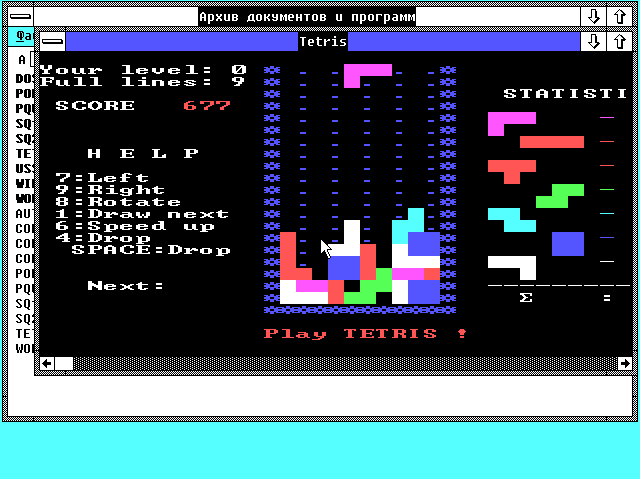
So while not all that ‘authentic’ it’s close enough I think…
Enjoy!