I saw this on reddit, the track is written for the YMF262, or OPL3 fame which was popular on SoundBlaster 2.0, 16’s and AWE’s.
You can listen to the rest of his tracks on soundcloud.

I saw this on reddit, the track is written for the YMF262, or OPL3 fame which was popular on SoundBlaster 2.0, 16’s and AWE’s.
You can listen to the rest of his tracks on soundcloud.
need this walkthrough.
Basically, the entire install script is broken.
The good news is that it “works” on WinUAE with the emulated A2065 Ethernet board… Kind of, I can log onto my BBS ok, but I don’t see anything on the Amiga side. Â But the TCP works… very strange.
From DOS ain’t dead: the game was added to battle.net as a free download (1,2).  But you don’t need a battle.net account to download it, just get the ‘executable’ here.
Then unpack with 7zip and rename some files:
$ mv _7770311E01264484BDC66FB81E4EF650 blthorn.exe
$ mv _126448A72F4442D39DCD600746EE09F7 data.dat
$ mv _C987F762EF304955BB86AB432FF6F847 manual.pdf
I set DOSBox to run about 20,000 cycles so it’s not tooo bad.
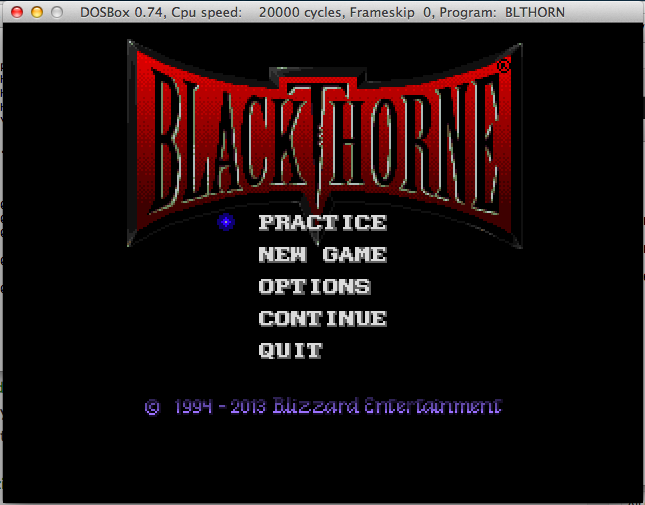
Blackthorne
As much as the whole ‘uptime’ wars passed with the ever increasing need for patching, this is pretty amazing.
Over on arstechnica a Novell Netware 3.12 server by the name Intel had to be finally shut down after 16 and a half years.  Apparently the bearings in the two SCSI disks had gotten so loud it sounded like a car dragging it’s muffler.
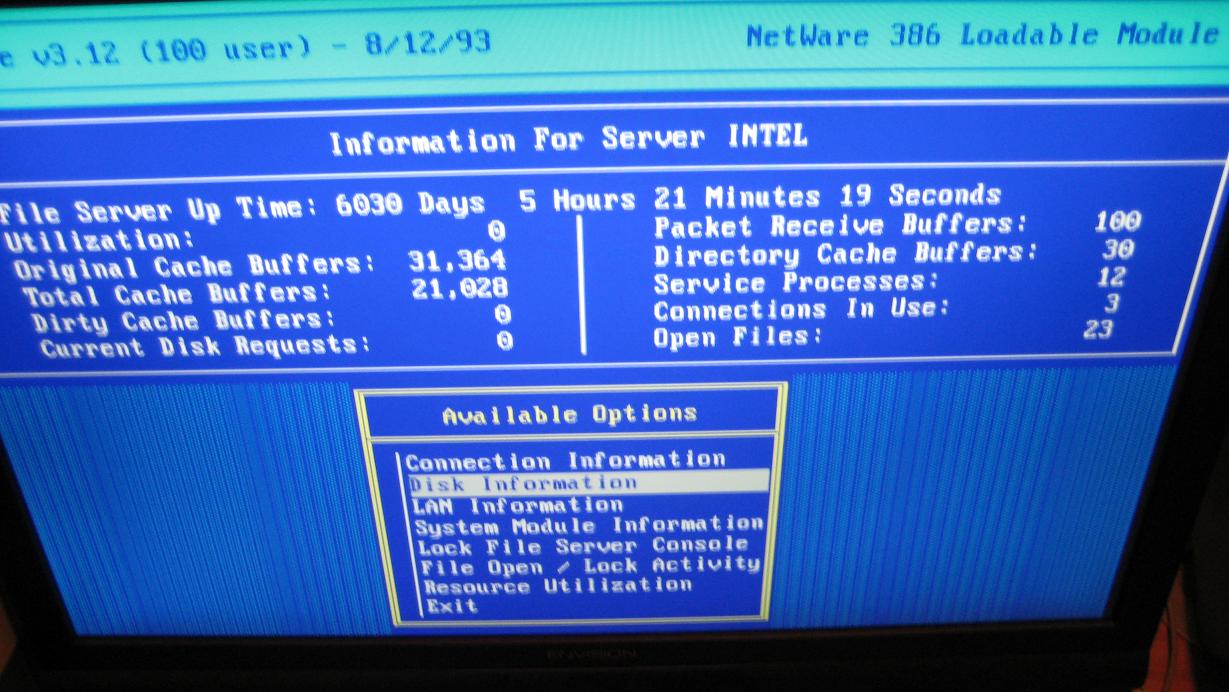
6030 days of uptime!
It’s still pretty impressive, and in some ways that was one thing Novell got right with Netware was that it was unstoppable. Â Of course their big ‘goof’ was in the application space. Â While there was a version of Oracle for Novell Netware, it was a major pain to deal with, and the GUI simplicity of Windows NT pretty much put an end to Netware.
But in some shops they don’t fix it until it’s broke. Â Even if it takes a decade and a half.
A fun retrospective on arstechnica.com..  I’m still amazed at the greater leap from a 286 with a 2400 baud modem, to a 486 with a 19,200 baud modem…  It’s amazing we could do what seemed like so much with so little.
First run the ‘setup.exe’ from the prerequisite CD-ROM.
Set the supported application type to “Microsoft Office 2003”, and place it in a new bottle.
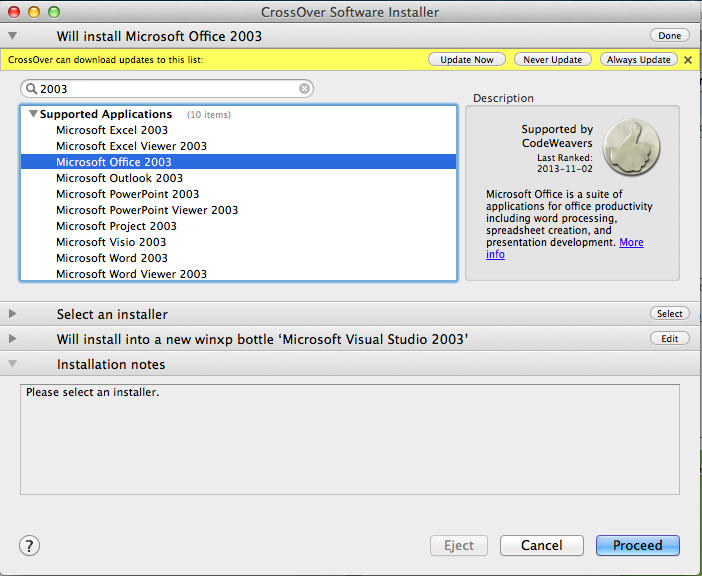
Step 1
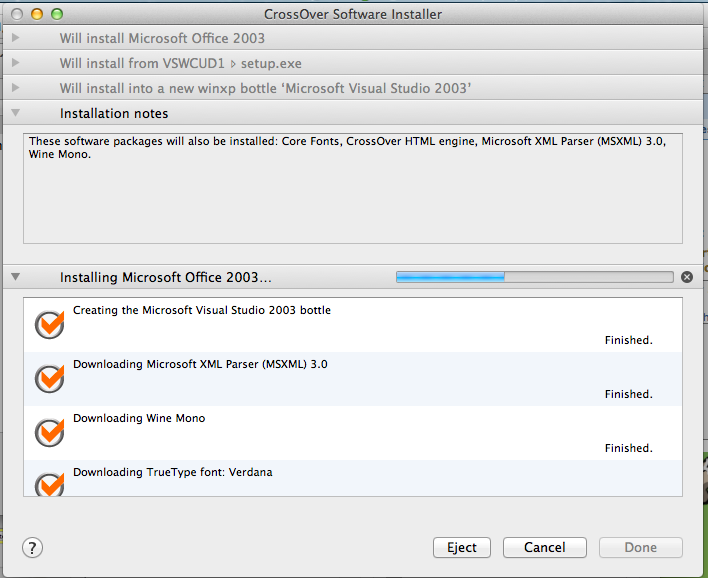
Components install
This will be counter intuitive.
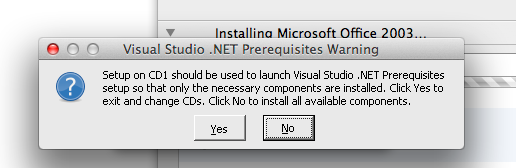
Answer no, and the needed components will install.
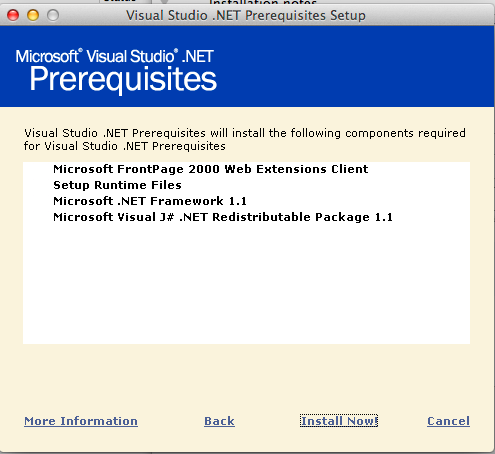
Pre-requisites
Don’t worry the .net 1.1 runtime & the j# .net redistributable package will both fail. It is nothing to worry about as we need to install them manually.
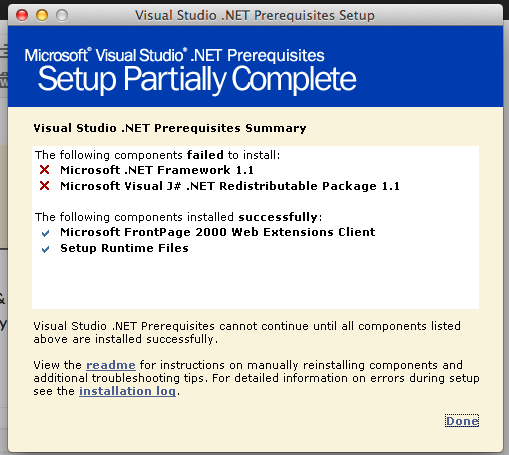
Everything is fine!
CrossOver will then notice that something went wrong. We just tell it to ignore the step, and pretend everything is OK.
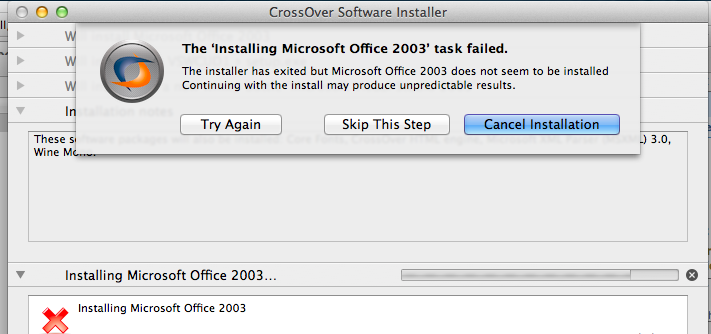
Just ‘Skip This Step’ and all is well.
Now that the bottle is ‘setup’ we manually install the .net 1.1 framework. First tell the installer that we are going to install the runtime component .NET Framework 1.1.
I just point the installer to the CD’s ‘dotNetFramework’ directory to the dotnetfx.exe.
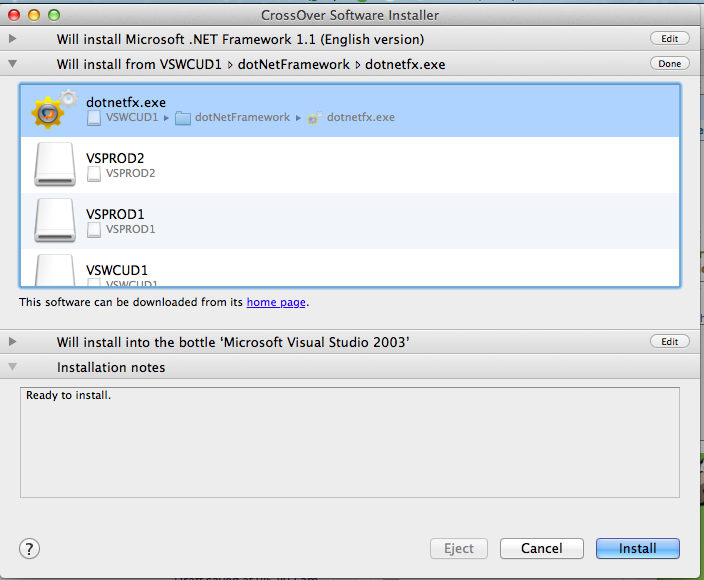
Install .net 1.1
And let it install.
Next, I install the J# Runtime. First select the ‘other’ application type, then I select the JSharpRedistCore directory and the vjredist.exe
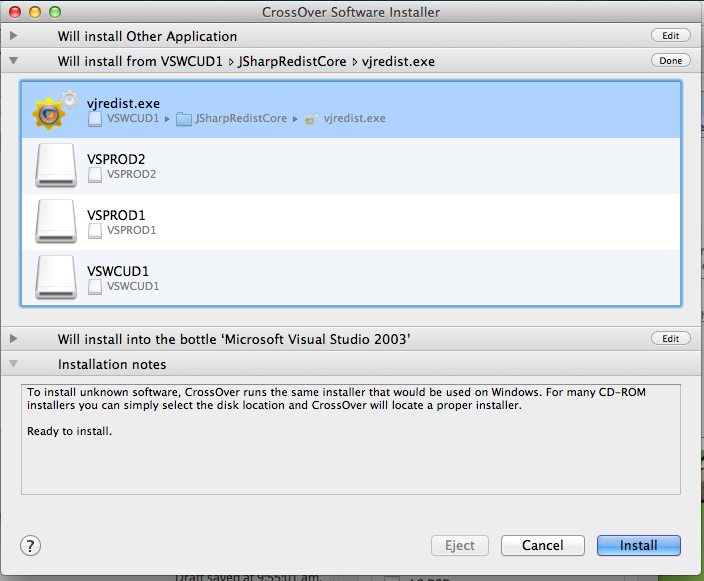
J# Runtime Install
This should install just fine.
Next, it’s time to install the MDAC 2.7 sp1 components. I select MDAC 2.71 Serivce Pack 1, then point the installer to the MDAC27SP1 directory, and select the mdac_typ.exe installer
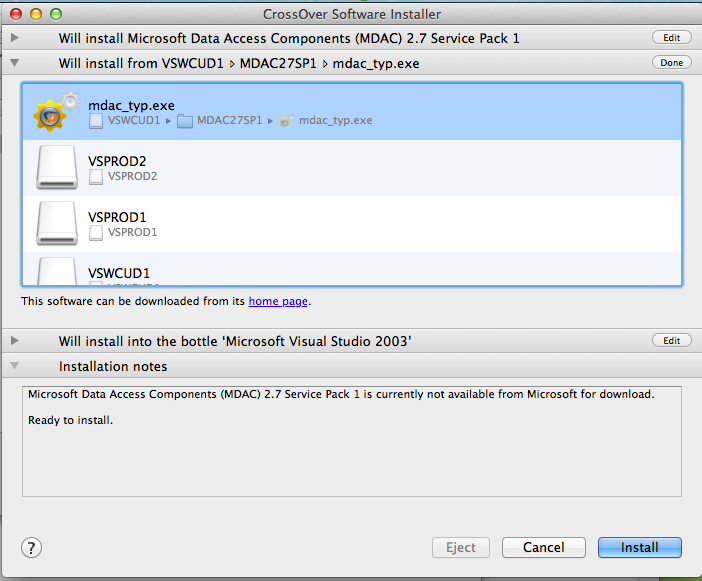
MDAC Installation
And the MDAC components should install without issue.
Now for some reason I’ve had issues swapping CD’s so I ‘cheat’ and do the following:
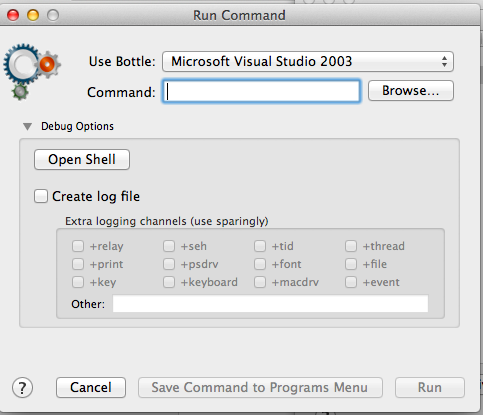 Programs -> Run Command, then open up the ‘Debug Options’ and choose Open Shell.
From here I simply do this:
$ cd ‘/Users/neozeed/Library/Application Support/CrossOver/Bottles/Microsoft Visual Studio 2003/drive_c’
drive_c neozeed$ mkdir temp
drive_c neozeed$ mkdir vs2003
drive_c neozeed$ cd vs2003
vs2003 neozeed$ cp -R /Volumes/VSPROD2/* .
vs2003 neozeed$ cp -R /Volumes/VSPROD1/* .
cd ..
Now we can go ahead and install Visual Studio.
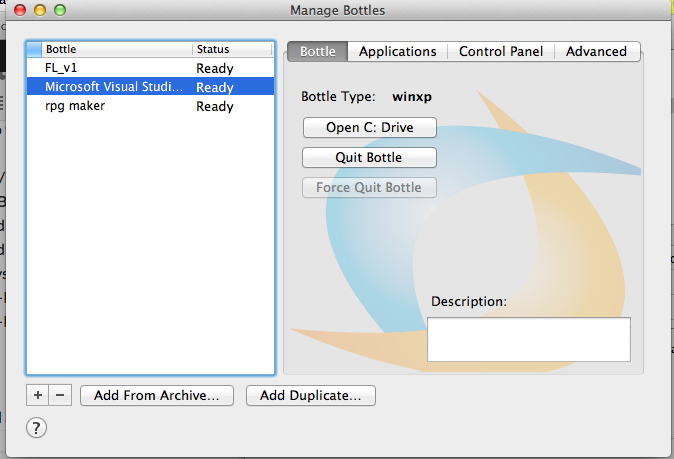
Lets choose the right setup.exe
I find it easier to ‘Open the C: Drive’ which will take us to the 2003 folder, then we can choose the vs2003\setup\setup.exe executable. The vs2003\setup.exe will take note that the pre-requisites are installed, then just exit.
Use the ‘other application’ template, and make sure it is installing to the bottle you’ve been installing to so far!
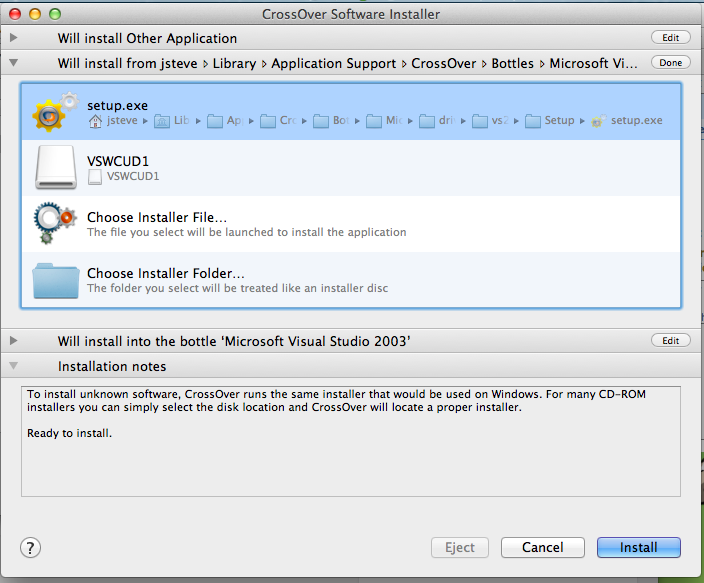
Choosing Setup
Assuming you’ve done this right, it’ll take a while
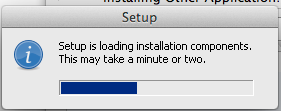 And with any luck you’ll finally see this!
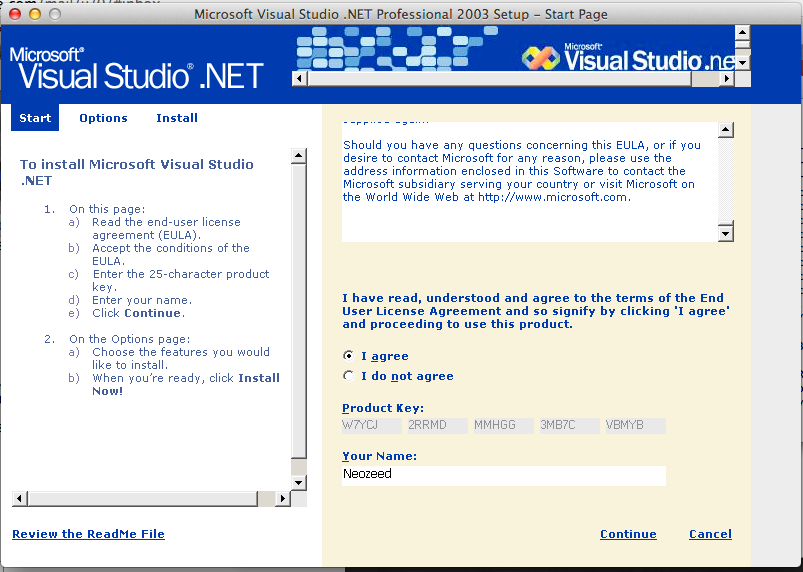
Visual Studio 2003 EULA
Now you can select what to install
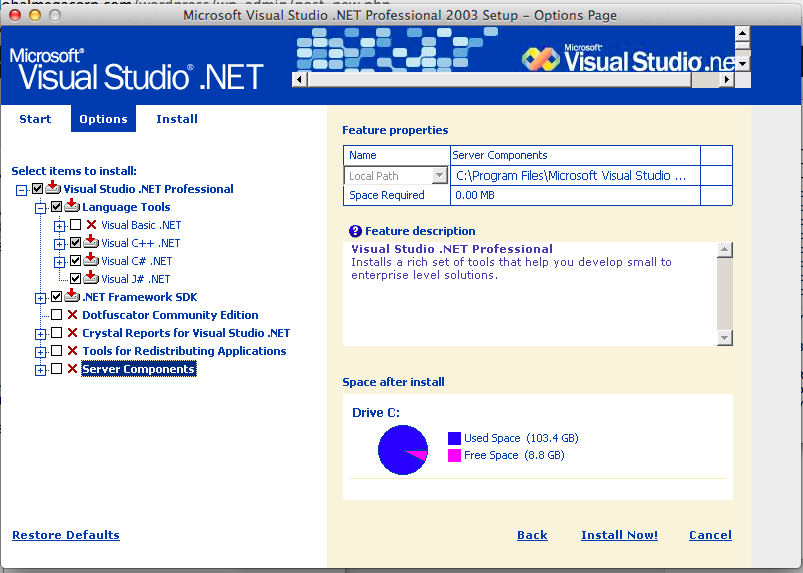
Selecting components
And again this will take a few minutes.
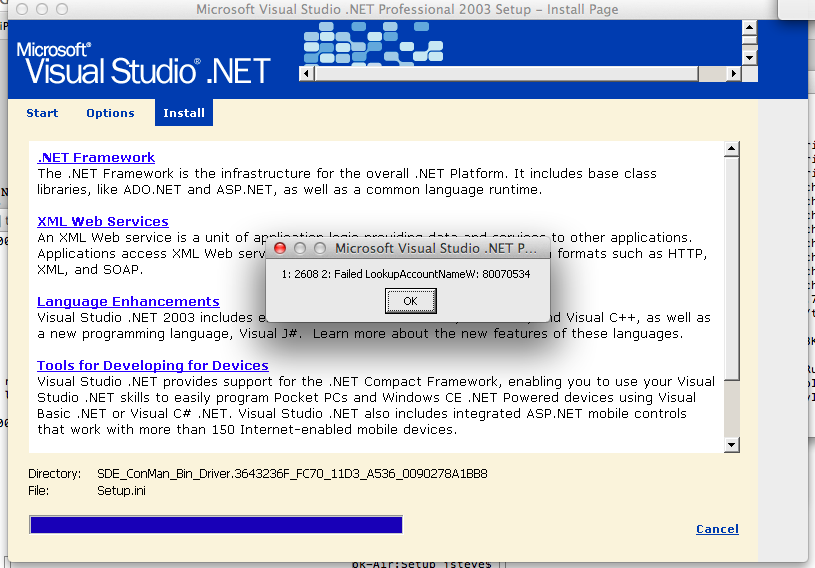
Final Failure..
Then it bombs out with a Failed LookupAccountNameW: … which I think a few installers bomb on stuff like this. So close.
Anyways it’ll install but not work. 🙁
Sorry to get your hopes up, I know I’m kinda disappointed.
Well I had no idea that the Tim Carleton Darrick Deel collaboration of Opus number 1 was so popular!  I had blogged about it a while ago when I was looking for the infamous hold music.
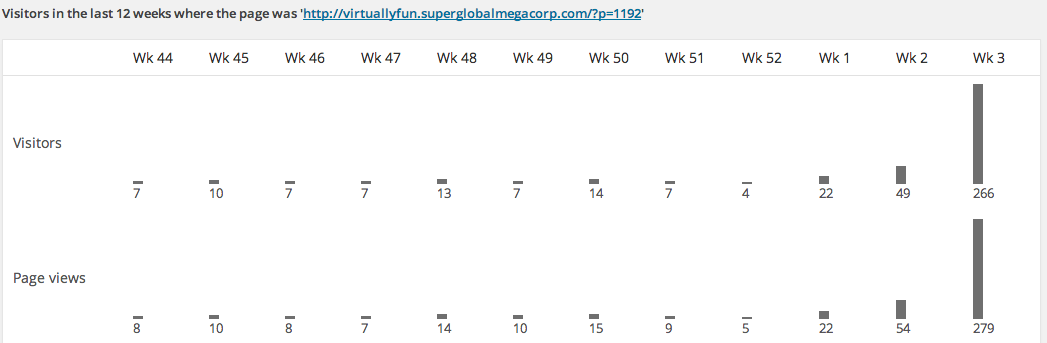
Popularity of Opus #1
I got one quick heads up that the stereo version of the popular ‘hold’ track would be uploaded, but once it was I got 5 notifications! Â One from a Darrick! Â It sure sounds nicer than the mono version, but when you are on a phone what do you expect?
Apparently NPR will only host the mp3 for the weekend, so of course I’ll keep a mirror.
For anyone unfamiliar with the song, here is a little bit of history from here:
This was not a proprietary mix made by Cisco. It was licensed to Cisco for non-exclusive use in their CallManager product. Tim composed this song and is who performed it for this recording. I helped him record it one day in his garage. This recording is actually from the late Eighties.
I had the opportunity to submit the song to the guy compiling the music on hold CD and he included it in our upcoming product. The Synths used to record the song had very favorable acoustic qualities when transmitted over VoIP with a G.711 encoding. As a result Tim’s Opus No. 1 became the default hold music on Cisco’s product.
The original version has a nice stereo effect on the clapping and a real breathiness and richness in the Synths. There have been a number of people over the years that have tracked me down due to this music. It is always exciting for us to find more people that like the music enough to track it down after an encounter with it while on Hold. Tim and I will discuss the options for making this available and post back here.
I accidentally restored a CPIO on top of my root… oops.
So in case you are wondering why I’m going to be offline for a while, that is why.
for the two or three people left running SUA, and trying to rsync a UNIX box back on a corporate Windows server, you’ll probably wonder why rsync crashes…
$ ./rsync dbserver:: Memory fault (core dumped) $
Wonderful. Â So I know what you’re thinking, let’s debug it, right?!
$ gdb rsync
GNU gdb 2002-11-11-cvs Copyright 2002 Free Software Foundation, Inc. GDB is free software, covered by the GNU General Public License, and you are welcome to change it and/or distribute copies of it under certain conditions. Type “show copying” to see the conditions. There is absolutely no warranty for GDB. Type “show warranty” for details. This GDB was configured as “i586-pc-interix3″…
(gdb) set args dbserver::
(gdb) r
Starting program: /dev/fs/C/Users/neozeed/tmp/rsync-3.1.0/rsync dbserver:: procfs: init_inferior, get_traced_signals line 4856, /proc/1375: Value too large to be stored in data type.
Yeah. Fantastic.
Well it turns out the bundled libintl on Interix is all screwed up. Â So edit the config.h, and remove the line:
#define HAVE_ICONV_H 1
rebuild, and all will be well.
It’s not unresolved symbols, but rather deleted bodies…
From 22 years ago:
Path: sparky!uunet!wupost!darwin.sura.net!Sirius.dfn.de!fauern!unido!mcsun!fuug!sics.se!seunet!kullmar!compuram!pgd
From: [email protected]
Newsgroups: comp.unix.sysv386,comp.unix.internals
Subject: Re: 386's UNIX kernel source
Message-ID: <[email protected]>
Date: 11 Jan 92 08:24:27 GMT
References: <[email protected]>
Lines: 50

Richard Tobin ([email protected]) writes:
: In article <[email protected]> [email protected] (Lee M J McLoughlin) writes:
: >I can't say for sure but in the second Berkeley networking release
: >there appears to be enough source for unix and enough 386 specific
: >code to actually get a system up and running.
:
: The following from kern_exec.c suggests otherwise:
:
......
:             /*
:              * Body deleted.
:              */
:             return (ENOSYS);
:     }
:
: There are other similar functions.  Also, the standalone stuff needed
: for bootstrapping is incomplete.

Routines which are thus missing from the kernel are:
acct(), sysacct(), execve() with friends, physio(),
minphys(), rminit(), rmalloc(), rmfree(), ptrace(),
procxmt(), profil(),  cinit(), getc(), q_to_p(),
ndqb(), ndflush(), putc(), b_to_q(), nextc(),
unputc(),  bufinit(), bread(), breada(), bwrite(),
bdwrite(), bawrite(), brelse(), incore(), getblk(),
geteblk(), allocbuf(), getnewbuf(), biowait(), biodone()

I have looked them up in the unix v7 sources, and they amount to
approximately 800 lines of code.
Some I cannot find there. They are:
minphys(), rminit(), rmalloc(), rmfree(), procxmt(), nextc(),
unputc(), bufinit(), allocbuf(), getnewbuf()
Do they really containt AT&T code, or were they just kicked out "by
mistake"?

In any case, unless there are more surprises, it should not be too
hard to rewrite these routines. Many are quite straightforward.
Most routines contain 10-20 lines of code. One only 2.
Some are ridiculusly simple. In fact, I wonder how they can be
rewritten to not be identical with the AT&T ones.

Now, I wonder, are these routines really identical to the Unix v7
routines, or are they modified by the BSD people?
That is, would it be possible to plug in the V7 routines, modify them,
and get it working, without having seen the actual bsd routines?

--
Per Lindqvist

Internet: [email protected]   Fidonet: Per Lindqvist @ 2:201/332
So that is probably why it ‘works’ but doesn’t work. Â Oops.