I never played DOOM over the internet, as by the time I had a proper connection and fast enough machine, Quake was all the rage, and all I had was this crappy cable modem that used a dialup connection for the upstream.
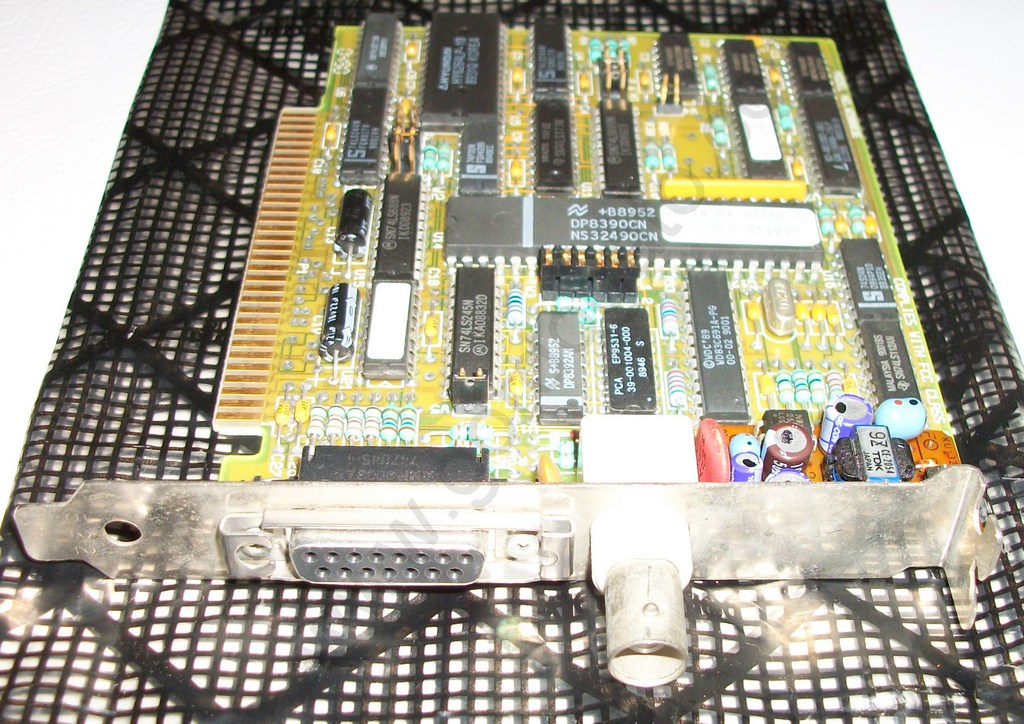
If I wanted to play multiplayer I’d wind up dong a LAN party anyways. Â We were living in the era of $20 NE2000 clones, and 56kb modems, with the occasional 1mbit down cable.
Anyways I recently saw The Internet DOOM Client/Server System v0.01, which was a simple TCP/IP DOOM matchmaking server that includes source the client and server. Â This eventually grew up into iDOOM. Â It looked simple enough and it does mention that it is based on the opensource IPX component of DOOM. Â I’d never looked at it so taking a peek I saw this:
DOOMNET.C
// hook an interrupt vector
p= CheckParm (“-vector”);
if (p)
{
doomcom.intnum = sscanf (“0x%x”,_argv[p+1]);
}
else
{
for (doomcom.intnum = 0x60 ; doomcom.intnum <= 0x66 ; doomcom.intnum++)
{
vector = *(char far * far *)(doomcom.intnum*4);
if ( !vector || *vector == 0xcf )
break;
}
if (doomcom.intnum == 0x67)
{
printf (“Warning: no NULL or iret interrupt vectors were found in the 0x60 to 0x66\n”
“range. You can specify a vector with the -vector 0x<num> parameter.\n”);
doomcom.intnum = 0x66;
}
}
printf (“Communicating with interupt vector 0x%x\n”,doomcom.intnum);
So for those who missed it, the IPX client just hooks in as a TSR, which doom calls down to, and then either sends or receives data. Â Now I wish I’d looked earlier I didn’t realize that it was something so simple.
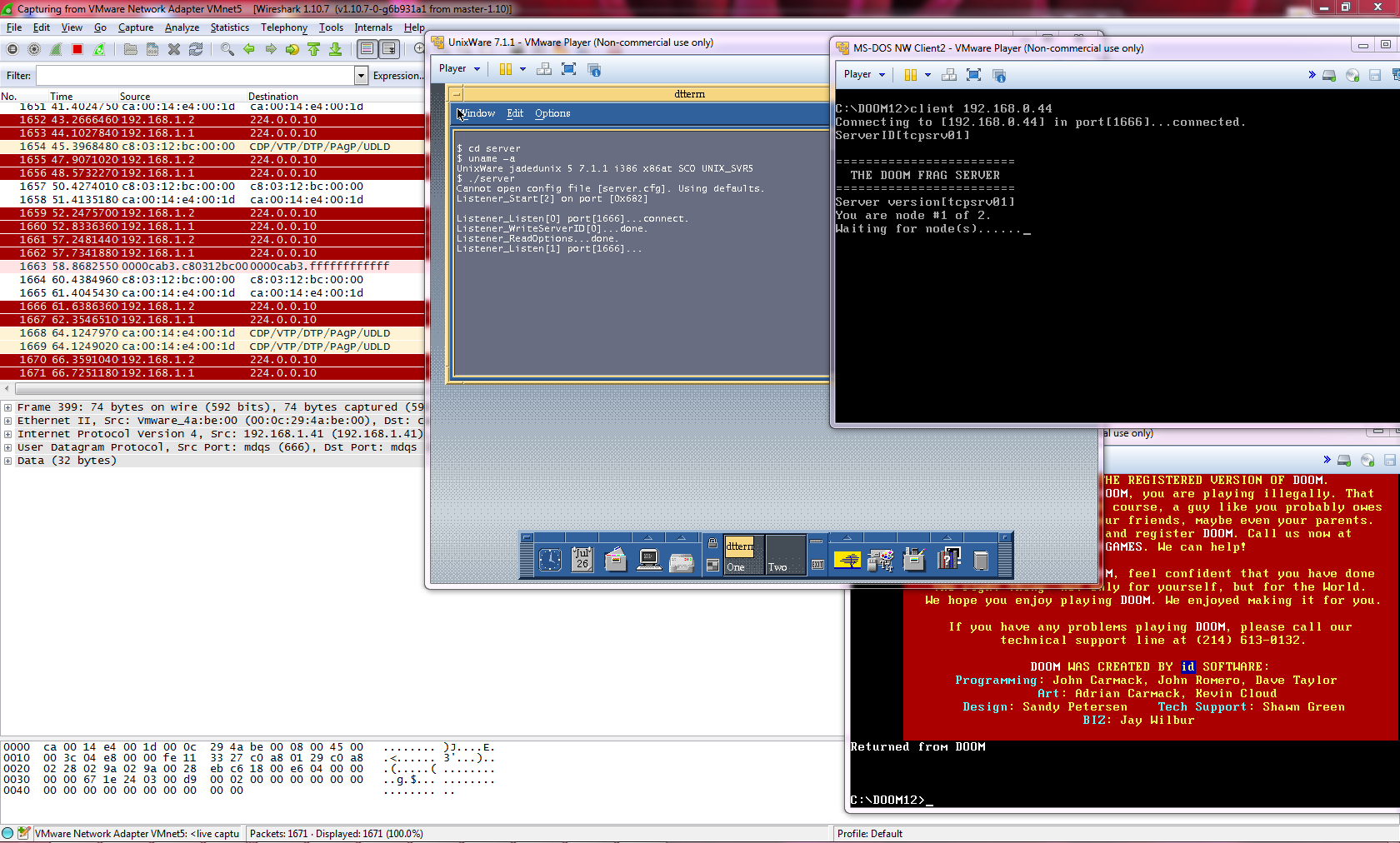
So I thought it’d be interesting to watch it in action. Â Now it compiles on modern Linux, but it doesn’t work. Â I don’t know why, I didn’t investigate much. Â Instead I opted for a server from the era, UnixWare. Â Oddly enough that works (and so does OS X). Â I fired up GNS3, put the server on one network, and added two clients on separate TCP/IP networks. Â I went ahead with DOOM v1.2.
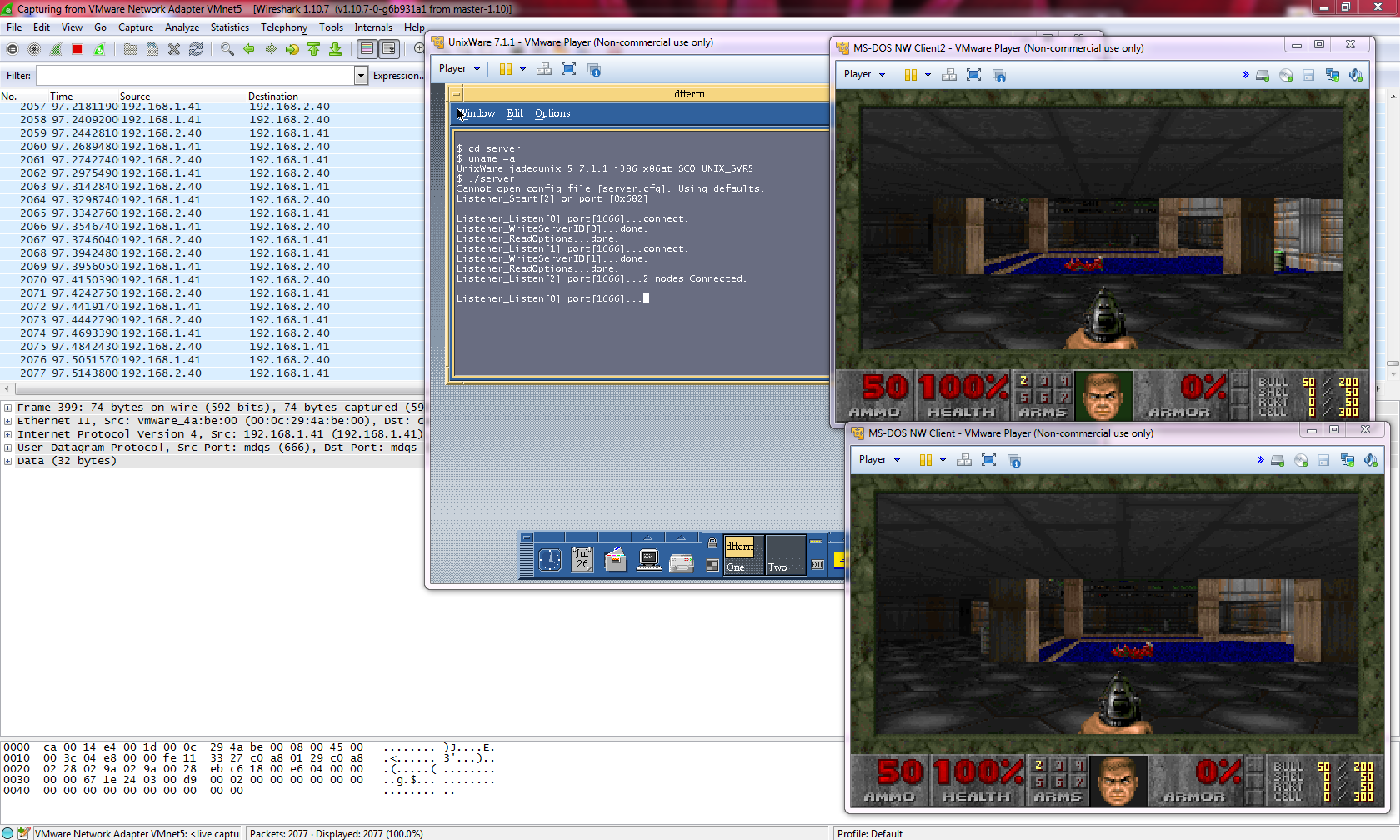
The clients are able to connect to the server, and once the both register, they drop out of the server, and pass all the command line arguments to TCPSETUP, and away they go. Now it’s worth noting that back in these days people use registered addresses. Â None of this will work with NAT as it expects 1:1 UDP port mappings. Â The clients are all equal peers.
So could a newer driver be written to support a server, and work behind NAT? Yeah I don’t see why not. Â Is there any point in doing so?
Probably not.
In 2004 it was hard enough trying to do a deathmatch online, but 2014?.. 20 years too late.
But it’s kind of interesting how convoluted the networking setup had to be for a 32bit protected mode program calling down to a real mode TCP/IP TSR, which in turn called the network driver. Â It’s amazing it even works.
A good friend mentioned that Slackware 14.1 was just released.
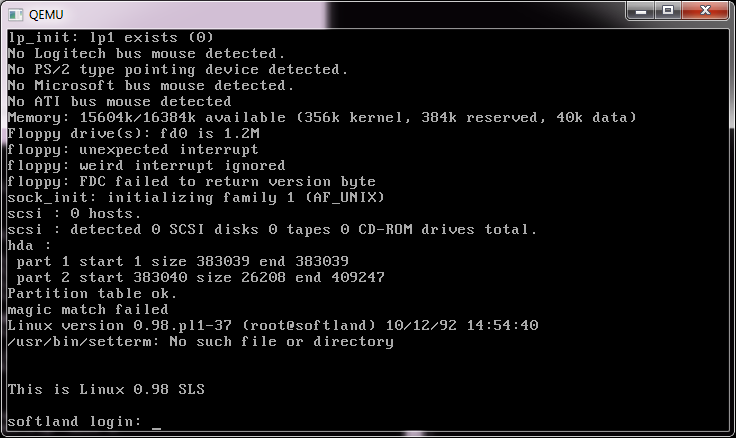
So I thought I’d take this time to instead install SLS 0.98-1 on Qemu.
Now this was the first version of Linux that I actually started to use. Â The 0.11 stuff was really a pain to install Minix then copy over enough linux to get it working. Â Instead SLS gave us a more usable distro to be installed on a machine with nothing. Â And thanks to cd.textfiles.com locating a download set was trivial.
Back in late 1992 I downloaded the zip files from CCUG at a blistering 2400 baud. Â I remember it took a week to get the A, B and C series. Â And I had to get a new box of 5 1/4″ High Density diskettes for the install (and another two for my MS-DOS / Windows 3.1 backup).
And just as back then, these zip files are missing files. Â INSTALL.END is missing from the A & B sets, which confuses the installer. Â The kernel source is linked to /usr1 which by default doesn’t exist and will cause that part to fail unless you use a virtual terminal (alt+f2) to remove /root/usr/src/linux so the installer will create the path itself after the installation of the A set.
SLS 0.98-1
Once it’s installed, it is pretty bare. Â vi, more, less, grep, and make are not in the install set, so it’s kind of difficult to move around. Â Emacs is there if you want it. Â As ultra primitive as this set is, it does install on an empty machine, which for the time was a big accomplishment.
One cool feature of this installset is that you aren’t tied to Minix’s filesystem, but you can use the new and exciting extfs, or Extended File system.
While the default kernel doesn’t see my emulated ne2000, as at this point the only supported NIC is the Western Digital 8003.
wd8003
As mentioned in we.c it was heavily based on the 386bsd code, although Linux used it’s own TCP/IP implementation, and not importing the Net/1 code.
I would imagine there are patches out there that’ll  no doubt add in NE2000 support.
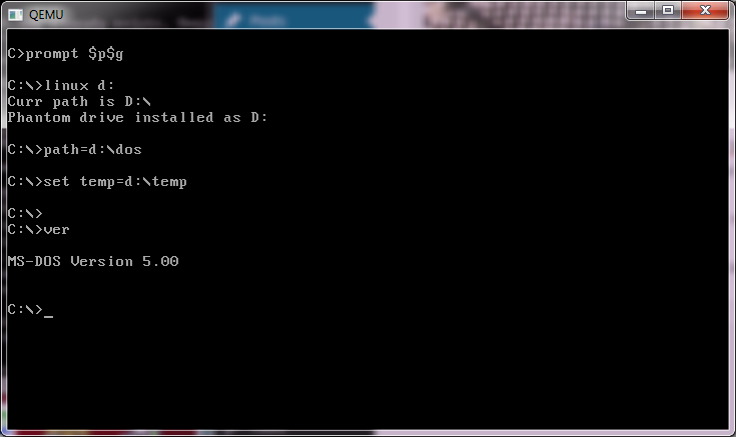
Also included was a very primative dosemu version 0.3, that can sort of run some MS-DOS programs.
DOSEMU 0.3
More complicated stuff like Qbasic will crash it out. Â Although with a bit of work I did get MS-DOS 5 to boot from it’s “virtual hard disk”. Â It really is more so amazing it works as well as it does at this point.
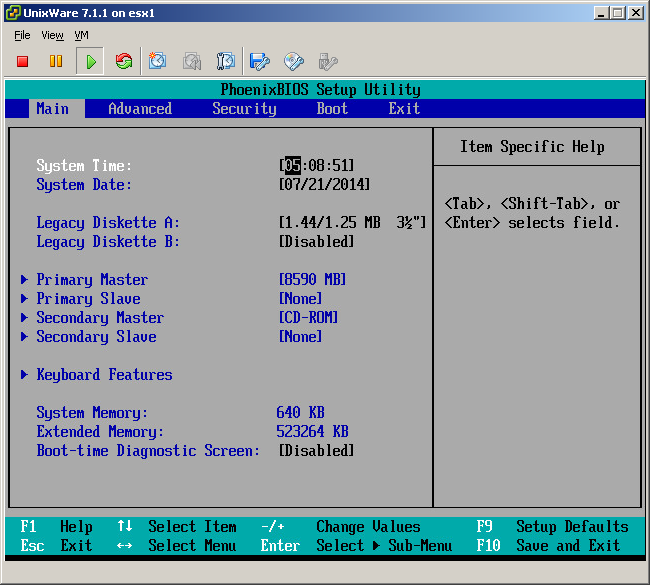
VMWare stores the configs, and files on the UNIX file system, which you have to edit by hand. Â You can’t do this in the UI, as VMWare tries to be SCSI only. Â But if you manually edit the files, you too can enjoy a virtual IDE disk.
You need to enable SSH access to the ESX server, or do this change on the console. Â Configs live in:
/vmfs/volumes/<storage group name>/<virtual machine>/
So for example, mine is:
/vmfs/volumes/datastore1/UnixWare 7.1.1/
First, edit the .vmdk file. Â You are looking for the line:
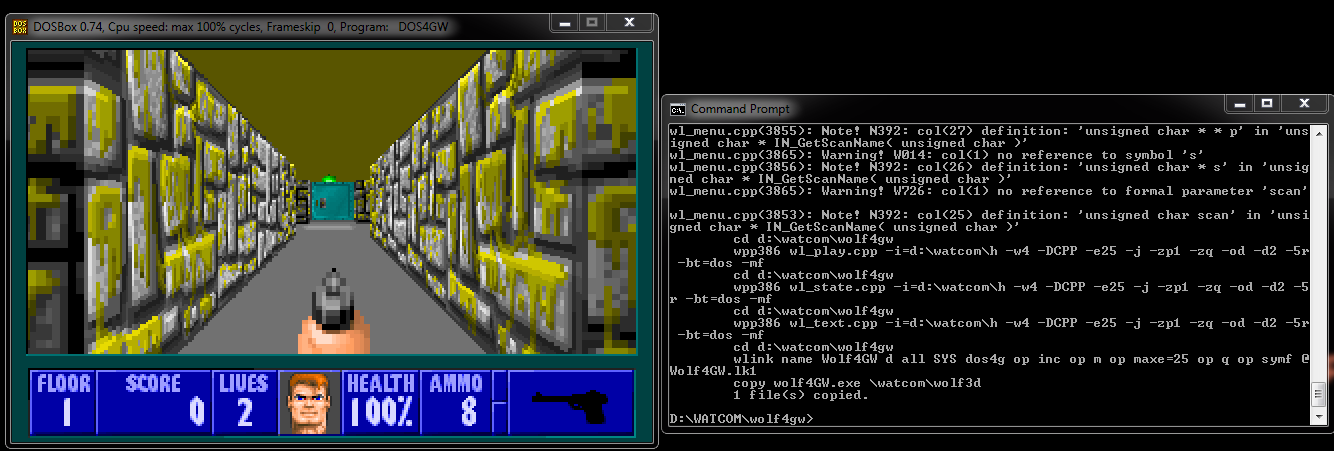
So how does it fare? I thought I’d take the old Wolf4GW, and compile it with this toolset. The first hurdle I hit was this fun feature:
The C++ compiler now treats warning W737, implicit conversion of pointers to integral types of same size, as an error.
Which is an integral part of wl_menu.cpp . So this was somewhat problematic, until I just commented out that block, and while I was expecting no working keyboard, I’m able to play, and load/save games…. Even the boss key works.
Wolf4GW
So, with the W737 taken care of, I have to say this thing compiles FAST. Incredibly FAST. If for some reason you have to build 16bit or 32bit anything, you should look at a 64bit tool chain, well assuming you have a 64bit computer by now.
If anyone want’s to build their own Wolf4GW with the newer OpenWatcom, my source drop is here.
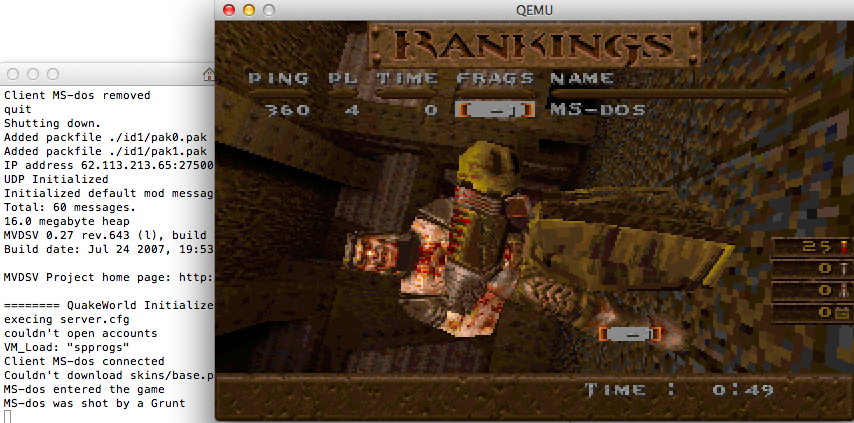
I went with MVDsv, which I could just unpack the i386 executable on my VPS, allowing me to go ahead with my lovingly stock id1 pak files.  MVDsv requires  just paste this into the console, or add it to the server.cfg
MVDSV Project home page: http://mvdsv.sourceforge.net
======== QuakeWorld Initialized ========
execing server.cfg
couldn’t open accounts
VM_Load: “spprogs”
Client MS-dos connected
Couldn’t download skins/base.pcx to MS-dos
MS-dos entered the game
Now when I jump in I get monsters!
Co-Op QuakeWorld!
One thing I had screwed up was the samelevel command on my server, setting it to two would kill the player if they tried to exit the level. Â Ugh. Â There is a guide here, but of course co-op isn’t the same as death match!
A few months ago, I posted articles relating to starting a public domain version of DOS. Â The general support for this at the time was strong, and many people agreed with the statement, “start writing!” So, I have…
And how does it measure up? Â Well the current release version is v1.1Â and I tested it in both Qemu and VMWare Player. Â First the installation process is SLOW. Â Extraordinarily slow. Â I really have no idea why, but 10+ minute installs in either environment were the best I could do. Â The one thing I did do on installation was to disable a FAT32 drive, defaulting to the older FAT16 file-system. Â Why? well because ..
Stacker 4 on FreeDOS
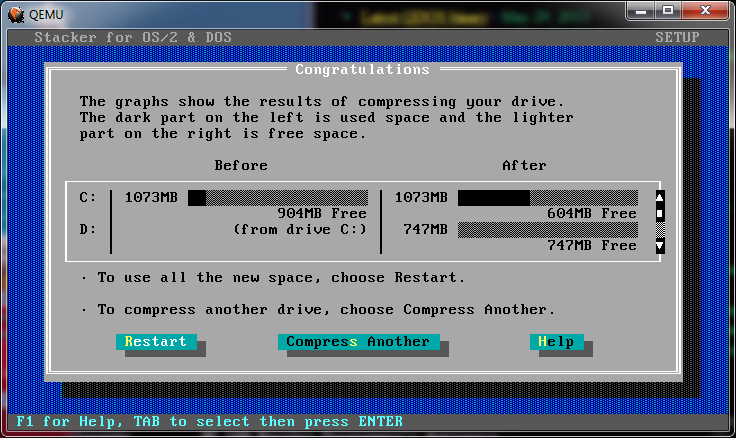
Once installed, I thought I’d torture the environment, and install Stacker 4.0. Â The installation went ok (I modified my system to boot up with option #3 as the default (Load FreeDOS including XMGR XMS-memory driver). Â The installation went smooth, I setup a 300MB compressed drive, rebooted and the drive was not available. Â I think this was because MS-DOS uses a config.sys file, and FreeDOS uses fdconfig.sys. Â Although at the same time the autoexec.bat file was not modified as I had requested. Â So I ran ‘config.exe’ and it walked me though additions to the c:\stacker.ini and what needed to be added to the (fd)config.sys (device=c:\stacker\stacker.com). Â I did that, and rebooted, and I had my compressed D drive.
Then I installed DOOM v1.1 onto the compressed drive, and it runs perfectly fine! (is a screen shot really necessary?) Â Seeing that DOS4G/W works (I also tested Descent, and Wolf4GW). Â Oddly enough Wolf3d just hangs at a black screen, and Descent runs too fast although I think both issues are more specific to the games running on Qemu/VMWare than FreeDOS. Â And if you want to skip the lengthy install, you can download my stock VMDK right here.
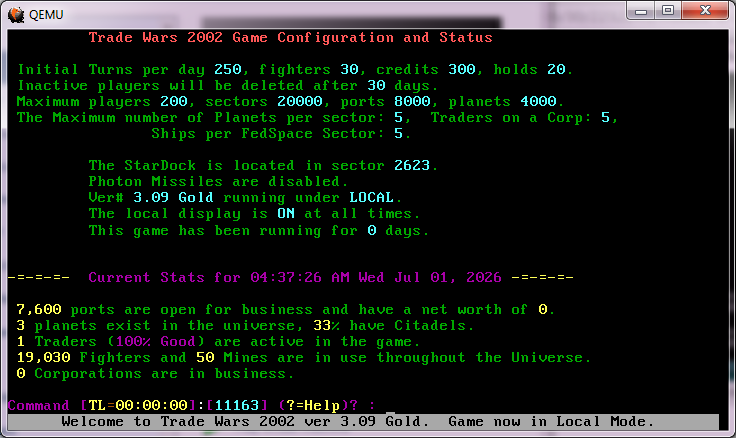
Seeing that 32bit DOS extenders seem OK, I thought I’d try TradeWars 2002 with it’s 16bit DPMI version, and it ran fine as well.
TradeWars on FreeDOS
Now when it came to multitasking, Windows 3.0 won’t work outside of realmode.  Windows 3.1 however will run in standard mode.  386 Enhanced mode still doesn’t work correctly (is that even an issue)… So to use this for a BBS you’d need a network and some nodes… maybe fun for another day.  Excel 3.0c works under Windows 3.1 Standard mode, while Word 2.0c does not.
Another weird thing is that the FreeDOS partitioning program (fdisk) chooses a NON-DOS partition type by default, so if you were expecting to dualboot between MS-DOS and FreeDOS I think you need to install MS-DOS first, although I guess in the age of virtual machines does it matter that much?
For basic MS-DOS program compatibility it seems pretty much there, even with weird stuff like stacker.
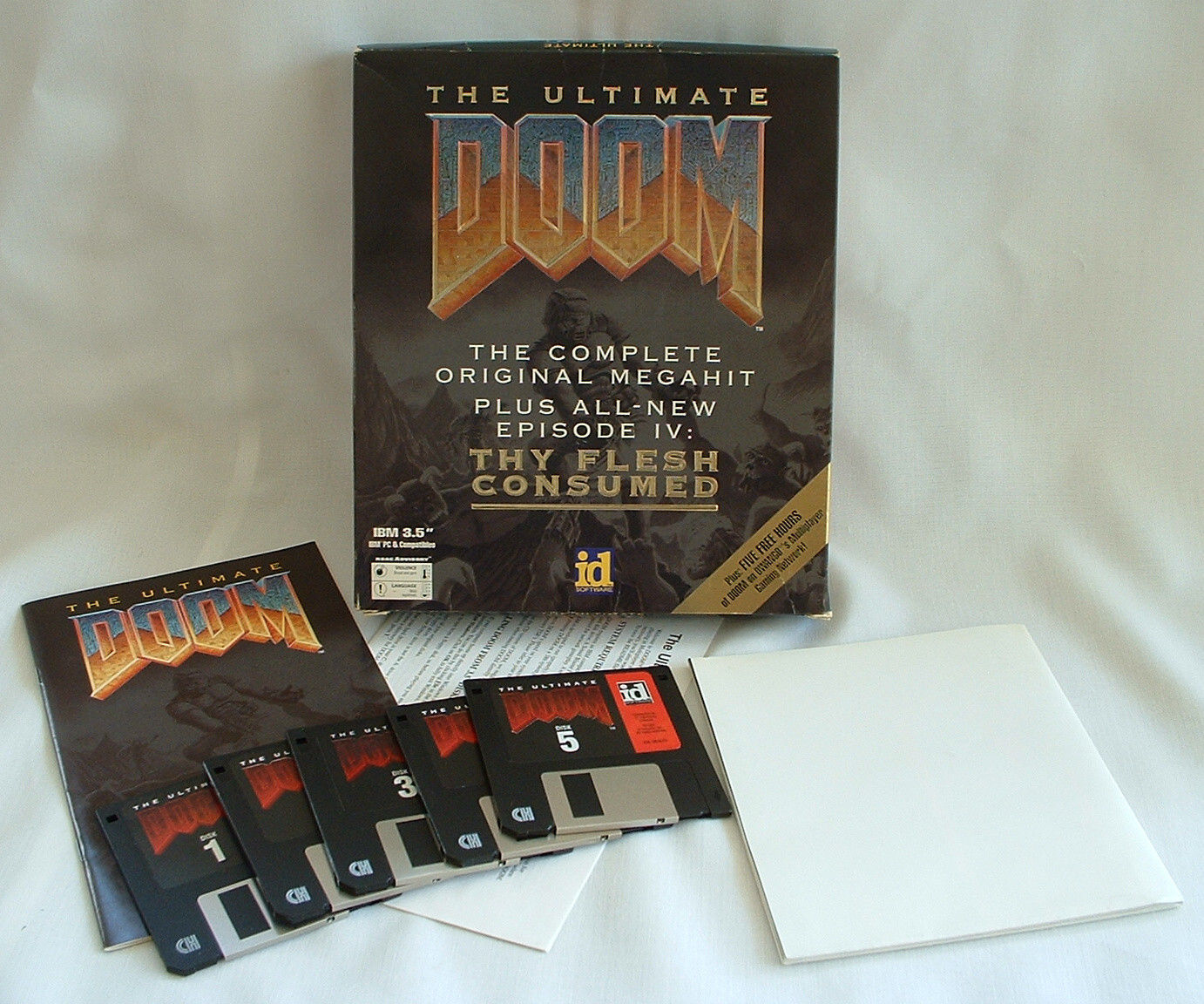
I don’t own any stock in iD(bethesda), or let alone steam. This is just a small research thing so I’m not shilling. Also Ultimate DOOM, is on sale, although not for long. I thought it would be interesting to compare the version on steam with the original version of Doom. Now backtracking, Ultimate DOOM, was a boxed in version of DOOM, that included all the patches and added in an extra level to the classic DOOM 1, “thy flesh consumed“.
Ultimate DOOM
And this is the version of DOOM that is for sale on steam. Now the nice thing about Ultimate DOOM, is that it was released as a patch to registered users of DOOM so that they too could upgrade to Ultimate DOOM and enjoy the new levels. So that also means that the enthusiasts thankfully made a patch to regress Ultimate DOOM to version 1.1 First we start with Ultimate DOOM, which can be found in your steam directory. Mine is “C:\Program Files (x86)\Steam\SteamApps\common\Ultimate Doom\base”, but yours will be similar. So, the first step would be to copy this directory to somewhere else, as we are going to run some patches against it to alter the level as we go. Â I’m going to use DOSBox to do all of this. Also, in my setup of DOSBox, I mount my c:\dos directory as c:\ to make life easier for me. So, on my windows side, I copy Ultimate Doom\base into c:\dos\temp\udoom. That way when I fire up DOSBox, I see it under c:\temp\udoom. The only files I’m going to use from steam are:
03/12/2014 12:27 AM 715,493 DOOM.EXE
03/12/2014 12:27 AM 12,408,292 DOOM.WAD
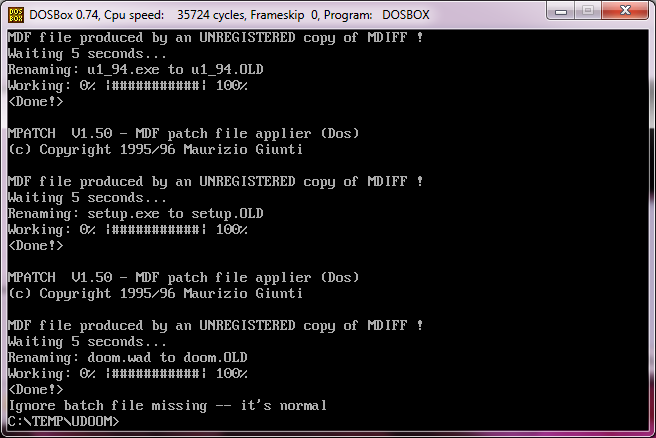
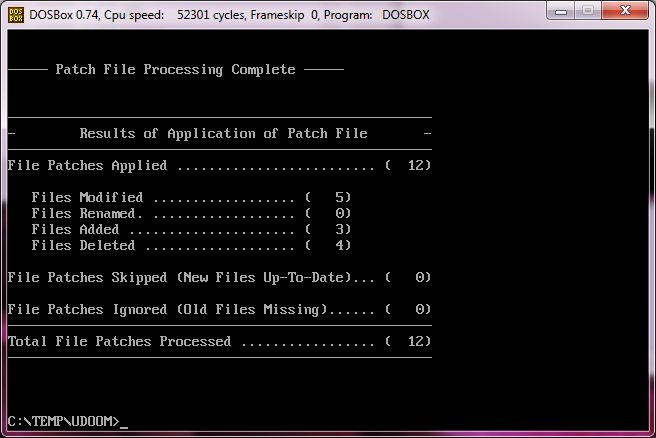
Noticeably absent is SETUP.EXE. I have no idea why it is missing, so I figured I’d provide a collection of the various setup programs. This is the best way to change sound card settings and alter keyboard bindings. Why it was omitted, well I have no idea. You can download my combined archive of doom setup programs here. Place the utlimate doom setup into the directory. Then download & extract downgrd.zip, into your dosbox doom directory (c:\dos\temp\udoom), then fireup dosbox and run patch.bat . The downgrade uses a shareware version of MDIFF, so it will delay for 5 seconds every time it’s used (which is a few times) so this will take a little while.
Downgrade to v1.1
Now looking around the directory we have:
06/30/2014 09:57 AM 803 DEFAULT.CFG
06/30/2014 09:57 AM 579,187 DOOM.EXE
06/30/2014 09:59 AM 10,396,254 DOOM.WAD
06/30/2014 09:57 AM 2,158 DOWNGRAD.TXT
06/30/2014 09:57 AM 7,527 LICENSE.DOC
06/30/2014 09:57 AM 20,850 README.EXE
06/30/2014 09:57 AM 68,923 SETUP.EXE
06/30/2014 09:57 AM 627,155 U1_94.EXE
06/30/2014 09:57 AM 218 USE1_94.BAT
06/30/2014 09:57 AM 190 USE1_95.BAT
Now how does this compare to the registered version of DOOM 1.1? Well I have a copy, and after installing it, we can compare.
As you can see the first difference is that the original version has “FILE_ID.DIZ”, and the downgrade has a “DOWNGRAD.TXT”. Comparing the common files..
c:\dos\temp\udoom>fc /b doom.exe doom11\doom.exe Comparing files DOOM.EXE and DOOM11\DOOM.EXE FC: no differences encountered
c:\dos\temp\udoom>fc /b doom.wad doom11\doom.wad Comparing files DOOM.WAD and DOOM11\DOOM.WAD FC: no differences encountered
c:\dos\temp\udoom>fc /b license.doc doom11\license.doc Comparing files LICENSE.DOC and DOOM11\LICENSE.DOC FC: no differences encountered
c:\dos\temp\udoom>fc /b readme.exe doom11\readme.exe Comparing files README.EXE and DOOM11\README.EXE FC: no differences encountered
c:\dos\temp\udoom>fc /b SETUP.EXE doom11/SETUP.EXE Comparing files SETUP.EXE and DOOM11/SETUP.EXE FC: no differences encountered
c:\dos\temp\udoom>fc /b u1_94.exe doom11\u1_94.exe Comparing files U1_94.EXE and DOOM11\U1_94.EXE FC: no differences encountered
c:\dos\temp\udoom>fc /b use1_94.bat doom11\USE1_94.BAT Comparing files USE1_94.BAT and DOOM11\USE1_94.BAT FC: no differences encountered
c:\dos\temp\udoom>fc /b use1_95.bat doom11\USE1_95.BAT Comparing files USE1_95.BAT and DOOM11\USE1_95.BAT FC: no differences encountered
And everything looks ok. Â Now FILE_ID.DIZ was a nice way back in the day of BBS’s to have a description of the file inside of the ZIP that would automatically set the description. Â And the FILE_ID.DIZ from the registered version is:
████▓▒░ THIS IS PIRATED SOFTWARE! ░▒▓████ ███████████████████████████████████████████
THIS FILE IS NOT SHAREWARE — it is ILLEGAL and forbidden to upload this copyrighted software on bulletin boards. If you see this message on a BBS, please request that the Sysop remove this software IMMEDIATELY. or contact id Software @ 214-613-0132 IT IS ILLEGAL TO GET THIS FILE FROM A BBS!
███████████████████████████████████████████
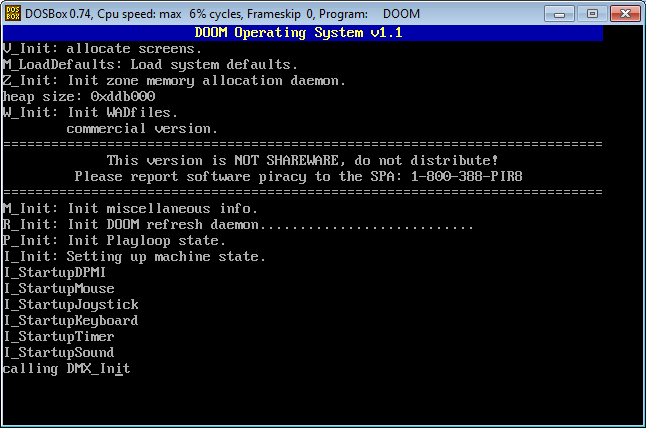
Which I guess is not all that surprising. So, other than omitting this one file (which does not alter game play in the least bit) we have now taken Ultimate DOOM from steam and reverted it to DOOM v1.1. Now to be honest this is my favorite version, it feels faster than later versions, and for me at least it was more stable. However, as I’ve mentioned before the network play would destroy old hub based 10Mbit networks. And running DOOM, we can check the version
DOOM v1.1
And you can see that we have downgraded Ultimate DOOM to registered DOOM v1.1 in it’s original state from December 10th, 1993. Now moving to version 1.2, you need the file dm1_2rpt.zip, which contains:
06/30/2014 09:15 AM 78,129 PATCH.EXE
06/30/2014 09:15 AM 3,053 PATCH.RTD
06/30/2014 09:15 AM 409,687 PATCH.RTP
06/30/2014 09:15 AM 272 README.PAT
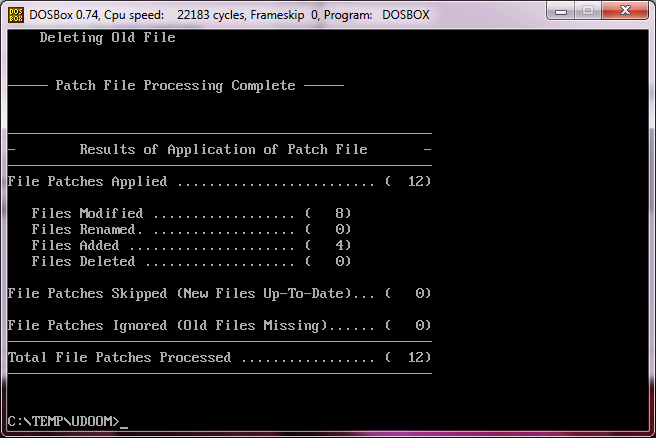
Now we run patch.exe which will move our 1.1 to 1.2.
Patching DOOM to v1.2
Once the patch is installed, we can delete the patch files, and we should have:
06/30/2014 09:57 AM 803 DEFAULT.CFG
06/30/2014 09:57 AM 2,158 DOWNGRAD.TXT
06/30/2014 09:57 AM 7,527 LICENSE.DOC
06/30/2014 10:04 AM 580,391 DOOM.EXE
06/30/2014 10:04 AM 10,399,316 DOOM.WAD
06/30/2014 10:04 AM 32,134 IPXSETUP.EXE
06/30/2014 10:04 AM 393 MODEM.CFG
06/30/2014 10:04 AM 34,386 README.EXE
06/30/2014 10:04 AM 36,567 SERSETUP.EXE
06/30/2014 10:04 AM 91,931 SETUP.EXE
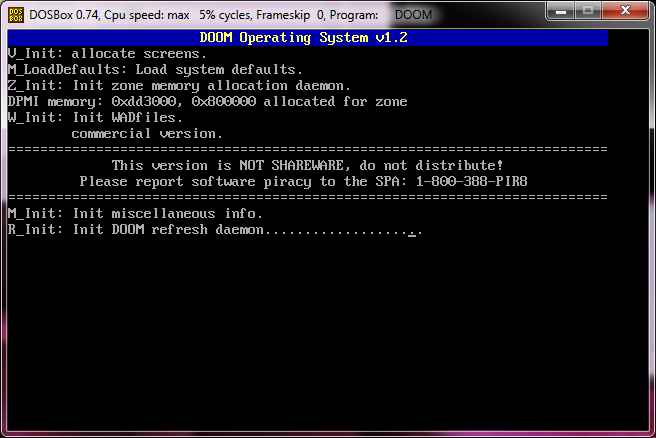
And when we run DOOM we now see that it is upgraded to version 1.2!
DOOM version 1.2
The next version of DOOM that was widely available was v1.666. And the patch is named dm1666rp.zip, which contains:
06/30/2014 09:24 AM 78,129 PATCH.EXE
06/30/2014 09:24 AM 2,864 PATCH.RTD
06/30/2014 09:24 AM 729,949 PATCH.RTP
06/30/2014 09:24 AM 649 PATCHIT.BAT
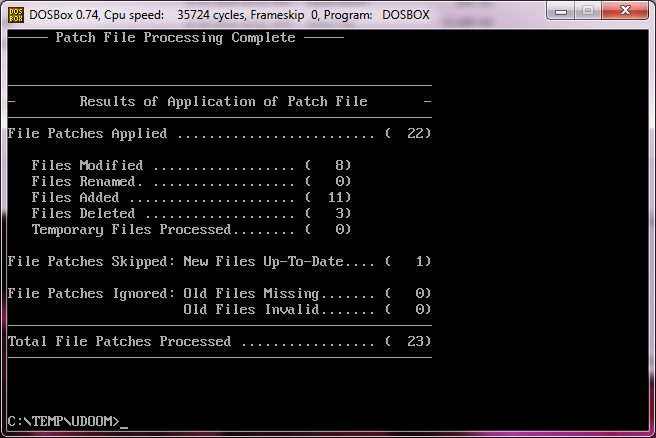
And this time we run ‘patchit.bat’.
Patched to 1.666
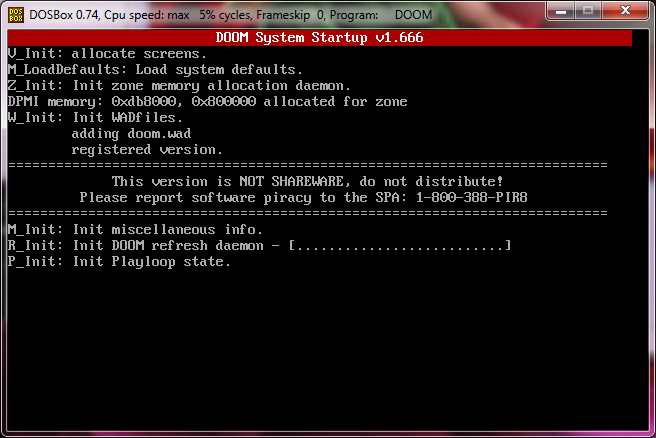
And now we can remove the patch files. Now when we run DOOM, we see…
DOOM v1.666
The next version of DOOM was v1.8, and it can be patched up from v1.666 dm18rpt.zip. Inside of this zip, is another zip, patch.zip that contains the patch files patch.exe & patch.rtp.
Upgrading to DOOM v1.8
The directory is growing as well.
06/30/2014 10:09 AM 791 DEFAULT.CFG
06/30/2014 10:12 AM 6,397 DM.DOC
06/30/2014 10:12 AM 33,640 DM.EXE
06/30/2014 10:12 AM 120,201 DMFAQ66A.TXT
06/30/2014 10:12 AM 140,594 DMFAQ66B.TXT
06/30/2014 10:12 AM 76,898 DMFAQ66C.TXT
06/30/2014 10:12 AM 34,572 DMFAQ66D.TXT
06/30/2014 10:12 AM 709,865 DOOM.EXE
06/30/2014 10:12 AM 11,159,840 DOOM.WAD
06/30/2014 09:57 AM 2,158 DOWNGRAD.TXT
06/30/2014 10:12 AM 10,623 DWANGO.DOC
06/30/2014 10:12 AM 65,021 DWANGO.EXE
06/30/2014 10:12 AM 2,536 DWANGO.STR
06/30/2014 10:12 AM 4,690 HELPME.TXT
06/30/2014 10:12 AM 18,051 IPXSETUP.EXE
06/30/2014 10:12 AM 67 MODEM.CFG
06/30/2014 10:07 AM 67 MODEM.NUM
06/30/2014 10:12 AM 3,405 MODEM.STR
06/30/2014 10:12 AM 4,617 ORDER.FRM
06/30/2014 10:12 AM 21,631 README.TXT
06/30/2014 10:13 AM 20,257 SERSETUP.EXE
06/30/2014 10:13 AM 45,884 SETUP.EXE
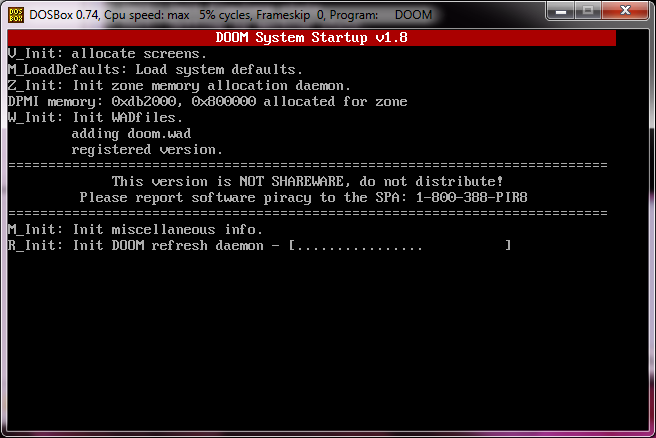
And running DOOM, we can now verify that we are running version 1.8
DOOM v1.8
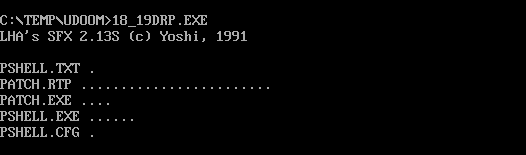
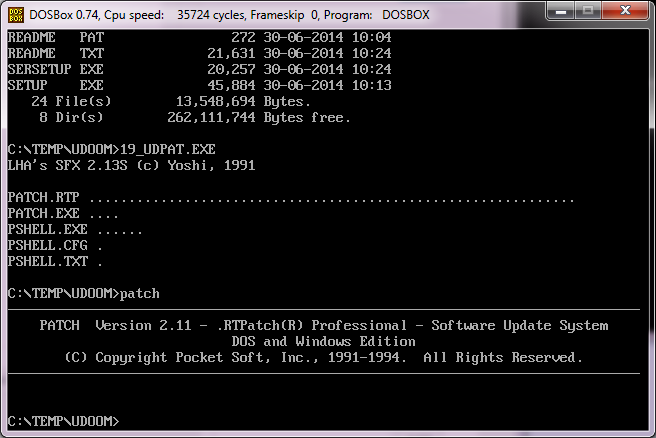
The next version of DOOM was version 1.9. The upgrade patch from v1.8 to v1.9 was called 18_19drp.exe. This is a SFX unpacking exe, so you’ll need to run this under DOSBox to get the patch
Yoshi SFX
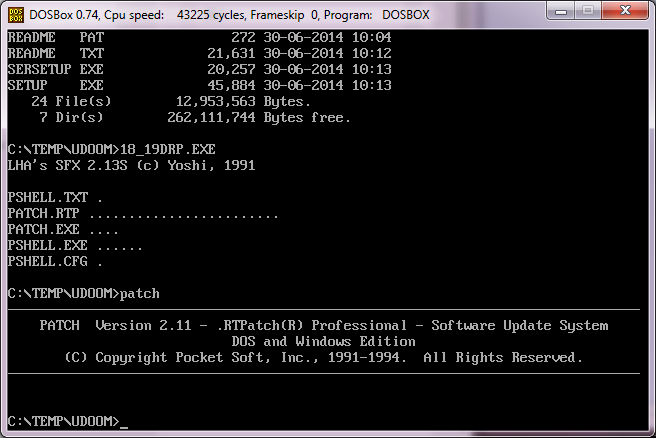
And now we can run the patch, this one is silent so don’t panic at the lack of output.
Patching from v1.8 to v1.9
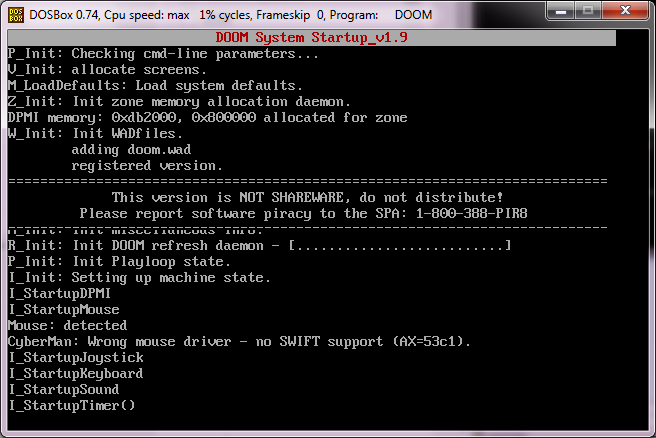
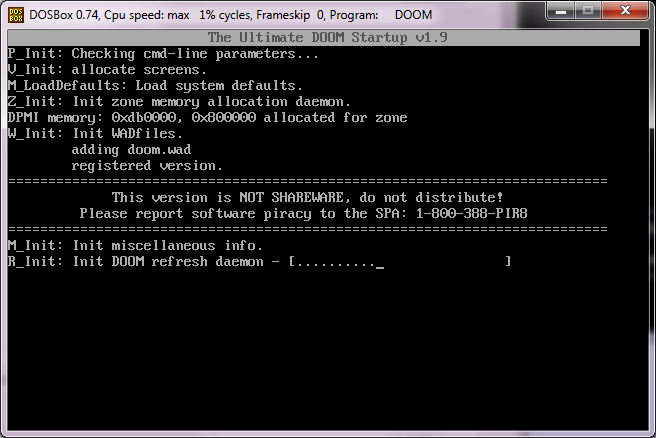
And now when we run DOOM we can verify that we are running v1.9
DOOM v1.9
And the directory now looks like this:
06/30/2014 10:26 AM 769 DEFAULT.CFG
06/30/2014 10:12 AM 6,397 DM.DOC
06/30/2014 10:12 AM 33,640 DM.EXE
06/30/2014 10:12 AM 120,201 DMFAQ66A.TXT
06/30/2014 10:12 AM 140,594 DMFAQ66B.TXT
06/30/2014 10:12 AM 76,898 DMFAQ66C.TXT
06/30/2014 10:12 AM 34,572 DMFAQ66D.TXT
06/30/2014 10:23 AM 709,905 DOOM.EXE
06/30/2014 10:24 AM 11,159,840 DOOM.WAD
06/30/2014 09:57 AM 2,158 DOWNGRAD.TXT
06/30/2014 10:12 AM 10,623 DWANGO.DOC
06/30/2014 10:12 AM 65,021 DWANGO.EXE
06/30/2014 10:12 AM 2,536 DWANGO.STR
06/30/2014 10:12 AM 4,690 HELPME.TXT
06/30/2014 10:12 AM 18,051 IPXSETUP.EXE
06/30/2014 10:12 AM 67 MODEM.CFG
06/30/2014 10:07 AM 67 MODEM.NUM
06/30/2014 10:12 AM 3,405 MODEM.STR
06/30/2014 10:12 AM 4,617 ORDER.FRM
06/30/2014 10:24 AM 21,631 README.TXT
06/30/2014 10:24 AM 20,257 SERSETUP.EXE
06/30/2014 10:13 AM 45,884 SETUP.EXE
Now comes the final patch, DOOM v1.9 to Ultimate DOOM, 19_udpat.exe. And just like before it too as a SFX patch, which you have to run under DOSBox.
Upgrading v1.9 to Ultimate DOOM
Deleting the patches, we are now left with:
06/30/2014 10:29 AM 769 DEFAULT.CFG
06/30/2014 10:12 AM 6,397 DM.DOC
06/30/2014 10:30 AM 20,937 DM.EXE
06/30/2014 10:12 AM 120,201 DMFAQ66A.TXT
06/30/2014 10:12 AM 140,594 DMFAQ66B.TXT
06/30/2014 10:12 AM 76,898 DMFAQ66C.TXT
06/30/2014 10:12 AM 34,572 DMFAQ66D.TXT
06/30/2014 10:30 AM 715,493 DOOM.EXE
06/30/2014 10:31 AM 12,408,292 DOOM.WAD
06/30/2014 09:57 AM 2,158 DOWNGRAD.TXT
06/30/2014 10:12 AM 10,623 DWANGO.DOC
06/30/2014 10:31 AM 73,638 DWANGO.EXE
06/30/2014 10:31 AM 255 DWANGO.SRV
06/30/2014 10:12 AM 2,536 DWANGO.STR
06/30/2014 10:31 AM 4,689 HELPME.TXT
06/30/2014 10:12 AM 18,051 IPXSETUP.EXE
06/30/2014 10:12 AM 67 MODEM.CFG
06/30/2014 10:07 AM 67 MODEM.NUM
06/30/2014 10:12 AM 3,405 MODEM.STR
06/30/2014 10:12 AM 4,617 ORDER.FRM
06/30/2014 10:31 AM 21,989 README.TXT
06/30/2014 10:24 AM 20,257 SERSETUP.EXE
06/30/2014 10:31 AM 46,665 SETUP.EXE
Which when compared with what was sold on steam:
03/12/2014 12:27 AM 243 AUTHORS.txt
03/12/2014 12:27 AM 18,332 COPYING.txt
03/12/2014 12:27 AM 12,408,292 d.WAD
06/30/2014 08:30 AM 819 DEFAULT.CFG
03/12/2014 12:27 AM 715,493 DOOM.EXE
03/12/2014 12:27 AM 12,408,292 DOOM.WAD
03/12/2014 12:27 AM 989,672 dosbox-0.71.tar.gz
03/12/2014 12:27 AM 7,214 dosbox.conf
03/12/2014 12:27 AM 3,200,000 dosbox.exe
03/12/2014 12:27 AM 3,018 INSTALL.txt
03/12/2014 12:27 AM 771 MOUSE.CFG
03/12/2014 12:27 AM 23,574 NEWS.txt
03/12/2014 12:27 AM 47,035 README.txt
03/12/2014 12:27 AM 331,776 SDL.dll
03/12/2014 12:27 AM 13,312 SDL_net.dll
03/12/2014 12:27 AM 874 THANKS.txt
03/12/2014 12:27 AM 1,139 ultimate.conf
03/12/2014 12:27 AM 1,157 ultimatem.conf
03/12/2014 12:27 AM 35,296 uninstall.exe
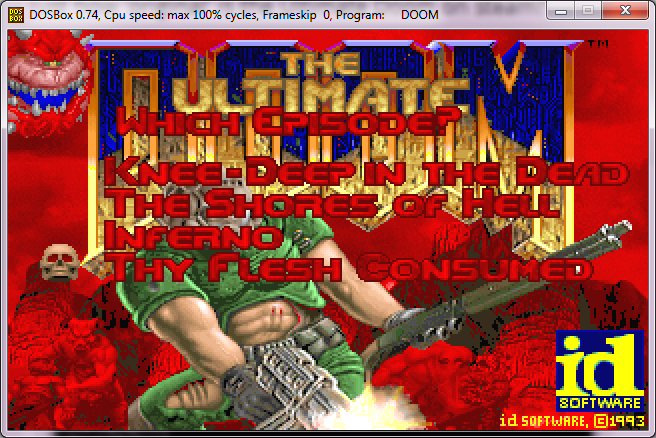
Which as you can see the only files that really made the cut were the wad and the doom executable. I don’t know why they omitted the setup program, but that’s easy enough to fix. And running our patched-up executable:
Ultimate DOOM
And as we can see, the extra level ‘thy flesh consumed’ is now available!
Ultimate DOOM level select
And finally to verify the steam wad/exe:
C:\dos\temp\udoom>fc /b doom.exe “c:\Program Files (x86)\Steam\Stea mApps\common\Ultimate Doom\base\DOOM.EXE” Comparing files DOOM.EXE and C:\PROGRAM FILES (X86)\STEAM\STEAMAPPS\COMMON\ULTIM ATE DOOM\BASE\DOOM.EXE FC: no differences encountered
C:\dos\temp\udoom>fc /b doom.wad “c:\Program Files (x86)\Steam\Stea mApps\common\Ultimate Doom\base\DOOM.wad” Comparing files DOOM.WAD and C:\PROGRAM FILES (X86)\STEAM\STEAMAPPS\COMMON\ULTIM ATE DOOM\BASE\DOOM.WAD FC: no differences encountered
So there we go, a full round trip from Ultimate DOOM, v1.1, v1.2, v1.666, v1.8, v1.9 and back to Ultimate DOOM!
UPDATE!
While looking around I noticed that the steam version of DOOM also only uses the Adlib! for music. But DOOM really does have much better MIDI music.
Adlib. really.
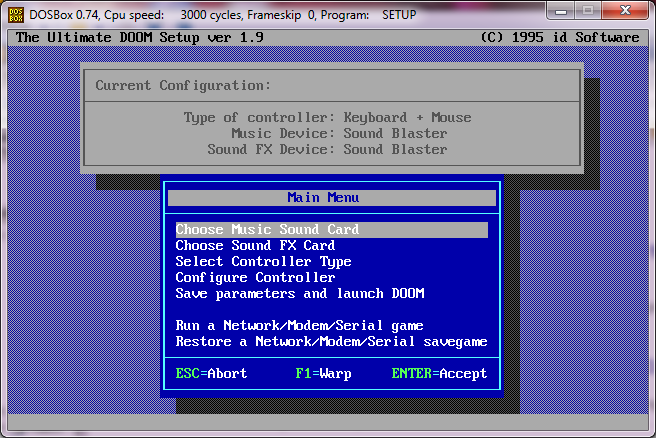
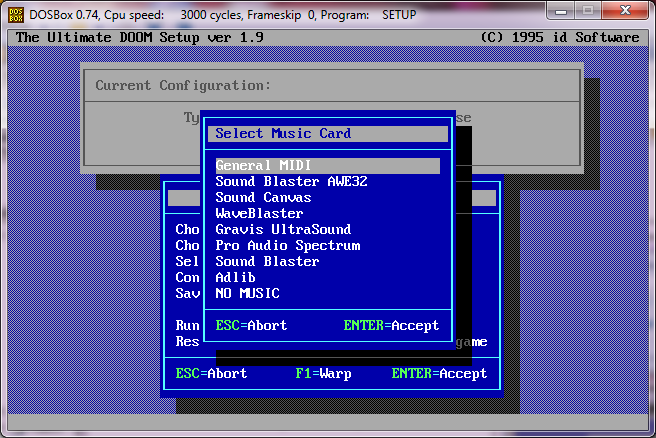
Well one of the great things we can do with a setup program, and the WAD/DOOM.EXE we copied out of steam is that we can run it with a newer version of DOSBox, say version 0.74 where the General MIDI actually works! So go ahead, and run setup, and change the music card to “General MIDI”.
Change it to General MIDI
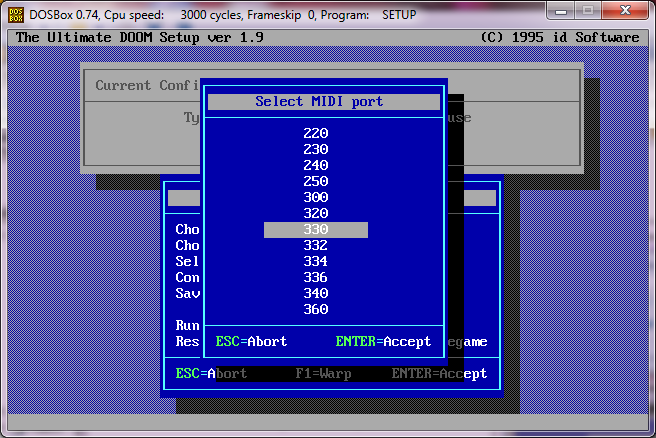
Next it’ll give a wide range of ports, I used 330.
Port 330!
Now when you save the config, and re-launch DOOM you can experience the music without the major pain of setting up the UltraSound. And General MIDI is available in every version of DOOM as well.
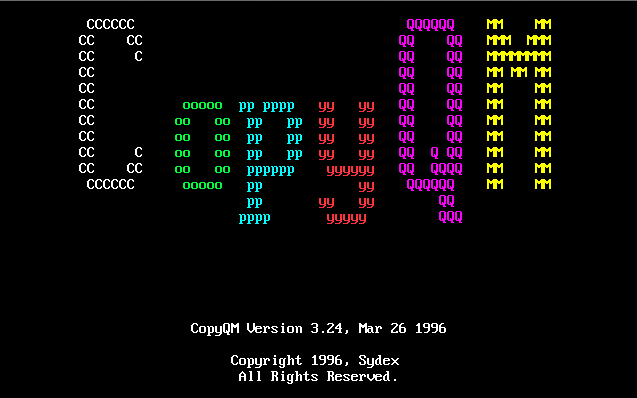
So I had a few disk images in the CopyQM format, and trying to get an emulator to output them back to a disk image is well.. really trying.  Then as luck would have it, I stumbled onto the program read_cqm.c and it does exactly what it says it’ll do which is read the CopyQM disk images, and then output them into a raw format.
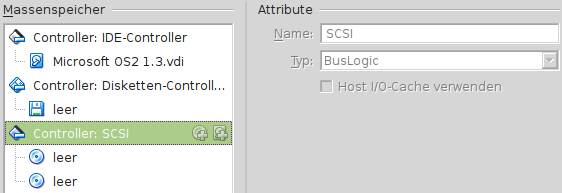
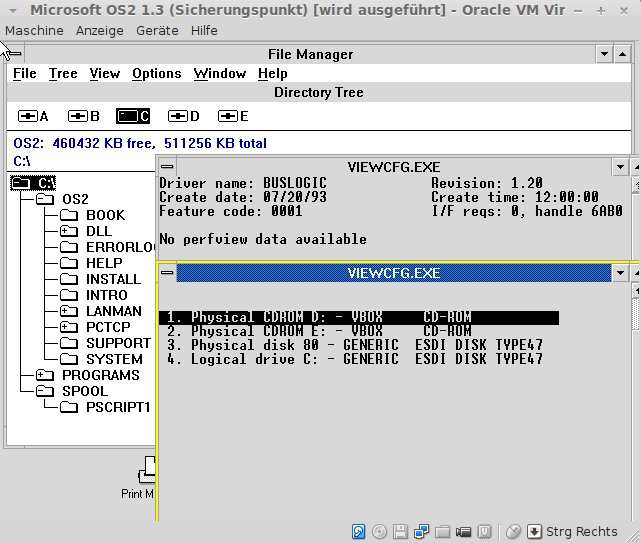
I was passed this in email, that using the BusLogic SCSI adapter, that OS/2 1.3 can use it’s CD-ROM interface for those of you who want to be able to directly mount ISO images!
2014/4/15 I has integrated source of i386 and i286 edition edition. In addition, in the i286 version, I added support for int 10h/16h. equivalent to 0.149 MAME, I was replaced with a 0.152 equivalent MAME core i386 i286 core. However, the i386 core, I have omit the TLB around.
Which is very cool, although I wasn’t sure about the MAME source code being open to other projects…? Â I tried to contact the i86/i386 author vlinde but he then pulled his contact page. Â I wanted to use i386 for something of my own, but the whole “Redistributions may not be sold, nor may they be used in a commercial product or activity.” really puts the damper on it.
I was able to get some simple XMS test program to run, but nothing of any substance. Â No DOS4G/W or anything like that. Â But if you re-build it specifying MS-DOS version 5.0, some of the MS-DOS utils and even command.com work!
The weird issue I had was running out of conventional RAM, because this program gives you nearly 1MB of conventional RAM… I was surprised, as I wasn’t expecting that much!

 The clients are able to connect to the server, and once the both register, they drop out of the server, and pass all the command line arguments to TCPSETUP, and away they go.
 Now it’s worth noting that back in these days people use registered addresses. Â None of this will work with NAT as it expects 1:1 UDP port mappings. Â The clients are all equal peers.