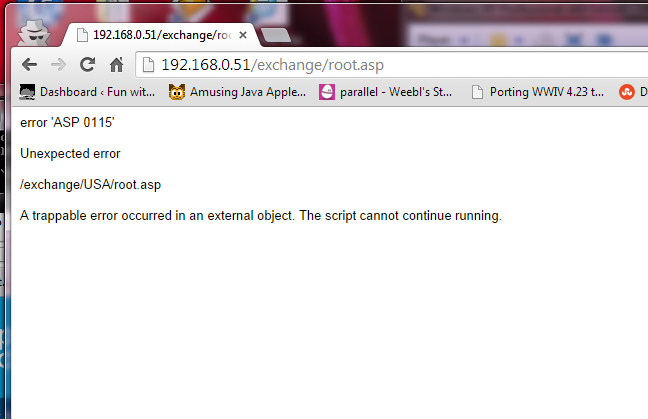
A trappable error occurred in an external object. The script cannot continue running.
So, call me crazy, but I’ve been running an Exchange 5.5 server a home for a while without issues. Â It’s perfect for a single user, I can keep up to 16GB worth of email on there, and best of all I can use real email clients like Outlook (or is it LookOut!?). Â Anyways I noticed something weird which is that Outlook 2003 always is unsure if the server is there, and I have to tell it that it’s OK to connect. Â Also once the Outlook 2003 client connects, it kills OWA, giving me these weird ASP 0115 Unexpected errors.
googling around for a fix was a bit futile, and I’d largely written off OWA, as in this day & age, who really wants some ASP 3.0 app? Â But for some reason, today was going to be the day to fix it, as I don’t have Outlook on my macbook air.
So with the Outlook 2003 clue in mind I finally found KB-818709, aka “Outlook Web Access stops responding when you try to access a mailbox on an Exchange 5.5 computer”.
As the cause states:
This problem occurs when you try to access a user account that was previously accessed by a client computer that is running Microsoft Office Outlook 2003.
Outlook 2003 adds a fourth entry to the PR_FREEBUSY_ENTRYIDS property. PR_FREEBUSY_ENTRYIDS is a multi-valued MAPI property that is stored on the Inbox folder. CDO expects three entries. The unexpected fourth entry causes heap corruption that causes OWA or the third-party program to stop responding.
Well how about that?
So with the hotfix in hand, and a reboot, it now works perfectly, like it did back in 1997. Â And the best part is that it works great in Chrome.
And for anyone crazy like me with Exchange 5.5, remember to install SP4, and of course the KB829436 hotfix!
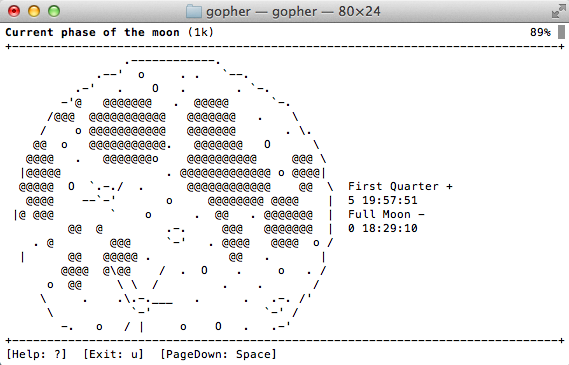
Back in the day, if you were ‘hip’ and ‘cool’ and had a UNIX shell account back in 1993 there was this cool way of getting around various computer systems around the world called gopher.  What was really cool, is that it offered search services, indexing and even gateways into various libraries (where they kept physical books) where you could search their card catalogs for various tomes you were looking for.
Some colleges even had various services that you could connect to, offering things like news, weather and whatnot. Â It was pretty neat, however there was one stumbling block, which is gopher was a VERY controlled environment, where most universities locked their client to only starting at one particular gopher server, and to get anywhere else you had to memorize an insane number of keystrokes that would make 1800 operators go crazy. Â Also there was nothing like virtual hosting, so the idea of having your own gophersite was most likely out of the question. Â The other issue is that the University of Minnesota, where boombox resided (the master gopherserver) saw they had something good going, and unlike UCB’s CSRG which gave BSD away for free, they were going to license the server for $100 for a educational institution, and $500 for a commercial institution.
Needless to say, this CERN thing called HTTP which they were trying to distance themselves from, which wanted no money for became the next big thing, and with the freedom and ease of setting up website, gopher became a ghost of the past.
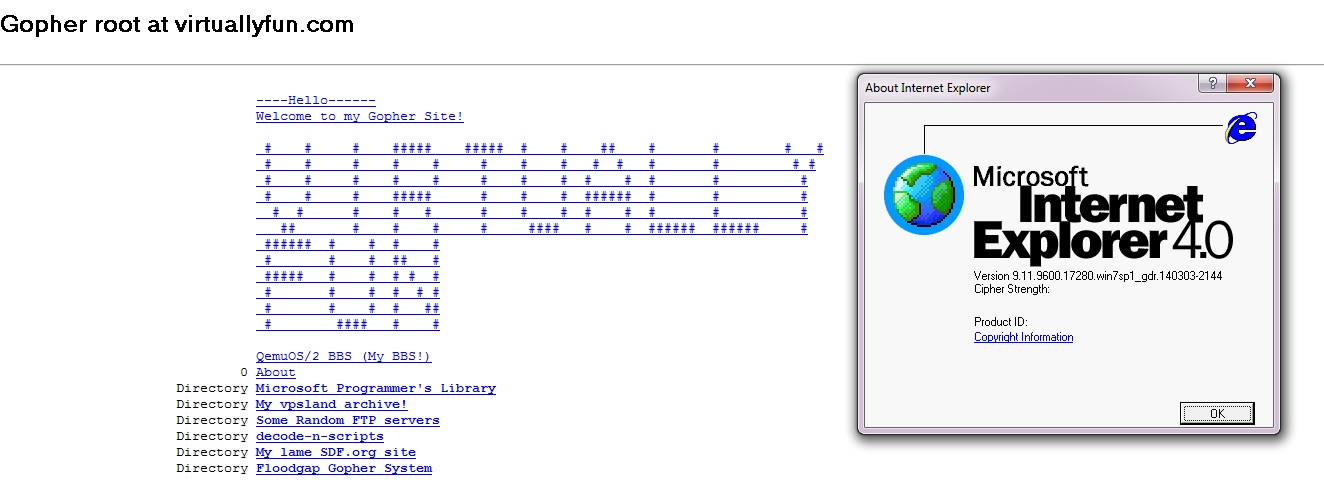
But as the world was starting to build web clients, many understood gopher, including Microsoft’s Internet Explorer.  Although starting with version 7 (gopher was also disabled with some updates in IE6), gopher has since been removed.  But thanks to the Utilu IE Collection, and this quick registry setting you too can surf gopher space with IE 4.0 (or 5,5.5..) like it’s the mid 1990s.
My gopher site via IE 4.0
So needless to say with a client in hand, I wanted to setup my own server. Â And keeping with it being old, I decided to use the old 2.3.1 gopher server. Â I also compiled it with freeWAIS support, although I haven’t quite worked out how to get that fully working right now. Â Compiling this stuff on 32bit i386 Linux was trivial to say the least, but if you need binaries or anything they are here.
the next thing was to get both wais, and gopherd running from xinetd, which was easy once I knew how. Â These are the service files I created:
service gopher
{
socket_type = stream
protocol = tcp
wait = no
user = gopher
server = /usr/local/etc/gopherd
server_args = -I -l /var/log/gopherd.log -u gopher /gopher-data 70
instances = 20
}
And for wais:
service wais
{
socket_type = stream
protocol = tcp
wait = no
user = root
server = /usr/local/bin/waisserver
server_args = -d /gopher-data/wais /gopher-data/wais.log -l 10 -p 210
instances = 20
}
Easy, right?
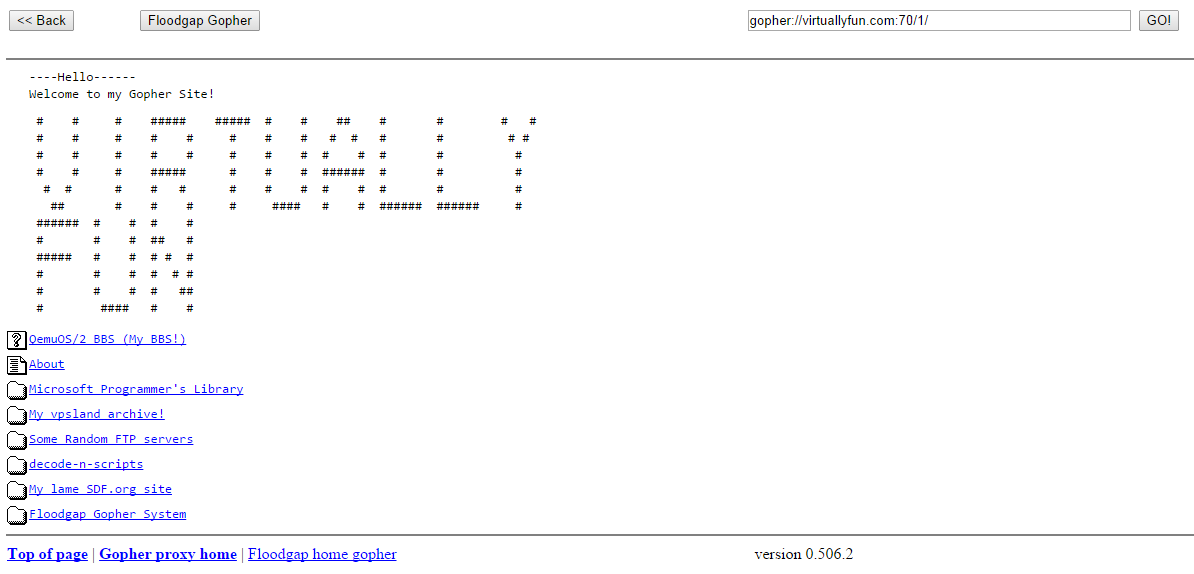
Gopher likes to be a named service, so I went with my virtuallyfun.com domain, as it is easier to type.  I guess I could have gone with gopher.superglobalmegacorp.com but that is… LONG. Another cool thing is that there are several gopher proxies out there for HTTP only people, so you can also get to my gopher page here (via gopher.floodgap.com).
The harder part was figuring out how the directory mapping works, but luckily there was enough in the test directory to get something working, changing this
ls
About decode-n-scripts install mspl tmp
bin ftp-horrors lib pids
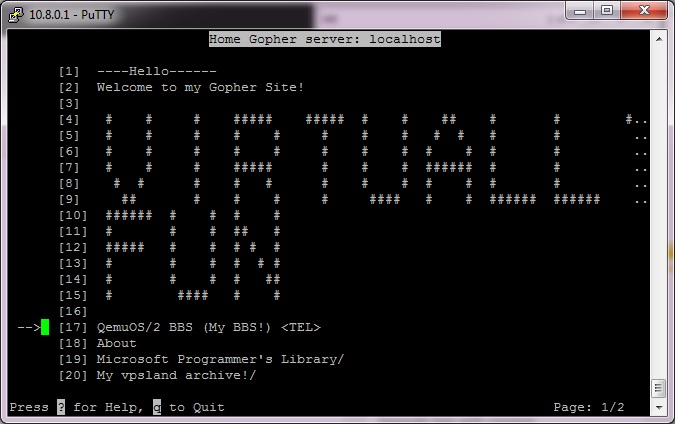
Into this:
The old UNIX gopher client
The secret is all in the .names and .Links files. Â The .names file will map a directory name to something more pleasing, such as changing mspl to the “Microsoft Programmer’s Libary”.
Path=./mspl
Name=Microsoft Programmer’s Library
Easy, right?
And the .Links file creates links to various content, from a telnet example (to my bbs….)
Type=8
Name=QemuOS/2 BBS (My BBS!)
Host=bbs.superglobalmegacorp.com
Port=23
Numb=100
Abstract=My Synchronet BBS running on OS/2 inside of Qemu! #100
Path=
To another gopher system
Name=My lame SDF.org site
Type=1
Host=sdf.org
Port=70
Path=/users/jsteve
Abstract=My personal SDF gopherspace (itsucks) #-11
Numb=-11
So yes, to be difficult, all the links in this post are gopher:// links. I don’t know if that’ll deter the likes of any self proclaimed virus scanner king, but I’d like to think that his poorly constructed automated tests will be unable to connect to gopher resources.
Now if I can figure out how to setup my own jughead or veronica to search my own wais of information, that’d be excellent.
If I had the virtual space I’d host the whole thing on a virtual VAX…. or something equally insane. Â Word is Shoebill just got ethernet support, so running my gopher space on A/UX would be cool.
It’s that time of the year again, time for celebrating women that float away to the moon, with only the company of alchemist rabbits.  And moon cakes. LOTS and lots of moon cakes.
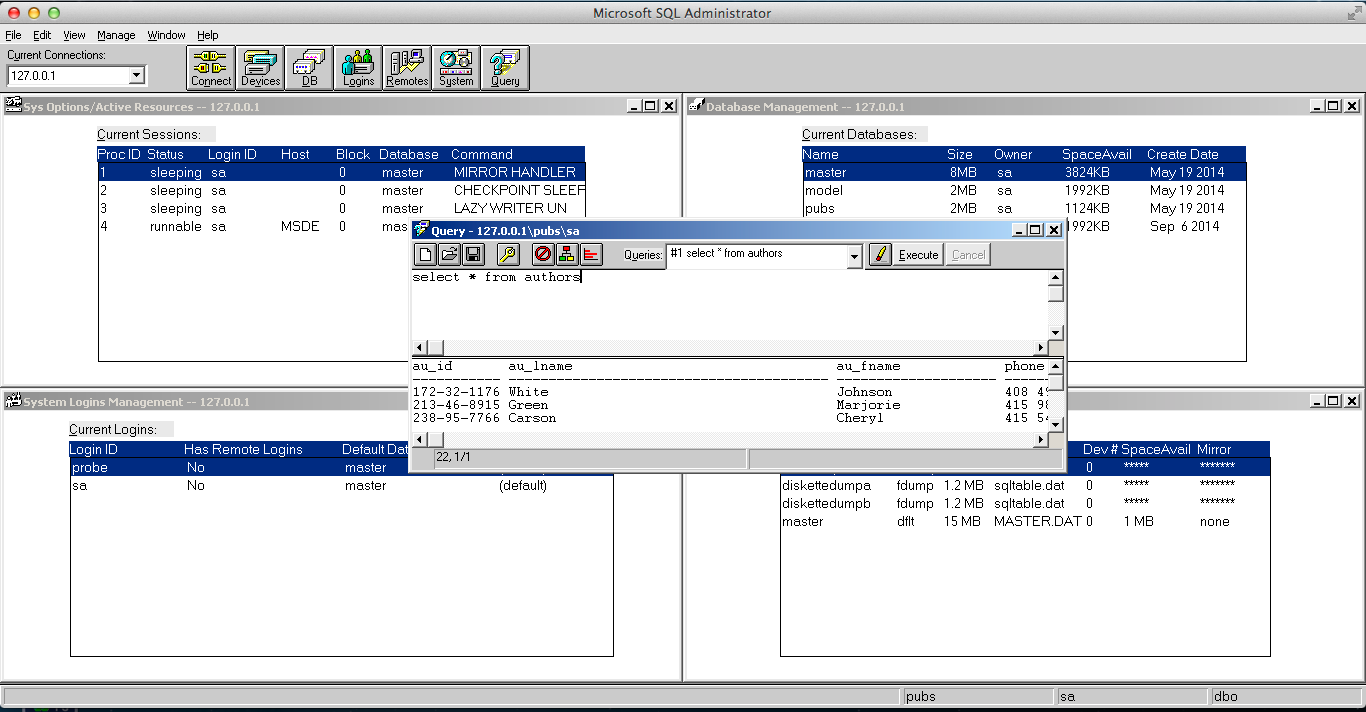
Yes, you read that right. Thanks to the power of Crossover (Wine) I’m running SQL 4.21 on OS X. But the installation is *NOT* straightforward. Actually it doesn’t install at all. But you can ‘transport’ a working copy from a Windows machine into Wine, and it’ll run.
The first thing is, if you’ve ever dealt with MSSQL is that it is VERY picky about machine names. So first install MS SQL 4.21 in a NT 3.1/3.5/3.51/4.0 VM with a name you like. Also remember to set the default client library to TCPIP. Then create a Wine instance on your target box. Next you’ll need to make a few changes to the registry to force the machine name:
The final step was to copy over the c:\sql directory, and create icons for the SQL Server, and the management tool.
To run, start the server first (SQLSERVR.EXE) , then launch the admin tool (SQLADMIN.EXE), and you should (hopefully) be able to connect!
MS SQL Server 4.21 running on OS X
And there we go! Is it useful? Not really, but I mean it is cool! I haven’t tried this with 6.0 or 6.5 but I imagine they should work as well. 7.0 and beyond are more complicated to transpose as they require a great deal of COM integration. In theory they should work.
To build the source, you’ll need Borland C++ 5.0.2 and TASM 5.  Earlier versions may work but I haven’t tested.  The interesting thing with the networking is that they use the same code out of DOOM.
Well I got slightly bored, and thought I’d dig into some old crypto software. Â And PGP 1.0 was as good as any place to start.
Now one scandalous thing at the time was the inclusion of RSAREF 1.0, the RSA reference library which redistribution required a license that wasn’t exactly included with PGP.
A company called Public Key Partners (PKP) holds the exclusive
commercial license to sell and sub-license the RSA public key
cryptosystem. For licensing details on the RSA algorithm, you can
contact Robert Fougner at PKP, at 408/735-6779. The author of this
software implementation of the RSA algorithm is providing this
implementation for educational use only.
And wow was this fun at the time.  As far as I know this license lapsed on September 21, 2000.Â
After Biham and Zimmermann go their food and sat down, Zimmermann took out a few pages of computer listings. Â Within minutes, Birham was finding fundamental flaws in Bass-O-Matic. Â Some of the flaws were subtle-weaknesses that made the algorithm susceptible to differential cryptanalysis, which was Birham’s speciality. Others were more embarrassing, like a conceptual error in Zimmermann’s algorithm that prevented the last bit of each byte from being properly encrypted. Â After ten minutes of Birham’s onslaught, Zimmermann realized that Bass-O-Matic was a lost cause.
So now you would be wondering, why would I even bother with what was a quickly abandoned encryption? Â Well I was bored, and I was more interested if I could locate the source to 1.0. Â What would be more interesting to me is to revive it onto somewhat more modern 32-bit platforms. Â Namely OS X, Win32 and MS-DOS.
With a little luck, I found the unix_pgp10.tar.gz, which does contain the source code for a Unix version of PGP! Â This version is more so geared to the SPARC of all things. Specifically it mentions:
Tested on SunOS 4.1 with gcc 1.39
However building on OS X was trival with changing the Makefile.  The CC had to be changed to reflect a 32bit build, and the DEFINES had to remove the HIGHFIRST define, as the x86 platform is little endian.
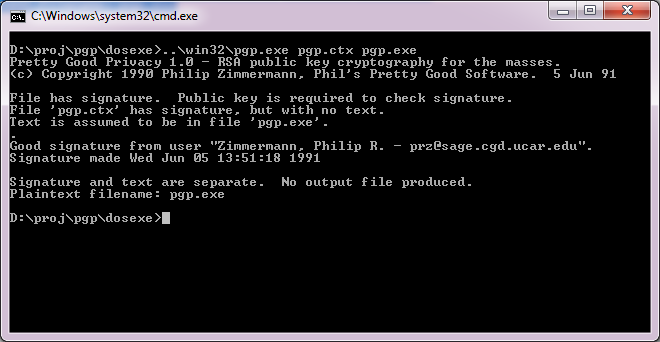
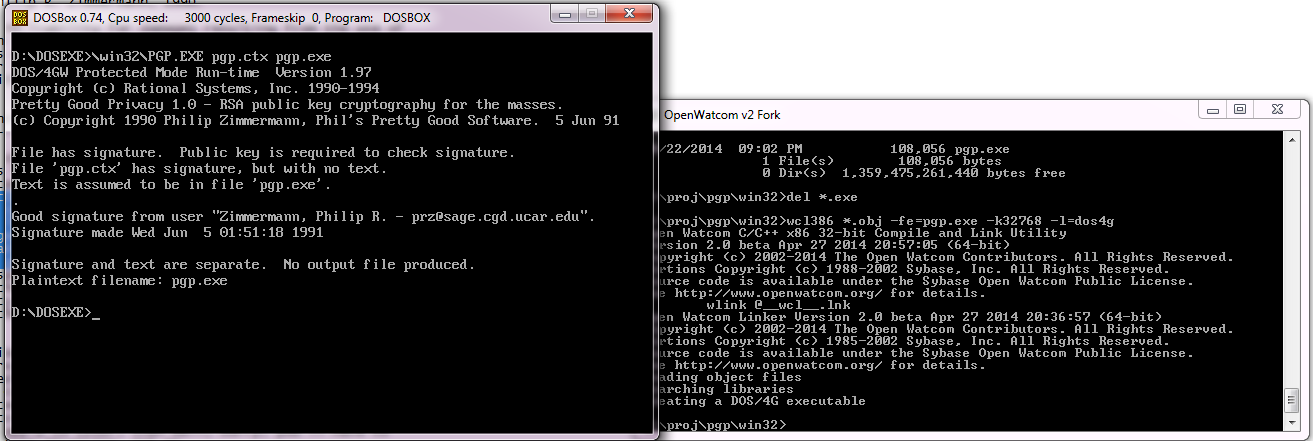
Pretty Good Privacy 1.0 – RSA public key cryptography for the masses.
(c) Copyright 1990 Philip Zimmermann, Phil’s Pretty Good Software. 5 Jun 91
File has signature. Public key is required to check signature.
File ‘pgp.ctx’ has signature, but with no text.
Text is assumed to be in file ‘pgp.exe’.
.
Good signature from user “Zimmermann, Philip R. – [email protected]”.
Signature made Wed Jun 5 13:51:18 1991
Signature and text are separate. No output file produced.
Plaintext filename: pgp.exe
Wasn’t that great!
Now getting this to run on Windows was a little bit more of a challenge. Â I was going to build from the UNIX source code again, however both Visual C++, and Watcom C++ build an executable, but neither are able to add keys to the keyring, verify the executable reliably and deadlock all the time.
So I thought I’d get a little creative and start replacing some code from the MS-DOS version of PGP. It turns out that all I needed was rsaio.c & rsaio.h and I was able to build an executable. Â But I ran into other snags, and stack errors. Â A glance at the MS-DOS Makefile, and I saw that they had to up the stack size from the defaults. Â So I figured the same would hold true, and I picked a much larger 32kb stack for the heck of it. Â I mean it is 2014, and if you can’t handle a 32kb stack well..
And now I can build for either compiler. Â And even better, it works!
PGP 1.0 on Win32
Even for completness sakes, DOS4G/W works as well! Just remember to link for MS-DOS
wcl386 *.obj -fe=pgp.exe -k32768 -l=dos4g
And you should be good to go.
PGP for 32bit MS-DOS
So what happened to PGP? Â Well version 2 used a more ‘acceptable’ encryption, the IDEA cypher, then the company was sold, IP was sold again and again. Â It’s still out there, mostly for email encryption.
While it sure did ignite the world on fire for a while, the overall difficulty of using it, combined with the ease of losing the private key and all your data is just too easy. Â But this really is the nature of the beast.
Sometime around 1992, Advanced Gravis teamed up with Forte/E-Tek to design a wavetable synthesis card around the ICS11614 IC. This card offered 32 channels, 14 channels @ 44khz and more channels would start dividing down in sound quality until you got to 32 channels at ~19khz. The mixing was done on-board which saved precious CPU cycles in the days of 286 and 386. The card originally advertised sound blaster support, but reading usenet posts from these days you can tell a lot of people were agitated that it was through a TSR, SBOS, that had hit or miss support and sometimes sounded better or worse than the FM because SBOS mixed it all into stereo.
I found out about these mythical cards a few years ago. A buddy went along with me to the local flea market out in the country-side of York, PA and we found a fellow who was trying to sell some P2-era laptops with USB wifi dongles and Windows XP loaded laptops for $100(!). I started talking with this gentleman and eventually convinced him to let me take a trip to his house and see what other stuff he may have. I took home a healthy share of various SB clones (mostly of the ESS variety, but a few Yamahas were in there as well) and some S3 Virge cards all for free. I built a computer with some of these parts, enough to play Doom and Heretic and started hitting up vogons and was reading some fanboism on the Gravis UltraSound cards. Where did I hear that name before? Oh, yes, in my mid-late 90s days of Doom I remember the setup.exe listed this card as an option and so did Duke3D and some other games I used to play quite frequently.
I did a lot of research on the card. Reading about how it used wavetable synthesis instead of FM. Basically, you can upload real MIDI-like patches to the cards RAM to get exceptional sound quality out of these older games and this also opens the window to creating your own patches if you wanted to tweak the sound of the songs.
Ultrasound Classic
Fast forward a couple of years later, I finally broke down and bought a GUS Classic v2.4 on ebay for $60. Unfortunately, it didn’t work out of the box. Failing to detect the card every single time, even if I removed everything from the computer and even disabled everything in the BIOS, including the FDC, Serial and Parallel ports. I got a refund, but a few days later I noticed some resistor had a broken leg and I soldered this and it started working! Immediately I loaded up Doom and the music sounded so much better than my SB or any of it’s clones.
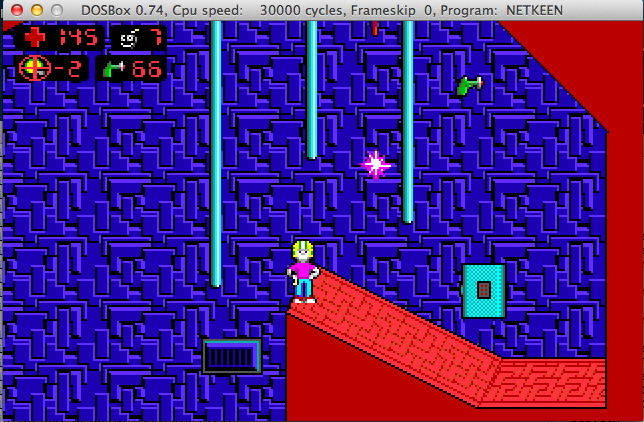
Doom
Enjoying the sound, I started loading up other titles I played a lot back then that I remembered supporting this card: Descent, Heretic, Duke3D, Quake 1. I got a taste of some infamous Gravis issues when it came time to load up any Build engine title (Duke3D, Blood, SW, etc.) and Rise of the Triad. The music sounded great, but the digital voices had some weird clicks and somewhat static-like sound at the end of their samples. More research revealed that the GUS was known for this with those particular titles, and a ìsimpleî workaround is to get an SB card coexisting in the same box.
I amazingly got the SB and GUS living in the same machine after a few hours of fiddling around with some jumpers and tweaking autoexec.bat. Originally, I used one of those stereo to stereo cables. Running line out of the SB to the line in of the GUS, but the GUS’ mixer ìcolouredî the sound of the line in and mic in with entirely way too much bass. I made a cable that ran from line out of the SB16 to the CD-In of the GUS and it sounded excellent. I even found a way to keep my SB working in Win98SE this since it was known that the GUS had shitty support for the Win9x family (more on this later).
There are some shortcomings of the classic cards, the main being the Win9x drivers have no DirectSound support, only software emulation and usenet says that this had unpredictable results. Another annoying thing was no volume mixer(!), they expected you to hook this card up to powered speakers or ideally an amplifier. The v3.7 revision has a volume mixer but had problems with flip flopped stereo (whoops!) and v3.74 (the final GUS classic) fixed this problem. For those curious, for the most part revision versions don’t have bug fixes in their firmware, they just started finding ways to shrink the number of ICs on board. The exception to this was the v3.7 and v3.74 adding the volume mixer. GUS MAX v1.7 apparently had some sort of DMA or IRQ bug (forget these specifics) according to usenet, v1.8 fixed this problem and v2.1 is a v1.8 but lower component count and everything is now soldered on instead of sockets.
Other gotchas include: sound clicking and corruption on High-DMA, sometimes you can resolve this by setting 16-bit delay transactions but not all motherboards have this option and some just won’t work either way. Doubling up on the baseport, i.e. 220 also steals 320. Gravis claims you need to set the GUS and SB Emu IRQ to different values but they can be the same usually and have no problems. Same with the Playback and Recording DMA, unless you want full-duplex. If you’re just gaming it’s irrelevant.
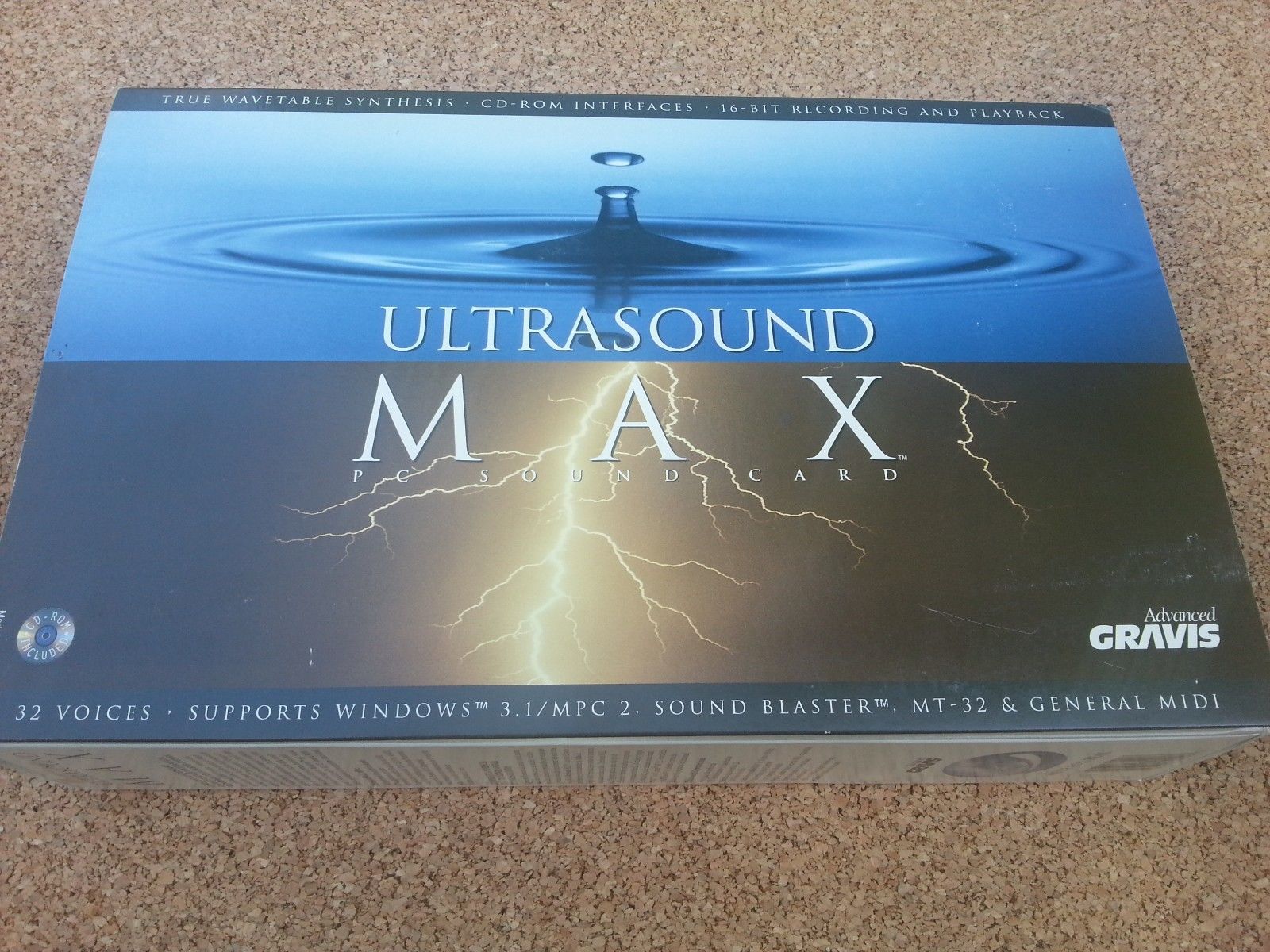
Ultrasound MAX box
At some point, I was hungry for more, wanting to try out the later GUS models like the MAX, ACE, and PnP. Particularly the GUS MAX because it included the volume mixer, had a special Crystal CODEC chip for 16-bit recording (was released late in GUS classics life as a daughterboard but it is very rare), the CODEC chip allowed for Windows Sound System, but the port is non-standard (gotcha!) and a special SBOS, MAXSBOS, takes advantage of the CODEC chip as well, and finally some CD-ROM support on board but I was uninterested in that since most of you know how much of a nightmare it is to get that shit working properly. Back to ebay, found a fellow selling a boxed GUS MAX for $100. I didn’t have the total cash on me at the time and it was buy-it-now. Considering the card was fairly hard to find, at least from what I researched at the time, I contacted the guy about paying half now and the other half in a few days. He agreed, and asked that I send it as a gift via paypal. Long story short, he never sent it, stopped replying to my emails and since it was sent as a ìgiftî I had no recourse through ebay or paypal. Learn that lesson when dealing online everyone! Always offer to pay a little extra for the processing fee if they claim this is why they want it set as a gift!
Bummed out, I found another classic, this time a v2.7 and well what do you know, this one doesn’t work either! Tried for 3 days all kinds of things. Cleaning the entire board off with electrical contact cleaner, reseating the contacts on the socketed chips, reflowing solder joints, replacing capacitors, but nothing ever brought it back to life. A year or two later, I found another GUS MAX for sale on ebay, purchased it immediately and it did not work. I tried it in 3 separate PCs and got no results. It always just said baseport UNAVAIALBLE FOR ULTRASOUND for whatever baseport I set it to. However, it wasn’t a total loss. On a whim, I took the GF1 IC from this MAX and placed it in the broken v2.7 classic and it made this card live again.
I setup daily searches for ebay to alert me immediately of any GUS developments appearing. If you’re new to the whole Gravis thing you’ll see theres a guy in Hungary who always has overpriced ones for sale and is unwilling to budge on price. If you check out his feedback you will see that he has been selling GUS cards of all flavours since at least 2010(!) almost monthly. Months and months went by with no MAX showing up and when one finally did it went for way more than I was willing to spend especially with the track record of 2 (almost 3) DOA cards that required soldering and intense cleaning to live again. If you’re planning to experiment with GUS cards be sure the card was tested recently, if you get the typical responses of not having an ISA PC around any more to test it, get the card cheaply and be certain that they will honour the return policy if it does not work.
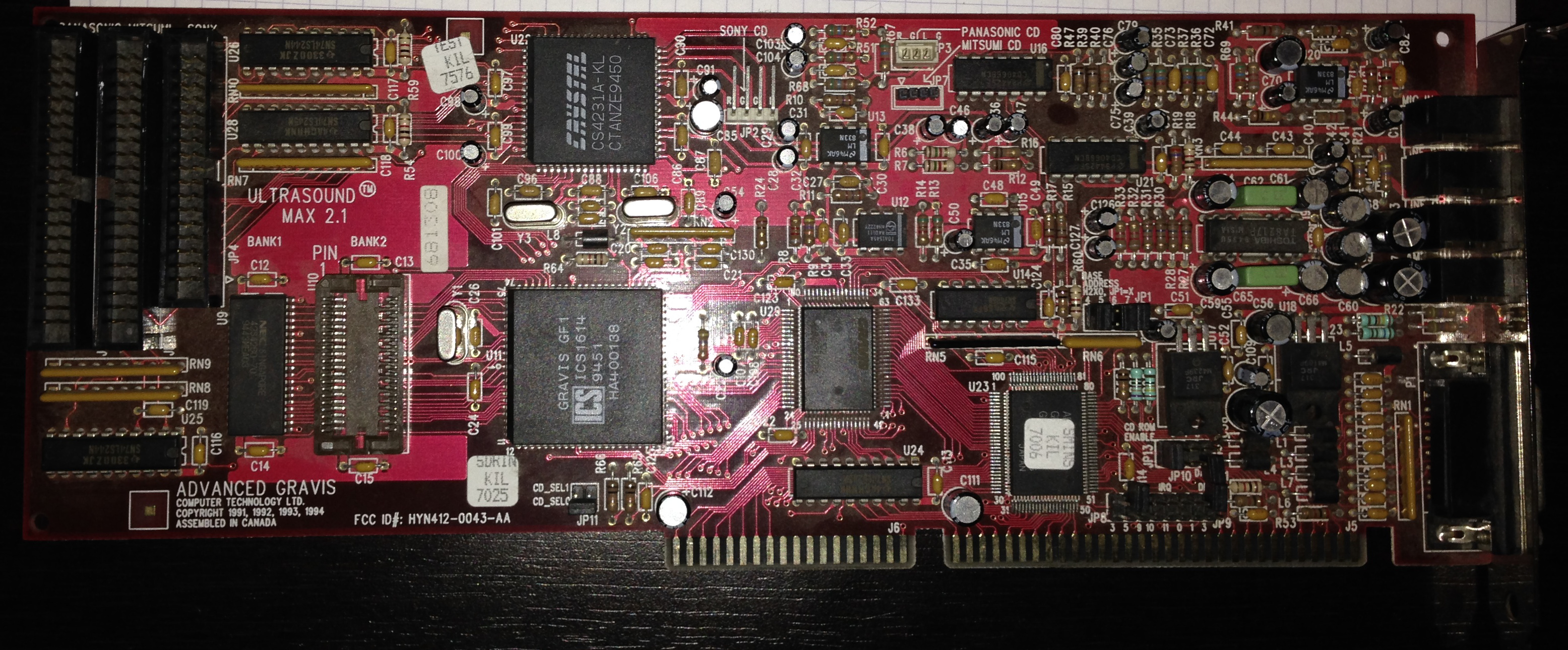
MAX 2.1 board
Finally, after a couple of years I did some networking and found some fellow demosceners with GUS MAXes for the price of shipping. I’m waiting on my v2.1, but received two v1.8s. The first one did not work at all, would never detect properly. Tried the usual suspects of cleaning it up, reseating, rocking the caps a little back and forth to make sure everything was making contact, etc. The second one, actually detected the card saying UNAVAIALBLE FOR ULTRASOUND yet again, but this time after I disabled my FDC, Serial and Parallel ports it worked! Excited, I loaded up the usual games and all worked great and the CODEC chip’s mixer program worked properly. Now, I was read to add the SB16 back in but now no matter what base port I would select it always complained it was unavailable, yet again! At some point I got it working sort of but then it wouldn’t let me set any DMA properly in the setup utility. Enough of this nonsense, I thought, I have a few socket 7 towers not being used.
I popped it in to a P1 166MHZ living by itself. Now we can try out that special MAXSBOS!… and unfortunately it doesn’t sound better than SBOS, in fact it sounds worse! And yes, I tried a separate IRQ for SB emulation and low-DMA, high-DMA, making sure the CD-ROM baseport doesn’t conflict with GUS’ baseport and I have 1MB RAM onboard that is 70ns.
At this point I should stop and mention a few other gotchas on these MAX cards. The GUS ìdoublesî up on the baseport. i.e. if you set 220 it will also grab 320. The CD-ROM baseport on these cards will be set, even if you disable the rest of the CD-ROM interface. So make sure you don’t have the CD-ROM set to the same or else it will always complain it’s unavailable for ultrasound in the setup utility. And yes, you just have to remove the IRQ and DMA jumpers on the card and put the jumper on the CD-ROM disable. Panasonic enable jumper appears to make no difference regards to enabling parts of the CD-ROM circuit, unless of course you planned on using the CD-ROM interface. I’m assuming most of you out there won’t be. You also need 70ns rated (or better) 256kx4 chip. The MAX has 512kb RAM on board but you NEED 1MB on any GUS card to get great results or live with missing instruments and all kinds of funnies happening to you. The CODEC also uses some baseport, but this is software selectable so you should have no serious problem there.
Now I go on to try this bad boy out in Win98SE with the special DirectSound enabled drivers. When you install the Gravis GF1 (non PnP) series drivers it will tell you that you have to install the card as a non-PnP device and restart, then manually set the DMA, IRQ, Baseport in the advanced properties for the card. This is fairly trivial if you’re used to DOS, but for newbies just keep it in mind. Another gotcha here is that the drivers will blank out your SET ULTRASND= and SET ULTRA16(for MAX users)= in your autoexec.bat after the reboot so write these values down. I believe this was done on purpose since most people auto loaded SBOS or MEGAEM (the other SB emulator they had) and this conflicts with Windows big time. The drivers do work and the sound quality is fine, but the biggest issue I’ve had is that sndvol32.exe never loads now. You can not adjust the volume or disable the mic-in and line-in and you really should as every card I’ve owned the recording inputs pick up a lot of interference. Moving the mouse and the HDD just all come through your speakers. I haven’t tried Windows 95 yet, maybe the mixer works okay there? At some point I’ll post an update and let internet-land know.
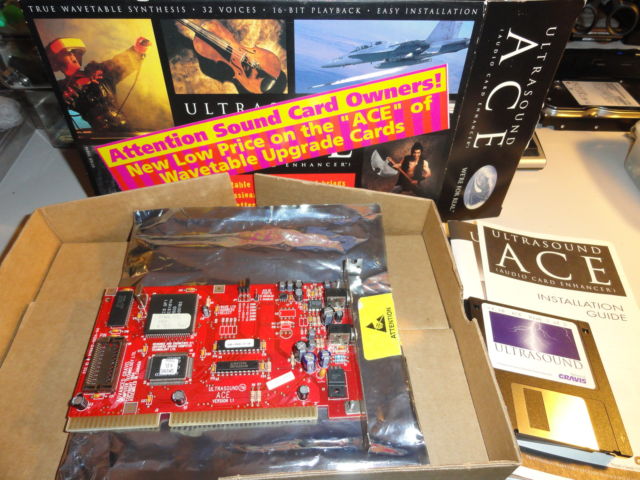
Gravis Ultrasound ACE
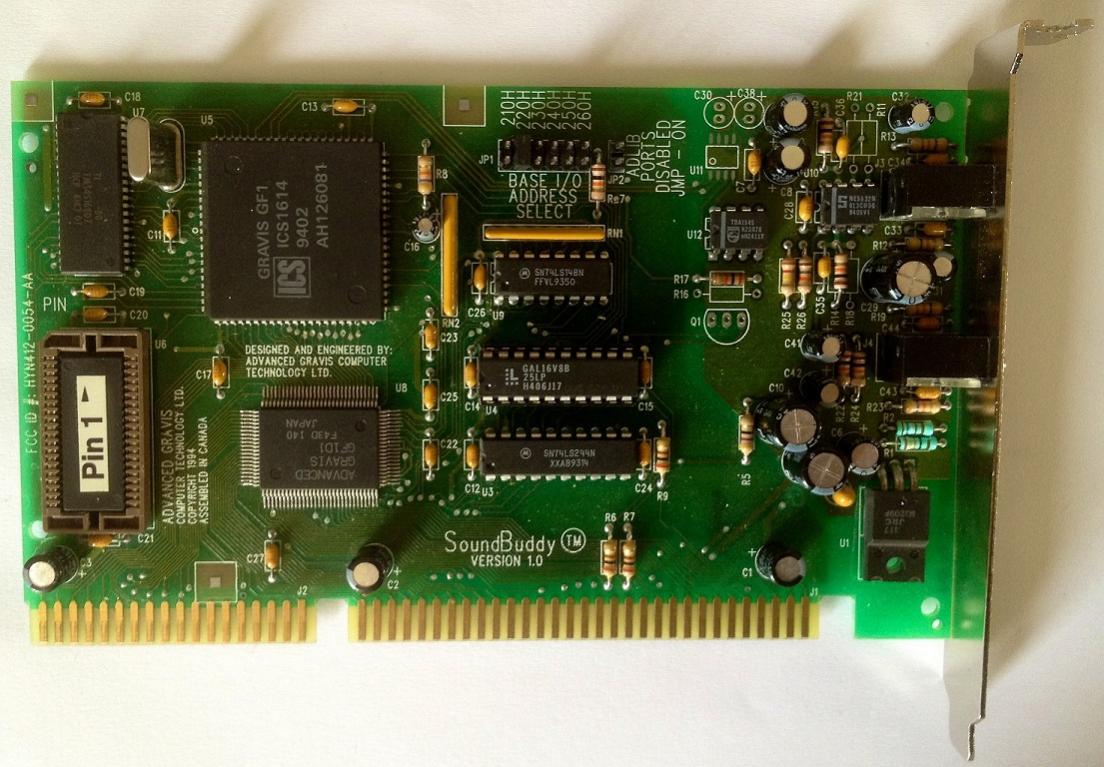
SoundBuddy 1.0 prototype
I don’t own these cards, but will mention them for clarity. The GUS ACE (internally referred to as the Sound Buddy) is simply a GUS Classic without the recording capabilities or the gameport. It was meant to be a supplement to a sound blaster or similar clone. You simply run the line out of this card to your line in of your SB16 (or maybe it’s vice-versa? Correct me if need be). You have to update your ultrinit to the last known version because there’s a bug in the official drivers(!) that does not disable the nonexistant gameport and it will steal your other sound cards gameport cause conflicts. For those who need the fix, GUS0047.ZIP. At one point, Gravis struck a deal with AMD to make an enhanced chip, called the InterWave which had GUS support and allows 8MB of samples (16MB apparently if you solder some stuff, but I have yet to see any pictures or even a textfile on this hack). Pouet.net sceners say that it has problems with long loops so some demos may sound wrong. IWSBOS is based from MAXSBOS so I assume it probably sounds just as bad compared to the final revision of SBOS. Usenet posts of users crying that the Win9x drivers are awful too, but again, I don’t own this card so I’m only just passing on what I have heard. Feel free to prove me wrong in the comments.
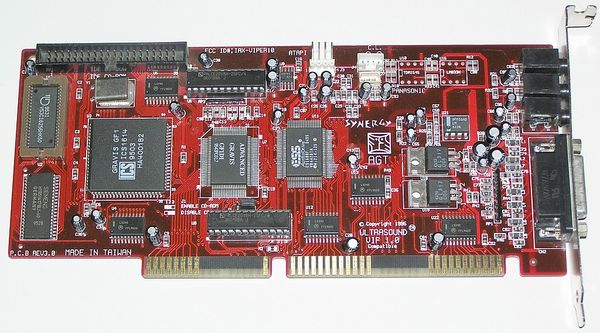
ViperMAX board
Other weirdo cards included the Synergy ViperMAX, which is basically a GUS with an ESS chip for SB compatibility. In theory, this means you should get decent Win9x support through the ESS. These cards are kind of rare now. I have yet to see one appear in the US. But, fellow Pouet.net users have found them across the EU so maybe they are common there. There were some other OEM variants, most similar in design to the ViperMAX. Check out Wikipedia for information on those if you really must know more.
My final thoughts on this long (still not quite yet over) journey is that the GUS Classic is a fun card for breathing some life into the soundtracks of older id and apogee titles with a few silly hang ups on getting it to work initially. The MAX did not live up to its mythical hype with the mixer, special CODEC chip, and Win9x drivers. These cards appear to be very delicate because I have had 3 out of 5 cards DOA and required fooling around to get them to work again. Even though 2 MAX cards still do not work no matter what I’ve tried. Expect to buy more than one to get a working card. The ideal setup would be to get a GUS Classic or ACE and get that to coexist with an SB or compatible clone. I can’t comment on the ViperMAX as I have not located one yet.
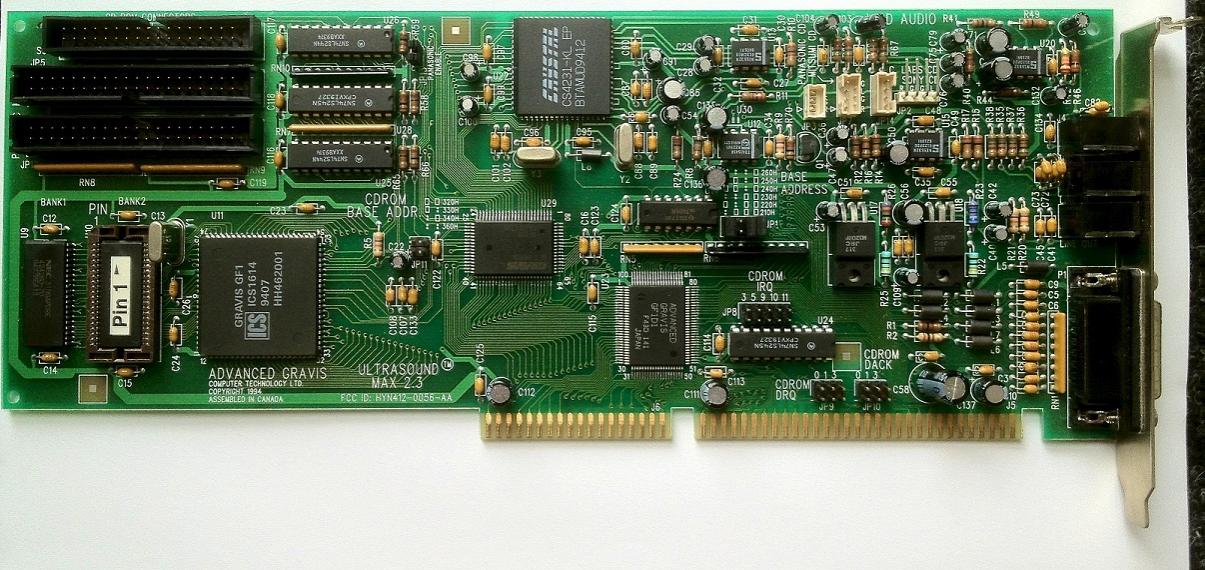
Gravis Ultrasound MAX 2.3 prototype
As much frustration these cards have brought me, they still sound nice when they work! But, it really does make a lot of sense why they are rare today. It is quite aggravating to get one working properly!
All of this would be useless without some samples of what a GUS sounds like, all samples were recorded at 44,100Hz, …