SDL 1.2.15 not working with Visual Studio 2003 (2002, 6, 97..)

Well yeah fun errors like this:

SDL “error LNK2001: unresolved external symbol __alloca_probe_16”

What gives? well the binary kit was built using 2005 (I guess) something higher.

Download and link against SDL-devel-1.2.13-VC6.zip and all will be happy.  I suppose you could build the source yourself, but who’s got time for that?

And remember to set your project to use the Multi Threaded DLL libc, otherwise you’ll get errors like this:

LNK2005: __isctype already defined in LIBCMT.lib(isctype.obj)
LNK2005: _exit already defined in LIBCMT.lib(crt0dat.obj)

Ok?


MSMQ 1.0

Building on my ‘has anyone ever used’ this feature of the NT 4.0 option pack‘, I thought it’d be interesting to build a simple MSMQ deployment.  MSMQ is another technology I never saw deployed, as everyone was instead far more interested in MTS.  So I thought I’d take a stab at MSMQ.

The only deployment guide I can find is here.

And I have to say, that it looks and feels a *LOT* of what became Active Directory.

So let’s look at a few things through the guide.

Top features of MSMQ are:

  • Connectionless messaging. With store-and-forward message queuing, applications are not affected by network fluctuations and do not have to establish sessions. Because MSMQ uses a sessionless model at the application level, the sender and receiver do not need to support the same protocol. MSMQ supports Internet Protocol (IP) and Internet Packet eXchange (IPX).
  • Network traffic prioritization. Message prioritization allows urgent or important traffic to preempt less important traffic so you can guarantee adequate response time for critical applications at the expense of less important applications.
  • Guaranteed delivery. Messages can be logged to a disk-based queue to provide guaranteed delivery.

Which for 1997 technology sounds pretty great!  But obviously what is the cost?  To deploy MSMQ you *NEED* the following:

  • Install a PEC (Primary Enterprise Controller).
  • Install a PSC (Primary Site Controller) at each additional site
  • Define site links and costs
  • Install MSMQ dependent clients and independent clients

Optionally you can install for greater redundancy and speed..

  • Install a BSC (Backup Site Controller) at each site, if required
  • Install MSMQ routing servers, if required
  • Install the connectors and transports, if required

As you may guess MSMQ needs a server infrastructure of it’s own.  I thought for my limited experiment, I would use a simple two site network, comprising of a Windows NT 4.0 PDC, a Windows NT 4.0 BDC and two Windows NT 4.0 workstations.

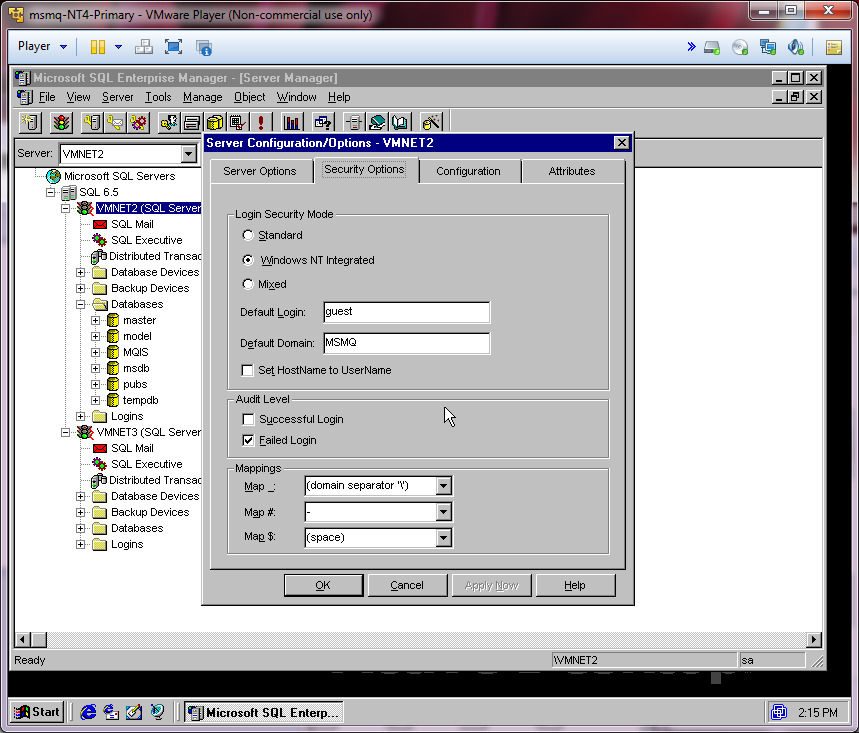
As MSMQ stores it’s topology database in SQL Server 6.5 service pack 3, I found out the hard way that It will not install correctly with SQL Server 7.  Nor will it work with sp1, and it’ll bomb with 2.  It must be SP3.  I’ve also found it works best with the ‘restricted’ cut down version specifically for MSMQ.  Which is on CD2 of the Enterprise edition of Windows NT 4.0 (I stuck a copy here).  Basically it’s 6.5 slip-streamed to SP3, with no books (don’t’ try to install the books!).  However I found it works best on the PDC, and installing it on a BDC you should set the SQL services to login as local system for the installation, then set them for a domain account.  I also had to change the security model to “Windows NT Integrated”.  I’m not sure if that is 100% a requirement, but the installer demanded it.

xx

Setting SQL’s security to Integrated mode

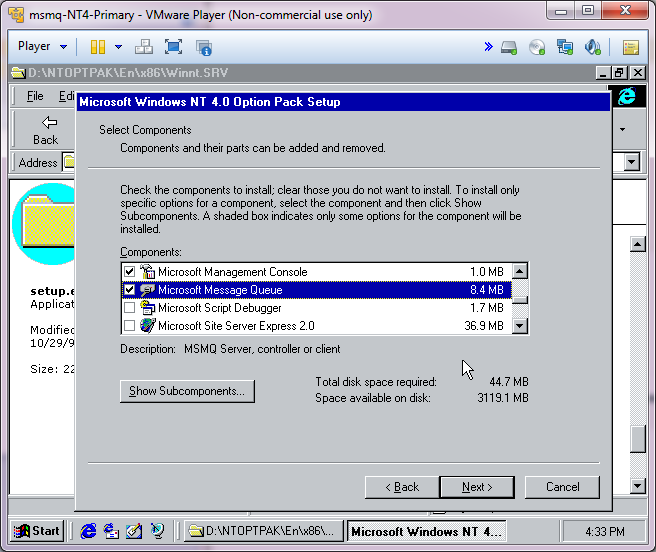
With that out of the way, I ran setup from the option pack, selecting MSMQ.

Select MSMQ

Select MSMQ

And the install proceeds as normal installing the base components of IIS 4.0.

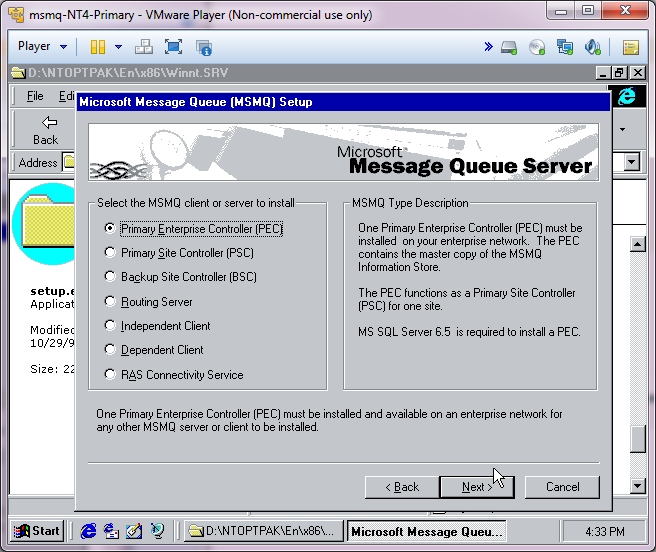
Select a MSMQ type

Select a MSMQ type

Then we get to decide what kind of Server this Server will become.  The first server I installed this on was the PDC, so I made it the PEC.  It installed without any further incident.

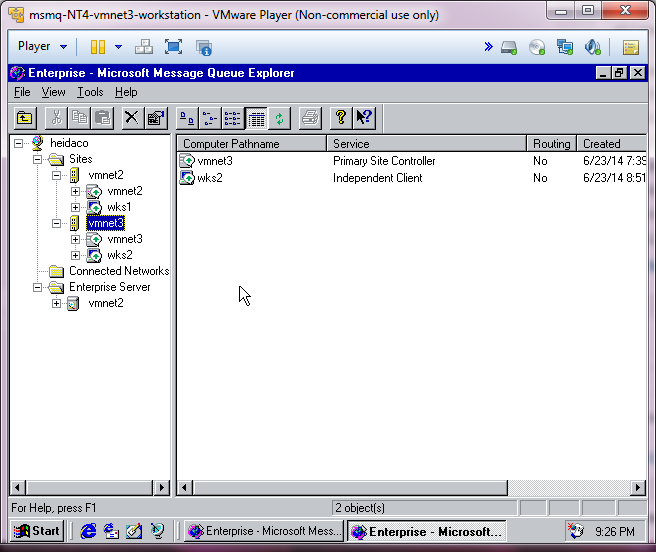
I installed the option pack on the BDC, which was located in a different network, and set it up as the PSC.  I then installed the workstation option pack on both of my workstations making them independent clients, and assigning them to their closest PEC/PSC.

MSMQ Enterprise

MSMQ Enterprise

As you can see the Enterprise view of MSMQ looks a LOT like the AD Sites and Computers view.  No doubt MSMQ was on the way to Cairo.. Although I’ve always thought Exchange would have been better served by SQL, having directory services being hosted on SQL would have made life a bit easier for doing backups and restores, making it less of a black box.  However the prospect of managing all those SQL servers.. I guess there is always trade offs.

MSMQ in action

MSMQ in action

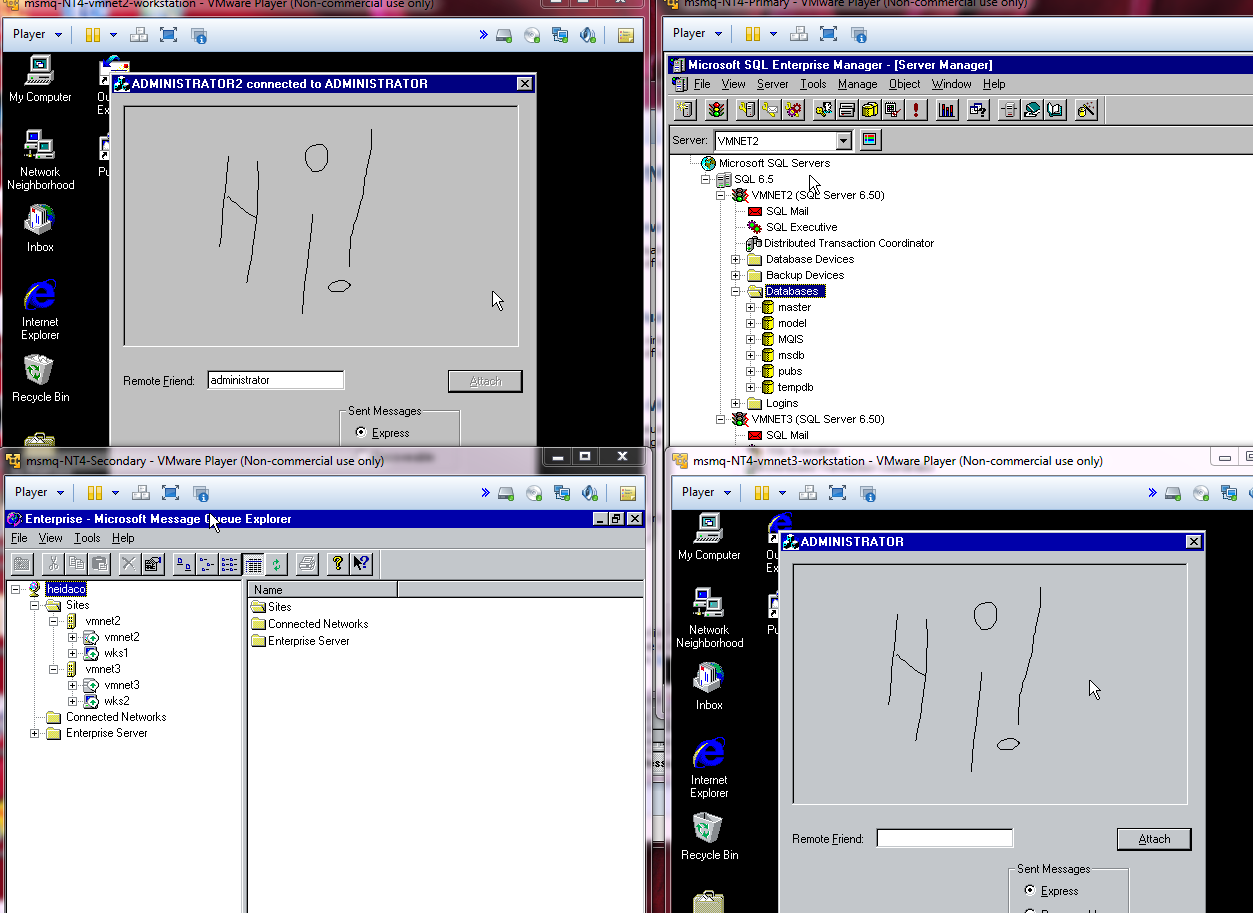
This is a small ‘demo’ application where MSMQ can pass messages between a shared paintbrush application.  Very cool stuff.  And no doubt a missed opportunity to run something fun and subversive.  Although I was always the network admin so I never had to hide my traffic.

I’ve setup MSMQ in 2000 & 2003 networks, and it is not only far more simpler to deploy, but it relies on Active Directory to figure out it’s topology, and nominated MSMQ servers to forward traffic between sites.  I’m more surprised that AD doesn’t rely on MSMQ, but rather it seems it uses common technology.

In the ‘why do I even bother’ department, I just got placed on a RBL

for spam.

yay.

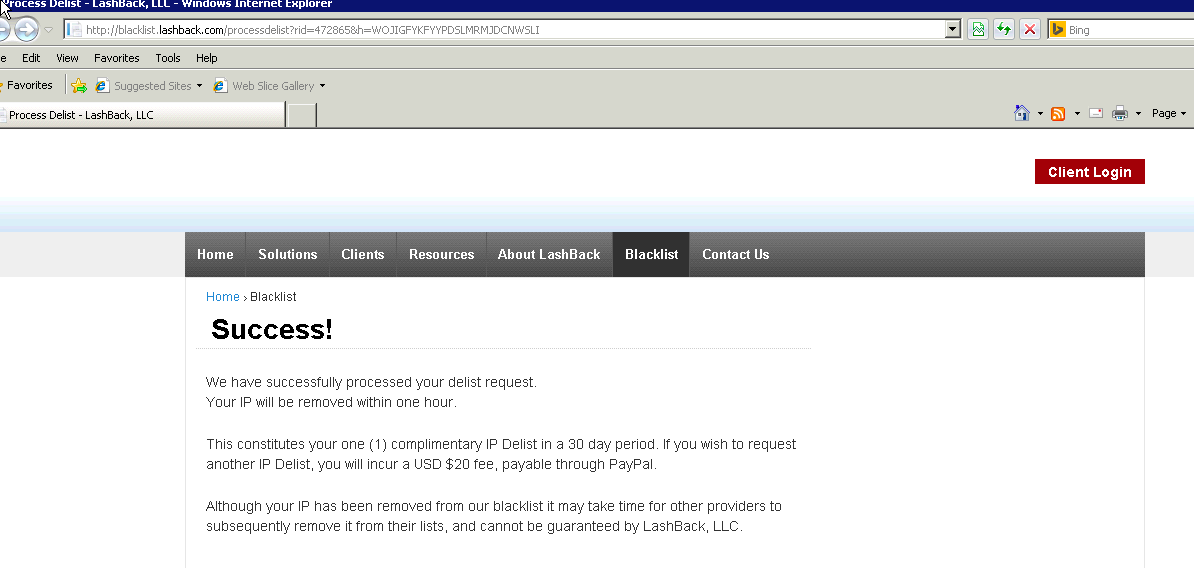
$20 USD ransom

$20 USD ransom

And this is what the internet has become, gone are the days of open connected system, but instead tolls to be paid to trolls as idiots believe their services are legit.

I always thought things would fall apart in censorship (which sure happens), lawyers, and idiotic patents, but I never thought of arbitrary tolls from no name, fly by night companies like this “lashback.com”.

What really amazes me, is that they actually want to demand a $20 ransom for me being able to send email, and I foolishly gave them (and verified) my email address, so without a doubt I’ll see my SPAM volume increase drastically.  So the joke is if you tried to move away from google, you are unable to do so as these NSA friendly companies will no doubt do their best to keep you stuck.

Obviously I got into the wrong business, as people are scared of the big bad internet, and there is money to be made by ‘allowing’ open protocols to function.

what is more fringe than a telnet bbs?

Synchronet over decnet

A bbs over decnet!

I found a simple c server and client program that was ported to decnet.  And it was easy enough to follow I thought I’d try something fun.  So I took Synchronet 3.00c and started to identify the winsock tcpip portions and then slowly alter them to either stubs or being more decnet friendly.

Surprisingly this wasn’t so hard.

The hard part is that decnet doesn’t have a telnet like protocol,  and I don’t have enough patience to try to reverse how ctermd works, so with a lot of searching I found a semi simple telnet client and mostly got it running on decnet.   Right now I have issues resolving address, so it is hardcoded.

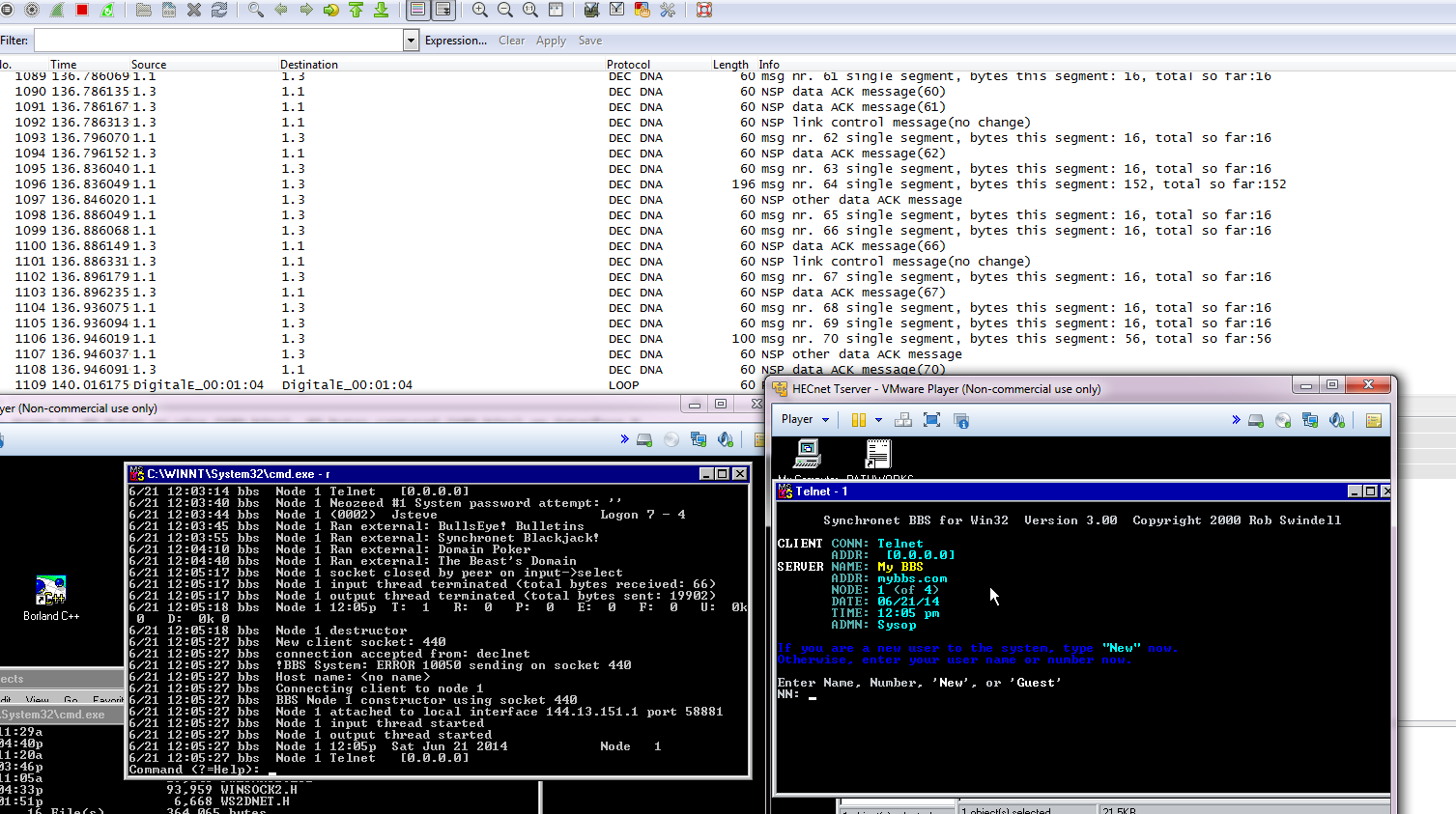
I have to admit it was pretty cool to see the first connection, even though it aborted when it couldn’t figure out my ip address.   I made some more changes, and it worked!!

The next step was to fire up gns3 and build a simple 2 area decnet network and see if a NT box from area one could connect to a bbs in area two.  And with a few false starts I finally got a working multi area network (decnet isn’t like tcpip!!) This document on cisco’s site was invaluable.

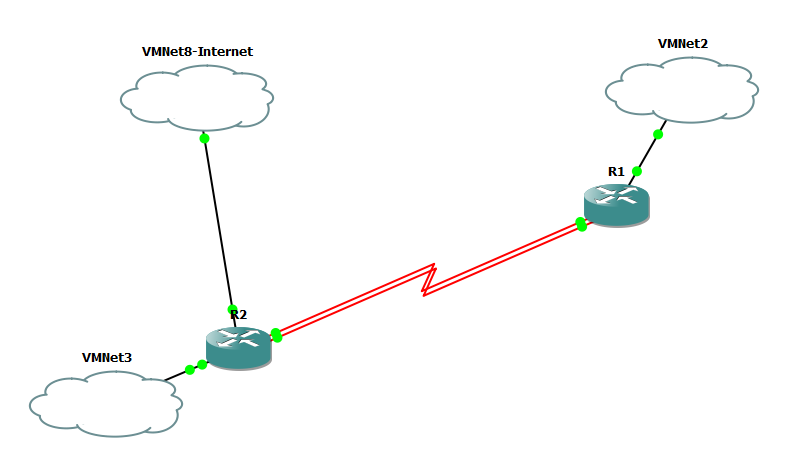
Simple GNS DECnet network

As you can see this is pretty simple.  I wanted two serial connections so I could run DECnet on one serial connection, and TCP/IP on the other.  This way I could shut down the TCP/IP connection to ensure my conversation was 100% over DECnet.

R1:

decnet routing iv-prime 1.1
decnet node-type area
!
interface FastEthernet0/0
ip address 192.168.0.1 255.255.255.0
duplex auto
speed auto
decnet cost 20
!
interface Serial1/0
no ip address
decnet cost 20
serial restart-delay 0
!
interface Serial1/1
ip address 10.5.0.1 255.255.255.252
serial restart-delay 0
!
router rip
network 10.0.0.0
network 192.168.0.0

And R2:

decnet routing iv-prime 2.1
decnet node-type area
!
interface FastEthernet0/0
ip address 192.168.2.1 255.255.255.0
duplex auto
speed auto
decnet cost 10
!
interface FastEthernet0/1
ip address dhcp
duplex auto
speed auto
!
interface Serial1/0
no ip address
decnet cost 10
serial restart-delay 0
!
interface Serial1/1
ip address 10.5.0.2 255.255.255.252
serial restart-delay 0
!
router rip
redistribute static
network 10.0.0.0
network 192.168.2.0

As you can see the configuration is pretty simple.  I went with RIP because it’s a small network, and I only need a few routes.  EIRP, OSPF and friends are just pure overkill.  And recall VMNet8 is the NAT interface provided by VMWare Player.

Checking output from the routers, shows that DECnet is routing, and that I can ping both of my test NT boxes:

R1#show decnet route
Area Cost Hops Next Hop to Node Expires Prio
*1 0 0 (Local) -> 1.1
*2 20 1 Serial1/0 -> 2.1 44 64 A+
Node Cost Hops Next Hop to Node Expires Prio
*(Area) 0 0 (Local) -> 1.1
*1.1 0 0 (Local) -> 1.1
*1.3 20 1 FastEthernet0/0 -> 1.3 65
R1#ping decnet 1.3

Type escape sequence to abort.
Sending 5, 100-byte DECnet echos to atg 0 area.node 1.3, timeout is 5 seconds:
!!!!!
Success rate is 100 percent (5/5), round-trip min/avg/max = 4/7/12 ms
R1#ping decnet 2.5

Type escape sequence to abort.
Sending 5, 100-byte DECnet echos to atg 0 area.node 2.5, timeout is 5 seconds:
!!!!!
Success rate is 100 percent (5/5), round-trip min/avg/max = 12/34/60 ms
R1#

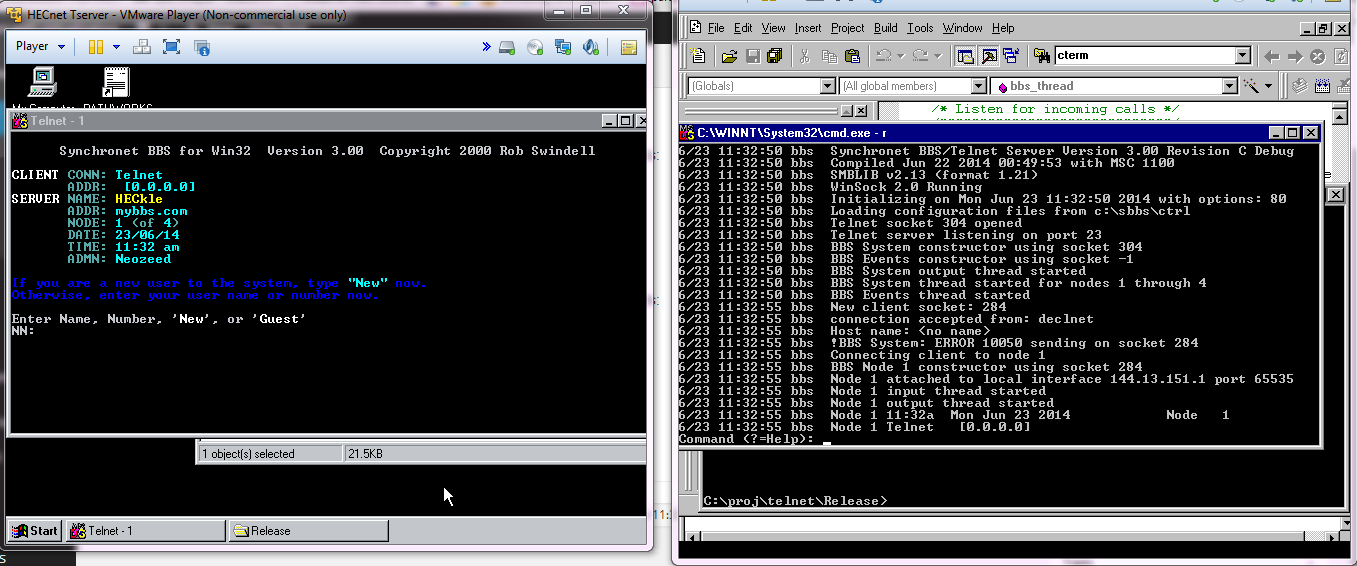
Everything is looking good! I fired up my DECnet telnet and success!!

Success!
Success!

Anyone crazy enough to want it can find the BBS on sourceforge, along with the telnet client.

I just played with NeXTSTEP 0.8

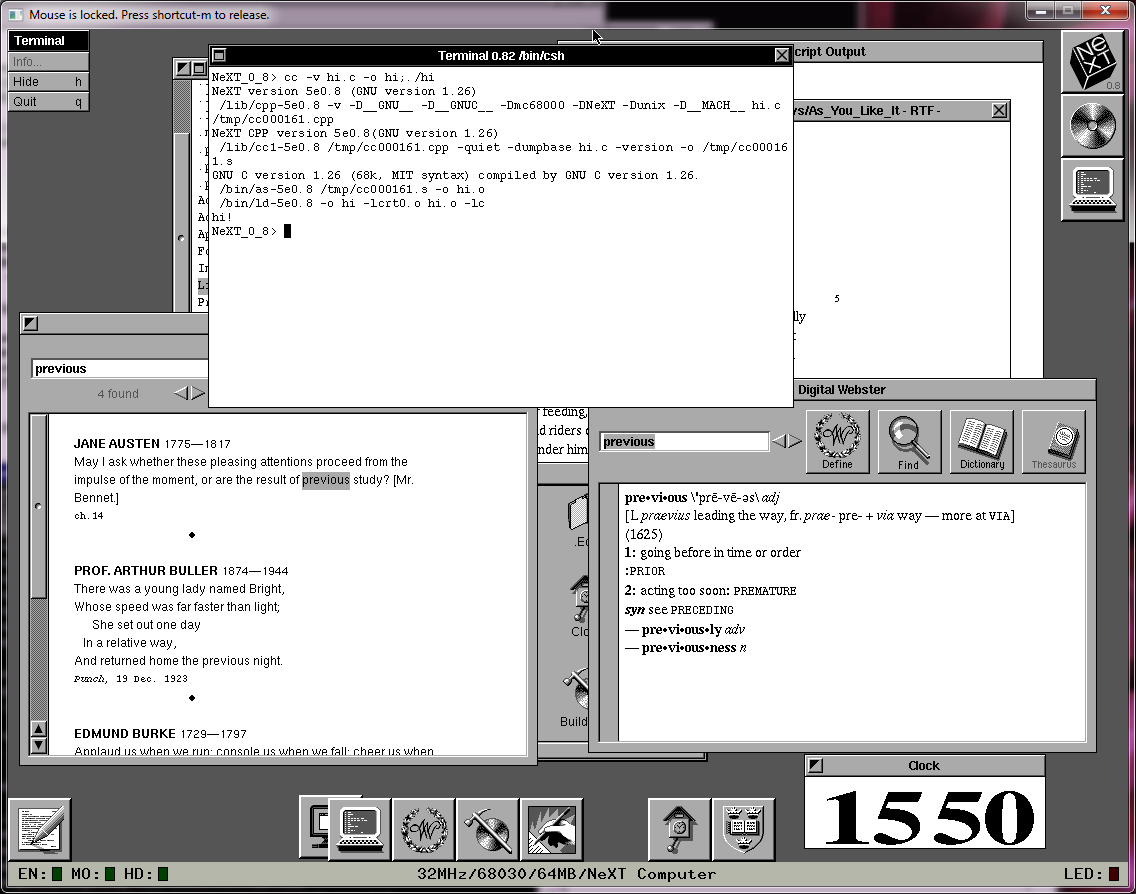
NeXTSTEP 0.8

NeXTSTEP 0.8

And I have to say, it’s pretty impressive!  Previous flies on my system, having owned a cube, I can say that the 68030 on this is WAY faster.  And I’ve always read about 0.8, and kind of figured it was basically lost to the winds of time.  It’s really cool to see it boot up!  And the emulated disks are so much faster than the magnetic optical drives of the day.

It’s amazing to think that in 1988, the current world of iThings had just started.

Have you ever used the NNTP service that comes with NT 4.0?

and higher?  It was part of the Option Pack, and later incorporated into the OS starting with Windows 2000.

I’ve always seen people mistakenly install it, but I don’t think anyone ever really used it, as it cannot feed from other servers, and is really all around inept.  Then I stumbled onto this post, from 1998, which mentions that you can feed NT’s NNTP with a 3rd party program, and then he gives a simple example written in perl.

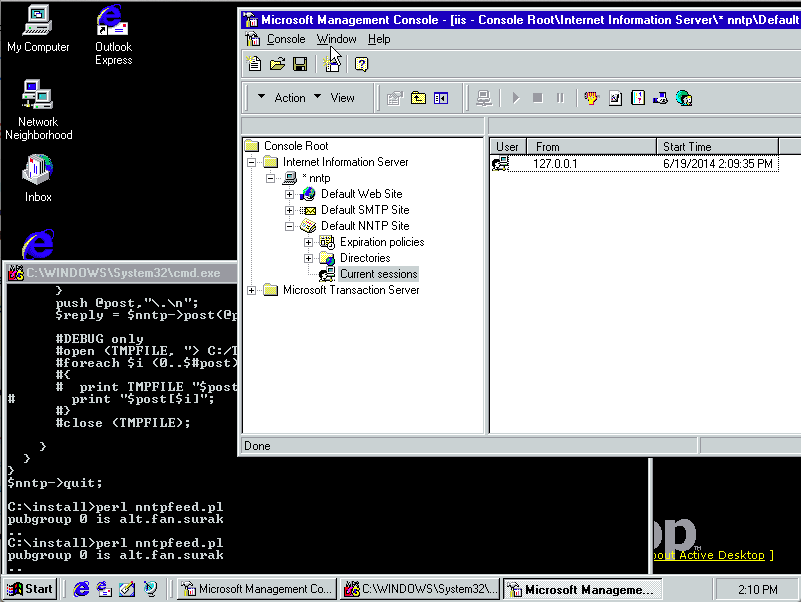
Now the program hinges on the NEWNEWS command.  Although I’m sure with a little perl knowhow it could work with the normal user list commands, as it would then need a database of what messages it has already transferred.  I was interested in taking a peek of MS NNTP in action, so I installed a copy of NT 4.0 in Qemu, redirected port 119 (which needs elevated privileges).  The next thing you need is a news server.  Once upon a time netnews was a feature of your ISP, and they would keep local news servers to reduce network loads.  But times have changed, and now Netflix and it’s cache boxes are the bandwidth kings, as people want to turn the internet into VOD.  But whatever.  Finding a news service requires some googling around, and the one I found that is the best deal (free), text groups only (yay!), and it’s online stores go back at least four years is Eternal September. Another contender is Aioe, which doesn’t require a user id.  Since I’m going with eternal september, I had to create a userid, get the password in the mail, and then I was able to do a group listing.

I made a small change to this section of the perl program:

#Open connection to Master and slave
$nntp = Net::NNTP->new($NNTPMASTER, Debug => $opt_debug ? 1 : 0) or die “no connection: $!”;
$nntps = Net::NNTP->new($NNTPSLAVE, Debug => $opt_debug ? 1 : 0) or die “no connection: $!”;

#passwords..?
#$nntp->authinfo($usr,$pw) or die “Could not authenticate $usr”;
$nntp->authinfo(‘myusername’,’automagicpassword’);

This lets me know if there was an error connecting to the servers, and of course inserting in the username/password.  Since we don’t have the newnews command at hand (I don’t see how to pay for it either..) I just did a simple one line change to grab a whole group.  Obviously you wouldn’t set this up on cron.

#Uncomment line 2 for an initial feed… after this, run as an “At” job every 24 hrs.
#$new = $nntp->newnews(time – 86400, lc $group);
#$new = $nntp->newnews(time – 31536000, lc $group); #initial feed – 1 YEAR
$new = $nntp->listgroup($group);
if(ref($new) && scalar(@$new))

But if my perl-fu was stronger I’d whip it up, but I suspect it wouldn’t be too hard to have the script maintain what is the last message it’s posted to NT.

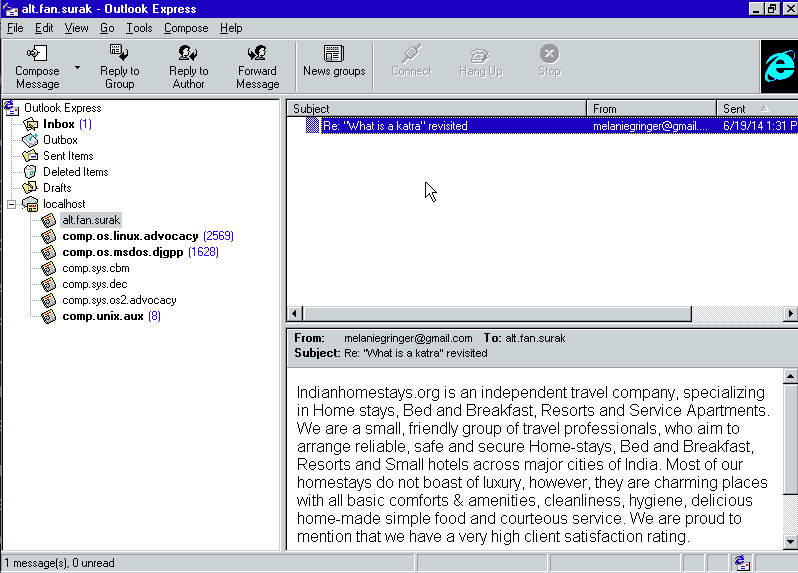
Next create the groups on the NT side, and we are ready to run.  I foolishly tried a massive (well it seemed big) group comp.os.linux.advocacy, and after some 10,000 posts I just aborted it, and set the script to manually updates groups of my choice.  I remembered an ancient article about writing socket software on Windows, and the small group alt.fan.surak, which I figured would make a better test.  There is only one article and it’s spam, but what can you expect..
alt.fan.surak

alt.fan.surak

Even better, it worked!

The next step was to run perl directly from NT.  And to make this difficult, not only do I need an obsolete version of perl, but I need one with the optional network modules, specifically Net::NNTP.  This took a bit longer to find, but thankfully Jeffery Baker kept his build around!

There really wasn’t an install program, but rather adding the perl.exe into the path.  And it works, too!

Perl feeding MS NNTP

Perl feeding MS NNTP

So there we go, after all these years, 100’s of option pack installs later, and I’ve finally used it.

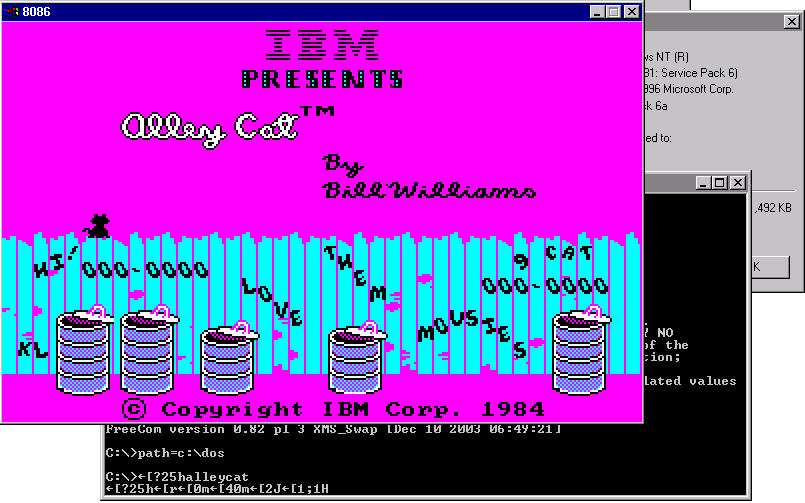
IDLEHLT16 for OS/2 1.x

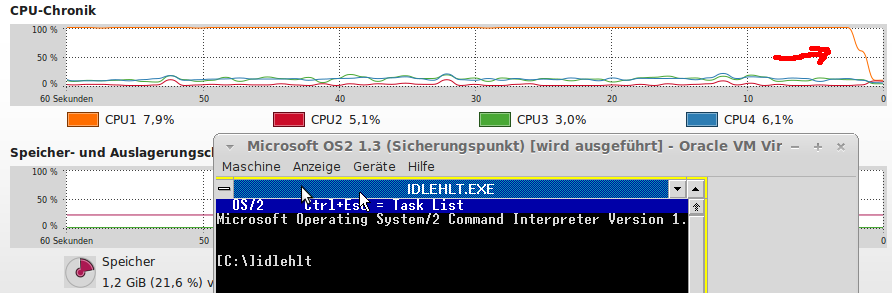
Tobias let me know that he’s released his IDLEHLT16 driver for these early OS/2 versions.  If anyone has run them in an emulator, you’ll know they’ll easily soak up 100% of the CPU they are given.  This process will call the HLT opcode found in later (well compared to the 80286!) processors allowing them to ‘sleep’.

IDLHLT16

IDLHLT16

Needless to say, for fans of the beleaguered 16-bit OS, this is a great thing to have!

If anyone wants to know why there isn’t one for OS/2 2.0 and above, it doesn’t need one, it can sleep fine on it’s own.

DMSDos

While trying to see if STAC ever went into the disk compression busness again, I ran across this interesting bit of software, DMSDOS, which is a kernel module for versions 2.0.36 and 2.2.3 of the Linux kernel support read/write access to STACKER version 3 and 4 containers.  It also support’s MS-DOS’s drive space, and doublespace!

The latest version dmsdos-0.9.2.3-pre2-alt2.tar.gz even runs on modern x86_64 and i386 boxes!  Although in library mode.

# ./mcdmsdos list /tmp/STACVOL.000
mcdmsdos version 0.2.0 (for libdmsdos 0.9.x and newer)
libdmsdos: DMSDOS library version 0.9.2pl3-pre2(alpha test) compiled Jun 12 2014 17:14:06 with options: read-write, doublespace/drivespace(<3), drivespace 3, stacker 3, stacker 4
libdmsdos: mounting CVF on device 0x3 read-write…
libdmsdos: CVF end padding 1 sectors.
libdmsdos: CVF is in stacker 4 format.
-rwxr-xr-x 1 0 0 10396254 Dec 16 1993 13:35 doom.wad
-rwxr-xr-x 1 0 0 68923 Dec 15 1993 01:01 setup.exe
-rwxr-xr-x 1 0 0 20850 Dec 15 1993 01:01 readme.exe
-rwxr-xr-x 1 0 0 627155 Dec 16 1993 13:53 u1_94.exe
-rwxr-xr-x 1 0 0 579187 Dec 16 1993 13:47 doom.exe
-rwxr-xr-x 1 0 0 439 Dec 15 1993 01:01 file_id.diz
-rwxr-xr-x 1 0 0 190 Dec 15 1993 01:01 use1_95.bat
-rwxr-xr-x 1 0 0 218 Dec 15 1993 01:01 use1_94.bat
-rwxr-xr-x 1 0 0 7527 Dec 15 1993 01:01 license.doc

How cool?

Even better it can extract files from the stacker volume!

# ./mcdmsdos copyout /tmp/STACVOL.000 /doom.wad doom.wad
mcdmsdos version 0.2.0 (for libdmsdos 0.9.x and newer)
libdmsdos: DMSDOS library version 0.9.2pl3-pre2(alpha test) compiled Jun 12 2014 17:14:06 with options: read-write, doublespace/drivespace(<3), drivespace 3, stacker 3, stacker 4
libdmsdos: mounting CVF on device 0x3 read-write…
libdmsdos: CVF end padding 1 sectors.
libdmsdos: CVF is in stacker 4 format.
# md5sum doom.wad 981b03e6d1dc033301aa3095acc437ce doom.wad
#

And if you google ‘981b03e6d1dc033301aa3095acc437ce’ you’ll know it’s the registered DOOM version 1.1 data file!

The author tired to get it to work with Microsoft Visual C, and it does not.  It also doesn’t work with MinGW or Cygwin, and the reason is once more again the way GCC handles it’s structures on Linux vs Windows.  Sadly there is no silverbullet fix for this, the structures oddly enough are too small on Windows, and too big for what they should be on Linux.

But at any rate, I though it was cool.  For anyone interested all versions that I’ve found I put online on my cvs server, unix.superglobalmegacorp.com.

Shoebill ported to Windows!

Shoebill!

Shoebill!

Good news, as mentioned here, the Shoebill emulator was recently given some much-needed SDL love, and ported to Linux.

Well, that’s great and all, but the vast majority of people who run anything these days do it with Windows.  So I decided to try to get it to compile with MinGW to see how far I could get.

And the short version is that I got it working!

The long version is that in the first pass there is some SIGUSR2 stuff that is undefined.  And for a good reason, since it won’t work.  So, I just commented them out.  The next minor problem was the lack of bzero.  Honestly, I don’t know why bzero is missing from MinGW, but who knows why.

Shoebill also processes some internal macros with a perl script that for some reason was dropping in binary values into the source, making GCC mad.  I just commented out a line that was adding in more comments into the header.  This let me compile with a simple pass.

There was some issues reading the ROM file, since the 68000 is a BIG ENDIAN processor, and the 8086 is LITTLE ENDIAN, Shoebill makes extensive use of hotns and hotnl, ntohl, and ntohll.  These can be found in the winsock library, and even better they dont need any winsock initialization, they work right away.  I just have to make sure I include winsock2.h, and link against the winsock library.

However when trying to boot, the checksum was 0x00000000, not the expected value!   Luckily there was an assert to catch that and crash.  This led me to notice that in Linux files are opened in binary mode by default, while on Windows, they are opened in ASCII mode.  A quick change of all the fopen calls, and I was reading the ROM, but now crashing on the disk.

As it turns out newer versions of GCC go all crazy when it comes to structs, and try to automatically align to boundaries for quick access.  Which sound nice, until you try to read in some binary data, and expect things to be in certain locations and find out that your structure is larger than expected, and data is read in the wrong place.

The solution is to force the compiler to leave it alone with

__attribute__ ((__packed__))

HOWEVER as luck would have it, Microsoft apparently packs structures a different way, and you have to either make a macro to do a bunch of work to force it to make the structure 1:1 of what you expect, or use the CFLAG option of

-mno-ms-bitfields

And now MinGW’s GCC will build something along the lines of what it’d build on Linux.

Putting it all together, I amazingly got this!

Shoebill on Windows

Shoebill on Windows

Phew!  So for those interested, here is the source code drop(Use the updated one here!), and here is the binary.  Or a copy on archive.org.

If you ever wanted to see the “OS X” of the 1980’s, now is your chance!