WAMP server 2.1

Due to a request, I figured I’d document out the joys of installing WAMP, flashterm & the flash policy server, mediawiki in a multipart article. So to start, we’ll build the foundation which is the WAMP package which the other two will rely on.

So what is WAMP, well it’s Windows Apache Mysql & PHP. If you’ve ever heard of LAMP, this is the Windows version. And I’m happy to say that PHP applications seem to be pretty portable, allowing you to freely move data & applications to & from Linux/BSD/Solaris/Windows. Or that’s been my experience.

The first thing you’ll need to do is install the WAMP package. Luckily for us, the WampServer project has packaged the whole thing up into a nice windows installer. And the new version (2.1c) even includes x64 bulids!

So for the 32bit crowd you can download WAMP here.

And for the x64 64bit crowd, download WAMP here.

I’m currently using an aging HP machine as my server so I’m using Windows Server 2003 along with the 32bit version. WAMP works best when it’s just installed with the defaults.

The first thing I do is I install the SMTP service that comes with Windows. I leave IIS off as it’s kind of silly to have two web servers, unless you are doing it for some planned reason (say Virtual Server which needs IIS and uses port 1024). If you do have IIS make sure the ‘default’ website is turned off.

All that has to be done with the SMTP server is configure it to allow 127.0.0.1 to relay emails.. As it’s nice to get notifications that could be built in with whatever PHP application you go with.
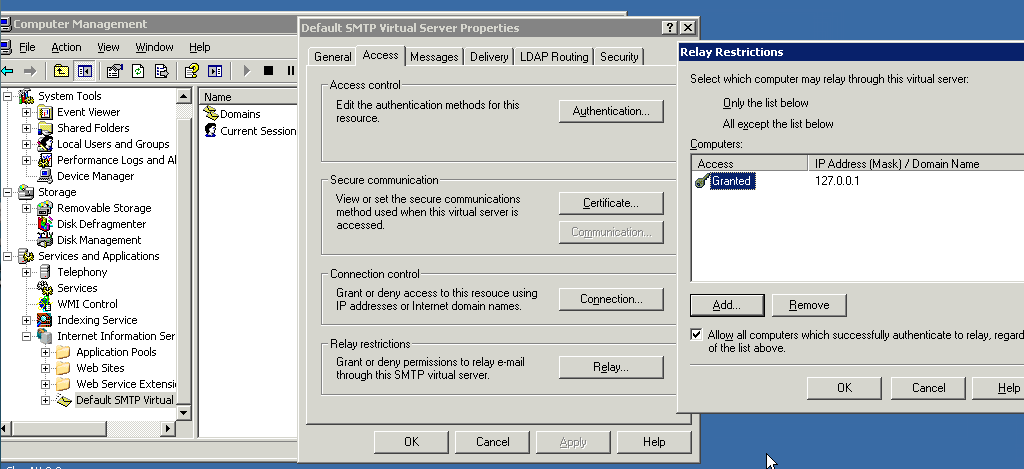
SMTP1

Now run the installer, and I’ll try to walk through the steps.
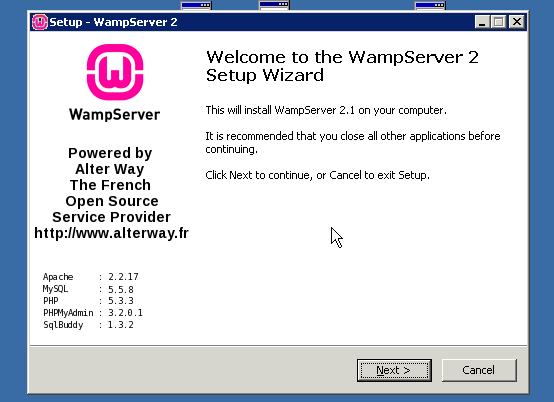
wamp1

Hit next

wamp2

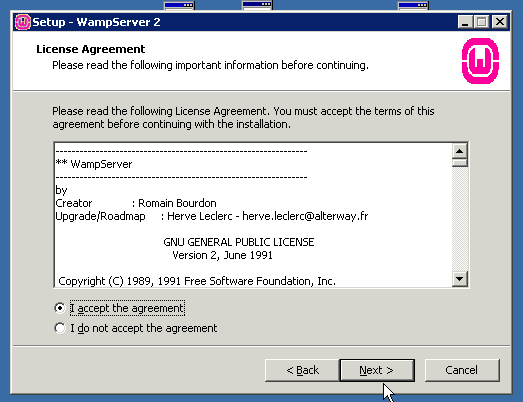
Accept the GPL License.

wamp3

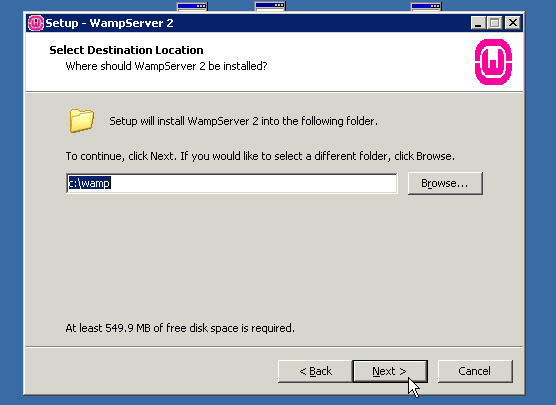
Let it install in the default directory, it makes things easier.
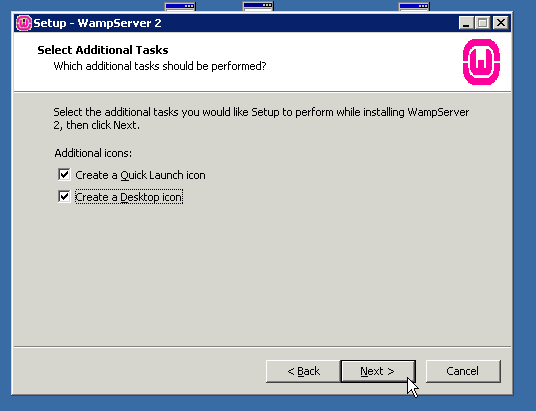
wamp4

I like both set, you may not, but it’s easier to launch.
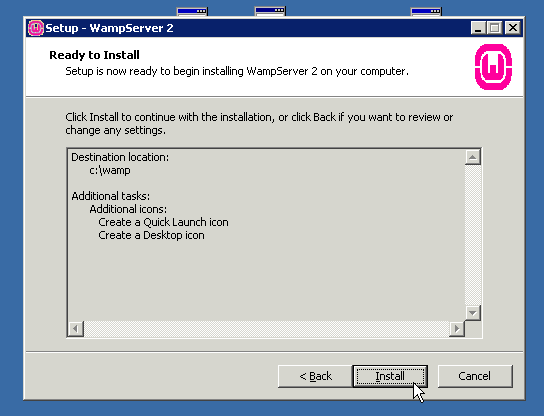
wamp5

Verify the install settings.

wamp6

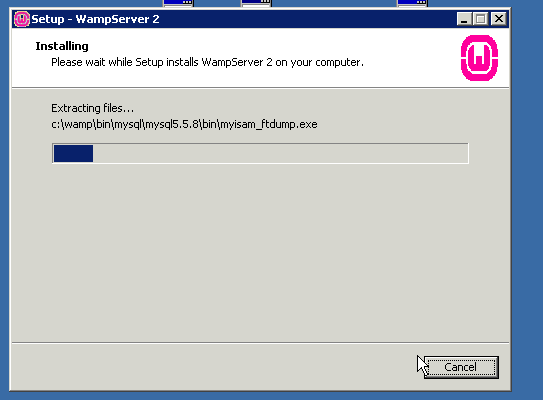
Now WAMP will copy files and install.
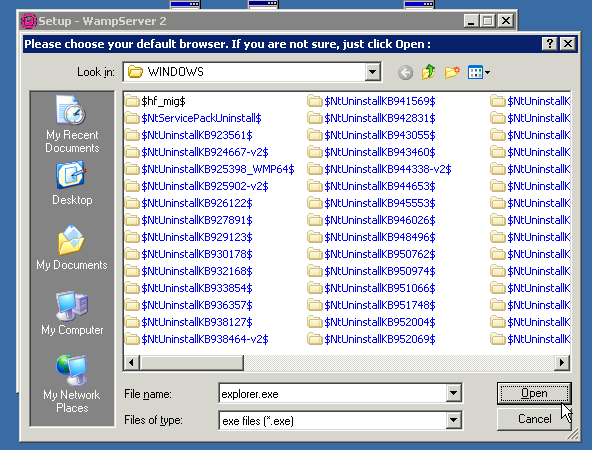
wamp7

Then WAMP will want to know the default browser, honestly IE is just fine.
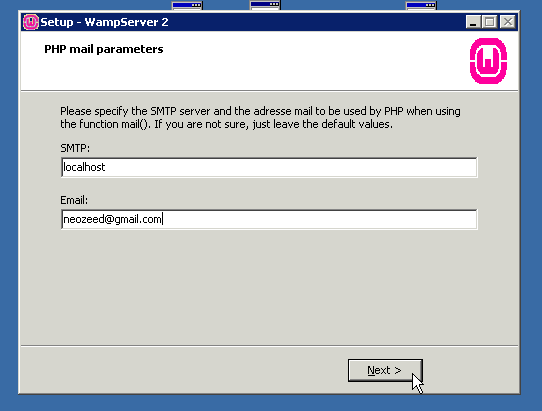
wamp8

Next WAMP will want to know what SMTP server to use… This is kind of important, and why I installed the default MS SMTP server as a lot of things that do registration, or email alerts, well work better with an email server…
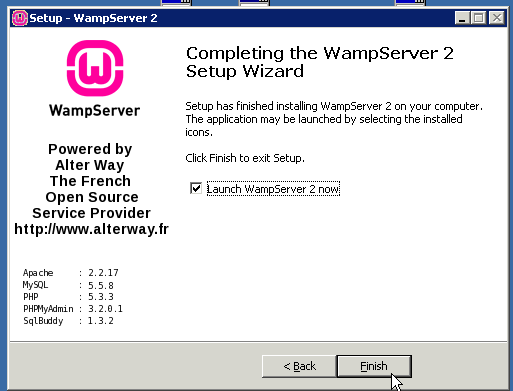
wamp9

With the install completed let it launch WAMP.

wamp10

Once the WAMP server is installed it’ll be stopped and offline.
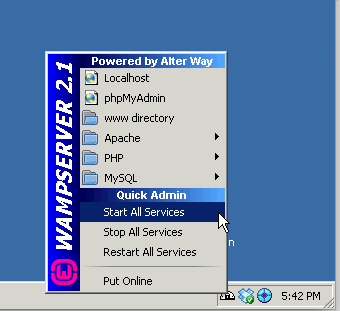
wamp11

Left click on the WAMP tray tool, and have it start all the services.
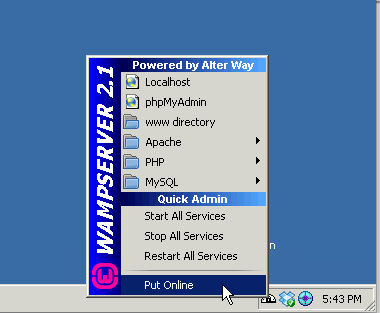
wamp12

Then left click again on the WAMP tray tool, and now you can start it up and take it online…
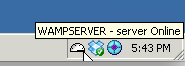
wamp13

If everything has gone right your WAMP tray tool will look like this!

Now open up a web browser, and go to http://localhost/

If everything has gone right, you should see this:
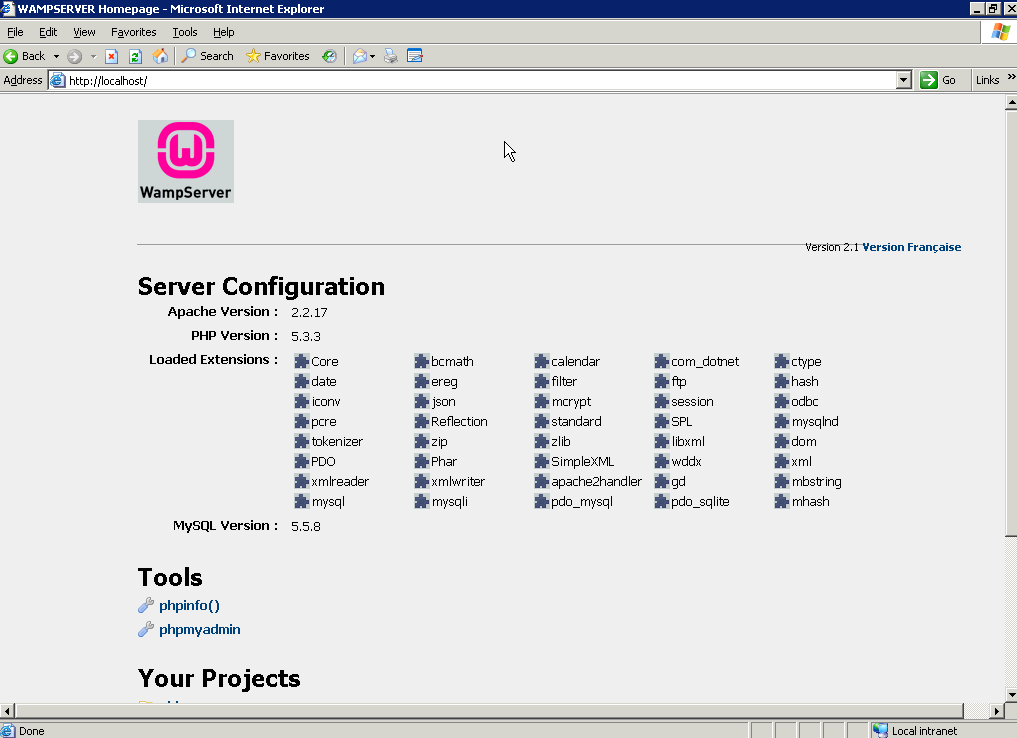
wamp14

Congratulations! You’ve successfully installed the WAMP server!

Virtual Box 4.0

It’s a significant upgrade so it would seem.. The big thing that hits me is now you can use more then 1.5GB of ram!.. The virtual motherboard supports PCI Express, along with SATA, and the ability to read Apple virtual disk images…

I see there is more improvements in the 3d support as well… Although I’ve been using VMWare Fusion as of late, but it’s always good for more alternatives.

Download VirtualBox from Oracle, here.

It still supports Windows, Linux, OSX and Solaris, all x86/x64.

Nethack for Windows CE (x86)

So after struggling like CRAZY on trying to build nethack for Windows CE, it came down to two posts out there….

Thanks to some people in Russia, and Google translate, I found some explicit instructions on building Nethack…

Which spelt out that you need Visual C++ 6.0 to create the dependancies, then use embedded Visual C++ 3.0 to build, which the snag there, is that I was foolishly using 4.0 service packed to level 4, which stripped out support for the SH4 cpu…!

Thankfully, the site hpcfactor, maintains a download for embedded VC 3.0, and I was able to churn out an exe for the emulator. Then tearing it appart, I was able to replicate the build using Platform Builder 2.11 to create a native x86 executable.

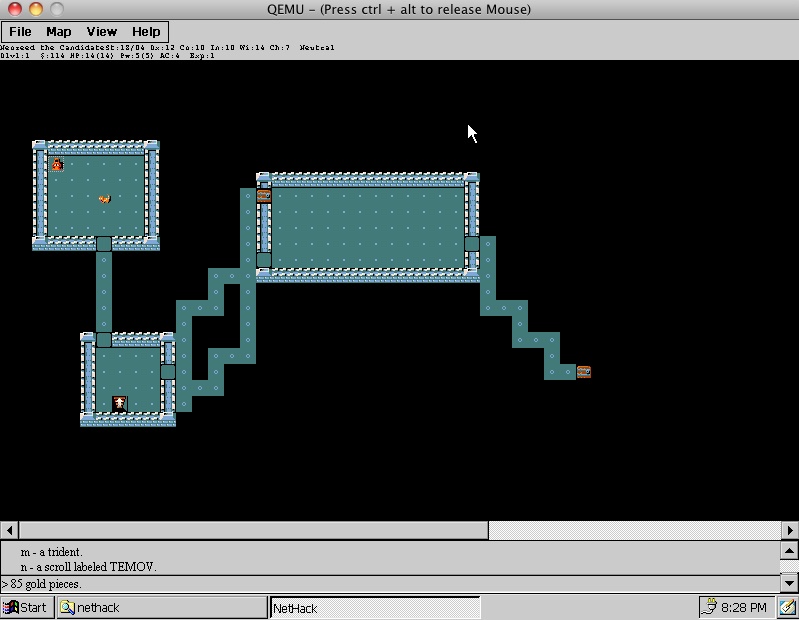
So after all that work, here it is!

NetHack for WindowsCE x86

NetHack for WindowsCE x86


For those people on x86 machines, or using the CEPC platform, here is the exe, datafile, and finally the source code.

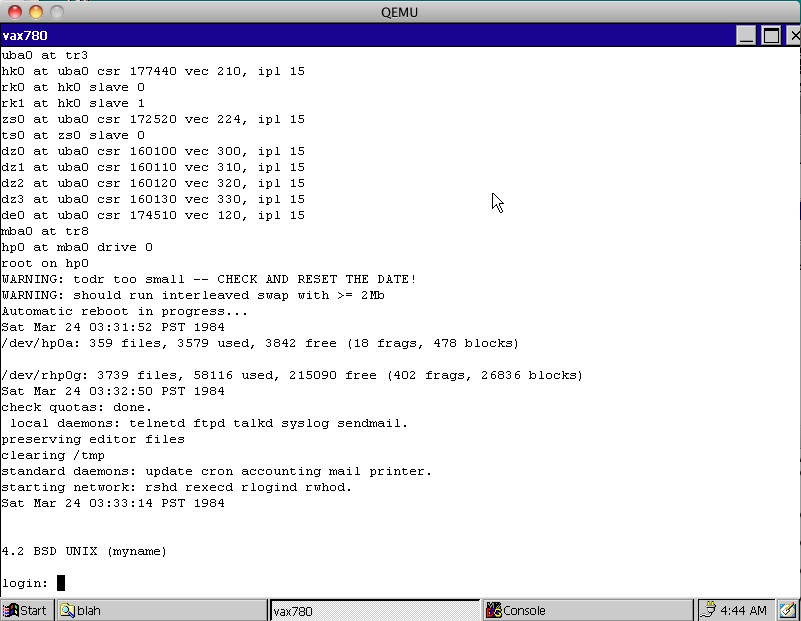
This is what I’m hoping I can manipulate for SIMH…

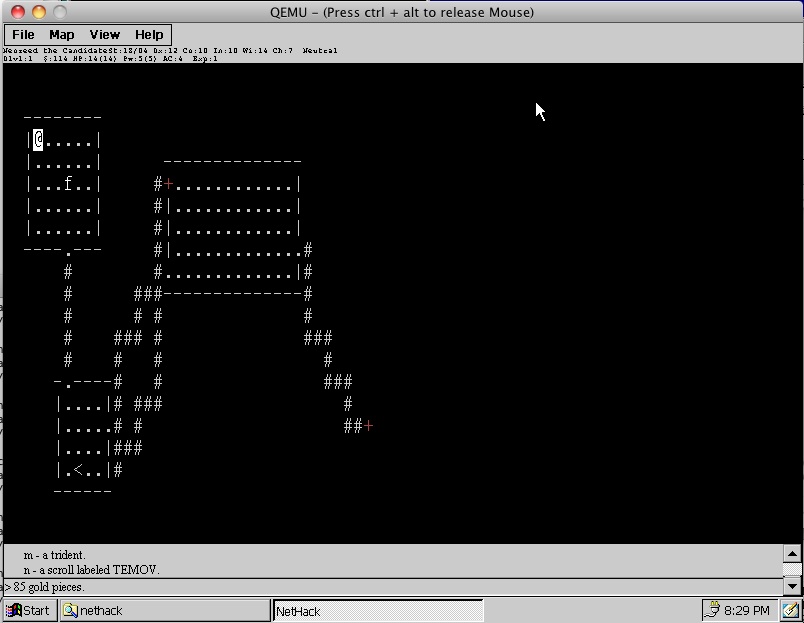
Nethack on CE text

Nethack on CE text

Textmode in graphics…

ATA (IDE) driver for Windows CE 3.0

ce30 downloads...

Well I went hunting through all my junk, and I did manage to find Windows CE Platform Builder 3.0 on CD… all 14 of them! It’s amazing something that generates such small OS images, is so massive!!!!

Anyways, I did a BUNCH of stupid bugfixes on the ATA driver, as Windows CE 3.0 likes to transfer in big blocks resulting in all kinds of buffer overruns, and memory traps. So with that stuff cross compiled from the CE 2.11 Platform builder it’s happily running on CE 2.11 & 3.0

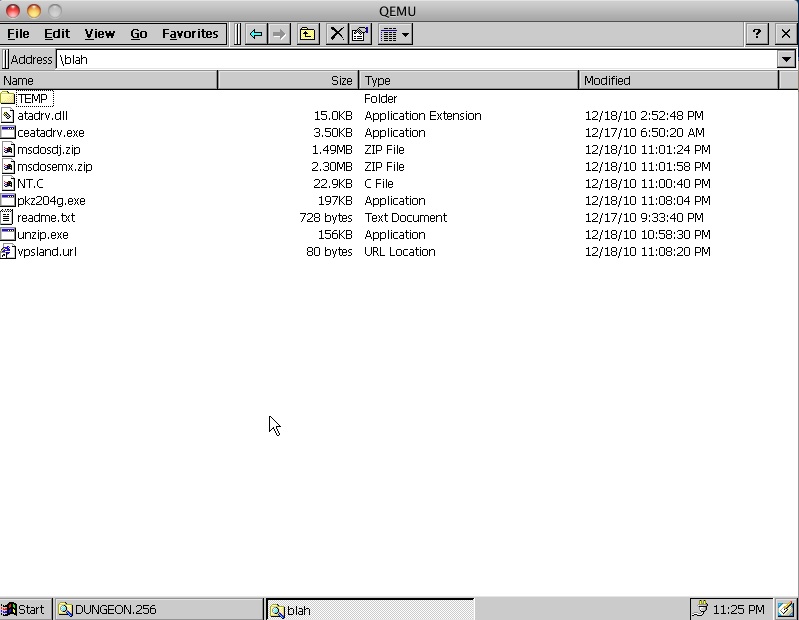
So for the 2 or 3 people interested, you can get my driver here.

I guess I ought to up it to sourceforge, I’ll think about it later.

For anyone that wants to test, here is the genned Windows CE 3.0 image, along with the loader. It works great on Qemu, as long as you setup an ISA NE2000 on 0x320 and IRQ 10.

I feel a lot better about this version of the driver, as I’ve been able to download stuff from the internet (CE 3.0 includes IE!) and boot back to MS-DOS, and unzip and run stuff… So that’s a MAJOR plus!!!!

ATA (IDE) driver for Windows CE 2.11

So I was thinking about the idea of an embedded version of SIMH to run on small machines (old cellphones) and maybe a PC or something, else weird… Sure Linux & BSD would work, and be so easy, but where is the fun in that?

Years ago I’d picked up a copy of the “Windows CE Platform builder 2.11”, but I never really did anything with it. So I thought this would be a great little project for the thing, starting with the CEPC, an x86 version of Windows CE that runs on any normal PC.

After I gave up fighting the installer, I just decided it’d be best to run this on Windows NT 4.0, and the install went smooth, I just selected the x86 platform for now, as I don’t have any physical SH3/MIPS/PowerPC gear I’d want to play with, and at any rate I think adapting Windows CE must be a major chore, as nobody has done it, even to Qemu….

So within a few minutes I was well on my way to building my own MAXALL version of Windows CE 2.11, when I found out that there are a few snags with this old version.

First is that there is no shell. That’s kind of lame. Then there is no built in apps, like Pocket Internet explorer, hell even NOTEPAD. That’s pretty lame as well. Finally the only included NDIS driver I can quickly run is the NE2000, under Qemu (I assume I haven’t even tackled the networking yet), and on Qemu I’m stuck at 320×200…..

Then the final straw was that the “ROM” can’t access IDE hard disks.

Yes, that’s right, Windows CE cannot access IDE disks.

So something like SIMH with data files of several hundred megabytes would be out.

That is until I somehow came across this link:

http://users.ece.gatech.edu/~hamblen/489X/projects/disk/source/

Which is dead….

But thanks to the internet archive… it lives on here:

http://web.archive.org/web/20051029083350/users.ece.gatech.edu/~hamblen/489X/projects/disk/

The paper is titled “Designing a Hard Disk Driver for Windows CE 2.12”, by Stephen Hague & Chris Wood which certainly is a step in the right direction! The best part, is that the archive also snagged the source code!!!!

So I followed the instructions as best as I could, compiled the driver & the loader, inserted them into the ROM, built the CEPC, and booted up and… nothing happened!

What I also didn’t get is that the dll was only 4kb. And that’s pretty damned small for some 90kb of C code.. Something was wrong. After some poking around, I then remembered the great “dumpbin” utility. And it confirmed what I had suspected, there was no exported symbols.

I couldn’t figure out how to feed a ‘.def’ file into the Platform Builder system, so I kind of was at an impas. Then I remembered a while ago I had posted about creating DLL’s and how Visual C++ could call GCC’s dlls and vice versa (C only, I never said C++!!!) so looking back, I then went to the needed procedures, and set them up as “__declspec(dllexport)”. Now when I re-compiled my dll was larger, and dumpbin verified that there were exports.

So with that I was all happy, and rebuilt everything then found the next few limitations… The driver doesn’t use the disks geometry, it just makes it up. The driver only uses 5MB. The driver also doesn’t flag the disk as MBR so it’ll WIPE YOUR DISK. And the real deal breaker is that the FATFS driver will pass 4kb chunks to be written out to disk in a sequential manner, but the driver only writes the first 512b.

So a few hours later, and LOTS of printf’s and googling around I’ve improved the driver to go around all of these issues. I still think there is some things to go around, but so far it’s looking good. The only ‘issue’ I don’t understand is that files seem to copy from the ROM to the disk fine, my text files look just fine, but copying an EXE from ROM to the disk, then into the ramdisk produces an exe that won’t run. however the same exe once on the hard disk, I’ve been able to diff the two, and they are ok….

I don’t know how much of that is a show stopper, and how much is it me not knowing CE all that well.

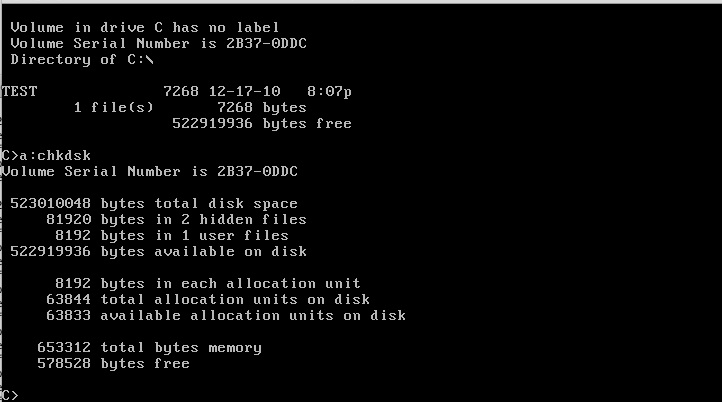
So with all that fun, I partitioned a 500MB disk on Qemu with MS-DOS 5.0, and copied in a file…

msdosharddisk

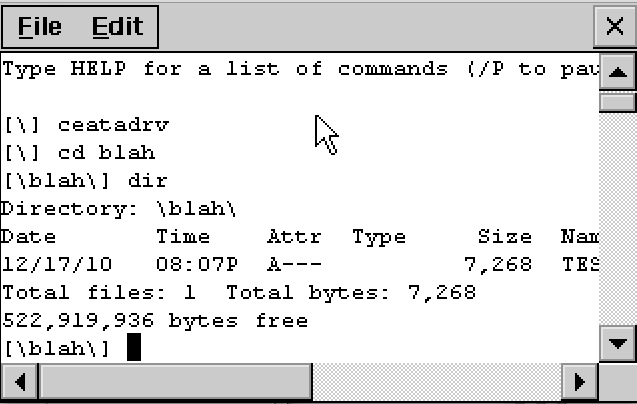
Then I booted up CE:

ce211 harddisk

And my file is there, and even copying things around, booting back to MS-DOS didn’t result in a corrupted disk…

So now I’m back to trying to port SIMH to Windows.. which is difficult as CE has no real console that I can figure out how to program, so I’m hacking up “tty.c” an example dumbterm, with really mixed results so far… It’ll really be interesting if it works.

For anyone that cares, my ata driver for CE 2.11 is here.

I have no idea if it’ll work on CE 3.0, 4.0, 5.0 or 6.0 … Maybe the newer ones include ATAPI/ATA (IDE) drivers? Hell they could support NTFS for all I know, but again I’m working with what I have on hand…. Also the ‘maxall’ rom for 2.11 is 4Mb. !!

Well this freaking sucks.

Turns out people are poisoning everything out there.

From: Gregory Perry
To: “[email protected]”
Subject: OpenBSD Crypto Framework
Thread-Topic: OpenBSD Crypto Framework
Thread-Index: AcuZjuF6cT4gcSmqQv+Fo3/+2m80eg==
Date: Sat, 11 Dec 2010 23:55:25 +0000
Message-ID: <8D3222F9EB68474DA381831A120B1023019AC034@mbx021-e2-nj-5.exch021.domain.local>
Accept-Language: en-US
Content-Language: en-US
X-MS-Has-Attach:
X-MS-TNEF-Correlator:
Content-Type: text/plain; charset=”iso-8859-1″
Content-Transfer-Encoding: quoted-printable
MIME-Version: 1.0
Status: RO

Hello Theo,

Long time no talk. If you will recall, a while back I was the CTO at NETSEC and arranged funding and donations for the OpenBSD Crypto Framework. At that same time I also did some consulting for the FBI, for their GSA Technical Support Center, which was a cryptologic reverse engineering project aimed at backdooring and implementing key escrow mechanisms for smart card and other hardware-based computing
technologies.

My NDA with the FBI has recently expired, and I wanted to make you aware of the fact that the FBI implemented a number of backdoors and side channel key leaking mechanisms into the OCF, for the express purpose of monitoring the site to site VPN encryption system implemented by EOUSA, the parent organization to the FBI. Jason
Wright and several other developers were responsible for those backdoors, and you would be well advised to review any and all code commits by Wright as well as the other developers he worked with originating from NETSEC.

This is also probably the reason why you lost your DARPA funding, they more than likely caught wind of the fact that those backdoors were present and didn’t want to create any derivative products based upon the same.

This is also why several inside FBI folks have been recently advocating the use of OpenBSD for VPN and firewalling implementations in virtualized environments, for example Scott Lowe is a well respected author in virtualization circles who also happens top be on the FBI payroll, and who has also recently published several tutorials for the use of OpenBSD VMs in enterprise VMware vSphere deployments.

Merry Christmas…

Gregory Perry
Chief Executive Officer
GoVirtual Education

“VMware Training Products & Services”

540-645-6955 x111 (local)
866-354-7369 x111 (toll free)
540-931-9099 (mobile)
877-648-0555 (fax)

Honestly I don’t know what that means for people who want privacy. Basically trust no one, trust nothing..

And certainly don’t run OpenBSD in a VMWare environment.