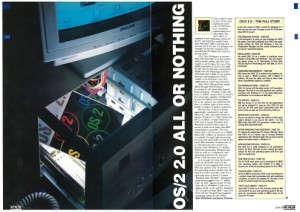
PC Plus magazine reviews OS/2 2.0

June 1992

I thought this was cool, PC Plus magazine is doing a best of, 25 year retrospective, and up there is of course, the release of OS/2 2.0!

It really is an in depth look, and a great job for a magazine!  I’ve always like the UK based stuff, nice glossy photos, etc..

But even at the end it was the same old same old, installation issues, and speed..

I remember OS/2 2.0 on a 386sx 16 with 4MB of ram was unusable, while OS/2 1.3 was great… But like everything else that was involved at the time, keep in mind they had not reviewed NT yet… Although the pre-releases were floating around.. Naturally they have both Windows 3.1 & Windows 95 launches..

Quick update on Qemu 1.1.0-1

It seems that I’m not the only person getting this error with existing qcow2 images:

Header extension too large

The good news, is that if you have any way to build your own Qemu its a trivial thing to uh “fix”.  Now I haven’t done that much in the way of testing, maybe there is something fundamentally wrong with Qcows created from older versions of Qemu but the error comes from HERE.

You could just comment out the “return -EINVAL;” and Qemu will continue on its merry little way.

Now I’ve tried converting my qcow2’s to other formats with 0.14 but they all have slight errors that wind up preventing OS/2 from booting (I know that 99% of the would wouldn’t care..).

I’m not sure what to make of it, but it looks like to me, that if you really really want this version its best to remove that check so you can keep your old disk images.. try converting them, but.. they may not work `exactly` right.. TEST…!!!

Good news on the QEMU fronts!

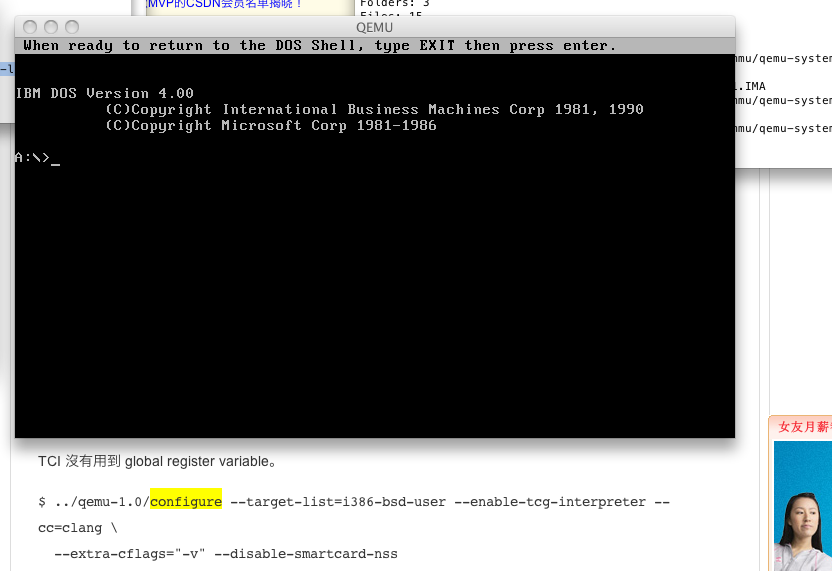
First I found this blog post about building Qemu with CLANG instead of GCC, and I didn’t  even run it through google translate, but I had a feeling that it must work because there is simply too much text there for something that doesn’t work… Although it is with the TCG interpreter…

Qemu 1.1.0-1 on OS X 10.6.8 via clang!

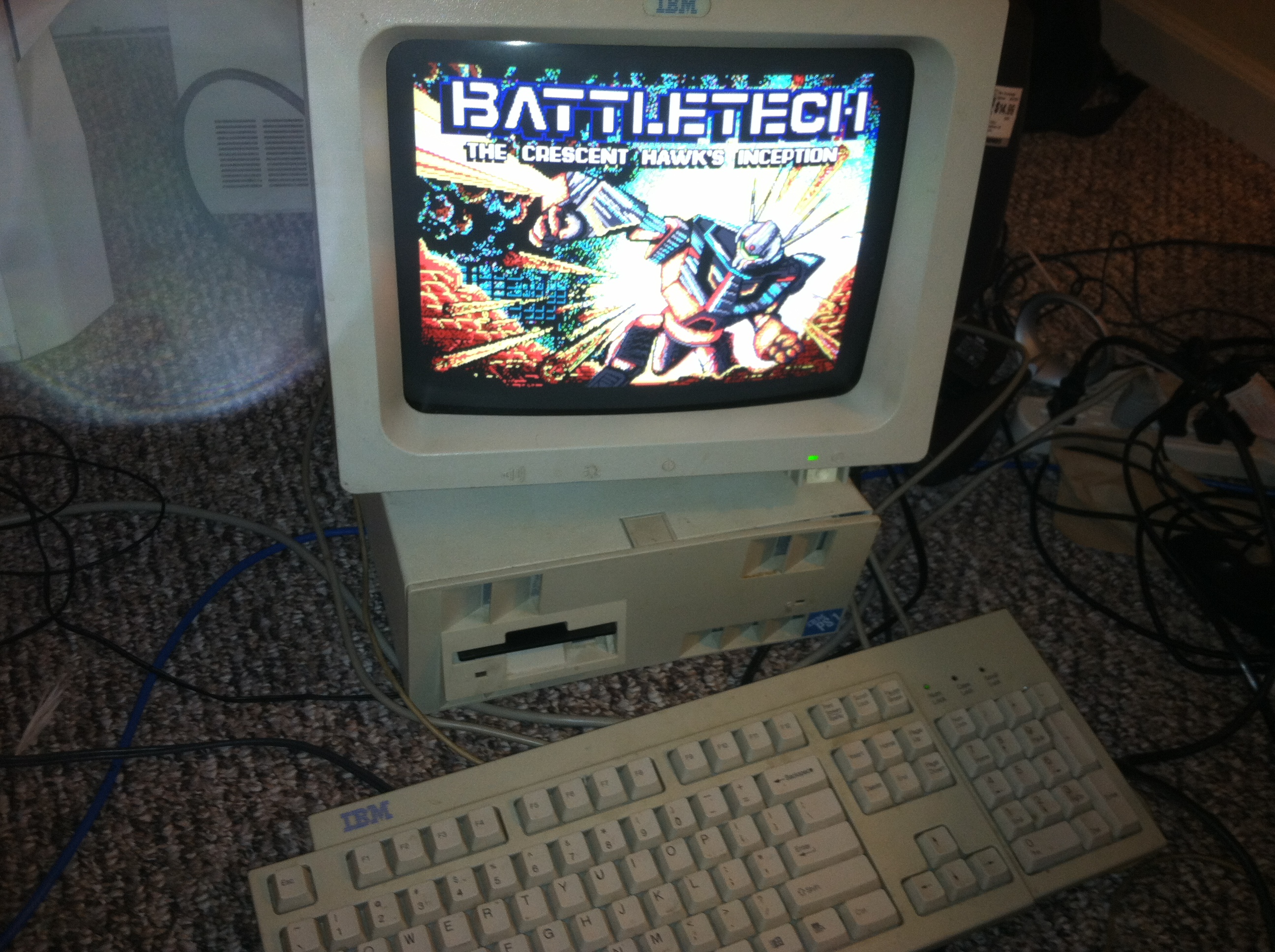
And sure enough it works! (well so far I’ve only booted the IBM PS/1 MS-DOS 4.00 image I had handy. But that is good news for me as I’m planning on shifting away from running Windows all the time, and it was annoying having this powerful mac pro, but not being able to run / play with Qemu.

The move the clang would make sense as I under stand it Apple is moving away from GCC at any rate.

Also on the road to a non TGC build of Qemu I did find out the compiler included on the 10.6.3 DVD works while the later IOS update one does not…

Using built-in specs.
Target: i686-apple-darwin10
Configured with: /private/var/tmp/llvmgcc42/llvmgcc42-2336.1~3/src/configure –disable-checking –enable-werror –prefix=/Developer/usr/llvm-gcc-4.2 –mandir=/share/man –enable-languages=c,objc,c++,obj-c++ –program-prefix=llvm- –program-transform-name=/^[cg][^.-]*$/s/$/-4.2/ –with-slibdir=/usr/lib –build=i686-apple-darwin10 –enable-llvm=/private/var/tmp/llvmgcc42/llvmgcc42-2336.1~3/dst-llvmCore/Developer/usr/local –program-prefix=i686-apple-darwin10- –host=x86_64-apple-darwin10 –target=i686-apple-darwin10 –with-gxx-include-dir=/usr/include/c++/4.2.1
Thread model: posix
gcc version 4.2.1 (Based on Apple Inc. build 5658) (LLVM build 2336.1.00)

GCC for update for IOS 5 … which doesn’t build a working Qemu exe

Using built-in specs.
Target: i686-apple-darwin10
Configured with: /var/tmp/gcc/gcc-5646~6/src/configure –disable-checking –enable-werror –prefix=/usr –mandir=/share/man –enable-languages=c,objc,c++,obj-c++ –program-transform-name=/^[cg][^.-]*$/s/$/-4.2/ –with-slibdir=/usr/lib –build=i686-apple-darwin10 –with-gxx-include-dir=/include/c++/4.2.1 –program-prefix=i686-apple-darwin10- –host=x86_64-apple-darwin10 –target=i686-apple-darwin10
Thread model: posix
gcc version 4.2.1 (Apple Inc. build 5646)

While the one that does come on the 10.6.3 DVD works fine.

Next up for all those of you on Windows or Win32 i386 platforms, rainbow has kindly provided a Win32 build of Qemu, which you can download from his site!  Ive booted MS-DOS on it from within VirtualBOX and it seems to work fine!

One thing I’ve noticed about 1.1.0 is that it cannot read low density 3 1/2″ disks!!!!

Mouse issues with VirtualBOX on OS X

So I’ve been using this old intel mac pro, to run VirtualBOX with a really weird issue.. The moue pointer just doesn’t work in the VM no matter what I’ve done.

Ok, I’ll admit that instead of running in 32bit mode on this mac, I’ve set it up to boot like a PC into the chameleon bootloader to then let me boot OS X in 64bit mode.. Which makes this a great ‘hackintosh’ as its all Apple hardware.  But to get me through the booting and whatnot I’ve been using a USB keyboard/mouse, then once booted up I’ve been using bluetooth Apple keyboard/mouse (yes my desk is a disaster).

Anyways with the USB mouse plugged in, I can only move the mouse by right dragging in the VM.  It doesn’t matter if its relative mouse pointer or not.

But as soon as I unplugged the USB mouse, it works fine… Maybe its because I have two mice??

Also you’d think Apple could have done some softload 64bit firmware for the 2006 Mac Pro 1,1 but… I guess some times you have to take matters into your own hands….

Oh and that reminds me of another tip, when installing Windows XP you’ll be expected to hit F8, which on my keyboard just pauses the currently playing song.. Instead hold down the `fn` key, then press F8.  Which makes me all the more glad I got a real apple keyboard, as finding all these special keys on a windows keyboard… involved.

ircII-4.4 on Xenix

Building this was.. . Involved, but I finally got it to link! Oh happy days! But then disaster struck!

USER Not enough parameters

Not enough parameters? And the worst thing is that I got this error EVERYWHERE… Googling this has become useless as everyone just says google it, so google made all that turn into a negative feedback loop! Or even useful advice like ‘upgrade your client, LOL’, but after going through an hour of `fun` getting this to run on Xenix I wasn’t going to try a new version of the source just yet.

Going through the source, looking for the USER command and where its used and found this:

send_to_server(“USER %s %s %s :%s”, username,
(send_umode && *send_umode) ? send_umode : hostname,
server_list[server].name, realname);

Which looks nice, but according to this as a reference, it doesn’t have enough parameters! So I figured I’d change it to something more like this!

send_to_server(“USER %s 8 * : %s”, username,realname);

this is a bug free client. honest

And as you can see, it works!  Even the version string reports Xenix!

If anyone cares, you can download the binary here.

Installing Xenix on an IBM Aptiva 2176

Yes, $6.98 worth of IBM

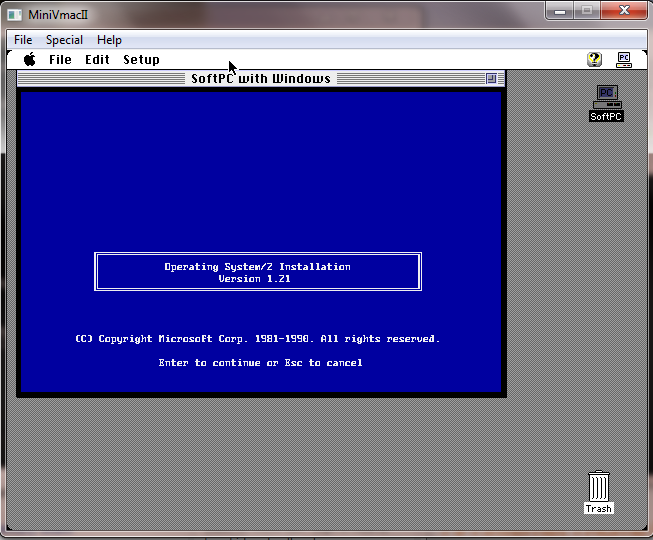
So a while back I had scored this IBM Aptiva 2176 for $6.98 .  I had been running OS/2 1.21 on there with great success, but I felt like trying something different.

Something more like Xenix.

The IBM comes with a WDC AC32100H hard disk, 2GB in capacity.  I figured this would be quick and easy to install.

Boy was I WRONG.

First off Xenix has issues with disks bigger than 512MB.  Namely this kind of limitation:

You need to stay within the bounds of 16 heads, 63 
sectors/track, and 1024 cylinders.

And of course the WDC in question is one of these ‘new fangled’ LBA disks.  Booting up on LBA mode it looks like this:
hda: WDC AC32100H, 2014MB w/128kB Cache, LBA, CHS=1023/64/63, DMA

The other mode, is CHS which of course gives us this:
hda: WDC AC32100H, 2014MB w/128kB Cache, CHS=1023/64/63, DMA

So I thought I could just ‘override’ the disk parameters under Xenix, and tell it, that its 1023/16/63.  Sure that worked for formatting but booting? nope!

I pulled up the data sheet and it informs me of this as its native capabilities:

Recommended Setup Parameters
Cylinders 4092
Heads 16
Sectors/Track 63
Landing Zone 4092
WPC 4092
Jumper Setting Information Six Pin Drive

But how to get there?  What was worse, is that doing a probe under MS-DOS I kept on seeing output like this:

But the numbers look good!?

And yet trying to override the geometry with these parameters only lead to disaster.  Clearly what these programs were telling me were conflicting, what I needed was something to just tell me what it sees.  So I thought I’d use Linux.

But not some 8GB download, because that’d take far too long.  No weighing in a just over 2MB is the specialized ‘doom speaker sound‘ distribution. Its UMS DOS based, meaning that you can just unzip it onto a FAT drive, without any formatting/partitioning, and boot from MS-DOS into Linux.  So sure enough this is what I saw:

Drive translation in action

First, yes I have two disks, I’m only interested in the ide0/hda.  but as you can see its translating.  I found the same result for both CHS/LBA.  The only thing I didn’t notice for some reason was an option to turn drive translation OFF in the BIOS. Oops!

There we go!

So now I was able to boot the Xenix install, and it finally saw what it should have seen!

4092 Cylinders, 16 heads, 63 sectors/track!

then tell it that the disk was only 1024 cylinders, as mentioned in the usenet posting, along with changing the landing zone. I knew it was going to work so I figured I’d make a separate /u filesystem for the heck of it.  Divvy takes me back to doing disklabels on 4.3 BSD

bust out the calculator!

With that all said and done, it was time to reboot, and it booted from the hard disk!  I could then complete the install.  After that was out of the way I noticed that it was not mounting the /u filesystem!

The following entry needed to be added to the /etc/default/filesys file:

bdev=/dev/u  cdev=/dev/ru  mountdir=/u \
   	desc="The User Filesystem" \
   	rcmount=yes \
   	fsckflags=-y

Now it mounts up like you’d expect! If you plan on making the /u for peoples home directories don’t forget to alter the /etc/default/mkuser file!

I have no idea if this works on a 1TB IDE disk, but I’d imagine if you can somehow get it into the limited geometry Xenix can understand, it should work…. Of course why you’d want to run a Unix that can only address 16mb of ram is beyond me…

Now that it’s booting, the next step will be to get it onto the internet….

How do you plug an RJ45 into an Etherlink II (3c503)

So on the heels of my prior post, someone was asking me, where do you exactly plug in an RJ-45 style cable to something like an Etherlink II?  It had never occured to me that many people today would have no idea what thicknet/thinnet were, or what the magical world of the AUI port is.. Sure there are transceivers still in use, but typically in larger networking equipment, and more so to choose what king of fiber optics to use (single mode? multimode? etc..).

So looking at the back of the card, we see this:

It’s not a joystick port!

Sorry for the poor quality but.. thems the breaks.  So anyways back in the day ethernet revolved around this big bulky cabling lovingly called Thicknet.  And you had to use these ‘vampire’ taps to plug into the cable, and the cable had markings that you could only tap into it a certain points.  So luckily for us, the transceiver component of Thicknet was external, letting us in the future plug in different transceivers for different media types.

Say something like this:

3Com rj45 transceiver

And that is how you can plug a cable into a card that is older than the rj45 ethernet standard!