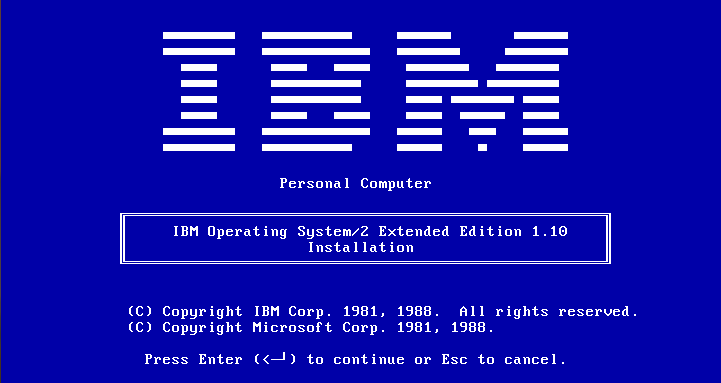
IBM OS/2 1.1 Extended Edition

I recently acquired a copy of IBM OS/2 1.1 Extended Edition, and I thought I’d at least cover what makes this version different from the ‘Standard Edition’ and the Microsoft version of OS/2 1.1

First off the IBM versions of OS/2 1.1 use the 286 triple fault method of switching from protected mode to real mode exclusively while the Microsoft kernel includes 386 detection & mode switch instructions.  The the VirtualBox timing patches won’t work with the IBM kernel & drivers while the Microsoft kernel & drivers boot up and work fine on the IBM diskettes.
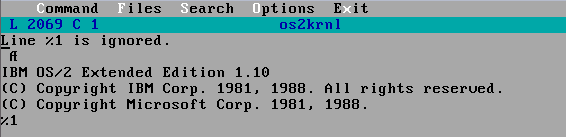
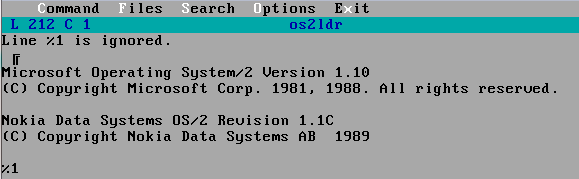
IBM Kernel strings
Microsoft kernel strings

And as you can see another weird thing is that Microsoft keeps all the string resources in os2ldr, while IBM has them in os2krnl..

So with the Microsoft kernel & drivers, on the IBM diskettes, installation went pretty straight forward. And once the OS is installed, then you have to open up a command prompt and install the various Extended Edition components:
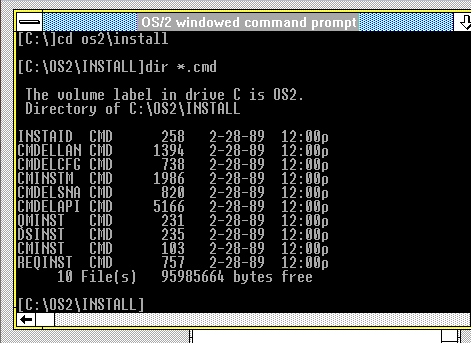
Which can be seen here as CMINST for Communications Manager, DSINST for the Database Server, QMINST for the Query Manger, and finally REQINST for the Network (NetBEUI) Requester Service.  The file server capabilities were sold as an addon, known as Lan Manager.

IBM OS/2 1.1 does include a tutor program on how to use the OS, and some general help for Presentation Manger.  I believe it wasn’t until 1.2 did Microsoft include one.
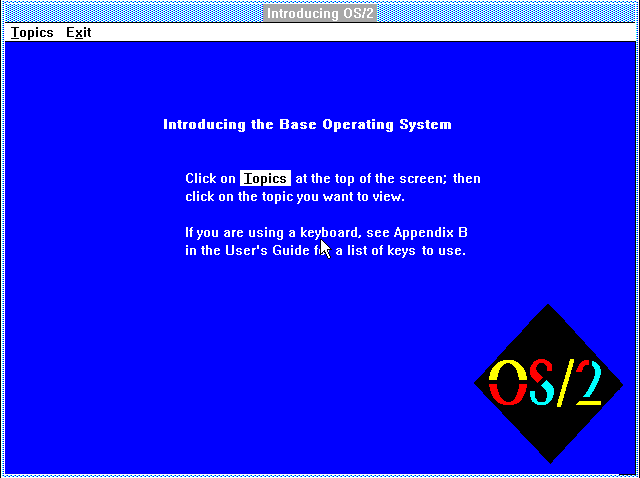
IBM OS/2 Tutor

As you can see it is kind of sparse but it does show the old school OS/2 logo.  In addition each of the EE components includes a tutorial, although they are all text mode..
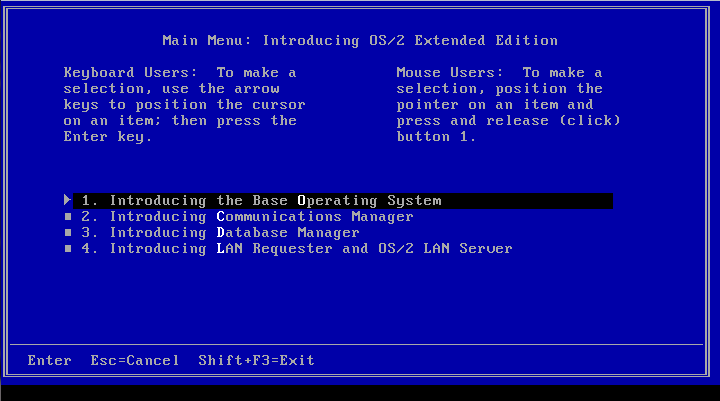
OS/2 EE Overview

And as an example here is what the Communications Manager looks like
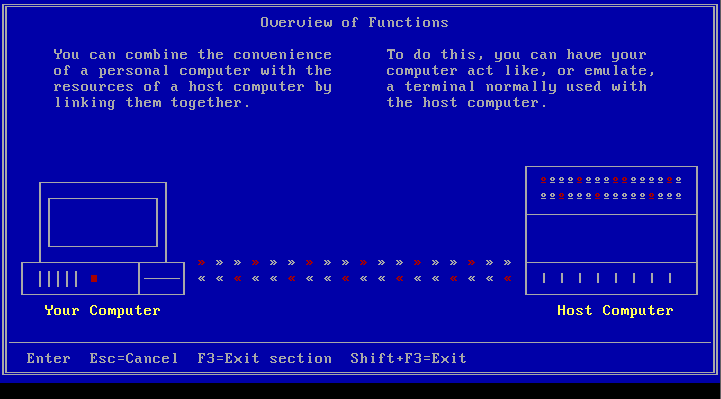
Communications Manager Tutorial

The sad thing is that the EE components are all full screen text mode.  There is no Presentation Manager integration at all here.  And I think this underlines a critical fault in OS/2 where there is separate text modes, both full screen & windowed that are incompatible with each other. Much like the first Lotus 1-2-3 for OS/2 ran in a full screen text window, you are blocked from seeing anything else at the same time, defeating the whole point of being able to multitask.

Communications Manager was the one thing that I did use, although it was honestly very disappointing   Its big thing at the time was communicating to Midrange (AS/400) and Mainframe (370/390) machines via SNA or X.25 . Also included is a basic ASCII dumb terminal emulation program that can do VT100 with Xmodem.  The real limiting factor is that it is limited to 9600 baud.  And this also brings out another long term deficiency in OS/2, the serial support was always underwhelming, and the majority of people eventually had to use the SIO drivers to get any decent performance.

The Database Manager is a simple enough SQL server, client.  It is capable of doing simple reports, and even ‘panels’ much like Oracle forms of late.  It seems robust enough on small sample tables, although I couldn’t imagine it handling anything of any major size by modern standards.  I would imagine it would be for DB2 type users trying to steer them away from DBase, Paradox or Oracle.  Although to be honest I’ve never seen it live in the wild but I’m sure someone did out there.  Also I can’t imagine running a SQL server on a 6Mhz 286.

Sidekick for OS/2

One interesting thing included in OS/2 1.1 EE is Borland’s Sidekick for OS/2.  While it didn’t make the cut in later releases it was a nice touch for 1.1 as otherwise it is pretty baren, as IBM & Microsoft seemed to feel that OS/2 should ship as barren as possible. Of all the applications though the PM notepad was the nicest.. Although I’m sure if it were 1988 I’d get more use out of the rest of sidekick.

For the heck of it, I’ve taken a VM of OS/2 1.1 and upgraded it to 2.0 and happily all the EE components work as well as they did on 1.1 .  Considering how picky the Warp upgrade was, it is kind of surprising.

Windows RT

Windows 8 RT from pocketables.com

Just before the tidal wave comes in on the Windows 8 launch, let me just spell out one thing… Windows 8 RT will *NOT* run any existing Windows applications.

I don’t know why we even have to go back down this road, but it’ll be Windows NT on the MIPS or PowerPC all over again.

And to be too honest, the price is just too damned high for what it is, and that is an evolutionary dead end.  Expect there to be some kind of post Christmas fire sale, once people find out they can’t play minecraft or sims on it.

But apparently it comes with Microsoft Office (Word & Excel?) no idea if it includes PowerPoint & Outlook..   I guess the one safe thing is that it won’t run x86 exploits/buffer overflows, so maybe this is a good PHB, ‘mom’ device.

Me?  I’m still using a 1st gen iPad.

NetBSD 6.0 released!

yay

  • SMP support for Xen domU kernels, initial suspend/resume support for Xen domU, PCI pass-through support for Xen3, and addition of the balloon driver.
  • Major rework of MIPS port adding support for SMP and 64-bit (O32, N32, N64 ABIs are supported) processors, DSP v2 ASE extension, various NetLogic/RMI processor models, Loongson family processors, and new SoC boards.
  • Improved SMP on PowerPC port and added support for Book E Freescale MPC85xx (e500 core) processors.
  • ARM has gained support for Cortex-A8 processors, various new SoCs, and initial support for Raspberry Pi. Full support for Raspberry Pi and major ARM improvements to come in a future NetBSD release.
  • time_t is now a 64-bit quantity on all NetBSD ports. This means that the NetBSD world no longer ends in 2037.

Interesting they addressed the 2038 issue… And more SMP support…

So I had to move providers again.

I don’t know what on earth is going on with all these VPS providers getting DDOS’d as of late.. So here I am on VPS #4.  I lost my last post so I’ll have to recreate it later on.

Right now I’m just trying to get my old vpsland archive back online.  Sadly my DSL is rate limited to a whopping 64KB/sec so this will take … a long long while.

Thankfully I had a recent-ish backup of my blog, so all is well there!

Just to let people know I’m still alive!

Sorry I’ve spent so much time looking for that old OS/2 beta stuff, I didn’t realize it has been a while since I posted…

In the meantime I was working up something about the evolution of Windows 3.0, to 3.0a and the multimedia version, along with what features I’ve been able to discern about the OS/2 2.0 beta..  Like did you know that MS was going to put TrueType fonts in it?  I guess that is why IBM went with Adobe..

And of course there was no plans for SOM, or the Object desktop in OS/2 2.0 it was going to look/feel more like OS/2 1.21 or Windows 3.0 than what eventually shipped as OS/2 2.0  .

I don’t know what it is interesting about that time period… And I scored a real copy of OS/2 2.0 for $5, I was going to do more of a teardown of that, once I get some kind of scanner… Or maybe try to flip it on ebay in some kind of workable manner vs being old dead stuff in a box?

I donno.

Running ‘ancient’ linux binaries on modern systems

I just found out about this page which mentions me and my old iBCS/NetBSD adventure to running Xenix binaries on NetBSD 4.x (Sadly 5.x broke xcoff).  In there they also refer to this old redhat page on running a.out binaries on newish systems.

Apparently the ability to run old a.out stuff is still present as Alan Cox notes that “my 3.6rc kernel will still run a Rogue binary built in 1992. X is back compatible to apps far older than Linux.

I’ll have to investigate later on.

So I managed to score 2/3’rds of the most rare version of OS/2 ever

Thats right I’m talking about the Microsoft OS/2 2.0 beta.

This is the badboy that cost some $2,600 back in 1989/1990 and its stall basically split up the IBM Microsoft OS/2 alliance.

Sadly I don’t have volume 1 (although the binder spine says so, I have to wonder if the binders were reorganized) so I don’t have any media, nor the overview stuff, just the API’s for the UI & Networking and some general API stuff.  There is no mention of SOM or Workplace shell, so clearly this is stuff IBM added on their own.

It seems if MS & IBM had not dragged so slowly with 2.0 it really could have been pushed out in 1990, instead Microsoft basically gave up on Cruiser and pushed forward with Windows 3.0 which it controlled all the way.  And of course if IBM had allowed Microsoft to control the GUI side, OS/2 would have been far more NT’ish from the getgo.  Oh well instead we were denied any decent OS until what? 1994 on the Microsoft side with NT 3.5 although of course it was closer to 1996 with NT 4.0 did it even matter by then.  OS/2 was quite usable at the 2.0 level, but it was delayed with the advent of Windows 3.0 and OS/2 HAD to run Windows apps or it’d never go anywhere.

So here is some camera phone pictures of what materials I have on this rare version.  Naturally if anyone actually has Volume 1 or the media set feel free to contact me!!!


The binders

Operating System/2 Programmer’s Reference Volume 3 version 2.0

SY13869-0590 / May of 1990

I’ve also found these snippits from Infoworld going back to 1989..

One interesting thing seems that once Microsoft abandoned OS/2 2.0 the kernel never seemed to have changed as you still can load 16bit device drivers so it feels as if all development in that space froze until the ill fated botched port to L4.

Microsoft OS/2 1.21 on Qemu (almost works)

It almost works.

I just tried commenting out the IDE CD-ROM that is on by default on Qemu, and booted up a ‘restore’ CD I cooked up a while ago, and lo it almost works.  OS/2 boots up, but the keyboard is unresponsive… The cursor flashes away it almost acts like it is alive but without any input it just sits there dead.

I haven’t tried booting from floppy although I would assume it’d fail just in the same manner.  For anyone wanting to mess with it, just disable the cdrom in vl.c & recompile.

Qemu 1.2 released!

So this is good news, as always you can check out the change log, or download the source and compile yourself…

Using my quick instructions on building on OS X, I got 1.2 to compile which is nice, and run DOOM..

As you can see from this output it isn’t relying on the TCG backend

$ ./configure –audio-card-list=ac97,es1370,sb16,adlib,hda,gus –disable-curl –target-list=i386-softmmu
Silently falling back into gthread backend under darwin
Install prefix /usr/local
BIOS directory /usr/local/share/qemu
binary directory /usr/local/bin
library directory /usr/local/lib
include directory /usr/local/include
config directory /usr/local/etc
Manual directory /usr/local/share/man
ELF interp prefix /usr/gnemul/qemu-%M
Source path /Users/neozeed/src/qemu-1.2.0
C compiler gcc
Host C compiler gcc
Objective-C compiler clang
CFLAGS -O2 -D_FORTIFY_SOURCE=2 -g
QEMU_CFLAGS -m64 -DOS_OBJECT_USE_OBJC=0 -arch x86_64 -D_GNU_SOURCE -D_FILE_OFFSET_BITS=64 -D_LARGEFILE_SOURCE -Wstrict-prototypes -Wredundant-decls -Wall -Wundef -Wwrite-strings -Wmissing-prototypes -fno-strict-aliasing -fstack-protector-all -Wendif-labels -Wmissing-include-dirs -Wempty-body -Wnested-externs -Wformat-security -Wformat-y2k -Winit-self -Wold-style-definition
LDFLAGS -m64 -framework CoreFoundation -framework IOKit -arch x86_64 -g
make make
install install
python python
smbd /usr/sbin/smbd
host CPU x86_64
host big endian no
target list i386-softmmu
tcg debug enabled no
gprof enabled no
sparse enabled no
strip binaries yes
profiler no
static build no
-Werror enabled no
Cocoa support yes
SDL support no
curses support yes
curl support no
mingw32 support no
Audio drivers coreaudio
Extra audio cards ac97 es1370 sb16 adlib hda gus
Block whitelist
Mixer emulation no
VirtFS support no
VNC support yes
VNC TLS support no
VNC SASL support yes
VNC JPEG support no
VNC PNG support no
xen support no
brlapi support no
bluez support no
Documentation yes
NPTL support no
GUEST_BASE yes
PIE no
vde support no
Linux AIO support no
ATTR/XATTR support no
Install blobs yes
KVM support no
TCG interpreter no
fdt support no
preadv support no
fdatasync no
madvise yes
posix_madvise yes
uuid support no
libcap-ng support no
vhost-net support no
Trace backend nop
Trace output file trace-<pid>
spice support no
rbd support no
xfsctl support no
nss used no
usb net redir no
OpenGL support no
libiscsi support no
build guest agent yes
seccomp support no
coroutine backend

So far it looks good on OS X, so here is my i386 binary!  Although I’ve only tested it with MS-DOS 4.01 & Doom 1.1

Doom 1.1 on OS X 10.8.1 via Qemu 1.2.0


Qemu 1.2.0 & all its win32 glory

And after much delay, here is my Win32 binary for the i386 system emulation.  And just like the OS X version, I’ve only tested it with Doom.  I’ve included my usual control-alt-delete shortcut & the ability to quick reset.