Public Domain Operating System

So, I came across this project from some random google search on Watcom the other day.  Simply put it is a MS-DOS API that is supported in both a 16bit real mode operating system, and a 32bit operating system.  It is quite sparse but very interesting all the same.  Using the ancient EMX port of GCC you can build 32bit (simple) programs, and run them in the 32bit DOS like Operating System.  What makes this even more interesting is that there is a port to the IBM 370, and 390 based hardware, along with the fictional 380.

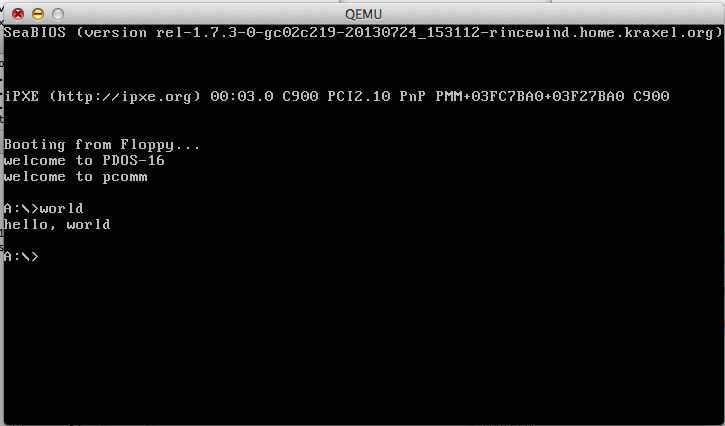
Screen Shot 2013-09-16 at 6.40.03 PM

PDOS-16 booting in Qemu 1.6

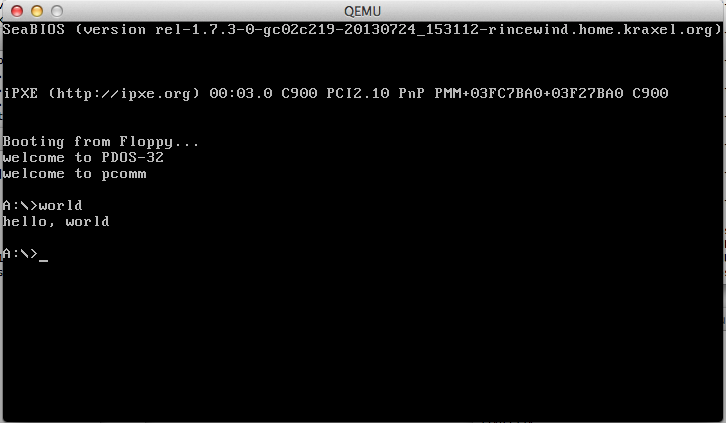
Screen Shot 2013-09-16 at 6.39.47 PM

PDOS-32 booting in Qemu 1.6

You can download my diskimages, (VMDK & floppy disk) that I’ve used with Qemu to build & boot PDOS both 16bit and 32bit.

The included libc & system libraries are lacking compared to real MS-DOS, but this is public domain code, and with a bit of TLC it could be made into something much more.

Upgrading Debian Squeeze to Wheezy

These are just my notes on what I had to do, while upgrading my VPS from Debian Squeeze (6.0.7) to Debian Wheezy (7.1)

Just to verify what version I’m running:

# lsb_release -a
No LSB modules are available.
Distributor ID:	Debian
Description:	Debian GNU/Linux 6.0.7 (squeeze)
Release:	6.0.7
Codename:	squeeze

First edit the /etc/apt/sources.list to include ONLY

deb http://ftp.de.debian.org/debian/ squeeze main contrib non-free
deb-src http://ftp.de.debian.org/debian/ squeeze main contrib non-free

deb http://security.debian.org/ squeeze/updates main contrib non-free
deb-src http://security.debian.org/ squeeze/updates main contrib non-free

# squeeze-updates, previously known as 'volatile'
deb http://ftp.de.debian.org/debian/ squeeze-updates main contrib non-free
deb-src http://ftp.de.debian.org/debian/ squeeze-updates main contrib non-free

Next we walk apt through an update/upgrade phase to make sure everything is current before we do the actual upgrade

apt-get update
apt-get upgrade
apt-get dist-upgrade

Now we have to make sure no packages are being held from being upgraded:

dpkg --audit
dpkg --get-selections | grep hold

Then we run ‘aptitude’ and press ‘g’ hoping to get the message:

No packages are scheduled to be installed, removed or upgraded

Which means we are ready to proceed with the upgrade!

Now edit /etc/apt/sources.list to ONLY include:

deb http://ftp.de.debian.org/debian wheezy main contrib non-free
deb-src http://ftp.de.debian.org/debian wheezy main contrib non-free
deb http://ftp.de.debian.org/debian wheezy-updates main contrib non-free
deb http://ftp.de.debian.org/debian-security wheezy/updates main contrib non-free

Now we are ready to pull the trigger!

apt-get update
apt-get upgrade
apt-get dist-upgrade

Provided that went well, we can now reboot into the new system!

# lsb_release -a
No LSB modules are available.
Distributor ID: Debian
Description: Debian GNU/Linux 7.1 (wheezy)
Release: 7.1
Codename: wheezy

Caveats!

First thing I had an issue with, was re-running apt-get update/apt-get upgrade I got the following errors:

The following packages have been kept back:

db4.8-util ia32-libs

So let’s fix the ia32-libs issue first.  For those who don’t know, ia32-libs lets x86_64 systems run old i386 32bit binaries.  Trying a simple ‘fix’ of installing the libraries got me this:

# apt-get install ia32-libs
Reading package lists... Done
Building dependency tree       
Reading state information... Done
Some packages could not be installed. This may mean that you have
requested an impossible situation or if you are using the unstable
distribution that some required packages have not yet been created
or been moved out of Incoming.
The following information may help to resolve the situation:

The following packages have unmet dependencies:
 ia32-libs : Depends: ia32-libs-i386 but it is not installable
E: Unable to correct problems, you have held broken packages.
#

Luckily the fix is rather simple, we need to add the i386 architecture, like this:

# dpkg --add-architecture i386

Then re-run an apt-get udate/apt-get upgrade, followed by the installation of the ia32 libraries:

#apt-get install ia32-libs

And that settled that out.

The db4.8-util thing was somewhat easier:


# apt-get install   db4.8-util
Reading package lists... Done
Building dependency tree       
Reading state information... Done
The following packages were automatically installed and are no longer required:
  lib32asound2 lib32bz2-1.0 lib32gcc1 lib32ncurses5 lib32stdc++6 lib32tinfo5
  lib32v4l-0 lib32z1 libc6-i386 libio-stringy-perl libjpeg62
  libmono-corlib2.0-cil libmono-i18n-west2.0-cil libmono-posix2.0-cil
  libmono-security2.0-cil libmono-system2.0-cil libmysqlclient16 libsox1b
  libt1-5 mono-2.0-gac
Use 'apt-get autoremove' to remove them.
The following packages will be REMOVED:
  libdb4.8
The following packages will be upgraded:
  db4.8-util
1 upgraded, 0 newly installed, 1 to remove and 0 not upgraded.
Need to get 829 kB of archives.
After this operation, 121 kB disk space will be freed.
Do you want to continue [Y/n]? y

Which seemed to be fixing things, but it was an out of date mono installation on my part. So I had to re-add the location where I got my mono:

deb http://debian.meebey.net/pkg-mono ./

Then remove it

apt-get update
apt-get upgrade
apt-get remove mono-2.0

Then remove the mono line from the /etc/apt/sources.list

apt-get update
apt-get upgrade
apt-get install mono-2.0

Another error message I saw in my apache error log was this:

Error: PHP Startup: Unable to load dynamic library '/usr/lib/php5/20100525/suhosin.so' -
/usr/lib/php5/20100525/suhosin.so: cannot open shared object file: No such file or directory in Unknown, line 0

Which can be traced to a no longer supported extension suhosin. So I just purged it from the system:

aptitude purge php5-suhosin

Another problem that has cropped up is the following when adding or removing packages:

dpkg: warning: files list file for package ‘libc6:i386’ missing; assuming package has no files currently installed
dpkg: warning: files list file for package ‘libtinfo5:i386’ missing; assuming package has no files currently installed
dpkg: warning: files list file for package ‘liblzma5:i386’ missing; assuming package has no files currently installed
dpkg: warning: files list file for package ‘libavahi-common-data:i386’ missing; assuming package has no files currently installed

I’m not sure why this suddenly happened.  However the fix is simple enough, we just have to regenerate the lists, something like this for libc:

dpkg-deb -c /var/cache/apt/archives/libc6_2.13-37_i386.deb | awk {‘print $6’} | cut -f2- -d. | sed ‘s|^/$|/.|’ | sed ‘s|/$||’ > /var/lib/dpkg/info/libc6:i386.list

And that seems to be it so far.

TTPod restricted ip address…

So my wife loves this Chinese application TTPod, which lets you listen to music.  And oh joy last night it suddenly stops working because of an error of “invalid ip address”.

Well it seems that the application will now only fully work in China.  Even though we are in a SAR (Hong Kong) it isn’t good enough it would seem.

I haven’t used Pandora in ages, and I thought I’d try that to get the same thing.

So for people who like this kind of thing, (esp my wife who just must have facebook while we are in China) I use OverPlay which has VPN endpoints in numerous countries, and supports things like OpenVPN & PPTP which is perfect for devices like iPhone & Android Phones.  So I can still get my BBC & CBC Fix, along with access to my Hulu subscription while abroad.

I swear that IP restrictions are so retarded, all they do is make you funnel traffic to get around them, and punish expats.

Kali

My friend, Mara’akate is working on locating all the versions of Kali, and it’s precursor iDoom/iFrag.  His collection is available here.

Briefly this software let you play Doom (and other Doom variants) with other people over the internet.

I’ll have to write something up about this later on, but before I head out this Friday evening I thought I should at least give him a quick shout out, and hope that anyone out there has anything further to contribute could do so.

I wonder how hard it’d be to organize a Doom match in 2013…. probably just as hard as it was in 1993 if not more difficult.  Although the main issue today would be time, not finding a capable machine like it was back then.

Restoring the MIPS Magnum in Qemu 1.6.0

As many of you Windows NT MIPS fans may know (apparently there are more than 3 of us now!) the MIPS Magnum target is broken in the current build of Qemu.  The problem lies in the firmware as it accesses unassigned memory.  Luckily I just received an email from Hervé that details how to fix this!

The good news is that the fix is VERY easy, all you need to do is comment out a single line in target-mips/op_helper.c

In the function mips_cpu_unassigned_access:

void mips_cpu_unassigned_access(CPUState *cs, hwaddr addr,
bool is_write, bool is_exec, int unused,
unsigned size)
{
MIPSCPU *cpu = MIPS_CPU(cs);
CPUMIPSState *env = &cpu->env;

if (is_exec) {
helper_raise_exception(env, EXCP_IBE);
} else {
helper_raise_exception(env, EXCP_DBE);
}
}

Simply comment out the line

helper_raise_exception(env, EXCP_DBE);

And you’ll be able to boot up the NT PROM.

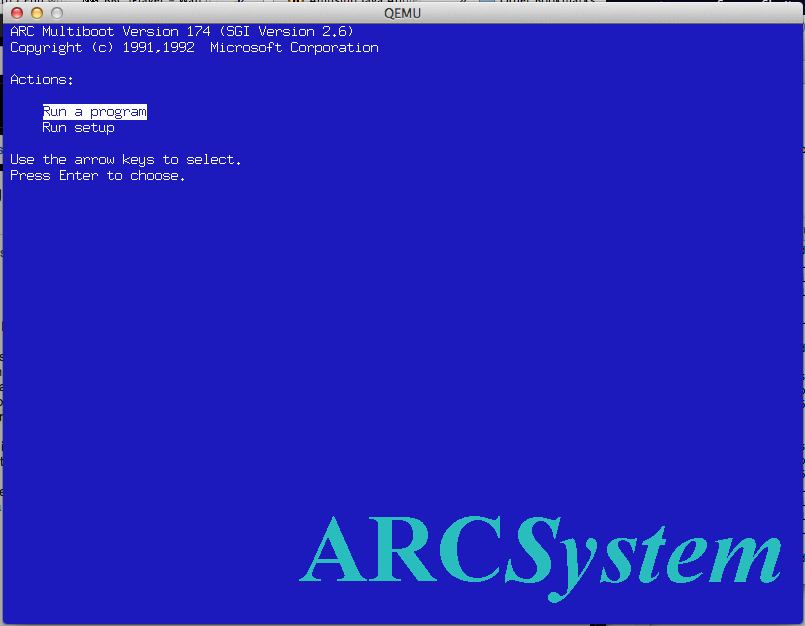
MIPS Firmware

MIPS Firmware

Remember you’ll want to run it something like this:

qemu-system-mips64el -L /tmp -M magnum -m 64 -cdrom WindowsNT4.0-MIPS.iso -hda MIPS.disk -net nic -net user -global ds1225y.filename=nvram  -global ds1225y.size=8200

Where I’m keeping my NT PROM is /tmp (although that is probably a bad idea…)  But you’ll need the NVRam stuff to add extra space for the ethernet MAC address.  The clock is always trashed but at least it is doing something this time!

For the uninitiated, some installation notes can be found here.

Qemu 1.6.0 for Win32

I updated my glib2 to the same version that works great on OS X, and it feels like the Win32 binaries are just slower than ever.  Now I am running this under VMWare, so maybe that is why it is so slow.

Can someone give this a shot?

Any and all feedback would be nice.

Oh I included the Doom 1.1 in there run it like this:

qemu-system-i386 -L pc-bios -m 16 -hda doom11.img -soundhw sb16,adlib

And you should be able to run doom with sound.

Qemu 1.6.0 binaries for OS X

I was kind of a slacker on this one, but here we go, all built for OS X. For anyone new, you’ll want 7za to extract the 7zip archive.

I’ve included the glib2 that I’m using that performs pretty well with Qemu, along with pixman & libintl.

  • Extract glib.tar
  • Copy the contents of glib (so all the files in ./usr/local/lib/) to /usr/local/lib on your local machine.
  • Copy libintl.8.dylib and libpixman-1.0.dylib to /usr/local/lib

And that should get you going.

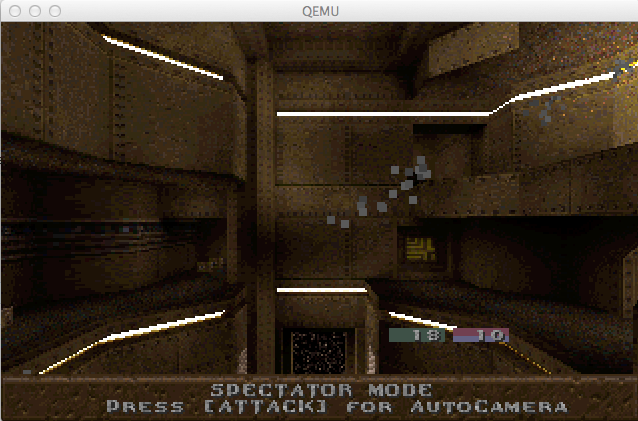
I’ve tested it with MS-DOS & Doom 1.1 along with QuakeWorld for MS-DOS.  Both work fine.  The other things I have tested that don’t work is OS/2 1.21 and Novell Netware 3.12.  Although -M isapc is working again, Netware still hangs when mounting any volumes.

QWDos running

QWDos running

I may try to see if I can get a Win32 build going with the same version of glib2 (2.23.6) that works fine on OS X.

Running Synchronet on an Amazon EC2 instnace

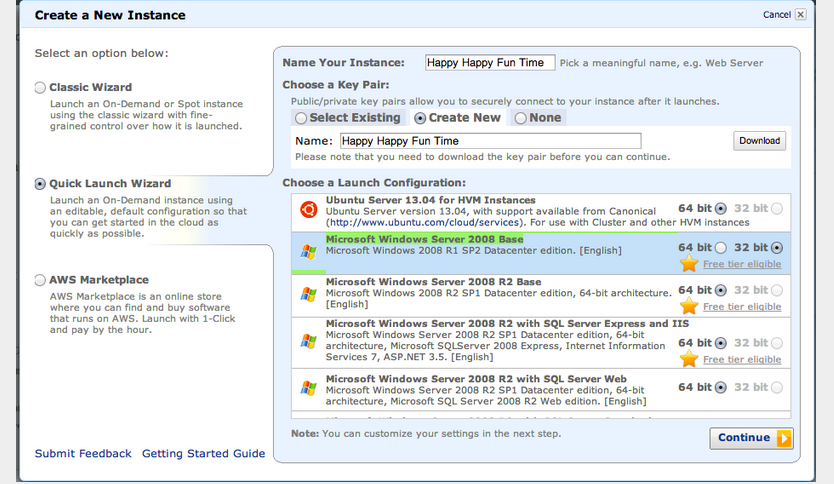
Well apparently Amazon will even let you have a free ‘micro’ instance on their EC2 cloud for free!  From this blog post, you can see how easy it is to setup a Windows Server 2008 instance, download & install Synchronet.

I would imagine that with the 32bit version of Windows Server, you should be able to even run NTVDM stuff (meaning old MS-DOS Doors).

Screen Shot 2013-08-27 at 4.32.12 PM

Although I’m going to keep mine running on the old Qemu on top of a Linux VPS.  But this may be easier for some of you who wanted to run one, to get things going.