More fun with GCC 6.1

So after looking at the -Ofast flags in that utterly unfair GCC 1.4 vs GCC 5.1, and 6.1 , I thought I’d try to build Cockatrice III with it.  Everything went well, and I had a build in no time.

I always hated how I had to massively downsample the audio so I could at least hear things, so I thought I’d try to put them back to 44100Khz, 16bit stereo.  And while compiling, older GCC runs fine, while 6.1 throws this run error!

../SDL/audio_sdl.cpp:57:43: error: narrowing conversion of '-1404829696' from 'int' to 'uint32 {aka unsigned int}' inside { } [-Wnarrowing]
 uint32 audio_sample_rates[] = {44100 << 16};
                                           ^
makefile:104: recipe for target 'obj/audio_sdl.o' failed
make: *** [obj/audio_sdl.o] Error 1

Well it turns out that it’s getting truncated as the audio_sample_rates are defined as an unsigned int, but it really want’s to be a regular integer.  So I changed the type, and now I have high def audio!  While I was in there, I fixed some stupid typos in the keyboard so I can actually use vi in MacMiNT.

It’s still in 256 colors, I’m missing something fundamental as to why it’s not working but I just don’t have enough time to mess with it today.

For anyone who cares, the Win32 binary package is on sourceforge.

Darkmatter

Darkmatter

Darkmatter

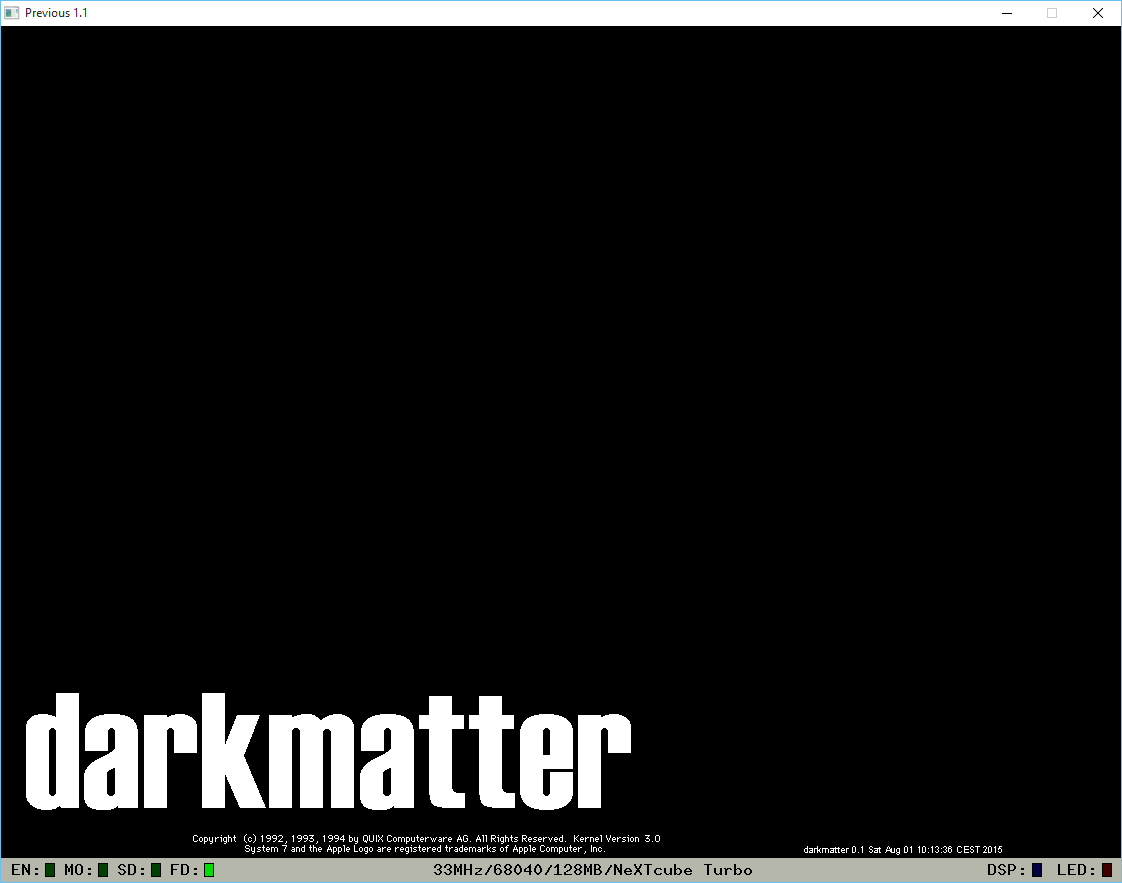
The NeXT community has been about this old Mac emulator, daydream making a comeback onto NeXT hardware.  Branded as darkmatter it runs on the bare metal of the NeXT cube/stations and can run MacOS in much the same way that Basilisk II does.

System 7.0 running on a NeXT cube!

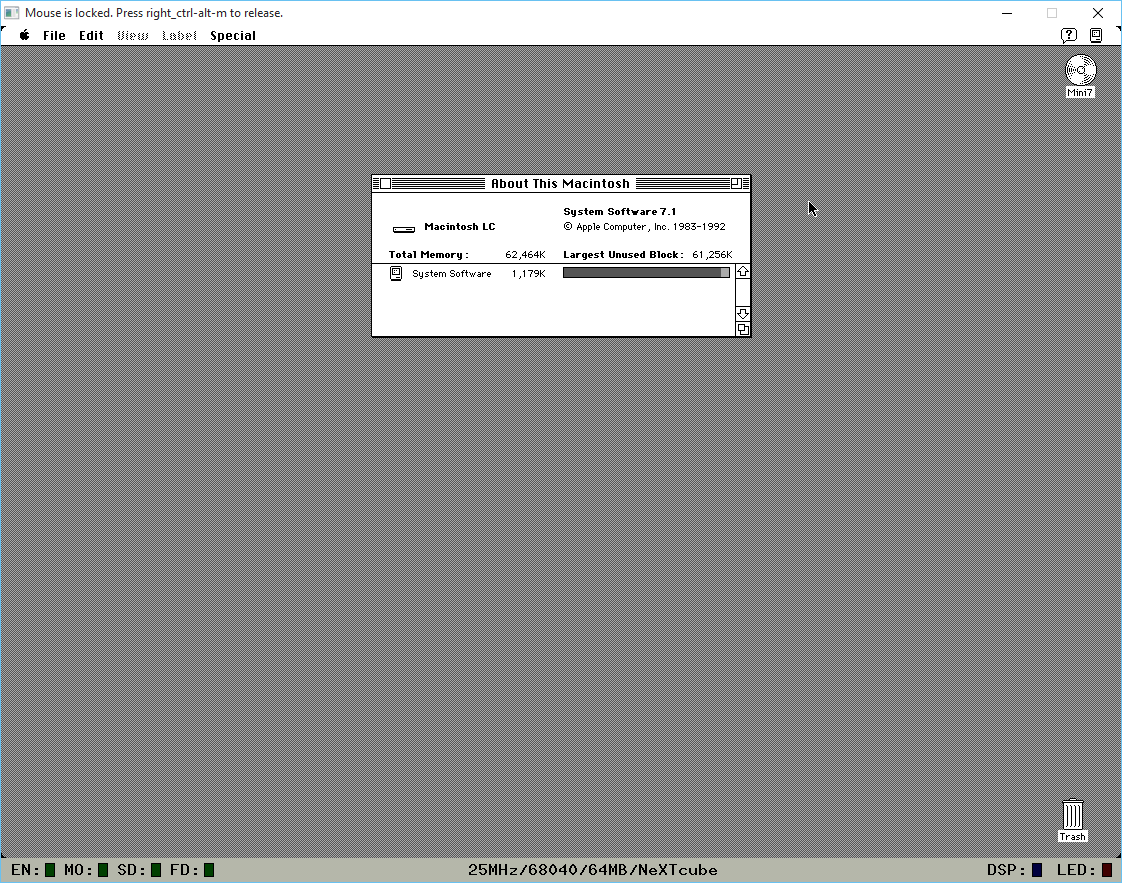
System 7.1 running on a NeXT cube!

What makes this interesting is that the 68040 is cycle set, and uses a much more mature CPU emulation core than Basilisk II, so it should give more accurate emulation. However it will run at 68040 25Mhz speeds, so it won’t win any speed records.

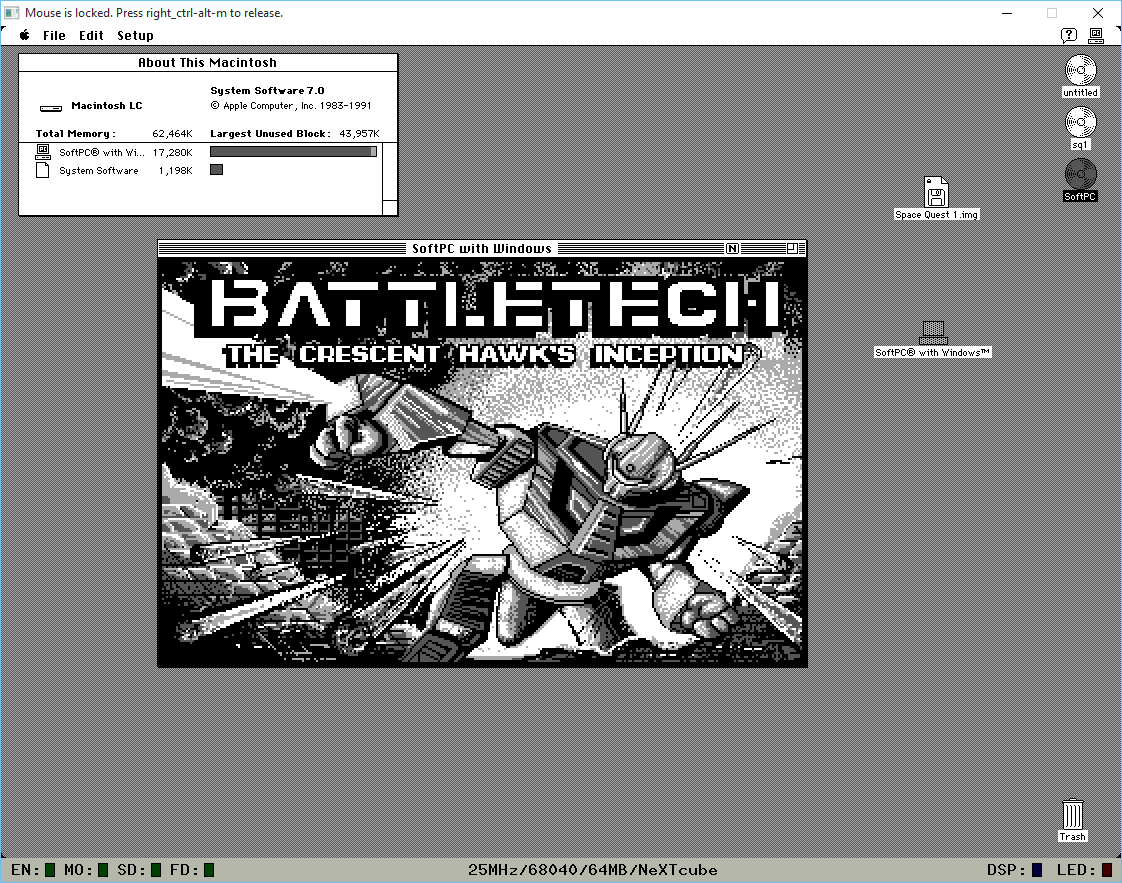
Naturally programs (Space Quest I) that blit directly to the display probably expect Mac/Plus/Se dimensions so the NeXT display won’t be ideal.  But good old SoftPC for MacOS runs great!

SoftPC 3.1 for MacOS

SoftPC 3.1 for MacOS

And again, being set to 68040 speeds, it’s nowhere near as turbo as Basilisk II/SheepShaver.

For anyone interested, you’ll want Previous, the latest build and a test disk.  Set the emulation for either a NeXT Computer (68030), or NeXTcube (68040), add the test disk as SCSI disk 0, and either type in ‘bsd’ at the firmware prompt, or have it automatically boot in the options.

WinDooM on SoftPC, on SheepShaver

So I was hammering out something with SheepShaver (more on that later!) and I thought a quick test of just how fast SheepShaver is vs a real PowerMAC would be interesting.  So I was playing with my old copy of SoftPC, which is 68000 based, but There were PowerPC versions, years ago when I bought a G4 to run OS X to only find out that it wasn’t supported (the dark days of OS X Server 1.0, before the 10.0 public beta) I used to run Windows NT 4.0 on SoftPC on MacOS 8.6.  Ugh, dark times indeed!

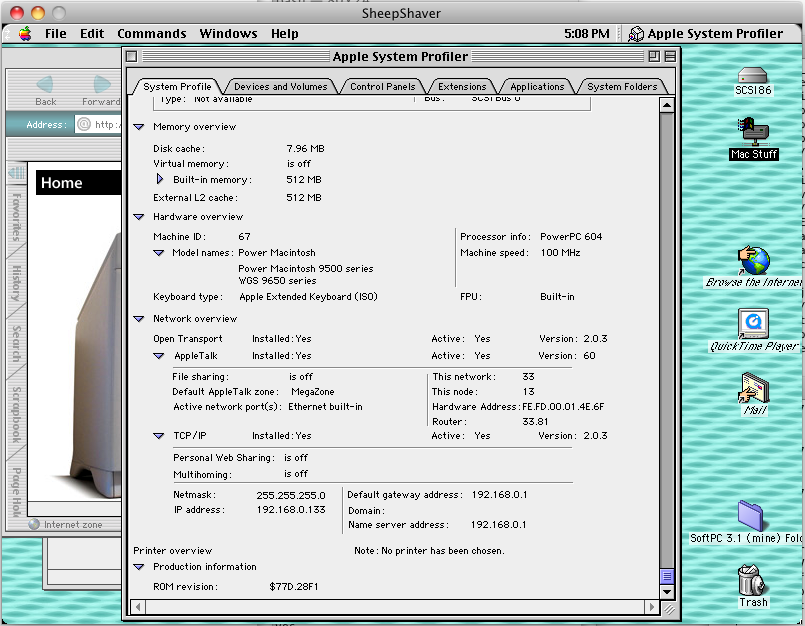
So with some luck, I got SoftPC 3.0 up and running on MacOS 7.5.3 using SheepShaver for Windows. Then I noticed that unlike SoftPC for the 68000, SoftPC for the PowerPC emulates a 486!  So how does DooM run?  A little slow, it’s kind of dream like.

But since there is Windows and a 32bit processor, I thought this would be a great time to load up Win32s, Video for Windows, WinG, and WinDooM!

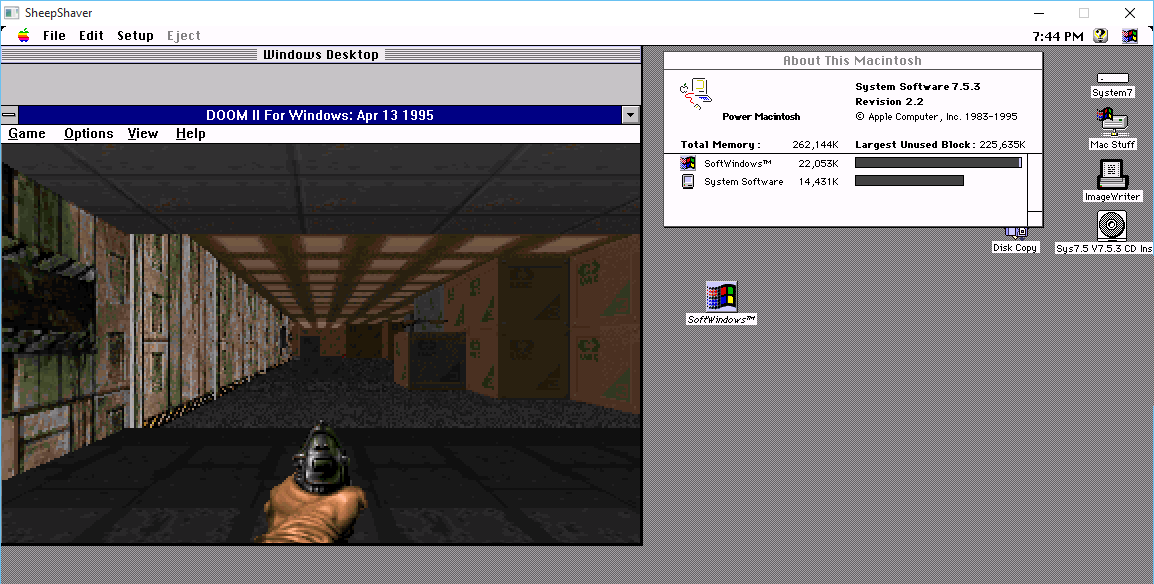
WinDoom on SoftPC

WinDoom on SoftPC

And much to my amazement it runs!  And I was further impressed that there is a shim sound driver, and it works!

So I made a quick video to compare DooM for Windows vs DooM for MS-DOS on this setup.

Yes it’s pointless, but I kinda think it’s really cool.

As a bonus, here is E1M1 under MacOS 8.0.  The MIDI support in 8.0 is MUCH more stronger than 7.5.3!  And I should add, it actually feels faster on 8.0 than 7.5.3

GSOC bringing MacOS 9 to Qemu

It's some progress!

It’s some progress!

I know it may not look like much right now, but Cormac O’Brien is working on bringing MacOS 9 support to Qemu!  This is really great news as Sheepshaver has painted itself in a corner with it’s CPU code that requires memory access to 0x00000000 which more and more operating systems deny.

So you can download the snap and follow the instructions here. And you too can watch it fail.

Screen Shot 2015-07-20 at 9.57.16 AM

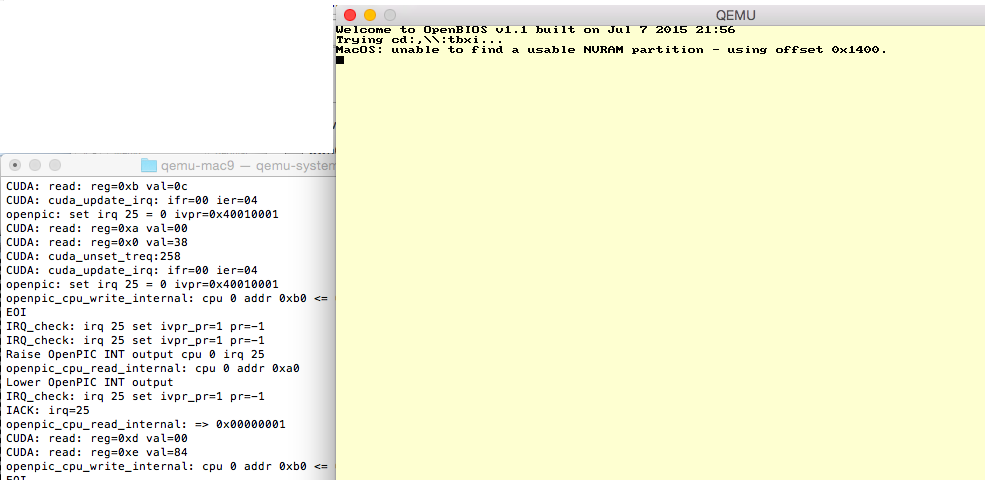
Starting to boot

During the boot you’ll see a message from MacOS on the CLI that it is unable to find a NVRAM partition.  During this time you will either see a bunch of CUDA and IRQ messages, and there is a good chance from here it’ll progress to loading the New World ROM.  If it gets stuck you’ll see tonnes of the following messages:

CUDA: read: reg=0xd val=00
CUDA: read: reg=0x0 val=30
CUDA: read: reg=0xd val=00
CUDA: read: reg=0x0 val=30

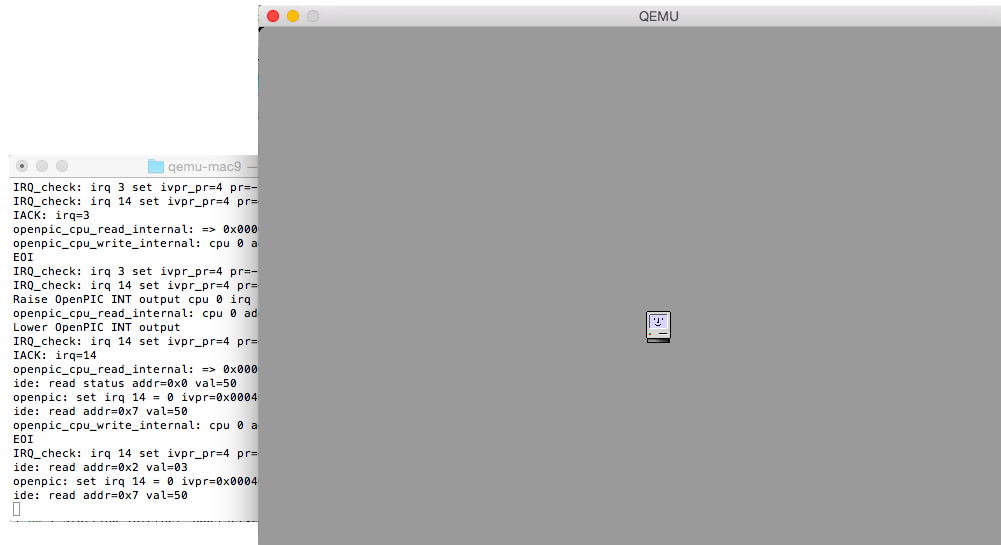
From here the screen should turn grey, and again it may or may not go to a happy mac, or again get stuck on the CUDA read 30/00 thing above.

New World ROM loaded

New World ROM loaded

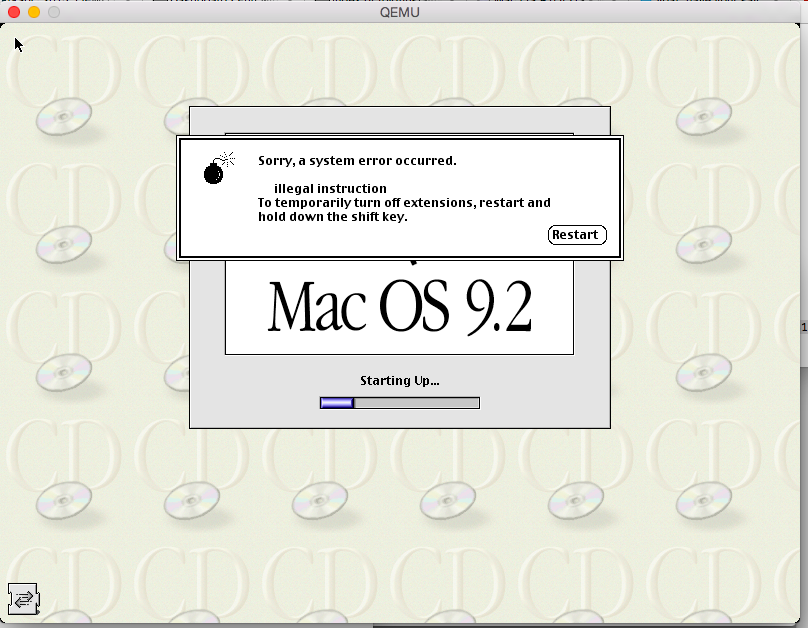
Once it goes New World happy mac, it’ll load MacOS then bomb over one of the extensions.

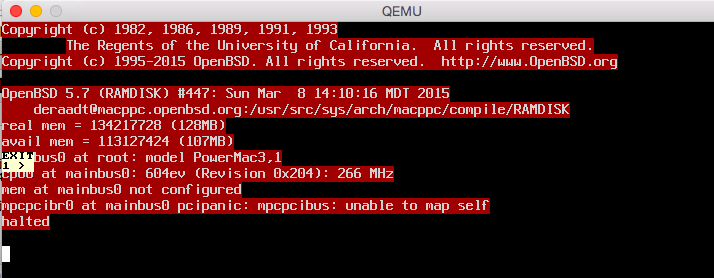
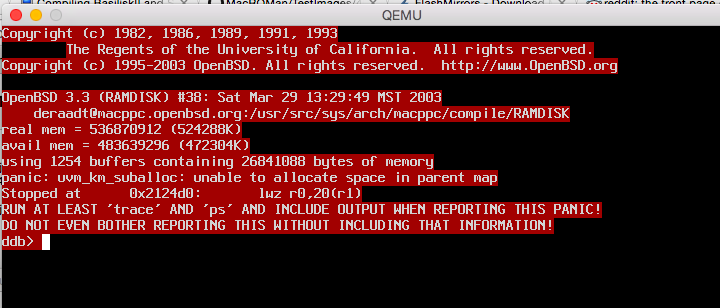
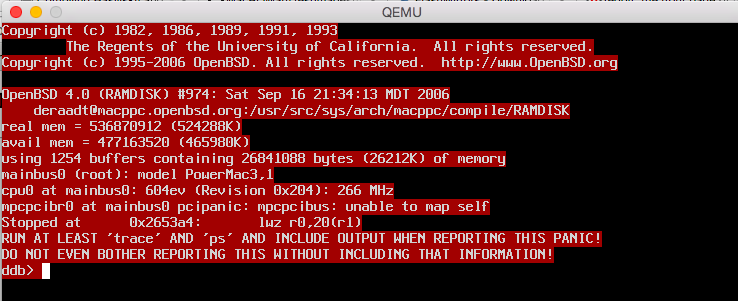
I tried some OpenBSD for the heck of it, the good news is the kernel loads and starts the boot, but it has some issues with either memory or mapping the PCI bus.

Screen Shot 2015-07-19 at 6.03.43 PM

OpenBSD 5.7

Screen Shot 2015-07-19 at 6.08.31 PM

OpenBSD 3.3

Screen Shot 2015-07-19 at 6.16.02 PM

OpenBSD 4.0

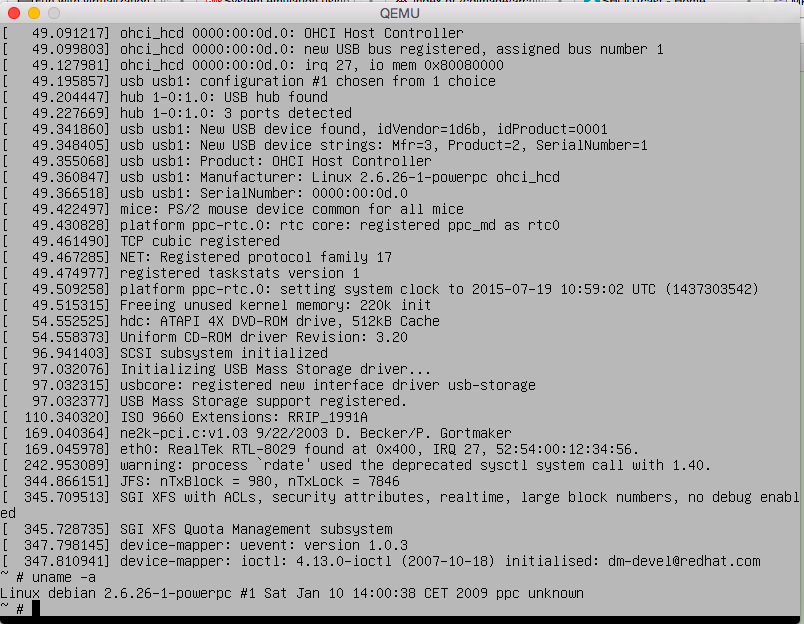
And for the heck of it, Debian 5.0.0

Debian 5.0.0 installer

Debian 5.0.0 installer

I didn’t bother installing but nice to see the installer CD runs fine.

New build of Shoebill available.

The big change is the new 68881 maths FPU emulation.  It’s completely new code in this version.  As the author, Pruten mentions:

it should be the “most accurate” 68881 emulator (with regard to chip behavior) ever written, as far as I can tell. I can’t find another open source emulator that even attempts to emulate FPU exceptions, probably because Motorora’s documentation is terrible. Rife with typos and errors, and lacking descriptions for lots of edge cases. It’s also a superset of IEEE 754, so it’s tricky to get softfloat, a strict IEEE 754 implementation, to implement all the weird extra behaviors in the 68881.

On the flipside however:

It will also be much slower than the old version, since the new FPU uses integer-based softfloat. The transcendental instructions will be emulated by running whatever the best natively available function is, and then blindly copying the result to the dest FPU register. Since the FPU is the last big piece of shoebill that requires x86, this should allow it to compile on other architectures, like maybe PPC

I’ve only recently rebuilt the emulator with only the addition of the SLiRP code that I’ve been able to debug from Cockatrice III (who said that I was wasting my time?  At a minimum I ‘fixed’ up SLiRP to make it more stable), and kicked out a Win32 build (source/binary).

I’ve just had it running doing a simple shell script after disabling the UI.  So far it’s 15 hours of uptime…

  8:43am up 15:02, 3 users, load average: 0.00 0.01 0.01

Which is nice.
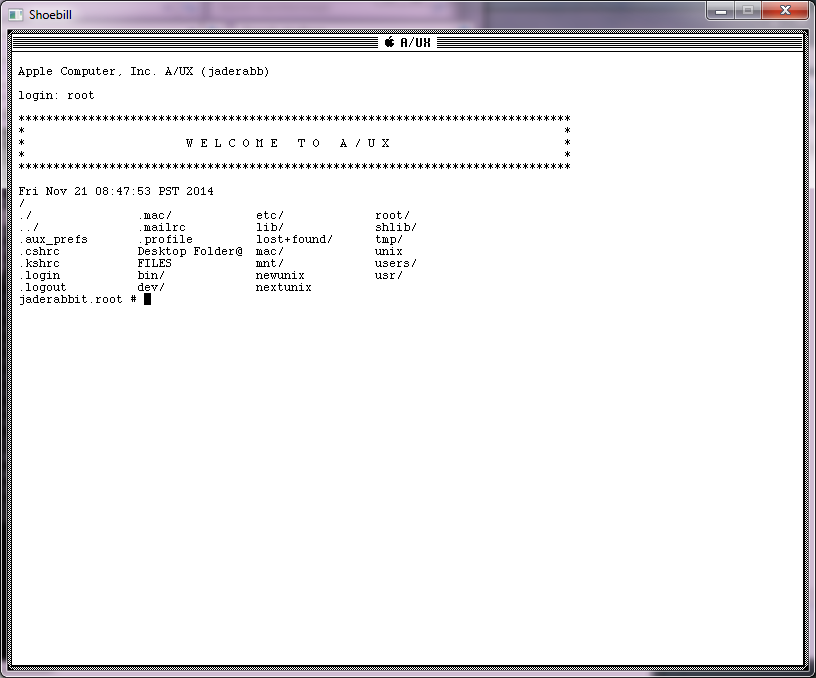
I should add, to disable the UI in A/UX it’s best to edit the inittab and change

co::respawn:/etc/loginrc

to

co::respawn:/etc/getty console co_9600

And now you’ll get a “text” login.

Text mode login for A/UX

Text mode login for A/UX

I guess the real test will be to see if it makes it through the night.

(edit)

And yes it did!

5:40pm up 1 day, 2 users, load average: 0.00 0.00 0.00

I’ll let it run a little longer but this is like a new record.  Although at the same time, I’m not hammering the poor thing.

# netstat -ni
Name Mtu Network Address Ipkts Ierrs Opkts Oerrs Coll
ae0 1500 10.0.2 10.0.2.15 4232 0 3551 0 0
lo0 1536 127 127.0.0.1 157 0 157 0 0

SheepShaver with pcap support

It "works", just incredibly slowly

It “works”, just incredibly slowly

so I got it to “work” on OS X….. well 10.6 in VMWare. I have no idea if this means it will work on your setup.

  • If AppleTalk packets get passed early in the boot stage, it will crash.
  • If JIT is enabled, it will crash
  • Performance is horrible, I’m getting 150k/sec on my LAN, Basilisk II with no JIT blows this thing away.
Honestly I feel kind of hesitant releasing this, but I know it was desired, and I guess it’ll help someone somewhere being able to have an easier conversation… So I’m going to upload my source tree, including binaries built with GCC 4.0 & 4.2 with either O2 or Os flags. I’m not sure which is more stable/faster…So here is my source tree. Sorry you still have to deal with the changing password thing, but cancel it, and it’ll tell you the password.Other lessons learned… SheepShaver’s segfault model only works when the CPU thread is the main thread. Even though you “can” stuff the CPU into a subordinate thread, it doesn’t play nice once it segfaults, it’ll just spin waiting for something that clearly isn’t going to happen.In config.h I added in USEGLOBALvideo as a way for main to call the screen update to end the vast majority of pool leakage. I also added SHEEPSHAVER_CURSOR to enable the hardware cursor. I was having some issues installing OS 8.x when the ‘hand’ was drumming the fingers waiting for the OS to install it crashed many times, while disabling the hardware cursor made it play nicer. Maybe it’s my setup, I’m not sure.

Also in this version I don’t read .sheepshaver_prefs but rather sheepshaver_prefs in the current working directory. I didn’t want to trash any other prefs. I have to test again but I think this should work on 10.10 … As I found out the hard way x86_64 binaries can no longer mess with the zero page, so this is a 32bit only build, but I was running it with my SLiRP fixes ok on my macbook air.

This hasn’t been extensively tested. I hate to even call it tested, I just copied a few MB of stuff over an NT server running AppleTalk,a nd viewed some flash video with Internet Explorer 5.1 …. I’m sure there are PLENTY of things broken. JIT should work with these binaries (Quake 1 is quite playable), but DOOM crashes hard (isn’t it a 68k binary?). DOOM runs ok on Basilisk II so does it matter?

If you want speed, JIT + SLiRP is the way to go. Since this is basically the same as the version I was using with BasiliskII I think it’s more stable than the generic version as I could at least run all kinds of programs with some of my fixes vs the ‘stock’ github version.

I should add that I’ve been primarily testing with that PowerMac 9500 v1 ROM, along with MacOS 8.6. I found 8.0 and 8.1 too unstable, 7.x & 9.0.4 uninteresting.

To get around the early crashing while booting 8.6, I rigged it to drop the first 30 packets. I’ve successfully booted 10/10 times, so I’m almost OK with that. I’d rather know when the OS is ok, and go with that, but I’m not sure. I thought about a timer, and say ignore the network for the first 30 seconds, and maybe that is the better way to go. When you launch this you’ll see some message updating about packets and “wait for 30->” and a number… once it reads “wait for 30->30” , the message will no longer update, and it’ll start to forward packets into the machine. You probably will have to disable and re-enable AppleTalk from the chooser to see the network (or I had to). You may have to get creative to generate the needed packets on your network to get it over 30, as those are packets received. Broadcast packets work too, so maybe you can work with that… As long as Sheep Shaver isn’t alone something should be looking for other devices.

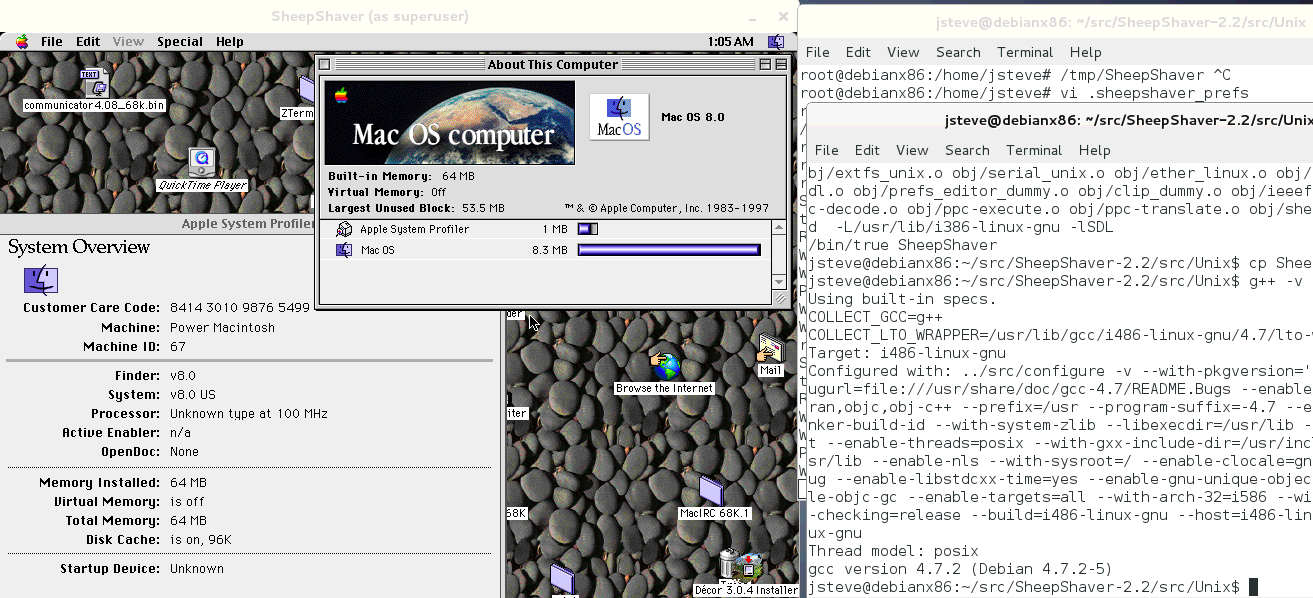
Phase one on a SheepShaver rebuild complete

SheepShaver on Linux

SheepShaver on Linux

Only because people were asking for it.  The first thing I did for Basilisk II was to get it building on Linux, so here we are.  I only tweaked the config process to let me build it with GCC 4.7.2 .

So this will be in the same effort of removing features, and trying to place in my SDL drivers, network and SCSI stuff.

Im starting with SheepShaver v2.2, which is pretty old.  But 700kb compressed is a good starting point.  As you can see it boots MacOS 8.0 which is also good enough for me.

The other questions will be, can this build under Windows with MinGW configured like this, and can it build with OS X.  It looks like all the stuff is there so this may be kind of easy. I hope.

Also SheepShaver does something funky with it’s memory space, it does some direct mapping to the user area.  I’ll have to see if I can disable that, performance be damned (well I turned off JIT as it won’t compile with 4.7 either) so this won’t be fast, but I’m just patching stuff up, not re-implementing the wheel here.

Time for another Cockatrice release

I’ve been busy at work, but I did get some stuff done on this over the weekend, and just wanted to push this version out while there is some momentum.

The big fixes are in SCSI to support the dynamic scatter gather buffers so you can format big (lol) disks.  Then again I only tested a 2GB disk but it’s working fine as far as I can tell.

I also hard coded SCSI id #6 as a CD-ROM.  It only reads HFS partitioned images, and only can boot from a handful of those.  From some SCSI CD emulation packages with passthru it performs just as poorly, so it’s not just me.  I tested with the ‘blessed’ Win32 build 142, with ForceASPI in a Windows XP VM with emulated SCSI CD.  There is a lot more ‘magic’ going on with the cdenable.sys driver on the Windows side, which mounts ISO’s without any hesitation.

This also includes my latest networking fixes as I moved more of the networking code to use queues, forced the 60Hz timer to hit the network card so it won’t stall anymore, and added in that timer patch, that more than doubled my LAN download speeds.

I’ve also added a simple PCAP filter as I noticed that my LAN was quite chatty, and I figured all this traffic wouldn’t be good as an emulator really shouldn’t be processing stuff it doesn’t need to.  Something like this:

(((ether dst 09:00:07:ff:ff:ff) or (ether dst ff:ff:ff:ff:ff:ff) or (ether dst fe:fd:00:00:16:48)))

09:00:07:ff:ff:ff is the AppleTalk broadcast address, ff:ff:ff:ff:ff:ff is the typical all hosts broadcast, and I’m still generating a MAC based on PID which is good enough for me.

Speed!

Feel the need for speed!

So while before downloading 124MB on my LAN took 8 minutes, now it’s about a minute.

I’ve updated the sourceforge page with source, Win32, Linux i386 and OS X (10.8) builds. I’ll add a 10.6 x86/PowerPC build later.  On the sourceforge page I also added a utilities section with a simple ISO image with various utilities to get you started, including the A/UX partitioning tool to partition & format a virtual disk, a tool to try to mount ISO’s (remember HFS has the only hope right now), QuickTime, Flash, Internet Explorer and some other stuff.

Also, thanks to Peter, it’s also available on github, so my horrific edits are open for the world to see…

I have no idea why the networking in Basilisk II keeps stalling

And it is quite frustrating.  The most I can do is about 100MB worth of AppleTalk traffic, or 1.5GB of TCP/IP then the receive function EtherReadPacket just stop being called, and then the whole thing stalls out.

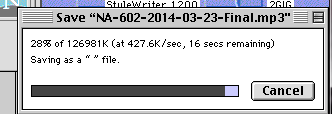
I don’t really ‘like’ my solution, but it does work.  I went ahead and chained the EtherInterrupt function to the 60Hz timer to ensure it’ll fire, and it seems to be working. The good thing is now I’m getting ~200K/sec using pcap or SLiRP.  So things are faster!

Then after scanning the changelog, I found this interrupt patch, and it doubled my throughput on the network to over 400K/sec!

427K/sec via SLiRP

427K/sec via SLiRP

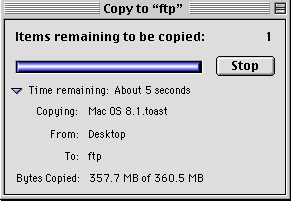
So now I can copy about 350MB worth of data in about 5-7 minutes, and it doesn’t stall out.

357MB worth of AppleTalk

357MB worth of AppleTalk

I can now copy hundreds of MB worth of stuff from one AT server to another.

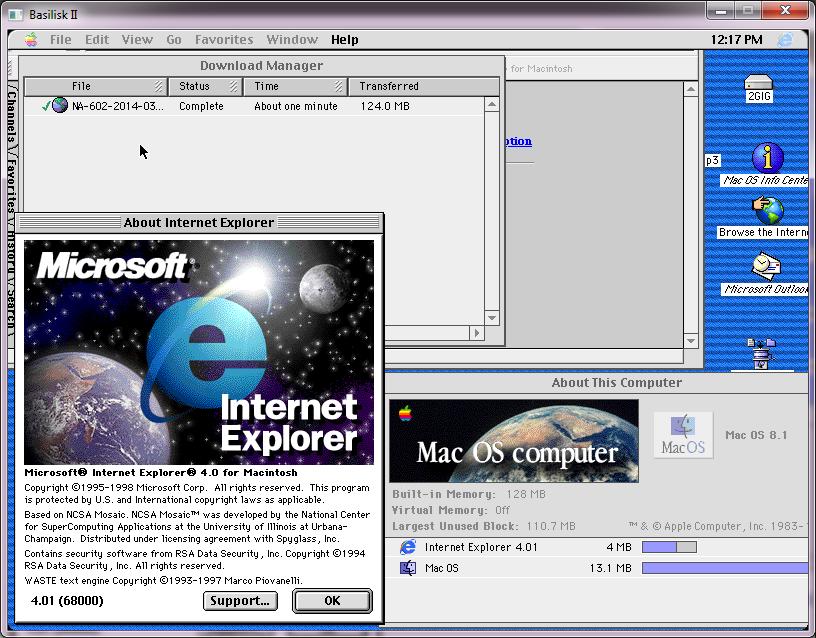
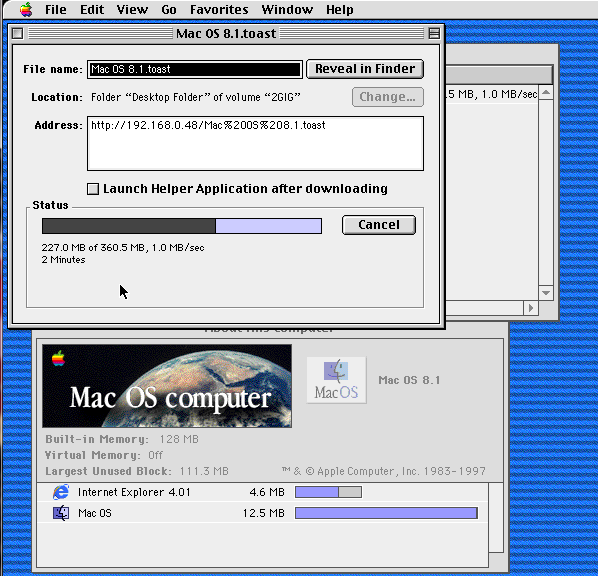
What is also surprising is that by using Internet Explorer 4.0.1 for MacOS, I get speeds of around 1.0Mb/sec(with as high as 1.6!)

Internet Explorer 4.0.1 screaming along

Internet Explorer 4.0.1 screaming along

I know IE has always had a bum rap, but it really is a better legacy browser on MacOS.

I also merged the scsi driver’s buffer with BasiliskII’s buffer so the scatter/gather can now handle the absurd requests of 4MB++ worth of reads in one swoop.

So I started to look at the SCSI passthru on Basilisk

And personally I’ve never seen the appeal for such things, but apparently for the world of emulation accessing physical media is a big deal. Of course what I didn’t think about was rescuing old machines by re-installing the OS under emulation, or copy protection.

The first thing I looked for was a GPL project that has SCSI disk support and isn’t too complicated.  The Previous project sure fits that bill, scsi.c is not even a thousand likes, and even better it works!

The only two major hurdles I ran into is that the Mac is sending a page request of 0x30 which as far as I can find is not listed anywhere else.  I ended up just making one up as a reply to see if it mattered.

The other is that it’s scatter/gather based, so when it’s going to read or write several contiguous sectors, it’ll blast down up to 256kb worth of data to be read or written to.  The ability to know that a large operation was in progress was already in Previous, it just wasn’t set to loop.  I guess the NeXT isn’t as aggressive, or it’s SG operations are better contained in the SCSI controller.

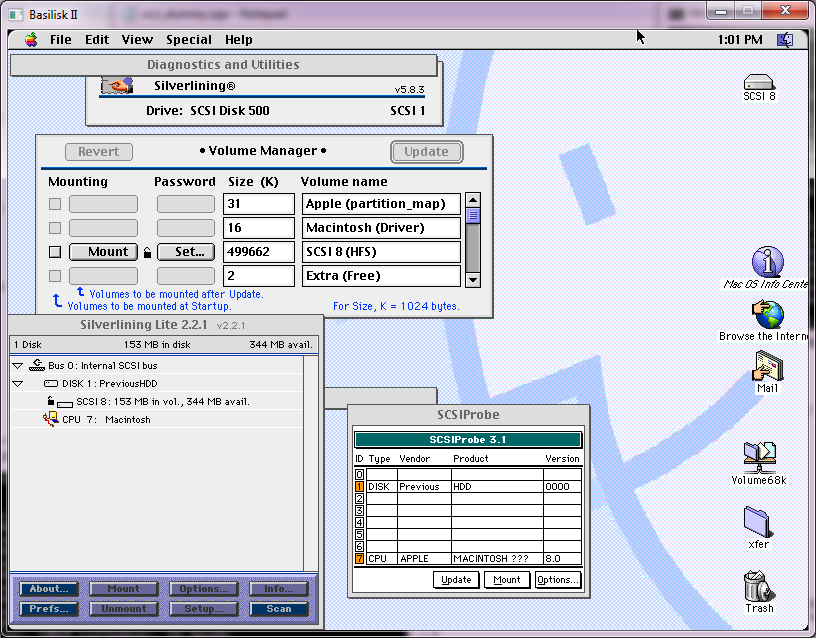
The final hurdle was in the Apple partitioning software.  I’ve been down this road a long while ago.  But the disktools from A/UX 3.0.1 doesn’t care about vendors and will thankfully format anything.

SCSI disk files

SCSI disk files

So not as exciting as talking to a real SCSI disk, but it’s safer.  I suspect that accessing a raw NT device name ought to work  I can test that on VMWare, but the trick is finding something that can read HFS and prove it’s a good exercise.

Another ‘feature’ I put back in is the ability to disable the math coprocessor on the 68040.  It feels more stable to rely on Apple’s old emulation code, but maybe that’s me.

As always files for this are on sourceforge.