Porting Quake II to MS-DOS pt1

(In this series, I’m going to go over the process of porting Quake II to MS-DOS.  Now of course the question will pop up why? And the answer is simple enough, after [HCI]Mara’akate added in gamespy support, something was noticeably off, and that is fewer and fewer people are playing Quake 1 these days. So what to do?

Well apparently Quake II has an active following, so it’s time to move our creeky but favorite OS, MS-DOS into the Quake II Arena!

So, the first thing to do is to grab a copy of the GPL source to Quake 2, along with a copy of the game, and get started on making a ‘null’ version of the game.  Null versions of the game have no graphical output, no sound, and ‘function’ at a very basic level.  It’s something to strive for as a first base in hitting that home run of a functional port.  Thankfully iD wrote really portable and modular software.  Unfortunately, they tended to let their ports drift as they were writing the engine, so the null code doesn’t actually work out of the box.  And the project makfiles leave a little to be desired for me, as they have a bunch of i386/Dec Alpha magic which doesn’t leave much in the room for weird ports like MS-DOS.

Now I should mention that before I’d gotten started the first thing, I decided that like QuakeWorld for MS-DOS (and OS/2) I would use GCC as it is a known working compiler out of the box.  If you can, don’t fight so many battles of unknowns at once.  Another thing is that I am going to cross compile from OS X and test with DOSBox.  Of course you may want to use something else, and I know my tastes drift, but for now this is what I’m using. I’m using my old OSX to DJGPP cross compiler with GCC 2.95.3, which serves me well.

So, the first thing was to compile and run the null version with native tools on OS X.  After a bit of struggle, I got here:

$ ./q2
Added packfile ./baseq2/pak0.pak (3307 files)
Added packfile ./baseq2/pak1.pak (279 files)
Added packfile ./baseq2/pak2.pak (2 files)
Console initialized.
Sys_Error: ref_soft::R_BeginFrame() – catastrophic mode change failure

Well that’s great, how to figure this one out?

One thing I did to make it easier to work with the flow of Quake is to make the Sys_Error procedure contain a divide by zero.  Now why would I purposely put a divide by zero in the code?  Simple it lets me back trace the code when Quake catches its own faults so I can see what went wrong where, vs what would look like a clean exit.  From my example:

(lldb) bt
* thread #1: tid = 0xf14f9, 0x000c0853 q2`Sys_Error(error=0x000c17d4) + 98 at sys_null.c:28, queue = ‘com.apple.main-thread’, stop reason = EXC_ARITHMETIC (code=EXC_I386_DIV, subcode=0x0)
* frame #0: 0x000c0853 q2`Sys_Error(error=0x000c17d4) + 98 at sys_null.c:28
frame #1: 0x0003a0cb q2`Com_Error(code=0, fmt=0x000c17d4) + 368 at common.c:215
frame #2: 0x000c0523 q2`VID_Error(err_level=0, fmt=0x000cc8a8) + 81 at vid_null.c:45
frame #3: 0x000a6d38 q2`R_BeginFrame(camera_separation=0) + 592 at r_main.c:1145
frame #4: 0x000a4cfc q2`R_Init(hInstance=0x00000000, wndProc=0x00000000) + 276 at r_main.c:333
frame #5: 0x000c0740 q2`VID_Init + 362 at vid_null.c:122
frame #6: 0x00007900 q2`CL_Init + 55 at cl_main.c:1795
frame #7: 0x0003c2cb q2`Qcommon_Init(argc=1, argv=0xbffffc40) + 754 at common.c:1469
frame #8: 0x000c09ac q2`main(argc=1, argv=0xbffffc40) + 24 at sys_null.c:128
frame #9: 0x000019ad q2`_start + 212
frame #10: 0x000018d8 q2`start + 40
(lldb)

Now I know that R_BeginFrame was where the error was occurring, and looking at the code:

if ( ( err = SWimp_SetMode( &vid.width, &vid.height, sw_mode->value, vid_fullscreen->value ) ) == rserr_ok )
{

else
{
ri.Sys_Error( ERR_FATAL, “ref_soft::R_BeginFrame() – catastrophic mode change failure\n” );
}

We can see that the vid.width/vid.height aren’t being setup correctly.  Turns out there was a bunch more work to be done setting up vid_null!

After looking closer at the files, I notice as I’m stitching them together is that Quake II relies on DLL’s as part of its base functionality.  I drifted out of Quake after Quake 1, so I never played II before.  So I didn’t know this.  Obviously DJGPP doesn’t support DLL’s that can be loaded and un-loaded at will (Yes I know about DXE’s, but as the FAQ states, they cannot be un-loaded.  And I’m not going to fight DJGPP’s LIBC).  So looking further in the source, I saw these fun defines:

-DREF_HARD_LINKED -DGAME_HARD_LINKED

So, at one point there was support for ‘hard linking’ in the ‘REF’ video driver, and the ‘game’ logic driver. But it did kind of drift out of the code.  But looking at the Win32 version I could see that putting this functionality back in should be easy.  And to be honest if I learned any lesson from this, is that I should have been pulling the Win32 version apart by injecting null into it until it ran as a null platform, then use that as the basis.  Lesson learned.  Always start with a known good!  Quake II was built with Visual C++ 6, but I only have Visual C++ 4.2 installed on Crossover.  Yes, I know again this is me being difficult.  But it didn’t take much time to get a simple project that has two DLL’s and a Win32 exe running.  Then I took on the ‘ref’ video driver and got that linking inside of the main EXE.  Now with one DLL ‘eliminated’ it was time to work on the game DLL.

The game DLL posed the biggest challenge because it passes a reference to internal functions to it, and exports various functions back to the game engine.  So, I ended up altering the engine to not call the game import/export directly but setting it up myself.  The hardest thing was that I couldn’t pull in the game header file, but rather I had to copy the prototypes myself.  Another interesting thing with the way Quake II works is that the game DLL has to be able to be unloaded and loaded at will.  It wasn’t hard to simulate this, but I wasn’t expecting it.  Again, this is probably because I never really played Quake II.

Now that I had Quake II building without DLL’s I could then take the next step of removing all the IO and re-replacing it with the null code, and now I had something that looked like it was doing something.

Added packfile ./baseq2/pak0.pak (3307 files)
Added packfile ./baseq2/pak1.pak (279 files)
Added packfile ./baseq2/pak2.pak (2 files)
execing default.cfg
execing config.cfg
NULLsock Initialized
Console initialized.
768k surface cache
ref_soft version: SOFT 0.01
——- sound initialization ——-
Sys_FindFirst [./baseq2/autoexec.cfg]: UNIMPLEMENTED!
==== InitGame ====
——- Server Initialization ——-
0 entities inhibited
0 teams with 0 entities
————————————-
====== Quake2 Initialized ======
loopback: client_connect
==== ShutdownGame ====
Sys_Error: Draw_Pic: bad coordinates

This turns out because I didn’t allocate the screen properly.  Looking at the code:

if ((x < 0) || (x + w > vid.width) ||
(y + h > vid.height))
{
ri.Sys_Error (ERR_FATAL,”Draw_Pic: bad coordinates”);
}

We can see it pretty plainly.

Now since we were going somewhere I started to write some MS-DOS code, and switch out of the null set of mind!

First a simple VGA mode 13 setup which gives us 320×200 resolution with 256 available colours.  And for good measure I did a simple VGA palette setup that I knew worked from a prior program.  Next we just blit our buffer onto the screen, and we get this:
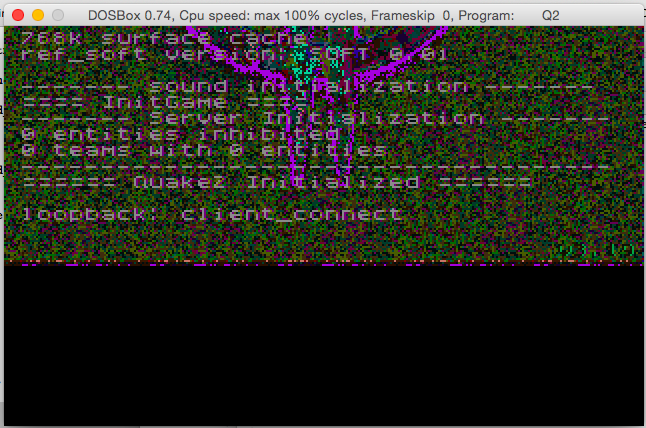
Quake II on MS-DOS first screen

Quake II on MS-DOS first screen

Which is exciting and disappointing at the same time.  I then took the palette code from DOS Quake and got something just as ugly.  I tried the code from OS/2. Same thing.  I tried all kinds of things and was going nowhere.

At this point Mara’akate added in the Linux clock code, and now we had this!
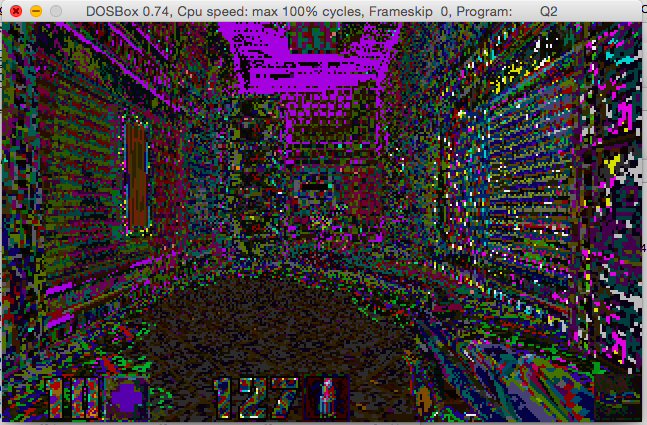
Quake II with a bad palette

Quake II with a bad palette

It wasn’t until much more digging around I saw some 320×240 screen setups that I realized there was something wrong there, and then I saw this gem in the linux port’s code:

/*
** SWimp_SetPalette
**
** System specific palette setting routine. A NULL palette means
** to use the existing palette. The palette is expected to be in
** a padded 4-byte xRGB format.
*/

In traditional VGA palette setups it’s 768 bytes that needs to be read/and pushed to the card.  I even checked Quake 1 is 768 bytes, but now in Quake II, it’s 1024 bytes!  OOPS!  Sometimes (ok a lot of times) you really need to check other ports or a ‘known good’ to see how they did things.
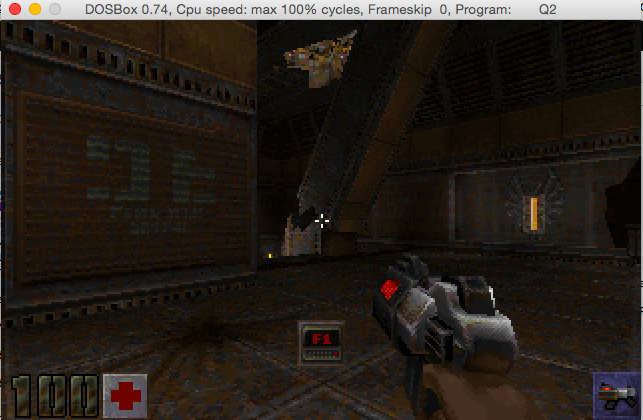
Quake II running on MS-DOS!

Quake II running on MS-DOS!

Pretty awesome!

So, where to go from here? Obviously things like better keyboard input, the mouse, sound and networking need to be done.


Continued in pt2, pt3, pt4, and part5.

Shadowrun Hong Kong!

I just saw this pop up on Steam, Shadowrun Hong Kong!

WooHoo!

WooHoo!

I was hoping this is available right now, but it’s slated for ‘summer’ which is soon!

$19.95 USD

$19.95 USD

With any luck, later on it’ll come to Android too.

shadowrun FASA 7100Anyways for those of you who don’t know Shadowrun started life as a FASA based tabletop game, then made the transition later to a video game for the SNES, and Genesis.

Shadowrun is set in a dystopian cyberpunk future that blends magic and dragons as well.  It’s very similar to Palladium’s RIFTS which introduced a world with technology and magic, although it wasn’t as focused on the new and exciting genre of cyberpunk.

Those who loved the top down game, were later saddened with FASA’s demise.  Microsoft picked up the property and in 2007 released their own spin on the game.  It was not well received.  In a nice twist of fate, the game was re-licensed to the original developers who release Shadowrun games to this day.

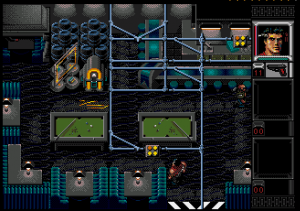
Shadowrun on the Genesis

Shadowrun on the Genesis

.And yes, while I’m on the gratuitous Hong Kong action there is always Sleeping Dogs.

Woof

Woof

Besides that, what else is there?

Mahjong, I guess.

Quake One blocked

Is this happening to everyone else?

Screen Shot 2015-05-04 at 11.40.58 AM

Google blockinig

Screen Shot 2015-05-04 at 12.02.16 PM

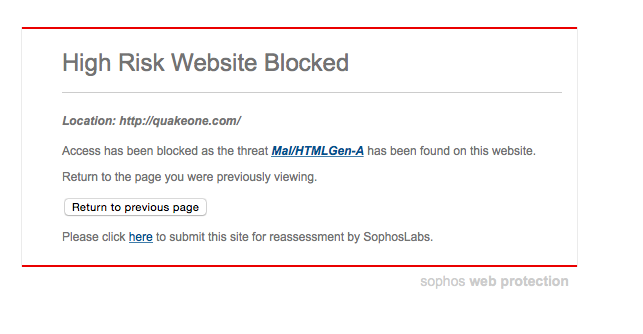
Sophos warning

Apparently, according to Sophos, it’s Mal/HTMLGen-A, which is just some generic placeholder thing.

Safari blocking Quake One now

Safari blocking Quake One now

The generic blocked by Safari message.

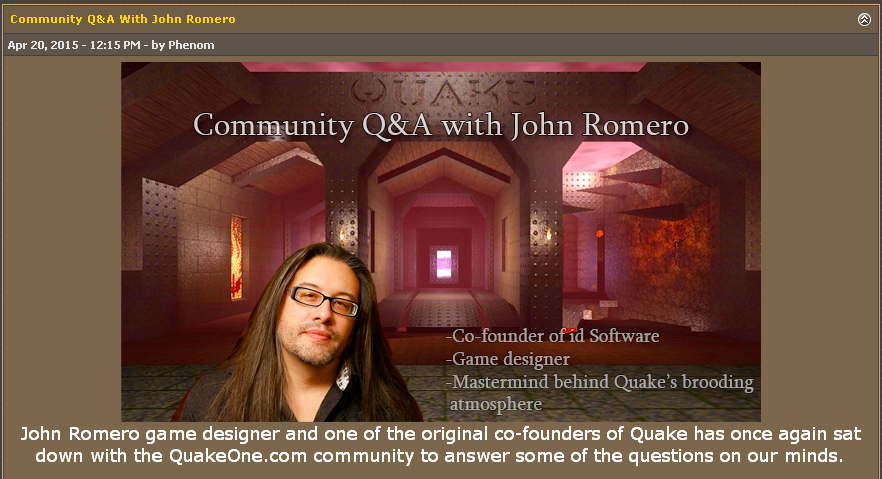
Which is a shame, they just had an interesting interview with John Romero.  Oh well when this gets sorted out, for those who are brave (lol) the link is right here.

Screen Shot 2015-05-04 at 10.44.56 PM

It’s short, but an interesting read none the less.

More thoughts on Minecraft, compression and encryption

So earlier, I had touched on Minecraft, and lamented on how it doesn’t compress its network data very well.  Well, it turns out that yes, in the server.properties file, there is an option network-compression-threshold, which by default is set to 256, meaning packets larger than 256bytes are compressed

network-compression-threshold=256

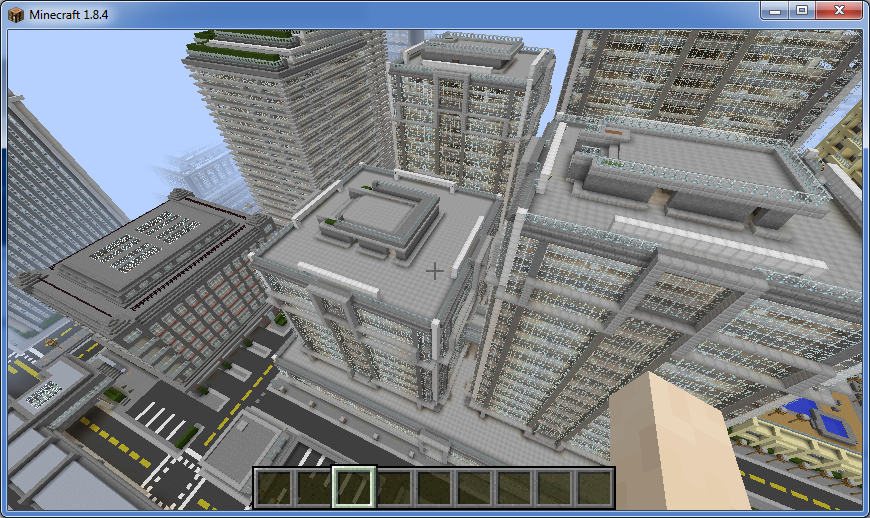
Using this quick stunnel guide, I thought I’d try a quick experiment.  So, I loaded up Titan City, and ran some connection experiments:

First, the Minecraft server with a setting of 256000000 which I would imagine effectively turns off compression.  I’m capturing one minutes worth of game play as it tries to render the spawn point.  Then again with the threshold set to 256:

12M 28 Apr 13:44 minecraft-nocompression.cap
1.6M 28 Apr 13:46 minecraft-256compression.cap

So, uncompressed it’s 12MB worth of data!  While with the Minecraft compression on, it’s 1.6 MB worth of data.

And now with stunnel using zlib compression, we get the following results:

2.1M 28 Apr 13:42 stunnel-nocompressioninserver.cap
1.5M 28 Apr 13:48 stunnel-256compression.cap

2.1MB worth of traffic relying on zlib in this case to do all the compression, and 1.5MB with zlib compressing the Minecraft compression.  And for the heck of it, why not compress the data again?
964K 28 Apr 13:46 minecraft-256compression.cap.gz
993K 28 Apr 13:44 minecraft-nocompression.cap.gz
938K 28 Apr 13:48 stunnel-256compression.cap.gz
1.5M 28 Apr 13:42 stunnel-nocompressioninserver.cap.gz

Well, now that is strange, why is the stunnel traffic even compressible, after it’s been encrypted?  Kind of weird to me. At any rate, here is some more data thanks to the capinfos program:
# capinfos *cap
File name: minecraft-nocompression.cap
File type: Wireshark/tcpdump/… – pcap
File encapsulation: Ethernet
Packet size limit: file hdr: 1520 bytes
Number of packets: 14 k
File size: 12 MB
Data size: 12 MB
Capture duration: 59 seconds
Start time: Tue Apr 28 13:43:30 2015
End time: Tue Apr 28 13:44:29 2015
Data byte rate: 211 kBps
Data bit rate: 1,689 kbps
Average packet size: 844.05 bytes
Average packet rate: 250 packets/sec
SHA1: ffb5542c47da69ddc93da902136e1173d76b56e0
RIPEMD160: bc2102185a924096a8cf145c54375a05ab90e3c6
MD5: ba0e1addfcb36e7db6314764941fa6af
Strict time order: True

File name: minecraft-256compression.cap
File type: Wireshark/tcpdump/… – pcap
File encapsulation: Ethernet
Packet size limit: file hdr: 1520 bytes
Number of packets: 10 k
File size: 1,686 kB
Data size: 1,524 kB
Capture duration: 54 seconds
Start time: Tue Apr 28 13:45:28 2015
End time: Tue Apr 28 13:46:22 2015
Data byte rate: 28 kBps
Data bit rate: 226 kbps
Average packet size: 150.91 bytes
Average packet rate: 187 packets/sec
SHA1: 5b5e51f53f0716fd84a39120afd68eadbfaf9816
RIPEMD160: f2bf3839c084b1d7b31fce0a8a8ce959316643a7
MD5: dc6f56a5a1c10e642548e0eeb979629b
Strict time order: True

And now let’s look at the stunnel captures:

File name: stunnel-nocompressioninserver.cap
File type: Wireshark/tcpdump/… – pcap
File encapsulation: Ethernet
Packet size limit: file hdr: 1520 bytes
Number of packets: 9,949
File size: 2,159 kB
Data size: 1,999 kB
Capture duration: 59 seconds
Start time: Tue Apr 28 13:41:13 2015
End time: Tue Apr 28 13:42:12 2015
Data byte rate: 33 kBps
Data bit rate: 270 kbps
Average packet size: 201.02 bytes
Average packet rate: 168 packets/sec
SHA1: 418cc249c3393d85e6e59a6e02c02060b7b7ce4f
RIPEMD160: bf7f56af412734260e0e96d1a0c7d2f28be3ba95
MD5: 1b96fce1db9d38d8dbbecf9bb2278079
Strict time order: True

File name: stunnel-256compression.cap
File type: Wireshark/tcpdump/… – pcap
File encapsulation: Ethernet
Packet size limit: file hdr: 1520 bytes
Number of packets: 9,585
File size: 1,554 kB
Data size: 1,401 kB
Capture duration: 59 seconds
Start time: Tue Apr 28 13:47:35 2015
End time: Tue Apr 28 13:48:34 2015
Data byte rate: 23 kBps
Data bit rate: 189 kbps
Average packet size: 146.21 bytes
Average packet rate: 162 packets/sec
SHA1: 19b2bbfff8cd9c5c0e460d64ad0f4b966cf3a141
RIPEMD160: e31c226101daea9327a8b13a4a1012a24bea11c1
MD5: a7b4b0d5ecf3e6a472255cff13466b51
Strict time order: True

Well for me this is still interesting.  The stunnel connection sent less packets, and smaller.  I know that this is horrible to ‘measure’ like this, and yes none of the datasets are the same, making this kind of bogus. However, honestly compressing with stunnel does feel faster.

So, want to try?  I guess I can let people try if they want, but you’ll need stunnel.  I’ve read horror stories on griefers and I figure if i raise the bar to connect it’ll be somewhat distractionless.

So here is my stunnel.conf I’m using on the client side.

client = yes
compression = zlib
foreground = yes
debug = 6

[minecraft]
accept = 127.0.0.1:25565
connect = virtuallyfun.com:25566
cert = minecraft.pem

And of course, you need my certificate pair, so here is minecraft.pem:

-----BEGIN RSA PRIVATE KEY-----
MIIEpAIBAAKCAQEArvdyw5UGic3wCDowzGM/ZVdaCrnDFeo8SmkP1jJGIhsAzzMV
+56Ctd98raKPnw5nnEtrmV7yImBiF/A32SPbYF6nqBhNKPbrUg4u4dsr9uyo7/F4
00VMcXbcgwc+pDOU5uUCg7hZcmCGolVs+7GxC3R1m8SbPZYvlgcHHJXdnEKL8RG8
z54B2L1Ai76CYlD6Q94QnQxiJricy8DJJP6/ZuqkGg01AcoaCaTOa8mvZMLkBFkj
Ase0aX0nSDRxNkBBe/hgwkRuFWaMI1iGgTCX9J1rogLg2WfZoGIFtuYp8jnwiNQQ
dEM6TTGURm9iqb78pBd6PwWsFBqOa0GLOEzLzwIDAQABAoIBAAz8/373VBnsuLHT
qAW0JGOgfWWobov07G7Vp8BN0Rj9Ci1XbH1WQfvAUGAPXjv/dL+MdbtX6f+VShLe
2TZ8S++2dxmqXCf7VHKt7NsFSxk0bkIJmd+NGGSf3zS21/aWgao2O96NU86CzdvF
Hab9hNgF2CktCh0jRfsMIIIFugK8amQGxpKrseSXuuyWGHNW2a6TIHBJRD1L2DQA
GMVgmpb43aYQHYqeQLmgP40PkJgByazQRV40zqsap1DBxNi2TnDjLUWufKACDM64
RPltM8lZm3H2yqVQEQ2yGbzoEuwVysG5+AlDOCVcbDtQqcj5sV/gzL8X+e6DgV+0
o46pZgkCgYEA5QGN+73cApm1OkjsV1OW7RR22EmGWT9HeFFGReWSBsVoDh/dFjIJ
/KtE7PbafvMcV8JMTzbSxBElc+nPFsRk8J4W+JD3Bluw0MfU1K+AUEmPsj5bX6O6
9Mv8/n8HVhpUusIFvO7K7HutdxxNOis510AtRL8oA6NFkiUBot5KGUMCgYEAw5c1
UVT+N9nciFKopgJlzfcb60SKy60vtWd3eQOuLuRd+1QhF3VpUzTAvwbLARuYdlYM
gIaKcOb7A2+ZNKNCccwP6lTIDEwQuQ3lDyG3KXzHfHocZV4n5uT2SpKLv5NzZlF5
4ealpD5pPwN2c4zpvRDeweWznNahUVngYxma5IUCgYEAvac68eg7g3/OYZWw/WVB
kdgn0FmbxN+uDcupWguUkrz7vu7OhyorsTAZ5fFN5GLr7xX/Yn7xr+TPUp6onZ9K
RSd3uKU9nutilJVaAkXSCyvQsHoJ7DvJgiBJxm5nIfyufPhgDibosU5/yywKHQld
XpFMrClvNwwJes3g/AQB88cCgYEAvOfQ7jG5qrW3Ys765gOQ0gHlrDAyIY+ucXVy
FaYxWEbmYnSZ1W9n/54GvzlPXk2JzllDj+rh0TO1olbp0MYRyZj+kiO6Zu4chK7f
2eKFZgOHJDlILbtnrIDdQ58QbEJ8hYkRv9Yli2FgAyVUBTxHEH03uGwjMsq1Wb4F
k5FKYYUCgYBSe0wqziRUNjxhig/3g5qG6iGt0jnbHN5eTsNiEqe3QxDLKNERGTS4
pjpS0LV52bEdpX7imsIskmt81ed/cPUEKd6nbYyrLT67fUCeLuQ07Zlebc/PI8AD
ZoRiyx8x8k55z143XCIdzIyZTriQ5SkUV33wbzPRF8upD0xaygf2Tw==
-----END RSA PRIVATE KEY-----
-----BEGIN CERTIFICATE-----
MIIEOTCCAyGgAwIBAgIJAIOpvPCh+v5fMA0GCSqGSIb3DQEBBQUAMIGyMQswCQYD
VQQGEwJVUzERMA8GA1UECAwISWxsaW5vaXMxEDAOBgNVBAcMB0NoaWNhZ28xHDAa
BgNVBAoME1N1cGVyZ2xvYmFsbWVnYWNvcnAxFjAUBgNVBAsMDVZpcnR1YWxseSBG
dW4xGTAXBgNVBAMMEHZpcnR1YWxseWZ1bi5jb20xLTArBgkqhkiG9w0BCQEWHmpz
dGV2ZUBzdXBlcmdsb2JhbG1lZ2Fjb3JwLmNvbTAeFw0xNTA0MjgwMjU1MzJaFw0y
MDEyMDUwMjU1MzJaMIGyMQswCQYDVQQGEwJVUzERMA8GA1UECAwISWxsaW5vaXMx
EDAOBgNVBAcMB0NoaWNhZ28xHDAaBgNVBAoME1N1cGVyZ2xvYmFsbWVnYWNvcnAx
FjAUBgNVBAsMDVZpcnR1YWxseSBGdW4xGTAXBgNVBAMMEHZpcnR1YWxseWZ1bi5j
b20xLTArBgkqhkiG9w0BCQEWHmpzdGV2ZUBzdXBlcmdsb2JhbG1lZ2Fjb3JwLmNv
bTCCASIwDQYJKoZIhvcNAQEBBQADggEPADCCAQoCggEBAK73csOVBonN8Ag6MMxj
P2VXWgq5wxXqPEppD9YyRiIbAM8zFfuegrXffK2ij58OZ5xLa5le8iJgYhfwN9kj
22Bep6gYTSj261IOLuHbK/bsqO/xeNNFTHF23IMHPqQzlOblAoO4WXJghqJVbPux
sQt0dZvEmz2WL5YHBxyV3ZxCi/ERvM+eAdi9QIu+gmJQ+kPeEJ0MYia4nMvAyST+
v2bqpBoNNQHKGgmkzmvJr2TC5ARZIwLHtGl9J0g0cTZAQXv4YMJEbhVmjCNYhoEw
l/Sda6IC4Nln2aBiBbbmKfI58IjUEHRDOk0xlEZvYqm+/KQXej8FrBQajmtBizhM
y88CAwEAAaNQME4wHQYDVR0OBBYEFJcb/w/SowAjTa/hvtim9oWYSarZMB8GA1Ud
IwQYMBaAFJcb/w/SowAjTa/hvtim9oWYSarZMAwGA1UdEwQFMAMBAf8wDQYJKoZI
hvcNAQEFBQADggEBAIISqlsBZKh67of21sJhsavDB4T7xrd/qC5zTUeUioScXr+j
n2aziysr+HazliIpVNa5QjicYTniG7urAZdL/zhegSyxEq6r1/BVAks0ooYxJT/f
G5EIhQurv3wQcGKSEXx6IA7+kheqYX++XcM6lAz5jPPIXsRV4NDsE7T68vVuQrr/
RYMHkbCXMqCbUq8x8k65KNN3EPJ66lH83kXuQJRazeurJmcquhmWqApjkORS17kq
+g2xRlnEolvS7umkGz9cbGP7SAWY+ySVIulKSKUKzji8qK8T/hW0dYWUPTZ6+LZx
hHnFJXiaGbnd1sEEB6uVV17XipnE15TGJ8NPT2s=
-----END CERTIFICATE-----

And I run it something like this from the client side…

# stunnel mine.conf
2015.04.28 14:25:23 LOG5[ui]: stunnel 5.16 on x86_64-apple-darwin14.3.0 platform
2015.04.28 14:25:23 LOG5[ui]: Compiled/running with OpenSSL 0.9.8zd 8 Jan 2015
2015.04.28 14:25:23 LOG5[ui]: Threading:PTHREAD Sockets:SELECT,IPv6 TLS:ENGINE,OCSP
2015.04.28 14:25:23 LOG5[ui]: Reading configuration from file mine.conf
2015.04.28 14:25:23 LOG5[ui]: UTF-8 byte order mark not detected
2015.04.28 14:25:23 LOG6[ui]: Compression enabled: 1 method(s)
2015.04.28 14:25:23 LOG6[ui]: Initializing service [minecraft]
2015.04.28 14:25:23 LOG6[ui]: Loading certificate from file: mine.pem
2015.04.28 14:25:23 LOG6[ui]: Loading key from file: mine.pem
2015.04.28 14:25:23 LOG4[ui]: Insecure file permissions on mine.pem
2015.04.28 14:25:23 LOG5[ui]: Configuration successful

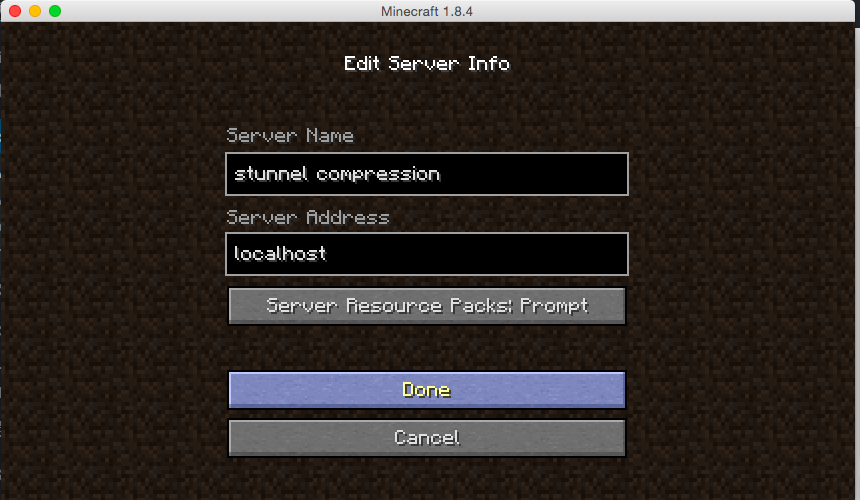
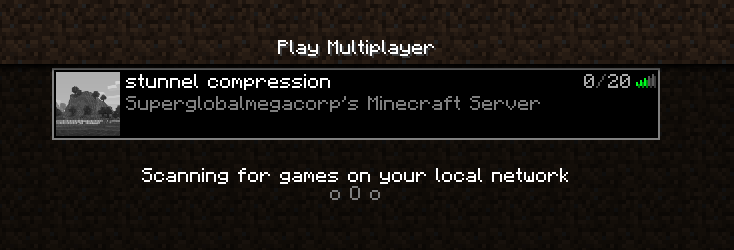
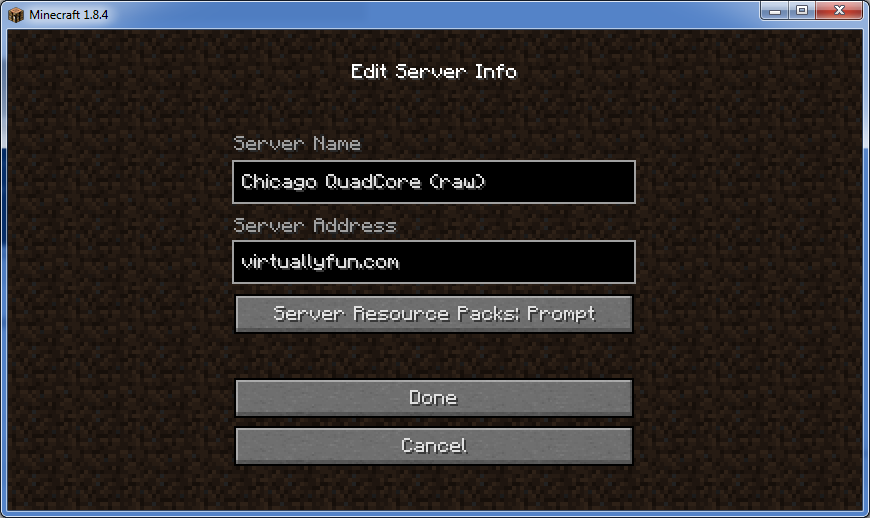
Now with stunnel connected, you just have to add a server, but you connect to ‘localhost’. This will have you talking to the stunnel program which then talks to my server, which then redirects to the VM running Minecraft.

aa

Setup a server to ‘localhost’ to access stunnel

bb

Now you can connect to the stunnel server

No promises on how long it’ll be up though.

Titan City!

Titan City!

For normal clients... (shhhh!)

For normal clients… (shhhh!)

Hosting Minecraft as an experiment

In the latest gamer news, everyone is freaking out about Valve allowing mod developers charge.  It’s amazing how quickly it’s fragmented the community in what was at 2 days before a Valve/GabeN worshiping reddit. (here/here/here/here and a rebuttal)

In the middle of all of this I saw this comment in passing:

Remember how that made me leave Mojang?

Remember how that made me leave Mojang?

So yeah, I never followed the whole Minecraft community thing, but apparently people were hosting servers, then asking users to pay for using mods, and even for using basic items.  And since most people who love Minecraft out there are kids, they were paying with their parents credit cards all over the place for server time, and server mods and whatnot, the parents would find out, and them blame Mojang over the entire thing.  So they banned paying servers (at least from what I understood).

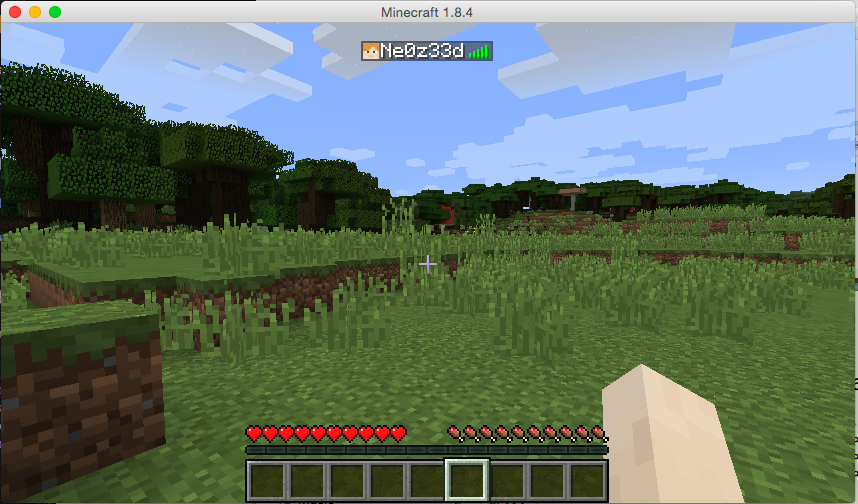
So out of curiosity, since I’ve only really played single player, I thought I’d see how hard it is to run a Minecraft server.

First, I’m going to create a Debian 7 VM on my ESXi server.  Nothing too fancy, I have an 8 core box with 8GB of ram, so I was thinking 2 vCPU’s and 384MB of ram, and a 4GB disk.  I mean it’s a simple game, how much can it need, right?

Turns out, it wants a LOT more.

So the install of the OS went pretty smooth, then I have to install Java, which is pretty simple:

apt-get install default-jdk

With that done, the next thing to do is download the server jar file from the download site, or for the purpose of my test, I’m using version 1.8.4.

When I went to run it however, I saw the recommended flags:

java -Xmx1024M -Xms1024M -jar minecraft_server.jar nogui

Ouch.  Yes this thing does expect 1GB of ram.  Ok, so I have to RAM and CPU to spare, so I went ahead and gave it 2GB (since I installed the x86 version of Debian..) and 4 vCPUs.

The next thing for me to do was to set it up on the internet, since I’m not in the office.  I have a VM out on the internet, with an OpenVPN back to my ESXi box for my email.  So without trashing my nat I could get xinetd do the dirty work with this simple entry:

root@VPS:/etc/xinetd.d# cat minecraft 
service minecraft
{
    disable         = no
    type            = UNLISTED
    socket_type     = stream
    protocol        = tcp
    user            = nobody
    wait            = no
    redirect        = 192.168.1.139 25565
    port            = 25565
}

Then restart xinetd like this:

 /etc/init.d/xinetd restart

Now with Minecraft running on my ESXi server, and my VPS now configured to forward traffic to the ESXi box over the OpenVPN connection I was all set to go!

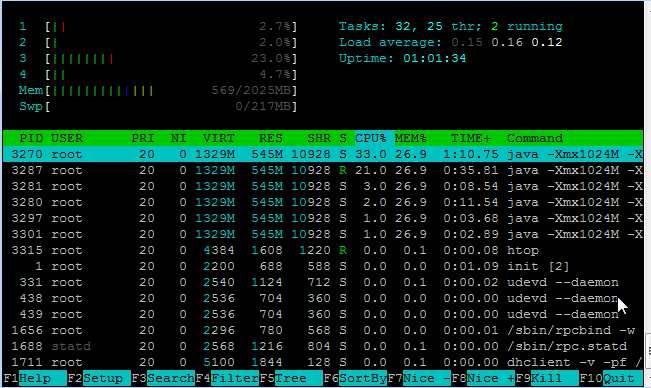
And I was able to connect, and all was ‘good’.  But then checking the server…

htop on my Minecraft server

htop on my Minecraft server

545Mb of RAM!  And this is with one user!  And look @ the CPU.  Wow no kidding!

And then I noticed something else, the email performance went from OK to horrible.  I spent a lot of time playing with MTU’s receive and send buffers, and other ‘magic’ trying to get something working.  Since my ESXi server doesn’t have a direct internet connection (yuck) I’m in a shared office so it’s not only behind NAT, but I have a DLINK that I use behind their NAT.  And while the UDP protocol ‘works’, changing it to TCP gave me a 5x speed increase.

Very unexpected.

My own world..

My own world..

And not to forget, some helpful stuff for the server:

How do you shut down safely, from the console?

stop

What is the best way to run the server?

Probably behind screen. I started it from /etc/rc.local like this:

/usr/bin/screen -dmS minecraft /usr/local/minecraft/start.sh

start.sh is simply:

#!/bin/sh
cd /usr/local/minecraft/
java -Xmx1024M -Xms1024M -jar minecraft_server.jar nogui

How do I connect to the console?

screen -r minecraft

Remember in this case we gave the screen session a name so it’s easy to find.

How do I disconnect from the console

CONTROL+A+D

Why am I doing this?

I have no idea why. Honestly, I find crafting in a game kind of tedious, but setting up a VPN, server and whatnot is more fun to me.

How about network performance?  Since it’s just me, I thought I should look inside the tunnel for a minute and see how big the capture file is:

# tcpdump -s 1520 -w 1.cap -n -i tun0 port 25565 & sleep 60;kill %1

This will run tcpdump for a minute on the default minecraft port, then after 60 seconds end the capture.

# ls -alh *.cap
-rw-r--r-- 1 root root 1.6M Apr 26 16:00 1.cap

Wow that was bigger than I thought. No wonder Minecraft people are always crying about latency! That translates to 213,33 Kbps or 0.21 Mbps.

Can it be compressed?

# gzip 1.cap
# ls -alh *.cap.gz
-rw-r--r-- 1 root root 680K Apr 26 16:00 1.cap.gz

Which then translates into 91,11 Kbps or 0.09 Mbps. Why people don’t compress their network stuff is beyond me, but then again what do I know?

I guess the next step would be to combine this with stunnel, which not only can encrypt the traffic, but compress it as well.

Maybe in time for the Chinese New Year?

KotOR_Cover

The best RPG since FFVII

So yeah I’ve got this extra copy of KOTOR kicking around and I should do some kind of giveaway or contest or something.  As a matter of fact looking at steam I have a few extra bobs and ends…. Any good suggestions?

Also for anyone who keeps up on current events and posts, you have exactly 12 hours left to partake in the humble bundle to get Star Wars KOTOR for ‘name your own price’…

humble bundle starwars

Name your own price…


Which means you could score it for as low as say, $1 USD right now.  Personally I wanted Dark Forces as I haven’t played that one in ages.  The rest I already have, so here we are.

While it’s a great game IMHO, it is prone to some weird crashes like the cut scenes trying to change to unsupported resolutions, hardware shadow issues, and the like.  But with it’s recent ports to both iOS, and Android this game will certainly be around for quite some time.

It’s a shame there won’t be a KOTOR3.

Fun with Kerbal Space Program

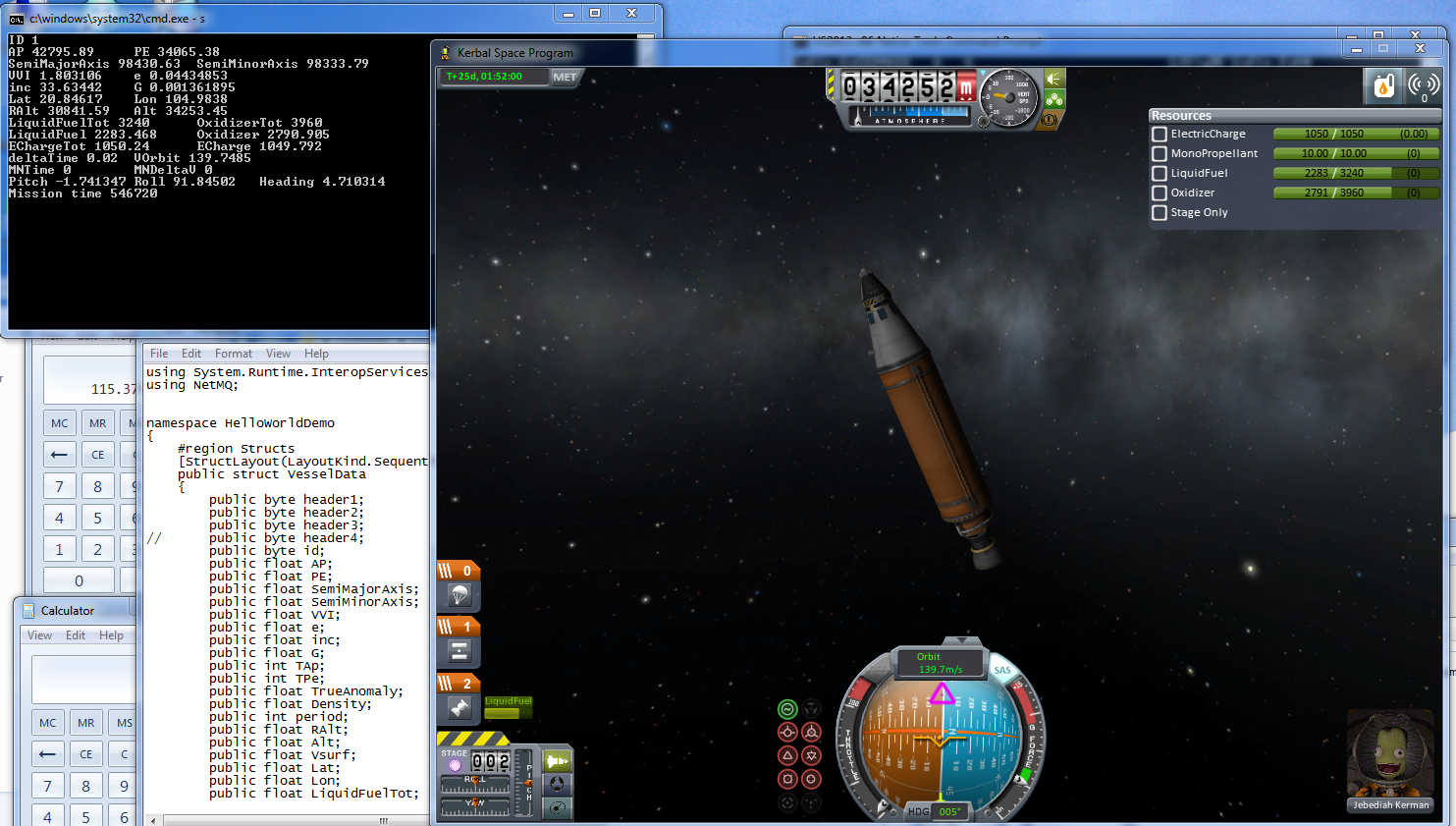
So right before Christmas there was a new drop of KSP (Kerbal Space Program), and I’ve been playing it on/off again.  One thing that I’ve been amazed about is all of the pluggins.  One that caught my eye was KSPSerialIO, and it’s project page.  It’s mainly focused on using an Arduino based display/control system connected via a serial port.

So I thought I’d make some minor modification so I could talk to it locally.

KSPSerialIO data collection

KSPSerialIO data collection

KSP is a Unity3D program, which is very modular, and using C# you can write pluggin DLLs.  However Unity doesn’t use the native .NET framework on Windows, instead it uses Mono.  So things like named pipes, and message queues are out of the question.  However I was able to find netmq, a zeromq port in C#. Using a special branch (until it’s been mainlined) It will even work with Unity 3D/Mono as they are dependent on being .NET 3.5 compatible (not 2.0 or 4.0!)

So what do I have now?  A server program that the KSP pluggin can communicate with.  Right now it’s just telemetry data being sent to a console.  The next step is to send some commands back (blink the lights or something useful), and then see if I can get it tied into some named pipe so that any program that can open a file can control the craft.

Of course this uses floating point, so I’m going to have to see about how to deal with a binary representation of a float in C# to anything else.

A few minor tips.  First is that KSP takes a long time to load, and when you are crashing out, or constantly having to re-load to insert new versions of your DLL, it’s a real pain to be waiting the 2-3 minutes for it to load.  I found this plugin, ActiveTextureManagement, which compresses the textures.  Now it took me a good 20 minutes for my machine to do this, but once it was done it cut load time to around a minute and a half!

Another great thing to have is a RAM disk (well that, fast CPU/GPU, and plenty of RAM), so I used Softperfect’s RAM Disk. Steam doesn’t mind you copying a game off of disk, and running it off another disk.  I found this combination of a RAM disk + compressing the textures got me to loading in under a minute!

Although once KSP is loaded it’s in memory so most people probably won’t benefit much from it, but if you are constantly loading/unloading it greatly helps! (it feels a bit like experimenting with config.sys/autoexec.bat of the old days, and the difference even smartdrv could make).

JS-DOS

Well ever since Oracle managed to screw up Java into a mass of uselessness, it looks like javascript is going to save the day.

Yes that javascript.

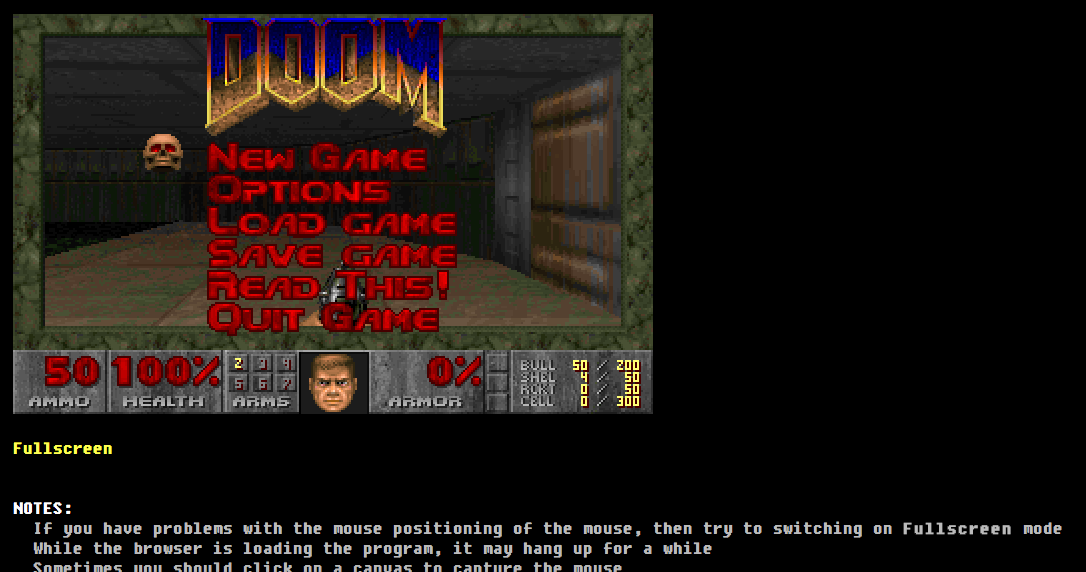
That emscripten compiler now can build DOSBox.  Thats right, you can run DOSBox in your browser.  For more infomation check out EMDOSBox.

It works great with Chrome.

DOOM!

DOOM!

Check out this site, which has many games all configured.

I’ll have to convert out all my old stuff, which is just as well since java is effectively dead.

NetHack 1.3d on the x68000

Ok, I know… why? But it’s more of a why not!

NetHack

NetHack

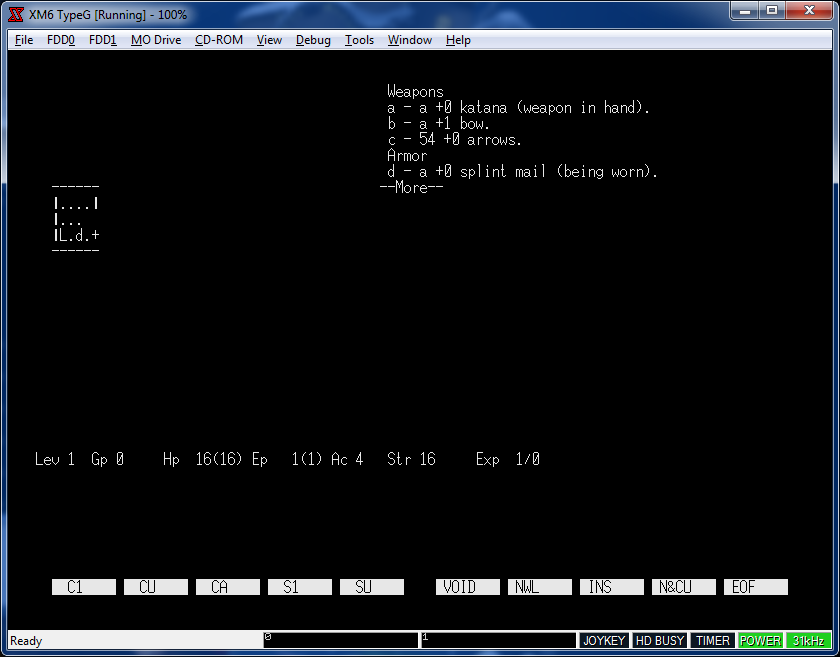
So I figured since I’ve had major issues trying to get DOOM to run, I’d try something bigger, like NetHack.  I figured its a good fit, it’s all ASCII based anyways, so how complicated can it be?

Actually it turned out to not be that complicated.  Thankfully having both run68’s source and NetHack source I was able to adapt enough of the system stuff to get it running. I decided to use this build of NetHack 1.3d that has been updated to compile with modern compilers, since the cross tools use GCC 4.6.2.  NetHack 1.3d synchronized PC hack, and UNIX based NetHack enough that I could start to build under MS-DOS, and then re-target it, as Human68k and MS-DOS share a lot of features (although Human68k has support for tasks, and shared memory.  It’s more like OS/2 although no memory protection… ).

I’ve gotten it to the point where you can save, load and quit.  Oddly enough the ANSI support in Human68k isn’t as good as ansicon so it actually runs better on run68.

So my next step will be to figure out more of the console controls on Human68k, and remove the ANSI support.

Ideally I’d love to figure out how to talk to the sound drivers on the x68000.  Add some music. Maybe sound effects, and graphics?

So for anyone who cares, my source directory, binaries and a xm6 disk image is all here. I’ve seen in the cvs tree on sourceforge that run68 has some support for BSD.  That’d be another interesting thing to add, common exe’s between windows/linux.  But console access first!

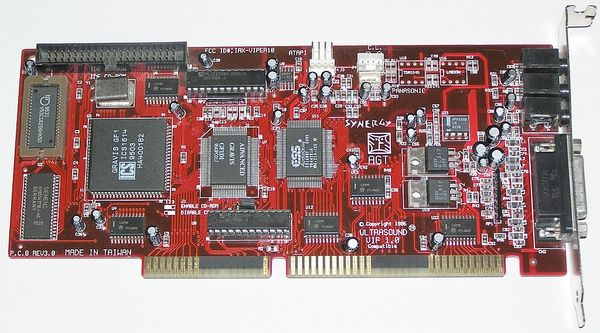
My experience with the Gravis UltraSound Part 2: Synergy ViperMax / Gravis UltraSound Extreme

(guest post from Frank Sapone)

ViperMAX_PCB

Synergy ViperMax / Gravis UltraSound Extreme

A few months ago I made a guest-post about my personal experiences with the
Gravis UltraSound cards.  In this article I mentioned there were a few variants
besides the standard GUS “Classic”, MAX, and PnP series.  I was unable to
comment on the other cards since I did not own them.  Well, that all changed
a few weeks ago when I contacted someone who wrote some pack-in software that
was included with most GUS cards and surprisingly he still had all his cards.
Even better, he was willing to give them to me!

One of the cards I received was the Synergy ViperMax.  I have read some usenet
posts and have talked to other people who were active in the demoscene in the
mid-90s and apparently this card was originally designed by STB and then STB
produced their own card that has an ESS1688 chipset (for SB Pro compatibility
and better Windows drivers) and the GF1 chipset (the IC that makes the GUS
it’s own).  How true is this story?  I have no clue, as I have never seen an
STB variant of this card, but I have seen STB GUS PnP (the AMD Interwave
version) as Compaq OEM clones for sale occasionally.

In any case, Synergy started producing this card and it’s kind of a rare
number.  Again, rumours afloat, that the guy from Synergy was coming to
demoparties and giving these away to groups that won competitions in an
effort to stir up some interest/sales.  And before Advanced Gravis all but
gave up on the sound card market they took the Synergy ViperMax cards and
simply placed stickers over the Synergy logo and card name.  Gravis also maxed
out the onboard RAM to 1MB (the ViperMax comes with 512kb by default). It is
exactly the same board, which leads me to believe Gravis may have purchased
remaining stock of the Synergy cards and unloaded them.  The UltraSound Extreme
may be even more rare than the ViperMax.  It’s hard to say as I have personally
never seen either of these cards for sale on ebay.

Keeping the GUS roots, the card is almost completely plug and play. The only
thing you must change is a jumper for CD-ROM Enable/Disable.  Like the GUS MAX
there is CD-ROM interface support.  Contrary to rumours, this card is NOT GUS
MAX compatible!  It does not contain the Crystal CS4231 CODEC chip or emulate
it.  This means no MAXSBOS and no special demos that will output 48khz (I only
know of one, The Secret Live of Mr. Black by Orange).  I feel this
misinformation was started because of the CD-ROM interface that was also unique
to the GUS MAX.  To setup your card you just run viprinit in DOS with your
appropriate SET BLASTER and SET ULTRASND variables and it configures the rest.
However, I noticed viprinit will not properly change your base address for the
ESS chipset (i.e. you want to change it from A220 to something else).  No fear,
Synergy included the ESSCFG.EXE utility as well allowing you to change the
base address.  Initial configuration is set with VSETUP.EXE from DOS.

Windows 95 installation is basically the same as the earlier cards. You
run the setup.exe and it will install the ESS drivers.  It tries to setup
some extra stuff for UltraSound as MIDI device.  And it does work just fine
but a gotcha is that the DOS stuff will break.  I never had a reason to use
GUS’ MIDI capabilities from within Windows so this wasn’t a deal breaker
for me.  After a reboot you will likely have to reconfigure your card
manually from the device manager but after that it’s smooth sailing.  And yes,
you can install the updated ESS1688 drivers with no ill-effects. However,
if there are any differences in performance I have yet to notice it. Last known
official ESS drivers for Windows 9x at http://dk.toastednet.org/GUS/drivers/WIN95/VMAX-GUS_Extreme/1688_v1087.zip

The ESS chip is really nice, it sounds very similar to the OPL3 and it has
SB PRO compatibility (take THAT SB16!).  Whats the difference?  The SB16 only
states that it’s Sound Blaster compatible, not Sound Blaster PRO compatible.
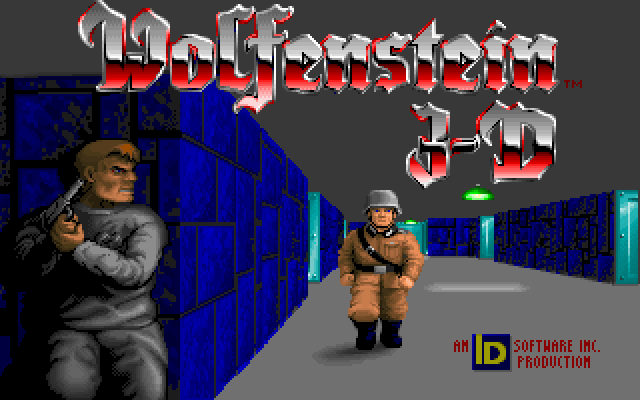
This means some earlier titles like Wolfenstein 3D will only output in mono
on the SB16.  With the ViperMax, you can hear stereo sounds again.

Wolfenstein 3-D

Wolfenstein 3-D

Someone asked me if SBOS and MegaEm work.  SBOS, no.  MegaEm, yes but with no SB emulation.  You can probably make MegaEm work with the SB emulation if you
want to play around with running ESSCFG, changing your PnP settings, updating
your BLASTER and ULTRASND variables then running viprinit.  But, you’ll need
a lot of free resources and quite frankly I fail to see a point.  If anyone
out there has pulled it off drop me a comment.

Since the card has a GF1 IC there is no comparision between the earlier GUS
cards.  They will all sound the same.  The signal-to-noise ratio is acceptable
though I haven’t measured what it truly is, but for gaming and watching some
demos it’s capable.

All in all, this is a great card.  If it was released earlier and through
Advanced Gravis they could have still been in the market.  Another nice
side effect of this card is that Windows XP has ESS1688 drivers. Just install
the cards as a non-pnp legacy device, configure manually and enjoy sound!

I made a few more rips comparing the differences between the ESS mode and GUS.
The few module files are played with XTC-Play and two of them (ATBIA3 and
Parallel Universe) are XM modules over 1MB.  XTC-Play has a way of quadrupling
the RAM usage by downsampling.  However, the modules still sound quite good
and it’s quite a thing to hear the GUS playing large high-quality modules.

VMAX 3D

VMAX 3D

Before I bring this article to a close, here is some ViperMax/GUS Extreme
Resources:

* Gravis UltraSound Extreme Manual: http://dk.toastednet.org/GUS/docs/EXTMAN.ZIP
* Gravis UltraSound Extreme CD ISO: http://dk.toastednet.org/GUS/ISO/GUS_EXTREME_CD.ZIP
* Synergy ViperMax CD ISO: http://dk.toastednet.org/GUS/ISO/VMAX_V10.zip

Enjoy the rips!  In a few weeks I’ll have a write up on the Gravis UltraSound
Plug and Play Pro (waiting for my RAM upgrade) and finally some last minute
thoughts and information about a few other OEM cards and the GUS ACE.

For comparison here is DOOM II Map 06


Gravis


Sound Blaster