OpenBSD 5.9 released!

puffy59

OpenBSD 5.9 released early!  This marks the 39th release.

Major changes include (from undeadly.org)


  • Pledge
    With a great Hackfest presentation to lay out all the details, pledge(2) is one of the more prominent changes. We say prominent, but you actually shouldn’t notice any difference with it enabled… assuming all your applications behave correctly. Much work has been done in this area, with around 70% of the OpenBSD userland being modified to use pledge within a single release cycle! A few ports also got the same treatment – something to expect more of as time goes on.
  • UEFI
    Many new laptops come with UEFI now, some without an option to fall back to a traditional BIOS. With the 5.9 release, OpenBSD can now be booted on such machines.
  • GPT
    Assuming you’re on the amd64 platform, support for GPT has been vastly improved throughout the OS. The installer has been updated to accommodate as well, and it even works on softraid(4) volumes.
  • Rewritten less
    The less(1) we’re all familiar with has been completely rewritten. After importing a fork from illumos’ Garrett D’Amore, OpenBSD continued to make improvements to the code. A safer and more modern tool was the end result, even if it’s just for viewing text. Hopefully there will be less bugs now.
  • Xen domU
    If running OpenBSD under Xen (such as on Amazon’s cloud platform) sounds interesting to you, you’ll be happy to know that 5.9 includes some pretty solid support for this.
  • Graphics
    Laptop users rejoice, as 5.9 includes graphics support for Intel’s Broadwell and Bay Trail GPUs!
  • Network SMP
    Many improvements have been made to get the network stack running multithreaded. There’s still plenty more to do in this area, but some exciting progress has definitely been made already.
  • 802.11n
    Another big one for laptop users: initial support for N wireless has landed in both the iwm(4) and iwn(4) drivers.
  • UTF-8
    Locale support for everything but C and UTF-8 has been torn out, and many utilities in the base system have much better UTF-8 support than prevously.


drwxorx

As we all know the VAX that was used to build OpenBSD died, and the platform was removed.

But it’s still cool that OpenBSD is going strong, wherever there is support.


Platforms that still made the cut:

  • alpha
  • amd64
  • armish
  • armv7
  • hppa
  • i386
  • landisk
  • loongson
  • luna88k
  • macppc
  • octeon
  • sgi
  • sparc
  • sparc64
  • zaurus

User Mode Linux

UML

UML

Well back in the day, before the hardware visualization craze of the 2000’s back in the dark days of 1999, there was UML, or better known as User Mode Linux.  Sadly the freshmeat announcement is all but lost, but sourceforge is still with us so we have the archives.

UML, simply put is a Linux kernel that has been modified to run in user space.  So to the OS, it is just another usermode program.  Because it runs in user space, there is no kernel dependencies, or special hardware required, as UML is just a user program.  Much in the way Qemu emulates a full machine, UML instead is the kernel process running with paravirtualized drivers so it should give overall a better/faster experience than hosting via Qemu.  Keeping in mind that VMware was a 1.0 launch product in may of 1999, and Bochs was back from 1994.

So what happened to UML?  The market was just too young to understand the power of hosted virtual machines, although there were some at the time.  Overall the market was in the idea of large servers that could ‘share’ thousands of websites, and most people didn’t either want to run root in their own little world, or didn’t even know there were other options besides getting an entire physical box.  I used to rent some UML VM out from a Canadian outfit back when I’d stream audio out on shoutcast, as I found my crappy connection at home couldn’t handle more than 5 listeners, but I could stream to the UML instance, and have it advertise out on shoutcast, and handle the 20-30 users I’d get back then.  Now that we live in the gated walled world of corporate hosting, I don’t think most people would even imagine going through the hell of building their own hosting infrastructure.

So it’s 2016, who cares today?

Well this… ‘friend’ of a ‘friend’ bought what they thought was a dedicated machine in a one year contract.  Except it turned out to be a KVM VM, with ‘dedicated’ processors to the instance.  Ouch.  They also got a bunch of ip addresses, but the idea of being able to run their web servers in VMs, along with an OpenVPN concentrator seemed to become an impossibility.  Obviously user mode Qemu is an option but it would be far too slow.  So I figured this would be a good time to use something from the past, UML.

So the ‘base’ host is running Debian 8.1.  So the first thing to do is to install the 2 neeed packages for networking, the bridge & uml utilities.

apt-get install bridge-utils uml-utilities
apt-get install libc6:i386 libncurses5:i386 libstdc++6:i386

And with that in place I want to run 32bit UML kernels, which means I need the 32bit ‘runtime’ so the Debian way to enable 32bit exe’s is:

dpkg –add-architecture i386
apt-get update
apt-get upgrade
apt-get install libc6:i386 libncurses5:i386 libstdc++6:i386

One thing to keep in mind about UML, or x86 Linux in general is that you cannot mix a 64bit kernel with a 32bit userland, the 64 bit kernel can run 32bit executables and libraries, but it really needs a full 64bit userland.  So from the UML page, to get going I went with the kernel linux-2.6.24-rc7.bz2 and an ancient copy of Debian 4.0 I found here.

For anyone interested in more ‘modern’ kernels and filesystems, be sure to check out uml.devloop.org.uk & fs.devloop.org.uk.

Ok, now we want to add a bridge interface for this type of setup.  The idea is that the UML’s will have ONLY an internal connection to the bridge, as the base machine owns all the physical addresses.

So it being Debian we modify the /etc/network/interfaces file to add:

auto br0
iface br0 inet static
address 10.13.0.1
netmask 255.255.255.0
network 10.13.0.0
broadcast 10.13.0.255
bridge_fd 9
bridge_hello 2
bridge_maxage 12
bridge_stp off
pre-up brctl addbr br0
post-down brctl delbr br0

The choice of 10.13.0.0/24 is 100% up to you.  You can use any RFC 1918 address without any issues. Â Now I put this stuff in a script to fire up a UML host that will create my tap0 interface, bring it up, add it to the bridge, and fire up the UML.  On termination it’ll remove the tap from the bridge, and delete the interface.

tunctl -t tap0
ifconfig tap0 0.0.0.0 promisc up
brctl addif br0 tap0
./linux-2.6.24-rc7 ubda=test_fs eth0=tuntap,tap0 mem=512M
brctl delif br0 tap0
tunctl -d tap0

And once UML has booted up, a simple ifconfig can bring up the network, and I should be able to ping the bridge address

Debian GNU/Linux comes with ABSOLUTELY NO WARRANTY, to the extent
permitted by applicable law.
(none):~# ifconfig eth0 10.13.0.10 netmask 255.255.255.0
(none):~# ping 10.13.0.1
PING 10.13.0.1 (10.13.0.1) 56(84) bytes of data.
64 bytes from 10.13.0.1: icmp_seq=1 ttl=64 time=0.043 ms
64 bytes from 10.13.0.1: icmp_seq=2 ttl=64 time=0.067 ms

You get the idea.

Because I’m running some ancient debian root filesystem, I had to set the /etc/apt/sources to include the official archive to at least install things like ssh.

deb http://archive.debian.org/debian etch main

But that is pretty much that.

Now for the real fun part, putting it on the internet!  I’ve found that this is a simple way to redirect in port 80 on the registered address I want to use, and it allows the UML instance to NAT out the same address.

/sbin/iptables -t nat -A POSTROUTING -s 10.13.0.10/32 -o eth0 -j SNAT –to 1.2.3.4
/sbin/iptables -t nat -A PREROUTING -i eth0 -p tcp –dport 80 -d 1.2.3.4 -j DNAT –to 10.13.0.10:80
/sbin/iptables -t nat -A POSTROUTING -s 10.13.0.10/32 -o eth0:0 -j MASQUERADE

Remember that you’ll also need to enable ipv4 forwarding for this to work!  You’ll need to run:

sysctl -w net.ipv4.ip_forward=1

or add it to /etc/rc.local
And with all that done, the 32bit web server is now talking. It’s not what everyone was hoping for, but at least it’s a solution.

As an update, for those who don’t have the option of TUN/TAP bridging, there is always SLiRP, as covered here.


What’s your bother?

No, it's legit.

No, it’s legit.

I saw this and had to chuckle, but no it really is a real want ad.

Wanted: PIGEON BOTHERER

Salary: £30,000 + benefits

After a numerous amount of complaints from residents and visitors over recent months, the city council is looking for a unique individual to fill the position of ‘Pidgeon Botherer’ during peak shopping hours in order to keep the flying vermin off of the main high street.

With a competitive salary, a pigeon costume and a poking device all provided by the council, the ideal applicant will be able to show that they can successfully scare the pigeons enough to never return to the area. Creativity and innovation in scaring pigeons is a must.

Open auditions for the role will commence at 9:00am. Costume is optional but very welcome.

You seriously can’t make this stuff up.

For anyone interested, the job is in Polham.

BSDI BSD/386 1.1

So this crossed my desk, from an anonymous source:

Really!

For those who like this kind of thing, here is a dmesg:

BSDI BSD/386 1.1 Kernel #0: Wed Mar 3 16:23:55 GMT 1999
[email protected]:/usr/src/sys/compile/GENERIC
cpu = Pentium (unknown speed) model 6, stepping 3
delay multiplier 8663
real mem = 68153344
avail mem = 65589248
buffer cache = 6774784
isa0 (root)
pccons0 at isa0 iobase 0x60 irq 1: color, 8 screens
com0 at isa0 iobase 0x3f8 irq 4: buffered
lp0 at isa0 iobase 0x378 irq 7
pe0 at isa0
xir0 at isa0 on lp0 (at 0x378)
fdc0 at isa0 iobase 0x3f0 irq 6 drq 2
fd0 at fdc0 slave 0: 1.44M HD 3.5
wdc0 at isa0 iobase 0x1f0 irq 14
wd0 at wdc0 slave 0
wdc1 at isa0 iobase 0x170 irq 15
npx0 at isa0 iobase 0xf0
vga0 at isa0 iobase 0x3c0 maddr 0xa0000-0xaffff
ne0 at isa0 iobase 0x300 irq 9: NE-2000, address 52:54:00:12:34:56
changing root device to wd0a
wd0: format error in bad-sector file

Yes it’s real!  For those who don’t remember history, after the Net/2 release there was a company called Berkeley Software Design Inc (BSDi) that provided a commercial port of Net/2 that also included source.  Add in the infamous 1-800-ITS-UNIX ad, and as they say the rest is history.

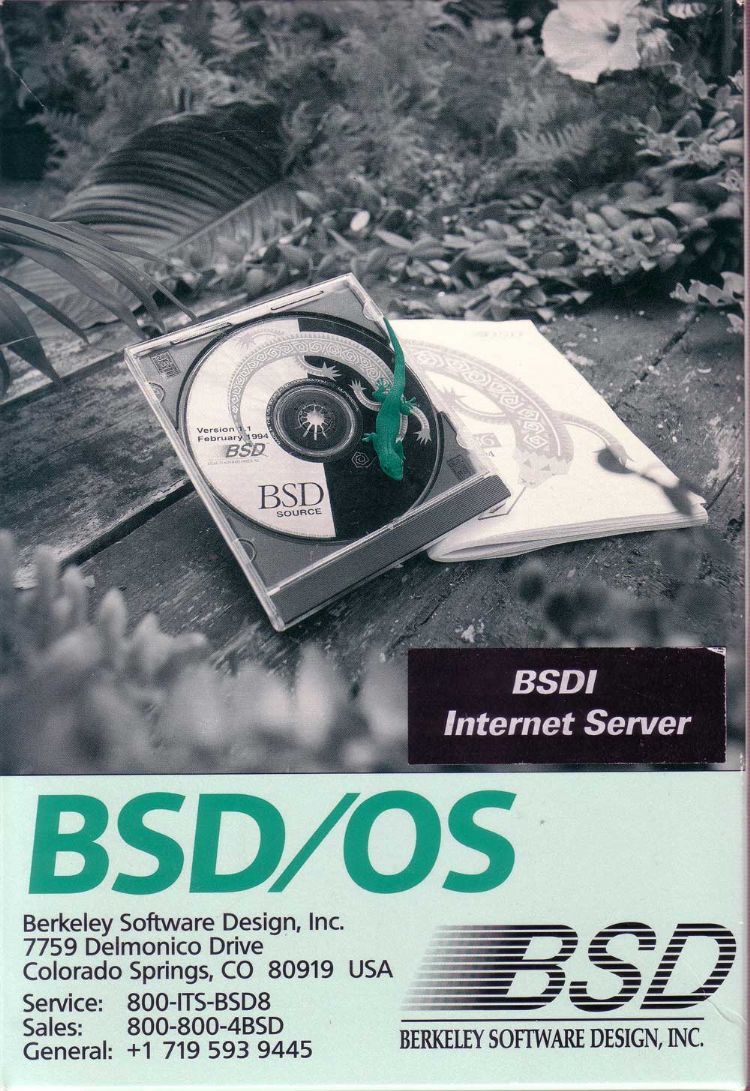
BSD/OS 1.1

BSD/OS 1.1

During this time frame it does get hard to track down as the name was in constant flux. BSDI, BSDi, BSD/OS, Internet Server…  Mix in the fun with 386BSD and you get all around naming confusion.

This version, 1.1 is from 1994.  The version timetable does get a tad bit confusing so here we go from what I can find:

1992, April – BSD/386 (BSDi) 0.3.1, first version
1992, June – BSD/386 (BSDi) 0.3.2
1993, March – BSD/386 (BSDi) 1.0
1994, Feb. – BSD/386 (BSDi) 1.1
1995, Jan. – BSD/OS (BSDi) 2.0
1995, June – BSD/OS (BSDi) 2.0.1
1996, Jan. – BSD/OS (BSDi) 2.1
1997, Feb. – BSD/OS (BSDi) 3.0
1998, March – BSD/OS (BSDi) 3.1
1998, Aug. – BSD/OS (BSDi) 4.0
1999, March – BSD/OS (BSDi) 4.0.1
1999, Dec. – BSD/OS (BSDi) 4.1
2000, Nov. – BSD/OS (BSDi) 4.2
2002, March – BSD/OS (Wind River) 4.3
2003, May – BSD/OS (Wind River) 5.0
2003, Oct. – BSD/OS (Wind River) 5.1

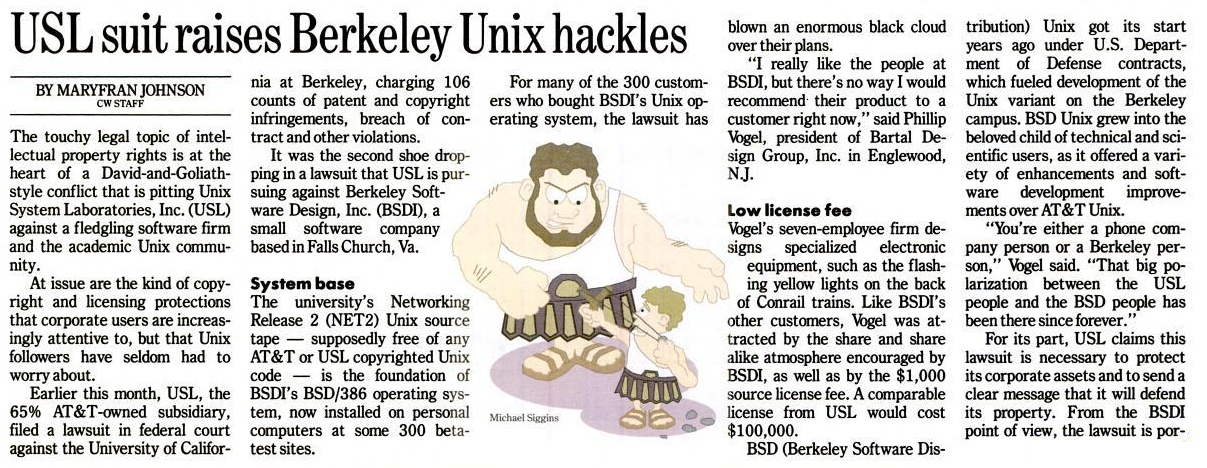
One can only hope that 0.3.1 from the apparent “300 customers” may eventually surface.

Fun source of the lawsuit meltdown C/O Computerworld 1992:

C/o Computerworld

C/o Computerworld

C/o Computerworld

C/o Computerworld

For anyone who want’s to relive the glory days, there is a qcow2 disk image suitable for Qemu floating around..

Word is you’d want to run it like this:

qemu-system-i386.exe -L pc-bios -net nic,model=ne2k_isa -net user -hda “bsdos-1.1(repack).qcow2” -redir tcp:4423::23

NeoGeo dev update with Neo Thunder

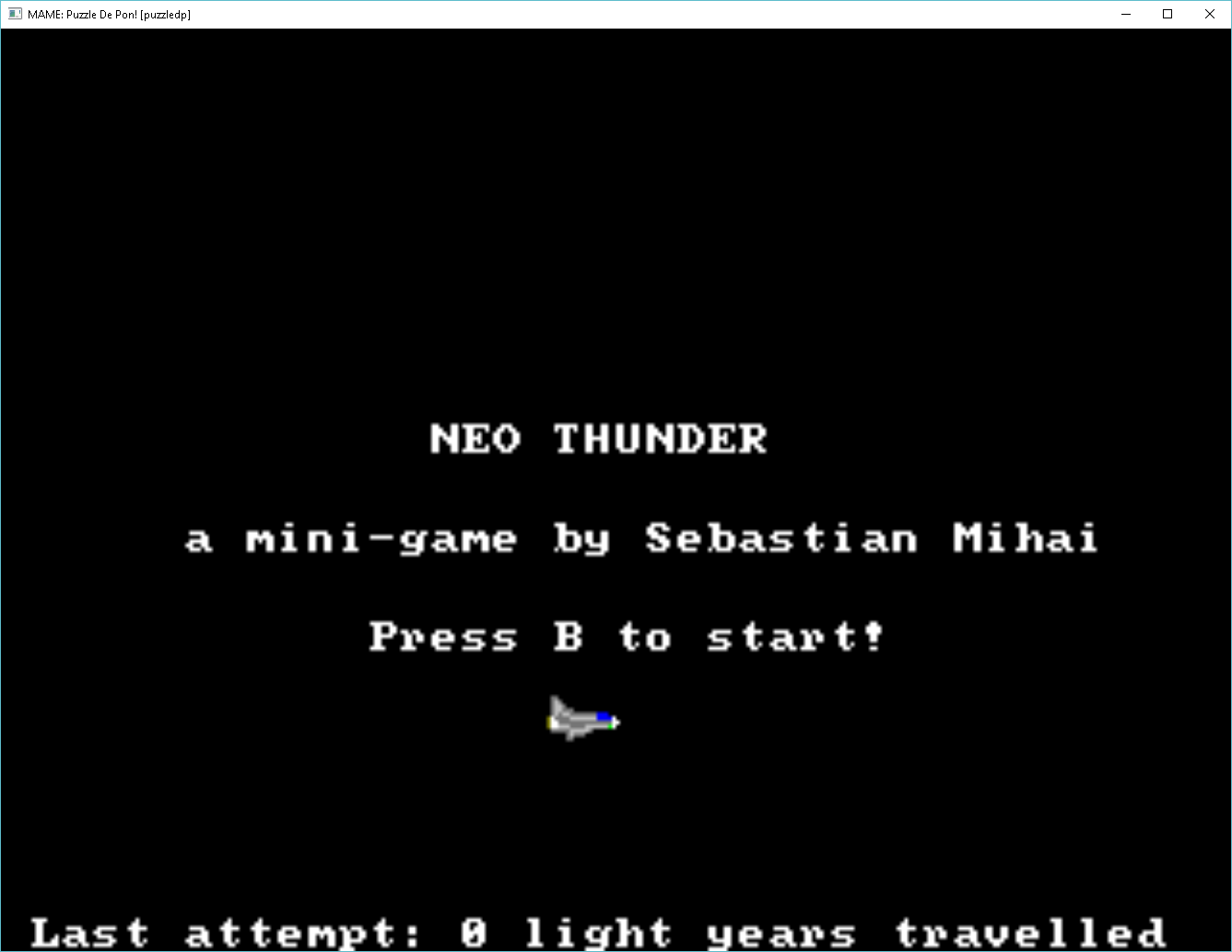
neo thunder

Compiled and Linked under Windows 10

In a round about way I was looking at old NeoGeo hardware having seen the ‘NeoGeo X’ android device for sale.  In a round about way I stumbled onto this page detailing various homebrew projects.  I saw the Neo Thunder, which looked interesting, and more importantly included source code!

What was even better is that there was a download of the full toolchain + emulators to get it up and running!  I downloaded it, and hit the wall quickly as this was built with cygwin circa 2001, which means it will forkbomb any post Windows XP SP2 system.

Well, I couldn’t just let it die on the vine, so I turned back to my Canadian cross compiler build machine, and quickly built a m68k-elf tool chain.  As always, first build a native cross compiler for later building libgcc.a and friends.  I use a 32bit version of Linux with a downgraded MinGW environment so I can use Binutils 2.25.1 and GCC 4.1.2

For anyone who cares, this is my configure strings:


binutils
../configure --target=m68k-elf --prefix=/usr/local/m68k-elf
../configure --target=m68k-elf --prefix=/m68k-elf --host=i686-mingw32


gcc
../configure --target=m68k-elf --prefix=/usr/local/m68k-elf
../configure --target=m68k-elf --prefix=/m68k-elf --disable-libssp --build=m68k-elf --host=i686-mingw32

With a cross compiler built, the next problem was with the built in tools like bin2elf, fixcnv, gfxcc, and symify.  These were also built with cygwin, and failed to run.  With a LOT of googling however I did find the following link to “Fabrice Martinez’s NeoDev Neo Geo C development library for GCC’. 290 kb Année 7/26/2004 (LINUX)“, out on yaronet.com.

I patched up makefiles to my liking, and I could build all the libs, and all of the sample code (well except for the c++ one, because I couldn’t be bothered to build a c++ compiler).  Some of it runs, some doesn’t I’m not sure what is going on.  But for what it’s worth, Neo Thunder actually builds and runs (on mame!).

As always you can MinGW-M68K-ELF(neogeo).7z on my site.  Be sure to read the 404 page for the username password, as it auto-generates from time to time.  I don’t know if anyone will care, but it was kinda cool to track down the needed bits, and build out a working version of Neo Thunder.