Captain Blood reverse engineering project

I found this the other day, and I thought it was pretty damned impressive.

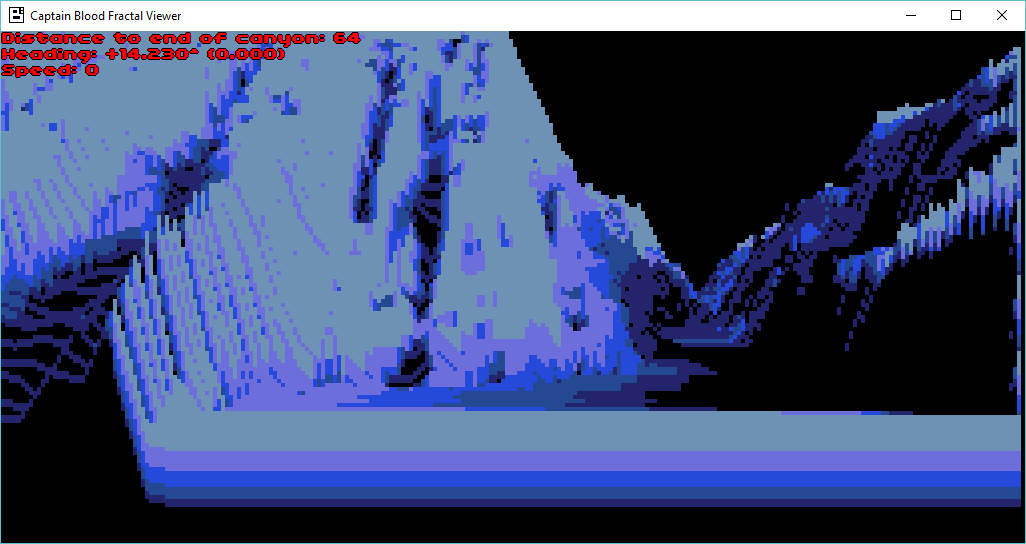
Fractal viewer in C#

Fractal viewer in C#

Kroah has taken the time to reverse how the fractals worked in Captain Blood.  From bringerp.free.fr:

The procedural terrain generator uses 1D fractional brownian motion (fBm) with random mid-point displacement. Up to 10 curves are displayed on screen.

When a new curve appears at the horizon, 7 vertices are computed. Then mid-point displacement with fBm are applied to thes 7 initial points. This results in a discrete curve of 512 samples.

The random number generator and the fBm Hurst parameter H are adapted according to the current terrain type (flat, canyon…). This gives very different visual landscapes (plains, moutains, desert…).

No more fractal computation is done on the discrete curve. When a curve is drawn, only 256 of the 512 samples are used (according to the position of the Oorxx).

The view is 256 pixels wide, so if the visible part of the curve is larger than the 256 samples, the curve will be drawn zoomed with pixels linearly interpolated between the samples. Otherwise the curve will be drawn shrinked without any interpolation and using only some of the 256 samples.

The raytraced fractal landscape is computed from these 10 curves.

It’s pretty amazing to think that there was that much behind the game.

I played this back in 1988 on the lowly Commodore 64, but the Amiga version was simply amazing.  Such was technology back then.

Giving up on the MT-32

What do you mean, giving up?  Well I’ve been trying to buy one, and I’ve lost every auction.  So I figured I’d check up the emulation scene and see what is up.  Then I heard this video:

And this one.

Notice anything?

Or at least to my ears, MUNT, sounds the same as the real thing!

So, how to use the thing?  Well in Windows Vista onward (8/8.1/10..) Microsoft decided to hide the MIDI selection tools, making this a mission to see what mapper you are using.  But using DOSBox it’s easy to see which is which.  In DOSBox run:

mixer /listmidi

0 “CoolSoft VirtualMIDISynth”
1 “Microsoft GS Wavetable Synth”
2 “MT-32 Synth Emulator”

In this case the MT-32 emulator is #2 on my system.  Then to select this device, just type in:

midiconfig 2

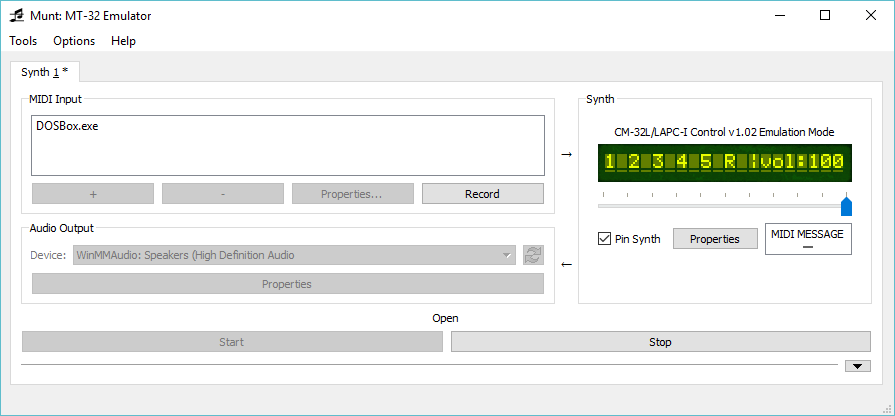
And you are in business!  Fire up the UI and you’ll see:

DOSBox active on MUNT.

DOSBox active on MUNT.

Then configure your application for ‘general MIDI’ on port 0x330, and you should be good to go!

DOSBox DOOM v1.1 general midi

DOSBox DOOM v1.1 general midi

And, how does it sound?

Now for comparison, here is E1M1 with VirtualMIDISynth with SGM-V2.01 sound font.

It’s impressive when you put them next to say the Adlib.

So maybe it was a good thing I kept on losing the auctions… But it’d still be neat to drive a real MIDI peripheral on a modern machine.  Maybe I’ll win, one day.

GCC 1.37 on MacOS

I didn’t even know there was such a thing!

But sure enough, the file GNUMPW.SIT, and the later gcc-1.37.1r15-all.sea.bin are the real thing!  The file GNUMPW unstuffs to GCC 1.37.1r7(All), although Stuffit 5 and higher won’t unpack the file, I’ve converted it unpacking with version 4 & repacking with 5.5.

The readme from r7 is dated November 2nd, 1990.  I found some history on this port on the archives of the GCC mailing list here.  The port was done by Stan Shebs, while working for Apple.  As he states the port started in 1989 and was first used in an abandoned m68k based project, and later a possible replacement for the Apple compiler for OS 7.

For this experiment I was using the r15 version, as I didn’t find anything out about the prior versions until after I had written this.

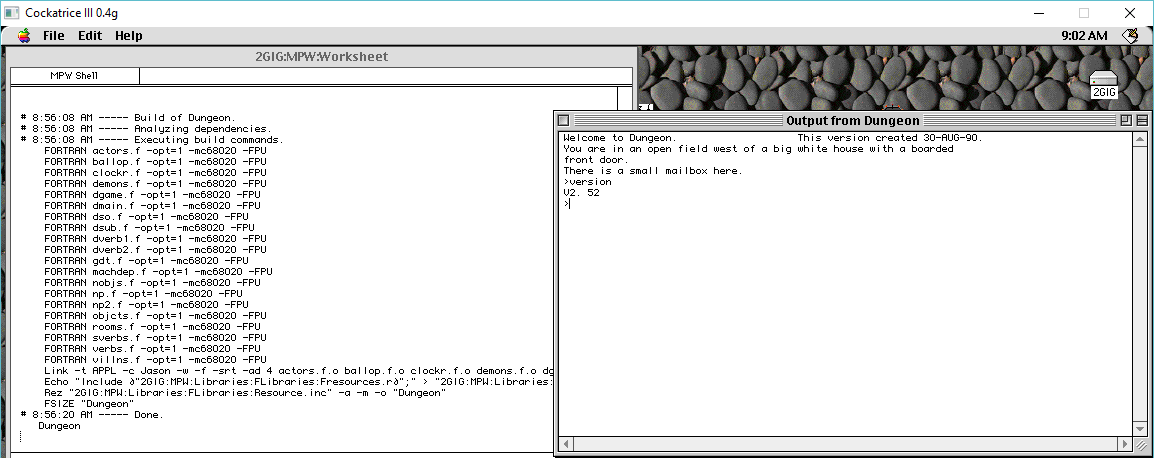
GCC on MacOS needs the MPW environment, which for me is incredibly awkward to work with. While some people may love it, it is very strange in that you have to highlight commands in the window, then hit clover+enter to run them.  Like a mainframe, you can input commands wherever in the screen.

The next hardest thing was finding a version of MPW that will work with this.  It needs the MPW C compiler for it’s includes, and libraries.  The 3.5 stuff didn’t seem to work for me, however doing a LOT of searching, and I did find a ‘toast CD-ROM’ image‘ of 3.1 that includes all the C, and Assembler tools that I need to build an executable.

I also don’t know why, but running make just shows me what needs to be done, it never actually makes anything.  I’m probably doing something wrong, but for such a long dead tool, trying to find out how to use it, or how do you interrupt a “stream” like manually running cc1 is beyond me.  I just have to force quit the emulator.

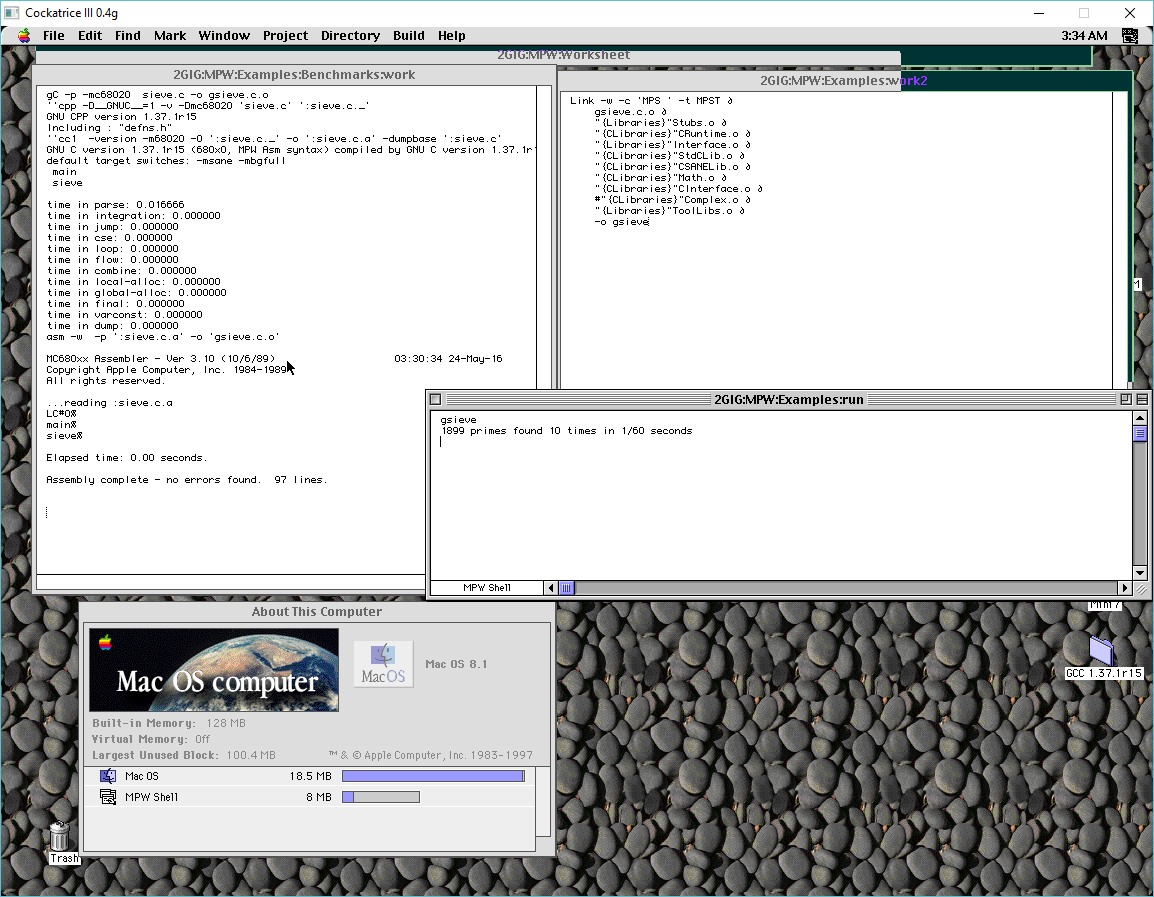
But beyond that, running make gives me the steps, and I manually select and run the steps, and I was able to get a program to run!

xxx

sieve

I know it may not look like much but getting it to actually run something was quite monumental for me!

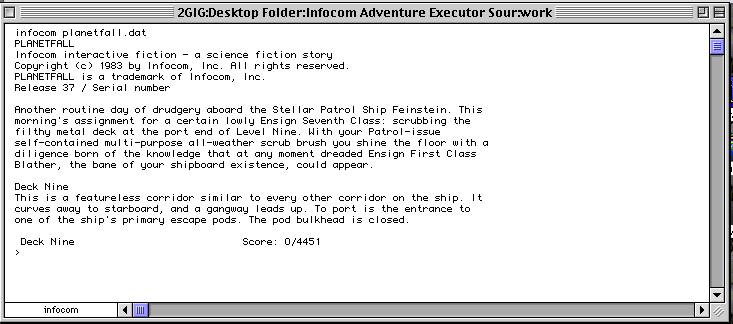
I thought for the hell of it, I’d try to build the InfoTaskForce 1987 interpreter, but it seems to get confused at the whole input method.

Planetfall on MacOS

Planetfall on MPW

There were some issues compiling input.c, as it didn’t like the external table, so I made it’s own local table.  It also didn’t like some pointer arithmetic, but making GCC happy only gives me a program that can’t recognize any verbs.  And from there it won’t quit, basically hanging the system.

I’m sure I’m doing something wrong, but at the same time it was interesting to see GCC on MacOS, during the whole GNU boycott of Apple for the ‘look and feel’ lawsuit against Microsoft.  No doubt it let a lot of people sell other C compilers on the Mac Platform during this window of time.

GCC requires a 68020 processor, as GCC’s native 68000 based target would be SUN-2 hardware.  While it can compile with the -m68000 flag, I haven’t tested with a 68000 based emulator to see if that’s even true. Â In the off chance someone wants a combined MPW+GCC I made a disk image here: MPW 3.1 with GCC 1.37.img.gz.  Disk Copy 6.3 should be able to mount it OK, or any emulator that likes HFS disk images.

Sega Genesis/Mega Drive emulation got a massive overhaul on steam

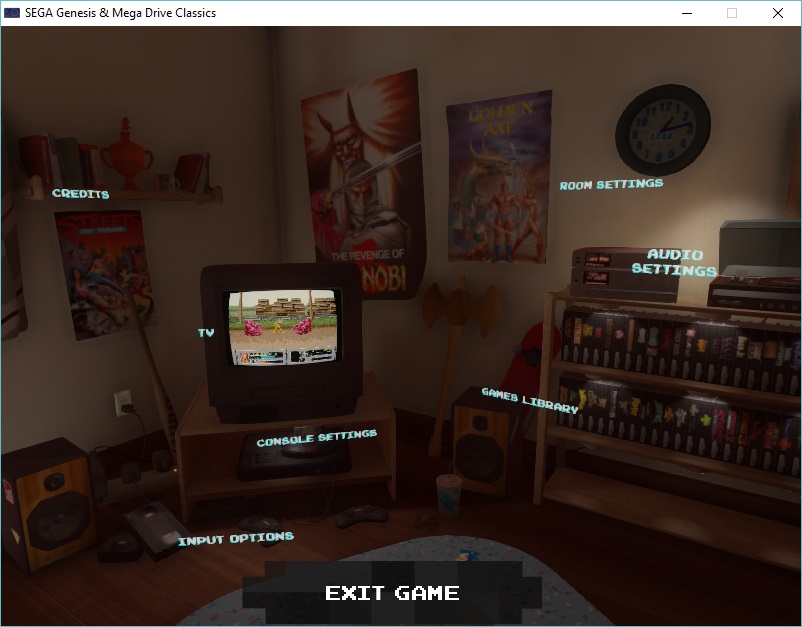
And I don’t just mean supporting ROM hacks, and mods, I mean this is what the new Genesis & Mega Drive Classics UI looks like:

SEGA themed bedroom

SEGA themed bedroom

First off as you can see, it’s a room.  The kind of place any SEGA nerd of the late 1980’s and early 1990’s would of course dream to own, with wall posters, sonic rug, eco toys, and of course a nice library of games and a tube TV set.

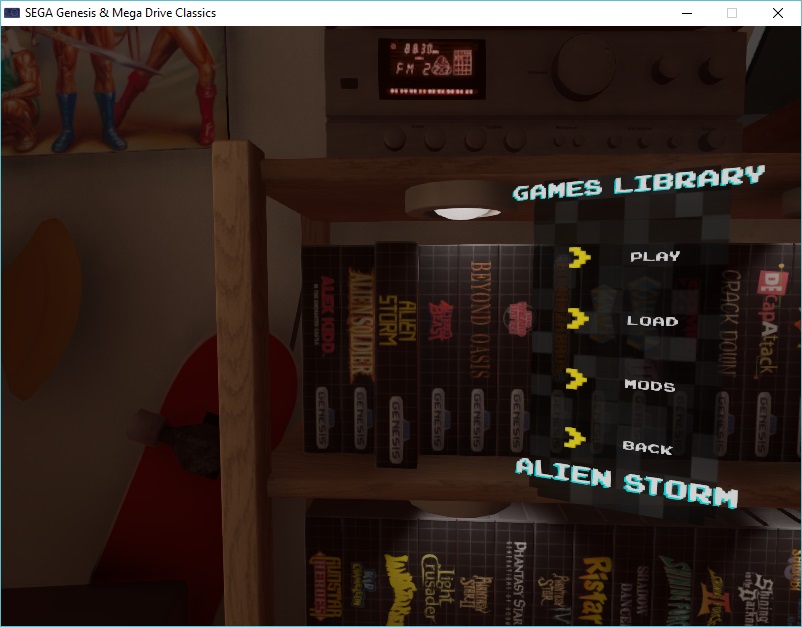
Instead of the old boring menu, you now get to choose titles off the shelf, and it’ll automatically drop them into the console.  Maybe we will get manuals rendered next?

Chose a game

Chose a game

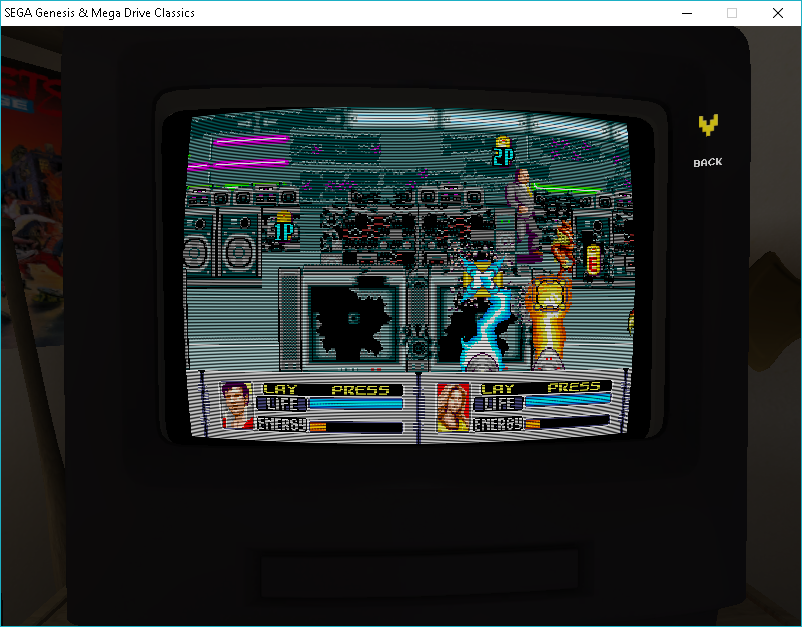
While it is dark, it does offer a ‘time of day’ so you can watch the procession of the virtual sun in your bedroom.  I guess it speaks that we don’t get to go outdoors enough, but now we can be trapped into a virtual bedroom as well.  With our game selected, we can turn up the curvature of the tube, or even enable scanlines for that old feel..

Alien Storm

Alien Storm

The emulator is VERY demanding, there is no mistake about that.  While the classical interface was unique for the time, but it also had issues like making you scroll one at a time through the games.  As always you can buy this on steam.  A nice touch is the latest update adds in many controllers and pads.

So what is missing? The MegaCD.  The 32x.  Saturn, Dreamcat heck even the master system are suspiciously absent.  One day I suppose.  Will this hub turn into something that 3rd parties can release Genesis/Mega Drive titles onto?  Is this the start of the virtual console?

Or just a flashy UI.  I guess time will tell.

Ported System16 0.53 to Windows

To be honest, it was about 30 minutes worth of work to jump from Allegro 2.11 to Allegro 4.2.  I’ve never used it before, but the only ‘gotcha’ was how they handle the main to WinMain for linking.

At the end of your main procedure, you need to place the following code:

END_OF_MAIN()

And that is it! No semicolon either!

Last night I was playing with Musashi, and actually had the ‘demo’ program loading up the Altered Beast program, and running.  I just put in the memory areas to let it have read only to the ROM space, read write to the memory addresses, and write only to the IO ports.  It was enough for it to lock up in an endless loop like this:

E 3990: 4a38 f01c           : tst.b   $f01c.w
E 3994: 67fa                : beq     3990

Well some digging around and I found these vague hints:

Some special bytes:
F018: if bit5 is set 1, the screen is not updated
F01C: Timer ?
TimerA=&RAM[0xFF][0xF01C];
TimerB=&RAM[0xFF][0xF01E];

So it looks like it’s waiting for a shared memory value to be set to a ‘1’, so I setup the IRQ to include this nice hack:

offset=0x00FFf01c-0x00FF0000;
WRITE_BYTE(g_ram, offset,1);

And we were away.

So I thought I’d try to make the big step, as System16 v0.53 uses an ancient version of the UAE Amiga emulator, somewhere between 0.4 and 0.6, I think.  Anyways I was hoping to expand more and more functionality, and one thing SEGA did love to do was add more and more processors into their designs with some boards sporting up to three 68000 processors.  And Musashi can support multiple processors so, it seemed like a good fit.

So I amputated the UAE code, and tried to see how many functions System16 calls out from UAE, and it isn’t that much.  Most calls involve setting up emulation, and executing a single instruction. System16 handles all the memory access, Interrupts, and I/O.  So a few hours of bashing away I got it to link, and was greeted with a nice black screen.  I did remember that when I was first playing with the code, that even though the CPU was executing instructions nothing would be drawn without the external interrupt.  So I googled around and found another emulator, Virtual Jaguar, that also uses the Musashi 68000 CPU core.

So I could take the old UAE way of executing an interrupt from this:


void inline Exception(int nr, CPTR oldpc)
{
MakeSR();
#ifdef DEBUG_INT
TraceOn();
printf("Exception %0x, valeur = %0x, pc = %0x\n", nr, oldpc, m68k_getpc());
printf("Valeur de r�gistre SR = 0x%0x\n", regs.sr);
#endif
if(!regs.s) {
regs.a[7]=regs.isp;
regs.s=1;
}

regs.a[7] -= 4;
put_long (regs.a[7], m68k_getpc ());
regs.a[7] -= 2;
put_word (regs.a[7], regs.sr);
m68k_setpc(get_long(regs.vbr + 4*nr));

#ifdef DEBUG_INT
printf("VBR=%08x , NR=%d , I=%04x \n", regs.vbr, nr, regs.vbr+4*nr);
if (strace) printf("int jump 0x%0x\n", regs.pc);
#endif

regs.t1 = regs.t0 = regs.m = 0;
}

To this:


void inline Exception(int nr, CPTR oldpc)
{
unsigned int sr = m68ki_init_exception();
unsigned int newPC = cpu_read_long(nr<<2);

m68ki_stack_frame_3word(m68k_get_reg(0L, M68K_REG_PC),sr);
m68k_set_reg(M68K_REG_PC,newPC);
}

A quick recompile, and it was running!

Now with that in play, I went ahead and dumped all the old code, and the old Allegro, and went through re-building with Allegro 4.2 on Windows.  It didn’t take that long, I was really impressed!  At the same time I didn’t improve on anything in the slightest.

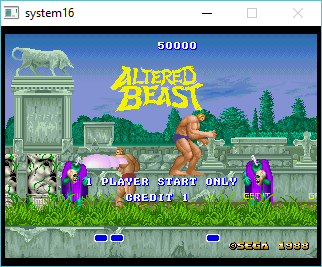
System16 v0.53 on Windows

System16 v0.53 on Windows

This is only a proof of concept, the fun hasn’t even started yet.  If you want a ‘solid’ emulator, go with MAME.  This isn’t anywhere near ready but it is interesting that it is running.  There is much more work to do with this, especially adding a Z80, and YM2151.

You can download the Win32 executable here.  You’ll need your own Altered Beast ROMs, it’s an ancient set, nothing that any recent download will map to.

Burgertime 7/12/2015 aka DooM 3DO port

I found this talk rather interesting!

I didn’t know that the Jag DooM was considered a reference platform.  It’s an interesting talk about the rush job that was 3DO DooM, along with a small talk on fixed point math and other inside information on software development.  It is a little long, just over an hour.

Building a private mesh network

Well it was bound to happen sooner or later, but working on projects at the office I have segmented networks for various things, and the stuff I host only has to talk to one specific thing out on the internet.  But things change, and flexibility is demanded as now I suddenly have half a dozen VPS’s out on the internet, that not only need to talk back to my office, but also need to talk to eachother.  And of course adding that n+1 becomes tedious, and worse when one host goes down, and you have people pointing the wrong way.  If only there was a solution…

And there is, as this ‘problem’ was solved forever ago with this magical thing called routing protocol.  Before I was doing OpenVPN with a network to network type setup, but now I want to dynamically route, and considering it’s a small network, I’m free to use any protocol, even RIP is fine, as I have about 15 networks to advertise.  In the end I went with BGP for really no real reason.  RIP/OSPF,ISIS would have worked just as well.

The first thing is that to configure OpenVPN is that I didn’t want the normal ‘shared network’ setup, nor the tun style where OpenVPN intercepts the invalid destination address.  While it does bring up links, and work for dynamic setups, I’m just bringing up static links that are point to point, and single host only.  Also BGP wants the source and destination originating address to match, so a tunnel interface that is 10.0.1.6 10.0.1.5, but expects the destination to be 10.0.1.1 isn’t going to work.  So I went with the old p2p style config.

As a template I used this site right here:

First generate a static key:

openvpn --genkey --secret static.key

Next setup the config for the ‘server’ side.  In this case, each of my VPS’es is a server since they all have registered addresses, and don’t move as often.  My office is going to move soon, and in the off even that I need to travel with my office setup it’s nice to bring it online wherever, and have it connect.  At the same time if my office is down, this is why I want the VPSes to be able to talk to eachother.

Server config:

mode p2p
port 1194 #  We listen to port 1194
dev tun # possibly tun0 Linux
proto udp # protocol UDP, TCP: proto tcp-server

ifconfig 10.5.0.1 10.5.0.2 #  Local IP <-> Remote IP

# Here adjust the path to point to the generated Key
secret /etc/openvpn/static.key

ping 10 # Sends every 10 seconds a ping to the remote site
ping-restart # 180 after 3 minutes without pings reconnecting the remote
ping-timer-rem # only after we've let another peer ping-restart

verb 3 # increase to debugging
mute 50 # uncomment to debugging

Client config:

mode p2p
remote my-openvpn-server.dyndns.com 1194 # hostname / external IP of another peer, port accordingly
proto udp # protocol UDP, TCP: proto tcp-client
dev tun #  possibly tun0 Linux

ifconfig 10.5.0.2 10.5.0.1 #  Local IP <-> Remote IP

# Here adjust the path to point to the generated Key
secret /etc/openvpn/static.key

ping 10 # Sends every 10 seconds a ping to the remote site
ping-restart # 180 after 3 minutes without pings reconnecting the remote
ping-timer-rem # only after we've let another peer ping-restart

verb 3 # increase to debugging
mute 50 # uncomment to debugging

Now with the config’s in place, remembering to save with the filenames ‘server.conf’ and ‘client.conf’ in the /etc/openvpn directory, I was ready to restart the OpenVPN service (service openvpn restart) and now I could ping!

tun1 Link encap:UNSPEC HWaddr 00-00-00-00-00-00-00-00-00-00-00-00-00-00-00-00
inet addr:10.5.0.2 P-t-P:10.5.0.1 Mask:255.255.255.255

and a quick ping…

root@Office-OpenVPN:/etc/openvpn# ping 10.5.0.1
PING 10.5.2.1 (10.5.2.1) 56(84) bytes of data.
64 bytes from 10.5.0.1: icmp_req=1 ttl=64 time=1.66 ms
64 bytes from 10.5.0.1: icmp_req=2 ttl=64 time=3.39 ms

Now for the routing protocol.  I went with quagga, as it is descended from zebra, and one that I’ve used before.

Configuration is pretty straight forward.  first the daemons.conf file needs to be edited for what services you are going to run.  In this case I want zebra & bgpd.

zebra=yes
bgpd=yes
ospfd=no
ospf6d=no
ripd=no
ripngd=no
isisd=no
babeld=no

Next, the zebra.conf file.  The passwords are plaintext, I wouldn’t of course paste my real passwords:

hostname office
password zebra
enable password zebra

And next is my bgpd.conf file, for my office:

hostname office
password zebra
router bgp 8888
bgp router-id 192.168.1.49
network 192.168.1.0/24
network 10.1.0.0/24
network 10.1.1.0/24
neighbor 10.5.0.1 remote-as 555
log file /var/log/quagga/bgpd.log
!log stdout

Everything is the same on the VPS, except for it’s BGP config, which is the following:

hostname vps1
password zebra
router bgp 555
bgp router-id 10.13.0.1
network 10.13.0.0/24
neighbor 10.5.0.2 remote-as 8888
log file /var/log/quagga/bgpd.log
!log stdout

So now I’ve setup a p2p connection, and now defined the networks that I’m going to share from my office, in this case it’s 192.168.1.0/24, 10.1.0.0/24, and 10.1.1.0/24.  The VPS is going to share it’s 10.13.0.0/24 network.

Now to start up the router with a ‘service quagga restart’ and all being well I can now talk to the BGPD.

telnet localhost 2605
Trying ::1…
Trying 127.0.0.1…
Connected to localhost.
Escape character is ‘^]’.

Hello, this is Quagga (version 0.99.22.4).
Copyright 1996-2005 Kunihiro Ishiguro, et al.

User Access Verification

Password:
office>

Now to check for my bgp neigbours

office> ena
office# show bgp neighbors
BGP neighbor is 10.5.0.1, remote AS 555, local AS 8888, external link
BGP version 4, remote router ID 127.0.0.2
BGP state = Established, up for 3d21h32m
Last read 00:00:33, hold time is 180, keepalive interval is 60 seconds
Neighbor capabilities:
4 Byte AS: advertised and received
Route refresh: advertised and received(old & new)
Address family IPv4 Unicast: advertised and received
Message statistics:
Inq depth is 0
Outq depth is 0
Sent Rcvd
Opens: 1 0
Notifications: 0 0
Updates: 18 1
Keepalives: 5613 5612
Route Refresh: 0 0
Capability: 0 0
Total: 5632 5613
Minimum time between advertisement runs is 30 seconds

For address family: IPv4 Unicast
Community attribute sent to this neighbor(both)
1 accepted prefixes

Connections established 1; dropped 0
Last reset never
Local host: 10.5.0.2, Local port: 179
Foreign host: 10.5.0.1, Foreign port: 35722
Nexthop: 10.5.0.2
Nexthop global: ::
Nexthop local: ::
BGP connection: non shared network
Read thread: on Write thread: off

office#

And how about the routes?

office# show ip bgp
BGP table version is 0, local router ID is 192.168.1.49
Status codes: s suppressed, d damped, h history, * valid, > best, i – internal,
r RIB-failure, S Stale, R Removed
Origin codes: i – IGP, e – EGP, ? – incomplete

Network Next Hop Metric LocPrf Weight Path
*> 10.1.0.0/24 0.0.0.0 0 32768 i
*> 10.1.1.0/24 0.0.0.0 0 32768 i
*> 10.13.0.0/24 10.5.13.1 0 0 555 i
*> 192.168.1.0 0.0.0.0 0 32768 i

Total number of prefixes 4

Well isn’t that great!  For each additional connection on my client side, I change the client port.  It doesn’t matter what number I choose as my client VPN machine isn’t exposed on the internet, only the OpenVPN servers on the VPSes.  I can also combine this with a traditional OpenVPN setup where my clients get addresses on my Office Lan, and can now access all of my VPSes at once.

All I have left to do is define the additional servers into the mesh, and add in the BGP peers.  And doing it this way two VPSes in the same data centre now have a 1ms ping, instead of traversing the internet to my office, and back up.  Plus they can stay in communication if my office, or even their internet is down, as long as the internal communications of the data centre is fine.

More fun with GCC 6.1

So after looking at the -Ofast flags in that utterly unfair GCC 1.4 vs GCC 5.1, and 6.1 , I thought I’d try to build Cockatrice III with it.  Everything went well, and I had a build in no time.

I always hated how I had to massively downsample the audio so I could at least hear things, so I thought I’d try to put them back to 44100Khz, 16bit stereo.  And while compiling, older GCC runs fine, while 6.1 throws this run error!

../SDL/audio_sdl.cpp:57:43: error: narrowing conversion of '-1404829696' from 'int' to 'uint32 {aka unsigned int}' inside { } [-Wnarrowing]
 uint32 audio_sample_rates[] = {44100 << 16};
                                           ^
makefile:104: recipe for target 'obj/audio_sdl.o' failed
make: *** [obj/audio_sdl.o] Error 1

Well it turns out that it’s getting truncated as the audio_sample_rates are defined as an unsigned int, but it really want’s to be a regular integer.  So I changed the type, and now I have high def audio!  While I was in there, I fixed some stupid typos in the keyboard so I can actually use vi in MacMiNT.

It’s still in 256 colors, I’m missing something fundamental as to why it’s not working but I just don’t have enough time to mess with it today.

For anyone who cares, the Win32 binary package is on sourceforge.

Stupid GCC error

So while mixing and matching GCC on Windows, I ran into this issue with stdio.h of all things:

In file included from hi.c:1:0:
\mingw\include/stdio.h:191:65: error: unknown type name ‘size_t’
_CRTIMP int __cdecl __MINGW_NOTHROW setvbuf (FILE*, char*, int, size_t);
^~~~~~

Good grief how could stdio be all screwed up?

Well, it turns out it was my fault.  I had not rebuilt things like SDL, or copied over pcap so I figured I could incorrectly just point a -I to my old includes, and the new gcc would post-pend all use -I stuff.  NOPE it pre-pends them, meaning the old headers now take priority.  And wouldn’t you know it, things have drifted between versions.  So I just manually copied the files and libraries and all was well.

Googling around I did see other people with broken stdio.h but nobody posted the solution.  I guess it’s to embarrassing, but here we are.