I know one thing right off is that the quake server status is ‘mixed content’ aka it’s retrieved over http.
The new version of Chrome is going to start alerting to non HTTPS sites, so it’s only a matter of time before everyone else starts to require it.. Sigh.
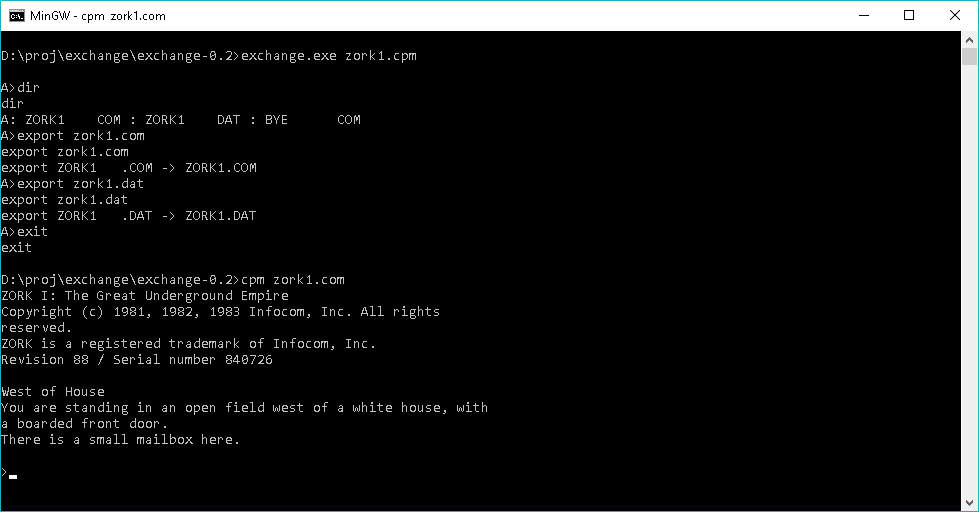
While on the road, I stumbled onto a link that referred to this program called Exchange, which is a decapitated ‘port’ of CP/M that simply allows you to read and write CP/M disk images. Â While on the surface it may not seem much, but the fact it actually uses the 68000 kernel from CP/M seemed really interesting to me. Â With minor fighting I had it running on MinGW!
And what fun would that be if we left it there? Oh sure you can get files in and out of standard 8″ images, but can you run them?
Over at the Takeda Toshiya’s page, not only does he make the MS-DOS player, and a whole host of other Japanese machine emulators, but he also has a CP/M player that works in the same style!
So, combine the two, and now you too can trivially export and import files for emulators like SIMH, or just run files naively at the Win32/Win64 command line!
DooM is without a doubt one of the most popular PC games of all time. Â And thanks to it being written in C is also an incredibly portable game. Â One platform that mysteriously was lacking DooM was the SHARP x68000.
After a bored day of playing with the source to Mariko’s GCC 1.42 / 1.30 that targets the x68000, I thought I would take a stab at trying to compile DooM. Â Since I’m using such an ancient version of GCC the first stumbling block is that DooM is FULL of C++ style comments, which older K&R & ansi based compilers of the late 1980’s simply cannot handle. Â So the first phase was to convert all the comments.
In order to convert the comments, I came across this great tool, uncrustify. Â The pain is that it doesn’t seem to take wildcards, but you can use make to have it do your work for you, or just a batch file…
uncrustify.exe --replace -c 1.cfg cl_main.h
you get the idea.
The key thing is the configuration file that tells uncrustify what to do. Â To convert C++ comments to C is quite simply:
cmt_cpp_to_c = true
And away we go. Â Having learned the ‘null’ lesson of Quake 2 the hard way, I started out with a working copy from Windows, via GCC 1.40 for Windows/RSXNT. Â I figured that by having a ‘known good’ build with the a very close compiler level would be a good start as I don’t want to fight too much with the compiler. Â After it was running with minimal changes, it was time to start the real fun.
Starting the actual port aka platform issues
The first error I hit was:
Error: Couldn’t realloc lumpinfo
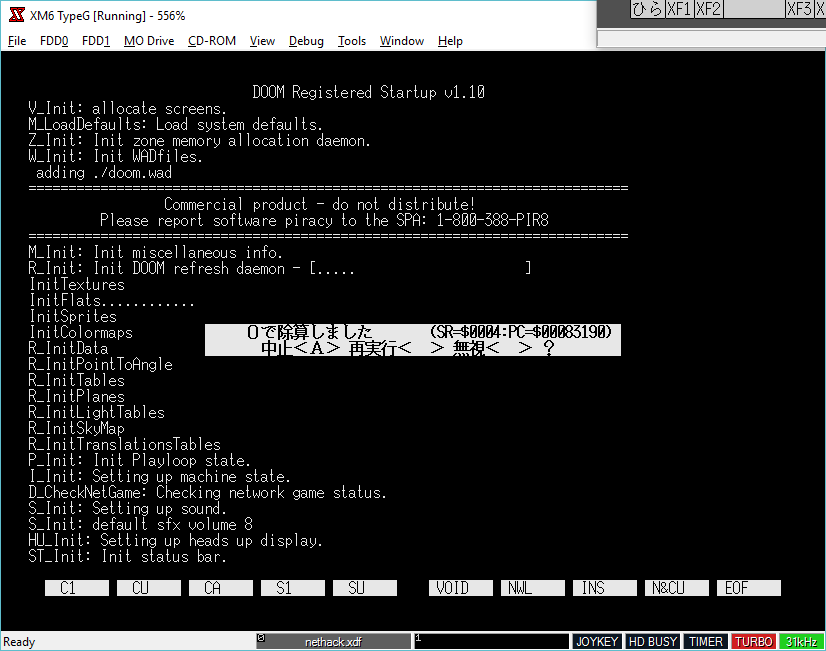
For some reason the SHARP/Hudson LIBC has issues doing a realloc.  I have no idea why.  Over on nfggames Neko68k had mentioned that he had a disk image with a working version of GCC, that uses different includes/libraries that was able to get further.  I wasted some time by trying to bypass the Sharp LIBC malloc function by calling the HumanOS’s malloc directly which did get further but ran into issues when switching from usermode to supervisor mode to directly access the hardware.  Once when he shared his disk image, I was able to see how his GCC setup worked, and more importantly linked, so I could alter the GCC cross compiler I was using, and get much further in terms of progress.  I could then get from failing malloc to this:
startup errors
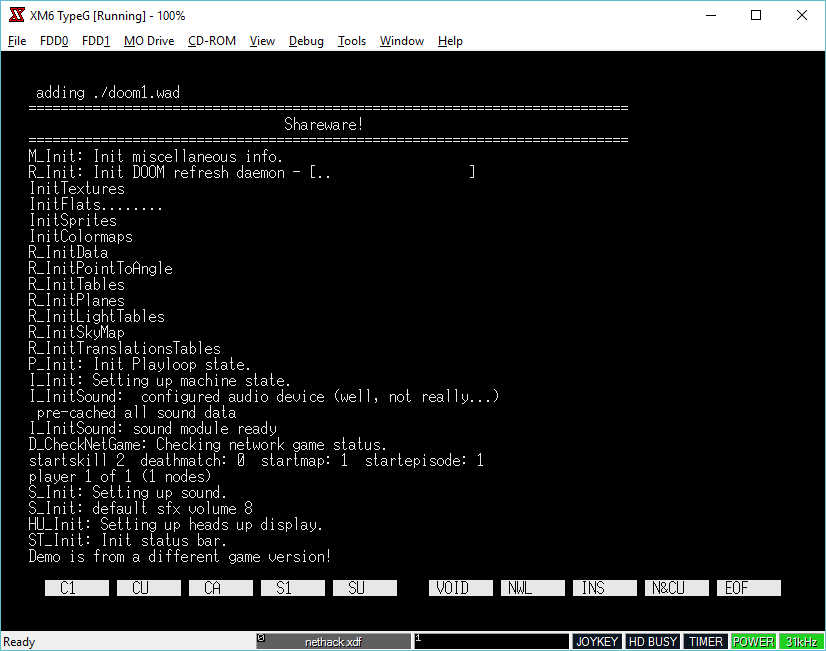
And from there after trying different assemblers, flags, and all kinds of other things we could finally get null DooM running on the x68000 via 68030 emulation on XM6 TypeG.
null DooM running on the x68000
DooM comes to life
From there, Neko68k was able to do something amazing, add in system support! Â Which to be honest would have taken me forever to do, I was more impressed that I was even able to get the null version running, but Neko68k blew me away with this:
There is no correct palette setup at this point, there is all kinds of issues but you can see the startup logo being painted!
Then with a lot of improvements, and an added keyboard driver it was starting to look like DooM!
And then Neko68k had a major breakthrough with the video, timer and keyboard, and we now have a playable port!
Issues while cross compiling
Around this time I had noticed that when I built a cross compiled version the video for me was garbled. Â After some investigating it turns out that m_swap was not being compiled correctly but rather the endian order was being reversed!
 .dc.l $00000000,$40f00000
instead of:
.dc.l $40f00000,$00000000
I tried re-building, re-configuring my host setup, and I still had the same issue. Â I tried downloading GCC 1.42 and building an i386 SYSV to AT&T 3b1 cross compiler as it too is 68000 based, and I got the same issue. Â Maybe it’s a bug in GCC 1.x cross compilers? Â I don’t know, but since the procedure is small enough, it was easier to just have the native GCC produce an assembly version which I just assemble and link without issue.
Behold! DooM on the x68030!
Yes, there is no audio, but wow it’s playable! Â I do need to map the keyboard better in the emulator, but the key layout in the source is fine.
Downloads
For anyone who cares you can follow more of the porting adventure here:
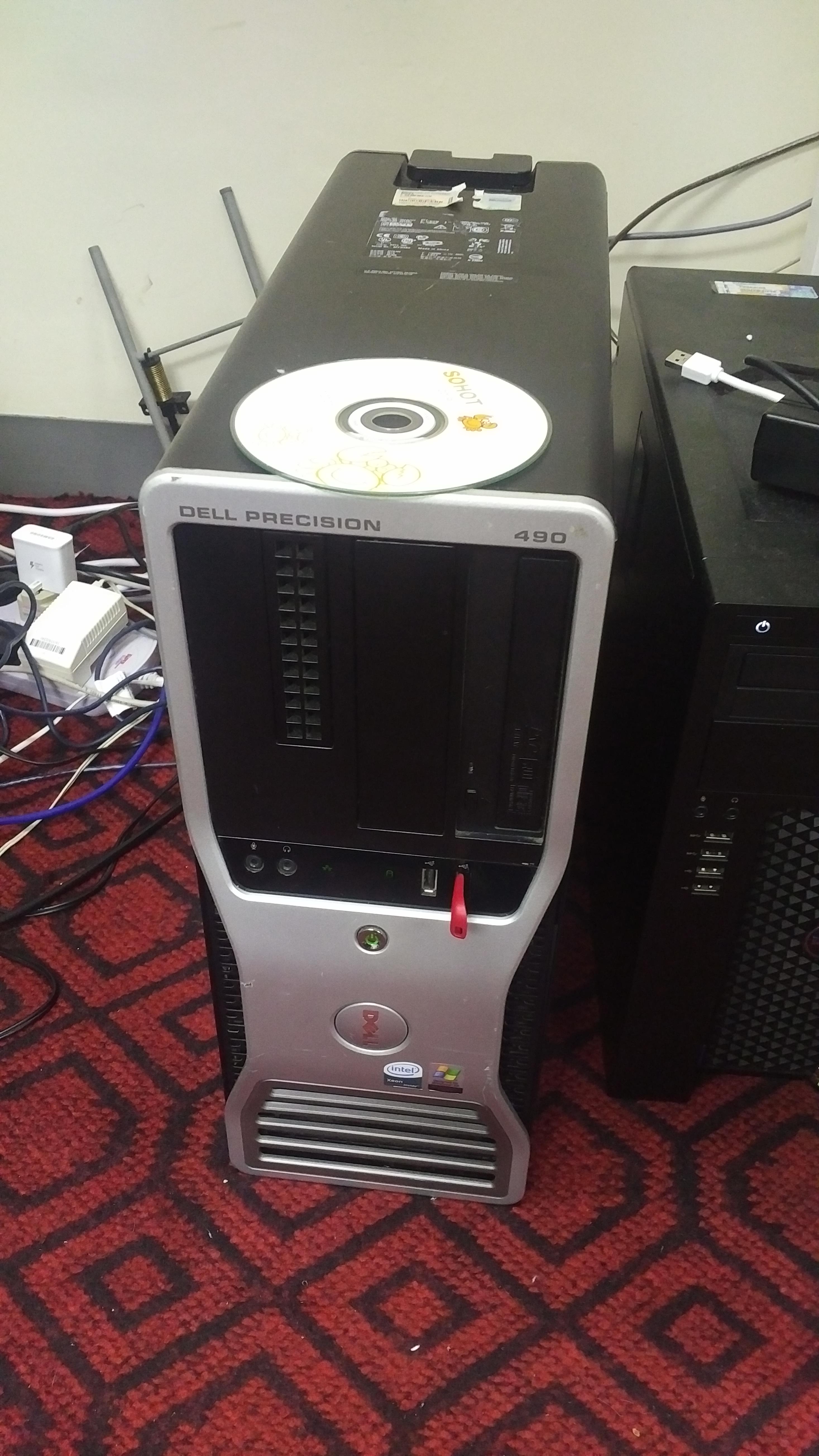
I was cruising around New Capital Computer Plaza, looking for some cisco console cables, and I saw a bunch of old Xeon desktop computers for sale. Prices were in the 250-500 USD range, which seemed pricey to me. And keeping in mind that my desktop is already a Xeon E3-1230, it did seem kind of pointless. But then I saw this Dell Precision 490 for about $99 USD.
Dell Precision 490
Great, so what are the general specs?
Well, the ‘nice’ thing about Dell is that they keep all their old stuff online, so looking at the specsheet we can see It’s not a bad machine for something circa 2006. Even archive.org has the old pricing online too!
Mine came with a Xeon 5160, 8GB of ram, 250 GB disk, and an ATI HD 4850
250GB SATA 3.0Gb/s,7200 RPM NCQ Hard Drive with 8MB DataBurst Cache™ [add $90]
By my calculations this machine was about $5,012 USD, and that isn’t including the after market video card, which would be about $180 USD when it was new in 2008, bringing the total MSRP on this thing to $5,192 USD!
Of course it is now 2016, and this machine is 10 years old, with an 8 year old video card. Also of interest is that it came licensed for Windows XP x64, which was the first publicly available AMD64 OS from Microsoft. Unlike traditional Windows XP, this 64bit version is actually built around Windows server 2003.
The computer came with a pirated copy of Windows 7, which I wanted to promptly remove. I have an old MSDN copy of Windows XP x64 that I wanted to install, however the optical drive is broken, and I needed to install from USB. Thankfully even though this machine is old, it can boot from USB devices. The first step was to download WinSetupFromUSB 1.2 to get XP onto a USB stick. Naturally once I had booted from USB, the disk controller wasn’t supported. The BIOS screen revealed that it was a:
Serial ATA AHCI BIOS, Version iSrc 1.02.25 07222007. Copyright (c) 2003-2006 Intel Corporation. Copyright (c) 2003-2006 Dell, Inc. Controller …
This translated into the Intel iaStor product, and I was able to slipstream in the last version from 2009, 8.9.0.123 into the USB by using nlite.
I have to say that once I had removed the gratuitous pirated Chinese Windows 7, and installed XP that this machine was pretty damned snappy! As always I updated to service pack 2.
The onboard NIC is a Broadcom NetXtreme 57xx gigabit NIC, which unlike the ‘gigabit’ NIC on my newer desktop, this one actually works at 1Gb.
With Windows XP installed, I went to the AMD/ATI site, and found the download for the HD 4xxx series, and went ahead and installed Steam.
I have to say that Half-Life 2 runs GREAT. According to it’s onboard FPS counter I was getting anywhere around 60-180 FPS. Pretty awesome. Fallout 3 runs pretty snappy too. I tried Deus Ex: Human Revolution, and much to my surprise this vintage 2011 game runs on my 2006 Windows XP x64 setup.
What about the overall internet experience? Well this being Windows XP, You are pretty limited by the traditional browsers. Internet Explorer 6 is the default browser which to say it’s dated is an understatement. I prefer Internet Explorer 7 over 6, but they are both so old it doesn’t matter. Internet Explorer 8 is also an option. The last version of Google Chrome to support Windows XP was 49.0.2623.75. Chrome 49 plays youtube just fine, Scripted Amiga is a little pokey, but does run.
And how does this thing compare to my normal desktop? Running Geekbench 2, I get a score of 3396 vs 10864. Now keep in mind this $99 machine only has a dual core processor, while my newer machine has a quad core + hyper threading CPU. An interesting comparison is with the Xeon E5320 CPU, with the Dell eking out a victory.
Installing additional software was possible via Virtual Clone Drive, while I did have ISO images of stuff I’ve had physical media of in the past, a broken drive wasn’t going to help me read anything.
I didn’t activate it, but Windows 10 will run on this machine as well. I’ll probably upgrade by getting a second JD210 heat sink (I already found another 5160 processor for $10)
It’s a great machine for sub $100. I’d hate to have spent over $5,000 on this thing, but it’s kind of cool to see that a 10 year old machine like this can still be sort of usable. Of course updating the software will certainly go a long way in making it really usable.
I’ve gotten the compiler to build natively as a win32, however the assembler & linker are x68000 programs that I run via run68.  libgcc.a is missing so there is no floating point support at all.  I have to figure out how to generate it.  Right now it’s using the SHARP/Hudson libraries on the C Compiler PRO-68K ver2.1 disks.
I don’t think this will be of value to anyone, but for the hell of it, you can download my incredibly rough port here.
It’s really great, first off there are several versions in the steps of the evolution of the project:
Linux-0.01-1.x :
– need gcc 1.4
– few change from official linux-0.01, only some bug fix, + minor change to build it in a linux system instead of minix
Linux-0.01-2.x :
– same version as linux-0.01-1.7, which was just ported to work with gcc-2.x and gcc-3.x
linux-0.01-3.x :
– this is the last version
– need gcc-4.x
– use elf binary format instead of a.out, and you have some program working on it
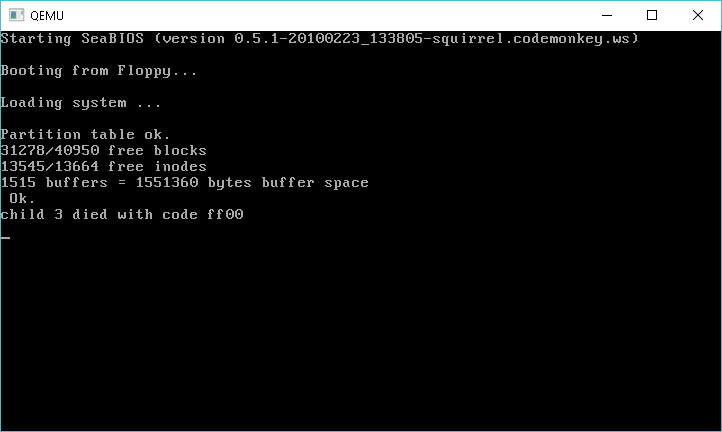
As I actually do have a working GCC 1.40 + Binutils I though it would be great to build his first phase on Windows. Â With a little playing around in the makefiles, and the build program to open files in binary mode, I had a kernel!
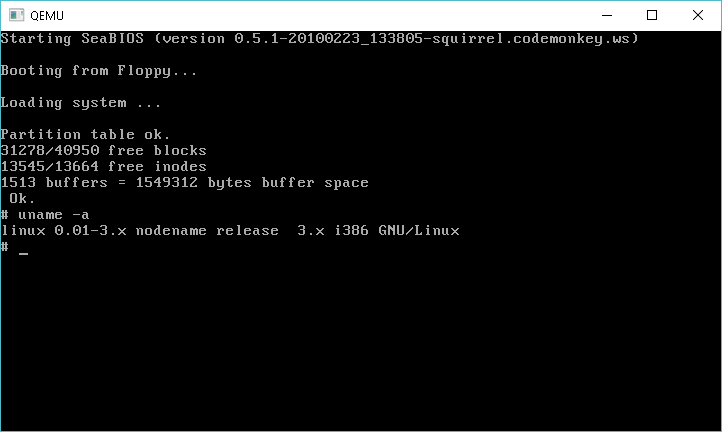
Linux 0.01 remake
Obviously there is issues with the executables that I have from Linux 0.10/Linux 0.11. Â But we are mounting the disk, and using the /dev tree devices. Â I put the remake versions on my cvsweb to walk though what changed.
Using an older ‘modern’ Linux machine with GCC 4.1 I was able to compile the remake #3 kernel, and even better with the provided disk image from the downloads page it works!
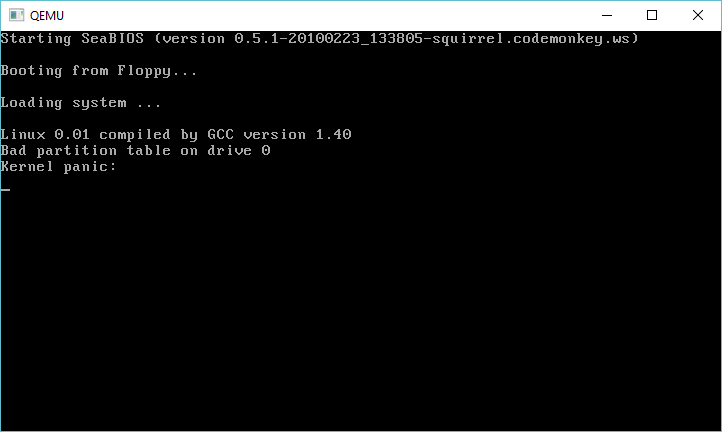
I looked at the source again, and for some reason 99% of it compiled without issue. Â I recall having all kinds of issues, but clearly I was doing something wrong back then. Â At any rate, all I really had to do was modify the commenting style in the 8086 boot block code, and modify the image creation tool to open files in O_BINARY mode for Windows, and I got an image that will boot, then panic because it has issues reading the hard disk. Â I tried the seemingly small ‘fix’ from Linux 0.11 but it’s not working.