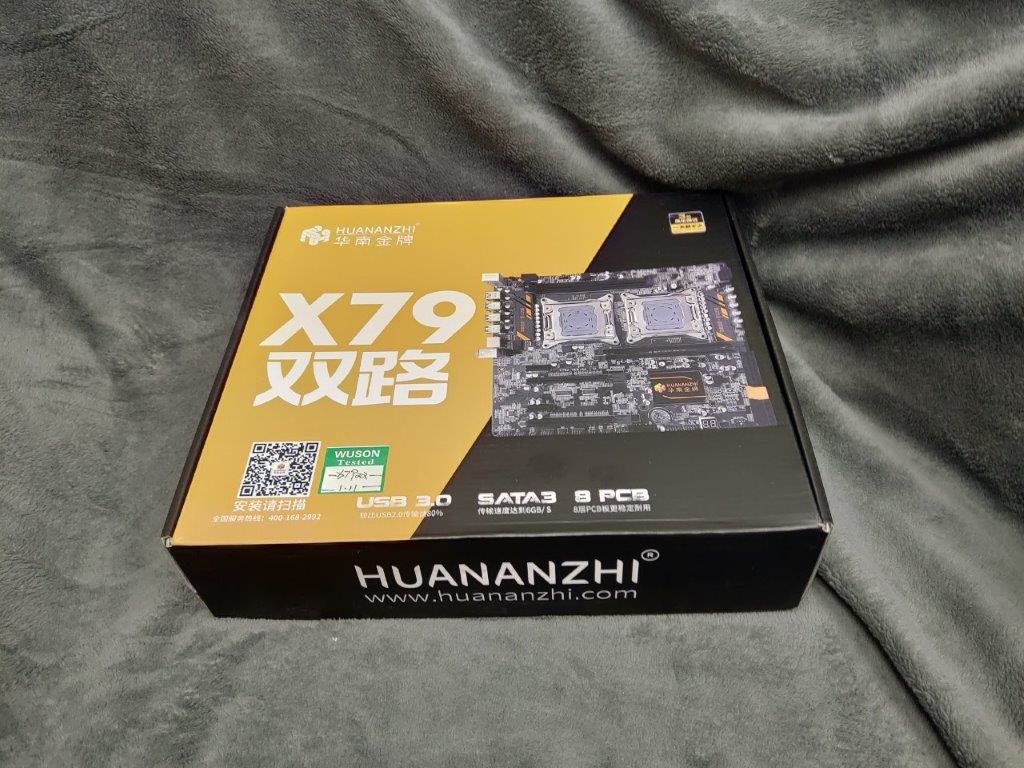
Huananzhi X79

So I picked up this board on AliExpress for about $200 USD. Natrually the x79 chipset is NOT a dual CPU chipset, so yeah it’s one of those ‘not exactly 100% legit’ Chinese motherboards.

One thing about Chinese companies that many don’t sell directly to consumers, instead they sell on Tao Bao, Alibaba, or to foreigners, AliExpress. The company’s site is http://www.huananzhi.com, as they had written on the box. Yes you need the www. portion of the name, as again many things are… well dated on the Chinese internet.

The product page is currently http://www.huananzhi.com/html/1/149/150/256.html, if anyone cares. It lists the technical specs as:

  • Support for Xeon E5 series processors
  • High-speed DDR3 four-channel memory slot: support 1333/1600/1866MHz, maximum capacity 128G memory slot
  • Desktop general purpose memory
  • X79 dual motherboard supports 5.1 channel ALC887 chip
  • 8-layer PCB backplane, 7+7 phase power supply
  • High-speed USB3.0, SATA3.0 interface transmission speed is increased
  • PCI-E expansion slot*4
  • RJ45 Gigabit LAN interface
  • North Korean heat sink with HUANAN logo

Yes, I don’t get the whole Korean heat sink thing either. Anyways I thought it’d be fun to try so I ordered the thing. It took 3 days to get to my office in China, and an additional week to get from China to Hong Kong. I hear these things can take upwards of a month to arrive in North America.

Also worth noting is that they will not ship with a CMOS battery, so you need to supply your own CR-2032 battery, otherwise the board will not operate correctly.
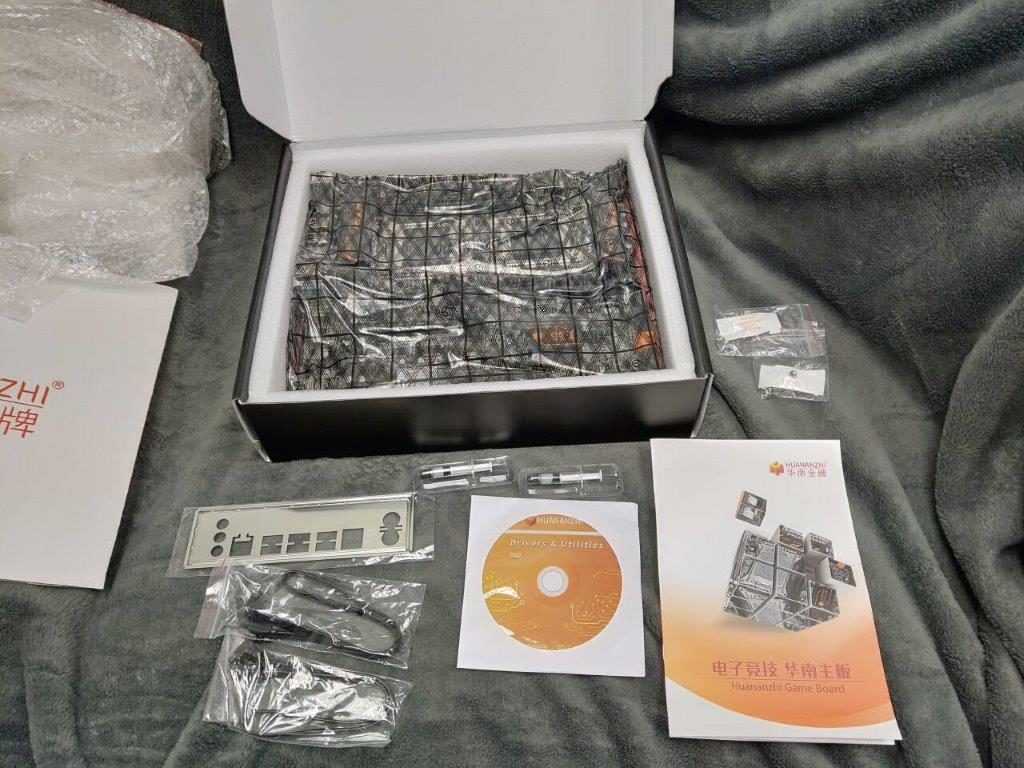
The contents of the box are VERY minimal, but they did include 2 SATA cables, some CPU thermal paste, a very bare and … well not very good manual, a CD which I haven’t even tried to read, along with an IO shield.

Oh and for visitors of the future, here is a poorly scanned copy of that manual. It really is 2 pages. For what it’s worth it makes as much sense in English as it does in Chinese.
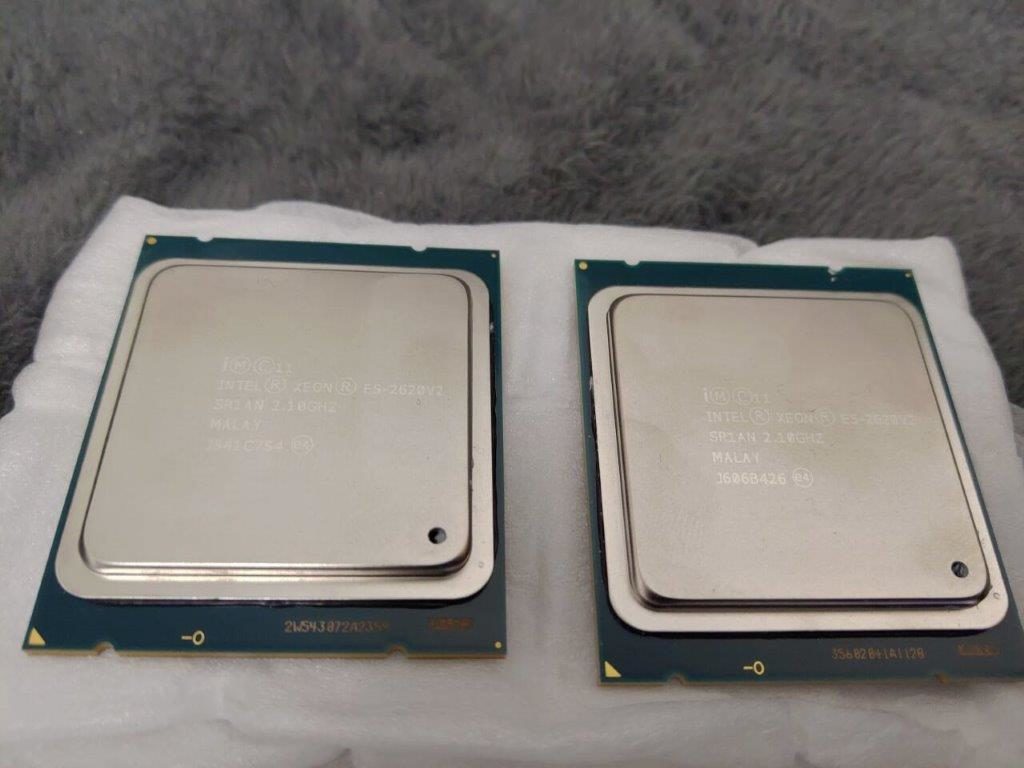
I decided to pair this with a pair of E5-2620 v2‘s that I got for $40 USD shipped, as I didn’t want to initially spend a lot of money in case all of this just exploded or something. These were the ‘widest’ and cheapest processors I could find, I wanted a v2 E5 as they are faster then the first generation.

Also worth noting is that the board is only capable of driving v1 & v2 E5’s. And they need to be the E5-2 type, which support operating in pairs, unlike the E5-1 set. I have no idea if the E5-4’s aka 4-way part would work in a pair. Although it may be an interesting experiment to try.
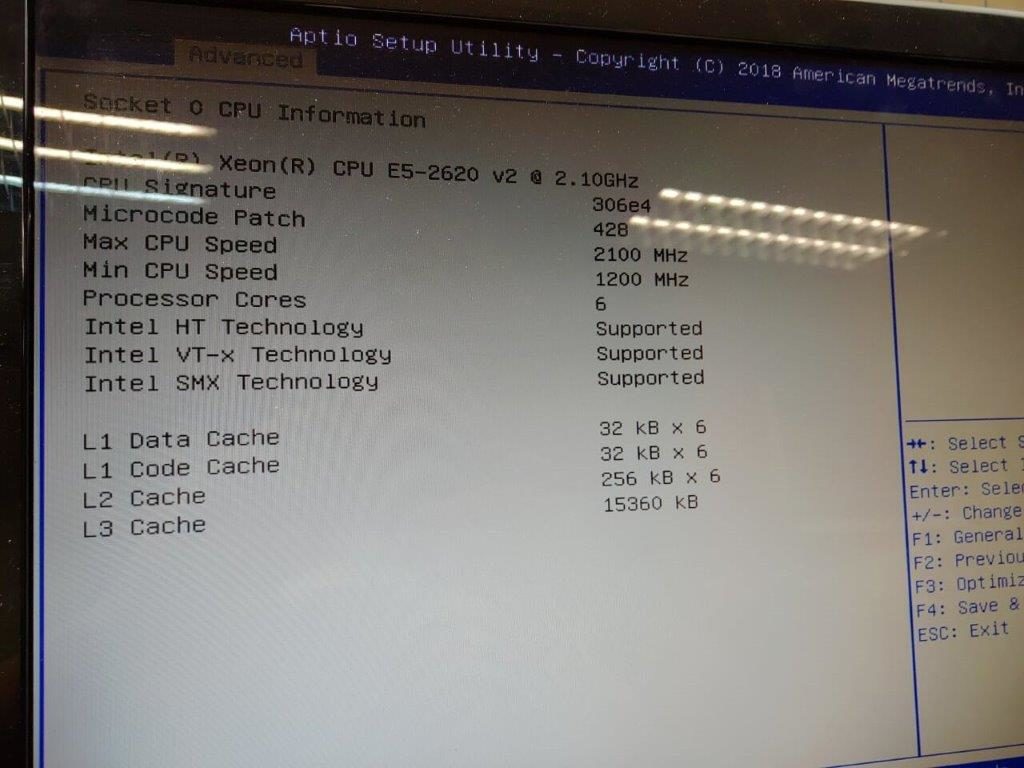
The board apparently doesn’t support overclocking or anything that fancy.
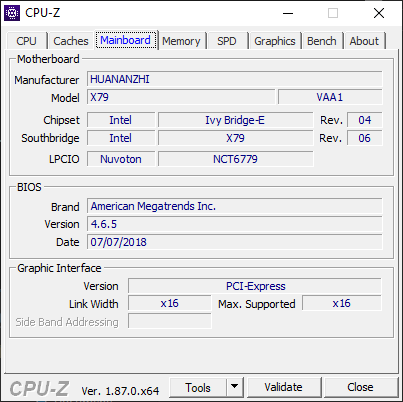
Although it reports itself as an x79 based motherboard, it is in reality an Intel C602, based chipset. I don’t know if they are harvesting them off of recycled servers, or if they have located a giant cache of repair parts that have been pushed beyond 5 year warranties, so they are prime candidates for being re-purposed as end user motherboards. Nice things about these boards vs standard server boards is the inclusion of a Realtek HD Audio chip, VIA USB 3.0 controller, and even the nice spacing out of the slots so you could really use all the slots.
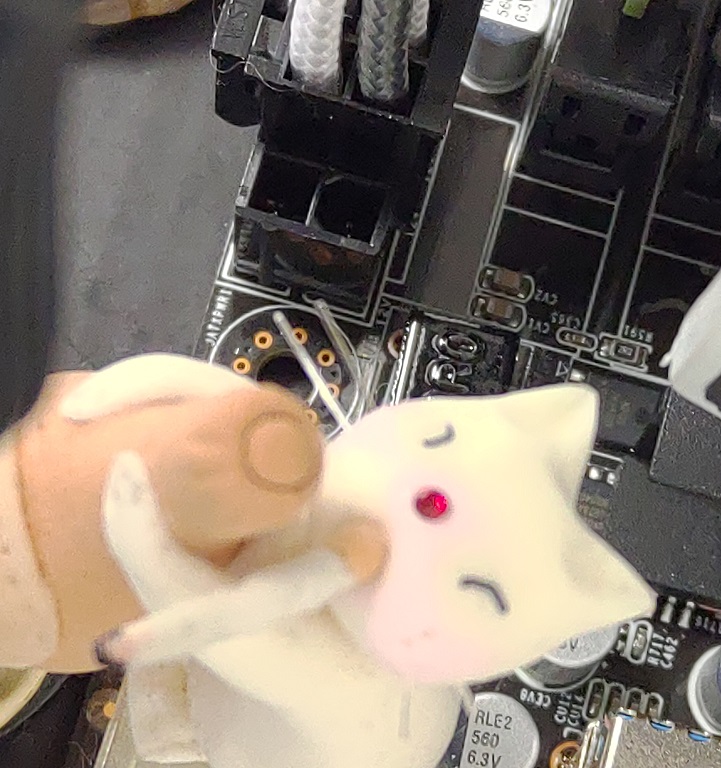
Since this is a dual processor board you really want a PSU with dual 8 pin power connectors, however as mentioned in the poorly translated manual, you can take a PCI-E 6 pin adapter, and place it into the 8 pin socket, just position it backwards so that the 12v+ pins are facing inwards.

It may look strange (well more so as I’m using an extension cable that is sadly more focused on aesthetics than function, but heh it was cheap), but rest assured it works!
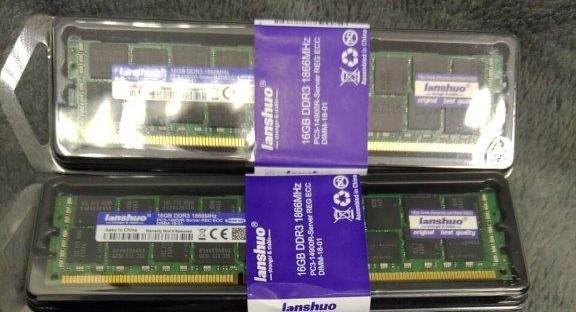
Another thing to keep in mind is that since this board uses a server chipset, not a consumer one, just as it is using server processors, you will need server grade memory. In this case it’s REG ECC DDR3 based memory. I went with 1833Mhz parts, which are the fastest DDR3 parts they made. Although the processors I chose have a maximum frequency support of 1600Mhz, but the memory works fine when underclocked.

Another gotcha is the CPU fans. These need to fit the Intel Xeon 2011, but have support for the 2011 motherbards. Which unlike the consumer versions don’t have a separate plate to bolt to the underside, rather they screw in all from the top. I had purchased a pair of cheap heatsinks that were about the right size, but didn’t include any of the mounting hardware for a 2011 board. I picked up these GELID Phantom Black CPU’s for about $80 for the pair.
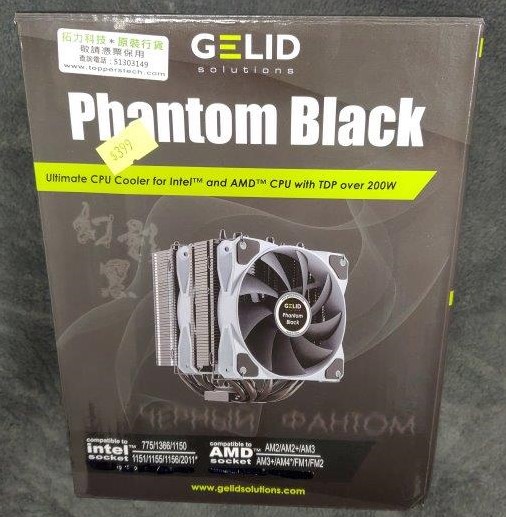
They are quite big, and include a pair of fans for each processor which will make the end build look a little crazy.

I didn’t want to spend a lot, and went with the cheapest PSU I could find to output more than 450 watts. Although it did turn on and run with the lower PSU the machine did shut off overnight for no apparent reason. I’ve been okay with the larger and cheap Antec NX 650 PSU.
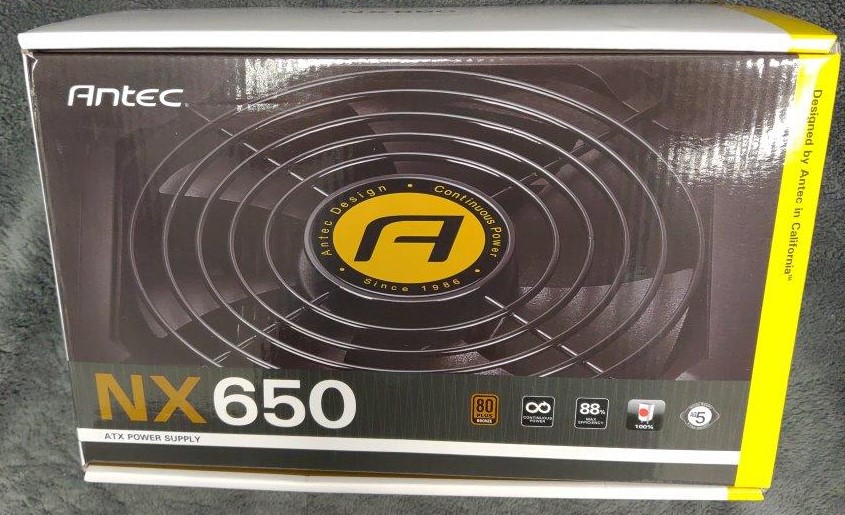
Although, this is the older style ‘bundle o cables’ type of PSU which I’m not such a fan of.
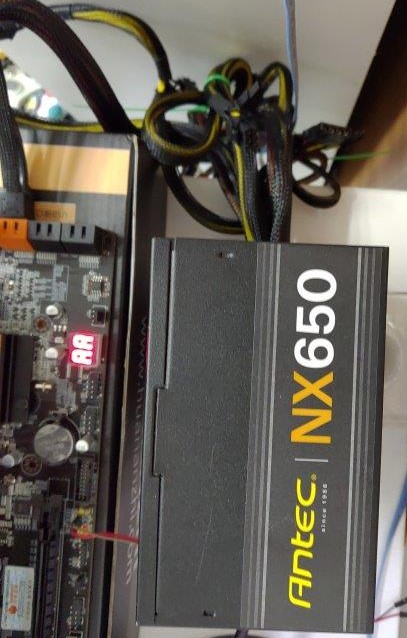
If I had charged up a cordless screwdriver this would have taken a few minutes, but screwing in the heatsinks was a chore, and they really do dominate the boards real estate.
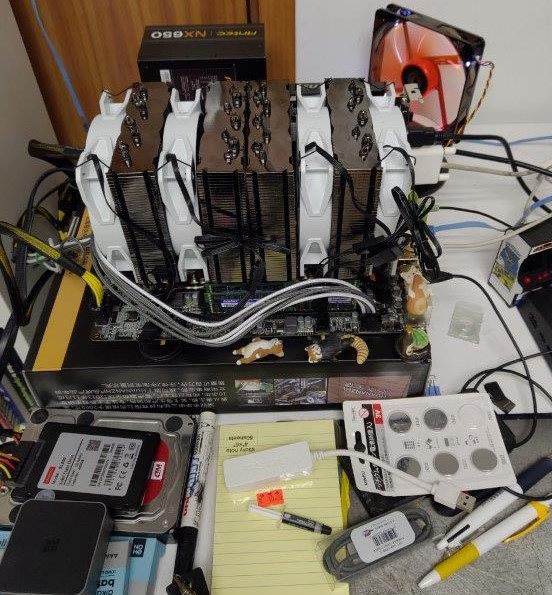
Almost completed build

I thought I had a case, but it turns out that it was for normal ATX sized boards, and this is an E-ATX board so it simply will not fit.
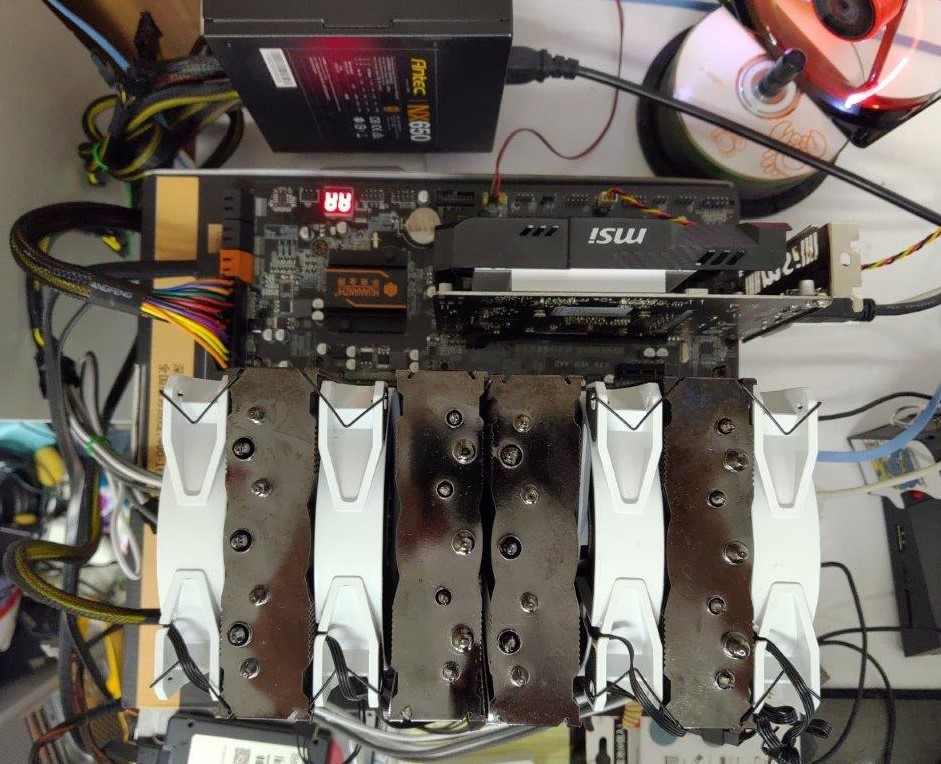
view from above

Another nice server like feature is that the board has an LED readout for early post codes, as booting this board will take some time. I think with 32GB of RAM it’s almost a minute.

I took the SSD & Hard disk out of my MacPro 2010 and put them into the new machine, and it booted up right away. Once connected to the internet Windows 10 picked up the new hardware and downloaded and installed the board drivers as needed. Interestingly enough Windows 10 also wanted a new activation code as the CPU/Motherboard was changed, although it didn’t complain about it.

When it comes to jobs that can run in parallel this is an incredible build. Obviously single core performance at 2Ghz is. well. terrible. I know going to a 4Ghz max E5-2667 v2 won’t be exactly magic either, but there is something nice about having 32 threads. Running stuff like parallel compiles, compression and video encoding is a dream on these massively parallel machines.

Games, are ‘okay’. I get 60fps with Fallout 76 on this current 2Ghz build on medium settings with the 1050 video card.

I do plan on getting faster CPU’s after the Chinese New Year, as right now basically everything is shut down (it sucks being the only person in the office building, literally), and shipments wont’ resume for at least another week.
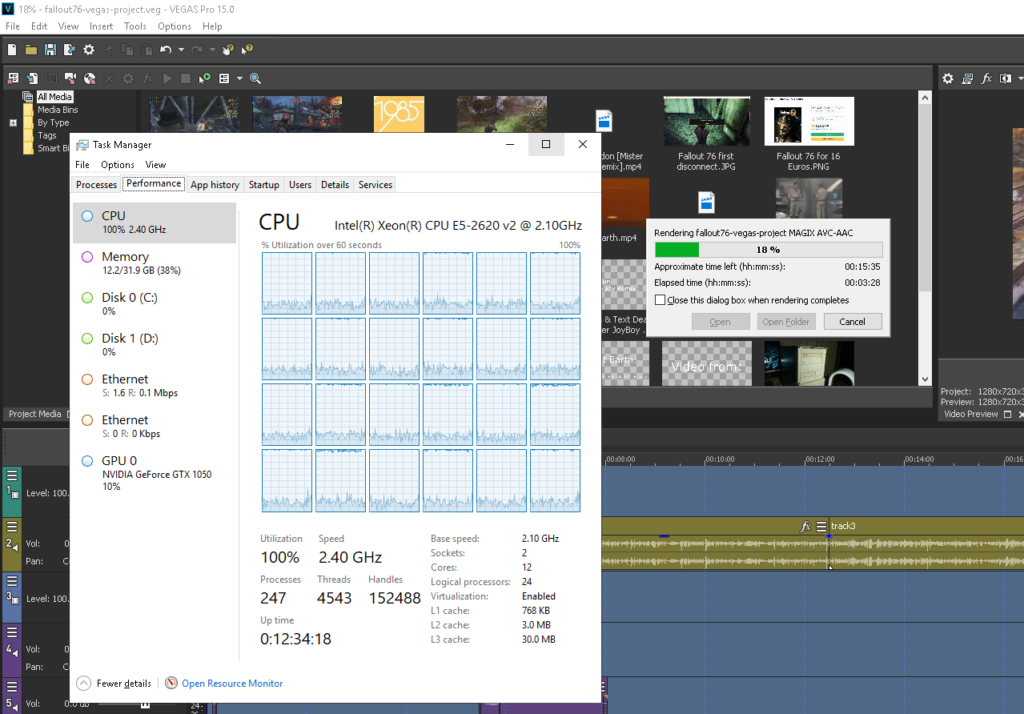
New Year! New Machine!

24 cores!

New format for stuff too!

I picked up an ‘interesting Chinese motherboard, a dual LGA2011 board, some DD3 ECC memory, and 2 of the cheapest ‘widest’ chips I could find, the 6 core E5-2620 v2. The board cost me $200 US, the memory was $90 and the CPU’s were $40. Although the board is E-ATX, and that means I’ll need to get a new case as it won’t fit anything I have lying around.

I think I finally got the hang of Vegas. It’s taken far too long to get here, but I was hoping to have received the board much quicker as it shipped from 30km from here, but they did their best to NOT ship to Hong Kong.

I know it’s far too long, and far too maranding. Oh well it’s late and I’m just babbling like crazy.

Virtual Xenix & the internet pt 2

So retrohun is doing their blog thing on github of all things, and the latest entry, is of course Xenix tales. As mentioned in comments on this blog & other places they found another driver for Xenix TCP/IP!

Going back years ago, the tiny NIC driver support for the elderly Microsoft/SCO Xenix 386 v2 included 3COMA/B/C and SLIP. However it’s been recently unearthed that D-Link had drivers for their DE-100 & DE-200 models, and as it happens the DE-200 is a NE-2000 compatible card!

That means that Qemu can install/run Xenix, and it can get onto the internet* (there is a catch, there is always a catch).

You can download the driver either from github or my password protected mirror. Simply untar the floppy under Xenix (tar -xvf /dev/fd0) and do the install via ‘mkdev dlnk’

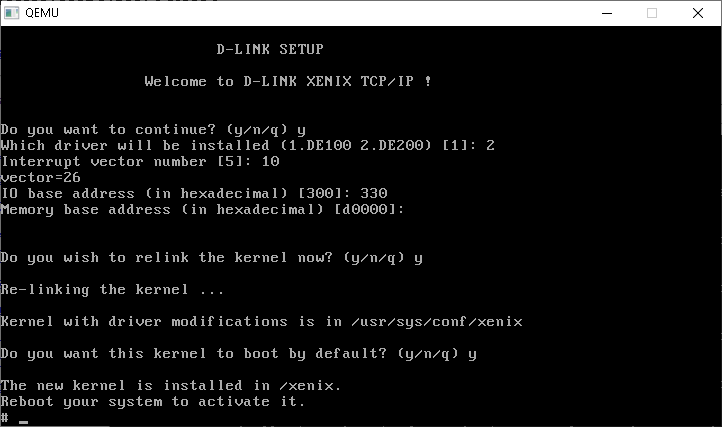
Setting up the driver is… tedious. Much like the system itself. I found Qemu 0.90 works great, and is crazy fast (in part to GCC 3) even though Qemu 0.9’s floppy emulation isn’t good enough to install or read disks. With all the updates to Qemu 3.1 use that, it’ll read the disks, and allow for networking.

To give some idea of speed I ran the age old Dhrystone test, compiled by GCC 1.37.1 and scored the following:

Dhrystone(1.1) time for 5000000 passes = 8
This machine benchmarks at 625000 dhrystones/second

When compared to the SGI Indy’s 133Mhz R4600SC score of 194,000 @ 50000 loops that makes my Xeon W3565 322 times faster, under Qemu 0.90! And that’s under Windows!

Setting up the commandline/launching is pretty much this:

qemu.exe -L pc-bios -m 16 -net nic,model=ne2k_isa -net user -redir tcp:42323::23 -hda ..\xenix.vmdk
added SLIRP
adding a [GenuineIntelC] family 5 model 4 stepping 3 CPU
added 16 megabytes of RAM
trying to load video rom pc-bios/vgabios-cirrus.bin
added parallel port 0x378 7
added NE2000(isa) 0x320 10
pci_piix3_ide_init PIIX3 IDE
ide_init2 [0] s->cylinders 203 s->heads 16 s->sectors 63
ide_init2 [1] s->cylinders 0 s->heads 0 s->sectors 0
ide_init2 [0] s->cylinders 2 s->heads 16 s->sectors 63
ide_init2 [1] s->cylinders 0 s->heads 0 s->sectors 0
added PS/2 keyboard
added PS/2 mouse
added Floppy Controller 0x3f0 irq 6 dma 2
Bus 0, device 0, function 0:
Host bridge: PCI device 8086:1237
Bus 0, device 1, function 0:
ISA bridge: PCI device 8086:7000
Bus 0, device 1, function 1:
IDE controller: PCI device 8086:7010
BAR4: I/O at 0xffffffff [0x000e].
Bus 0, device 1, function 3:
Class 0680: PCI device 8086:7113
IRQ 0.
Bus 0, device 2, function 0:
VGA controller: PCI device 1013:00b8
BAR0: 32 bit memory at 0xffffffff [0x01fffffe].
BAR1: 32 bit memory at 0xffffffff [0x00000ffe].

In the file /etc/tcp the default installation does a terrible job of setting up the NIC. I changed the ifconfig line to this:

ifconfig dlink0 10.0.2.15 -trailers broadcast 10.0.2.255 netmask 255.255.255.0

Which at least brings it up a bit better. I added in a gratuitous ping also in the startup script to build the arp for the gateway.

ping 10.0.2.2 32 1

Which brings us to the next point, the routing command is broken after loading the D-Link driver. I tried all the available TCP/IP drivers for Xenix (1.1.3.f 1.2.0e).

# route add default 10.0.2.2 1
add net default: gateway 10.0.2.2 flags 0x3: No such device or address

So no dice there. And yes, for SLIP/no interfaces the route command works as expected, just not with the DLINK driver.

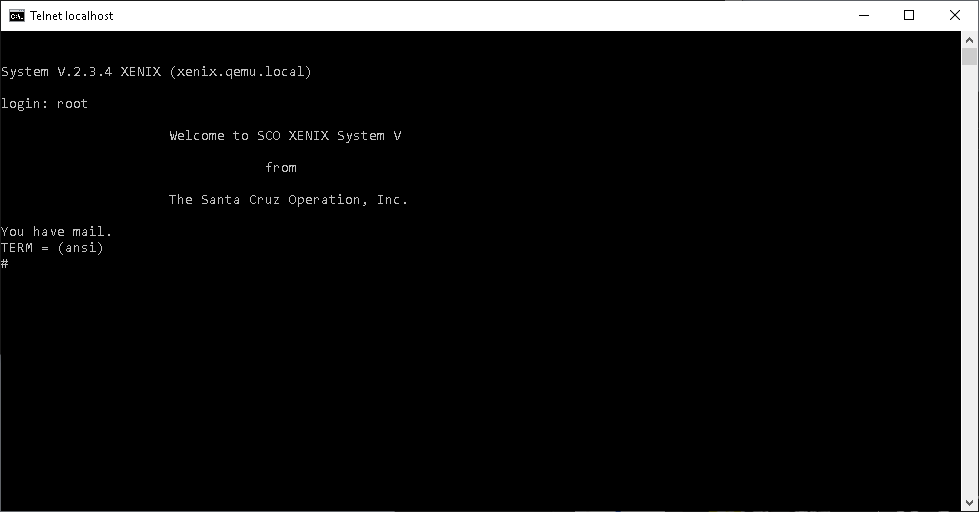
However local connections from the host machine do work, so yes, you can telnet into the VM!

Welcome to 1990!

This makes using Xenix far more usable say for managing files, control/compiling etc.

For you die hard IRC fans, all is not lost, you can simply run a local proxy (See: Teaching an old IRC dog some new tricks) on your host machine, and point the irc client to 10.0.2.2

IRCII on Xenix/Qemu

So there you go, all 20 Xenix fans out there! Not only a way to get back online, but to do it in SPEED!

Thanks to Mark for pointing out that there has been tremendous progress with version 3.1 of Qemu, and it’s TCG user speed is up to the 0.90 levels of speed (at least with dhrystone/Xenix), and it just takes a little (lot) of massaging to get up and running with Xenix with the right flags:

qemu-system-i386.exe -net none -L . -m 16 -hda xenix.vmdk -device ne2k_isa,mac=00:2e:3c:92:11:01,netdev=lan,irq=10,iobase=0x320 -netdev user,id=lan,hostfwd=tcp::42323-:23

This is based off my old post, Running Netware 3.12 on Qemu / KVM 2.8.0 although with a few more flags to assert the user mode tcp redirect.

I’m using Stefan Weil’s build of the x64 native i386 Qemu.

Stanford uploads 111 lectures by Donald Knuth.

This is pretty cool! I didn’t know they were recording stuff back in 1980!

Stanford has a nice playlist here.

Naturally it’s full of TeX & Mathematical writing, along with trees and other ‘fun’ CS stuff.

While we are overall drowning in cat videos, and other uh ‘multimedia’ content, it’s still amazing the wealth of information that is available to the world (well the part of the world that can view YouTube).

I have no idea what the licensing is, but it’d be such a shame if it was hosted on additional platforms to make them available to the larger world.

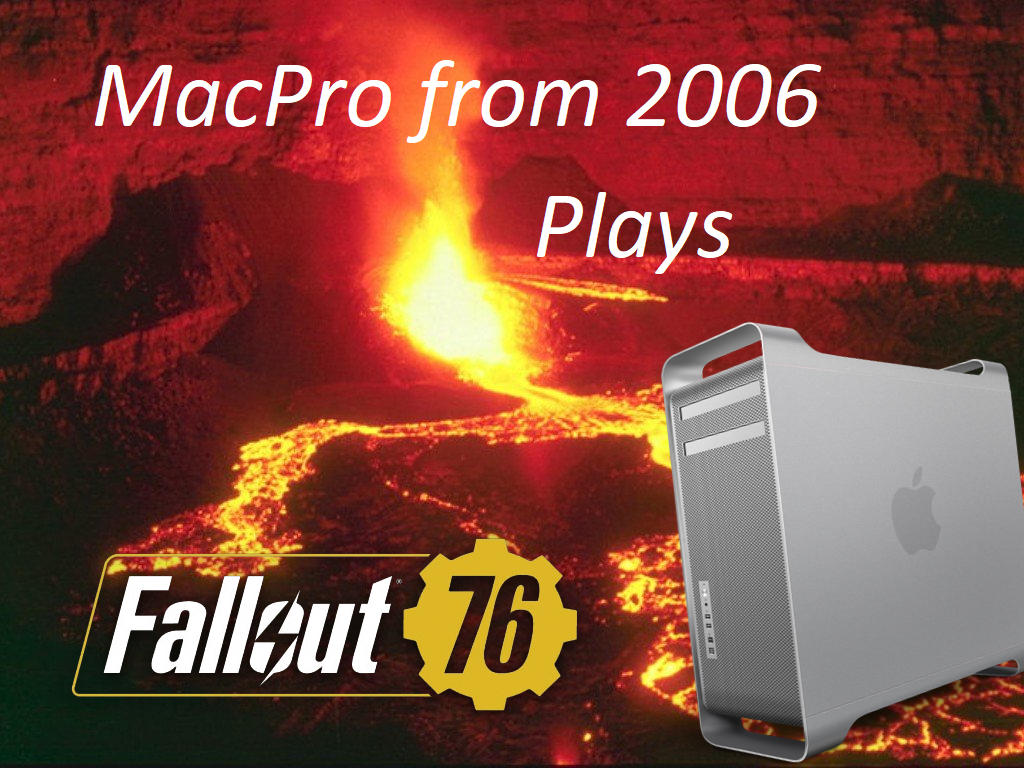
Test video of Fallout 76 on a 2006 MacPro

So, I thought my mic was working but yeah it’s not. I’ve shot a bunch a footage, and did some capture stuff too. Turns out the audio I though I had working isn’t. I should have started with a 10 second short to get things ironed out.

I’m using old crap I’ve had lying around in this case, software wise, I’m using liteCam Game: 100 FPS Game Capture, which I guess is ‘okay’ for video capture. It runs on my 2006 MacPro so that’s great, but the video compressor it likes to use, the RSUPPORT MPEG4 Codec isn’t understood by the video editor I’m using, VEGAS Pro 15 Edit Steam Edition.

So FFMPEG to the rescue!

ffmpeg.exe -i 20190107-122714.avi -t 00:05:00.0 test2MP4_.mp4

This gets me a 5 minute clip trans-coded from one MPEG-4 to another, but at least Vegas can read it now.

I used the great program myTube to clip audio from another video, and convert only the audio stream into something Vegas could deal with:

ffmpeg.exe -i DASH-Yakety Sax- Music.dasha” -vn -c:a copy Yakety Sax-Music.mp4

Editing was a fun time flailing around figuring out how to cut tracks, fade in/out add in other layers, and that’s when I noticed that my MIC wasn’t capturing anything. And I didn’t want to try to literally phone it in, so it’s a test video.

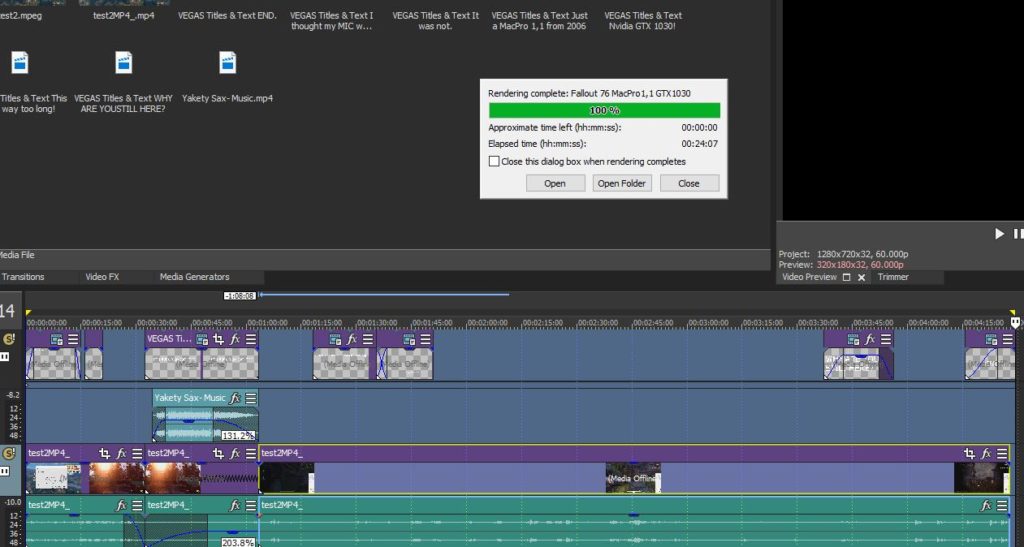
24 minutes to render a 5 minute video!

I was kind of crazy, and used the 2006 MacPro to make the video file. I should have known with the ‘blazing’ speed of 0.407x doing the trans-coding that this was going to be SLOW. Obviously dual Xeon 5130‘s @2Ghz isn’t really ideal for video editing today.

Clearly I need a bigger boat.

But just like running Fallout 76 on a 13 year old computer, it still runs. SLOWLY.

I wanted to some crappy branding/art things, but as I made a new channel I’m too much of a n00b apparently to set custom thumbnails. So I need to fluff it out or something I guess.

So here we go!

Consider it more of a process test, I need to get some lighting, and figure out what is up with my audio, maybe hit SSP and get an old audio board or something. Let me know how terrible it looks/sounds… I’m still working on transitions and stuff. I got Vegas on sale for a tiny fraction of the price, I guess it’s high time to use it.

OSnews hacked.

Well this sucks. OSnews has been around for a long long time, and like other long in the tooth sites (slashdot sourceforge etc) things tend to stagnate, and then eventually get exploited.

To be perfectly honest, when contemplating what needed to be done to properly move the site to a new platform, I considered just throwing in the towel and going offline permanently. Revenues from advertising donรขโ‚ฌโ„ขt cover expenses, and though this could probably be rectified by exploring more creative sponsorship approaches, I donรขโ‚ฌโ„ขt have the time.

I can totally relate to this kind of thing. Once you’ve been doing something for over 10 years, and like me, doing it kinda poorly there becomes a demotivational wall. One thing that keeps me going however is the user comments. Granted any time there is a popular blip I can easily get 30k+ visitors in a day, but absolutely zero engagement. It’s the long term stuff however that actually gets the engagement, along with so many thanks for either spelling things out, or pointing people in the right direction for their projects or work.

The one thing that I think has artificially killed OSnews is that they had limited comments to articles for 2-3 days which I can tell you with some articles garnering over 100k hits is that the torrential storm of interest, and eventual comments and engagement comes later. Sometimes YEARS after the fact (The Opus #1 cisco hold music has garnered a TONNE of hits, follow up articles and a stereo re-release!. All of which started well over a year from publishing).

One thing I lament is that the auto-moderator ends up killing legit comments from time to time, but the amount of SPAM I get is unreal. I have over 1,000 from the start of this year to give an example of the volume. It’s a shame. As much as I’d like to be more like reddit or something more cultivated, I’d need humans working 24x7x365 in shifts to guard and watch the site, and I know I don’t have the funding for that, nor is anyone insane enough to do it for free, so enter the bots.

So yeah… Old sites end up drifting in and out of popularity as the years go by, especially if they don’t magically explode in popularity. News at 11 so they say.

Oh and update your passwords, if you haven’t done so already.

Quake 2 for MS-DOS full playthrough

https://www.youtube.com/watch?v=wSy2rTdGWqA&list=PLgP4eLjNN6ULJqe6EvpmRGcBEb6YaIRrE
Playthrough by TheSlipGateUser

I was just alerted to this playthrough of Quake 2 for MS-DOS by TheSlipGateUser which showcases the game play under DOSBox.

Honestly I’m terrible at Quake, QuakeWorld and Quake 2, but it’s great to see someone who knows that they are doing, and more so that under emulation the game is holding up.

I know the MS-DOS port isn’t exactly the most popular in the world, although I suspect if it had been a thing in 1997 there would have been an audience with people that didn’t want to have Windows in the background as a distraction.

That said, any new people will of course want to check out the excellent (if I do say so myself!) series “Porting Quake II to MS-DOS“.

NCC / K&R C compiler for the AMD64 platform

I saw this mentioned over at Hacker News, Charles Youse’s NCC and had to check it out! It really is a ‘tiny’ K&R C compiler that is targeting a proprietary a.out file format.

This is NCC, the “new” C compiler. It is intended to be used as the system compiler for BSD/64 (my port of pre-Reno 4.3BSD to Intel/AMD 64-bit desktops).

The dialect of C accepted by the compiler is basically pre-ANSI (K&R 1978) with some common extensions and a few minor “fixes”. (See the DIALECT file for specifics.) This is both a function of the compiler’s purpose — to operate on a mid-80s codebase — and, admittedly, personal taste.

The binary tools work on a proprietary object file format and produce a.out- format executables. These are documented in obj.h and a.out.h respectively.

The compiler and its tools are fully functional and have been fairly well- tested, though they are works in progress. In particular, the optimizer is quite minimal: the framework for a more aggressive optimizer is there, but for the moment only rudimentary data-flow analysis is done to aid the register allocator and clean up the more egregious output from the code generator.

Included in the source is:

* ncc: compiler driver.
* ncpp: an ANSI C89 compliant C preprocessor.
* ncc1: the C compiler proper, produces assembly output
* nas: accepts 16/32/64-bit Intel syntax assembly and produces .o object.
* nld: the object linker – combines .o files into a.out executables.
* nobj: object/executable inspector.

You can find the source over at github here: https://github.com/gnuless/ncc (I had a few versions I downloaded here).

I have to admit, I’m more interested in this 4.3BSD port to the AMD64, although Charles hasn’t made any mention of it just of yet.

For those who are interested in that sort of thing, NCC is licensed under the 2-clause BSD license.

Installing Windows 10 pro onto an older Mac Pro

So I have this 2006 Mac Pro 1,1 that I’ve had laying around and I wanted to put my old Nvidia 1030 into it, along with Windows 10 for a newer (stronger?) home machine.

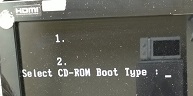
So I burnt the downloadable ISO from Microsoft onto a DVD, tried to boot it up and got this:

Ignore the microwave…

I got stuck at this “Select CD-ROM Boot Type : ” prompt, which you can’t type anything into. Apparently it’s a common and known issue with 64bit boot code, as the older Intel Apple Mac’s are of course 32bit only. So there is a fix, you have to use something called “oscdimg” to rebuild the ISO with a 32bit friendly loader.

So first I just used 7zip to extract the downloaded ISO, and then create the new 32bit ISO with the following:

oscdimg -n -m -bc:\temp\Windows10\boot\etfsboot.com c:\temp\Windows10 c:\temp\LegacyBootWindows10dvd.iso

And yes, it boots!

Brigadier

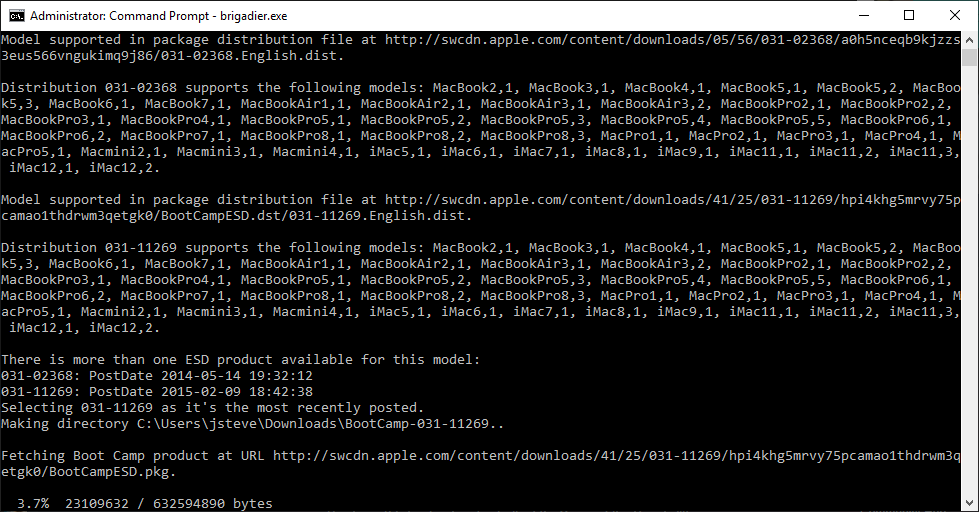
Now what about those special ‘bootcamp’ drivers? Obviously under Windows 10 there is no nice way to get the ones you want. And what about which model/download package to get?

Then I found Brigadier!

It’ll probe your hardware type and grab the drivers for you!

https://github.com/timsutton/brigadier/releases

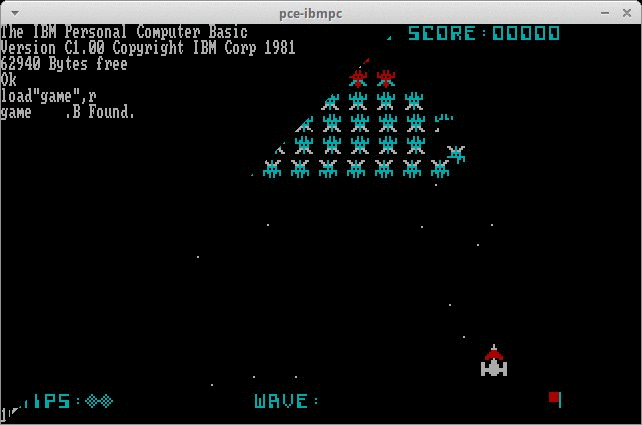
Booting a PC over serial port via ROM Basic!

Galaxian via Basic over the serial port

I was sent this link while out for vacation: https://github.com/retrohun/blog/tree/master/dt/bootingfromcom1

So this is great for machines that included the seemingly useless ‘casette basic’ as you could maybe shove over something to config the machine, maybe ‘rom dos’ directly into ram to fdisk/format without using disks… Interesting stuff to say the least!