UDP Nat weirdness in Virtual PC 2007

Well just as soon as I posted about needing Qemu to run QuakeWorld for MS-DOS, my new machine alerts me to some new updates, among them is Virtual PC 2007’s sp1.

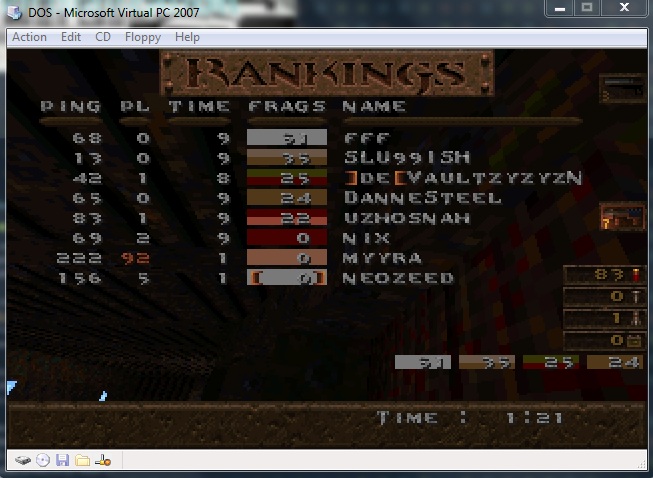
The cool thing is that with this update, UDP through NAT is working correctly!

QuakeWorld-2.40-MSDOS-VirtualPC-2007-sp1

QuakeWorld-2.40-MSDOS-VirtualPC-2007-sp1


So maybe it’ll help someone else down the road with any other UDP based applications. I was going crazy, as the TCP stuff was working just fine.

QuakeWorld client for MS-DOS

So as leileilol pointed on on VOGONS, QuakeWorld’s networking was a rapid departure from Quake 1, and formed the basis of a lot of modern multiplayer games… Like teamfortress and half-life.

So with a little bit of work, I was able to compile a QuakeWorld client for MS-DOS. Or here for the standalone exe, and don’t forget CWSDPMI. Oh and be sure to get a packet driver, for your NIC. Many vendors have these on their site for newer stuff.

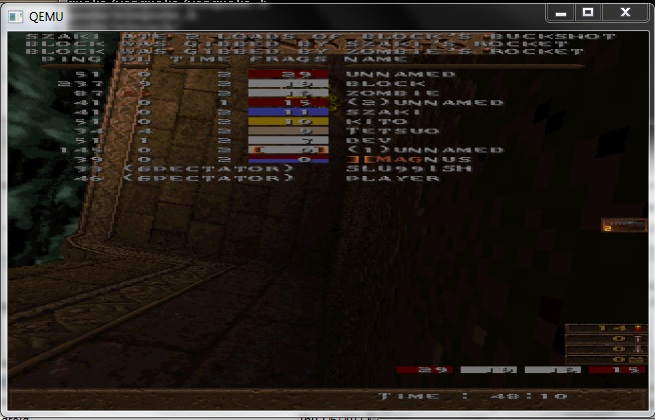
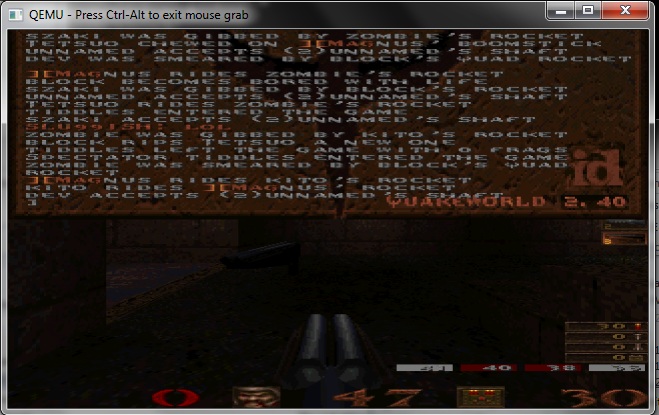
Now I managed to get a new computer between posts, and it’s not working on virtual pc… I may be 500 updates behind though so maybe it’s something else. So in the meantime I’m testing with Qemu.

The other oddity is that compiling QuakeWorld with GCC 2.95.3 with either -O1 or -O2 builds a client that will time out after 2 minutes… -O0 ran for over an hour with me playing and dying a lot on quake.xs4all.nl:27500 …

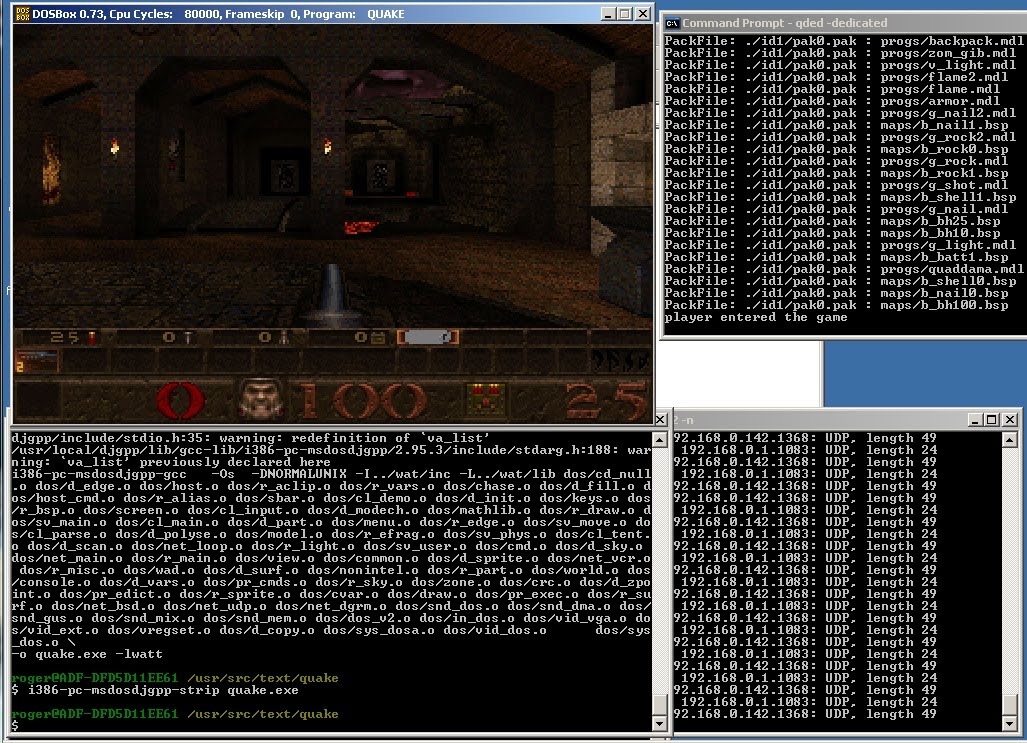
Oh and what good would this be without pictures?

Yes, I’m really that bad.

You can find quakeworld servers on the site quakeservers.net. And I can verify that you can indeed download levels!

Enjoy!

WAMP server 2.1d

I haven’t checked the list to see what is going on, but WAMP server has gone through yet another permutation…

2.1d x86

2.1d x64

There is some noise on the forum, I think as some of us are rushing sourceforge, we aren’t getting fully formed downloads so there some corruption going on… and other issues…

Considering how popular WAMP is there is no way I could host it…..

Some quake 1 links

Well last night I wanted to test my quake build on a real quake server… So looking around I found this great site, QuakeOne. So I used the full pak files I got from buying Quake (yet again) on steam, and went through and downloaded some mega map download (remember maps go in c:\quake\id1\maps), and combed through the server list and found a few servers to connect to.

The great thing is it worked.

It worked well enough that not only did the DOSBox test worked, but also running it through Qemu and Virtual PC. I configured Qemu & Virtual PC to use their own NAT solution, and they both worked fine. Since the PCAP thing can be a little crazy for DOSBox I’m thinking about trying to merge in the SLiRP code from Qemu into it, to provide ‘user mode networking’… It’s worked well enough for SIMH, so I don’t see why not.

Oh and speaking of quake, Qaddicted has some great information as well.

Quake1 with WATTCP built with DJGPP on DOSBox

Phew.

As far as I know this was never done, as the world at large moved away from MS-DOS, and of course when Quake 1 on MS-DOS was popular they weren’t exactly giving out the source… Such a shame the DLM thing was lost in the shuffle as DLL’s on DJGPP/MS-DOS could have made quake more modular..

So what I’ve done, is I’ve used an ancient version of cygwin that I was playing around with line, and built a cross compiler for DJGPP. Then using that I’ve built the latest version of Watt-32 tcp/ip with it, then I took my build of Quake 1 on DJGPP, and built quake to use the net_bsd, net_udp, net_dgrm services, and added in the needed hooks for Watt-32 TCP/IP. And to their credit, I just added a single function call to both protocols init functions, and a single function to the general network poll function. All and all I think it’s 3 lines I changed.

Then to test, I used an older copy of DOSBox that included a virtual NE2000 that binds onto a physical interface via libpcap, loaded up the packet ne2000 driver, and ran the client!

For a server, I used the much older, quake dedicated server I had built to run on Windows NT 3.1. Although I never did automatically turn on the ‘-dedicated’ flag for some reason…

On the Windows XP virtual machine, I installed a loopback adapter, then set it up with internet connection sharing so that XP would act as a DHCP server to the Watt-32 TCP/IP stack.

Anyways, as you can see in the picture I connected a simple sniffer, WinDump to watch the packets, and it worked.

I’m still blown away that it worked on the first shot.

It’s really a testament to all the people that make all the moving parts here, when I can just string stuff along and get it to work.

For anyone daring enough, this zip contains all the source, and binaries of all the parts, except for the cygwin install. (I did have to poach a ‘modern’ cygwin1.dll from a modern install).

Enjoy!

WATTCP & DJGPP

So years ago there was this great free TCP/IP package out of the University of Waterloo (CANADA!) called WATTCP. And then later it was ported to DJGPP and named Watt-32 TCP/IP.

The sad thing is that as the years have gone by, this kind of stuff has slipped away, and is nearly all lost.

But thanks to the internet archive yet again, I’ve been able to pull out some key stuff, and google a bunch more of it out…

*watt32d-2.1-dev.1.zip
*watt32s-2.2-dev.10.zip

And of course the older wattcp:
*tcplib.zip

So thats one of the manual sets, a binary set, and a source set. I guess the thing that really matters is that the source set seems to be the last version..

Wattcp relied on a packet driver, in which to communicate with the outside world. I know there is SLIP/PPP and all kinds if NIC drivers out there..

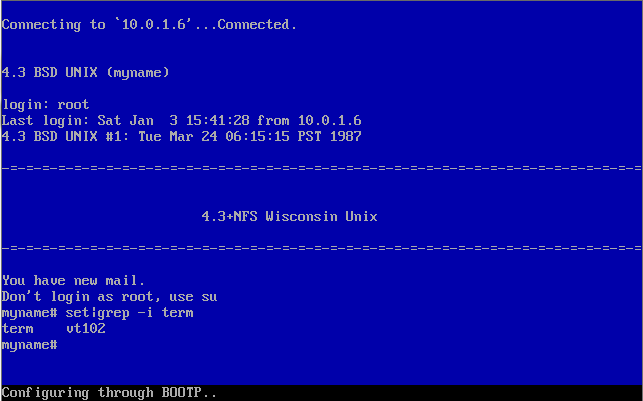
So I went ahead and snagged the driver for Virtual PC’s NIC, then running the DOS-Telnet client, I went ahead and connected to a SIMH Vax running BSD…

And it works pretty well.

I’ll have to walk through some of the code and produce something more… interesting.

At any rate, I hope this will help anyone trying to do some embedded work around MS-DOS & DJGPP.

— edit
While browsing the list at www.bttr-software.de I found the new Watt-32 home page…. So it’s good news, but strange that google seems to have not picked up on it, or other people…

Zork on the IBM Mainframe (VM/370 CMS) it lives!

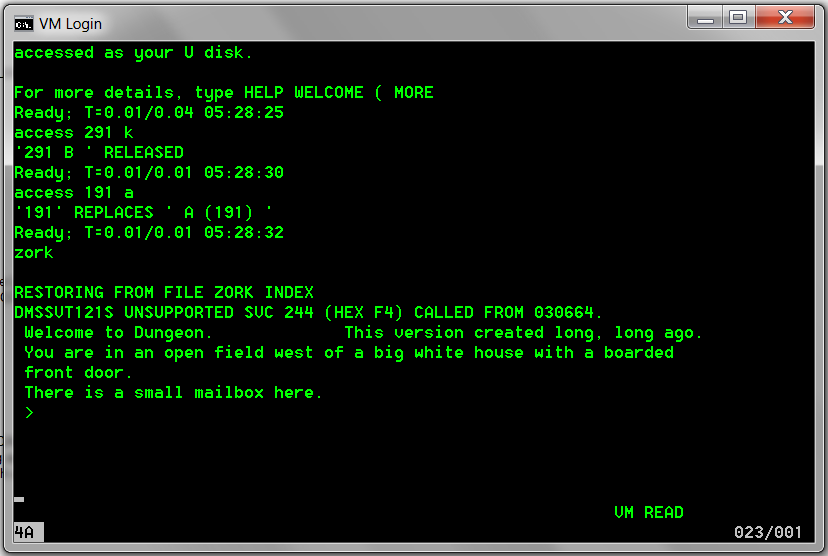
There we have it, after a LOT of fighting the emulators, missing bits, LOTS of help the hercules-os380 mailing list, and the EXCEPTIONAL of one Paul Edwards, and it’s running.

It seems to be Dungeon version 1.2C

read news
US NEWS & DUNGEON REPORT
01-MAR-81 Late Dungeon Edition
This is a version of Zork on VM/370

The problems with it are:
-Lack of an endgame.
-Simple parser (no compound sentences).
-Numerous bugs and spelling errors.
But so what.

If you encounter problems or find logic, spelling, or usage bugs,
keep them to yourself.

>

It’s a little odd playing zork on a mainframe…

Zork on the Mainframe?

Ok, I know this title 99% of the time is a ‘oh whatever’ as most people seem to have confused mini’s with mainframes… PDP-10’s, PDP-11’s, VAX’s (even the massive 11/780), were all minicomputers…

But I came across this post, which just mentions in passing that there was a port of dungeon (zork) to the IBM Mainframe…

And rescued via the internet archive, is Melinda Varian’s home page, which includes…. Dungeon in VMARC format…

The sad thing is that I can barely remember logging on to TSO, using ISPF, and getting out… I was so bad with the system that I’d use an empty file as a template, as copying files was easy, but creating a file on the host took me a whole day.

I vaguely recall using this IND$ thing to transfer files, but I don’t know what you need exactly to facilitate it…

So I’ve downloaded hercules/380 along with the VM370 SixPack and… remembered that I don’t… remember much, let alone enough to actually operate VM/370.

I tried passing VMARC files through PC ARC, and got.. nothing, I even manually byteswapped the files to get nothing.

Oh well I’m at an impass, but maybe some mainframe dude will see this one day, and take a peek.

Oh it’s the end of 2010, welcome to 2011.

—-edit
I got it to run on VM/370 CMS.

Line is not an emulator

I don’t know how I didn’t find this earlier, and how it’s been overlooked for so long….

But this incredible program, LINE, will run statically linked Linux ELF binaries on Windows.

Yes, you read that right, this user mode program will load an ELF exe, and run it under a software debugger with no need for device drivers, and intercept all the sycalls (ie int 0x80’s) through the cygwin1.dll, giving you a POSX/Command line linux experience.

It does come bundled with various hello programs, and a few things on testing forks… But the real magic for me was being able to grab a static version of dungeon, and running it on both Windows 7 x64, and emulated NT 4.0.

And it works!

Line running Dungeon

I’ve put my copy of dungeon, along with a copy of cygwin1.dll that works with the LINE package here for anyone interested.

I’m just amazed at the size, and simplicity of the whole thing…..

In the documentation there is even mentions of NSO (Native shared objects?), and dynamic linking…

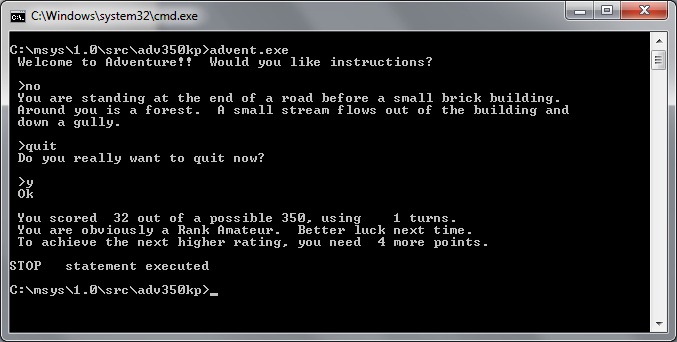
Clearly this project should have had more of a future to it!