Qemu 0.14.0 rc0 released!

Whoa I didn’t see that coming along so quick…

I was anxiously awaiting some VM/386 diskettes I ordered from Amazon to show up.

The main changelog hasn’t been updated since 0.12.5 so I really don’t know what to expect in this release.

One thing that is new, is QMP, the The QEMU Monitor Protocol.

Another interesting thing at a glance, is that 0.14 seems to have far more modes for the i386-softmmu..

pc         Standard PC (alias of pc-0.14)

pc-0.14    Standard PC (default)

pc-0.13    Standard PC

pc-0.12    Standard PC

pc-0.11    Standard PC, qemu 0.11

pc-0.10    Standard PC, qemu 0.10

isapc      ISA-only PC

The NE2000 still has a conflict on 0x300 IRQ 9, so removing it from hw/pc.c will allow the ISA NE2000 to function…

I also see the addition of the Intel HD Audio Controller, or hda, not to be confused with the first hard disk.

So for those of you who wish to give it a shot, here is the x86/x86_64 only version (what 99% of you want), and for the 1% crowd, the ‘other’ version which has all the OTHER cpu’s (mips,m68k,sh4,ppc).

And for some shameless google juice, here is the options for the new version of qemu-i386softmmu:

QEMU emulator version 0.13.90, Copyright (c) 2003-2008 Fabrice Bellard
usage: qemu [options] [disk_image]

‘disk_image’ is a raw hard disk image for IDE hard disk 0

Standard options:
-h or -help display this help and exit
-version display version information and exit
-M machine select emulated machine (-M ? for list)
-cpu cpu select CPU (-cpu ? for list)
-smp n[,maxcpus=cpus][,cores=cores][,threads=threads][,sockets=sockets]
set the number of CPUs to ‘n’ [default=1]
maxcpus= maximum number of total cpus, including
offline CPUs for hotplug, etc
cores= number of CPU cores on one socket
threads= number of threads on one CPU core
sockets= number of discrete sockets in the system
-numa node[,mem=size][,cpus=cpu[-cpu]][,nodeid=node]
-fda/-fdb file use ‘file’ as floppy disk 0/1 image
-hda/-hdb file use ‘file’ as IDE hard disk 0/1 image
-hdc/-hdd file use ‘file’ as IDE hard disk 2/3 image
-cdrom file use ‘file’ as IDE cdrom image (cdrom is ide1 master)
-drive [file=file][,if=type][,bus=n][,unit=m][,media=d][,index=i]
[,cyls=c,heads=h,secs=s[,trans=t]][,snapshot=on|off]
[,cache=writethrough|writeback|none|unsafe][,format=f]
[,serial=s][,addr=A][,id=name][,aio=threads|native]
[,readonly=on|off]
use ‘file’ as a drive image
-set group.id.arg=value
set parameter for item of type
i.e. -set drive.$id.file=/path/to/image
-global driver.property=value
set a global default for a driver property
-mtdblock file use ‘file’ as on-board Flash memory image
-sd file use ‘file’ as SecureDigital card image
-pflash file use ‘file’ as a parallel flash image
-boot [order=drives][,once=drives][,menu=on|off]
‘drives’: floppy (a), hard disk (c), CD-ROM (d), network (n)
-snapshot write to temporary files instead of disk image files
-m megs set virtual RAM size to megs MB [default=128]
-mem-path FILE provide backing storage for guest RAM
-k language use keyboard layout (for example ‘fr’ for French)
-audio-help print list of audio drivers and their options
-soundhw c1,… enable audio support
and only specified sound cards (comma separated list)
use -soundhw ? to get the list of supported cards
use -soundhw all to enable all of them
-usb enable the USB driver (will be the default soon)
-usbdevice name add the host or guest USB device ‘name’
-device driver[,prop[=value][,…]]
add device (based on driver)
prop=value,… sets driver properties
use -device ? to print all possible drivers
use -device driver,? to print all possible properties
File system options:
-fsdev local,id=id,path=path,security_model=[mapped|passthrough|none]
Virtual File system pass-through options:
-virtfs local,path=path,mount_tag=tag,security_model=[mapped|passthrough|none]

-name string1[,process=string2]
set the name of the guest
string1 sets the window title and string2 the process name (on Linux)
-uuid %08x-%04x-%04x-%04x-%012x
specify machine UUID

Display options:
-nographic disable graphical output and redirect serial I/Os to console
-no-frame open SDL window without a frame and window decorations
-alt-grab use Ctrl-Alt-Shift to grab mouse (instead of Ctrl-Alt)
-ctrl-grab use Right-Ctrl to grab mouse (instead of Ctrl-Alt)
-no-quit disable SDL window close capability
-sdl enable SDL
-spice enable spice
-portrait rotate graphical output 90 deg left (only PXA LCD)
-vga [std|cirrus|vmware|qxl|xenfb|none]
select video card type
-full-screen start in full screen
-g WxH[xDEPTH] Set the initial graphical resolution and depth
-vnc display start a VNC server on display

1 target only:
-win2k-hack use it when installing Windows 2000 to avoid a disk full bug
-no-fd-bootchk disable boot signature checking for floppy disks
-no-acpi disable ACPI
-no-hpet disable HPET
-balloon none disable balloon device
-balloon virtio[,addr=str]
enable virtio balloon device (default)
-acpitable [sig=str][,rev=n][,oem_id=str][,oem_table_id=str][,oem_rev=n][,asl_co
mpiler_id=str][,asl_compiler_rev=n][,data=file1[:file2]…]
ACPI table description
-smbios file=binary
load SMBIOS entry from binary file
-smbios type=0[,vendor=str][,version=str][,date=str][,release=%d.%d]
specify SMBIOS type 0 fields
-smbios type=1[,manufacturer=str][,product=str][,version=str][,serial=str]
[,uuid=uuid][,sku=str][,family=str]
specify SMBIOS type 1 fields

Network options:
-net nic[,vlan=n][,macaddr=mac][,model=type][,name=str][,addr=str][,vectors=v]
create a new Network Interface Card and connect it to VLAN ‘n’
-net user[,vlan=n][,name=str][,net=addr[/mask]][,host=addr][,restrict=y|n]
[,hostname=host][,dhcpstart=addr][,dns=addr][,tftp=dir][,bootfile=f]
[,hostfwd=rule][,guestfwd=rule] connect the user mode ne
twork stack to VLAN ‘n’, configure its
DHCP server and enabled optional services
-net tap[,vlan=n][,name=str],ifname=name
connect the host TAP network interface to VLAN ‘n’
-net socket[,vlan=n][,name=str][,fd=h][,listen=[host]:port][,connect=host:port]
connect the vlan ‘n’ to another VLAN using a socket connection
-net socket[,vlan=n][,name=str][,fd=h][,mcast=maddr:port[,localaddr=addr]]
connect the vlan ‘n’ to multicast maddr and port
use ‘localaddr=addr’ to specify the host address to send packets
from
-net dump[,vlan=n][,file=f][,len=n]
dump traffic on vlan ‘n’ to file ‘f’ (max n bytes per packet)
-net none use it alone to have zero network devices. If no -net option
is provided, the default is ‘-net nic -net user’
-netdev [user|tap|socket],id=str[,option][,option][,…]

Character device options:
-chardev null,id=id[,mux=on|off]
-chardev socket,id=id[,host=host],port=host[,to=to][,ipv4][,ipv6][,nodelay]
[,server][,nowait][,telnet][,mux=on|off] (tcp)
-chardev socket,id=id,path=path[,server][,nowait][,telnet],[mux=on|off] (unix)
-chardev udp,id=id[,host=host],port=port[,localaddr=localaddr]
[,localport=localport][,ipv4][,ipv6][,mux=on|off]
-chardev msmouse,id=id[,mux=on|off]
-chardev vc,id=id[[,width=width][,height=height]][[,cols=cols][,rows=rows]]
[,mux=on|off]
-chardev file,id=id,path=path[,mux=on|off]
-chardev pipe,id=id,path=path[,mux=on|off]
-chardev console,id=id[,mux=on|off]
-chardev serial,id=id,path=path[,mux=on|off]

Bluetooth(R) options:
-bt hci,null dumb bluetooth HCI – doesn’t respond to commands
-bt hci,host[:id]
use host’s HCI with the given name
-bt hci[,vlan=n]
emulate a standard HCI in virtual scatternet ‘n’
-bt vhci[,vlan=n]
add host computer to virtual scatternet ‘n’ using VHCI
-bt device:dev[,vlan=n]
emulate a bluetooth device ‘dev’ in scatternet ‘n’

Linux/Multiboot boot specific:
-kernel bzImage use ‘bzImage’ as kernel image
-append cmdline use ‘cmdline’ as kernel command line
-initrd file use ‘file’ as initial ram disk

Debug/Expert options:
-serial dev redirect the serial port to char device ‘dev’
-parallel dev redirect the parallel port to char device ‘dev’
-monitor dev redirect the monitor to char device ‘dev’
-qmp dev like -monitor but opens in ‘control’ mode
-mon chardev=[name][,mode=readline|control][,default]
-debugcon dev redirect the debug console to char device ‘dev’
-pidfile file write PID to ‘file’
-singlestep always run in singlestep mode
-S freeze CPU at startup (use ‘c’ to start execution)
-gdb dev wait for gdb connection on ‘dev’
-s shorthand for -gdb tcp::1234
-d item1,… output log to /tmp/qemu.log (use -d ? for a list of log items)
-hdachs c,h,s[,t]
force hard disk 0 physical geometry and the optional BIOS
translation (t=none or lba) (usually qemu can guess them)
-L path set the directory for the BIOS, VGA BIOS and keymaps
-bios file set the filename for the BIOS
-enable-kvm enable KVM full virtualization support
-xen-domid id specify xen guest domain id
-xen-create create domain using xen hypercalls, bypassing xend
warning: should not be used when xend is in use
-xen-attach attach to existing xen domain
xend will use this when starting qemu
-no-reboot exit instead of rebooting
-no-shutdown stop before shutdown
-loadvm [tag|id]
start right away with a saved state (loadvm in monitor)
-option-rom rom load a file, rom, into the option ROM space
-clock force the use of the given methods for timer alarm.
To see what timers are available use -clock ?
-rtc [base=utc|localtime|date][,clock=host|vm][,driftfix=none|slew]
set the RTC base and clock, enable drift fix for clock ticks (x86 only)
-icount [N|auto]
enable virtual instruction counter with 2^N clock ticks per
instruction
-watchdog i6300esb|ib700
enable virtual hardware watchdog [default=none]
-watchdog-action reset|shutdown|poweroff|pause|debug|none
action when watchdog fires [default=reset]
-echr chr set terminal escape character instead of ctrl-a
-virtioconsole c
set virtio console
-show-cursor show cursor
-tb-size n set TB size
-incoming p prepare for incoming migration, listen on port p
-nodefaults don’t create default devices
-prom-env variable=value
set OpenBIOS nvram variables
-semihosting semihosting mode
-old-param old param mode
-readconfig
-writeconfig
read/write config file
-nodefconfig
do not load default config files at startup

During emulation, the following keys are useful:
ctrl-alt-f toggle full screen
ctrl-alt-n switch to virtual console ‘n’
ctrl-alt toggle mouse and keyboard grab

When using -nographic, press ‘ctrl-a h’ to get some help.

And because some people wanted it, here is *every* version of qemu I’ve found… in source!

PC-MOS/386

PC-MOS/386 print ad

PC-MOS/386 print ad

PC-MOS/386 was another multi-user MS-DOS Operating system. And they had some great ads, like above.

I was able to track down a few disks but of them all only the version 5 one seemed to run to some degree under Qemu. Or at least the $386.sys memory driver.

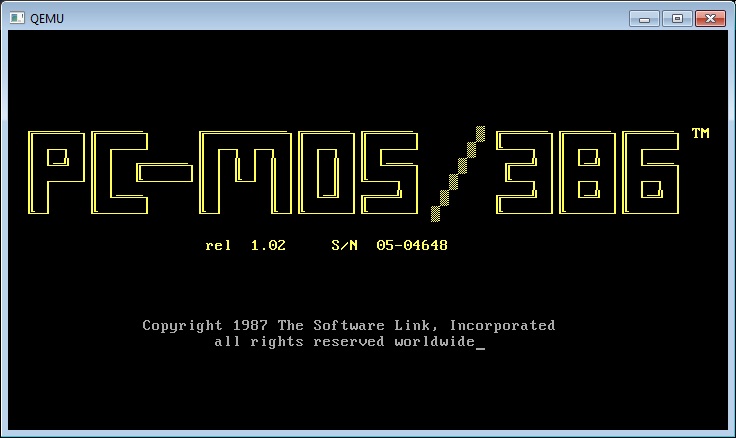
pc-mos 1.02

pc-mos 1.02

This is about as much as I got out of PC-MOS/386 1.0

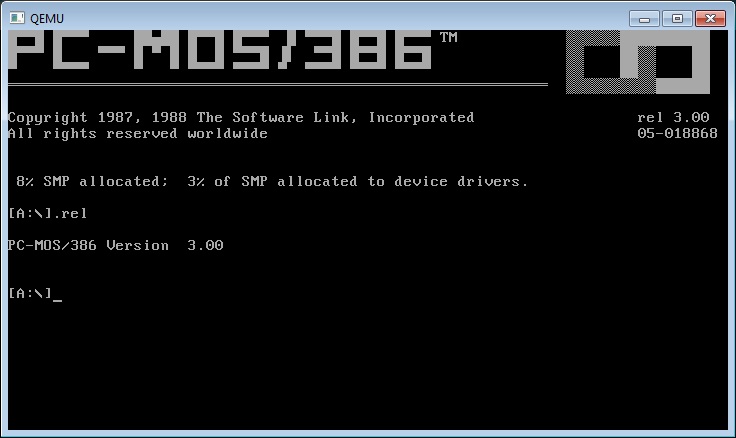
pc-mos 3.00

pc-mos 3.00

While PC-MOS/386 3.0 loads, if you try to load the protected mode $386.sys driver it just hangs.

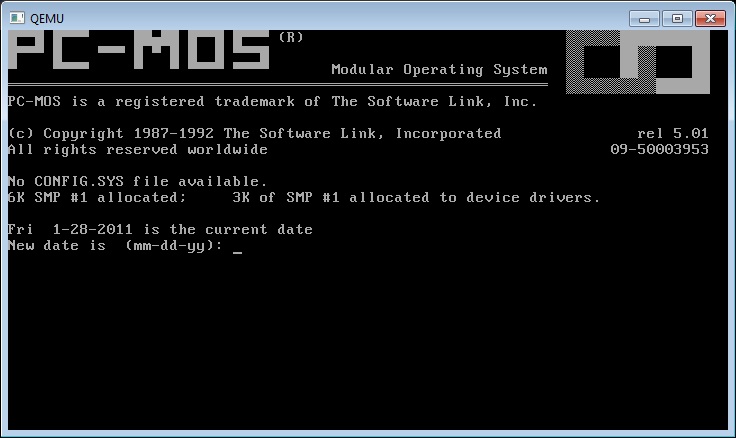
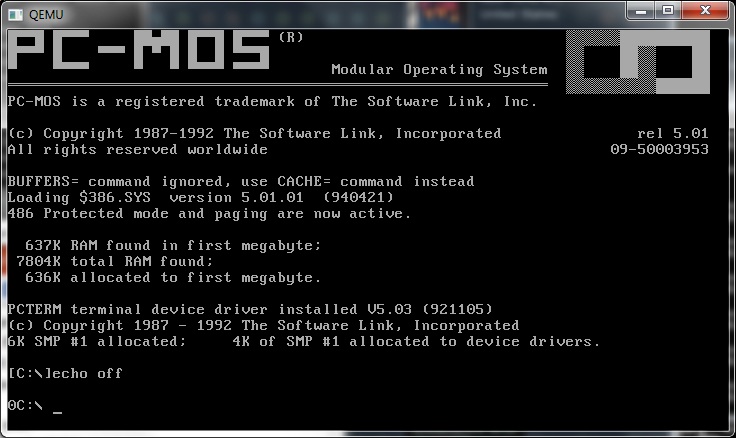
pc-mos 5.01

pc-mos 5.01

And PC-MOS/386 5.0 not only loads, but will load up with the protected mode driver on Qemu.

pc-mos 5.01 protected mode

pc-mos 5.01 protected mode

I’ve managed to get a serial ‘terminal’ to run, and for anyone who ever needs the hint, here is the config.sys, autoexec.bat and user01.bat file to make it boot up…. Neither VirtualPC, nor VMWare can boot up with the drivers.

config.sys

memdev = \mos\$386.sys /p
device = \mos\pcterm.sys
device = \mos\$serial.sys /ad=03f8,in=4,hs=x,ib=2048,ob=2048
smpsize = 80k
buffers = 40

autoexec.bat

echo off
rem
rem turns dot prefix command syntax off
rem
rem
rem issue path command
rem
path c:\;c:\mos
rem
rem configure for terminal(s), each addtask line is for a terminal…
rem
addtask 300k,1,,user01,pcterm,1,19200
rem addtask 300k,2,,user02,pcterm,3,19200
rem addtask 300k,3,,user03,pcterm,4,19200
rem addtask 300k,4,,user04,pcterm,5,19200
rem
rem set up printer
rem
addtask 032k,6,,printer
rem
rem make print spooler directory, note this example uses a
rem virtual disk.
rem
rem md d:\spool
rem
rem issue command for spooler
rem
spool c:\spool\ /t05
rem
rem define operating system prompt
rem
prompt $h0$p $

user01.bat

path c:\;c:\mos
prompt $h1$p $a
spool c:\spool\ /t5

So what is it like? Under emulation lots of keystrokes are lost, and it feels slow. I’m sure it’s a COMPLETELY different story on actual hardware. PC-MOS 5.0 also cannot run DPMI programs, which is a shame. Then again DPMI was a ‘new and exciting’ thing in 1992 so I guess it’s not that surprising. I’m not aware of any support to run Windows 3.1 but again 1992 was when the tide really started to turn to Windows.

As they mention on wiki memory costs, and slow disks of the time certainly made things like PC-MOS really slow.

Concurrent DOS/386

Concurrent DOS/386

Concurrent DOS/386

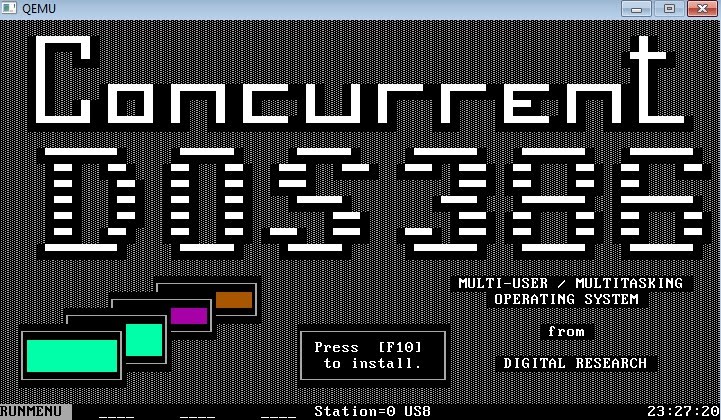
Concurrent DOS/386 was a successor to MP/M, from Digital Research.

I’ve been able to track down a few versions:

  • version 2, released November 17, 1987
  • version 3, released February 23, 1988

What is interesting is that these versions include a CP/M 8086 emulator. I would imagine that would be a ‘big deal’ for users of the older MP/M to migrate into a newer 80386 environment. From what I’ve seen in other places these were compatible with MS-DOS 3.0 . It can also read extended dos partitions! Since they predate VCPI/DPMI there is no way to run protected mode applications. Concurrent DOS/386 is later followed up with Digital Research Multiuser DOS. It is interesting, well to me that DR-DOS was basically a single user, single tasking version of the Multiuser DOS.

Multiuser DR-DOS

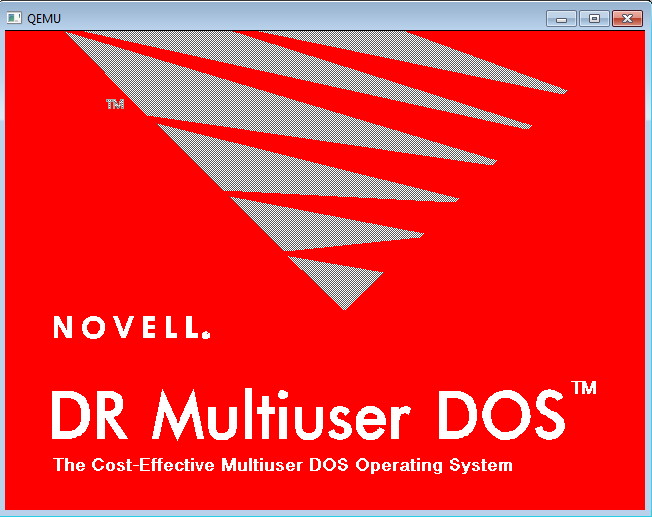
I was able to install this on Qemu 0.13.0. Although this includes some IPX/SPX stuff from the later purchase of Digital Research by Novell, it still remains a largely MS-DOS 3.3 compatible OS. Because it uses protected mode, and the v86 mode, it is still incapable of running VCPI/DPMI programs. Also absent is the CP/M emulator. I think there was a DR-DOS 6 equivalence sold as a multiuser, but by the time of DR-DOS 7, the product had been forked and several VARS started to sell their own versions based on Multiuser DR-DOS. These included (but probably not a complete list)

  • REAL/32
  • System Manager
  • DR-Multiuser-DOS

Of these, REAL/32 seems to be the only one that is still alive, and being sold by Intelligent Micro Software. I’ve located a demo version of REAL/32 here.

REAL/32 logo

REAL/32 certainly feels a lot like DR-DOS (which it is derived from) and what is cool is that it supports DPMI applications. I’ve tested some Borland Pascal stuff, along with DJGPP. Like the others it supports serial terminals to be hooked up.

real32 serial connection


Qemu makes it super easy to simple to switch to the serial port, and bring up the ‘second user’. I’m pretty sure you could use qemu to redirect it’s serial port over TCP…

And speaking of networking, the install program also seems to have some kind of networking config built in, so I would imagine each VM can have it’s own IPX/SPX setup? I’ll have to mess some more with it.

If you’ve ever liked DR-DOS, you may want to give real/32 a whirl, it’s certainly more… interesting.

Multiuser DOS

This has been a fun thing to go through, but at one point it was a popular trend to convert big expensive 386 computers from the late 1980’s into multi-user, multi-tasking beasts much like a mainframe. But instead of CICS, and PROFS people ran Dbase III, WordPerfect, and all kinds of email solutions from ccmail, to MS mail, and even some dbase programs, compiled by clipper into being email clients.

In a way things were more ‘simple’ back then, and the 80386 CPU had a card up it’s sleeve v86 mode. v86 mode provides hardware emulation of a 8086, allowing the base OS to spawn dozens of these virtual machines. All that was up to the ‘supervisor’ was to create virtual peripherals, much like how Windows/386 of the day ran multiple MS-DOS VM’s on a single machine that you could see at once, these solutions provide the output to multiple terminals.

While Windows/386 sat on top of MS-DOS, these multitasking DOS’s had the v86 mode multitasking as part of it’s core, and some of the later ones were themselves protected mode operating systems.

But juggling multiple MS-DOS applications at one could be quite a challenge. And of course there was the whole dos extender thing, leading up to VCPI, and DPMI.

While MP/M-86 is a grand daddy to a bunch of Digital Research derived OS’s, it’s not 386 specific so I’m going to omit it for now. I’m sure it’ll be worth doing it’s own write up.

I’m sure I’m going to miss a bunch of these, but let’s have a quick rundown.

  • Concurrent DOS/386
  • DR-Multiuser-DOS 5.0
  • Real/32
  • TSX-32
  • PC-MOS/386
  • VM/386
  • VMOS/3

If anyone knows of any others feel free to give me a shout. It does seem that multiuser DOS was a good market at one point.

An interesting find for all the Xenix fans out there

Back in the day SCO offered eval CD’s but in recent times it’s been harder to find them.

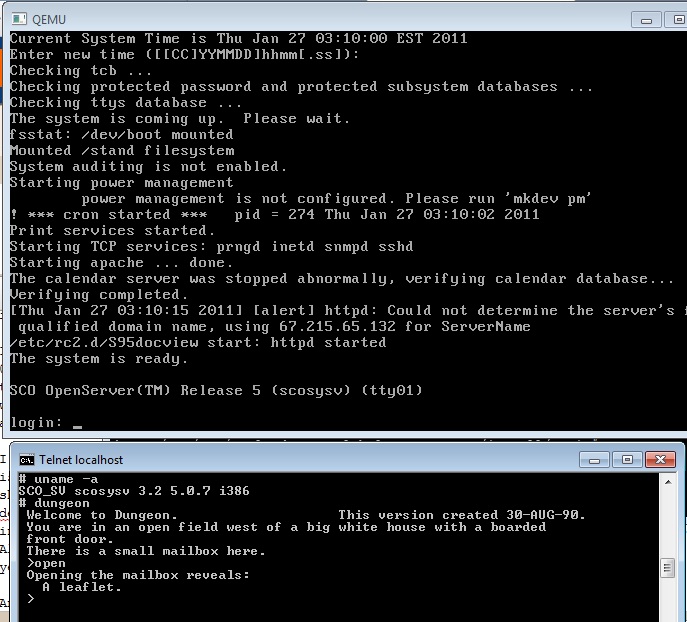
But thanks to a post on the blog Sentinel – The Fix Is Out There, I’ve not only been able to download an eval CD of SCO OpenServer, but I’ve been able to verify that the exe’s I’ve been able to build for Xenix run on OpenServer.

One thing is for sure, if you really really wanted Xenix for whatever reason, OpenServer is really FAR more useful, as it not only runs XOUT binaries without fail, but it supports bigger disks, and includes TCP/IP in the build by default!!

I’ve installed it in Qemu, for some weird reason I couldn’t install the default installation on 0.13.0, however it installed without fail on Qemu 0.10.5. I installed using the AMD PCNet NIC, which the install picks up on PCI Bus #0, device #3, and function #0 … Which will be important to someone who tries to use the NE2000 driver to only find the AMD PCNet driver works far better. I would assume it’ll load up in VMWare as it also emulates the same NIC.

I bought a copy of OpenServer years back, along with UnixWare, and it turns out that the jewel case is empty… Very annoying, but I still have my key codes and stuff. I’m not sure what version it should be for, I think it’s 5.0 as it doesn’t mention a revision on the certs.. If / when I find a dev kit that’d help things along a bit (I have codes for that too!) but in the meantime… I figured installing gcc from xenix, and using xenix 2.3.4’s ld let’s me build and link some x.out stuff. Although it’d require a bunch of work to fix things like irc but I’m not that much of a diehard just yet.

Anyways I know someone will get a kick out of it.

Oh yeah, and my xenix build of dungeon works great!

For the love of Pascal

I don’t make much of a secret of it, but while I was in high school, and the first year of college, I loved Pascal. And not just any Pascal, but Borland Turbo Pascal 5.5 .

While in highschool, we used these Unix “like” work stations, the “ICON” running QNX. Since it was another one of those built by Canadians for Canadians type thing we couldn’t use Borland, instead we used this knockoff called Turing. While the bootleg floppy I had of Turing gave up the ghost (bad sectors, argh!) I recall that it was strictly interpreted, and they did have a version that ran on MS-DOS..

Anyways, fast forward and I moved to the United States, and of course we didn’t use weird knockoffs, we used.. Borland Pascal.

And it compiled.

Oh, and it could build TSR’s!

Man it was AWESOME. I even could coax it to run in protected mode, along with dosx.exe, the dos extender bundled in Windows 3.1 . Although much to my dismay, only ‘tiny’ or programs restricted to 64kb could run in this mode, as the libraries were not even slightly protected mode safe. In my opinion between the industry at the time holding so dearly to the brain dead 80286, and charging a FORTUNE for protected mode tools, it really did drive people mad.

Anyways I eventually had to come to terms with C, but I’ll admit, for the first while, I used EMX under OS/2 and p2c (GNU p2c Pascal), as a great crutch.

So while browsing around, I came to some bbs source code page, And I was surprised to see a few things… An early BBS for Unix SYS III, another one for Xenix, and WWIV when it was all in Pascal, ported from version 3.0 to 7.0. And they (among all the others) include SOURCE CODE!

Then searching with a ‘known known’, I turned up this excellent resource in Russia, pascal.sources.ru, which has a good amount of pascal source.

A while back, I did take the Pascal source to TradeWars 2001, and port it to C, so maybe I’ll do something with this wealth of Pascal source…

And of course, for anyone feeling retro, don’t forget, that Turbo Pascal 5.5 is free! (like beer), and runs under DOSBox.

Windows 95 2.1Ghz CPU limit broken!

This is great news to some of us! Unless you’ve been hiding in a cave, Windows 95 had issues running on CPU’s running over 300Mhz. Any attempt to do so will yield the following error:

While initializing device IOS:
Windows Protection Error. You need to restart your computer.

Then there was an “AMD” fix (that worked fine on intel cpu’s) that would raise the bar to 2.1 Ghz. However beyond that point, the networking would break, and cause Windows 95 to fail with the following error:

While initializing device NDIS:
Windows Protection Error. You need to restart your computer.

Well it seems that the device drivers from the Dial-up networking update 1.4 actually address this issue, however it’s hard to install an update that gets bound into a ‘blob’ when you can’t boot.

However, the LoneCrusader on MSFN has come up with a fixpack!

And it’s simple to apply, just start a normal Windows 95 install (I’m using Windows 95a, the first CD version) and then once it reboots, just boot off the provided floppy image, and it’ll slipstream in the fixed kernel, ndis handler and a bunch of other stuff. Then reboot again, and carry on.

It works so well, that I loaded it on my 3 Ghz P4, however I got this disastrous message:

Insufficient memory to initialize Windows.

Quit one or more memory-resident programs or remove unnecessary utilities from your CONFIG.SYS and AUTOEXEC.BAT files, and restart your computer.

Which after a little bit of searching, comes down to the fact that I have 1GB of ram in my P4. A lot of people talk about tuning the vcache as it’ll initialize far too big, and not leave enough memory for Windows 95 to actually operate. I had no luck there, but with more searching I found an easier fix..

Instead, just limit the amount of memory that Windows 95 will initialize. KB184447 talks about this, and I’ve found this works as an optimal setting for my system.ini:

[386Enh]
MaxPhysPage=39900

[vcache]
MinFileCache=65536
MaxFileCache=131072
chunksize=2048
namecache=4096

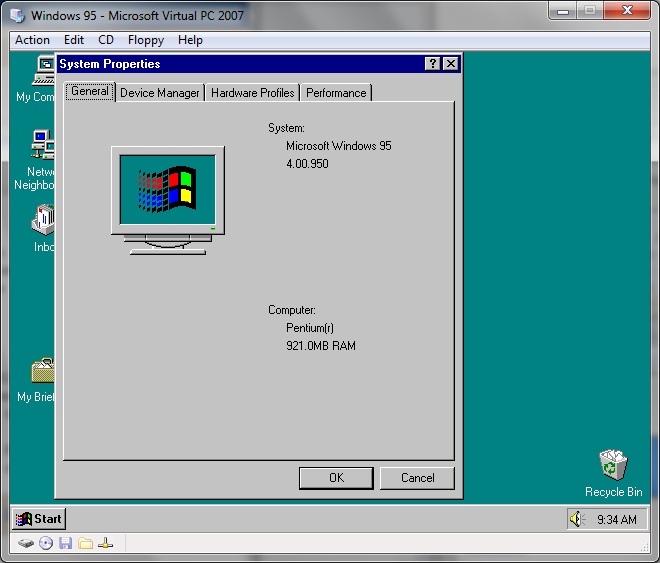
Using these settings, I’m limited to 921MB of ram, but honestly an environment that was built to run on 4MB systems, and comfortably in 8MB of ram, 921MB is just fine. So far I’ve installed Internet Explorer 5.5 on my P4, and all is well. In addition, it works great on Virtual PC, as even some emulators are fast enough that they too run into these old timing bugs.

Naturally, PCI bus users (is that everyone now?) will want this update from intel, (infinst_enu.exe / mirror) which will update a bunch of core components in Windows 95 to allow it to function better. I should add that both on Virtual PC, and my p4, that once the PCI update is installed, I went into the device manager, and removed the default VGA adapter, and my graphics was running correctly. The only weird thing is the ATI Graphics Ultra Pro PCI (mach32) would crash Windows 95 if I ran it at 256 colors, however it works fine in both 16 color and 16bit (65536 color) mode.

Windows 95 921MB of ram

Windows 95 921MB of ram

Just remember to NOT overwrite the newer files, otherwise Windows 95 won’t boot anymore.

For all you Xenix fans out there….

You are going to LOVE this…. Celestial Software, has two great directories stuff with all kinds of neat software for xenix.

First in the gnu, directory, you’ll find all kinds of newer builds of gcc 2.5.8, and libg++ 2.5.3

And in the software section, there is a bunch of stuff like ckermit, cnews, elm, gtar, joe, perl, rzsz, samba, smail, tripwire…

I, myself haven’t loaded any of it, but I know many people out there will get a kick out of this.

I’ve got to stop watching the blogger stats…

Because then I see something like this come my way as a query from google:

“is there a version of colossal cave adventure that runs on 64 bit systems”

Well I certainly can’t let that one go unanswered.

So whomever you are stranger, here it is. Well for Win64 x86_64 machines.

This is built using f2c on MinGW64. I’ll spare you the details, but it compiled, and fired up and I got lost in the woods… So I assume it is working…..

For those of you not in the know, colossal cave adventure, or sometimes known simply as ‘adventure’ is the grand daddy of all text adventure games.

As mentioned in this timeline of adventure versions, adventure was written by Willie Crowther and expanded by Don Woods. This version, the Kenneth Plotkin version was derived from Kevin Black’s DOS version and Bob Supnik’s Decus versions.

With that said, there is a tonne of INT2 and INT4 casting, which I’ve just removed as I’m passing it through f2c. I suppose I could have seen about fixing the variables, but I just fixed the ones f2c and gcc really complained about. Included in the download is the modified source, and the original source, so anyone can take a look at it.

Naturally Wikipedia has a most excellent article on the history of adventure, check it out.

Colossal Cave in 64bits!

Colossal Cave in 64bits!

Enjoy!