Qemu 1.0 binaries for Windows (Win32)

EDIT: Nobody should use these binaries, there was a critical error (well there still is) in how a core procedure is compiled, and it results in major instability, instead use Qemu 1.0.1).

Well after lots of fights, it finally built!  I booted MS-DOS and ran Quake (with sound!)…  I’ve added in my control+alt+d for a CAD, and control+alt+r for reset, and configured the sound for adlib, sound blaster & GUS.

The i386/x86_64 binaries are here.

All other systems are here.

For the most part this is completely untested, but it did boot MS-DOS….  All the DLL’s that you need should be in the archives.  7zip is what I used to keep them small.

Disk access seems to be still slower than hell, so instead of the typical

-hda bla.disk

You will want to do change it to:

 -drive file=bla.disk,if=ide,index=0,media=disk,cache=writeback

Although if it is a qcow2

 -drive file=bla.disk,if=ide,index=0,media=disk,cache=writethrough
Qemu 1.0 dependencies….

So because of some circular dependancies, and me trashing my toolchain I have just re-installed MinGW.  I thought I’d share this little adventure to get Qemu 1.0 to actually configure… Naturally as time goes by these links will get stale and die. sorry about that.

First get

http://ftp.gnome.org/pub/gnome/binaries/win32/glib/2.28/glib-dev_2.28.8-1_win32.zip

http://ftp.gnome.org/pub/gnome/binaries/win32/glib/2.28/glib_2.28.8-1_win32.zip

http://ftp.gnome.org/pub/gnome/binaries/win32/dependencies/pkg-config_0.26-1_win32.zip

This will almost get you a working glib/pkg-config environment.  The catch is when you go to run it, you’ll get some error about not having intl.dll … Well, where the heck does that come from?

$ mingw-get install mingw-utils

After installing this package do *exactly* like this:

cd /mingw/lib
a2dll libintl.a -o intl.dll -liconv
mv -iv intl.dll /mingw/bin/

Special thanks to Fragrant Memories, I don’t think I’d have ever figured that out. Also don’t forget to build zlib/SDL with –prefix=/mingw …

I’ll just update this as the build continues….

Good news, it’s compiling!  I’ve even added in the easy reboot.

Super Mario for the Sega Genesis

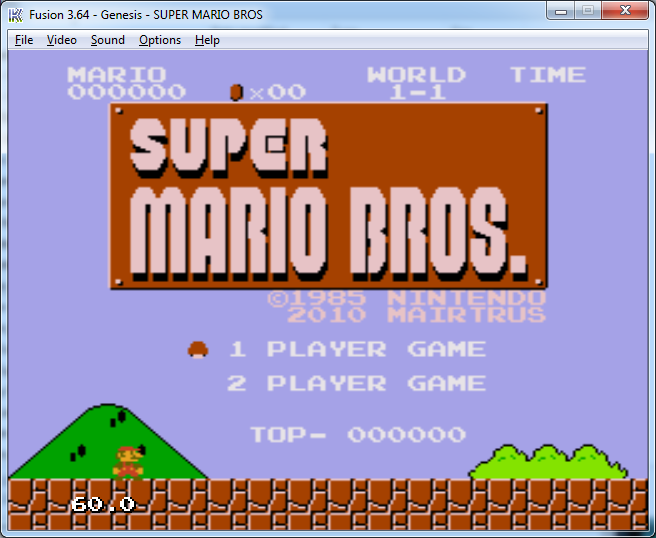
I recently came across this article which touched on this forum post.  Last year, Mairtrus had written a program that took the 6502 code from SMB on the NES, and generated 68000 instructions that would in turn run on the SEGA Megadrive/Genesis.

I”ve got to say it really is impressive!  If you search for MULS_1.4.2.BIN you will probably find it, as the original download links are long dead…

Mario on Sega

At the same time I’ve got to admit I’m really impress by Kega Fusion 3.64 which can play SMS, Genesis, Sega CD & 32x programs! From what I can tell it is derived from gens which is open source.

While I’m waiting for my SegaCD to show up, I am pretty sure that there is zero copy protection and some ways out there to homebrew the thing… So I can’t promise much but I sure hope to write something goofy for the Genesis.. From what I gather the CD unit gives you 512kb of ram to use.. And of course you can load more stuff from CD.  I’m sure it’ll be an interesting experience….

Forget your wifi password?

it’s been a long and challenging 24 hours as I got back from Vacation to find my internet connection cut off from a ‘known outage’… And after all that fun, and actually walking thru some techsupport hell from Charter I found out two fun things….

Charter doesn’t like Belkin routers, and will mac filter them from time to time.. But it is easily fixed when they have you put in the MAC of a PC to connect, then just clone the thing.  The paranoid in me cannot help but think that they want to associate some MAC address with me, for some weird reason…

The other being that I could *NOT* remember my WAP password to save my life after having to disassociate myself from my wifi network.

Luckily there is Nirsoft’s “wireless_key”

Oh well such is life, I’m just glad I took an extra vacation day (like it matters….) but hell it sucks when the teleco is down hard.

So why would my ISP want to know a MAC of an inside machine?  I sure hope me running YaCy for a full 24 hours wasn’t some kind of driving reason behind this….

I’ve been out on vacation

it’s been a long long while since I’ve had one… And considering the whole ‘job’ thing… I may as well take one.

It’ll be business as usual come Friday…

In the meantime the SEGA games for the iPhone/iPad are pretty neat! Check out Altered Beast, Phantasy Star II, and Sonic!

I suppose in some way its sad SEGA is still selling stuff from 1988, on the other hand, it is cool they are selling them for $2.99 USD or less.. If only they’d make something interesting and new…

On the way to building Qemu 1.0…

Well one of the fun things is that Qemu now relies on glib.  But in order to build glib it needs pkg-config. And of course you can believe that pkg-config requires glib in order for it to work.  Good lord, nothing like circular dependencies!!!

So what to do?  First things first libffi will be needed to build glib.  It doesn’t seem to have any crazed dependancies so that built ok.  Also something I’ve been missing in a lot of ‘native’ MinGW builds is to add:

–prefix=/mingw

to the configure strings to get things in a location where the system will find them.  For some reason MinGW doesn’t walk /usr/local .. I guess because its not UNIX. With libffi built then you can configure/build glib like this:

export LIBFFI_CFLAGS='-I /mingw/lib/libffi-3.0.10/include'
export LIBFFI_LIBS=-lffi
export lt_cv_deplibs_check_method="pass_all"
export CFLAGS='-O0 -g -pipe -Wall -march=i486 -mms-bitfields -mthreads'
export CPPFLAGS='-DG_ATOMIC_OP_USE_GCC_BUILTINS=1'
export LDFLAGS=”-Wl,--enable-auto-image-base”
./configure --prefix=/mingw --with-pcre=internal --disable-static --disable-gtk-doc --enable-silent-rules

Then it is a simple matter of building out pkg-config then rebuilding glib in a ‘sane’ fashion.  This all comes form the MinGW wiki which has great information on how to do things like bootstrap glib!

And don’t forget to install python! Even Qemu needs it now!

And add it to /etc/profile so it will be in your path…

  export PATH=”.:/usr/local/bin:/mingw/bin:/bin:/c/python27:/c/python27/dlls:$PATH”

Qemu enters the 1.0 RC phase

One of the new and exciting features of 1.0 is TCG, which will allow Qemu to run on *any* host!

TCG (Tiny Code Generator) is a code generator which translates code fragments (basic blocks) from target code (any of the targets supported by QEMU) to a code representation which can be run on a host. TCI allows running QEMU on any 32 or 64 bit host, whereas QEMU without TCI supports only the most important host architectures (including x86, arm, mips, ppc, s390 and sparc).

I need to break down and start some builds…

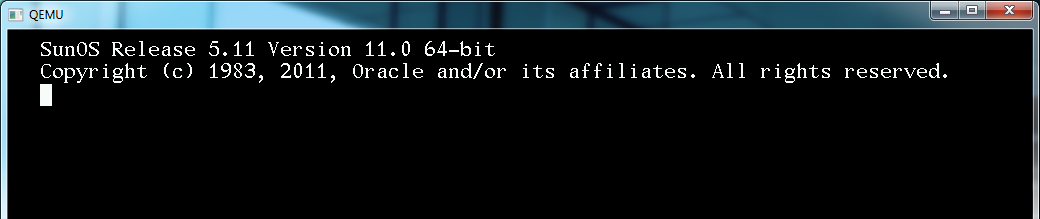
Solaris 11 came out today

They blew the 11/11/11 launch date.  I guess Oracle really just doesn’t care about magical numbers or whatever.

I guess for the two or three people who even run this stuff (no doubt to run Oralce and it’s draconian licensing) you can find out all about it here.

It appears they still keep the Fortran stuff around for it…  Oh and this release is x86_64 only.  Sorry 32bit users.

Installing gcc (and I imagine everything else) revolves around the pkg command… In this case ‘pkg install gcc-3’ will download and install gcc 3.  While ‘pkg install gcc-45’ will install GCC 4!.  Don’t forget to install system/header or you won’t have things like stdio.h!!

Another GCC tidbit, is that you can build 64bit binaries with GCC 4.5 by supplying the -m64 flag!

While Solaris 11 installs somewhat quickly in VirtualBox (but wow does it take forever to boot), it is bare minimum…

Also for those who want it, here is lynx & ircII for Solaris Oh and a Quake World Server.  At least wget is in the base, but I don’t see why lynx isn’t.

Qemu 0.13 for GNS3

So I’ve been playing with GNS3 here and there and the #1 thing that is annoying is of course how difficult it is to deal with the CAD problem (Control Alt Delete) esp when dealing with anything Windows NT based.  So I’ve taken my SDL keyboard patches, “fixed” the NE2000 (although enabling that is another story) and made my build available here.

Of course the real work, adding in the UDP networking was done on the GNS user forums, but it sure is nice to be able to quickly login to a test Windows 2000 AD setup…  I don’t know if it’ll interest the rest of you but I thought it was pretty neat.

Now what would be really cool would be to take the ‘Ethernet hub’ of GNS3, and make it into a service, alter Qemu to generate a random MAC and make a real distributed network…. Another thing would be a way to take SLIRP and merge it with the NetUDP to make some kind of real world ‘NAT’ type thing.  Although I guess I could always add some extra flags to the Qemu process to include a second NIC and set it up for ‘user’ networking … something like “ -net nic,model=pcnet,vlan=1 -net user,vlan=1” to add an AMD PCNet card that talks to the ‘user’ or NAT networking component…

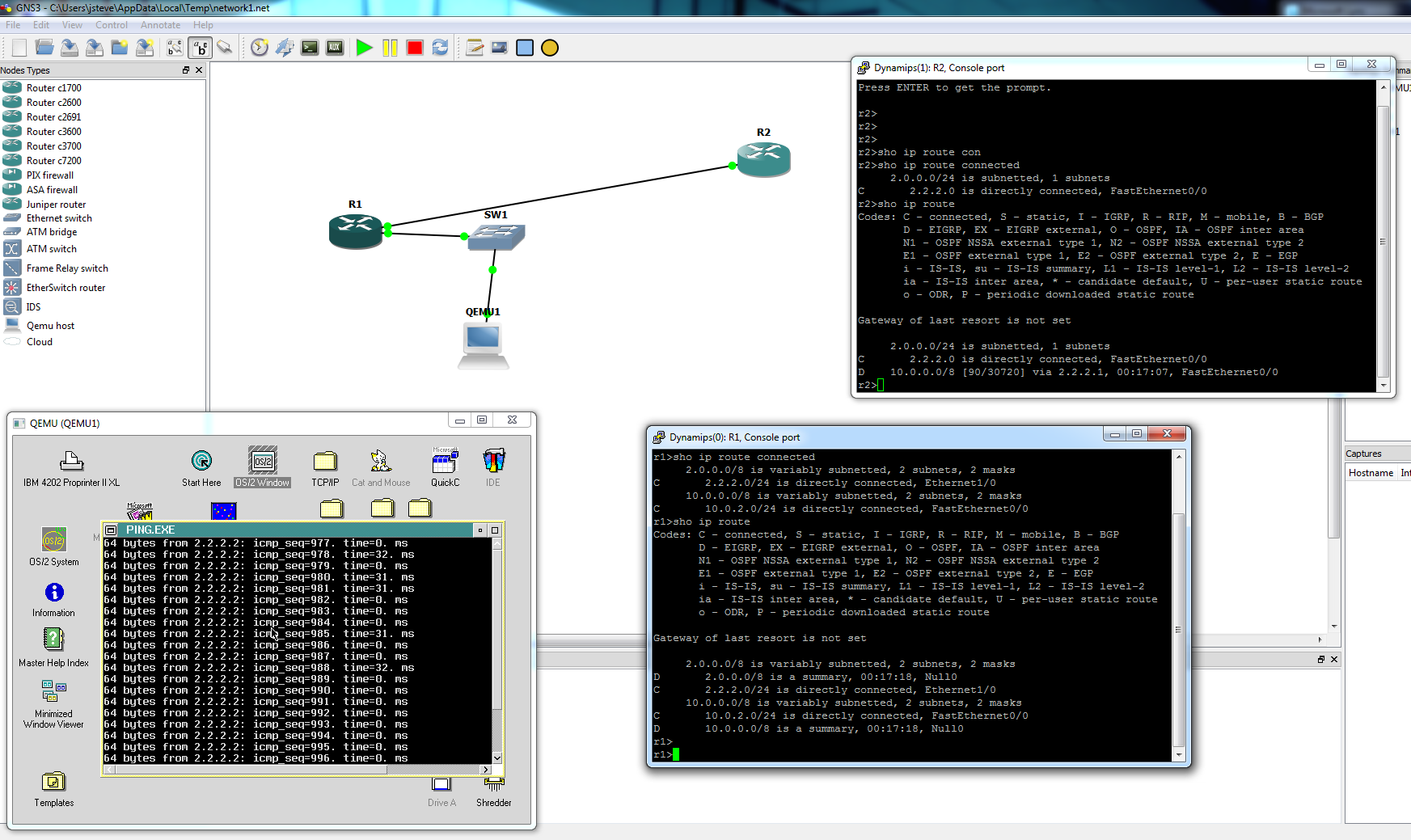
A super simple network with OS/2 Qemu!