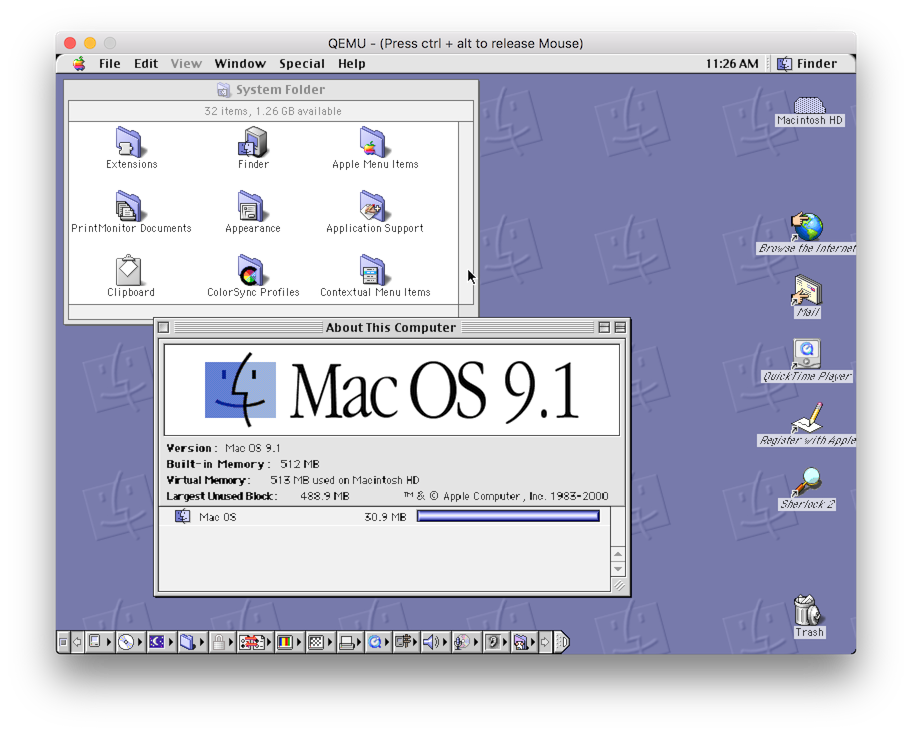
More details here:
http://www.emaculation.com/forum/viewtopic.php?f=34&t=7047&start=575
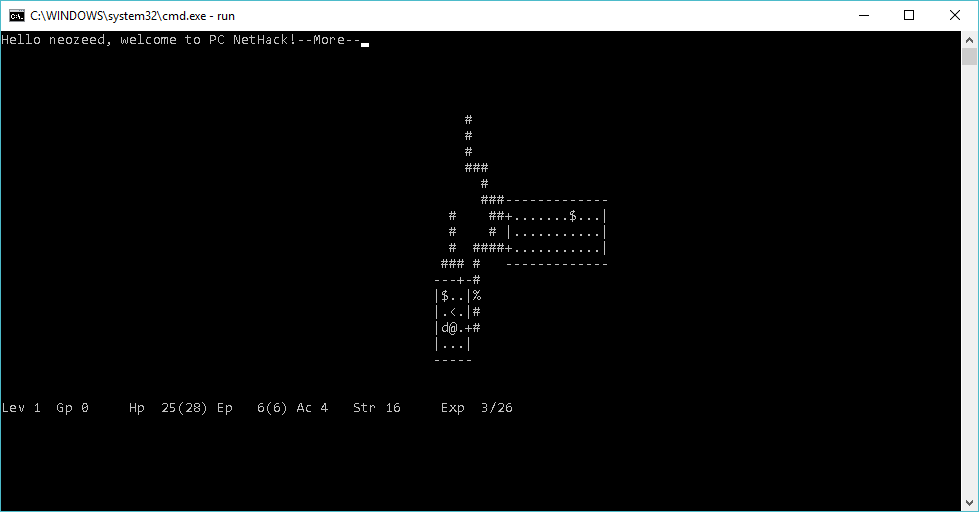
And now it runs on Windows 10 (probably lots of Windows NT as well) thanks to EMX+RSXNT.
I put a Windows binary build on sourceforge, with the needed termcap and rsxnt.dll to run. It works best if installed into the root of a drive, but it doesn’t matter which drive letter (I suppose you could even use subst). I was patching around the stock NetHack 1.3d, but considering the weird issues I was having with it ‘mostly’ working, it was easier to just lean on the NetHack 1.3d revived project. I should also say this is what I also used to get NetHack 1.3d running on the x68000.
I’ve been able to save, restore and go up, down and even die without it crashing so it seems OK to me.
It’s kind of cool to build it with GCC 1.40 on Windows 10, and get a native executable. Maybe pointless in the golden age of emulation / virtualization as you could just as easily build stock 1.3d on a 4.2 BSD VAX, or even 386BSD 0.1 system.
Maybe I’ll finish the work to see if I can get it running on OS/2 or MS-DOS via EMX, but for now the project stuff is on sourceforge.net
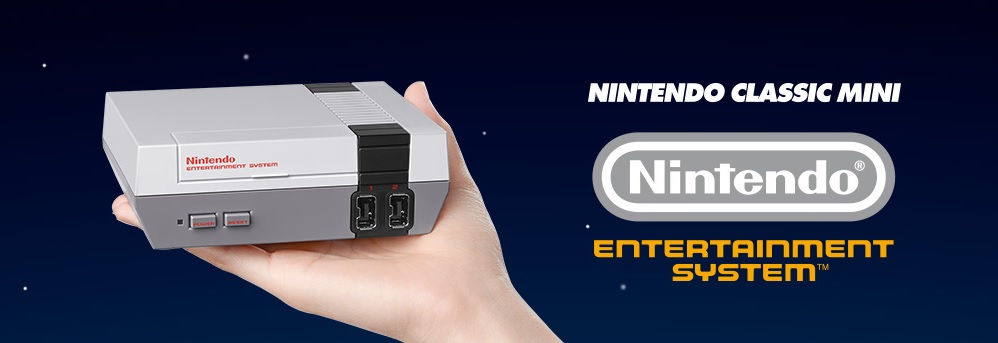
Just saw mention of this, the Nintendo Classic Mini
It includes a USB controller, HDMI, and you have to bring your own USB +5v power supply. It’ll come with 30 pack in games, but no mention of any additional games.
The only thing that stuck out to me is that Mike Tyson’s Punch-Out!!,  is reverted back to the original Japanese Mr Dream.  Kind of lame, but I guess that is licensing for you.
There is more information at the Nintendo page, with a shipping date of November 11th, 2016 for the UK.
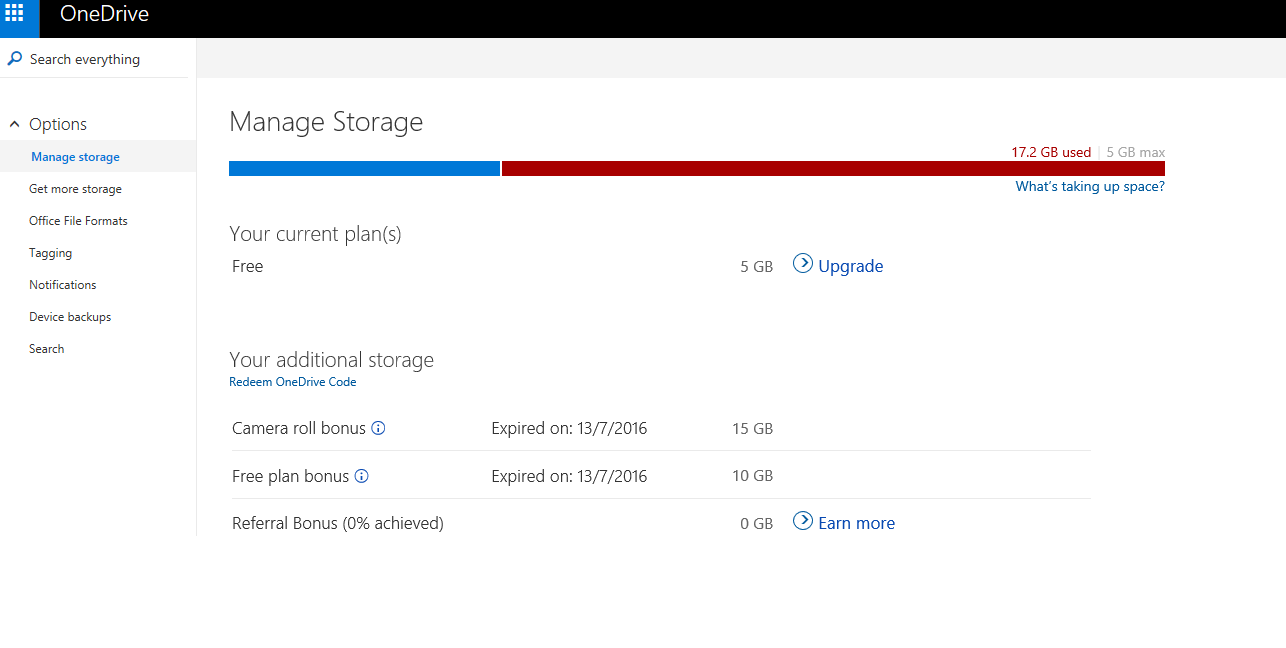
I suppose I should have managed it better. Â I don’t even know what is there, but I shelled out the $18 HKD to at least keep it for now.
I know Microsoft has long dreamed of being SaaS, instead of being a traditional software vendor. Â Is there hope for buy it and own it software as we approach 2020’s?
Either way, if you have onedrive, migrate, fix it, or pay for it.
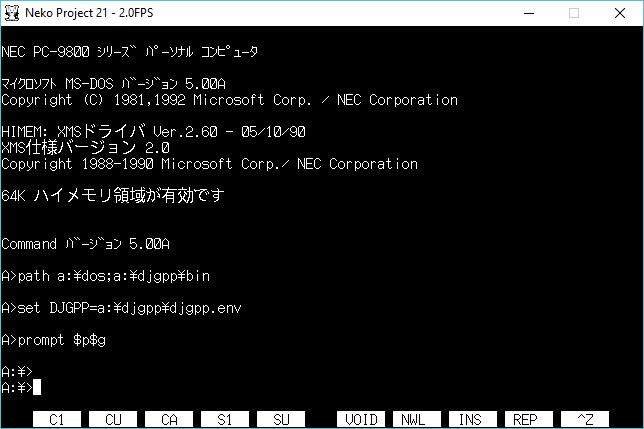
While I’m waiting for my real PC-9821 to arrive, I’ve been playing with various software. Â One fun thing was the old DJGPP, as the version 1.x had a customized version of go32 to support the PC-98 hardware. Â This is cool, but I’d love to perhaps start down the road of porting something to the PC-98. Â There is no VGA adapter, and the I/O is mapped differently so naturally this is why they are only loosely compatible. Â So while I was looking for any kind of source code using DJGPP, I found the FCE: Family Computer Emulator (NES). Â It includes source code, which is great but it builds against DJGPP 2.x What makes it more interesting is that it has DPMI hooks in place, unlike the old DJGPP 1.x’s DOS extender which is DPMI incompatible. Â So how do you magically get a DPMI environment for MS-DOS? Â Well one way is to run it under Windows 3.0 or higher. Â And certainly with MS-DOS 3.30 that is an option. Â However lurking in the disk images of MS-DOS 5.00A was a fun program DPMI.EXE . Â Well now that is interesting!
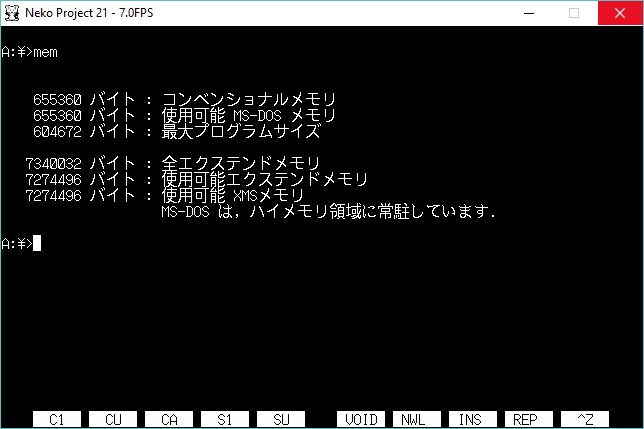
Using a generic config.sys I have 600kb of low RAM available, and 7MB of extended RAM.
Now the real interesting part is DPMI.INI
[386Enh]
ebios=
display=dddn.386
keyboard=*vkd
network=*vnetbios, *dosnet
device=*vpicd
device=*vtd
device=*vdmad
device=*vsd
device=*vsound
device=d86mgrn.386
device=*pageswap
device=*dosmgr
device=*vmpoll
device=*wshell
device=*vfd
device=*vscsid
device=dpdn.386
device=*parity
device=*biosxlat
device=dmcpd.386
device=*vhd
device=*vcd
device=*combuff
device=*resume
device=*la20hma
device=dpfd.386
Paging=Yes
As you can see this is pretty much the 386 enhanced portion of Windows 3.0! Â So you get all of the DPMI services offered by Windows as part of the OS.
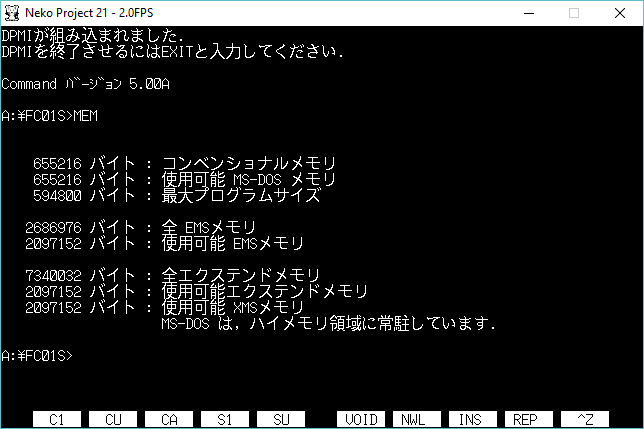
As you can see, with DPMI running I have access to EMS, and XMS memory now available. Â Additionally with paging you can even over commit memory.
My only question, is why was DPMI not an added in feature of the English versions of MS-DOS? Â Granted there was a LOT of OEM bundling with new machines so you were forced to purchase a copy of Windows along with MS-DOS on all new computers, regardless of what you were going to do with them, and this would have been a bit more interesting.
This kind of environment was extensively documented in the “Unauthorized Windows 95“, by Andrew Schulman that showed how DOSX.EXE could chain load Win386 + command.com achieving the same thing.  The DPMI environment from MS-DOS 5.00A is dated 11/11/1992, I wonder if he knew about this going into the Windows 95 book.  It’s been too long since I’ve read it to remember, but I don’t recall any details about Japanese PC-98 releases of MS-DOS.  There was also a ‘MSDPMI’ environment created for the beta versions of Microsoft C 7.0, but I’ve been unable to find one to verify.  MSC 7.0 was released in 1992, so it fits in the same timeframe, but the shipping products used QEMM’s DPMI server instead.

I guess the bad power supplies really are quite bad.
So now I have a project instead of something to do something. Â I guess it doesn’t matter, I don’t have a keyboard, video cable, diskettes or anything.
So the first thing you’ll need is Neko Project II. It can be a little hard to track down downloads, but there is a whole slew of them here:
http://ux.getuploader.com/emu/index/1/date/desc the site has since moved to here:
http://nenecchi.html.xdomain.jp/
https://simk98.github.io/np21w/download.html (it moved again)
So for now this link, is the latest build, which was last updated on
Extract that, and rn np21nt.exe
You’ll want to configure the sound.
If you choose to use the MIDI you’ll have to map them to a MIDI-OUT port, and I used the default Microsoft GS Wavetable. Â Of course you could use MUNT, or any other MIDI mapper or port. Â Also you may want to setup the serial port MIDI as a backup plan.
The sound effect settings work best for the PC-9801-86 audio board.
I’ll save installing MS-DOS, and installing DooM for another fun episode, but to configure DooM.
Run setup.exe to setup DooM!
The menu is simply:
The PC9821A driver works best from what I’ve done in my limited testing. I guess if you had a different emulator, or a real PC-98 you’ll get more out of this.
Next is the BGM or music
You really have 2 options here, #3 for the PC9801 driver which uses the YM2608 chip. Or the General MIDI either option 4 or 6. I didn’t notice any difference between the two of them, they both sound kinda slow, but workable.
Now for the audio board, select the PC-98
The PC-9801-86 is what you want here. Now with either a 100% PC-9801-86 config, or a 50/50 of the MIDI/PC-9801-86 we are ready to run DooM! Selection option 6 and away we go!
And all being well you’ll get the start of DooM!
Otherwise, you’ll get this fun error:
In this case I had emm386.sys in my config.sys which conflicts with the dos extender DX386.
Personally, I find it easier to boot off the #1 install diskette which will automatically start DooM!
If you are feeling brave, listen!
injecting networking was no more difficult than it was in version 10. Â It’s only a few changes to pc.c, if you look at the USENETWORKING define you’ll see them. Â The best notes are on the forum.
I haven’t changed or improved anything it still requires manual configuration.
Downloads are available on my site as pcem_v11_networking.7z.  You’ll have to defeat the password protection, as always.  I included the source, it ought to be trivial to rebuild.
*For anyone using an old version the ‘nvr’ directory is missing, so PC-em is unable to create new non volatile ram save files, meaning you always loose your BIOS settings. Â Sorry I missed that one.
Anyways, I don’t work for them, I have no affiliate, no ads etc, but I think this is interesting enough to pass on.
WinUAE 3.3.0 (06.06.2016) ========================= New features: - New optional "indirect" UAE expansion trap system, fully compatible with OS 4.x, virtual memory and some debugging programs. - PC Bridgeboard disk drive raw image support. (ipf, ext adf,...) - Monochrome video out emulation, including A1000 color/mono video out software control (BPLCON0 COLOR bit). - Dark palette fix option to correct colors of badly ported Atari ST games (Midnight Resistance etc..) - Official CSPPC/BPPC flash updater can be used to install full ROM image without having existing ROM image file. - Custom input events can execute Amiga-side commands and scripts. - Windows clipboard to emulated Amiga keyboard paste support. - Variable refresh rate optimized vsync mode (G-Sync/FreeSync). - Black frame injection is supported in variable refresh modes. - IVS Trumpcard Pro/GrandSlam SCSI emulation. OS4.x supported UAE expansions: - Directory harddrives, including on the fly insertion/removal. - CDFS CD mounting. - Clipboard sharing. - uaegfx RTG. - uaehf.device hardfiles. - Virtual mouse driver/magic mouse/tablet mode. - uaenet.device. - uaeserial.device. - uaescsi.device. - uae.resource. - uaenative.library. Thanks to all who donated. NOTE: Performance is not (and can't be) as fast as with m68k AmigaOS, especially with directory harddrives, due to slower, much more complex UAE to/from native code context switch trap system. Updates: - Game Ports panel input customization is finally very intuitive. - On the fly input device insertion/removal improvements. - Many input device handling updates and fixes. - Faster screenshot/capture in after filtering mode. - Continuous screenshot mode. - CD32 Akiko chip low level emulation compatibility improved. - Nero .nrg CD image support. Bug fixes: - Hardware RTG emulation rendered same frame twice in some situations causing slow performance. - Amithlon partition type (0x78/0x30) support works again. - Some storage devices failed to mount as a harddrive. - AGA subpixel scrolling glitches. - Miscellaneous custom chipset emulation fixes. - AGA mode HAM6 colors were not 100% accurate. - Some programmed custom chipset display modes crashed. - Direct3D mode DirectX9 not installed warning corrupted memory. - Fullscreen + paused + enter GUI: GUI was invisible. - Display panel gamma value calculation fixed. - CDFS automount didn't mount CDs with empty label.
Download WinUAE 3.3.0 [installer] [zip-archive] [zip-archive, 64-bit version] [PPC core plugin, WinUAE 3.0 or later]
Download WinUAE extension packages [1.5.1+ Direct3D Pixel Shader filters](Latest DirectX required) [Improved drive sounds] [Portaudio library]
Download translation DLL: [Default (English)]