Do you remember the ‘dot’ prompt?
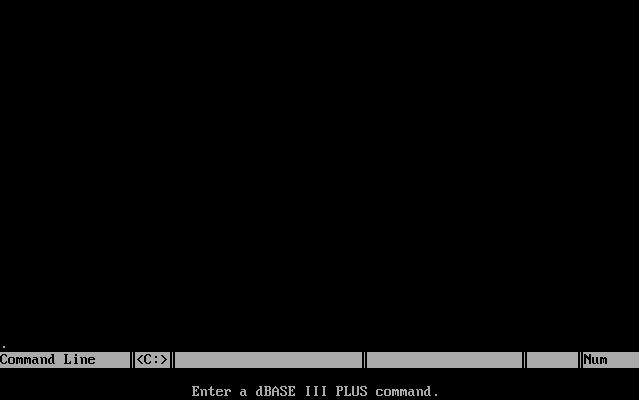
Dbase III
I’m sure most people have never heard, or seen the thing. But this was the wonderful world of dBase, a simple to use database utility that set the world on fire back in the CP/M, MS-DOS days. The cool thing about dBase was that you could program it, and the syntax was very easy to pick up, compared to SQL. And you could save your scripts into these .PRG files which were human readable, and quite capable of doing all kinds of fun things.
As people’s level of complexity grew with dBase, people started to deploy it as an application, which in this day in age isn’t that unheard of, it happens today in the form of the Access 2007 runtime. However back then, the big deal was taking your .PRG script files for dBase, and compiling them with a 3rd party compiler. For some reason the people behind dBase were slow to the market, so Nantucket Corporation, arrived with Clipper, a superset of the dBase language, that could translate the dBase scripts into code for a p-code interpreter (it’s the same thing as a virtual machine, like Sun’s java, or z-machine from Infocom). Naturally once you compiled your .PRG file, it could still access the same database files, that you had created in dBase III, or you could even create your own on the fly within the .PRG file.
Now what’s really cool about Clipper is that, not only could it compile the dBase PRG files, but you could also link in code from MASM (The Microsoft Assembler), and Microsoft C (Other C compilers can work too, but MS C works best, as Clipper seems to have been written in MSC.). So you can be free to write all kinds of strange and interesting things. So far I’ve only written a few things to call the video bios from Microsoft C.
So as a very basic example of this, let’s make a simple .PRG file.. I’m going to name this HI.PRG, and I’m going to call a function hic from the dBase script.
HI.PRG
? “Hello from clipper”
? “”
hic()
Now for the C program. *NOTE* that printf won’t work as the libc stdio isn’t initialized correctly.. However other stuff works fine, I’m sure there is a fix, somewhere, but I didn’t need it so it doesn’t matter. Also this program will work with both the “Summer ’87” compiler, and Clipper 5.3, however the syntax I’m going to give is specific to the Summer ’87 release.
HIC.C
#include <stdio.h>
#define CLIPPER void pascal
CLIPPER hic()
{
putch(‘a’);
}
Now we compiler & link everything like this:
clipper hi.prg -m
cl /c /FPa /AL hic.c
tlink hi.obj hic.obj clipper.lib
And this will now produce a hi.exe, that when executed will produce this output:
C:\TEMP>hi
hello from clipper
a
C:\TEMP
Ok, now this is all fun, however you’ll hit roadblocks eventually as the Summer ’87 compiler & library produces code that is meant for real mode on the 8086/8088 CPU. So if you are adding to an already ‘bloated’ 540kb program, you are going to run into trouble quickly. This is where Clipper 5.x comes into play.
Clipper 5.x introduced the ability to build & link programs for protected mode, provided you have a DOS Extender, that is tailored to Clipper. There were several available at the time, and around Clipper 5.3 they included the exospace product which was wrapped around Tenberry DOS Extender, DOS/16M.
Now you may be wondering, what is ‘real mode’, ‘protected mode’, and a ‘dos extender’, not to mention how they all interact with each other. I’ll try to explain this.
The old 8086/8088 CPU’s could address 1MB of ram on their 20bit address bus (2^20 is 1,048,576) and this memory is chopped up into 64kb segments. The IBM PC reserves the top 384kb for adapters, hardware shared memory, and the ROM BIOS, leaving 640kb for MS-DOS and your user programs. This is where that mis attributed quote 640kb ought to be enough for anyone comes from. This 8086/8088 ‘mode’ is called the ‘real’ mode.
Well remember leaving the old CP/M computers that typically had 48kb or 64kb of ram, 640kb seemed plenty at the time. Naturally it was a matter of time until people were making programs where they ran out of memory.
The solution from Intel was the 80286 processor which was fully backwards compatible with the 8088/8086, however it included a new mode of operation, protected mode, which when activated would supply a virtual address space of 1GB (1,073,741,824), and a 24bit memory bus (2^24 is 16,777,216), allowing users to access 16MB of ram.
Another big feature of protected mode, is that memory is then protected so if a program accesses memory that it shouldn’t, it’ll generate a protection fault. The 80286 also introduced TSS’s to support multitasking in hardware. The idea being with these two features a rouge program wouldn’t crash the entire OS.
Intel’s thinking was that the 8088/8086 software was a fad, and that once people saw the power of protected mode, they’d never want to leave it, so there is *NO* method for switching the 80286 back from protected mode to real mode once it’s been entered.
Naturally this would require a whole new operating system to function in protected mode, and it would be incompatible with old MS-DOS programs as they simply will not function in protected mode. IBM & Microsoft started to collaborate on this new OS, called OS/2. The biggest obstacle that faced the team was that a new operating system that didn’t support the growing ‘legacy’ base of MS-DOS applications would be doomed to fail. The IBM AT had this ‘cheat’ that while doing it’s POST in BIOS, the CPU would be switched to protected mode, to check & detect the memory. Then the instruction pointer would be saved in the start of ram, and the keyboard controller would be used to reset the CPU, allowing the BIOS to continue back in real mode. While this did work, it was far too slow for an operating system to use where you may need to switch several thousand times a second.
Gordon Letwin spent a lot of time on trying to find a way to switch the 80286 from protected mode to real mode, when he hit upon what is known as the triple fault. The idea is that you place your instruction pointer much like the keyboard controller reset method, but you then remove all ‘safety nets’ by clearing the interrupt table for the CPU, and cause it to crash by throwing an interrupt. The CPU can’t process the interrupt because the table is invalid, so it will end up doing a quick reset as the microcode assumes the processor has encountered a critical software problem.
This was a big save for OS/2 as now it could boot up into protected mode, run protected mode programs, and would allow the user to select a special ‘dos box’ that would switch the processor into real mode, and run MS-DOS programs while switching back & forth between real & protected mode to service interrupts, and allow OS/2 programs to continue to execute in the background.
However when the first version of OS/2 was released in 1988, it had a confusing topview like interface, which was full screen text, and didn’t appear to multi task as you could only work on one thing at a time.
So with that the idea of a dos extender was born.
The people behind Tenberry worked with Microsoft, and deiced that they could bring the number one benefit of protected mode, a larger address space, to MS-DOS by writing a special program, the DOS Extender. Since MS-DOS & the PC BIOS are real mode programs, and can’t function in protected mode, what Tenberry did was write a special loader that could load OS/2 programs into protected mode, but every time the program would make a MS-DOS call, the DOS Extender would intercept the call, switch the processor into real mode, make the call, then return to protected mode, and return the result to the program.
The result being that you didn’t have to install a new operating system, just rebuild your applications, link with the DOS Extender and now you could have access to 16MB of RAM!
Ok, so with that in mind, here is me rebuilding the same programs for protected mode.
C:\TEST>clipper hi.prg -m
CA-Clipper (R) 5.3
Copyright (c) 1985-1995, Computer Associates International, Inc.
Microsoft C Floating Point Support Routines
Copyright (c) Microsoft Corp 1984-1993. All Rights Reserved.
267K available
Compiling HI.PRG
Code size 61, Symbols 64, Constants 19
C:\TEST>cl /c /FPa /AL hic.c
Microsoft (R) C Optimizing Compiler Version 5.10
Copyright (c) Microsoft Corp 1984, 1985, 1986, 1987, 1988. All rights reserved.
hic.c
C:\TEST>exospace file hi.obj,hic.obj
ExoSpace for CA-Clipper 5.3
Copyright (c) 1993 – 1995 Computer Associates International Inc.
DOS/16M Copyright (c) Tenberry Software, Inc. 1987 – 1995
EX01 – General Linking Utility (for CA-Clipper ExoSpace). V2.11(w/VMM 6.01)
Copyright (c) Tenberyr Software, Inc. 1987 – 1994
Reading object files and library headers.
Processing library directories.
Extracting library objects.
Assigning selectors.
Preparing GDT image.
Writing code image to .EXP file.
Sorting 1737 relocations.
Building relocation tables.
Writing GDT image to .EXP file.
1044544 bytes used out of 44702592 bytes available.
Generating .\HI.EXE…
EXOSPACE : .\HI.EXE successfully linked
C:\TEST>
And we can now run the program!
DOS/16M Protected Mode Run-Time Version 6.01
Copyright (C) Tenberry Software Inc. 1987 – 1994
hello from clipper
a
C:\TEST>
As you can see, the only visible change to the user is the banner printed by the DOS Extender as the program executes. Now if the program makes a LOT of calls to DOS from protected mode it can get slow. It’s very noticeable say if you have a database that you read a record, parse it, then fetch another record. However if you need lots of ram you don’t have much of a choice… Not to mention that 286 DOS Extenders are limited to 16MB of Ram, very few (if any?!) support swapping, or allow programs to address the 1GB virtual address space.
The solution, again came from intel in the form of the 80386 CPU. The 386 is a superset of the 286, and like it, also supports the 286’s protected mode and the 8088/8086’s real mode. The 80386 also introduces a 32bit protected mode, v86 mode, and a method to quickly switch from protected to real mode.
So what does this mean for DOS Extenders? That a 386 DOS Extender will be significantly faster then a 286 DOS Extender. Also the v86 mode, supports virtual 8086 machines, allowing a 32bit DOS Extender to run MS-DOS in a virtual machine, and make MS-DOS & BIOS calls all from protected mode.
One great free 32bit Dos Extender for Clipper is CauseWay, which is now free!
So using the same object files generated from the DOS/16M extender, I just simply relink with CauseWay’s linker which will also link in the CauseWay extender. I’m not all that good with CauseWay’s syntax so I opted for a ‘response’ file, in the format of something exospace would use.
HI.LNK
FILE hi.obj,hic.obj
OUTPUT hi.exe
LIBRARY clipper.lib
Now running the CauseWay linker:
C:\TEST>wl32 /lc:exospace.def @hi.lnk
CauseWay WL32 for Clipper Version 1.32 Copyright 1993-1999 Michael Devore.
All rights reserved
Link of executable file successfully completed.
C:\TEST>
Then running the exe…
C:\TEST>hi
hello from clipper
a
C:\TEST>
All nice and transparent to the end user. And it feels significantly faster then the 286 extender when it comes to lots of MS-DOS transactions… I’ll have to time it, but right now you’ve only got my observation.
This post is way longer then I had originally thought so I’m going to break this up, but this blog post is an idea of what I’ll cover next time…