Moving servers again..

FragReady!

FragReady!

(EDITED)* So it seems that Fragready just knee jerks to bogus virus claims by fly by night idiots like  clean-mx.de because they are terrified of nethack on WindowsCE.  Yes really they deleted my server because of an old game on an old platform.

So here we go. again.  2013 seems to be the year of plenty of moves.  While cruising around LEB, I came across this special on Frag Ready.  So yeah I’m going to collapse all my VPS stuff (once it is finished copying) and move everything to a dedicated server.

What I’m hoping this will mean is that I can do far more neater things as now I don’t have to worry about CPU limitations, blowing my own quotas or being able to load whatever I want.  I think I’ll even go back to offering some kind of public UNIX thing, I just have to decide if I want a SIMH VAX running BSD 4.3 UWisc, or whatever.  I know I’ll certainly bring the Quake 1 server back, and maybe, just maybe hack enough to get a Doom dialup server going (if I can convince it to talk to my fake modems).

Another observation is that using the new ext4 filesystem means things are slower than ever.  I know this server is two years old but still my seven year old Mac Pro destroyes it running Qemu vs running KVM on this linux box.  I’ve found the two things help for performance some.

Convert disk images from sparse VMDK to QCOW2

# qemu-img convert -f vmdk -O qcow2 -o preallocation=metadata source.vmdk destination.qcow2

And changing KVM from ‘-hda disk.vmdk’ to

kvm -cpu pentium -m 256 -drive file=/usr/local/kvm/disk.qcow2,if=ide,index=0,media=disk,cache=none -vnc :0 -net nic,model=pcnet -net user

Next was to change the way the volume was mounted.  First a change in the filesystem

tune2fs -o journal_data_writeback /dev/sda1

Then changing the options to the following in fstab:

noatime,data=writeback,barrier=0,nobh,errors=remount-ro

So yeah, it feels a little better now.

Here we go, again with what is moved over so far:

Crossover version 13 released today!

Or so I think, I got my alert while running some highly productive software..

From their announcement:

The focus of CrossOver 13.0.0 is better performance for games.
CrossOver 13.0.0 includes our new Performance Enhanced Graphics.  With
Performance Enhanced Graphics, CrossOver creates a dedicated thread
for graphics commands, making better use of the CPU and GPU.  During
in-house testing we have seen some frame rates double what they were
with earlier versions of CrossOver.

CrossOver 13.0.0 also includes numerous other enhancements for your
favorite Windows applications.  This release includes a new version of
Wine – the open source Windows API layer that makes your Windows
applications run.  On the Mac, CrossOver 13.0.0 includes several fixes
to our Mac Driver.  On Linux, we are now shipping multiarch packages
on Debian-based distributions, which should make for smoother
installation of CrossOver.

A changelog for CrossOver 13.0.0 is shown below.

Mac customers with active support entitlements will be upgraded to
Crossover 13 the next time they launch Crossover. Linux users can
download the latest version from http://www.codeweavers.com/.

If Crossover asks for registration use your codeweavers.com email
address & password to register and unlock Crossover. Email
[email protected] if you need more help.

Thank you all for your support, and we hope you enjoy CrossOver 13.0.0!

Changelog:
==========
CrossOver 13.0.0 – 11/12/2013

* Games Support:

o CrossOver 13 has our new Performance Enhanced Graphics. Games will run
faster, with higher frame rates! This is a major overhaul of the 3D
graphics processing in CrossOver, and gives significant improvements in
many, many popular games.
o The launcher for Borderlands 2 is working.
o Both the Gem Store and mouse work with Guild Wars 2.
o The mouse pointer in Terraria is now accurate when the window is resized or
zoomed.
o Rendering bugs with RIFT on NVIDIA hardware are fixed.
o Multi-core rendering can now be enabled in Source games.
o Mirror’s Edge now runs under CrossOver.

* Mac OS X:

o Input Managers will no longer cause Windows applications
running under CrossOver to crash.
o When you Command-Tab out of a full-screen program and then back,
CrossOver will restore that program’s display resolution setting.
o CrossOver uses accelerated OpenGL in all cases.
o Added support for Mac-style full-screen windows.
o Enhanced the system tray icon support to handle right-clicks and
middle-clicks.
o Fix a bug which could cause CrossOver to display two mouse
cursors in some applications.
o Lots of window management fixes.
o Fixed scrolling going diagonal when it shouldn’t.
o Fixed certain programs (e.g. Quicken 2013) failing to launch when
using certain keyboard layouts (e.g. US International PC).
o Fixed a bug where the select-bottle section of the Software Installer
window would say Please Wait forever.
o Improved icon extraction from Windows executables.

* Linux:

o Architecture specifications have been removed from our package installer
filenames. That is, our package installers filenames no longer include the
‘i386’ specifier. This is purely a cosmetic change in the filenames we ship
– some customers were confused, believing they needed a different installer
for 64-bit machines, which is not true after the switch to multiarch.
o Files saved with Microsoft Office are no longer marked as ‘executable,’
meaning they can be opened by clicking on them in Nautilus or other file
browsers.

* Application Support:

o Project 2010 will run faster.
o Macros function much better in Microsoft Excel.
o Access 2000 user interaction is smoother on OS X.
o The system tray for QQ is functional now on OS X.
o Kayak Foundry will load files again.
o Fixed a crash in the Chinese version of Microsoft Office Home and Student
Edition.


I’m one of the people who ‘flocked the vote‘ back in the day for a free version, and now I get new versions for something like $30 USD a year.  I know I could probably build wine on its own, but honestly even back in 1994 building wine was a PITA, and I’m too old to care about doing it now.  I just kinda want it to work.

PCem 0.7 and beyond

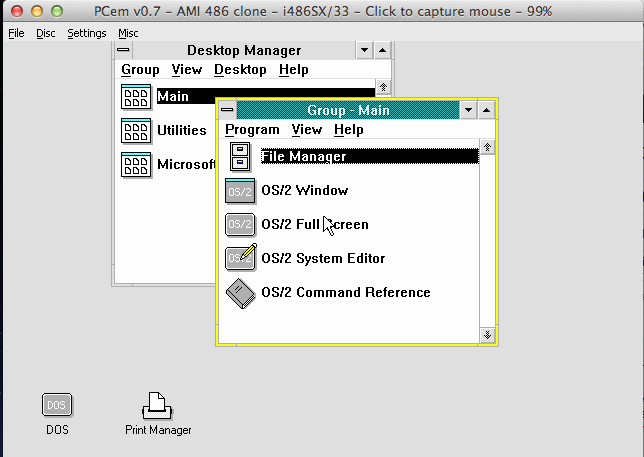
Checking out that javascript PCe made me want to check out PCem.  And good reason too, as its latest version 0.7 can run OS/2!

At first I tried version 2.0 and it just reboots once it is going to start the installer, (I haven’t tried a pre-installed disk image yet) but for the heck of it I shoved in an OS/2 1.1 boot diskette, and it came up!  So all excited I tried 1.21 and it worked as well!  The caveat is that OS/2 cannot partition or format the disk.  I didn’t try giving it a HPFS volume, but rather setup for a DualBoot with MS-DOS, and that worked fine.

OS/2 1.21 on PCem 0.7

OS/2 1.21 on PCem 0.7

Some of the cool things about PCem is that it runs REAL firmware, so you get the real XT/286/386/486 experience.  Also it is cycle accurate so things are SLOW like they were back in the day.  I’ve noticed that disk IO is really slow.  Again just like it was back then.  Things like DOOM take forever to load on a 386.  Just like the real thing!

If you have the ROMs the CGA/EGA & SVGA emulation is pretty good.   Again this is largely from running the actual firmware.

Work has slowed on PCem, but there is a source repo here.  I haven’t tried to build it yet.

The only thing I’d say is missing is some kind of ethernet adapter.  It would be cool to get this onto the internet.  But at the same time I’ve got to say this is pretty cool, especially if you want to enjoy the PC experience from 20 years ago, this is the way to go!  Although after a few minutes of running a 286 at 6Mhz, you’ll want to push for the fastest 486 it can emulate!

PCE.js

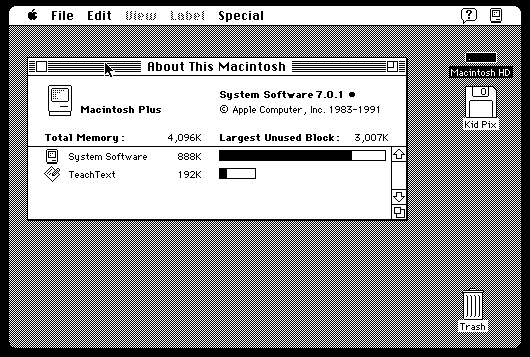
.js like JavaScript?.  YES.  I’m not kidding.  James Friend has whipped up a port of PCE to javascript!

Screen Shot 2013-11-12 at 3.39.05 PM

Complete with Macintosh, and IBM PC!

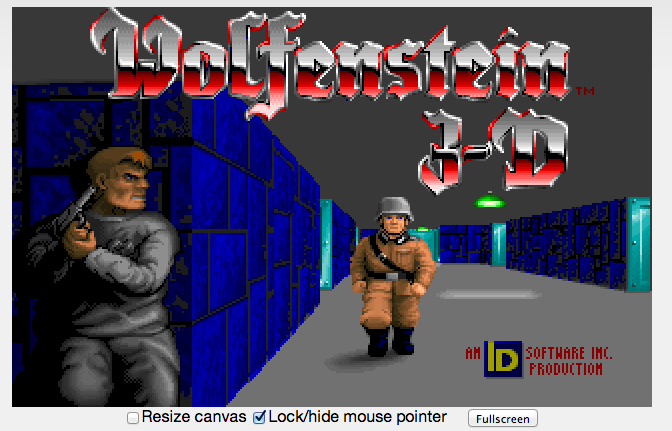
Yes, it even runs Wolfenstein 3D!

Yes, it even runs Wolfenstein 3D!

However on my 2006 Mac Pro it is VERY VERY slow.  But then again what would you expect from javascript?

It is far more heavier than jdosbox, but at the same time no pluggins!

I’m still on the fence at the moment about something as heavy as pc emulation in javascript, but it is still fun/neat!

So I was playing with Watcom C/386 8.5 today

This was the first version of Watcom that included the much beloved DOS4/GW dos extender.  Funny enough it doesn’t bind in a stub for running DOS4/GW by itself, you have to do it manually or I guess write the stub for yourself.  Another fun feature of Watcom C/386 8.5 is that it includes the win386 windows extender.

Basically it does to Windows 3.0 what DOS4/GW does to MS-DOS.  Now I’ve never messed around with win386 that much because by the time I did have a 386sx processor with more than 1MB of ram, Win32s & OS/2 2.1 were all the rage.  But in the world of VM’s I thought I’d give it a shot.

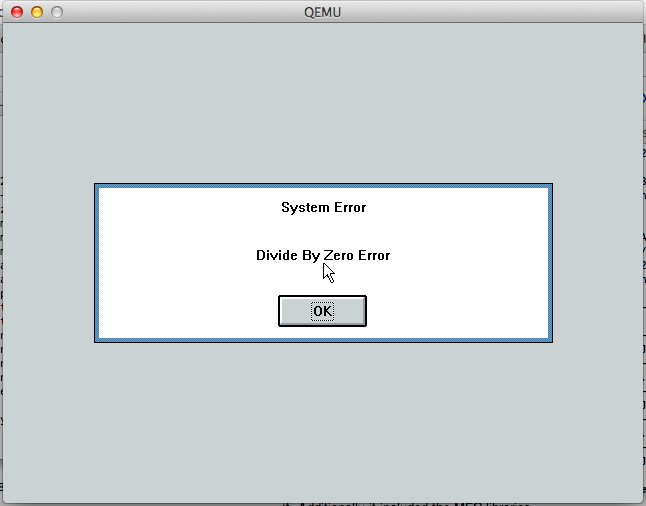
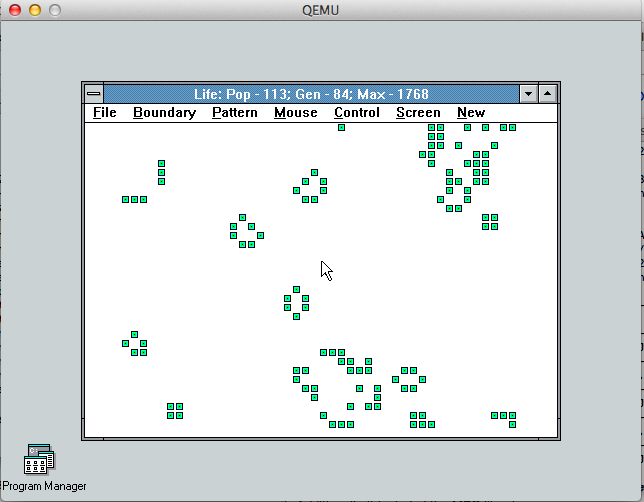
The default example is the game of life.  It compiles trivially, but the moment you got to run it you get this fine error:

Ooops!

Ooops!

It turns out that it is a timing loop error, and effects of all things Microsoft FoxPro!  The solution is provided by Microsoft, in the form of IPatchFP.exe. Naturally it is a console Win32 executable.  But with enough of the HX DOS Extender‘s runtime I can run the patch inside of MS-DOS.

With my executable all patched up, I can now run the game of life!

Conway's game of life

Conway’s game of life

Which is all very exciting.

Win386 was very cool for the time, taking the Win16 API and making their own Win32 set out of it. Another cool thing is that there wasn’t a separate runtime to repackage, as Win386 was just bound to the executable. I’m sure it didn’t fall on deaf ears at Redmond with the disillusion of Cruiser, that Win16 could have a brave new future in Win32.

And I should mention I’ve gone over a lot of the Win32s versions here.

Microsoft OS/2 2.0 SDK Beta

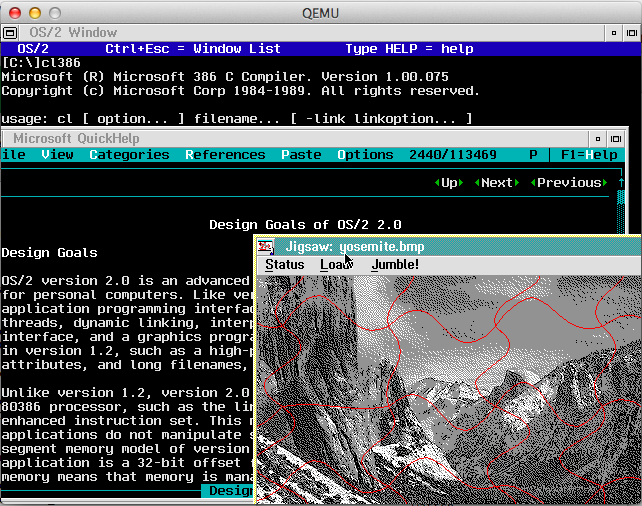
Something interesting crossed my desk today.  The much-fabled Microsoft OS/2 2.0 SDK beta.

OS/2 2.0 SDK in action

OS/2 2.0 SDK in action

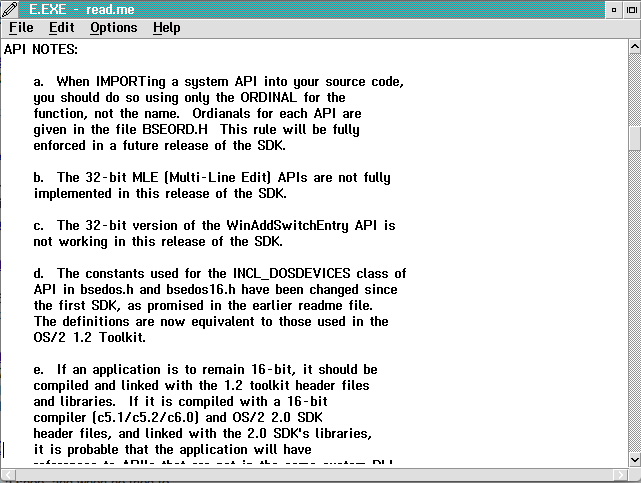
Sadly, this does *NOT* include the operating system, just the C compiler and the SDK bits. As you can see, the C compiler is version 1.00.075, a full year+ before the WindowsNT 3.1 1991 pre-release which had 6.00.080. An interesting thing is that the C compiler can be run from 16bit OS/2.  Unfortunately, the EXE’s produced by the SDK will not run on a production OS/2 system.  The fault lies with the linker & resource compiler.  However swapping those two components out for production versions seems to remedy this and produce working executables.  The only SDK examples that don’t work correctly involve the creation of DLL’s.  I’m sure it is again related to either the linker again, or from some gem I saw in the SDK saying you should always link by ordinal, and never by name.  Apparently a bunch of function calls were going to change name from OS/2 1.2 to 2.0.  It is interesting to me that going from the old Windows 3.1 to NT days we always had so much issues with people calling by ordinal vs the function name.  It broke all the time, but it is funny to see possibly where this bad habit started.

Import and link by Ordinal? What were they thinking!?

Import and link by Ordinal? What were they thinking!?

For those who don’t know DLL’s contain a table of functions sorted by NAME, and NUMBER.  The names have to be unique but the number depends on the order in which the DLL is linked together.  And it is very easy for someone to accidentally change the link order, and next thing you know the ordinal are all wrong.

Otherwise, yeah the tools from the MS OS/2 2.0 beta working in 2013.  I do believe that the object files can also be strung together with some DOS Extenders from the era to produce DPMI exe’s.

But I’ll save that exercise for later, like here! targeting OS/2 with Visual Studio 2003!

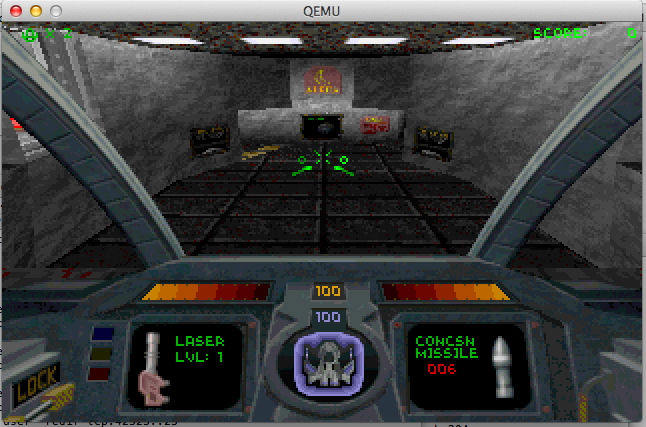
Building Descent 1 from source

Descent I

Descent I

I never was good at this game.

As a matter of fact, I was terrible.

Apparently I get lost in 3d worlds like this, and I get dizzy and need to lie down.  Something about these kinds of 3d virtual worlds.  At least it doesn’t pertain to virtual machines.

While browsing around, I came across the source code.  From their notes they built the thing using:

  • Watcom C/C++, version 9.5
  • Microsoft Macro Assembler, version 6.1x
  • Opus Make, version 6.01


I was unable to find Opus Make, however with a little bit of tweaking, Microsoft nmake can happily read the makefiles.  The other small snag largely was due to MS-DOS not being able to process massive commandlines, and having to build response files to the librarian and linker in various parts.  But all in all it was thankfully a trivial amount of work to get a working executable.

I only tested it for a few minutes until I was feeling out of it again.  I guess it isn’t surprising, I had issues when it was full screen back in 1994, but in a tiny window in 2013 it is unbearable.

For the two or three people who care, here is my VMDK that I used.  It works fine with Qemu probably other emulators that can read VMDK’s.


Gravis UltraSound under Qemu

Gravis Ultrasound

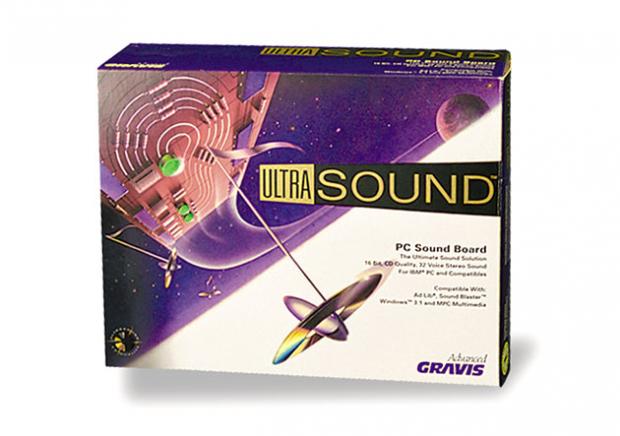
Back when the Adlib & Sound Blaster cards were king, there also was the far more expensive, and far better sounding Gravis UltraSound. What really separated the GUS from the Adlib cards was a wavetable approach to midi file playback. The GUS was driven by a ‘soft’ table, meaning programs had to upload samples to the card before it could use them.  This was unlike cards like the SoundBlaster AWE editions which stored their wavetables in ROM.

Qemu has included GUS emulation for some time now, however because of the softset files it is rather involved to get working.

The first thing you will need to do is download the soft files here.  You will need to inject them into your MS-DOS disk image.  I prefer to use the following method:

 -hdb fat:xfer/

Where xfer is the directory where I’ve extracted my files. This will make the directory show up as a second hard disk.  Now the drive is read-only so getting files OUT of the emulator still requires either virtual floppy disks (yuck) or a network client.  The archive contains two versions of the wavetables, one that is stock that I couldn’t get to work, and a ‘patched’ version.  Copy the ULTRASND411 directory to c:\ultrasound  .

Next we need to setup the environment variables.  The Gravis UltraSound in Qemu is setup for IO port 240, Irq 7, and DMA channel 3.  As you can see from gus.c in Qemu source:

static Property gus_properties[] = {
DEFINE_PROP_UINT32 (“freq”, GUSState, freq, 44100),
DEFINE_PROP_HEX32 (“iobase”, GUSState, port, 0x240),
DEFINE_PROP_UINT32 (“irq”, GUSState, emu.gusirq, 7),
DEFINE_PROP_UINT32 (“dma”, GUSState, emu.gusdma, 3),
DEFINE_PROP_END_OF_LIST (),
};

This means we need to setup the following environment varriables in the autoexec.bat

SET ULTRASND=240,3,3,7,7
SET ULTRADIR=C:\ULTRASND

 Re-launch Qemu and specify the soundcard emulation something like this:

-soundhw gus,pcspk -parallel none

This will give us both the PC speaker, and the Gravis UltraSound.  Additionally this disables the parallel port which also uses IRQ 7.  We should be able to run games now.  For anyone interested, Maraakate has given me a link to share of his GUS archive.

I found this information on a Qemu patch page (before the GUS support was mainlined), and Vogons support for DOSBox & GUS emulation.

I’ve tested Doom, and Heretic which work fine on Qemu 1.6.1 on OS X.

For anyone who cares, this is what the SoundBlaster/Adlib sounds like, and this is the Gravis UltraSound emulation in Qemu.

Or even better, embedded audio!


UltraSound


SoundBlaster

Doom IPX revisited

So, since I’ve been starting up my virtual network thing, I got distracted with this thread on reddit
Fun times ahead!

Fun times ahead!

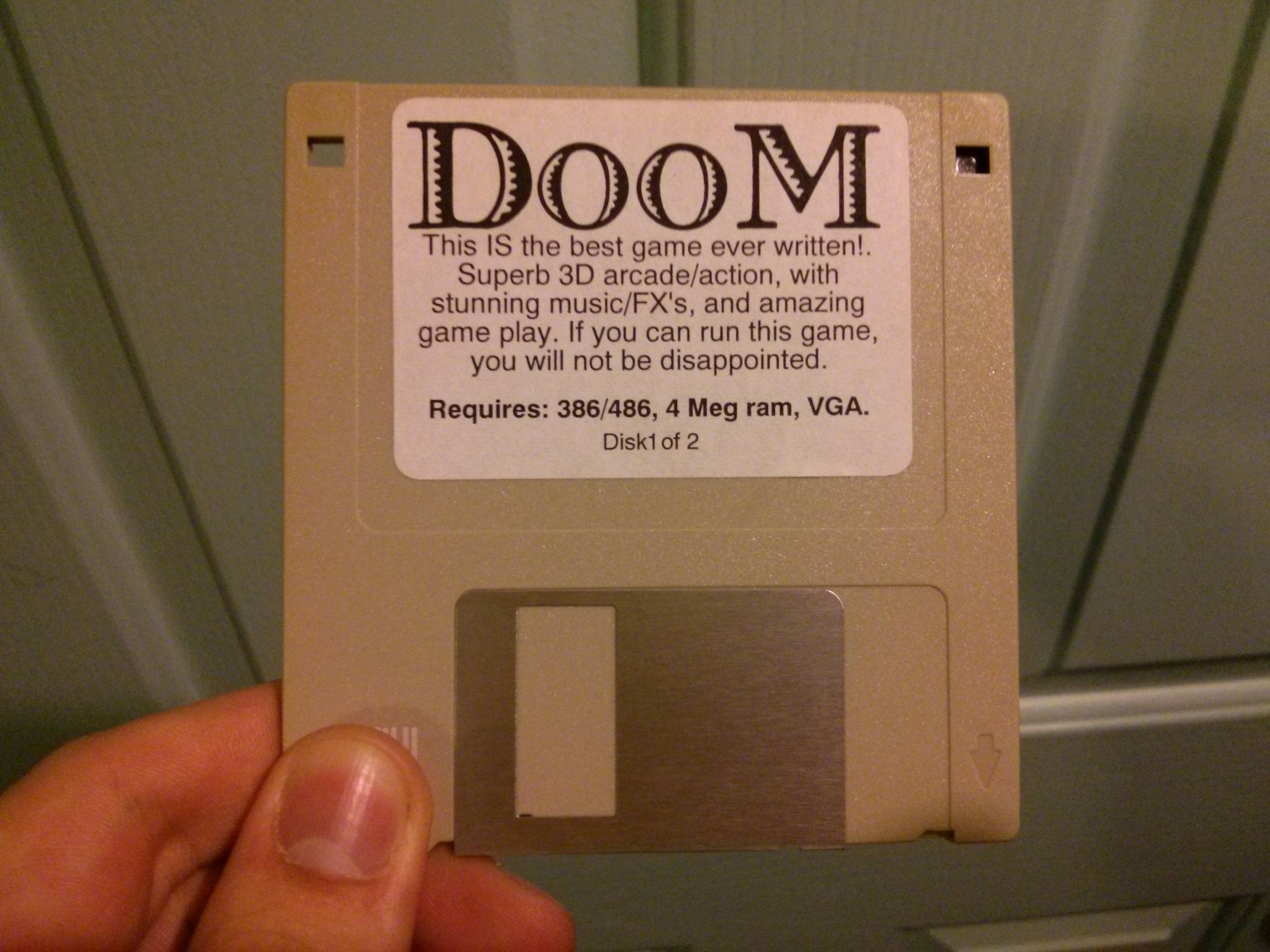
, talking about the good old days of Doom.  Now Doom was revolutionary for the music, the sound effects, the 2.5D environment, the fast pace, the violence, the unlimited lives, dynamic lighting and of course LAN play.  Now what was cool is that it could easily run over IPX/SPX networks.  Although you did have to be on the same network it was very easy to setup, and get going. But as anyone can tell you, the moment you setup a four player deathmatch on a company LAN people would go nuts, as you would without a doubt bring the entire network to a halt.  Back when I used to play this we would just disconnect the 10base2 cable from the lab 486DX2/50 PC’s and just make our own four computer segment.  We did notice that if we had 3 four player games on the same network (afterhours!) that it was unplayable.  I never did have access to a sniffer back then, and when I got a corporate job, being caught with something like Doom was grounds for termination so I never did get to see what the big deal was.

So I figured I’d cook up a super quick lab to check it out.  This is my Dynagen configuration.  Sadly I do need a cisco router to preform the network capture, although I don’t need to configure it to see what is going on.

autostart = True

[localhost]

[[7200]]
image = ../C7200-JS.BIN
npe = npe-400
ram = 160
idlepc = 0x60529c84
disk0 = 0
mmap = False
ghostios = True

[[ROUTER corertr1]]
model = 7200
slot1 = PA-8E
F0/0 = coresw1 5

[[ethsw coresw1]]
1 = access 1 NIO_udp:41300:127.0.0.1:51300
2 = access 1 NIO_udp:41301:127.0.0.1:51301
3 = access 1 NIO_udp:41302:127.0.0.1:51302
4 = access 1 NIO_udp:41303:127.0.0.1:51303
5 = access 1

As you can see this is very simple, a switch with four ports setup for four virtual computers, and a fifth port for the router.  Next I run four instances of Qemu with a copy of Doom v1.1 shareware, and a IPX/SPX client.  I fire them up like this:

./qemu/qemu-system-i386 -cpu pentium -L ./qemu/pc-bios/ -m 16 -hda doom11-00.img -soundhw sb16,adlib -net nic,model=pcnet,macaddr=00:11:22:33:44:00 -net socket,udp=localhost:41300,localaddr=0.0.0.0:51300 &
#
./qemu/qemu-system-i386 -cpu pentium -L ./qemu/pc-bios/ -m 16 -hda doom11-01.img -soundhw sb16,adlib -net nic,model=pcnet,macaddr=00:11:22:33:44:01 -net socket,udp=localhost:41301,localaddr=0.0.0.0:51301 &
#
./qemu/qemu-system-i386 -cpu pentium -L ./qemu/pc-bios/ -m 16 -hda doom11-02.img -soundhw sb16,adlib -net nic,model=pcnet,macaddr=00:11:22:33:44:02 -net socket,udp=localhost:41302,localaddr=0.0.0.0:51302 &
#
./qemu/qemu-system-i386 -cpu pentium -L ./qemu/pc-bios/ -m 16 -hda doom11-03.img -soundhw sb16,adlib -net nic,model=pcnet,macaddr=00:11:22:33:44:03 -net socket,udp=localhost:41303,localaddr=0.0.0.0:51303 &

Again all very simple.

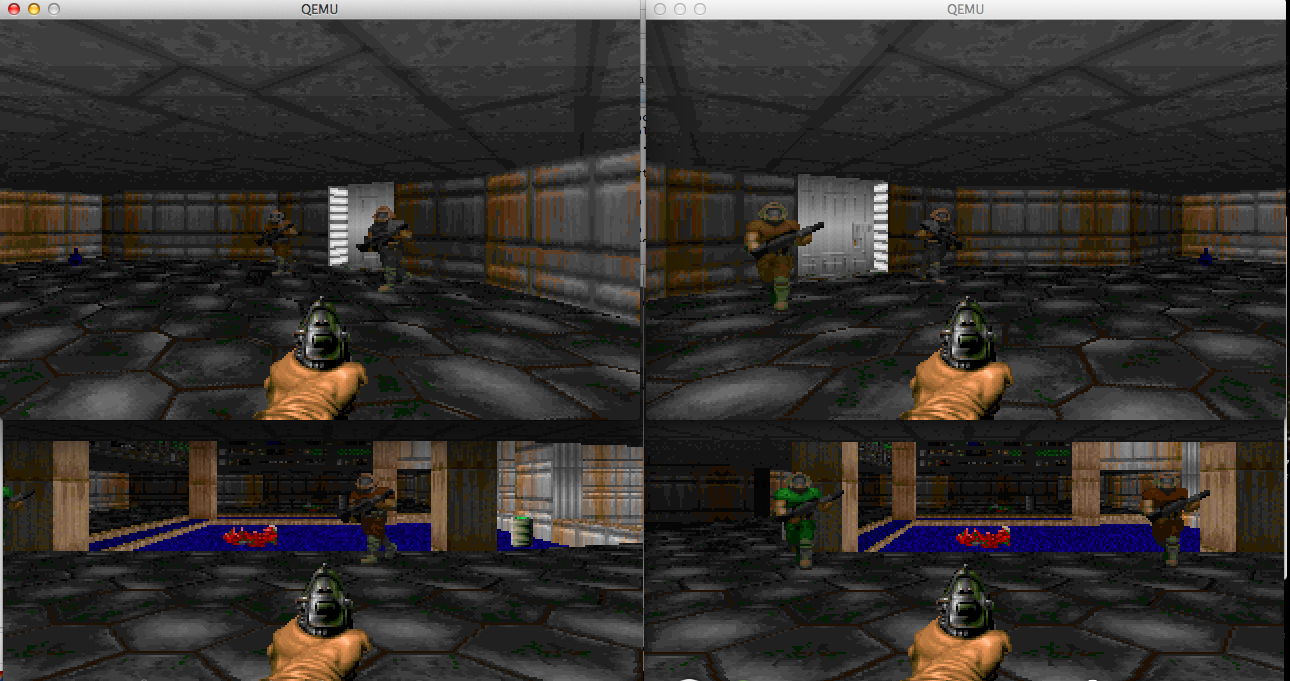
From there I configure each of the four VM’s for a four player game, start the game, then connect.
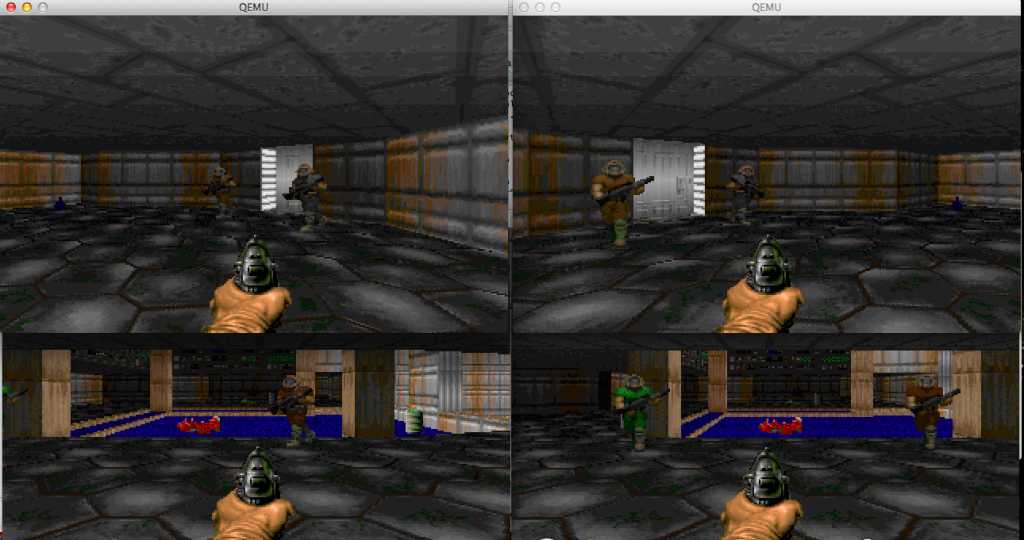
Loneliest deathmatch

Loneliest deathmatch

I only had the game running for a few seconds when I went to my Dynagen console, and setup a capture session:

=> capture corertr1 fa0/0 doom.cap
=>

As you can see very simple.  I walk the guys around a little bit, shoot someone, then just quit all the clients, and turn off the VM’s.  Then I end the capture

=> no capture corertr1 fa0/0
=>

And now I’m left with a 50MB file!

$ ls -alh *cap
-rw-r–r– 1 jsteve staff 50M 25 Oct 14:27 doom.cap

I’m shocked!  I wasn’t even running Doom that long!  A quick peek reveals why Doom was never popular on corporate networks.

14:25:57.464031 IPX 00000000.00:11:22:33:44:00.869c > 00000000.ff:ff:ff:ff:ff:ff.869c: ipx-#869c 444

14:27:28.996489 IPX 00000000.00:11:22:33:44:01.869c > 00000000.ff:ff:ff:ff:ff:ff.869c: ipx-#869c 444
14:27:28.997618 IPX 00000000.00:11:22:33:44:03.869c > 00000000.ff:ff:ff:ff:ff:ff.869c: ipx-#869c 444
14:27:29.019568 IPX 00000000.00:11:22:33:44:01.869c > 00000000.ff:ff:ff:ff:ff:ff.869c: ipx-#869c 444
14:27:29.026000 IPX 00000000.00:11:22:33:44:03.869c > 00000000.ff:ff:ff:ff:ff:ff.869c: ipx-#869c 444
14:27:29.026205 IPX 00000000.00:11:22:33:44:01.869c > 00000000.ff:ff:ff:ff:ff:ff.869c: ipx-#869c 444
14:27:29.054425 IPX 00000000.00:11:22:33:44:01.869c > 00000000.ff:ff:ff:ff:ff:ff.869c: ipx-#869c 444

If you see the destination it is ff:ff:ff:ff:ff:ff, a broadcast packet.  And I have 50MB of this in the span of a minute and a half!  Even worse, opening the packet stream most of it is empty packets!

14:26:22.806014 IPX 00000000.00:11:22:33:44:00.869c > 00000000.ff:ff:ff:ff:ff:ff.869c: ipx-#869c 444
0x0000: e0e0 03ff ff01 da00 0000 0000 00ff ffff …………….
0x0010: ffff ff86 9c00 0000 0000 1122 3344 0086 ………..”3D..
0x0020: 9c00 0000 0000 0000 0001 0000 0001 0000 …………….
0x0030: 0002 0000 0000 0000 0000 0065 0000 0000 ………..e….
0x0040: 0000 0000 0000 0000 0000 0000 0000 0000 …………….
0x0050: 0000 0000 0000 0000 0000 0000 0000 0000 …………….
0x0060: 0000 0000 0000 0000 0000 0000 0000 0000 …………….
0x0070: 0000 0000 0000 0000 0000 0000 0000 0000 …………….
0x0080: 0000 0000 0000 0000 0000 0000 0000 0000 …………….
0x0090: 0000 0000 0000 0000 0000 0000 0000 0000 …………….
0x00a0: 0000 0000 0000 0000 0000 0000 0000 0000 …………….
0x00b0: 0000 0000 0000 0000 0000 0000 0000 0000 …………….
0x00c0: 0000 0000 0000 0000 0000 0000 0000 0000 …………….
0x00d0: 0000 0000 0000 0000 0000 0000 0000 0000 …………….
0x00e0: 0000 0000 0000 0000 0000 0000 0000 0000 …………….
0x00f0: 0000 0000 0000 0000 0000 0000 0000 0000 …………….
0x0100: 0000 0000 0000 0000 0000 0000 0000 0000 …………….
0x0110: 0000 0000 0000 0000 0000 0000 0000 0000 …………….
0x0120: 0000 0000 0000 0000 0000 0000 0000 0000 …………….
0x0130: 0000 0000 0000 0000 0000 0000 0000 0000 …………….
0x0140: 0000 0000 0000 0000 0000 0000 0000 0000 …………….
0x0150: 0000 0000 0000 0000 0000 0000 0000 0000 …………….
0x0160: 0000 0000 0000 0000 0000 0000 0000 0000 …………….
0x0170: 0000 0000 0000 0000 0000 0000 0000 0000 …………….
0x0180: 0000 0000 0000 0000 0000 0000 0000 0000 …………….
0x0190: 0000 0000 0000 0000 0000 0000 0000 0000 …………….
0x01a0: 0000 0000 0000 0000 0000 0000 0000 0000 …………….
0x01b0: 0000 0000 0000 0000 0000 0000 0000 0000 …………….
0x01c0: 0000 0000 0000 0000 0000 0000 0000 0000 …………….
0x01d0: 0000 0000 0000 0000 0069 0000 00 ………i…

Needless to say this could have been optimized a little better.. but at the same time back in 1993 this was the coolest thing ever.  Even if it did have a reputation of destroying networks.

I can remember how loudly network people would complain about Doom, but it is kind of interesting to see it first hand how chatty it is. But at the same time, how exhilarating it was, for the first time we were playing against each other, not bots.

And speaking of this era, for those who may not have ever read about the rise & fall of iD, you may want to check out the book ‘Masters of Doom‘. Although the end is pretty much Old Man Murray. There is no mention of the soundcard disaster that was DMX, or anything about how deathmatch could crush a LAN. But I guess everything can’t be 100% for the time.

Some random updates

First I just found out about the KVM Forum 2013, taking place in Edinburgh, Scotland.

You can find all kinds of information and videos of the presentation on the G+ page!

This is an incredible resource for anyone thinking of deploying KVM (Proxmox/VE!) in a serious setting.  Unlike VMWare ESX this is a free solution with no insane license restrictions.  Not to mention that KVM+Qemu is far more flexible than any traditional x86 focused hypervisor will ever be.  And poor Microsoft still doesn’t yet offer x86_64 solution.

I also got a ping back from Linux Lifestyle, about a challenge to find an ancient version of Linux.  Although the real credit goes to the excellent preservation work of oldlinux.org .

Personal note, I got the flu (again!) and have been sick.. which is why the lag in the network stuff, but I’ll bang more on it tomorrow.  I’ll finally get to adding remote sites, routing protocols, and all that fun stuff.  Internet/NAT/Firewalls afterwards.  ASA stuff too, as much as I don’t like them.