Wow this was without a doubt one of the more confusing things I’ve ever done.
So here is the problem. I want to delete some files from an IMD disk image, and then copy some new ones in. Easy right? .. maybe.
Ok first up the easiest tool I’ve found to manipulate CP/M disk images is cpmtools. Even better their pre-compiled binary is for Win32, so I’ll run it with Wine on OS X. which works fine. Â Although there is one slight problem, cpmtools doesn’t read the IMD disk format. So you will have to download imd118.zip from a backup of the late author’s computer.
Now using IMD you need to convert the OS disk into a ‘raw’ or ‘binary’ file. Naturally IMD is a MS-DOS program so firing up DOSBox, I ran:
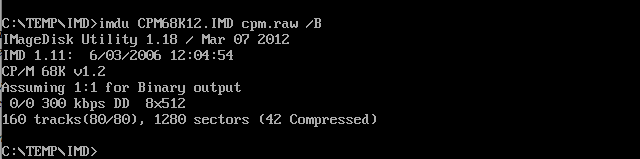
Uncompressing, so easy!
IMDU CPM68K12.IMD CPM.RAW /B
And a few seconds later I had my raw file. Now the next thing was to manipulate the image in cpmtools. cpmtools has a database of disk drive types, and naturally there is no definition for the SAGE2. However thanks to a friend of mine (hi Lorenzo!) I took a look at 22disk, and found their demo version did in-fact have a definition for the SAGE:
BEGIN SAG2 Sage IV – DSDD 96 tpi 5.25″
DENSITY MFM,LOW
CYLINDERS 80
SIDES 2
SECTORS 8,512
SIDE1 0 1,2,3,4,5,6,7,8
SIDE2 1 1,2,3,4,5,6,7,8
ORDER SIDES
BSH 4 BLM 15 EXM 0 DSM 315 DRM 63 AL0 080H AL1 0 OFS 2
END
Which is great, however it took a bit of experimenting to work out how to format this information for cpmtools. I compared a bunch of known formats, and then managed to work this out:
diskdef sage2
seclen 512
tracks 160
sectrk 8
blocksize 2048
maxdir 128
skew 1
boottrk 2
os 2.2
end
And now I can look at the image file!
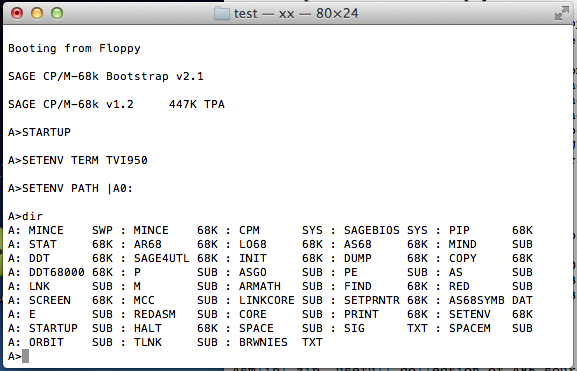
$ wine cpmls -f sage2 CPM68K12.RAW
0:
ar68.68k
armath.sub
as.sub
as68.68k
as68symb.dat
asgo.sub
brwnies.txt
copy.68k
core.sub
cpm.sys
ddt.68k
ddt68000.68k
dump.68k
e.sub
find.68k
halt.68k
init.68k
linkcore.sub
lnk.sub
lo68.68k
m.sub
mcc.sub
mince.68k
mince.swp
mind.sub
orbit.sub
p.sub
pe.sub
pip.68k
print.68k
red.sub
redasm.sub
sage4utl.68k
sagebios.sys
screen.68k
setenv.68k
setprntr.68k
sig.txt
space.sub
spacem.sub
startup.sub
stat.68k
tlnk.sub
So, I tidy up the image and copy it back to the IMD program for compressing. And this was, without a doubt the most difficult to figure out, until after a bunch of searching, and Lorenzo once more again pointed me in the direction of bin2imd

not intuitive!
So yeah.
BIN2IMD X.RAW X.IMD DM=2 N=80 SS=512 SM=1-8 /2
And the best part is that it worked! So now I was able to transfer over a binary version of com.68k, com2.68k, along with Zork, and fire it up!
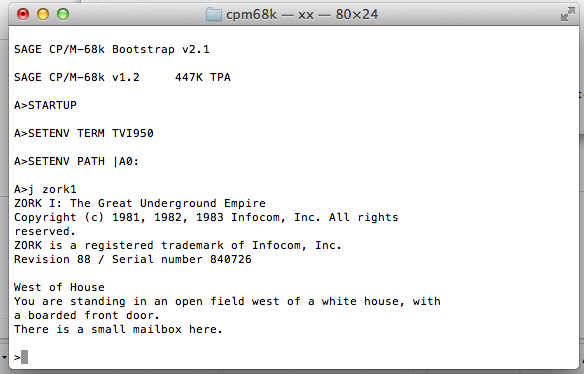
8080 Zork on 68k CP/M
Unfortunately, the interpreter doesn’t work right. It could be the disk transfers fault, maybe the SIMH SAGE emulator, or even the 8080 emulator. But it worked this far.