It never rains, but it pours.

f

fragready’s ticketing system.

So yeah, I’m still without my “dedicated” server,  and now even fragready’s portal is broken.  I just want to get on the box, and do a secure wipe myself.

So at least I have this super discount VM in Germany to keep my blog running.  Before I was hosting Exchange on KVM in the dedicated server.  However now I’m going to pull all my crap back home, as I setup an OpenVPN connection from my home to the VPS, and from there got some static routing working well enough that I can host an Exchange server at home, and use postfix to store & forward.  A pretty simple & standard setup.

Well I got to update my MX records, and what do I get?

websitespot

websitespot

Now the people I bought my domain names from, websitespot.com is down.  Even “Down for everyone or just me” has them down.

I swear, I can’t catch a break on this one.

Byte magazine now on archive.org!

This is super cool!  When I was a kid I loved reading Byte!

But now it’s all gone, and my attempt at getting a dead tree version… well while I had quite a few they were HEAVY, and sadly couldn’t be taken around the world with me.

But thankfully they are being digitized, and stored on archive.org so I can browse through them again!

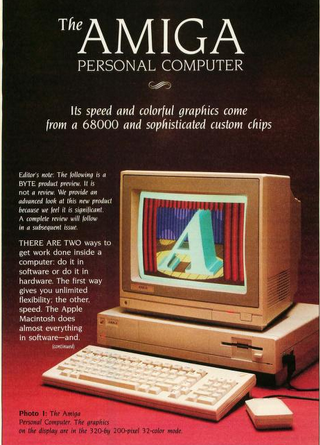
Byte from 1985

Byte from 1985

You can find the archive here.  And of course, take note that there are many other magazines now available!

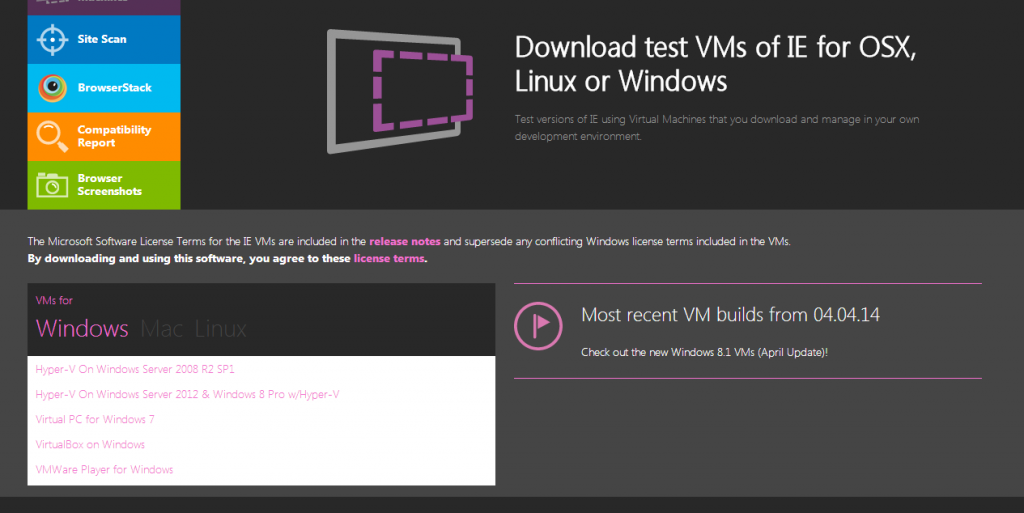
Virtual Machines for Internet Explorer

Collect them all?

Collect them all?

Something I kind of stumbled on, while playing ‘Escape from XP‘, a MS page with a tonne of virtual machines!

With downloads for Windows, Mac & Linux!

Up until now, I have been using Utilu’s IECollection (local mirror).

So this may be of interest to some of you, but there is XP, Vista, & Windows 7 downloads….

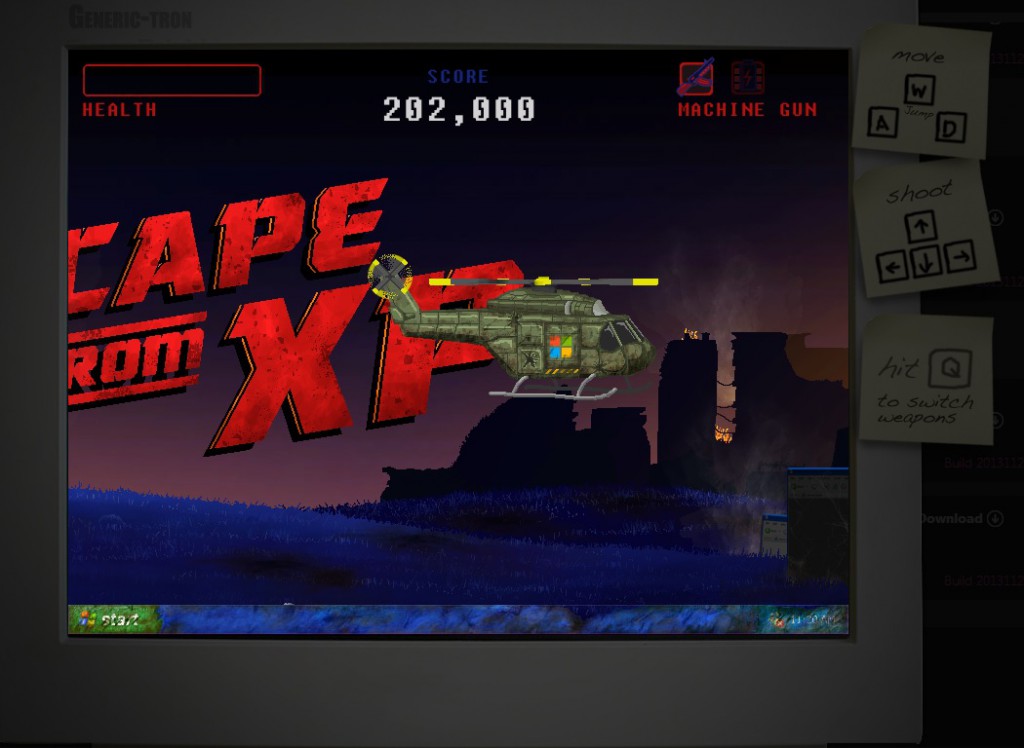
Escape from XP

Escape from XP

Meanwhile, try to escape from XP!

My fragready server has been taken offline because of a ‘virus’.

And let this be a warning to all.

The Data center has null routed because of virus complaints originating from 216.231.130.102.

Sadly I haven’t heard back as far as exactly what this virus is/was and what is going on.  Just that a ‘complaint’ had been logged against my ip address.

So googling my ipaddress + virus turns up more automation gone awry.

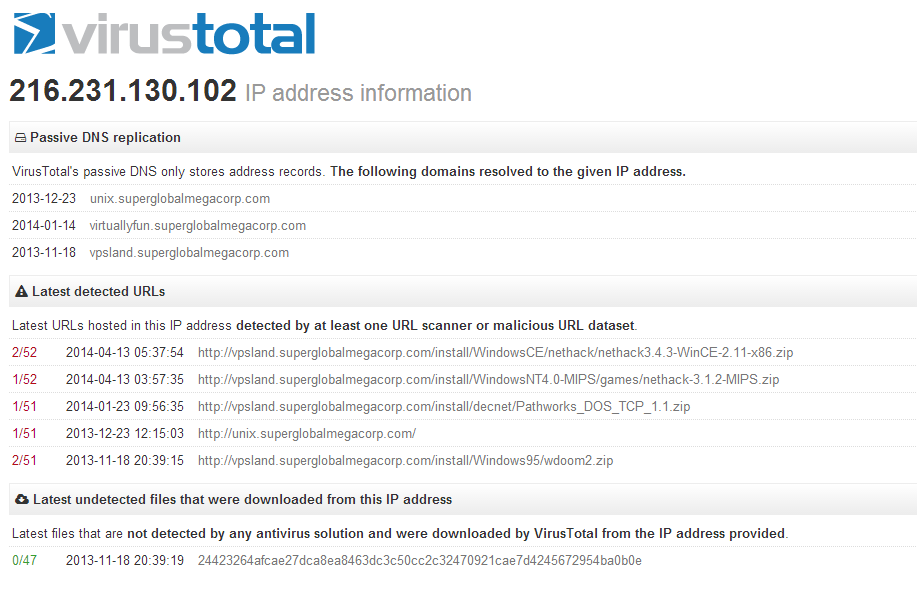
Virus Total...

Virus Total…

So as you can see this “virus total” is listing a bunch of my  files being infected.  The first thing I noticed is that it’s NetHACK, and for non i386 win32 platforms, both Windows CE for the i386 (it’s not a normal win32 exe), and nethack for the MIPS.

And looking on how they score me 2/52 well these are the sites that now scour around looking for “viruses” and false positives that will get your server blacklisted.

URL: http://vpsland.superglobalmegacorp.com/install/WindowsCE/nethack/nethack3.4.3-WinCE-2.11-x86.zip
Detection ratio: 2 / 52
Analysis date: 2014-04-13 05:37:54 UTC ( 1 day, 17 hours ago )
    URL Scanner Result
    CLEAN MX Malicious site
    Websense ThreatSeeker Malicious site
    ADMINUSLabs Clean site
    AegisLab WebGuard Clean site
    AlienVault Clean site
    Antiy-AVL Clean site
    AutoShun Unrated site
    Avira Clean site
    BitDefender Clean site
    C-SIRT Clean site
    CRDF Clean site
    Comodo Site Inspector Clean site
    CyberCrime Clean site
    Dr.Web Clean site
    ESET Clean site
    Emsisoft Clean site
    Fortinet Unrated site
    G-Data Clean site
    Google Safebrowsing Clean site
    K7AntiVirus Clean site
    Kaspersky Unrated site
    Malc0de Database Clean site
    Malekal Clean site
    Malware Domain Blocklist Clean site
    MalwareDomainList Clean site
    MalwarePatrol Clean site
    Malwarebytes hpHosts Clean site
    Malwared Clean site
    Netcraft Unrated site
    Opera Clean site
    PalevoTracker Clean site
    ParetoLogic Clean site
    Phishtank Clean site
    Quttera Clean site
    SCUMWARE.org Clean site
    SecureBrain Clean site
    Sophos Unrated site
    SpyEyeTracker Clean site
    StopBadware Unrated site
    Sucuri SiteCheck Clean site
    ThreatHive Clean site
    URLQuery Unrated site
    VX Vault Clean site
    WOT Clean site
    Webutation Clean site
    Wepawet Unrated site
    Yandex Safebrowsing Clean site
    ZCloudsec Clean site
    ZDB Zeus Clean site
    ZeusTracker Clean site
    malwares.com URL checker Clean site
    zvelo Clean site

    Which now makes hosting any kind of file that some random people with zero accountability can screw up your hosting.

    Worse for me, is that my automated backup hadn’t been running frequent enough.  I’m now suffering through low bandwidth, and replicating all my crap that I’ve acquired through the years on vpsland.superglobalmegacorp.com is just too much.  And with the possibility of being shut down “just because” is now too much.  I kind of liked having a dumping ground for old stuff but now that is no longer permissible.

    So where to go from here?

    I can password lock the site, and require people to contact me for access.  What a pain.  I’m sure I could automate it, but I don’t want these arbitrary systems to remove me again so that is out of the question.

    I could use some kind of certificate based encryption on everything, and provide a link to the certificate and give instructions on how to use it.  But obviously this will discourage people who are unfamiliar with the command line, and with OpenSSL (and all the great news it’s had the last week!).

    Another option is to use OpenVPN to permit people to access vpsland from within that.  This removes it from public search, but does allow people to connect in a somewhat easier method.  And it doesn’t involve something tedious like downloading OpenSSL, getting my servers’s key, downloading the wanted file, decrypting the file, and then decompressing it.

    I’ve pulled the latest posts out from google’s cache.  I’ll try to put up the comments but I can’t promise much there.  As it stands right now, I haven’t heard back from fragready in over 22 hours, and at this point I want to just get my blog back in operation.

    Sorry for the hassle.


    –update:

    Finally got a response, but not the one I was hoping for.

    In situations such as this, where a server has been compromised, we require the server to be reinstalled with a fresh OS installation. Please let us know how you would like to proceed

    So basically a false positive on the internet will get your data destroyed.  Well this sucks.

    Qemu enters the 2.0 release candidate phase!

    Lots of big changes headed for the 2.0 release.  From the change log:

    Incompatible changes

    • All onboard buses now have distinct names, so that all of them can be reached with -device bus=…”. As a result of this, some buses that used to have duplicates got renamed:
      • i2c-bus.0 to i2c-bus.1 for machines n800, n810;
      • virtio-mmio-bus.0 to virtio-mmio-bus.3 for vexpress-a15, vexpress-a9;
      • virtio-mmio-bus.0 to virtio-mmio-bus.31 for virt;
      • usb-bus.0 to usb-bus.1 for xilinx-zynq-a9, fulong2e;
      • ide.0 to ide.1 for isapc, mips, g3beige, mac99, prep;
    This change requires care when doing migration from 1.x to 2.x QEMU; you need to specify bus=NEW explicitly on the destination for devices on the renamed bus.
    • Another bus rename is pci to pci.0 for pseries. This does not require as much care on migration; if you were specifying bus=pci” explicitly, QEMU will not start unless you change that to bus=pci.0″.
    • qemu-system-arm no longer defaults to the obsolete integratorcp” if no machine is specified on the command line (this was a recurring source of confusion). Users with existing integratorcp images will need to add -M integratorcp” to the command line if it is not already present.

    Future incompatible changes

    • Three options are using different names on the command line and in configuration file. In particular:
      • The acpi” configuration file section matches command-line option acpitable”;
      • The boot-opts” configuration file section matches command-line option boot”;
      • The smp-opts” configuration file section matches command-line option smp”.
    Starting with QEMU 2.1, -readconfig will standardize on the name fo the command line option.

    ARM

    • Support for -M virt”, a board type that only uses virtio devices
    • Support for -cpu host” when running under KVM
    • Support for new 32-bit mode ARMv8 instructions in TCG
    • Support for all 64-bit mode ARMV8 user-accessible instructions except for the optional CRC and crypto extensions
    • Support for AArch64 disassembling (requires a C++ compiler to be installed on the host)
    • Initial support for KVM on AArch64 systems (some features such as migration are not yet implemented)
    • Support for the Canon PowerShot A1100 DIGIC board using -M canon-a1100″
    • Support for the allwinner-a10-based board -M cubieboard”
    • Support for flow control in the Cadence UART
    • integratorcp” is no longer the default machine (see the ‘incompatible changes’ section above)

    Power

    • Support for Altivec 2.07 and VSX instructions when running under TCG
    • Support for ISA 2.06 “load/store quadword instructions”, “divide extended instructions” and “floating-point test instructions” when running under TCG
    • PReP is not anymore (incorrectly) included in qemu-system-ppcemb
    • Improved support for “-nodefaults” on the pSeries machine. Display devices created with “-device VGA” will be handled correctly in the device tree.
    • Support for boot order in pSeries emulation

    s390

    • Support for adapter interrupts in virtio-cc2

    SPARC

    • Support for Sun CG3 framebuffer with the Sun4m machine. The CG3 framebuffer can be requested with “-vga cg3″.
    • Support for the CASA compare-and-swap instruction in TCG.

    x86

    • On the Q35 machine, the HPET interrupt can now be attached to GSIs 16-23, like on real hardware.
    • The Q35 machine now supports CPU hotplug.
    • Two flash chips can be specified using the “-drive if=pflash” or “-pflash” options twice.
    • Memory layout has changed slightly; to improve performance, the PIIX4 machine (“-M pc”) now has 3GB of low memory instead of 3.5GB if the guest has more than 3.5GB of memory. Similarly, the Q35 machine (“-M q35″) now has 2GB instead of 2.75GB of low memory if the guest has more than 2.75GB of overall memory.
    • Support for migration of Intel MPX registers.
    • The Apple SMC device is now exposed in the ACPI tables.
    • On the PIIX machine, PCI hotplug now supports devices behind a bridge (only for bridges not added by hotplug; hot-plugged bridges can still use the PCI Standard Hot-Plug Controller).
    • Support for the Hyper-V reference time counter via the “hv-time” suboption of “-cpu”. This can improve performance of Windows guests substantially for applications that do many floating-point or SIMD operations. (Requires KVM and Linux 3.14).
    • The distributed qemupciserial.inf file now allows installing multiport PCI serial devices on Windows too.
    • ACPI tables generated by QEMU can now be used by OVMF firmware. OVMF starting with SVN r15420 is needed. In particular hotplug, pvpanic device and other ACPI based features now work for OVMF.

    KVM

    • x2apic is now enabled by default when KVM is in use.

    Xen

    • PCI passthrough of devices with a ROM now works.

    Xtensa

    • added support for ML605 and KC705 FPGA boards.
    • Cache-related opcodes now correctly check privilege level/memory accessibility.

    Device emulation

    SCSI

    • the SCSI layer can offload the WRITE SAME command to the host storage. This is supported on XFS file systems, raw devices, and iSCSI targets.
    • SCSI disks can report a port WWN and port index, to make them look more like “real” SAS disks

    USB

    • support for suspend-to-RAM in the XHCI controller
    • support for Microsoft descriptors, to make Windows use remote suspend by default.

    GUI

    • Windows hosts support keyboard translation in the GTK+ interface
    • Support for SDL 2.0.

    VNC

    • Setting the password via monitor command will not enable password auth as side effect any more. Use “qemu -vnc ${display},password” on the command line to enable password authentication.
    • Improved performance.

    GTK+

    • Support for mouse wheel.
    • Support for enabling/disabling grab-on-hover from the command line using “-display gtk,grab-on-hover=on|off”.
    • QEMU for Windows now also supports GTK+ and uses it by default. Console windows (monitor, serial and parallel console) are not available with GTK+.

    Monitor

    • New HMP command cpu-add for CPU hotplug
    • New QMP commands object-add and object-del for generic object hotplug (enables virtio-rng hotplug)
    • New HMP commands object_add and object_del for generic object hotplug
    • Improved command-line completion for device_add and device_del (as well as the new commands object_add and object_del)
    • dump-guest-memory can produce kdump compressed format.

    Migration

    • Various fixes for migration with qcow2 images. Migration with qcow2 images is now reliable.
    • Reduction (or elimination) of guest stalls during migration
    • RDMA migration is now activated with the “rdma:HOST:PORT” syntax (used to be “x-rdma:HOST:PORT”)

    Network

    • New backend “netmap” on BSD systems

    Block devices in system emulation

    • Live snapshot merge (…-commit) can be used to merge the active layer of an image into one of the snapshots
    • Live and offline snapshot merge (“commit”) will resize the destination image if necessary.
    • The iSCSI and Gluster backends support snapshot merge.
    • “query-block-stats” provides statistics for all images in the chain of backing files
    • node-name, query-named-block-nodes: external snapshot, resize, change password (???)
    • Experimental support in virtio-blk for M:N threading model: if you specify x-dataplane=on, you can also create I/O threads with “-object iothread” and point virtio-blk devices to the desired iothread with the “x-iothread” property. Properties of the running iothreads can be queried with the QMP command “query-iothreads”.

    Various

    • -name now supports a “debug-threads” suboption. With this option, QEMU will assign names to each threads in order to simplify debugging. Note that thread names do not constitute a stable API.
    • Improved coverage for “make check”.
    • Lots of bugfixes reported by Coverity (mostly for non-x86 guests).

    Block devices and tools

    • Network block drivers (curl, iscsi, rbd, ssh, glusterfs) can be built as shared library modules with “–enable-modules” configure option.
    • When the destination of “qemu-img convert” is a raw device, qemu-img can ask the host storage to “discard” it instead of writing zeroes
    • “qemu-img convert” can be passed a “-S 0″ option to create a fully allocated image
    • “qemu-img convert” can use hints from the host storage to speed up the transfer
    • “qemu-img convert”, “qemu-img create”, “qemu-img amend” support multiple occurrences of the “-o” command line option.
    • The libcurl interface had bitrotted and has been fixed.
    • A new “quorum” driver for redundant storage is supported.
    • QEMU is able to operate even if the underlying storage requires the buffer size to be a 4K multiple. This is the case for 4K-native disks (with cache=none or when accessed through iscsi:// URLs) and some raw devices. When this happens, QEMU emulates unaligned accesses using read-modify-write cycles if necessary. On properly configured guests newer than ~2009 there should be no performance penalty.
    • qemu-io supports command editing via readline
    • Pseudo-protocols like blkdebug and blkverify can be nested arbitrarily
    • Improved error messages for many operations
    • QEMU can access NFSv3 shares directly from userspace using libnfs. The share must be configured to allow access from high-numbered ports

    TCG

    • Improvements to the TCG optimizer make it produce faster code
    • QEMU can use getauxval to detect the host instruction set for PPC64, ARM, s390
    • QEMU supports generating MOVBE, ANDN, instructions in the x86 backend
    • Improved code generation on AArch64 and SPARC hosts
    • Support for AArch64 disassembling (requires a C++ compiler to be installed on the host)

    Tracing

    • LTTng 2.x is now supported

    User-mode emulation

    • Support for AArch64 user-mode emulation
    • Target specific minimum kernel versions, –enable-uname-release configure parameter will be removed in next release.
    • Support for timer system calls: timer_create, timer_settime, timer_gettime, timer_getoverrun and timer_delete.
    • Support for accept4 socketcall
    • Support for sendmmsg/recvmmesg system calls
    • Support for capset/capget system calls
    • Bug fixes

    Known issues

    • On Win32, QEMU must be compiled with --disable-coroutine-pool to work around a suspected compiler bug.
    • The GTK+ terminal windows (monitor, serial console, parallel, …) are still unusable in TCG mode: they lose characters and can raise deadlocks.
    • QEMU for Windows does not support GTK+ terminal windows.
    • AArch64 disassembler support may cause linker errors when configuring with --cc= without matching --cxx= argument.

    I’ll have to see if I can build a win64 version.  And OS X as well…

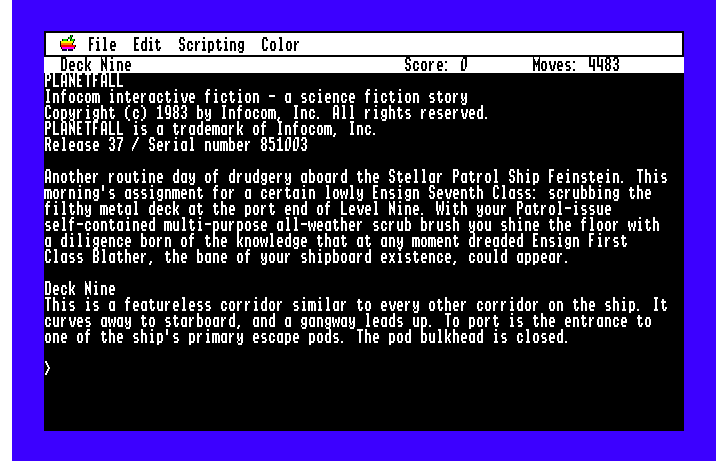
    Virtual IIGS for Chrome, Active GS!

    It’s a simple pluggin for Chrome, download it and you are good to go.  As a bonus, check out The Lost Treasures of Infocom!

    No really!

    Besides the disk swapping, it’s pretty cool!

    Planetfall!

    Planetfall!


    WRP for QT-Webkit

    (note this is a guest post from Tenox)

    Due to a popular demand, a previously mentioned Web Rendering Proxy has been ported to QT-Webkit, which allows it to run on Linux, BSD and other operating systems.

    QT doesn’t support writing GIF images so JPEG is being used instead. You may want to adjust the option for image quality versus size.

    The installation of required components is straight forward, on Ubuntu:

    apt-get  install  python-qt4  libqt4-webkit

    Generaly you if you can get qt-webkit2png to run, WRP will also work. Note for Windows users, you will need a X11 display server like the one that comes with Cygwin.

    The script is available here.

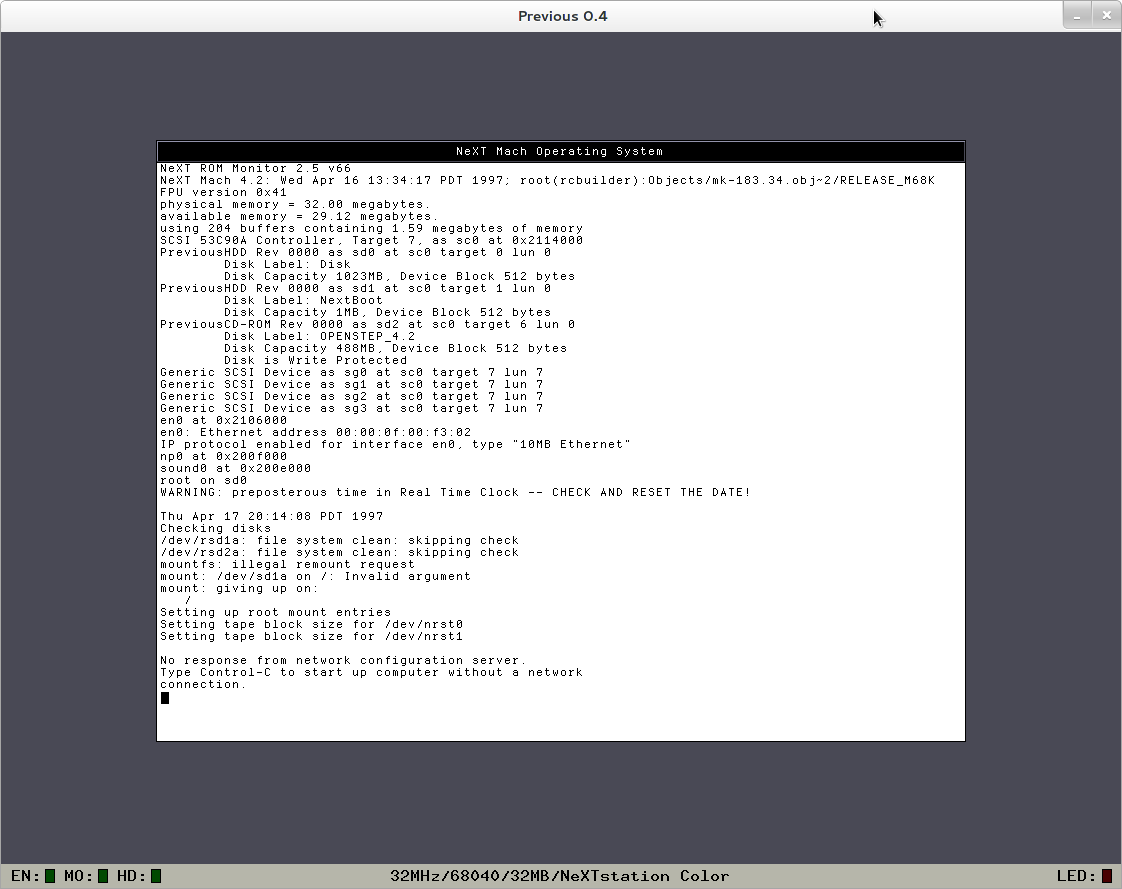
    Previous boots NeXTSTEP!

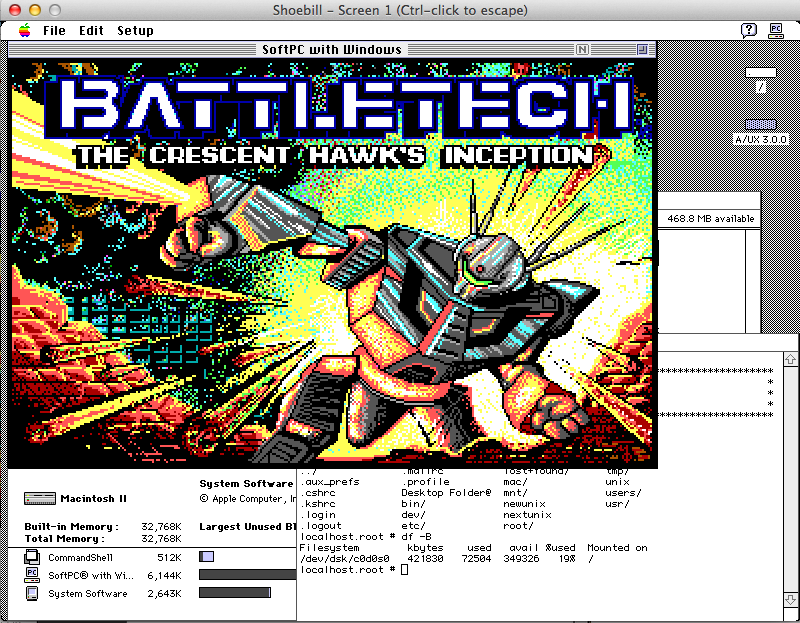
    So first we got AMIX, then A/UX now NeXTSTEP!

    x

    (I lost the original image, so here is OPENSTEP on 0.4)


    NeXTSTEP 3.2 in single user mode

    You have to grab the source from sourceforge, and build it yourself.  I haven’t attempted it yet, but wow!  Apparently the latest snap is capable of running 0.9 – OpenSTEP 4.0!

    Mirroring Wikipedia

    So I had an internet outage, and was thinking if I was trapped on my proverbial desert island what would I want with me?

    Well wikipedia would be nice!

    So I started with this extreme tech article by Sebastian Anthony, although it has since drifted out of date on a few things.

    But it is enough to get you started.

    I downloaded my XML dump from Brazil like he mentions.  The files I got were:

    • enwiki-20140304-pages-articles.xml.bz2 10G
    • enwiki-20140304-all-titles-in-ns0.gz 58MB
    • enwiki-20140304-interwiki.sql.gz 728Kb
    • enwiki-20140304-redirect.sql.gz 91MB
    • enwiki-20140304-protected_titles.sql.gz 887Kb

    The pages-articles.xml is required.  I added in the others in the hopes of fixing some formatting issues.  I re-compressed it from 10GB using Bzip2 to 8.4GB with 7zip.  It’s still massive, but when you are on a ‘slow’ connection every saved GB matters.

    Since I already have apache/php/mysql running on my Debian box, I can’t help you with a virgin install.  I would say it’s pretty much like every other LAMP install.

    Although I did *NOT* install phpmyadmin.  I’ve seen too many holes in it, and I prefer the command line anyways.

    First, I connect to my database instance:

    mysql -uroot -pMYBADPASSWORD

    And then execute the following:

    create database wikimirror;
    create user ‘wikimirror’@’localhost’ IDENTIFIED BY ‘MYOTHERPASSWORD’;
    GRANT ALL PRIVILEGES ON wikimirror.* TO ‘wikimirror’@’localhost’ WITH GRANT OPTION;
    show grants for ‘wikimirror’@’localhost’;

    This creates the database, adds the user and grants them permission.

    Downloading and setting up mediawiki 1.22.5 is pretty straight forward.  There is one big caveat I found though.  InnoDB is incredibly slow for loading the database. I spent a good 30 minutes trying to find a good solution before going back to MyISAM with utf8 support.

    With the empty site created, I do a quick backup in case I want to purge what I have.

    /usr/bin/mysqldump -uwikimirror -pw1k1p3d1a wikimirror > /usr/local/wikipedia/wikimedia-1.22.5-empty.sql

    This way I can quickly revert as constantly re-installing mediawiki is… a pain.  And it gets repetitive which is good for introducing errors, so it’s far easier to dump the database/user and re-create them, and reload the empty database.

    When I was using InnoDB, I was getting a mere 163 inserts a second. That means it would take about 24 hours to import the entire database!!  Which simply is not good enough for someone as impatient as me.  As of this latest dump there are 14,313,024 records that need to be inserted, which would take the better part of forever to do.

    So, let’s make some changes to the MySQL server config.  Naturally backup your existing /etc/mysql/my.cnf to something else, then I added the following bits:

    key_buffer = 1024M
    max_allowed_packet = 384M
    query_cache_limit = 18M
    query_cache_size = 128M

    I should add that I have a lot of system RAM available.  And that my box is running Debian 7.1 x64_86.

    Next you’ll want a slightly modified import program,  I used the one from Michael Tsikerdekis’s site, but I did modify it to run the ‘precommit’ portion on it’s own.  I did this because I didn’t want to decompress the massive XML file on the filesystem.  I may have the space but it just seems silly.

    With the script ready we can import!  Remember to restart the mysql server, and make sure it’s running correctly.  Then you can run:

    bzcat enwiki-20140304-pages-articles.xml.bz2 | perl ./mwimport2 | mysql -f -u wikimirror -pMYOTHERBADPASSWORD  –default-character-set=utf8 wikimirror

    And then you’ll see the progress flying by.  While it is loading you should be able to hit a random page, and get back some wikipedia looking data.  If you get an error well obviously something is wrong…

    With my slight moddifications I was getting about 1000 inserts a second, which gave me…

     14313024 pages (1041.174/s),  14313024 revisions (1041.174/s) in 13747 seconds

    Which ran in just under four hours.  Not too bad!

    With the load all done, I shut down mysql, and then copy back the first config.  For the fun of it I did add in the following for day to day usage:

    key_buffer = 512M
    max_allowed_packet = 128M
    query_cache_limit = 18M
    query_cache_size = 128M

    I should add that the ‘default’ small config was enough for me to withstand over 16,000 hits a day when I got listed on reddit.  So it’s not bad for small-ish databases (my wordpress is about 250MB) that see a lot of action, but wikipedia is about 41GB.

    Now for the weird stuff.  There is numerous weird errors that’ll appear on the pages.  I’ve tracked the majority down to lua scripting now being enabled on the template pages of wikipedia.  So you need to enable lua on your server, and setup the lua extensions.

    The two that just had to be enabled to get things looking half right are:

    With this done right, you’ll see Lua as part of installed software on the version page:

    mediawiki installed softwareAnd under installed extensions:

    wikimedia installed extensions

    I did need to put the following in the LocalSettings.php file, but it’s in the installation bits for the extensions:

    $wgLuaExternalInterpreter = “/usr/bin/lua5.1″;
    require_once(“$IP/extensions/Lua/Lua.php”);
    $wgScribuntoEngineConf[‘luastandalone’][‘luaPath’] = ‘/usr/bin/lua5.1′;
    require_once( “$IP/extensions/Scribunto/Scribunto.php” );

    Now when I load a page it still has some missing bits, but it’s looking much better.

    The Amiga page...

    The Amiga page…

    Now I know the XOWA people have a torrent setup for about 75GB worth of images.  I just have to figure out how to get those and parse them into my wikipedia mirror.

    I hope this will prove useful for someone in the future.  But if it looks too daunting, just use the XOWA.  Another solution is WP-MIRROR, although it can apparently take several days to load.