Fun with Windows Timeout command…

(this is a guest post by Tenox)

I’m pretty good at finding bugs in Windows and I get a new one every couple of weeks or so. Today I found out this unbelievable gem:

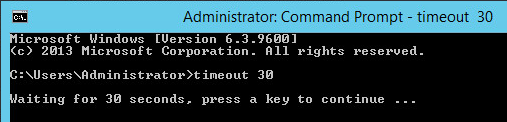
So there is this (cmd.exe) command called timeout. It works roughly similar to sleep(1) under Unix. It is supposed to stop execution of a batch script for a given period of time. Example:

In reality just wishful thinking, because apparently this is not always the case. Sometimes it does and sometimes… it doesn’t.

Wait… what?

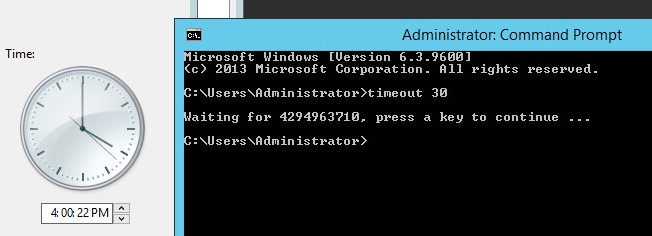
Sounds unbelievable but it appears the timeout command uses Real Time Clock for it’s sleep function. If you change the clock while timeout is running…

t2LOL 🙂

I found this because my batch scripts were stuck for rather long time when a machine would have time changed by NTP. If the change was negative the timeout command would wait x thousand seconds. When the change was positive the integer rolled and timeout stopped immediately causing avalanche of problems.

So beware to timeout eating your batch scripts…

IDLEHLT16 for OS/2 1.x

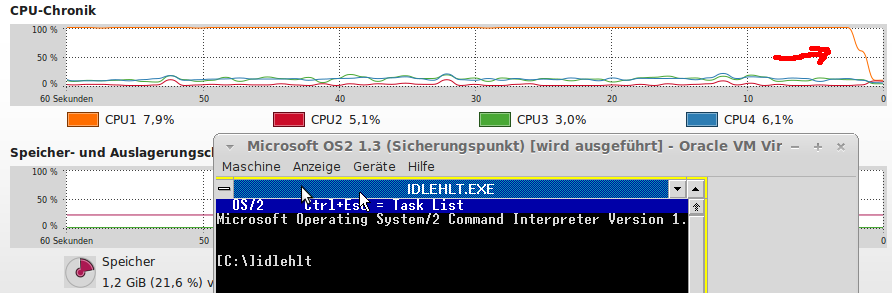
Tobias let me know that he’s released his IDLEHLT16 driver for these early OS/2 versions.  If anyone has run them in an emulator, you’ll know they’ll easily soak up 100% of the CPU they are given.  This process will call the HLT opcode found in later (well compared to the 80286!) processors allowing them to ‘sleep’.

IDLHLT16

IDLHLT16

Needless to say, for fans of the beleaguered 16-bit OS, this is a great thing to have!

If anyone wants to know why there isn’t one for OS/2 2.0 and above, it doesn’t need one, it can sleep fine on it’s own.

DMSDos

While trying to see if STAC ever went into the disk compression busness again, I ran across this interesting bit of software, DMSDOS, which is a kernel module for versions 2.0.36 and 2.2.3 of the Linux kernel support read/write access to STACKER version 3 and 4 containers.  It also support’s MS-DOS’s drive space, and doublespace!

The latest version dmsdos-0.9.2.3-pre2-alt2.tar.gz even runs on modern x86_64 and i386 boxes!  Although in library mode.

# ./mcdmsdos list /tmp/STACVOL.000
mcdmsdos version 0.2.0 (for libdmsdos 0.9.x and newer)
libdmsdos: DMSDOS library version 0.9.2pl3-pre2(alpha test) compiled Jun 12 2014 17:14:06 with options: read-write, doublespace/drivespace(<3), drivespace 3, stacker 3, stacker 4
libdmsdos: mounting CVF on device 0x3 read-write…
libdmsdos: CVF end padding 1 sectors.
libdmsdos: CVF is in stacker 4 format.
-rwxr-xr-x 1 0 0 10396254 Dec 16 1993 13:35 doom.wad
-rwxr-xr-x 1 0 0 68923 Dec 15 1993 01:01 setup.exe
-rwxr-xr-x 1 0 0 20850 Dec 15 1993 01:01 readme.exe
-rwxr-xr-x 1 0 0 627155 Dec 16 1993 13:53 u1_94.exe
-rwxr-xr-x 1 0 0 579187 Dec 16 1993 13:47 doom.exe
-rwxr-xr-x 1 0 0 439 Dec 15 1993 01:01 file_id.diz
-rwxr-xr-x 1 0 0 190 Dec 15 1993 01:01 use1_95.bat
-rwxr-xr-x 1 0 0 218 Dec 15 1993 01:01 use1_94.bat
-rwxr-xr-x 1 0 0 7527 Dec 15 1993 01:01 license.doc

How cool?

Even better it can extract files from the stacker volume!

# ./mcdmsdos copyout /tmp/STACVOL.000 /doom.wad doom.wad
mcdmsdos version 0.2.0 (for libdmsdos 0.9.x and newer)
libdmsdos: DMSDOS library version 0.9.2pl3-pre2(alpha test) compiled Jun 12 2014 17:14:06 with options: read-write, doublespace/drivespace(<3), drivespace 3, stacker 3, stacker 4
libdmsdos: mounting CVF on device 0x3 read-write…
libdmsdos: CVF end padding 1 sectors.
libdmsdos: CVF is in stacker 4 format.
# md5sum doom.wad 981b03e6d1dc033301aa3095acc437ce doom.wad
#

And if you google ‘981b03e6d1dc033301aa3095acc437ce’ you’ll know it’s the registered DOOM version 1.1 data file!

The author tired to get it to work with Microsoft Visual C, and it does not.  It also doesn’t work with MinGW or Cygwin, and the reason is once more again the way GCC handles it’s structures on Linux vs Windows.  Sadly there is no silverbullet fix for this, the structures oddly enough are too small on Windows, and too big for what they should be on Linux.

But at any rate, I though it was cool.  For anyone interested all versions that I’ve found I put online on my cvs server, unix.superglobalmegacorp.com.

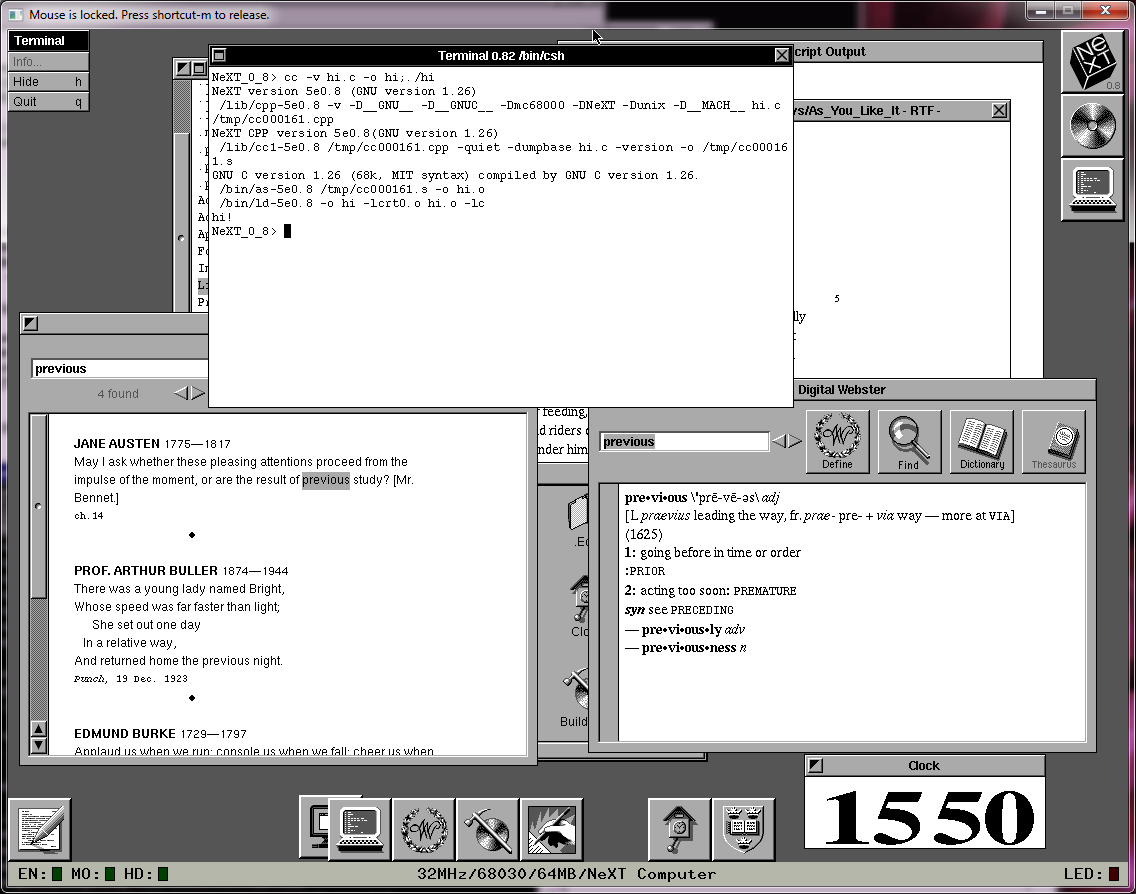
Shoebill ported to Windows!

Shoebill!

Shoebill!

Good news, as mentioned here, the Shoebill emulator was recently given some much-needed SDL love, and ported to Linux.

Well, that’s great and all, but the vast majority of people who run anything these days do it with Windows.  So I decided to try to get it to compile with MinGW to see how far I could get.

And the short version is that I got it working!

The long version is that in the first pass there is some SIGUSR2 stuff that is undefined.  And for a good reason, since it won’t work.  So, I just commented them out.  The next minor problem was the lack of bzero.  Honestly, I don’t know why bzero is missing from MinGW, but who knows why.

Shoebill also processes some internal macros with a perl script that for some reason was dropping in binary values into the source, making GCC mad.  I just commented out a line that was adding in more comments into the header.  This let me compile with a simple pass.

There was some issues reading the ROM file, since the 68000 is a BIG ENDIAN processor, and the 8086 is LITTLE ENDIAN, Shoebill makes extensive use of hotns and hotnl, ntohl, and ntohll.  These can be found in the winsock library, and even better they dont need any winsock initialization, they work right away.  I just have to make sure I include winsock2.h, and link against the winsock library.

However when trying to boot, the checksum was 0x00000000, not the expected value!   Luckily there was an assert to catch that and crash.  This led me to notice that in Linux files are opened in binary mode by default, while on Windows, they are opened in ASCII mode.  A quick change of all the fopen calls, and I was reading the ROM, but now crashing on the disk.

As it turns out newer versions of GCC go all crazy when it comes to structs, and try to automatically align to boundaries for quick access.  Which sound nice, until you try to read in some binary data, and expect things to be in certain locations and find out that your structure is larger than expected, and data is read in the wrong place.

The solution is to force the compiler to leave it alone with

__attribute__ ((__packed__))

HOWEVER as luck would have it, Microsoft apparently packs structures a different way, and you have to either make a macro to do a bunch of work to force it to make the structure 1:1 of what you expect, or use the CFLAG option of

-mno-ms-bitfields

And now MinGW’s GCC will build something along the lines of what it’d build on Linux.

Putting it all together, I amazingly got this!

Shoebill on Windows

Shoebill on Windows

Phew!  So for those interested, here is the source code drop(Use the updated one here!), and here is the binary.  Or a copy on archive.org.

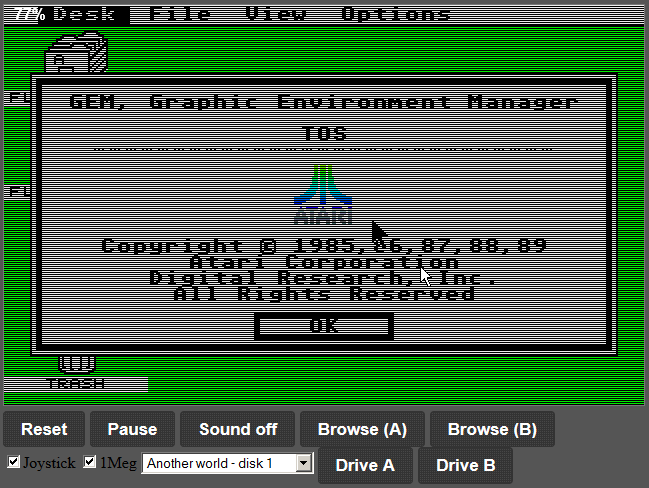
If you ever wanted to see the “OS X” of the 1980’s, now is your chance!

Announcing HECnetNT!

HECnetNT in action!

HECnetNT in action!

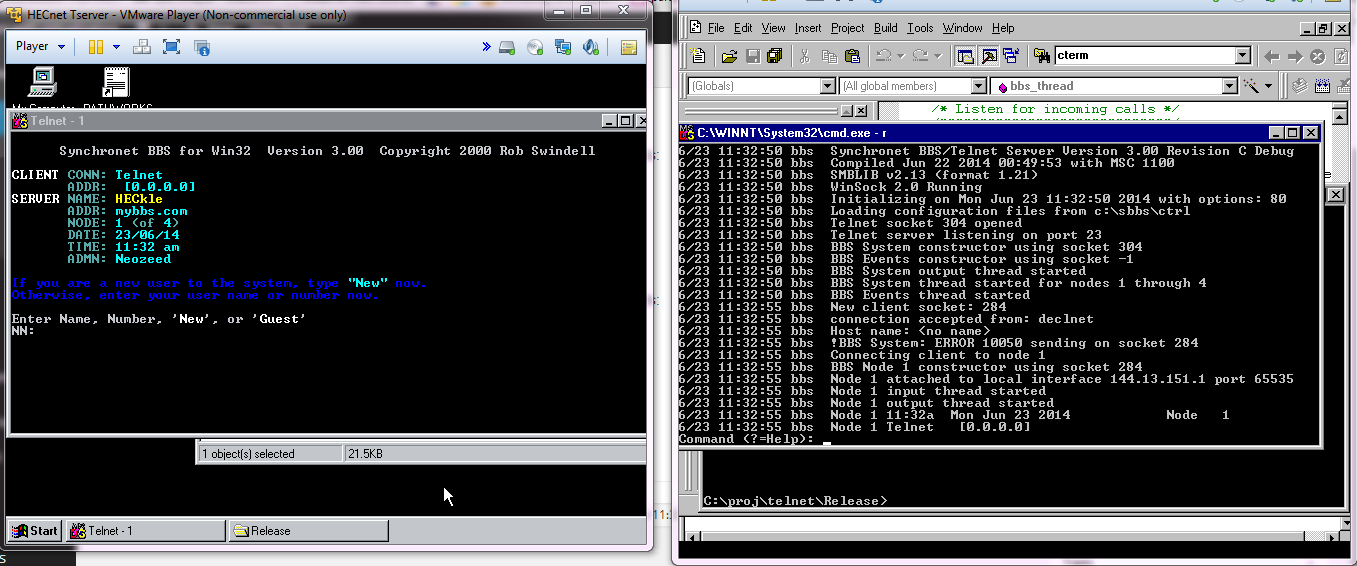
So I have my little project working well enough to let it out into the world.  I call it HECnetNT, and it’s available out on sourceforge.

It’s a port of  Johnny Billquist‘s bridge program to Windows.  This isn’t a MinGW or Cygwin build, but rather, a native build, compiled in Visual Studio 2003.  I’ve been able to run this build on NT 4.0, 2000 and Windows 7.

I also made some additions to the bridge program, by allowing it to bridge IPX/SPX Ethernet_II frames, so you can now build legacy networks that let you logon to NetWare servers, or even play those old IPX/SPX games.

Back when I first got DOOM v1.1 working on IPX/SPX I noticed that it sent an incredible amount of packets that were mostly empty.  To work around this, I incorporated LZSS to compress data between HECnetNT bridges.  Even better, I don’t see any significant CPU utilization, even with DOOM blasting packets like crazy!

The best part is that you can mix compressed & uncompressed bridges.  So you can have an uncompressed connection to one host, and a compressed connection to another.

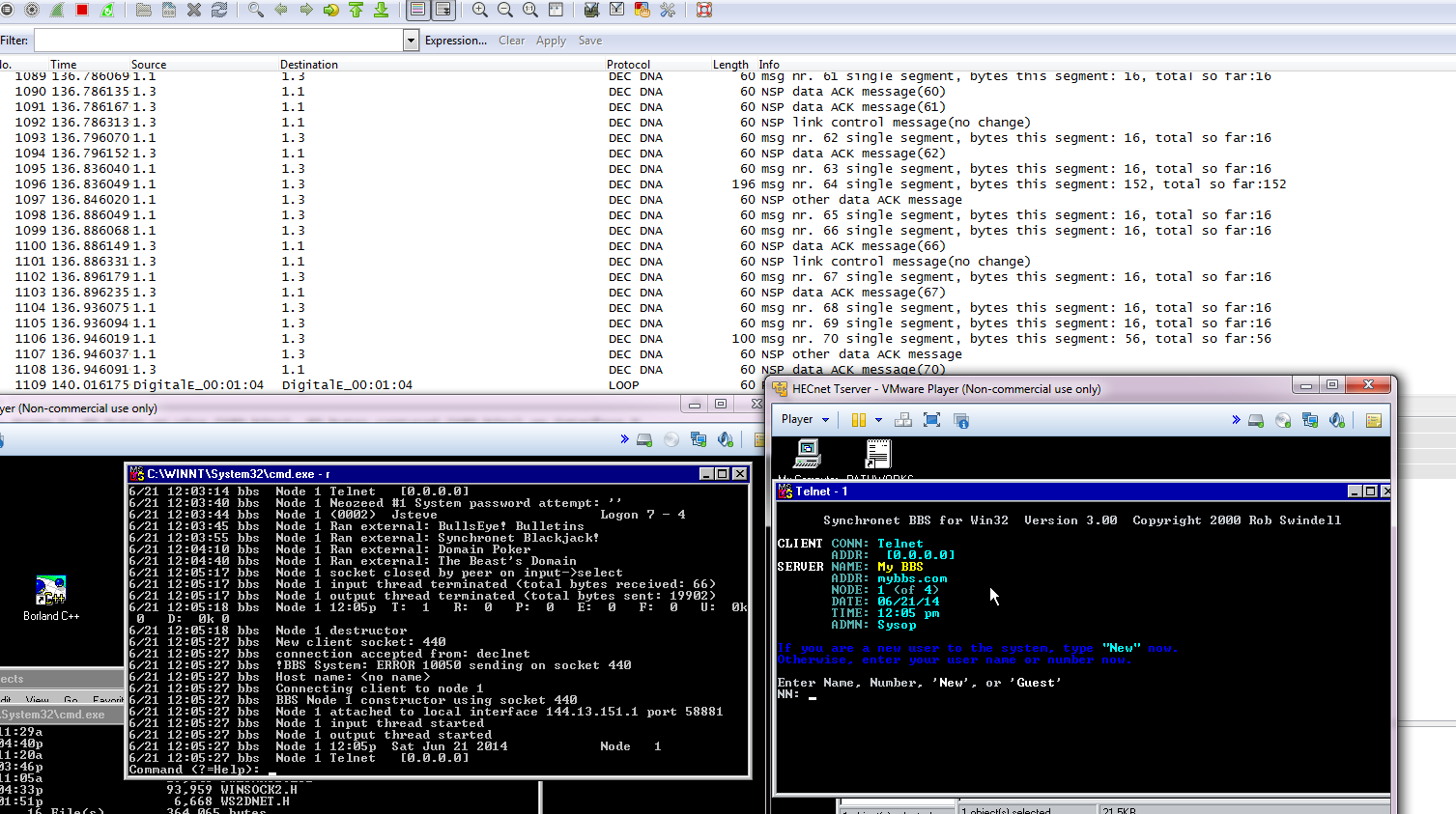
I’ve been able to bridge CTERM with SIMH to hosts using compressed, and uncompressed links, and this also includes a LINUX box with the original bridge software!

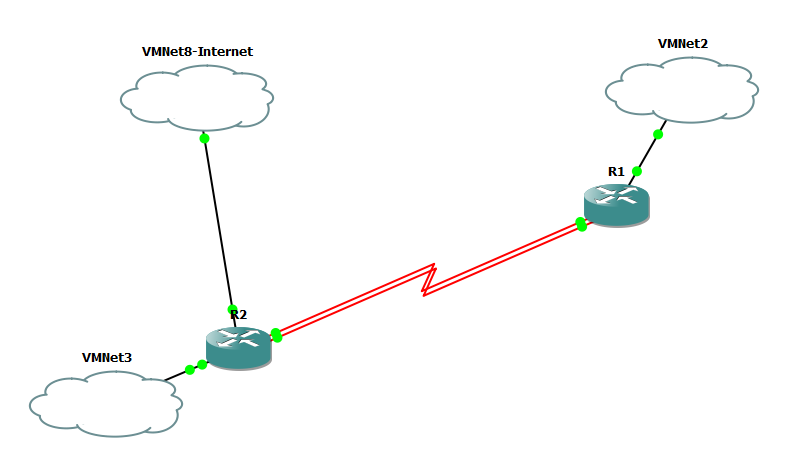
To take it one more step, I also setup a Windows NT box with an ethernet adapter, and the MS LOOPBack adapter, setup TCP/IP on both interfaces (a dummy address on the loopback is enough, but there needs to be something there), and then installed DEC Pathworks 7, on NT, bound it to the loopback adapter, ran the HECnetNT software, and I’ve been able to connect my NT instance.  Logically I could go one more step, and install PPTP support, so I the NT server could then use PPTP to VPN to a HECnet bridge, and then join it.

So the larger question is, the DECnet enthusiasts have their hecnet, is anyone interested in making a Novell like equivalent?  With older Linux that supports IPX/SPX or even NT we could even do routers, and build a large-ish sized network.

Setting up DECNet on VMS 4.7

Years ago, I was given an image of VMS 4.7.  I only tested it for idle capabilities, and that is as far as I got with it.  I never used it for anything else.

But today I needed to verify my Win32 Hecnet project works, so I needed to generate some legit DECNet traffic.  Luckily I still have the VMS image, and in the prevailing years I managed to get a copy of PathWorks for Windows NT (And one for MS-DOS as well!).

So googling around, I found blinkenbone who mentions the command needed to setup some DECNet love.  Now the one thing that is strange about DECNet is that the MAC address needs to be changed to the DECNet area & node id.  Thankfully there is an online calculator, powerdog.  Since I’m just testing, I’ll put my VAX in area 1, node 1, that means the VAX MAC needs to be set to:

AA-00-04-00-01-04

So in SIMH, I just use the line:

set xq mac=AA-00-04-00-01-04

Cool.  Now I use ansicon, in the hopes it’ll make the console better, and fire up VMS.

VMS 4.7 booted

VMS 4.7 booted

And then login as system/manager

Now I can setup decnet very simply like this:

Username: SYSTEM
Password:
Welcome to VAX/VMS version V4.7
Last interactive login on Saturday, 20-SEP-2008 17:32
$ @sys$manager:netconfig

DECnet-VAX network configuration procedure

This procedure will help you define the parameters needed to get DECnet
running on this machine. You will be shown the changes before they are
executed, in case you wish to perform them manually.

What do you want your DECnet node name to be? : rabbit
What do you want your DECnet address to be? : 1.1
Do you want to operate as a router? [NO (nonrouting)]:
Do you want a default DECnet account? [YES]:

Here are the commands necessary to setup your system.

————————————————————————–
$ RUN SYS$SYSTEM:NCP
PURGE KNOWN OBJECTS ALL
PURGE MODULE CONFIGURATOR KNOWN CIRCUITS ALL
$ DEFINE/USER SYS$OUTPUT NL:
$ DEFINE/USER SYS$ERROR NL:
$ RUN SYS$SYSTEM:NCP ! Remove existing entry, if any
PURGE NODE 1.1 ALL
PURGE NODE RABBIT ALL
$ RUN SYS$SYSTEM:NCP
DEFINE EXECUTOR ADDRESS 1.1 STATE ON
DEFINE EXECUTOR NAME RABBIT
DEFINE EXECUTOR MAXIMUM ADDRESS 1023
DEFINE EXECUTOR TYPE NONROUTING IV
DEFINE EXECUTOR NONPRIVILEGED USER DECNET
DEFINE EXECUTOR NONPRIVILEGED PASSWORD DECNET
$ DEFINE/USER_MODE SYSUAF SYS$SYSTEM:SYSUAF.DAT
$ RUN SYS$SYSTEM:AUTHORIZE
ADD DECNET /OWNER=”DECNET DEFAULT” –
/PASSWORD=DECNET –
/UIC=[376,376] /ACCOUNT=DECNET –
/DEVICE=SYS$SPECIFIC: /DIRECTORY=[DECNET] –
/PRIVILEGE=(TMPMBX,NETMBX) –
/DEFPRIVILEGE=(TMPMBX,NETMBX) –
Press RETURN to continue

/FLAGS=(CAPTIVE) /LGICMD=NL: –
/NOBATCH /NOINTERACTIVE
$ CREATE/DIRECTORY SYS$SPECIFIC:[DECNET] /OWNER=[376,376]
$ RUN SYS$SYSTEM:NCP
DEFINE LINE QNA-0 STATE ON
DEFINE CIRCUIT QNA-0 STATE ON COST 4
DEFINE LOGGING MONITOR STATE ON
DEFINE LOGGING MONITOR EVENTS 0.0-9
DEFINE LOGGING MONITOR EVENTS 2.0-1
DEFINE LOGGING MONITOR EVENTS 4.2-13,15-16,18-19
DEFINE LOGGING MONITOR EVENTS 5.0-18
DEFINE LOGGING MONITOR EVENTS 128.0-4
————————————————————————–

Do you want to go ahead and do it? [YES]:
%UAF-I-ADDMSG, user record successfully added
%UAF-I-RDBADDMSGU, identifier DECNET value: [000376,000376] added to RIGHTSLIST.
DAT
%UAF-I-DONEMSG, system authorization file modified
%UAF-I-RDBDONEMSG, rights database modified
%NCP-I-NMLRSP, listener response – Success
Logging sink type = monitor
%NML-I-RECADDED, Database entry added

The changes have been made.

If you have not already installed the DECnet-VAX license, then do so now.

After the license has been installed, you should invoke the procedure
SYS$MANAGER:STARTNET.COM to startup DECnet-VAX with these changes.

(If the license is already installed) Do you want DECnet started? [YES]:
%%%%%%%%%%% OPCOM 28-OCT-1987 15:42:37.64 %%%%%%%%%%%
Message from user DECNET
DECnet starting

%RUN-S-PROC_ID, identification of created process is 00000109
%RUN-S-PROC_ID, identification of created process is 0000010B
$
%%%%%%%%%%% OPCOM 28-OCT-1987 15:42:42.67 %%%%%%%%%%%
Message from user DECNET
DECnet event 4.10, circuit up
From node 1.1 (RABBIT), 28-OCT-1987 15:42:37.69
Circuit QNA-0

It basically set itself up.

And on the Windows NT side, I simply set itself up as node 2 in area 1.

Windows NT + Pathworks

Windows NT + Pathworks

And now I can use CTERM to connect to the VAX.

CTERM

CTERM

Nice!.  And it even works through my port of HECNet.

On reboots you have to manually start the network.  I don’t have EDT, or I don’t know where to find it (remember the gold key? ugh).

Manually starting the network

Manually starting the network

But it’s a simple command:

@SYS$MANAGER:startnet.com

And you are good to go!

Likewise shutting down is accomplished with this:

@SYS$SYSTEM:SHUTDOWN.COM

And that’s about all I know about VMS.  But it’s good to see that configuring this was pain free!

I forget what I was looking for

when I stumbled onto Haruhiko Okumura’s lzss.c, but I was really intrigued.  Every time I’ve seen anything to do with compression, it’s insanely massive.

Except for this.

Including the ‘main’ portion of the source, it’s 180 lines long.  4.3Kb.  That’s microscopic by today’s standards.  On OS X I get a 13kb executable, compared to 76kb for gzip, or 1.6MB for 7za.

And googling around I found a few other variations.  So I figured it would be slightly fun to have a ‘bakeoff’ with the ‘tradtional’ Calgary Corpus, which includes some variable types of data.

Unsurprisingly, 7zip is the best of the bunch.

$ ./testcomp.sh
compiling……..
cleaning up
unzipping
running…….The winner (smallest) is :
261057 6 Jun 20:18 book1.7z
53167 6 Jun 20:18 geo.7z
9472 6 Jun 20:18 obj1.7z
17322 6 Jun 20:18 paper1.7z
43596 6 Jun 20:18 pic.7z
15060 6 Jun 20:18 progl.7z
16748 6 Jun 20:18 trans.7z
30716 6 Jun 20:18 bib.7z
169894 6 Jun 20:18 book2.7z
119399 6 Jun 20:18 news.7z
61758 6 Jun 20:18 obj2.7z
27310 6 Jun 20:18 paper2.7z
12605 6 Jun 20:18 progc.7z
10428 6 Jun 20:18 progp.7z

But the source to 7zip is unwieldy at best.  So how did the small lzss and variants stuff do?

Compression percentage

Compression percentage

Honestly I’m surprised gzip put up a good fight.  Bzip2 & 7zip really fought for the top, The surprise to me was lzhuf leading the old stuff, which has it’s roots back in 1988/1989.  So let’s look at the data without anything modern in the way.

Old Compression only

Old Compression only

So from the numbers, we can see that lzs2 and lz3 run almost identical, with lzs & lzs4 at the bottom.  Now when we look at time, we get something different.

Compression duration

Compression duration

Both lzs & lzs4 take eight or more seconds!  So they are both out, as I’m shopping for something good/fast, and taking this long is out of the question!  So it comes down to how complicated lzhuf2, lzs2 and lzs3 are.

SourceLines
lzs.c4360
lzs4.c4632
lzs2.c8308
lzs3.c12844
lzhuf.c18323
lzhuf2.c22556

While lzs.c is still pretty impressive for the size, for what I’m going to try thought, I’m going to use lzs2.c as it’s 8kb, and seems to fit the bill.

For anyone who’s interested in running this on their own, here is the package.  I only tested on OS X, it may run on other UNIX stuff, it may not.  Extract it and run ‘testcomp.sh’.  And it may even work!  The only thing on OS X I had to add was ‘-Wno-return-type’ for compiling, as clang doesn’t like ancient source like this…