Exchange 5.5 OWA vs Outlook 2003

ASP 0115

ASP 0115

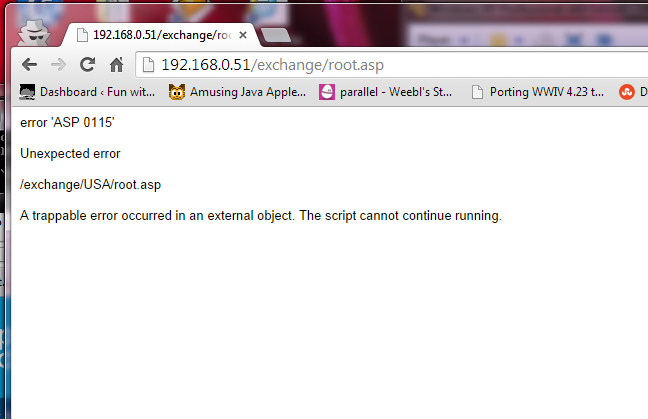
error ‘ASP 0115’

Unexpected error

/exchange/USA/root.asp

A trappable error occurred in an external object. The script cannot continue running.

So, call me crazy, but I’ve been running an Exchange 5.5 server a home for a while without issues.  It’s perfect for a single user, I can keep up to 16GB worth of email on there, and best of all I can use real email clients like Outlook (or is it LookOut!?).  Anyways I noticed something weird which is that Outlook 2003 always is unsure if the server is there, and I have to tell it that it’s OK to connect.  Also once the Outlook 2003 client connects, it kills OWA, giving me these weird ASP 0115 Unexpected errors.

googling around for a fix was a bit futile, and I’d largely written off OWA, as in this day & age, who really wants some ASP 3.0 app?  But for some reason, today was going to be the day to fix it, as I don’t have Outlook on my macbook air.

So with the Outlook 2003 clue in mind I finally found KB-818709, aka “Outlook Web Access stops responding when you try to access a mailbox on an Exchange 5.5 computer”.

As the cause states:

This problem occurs when you try to access a user account that was previously accessed by a client computer that is running Microsoft Office Outlook 2003.

Outlook 2003 adds a fourth entry to the PR_FREEBUSY_ENTRYIDS property. PR_FREEBUSY_ENTRYIDS is a multi-valued MAPI property that is stored on the Inbox folder. CDO expects three entries. The unexpected fourth entry causes heap corruption that causes OWA or the third-party program to stop responding.

Well how about that?

So with the hotfix in hand, and a reboot, it now works perfectly, like it did back in 1997.  And the best part is that it works great in Chrome.

And for anyone crazy like me with Exchange 5.5, remember to install SP4, and of course the KB829436 hotfix!

Playing around with Gopher

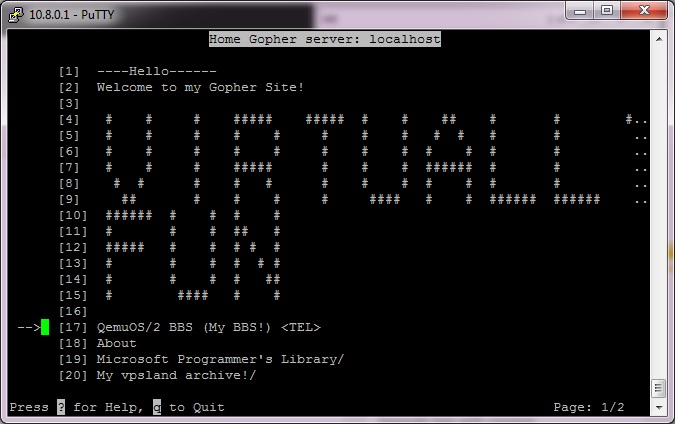
virtuallyfun gopher

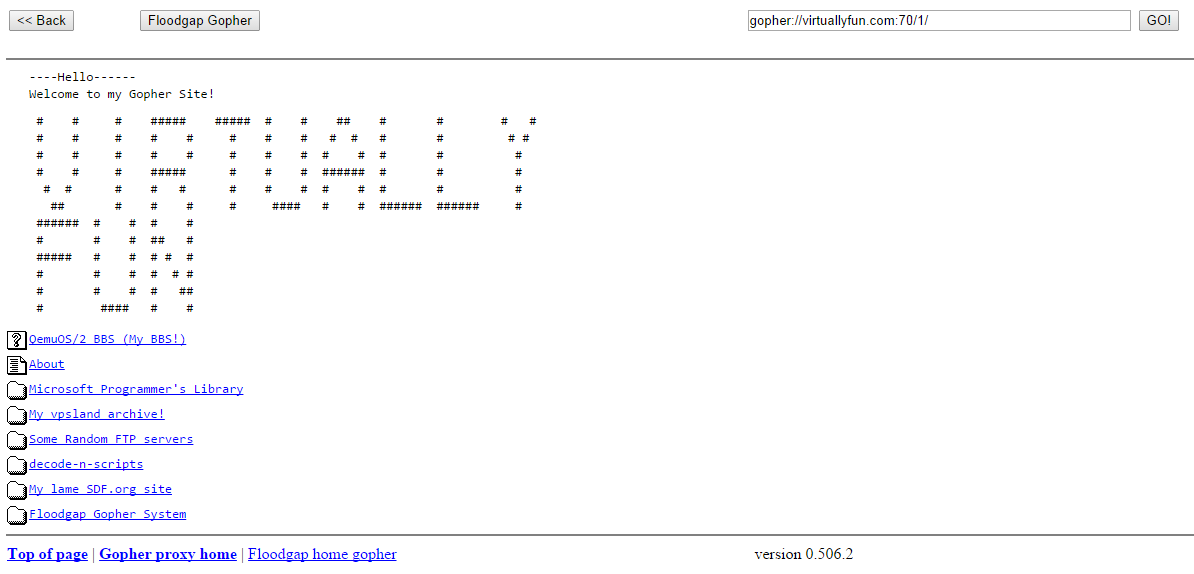
My Gopher Site, via proxy

Back in the day, if you were ‘hip’ and ‘cool’ and had a UNIX shell account back in 1993 there was this cool way of getting around various computer systems around the world called gopher.  What was really cool, is that it offered search services, indexing and even gateways into various libraries (where they kept physical books) where you could search their card catalogs for various tomes you were looking for.

Some colleges even had various services that you could connect to, offering things like news, weather and whatnot.  It was pretty neat, however there was one stumbling block, which is gopher was a VERY controlled environment, where most universities locked their client to only starting at one particular gopher server, and to get anywhere else you had to memorize an insane number of keystrokes that would make 1800 operators go crazy.  Also there was nothing like virtual hosting, so the idea of having your own gophersite was most likely out of the question.  The other issue is that the University of Minnesota, where boombox resided (the master gopherserver) saw they had something good going, and unlike UCB’s CSRG which gave BSD away for free, they were going to license the server for $100 for a educational institution, and $500 for a commercial institution.

Needless to say, this CERN thing called HTTP which they were trying to distance themselves from, which wanted no money for became the next big thing, and with the freedom and ease of setting up website, gopher became a ghost of the past.

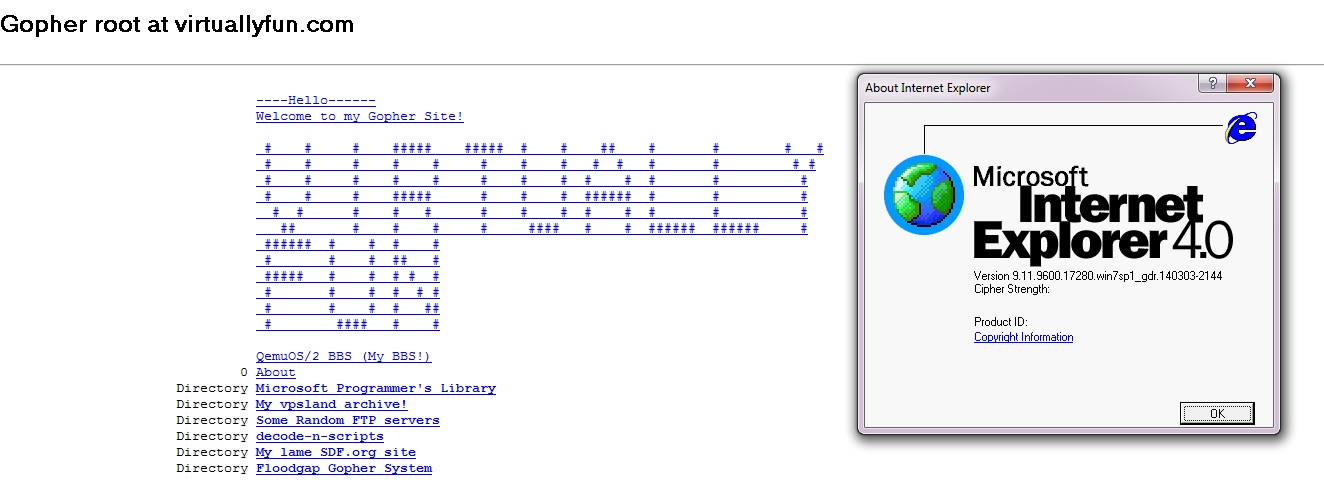
But as the world was starting to build web clients, many understood gopher, including Microsoft’s Internet Explorer.  Although starting with version 7 (gopher was also disabled with some updates in IE6), gopher has since been removed.  But thanks to the Utilu IE Collection, and this quick registry setting you too can surf gopher space with IE 4.0 (or 5,5.5..) like it’s the mid 1990s.

My gopher site via IE 4.0

My gopher site via IE 4.0

So needless to say with a client in hand, I wanted to setup my own server.  And keeping with it being old, I decided to use the old 2.3.1 gopher server.  I also compiled it with freeWAIS support, although I haven’t quite worked out how to get that fully working right now.  Compiling this stuff on 32bit i386 Linux was trivial to say the least, but if you need binaries or anything they are here.

the next thing was to get both wais, and gopherd running from xinetd, which was easy once I knew how.  These are the service files I created:

service gopher
{
socket_type = stream
protocol = tcp
wait = no
user = gopher
server = /usr/local/etc/gopherd
server_args = -I -l /var/log/gopherd.log -u gopher /gopher-data 70
instances = 20
}

And for wais:

service wais
{
socket_type = stream
protocol = tcp
wait = no
user = root
server = /usr/local/bin/waisserver
server_args = -d /gopher-data/wais /gopher-data/wais.log -l 10 -p 210
instances = 20
}

Easy, right?

Gopher likes to be a named service, so I went with my virtuallyfun.com domain, as it is easier to type.  I guess I could have gone with gopher.superglobalmegacorp.com but that is… LONG. Another cool thing is that there are several gopher proxies out there for HTTP only people, so you can also get to my gopher page here (via gopher.floodgap.com).

The harder part was figuring out how the directory mapping works, but luckily there was enough in the test directory to get something working, changing this

ls

About decode-n-scripts install mspl tmp
bin ftp-horrors lib pids

Into this:

The old UNIX gopher client

The old UNIX gopher client

The secret is all in the .names and .Links files.  The .names file will map a directory name to something more pleasing, such as changing mspl to the “Microsoft Programmer’s Libary”.

Path=./mspl
Name=Microsoft Programmer’s Library

Easy, right?

And the .Links file creates links to various content, from a telnet example (to my bbs….)

Type=8
Name=QemuOS/2 BBS (My BBS!)
Host=bbs.superglobalmegacorp.com
Port=23
Numb=100
Abstract=My Synchronet BBS running on OS/2 inside of Qemu! #100
Path=

To another gopher system

Name=My lame SDF.org site
Type=1
Host=sdf.org
Port=70
Path=/users/jsteve
Abstract=My personal SDF gopherspace (itsucks) #-11
Numb=-11

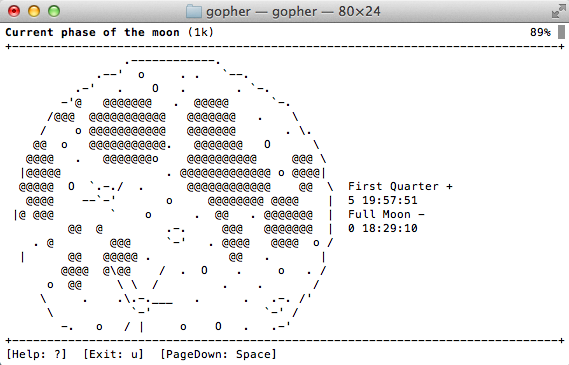
To even doing some crude ascii art!

Name= # # # ##### ##### # # ## # # # #
Type=3
Path=
Numb=5
#
Name= # # # # # # # # # # # # # #
Type=3
Path=
Numb=6

.. and so on.

So yes, to be difficult, all the links in this post are gopher:// links. I don’t know if that’ll deter the likes of any self proclaimed virus scanner king, but I’d like to think that his poorly constructed automated tests will be unable to connect to gopher resources.

Now if I can figure out how to setup my own jughead or veronica to search my own wais of information, that’d be excellent.

If I had the virtual space I’d host the whole thing on a virtual VAX…. or something equally insane.  Word is Shoebill just got ethernet support, so running my gopher space on A/UX would be cool.

Running MS SQL Server 4.21 on OS X.

Yes, you read that right.  Thanks to the power of Crossover (Wine) I’m running SQL 4.21 on OS X.  But the installation is *NOT* straightforward.  Actually it doesn’t install at all.  But you can ‘transport’ a working copy from a Windows machine into Wine, and it’ll run.

The first thing is, if you’ve ever dealt with MSSQL is that it is VERY picky about machine names.  So first install MS SQL 4.21 in a NT 3.1/3.5/3.51/4.0 VM with a name you like. Also remember to set the default client library to TCPIP. Then create a Wine instance on your target box.  Next you’ll need to make a few changes to the registry to force the machine name:

HKEY_CURRENT_USER\Software\Wine\Network

UseDnsComputerName

REG_SZ N

HKEY_LOCAL_MACHINE\System\CurrentControlSet\Control\ComputerName\ActiveComputerName

ComputerName

REG_SZ MSDE

HKEY_LOCAL_MACHINE\System\CurrentControlSet\Control\ComputerName\ComputerName

ComputerName

REG_SZ MSDE

I called my machine MSDE, as I have no imagination.  With those keys in place the next thing to do is grab the service keys..

HKEY_LOCAL_MACHINE\System\CurrentControlSet\Services\SQLServer

and

HKEY_LOCAL_MACHINE\System\CurrentControlSet\Services\SQLMonitor

Then finally the MS SQL product key:

HKEY_LOCAL_MACHINE\Software\Microsoft\SQLServer

The final step was to copy over the c:\sql directory, and create icons for the SQL Server, and the management tool.

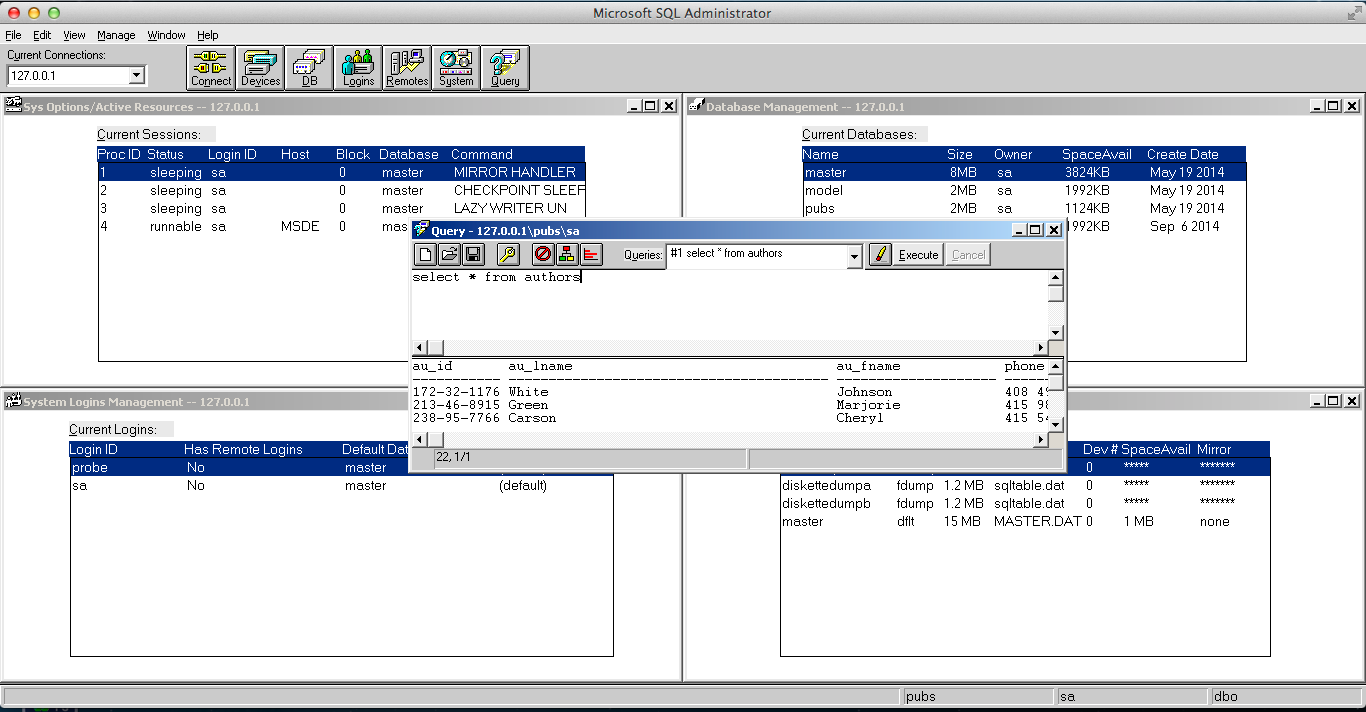
To run, start the server first (SQLSERVR.EXE) , then launch the admin tool (SQLADMIN.EXE), and you should (hopefully) be able to connect!

MS SQL Server 4.21 running on OS X

MS SQL Server 4.21 running on OS X

And there we go! Is it useful? Not really, but I mean it is cool! I haven’t tried this with 6.0 or 6.5 but I imagine they should work as well. 7.0 and beyond are more complicated to transpose as they require a great deal of COM integration. In theory they should work.

I don’t use Windows XP very often, but when I do…

(this is a guest post by Tenox)

I recently needed to install Windows XP. Because I don’t do that very often nowadays I decided to document the “pro way” of doing it.

First you should consider getting a volume license copy of Windows XP CD because it doesn’t require activation over the internet. The process below will work with any version, but it will require activation.

Then you need to download and install nLite which lets you add SATA/AHCI, network, display, audio, drivers and customize a fully unattended installation, including the product keys, and some tweaks like autologin, themes or show extensions/hidden files in explorer. Create your own bootable XP .iso file. You should probably test it in VMware/Vbox/Qemu first to see that all the settings are to your liking and the setup prompt screens are gone.

Second you need WSUS Offline Update, version 9.2.1 (which is the LAST version supporting Windows XP). It will let you roll out your own Service Pack 4 for Windows XP, including all the updates and goodies like .NET framework, Silverlight and DirectX updates. Create your own SP4 .iso file.

Booting Windows XP from a regular USB pen drive is notoriously difficult, so this is where ISOSTICK comes handy. Put both of the iso files on to the stick, insert to the PC and watch the magic happen.

It’s quite easy to integrate the SP4 in to the boot cd itself, but then it outgrows size of a physical CD, which is not a big deal with ISOSTICK, but I don’t mind installing the updates in a second step.

Finally if you need to install apps automatically you can consider something like Ninite.

Enjoy!

Netkeen

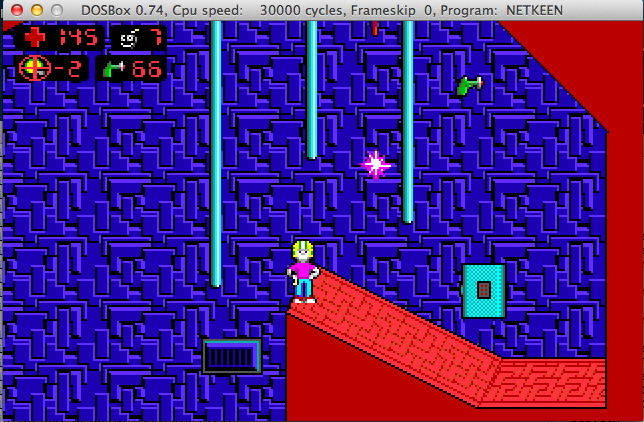
I’d never heard about this before, but a group reverse engineered Commander Keen, and re-built it as a network playable game!

Check it out at their site.

To build the source, you’ll need Borland C++ 5.0.2 and TASM 5.  Earlier versions may work but I haven’t tested.  The interesting thing with the networking is that they use the same code out of DOOM.

NetKeen

NetKeen

Fun with PGP 1.0

Well I got slightly bored, and thought I’d dig into some old crypto software.  And PGP 1.0 was as good as any place to start.

Now one scandalous thing at the time was the inclusion of RSAREF 1.0, the RSA reference library which redistribution required a license that wasn’t exactly included with PGP.

A company called Public Key Partners (PKP) holds the exclusive
commercial license to sell and sub-license the RSA public key
cryptosystem. For licensing details on the RSA algorithm, you can
contact Robert Fougner at PKP, at 408/735-6779. The author of this
software implementation of the RSA algorithm is providing this
implementation for educational use only.

And wow was this fun at the time.  As far as I know this license lapsed on September 21, 2000. 

And then there was this slight issue:

After Biham and Zimmermann go their food and sat down, Zimmermann took out a few pages of computer listings.  Within minutes, Birham was finding fundamental flaws in Bass-O-Matic.  Some of the flaws were subtle-weaknesses that made the algorithm susceptible to differential cryptanalysis, which was Birham’s speciality. Others were more embarrassing, like a conceptual error in Zimmermann’s algorithm that prevented the last bit of each byte from being properly encrypted.  After ten minutes of Birham’s onslaught, Zimmermann realized that Bass-O-Matic was a lost cause.

So now you would be wondering, why would I even bother with what was a quickly abandoned encryption?  Well I was bored, and I was more interested if I could locate the source to 1.0.  What would be more interesting to me is to revive it onto somewhat more modern 32-bit platforms.  Namely OS X, Win32 and MS-DOS.

With a little luck, I found the unix_pgp10.tar.gz, which does contain the source code for a Unix version of PGP!  This version is more so geared to the SPARC of all things. Specifically it mentions:

Tested on SunOS 4.1 with gcc 1.39

However building on OS X was trival with changing the Makefile.  The CC had to be changed to reflect a 32bit build, and the DEFINES had to remove the HIGHFIRST define, as the x86 platform is little endian.

CC=cc -arch i386

DEFINES= -DUNIX -DPSEUDORANDOM -DUNIT16 -DPORTABLE

Is the relevant changes.

And even better it’ll work!

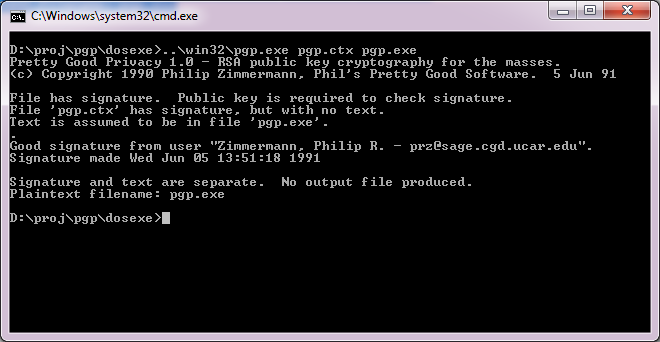
$ pgp pgp.ctx pgp.exe

Pretty Good Privacy 1.0 – RSA public key cryptography for the masses.
(c) Copyright 1990 Philip Zimmermann, Phil’s Pretty Good Software. 5 Jun 91

File has signature. Public key is required to check signature.
File ‘pgp.ctx’ has signature, but with no text.
Text is assumed to be in file ‘pgp.exe’.
.
Good signature from user “Zimmermann, Philip R. – [email protected]”.
Signature made Wed Jun 5 13:51:18 1991

Signature and text are separate. No output file produced.
Plaintext filename: pgp.exe

Wasn’t that great!

Now getting this to run on Windows was a little bit more of a challenge.  I was going to build from the UNIX source code again, however both Visual C++, and Watcom C++ build an executable, but neither are able to add keys to the keyring, verify the executable reliably and deadlock all the time.

So I thought I’d get a little creative and start replacing some code from the MS-DOS version of PGP. It turns out that all I needed was rsaio.c & rsaio.h and I was able to build an executable.  But I ran into other snags, and stack errors.  A glance at the MS-DOS Makefile, and I saw that they had to up the stack size from the defaults.  So I figured the same would hold true, and I picked a much larger 32kb stack for the heck of it.  I mean it is 2014, and if you can’t handle a 32kb stack well..

Compiling on Visual C++ went like this:

cl386 -c /DPSEUDORANDOM /DUNIT16 /DPORTABLE *.c
cl *.obj /F32768 /Fepgp.exe

And for Watcom C++

wcl386 -c -dPSEUDORANDOM -dUNIT16 -dPORTABLE *.c
wcl386 *.obj -fe=pgp.exe -k32768

And now I can build for either compiler.  And even better, it works!

PGP 1.0 on Win32

PGP 1.0 on Win32

Even for completness sakes, DOS4G/W works as well! Just remember to link for MS-DOS

wcl386 *.obj -fe=pgp.exe -k32768 -l=dos4g

And you should be good to go.
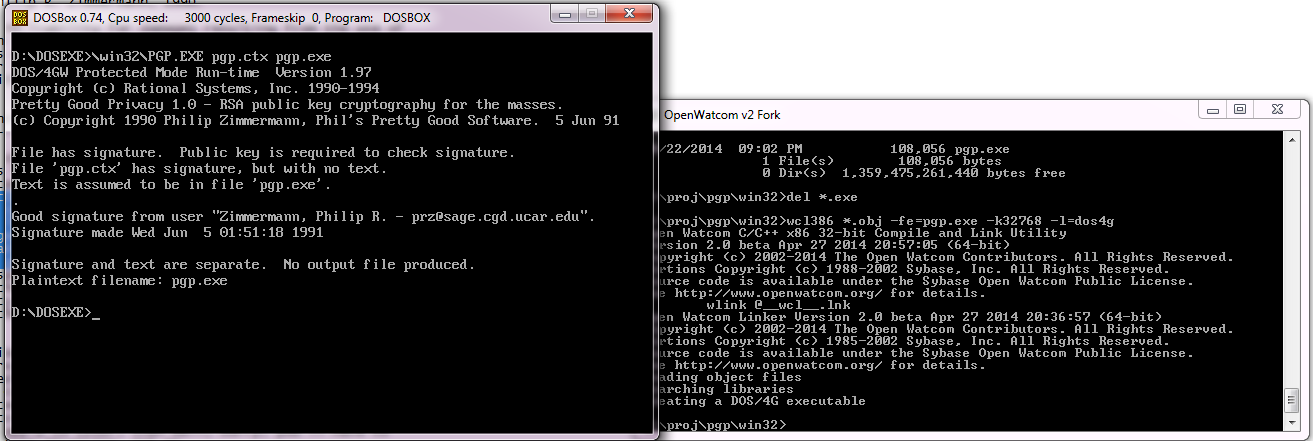
PGP for 32bit MS-DOS

PGP for 32bit MS-DOS

So what happened to PGP?  Well version 2 used a more ‘acceptable’ encryption, the IDEA cypher, then the company was sold, IP was sold again and again.  It’s still out there, mostly for email encryption.

While it sure did ignite the world on fire for a while, the overall difficulty of using it, combined with the ease of losing the private key and all your data is just too easy.  But this really is the nature of the beast.

I guess you’ve all heard by now

that the internet broke pretty good yesterday.  Apparently someone added some new routes, and it broke the 500,000 route limit in most BGP routers.

Oops.

But this has been a long time coming, even back in 2003 when I had a full BGP load I was running on a 7206vxr with 512MB of ram.

So if you had connectivity problems, that is what was going on.

Fun times for sure!