
Yes, you read that right. Thanks to the power of Crossover (Wine) I’m running SQL 4.21 on OS X. But the installation is *NOT* straightforward. Actually it doesn’t install at all. But you can ‘transport’ a working copy from a Windows machine into Wine, and it’ll run.
The first thing is, if you’ve ever dealt with MSSQL is that it is VERY picky about machine names. So first install MS SQL 4.21 in a NT 3.1/3.5/3.51/4.0 VM with a name you like. Also remember to set the default client library to TCPIP. Then create a Wine instance on your target box. Next you’ll need to make a few changes to the registry to force the machine name:
HKEY_CURRENT_USER\Software\Wine\Network
UseDnsComputerName
REG_SZ N
HKEY_LOCAL_MACHINE\System\CurrentControlSet\Control\ComputerName\ActiveComputerName
ComputerName
REG_SZ MSDE
HKEY_LOCAL_MACHINE\System\CurrentControlSet\Control\ComputerName\ComputerName
ComputerName
REG_SZ MSDE
I called my machine MSDE, as I have no imagination. With those keys in place the next thing to do is grab the service keys..
HKEY_LOCAL_MACHINE\System\CurrentControlSet\Services\SQLServer
and
HKEY_LOCAL_MACHINE\System\CurrentControlSet\Services\SQLMonitor
Then finally the MS SQL product key:
HKEY_LOCAL_MACHINE\Software\Microsoft\SQLServer
The final step was to copy over the c:\sql directory, and create icons for the SQL Server, and the management tool.
To run, start the server first (SQLSERVR.EXE) , then launch the admin tool (SQLADMIN.EXE), and you should (hopefully) be able to connect!
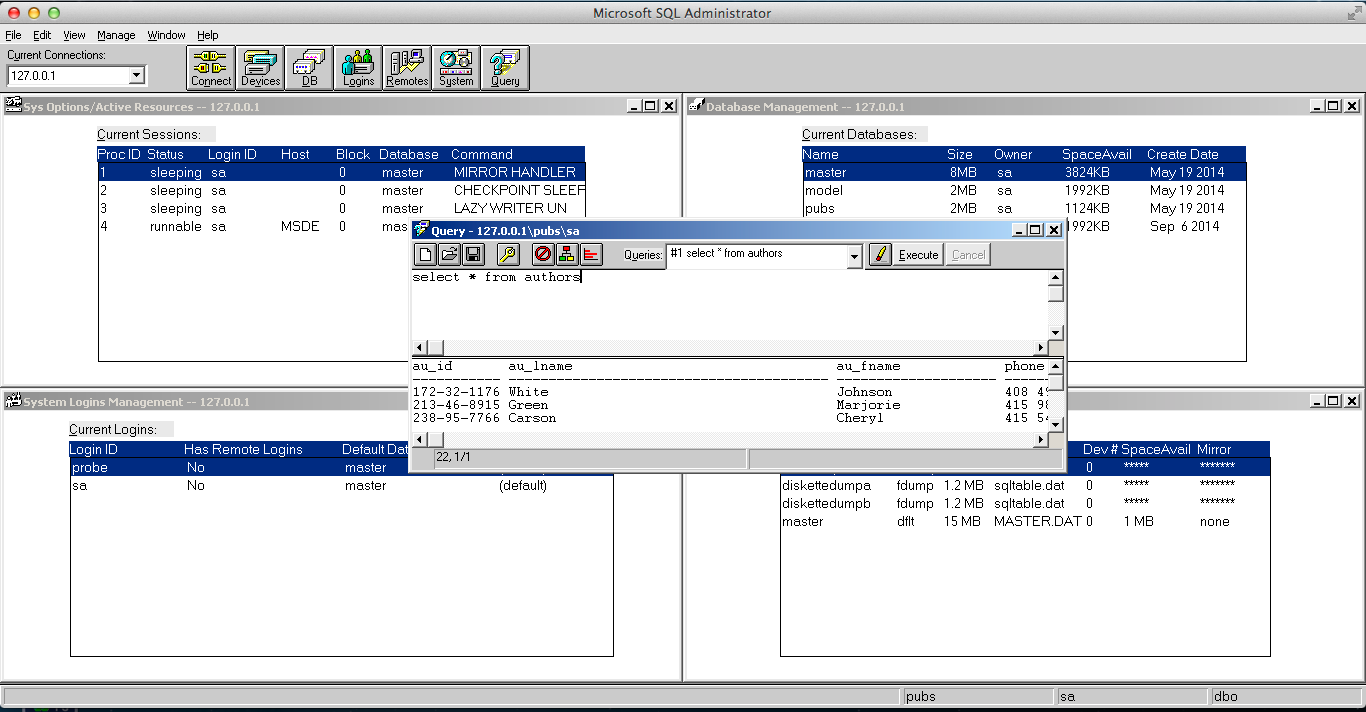
MS SQL Server 4.21 running on OS X
And there we go! Is it useful? Not really, but I mean it is cool! I haven’t tried this with 6.0 or 6.5 but I imagine they should work as well. 7.0 and beyond are more complicated to transpose as they require a great deal of COM integration. In theory they should work.
how about MS Mail/Exchange and the other stuff? servers of yesterday, OSes of today!
Ive never dealt that much with Exchange 4… maybe? I doubt 5 will cooperate it’s much too picky with too many child processes that expect to be started as a service.
For whatever reason wine really lacks the ability to run services.
Apparently SQL 2000 can also be installed!
More information is here!
In order to get a running install, use the following steps:
– unpack the self-extracting archive
– run the installer:
wine setup.exe DISABLEROLLBACK=1 BLANKSAPWD=1 DISABLENETWORKPROTOCOLS=0 SECURITYMODE=SQL
– installer will report an error, but will keep the service installed
– move all files from c:\users\{username}\Temp\SqlSetup\Temp to c:\windows\system32
After that the server starts as soon as you start any other appliaction in wine. I recommend the following:
wine “C:/Program Files/Microsoft SQL Server/80/Tools/Binn/sqlmangr.exe”
Service is accessible on localhost:1433, user sa, empty password.