In the previous post about SCO Merge I briefly mentioned WABI, which is a Windows ABI emulator for Unix. Initially released by Sun Microsystems, it’s believed that it came with acquisition of Interactive Systems Corp (ISC) and Interactive UNIX. It was available for SPARC, x86 and PowerPC Solaris as well as IBM AIX. Around 1997 it was released for x86 Linux by Caldera. This article will focus on Caldera’s version specifically.
Although entirely possible to install WABI on another RPM based distribution such as Red Hat, I’m a purist and wanted to try it on Caldera Open Linux. The install is pretty straightforward you mount the iso file and run install script. In a next step you need to install an update to version 2.2D. This is done by replacing /opt/wabi/bin/wabiprog with extracted version of this file. Thanks to readers of this blog post for sharing these.
When launched for the first time, you will be prompted to provide copy of Windows 3.1. This the main difference with WINE which specifically does not require copy of windows to run apps. I have noticed that WABI is rather picky about lower vs uppercase when installing software. There is an utility called wabimakelower to help there. You can also add an icon to one of Caldera Linux / Looking Glass program groups.
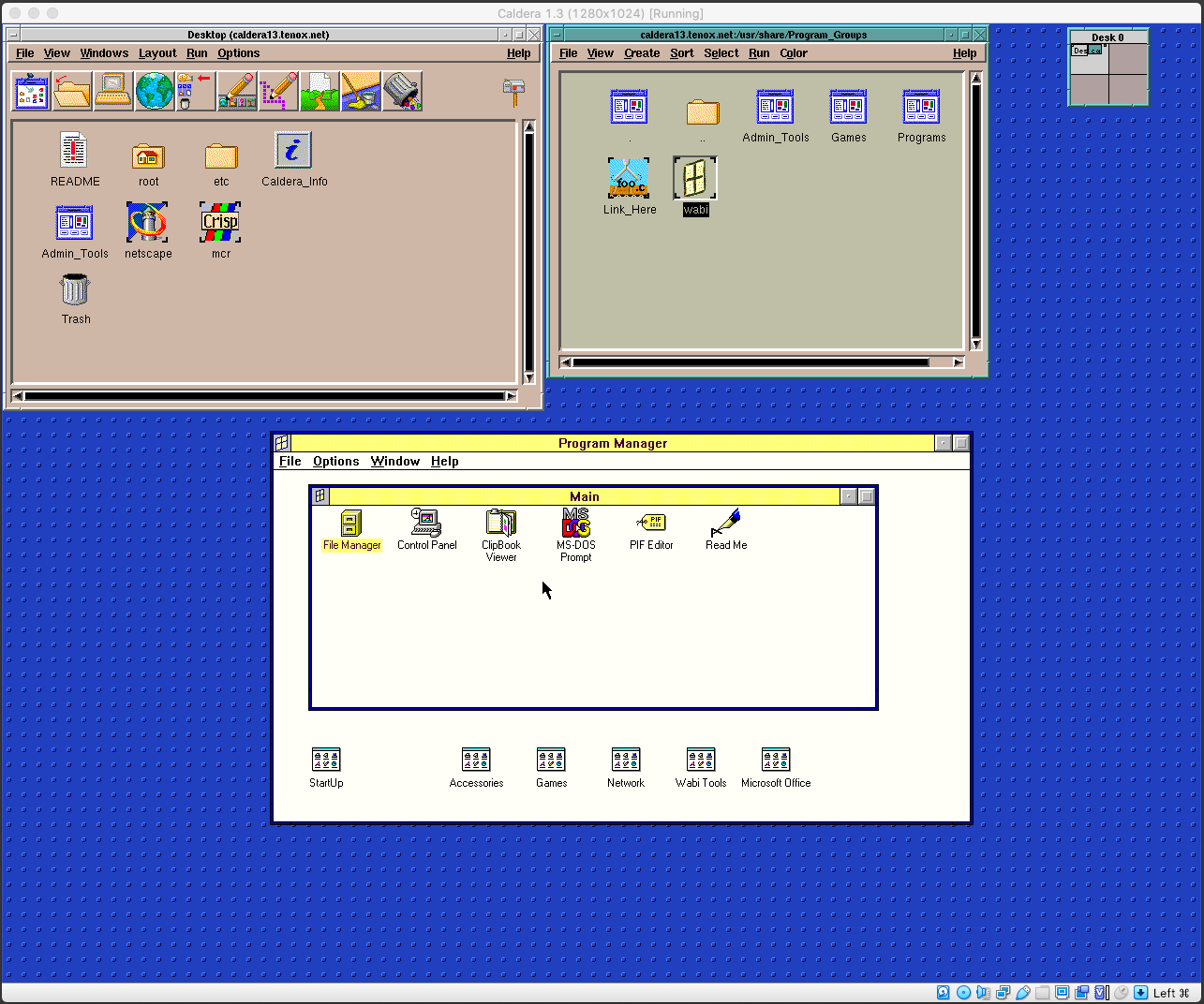
Once you run it, it’s Windows 3.1 as usual:
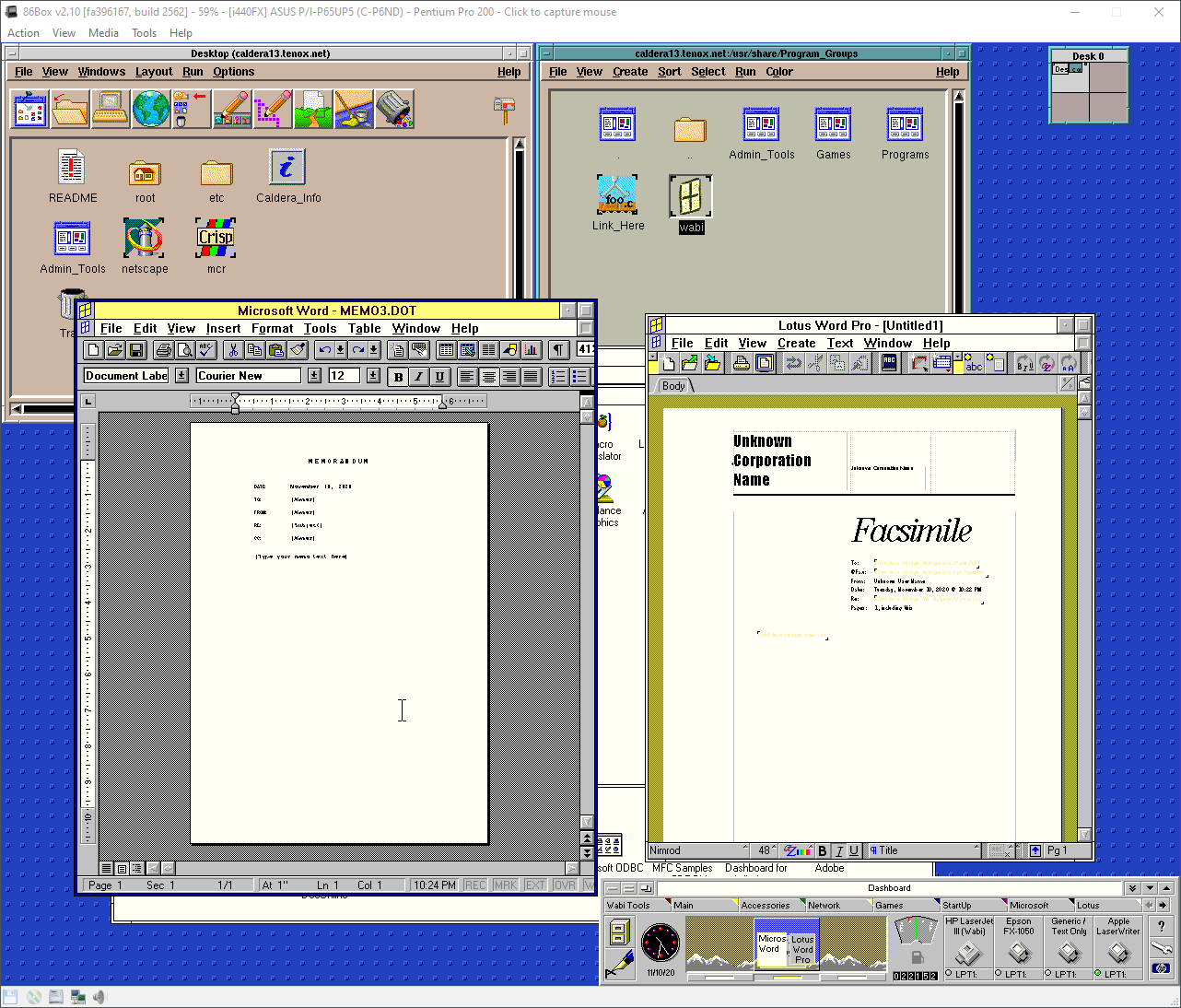
WABI was designed for running productivity apps such as Office:
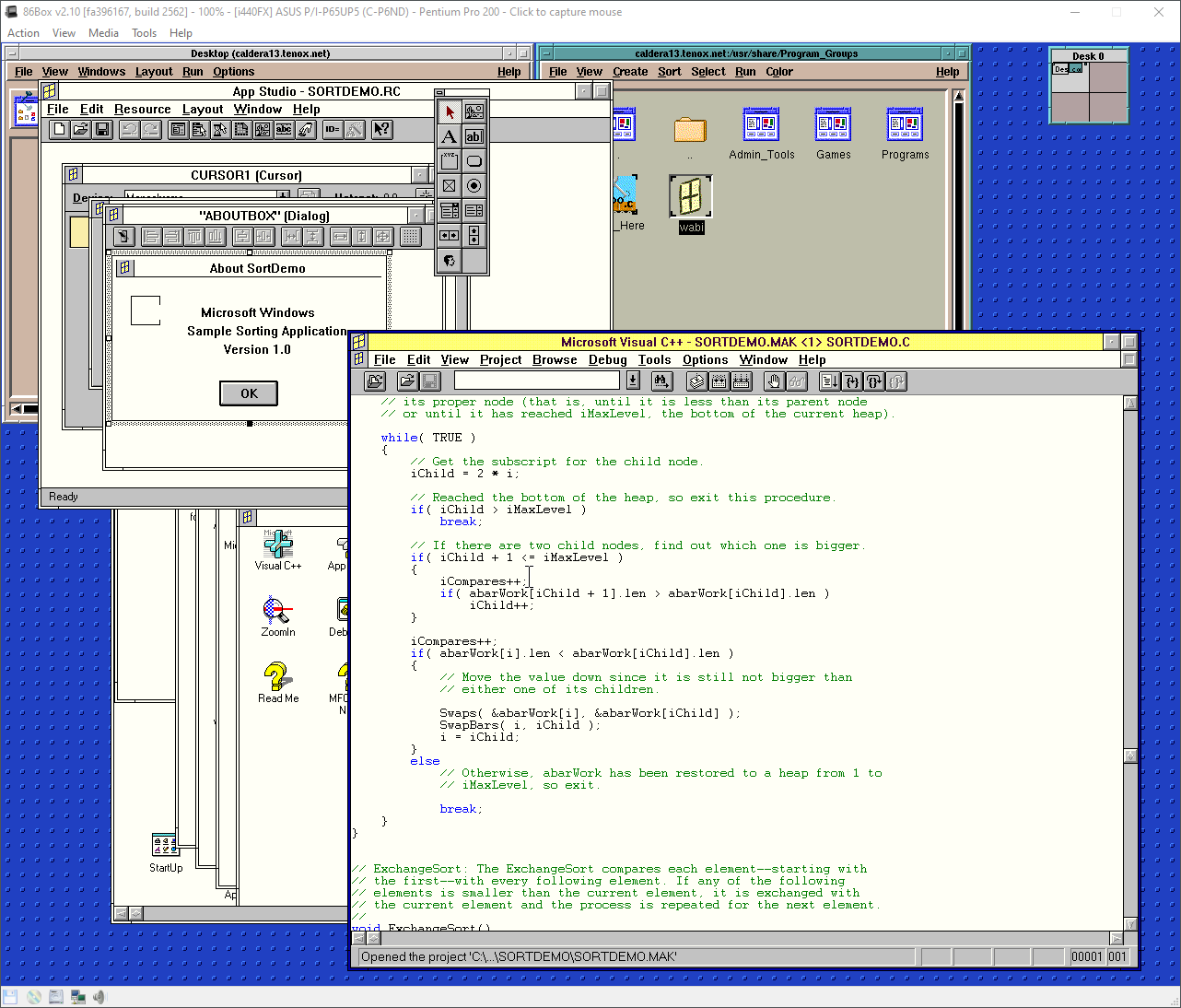
You can even run Visual Studio:
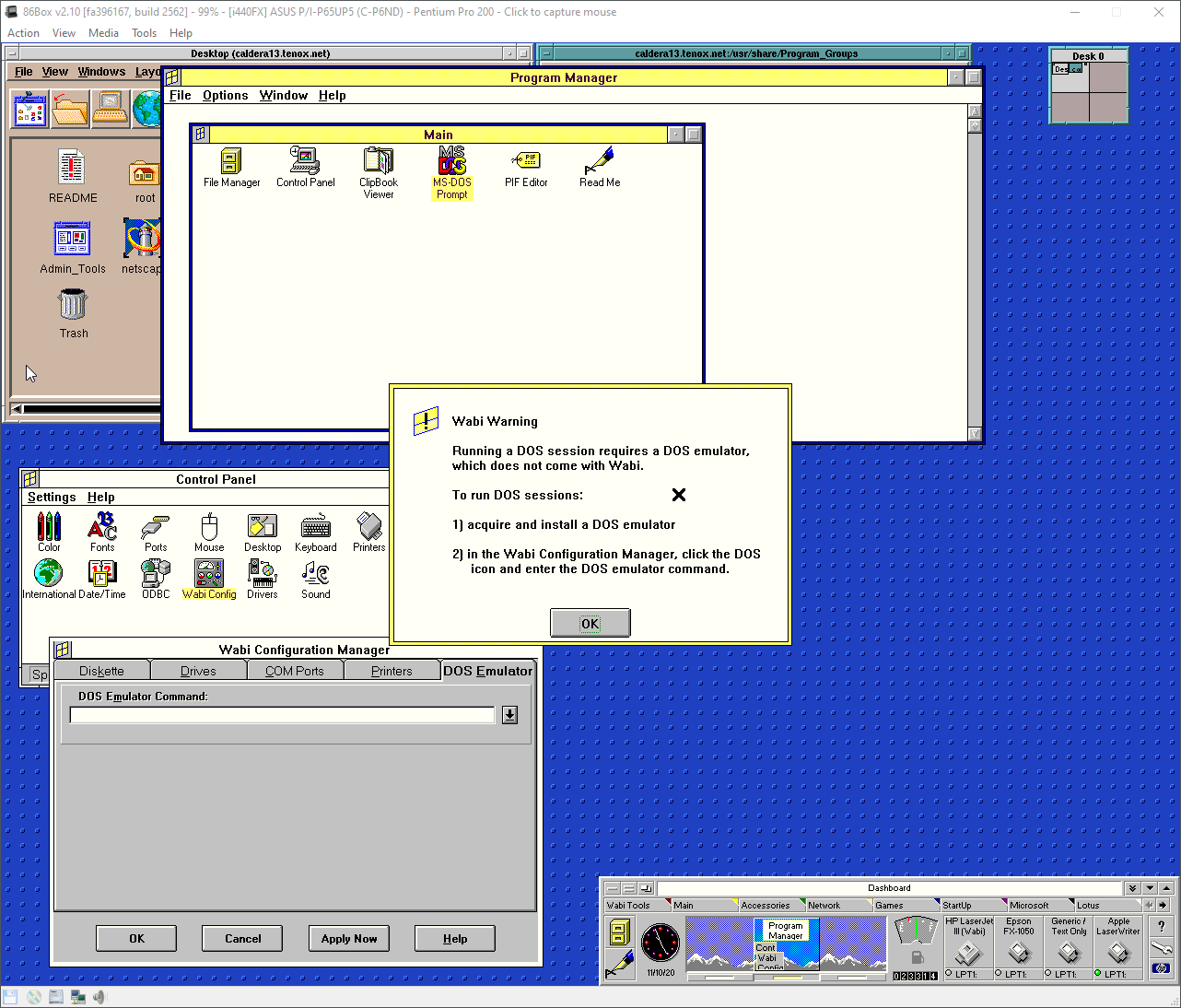
Curiously WABI is not a MS-DOS emulator. In order to run DOS apps you need to install such and configure it in WABI Control Panel:
For the lazy, a readily preinstalled version is available as OVA and 86box. Root password is “caldera”.
(This is a guest post by Antoni Sawicki aka Tenox)
A friend and I were recently discussing differences between WABI, WINE, WISE, Merge, VP/IX, FX!32 and SoftWindows. This article covers Merge specifically which is a DOS/Windows emulator initially built for AT&T 6300 Plus computer. Later ported to UnixWare, OpenServer and eventually served as basis for Win4Lin. Later versions of Merge were build using Microsoft WISE SDK which allowed to run apps without full copy of Windows kind of like WINE. I will be running it on OpenServer 5 using VirtualBox. However one could get it going on UnixWre and under any other hypervisor same as easy.
For Vbox/OSR5, when creating a VM, make it other/other type, give 256MB to 1GB RAM and 4GB HDD. Once VM is created go to Settings and change network adapter to Intel PRO/1000 MT Desktop and Attachment to Bridge mode. For some reason I could not get DHCP working out of the box. Also under Display change graphics controller to VM SVGA.
One can get the last “real” OSR5 from this link. There also are never Xuinos versions and specifically targeted for VMware, for example this one.
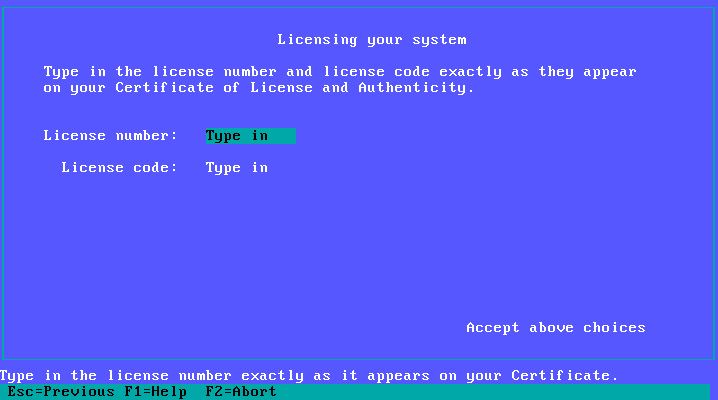
Boot and go through the prompts as normal. At some point you will be stopped by a lovely prompt for license number and code:
Enter SCO043568 / pnhohvqm to get past this.
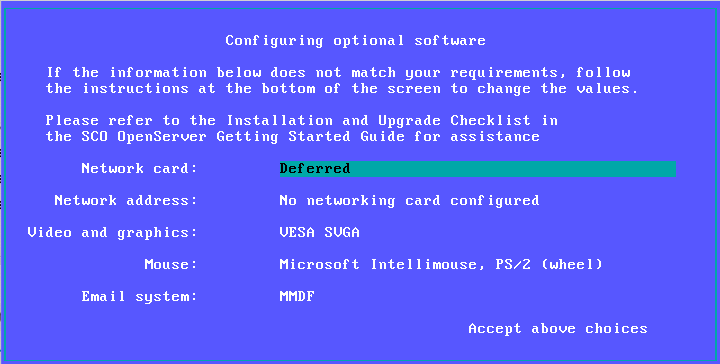
Watch out for this screen:
Don’t worry about not being able to get the NIC detected at this point. Leave it as Deferred for now. You need to install MP5 update and a driver update for this to work. This will be covered later.
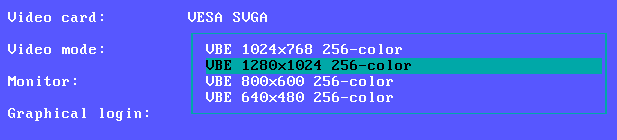
Select some decent resolution for VESA SVGA:
Also select PS/2 Mouse:
The rest should just fly through on autopilot. Once system boots login as root with the password you set.
First thing you will need to install MP5 update. Download the ISO file from this link and attach to your hypervisor. Open the terminal and type “custom” to install software. Or double click that fancy “Software Manager” icon on the desktop. Under Software click Install New… and select this host. Select your attached cdrom.
You will need to install Maintenance Pack 5 and GFX / NIC Drivers:
Make sure to hit install twice one for each of these items as they cannot be selected together. Once complete you will need to reboot of course.
After reboot you should be able to add and configure the NIC. You will need to either run “scoadmin” or go to System Administration – Networks – Network Configuration Manager. Add a new LAN adapter. The Intel PRO/1000 should be detected automatically. I could never get DHCP to work and just used static IP config there. Make sure to ok re-link the kernel and reboot.
Installation of merge is a little bit more complicated. The latest version can be downloaded from here. If you are installing under UnixWare then this is your folder. Transfer it to your OSR5 VM via browser, ftp, samba, iso file or however you like. Open a terminal and go to the directory with the cpio file file and run:
cpio -icv -I osr5_merge5323a_vol.cpio
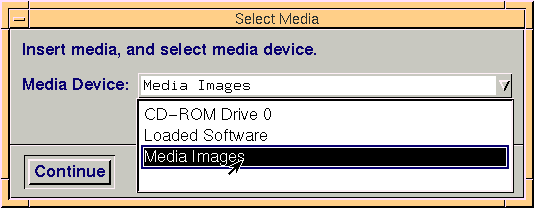
This will produce a bunch of VOL* files. These are installed with “custom” as well. However instead of cdrom you select Media Images and point to the directory with extracted VOL files:
There should be an option to install Merge.
You will be also prompted by a lovely license code prompt. Enter SCO837369 / bhtepkxy to get through. You will need to reboot again.
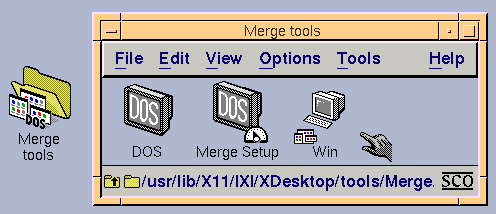
After login there will be a new folder on the desktop with Merge tools:
Root is not allowed to run it, but you can pre-install Windows as root. To do so go to Merge Setup and open System Wide Administration. You will find a button to Load Windows CD. You can just mount any bootable Windows 9x cdrom to your hypervisor and Merge will copy it for you.
There will be a prompt for network configuration. I opted for WinSock option which is user mode emulation, it’s enough to get a web browser going. If you need to use SMB/CIFS, open network shares, etc you will need the bridged mode with extra IP address for the guest.
Finally you will need to create and login as a different user to get this thing running.
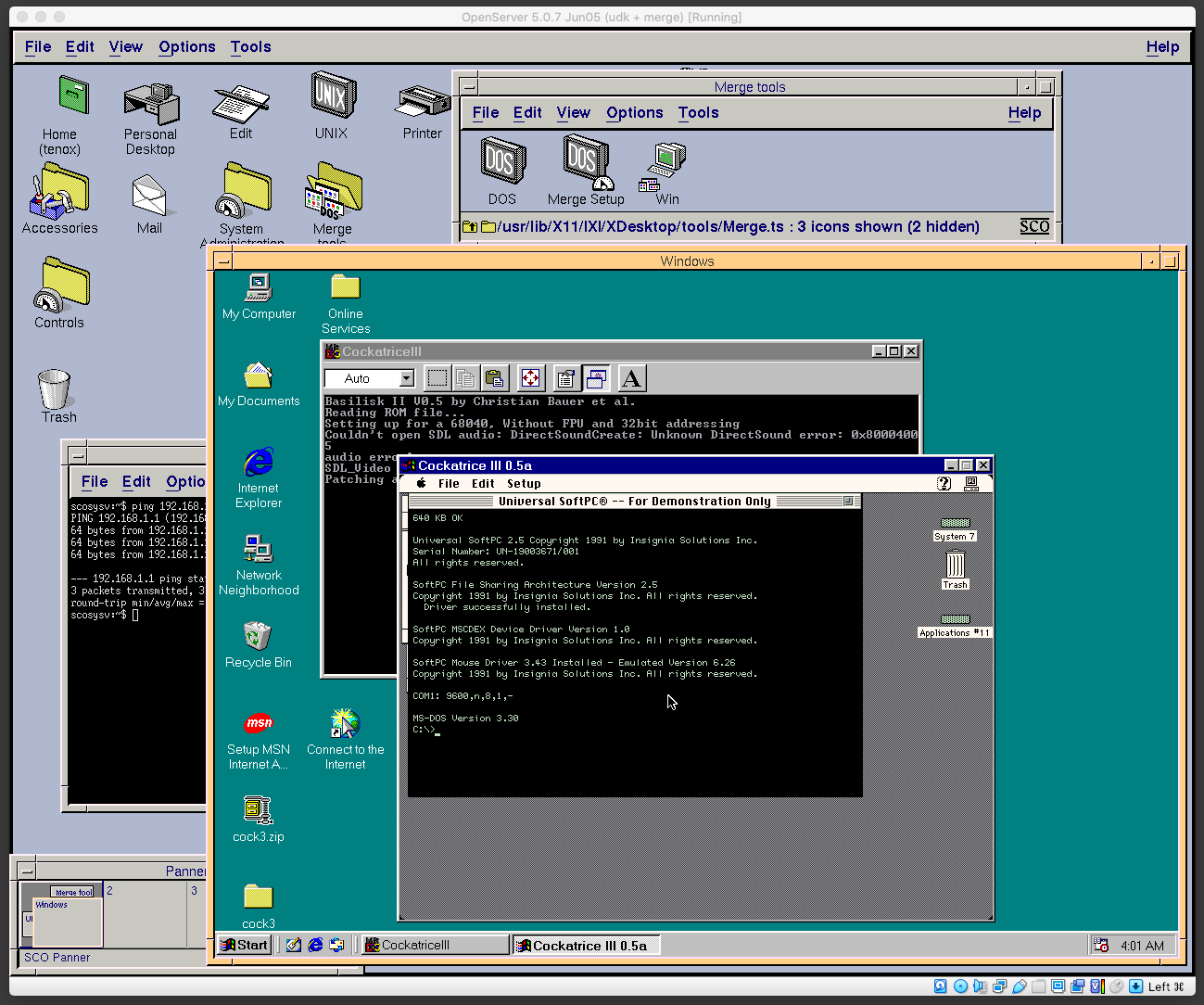
This is the final product, with 4 level inception:
For the lazy of course provided is a fully installed OVA, one with VBox NIC and one with VMware NIC. Passwords are root/root and tenox/tenox. Note that this image has a static IP address of 192.168.1.111.
(This is a guest post by Antoni Sawicki aka Tenox)
This is a Virtualization Challenge. A competition to virtualize an OS inside emulator/hypervisor. (Previously 1 / 2 /3)
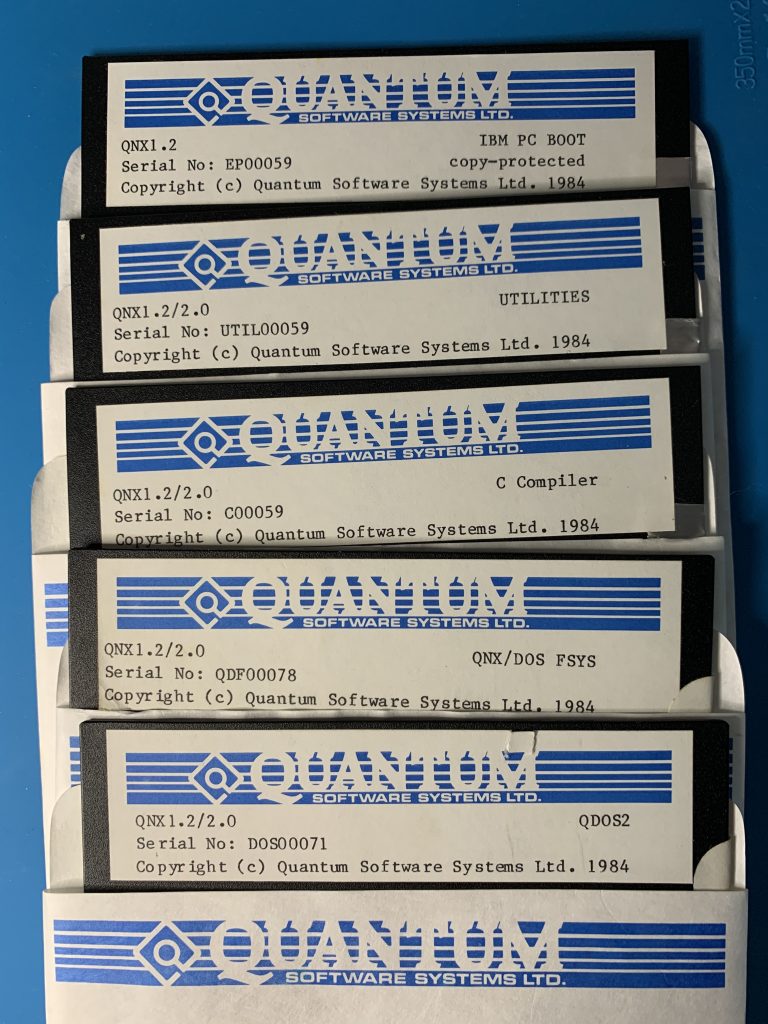
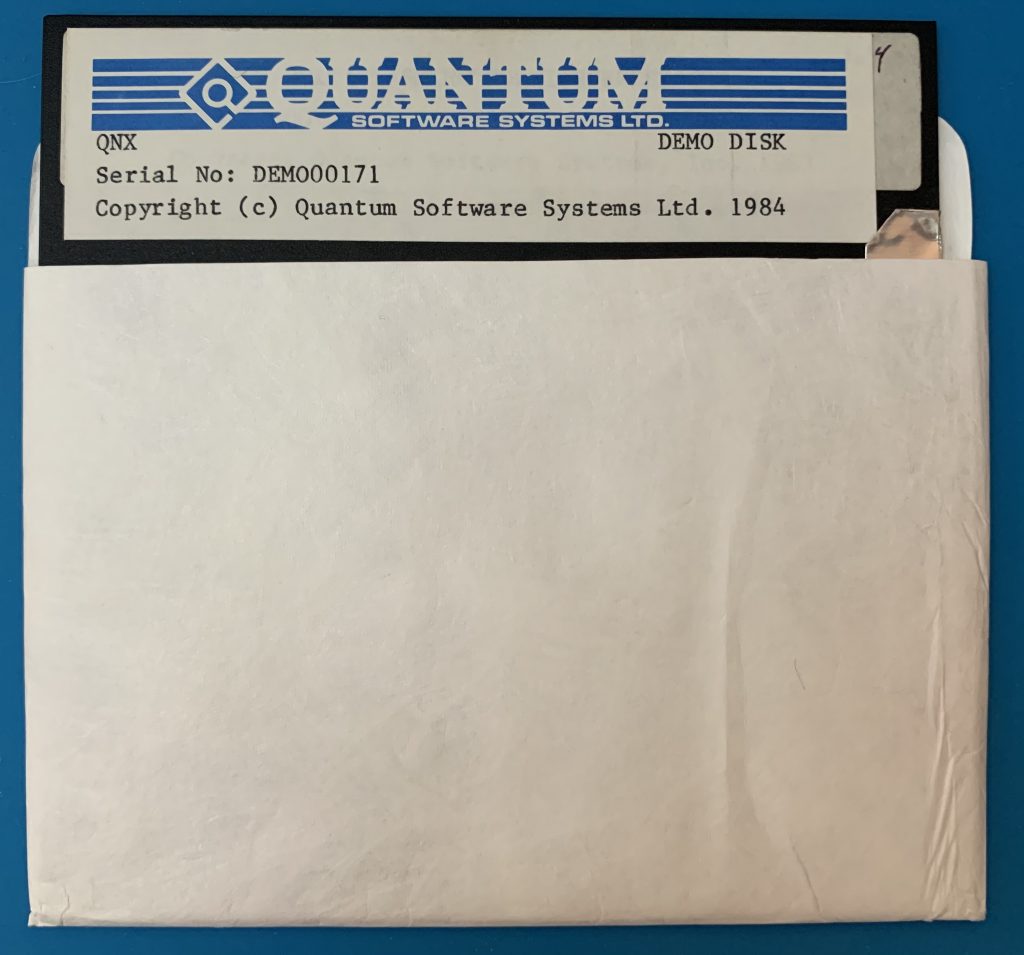
This time the object of the competition is QNX version 1.2. A demo disk is covered here. This is the set of floppy disks:
As you can see the boot disk is copy-protected. As such I have imaged these disks using both KryoFlux and SuperCard Pro. The magnetic flux stream images are available here. For verification I have converted the raw stream of the demo disk in to a sector image using HFE tool. The converted disk boots and works correctly in an emulator. The demo disk can also help with analyzing the boot process since it’s known to work.
The contest is to virtualize the OS, install it and provide a fully working hard disk image with the OS installed. Any emulator of your choice or method is acceptable as long as anyone can download and run it. The prize is $100 via PayPal and of course the fame! 🙂 The winner will be whoever comments the article first with a verifiable working solution.
A bonus $50 prize will be awarded if you can patch the boot floppy disk so that it can be installed as if the copy protection was never there.
(This is a guest post by Antoni Sawicki aka Tenox)
Fresh from the oven, or rather Kryoflux dump – a QNX version 1.1 Demo Disk:
QNX 1.1 Demo Disk
I managed to boot it on 86Box:
QNX 1.1 booted on 86Box Emulator
For the readers with more curiosity and time at their hands please could you try it on different emulators and comment what works and what doesn’t.
For the less curious this how the demo actually looks like once you log in as demo user:
QNX 1.1 Demo Menu
As the authors demand to make as many copies of this disk as possible here it is. Please download and spread!
I also managed to dump the rest of QNX 1.2 including boot disk, utils and even c compiler. Unfortunately the boot disk is copy protected:
I have raw stream dump made with Kryoflux as well as regular disk images. If you are interested in circumventing checking the copy protection so the system could be run in an emulator let me know in a comment. Perhaps time for another Virtualization Challenge?
(This is a guest post by Antoni Sawicki aka Tenox)
Due to a popular demand I have added an option of generating full page height screenshot and allowing client browser to do the scrolling.
https://youtu.be/lDqrPxkOFlI
This makes the browsing experience much smoother, you have resources for it. Beware, a full page screenshot can be several MB in size encoded as gif/png and much more as a decoded raw bitmap on the client. I managed to crash Mosaic and OmniWeb a few times. Fortunately typical Wikipedia page is under 1 MB so for most part is should be fine. To activate just put 0 in page Height.
I have drafted a pre-release on github for testing. Please let me know any feedback. I’m also thinking whether enable this by default, or not.
(This is a guest post by Antoni Sawicki aka Tenox)
DEC Multias are known for notoriously overheating. Someone even coined a term “Multia Heat Death”. The typical folklore recommendation of the time was to only run it vertically and replace the built-in fan with a more powerful one.
In modern times one can inexpensively acquire a thermal camera that attaches to a mobile phone. So why not take a peak inside the inferno.
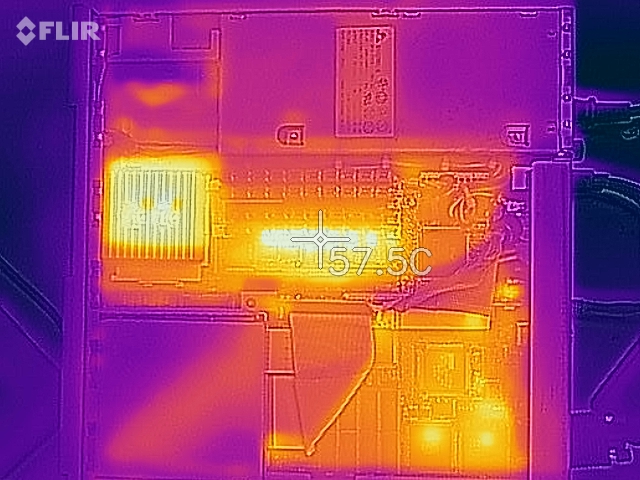
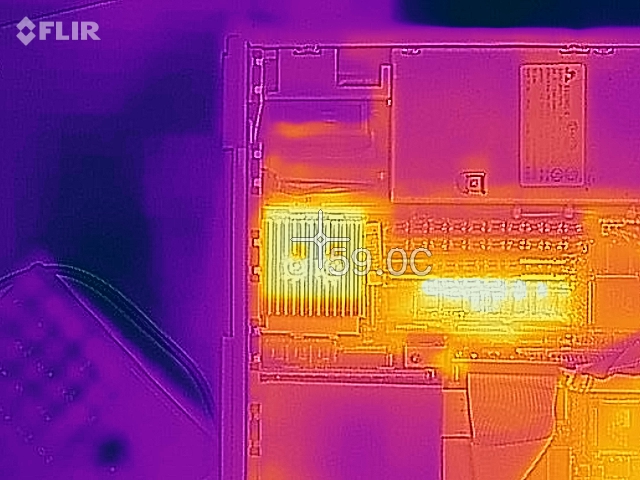
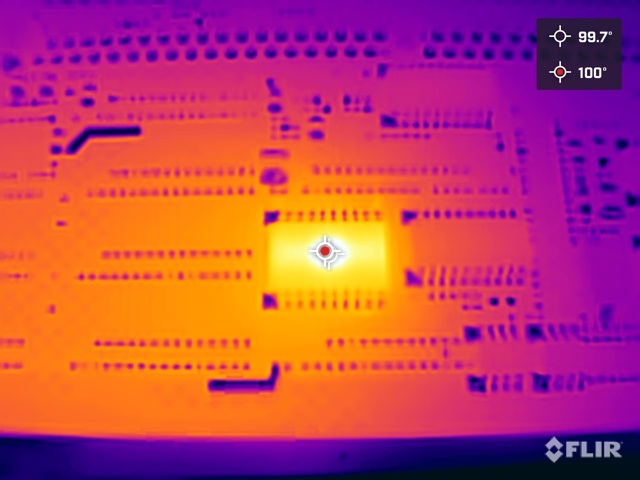
Multia with 166 MHz CPU Under FLIR
This is how Multia looks like in a thermal camera. PS is on top right. CPU on the left. FDD/HDD bottom left.
The CPU, Alpha AXP, runs at around 60C, not great, not terrible.
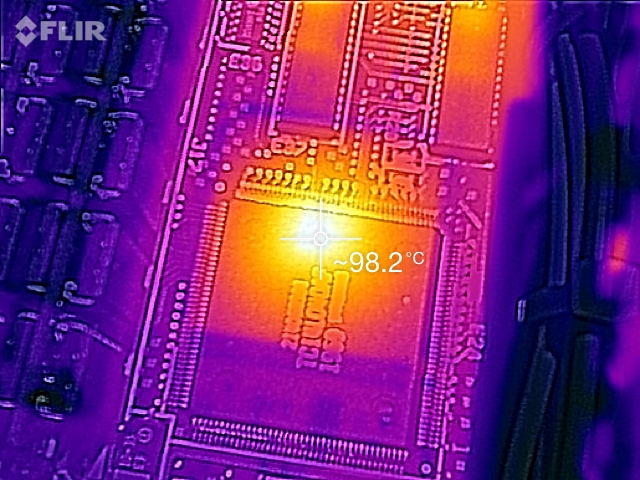
Scanning up close through individual chips I found this curiosity:
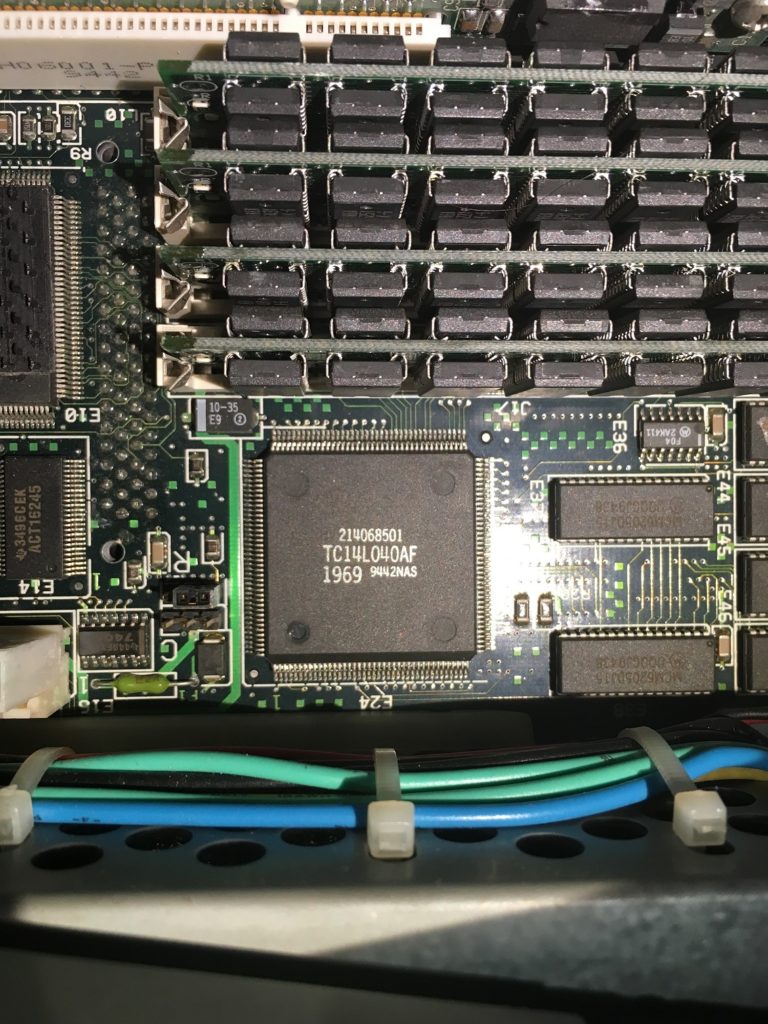
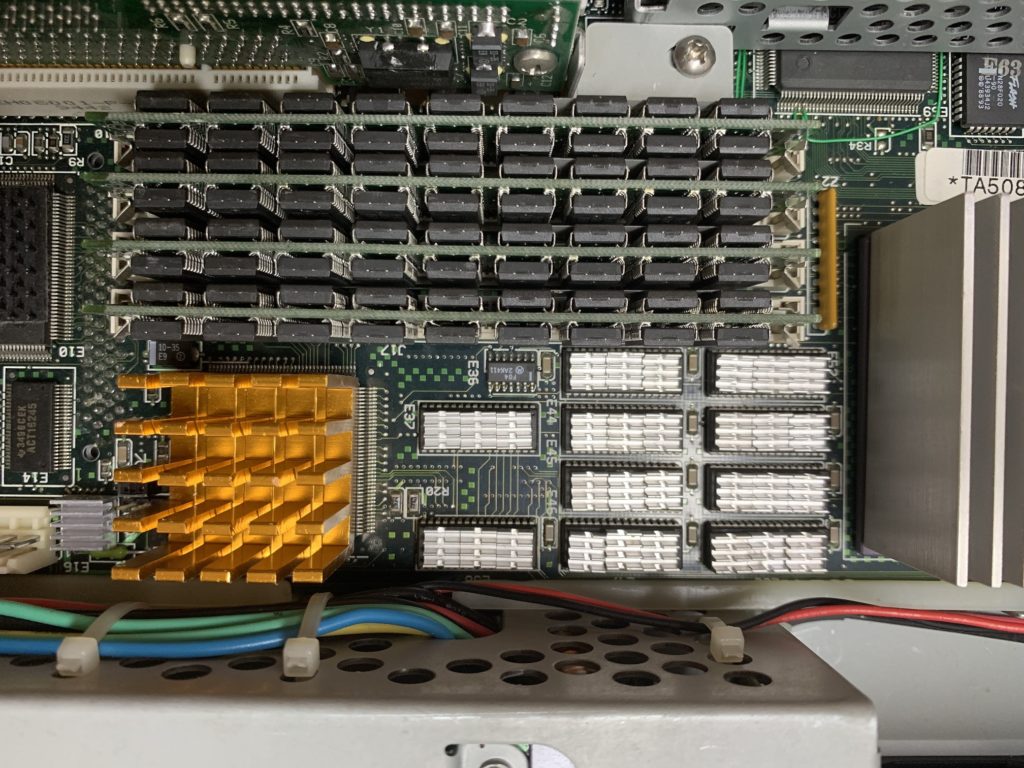
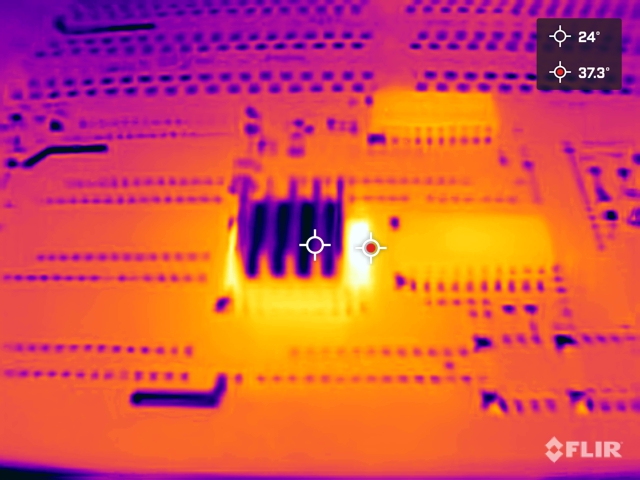
Wedged between the memory chips and the power supply is a little chip that generates almost 100C. That’s a boiling temperature of water. Note the thermal image is shifted in regards to the visual part due to close range.
What does this chip do? I have no clue. Perhaps someone can help here. What I however did to it is this:
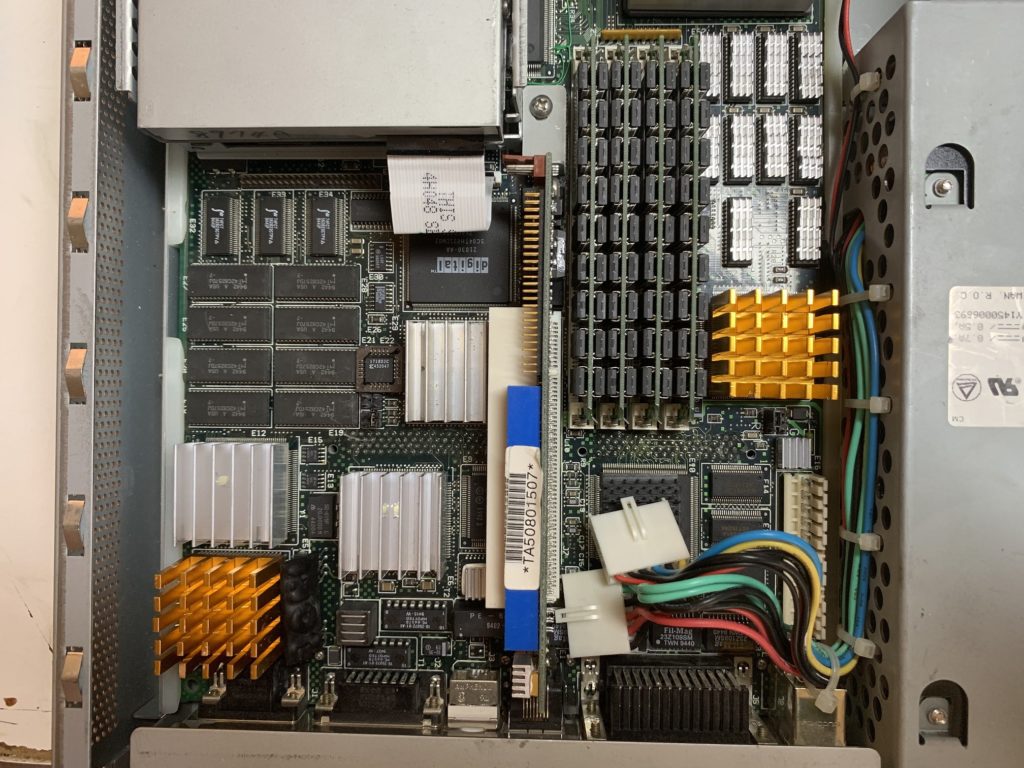
Slapped on this really nice radiator. In fact I added little radiators you can buy for Raspberry PI to all the chips generating tons of heat.
This is how the motherboard looks like right now:
I also added a tiny fan on top of the CPU. Drilled some holes in the case and of course replaced the main fan with a highest air flow I could find.
Time will tell if this resolves the heat death, but my Multia now runs much cooler with help of all the radiators and extra fans.
UPDATE in 2022:
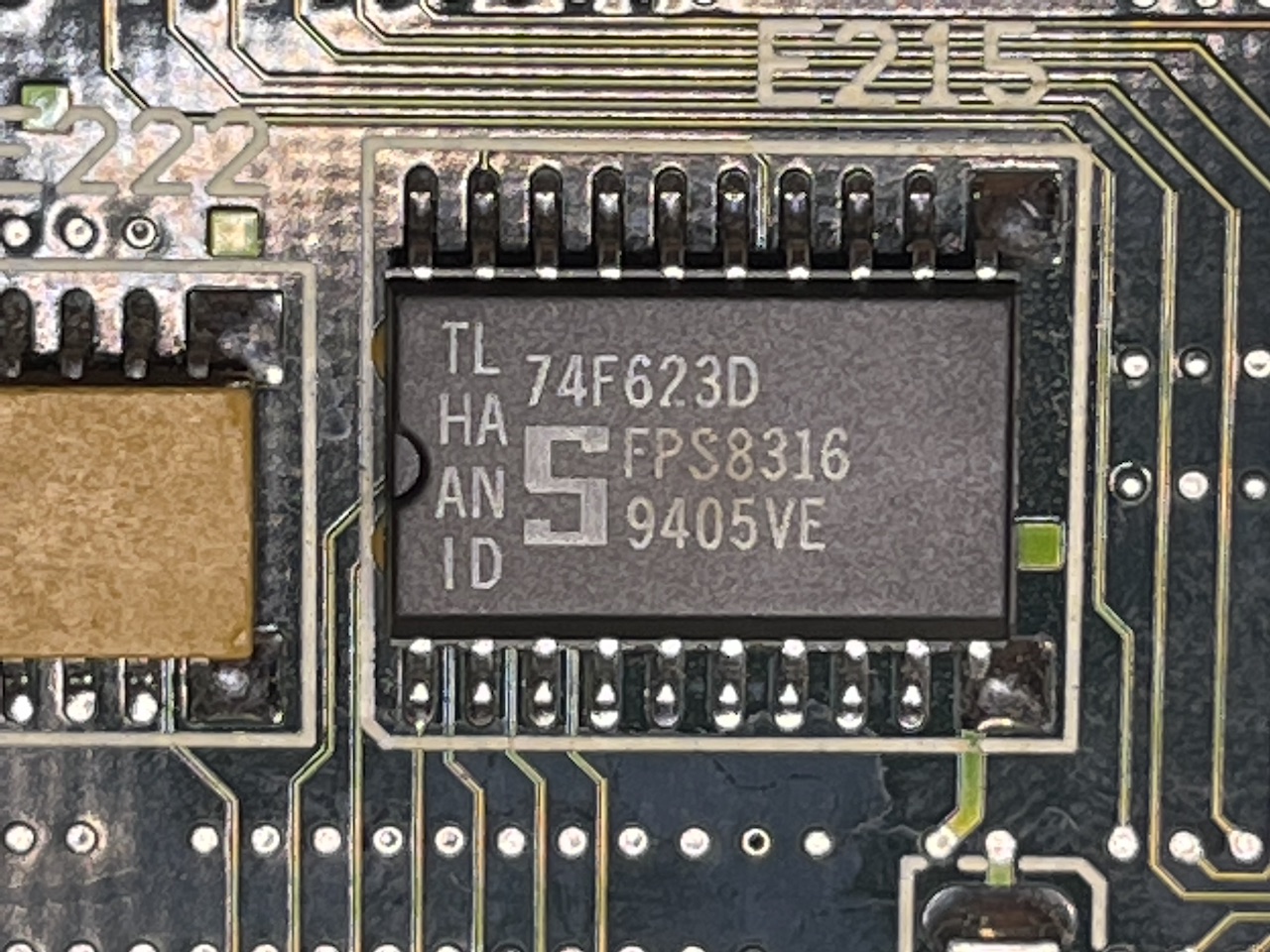
Readers frequently asked “what about the heat death chip?“. Multia indeed has one specific chip that is a source of most of Multia casualties. According to NetBSD Multia Page the chip is 74F623 and is located on the bottom (flip) side of the motherboard.
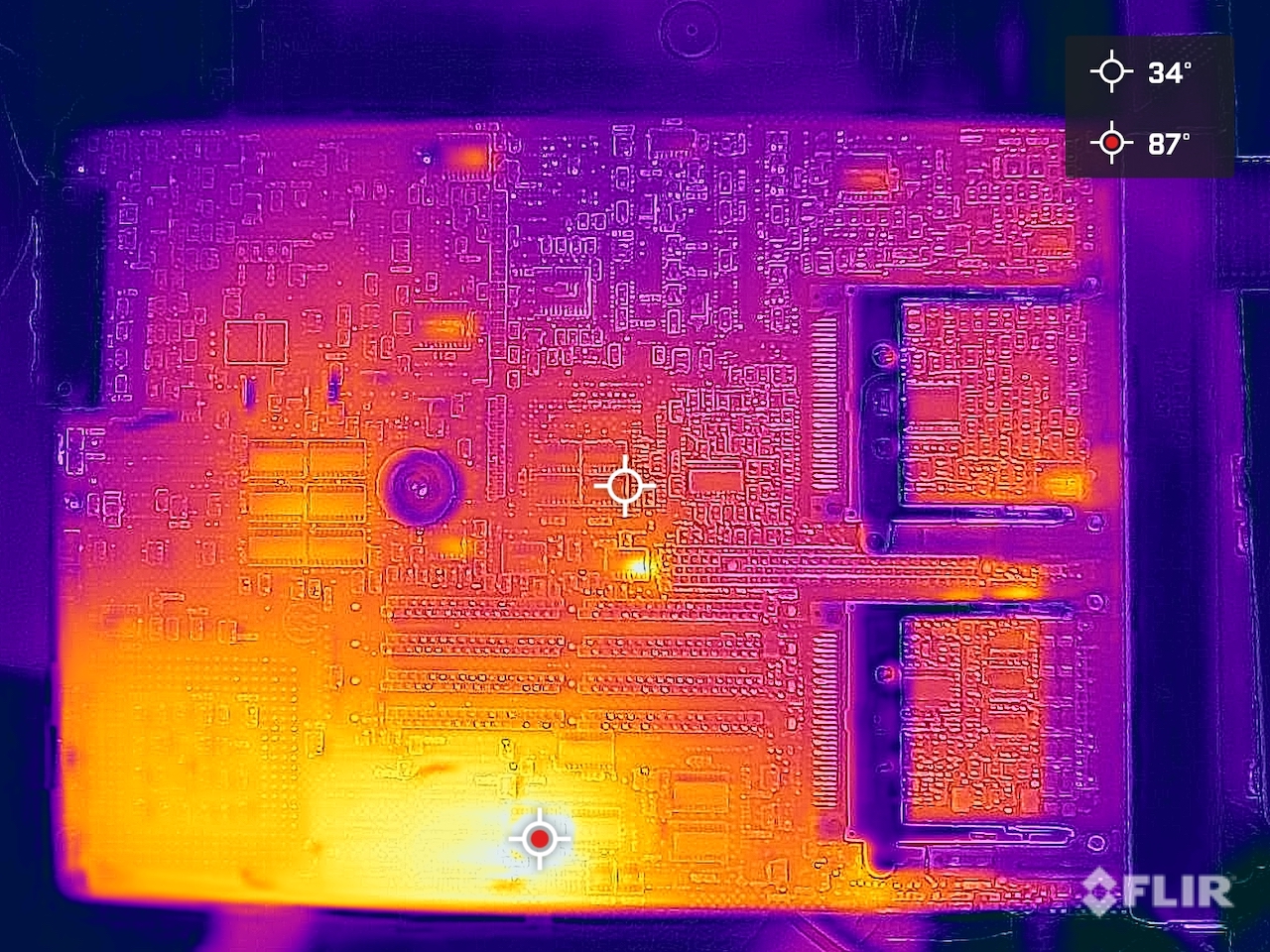
You can tell it’s little charred. I so I went to take a peek with a thermal camera:
Can you locate it? FLIR found it immediately… Up close the chip goes above 100C:
I have added a small heat sink to it and now looks a little better!
(This is a guest post from Antoni Sawicki aka Tenox)
Welcome a completely new and absolutely insane mode of Web Rendering Proxy. ISMAP on steroids!
While v3.0 was largely just a port from Python/Webkit to GoLang/Chromedp, the new version is a whole new game. Previously WRP worked by walking the DOM and making a clickable imagemap out of <A HREF> nodes. Version 4.0 works by using x,y coordinates obtained from ISMAP to perform a simulated mouse click in Chrome browser. This way you can click on any element of the page. From annoying cookie warnings, to various drop down menus and even play some online games. Also pagination has been replaced with a clickable scroll bar.
(This is a guest post from Antoni Sawicki aka Tenox)
I have released WRP 3.0 for testing. It’s currently a browser-in-browser server rather than a true proxy, but that’s in the works. Please try it out and let me know. Usage instructions are on the main github project page.
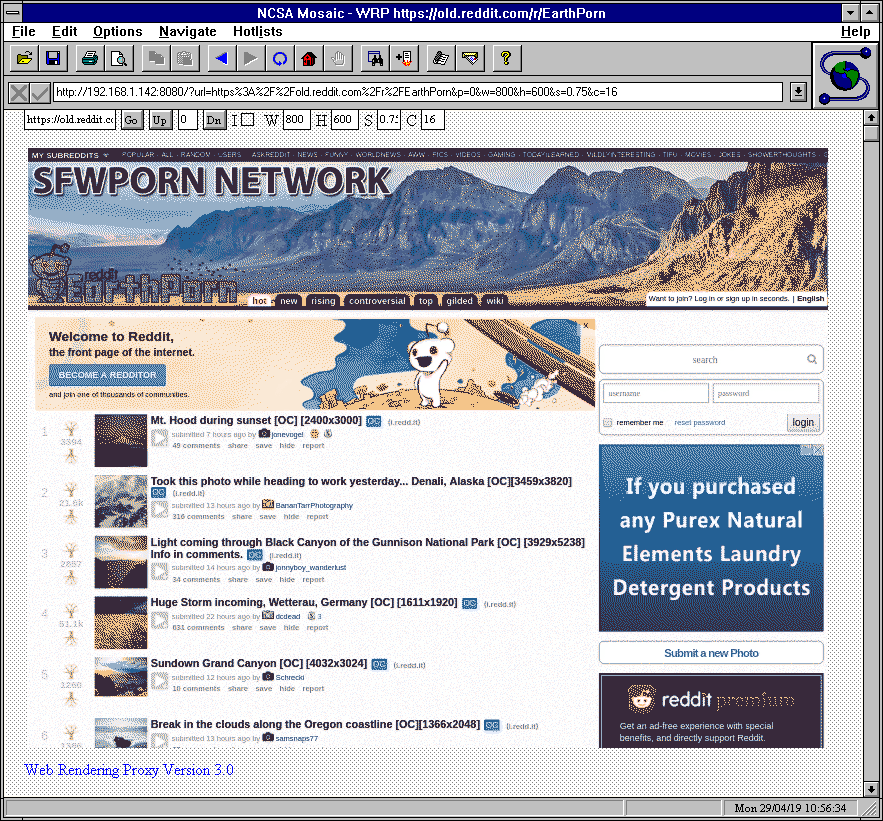
Today using trickery I was able to login to my reddit account from Mosaic:
Update: just added the missing image quantizer so that the color number input box actually does something useful. Now you can browse porn even with 16 colors: