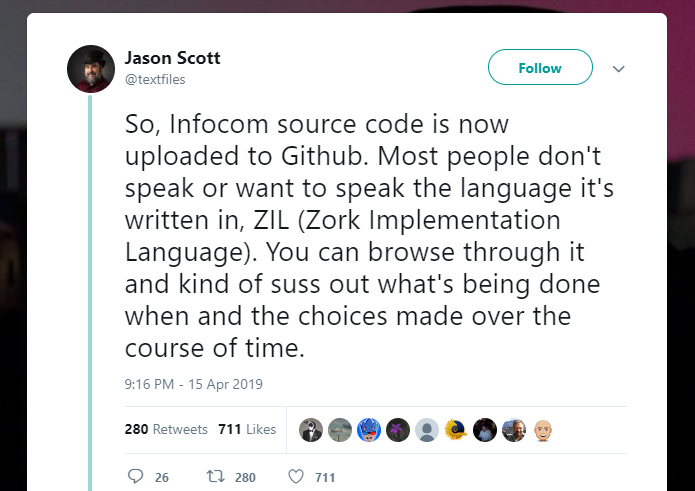
So I woke up to this incredible news. Jason Scott at the most excellent archive.org had just uploaded the old Infocom source code to github. It’s from the infamous ‘found hard disk’ that has been mentioned going back to the failed game ‘The restaurant at the end of the universe’.
So looking at the repos here, you can see the latest ones are all Infocom. It’s best to get them all via git for reason below:
git clone https://github.com/historicalsource/abyss.git
git clone https://github.com/historicalsource/amfv.git
git clone https://github.com/historicalsource/arthur.git
git clone https://github.com/historicalsource/ballyhoo.git
git clone https://github.com/historicalsource/beyondzork.git
git clone https://github.com/historicalsource/borderzone.git
git clone https://github.com/historicalsource/bureaucracy.git
git clone https://github.com/historicalsource/checkpoint.git
git clone https://github.com/historicalsource/cutthroats.git
git clone https://github.com/historicalsource/deadline.git
git clone https://github.com/historicalsource/enchanter.git
git clone https://github.com/historicalsource/hitchhikersguide.git
git clone https://github.com/historicalsource/hollywoodhijinx.git
git clone https://github.com/historicalsource/infidel.git
git clone https://github.com/historicalsource/infocom-sampler.git
git clone https://github.com/historicalsource/journey.git
git clone https://github.com/historicalsource/leathergoddesses-gold.git
git clone https://github.com/historicalsource/leathergoddesses.git
git clone https://github.com/historicalsource/lurkinghorror.git
git clone https://github.com/historicalsource/minizork-1982.git
git clone https://github.com/historicalsource/minizork-1987.git
git clone https://github.com/historicalsource/minizork2-1988.git
git clone https://github.com/historicalsource/moonmist.git
git clone https://github.com/historicalsource/nordandbert.git
git clone https://github.com/historicalsource/planetfall.git
git clone https://github.com/historicalsource/plunderedhearts.git
git clone https://github.com/historicalsource/restaurant.git
git clone https://github.com/historicalsource/seastalker.git
git clone https://github.com/historicalsource/sherlock.git
git clone https://github.com/historicalsource/shogun.git
git clone https://github.com/historicalsource/sorcerer.git
git clone https://github.com/historicalsource/spellbreaker.git
git clone https://github.com/historicalsource/starcross.git
git clone https://github.com/historicalsource/stationfall.git
git clone https://github.com/historicalsource/suspect.git
git clone https://github.com/historicalsource/suspended.git
git clone https://github.com/historicalsource/trinity.git
git clone https://github.com/historicalsource/wishbringer.git
git clone https://github.com/historicalsource/witness.git
git clone https://github.com/historicalsource/zork-german.git
git clone https://github.com/historicalsource/zork.git
git clone https://github.com/historicalsource/zork1.git
git clone https://github.com/historicalsource/zork2.git
git clone https://github.com/historicalsource/zork3.git
git clone https://github.com/historicalsource/zorkzero.git
NEW the ‘gold’ versions of various games, these are the ones with built in help systems
git clone https://github.com/historicalsource/wishbringer-gold.git
git clone https://github.com/historicalsource/planetfall-gold.git
git clone https://github.com/historicalsource/zork1-gold.git
git clone https://github.com/historicalsource/hitchhikersguide-gold.git
The reason being of course that if there are multiple versions they are stacked. Now why is this important? Who cares? it’s all in ZILL which there is no compiler for, as the TOPS-20 tools are still lost?
Enter ZILF!
Written by Jesse McGrew in an apparent vacuum, this toolchain can Z3 machine based ZIL source code. Yes that’s right it’s a compiler!
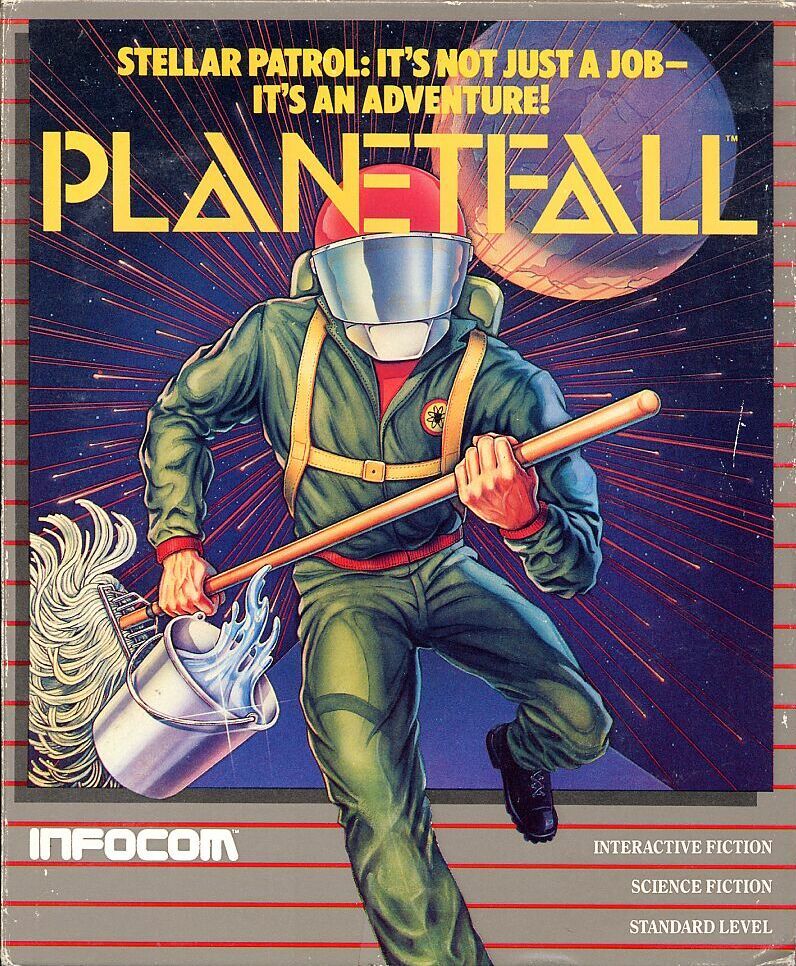
I know Zork will get all the headlines, but back the 80’s I preferred Planetfall. I’m not even going to talk about the insanity that was the Hitchhiker’s guide to the galaxy.
Zilf is really only suited for Z3 compilation, and looking at planetfall there are two commits of note:
$ git log| tail -11
commit e85ca899aac575e74a4b3845f44d09a891c1563a
Author: historicalsource
Date:   Sat Apr 13 21:35:51 2019 -0400
Final Revision
commit 281bd3417faada8011397244d4bfaad562cb7bfc
Author: historicalsource
Date:   Sat Apr 13 21:34:42 2019 -0400
Revision 37 (Original Source)
The source for the Final version won’t build with ZILF. However the Revision 37 source will!
$ git checkout 281bd3417faada8011397244d4bfaad562cb7bfc
Note: checking out '281bd3417faada8011397244d4bfaad562cb7bfc'.
You are in 'detached HEAD' state. You can look around, make experimental
changes and commit them, and you can discard any commits you make in this
state without impacting any branches by performing another checkout.
If you want to create a new branch to retain commits you create, you may
do so (now or later) by using -b with the checkout command again. Example:
git checkout -b
HEAD is now at 281bd34... Revision 37 (Original Source)
Ok, now let’s trash the directory! (you did backup the repo first, right?)
C:\temp\zilf\zilf-0.8\planetfall>..\bin\Zilf planetfall.zil
ZILF 0.8 built 3/19/2017 1:34:17 PM
Planetfall
[warning MDL0417] C:\temp\zilf\zilf-0.8\planetfall\MISC.zil:509: ROUTINE: only 3 routine arguments allowed in V3, so last 2 "OPT" arguments will never be passed
in INSERT-FILE called at planetfall.zil:14
in IFILE called at planetfall.zil:25
[warning ZIL0208] C:\temp\zilf\zilf-0.8\planetfall\SYNTAX.zil:143: preaction routine mismatch for 'V?ZAP': using PRE-ZAP as before
[error ZIL0113] C:\temp\zilf\zilf-0.8\planetfall\MISC.zil:150: SETG: argument 1: bare atom argument must be a variable name
[error ZIL0113] C:\temp\zilf\zilf-0.8\planetfall\MISC.zil:315: SETG: argument 1: bare atom argument must be a variable name
[error ZIL0113] C:\temp\zilf\zilf-0.8\planetfall\MISC.zil:317: SETG: argument 1: bare atom argument must be a variable name
[error ZIL0113] C:\temp\zilf\zilf-0.8\planetfall\MISC.zil:319: SETG: argument 1: bare atom argument must be a variable name
[warning ZIL0504] C:\temp\zilf\zilf-0.8\planetfall\PARSER.zil:244: treating SET to 0 as true here
[warning ZIL0502] C:\temp\zilf\zilf-0.8\planetfall\VERBS.zil:156: RETURN value ignored: block is in void context
[warning ZIL0204] C:\temp\zilf\zilf-0.8\planetfall\VERBS.zil:1879: no such global variable 'WHERE', using the local instead
[warning ZIL0505] C:\temp\zilf\zilf-0.8\planetfall\COMPTWO.zil:3035: COND: clauses after else part will never be evaluated
[warning ZIL0308] : too many parts of speech for 'PORT': Object (C:\temp\zilf\zilf-0.8\planetfall\GLOBALS.zil:78), Adjective (C:\temp\zilf\zilf-0.8\planetfall\GLOBALS.zil:224), Direction (C:\temp\zilf\zilf-0.8\planetfall\GLOBALS.zil:11)
[warning ZIL0306] C:\temp\zilf\zilf-0.8\planetfall\GLOBALS.zil:224: discarding the Adjective part of speech for 'PORT'
[warning ZIL0308] : too many parts of speech for 'BRUSH': Object (C:\temp\zilf\zilf-0.8\planetfall\GLOBALS.zil:548), Adjective (C:\temp\zilf\zilf-0.8\planetfall\GLOBALS.zil:549), Verb (C:\temp\zilf\zilf-0.8\planetfall\SYNTAX.zil:283)
[warning ZIL0306] C:\temp\zilf\zilf-0.8\planetfall\GLOBALS.zil:549: discarding the Adjective part of speech for 'BRUSH'
10 warnings
4 errors
C:\temp\zilf\zilf-0.8\planetfall>dir *zap
Volume in drive C is BOOTCAMP
Volume Serial Number is 903B-72D4
Directory of C:\temp\zilf\zilf-0.8\planetfall
04/17/2019  08:32 PM           247,803 planetfall.zap
04/17/2019  08:32 PM           162,476 planetfall_data.zap
04/17/2019  08:32 PM             1,336 planetfall_freq.zap
04/17/2019  08:32 PM            40,495 planetfall_str.zap
4 File(s)        452,110 bytes
0 Dir(s)  238,542,704,640 bytes free
C:\temp\zilf\zilf-0.8\planetfall>..\bin\zapf planetfall.zap
ZAPF 0.8
Reading planetfall.zap
Reading planetfall_freq.zap
Reading planetfall_data.zap
Reading planetfall_str.zap
Measuring..
Assembling
Wrote 121952 bytes to planetfall.z3
Sure it said 4 errors, but it compiled! Using a z3 or higher interpreter we can load up Planetfall
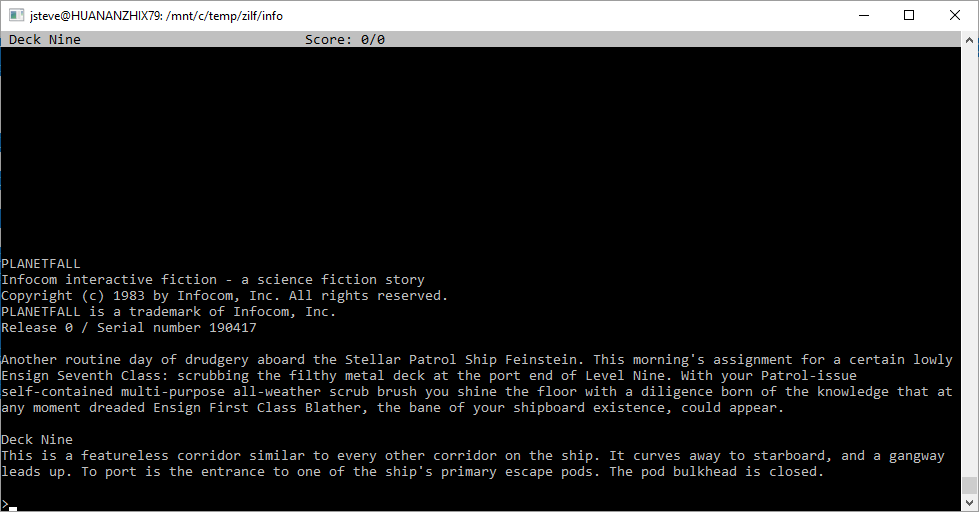
At first glance it may look the same, but check the serial number. 190417. That’s today!
I’ve played it about 1/5th of the way though. There is a walkthru here.
There seems to be so much in flux about this source dump. replicate while you can!