What is love?
Author Archives: neozeed
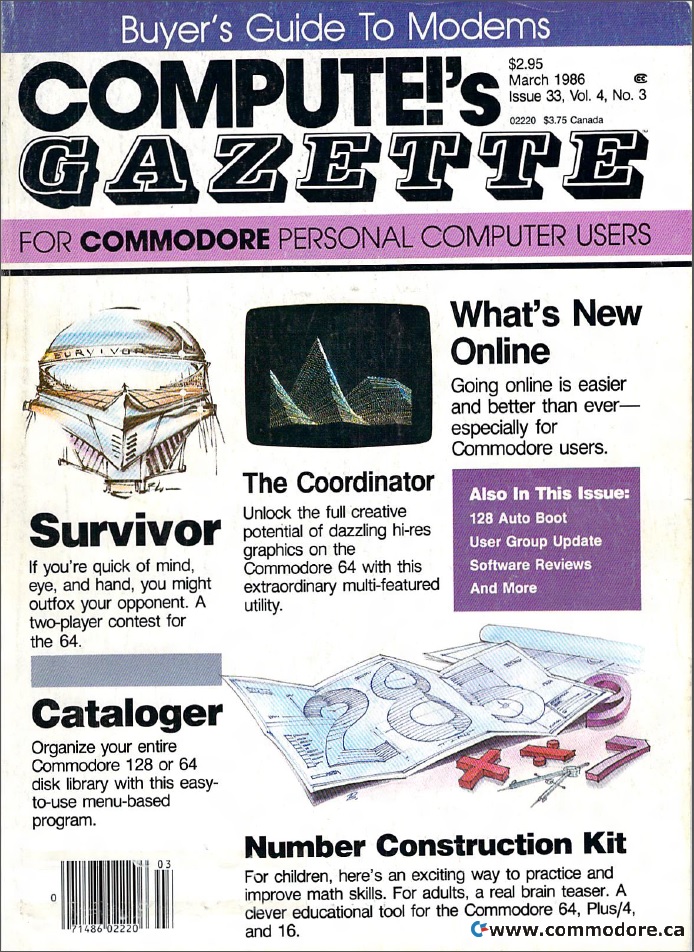
Compute!’s Gazette archive
Back when I was a kid (was I ever a kid), anyways the first machine I was lucky enough to get was a Commodore 64! Unfortunately I was too young to understand what it was, or what I could even do with it.  Although they did have commodore computers in our grade school, the whole microcomputer revolution was so new to everyone that they pretty much just sat there until someone came by to show us how to load programs from diskette & tape.
But to be honest ‘educational games’ in 1983/4 really didn’t grab my interest and for the most part my C64 sat dormant.  However by 1986, I remember this magazine sticking out at some convenience store, and I was hooked! The whole program in a magazine seemed so awesome, and to be honest the idea of machine code, and having to type in a CRC’d editor was so far fetched to me, that I took MONTHS to get that typed in alone..But without a modem, I suddenly was connected to so many others who were now part of the microcomputer revolution.  I recently stumbled onto this great archive at commodore.ca that has the first forty five issues scanned into PDF.  Its all there, including the ads for things like ‘sublogic football‘ ..
Enjoy the history!
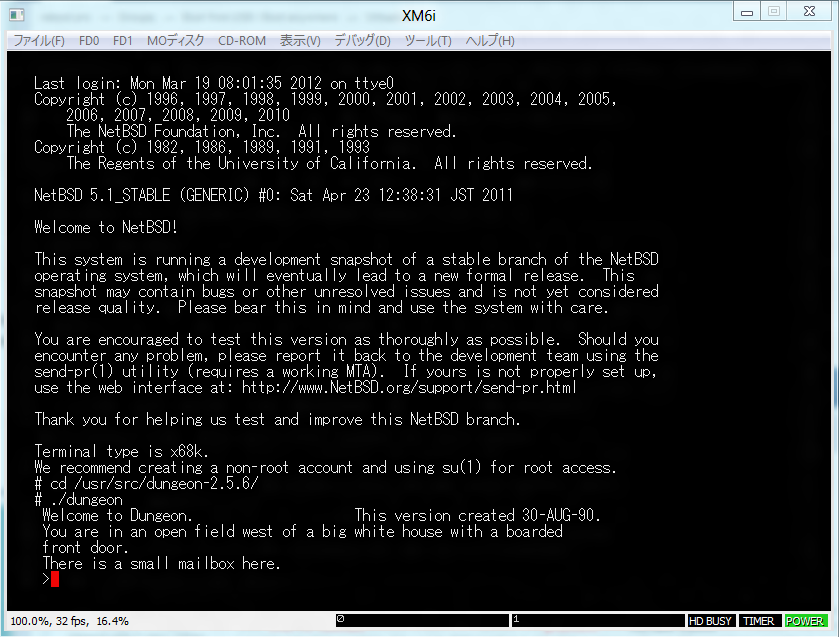
Dungeon for the SHARP x68000 (on NetBSD)
Its been a while since I’ve added a new port of Dungeon (zork!) so here we go!
Building f2c was a snap on the x68000, it just took a while..
Getting data into the VM was easy, just make an ISO image, and mount it.. Getting data out was.. a challenge, as the floppy doesn’t work under NetBSD, and it didn’t seem to want to see my other hard disks, just my root. Â Well thankfully it’s virtual so I just did a:
tar -cvf /dev/sd0c dungeon.tar.gz
NEVER do that on a real machine kids!!!
Anyways here you go, for anyone who loves zork & the m68k!
XM6i
While checking out the NetBSD emulation page, I came across this interesting emulator, XM6i, which can run the x68000 NetBSD port.
Wasting no time, I downloaded it, and quickly found out it is all in Japanese… But hell that is what Google translate is for! Â Just be forwarned that it’ll translate things like:
#Â memswitch -w boot.device=ROM; memswitch -w boot.romaddr=0xeac000
into
#Â Boot.Device Memswitch-w = ROM; Memswitch-w = 0Xeac000 Boot.Romaddr
I was able to get all the system bits, and get it to boot up the ROM!
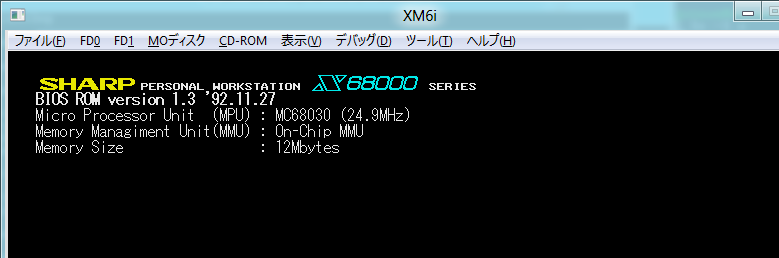
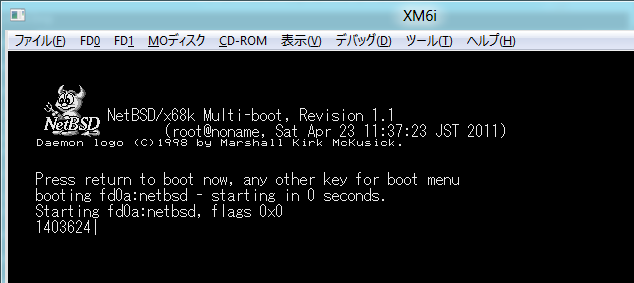
As you can see, I’m emulating a 68030 with MMU, running at a blazing 25Mhz with 12MB of ram! No doubt this is top of the line! Â So I generated the boot floppies as described on the XM6i page, and booted NetBSD. Â The boot loader on the x68000 looks kinda cool:
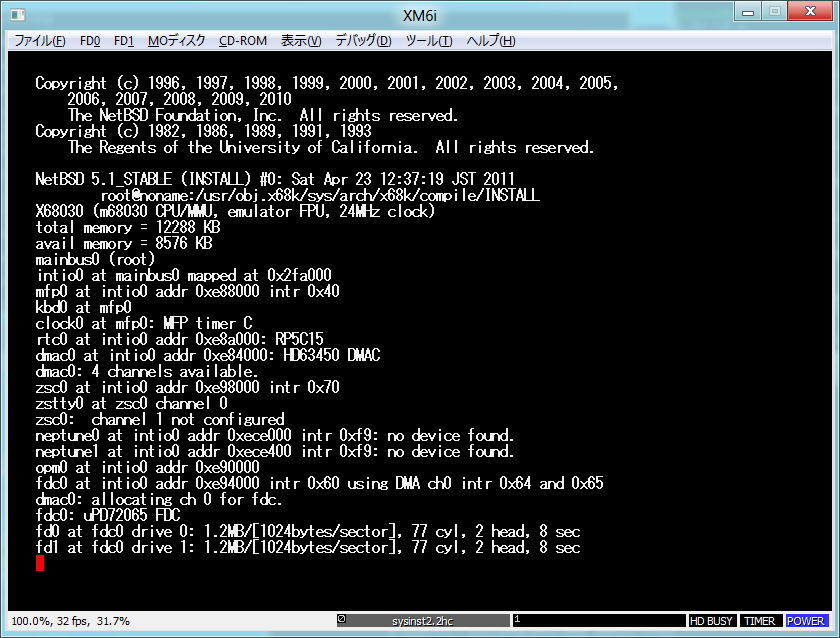
And after waiting for an eternity, like a real machine I booted up, swapped disks, read some more and then watched the kernel initalize:
Installation is pretty straight forward, it is like any other NetBSD platform. Â Although it is *SLOW*, even after I discovered the ‘turbo mode’ … As shown below:
Even in this mode, I’m running 220% faster than the real machine… I’m sure there are more tweaks to do, but my not being able to read Japanese isn’t helping any.
I figured for future’s sake, I’d just 7zip up what I have so far, maybe it’ll save some time for me later if I try this again.. Getting & generating the ROMS was kind of involved.
After an hour I had a base machine installed!
All my work is here, and my NetBSD 5.1 install (to save yourself an hour+) is here. Â Both files will blow out a 2GB disk image… FWIW.
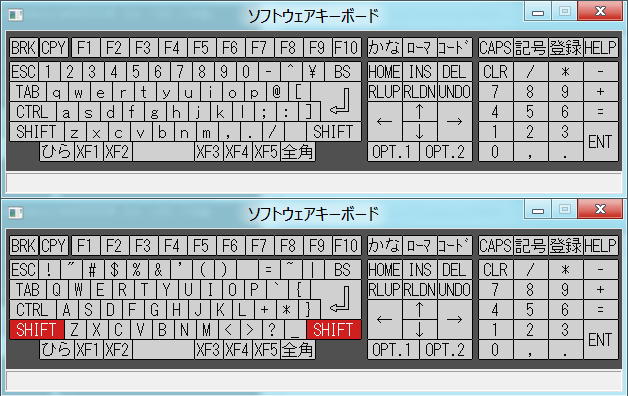
Also if you’ve never used a Japanese keyboard before, they aren’t quite QWERTY with symbol layouts… This cheat sheet will help!
Newer ‘fixed’ Qemu 1.0.1 binaries
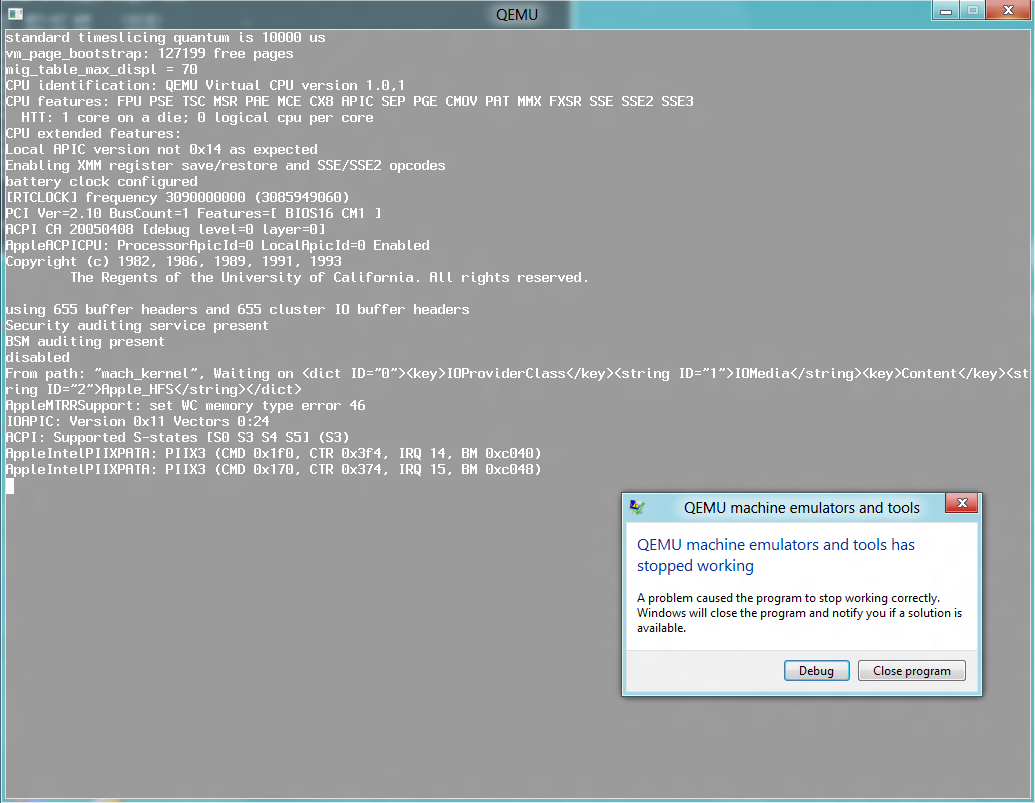
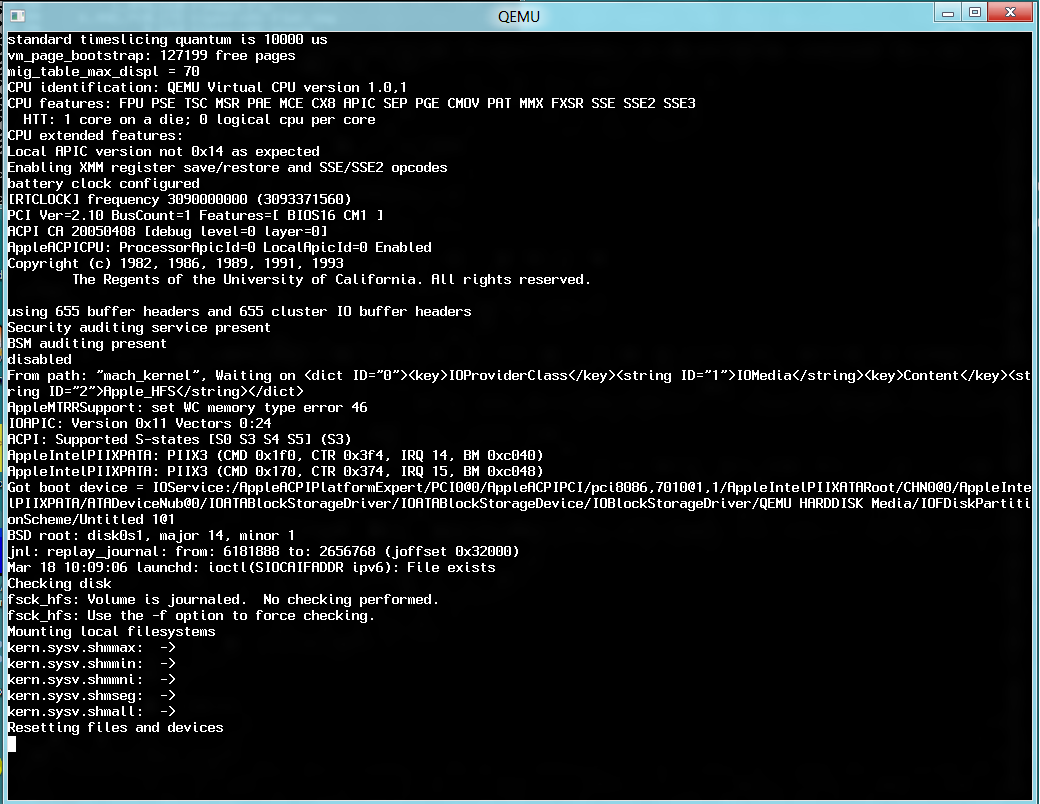
Well I booted my PC back up, and did a test with Darwin… I’d kind of given up on the newer Qemu because anything beyond MS-DOS & OS/2 would crash as soon as the disk was to be accessed from protected mode… Like this:
So as I had found out before from this post, I rebuilt coroutine-win32.c without any optimizations (-O0) and….
It booted up like it was expected!
I’ve relinked everything, and just uploaded it to the old package name, so anyone new that comes along that doesn’t hit this page first won’t get binaries that won’t work. Â Naturally these have the NE2000 on Interrupt 10, port 0x320, the AdLib included and my shortcuts for control alt delete & reset (control+alt+d/control+alt+r) ..
Download it here.
Enjoy!
Slow VM disk access on Qemu/SIMH or other emulators running on Windows?
Turns out from an interesting thread on the SIMH mailing list, is that the Windows volume shadow copy service, and other ‘system’ protecting services may tag files like .dsk to be monitored, and to save a difference of every write to the file.
Yes that is right, on top of NTFS’s transaction log and rolls, you have the OS doing the same thing which in turn makes your disk access slower than hell.
The fix?
Quite simple, dont use TLA (three letter acronym) file extensions, or no extensions at all and suddenly you’ll find that your disk based emulation is significantly faster.
Cross compiling for MS-DOS from PowerPC OS X
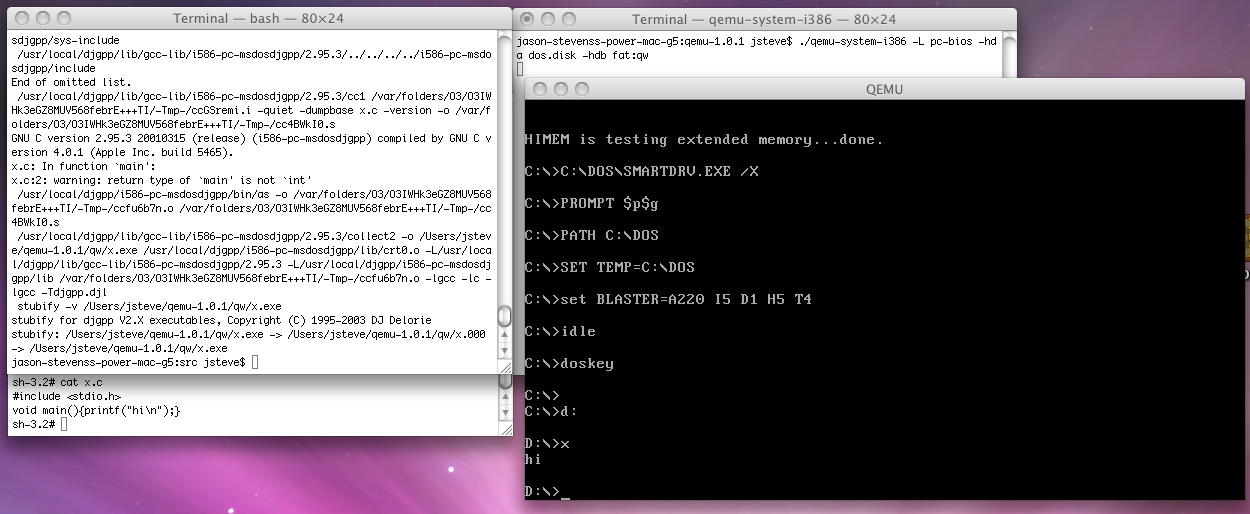
So since I’m still plugging away on my G5 Power Mac, I was going to do some MS-DOS work, so with Qemu built, I thought I’d go ahead and build the PowerPC equivalent of what I had done earlier…
So if anyone cares…
Speaking of Qemu 1.0.1 and instabilities
I came across this site, which drops this bomb:
February 29, 2012: updated for Qemu-1.0.1 – Still a “to be tested” version. See bug report win32: git rev 59f971d crashes when accessing disk (coroutine issue). In my version a workaround was to compile coroutine-win32.c without optimisation (-O0): contains qemu-system-arm.exe, qemu-system-i386.exe, qemu-system-ppc.exe, qemu-system-sparc.exe, qemu-system-x86_64.exe and the linux-0.2.img image
Well isn’t that amazing… I know I’d given up on it as as soon as some OS’s accessed the hard disk once they’ve initialized in protected mode it’d just lock up…
I may well have to revisit my Win32 builds of Qemu 1.0.1
Building Qemu 0.15.1 on OS X 10.5.8
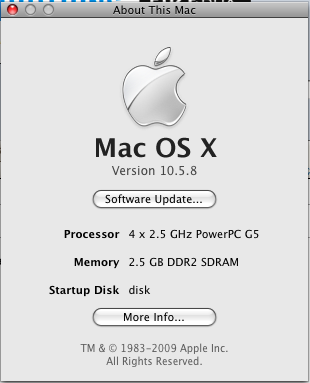
So I was wanting to build Qemu for my somewhat new G5. Â After going through some hardware hell, of a bad hard disk, ram, and having to reseat the video card (should have figure it’d get shaken in the transit) and blowing out all the gunk, my G5 is now in action! … But silly me I wanted to play with OS/2 and while I do have Virtual PC for OS X (yeah MSDN) I wanted to play with Qemu.
I didn’t feel like dealing with 1.0.1, I thought I’d take a stab at the older stable branch, 0.15.1 .. And what a joy that was.
So first off I installed OS X 10.5 from the nicely provided install DVD. Â That went fine with good RAM (shockingly with bad memory it gets corrupted and has all kinds of errors, if only the RAM test from the boot ROM was worth anything…. but it makes a nice chime noise). Â So I found out much to my amazement after unpacking and going to build 10.15.1 that it requires.. glib-2.0 . Â Well damn, this puts me in the same build hell that made Qemu 1.0+ in Win32.
But I figured OS X being a UNIX it may be somewhat easier to build… Somewhat.
So I started with glib-2.30.2, which of course dies because there is no pkg-config.  I download pkg-config-0.26 which won’t build because… yes, there is no glib-2.0 …. GRRRR!!!!  So I try pkg-config-0.18.1 and it actually builds!  One thing to keep in mind is that you *MUST* have the environment variable “PKG_CONFIG_PATH” set to something like this:
PKG_CONFIG_PATH=/usr/local/lib/pkgconfig
export PKG_CONFIG_PATH
or it won’t work. I tried to build glib again, and now it fails because there is no libffi. Â I try libffi-3.0.10 and it won’t build with some weird error of:
$ make
MAKE powerpc-apple-darwin9.8.0 : 0 * all-all
make: *** [all-all] Error 1
And yes it still did it after I was able to build glib2 (spoiler!?)…
Thankfully, libffi-3.0.4 did build, and installed fine.  So I try to build glib2 again, and now I fail because it wants gettext, so I went ahead and was able to build and install gettext-0.18.1.1 .  I went to build glib-2 and was totally shocked when it not only configured, but actually compiled!
I installed it, and was able to build Qemu 0.15.1, I just did the i386-softmmu target with the NE2000 fixed to be 0x300,IRQ 10, and enabled the AdLib! Â And it compiled!
Now I’m sure some of the things that I’m fighting is that I’m on a PowerPC (G5!) and needless to say this version has been pretty much abandoned by everyone. I’m also using the dev tools that came on the 10.5 DVD, gcc version 4.0.1 (Apple Inc. build 5465) Which is great because they don’t seem to let you download any of the old X-Code stuff anymore..
The good news is that I could boot up my OS/2 disk image, the TCP/IP worked, however the mouse was all screwed up, left clicking just jumps the mouse like crazy, but it seems to track correctly, it just doesn’t click correctly… However the sound works GREAT!
I know it isn’t much to look at, but it actually runs!
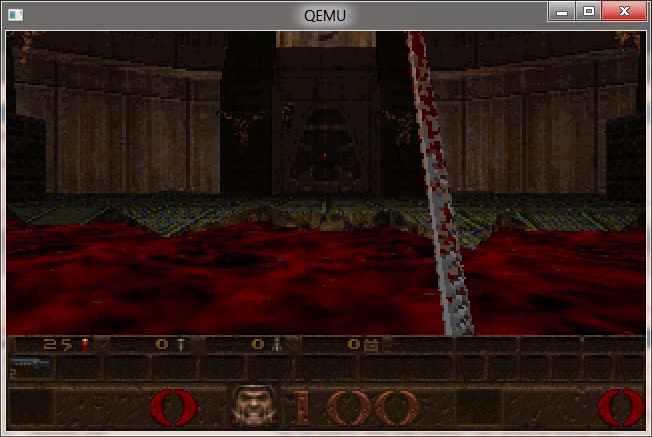
So here, for my fellow PowerPC OS X refugees, here is Qemu 0.15.1, I just built it for the i386. Doom in OS/2 on it is quite playable, but I’ve got a 2.5Ghz G5 so…. Your millage may vary. Â Greatly.
And for the real daring people, here is Qemu 1.0.1 for the PowerPC. Â I haven’t done much of any testing outside of loading up OS/2 2.0 from an image I had on my Windows 8 PC, connecting to the internet, and then loading up the shareware version of Doom 1.1 …

Horror of Horrors, Neko98 nearly lost!
It came to my attention that the site in.sert.co.in no longer exists! And worse, that the files on the page are long gone. Thankfully the internet archive did snag A page from there, but the downloads are all gone!
Thankfully I have a 1TB disk (lol so small now!) and I downloaded the source code, so all is not lost. I don’t know why I didn’t mirror it before but there you go. For all the diehard neko fans download the source, and keep hold of it….!
And of course, an upload to a project page on github.com.
So that being said, I fired up Visual Studio 97 (I knew buying that was a good idea!) and built an i386 Win32 version… I also rescued the cat sounds, but no luck on the rest of the files.
So once more again, neko has been saved!