Building a private mesh network

Well it was bound to happen sooner or later, but working on projects at the office I have segmented networks for various things, and the stuff I host only has to talk to one specific thing out on the internet.  But things change, and flexibility is demanded as now I suddenly have half a dozen VPS’s out on the internet, that not only need to talk back to my office, but also need to talk to eachother.  And of course adding that n+1 becomes tedious, and worse when one host goes down, and you have people pointing the wrong way.  If only there was a solution…

And there is, as this ‘problem’ was solved forever ago with this magical thing called routing protocol.  Before I was doing OpenVPN with a network to network type setup, but now I want to dynamically route, and considering it’s a small network, I’m free to use any protocol, even RIP is fine, as I have about 15 networks to advertise.  In the end I went with BGP for really no real reason.  RIP/OSPF,ISIS would have worked just as well.

The first thing is that to configure OpenVPN is that I didn’t want the normal ‘shared network’ setup, nor the tun style where OpenVPN intercepts the invalid destination address.  While it does bring up links, and work for dynamic setups, I’m just bringing up static links that are point to point, and single host only.  Also BGP wants the source and destination originating address to match, so a tunnel interface that is 10.0.1.6 10.0.1.5, but expects the destination to be 10.0.1.1 isn’t going to work.  So I went with the old p2p style config.

As a template I used this site right here:

First generate a static key:

openvpn --genkey --secret static.key

Next setup the config for the ‘server’ side.  In this case, each of my VPS’es is a server since they all have registered addresses, and don’t move as often.  My office is going to move soon, and in the off even that I need to travel with my office setup it’s nice to bring it online wherever, and have it connect.  At the same time if my office is down, this is why I want the VPSes to be able to talk to eachother.

Server config:

mode p2p
port 1194 #  We listen to port 1194
dev tun # possibly tun0 Linux
proto udp # protocol UDP, TCP: proto tcp-server

ifconfig 10.5.0.1 10.5.0.2 #  Local IP <-> Remote IP

# Here adjust the path to point to the generated Key
secret /etc/openvpn/static.key

ping 10 # Sends every 10 seconds a ping to the remote site
ping-restart # 180 after 3 minutes without pings reconnecting the remote
ping-timer-rem # only after we've let another peer ping-restart

verb 3 # increase to debugging
mute 50 # uncomment to debugging

Client config:

mode p2p
remote my-openvpn-server.dyndns.com 1194 # hostname / external IP of another peer, port accordingly
proto udp # protocol UDP, TCP: proto tcp-client
dev tun #  possibly tun0 Linux

ifconfig 10.5.0.2 10.5.0.1 #  Local IP <-> Remote IP

# Here adjust the path to point to the generated Key
secret /etc/openvpn/static.key

ping 10 # Sends every 10 seconds a ping to the remote site
ping-restart # 180 after 3 minutes without pings reconnecting the remote
ping-timer-rem # only after we've let another peer ping-restart

verb 3 # increase to debugging
mute 50 # uncomment to debugging

Now with the config’s in place, remembering to save with the filenames ‘server.conf’ and ‘client.conf’ in the /etc/openvpn directory, I was ready to restart the OpenVPN service (service openvpn restart) and now I could ping!

tun1 Link encap:UNSPEC HWaddr 00-00-00-00-00-00-00-00-00-00-00-00-00-00-00-00
inet addr:10.5.0.2 P-t-P:10.5.0.1 Mask:255.255.255.255

and a quick ping…

root@Office-OpenVPN:/etc/openvpn# ping 10.5.0.1
PING 10.5.2.1 (10.5.2.1) 56(84) bytes of data.
64 bytes from 10.5.0.1: icmp_req=1 ttl=64 time=1.66 ms
64 bytes from 10.5.0.1: icmp_req=2 ttl=64 time=3.39 ms

Now for the routing protocol.  I went with quagga, as it is descended from zebra, and one that I’ve used before.

Configuration is pretty straight forward.  first the daemons.conf file needs to be edited for what services you are going to run.  In this case I want zebra & bgpd.

zebra=yes
bgpd=yes
ospfd=no
ospf6d=no
ripd=no
ripngd=no
isisd=no
babeld=no

Next, the zebra.conf file.  The passwords are plaintext, I wouldn’t of course paste my real passwords:

hostname office
password zebra
enable password zebra

And next is my bgpd.conf file, for my office:

hostname office
password zebra
router bgp 8888
bgp router-id 192.168.1.49
network 192.168.1.0/24
network 10.1.0.0/24
network 10.1.1.0/24
neighbor 10.5.0.1 remote-as 555
log file /var/log/quagga/bgpd.log
!log stdout

Everything is the same on the VPS, except for it’s BGP config, which is the following:

hostname vps1
password zebra
router bgp 555
bgp router-id 10.13.0.1
network 10.13.0.0/24
neighbor 10.5.0.2 remote-as 8888
log file /var/log/quagga/bgpd.log
!log stdout

So now I’ve setup a p2p connection, and now defined the networks that I’m going to share from my office, in this case it’s 192.168.1.0/24, 10.1.0.0/24, and 10.1.1.0/24.  The VPS is going to share it’s 10.13.0.0/24 network.

Now to start up the router with a ‘service quagga restart’ and all being well I can now talk to the BGPD.

telnet localhost 2605
Trying ::1…
Trying 127.0.0.1…
Connected to localhost.
Escape character is ‘^]’.

Hello, this is Quagga (version 0.99.22.4).
Copyright 1996-2005 Kunihiro Ishiguro, et al.

User Access Verification

Password:
office>

Now to check for my bgp neigbours

office> ena
office# show bgp neighbors
BGP neighbor is 10.5.0.1, remote AS 555, local AS 8888, external link
BGP version 4, remote router ID 127.0.0.2
BGP state = Established, up for 3d21h32m
Last read 00:00:33, hold time is 180, keepalive interval is 60 seconds
Neighbor capabilities:
4 Byte AS: advertised and received
Route refresh: advertised and received(old & new)
Address family IPv4 Unicast: advertised and received
Message statistics:
Inq depth is 0
Outq depth is 0
Sent Rcvd
Opens: 1 0
Notifications: 0 0
Updates: 18 1
Keepalives: 5613 5612
Route Refresh: 0 0
Capability: 0 0
Total: 5632 5613
Minimum time between advertisement runs is 30 seconds

For address family: IPv4 Unicast
Community attribute sent to this neighbor(both)
1 accepted prefixes

Connections established 1; dropped 0
Last reset never
Local host: 10.5.0.2, Local port: 179
Foreign host: 10.5.0.1, Foreign port: 35722
Nexthop: 10.5.0.2
Nexthop global: ::
Nexthop local: ::
BGP connection: non shared network
Read thread: on Write thread: off

office#

And how about the routes?

office# show ip bgp
BGP table version is 0, local router ID is 192.168.1.49
Status codes: s suppressed, d damped, h history, * valid, > best, i – internal,
r RIB-failure, S Stale, R Removed
Origin codes: i – IGP, e – EGP, ? – incomplete

Network Next Hop Metric LocPrf Weight Path
*> 10.1.0.0/24 0.0.0.0 0 32768 i
*> 10.1.1.0/24 0.0.0.0 0 32768 i
*> 10.13.0.0/24 10.5.13.1 0 0 555 i
*> 192.168.1.0 0.0.0.0 0 32768 i

Total number of prefixes 4

Well isn’t that great!  For each additional connection on my client side, I change the client port.  It doesn’t matter what number I choose as my client VPN machine isn’t exposed on the internet, only the OpenVPN servers on the VPSes.  I can also combine this with a traditional OpenVPN setup where my clients get addresses on my Office Lan, and can now access all of my VPSes at once.

All I have left to do is define the additional servers into the mesh, and add in the BGP peers.  And doing it this way two VPSes in the same data centre now have a 1ms ping, instead of traversing the internet to my office, and back up.  Plus they can stay in communication if my office, or even their internet is down, as long as the internal communications of the data centre is fine.
More fun with GCC 6.1

So after looking at the -Ofast flags in that utterly unfair GCC 1.4 vs GCC 5.1, and 6.1 , I thought I’d try to build Cockatrice III with it.  Everything went well, and I had a build in no time.

I always hated how I had to massively downsample the audio so I could at least hear things, so I thought I’d try to put them back to 44100Khz, 16bit stereo.  And while compiling, older GCC runs fine, while 6.1 throws this run error!

../SDL/audio_sdl.cpp:57:43: error: narrowing conversion of '-1404829696' from 'int' to 'uint32 {aka unsigned int}' inside { } [-Wnarrowing]
 uint32 audio_sample_rates[] = {44100 << 16};
                                           ^
makefile:104: recipe for target 'obj/audio_sdl.o' failed
make: *** [obj/audio_sdl.o] Error 1

Well it turns out that it’s getting truncated as the audio_sample_rates are defined as an unsigned int, but it really want’s to be a regular integer.  So I changed the type, and now I have high def audio!  While I was in there, I fixed some stupid typos in the keyboard so I can actually use vi in MacMiNT.

It’s still in 256 colors, I’m missing something fundamental as to why it’s not working but I just don’t have enough time to mess with it today.

For anyone who cares, the Win32 binary package is on sourceforge.

Stupid GCC error

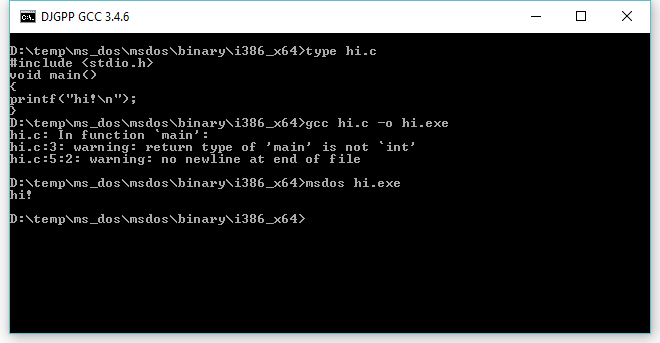
So while mixing and matching GCC on Windows, I ran into this issue with stdio.h of all things:

In file included from hi.c:1:0:
\mingw\include/stdio.h:191:65: error: unknown type name ‘size_t’
_CRTIMP int __cdecl __MINGW_NOTHROW setvbuf (FILE*, char*, int, size_t);
^~~~~~

Good grief how could stdio be all screwed up?

Well, it turns out it was my fault.  I had not rebuilt things like SDL, or copied over pcap so I figured I could incorrectly just point a -I to my old includes, and the new gcc would post-pend all use -I stuff.  NOPE it pre-pends them, meaning the old headers now take priority.  And wouldn’t you know it, things have drifted between versions.  So I just manually copied the files and libraries and all was well.

Googling around I did see other people with broken stdio.h but nobody posted the solution.  I guess it’s to embarrassing, but here we are.

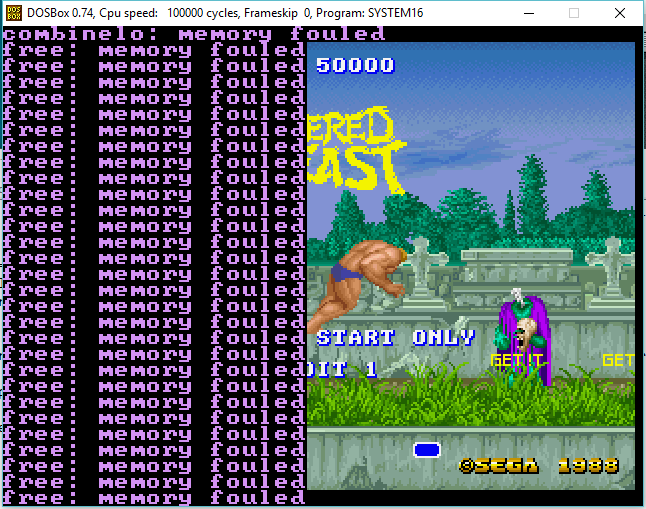
DJGPP memory fouled

free: memory fouled

free: memory fouled

If you ever get this fun error while trying to exit or shell a program with DJGPP:

combinelo: memory fouled

free: memory fouled

You are mixing libraries built with a different version of the DJGPP runtime.  In my case, I built the allegro library with GCC 2.7.2.2 to use the older binutils but I’m cross compiling with GCC 5, so it’s using the newer runtime.

In my case I just needed to replace the contents of the lib directory with djcrx202.zip, and I was good to go.  I guess I could re-compile allegro, but that takes the better part of forever on DOSBox, and once was good enough.

GCC 6.1.0 for MinGW

Since MS-DOS has it’s 6.1.0 I was dying to re-build stuff for 6.1.0.  As I don’t want to build it myself I did mange to find a version on equation.com

I rebuilt Cockatrice III, and that seems to be running fine.

Continuing from my GCC 1.40 on Windows, here is version 6.1.0’s scores:

D:\emx\demo\dhry>gcc610.exe
Dhrystone(1.1) time for 500000000 passes = 53
This machine benchmarks at 9433962 dhrystones/second

D:\emx\demo\dhry>gcc610_O.exe
Dhrystone(1.1) time for 500000000 passes = 18
This machine benchmarks at 27777777 dhrystones/second

D:\emx\demo\dhry>gcc610_O2.exe
Dhrystone(1.1) time for 500000000 passes = 16
This machine benchmarks at 31250000 dhrystones/second

D:\emx\demo\dhry>gcc610_Ofast.exe
Dhrystone(1.1) time for 500000000 passes = 13
This machine benchmarks at 38461538 dhrystones/second

As you can see the scores are actually slower than GCC 5.1.0.  Well that was kind of surprising.  Since I almost never read the manual, I did find out about -Ofast vs -O3/-O2, and yes, it is much faster!  So I guess I should recompile everything with GCC 5.1.0 … But I do prefer the diagnostic messages in GCC 6, it’s very CLANG like.

UAE 0.8.29 on Windows

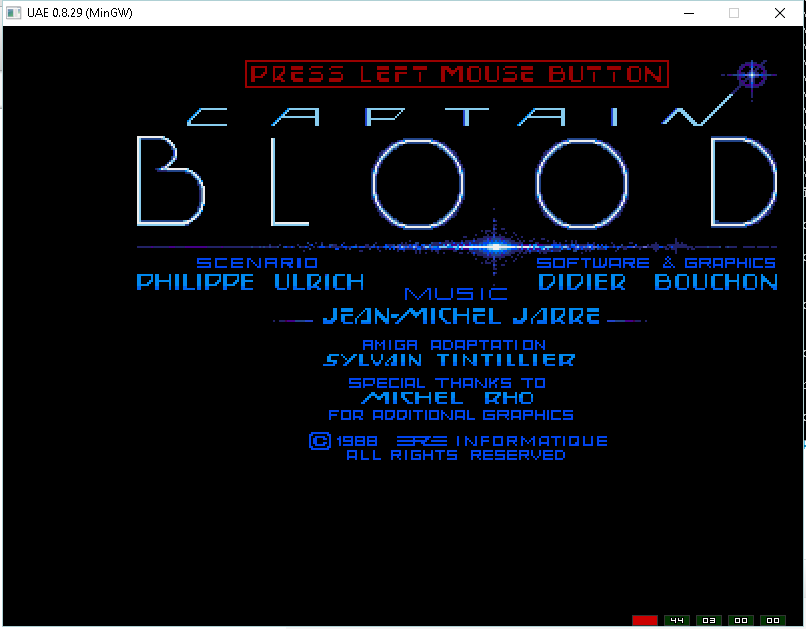
Captain Blood on UAE 0.8.29

Captain Blood on UAE 0.8.29

This one should have been much easier to build, it has support for SDL built in, however the include files are a nested mess, and configure fails part of the way in the process leaving the source kinda messy.  But a few hours over a couple of days, and here we are.

This version doesn’t run at warp speed, has sound, and is great.    It wants a config file though.  You can find the specs in the readme, but something like this:

#cpu_type=68030/68882
cpu_type=68040
cpu_speed=real
sound_channels=stereo
sound_bits=16
sound_frequency=44100
gfx_center_vertical=true
gfx_center_horizontal=true
gfx_color_mode=32bit
floppy0=df0.adf

works fine.  This later (and seemingly last) branch of UAE  incorporates lots from WinUAE, except for the JIT.  It’s dated 2008, so it does include support for the 68030, 68040, and the 68881 and 68882.  It doesn’t have MMU support, so things like Linux/AMIX/NetBSD/Enforcer are out of the question.

I dumped my source tree over on sourceforge, as I’m more so interested that this builds using MinGW.

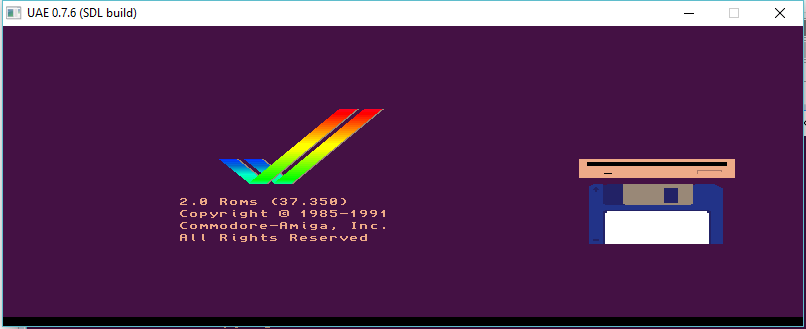
Ported UAE 0.7.6 to MinGW!

0.7.6

0.7.6

I can’t find any source of the 0.5 versions, and I had issues with 0.6.x  but with enough mashing of stuff around I did manage to get 0.7.6 to compile, then leaning more on the xwin.c source file I was able to get the SDL output working for 32bit depth (does anyone even have 8bit displays anymore?).  I suppose with this version working I can go back and take a stab at resurrecting 0.6.x

What is cool is that 0.7.6 (perhaps earlier versions of 0.7?) switched from a non commercial license to the GPL 2.0 license.

I managed to ‘fix’ the keyboard in this version so that not only does it not type too fast, but it’ll remember “sticky” keys like shift, control & meta.  So now you can actually use the CLI, and change disks.  Double clicking is an impossibility as it simply runs far too fast.  I compiled in audio support but didn’t bother with the SDL end, as it would sound like noise with it running so fast.

I also updated UAE 0.4, with the fixed keyboard code, and it’s usable now as well, with the same caveat that it simply is just too fast.  UAE is from an era where a 100Mhz computer was a luxury item.  Now some $5 computer, you could pack in breakfast cereal has a 1Ghz processor.

For the 2/3 people who care, I put the binary & source tree on sourceforge here. UAE 0.4 & UAE 0.1 are also available for download, plus all the source code I’ve been able to find.

GCC 1.40 on Windows

I know with all the talk of GCC 6.1.0 for MS-DOS, and other platforms, you must be thinking that all this talk of progress, and high versions numbers just isn’t right!  I’ve just started to migrate code to GCC 5.1, and now you are telling me there is a GCC 6!

Where can I turn away from all this so-called progress!  I don’t like my C compilers to be C++ programs that require massive HOURS to compile.  Can’t we just go back to the good old days?

And the answer is YES, you can!

While looking for some libraries on another project, I came across this old defunct project called RSXNT. And it’s a port of EMX to Win32 platforms!  Well isn’t that fantastic!

So, considering I was able to build GCC 1.40 and cross compile to Linux 0.11 from Windows, can we do something with this?

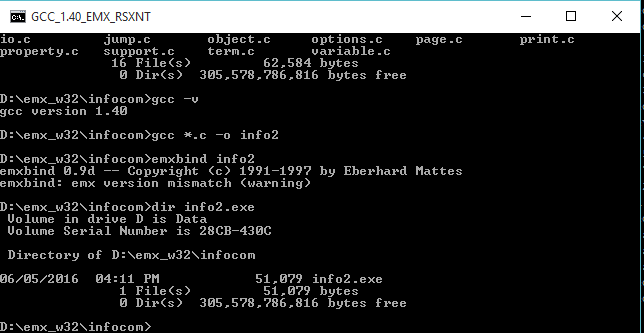
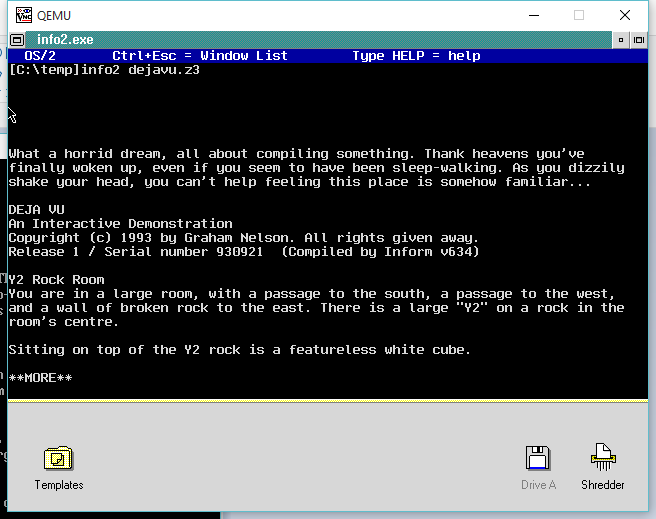
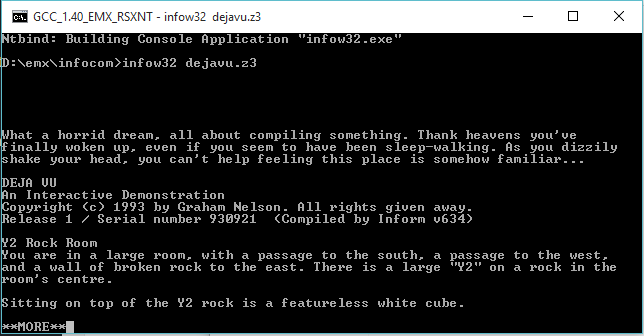
Well ancient versions of EMX are very difficult to track down. Somehow, I did manage to find this hybrid of 0.8B & 0.8C.  The EMX runtime & binaries are from 0.8C, but the source code is from 0.8B.  And the best thing is that the 0.8B is based around GCC 1.40!  So with a little bit of tweaking the files, and messing around I got the assembler, linker, and C compiler to build with MinGW!  Sadly the source code to EMXBIND, wasn’t included in the zips that I have, but the aformentioned RSXNT packages included a version of EMXBIND that will run on Windows!  So I managed to mash them together, and for the fun of it, I’m using the old InfoTaskForce interpreter from 1987 to complete the vintage feel.

Compiling & Binding
Compiling & Binding

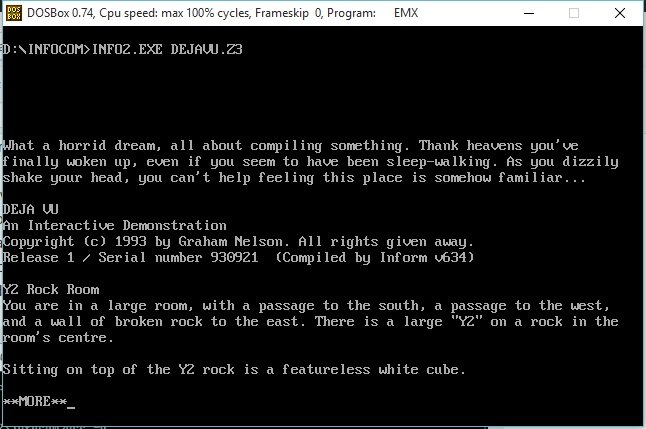
Now with my executable, I can run it on MS-DOS & OS/2!

MS-DOS via DOSBox
MS-DOS via DOSBox

and OS/2 2.0!

OS/2 (on Qemu)
OS/2 (on Qemu)

Well isn’t that fantastic!

However when running RSXNT’s bind, NTBIND I got this error:

D:\emx_w32\infocom>..\bin\ntbind info2
No relocations in file:
you have not linked the NT library

Great.  Some more digging around, and if you want to make Windows programs, you need to use the RSXNT includes & libraries.  So I shifted the libraries around, and patched gcc to call the linker the same way RSXNT’s gcc driver calls it, and first go this error:

io.o: Undefined symbol __streams referenced from text segment

And looking at the stdio.h there is this:

extern struct _stdio _streams[];

No doubt, the headers & libraries are tied together.  So now making both of the RSXNT versions, I can link the executable. (YES I did try declaring the structure anyways, and I get stdout, but stdin doesn’t work).

Running on Windows 10

Just like EMX before it, RSXNT, requires you to have the RSXNT.DLL file in your path, or in the same directory.  I suppose it’s a fair trade off.  Not that I expect there to be a surge of people cross compiling from Windows to OS/2, or even MS-DOS these days.  GCC 1.40 is ancient, 1991 vintage, but even Linus Torvalds loved it!

For comparison, GCC 5.10 produces a 55,906 byte interpreter, while GCC 1.40 produces a 88,576 byte interpreter.

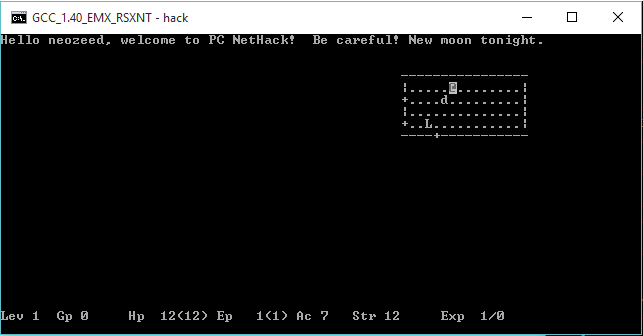
For an attempt at porting some code, I choose Nethack 1.3d, and used the MS-DOS based makefiles.  It didn’t work so well, but I was able to patch in enough of the unix based termios logic, and thanks to EMX/RSXNT’s built in termios capabilities I was able to get a working version!

Nethack 1.3d on Windows 10 x64

I don’t know if there really was any advantage to compiling with GCC 1.40, but it was great to see that this 1991 compiler could handily compile the 1987 based code.

How about some speed comparisons?  I dug out the ancient dhrystone.c, and gave it a shot.  I had to define 500,000,000 passes, as my computer is fast.  GCC 1.40 only offers -O for optimization, while GCC 5.1 offers many more levels, but for this quick experiment they really aren’t needed.

D:\emx\demo\dhry>gcc140.exe
Dhrystone(1.1) time for 500000000 passes = 57
This machine benchmarks at 8771929 dhrystones/second

D:\emx\demo\dhry>gcc140_O.exe
Dhrystone(1.1) time for 500000000 passes = 40
This machine benchmarks at 12500000 dhrystones/second

D:\emx\demo\dhry>gcc510.exe
Dhrystone(1.1) time for 500000000 passes = 43
This machine benchmarks at 11627906 dhrystones/second

D:\emx\demo\dhry>gcc510_O.exe
Dhrystone(1.1) time for 500000000 passes = 16
This machine benchmarks at 31250000 dhrystones/second

D:\emx\demo\dhry>gcc510_O2.exe
Dhrystone(1.1) time for 500000000 passes = 14
This machine benchmarks at 35714285 dhrystones/second

D:\emx\demo\dhry>gcc510_Ofast.exe
Dhrystone(1.1) time for 500000000 passes = 11
This machine benchmarks at 45454545 dhrystones/second

As you can see, GCC 1.40 produces the slowest code.  While it’s optimized code did beat out GCC 5.10 with no optimizations, turning on optimizations did blow it away.  And again GCC 5.1 beat out the older 1.40 for executable sizes.

29,960 gcc510_O.exe
29,996 gcc510_O2.exe
30,472 gcc510.exe
70,656 gcc140_O.exe
74,752 gcc140.exe

And this time by over a 2x lead!  It is fair to say that the new versions of GCC, despite being significantly larger do indeed produce smaller and faster code.

For anyone who’s read this far, I guess you want to take it out for a test drive?  Remember it is still EMX based, which means is wants to live on the ROOT of your hard disk.  I’m using the ‘D’ drive for myself, so if you are using C or whatever you’ll need to alter the environment vars.

You can download the exe’s and combined source here: gcc-1.40_EMX-OS2_RSXNT.7z

[ANNOUNCE] DJGPP port of gcc-6.1.0

This is announcement of an update of DJGPP port of GCC-6.1.0

GCC used to stand for the GNU C Compiler, but since the
compiler supports several other languages aside from C,
it now stands for the GNU Compiler Collection.

See
https://gcc.gnu.org/ml/gcc/2016-04/msg00244.html
for original announcement of gcc-6.1.0 release


  • WARNING: This GCC port is for DJGPP v2.05 *
  • Build for DJGPP 2.03p2 is not and will not be available. *

Warning: DJGPP port of binutils-2.22 or newer is recommended.
Version 2.19 and 2.20 may work but are not tested
It is however recommended to use binutils-2.22
or newer

Use of DJGPP port of binutils-2.22 or newer is however required for

building gcc-6.1.0 for DJGPP.

Build for current stable version of DJGPP (djdev205) is
available
ftp://ftp.delorie.com/pub/djgpp/current/v2gnu/
and mirror sites (see http://www.delorie.com/djgpp/getting.html)

gcc610b.zip GNU GCC 6.1.0 for DJGPP V2
ftp://ftp.delorie.com/pub/djgpp/current/v2gnu/gcc610b.zip

gcc610d.zip Documentation for GNU C compiler
ftp://ftp.delorie.com/pub/djgpp/current/v2gnu/gcc610d.zip

gpp610b.zip GNU C++ Compiler 6.1.0 for DJGPP V2
ftp://ftp.delorie.com/pub/djgpp/current/v2gnu/gpp610b.zip

gfor610b.zip GNU Fortan 95 compiler 6.1.0 for DJGPP V2
ftp://ftp.delorie.com/pub/djgpp/current/v2gnu/gfor610b.zip

gcc610s.zip GNU GCC 6.1.0 sources for DJGPP
ftp://ftp.delorie.com/pub/djgpp/current/v2gnu/gcc610s.zip

objc610b.zip GNU Objective C and Objective C++ compiler and
runtime libraries v6.1.0
ftp://ftp.delorie.com/pub/djgpp/current/v2gnu/objc610b.zip

gfor610d.zip Documentation for GNU Fortran compiler
ftp://ftp.delorie.com/pub/djgpp/current/v2gnu/gfor610d.zip

ada610b.zip GNU Ada compiler
ftp://ftp.delorie.com/pub/djgpp/current/v2gnu/ada610b.zip

ada610d.zip Documentation for GNU Ada compiler
ftp://ftp.delorie.com/pub/djgpp/current/v2gnu/ada610d.zip

Binaries are built and tested mostly under Windows Vista Business (SP2)

Source RPMS needed for building Linux to DJGPP cross-compiler

Binary RPMs for both i686 and x86_64 are available. I built these binary RPMs
in CentOS 6.7 chroot under Fedora 23. Binaries are statically linked with GMP-6.1.0
MPFR-3.1.4 and MPC-1.0.3 to avoid unnecessary dependencies and increase
compatibility with other Linux distributions. For example they are expected
to work without problems in other reasonably recent Linux distributions
(like Fedora, RHEL-6 and newer, etc)

gcc610s2.zip is no more provided as patching GCC using DJGPP tools
has not been tested and even attempted by me for a long time.
DJGPP source file gcc610s.zip is a side product of building
gcc-6.1.0 Linux to DJGPP cross-compiler RPM packages. See source
RPM for patches applied to original FSF version of GCC-6.1.0.
You can find the same contents in the file

ftp://ftp.delorie.com/pub/djgpp/rpms/djcross-gcc-6.1.0/djcross-gcc-6.1.0.tar.bz2
Cross-compiler SRPM:

ftp://ftp.delorie.com/pub/djgpp/rpms/djcross-gcc-6.1.0/djcross-gcc-6.1.0-2ap.src.rpm

Cross-compiler binary RPMs (built under CentOS 5.11 i386, are expected to work on other recent enough RPM based Linux distributions, I myself have tried Fedora 19 x86_64):

GNU C compiler:
ftp://ftp.delori3.com/pub/djgpp/rpms/djcross-gcc-6.1.0/i686/djcross-gcc-6.1.0-2ap.i686.rpm

GNU C++ compiler:
ftp://ftp.delorie.com/pub/djgpp/rpms/djcross-gcc-6.1.0/i686/djcross-gcc-c++-6.1.0-2ap.i686.rpm

GNU Ada compiler:
ftp://ftp.delorie.com/pub/djgpp/rpms/djcross-gcc-6.1.0/i686/djcross-gcc-gnat-6.1.0-2ap.i686.rpm

GNU Fortran compiler:
ftp://ftp.delorie.com/pub/djgpp/rpms/djcross-gcc-6.1.0/i686/djcross-gcc-gfortran-6.1.0-2ap.i686.rpm

GNU Objective C and Objective C++ compilers:
ftp://ftp.delorie.com/pub/djgpp/rpms/djcross-gcc-6.1.0/i686/djcross-gcc-objc-6.1.0-2ap.i686.rpm

Tools for GCC 6.1.0 (currently only fixincl, most users do not need this):
ftp://ftp.delorie.com/pub/djgpp/rpms/djcross-gcc-6.1.0/i686/djcross-gcc-tools-6.1.0-2ap.i686.rpm

Info files of GCC-6.1.0 (a separate RPM file as these files are expected to
conflict with system compiler info files, but You do not need to install them…):
ftp://ftp.delorie.com/pub/djgpp/rpms/djcross-gcc-6.1.0/i686/djcross-gcc-info-6.1.0-2ap.i686.rpm

Substitute i686 with x86_64 For x86_64 binary RPMs in the URLs above.

You need also cross binutils (choose required binary RPM file or build from SRPM)
ftp://ftp.delorie.com/pub/djgpp/rpms/djcross-binutils-2.24-1ap.src.rpm
ftp://ftp.delorie.com/pub/djgpp/rpms/djcross-binutils-2.24-1ap.i686.rpm
ftp://ftp.delorie.com/pub/djgpp/rpms/djcross-binutils-2.24-1ap.x86_64.rpm

You need also DJGPP development libraries, include files and some tools (eg. stubify)
ftp://ftp.delorie.com/pub/djgpp/rpms/djcrx-2.05-5.i686.rpm
ftp://ftp.delorie.com/pub/djgpp/rpms/djcrx-2.05-5.x86_64.rpm
ftp://ftp.delorie.com/pub/djgpp/rpms/djcrx-2.05-5.src.rpm
Note that one can use
ftp://ftp.delorie.com/pub/djgpp/rpms/djcrx-bootstrap-2.05-1.src.rpm

for bootstrapping

See
http://gcc.gnu.org/gcc-6
for more information about GCC-6.1.0 and about changes in comparison
with earlier versions

Also see file gnu/gcc-6.10/readme.DJGPP (from gcc610b.zip and
gcc610s.zip) for more information about this port.

There is also my web page about DJGPP port of GCC

http://www.iki.fi/andris.pavenis/djgpp/gcc

I cannot promise however, that I’ll update it very often.
However new versions may appear there earlier (including ones not available
from ftp://ftp.delorie.com).

Andris Pavenis <andris DOT pavenis AT iki DOT fi>