4.3BSD syslogd for Windows

Continuing from my TACACS adventure, I also thought it would be nice to capture syslogs, and save them. Oddly enough this is a big business, with even low end products like Kiwi Syslog server costing some $295 USD!

Well that’s too much for me, so I figured that the most wide spread at the time must have been the 4.3BSD syslogd, so I’ll start with that.

Just as before this was a pretty straight forward port, I had to remove all the /dev/kmem and UNIX socket stuff, as they obviously don’t exist on Windows.  Just as the same, you can’t “write to users” to send messages, so by default output is a file.  I suppose I could use the net send functionality to pop up a message, but I find it just as annoying today as it was then.

At any rate in no time I was able to setup a simple config file, and then get my router to turn on full logging & enable full debugging to get a continuous stream of messages.  The only ‘gotcha’ is that this sylogd wants to be able to do reverse lookups, so you really ought to have a DNS with reverse entries, or a good hosts file.

syslogd_win32 -d
off & running....
init
cfline(*.emerg;*.alert;*.crit;*.err;*.warning;*.notice;*.info;*.debug   log.txt)
7 7 7 7 7 7 7 7 7 7 7 7 7 7 7 7 7 7 7 7 7 7 7 7 X FILE: log.txt
0 0 0 0 0 0 0 0 0 0 0 0 0 0 0 0 0 0 0 0 0 0 0 0 0 UNUSED:
logmsg: pri 56, flags 8, from jaderabbit, msg syslogd: restart
Logging to FILE log.txt
syslogd: restarted
cvthname(192.168.254.10)
logmsg: pri 277, flags 0, from testcisco, msg 2458: 00:24:19: SNMP: HC Timer 619E3D1C fired
Logging to FILE log.txt
cvthname(192.168.254.10)
logmsg: pri 277, flags 0, from testcisco, msg 2459: 00:24:19: SNMP: HC Timer 619E3D1C rearmed, delay = 5000
Logging to FILE log.txt
cvthname(192.168.254.10)
logmsg: pri 277, flags 0, from testcisco, msg 2460: 00:24:21: IP: s=192.168.254.1 (FastEthernet0/0), d=239.255.255.250, len 202, dispose ip.hopcount
Logging to FILE log.txt
cvthname(192.168.254.10)
logmsg: pri 277, flags 0, from testcisco, msg 2461: 00:24:21: IP: s=192.168.254.1 (FastEthernet0/0), d=239.255.255.250, len 202, dispose ip.hopcount
Logging to FILE log.txt
cvthname(192.168.254.10)
logmsg: pri 277, flags 0, from testcisco, msg 2462: 00:24:21: IP: s=192.168.254.1 (FastEthernet0/0), d=239.255.255.250, len 202, dispose ip.hopcount
Logging to FILE log.txt
cvthname(192.168.254.10)
logmsg: pri 277, flags 0, from testcisco, msg 2463: 00:24:21: IP: s=192.168.254.1 (FastEthernet0/0), d=239.255.255.250, len 202, dispose ip.hopcount
Logging to FILE log.txt
cvthname(192.168.254.10)
logmsg: pri 277, flags 0, from testcisco, msg 2464: 00:24:22: SNMP: HC Timer 61875370 fired
Logging to FILE log.txt
cvthname(192.168.254.10)
logmsg: pri 277, flags 0, from testcisco, msg 2465: 00:24:22: SNMP: HC Timer 61875370 rearmed, delay = 20000
Logging to FILE log.txt
cvthname(192.168.254.10)
logmsg: pri 277, flags 0, from testcisco, msg 2466: 00:24:22: IP: s=192.168.254.1 (FastEthernet0/0), d=192.168.254.255 (FastEthernet0/0), len 159, rcvd 3
Logging to FILE log.txt
cvthname(192.168.254.10)
logmsg: pri 277, flags 0, from testcisco, msg 2467: 00:24:22: UDP: rcvd src=192.168.254.1(17500), dst=192.168.254.255(17500), length=139
Logging to FILE log.txt
cvthname(192.168.254.10)
logmsg: pri 277, flags 0, from testcisco, msg 2468: 00:24:22: IP: s=192.168.254.1 (FastEthernet0/0), d=192.168.254.255, len 159, dispose udp.noport
Logging to FILE log.txt

As you can see, running it in debug mode tells me what is going on.  And the log.txt file contains a nicely formatted log file, just the way that it was done on BSD:

Apr 13 13:11:04 jaderabbit syslogd: restart
Apr 13 13:11:17 testcisco 2458: 00:24:19: SNMP: HC Timer 619E3D1C fired
Apr 13 13:11:17 testcisco 2459: 00:24:19: SNMP: HC Timer 619E3D1C rearmed, delay = 5000
Apr 13 13:11:27 testcisco 2460: 00:24:21: IP: s=192.168.254.1 (FastEthernet0/0), d=239.255.255.250, len 202, dispose ip.hopcount
Apr 13 13:11:27 testcisco 2461: 00:24:21: IP: s=192.168.254.1 (FastEthernet0/0), d=239.255.255.250, len 202, dispose ip.hopcount
Apr 13 13:11:27 testcisco 2462: 00:24:21: IP: s=192.168.254.1 (FastEthernet0/0), d=239.255.255.250, len 202, dispose ip.hopcount
Apr 13 13:11:27 testcisco 2463: 00:24:21: IP: s=192.168.254.1 (FastEthernet0/0), d=239.255.255.250, len 202, dispose ip.hopcount
Apr 13 13:11:27 testcisco 2464: 00:24:22: SNMP: HC Timer 61875370 fired
Apr 13 13:11:27 testcisco 2465: 00:24:22: SNMP: HC Timer 61875370 rearmed, delay = 20000
Apr 13 13:11:34 testcisco 2466: 00:24:22: IP: s=192.168.254.1 (FastEthernet0/0), d=192.168.254.255 (FastEthernet0/0), len 159, rcvd 3
Apr 13 13:11:34 testcisco 2467: 00:24:22: UDP: rcvd src=192.168.254.1(17500), dst=192.168.254.255(17500), length=139
Apr 13 13:11:34 testcisco 2468: 00:24:22: IP: s=192.168.254.1 (FastEthernet0/0), d=192.168.254.255, len 159, dispose udp.noport


I’m sure it’s full of other bugs, but all I tested was that I could log to a file, and it’s doing that much just fine.  If you feel so inclined you can download & compile it, the source is: syslogd_win32.c
TACACS for Windows

So, in my fun and excitement I was putting together a ‘cisco’ network using dynamips that spans a few sites across the world.  I’m using ancient copies of NT for some servers, although I plan on adding in some 386BSD, SunOS SPARC, and maybe even 68010 based, along with other stuff.

I have the routers running fine, but I felt like adding some kind of external authentication service, and TACACS certainly fits the bill!  And to be all vintage as usual, I’m not going to use TACACS+ as it’s simply too new, and too big.  So first things first, I need a copy of the source to TACACS as I’m certainly not going to write my own!  I found this directory on ftp.funet.fi which has a bunch of old cisco related material, and sure enough there is a tacacsd.c

Even better it’s from 1989 which suits my need for something positively ancient, and simple enough to be a single C file.

/*
 * TACACS daemon suitable for using on Un*x systems.
 *
 * Janruary 1989, Greg Satz
 *
 * Copyright (c) 1989 by cisco Systems, Inc.
 * All rights reserved.
 */

Porting it to run on Winsock, really wasn’t all that hard, I had it running as a standalone program within a few minutes, however there is no password file in NT, so as a simple test, I had simply short circutied the username lookup to always suceeded, along with a password compare.

Since I have VMWare Player installed on my machine, I can use the VMNet 8 connection to talk to my host computer.  The hard part of course is trying to figure out which NIC is which, but dynamips -e will give you a list like this:

Cisco Router Simulation Platform (version 0.2.16-experimental(merge uppc smips)Build-1-x86/MinGW stable)
Copyright (c) 2005-2011 Christophe Fillot.
Build date: Dec 15 2016 04:20:41

Pcap version [WinPcap version 4.1.3 (packet.dll version 4.1.0.2980), based on libpcap version 1.0 branch 1_0_rel0b (20091008)]
Network device list:

   \Device\NPF_{D3DF08C4-7A33-4FE2-9351-000153705A30} : VMware Virtual Ethernet Adapter
   \Device\NPF_{3FB194EF-F3A4-45F2-AFAB-A4ABA98E8FF7} : Qualcomm Atheros Ar81xx series PCI-E Ethernet Controller
   \Device\NPF_{C46B48B8-74E1-4938-9BFE-E407949A7940} : Microsoft
   \Device\NPF_{F72C65CD-C6BC-44FE-9019-C5057DB1D9AB} : VMware Virtual Ethernet Adapter
   \Device\NPF_{CE75B9C1-8189-4C8F-8EF6-6CEB0C6D0329} : Microsoft
   \Device\NPF_{737A8B62-9A87-4739-9CC2-BF05CDC315D0} : Microsoft

And with that information, we are good to go!  Since I’m doing a simple test here, I don’t need anything other than a single ethernet to talk to my host, so here is a VERY simple cli to run dynamips:

..\dynamips.exe -P 7200 ..\c7200-is-mz.19991126.bin -t npe-200 -p 0:C7200-IO-FE -s 0:0:gen_eth:\Device\NPF_{D3DF08C4-7A33-4FE2-9351-000153705A30}  –idle-pc 0x604f1da0 -X

And I’m off booting!

Cisco Router Simulation Platform (version 0.2.16-experimental(merge uppc smips)Build-1-x86/MinGW stable)
Copyright (c) 2005-2011 Christophe Fillot.
Build date: Dec 15 2016 04:20:41

Pcap version [WinPcap version 4.1.3 (packet.dll version 4.1.0.2980), based on libpcap version 1.0 branch 1_0_rel0b (20091008)]
Idle PC set to 0x604f1da0.
IOS image file: ..\c7200-is-mz.19991126.bin

ILT: loaded table "mips64j" from cache.
ILT: loaded table "mips64e" from cache.
ILT: loaded table "ppc32j" from cache.
ILT: loaded table "ppc32e" from cache.
vtty_term_init
CPU0: carved JIT exec zone of 64 Mb into 2048 pages of 32 Kb.
C7200 instance 'default' (id 0):
  VM Status  : 0
  RAM size   : 256 Mb
  IOMEM size : 0 Mb
  NVRAM size : 128 Kb
  NPE model  : npe-200
  Midplane   : vxr
  IOS image  : ..\c7200-is-mz.19991126.bin

Loading ELF file '..\c7200-is-mz.19991126.bin'...
ELF entry point: 0x80008000

C7200 'default': starting simulation (CPU0 PC=0xffffffffbfc00000), JIT enabled.
mips64_test.s ROMMON emulation microcode.

mips64_test.s Launching IOS image at 0x80008000...
Self decompressing the image : ####()## [OK]

              Restricted Rights Legend

Use, duplication, or disclosure by the Government is
subject to restrictions as set forth in subparagraph
(c) of the Commercial Computer Software - Restricted
Rights clause at FAR sec. 52.227-19 and subparagraph
(c) (1) (ii) of the Rights in Technical Data and Computer
Software clause at DFARS sec. 252.227-7013.

           cisco Systems, Inc.
           170 West Tasman Drive
           San Jose, California 95134-1706


Cisco Internetwork Operating System Software
IOS (tm) 7200 Software (C7200-IS-M), Experimental Version 12.0(20000110:181554) [otroan-thanksgiving-rel 175]
Copyright (c) 1986-2000 by cisco Systems, Inc.
Compiled Thu 20-Jan-00 15:07 by otroan
Image text-base: 0x60008900, data-base: 0x613D0000

cisco 7206VXR (NPE200) processor with 253952K/8192K bytes of memory.
R5000 CPU at 200Mhz, Implementation 35, Rev 1.2
6 slot VXR midplane, Version 2.1

Last reset from power-on
Bridging software.
X.25 software, Version 3.0.0.
1 FastEthernet/IEEE 802.3 interface(s)
125K bytes of non-volatile configuration memory.
4096K bytes of packet SRAM memory.

65536K bytes of ATA PCMCIA card at slot 0 (Sector size 512 bytes).
8192K bytes of Flash internal SIMM (Sector size 256K).

         --- System Configuration Dialog ---

Would you like to enter the initial configuration dialog? [yes/no]: no


Press RETURN to get started!

Next I need to take note of how VMWare & Windows have configured my VMNet8 adapter, and configure the router accordingly:

Ethernet adapter VMware Network Adapter VMnet8:

   Connection-specific DNS Suffix  . :
   Link-local IPv6 Address . . . . . : fe80::fcd4:2983:bcba:2d63%19
   IPv4 Address. . . . . . . . . . . : 192.168.254.1
   Subnet Mask . . . . . . . . . . . : 255.255.255.0
   Default Gateway . . . . . . . . . :

So Im using 192.168.254.1/24 so let’s setup the router.  Let’s give it a .10 for the heck of it.  Also I’m going to turn off DNS name resolution for the moment.

00:00:02: %DEC21140-3-DUPLEX_SPEED: FastEthernet0/0 doesn't support the configured duplexand speed combination
00:00:32: %LINK-5-CHANGED: Interface FastEthernet0/0, changed state to administratively down
00:00:32: %SYS-5-RESTART: System restarted --
Cisco Internetwork Operating Sys
Router>
Router>tem Software
IOS (tm) 7200 Software (C7200-IS-M), Experimental Version 12.0(20000110:181554) [otroan-thanksgiving-rel 175]
Copyright (c) 1986-2000 by cisco Systems, Inc.
Compiled Thu 20-Jan-00 15:07 by otroan
00:00:33: %LINEPROTO-5-UPDOWN: Line protocol on Interface FastEthernet0/0, changed state to down
Router>ena
Router#config t
Enter configuration commands, one per line.  End with CNTL/Z.
Router(config)#int fa0/0
Router(config-if)#ip address 192.168.254.10 255.255.255.0
Router(config-if)#no shut
Router(config-if)#exit
Router(config)#ip route 0.0.0.0 0.0.0.0 192.168.254.1
00:01:29: %DEC21140-3-DUPLEX_SPEED: FastEthernet0/0 doesn't support the configured duplexand speed combination 
00:01:31: %LINK-3-UPDOWN: Interface FastEthernet0/0, changed state to up
00:01:32: %LINEPROTO-5-UPDOWN: Line protocol on Interface FastEthernet0/0, changed state to up
Router(config)#no ip domain-lookup
Router(config)#exit
Router#wr
Building configuration...
[OK]
Router#
00:01:39: %SYS-5-CONFIG_I: Configured from console by console

And if everything is going well, I can now ping from Windows!

Microsoft Windows [Version 10.0.14393]
(c) 2016 Microsoft Corporation. All rights reserved.

C:\Users\neozeed>ping 192.168.254.10

Pinging 192.168.254.10 with 32 bytes of data:
Reply from 192.168.254.10: bytes=32 time=54ms TTL=255
Reply from 192.168.254.10: bytes=32 time=31ms TTL=255

Ping statistics for 192.168.254.10:
    Packets: Sent = 4, Received = 4, Lost = 0 (0% loss),
Approximate round trip times in milli-seconds:
    Minimum = 31ms, Maximum = 54ms, Average = 36ms

C:\Users\neozeed>

Awesome!  Pinging from the cisco however fails.

Router#ping 192.168.254.1

Type escape sequence to abort.
Sending 5, 100-byte ICMP Echos to 192.168.254.1, timeout is 2 seconds:
.....
Success rate is 0 percent (0/5)

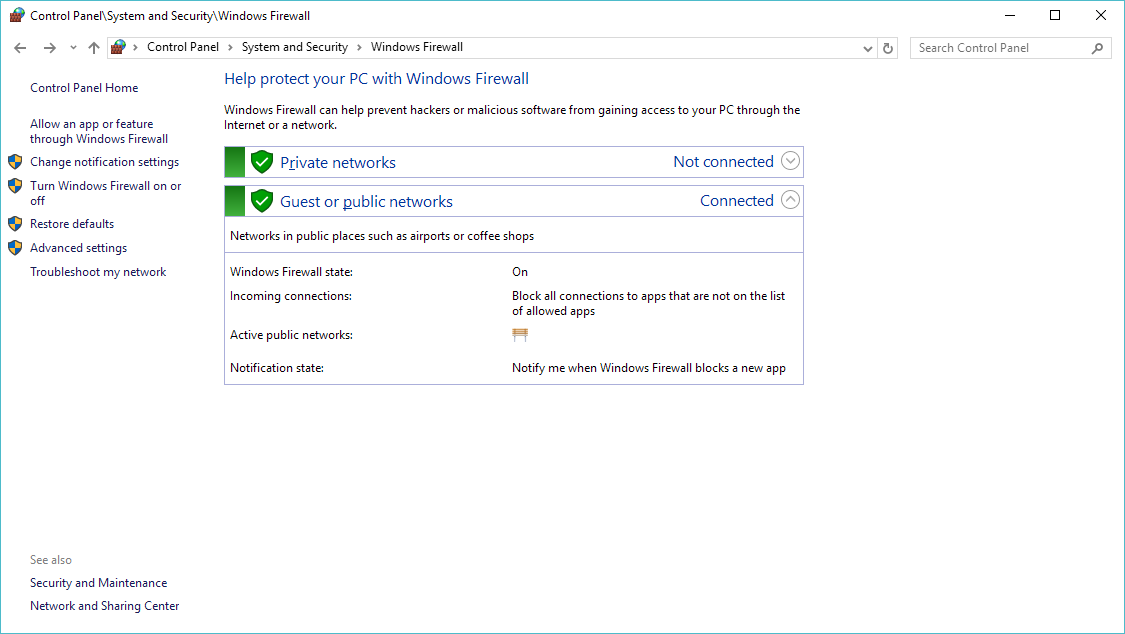
This fails as Windows by default has it’s firewall on, which then blocks all incoming traffic. However to see that the ICMP would have succeded, you can look at the arp table, and the .1 address should have been learned:

Router#show arp
Protocol  Address          Age (min)  Hardware Addr   Type   Interface
Internet  192.168.254.1           0   0050.56c0.0008  ARPA   FastEthernet0/0
Internet  192.168.254.10          -   ca00.3730.0000  ARPA   FastEthernet0/0

We can either diable the firewall, or we can add a rule to permit ICMP. To do either you need to go to the firewall control panel in Windows.  In this quick example, I’m going to build a rule using the firewall control pannel.

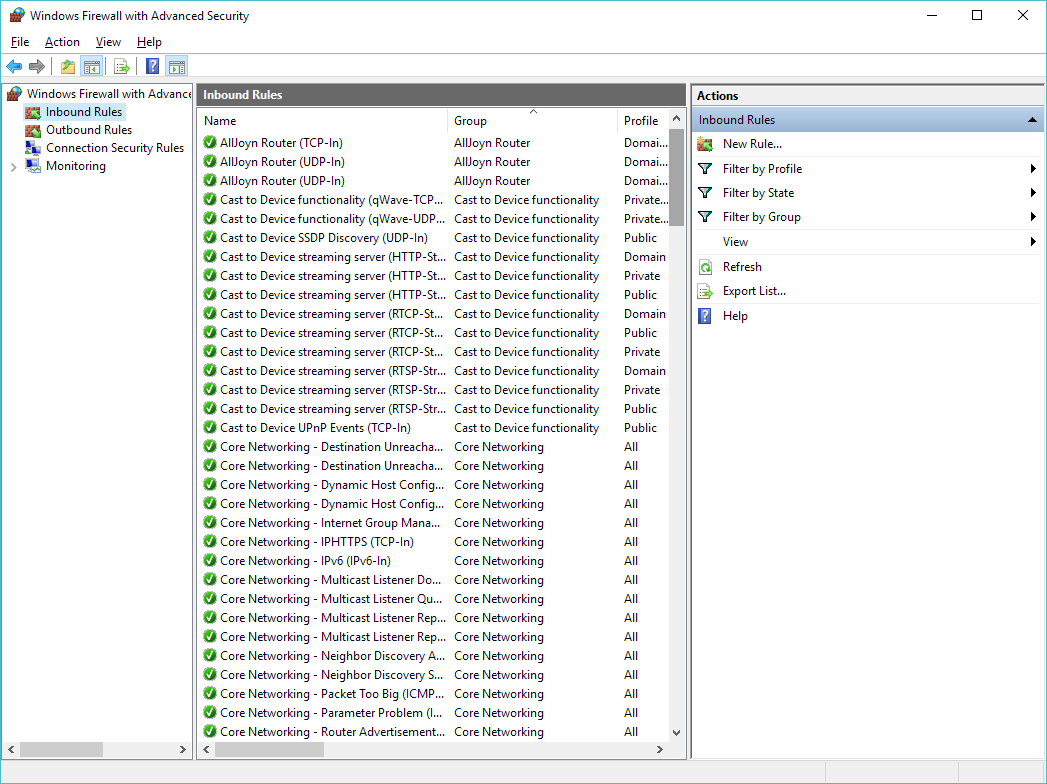
So hit the advanced settings to the left.

Click on the ‘Inbound Rules’, and now we are going to create a new rule.

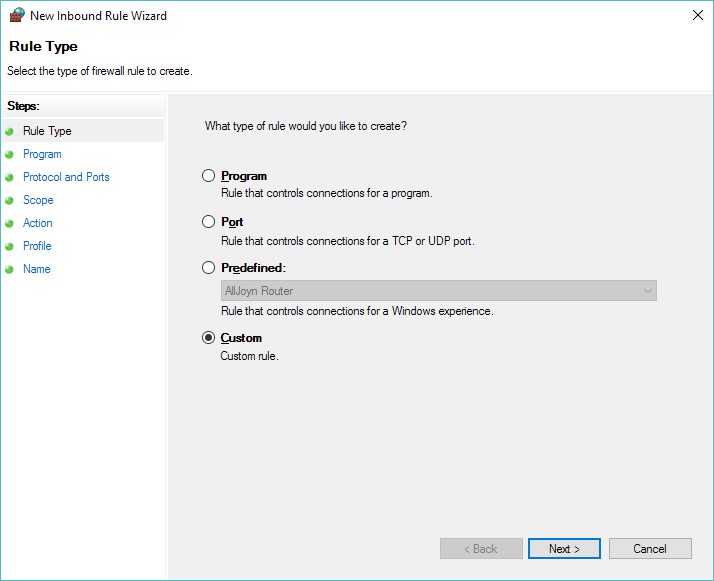
Select a Custom Rule

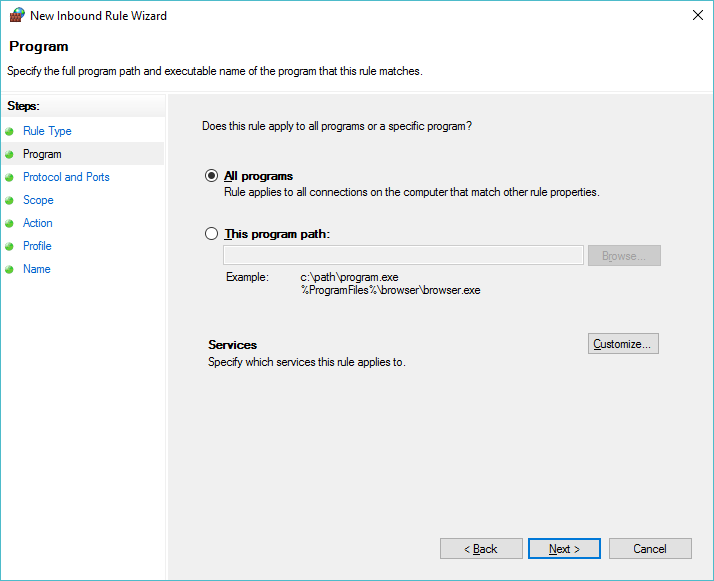
Allow ‘All Programs’

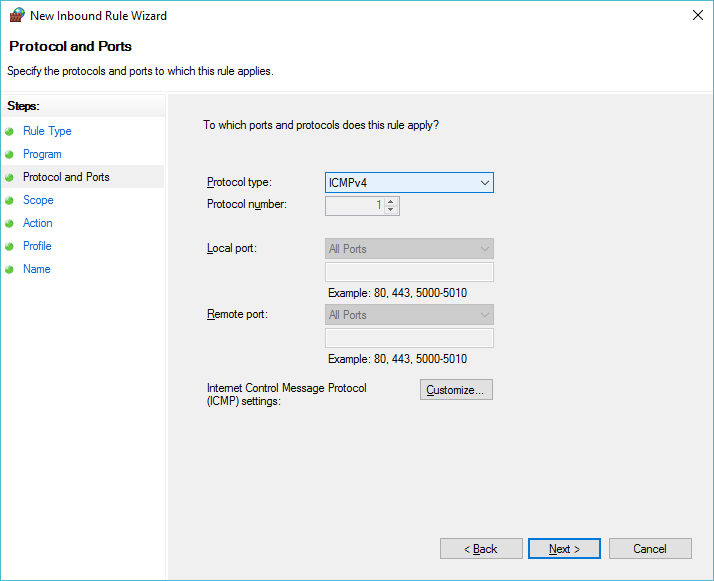
Then set the protocol to ICMPv4

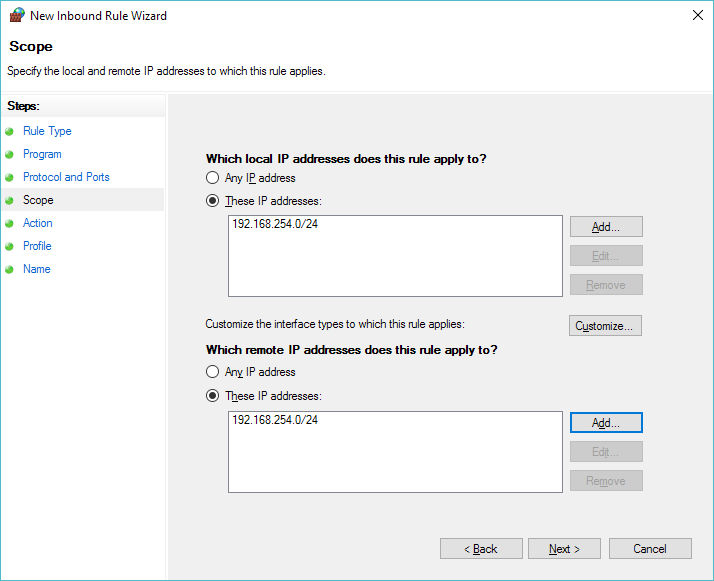
Now we can select the scope of the rule, in this case we are going to allow the 192.168.254.0/24 network to pass icmp traffic to us.  Add it as a source and destination.

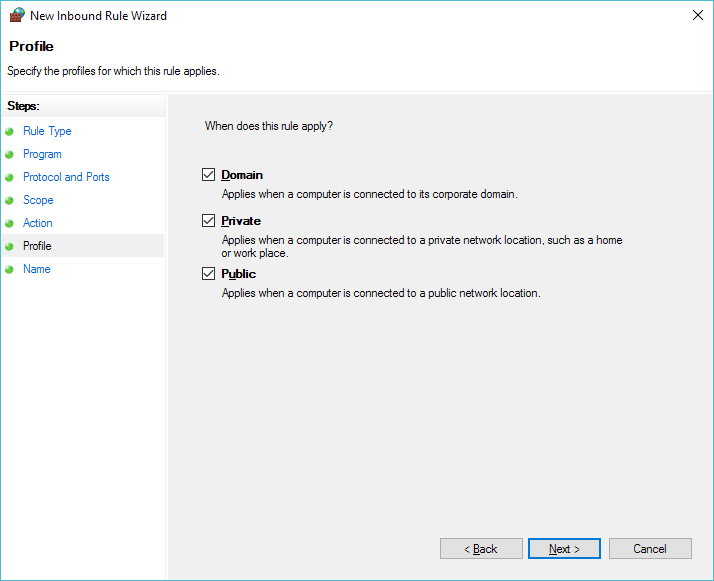
In this quick example I’m applying it everywhere.  I suppose a better  setup would be to make sure the VMNet 8 adapter is a ‘Private’ network, and ONLY apply this to the Private domain.

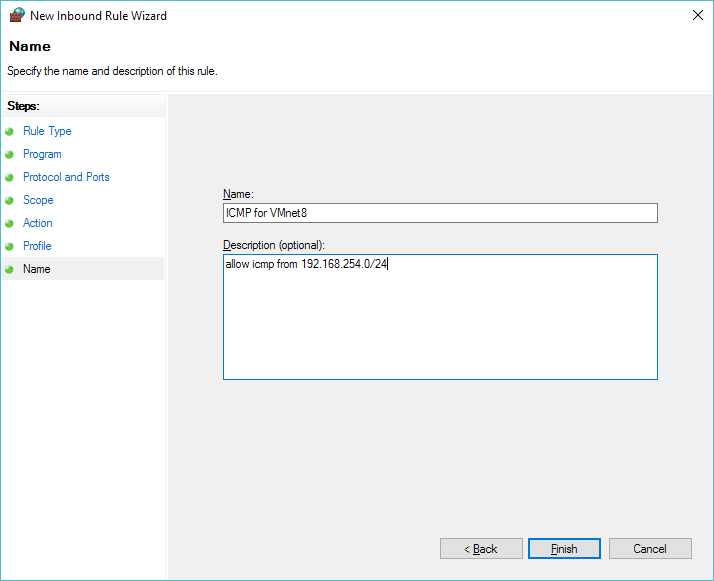
Then give it a name, something like ‘ICMP for VMnet8’

Router#ping 192.168.254.1

Type escape sequence to abort.
Sending 5, 100-byte ICMP Echos to 192.168.254.1, timeout is 2 seconds:
!!!!!
Success rate is 100 percent (5/5), round-trip min/avg/max = 20/30/36 ms

And now we can ping!

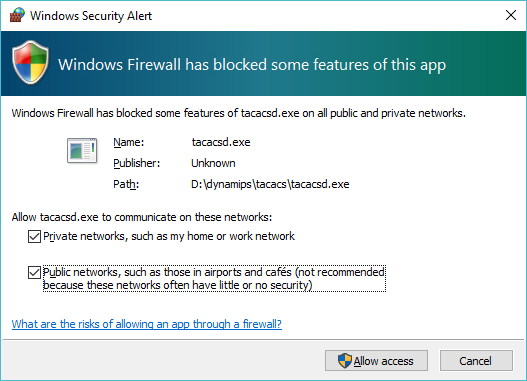
Now for the fun, I go ahead and compile my hacked up tacacsd.c, and run it, and then permit it to run on all networks:

And now I can configure the router to use TACACS.  Keep in mind, once gain that this is *NOT* TACACS+ so this is done a little differently.  I’m going to simply set TACACS for telnet connections.

Router#config t
Enter configuration commands, one per line.  End with CNTL/Z.
Router(config)#tacacs-server host 192.168.254.1
Router(config)#line vty 0 4
Router(config-line)#login tacacs
Router(config-line)#exit
Router(config)#enable password 0 cisco
Router(config)#exit
Router#wr
Building configuration...
[OK]
Router#
00:01:28: %SYS-5-CONFIG_I: Configured from console by console

And now I’m ready to test!

User Access Verification

Username: user
Password:
Router>who
    Line       User       Host(s)              Idle       Location
   0 con 0                idle                 00:01:11
*  2 vty 0     user       idle                 00:00:00 192.168.254.1

  Interface  User      Mode                     Idle Peer Address

Router>

As you can see I logged in as ‘user’ … and keep in mind my TACACS simply permits anything. As for what tacacsd runs by default:

D:\dynamips\tacacs>tacacsd.exe
server starting
using port 12544
validation request from 192.168.254.10
query for user (pw->pw_gecos) accepted

It’s not exciting, but as you can see it is attempting to look through the gecos to verify the user, but in this case I just allow anything.  And besides just granting anyone the ability to login, let’s take a look on the wire:

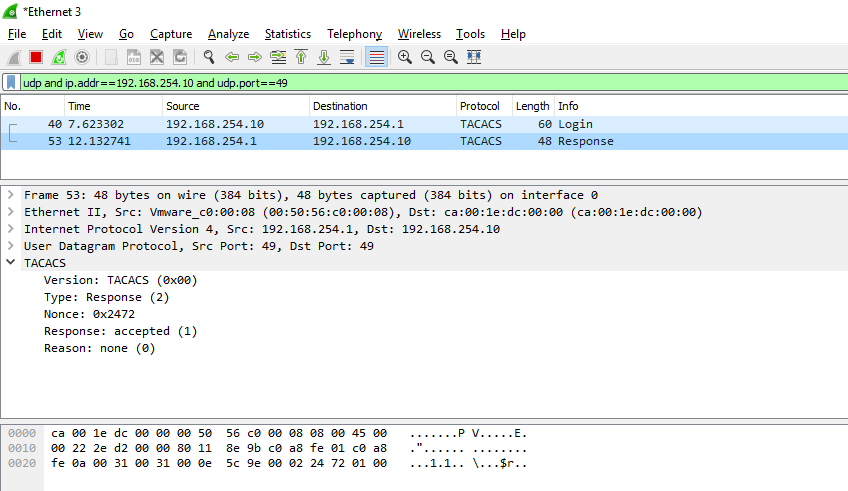
WireShark capture of TACACS traffic

As you can see the username & password go over the wire in plain text.  Even the response is simple enough to decode:

Access granted!

Needless to say this is something that you would NEVER EVER EVER run in a real network.  Of course a system that sits on telnet is vulnerable anyways, but I suppose a TACACS server that lets anyone log in, makes either a VERY trusting network, or a good honeypot.  Against my better judgement, here is tacacsd_win32.c  Naturally it could be easily made to verify passwords against pretty much anything.
cflow

This is just me rambling……

Anyways I was looking at some source, and instead of me trying to make heads or tails of it, it’d be more fun to have the machine try to do so, and in this endeavor I thought I’d try cflow.

So let’s try something terribly simply, like the fortune program from Unix 32v:

#include stdio.h

char line[500];
char bline[500];

main()
{
        double p;
        register char * l;
        long t;
        FILE *f;

        f = fopen("/usr/games/lib/fortunes", "r");
        if (f == NULL) {
                printf("Memory fault -- core dumped\n");
                exit(1);
        }
        time(&t);
        srand(getpid() + (int)((t>>16) + t));
        p = 1.;
        for(;;) {
                l = fgets(line, 500, f);
                if(l == NULL)
                        break;
                if(rand() < 2147483648./p)
                        strcpy(bline, line);
                p += 1.;
        }
        fputs(bline, stdout);
        return(0);
}

This is a simple program, to say the least.  So running cflow gives me this:

# cflow fortune.c
main() :
    fopen()
    printf()
    exit()
    time()
    srand()
    getpid()
    fgets()
    rand()
    strcpy()
    fputs()

Simple, right?  Now let’s add in the C pre-processor, and add in the 32v include paths….

# cflow --cpp='/usr/bin/cpp -nostdinc -I../../include -I../../include/sys -I.' -n fortune.c
    1 main() :
    2     fopen()
    3     printf()
    4     exit()
    5     time()
    6     srand()
    7     getpid()
    8     fgets()
    9     rand()
   10     strcpy()
   11     fputs()

OK same thing, I can’t say I was expecting anything else.  But now let’s add in libc:

# cflow --cpp='/usr/bin/cpp -nostdinc -I../../include -I../../include/sys -I.' -n fortune.c ../libc/gen/*.c ../libc/stdio/*.c
    1 main() [main () at ../libc/gen/ttytest.c:2]:
    2     fopen() [struct _iobuf fopen (file, mode) at ../libc/stdio/fopen.c:5]
    3     printf() [printf (fmt, args) at ../libc/stdio/printf.c:3]:
    4     exit()
    5     time()
    6     srand()
    7     getpid()
    8     fgets() [char *fgets (s, n, iop) at ../libc/stdio/fgets.c:4]
    9     rand() [rand () at ../libc/gen/rand.c:9]
   10     strcpy()
   11     fputs()
   12     ttyname() [char *ttyname (f) at ../libc/gen/ttyname.c:17]:
   13         isatty() [if (isatty (( & _iob[1]) _file)) at ../libc/stdio/flsbuf.c:24]:
   14             gtty() [gtty (fd, ap) at ../libc/gen/stty.c:13]:
   15                 ioctl()
   16         fstat()
   17         open()
   18         read()
   19         strcpy()
   20         strcat()
   21         stat()
   22         close()

Isn’t that cool?  Now what does the kernel do?

I went ahead and renamed the main function call in the 32v kernel so that way it doesn’t mesh the main’s but here is the call flow:

    # cflow --cpp='/usr/bin/cpp -nostdinc -I../../include -I../../include/sys -I.' -n  fortune.c ../libc/gen/*.c ../libc/stdio/*.c ../sys/sys/*.c
    1 main() [main () at ../libc/gen/ttytest.c:2]:
    2     fopen() [struct _iobuf fopen (file, mode) at ../libc/stdio/fopen.c:5]
    3     printf() [printf (fmt, args) at ../libc/stdio/printf.c:3]:
    4     exit() [exit (rv) at ../sys/sys/sys1.c:343]:
    5         closef()
    6         plock()
    7         iput()
    8         xfree() [xfree () at ../sys/sys/text.c:127]
    9         acct() [acct () at ../sys/sys/acct.c:51]:
   10             plock()
   11             compress()
   12             writei()
   13             prele()
   14         memfree()
   15         wakeup()
   16         setrun()
   17         swtch() [swtch () at ../sys/sys/slp.c:417]:
   18             save() [if (save (u u_ssav)) at ../sys/sys/text.c:253]
   19             resume()
   20             spl6()
   21             idle()
   22             spl0()
   23     srand()
   24     getpid() [getpid () at ../sys/sys/sys4.c:120]:
   25     fgets() [char *fgets (s, n, iop) at ../libc/stdio/fgets.c:4]
   26     rand() [rand () at ../libc/gen/rand.c:9]
   27     strcpy()
   28     fputs()
   29     ttyname() [char *ttyname (f) at ../libc/gen/ttyname.c:17]:
   30         isatty() [if (isatty (( & _iob[1]) _file)) at ../libc/stdio/flsbuf.c:24]:
   31             gtty() [gtty () at ../sys/sys/tty.c:90]:
   32                 ioctl() [ioctl () at ../sys/sys/tty.c:102]:
   33                     getf()
   34         fstat() [fstat () at ../sys/sys/sys3.c:18]:
   35             getf()
   36             stat1()
   37         open() [open () at ../sys/sys/sys2.c:80]
   38         read() [read () at ../sys/sys/sys2.c:12]:
   39             rdwr()
   40         strcpy()
   41         strcat()
   42         stat() [stat () at ../sys/sys/sys3.c:36]:
   43             namei() [struct inode namei (func, flag) at ../sys/sys/nami.c:21]
   44             uchar() [uchar () at ../sys/sys/nami.c:216]:
   45                 fubyte()
   46             stat1()
   47             iput()
   48         close() [close () at ../sys/sys/sys2.c:163]

For something more aggressive, check out the QuakeWorld Server, and UAE 0.4

CTI Keynote, Cliff Stoll – (Still) Stalking the Wily Hacker

In the off chance you’ve never read it, the book The Cuckoo’s Egg is an incredible read.  However what is more interesting with the passage of time, and with the revelations of various 3 letter agencies is understanding why they were so slow to react, and why they were ultimately dismayed with Stolls’ work to alert others is that they too were no doubt actively exploiting the same exploits that the Russian sponsored German hackers were using.  Much in the way that some vendor holes have remained pretty much during the products entire lifespan (Cisco PIX being one…).

Research UNIX v9

v9 on TME

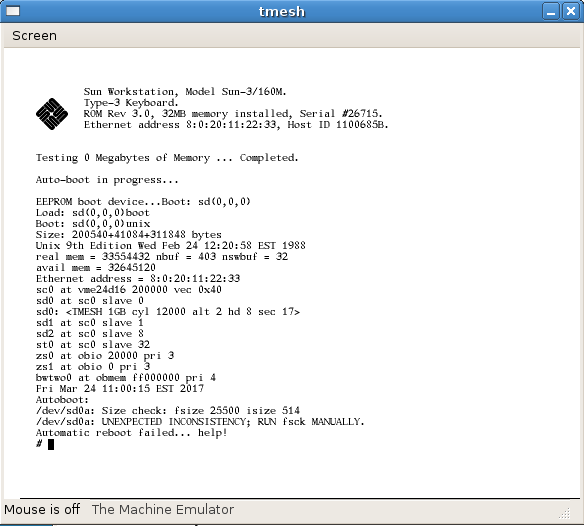
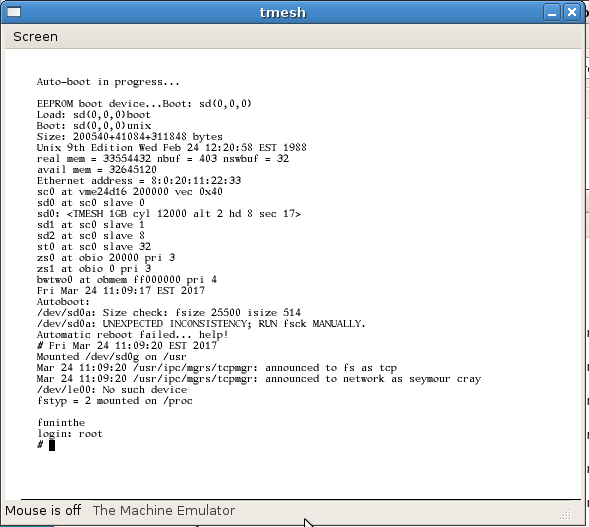
This just in, I have just booted Research UNIX v9 on TME’s SUN-3 emulator!

And there we are booted up and logged in.. pardon the disk error..

funinthe

I’m slightly hesitant about uploading it, as it clearly isn’t right… And this is only the binary component, I have integrated the source tree onto the disk image.  But I haven’t actually tried to compile anything except a simple hello-world program.  You can download it here from sourceforge: SUN3-research_v9.7z  If anyone want’s to browse the source, it’s on my CVS browser thing.

Research UNIX v8

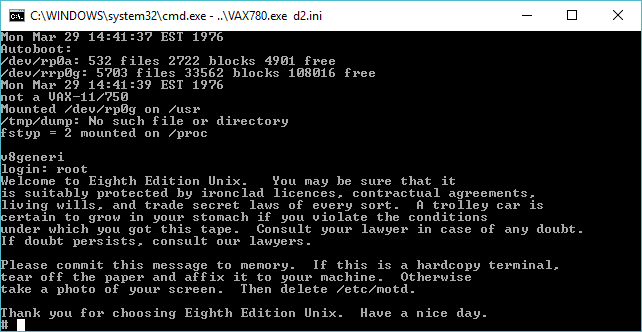
    v8 on SIMH

So what the heck is Research UNIX v8?  Or even what is Research UNIX?  Well a query against utzoo gave me this answer:

>I've seen people that use System V and the like refer to their Unix as
>"tenth edition" or "ninth edition", or whatever. I've always seen things as
>"System V release n", or whatever. Anyone know the difference between these
>different naming schemes ?

There are actually three designations: Versions, Editions, and
System/Releases. The proper names of the first six Unixen were
"The #th Edition". Colloquially, people called them "Version #".
The Version Sixth Edition split off several variations, one of which
became Version Seven (the Seventh Edition) and sired BSD. From
several others, System III was born, and later named System V.
Tacked onto this name were Release numbers and yes, Versions.
So you will see things line SVr3v2.

The Eighth, Ninth, and Tenth Editions seldom left Bell Labs
and are also referred to as "Research UNIX". Another system
(not UNIX) they are playing with is called "Plan 9". Every so
often, a feature, such as STREAMS, finds its way into System V.

In some ways, Research UNIX is closer to BSD than to System V.

In short, UNIX began it’s life as a research project.  Until recently versions 1-6 & 32v were available to the public.  However the later versions, 8,9,10 were not.  However thanks to the work over at TUHS it’s available for non commercial use:

Alcatel-Lucent USA Inc has permitted usage saying "will not assert its
copyright rights with respect to any non-commercial copying, distribution,
performance, display or creation of derivative works of 
Research Unix®1 Editions 8,9, and 10."

So awesome!

The version of Research v8 is split onto 2 tape images, one for the graphical terminals, and the other for the OS install onto the VAX.  The distribution is not suitable for any standalone operation, and requires a previously installed 4.1BSD machine, with a second disk to install v8 onto.  Part of the installation requires you to compile your own kernel.  I ran into a bit of problems as it’s not a 100% process, but after referencing this guide from David du Colombier, I had the system up and running.  Naturally reading the installation manual helped a great deal too.

As always there is strange artifacts left in the backup, such as this scoreboard from rogue:

Top Ten Rogueists:
Rank Score Name
1 5545 Rog-O-Matic XIII for mjs: quit on level 17.
2 5043 ken: killed on level 23 by a dragon.
3 3858 zip: killed on level 16 by an invisible stalker.
4 3249 Rog-O-Matic VII: killed on level 16 by an invisible stalker.
5 2226 Rog-O-Matic VII: killed on level 13 by a troll.
6 2172 St. Jude: killed on level 13 by a troll.
7 1660 Rog-O-Matic VII: quit on level 11.
8 1632 Chipmunk the Jello: killed on level 10 by a centaur.
9 844 Rog-O-Matic VII: quit on level 5.
10 401 Rog-O-Matic VII: killed on level 4 by a snake.

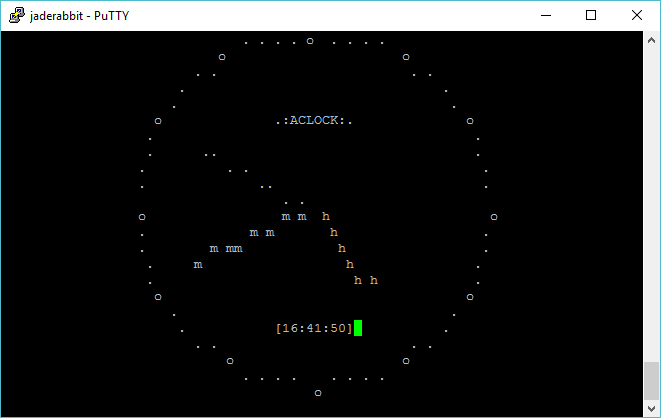
Does this mean Ken Thompson was an avid rogue fan?  Perhaps.  Naturally I quickly compiled the v100 version of aclock, and had it running.

aclock on v8

I’ll have to edit this and more and more as I find out, but I’ve been busy in real life, and of course I know that in addition to v8, there is also v9 & v10 to tackle.

As always, if you want you can download my pre-installed from my site : researchv8.7z

You will have to bring your own copy of the SIMH VAX-11/780 simulator.  As of 31/3/2017 ther is issues with the github version of SIMH, and you will have issues with the disks on the VAX.  You need to disable the async with a simple set command in your ini file:

set noasync

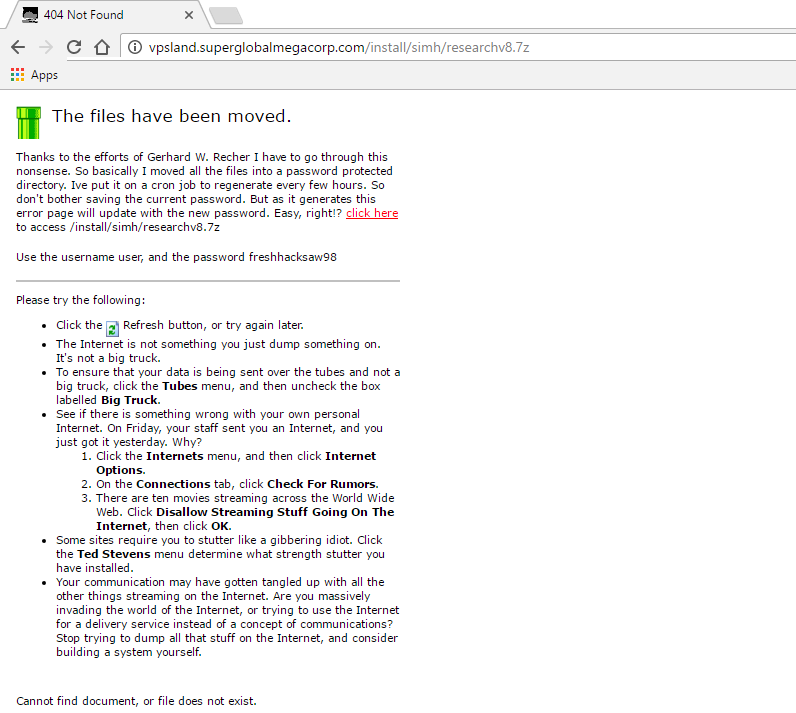
And you should now be good to go!  As always you’ll have to battle the 404 page for the correct link and the username & password.

sorry.

Manually adding ncurses & VDE support to the Linux Qemu build

For some reason I had issues for this to automatically pick up building Qemu 2.8.0 on Ubuntu 16.10 (Which is really Debian)…

Anyways, be sure to have the needed dev components installed.  If you have a FRESH system, natrually you’ll need a lot more.

apt-get install libvdeplug-dev
apt-get install libvde-dev
apt-get install ncurses-dev

editing the file config-host.mak, I found I needed to add the following to turn on ncurses & VDE:

CONFIG_CURSES=y
CONFIG_VDE=y

And lastly add in the following libs to the libs_softmmu, to ensure it’ll link

-lncurses -lvdeplug

And now I’m good!

From my notes on flags needed to run Qemu the old fashioned way:

-net none -device pcnet,mac=00:0a:21:df:df:01,netdev=qemu-lan -netdev vde,id=qemu-lan,sock=/tmp/local/

This will join it to the VDE listening in /tmp/local

Obviously I have something more interesting and more evil going on….

2013-2017 Aclock Binary Contributions

(this is a guest post from Antoni Sawicki aka Tenox)

I was little busy and I didn’t process new binary submissions for over three years. Here they are, more or less in order of appearance.While not a lot for 3 years they are very important historically! Also almost all contributed, thank you all!

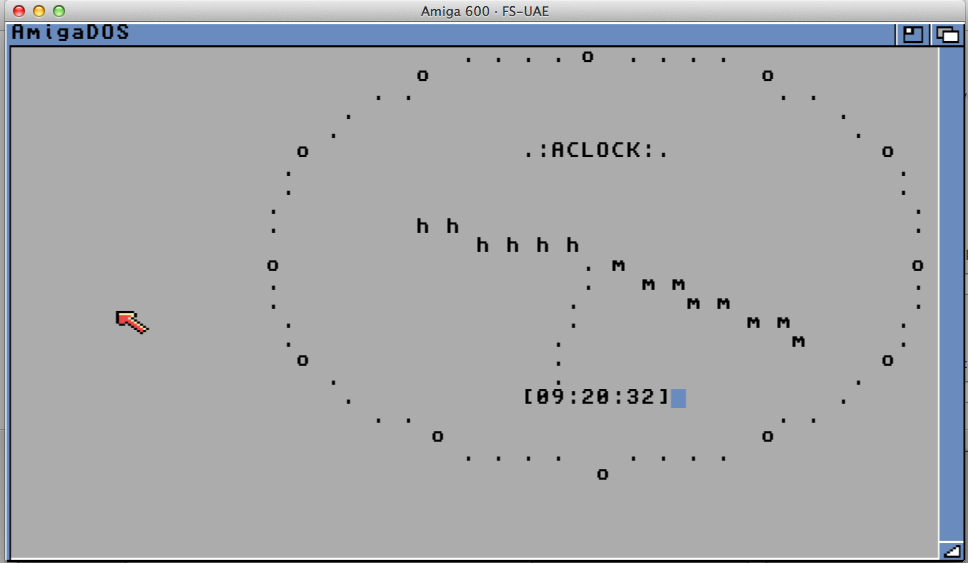
AmigaOS bootable floppy disk by Jason Stevens.

Aclock on Amiga

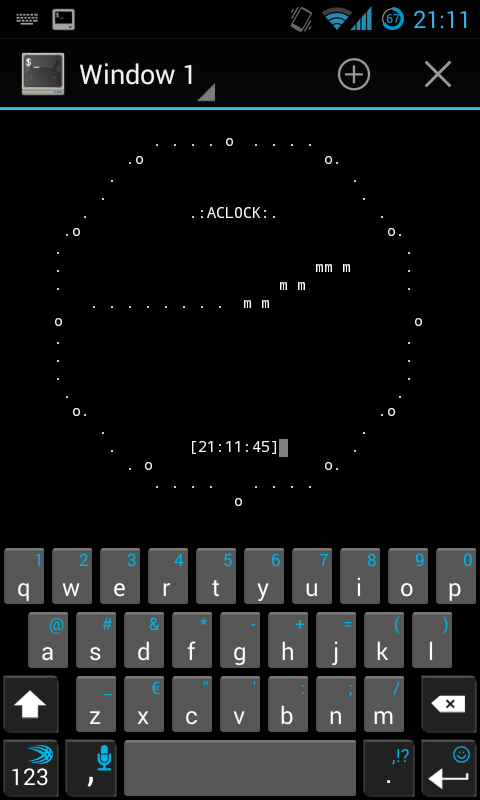
Android port by Adam Gutman. See below, it also runs on a watch!

aclock-android

MVME PowerPC Linux by Plamen Mihaylov.

ELKS by Lorenzo Gatti. This also includes a boot image! It’s hard to believe I somehow missed ELKS in my own efforts. Also there is a boot image available.

MVME M68k NetBSD by Plamen Mihaylov. Thank you for collecting all these beautiful and rare Motorola MVME machines!

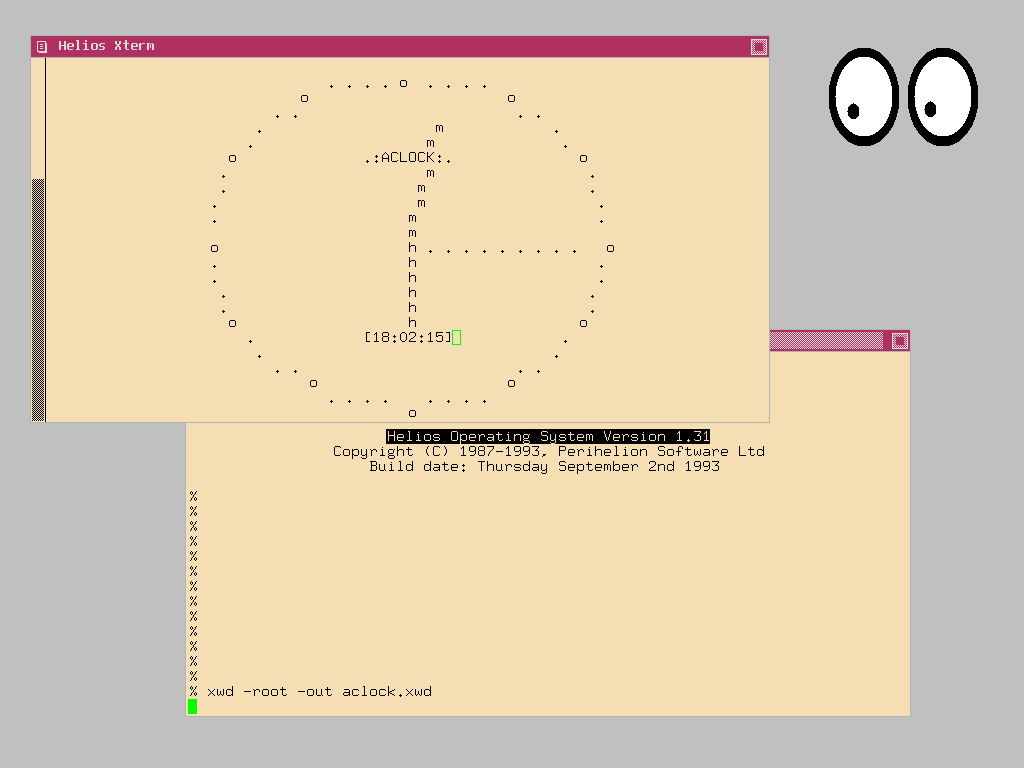
HeliOS on Transputer by Michael Bruestle. Oh boy I have been looking for this for quite some time! Unless you started 30 years ago, transputters are rather hard to get into from scratch. This port should also work on Atari ATW800. I wish I had one to test 🙂

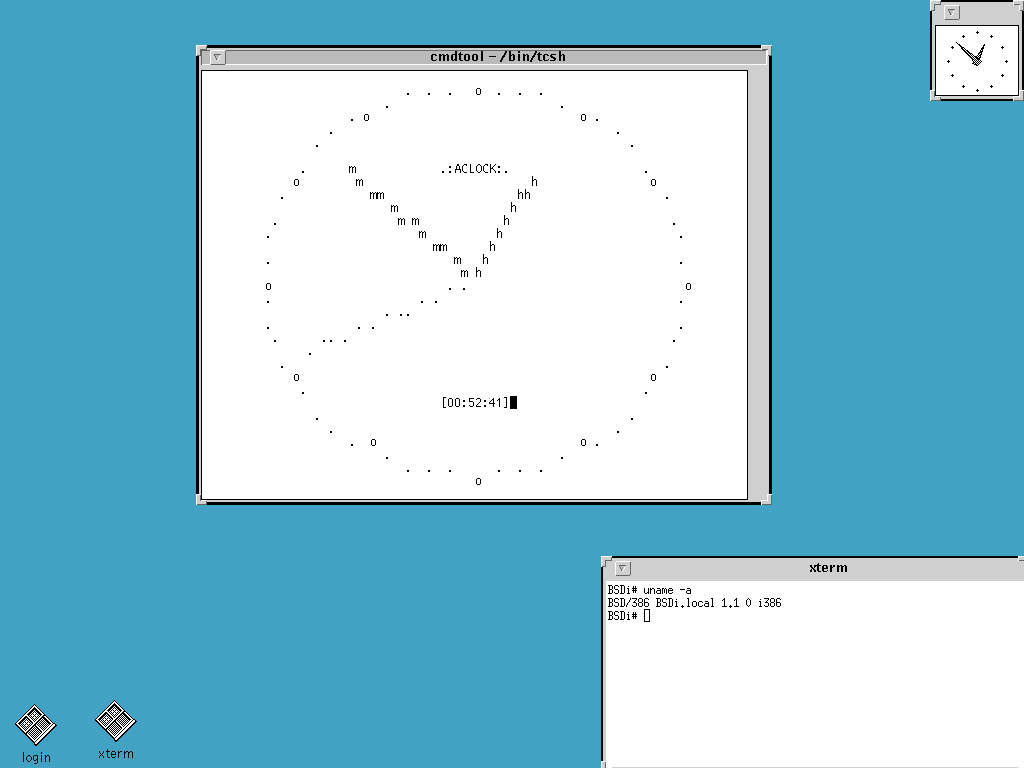
BSDI 1.1 by Dima Naumov. This is very cool because of all the flavors of BSD I somehow missed this one! I’m still trying to figure out BSDi, BSD/OS and BSD/386 naming convention. Someone please help.

VxWorks by myself. While VxWorks port existed before it was only compiled for a simulated Pentium (SIMPENTIUM) rather than actual target CPUs. I have came across a set of compilers and built it for ARM, MIPS, PowerPC, SH and Xscale. I still don’t have SPARC. See this post about how to run your own target on VMware.

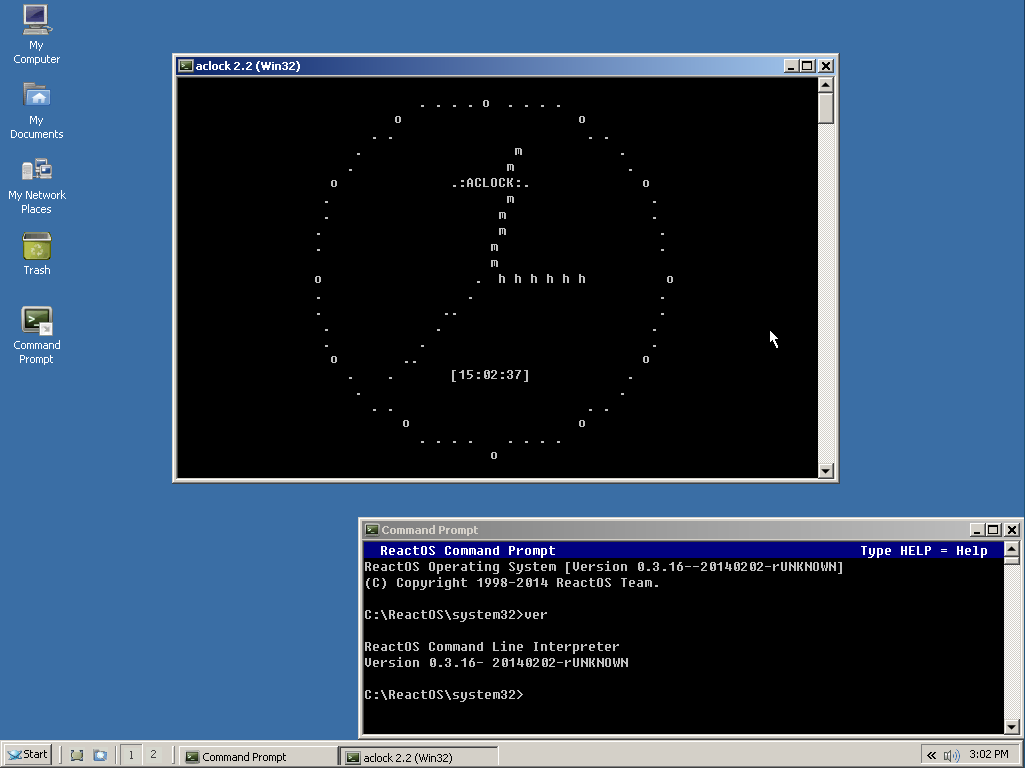
ReactOS by Dima Naumov. While it’s expected that native Win32 aclock will run on ReactOS, this is a build targeting the OS specifically. Sharp X68000 running Human68k OS, by Jason Stevens. That’s a nice surprise! I’ve been looking for this one for a while. No screenshot for but hopefully Jason will be able to produce one. Human68k has a very cool looking GUI!

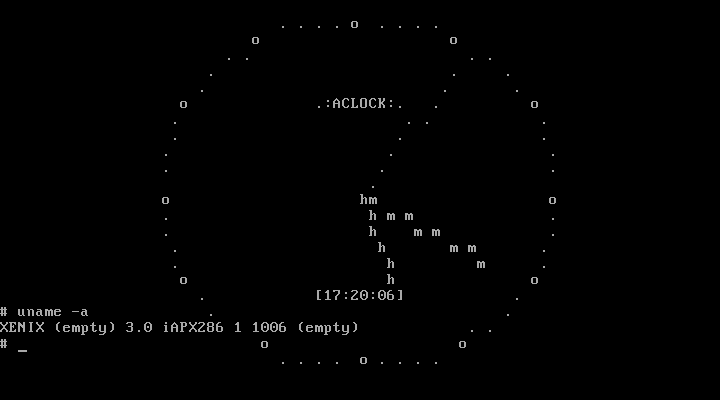
Microsoft XENIX 1.0 running on AT/286 by Michal Necasek. This was possible thanks for Michal’s huge efforts to patch this historical os to run on VirtualBox.

I happen to own the original set of floppy disks that Microsoft produced and shipped to various OEMs such as IBM, Radio Shack, Intel, SCO, etc.

The set comes with a development kit which now you can run on a VM. You can read some more about efforts to virtualize Microsoft/IBM Xenix on Michal’s Blog.

Venix/86 on AT/286 by Jim Carpenter. This port was delivered as part of a virtualization challenge, which was won by Jim. Thank you and congratulations again! There also is a runner up entry by Mihai Gaitos which has some fascinating details including about Aurora software that came with the system.

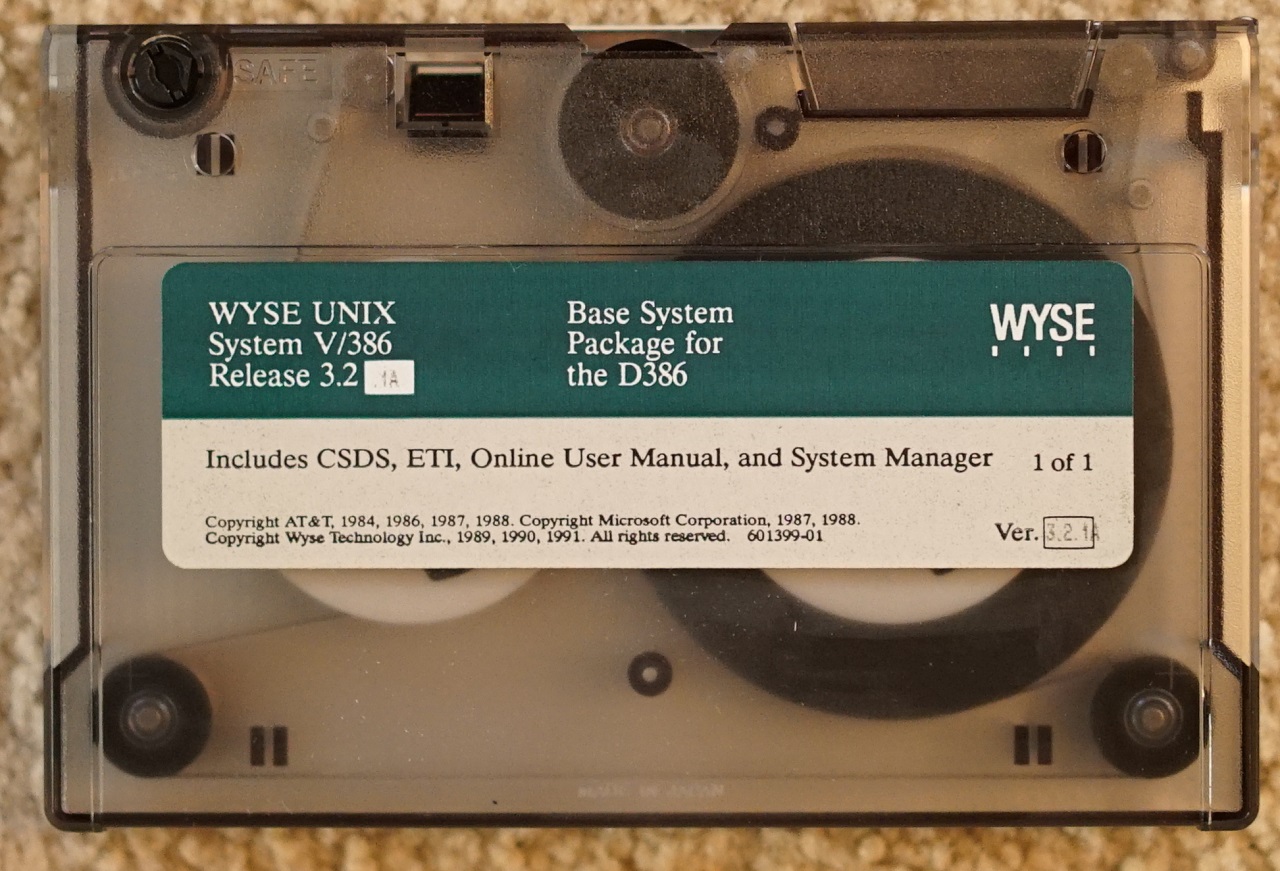
Wyse UNIX for 386 by Mihai Gaitos. This port was delivered as part of a similar virtualization challenge, which was won by Michai. Congrats!

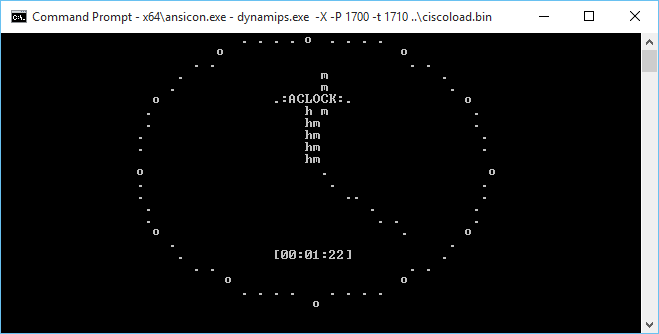
Cisco 1700 (PPC) emulated via Dynamips by Jason Stevens. This one is also very close to my heart because of my networking past and present. I will definitely want to try load it on a physical device! Jason is also working on MIPS version so hopefully this will run on Cisco 2500 and up.

Android Wear. Parker Reed send me this photo of Aclock Android by Adam Gutman running on an actual watch! Wow this is so cool!

BSD/OS 4.1 aka BSDI for SPARC by Plamen Mihaylov. Also thanks to Cory Smelosky for releasing the images!

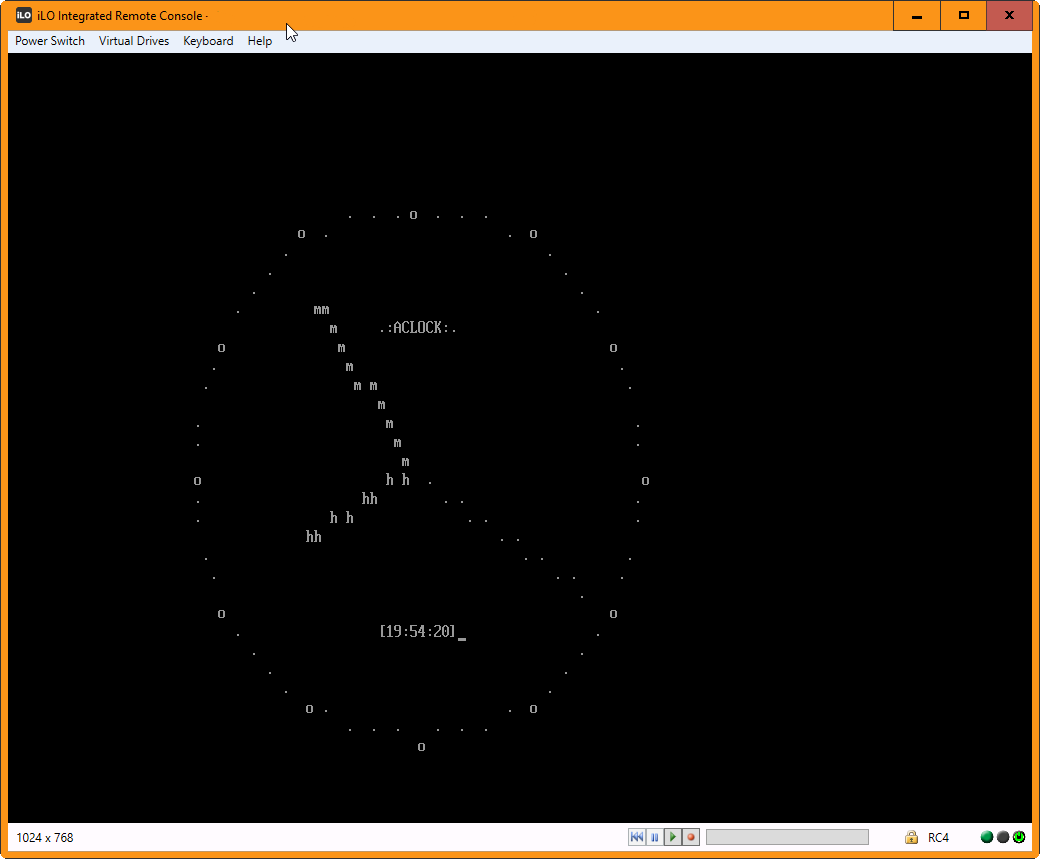
EFI firmware on various platforms, such as x86, x64, ia64, arm32 and 64 by Natalia Portillo aka Claunia. This aclock can be launched from UEFI Shell or by running EFI standalone application if EFI shell is not available.

This is a screenshot of aclock EFI x64 running on HP DL380 via iLO remote console.

Linux and FreeBSD builds for ARM and PowerPC by Natalia Portillo. Claunia sent me a Christmas package with a aclock builds lot of missing CPUs for Linux and FreeBSD, both 32bit and 64bit PPC and ARM for both OSes. Total 8 binaries!

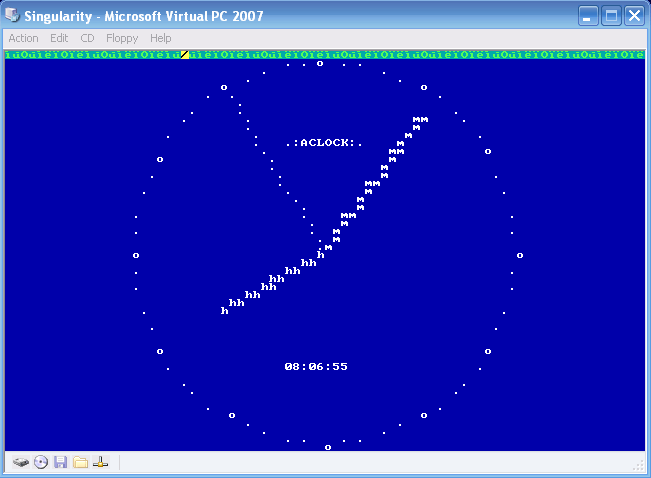
Singularity on x86 by Natalia Portillo. SingularityOS was a research operating system from Microsoft. Rumor has it Microsoft wanted for it to eventually replace Windows NT line with managed code OS. As expected it didn’t perform too well and with doom of Windows Vista the project was eventually scrapped. Singularity development kit has been released to the public on CodePlex. Since the OS is text mode only, it was a natural target for Aclock. A port in C# (OMFG) has been created and the binary integrated in to the iso boot image.

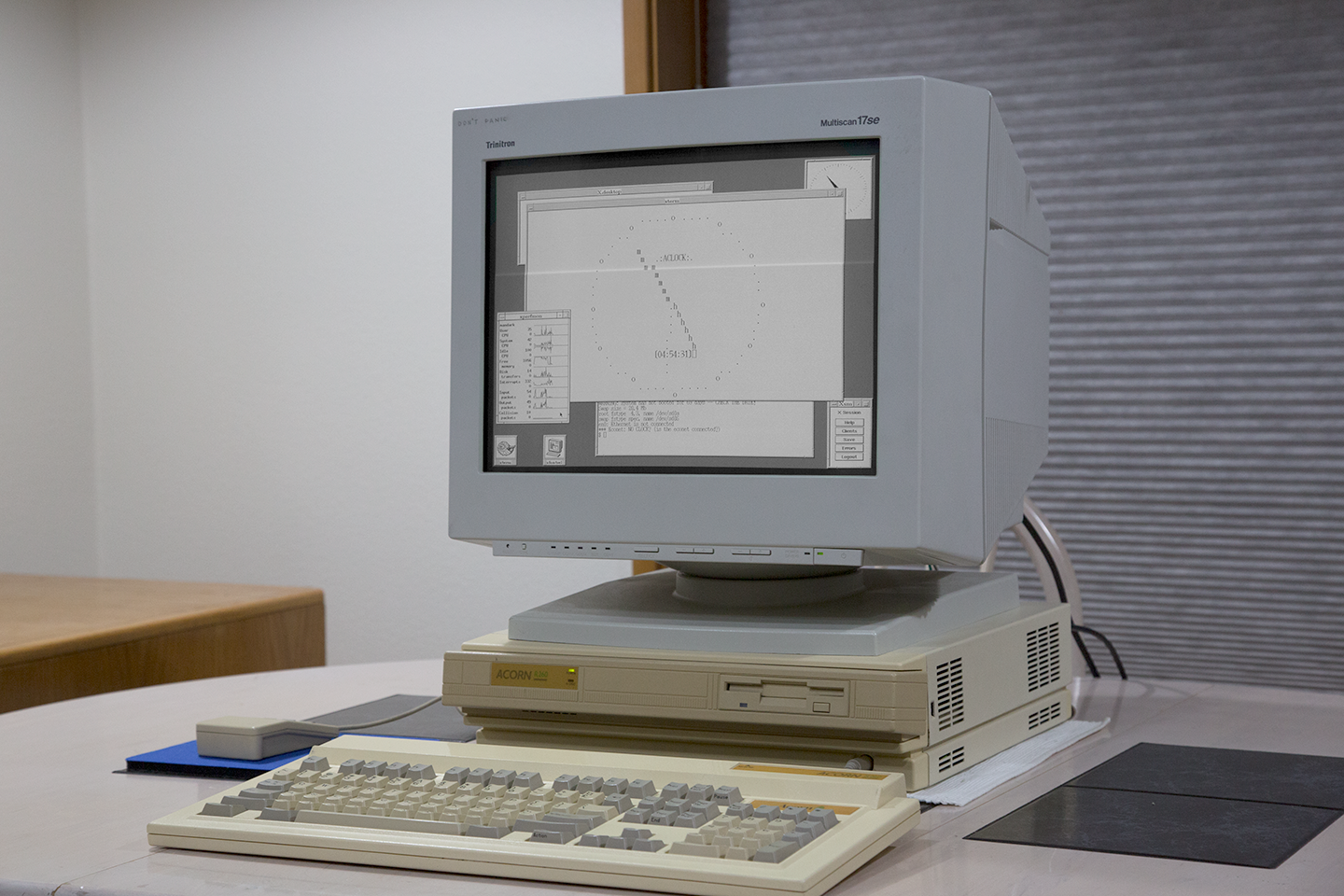
RISC iX running on Acorn R260 by Raymond Stricklin aka Bear. I was scorching the earth looking for a working copy of RISC iX and there he had it. Thank you. It’s beautiful.

Minix 3 for ARM by Natalia Portillo. Latest release of Minix adds experimental support for ARM architecture. No network and framebuffer but aclock works over a serial console!

Again thank you for all your contributions!

If you want to to help contribute to aclock, there is a wanted list. Some of them come with a monetary reward. Please contact me before undergoing any major work as some of them are under way.

Also, aclock now lives on GitHub, for easier.. everything.

Python command line network speed test

Not bragging..

So you know all the old speedtest.net stuff.  They have their old flash based client, and a html5 client, but what if you are on a bare VPS, and you don’t want to install X and the gigs of desktop to run a simple bandwidth test?

Well install python, and then run this:

curl -s  https://raw.githubusercontent.com/sivel/speedtest-cli/master/speedtest.py | python –

And away it goes!

# curl -s https://raw.githubusercontent.com/sivel/speedtest-cli/master/speedtest.py | python –
Retrieving speedtest.net configuration…
Testing from Joe’s Datacenter (172.86.179.14)…
Retrieving speedtest.net server list…
Selecting best server based on ping…
Hosted by Packet Layer Consulting LLC (Kansas City, KS) [5.37 km]: 5.394 ms
Testing download speed……………………………………………………………………..
Download: 53.06 Mbit/s
Testing upload speed……………………………………………………………………………………….
Upload: 110.83 Mbit/s

Nice!

BackOffice Server 4.5 aka how to get the best of 1990’s Microsoft Server Tech!

Stylized logo!

Every so often, I’ll get either emails or messages from various people wanting to run their own exchange server setup in a similar method that I have setup, except that they are lacking either Windows NT Server discs, or even the Exchange server disc.  I always end up pointing people to eBay, although contrary to the last few years, prices of old Exchange Server have gotten expensive.  However there is a different SKU, and way to get them both, plus a lot more, enter the late 1990’s server craze of product consolidation, Microsoft Back office.

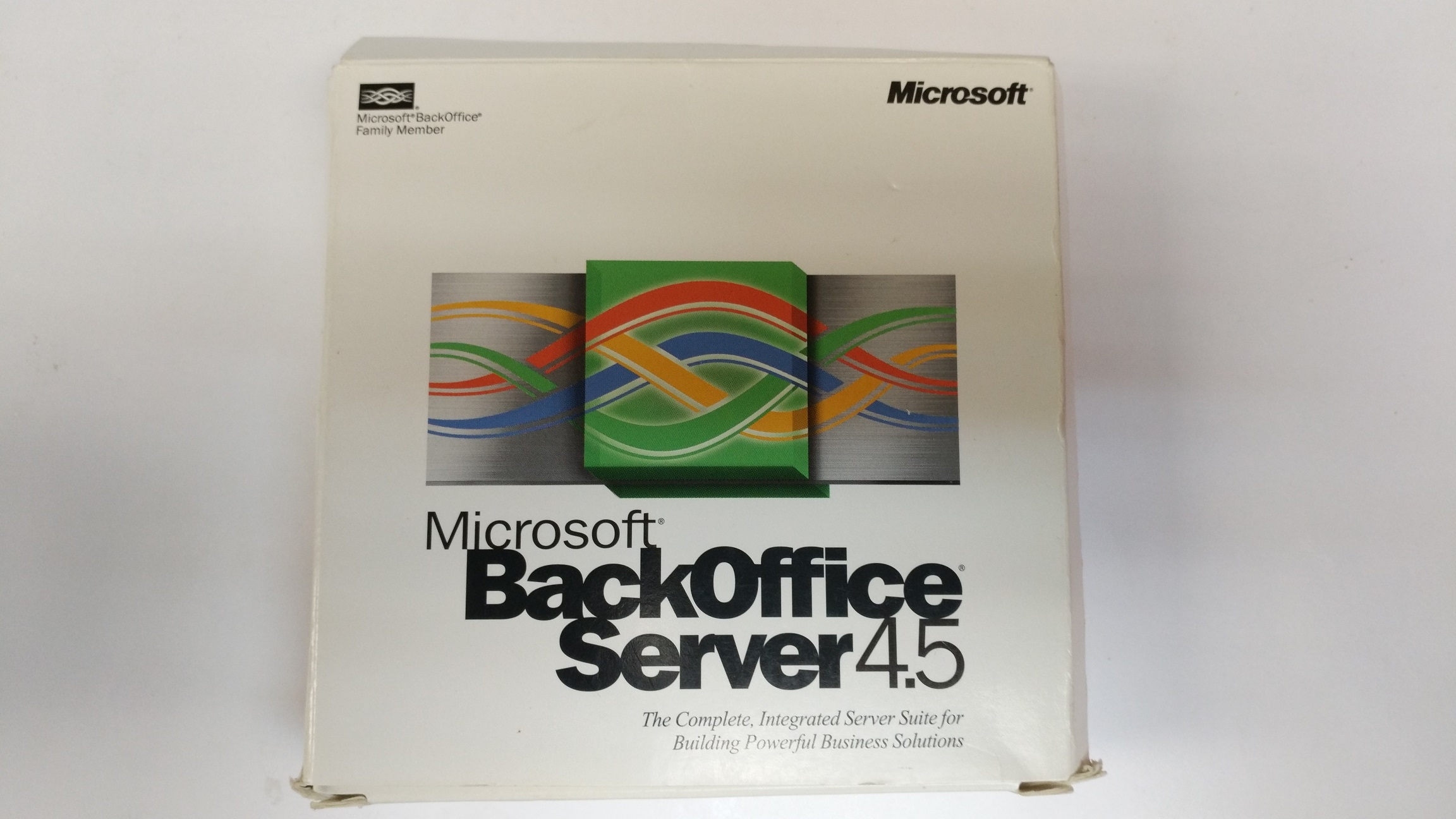
Back Office media kit

In all version 4.5 comes on 7 CD’s containing:

  • Windows NT Server 4.0/IE 5.0/MMC 1.0
  • SQL Server 7.0
  • Proxy Server 2.0/Option Pack
  • Exchange Server 5.5
  • Site Server 1.0
  • Systems Management Server 2.0
  • SNA Server 4.0

Before server virtualization took off, the trend for small branch offices and small organizations was to get a single server and try to run everything all at once.  Of course this leads to an incredible amount of inter-tangled dependencies, and possible collisions when involving 3rd party software, along with possible performance issues for stacking so much onto one box.  How times have changed!  Where today we may run all the same services on a single physical box, however with each server component getting its own VM, it lends to far better stability as you don’t have so many applications with possible DLL/system versioning issues, and better resource management as you can easily prioritize VM’s or even suspended ones that are infrequently needed.  Having lived through it, there was nothing like having a needed service pack for one issue on one component, which then broke something else.  Needless to say this is why we have virtualization, and things like docker to deal with DLL hell.

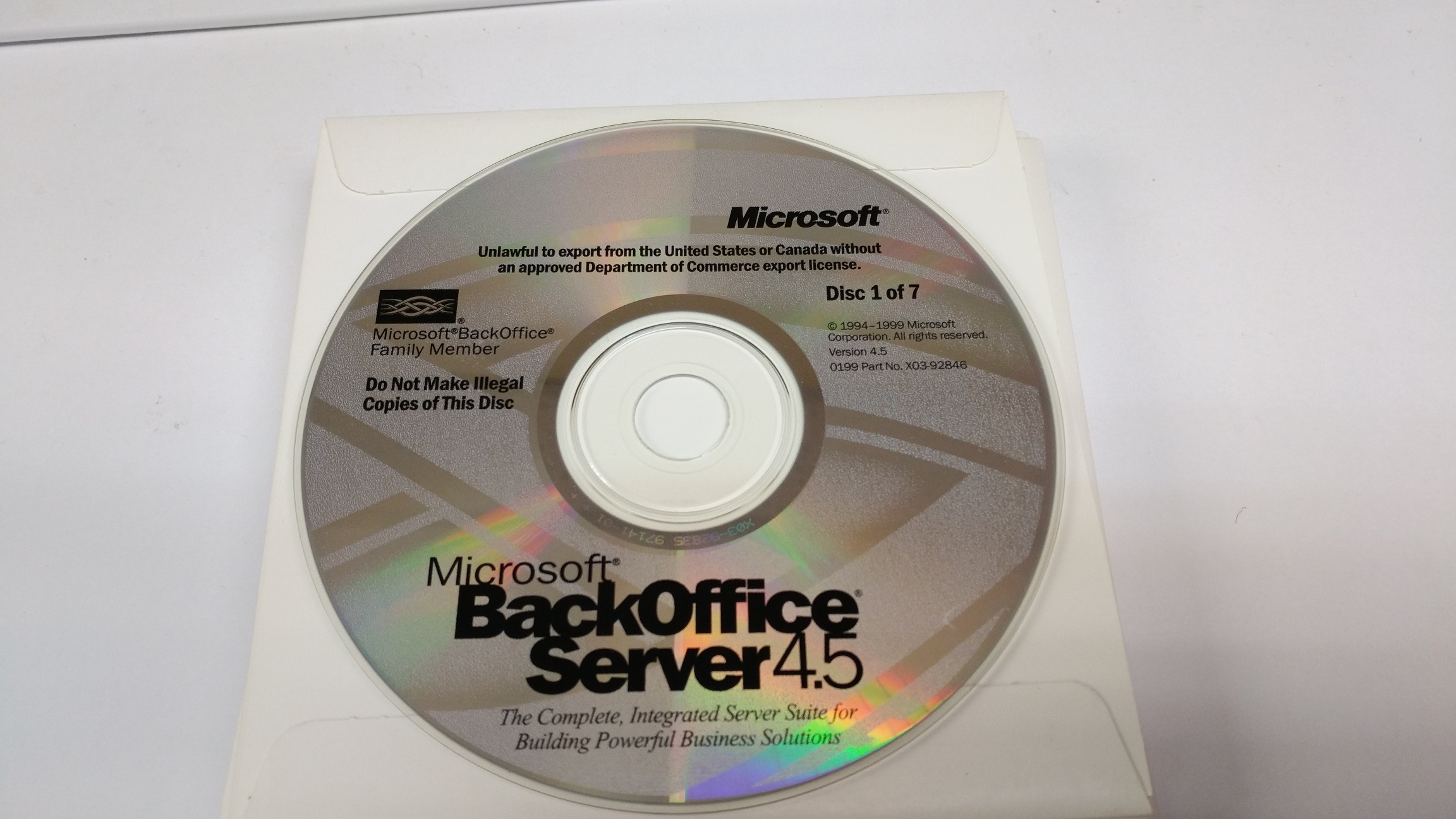
CD’s

There is no real difference between these Back office versions of the server apps, which is why I would recommend this over a standalone package as you get so much more.

SMTP along with POP and IMAP, are largely unchanged.  While Outlook 2016 may not support Exchange 5.5 directly, you can configure it as an IMAP server, and connect just fine.  I’d highly recommend something like stunnel to wrap it with modern encryption, something that Windows NT 4.0 is lacking.  Combined with an external relay to do “modern” features like DKIM, spam filtering and obscuring your server’s direct connection on the internet, there is nothing wrong with using it as a backed, even in 2017.

SQL 7 is the first version in the “rewrite” of Sybase SQL, supporting the new client libraries, which .Net 4.5 on Windows 10 can still happily connect to, unlike SQL 6.5 and below.  I use it occasionally to quickly prototype stuff as needed or load up datasets to transform them.  I also like the SQL scheduler to do jobs in steps, as it can catch error codes, and you can setup elaborate processes.

I can’t imagine having a use for SNA Server anymore as IBM had shifted all their mainframes from SNA, to TCP/IP.  I would imagine with a current software contract that is what people would be using, but somehow I’d like to imagine some large organization still using 3270’s on people’s desks, and a SNA gateway to bring sessions to people’s desks.  But that is highly unlikely.  Back in the day COM/TI was a big deal to take COBOL transactions and package them up as Microsoft COM objects to later be called either directly, or middleware via DCOM.  Although who knows, when it comes to legacy stuff, Im sure somewhere has type 1 token ring MAU’s, and SDLC links.

Packages like Back Office is what basically pushed out Novel from the market as they didn’t develop their own solutions in time, and deploying server software to Novel Netware proved to not only be very precarious, but along with it’s single application process space, proved to be extremely unreliable.  Not to mention that older protocol companies like DEC, IBM or Novel were entrenched in their own proprietary network stacks, and TCP/IP was frequently seen as something to be purchased separately both for the OS, and the application.  Microsoft certainly did the right thing by having a free TCP/IP for Windows for Workgroups, and including it in Windows NT, and Windows 95.

As always the option Pack for Windows NT 4.0 nearly brings it up to the functional level of Windows 2000, and is a great way to build that virtual corporation for testing.