More fun with Nethack & MIPS NT!

Well a friend of mine pointed out some great archives of OLD Windows NT software..  Checking the list I noticed that there was a port of Nethack to Windows NT, namely Nethack 3.1.2  So using the nethack wiki I got the source code, and converted it to a zip file ( tar & gzip on SFU!)

The build was a little weird as it’s expecting the first compiler tools that shipped with the Win32 SDK “Final release” for Windows NT 3.1  While it may have been ‘easier’ to just install the old SDK, you can just copy cl.exe to mcl.exe & make a dummy ntdll.lib ….

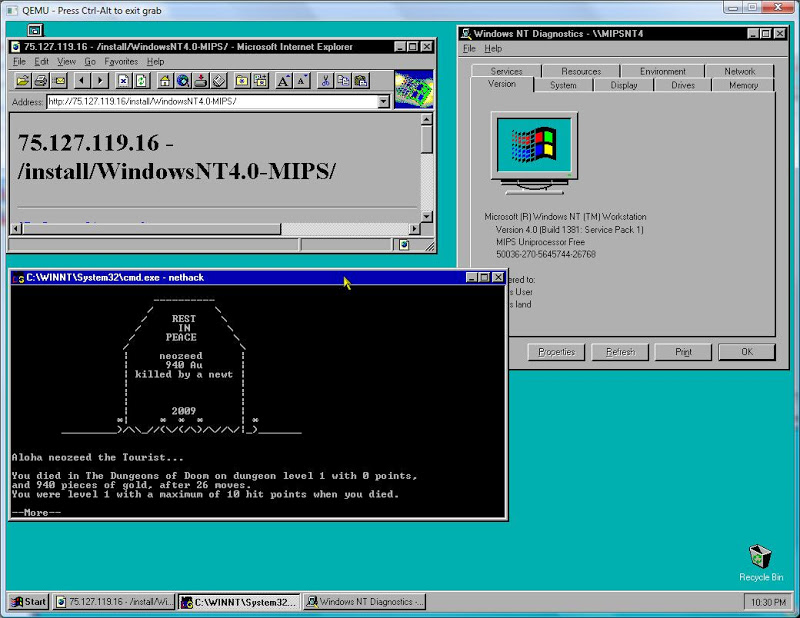
Anyways with a little poking around I got it to build & run!  It’s cool!  Although to be honest I SUCK at nethack.

You can download it here.  It’s lovingly hard coded to use c:\games\nethack … I’m sorry about that, as I’ve given up on having C/D/E drives like a ‘secure’ MIPS machine, and just have a giant (haha!) 2GB system partition.

nethack MIPS

nethack MIPS

It’s also worth noting that it’s easier to try to build stuff on a ‘native’ machine running MSVC 2.0/2.1 then copy the stuff over the the MIPS simulator as it is SLOW.  But then that is to be expected.. It’s too bad the Qemu MIPS simulator cannot idle… as it runs one of my cores @ 100%.

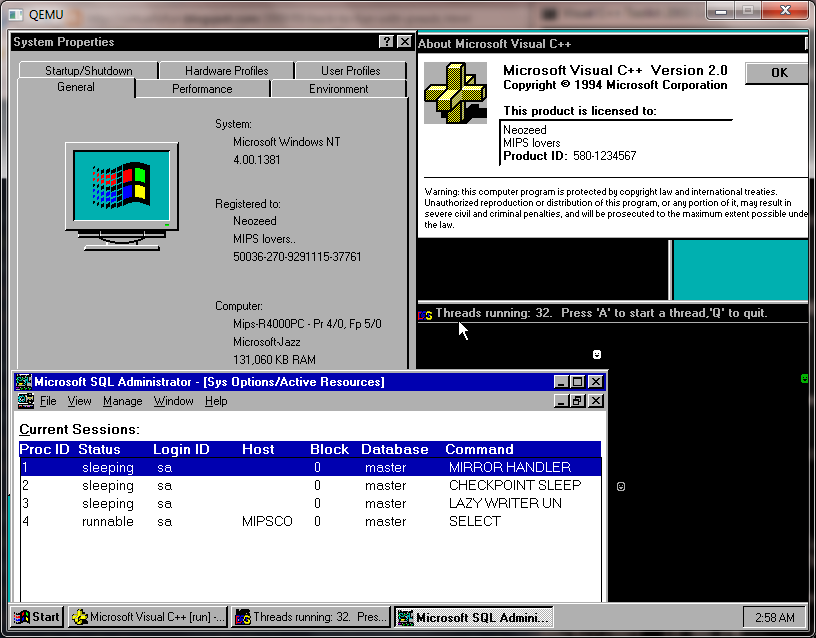
MIPS blast from the past..

WindowsNT 4.0 MIPS

WindowsNT 4.0 MIPS

Personally, I’ve never used any MIPS workstations with Windows NT, I’ve been lucky to have used the PowerPC build for IIS (it was cool in that intel hacks wouldn’t work.. It’s too bad it didn’t live long from Microsoft’s end) and of course SQL server on the Dec Alpha.  I also used a Dec Alpha as a workstation (the Multia!) at the time I recall it was cool as it could decode MP3’s in real-time!  Sadly, my Multia died the day Microsoft killed the port.

Anyways while I was searching around hoping the Qemu forum had come alive (it is!) I came across this post:

Hello,
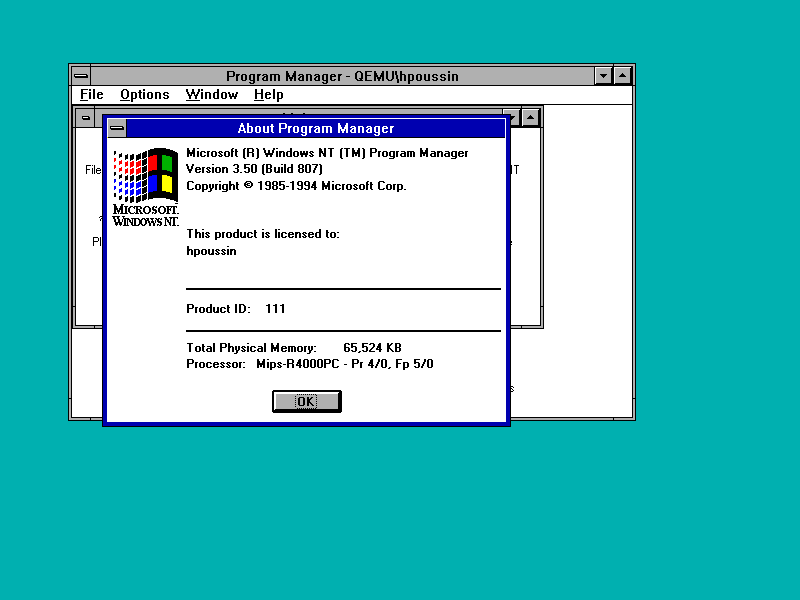
I wanted to let you know that I succeeded to run MS Windows NT/MIPS in the Qemu emulator.
As far as I know, Qemu is the first emulator to be able to run Windows NT non i386/x64.
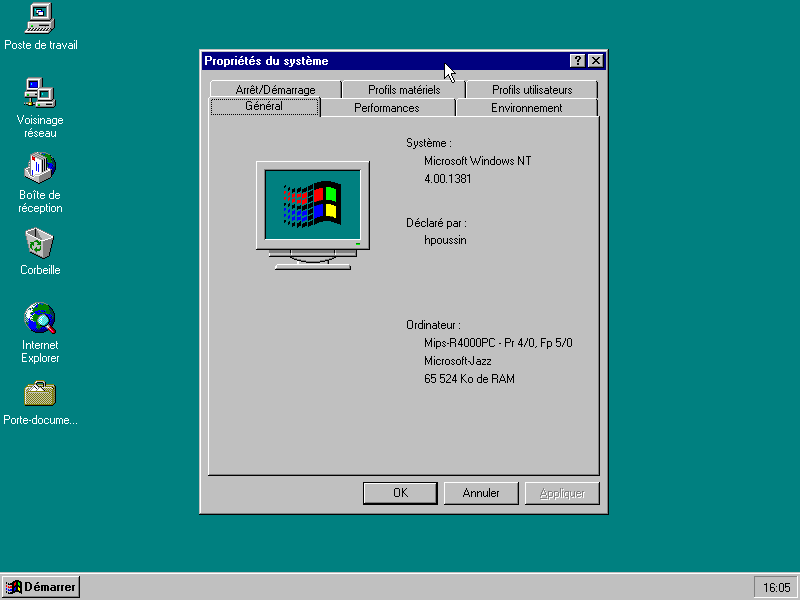
Some screenshots:
http://hpoussineau.free.fr/qemu/arc20081202-nt350-4.png
http://hpoussineau.free.fr/qemu/arc20090315_nt4.png
Code needs to be cleaned up and will be contributed upstream.
Herve

What is this?  Well click the links!  It is what it sounds like, Herve got Windows NT running on the MIPS emulation for Qemu!!

I’ve tested a 3.51 workstation CD to no avail – It hangs checking the hard disk.  I also have a 3.1 CD with the win32 SDK & it doesn’t work either.  However, 4.0 works fine!  I should also add, this gave me a chance to install Microsoft Visual C++ 2.0 for the MIPS, and to try SQL 4.21 for the MIPS out.

One of the first thing you’ll find out, is that the Dec Alpha was popular non intel machine to run because of FX!32.  This program from Dec, allowed for dynamic translation of 32bit binaries on the Alpha.  So that you could run Office 97 for the i386 on the Alpha.  And on the 2nd run it was effectively a native copy as it had been translated at that point. Nothing like this existed for the MIPS.  Thus, native applications are RARE if any.  Another thing contributing to the lack of MIPS stuff, is that right after sp1 for Windows NT 4.0 came out, a week later all support for the MIPS ended.  Shockingly, there is a bare port of Internet explorer 3, but nothing else from any of those resulting projects:  Which is really sad. I *think* there may still be some copies floating out there for the PowerPC, but it was killed around the time of the service pack 3 release.

Anyways if you want to run this, I did find thru a little digging around the win32 exe is available on Herve’s site.

Download both of these files:

qemu-system-mips64el

setup.zip

And go ahead and unzip them.  In the setup.zip you will have found a file called NTPROM.RAW, rename it mipsel_bios.bin  .

Now we are ready to go!

Create a 2GB disk like this:

qemu-img create -f qcow2 nt4.disk 2G

Then run the emulator

qemu-system-mips64el.exe -hda nt4.disk  -M magnum -L .  -net nic -net user-cdrom winnt40wks_sp1_en.iso

Your system will initialize and just run thru the quick setup – Keep the display at 800×600 as the mouse will actually work at that resolution!  Also set the date to the correct date and ensure the MAC address for your Ethernet is not all zeros.  You can make up any address you want.

Then to install NT you have to run 2 programs:

cd:\mips\arcinst

This will install a system partition, and setup the ARC bootloader.  A 5MB partition is all you need, it’ll format it, and just exit arcinst.

cd:\mips\setupldr

This will kick off the install.  It will look & act like every other copy of Windows NT 4.0 that you have installed.  Keep in mind that you will create a 2nd partition, and install in there.  I’d recommend you skip the exhaustive disk scan as that seems to always screw up for me.  The install is pretty straight forward, I’d recommend you select an easy password, and you will probably want to setup an automatic logon.

From there you are on your own.  I’ve seen Exchange 4.0 available for the MIPS, and some old versions of SQL Server, SNA Server out there. I’ve never seen Microsoft Word for NT & Microsoft Excel for NT.  They were 32bit versions released prior to Office 95, and I *THINK* they had i386/MIPS/PowerPC/Alpha versions.. But I’m really not that sure.  I think internet explorer 2.0 is the ONLY web browser for the MIPS and no, Windows CE MIPS stuff will NOT run on the MIPS NT.  So don’t be all that disappointed as this isn’t too useful, but it may be interesting to see what all those MIPS directories were all about!

For Ultrix on VAX fans

I was googleing about, and came across this.  As far as I know at the moment, this is the only place you can find information about running Ultrix on SIMH’s MicroVAX II.

I don’t know if anyone cares about such an odd ball one, but I thought I’d throw it out…

Internet Explorer 6 full download

*This post is now just historical the downloads in question are long gone.

Internet Explorer 6

Well I was going thru some boxes, and I pulled out this copy of Windows NT 4.0 workstation that I got in Japan…  I figured I’d install it to see if there was any cool themes/backgrounds unique to Japan..  There was some stuff for Windows 95 & 98 but not as much for NT.

Anyways Microsoft won’t let you download the full version of IE6.. Which is going to be an issue “one day” but for now you can trick the site to giving you everything…

First download ie6setup.exe:

Click here for the English download

Click here for the Japanese download.

Then you have to run it as:

“C:\Downloads\ie6setup.exe” /c:”ie6wzd.exe /d /s:””#E”

Then you can select your editions, and save it to a folder.. You should save this as it will disappear one day….

Also You will want the mp3 codec that were targeted for Windows 95, but will work on Windows NT 4.0

l3codecp.exe  The MP3 codec for Windows

Qemu forums are down..

I hope they get them back up soon..  In the meantime I finished my Windows 95 notes (well for now) and I have put them on gunkies. 

I’ve also done some preliminary notes on Windows NT 4.0.

Anyways it’s been … boring.. so I thought I’d kick this much into the system…  I may also start hocking some pre-installed OEM Qemu stuff… lol.

Gunkies got a quick overhaul…


This is where I keep all my notes, and I’d encourage others to come on and fill in the MASSIVE blanks…

http://gunkies.org/wiki/Main_Page

I still think it’s got great potential but that my be just me..

Also The Unix Heritage Society has gone wiki as well…  I wish I were an authority on ancient Unix, but it does have potential it only needs people to start…..

More packages for 4.3 BSD

As someone has requested I have started to do lots of package updates for 4.3 BSD (the original/Vanilla version)…  Sourceforge however is doing major updates again, and I cannot add anymore files to the download sections…

Again not to gripe but I do wish sourceforge would allow you to use the old UI while they are building this new one…

Anyways I’ve managed to upload binutils/bison/flex/gmake & a few versions of GCC.  I haven’t built the c++ compiler as of yet… I just built nethack but I can’t finalize the upload though..

MSN messenger 5.0 fix for NT 4.0

This post is just pure historical at this point.  MSN has been shuttered, and it lives in through Escargo.

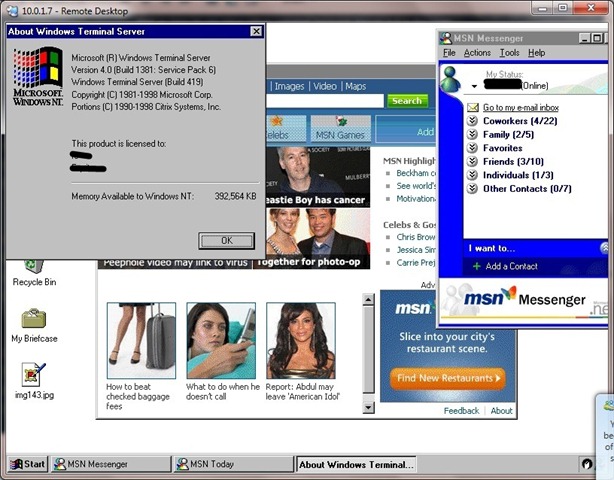
Well as long as you have either installed Terminal Server 4.0 in the ‘right order’ or with Server / Workstation you can probably ‘just install’ this fix..

First you will need the MSN 5.0 client.  It will install but on connecting it’ll declare there is a newer version which it’ll download but will not work…  And you’ll be stuck in a loop.

Thankfully, Jonathan Kay has a fix!

This looks like a bug and wouldn’t be the first time these older clients have been messed up.
I’ve made some enquires to find out one way or another.
I’ve modified the MSN Messenger 5.0 executable to lie to the service about it’s version so
you can login again. Obviously this probably isn’t a great solution, but it’s a workaround
for now. Simply
unzip the exe into the \Program Files\MSN Messenger folder and it will work:
http://messenger.jonathankay.com/redir/msngr5verlie.asp
—
Jonathan Kay
Microsoft MVP –
Windows Live Messenger
MSN Messenger/Windows Messenger
MessengerGeek Blog:
http://www.messengergeek.com
Messenger Resources: http://messenger.jonathankay.com
(c) 2009 Jonathan Kay – If redistributing, you must include this signature or citation


MSN on terminal server

Well this is great news for NT 4.0 &Windows 2000 users!

Making do with NT 4.0 Terminal Server

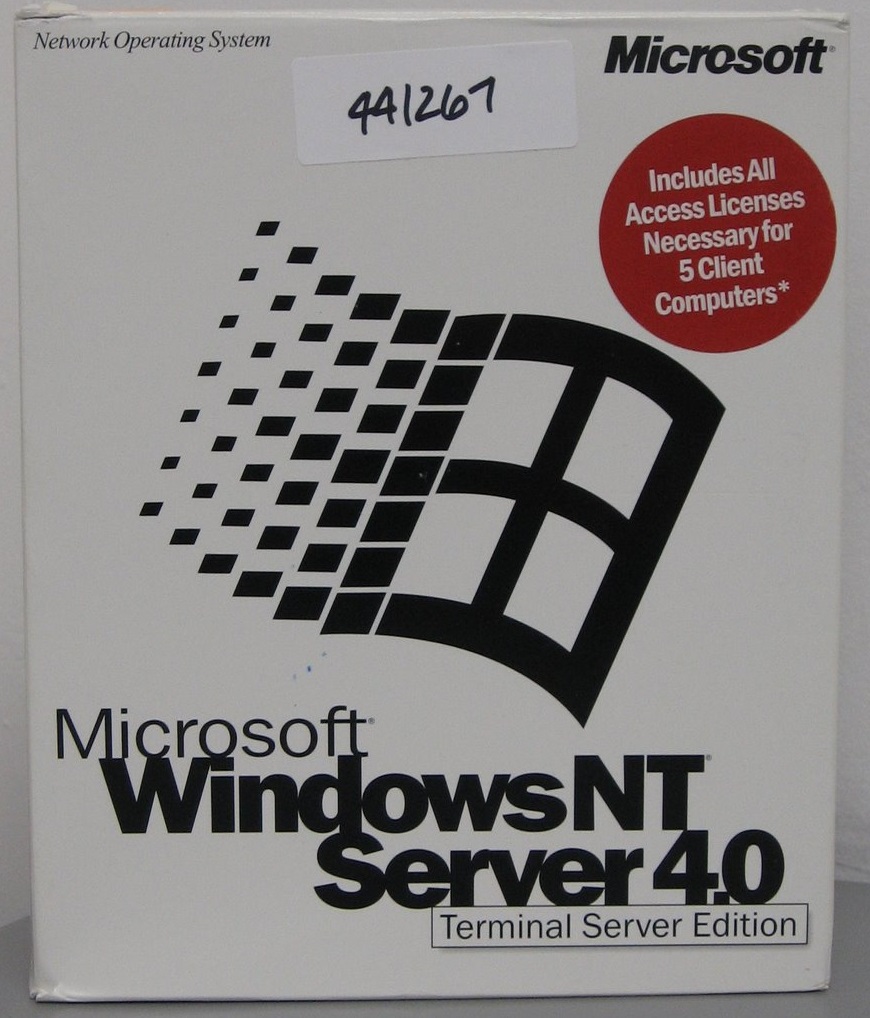
I’ve been using NT 4.0 terminal server as of late, as my copy gives me 10 users and well.. it’s cool!  One thing is the new XP and beyond terminal services clients will NOT work, but you can use the one that shipped with NT 4.0 just fine.

Anyways I’ve worked out this install order to get the most out of the thing.

  1. Install NT 4.0 TSE
  2. Install 4.0 Option pack with SMTP
  3. Install Service Pack 6 for Terminal Server
  4. Installer Windows installer 2.0
  5. Install Internet Explorer 5.5 (for MSJAVA) *skip webfolders.
  6. Install MSN Messenger 5.0 (really should be Escargot by now)
  7. Install Microsoft Office 97
  8. Install Microsoft Bookshelf 98
  9. Install Office 97 sp1
  10. Install Office 97 sp2
  11. Install Internet Explorer 6.0

Optional bits:

This is the best way to “balance” the software as most things will NOT play nicely if it’s installed in the “wrong” order.. It’s.. annoying which means format & try AGAIN.. This is the drawback to Terminal Server 4.0 it was such a public ALPHA.

As it stands right now MSN messenger will not work, something about its reported version.. I’m working on a fix for that  Also I’ll have to see about a good point to load in Visual C++ 2.1

Making bootable ISO images

I know for most people using mkisofs is second nature, but I needed to get a machine running MS-DOS without floppies… and it had to be on the bare metal.. Oh joy.

Now I’ve kind of done this before but I’ve never gotten it to preserve the directory structure.  It seems that it’s important to specify some output…

The ‘fun’ thing is that I was able to use virtual pc to build the boot diskette with IDE cdrom drivers, and make sure it works in that it mounted the CD and set the path there…

So I have extracted my MS-DOS install from the floppies into a directory on my pc and I keep the file dos622_1.img in the same directory so mkisofs can place it in the image.  Then it’s just a matter of running:

..\mkisofs.exe -o ..\x.iso -J -r -v -V test_disk -b dos622_1.img .

And I get an x.iso that can boot MS-DOS, and has all the dos commands in place, I can partition & format the hard disk and copy DOS into place.

It’s not much to see, but if you need legacy stuff it’ll be a life saver.. and I know I’ll end up losing the flags and needing them again!